

11.1. With HTML
Oum Saokosal
Master of Engineering in Information Systems, South Korea
855-12-252-752
oum_saokosal@yahoo.com
Hyperlink from Android App
• Like in HTML, you can create a hyperlink from
normal text, picture, and other views as well.
• Simple Text Link:
<TextView
android:layout_width="wrap_content"
android:layout_height="wrap_content"
android:autoLink="web"
android:text="www.facebook.com"/>
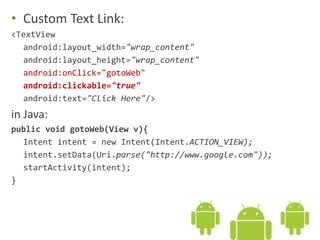
• Custom Text Link:
<TextView
android:layout_width="wrap_content"
android:layout_height="wrap_content"
android:onClick="gotoWeb"
android:clickable="true"
android:text="Click Here"/>
in Java:
public void gotoWeb(View v){
Intent intent = new Intent(Intent.ACTION_VIEW);
intent.setData(Uri.parse("http://www.google.com"));
startActivity(intent);
}
• Link on Image:
<ImageView
android:id="@+id/imageView1"
android:layout_width="wrap_content"
android:layout_height="wrap_content"
android:src="@drawable/bird"
android:onClick="gotoWeb"/>
in Java:
public void gotoWeb(View v){
Intent intent = new Intent(Intent.ACTION_VIEW);
intent.setData(Uri.parse("http://www.google.com"));
startActivity(intent);
}
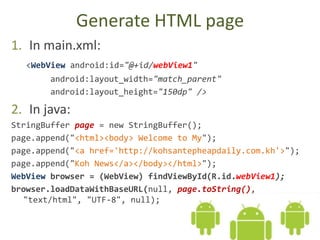
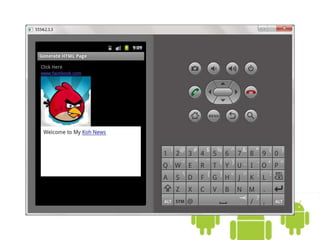
Generate HTML page
1. In main.xml:
<WebView android:id="@+id/webView1"
android:layout_width="match_parent"
android:layout_height="150dp" />
2. In java:
StringBuffer page = new StringBuffer();
page.append("<html><body> Welcome to My");
page.append("<a href='http://kohsantepheapdaily.com.kh'>");
page.append("Koh News</a></body></html>");
WebView browser = (WebView) findViewById(R.id.webView1);
browser.loadDataWithBaseURL(null, page.toString(),
"text/html", "UTF-8", null);
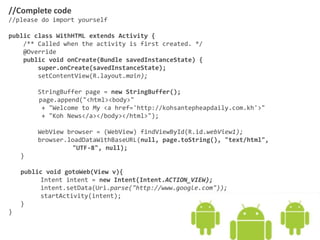
//Complete code
//please do import yourself
public class WithHTML extends Activity {
/** Called when the activity is first created. */
@Override
public void onCreate(Bundle savedInstanceState) {
super.onCreate(savedInstanceState);
setContentView(R.layout.main);
StringBuffer page = new StringBuffer();
page.append("<html><body>"
+ "Welcome to My <a href='http://kohsantepheapdaily.com.kh'>"
+ "Koh News</a></body></html>");
WebView browser = (WebView) findViewById(R.id.webView1);
browser.loadDataWithBaseURL(null, page.toString(), "text/html",
"UTF-8", null);
}
public void gotoWeb(View v){
Intent intent = new Intent(Intent.ACTION_VIEW);
intent.setData(Uri.parse("http://www.google.com"));
startActivity(intent);
}
}
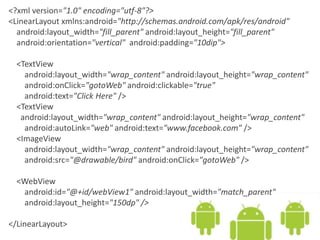
<?xml version="1.0" encoding="utf-8"?>
<LinearLayout xmlns:android="http://schemas.android.com/apk/res/android"
android:layout_width="fill_parent" android:layout_height="fill_parent"
android:orientation="vertical" android:padding="10dip">
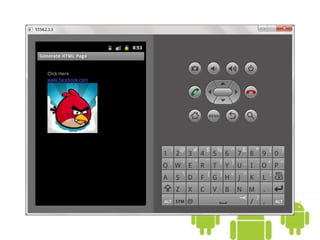
<TextView
android:layout_width="wrap_content" android:layout_height="wrap_content"
android:onClick="gotoWeb" android:clickable="true"
android:text="Click Here" />
<TextView
android:layout_width="wrap_content" android:layout_height="wrap_content"
android:autoLink="web" android:text="www.facebook.com" />
<ImageView
android:layout_width="wrap_content" android:layout_height="wrap_content"
android:src="@drawable/bird" android:onClick="gotoWeb" />
<WebView
android:id="@+id/webView1" android:layout_width="match_parent"
android:layout_height="150dp" />
</LinearLayout>
11.1 Android with HTML

11.1 Android with HTML

  • 1.
    11.1. With HTML OumSaokosal Master of Engineering in Information Systems, South Korea 855-12-252-752 oum_saokosal@yahoo.com
  • 2.
    Hyperlink from AndroidApp • Like in HTML, you can create a hyperlink from normal text, picture, and other views as well. • Simple Text Link: <TextView android:layout_width="wrap_content" android:layout_height="wrap_content" android:autoLink="web" android:text="www.facebook.com"/>
  • 3.
    • Custom TextLink: <TextView android:layout_width="wrap_content" android:layout_height="wrap_content" android:onClick="gotoWeb" android:clickable="true" android:text="Click Here"/> in Java: public void gotoWeb(View v){ Intent intent = new Intent(Intent.ACTION_VIEW); intent.setData(Uri.parse("http://www.google.com")); startActivity(intent); }
  • 4.
    • Link onImage: <ImageView android:id="@+id/imageView1" android:layout_width="wrap_content" android:layout_height="wrap_content" android:src="@drawable/bird" android:onClick="gotoWeb"/> in Java: public void gotoWeb(View v){ Intent intent = new Intent(Intent.ACTION_VIEW); intent.setData(Uri.parse("http://www.google.com")); startActivity(intent); }
  • 6.
    Generate HTML page 1.In main.xml: <WebView android:id="@+id/webView1" android:layout_width="match_parent" android:layout_height="150dp" /> 2. In java: StringBuffer page = new StringBuffer(); page.append("<html><body> Welcome to My"); page.append("<a href='http://kohsantepheapdaily.com.kh'>"); page.append("Koh News</a></body></html>"); WebView browser = (WebView) findViewById(R.id.webView1); browser.loadDataWithBaseURL(null, page.toString(), "text/html", "UTF-8", null);
  • 7.
    //Complete code //please doimport yourself public class WithHTML extends Activity { /** Called when the activity is first created. */ @Override public void onCreate(Bundle savedInstanceState) { super.onCreate(savedInstanceState); setContentView(R.layout.main); StringBuffer page = new StringBuffer(); page.append("<html><body>" + "Welcome to My <a href='http://kohsantepheapdaily.com.kh'>" + "Koh News</a></body></html>"); WebView browser = (WebView) findViewById(R.id.webView1); browser.loadDataWithBaseURL(null, page.toString(), "text/html", "UTF-8", null); } public void gotoWeb(View v){ Intent intent = new Intent(Intent.ACTION_VIEW); intent.setData(Uri.parse("http://www.google.com")); startActivity(intent); } }
  • 8.
    <?xml version="1.0" encoding="utf-8"?> <LinearLayoutxmlns:android="http://schemas.android.com/apk/res/android" android:layout_width="fill_parent" android:layout_height="fill_parent" android:orientation="vertical" android:padding="10dip"> <TextView android:layout_width="wrap_content" android:layout_height="wrap_content" android:onClick="gotoWeb" android:clickable="true" android:text="Click Here" /> <TextView android:layout_width="wrap_content" android:layout_height="wrap_content" android:autoLink="web" android:text="www.facebook.com" /> <ImageView android:layout_width="wrap_content" android:layout_height="wrap_content" android:src="@drawable/bird" android:onClick="gotoWeb" /> <WebView android:id="@+id/webView1" android:layout_width="match_parent" android:layout_height="150dp" /> </LinearLayout>