10.3. Video
Oum Saokosal
Master of Engineering in Information Systems, South Korea
855-12-252-752
oum_saokosal@yahoo.com
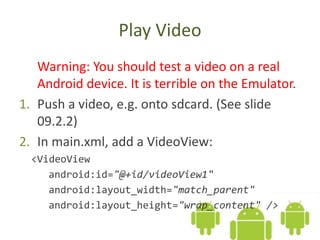
Play Video
Warning: You should test a video on a real
Android device. It is terrible on the Emulator.
1. Push a video, e.g. onto sdcard. (See slide
09.2.2)
2. In main.xml, add a VideoView:
<VideoView
android:id="@+id/videoView1"
android:layout_width="match_parent"
android:layout_height="wrap_content" />
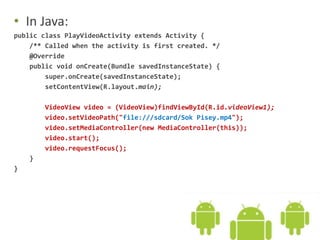
• In Java:
public class PlayVideoActivity extends Activity {
/** Called when the activity is first created. */
@Override
public void onCreate(Bundle savedInstanceState) {
super.onCreate(savedInstanceState);
setContentView(R.layout.main);
VideoView video = (VideoView)findViewById(R.id.videoView1);
video.setVideoPath("file:///sdcard/Sok Pisey.mp4");
video.setMediaController(new MediaController(this));
video.start();
video.requestFocus();
}
}
Go on to the next slide

10.3 Android Video

  • 1.
    10.3. Video Oum Saokosal Masterof Engineering in Information Systems, South Korea 855-12-252-752 oum_saokosal@yahoo.com
  • 2.
    Play Video Warning: Youshould test a video on a real Android device. It is terrible on the Emulator. 1. Push a video, e.g. onto sdcard. (See slide 09.2.2) 2. In main.xml, add a VideoView: <VideoView android:id="@+id/videoView1" android:layout_width="match_parent" android:layout_height="wrap_content" />
  • 3.
    • In Java: publicclass PlayVideoActivity extends Activity { /** Called when the activity is first created. */ @Override public void onCreate(Bundle savedInstanceState) { super.onCreate(savedInstanceState); setContentView(R.layout.main); VideoView video = (VideoView)findViewById(R.id.videoView1); video.setVideoPath("file:///sdcard/Sok Pisey.mp4"); video.setMediaController(new MediaController(this)); video.start(); video.requestFocus(); } }
  • 4.
    Go on tothe next slide