10.1. Audio
Oum Saokosal
Master of Engineering in Information Systems, South Korea
855-12-252-752
oum_saokosal@yahoo.com
Play Audio
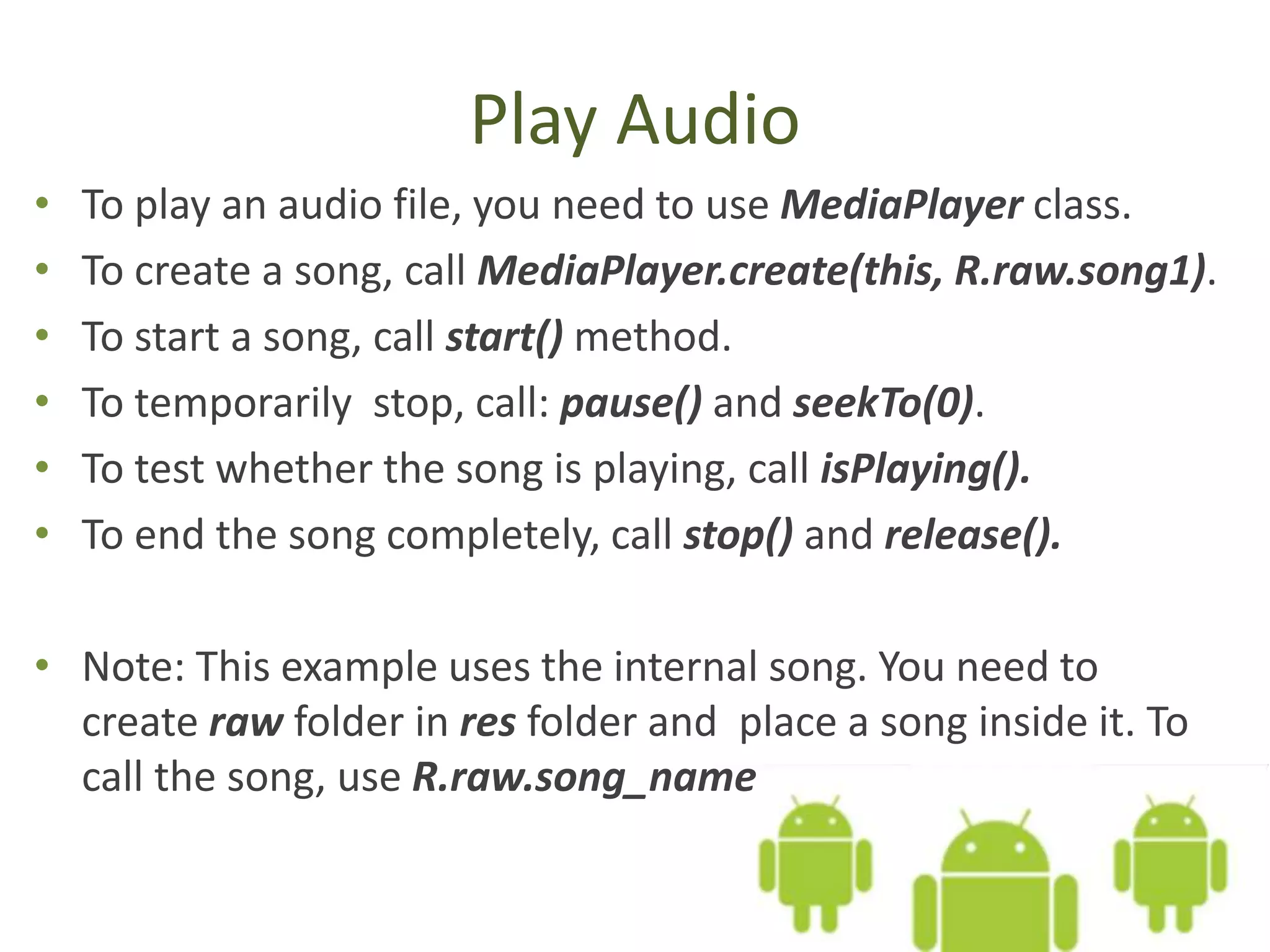
• To play an audio file, you need to use MediaPlayer class.
• To create a song, call MediaPlayer.create(this, R.raw.song1).
• To start a song, call start() method.
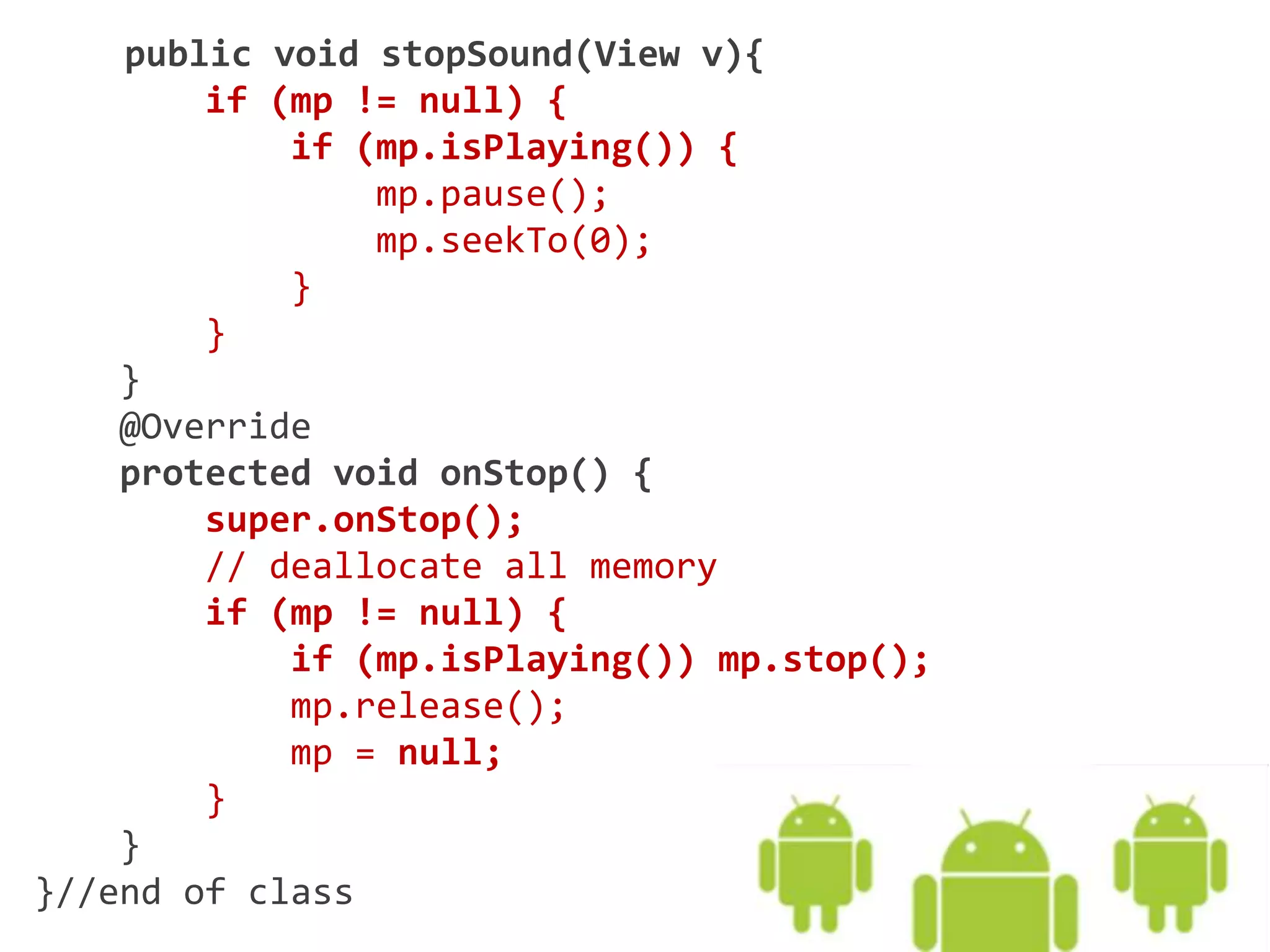
• To temporarily stop, call: pause() and seekTo(0).
• To test whether the song is playing, call isPlaying().
• To end the song completely, call stop() and release().
• Note: This example uses the internal song. You need to
create raw folder in res folder and place a song inside it. To
call the song, use R.raw.song_name
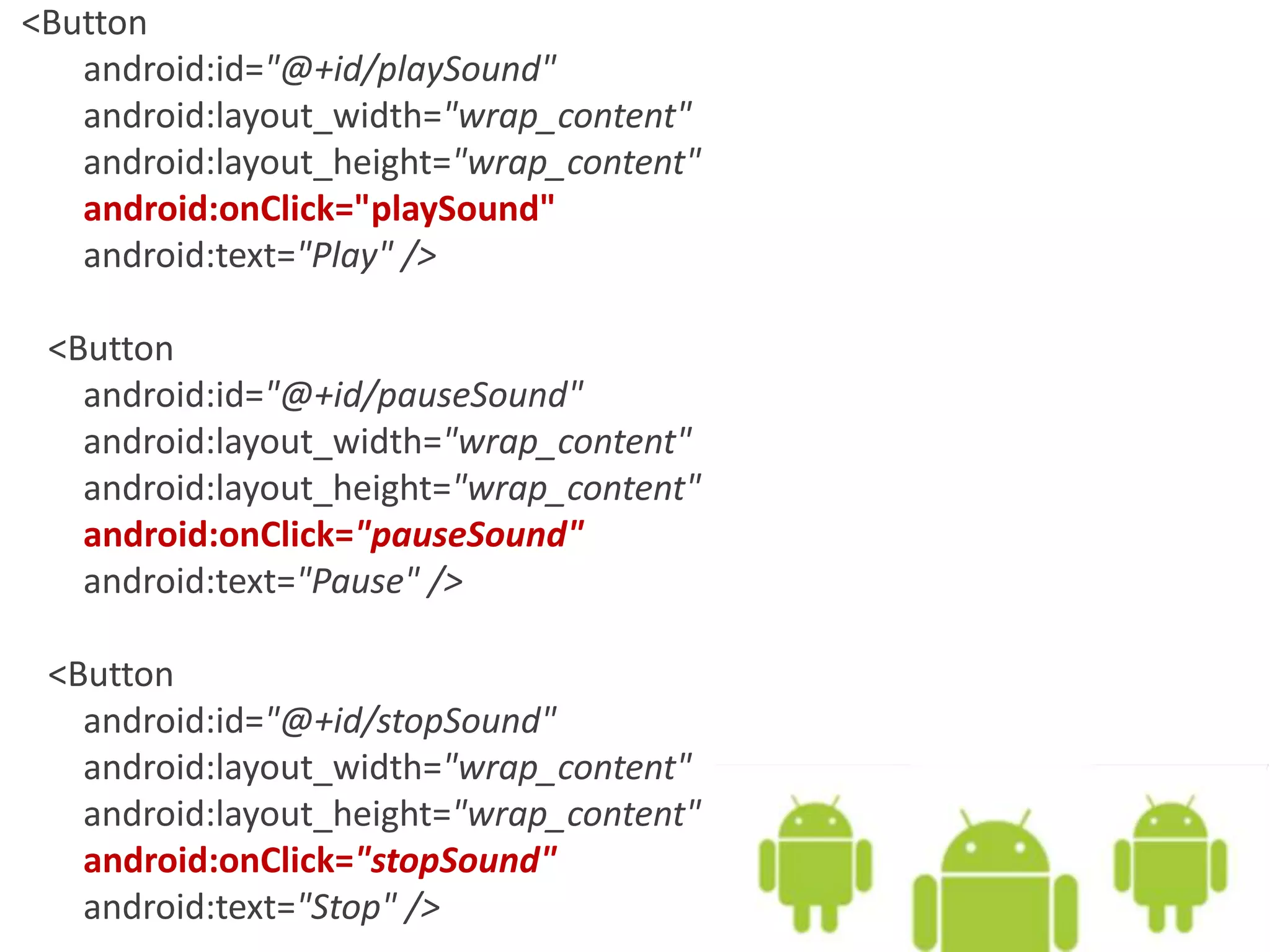
<Button
android:id="@+id/playSound"
android:layout_width="wrap_content"
android:layout_height="wrap_content"
android:onClick="playSound"
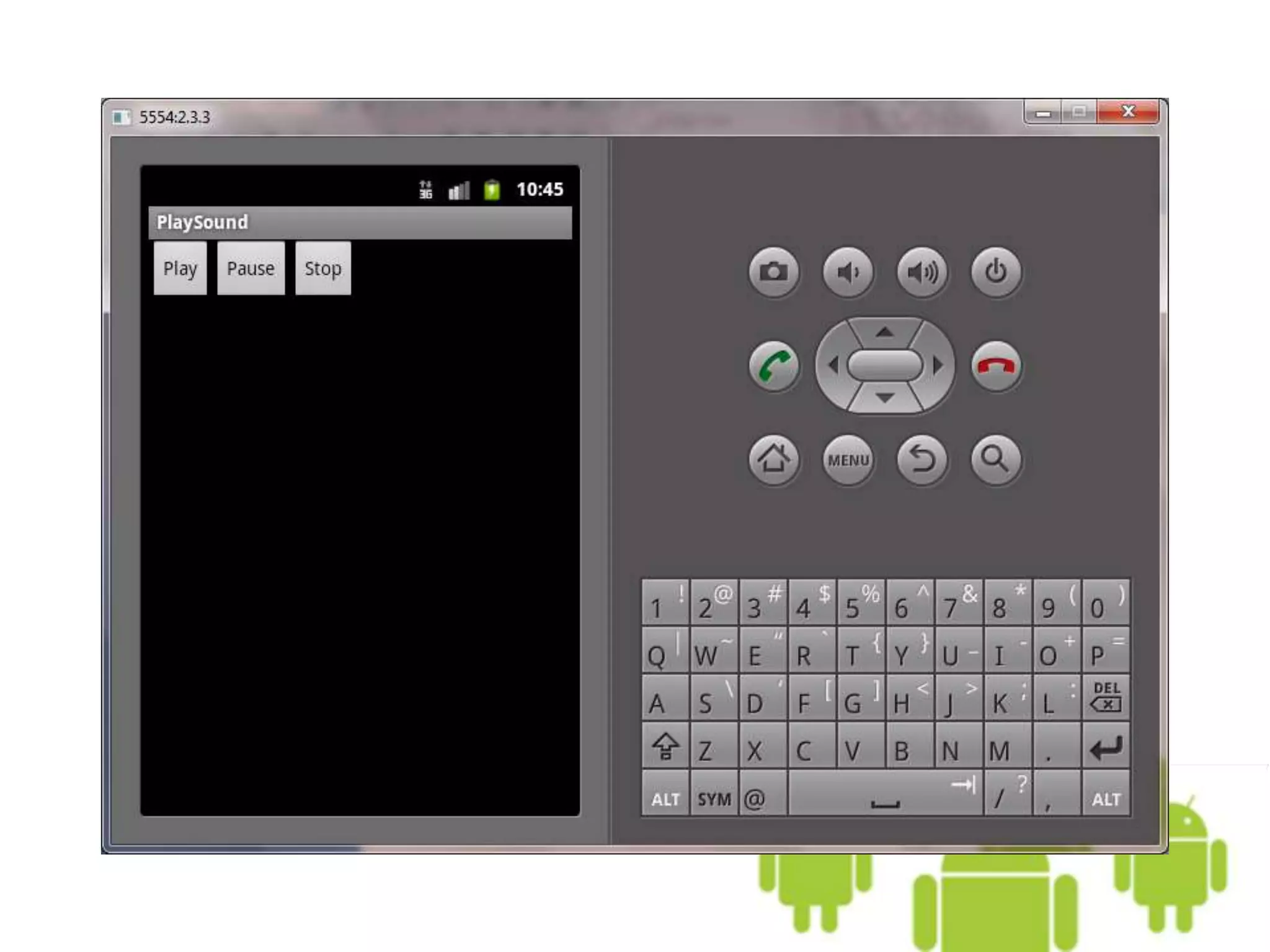
android:text="Play" />
<Button
android:id="@+id/pauseSound"
android:layout_width="wrap_content"
android:layout_height="wrap_content"
android:onClick="pauseSound"
android:text="Pause" />
<Button
android:id="@+id/stopSound"
android:layout_width="wrap_content"
android:layout_height="wrap_content"
android:onClick="stopSound"
android:text="Stop" />
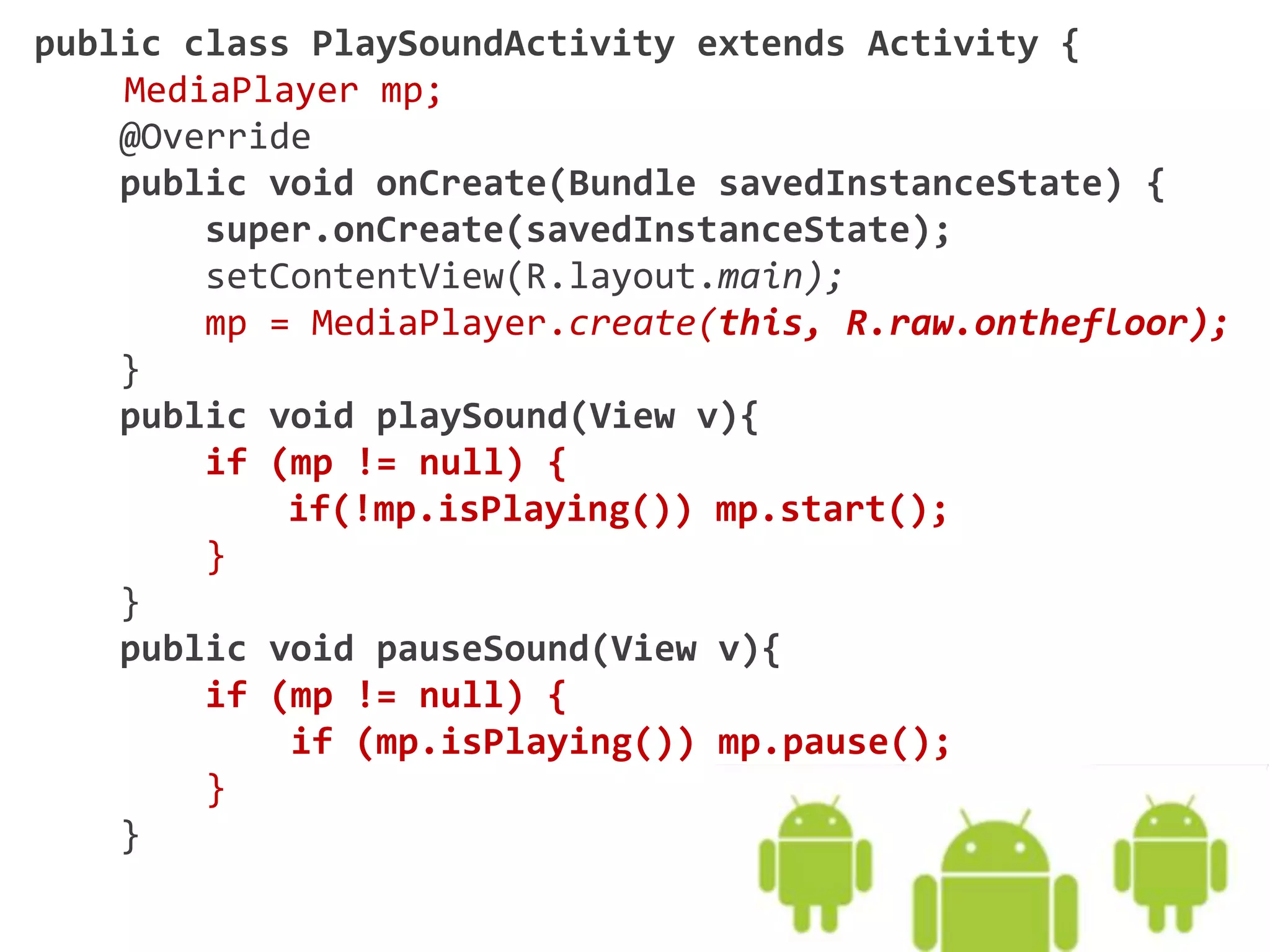
public class PlaySoundActivity extends Activity {
MediaPlayer mp;
@Override
public void onCreate(Bundle savedInstanceState) {
super.onCreate(savedInstanceState);
setContentView(R.layout.main);
mp = MediaPlayer.create(this, R.raw.onthefloor);
}
public void playSound(View v){
if (mp != null) {
if(!mp.isPlaying()) mp.start();
}
}
public void pauseSound(View v){
if (mp != null) {
if (mp.isPlaying()) mp.pause();
}
}
public void stopSound(View v){
if (mp != null) {
if (mp.isPlaying()) {
mp.pause();
mp.seekTo(0);
}
}
}
@Override
protected void onStop() {
super.onStop();
// deallocate all memory
if (mp != null) {
if (mp.isPlaying()) mp.stop();
mp.release();
mp = null;
}
}
}//end of class
Go on to the next slide

10.1. Android Audio