Download to read offline
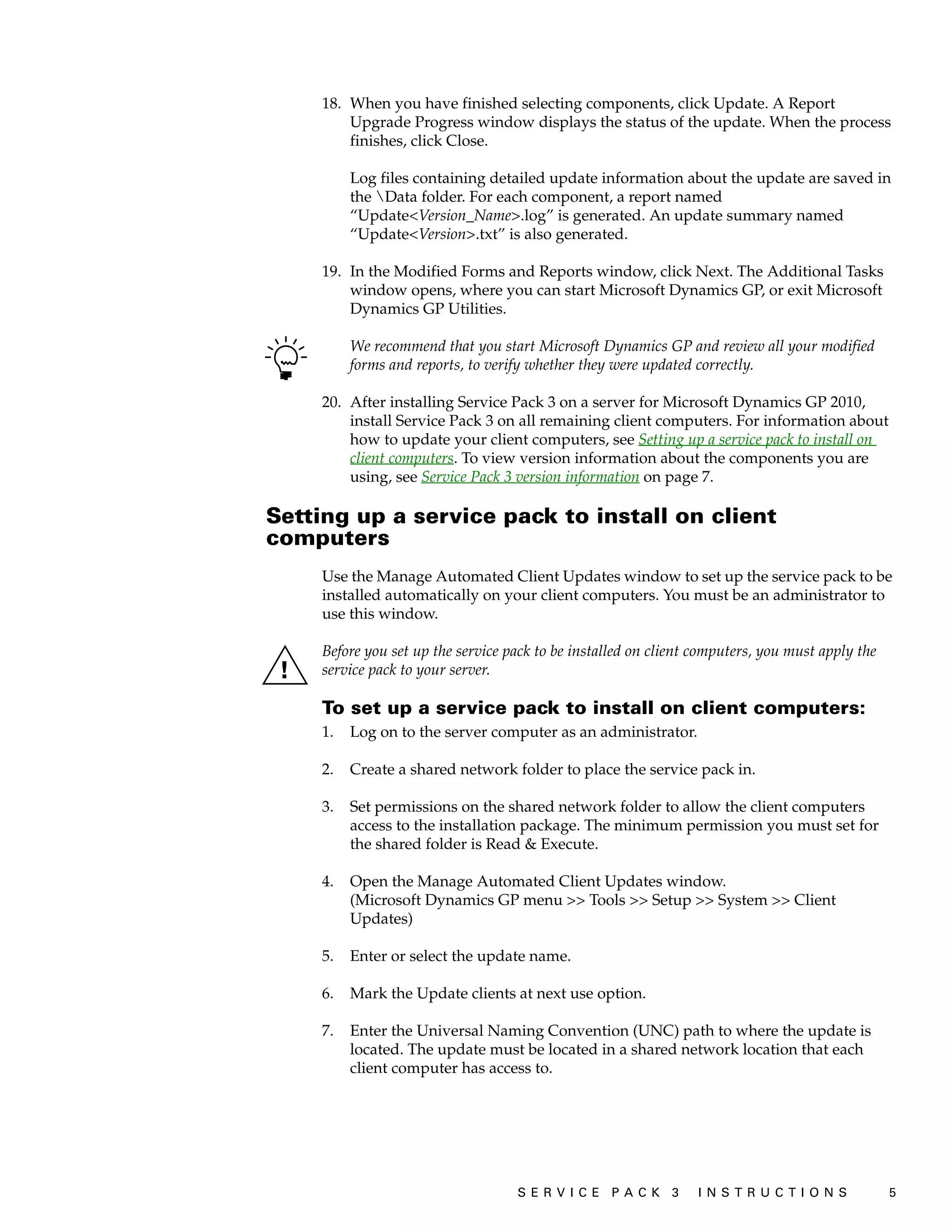
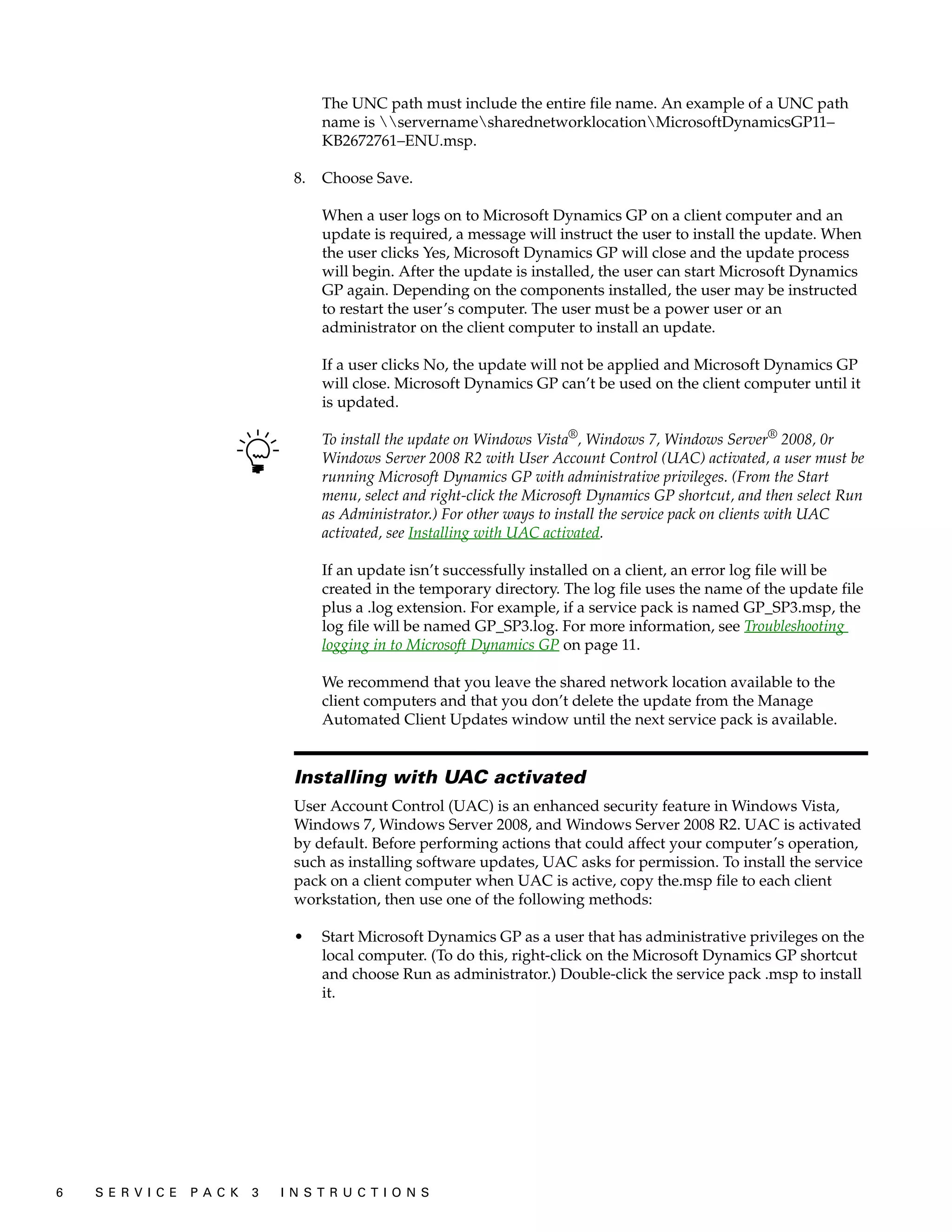
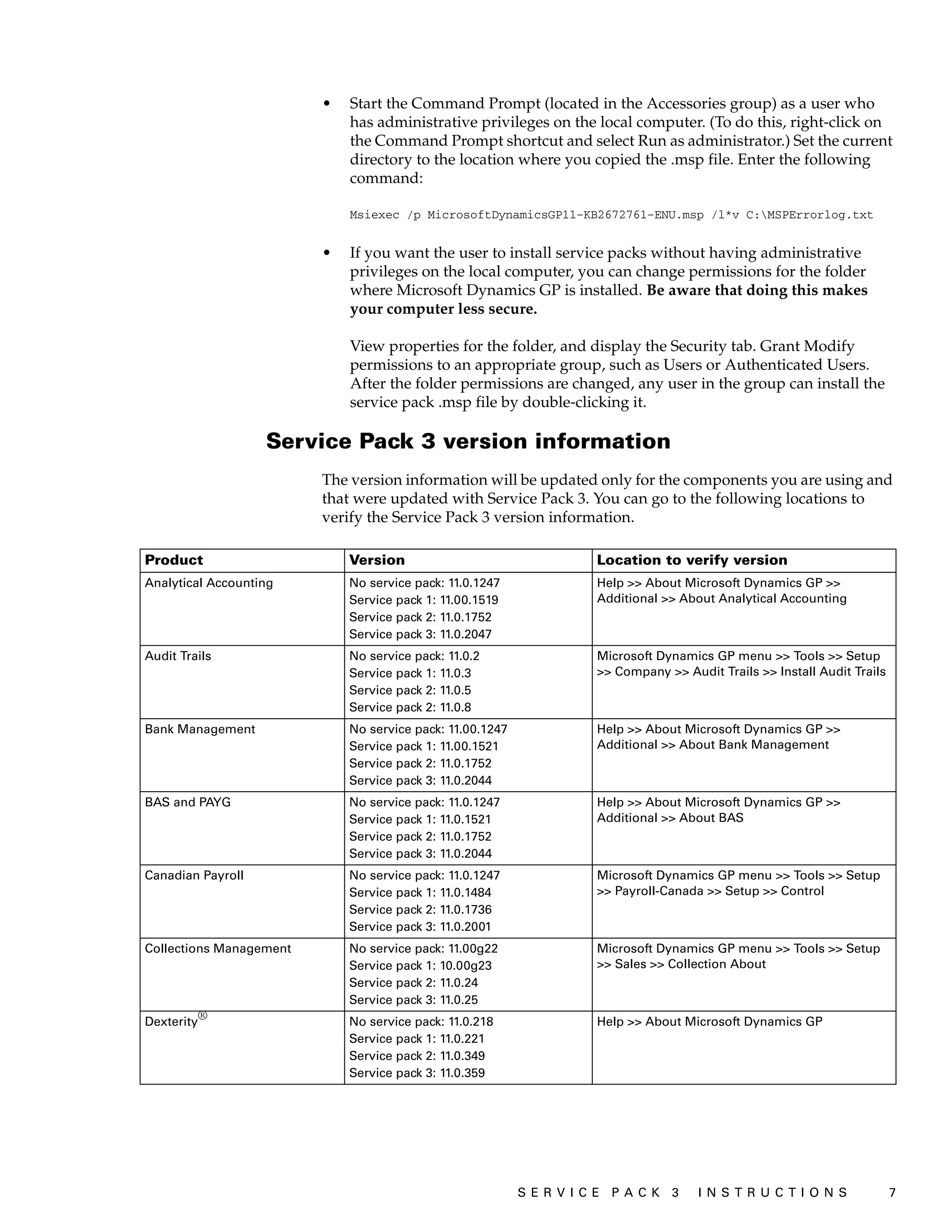
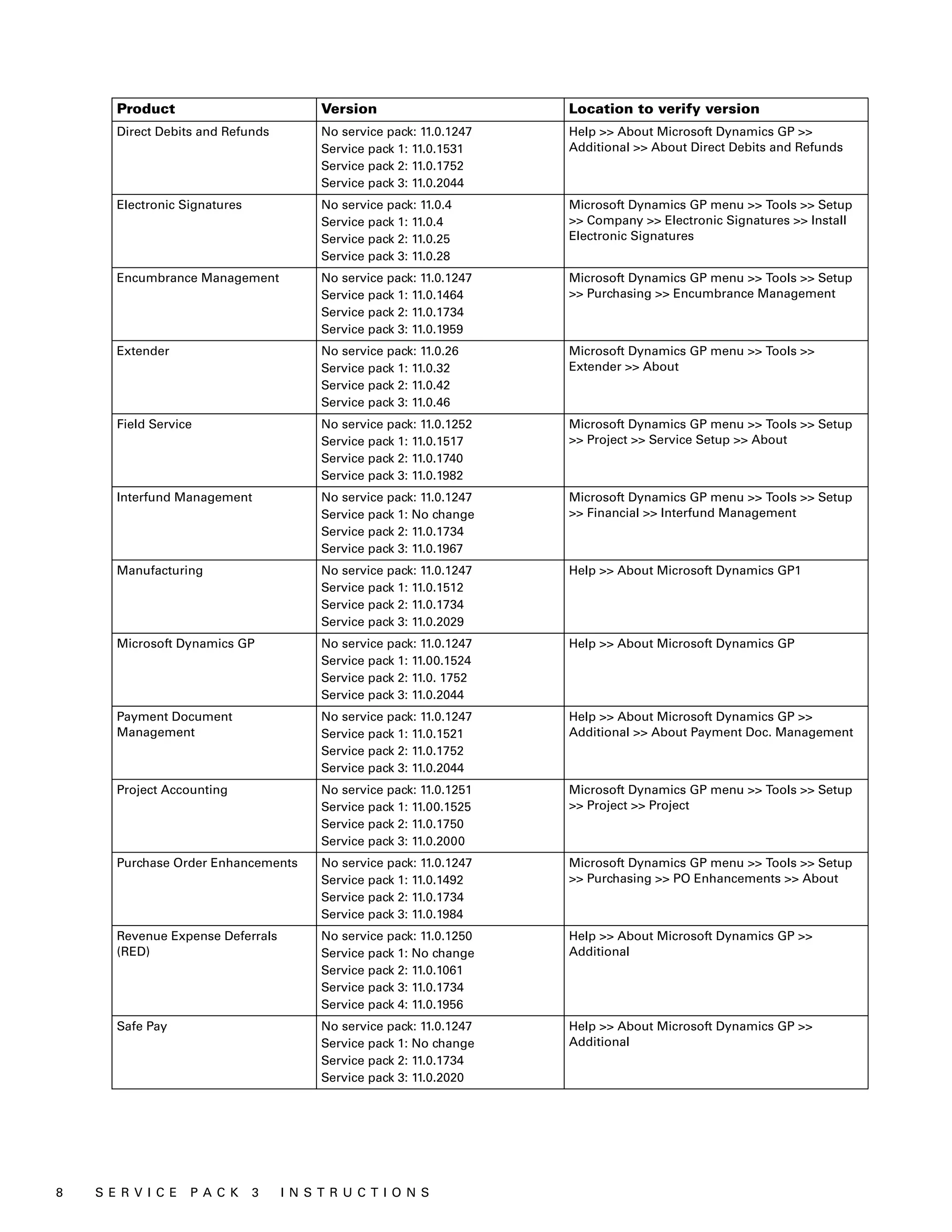
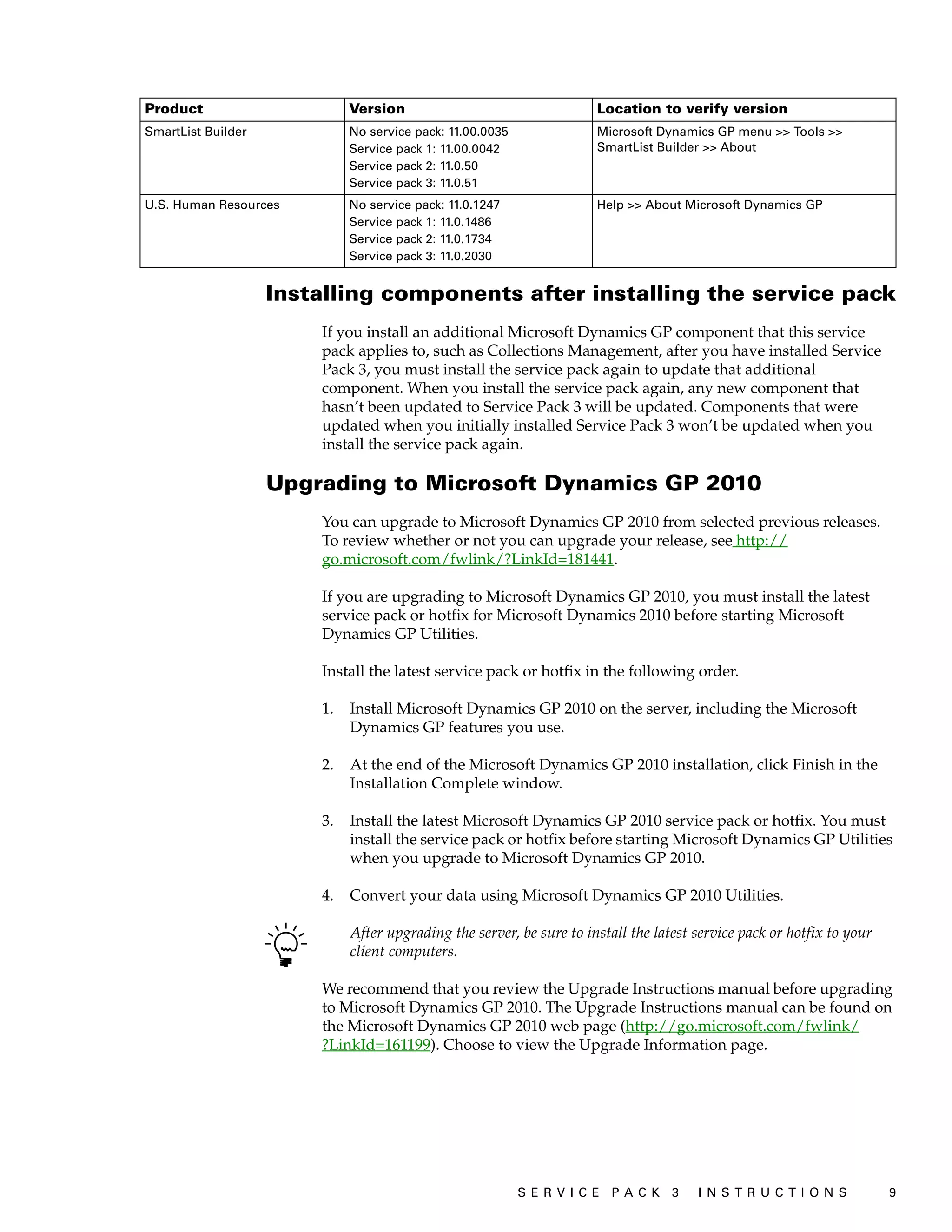
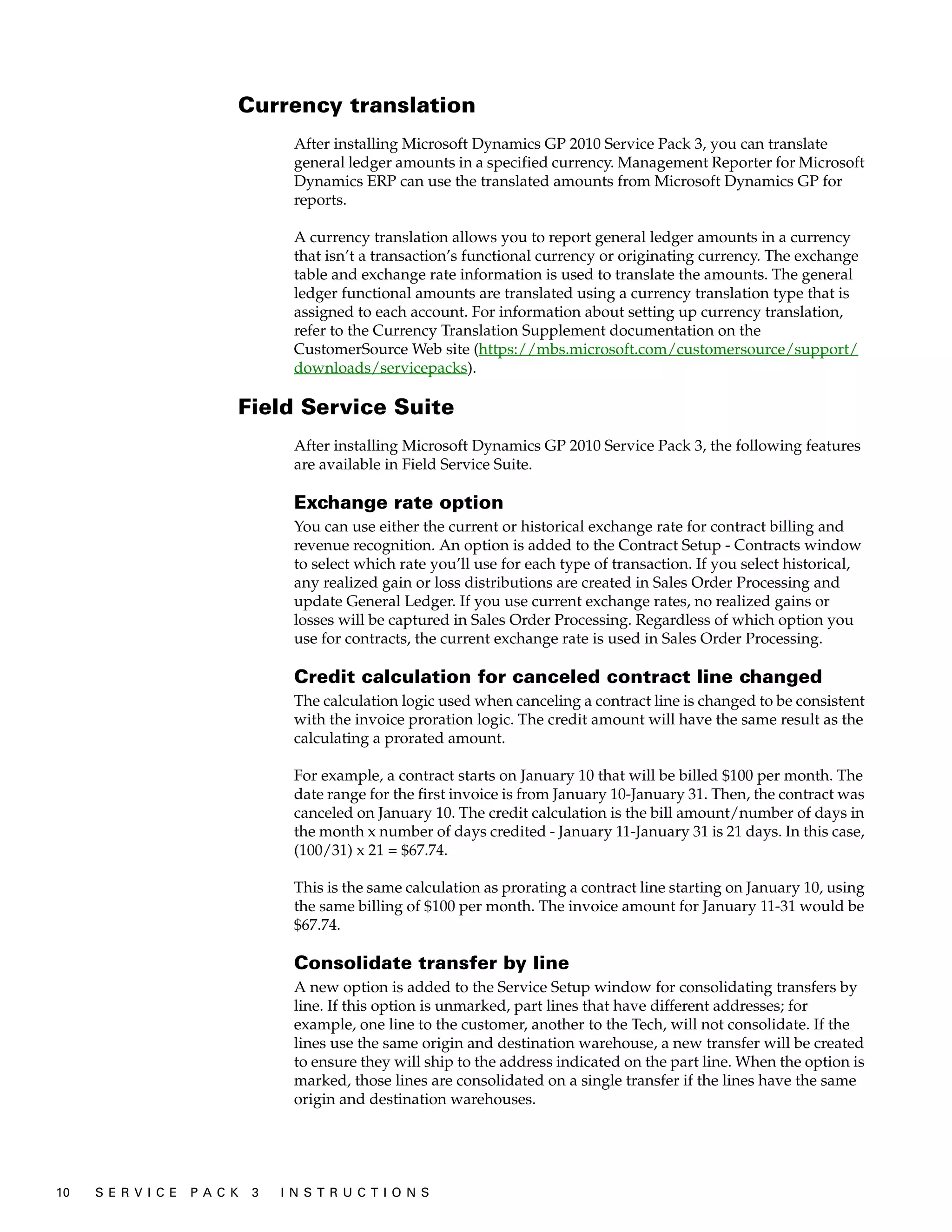
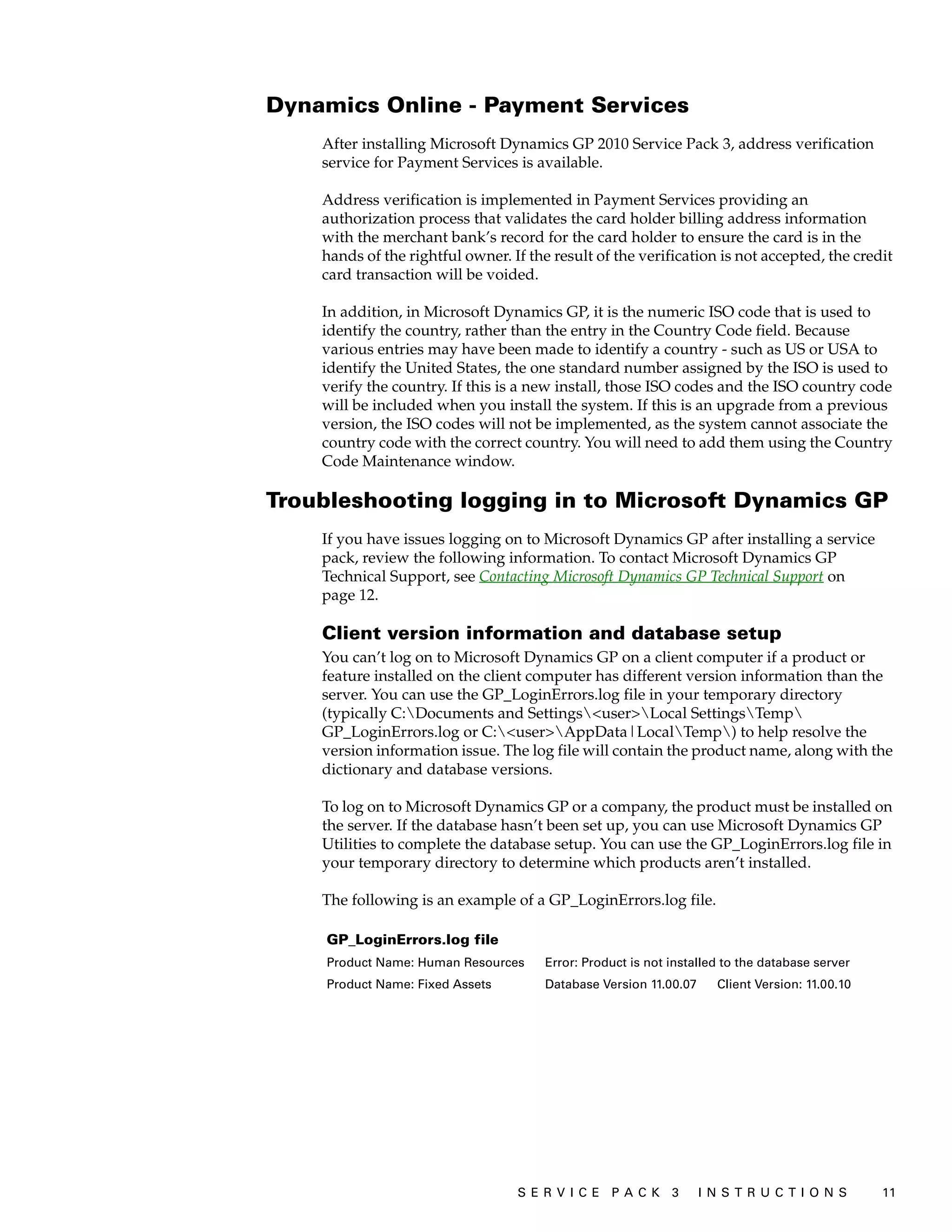
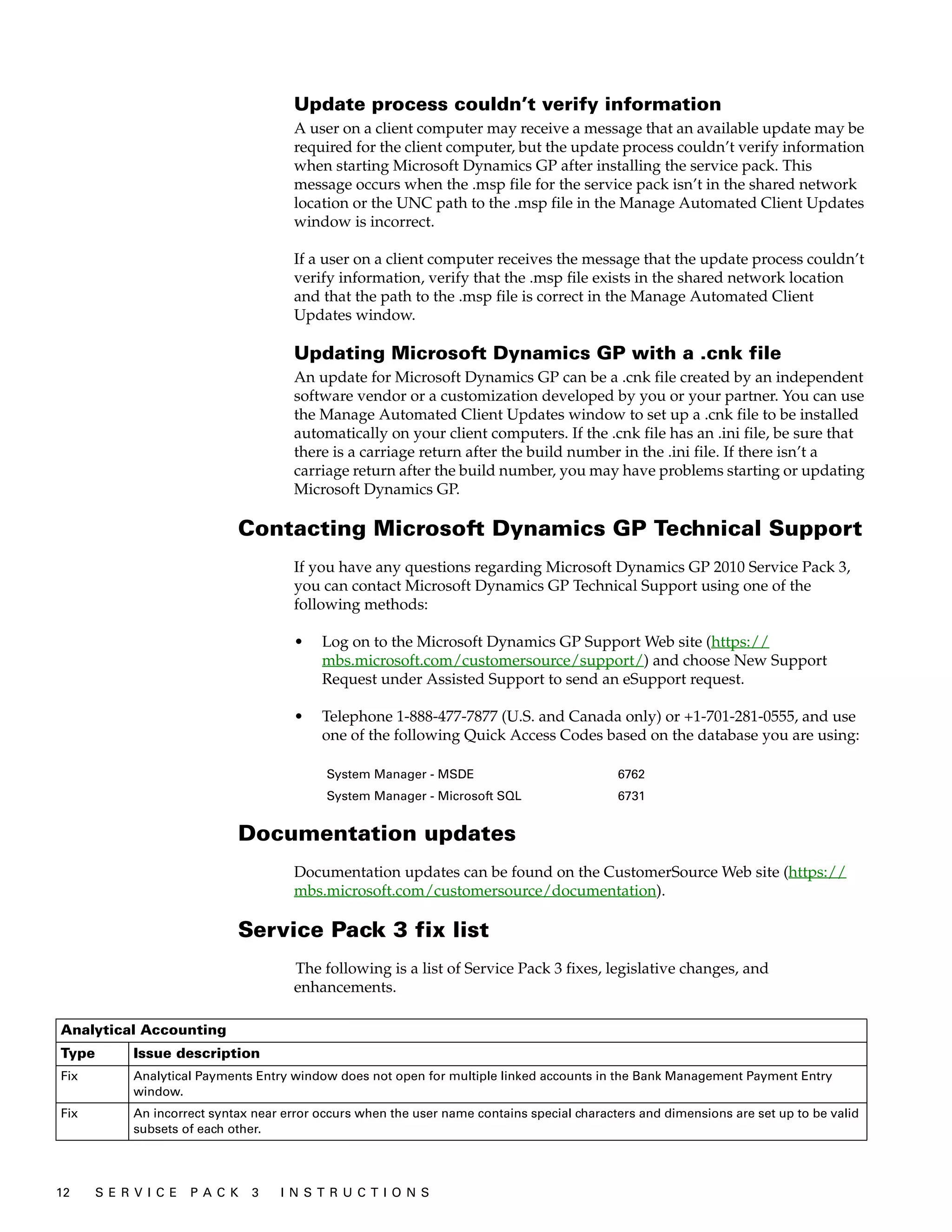
![Inventory
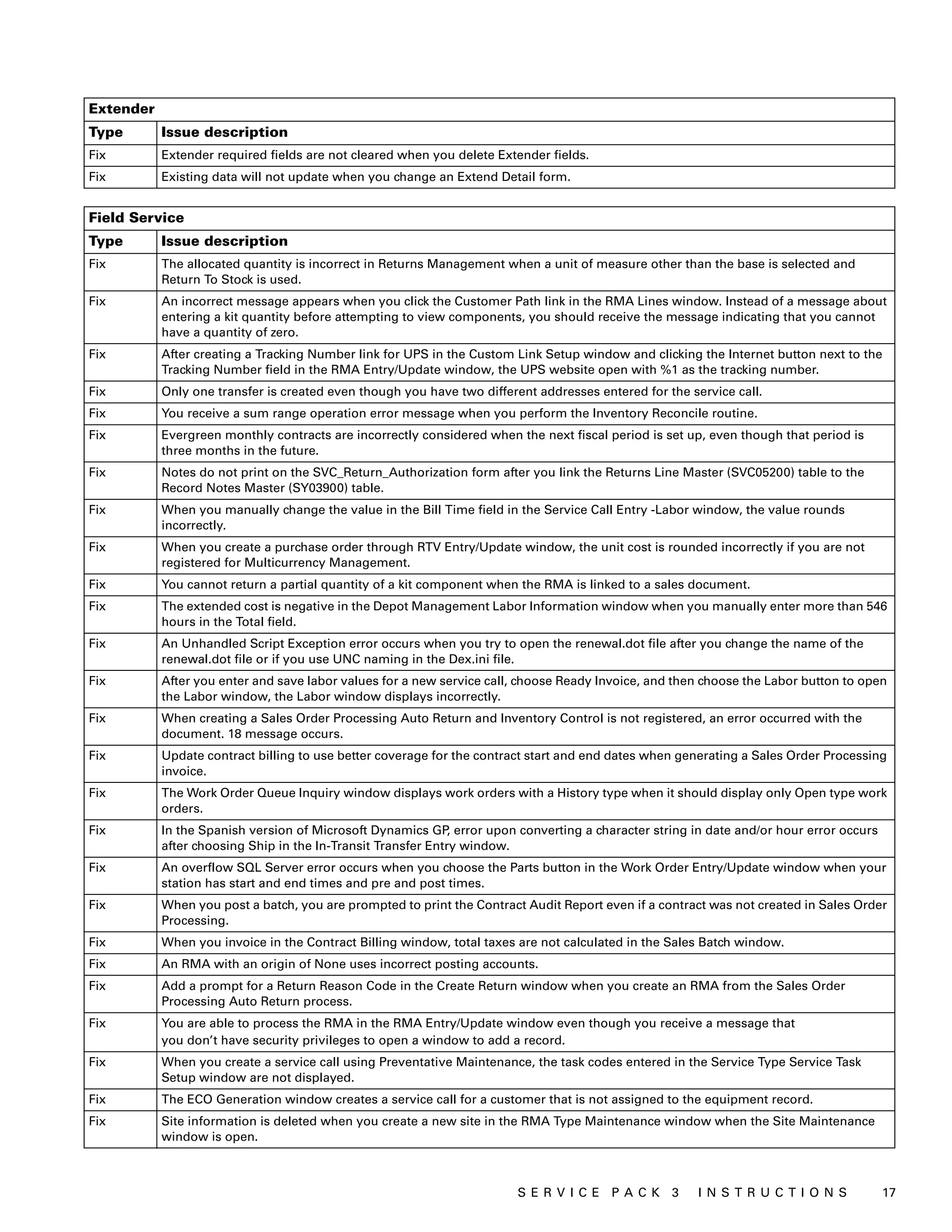
Type Issue description
Fix When posting a matched landed cost invoice, a cost adjustment is created and does not update the split receipt correctly.
Fix If you assign a price list to a price level and delete the price list, the price level isn’t updated.
Fix In-transit transfers for lot numbered items create invalid allocations.
Fix The quantity on hand is incorrect after you post an outflow transaction that consumes both an inventory receipt layer created
prior to Microsoft Dynamics GP 9.0 and a stamped layer.
Fix After installing Microsoft Dynamics GP 2010 Service Pack 2, the Inventory Purchase Receipts Sequence Number (IV10202)
table deadlocks.
Fix When you post an Inventory decrease adjustment, the value in the Cumulative ATP field in the Inventory Available to
Promise window is incorrect.
Fix Sales Order Processing posting deadlocks and creates duplicates in the Inventory Transaction History Detail (SEE30303)
table.
Fix The Historical Inventory Trial Balance report does not match the General Ledger balance when you used landed cost and you
use the Inventory Adjust Cost utility.
Fix When creating a Historical Inventory Trial Balance (HITB) report with an account number range, an unexpected account
number appears on the report.
Fix The Purchasing Item Detail Entry window doesn’t honor the Allow Account Entry option for a General Ledger account.
Fix The Inventory Transactions view for SQL Server Reporting Services reports does not display the document date for
transactions originating outside of the Inventory module.
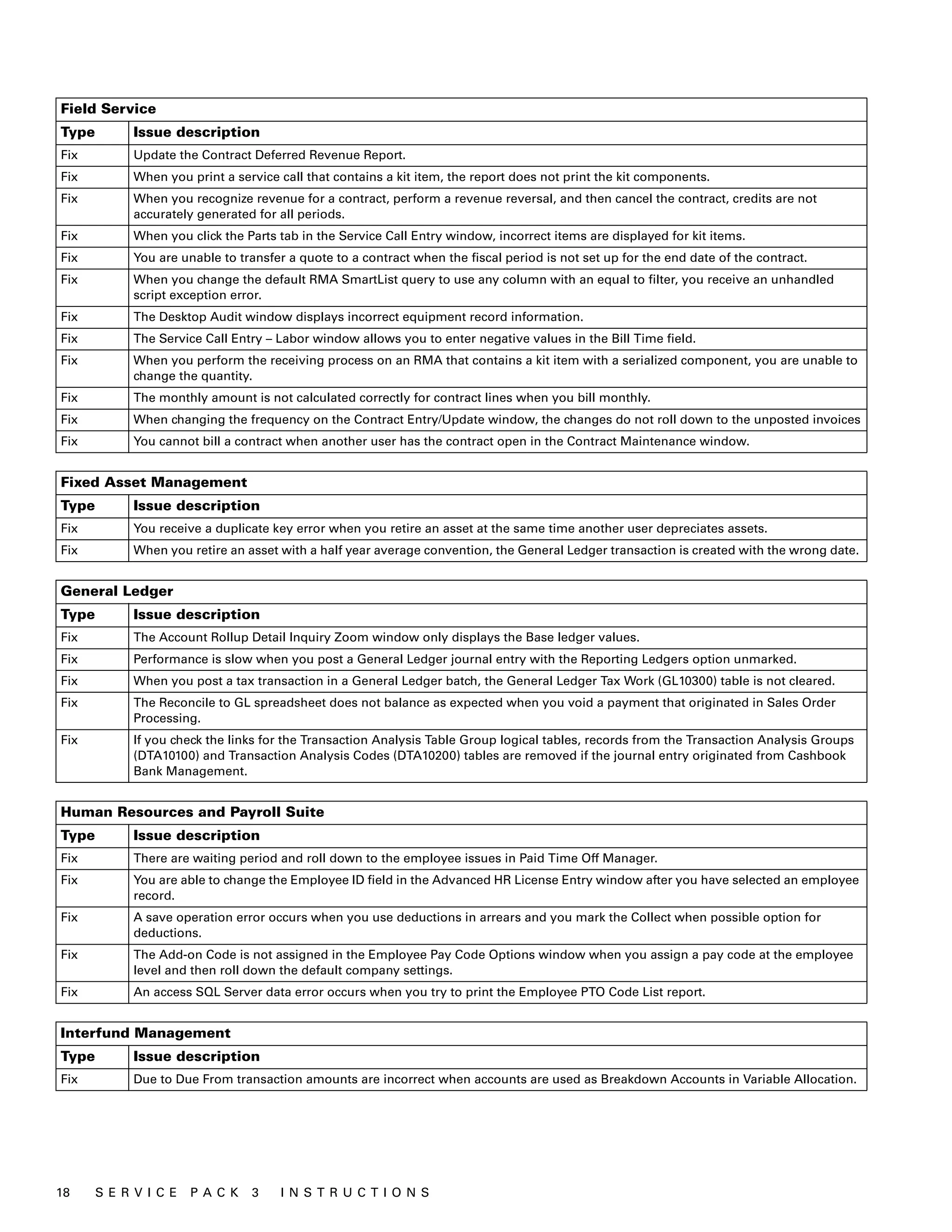
Manufacturing
Type Issue description
Fix If you make changes to a closed manufacturing order (MO), the status of the MO is incorrectly changed from Closed to Open.
Fix MRP Low Level Code values are incorrect for an item that exists on an archived bill of materials.
Fix The following errors occur when you try to reverse a labor time entry.
An error occurred executing the SQL statements.
GPS Error: 18
Error SQL 241 [Microsoft][SQL Server] Conversion Failed when converting date and/or time from character string
ODBC Error: 22008
You cannot reverse this labor entry because the pay code entered does not match the originating labor transaction.
Fix If you fulfill an order and don’t select lot numbers for the order, you are unable to return to the Sales Order Fulfillment
window so that you can enter a zero quantity in Quantity Fulfilled field.
Fix Additional costs for a purchase order line item are incorrectly allocated to the outsource account even though the Apply
Additional Outsources Costs to MO option is not marked.
Fix The History Inventory Trial Balance incorrectly displays a variance transaction for an item that has a $0 material cost and a
value in one of the other buckets.
Fix A primary key error occurs when a component exists at multiple levels in a parent bill of materials. This error occurs if the
Activate Single-level Cost Rollup option is marked in the Costing Preference Defaults window.
Fix When you try to reverse a manufacturing order receipt and quantities are not available, a message should state that you
can’t reverse the manufacturing order receipt because a quantity of the finished good has been sold.
Fix You can only process a manufacturing order scrap transaction one time for an item.
Fix SQL Server errors occur when you try to post a Sales Order Processing invoice.
Fix After regenerating MRP information, there is an incorrect suggestion to move a purchase order to a down day.
Fix When a net change regeneration is performed, the Weeks bucket in the MRP Workbench window does not show the gross
requirements.
Fix The Inventory Transaction Amounts History (IV30300) table is not updated correctly when you reverse issue a lot item with
multiple layers. The date of first layer is incorrectly used for all layers.
Fix The MRP process suggests a new manufacturing order instead of correctly suggesting a move in of a linked.
Fix A picklist is not updating correctly when you remove a phantom bill of materials from the picklist.
Fix SQL Server session IDs are stranded when you consecutively use lookup windows in the Manufacturing Order Receipt Entry
window.
Fix When you create a MO marked for Backward Infinite Scheduling, Machine Hours are not displayed after the MO is scheduled.
S ER V I C E P A C K 3 I N S T R U C T I O N S 19](https://image.slidesharecdn.com/11-0sp3installguideenus-120705064207-phpapp02/75/11-0-sp3-install_guide_enus-19-2048.jpg)
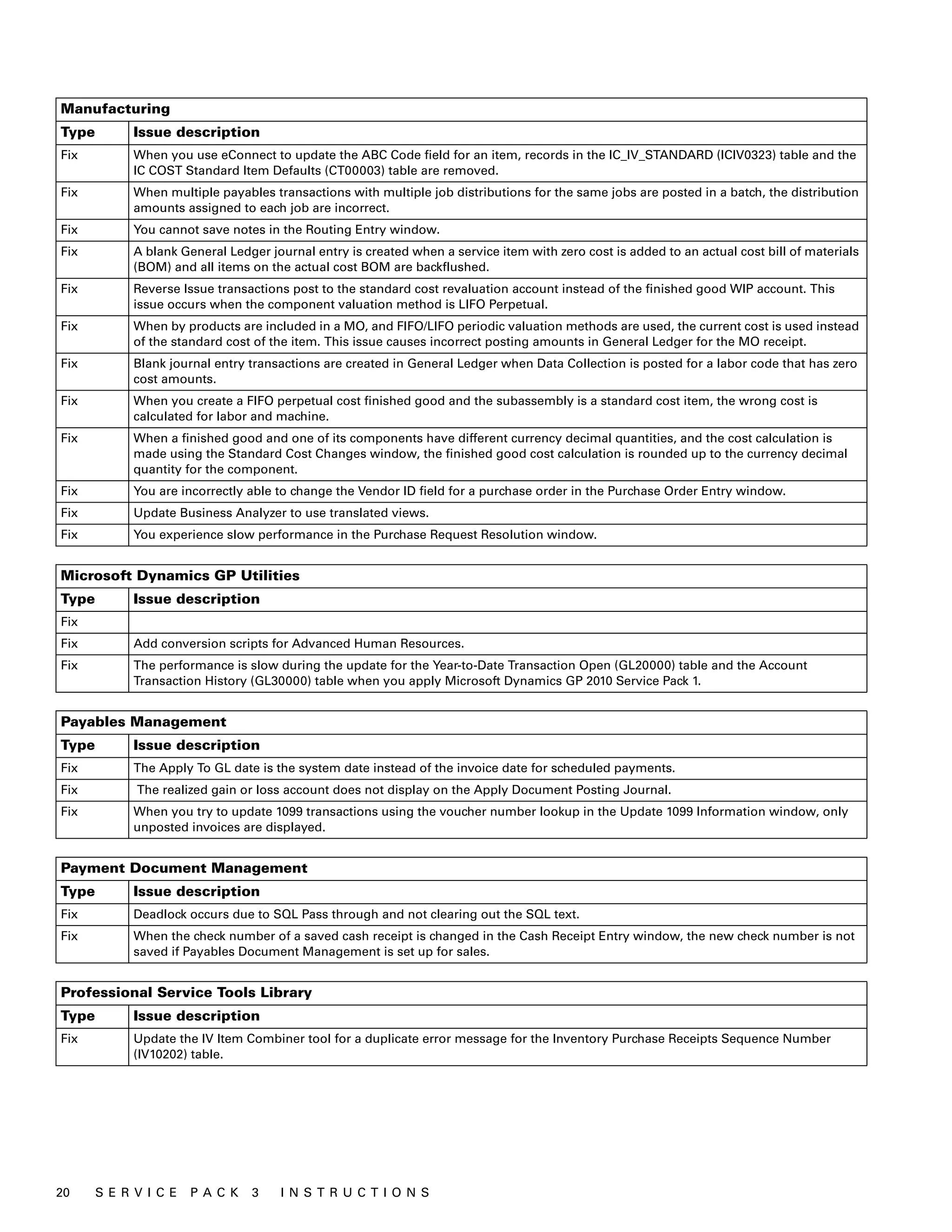
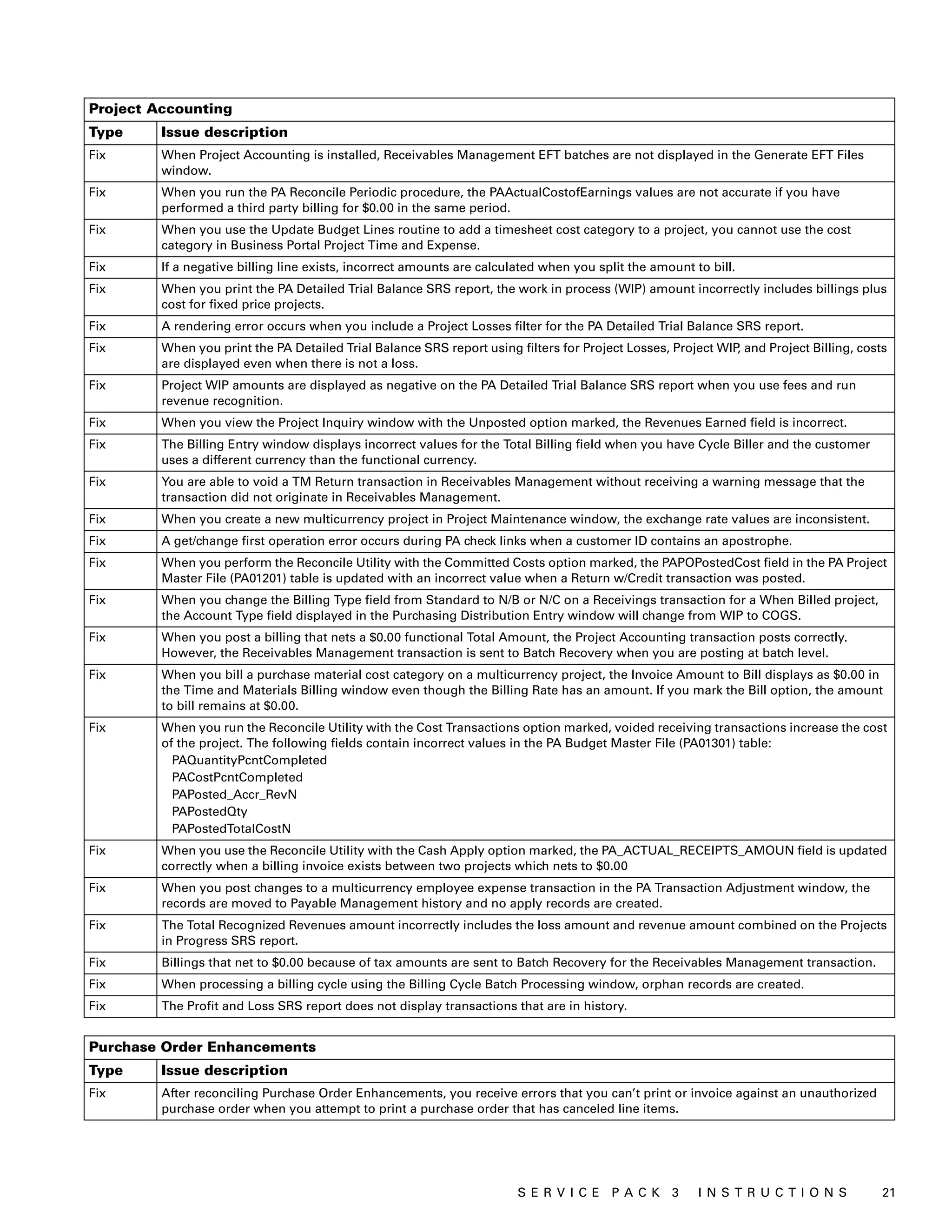
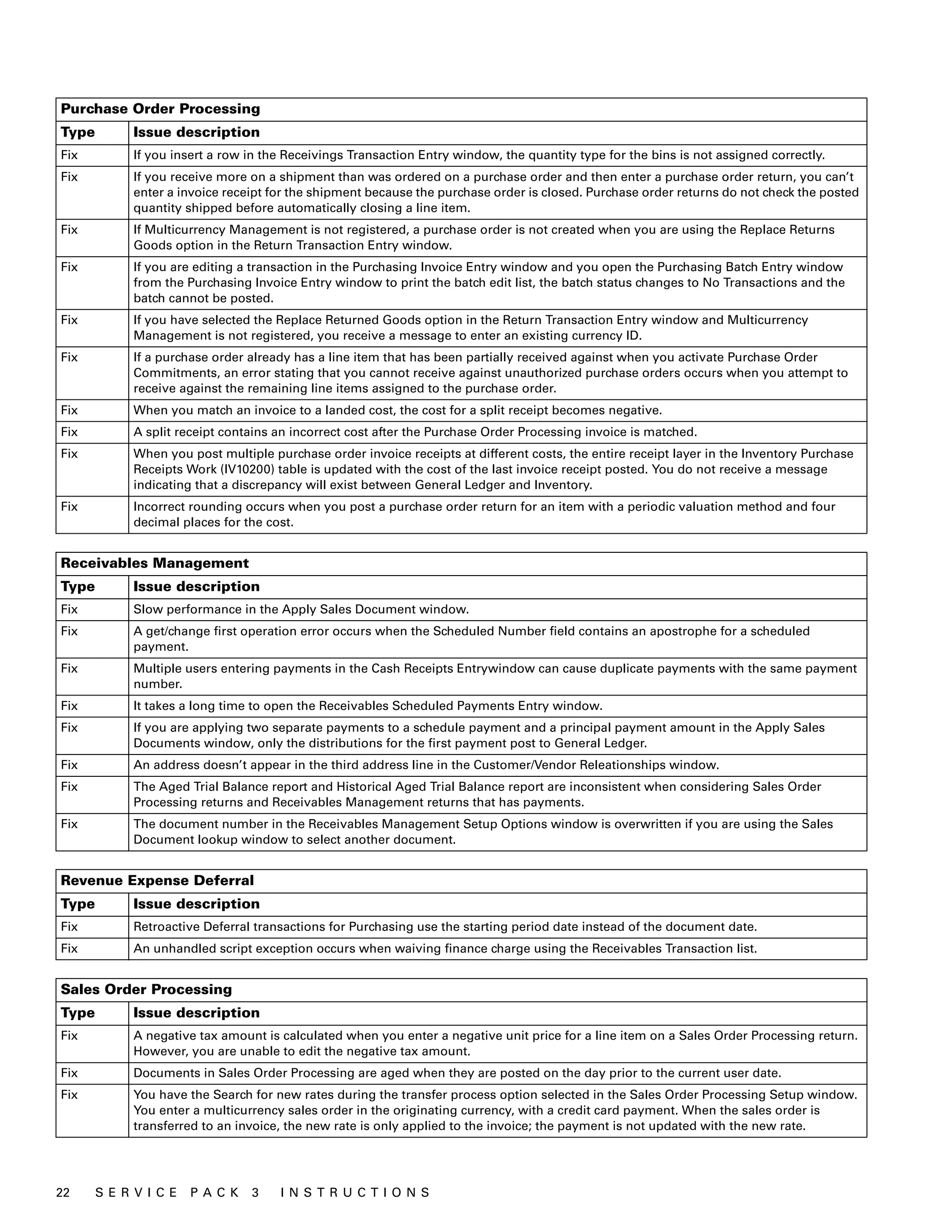
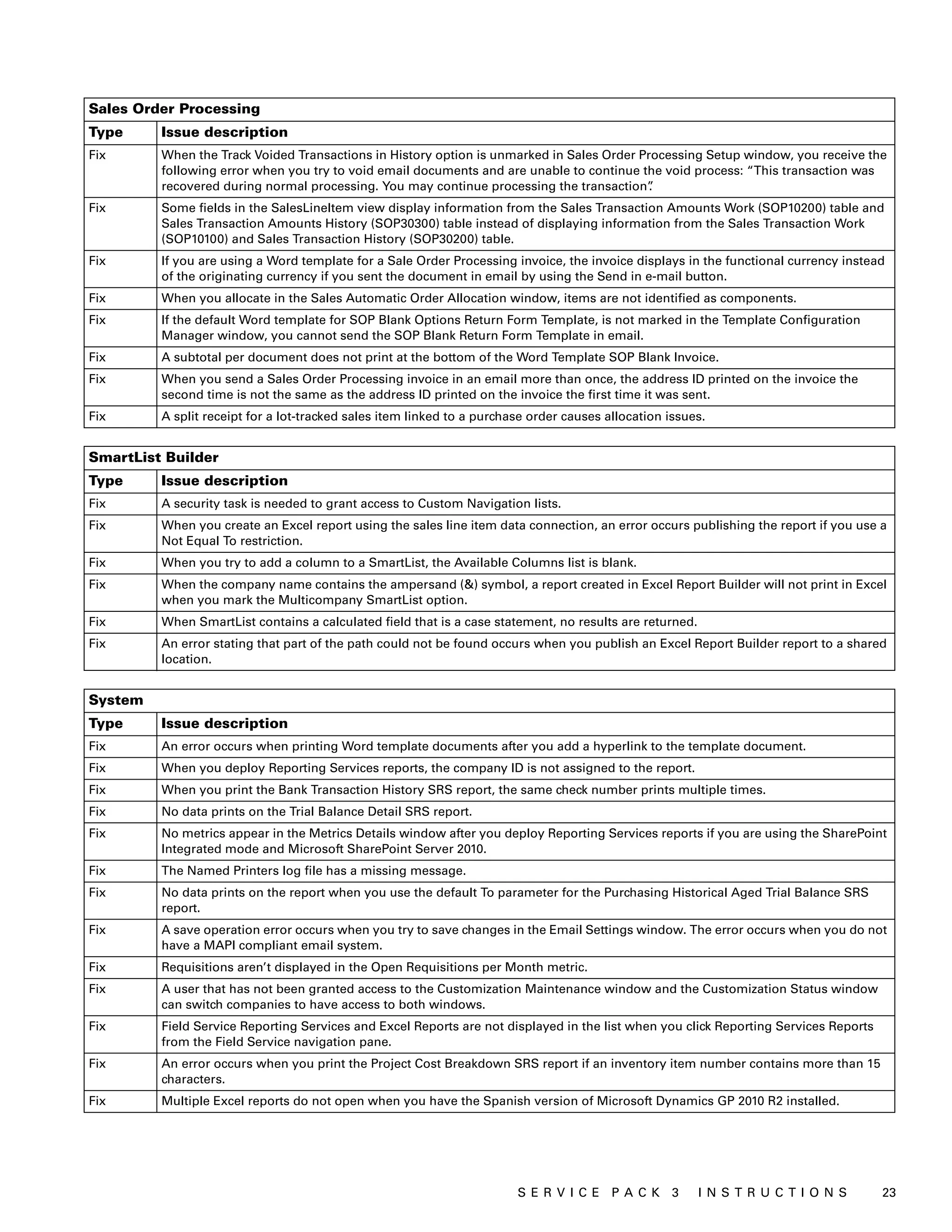
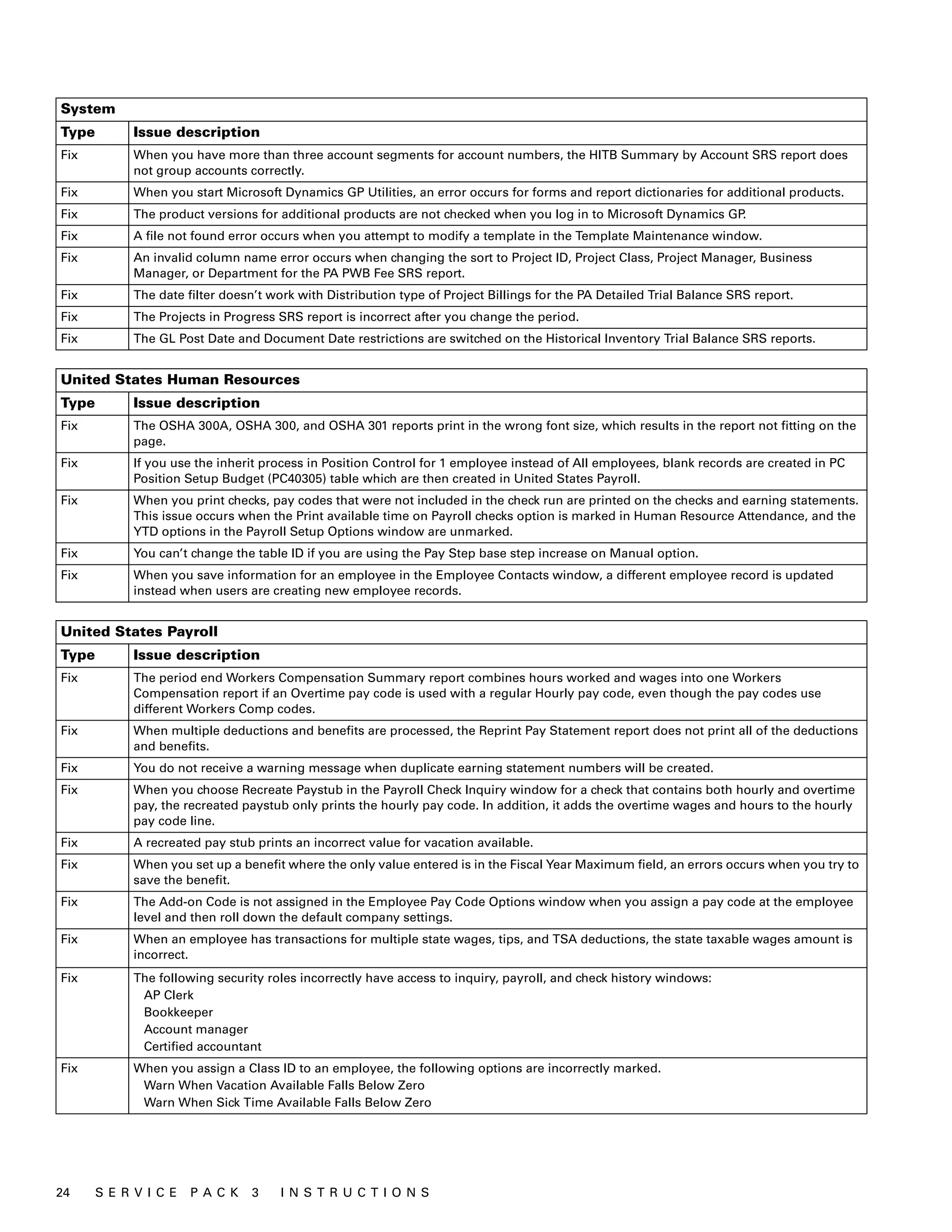
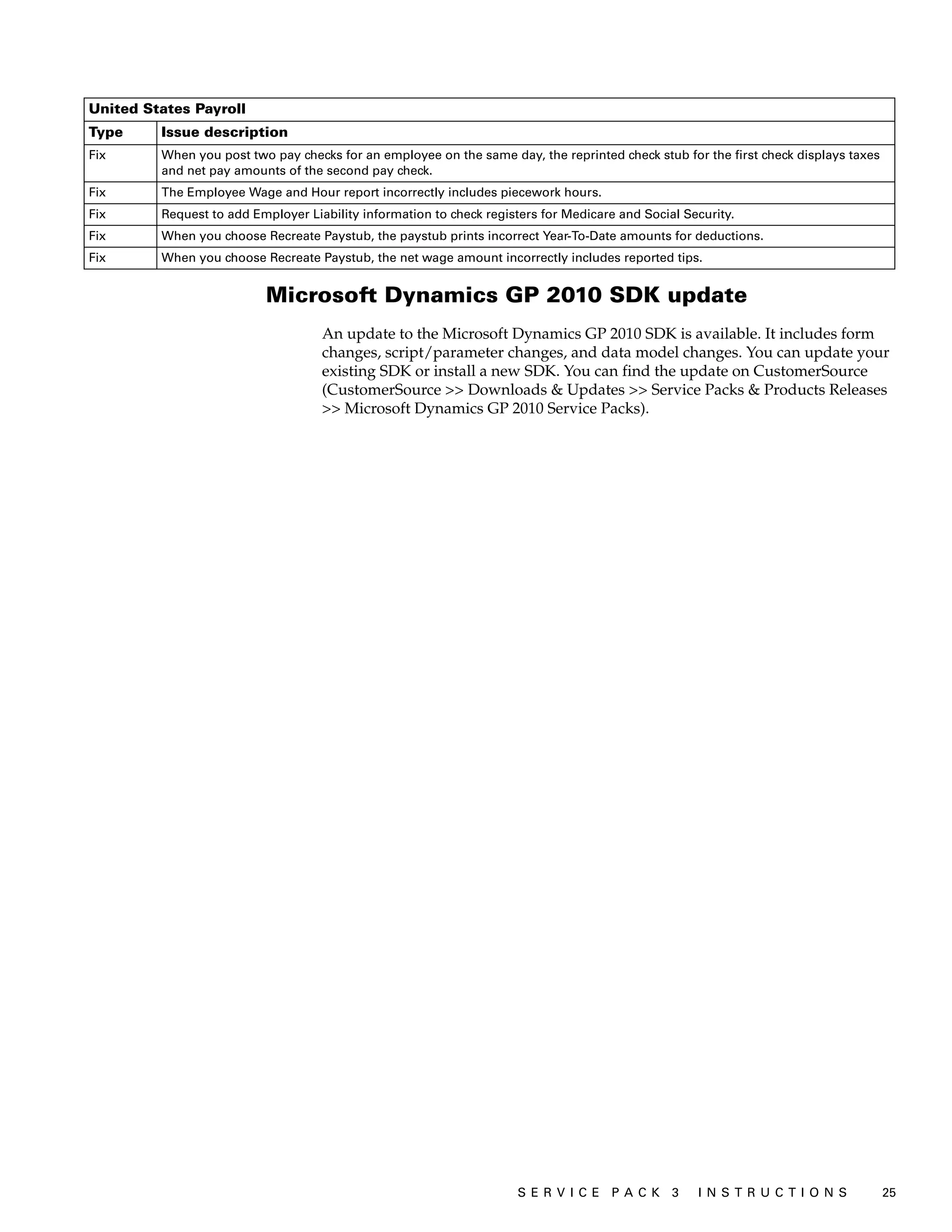

This document provides instructions for installing Microsoft Dynamics GP 2010 Service Pack 3, which includes fixes and enhancements from previous service packs, hotfixes, and updates. The summary includes installing the service pack on the server first by using Microsoft Dynamics GP Utilities to update databases, then setting up the service pack for automatic installation on client computers via a shared network folder. Troubleshooting tips are provided for issues installing on clients.


