U-boot build 환경 분석망고100 보드로 놀아보자-6
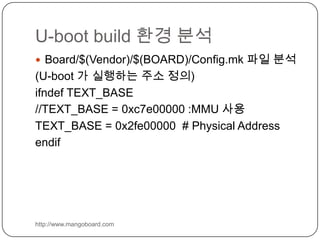
U-boot build 환경 분석http://www.mangoboard.comBoard/$(Vendor)/$(BOARD)/Config.mk 파일 분석 (U-boot 가 실행하는 주소 정의)ifndef TEXT_BASE//TEXT_BASE = 0xc7e00000 :MMU 사용TEXT_BASE = 0x2fe00000  # Physical Addressendif
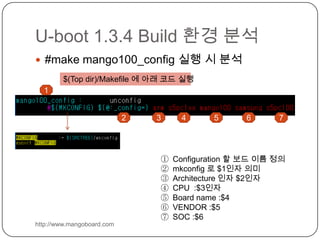
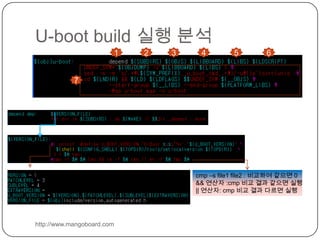
U-boot 1.3.4 Build 환경 분석http://www.mangoboard.com#make mango100_config 실행 시 분석$(Top dir)/Makefile에 아래 코드 실행 1234567Configuration 할 보드 이름 정의 mkconfig로 $1인자 의미Architecture 인자 $2인자CPU  :$3인자Board name :$4VENDOR :$5SOC :$6
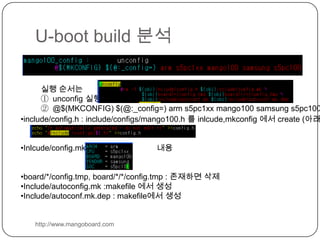
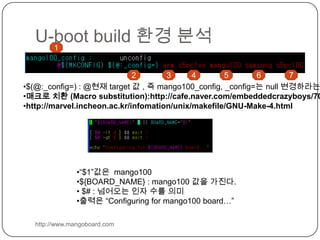
U-boot build 분석http://www.mangoboard.com실행 순서는 unconfig실행@$(MKCONFIG) $(@:_config=) arm s5pc1xx mango100 samsung s5pc100include/config.h : include/configs/mango100.h 를 inlcude,mkconfig에서 create (아래코드)
Inlcude/config.mk:                               내용
board/*/config.tmp, board/*/*/config.tmp : 존재하면 삭제
Include/autoconfig.mk :makefile에서 생성
Include/autoconf.mk.dep : makefile에서 생성U-boot build 환경 분석http://www.mangoboard.com1234567$(@:_config=) : @현재 target 값 , 즉 mango100_config, _config=는 null 변경하라는 의미
매크로 치환 (Macro substitution):http://cafe.naver.com/embeddedcrazyboys/7000
http://marvel.incheon.ac.kr/infomation/unix/makefile/GNU-Make-4.html
“$1”값은  mango100
${BOARD_NAME} : mango100 값을 가진다.
 $# : 넘어오는 인자 수를 의미
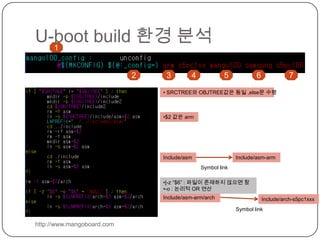
출력은 “Configuring for mango100 board…”U-boot build 환경 분석http://www.mangoboard.com1234567 SRCTREE와 OBJTREE값은 동일 ,else문 수행
$2 값은 armInclude/asmInclude/asm-armSymbol link[-z “$6” : 파일이 존재하지 않으면 참
-o : 논리적 OR 연산Include/asm-arm/archInclude/arch-s5pc1xxxSymbol link
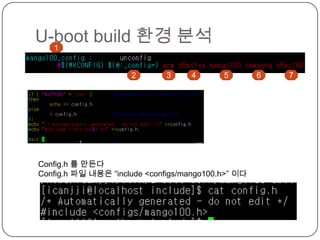
U-boot build 환경 분석1234567Config.h를 만든다Config.h파일 내용은 “include <configs/mango100.h>” 이다
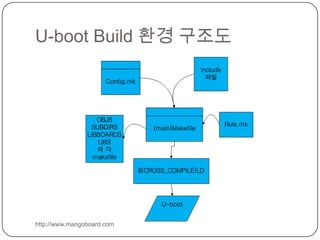
U-boot Build 환경 구조도http://www.mangoboard.com
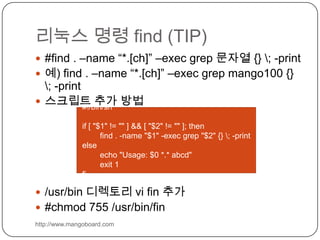
리눅스 명령 find (TIP)http://www.mangoboard.com#find . –name “*.[ch]” –exec grep문자열 {} \; -print예) find . –name “*.[ch]” –exec grep mango100 {} \; -print스크립트 추가 방법/usr/bin 디렉토리vi fin 추가#chmod 755 /usr/bin/fin#!/bin/shif [ "$1" != "" ] && [ "$2" != "" ]; then        find . -name "$1" -exec grep "$2" {} \; -printelse        echo "Usage: $0 *.* abcd"        exit 1fi
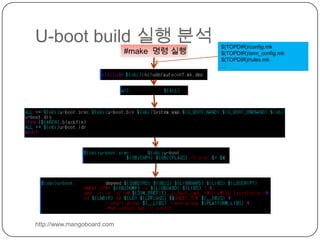
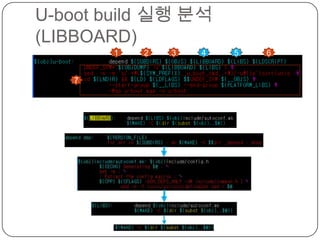
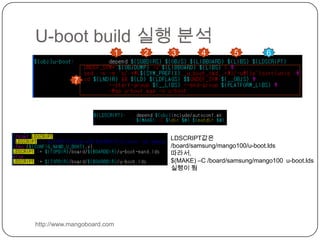
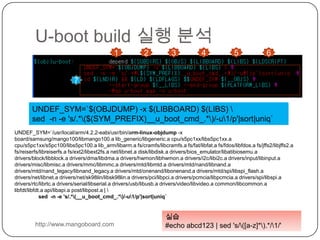
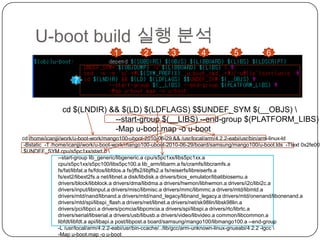
U-boot build 실행 분석http://www.mangoboard.com$(TOPDIR)/config.mk$(TOPDIR)/arm_config.mk$(TOPDIR)/rules.mk…#make  명령 실행
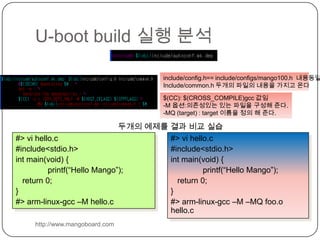
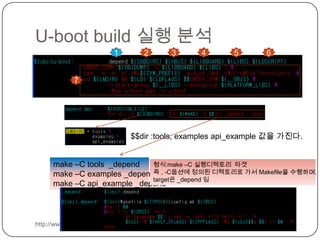
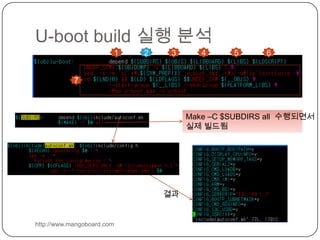
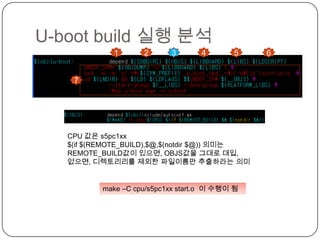
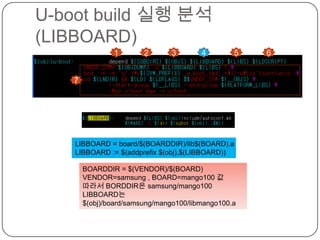
U-boot build 실행 분석http://www.mangoboard.cominclude/config.h==include/configs/mango100.h  내용동일Include/common.h두개의 파일의 내용을 가지고 온다$(CC): $(CROSS_COMPILE)gcc값임-M 옵션:의존성있는 있는 파일을 구성해 준다. -MQ (target) : target 이름을 정의 해 준다. 두개의 예제를 결과 비교 실습#> vi hello.c#include<stdio.h>int main(void) {printf(“Hello Mango”);   return 0;}#> arm-linux-gcc –M hello.c#> vi hello.c#include<stdio.h>int main(void) {printf(“Hello Mango”);   return 0;}#> arm-linux-gcc –M –MQ foo.ohello.c

망고100 보드로 놀아보자 6

  • 1.
    U-boot build 환경분석망고100 보드로 놀아보자-6
  • 2.
    U-boot build 환경분석http://www.mangoboard.comBoard/$(Vendor)/$(BOARD)/Config.mk 파일 분석 (U-boot 가 실행하는 주소 정의)ifndef TEXT_BASE//TEXT_BASE = 0xc7e00000 :MMU 사용TEXT_BASE = 0x2fe00000 # Physical Addressendif
  • 3.
    U-boot 1.3.4 Build환경 분석http://www.mangoboard.com#make mango100_config 실행 시 분석$(Top dir)/Makefile에 아래 코드 실행 1234567Configuration 할 보드 이름 정의 mkconfig로 $1인자 의미Architecture 인자 $2인자CPU :$3인자Board name :$4VENDOR :$5SOC :$6
  • 4.
    U-boot build 분석http://www.mangoboard.com실행순서는 unconfig실행@$(MKCONFIG) $(@:_config=) arm s5pc1xx mango100 samsung s5pc100include/config.h : include/configs/mango100.h 를 inlcude,mkconfig에서 create (아래코드)
  • 5.
  • 6.
  • 7.
  • 8.
    Include/autoconf.mk.dep : makefile에서생성U-boot build 환경 분석http://www.mangoboard.com1234567$(@:_config=) : @현재 target 값 , 즉 mango100_config, _config=는 null 변경하라는 의미
  • 9.
    매크로 치환 (Macrosubstitution):http://cafe.naver.com/embeddedcrazyboys/7000
  • 10.
  • 11.
  • 12.
    ${BOARD_NAME} : mango100값을 가진다.
  • 13.
    $# :넘어오는 인자 수를 의미
  • 14.
    출력은 “Configuring formango100 board…”U-boot build 환경 분석http://www.mangoboard.com1234567 SRCTREE와 OBJTREE값은 동일 ,else문 수행
  • 15.
    $2 값은 armInclude/asmInclude/asm-armSymbollink[-z “$6” : 파일이 존재하지 않으면 참
  • 16.
    -o : 논리적OR 연산Include/asm-arm/archInclude/arch-s5pc1xxxSymbol link
  • 17.
    U-boot build 환경분석1234567Config.h를 만든다Config.h파일 내용은 “include <configs/mango100.h>” 이다
  • 18.
    U-boot Build 환경구조도http://www.mangoboard.com
  • 19.
    리눅스 명령 find(TIP)http://www.mangoboard.com#find . –name “*.[ch]” –exec grep문자열 {} \; -print예) find . –name “*.[ch]” –exec grep mango100 {} \; -print스크립트 추가 방법/usr/bin 디렉토리vi fin 추가#chmod 755 /usr/bin/fin#!/bin/shif [ "$1" != "" ] && [ "$2" != "" ]; then find . -name "$1" -exec grep "$2" {} \; -printelse echo "Usage: $0 *.* abcd" exit 1fi
  • 20.
    U-boot build 실행분석http://www.mangoboard.com$(TOPDIR)/config.mk$(TOPDIR)/arm_config.mk$(TOPDIR)/rules.mk…#make 명령 실행
  • 21.
    U-boot build 실행분석http://www.mangoboard.cominclude/config.h==include/configs/mango100.h 내용동일Include/common.h두개의 파일의 내용을 가지고 온다$(CC): $(CROSS_COMPILE)gcc값임-M 옵션:의존성있는 있는 파일을 구성해 준다. -MQ (target) : target 이름을 정의 해 준다. 두개의 예제를 결과 비교 실습#> vi hello.c#include<stdio.h>int main(void) {printf(“Hello Mango”); return 0;}#> arm-linux-gcc –M hello.c#> vi hello.c#include<stdio.h>int main(void) {printf(“Hello Mango”); return 0;}#> arm-linux-gcc –M –MQ foo.ohello.c