Empowerment Technologies
Senior HighSchool Applied - Academic
Unit 5: Digital Presentation Software Skills
Lesson 1
Familiarizing with the
Presentation Software
2.
ENGAG EXPLOR
EXPLAIN EXTENDEVALUATE 2
How would you know if
you are using presentation
software that is
appropriate to your field of
specialization?
3.
ENGAG EXPLOR
EXPLAIN EXTENDEVALUATE 3
How do you
think would
digital
presentations
benefit you as a
21st-century
learner?
4.
Learning
Objectives
At the endof the
lesson, you should
be able to do the
following:
ENGAG EXPLOR
EXPLAIN EXTEND EVALUATE 4
● Name different presentation
software.
● Compare each presentation
software.
● Select a suitable software
according to its classification.
● Explain the efficiency of the
software.
ENGAG EXPLOR
EXPLAIN EXTEND
EVALUAT7
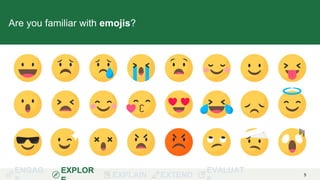
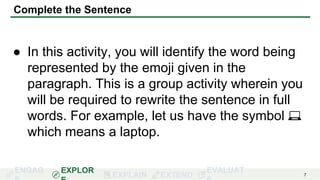
Complete the Sentence
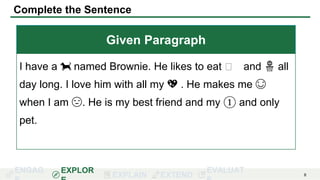
● In this activity, you will identify the word being
represented by the emoji given in the
paragraph. This is a group activity wherein you
will be required to rewrite the sentence in full
words. For example, let us have the symbol 💻
which means a laptop.
8.
ENGAG EXPLOR
EXPLAIN EXTEND
EVALUAT8
Complete the Sentence
Given Paragraph
I have a 🐕 named Brownie. He likes to eat 🦴 and 🏀 all
day long. I love him with all my 💖 . He makes me 😊
when I am 😔. He is my best friend and my ① and only
pet.
9.
ENGAG EXPLOR
EXPLAIN EXTEND
EVALUAT9
Guide Questions
● Among all the symbols you encountered, which
symbol was the easiest to identify? Why do you
say so?
ENGAG EXPLOR
EXPLAIN EXTEND
EVALUAT11
Guide Questions
● In the virtual world, how would you present
your ideas in such a way that the end-user
knows what you want them to understand?
ENGAG EXPLOR
EXPLAIN EXTEND
EVALUAT18
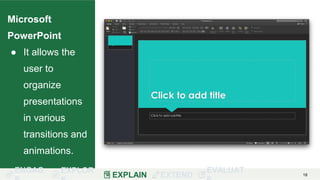
Microsoft
PowerPoint
● It allows the
user to
organize
presentations
in various
transitions and
animations.
19.
ENGAG EXPLOR
EXPLAIN EXTEND
EVALUAT19
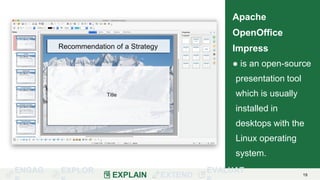
Apache
OpenOffice
Impress
● is an open-source
presentation tool
which is usually
installed in
desktops with the
Linux operating
system.
20.
ENGAG EXPLOR
EXPLAIN EXTEND
EVALUAT20
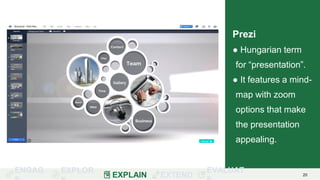
Prezi
● Hungarian term
for “presentation”.
● It features a mind-
map with zoom
options that make
the presentation
appealing.
21.
ENGAG EXPLOR
EXPLAIN EXTEND
EVALUAT21
Web
Presentation
Application
● refers to the
tools utilized
from the web,
also called a
cloud-based
platform.
ENGAG EXPLOR
EXPLAIN EXTEND
EVALUAT23
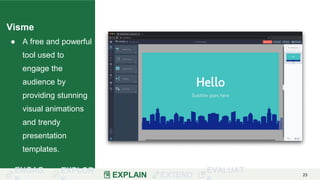
Visme
● A free and powerful
tool used to
engage the
audience by
providing stunning
visual animations
and trendy
presentation
templates.
ENGAG EXPLOR
EXPLAIN EXTEND
EVALUAT25
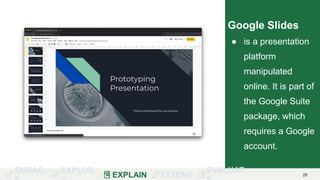
Google Slides
● is a presentation
platform
manipulated
online. It is part of
the Google Suite
package, which
requires a Google
account.
26.
ENGAG EXPLOR
EXPLAIN EXTEND
EVALUAT26
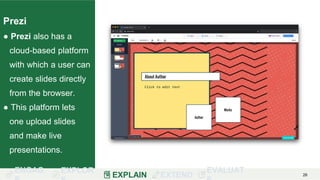
Prezi
● Prezi also has a
cloud-based platform
with which a user can
create slides directly
from the browser.
● This platform lets
one upload slides
and make live
presentations.
27.
ENGAG EXPLOR
EXPLAIN EXTEND
EVALUAT27
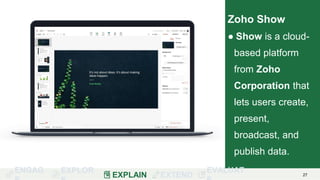
Zoho Show
● Show is a cloud-
based platform
from Zoho
Corporation that
lets users create,
present,
broadcast, and
publish data.
28.
28
What are theadvantages and
disadvantages of the two presentation
software classifications?
29.
ENGAG EXPLOR
EXPLAIN EXTEND
EVALUAT29
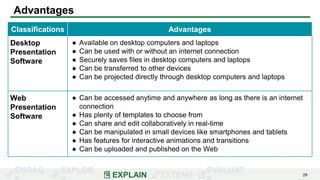
Advantages
Classifications Advantages
Desktop
Presentation
Software
● Available on desktop computers and laptops
● Can be used with or without an internet connection
● Securely saves files in desktop computers and laptops
● Can be transferred to other devices
● Can be projected directly through desktop computers and laptops
Web
Presentation
Software
● Can be accessed anytime and anywhere as long as there is an internet
connection
● Has plenty of templates to choose from
● Can share and edit collaboratively in real-time
● Can be manipulated in small devices like smartphones and tablets
● Has features for interactive animations and transitions
● Can be uploaded and published on the Web
30.
ENGAG EXPLOR
EXPLAIN EXTEND
EVALUAT30
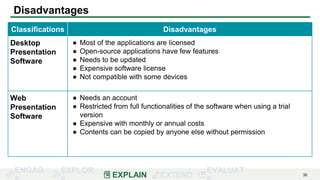
Disadvantages
Classifications Disadvantages
Desktop
Presentation
Software
● Most of the applications are licensed
● Open-source applications have few features
● Needs to be updated
● Expensive software license
● Not compatible with some devices
Web
Presentation
Software
● Needs an account
● Restricted from full functionalities of the software when using a trial
version
● Expensive with monthly or annual costs
● Contents can be copied by anyone else without permission
31.
ENGAG EXPLOR
EXPLAIN EXTEND
EVALUAT31
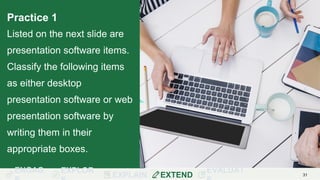
Practice 1
Listed on the next slide are
presentation software items.
Classify the following items
as either desktop
presentation software or web
presentation software by
writing them in their
appropriate boxes.
32.
ENGAG EXPLOR
EXPLAIN EXTEND
EVALUAT32
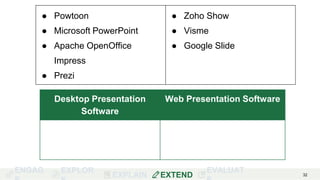
● Powtoon
● Microsoft PowerPoint
● Apache OpenOffice
Impress
● Prezi
● Zoho Show
● Visme
● Google Slide
Desktop Presentation
Software
Web Presentation Software
33.
ENGAG EXPLOR
EXPLAIN EXTEND
EVALUAT33
Practice 2
In line with activity 1, write
down the software you are
already familiar with
regardless of its classification
and explain when and where
you use this software. Give at
least two software you are
familiar with.
34.
ENGAG EXPLOR
EXPLAIN EXTEND
EVALUAT34
Answer the following completely in your own words.
1. What is a presentation software?
2. What are the advantages and disadvantages of desktop presentation
software?
3. What is the difference between desktop presentation software and cloud-
based presentation software?
4. If you wish to show images of your newly invented product and its features
to your classmates, which classification of presentation software will you
use? Why?
5. If you will present a report in class, which classification of presentation
software will you use?
35.
ENGAG EXPLOR
EXPLAIN EXTEND
EVALUAT35
Answer the following
comprehensively:
By analyzing the similarities
and differences of the two
classifications of
presentation software,
which one will you choose
and why? Explain your
answer.
36.
Wrap Up
36
Presentation softwarerefers to a platform used in
organizing concepts to present.
Desktop presentation software and web
presentation software are the two classifications of
presentation software.
There are many advantages and disadvantages for
the use of various presentation software. The users’
needs and preferences determine what is best for
them.
37.
Wrap Up
37
There areplenty of presentation software applications
available, which includes: Microsoft PowerPoint,
Prezi, AOO Impress, and Visme for Desktop
Presentation Software; and Powtoon, Google
Slides, Prezi, and Zoho Show for Web
Presentation Software.
38.
Bibliography
38
Consultants, Guthrie-Jensen. “TheUltimate List of FREE Presentation Tools.”
INSIGHTS: The Guthrie-Jensen Blog, June 21, 2019.
https://guthriejensen.com/blog/free-presentation-tools/ (accessed April 7, 2020).
Graw, Michael. “The Best Free Presentation Software 2020: Free Alternatives to
PowerPoint.” TechRadar. https://www.techradar.com/best/free-presentation-
software (accessed February 27, 2020).
Guay, Matthew. “The 12 Best Presentation Apps.” Zapier. Zapier, March 26, 2020.
https://zapier.com/blog/best-powerpoint-alternatives/#powerpoint (accessed March
26, 2020).
39.
Bibliography
39
Team, Vyond. “9Best Presentation Software Alternatives To PowerPoint: Vyond.”
Vyond The 9 Best Business Presentation Software Alternatives To PowerPoint
Comments. https://www.vyond.com/resources/the-6-best-business-presentation-
software-alternatives-to-powerpoint/ (accessed April 6, 2020).