Retrieving Data Using SQL
SELECT Statement
Ms. Amrit Kaur
gamritkaur@live.com
1. PROJECTION OPERATION
1.1 What is Projection?
• Projection of all tuples over some set of
attributes.
• It is used to
– Reduce the degree of relation
– Reorder attributes
– Customizing the display
– Calculating Column Values
• Projection yields vertical subset of relation.
1.1.1 Retrieve Specific Attributes
• SELECT statement is used to retrieve specific
attributes
– Syntax
SELECT column1, column2, .....columnn
[ INTO new_table_name ]
FROM { tablename | viewname }
1.1.2 Customizing the Display
SELECT column1 AS “col_name”, .....
[ INTO new_table_name ]
FROM { tablename | viewname }
1.1.3 Calculating Column Values
• Arithmetic operators are used to show
calculated values for the columns.
• Oracle support following arithmetic operators
• + (for addition)
• - (for subtraction)
• / (for division)
• * (for multiplication)
• % (for modulo)
2. SELECTION OPERATION
2.1 What is Selection?
• Selection over complete set of attributes but
subset of tuples included .
• Only those tuples that satisfied selection
condition included in result set therefore
referred as Restriction operation.
• Selection yields horizontal subset of relation.
Selection Operation [contd.]
• WHERE clause in SELECT statement is used to
retrieve selected rows
• Syntax
SELECT column1, column2, .....columnn
[ INTO new_table_name ]
FROM { tablename | viewname }
WHERE search_condition
Selection Operation [contd.]
• Selection is based on the following conditions
– Records match one or more condition
– Record contain values in a given range
– Record contain value from a given set of values
– Record that match a pattern
– Record contain NULL Values
2.1.1 Retrieving Selected Row
• Match one or more condition
– Comparison Operators (=, >, <, >=, <=, <>, !=) and
– Logical Operators (AND / OR /NOT) are used.
SELECT column1, column2, .....columnn
[ INTO new_table_name ]
FROM { tablename | viewname }
WHERE condition1 {AND / OR / NOT } condition2
2.1.2 Retrieving Selected Row
• Contain values in a given range
– Range Operator (BETWEEN , NOT BETWEEN ) is
used.
SELECT column1, column2, .....columnn
[ INTO new_table_name ]
FROM { tablename | viewname }
WHERE expression1 range_operator expression2 AND
expression3
• Name of the ColumnNumeric Values
2.1.3 Retrieving Selected Row
• Contain value from a given set of values
– List Operator (IN, NOT IN) is used.
SELECT column1, column2, .....columnn
[ INTO new_table_name ]
FROM { tablename | viewname }
WHERE expression list_operator (value_list)
•Values are separated by comma(,)
•Strings values are enclosed in single inverted commas (‘’)
2.1.4 Retrieving Selected Row
• Match a pattern
– LIKE / NOT LIKE keyword is used to search a string
by using wildcards
– Wildcards used with LIKE keyword are
• % represents any number of characters
• Underscore (_) represents one character
2.1.5 Retrieving Selected Row
• Contain NULL Values
– IS NULL / IS NOT NULL keyword is used.
SELECT column1, column2, .....columnn
[ INTO new_table_name ]
FROM { tablename | viewname }
WHERE coulmn_name {IS NULL | IS NOT NULL}
2.2 Retrieve Sorted Data
• ORDER BY clause of SELECT statement is used
to display the data in specific order.
– Ascending (ASC) or Descending (DESC) order
SELECT column1, column2, .....columnn
[ INTO new_table_name ]
FROM { tablename | viewname }
[WHERE search_condition]
[ORDER BY columnname [ASC / DESC] , colname2
[ASC / DESC] , .....]
Retrieve Sorted Data
• The records are sorted in ascending order by
default.
• ORDER BY clause doesn’t sort the table
physically.
3. SELECTION USING FUNCTIONS
3.1 Types of Function
• Scalar or Single Row functions
– Works on single row at a time
– Returns single result for each row
• Group or Aggregate or Multiple Row functions
– Works on multiple row at a time
– Returns a single result for that group
3.2 Scalar Function
• Character Function
• Numeric Function
• Date Function
• Data Type Conversion Function
3.3. Aggregated Function
• Aggregate functions return a single result row
based on groups of rows.
• Used to calculate the summarized values of a
column based on a set of rows.
Aggregated Functions
• Aggregated Functions are:
– SUM( [ALL | DISTINCT] expression )
– AVG( [ALL | DISTINCT] expression )
– COUNT( [ALL | DISTINCT] expression )
– COUNT(*)
– MAX(expression)
– MIN(expression)
Aggregated Functions
• DISTINCT
– cause an aggregate function to consider only
distinct values of the argument expression.
• ALL
– causes an aggregate function to consider all
values, including all duplicates.
4. JOIN OPERATION
Join
• Join allows combining of two or more table to
form a single new relation.
• More than one tables can be join based on
common attributes.
• A join is implemented using SELECT statement,
FROM clause specify table names and WHERE
clause specify join condition.
• When inner join is applied, only rows with
values that satisfying join condition in the
common column are displayed.
SELECT columns
FROM tablename_1
INNER JOIN tablename_2 ON
tablename_1.column join_operator tablename_2.column;
[1]. Inner Join
Table 1 Table 2
Common Attribute
[2]. Equi Join
• Same as INNER Join. However,
– Only the equality operator is used to specify the
join condition
SELECT columns
FROM table1
INNER JOIN table2
ON table1.column = table2.column
[3]. Outer Join
• When OUTER join is applied, the result set
containing all the rows from one table and
matching rows from other table.
SELECT columns
FROM tablename_1 [LEFT | RIGHT | FULL] OUTER JOIN
tablename_2
ON tablename_1.column join_operator tablename_2.column
[WHERE search_condition]
OUTER join displays NULL for the column where
it doesn’t find any matching record.
NOTE
[3]. TYPES of Outer Join
• LEFT Outer Join
– All the rows from the table specified on left side of
the LEFT OUTER JOIN keyword (Table 1) and
matching from table specified on right side (Table 2)
Table 1 Table 2Table 2Table 1
• RIGHT Outer Join
– All the rows from the table specified on right side of
the RIGHT OUTER JOIN keyword (Table 2) and
matching from table specified on left side (Table 1)
• FULL Outer Join
– Combination of LEFT and RIGHT outer join.
– Result set contain all the matching and non
matching rows from both the table.
Table 2Table 1
What is the difference between
• A LEFT OUTER JOIN B is equivalent to B RIGHT
OUTER JOIN A, with the columns in a different
order.
[4]. CROSS Join
• A CROSS JOIN is also known as Cartesian
Product.
• It joins each row of one table with each row of
the other table.
• Unlike other JOIN operators, it does not let
you specify a join clause.
GROUPING DATA
Grouping Related Data
• GROUP BY clause of SELECT statement is used to
summarizes the result set into groups.
• HAVING clause further restricts or eliminates
groups that do not match the condition.
SELECT column_list
FROM table_name
WHERE condition
[GROUP BY expression [ROLLUP | CUBE]
[GROUPING SET]
[HAVING search_condition]
Grouping Related Data
• GROUP BY clause
– collects data the match the condition,
– summarizes it using aggregated function
– produce a single value for each group.
• GROUP BY clause can be applied on multiple
fields.
Grouping Related Data
• GROUPING SETS clause is used to combine the
result generated by multiple GROUP BY clause
into a single result set.
SELECT column_list
FROM table_name
WHERE condition
[GROUP BY GROUPING SETS ( (columnname),...]
[HAVING search_condition]
Grouping Related Data
• ROLL UP clause ROLLUP calculates
aggregations at increasing levels of
aggregation, from the most detailed up to a
grand total.
• ROLLUP creates subtotals at n+1 levels, where
n is the number of grouping columns
Grouping Related Data - ROLLUP
– ROLLUP (year, month, day), it means stepping
back to determine
(year, month, day)
(year, month)
(year)
()
SELECT column_list
FROM table_name
WHERE condition
[GROUP BY ROLLUP( (columnname),
columnname2, ...]
[HAVING search_condition]
Grouping Related Data
• CUBE clause calculate subtotals for all possible
combinations of a group of dimensions.
• It also calculates a grand total.
• If there are n columns specified for a CUBE,
there will be 2n combinations of subtotals
returned
Grouping Related Data
• CUBE (year, month, day), creates a grouping for
every possible combination of columns
(year, month, day)
(year, month)
(year, day)
(year)
(month, day)
(month)
(day)
()
SELECT column_list
FROM table_name
WHERE condition
[GROUP BY CUBE( (columnname), columnname2,
...]
[HAVING search_condition]
USING SUBQUERIES
What is Subquery?
• Subquery is a query statement appears inside
another SQL statement.
• Subqueries are also called nested queries.
– Nested inside WHERE and HAVING clause of
SELECT, INSERT, DELETE and UPDATE statements.
• We can nest up to 255 levels of subqueries in
the WHERE clause.
How Subquery Works?
• Query that represents the parent query is
called the outer query.
• Query that represent the subquery is called
the inner query.
– Inner Query executes first.
– Inner Query returns values that are used by the
outer query.
– Inner Query can return one or more values
Subquery Rules and Guidelines
• A subquery must be enclosed in parentheses ().
• A subquery must be placed on the right side of the
comparison operator.
• If the WHERE clause of an outer query includes a
column name, it must be join-compatible with the
column in the inner query select list.
• Use single-row operators with single-row subqueries.
Subquery Rules and Guidelines
• ORDER BY can only be specified when TOP is also
specified.
• A view created by using a subquery cannot be
updated.
• The SELECT list cannot include any references to
values that evaluatse to a BLOB, ARRAY, CLOB, or
NCLOB.
Using IN keyword with Subquery
• When subquery returns more than one value,
IN keyword is used.
SELECT column1, column2, .....columnn
FROM tablename
WHERE column [NOT] IN
( SELECT column FROM table_name
[WHERE search_condition ] )
Using EXISTS keyword with Subquery
• EXISTS keyword is used to check if a set of
records exists or not.
• EXISTS keyword always return TRUE or FALSE
value.
SELECT column1, column2, .....columnn
FROM tablename
WHERE EXISTS
( SELECT column FROM table_name
[WHERE search_condition ] )
Subquery Rules and Guidelines
• EXISTS keyword is not preceded by any column
name, constant or any expression.
• If EXISTS keyword is used, inner query must contain
(*) in the SELECT statement instead of single column
name.
Subquery - Using Modified Comparison
Operator
• ANY and ALL keyword can be used with
comparison operator.
– ALL keyword
• Returns TRUE if all the values returned by inner query
satisfy comparison operator.
– ANY keyword
• Returns TRUE if any value returned by inner query
satisfies comparison operator.
Types of Subqueries
• Single row subquery
– Returns zero or one row.
• Multiple row subquery
– Returns one or more rows.
• Multiple column subqueries
– Returns one or more columns.
Types of Subqueries
• Correlated subqueries :
SET OPERATIONS
Union and UNION ALL Operator
• Combines the results of two or more queries
into a single result set.
• Difference between UNION and UNION ALL
– UNION operator eliminates duplicate selected
rows.
– The UNION ALL operator does not eliminate
duplicate selected rows.
INTERSECT Operator
• Combines the results of two or more queries
and returns only common rows returned by
both queries.
Minus Operator
• Combines the results of two queries and
returns only unique rows present in first query
but not by the second.
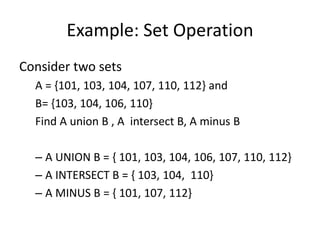
Example: Set Operation
Consider two sets
A = {101, 103, 104, 107, 110, 112} and
B= {103, 104, 106, 110}
Find A union B , A intersect B, A minus B
– A UNION B = { 101, 103, 104, 106, 107, 110, 112}
– A INTERSECT B = { 103, 104, 110}
– A MINUS B = { 101, 107, 112}
Restrictions on the Set Operators
• The number and sequence of the columns must be
same in all the queries.
• The datatypes of the columns in all the queries must be
compatible.
• The set operators are not valid on columns of type
LONG, BLOB, CLOB, BFILE, VARRAY, or nested table.
• You cannot specify the ORDER BY clause in the
subquery of these operators.

1. dml select statement reterive data

  • 1.
    Retrieving Data UsingSQL SELECT Statement Ms. Amrit Kaur gamritkaur@live.com
  • 2.
  • 3.
    1.1 What isProjection? • Projection of all tuples over some set of attributes. • It is used to – Reduce the degree of relation – Reorder attributes – Customizing the display – Calculating Column Values • Projection yields vertical subset of relation.
  • 4.
    1.1.1 Retrieve SpecificAttributes • SELECT statement is used to retrieve specific attributes – Syntax SELECT column1, column2, .....columnn [ INTO new_table_name ] FROM { tablename | viewname }
  • 5.
    1.1.2 Customizing theDisplay SELECT column1 AS “col_name”, ..... [ INTO new_table_name ] FROM { tablename | viewname }
  • 6.
    1.1.3 Calculating ColumnValues • Arithmetic operators are used to show calculated values for the columns. • Oracle support following arithmetic operators • + (for addition) • - (for subtraction) • / (for division) • * (for multiplication) • % (for modulo)
  • 7.
  • 8.
    2.1 What isSelection? • Selection over complete set of attributes but subset of tuples included . • Only those tuples that satisfied selection condition included in result set therefore referred as Restriction operation. • Selection yields horizontal subset of relation.
  • 9.
    Selection Operation [contd.] •WHERE clause in SELECT statement is used to retrieve selected rows • Syntax SELECT column1, column2, .....columnn [ INTO new_table_name ] FROM { tablename | viewname } WHERE search_condition
  • 10.
    Selection Operation [contd.] •Selection is based on the following conditions – Records match one or more condition – Record contain values in a given range – Record contain value from a given set of values – Record that match a pattern – Record contain NULL Values
  • 11.
    2.1.1 Retrieving SelectedRow • Match one or more condition – Comparison Operators (=, >, <, >=, <=, <>, !=) and – Logical Operators (AND / OR /NOT) are used. SELECT column1, column2, .....columnn [ INTO new_table_name ] FROM { tablename | viewname } WHERE condition1 {AND / OR / NOT } condition2
  • 12.
    2.1.2 Retrieving SelectedRow • Contain values in a given range – Range Operator (BETWEEN , NOT BETWEEN ) is used. SELECT column1, column2, .....columnn [ INTO new_table_name ] FROM { tablename | viewname } WHERE expression1 range_operator expression2 AND expression3 • Name of the ColumnNumeric Values
  • 13.
    2.1.3 Retrieving SelectedRow • Contain value from a given set of values – List Operator (IN, NOT IN) is used. SELECT column1, column2, .....columnn [ INTO new_table_name ] FROM { tablename | viewname } WHERE expression list_operator (value_list) •Values are separated by comma(,) •Strings values are enclosed in single inverted commas (‘’)
  • 14.
    2.1.4 Retrieving SelectedRow • Match a pattern – LIKE / NOT LIKE keyword is used to search a string by using wildcards – Wildcards used with LIKE keyword are • % represents any number of characters • Underscore (_) represents one character
  • 15.
    2.1.5 Retrieving SelectedRow • Contain NULL Values – IS NULL / IS NOT NULL keyword is used. SELECT column1, column2, .....columnn [ INTO new_table_name ] FROM { tablename | viewname } WHERE coulmn_name {IS NULL | IS NOT NULL}
  • 16.
    2.2 Retrieve SortedData • ORDER BY clause of SELECT statement is used to display the data in specific order. – Ascending (ASC) or Descending (DESC) order SELECT column1, column2, .....columnn [ INTO new_table_name ] FROM { tablename | viewname } [WHERE search_condition] [ORDER BY columnname [ASC / DESC] , colname2 [ASC / DESC] , .....]
  • 17.
    Retrieve Sorted Data •The records are sorted in ascending order by default. • ORDER BY clause doesn’t sort the table physically.
  • 18.
  • 19.
    3.1 Types ofFunction • Scalar or Single Row functions – Works on single row at a time – Returns single result for each row • Group or Aggregate or Multiple Row functions – Works on multiple row at a time – Returns a single result for that group
  • 20.
    3.2 Scalar Function •Character Function • Numeric Function • Date Function • Data Type Conversion Function
  • 21.
    3.3. Aggregated Function •Aggregate functions return a single result row based on groups of rows. • Used to calculate the summarized values of a column based on a set of rows.
  • 22.
    Aggregated Functions • AggregatedFunctions are: – SUM( [ALL | DISTINCT] expression ) – AVG( [ALL | DISTINCT] expression ) – COUNT( [ALL | DISTINCT] expression ) – COUNT(*) – MAX(expression) – MIN(expression)
  • 23.
    Aggregated Functions • DISTINCT –cause an aggregate function to consider only distinct values of the argument expression. • ALL – causes an aggregate function to consider all values, including all duplicates.
  • 24.
  • 25.
    Join • Join allowscombining of two or more table to form a single new relation. • More than one tables can be join based on common attributes. • A join is implemented using SELECT statement, FROM clause specify table names and WHERE clause specify join condition.
  • 26.
    • When innerjoin is applied, only rows with values that satisfying join condition in the common column are displayed. SELECT columns FROM tablename_1 INNER JOIN tablename_2 ON tablename_1.column join_operator tablename_2.column; [1]. Inner Join Table 1 Table 2 Common Attribute
  • 27.
    [2]. Equi Join •Same as INNER Join. However, – Only the equality operator is used to specify the join condition SELECT columns FROM table1 INNER JOIN table2 ON table1.column = table2.column
  • 28.
    [3]. Outer Join •When OUTER join is applied, the result set containing all the rows from one table and matching rows from other table. SELECT columns FROM tablename_1 [LEFT | RIGHT | FULL] OUTER JOIN tablename_2 ON tablename_1.column join_operator tablename_2.column [WHERE search_condition]
  • 29.
    OUTER join displaysNULL for the column where it doesn’t find any matching record. NOTE
  • 30.
    [3]. TYPES ofOuter Join • LEFT Outer Join – All the rows from the table specified on left side of the LEFT OUTER JOIN keyword (Table 1) and matching from table specified on right side (Table 2) Table 1 Table 2Table 2Table 1 • RIGHT Outer Join – All the rows from the table specified on right side of the RIGHT OUTER JOIN keyword (Table 2) and matching from table specified on left side (Table 1) • FULL Outer Join – Combination of LEFT and RIGHT outer join. – Result set contain all the matching and non matching rows from both the table. Table 2Table 1
  • 31.
    What is thedifference between • A LEFT OUTER JOIN B is equivalent to B RIGHT OUTER JOIN A, with the columns in a different order.
  • 32.
    [4]. CROSS Join •A CROSS JOIN is also known as Cartesian Product. • It joins each row of one table with each row of the other table. • Unlike other JOIN operators, it does not let you specify a join clause.
  • 33.
  • 34.
    Grouping Related Data •GROUP BY clause of SELECT statement is used to summarizes the result set into groups. • HAVING clause further restricts or eliminates groups that do not match the condition. SELECT column_list FROM table_name WHERE condition [GROUP BY expression [ROLLUP | CUBE] [GROUPING SET] [HAVING search_condition]
  • 35.
    Grouping Related Data •GROUP BY clause – collects data the match the condition, – summarizes it using aggregated function – produce a single value for each group. • GROUP BY clause can be applied on multiple fields.
  • 36.
    Grouping Related Data •GROUPING SETS clause is used to combine the result generated by multiple GROUP BY clause into a single result set. SELECT column_list FROM table_name WHERE condition [GROUP BY GROUPING SETS ( (columnname),...] [HAVING search_condition]
  • 37.
    Grouping Related Data •ROLL UP clause ROLLUP calculates aggregations at increasing levels of aggregation, from the most detailed up to a grand total. • ROLLUP creates subtotals at n+1 levels, where n is the number of grouping columns
  • 38.
    Grouping Related Data- ROLLUP – ROLLUP (year, month, day), it means stepping back to determine (year, month, day) (year, month) (year) () SELECT column_list FROM table_name WHERE condition [GROUP BY ROLLUP( (columnname), columnname2, ...] [HAVING search_condition]
  • 39.
    Grouping Related Data •CUBE clause calculate subtotals for all possible combinations of a group of dimensions. • It also calculates a grand total. • If there are n columns specified for a CUBE, there will be 2n combinations of subtotals returned
  • 40.
    Grouping Related Data •CUBE (year, month, day), creates a grouping for every possible combination of columns (year, month, day) (year, month) (year, day) (year) (month, day) (month) (day) () SELECT column_list FROM table_name WHERE condition [GROUP BY CUBE( (columnname), columnname2, ...] [HAVING search_condition]
  • 41.
  • 42.
    What is Subquery? •Subquery is a query statement appears inside another SQL statement. • Subqueries are also called nested queries. – Nested inside WHERE and HAVING clause of SELECT, INSERT, DELETE and UPDATE statements. • We can nest up to 255 levels of subqueries in the WHERE clause.
  • 43.
    How Subquery Works? •Query that represents the parent query is called the outer query. • Query that represent the subquery is called the inner query. – Inner Query executes first. – Inner Query returns values that are used by the outer query. – Inner Query can return one or more values
  • 44.
    Subquery Rules andGuidelines • A subquery must be enclosed in parentheses (). • A subquery must be placed on the right side of the comparison operator. • If the WHERE clause of an outer query includes a column name, it must be join-compatible with the column in the inner query select list. • Use single-row operators with single-row subqueries.
  • 45.
    Subquery Rules andGuidelines • ORDER BY can only be specified when TOP is also specified. • A view created by using a subquery cannot be updated. • The SELECT list cannot include any references to values that evaluatse to a BLOB, ARRAY, CLOB, or NCLOB.
  • 46.
    Using IN keywordwith Subquery • When subquery returns more than one value, IN keyword is used. SELECT column1, column2, .....columnn FROM tablename WHERE column [NOT] IN ( SELECT column FROM table_name [WHERE search_condition ] )
  • 47.
    Using EXISTS keywordwith Subquery • EXISTS keyword is used to check if a set of records exists or not. • EXISTS keyword always return TRUE or FALSE value. SELECT column1, column2, .....columnn FROM tablename WHERE EXISTS ( SELECT column FROM table_name [WHERE search_condition ] )
  • 48.
    Subquery Rules andGuidelines • EXISTS keyword is not preceded by any column name, constant or any expression. • If EXISTS keyword is used, inner query must contain (*) in the SELECT statement instead of single column name.
  • 49.
    Subquery - UsingModified Comparison Operator • ANY and ALL keyword can be used with comparison operator. – ALL keyword • Returns TRUE if all the values returned by inner query satisfy comparison operator. – ANY keyword • Returns TRUE if any value returned by inner query satisfies comparison operator.
  • 50.
    Types of Subqueries •Single row subquery – Returns zero or one row. • Multiple row subquery – Returns one or more rows. • Multiple column subqueries – Returns one or more columns.
  • 51.
    Types of Subqueries •Correlated subqueries :
  • 52.
  • 53.
    Union and UNIONALL Operator • Combines the results of two or more queries into a single result set. • Difference between UNION and UNION ALL – UNION operator eliminates duplicate selected rows. – The UNION ALL operator does not eliminate duplicate selected rows.
  • 54.
    INTERSECT Operator • Combinesthe results of two or more queries and returns only common rows returned by both queries.
  • 55.
    Minus Operator • Combinesthe results of two queries and returns only unique rows present in first query but not by the second.
  • 56.
    Example: Set Operation Considertwo sets A = {101, 103, 104, 107, 110, 112} and B= {103, 104, 106, 110} Find A union B , A intersect B, A minus B – A UNION B = { 101, 103, 104, 106, 107, 110, 112} – A INTERSECT B = { 103, 104, 110} – A MINUS B = { 101, 107, 112}
  • 57.
    Restrictions on theSet Operators • The number and sequence of the columns must be same in all the queries. • The datatypes of the columns in all the queries must be compatible. • The set operators are not valid on columns of type LONG, BLOB, CLOB, BFILE, VARRAY, or nested table. • You cannot specify the ORDER BY clause in the subquery of these operators.

Editor's Notes

  • #4 Reducing degree means reducing number of attributes in the result