STRUCTURED
QUERY
LANGUAGE
SQL
Objectives
 Learn the basic COMMANDS and
FUNCTIONS of SQL
 Learn how to use SQL for data administration
(create tables, indexes and views)
 Learn how to use SQL for data manipulation
(add, modify, delete and retrieve data)
 Learn how to use SQL to query a database to
extract useful information
SQL functions
Data Manipulation Language (DML): It
includes commands to insert, update,
delete and retrieve data within the
database tables.
Data Definition Language (DDL): SQL
includes commands to create database
objects such as tables, indexes and
views, as well as commands to define
access right to those database objects.
Data Manipulation Language
 Set of syntax for querying, inserting and
updating of data in a database.
 DML includes the following commands:
 SELECT extracts data from a
database
 UPDATE updates data in a database
 DELETE deletes data from a database
 INSERT INTOinserts new data into a database
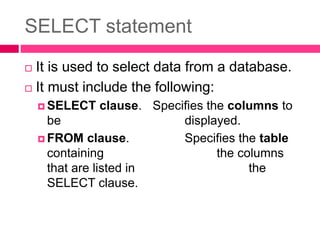
SELECT statement
 It is used to select data from a database.
 It must include the following:
 SELECT clause. Specifies the columns to
be displayed.
 FROM clause. Specifies the table
containing the columns
that are listed in the
SELECT clause.
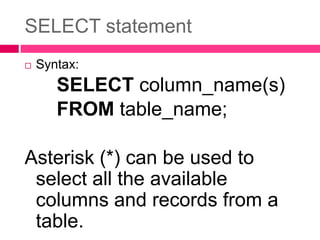
SELECT statement
 Syntax:
SELECT column_name(s)
FROM table_name;
Asterisk (*) can be used to
select all the available
columns and records from a
table.
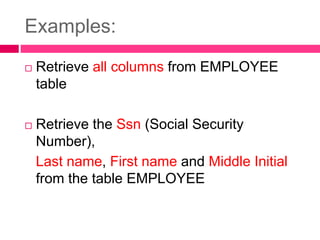
Examples:
 Retrieve all columns from EMPLOYEE
table
 Retrieve the Ssn (Social Security
Number),
Last name, First name and Middle Initial
from the table EMPLOYEE
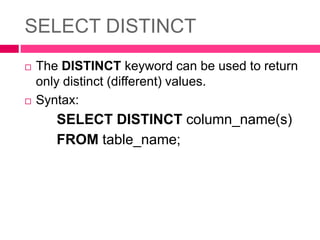
SELECT DISTINCT
 The DISTINCT keyword can be used to return
only distinct (different) values.
 Syntax:
SELECT DISTINCT column_name(s)
FROM table_name;
Examples:
 Display the different department locations
 Display the different salary of employee
WHERE clause
 The WHERE clause is used to extract only
those records that fulfill a specified criterion.
 Syntax:
SELECT column_name(s)
FROM table_name
WHERE column_name operator value;
Examples:
 Display female employees only.
 Display all employees under Supervisor
333445555
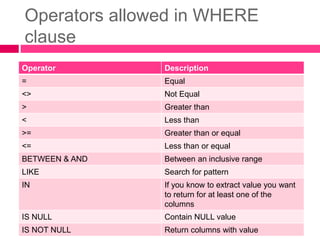
Operators allowed in WHERE
clause
Operator Description
= Equal
<> Not Equal
> Greater than
< Less than
>= Greater than or equal
<= Less than or equal
BETWEEN & AND Between an inclusive range
LIKE Search for pattern
IN If you know to extract value you want
to return for at least one of the
columns
IS NULL Contain NULL value
IS NOT NULL Return columns with value
Examples:
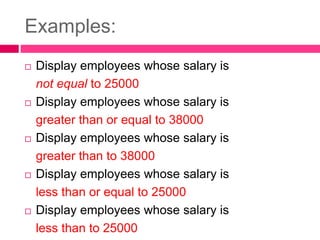
 Display employees whose salary is
not equal to 25000
 Display employees whose salary is
greater than or equal to 38000
 Display employees whose salary is
greater than to 38000
 Display employees whose salary is
less than or equal to 25000
 Display employees whose salary is
less than to 25000
Examples:
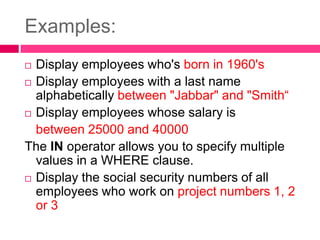
 Display employees who's born in 1960's
 Display employees with a last name
alphabetically between "Jabbar" and "Smith“
 Display employees whose salary is
between 25000 and 40000
The IN operator allows you to specify multiple
values in a WHERE clause.
 Display the social security numbers of all
employees who work on project numbers 1, 2
or 3
Examples:
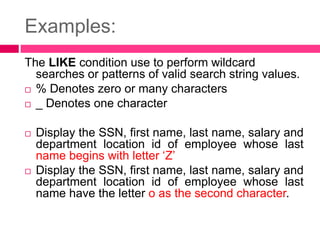
The LIKE condition use to perform wildcard
searches or patterns of valid search string values.
 % Denotes zero or many characters
 _ Denotes one character
 Display the SSN, first name, last name, salary and
department location id of employee whose last
name begins with letter ‘Z’
 Display the SSN, first name, last name, salary and
department location id of employee whose last
name have the letter o as the second character.
Examples:
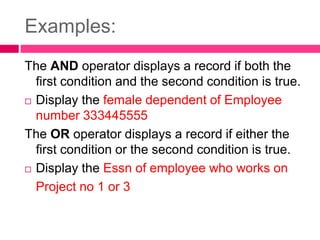
The AND operator displays a record if both the
first condition and the second condition is true.
 Display the female dependent of Employee
number 333445555
The OR operator displays a record if either the
first condition or the second condition is true.
 Display the Essn of employee who works on
Project no 1 or 3
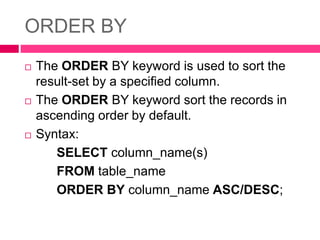
ORDER BY
 The ORDER BY keyword is used to sort the
result-set by a specified column.
 The ORDER BY keyword sort the records in
ascending order by default.
 Syntax:
SELECT column_name(s)
FROM table_name
ORDER BY column_name ASC/DESC;
Examples:
 Sort the Name of employees by Last name.
 Sort the Name of employees by Last name in
descending order
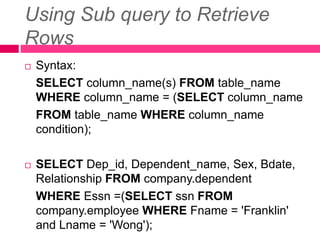
Using Sub query to Retrieve
Rows
 Syntax:
SELECT column_name(s) FROM table_name
WHERE column_name = (SELECT column_name
FROM table_name WHERE column_name
condition);
 SELECT Dep_id, Dependent_name, Sex, Bdate,
Relationship FROM company.dependent
WHERE Essn =(SELECT ssn FROM
company.employee WHERE Fname = 'Franklin'
and Lname = 'Wong');
FUNCTIONS
 MySQL supports built-in functions to speed up
the process of calculating data. Aggregate and
Scalar functions are commonly used in
performing calculations.
 Objectives:
 Evaluate the aggregate functions
 Evaluate the scalar functions
 Use the aggregate function in SELECT
statements
 Use the scalar functions in SELECT statements
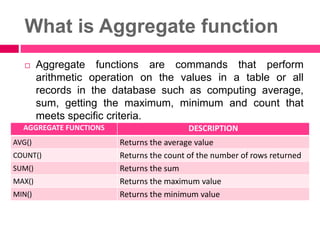
What is Aggregate function
 Aggregate functions are commands that perform
arithmetic operation on the values in a table or all
records in the database such as computing average,
sum, getting the maximum, minimum and count that
meets specific criteria.
AGGREGATE FUNCTIONS DESCRIPTION
AVG() Returns the average value
COUNT() Returns the count of the number of rows returned
SUM() Returns the sum
MAX() Returns the maximum value
MIN() Returns the minimum value
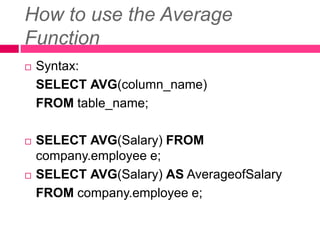
How to use the Average
Function
 Syntax:
SELECT AVG(column_name)
FROM table_name;
 SELECT AVG(Salary) FROM
company.employee e;
 SELECT AVG(Salary) AS AverageofSalary
FROM company.employee e;
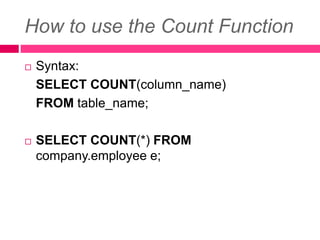
How to use the Count Function
 Syntax:
SELECT COUNT(column_name)
FROM table_name;
 SELECT COUNT(*) FROM
company.employee e;
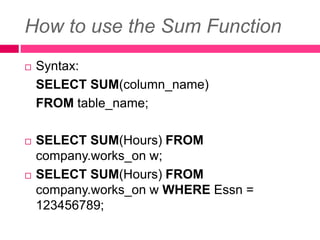
How to use the Sum Function
 Syntax:
SELECT SUM(column_name)
FROM table_name;
 SELECT SUM(Hours) FROM
company.works_on w;
 SELECT SUM(Hours) FROM
company.works_on w WHERE Essn =
123456789;
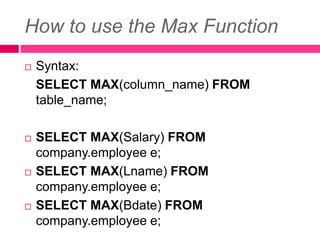
How to use the Max Function
 Syntax:
SELECT MAX(column_name) FROM
table_name;
 SELECT MAX(Salary) FROM
company.employee e;
 SELECT MAX(Lname) FROM
company.employee e;
 SELECT MAX(Bdate) FROM
company.employee e;
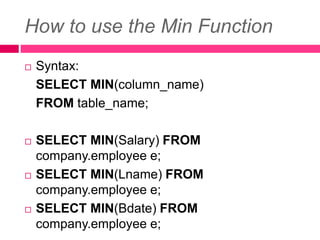
How to use the Min Function
 Syntax:
SELECT MIN(column_name)
FROM table_name;
 SELECT MIN(Salary) FROM
company.employee e;
 SELECT MIN(Lname) FROM
company.employee e;
 SELECT MIN(Bdate) FROM
company.employee e;
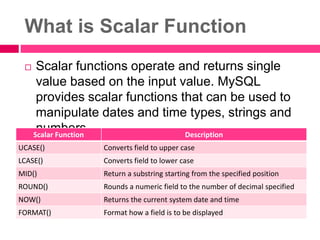
What is Scalar Function
 Scalar functions operate and returns single
value based on the input value. MySQL
provides scalar functions that can be used to
manipulate dates and time types, strings and
numbers.
Scalar Function Description
UCASE() Converts field to upper case
LCASE() Converts field to lower case
MID() Return a substring starting from the specified position
ROUND() Rounds a numeric field to the number of decimal specified
NOW() Returns the current system date and time
FORMAT() Format how a field is to be displayed
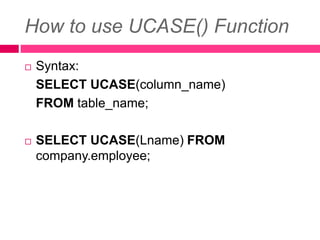
How to use UCASE() Function
 Syntax:
SELECT UCASE(column_name)
FROM table_name;
 SELECT UCASE(Lname) FROM
company.employee;
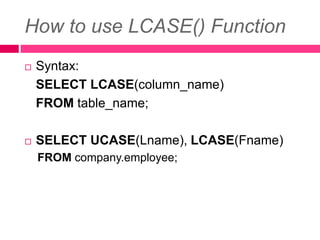
How to use LCASE() Function
 Syntax:
SELECT LCASE(column_name)
FROM table_name;
 SELECT UCASE(Lname), LCASE(Fname)
FROM company.employee;
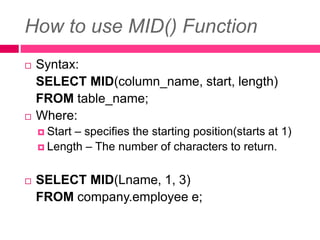
How to use MID() Function
 Syntax:
SELECT MID(column_name, start, length)
FROM table_name;
 Where:
 Start – specifies the starting position(starts at 1)
 Length – The number of characters to return.
 SELECT MID(Lname, 1, 3)
FROM company.employee e;
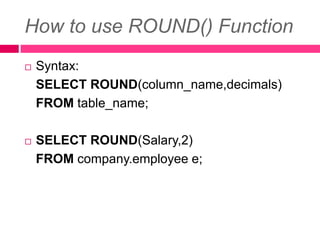
How to use ROUND() Function
 Syntax:
SELECT ROUND(column_name,decimals)
FROM table_name;
 SELECT ROUND(Salary,2)
FROM company.employee e;
How to use NOW() Function
 Syntax:
SELECT NOW();
GROUP BY STATEMENT
 Grouping result-set will help in identifying
clusters that will help in formulating tactical or
strategic decisions in an organization.
 Objectives
 Analyze the purpose of using group by statement
 Use group by statement to group result-set
 Evaluate the advantages of using group by
statement
How to use the GROUP BY
Statement
 Syntax:
SELECT column_name(s) FROM table_name
GROUP BY column_name;
 For each Department Location, retrieve the
department location, the number of employees in
the department location, and their average salary.
 For each project, retrieve the project number, the
project name, and the number of employees who
work on that project.
JOINS
 Objectives
 Analyze the process of joining two tables
 Distinguish left, right, inner and full join in
MySQL
 Evaluate the advantages of using JOIN in
SELECT statement
 Evaluate UNION and UNION ALL
 Use JOIN in SELECT statement
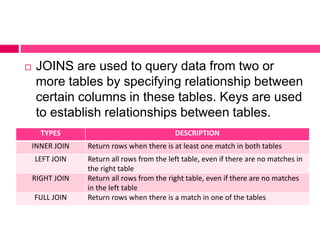
 JOINS are used to query data from two or
more tables by specifying relationship between
certain columns in these tables. Keys are used
to establish relationships between tables.
TYPES DESCRIPTION
INNER JOIN Return rows when there is at least one match in both tables
LEFT JOIN Return all rows from the left table, even if there are no matches in
the right table
RIGHT JOIN Return all rows from the right table, even if there are no matches
in the left table
FULL JOIN Return rows when there is a match in one of the tables
How to use the JOIN in SELECT
Statement
 Syntax:
SELECT column_name(s) FROM table_name1
JOIN table_name2 ON
table_name1.column_name = table_name2.column_name;
 SELECT e.Ssn, e.Lname, e.Fname, e.Minit,
dl.Dlocation FROM company.employee e
JOIN company.dept_locations dl ON e.DL_id =
dl.DL_id;
 INNER JOIN returns rows when there is at least one
match in both tables. If there are rows in table1 that
do not have matches in table2, those rows will NOT
be listed.
How to use LEFT JOIN
 Syntax:
SELECT column_name(s) FROM table_name1
LEFT JOIN table_name2 ON
table_name1.column_name
=table_name2.column_name;
 SELECT e.Ssn, e.Lname, e.Fname, e.Minit,
d.Dependent_name, d.Sex, d.Relationship
FROM company.employee e LEFT JOIN
company.dependent d ON e.ssn = d.essn
 LEFT JOIN returns all the rows from the left table
(employee), even if there are no matches in the
right table (dependent).
How to use RIGHT JOIN
 Syntax:
SELECT column_name(s) FROM table_name1
RIGHT JOIN table_name2 ON
table_name1.column_name =
table_name2.column_name;
 SELECT e.Ssn, e.Lname, e.Fname, e.Minit,
d.Dependent_name, d.Sex, d.Relationship
FROM company.employee e RIGHT JOIN
company.dependent d ON e.ssn = d.essn
 RIGHT JOIN returns all the rows from the right
table (dependent), even if there are no matches in
the left table (employee).
How to use UNION statement
 Syntax:
SELECT column_name(s) FROM
table_name1
UNION
SELECT column_name(s) FROM
table_name2
UNION command selects only distinct values
UNION ALL select all values
#Column names in first table must be equal to
column names in second table

Data Manipulation Language.pptx

  • 1.
  • 2.
    Objectives  Learn thebasic COMMANDS and FUNCTIONS of SQL  Learn how to use SQL for data administration (create tables, indexes and views)  Learn how to use SQL for data manipulation (add, modify, delete and retrieve data)  Learn how to use SQL to query a database to extract useful information
  • 3.
    SQL functions Data ManipulationLanguage (DML): It includes commands to insert, update, delete and retrieve data within the database tables. Data Definition Language (DDL): SQL includes commands to create database objects such as tables, indexes and views, as well as commands to define access right to those database objects.
  • 4.
    Data Manipulation Language Set of syntax for querying, inserting and updating of data in a database.  DML includes the following commands:  SELECT extracts data from a database  UPDATE updates data in a database  DELETE deletes data from a database  INSERT INTOinserts new data into a database
  • 5.
    SELECT statement  Itis used to select data from a database.  It must include the following:  SELECT clause. Specifies the columns to be displayed.  FROM clause. Specifies the table containing the columns that are listed in the SELECT clause.
  • 6.
    SELECT statement  Syntax: SELECTcolumn_name(s) FROM table_name; Asterisk (*) can be used to select all the available columns and records from a table.
  • 7.
    Examples:  Retrieve allcolumns from EMPLOYEE table  Retrieve the Ssn (Social Security Number), Last name, First name and Middle Initial from the table EMPLOYEE
  • 8.
    SELECT DISTINCT  TheDISTINCT keyword can be used to return only distinct (different) values.  Syntax: SELECT DISTINCT column_name(s) FROM table_name;
  • 9.
    Examples:  Display thedifferent department locations  Display the different salary of employee
  • 10.
    WHERE clause  TheWHERE clause is used to extract only those records that fulfill a specified criterion.  Syntax: SELECT column_name(s) FROM table_name WHERE column_name operator value;
  • 11.
    Examples:  Display femaleemployees only.  Display all employees under Supervisor 333445555
  • 12.
    Operators allowed inWHERE clause Operator Description = Equal <> Not Equal > Greater than < Less than >= Greater than or equal <= Less than or equal BETWEEN & AND Between an inclusive range LIKE Search for pattern IN If you know to extract value you want to return for at least one of the columns IS NULL Contain NULL value IS NOT NULL Return columns with value
  • 13.
    Examples:  Display employeeswhose salary is not equal to 25000  Display employees whose salary is greater than or equal to 38000  Display employees whose salary is greater than to 38000  Display employees whose salary is less than or equal to 25000  Display employees whose salary is less than to 25000
  • 14.
    Examples:  Display employeeswho's born in 1960's  Display employees with a last name alphabetically between "Jabbar" and "Smith“  Display employees whose salary is between 25000 and 40000 The IN operator allows you to specify multiple values in a WHERE clause.  Display the social security numbers of all employees who work on project numbers 1, 2 or 3
  • 15.
    Examples: The LIKE conditionuse to perform wildcard searches or patterns of valid search string values.  % Denotes zero or many characters  _ Denotes one character  Display the SSN, first name, last name, salary and department location id of employee whose last name begins with letter ‘Z’  Display the SSN, first name, last name, salary and department location id of employee whose last name have the letter o as the second character.
  • 16.
    Examples: The AND operatordisplays a record if both the first condition and the second condition is true.  Display the female dependent of Employee number 333445555 The OR operator displays a record if either the first condition or the second condition is true.  Display the Essn of employee who works on Project no 1 or 3
  • 17.
    ORDER BY  TheORDER BY keyword is used to sort the result-set by a specified column.  The ORDER BY keyword sort the records in ascending order by default.  Syntax: SELECT column_name(s) FROM table_name ORDER BY column_name ASC/DESC;
  • 18.
    Examples:  Sort theName of employees by Last name.  Sort the Name of employees by Last name in descending order
  • 19.
    Using Sub queryto Retrieve Rows  Syntax: SELECT column_name(s) FROM table_name WHERE column_name = (SELECT column_name FROM table_name WHERE column_name condition);  SELECT Dep_id, Dependent_name, Sex, Bdate, Relationship FROM company.dependent WHERE Essn =(SELECT ssn FROM company.employee WHERE Fname = 'Franklin' and Lname = 'Wong');
  • 20.
    FUNCTIONS  MySQL supportsbuilt-in functions to speed up the process of calculating data. Aggregate and Scalar functions are commonly used in performing calculations.  Objectives:  Evaluate the aggregate functions  Evaluate the scalar functions  Use the aggregate function in SELECT statements  Use the scalar functions in SELECT statements
  • 21.
    What is Aggregatefunction  Aggregate functions are commands that perform arithmetic operation on the values in a table or all records in the database such as computing average, sum, getting the maximum, minimum and count that meets specific criteria. AGGREGATE FUNCTIONS DESCRIPTION AVG() Returns the average value COUNT() Returns the count of the number of rows returned SUM() Returns the sum MAX() Returns the maximum value MIN() Returns the minimum value
  • 22.
    How to usethe Average Function  Syntax: SELECT AVG(column_name) FROM table_name;  SELECT AVG(Salary) FROM company.employee e;  SELECT AVG(Salary) AS AverageofSalary FROM company.employee e;
  • 23.
    How to usethe Count Function  Syntax: SELECT COUNT(column_name) FROM table_name;  SELECT COUNT(*) FROM company.employee e;
  • 24.
    How to usethe Sum Function  Syntax: SELECT SUM(column_name) FROM table_name;  SELECT SUM(Hours) FROM company.works_on w;  SELECT SUM(Hours) FROM company.works_on w WHERE Essn = 123456789;
  • 25.
    How to usethe Max Function  Syntax: SELECT MAX(column_name) FROM table_name;  SELECT MAX(Salary) FROM company.employee e;  SELECT MAX(Lname) FROM company.employee e;  SELECT MAX(Bdate) FROM company.employee e;
  • 26.
    How to usethe Min Function  Syntax: SELECT MIN(column_name) FROM table_name;  SELECT MIN(Salary) FROM company.employee e;  SELECT MIN(Lname) FROM company.employee e;  SELECT MIN(Bdate) FROM company.employee e;
  • 27.
    What is ScalarFunction  Scalar functions operate and returns single value based on the input value. MySQL provides scalar functions that can be used to manipulate dates and time types, strings and numbers. Scalar Function Description UCASE() Converts field to upper case LCASE() Converts field to lower case MID() Return a substring starting from the specified position ROUND() Rounds a numeric field to the number of decimal specified NOW() Returns the current system date and time FORMAT() Format how a field is to be displayed
  • 28.
    How to useUCASE() Function  Syntax: SELECT UCASE(column_name) FROM table_name;  SELECT UCASE(Lname) FROM company.employee;
  • 29.
    How to useLCASE() Function  Syntax: SELECT LCASE(column_name) FROM table_name;  SELECT UCASE(Lname), LCASE(Fname) FROM company.employee;
  • 30.
    How to useMID() Function  Syntax: SELECT MID(column_name, start, length) FROM table_name;  Where:  Start – specifies the starting position(starts at 1)  Length – The number of characters to return.  SELECT MID(Lname, 1, 3) FROM company.employee e;
  • 31.
    How to useROUND() Function  Syntax: SELECT ROUND(column_name,decimals) FROM table_name;  SELECT ROUND(Salary,2) FROM company.employee e;
  • 32.
    How to useNOW() Function  Syntax: SELECT NOW();
  • 33.
    GROUP BY STATEMENT Grouping result-set will help in identifying clusters that will help in formulating tactical or strategic decisions in an organization.  Objectives  Analyze the purpose of using group by statement  Use group by statement to group result-set  Evaluate the advantages of using group by statement
  • 34.
    How to usethe GROUP BY Statement  Syntax: SELECT column_name(s) FROM table_name GROUP BY column_name;  For each Department Location, retrieve the department location, the number of employees in the department location, and their average salary.  For each project, retrieve the project number, the project name, and the number of employees who work on that project.
  • 35.
    JOINS  Objectives  Analyzethe process of joining two tables  Distinguish left, right, inner and full join in MySQL  Evaluate the advantages of using JOIN in SELECT statement  Evaluate UNION and UNION ALL  Use JOIN in SELECT statement
  • 36.
     JOINS areused to query data from two or more tables by specifying relationship between certain columns in these tables. Keys are used to establish relationships between tables. TYPES DESCRIPTION INNER JOIN Return rows when there is at least one match in both tables LEFT JOIN Return all rows from the left table, even if there are no matches in the right table RIGHT JOIN Return all rows from the right table, even if there are no matches in the left table FULL JOIN Return rows when there is a match in one of the tables
  • 37.
    How to usethe JOIN in SELECT Statement  Syntax: SELECT column_name(s) FROM table_name1 JOIN table_name2 ON table_name1.column_name = table_name2.column_name;  SELECT e.Ssn, e.Lname, e.Fname, e.Minit, dl.Dlocation FROM company.employee e JOIN company.dept_locations dl ON e.DL_id = dl.DL_id;  INNER JOIN returns rows when there is at least one match in both tables. If there are rows in table1 that do not have matches in table2, those rows will NOT be listed.
  • 38.
    How to useLEFT JOIN  Syntax: SELECT column_name(s) FROM table_name1 LEFT JOIN table_name2 ON table_name1.column_name =table_name2.column_name;  SELECT e.Ssn, e.Lname, e.Fname, e.Minit, d.Dependent_name, d.Sex, d.Relationship FROM company.employee e LEFT JOIN company.dependent d ON e.ssn = d.essn  LEFT JOIN returns all the rows from the left table (employee), even if there are no matches in the right table (dependent).
  • 39.
    How to useRIGHT JOIN  Syntax: SELECT column_name(s) FROM table_name1 RIGHT JOIN table_name2 ON table_name1.column_name = table_name2.column_name;  SELECT e.Ssn, e.Lname, e.Fname, e.Minit, d.Dependent_name, d.Sex, d.Relationship FROM company.employee e RIGHT JOIN company.dependent d ON e.ssn = d.essn  RIGHT JOIN returns all the rows from the right table (dependent), even if there are no matches in the left table (employee).
  • 40.
    How to useUNION statement  Syntax: SELECT column_name(s) FROM table_name1 UNION SELECT column_name(s) FROM table_name2 UNION command selects only distinct values UNION ALL select all values #Column names in first table must be equal to column names in second table