Managing Databases and Tables
Ms. Amrit Kaur
gamritkaur@live.com
1. MANAGE TABLES
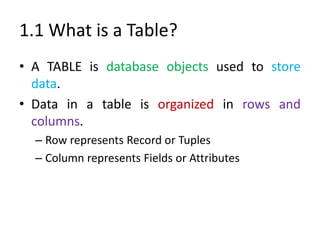
1.1 What is a Table?
• A TABLE is database objects used to store
data.
• Data in a table is organized in rows and
columns.
– Row represents Record or Tuples
– Column represents Fields or Attributes
1.2 CREATING A TABLE
CREATE TABLE tablename
(
column1 datatype (size) [DEFAULT expression]
[CONSTRAINT constraint_name constraint_type]
,
column2 datatype (size) [DEFAULT expression]
[CONSTRAINT constraintname constrainttype ],
....
)
CREATING A Table using Query
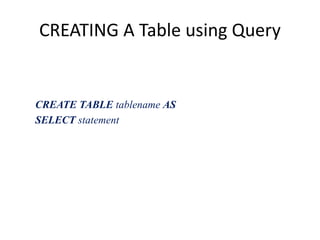
CREATE TABLE tablename AS
SELECT statement
Modifying a Table
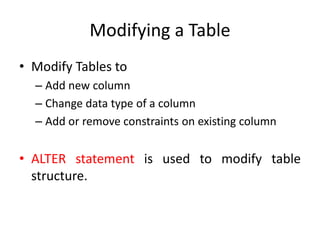
• Modify Tables to
– Add new column
– Change data type of a column
– Add or remove constraints on existing column
• ALTER statement is used to modify table
structure.
Modifying a Table
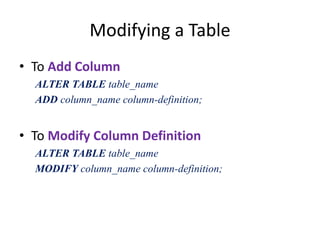
• To Add Column
ALTER TABLE table_name
ADD column_name column-definition;
• To Modify Column Definition
ALTER TABLE table_name
MODIFY column_name column-definition;
Modifying a Table
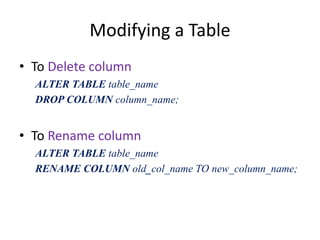
• To Delete column
ALTER TABLE table_name
DROP COLUMN column_name;
• To Rename column
ALTER TABLE table_name
RENAME COLUMN old_col_name TO new_column_name;
Modifying a Table
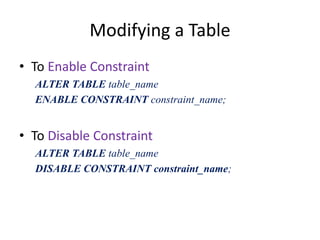
• To Enable Constraint
ALTER TABLE table_name
ENABLE CONSTRAINT constraint_name;
• To Disable Constraint
ALTER TABLE table_name
DISABLE CONSTRAINT constraint_name;
Dropping a Table
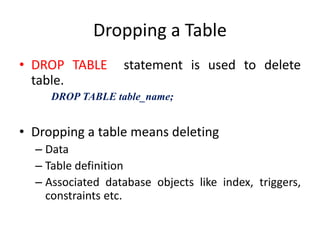
• DROP TABLE statement is used to delete
table.
DROP TABLE table_name;
• Dropping a table means deleting
– Data
– Table definition
– Associated database objects like index, triggers,
constraints etc.
Dropping a Table
• NOTE:
– If table is referenced, referenced table and
constraints must be deleted explicitly before
deleting a table.
Rename Table
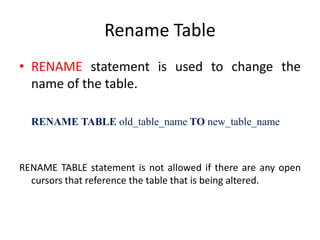
• RENAME statement is used to change the
name of the table.
RENAME TABLE old_table_name TO new_table_name
RENAME TABLE statement is not allowed if there are any open
cursors that reference the table that is being altered.
Data stored in a table is complete &
consistent.NO ONE enters invalid data in it.
Ensure
• Maintaining consistency and completeness of
data is called data integrity.
• In Oracle, we maintain data integrity by
– Applying constraints
– Enabling and disabling constraints
– Non-declarative approach using database triggers
Applying Constraints
• Constraints applied to a column maintain data
integrity referred as Integrity Constraints.
• Constraints Can Be Created either using
– CREATE TABLE statement
– ALTER TABLE statement
Applying Constraints
• Constraints divided into
– Primary Key constraint
– Unique constraint
– Foreign Constraint
– Check Constraint
– Default Constraint
Applying Constraint – NOT NULL
• By default, all columns in a table allow nulls.
• A NOT NULL constraint requires a column of a
table contain no null values.
Applying Constraint - UNIQUE
• Use to enforce uniqueness (entity integrity) on
non-primary columns.
• It ensures no two rows of a table have duplicate
values in a specified column(s).
CREATE TABLE tablename
( column1 datatype (size) [CONSTRAINT constraint_name]
UNIQUE,
column2 datatype (size) [CONSTRAINT constraintname]
UNIQUE], ....
)
Applying Constraint - UNIQUE
• PRIMARY KEY vs UNIQUE
– Primary key cannot contain NULL values whereas
one NULL row is allowed for Unique constraint.
– Single primary key can be created on a table
whereas a table can contain Multiple unique
constraints.
Applying Constraint – PRIMARY KEY
• A primary key constraint is defined on a
column or set of columns whose value
uniquely identify all the rows in a table.
• A primary key column CANNOT contain NULL
values.
Applying Constraint – PRIMARY KEY
• Applying Primary Key while creating table
CREATE TABLE tablename
( column1 datatype (size) [CONSTRAINT
constraint_name] PRIMARY KEY ,
column2 datatype (size) [CONSTRAINT
constraintname constraint_name], .... )
APPLYING CONSTRAINT – Foreign Key
• Used to enforce Referential Integrity.
• Removes inconsistency in two tables when the
data in one table depends on the data in
another table.
• Always refers the primary key of another
table.
Applying CONSTRAINT – Foreign Key
• Syntax
CREATE TABLE tablename
( column1 datatype (size) REFERENCES tablename
(columnname) [DELETE CASCADE | DELETE
SET NULL],
column2 datatype (size) [CONSTRAINT constraintname
constraint_name], .... )
Applying CONSTRAINT – Foreign Key
• Actions defined by Referential Integrity
Constraint
– Update and Delete No Action (DEFAULT)
• if a primary key value is referenced by a value in the
foreign key, then the referenced primary key value
CANNOT be deleted or updated.
– Delete CASCADE
• When rows in a parent table is deleted, all rows in child
tables with dependent foreign key values also deleted.
Applying CONSTRAINT – Foreign Key
• Actions defined by Referential Integrity
Constraint
– Delete SET NULL
• When rows in a parent table is deleted, all rows in child
tables with dependent foreign key values set to NULL.
Applying CONSTRAINT - CHECK
• CHECK constraint enforce domain integrity by
restricting values to be inserted in a column.
CREATE TABLE tablename
( column1 datatype (size) [CONSTRAINT constraint_name]
CHECK (coulumn name check condition), ...... )
• Multiple CHECK constraint can be defined on a
single column.
Expression include elements such as arithmetic
operators, relational operators, keyword such as IN, LIKE
and BETWEEN.
Condition Limitations
• It must be a Boolean expression evaluated using the
values in the row being inserted or updated
•
• It cannot contain subqueries; sequences; the SQL
functions SYSDATE, UID, USER, or USERENV
Applying Constraint - CHECK
• Restrictions on CHECK constraint
– You cannot specify a check constraint for a view.
– The check condition can refer to any column in the
table, but it cannot refer to columns of other tables.
– Conditions of check constraints cannot contain
• Subqueries
• Calls to user-defined functions
• Nested table columns or attributes
• Date constants that are not fully specified
Applying Constraint - DEFAULT
• DEFAULT constraint is used to assign constant
value to a column.
• One DEFAULT constraint can be created for a
column.
CREATE TABLE tablename
( column1 datatype (size) [CONSTRAINT constraint_name]
DEFAULT (constant expression | NULL),
column2 datatype (size) [CONSTRAINT constraintname]
DEFAULT (constant expression | NULL], ....
)
Create Directory
• CREATE DIRECTORY statement is used to
create directory object.
• Directory object specify alias for directory on
the server where external binary files and
external table data are located.
• Use directory names when referring to files
rather than hard coding the OS path
CREATE DIRECTORY
• You must have CREATE ANY DIRECTORY system
privilege to create directories.
• Automatically granted READ and WRITE object
privileges on directory.
• Maximum length of directory name is 30 bytes
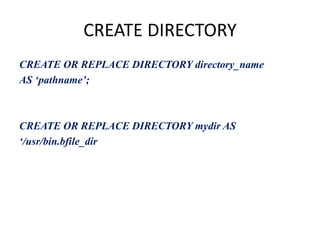
CREATE DIRECTORY
CREATE OR REPLACE DIRECTORY directory_name
AS ‘pathname’;
CREATE OR REPLACE DIRECTORY mydir AS
‘/usr/bin.bfile_dir
CREATING AND QUERYING
EXTERNAL TABLES
External Tables
• External Tables allow Oracle to query data that
is stored outside the database in flat files.
• They can be used for query, join and sort
operations.
• Views can be created against external tables.
• Prior to Oracle Database10g, external table
were read only. External Tables can also be
written to.
How External Tables Are Created?
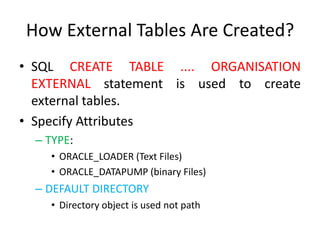
• SQL CREATE TABLE .... ORGANISATION
EXTERNAL statement is used to create
external tables.
• Specify Attributes
– TYPE:
• ORACLE_LOADER (Text Files)
• ORACLE_DATAPUMP (binary Files)
– DEFAULT DIRECTORY
• Directory object is used not path
How External Tables Are Created?
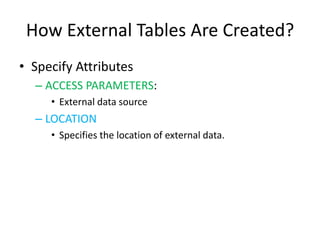
• Specify Attributes
– ACCESS PARAMETERS:
• External data source
– LOCATION
• Specifies the location of external data.
Steps of Creating External table
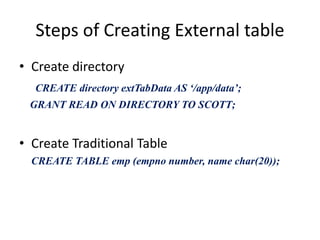
• Create directory
CREATE directory extTabData AS ‘/app/data’;
GRANT READ ON DIRECTORY TO SCOTT;
• Create Traditional Table
CREATE TABLE emp (empno number, name char(20));
Steps of Creating External table
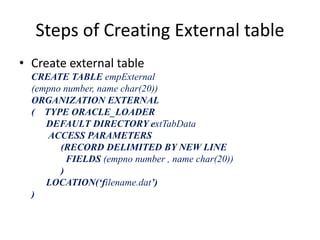
• Create external table
CREATE TABLE empExternal
(empno number, name char(20))
ORGANIZATION EXTERNAL
( TYPE ORACLE_LOADER
DEFAULT DIRECTORY extTabData
ACCESS PARAMETERS
(RECORD DELIMITED BY NEW LINE
FIELDS (empno number , name char(20))
)
LOCATION(‘filename.dat’)
)
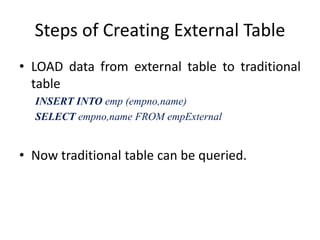
Steps of Creating External Table
• LOAD data from external table to traditional
table
INSERT INTO emp (empno,name)
SELECT empno,name FROM empExternal
• Now traditional table can be queried.

3. ddl create

  • 1.
    Managing Databases andTables Ms. Amrit Kaur gamritkaur@live.com
  • 2.
  • 3.
    1.1 What isa Table? • A TABLE is database objects used to store data. • Data in a table is organized in rows and columns. – Row represents Record or Tuples – Column represents Fields or Attributes
  • 4.
    1.2 CREATING ATABLE CREATE TABLE tablename ( column1 datatype (size) [DEFAULT expression] [CONSTRAINT constraint_name constraint_type] , column2 datatype (size) [DEFAULT expression] [CONSTRAINT constraintname constrainttype ], .... )
  • 5.
    CREATING A Tableusing Query CREATE TABLE tablename AS SELECT statement
  • 6.
    Modifying a Table •Modify Tables to – Add new column – Change data type of a column – Add or remove constraints on existing column • ALTER statement is used to modify table structure.
  • 7.
    Modifying a Table •To Add Column ALTER TABLE table_name ADD column_name column-definition; • To Modify Column Definition ALTER TABLE table_name MODIFY column_name column-definition;
  • 8.
    Modifying a Table •To Delete column ALTER TABLE table_name DROP COLUMN column_name; • To Rename column ALTER TABLE table_name RENAME COLUMN old_col_name TO new_column_name;
  • 9.
    Modifying a Table •To Enable Constraint ALTER TABLE table_name ENABLE CONSTRAINT constraint_name; • To Disable Constraint ALTER TABLE table_name DISABLE CONSTRAINT constraint_name;
  • 10.
    Dropping a Table •DROP TABLE statement is used to delete table. DROP TABLE table_name; • Dropping a table means deleting – Data – Table definition – Associated database objects like index, triggers, constraints etc.
  • 11.
    Dropping a Table •NOTE: – If table is referenced, referenced table and constraints must be deleted explicitly before deleting a table.
  • 12.
    Rename Table • RENAMEstatement is used to change the name of the table. RENAME TABLE old_table_name TO new_table_name RENAME TABLE statement is not allowed if there are any open cursors that reference the table that is being altered.
  • 13.
    Data stored ina table is complete & consistent.NO ONE enters invalid data in it. Ensure
  • 14.
    • Maintaining consistencyand completeness of data is called data integrity. • In Oracle, we maintain data integrity by – Applying constraints – Enabling and disabling constraints – Non-declarative approach using database triggers
  • 15.
    Applying Constraints • Constraintsapplied to a column maintain data integrity referred as Integrity Constraints. • Constraints Can Be Created either using – CREATE TABLE statement – ALTER TABLE statement
  • 16.
    Applying Constraints • Constraintsdivided into – Primary Key constraint – Unique constraint – Foreign Constraint – Check Constraint – Default Constraint
  • 17.
    Applying Constraint –NOT NULL • By default, all columns in a table allow nulls. • A NOT NULL constraint requires a column of a table contain no null values.
  • 18.
    Applying Constraint -UNIQUE • Use to enforce uniqueness (entity integrity) on non-primary columns. • It ensures no two rows of a table have duplicate values in a specified column(s). CREATE TABLE tablename ( column1 datatype (size) [CONSTRAINT constraint_name] UNIQUE, column2 datatype (size) [CONSTRAINT constraintname] UNIQUE], .... )
  • 19.
    Applying Constraint -UNIQUE • PRIMARY KEY vs UNIQUE – Primary key cannot contain NULL values whereas one NULL row is allowed for Unique constraint. – Single primary key can be created on a table whereas a table can contain Multiple unique constraints.
  • 20.
    Applying Constraint –PRIMARY KEY • A primary key constraint is defined on a column or set of columns whose value uniquely identify all the rows in a table. • A primary key column CANNOT contain NULL values.
  • 21.
    Applying Constraint –PRIMARY KEY • Applying Primary Key while creating table CREATE TABLE tablename ( column1 datatype (size) [CONSTRAINT constraint_name] PRIMARY KEY , column2 datatype (size) [CONSTRAINT constraintname constraint_name], .... )
  • 22.
    APPLYING CONSTRAINT –Foreign Key • Used to enforce Referential Integrity. • Removes inconsistency in two tables when the data in one table depends on the data in another table. • Always refers the primary key of another table.
  • 23.
    Applying CONSTRAINT –Foreign Key • Syntax CREATE TABLE tablename ( column1 datatype (size) REFERENCES tablename (columnname) [DELETE CASCADE | DELETE SET NULL], column2 datatype (size) [CONSTRAINT constraintname constraint_name], .... )
  • 24.
    Applying CONSTRAINT –Foreign Key • Actions defined by Referential Integrity Constraint – Update and Delete No Action (DEFAULT) • if a primary key value is referenced by a value in the foreign key, then the referenced primary key value CANNOT be deleted or updated. – Delete CASCADE • When rows in a parent table is deleted, all rows in child tables with dependent foreign key values also deleted.
  • 25.
    Applying CONSTRAINT –Foreign Key • Actions defined by Referential Integrity Constraint – Delete SET NULL • When rows in a parent table is deleted, all rows in child tables with dependent foreign key values set to NULL.
  • 26.
    Applying CONSTRAINT -CHECK • CHECK constraint enforce domain integrity by restricting values to be inserted in a column. CREATE TABLE tablename ( column1 datatype (size) [CONSTRAINT constraint_name] CHECK (coulumn name check condition), ...... ) • Multiple CHECK constraint can be defined on a single column. Expression include elements such as arithmetic operators, relational operators, keyword such as IN, LIKE and BETWEEN. Condition Limitations • It must be a Boolean expression evaluated using the values in the row being inserted or updated • • It cannot contain subqueries; sequences; the SQL functions SYSDATE, UID, USER, or USERENV
  • 27.
    Applying Constraint -CHECK • Restrictions on CHECK constraint – You cannot specify a check constraint for a view. – The check condition can refer to any column in the table, but it cannot refer to columns of other tables. – Conditions of check constraints cannot contain • Subqueries • Calls to user-defined functions • Nested table columns or attributes • Date constants that are not fully specified
  • 28.
    Applying Constraint -DEFAULT • DEFAULT constraint is used to assign constant value to a column. • One DEFAULT constraint can be created for a column. CREATE TABLE tablename ( column1 datatype (size) [CONSTRAINT constraint_name] DEFAULT (constant expression | NULL), column2 datatype (size) [CONSTRAINT constraintname] DEFAULT (constant expression | NULL], .... )
  • 29.
    Create Directory • CREATEDIRECTORY statement is used to create directory object. • Directory object specify alias for directory on the server where external binary files and external table data are located. • Use directory names when referring to files rather than hard coding the OS path
  • 30.
    CREATE DIRECTORY • Youmust have CREATE ANY DIRECTORY system privilege to create directories. • Automatically granted READ and WRITE object privileges on directory. • Maximum length of directory name is 30 bytes
  • 31.
    CREATE DIRECTORY CREATE ORREPLACE DIRECTORY directory_name AS ‘pathname’; CREATE OR REPLACE DIRECTORY mydir AS ‘/usr/bin.bfile_dir
  • 32.
  • 33.
    External Tables • ExternalTables allow Oracle to query data that is stored outside the database in flat files. • They can be used for query, join and sort operations. • Views can be created against external tables. • Prior to Oracle Database10g, external table were read only. External Tables can also be written to.
  • 34.
    How External TablesAre Created? • SQL CREATE TABLE .... ORGANISATION EXTERNAL statement is used to create external tables. • Specify Attributes – TYPE: • ORACLE_LOADER (Text Files) • ORACLE_DATAPUMP (binary Files) – DEFAULT DIRECTORY • Directory object is used not path
  • 35.
    How External TablesAre Created? • Specify Attributes – ACCESS PARAMETERS: • External data source – LOCATION • Specifies the location of external data.
  • 36.
    Steps of CreatingExternal table • Create directory CREATE directory extTabData AS ‘/app/data’; GRANT READ ON DIRECTORY TO SCOTT; • Create Traditional Table CREATE TABLE emp (empno number, name char(20));
  • 37.
    Steps of CreatingExternal table • Create external table CREATE TABLE empExternal (empno number, name char(20)) ORGANIZATION EXTERNAL ( TYPE ORACLE_LOADER DEFAULT DIRECTORY extTabData ACCESS PARAMETERS (RECORD DELIMITED BY NEW LINE FIELDS (empno number , name char(20)) ) LOCATION(‘filename.dat’) )
  • 38.
    Steps of CreatingExternal Table • LOAD data from external table to traditional table INSERT INTO emp (empno,name) SELECT empno,name FROM empExternal • Now traditional table can be queried.

Editor's Notes

  • #23 Different tables in a relational database can be related by common columns, and the rules that govern the relationship of the columns must be maintained. Referential integrity rules guarantee that these relationships are preserved.
  • #24 Tai@12345