The document provides an overview of SQL joins, introducing concepts such as equi joins, non-equi joins, and various types of joins including inner, outer, and self joins. It explains the syntax for each type and provides examples to illustrate their use in retrieving data from multiple tables. Additionally, it discusses the importance of primary and foreign keys in join operations.
Oracle JOINSare used to retrieve data from multiple tables.
JOIN clause combines rows from two or more tables.
creates a set of rows in a temporary table
Joins
Swapnali Pawar GCEKarad
2
3.
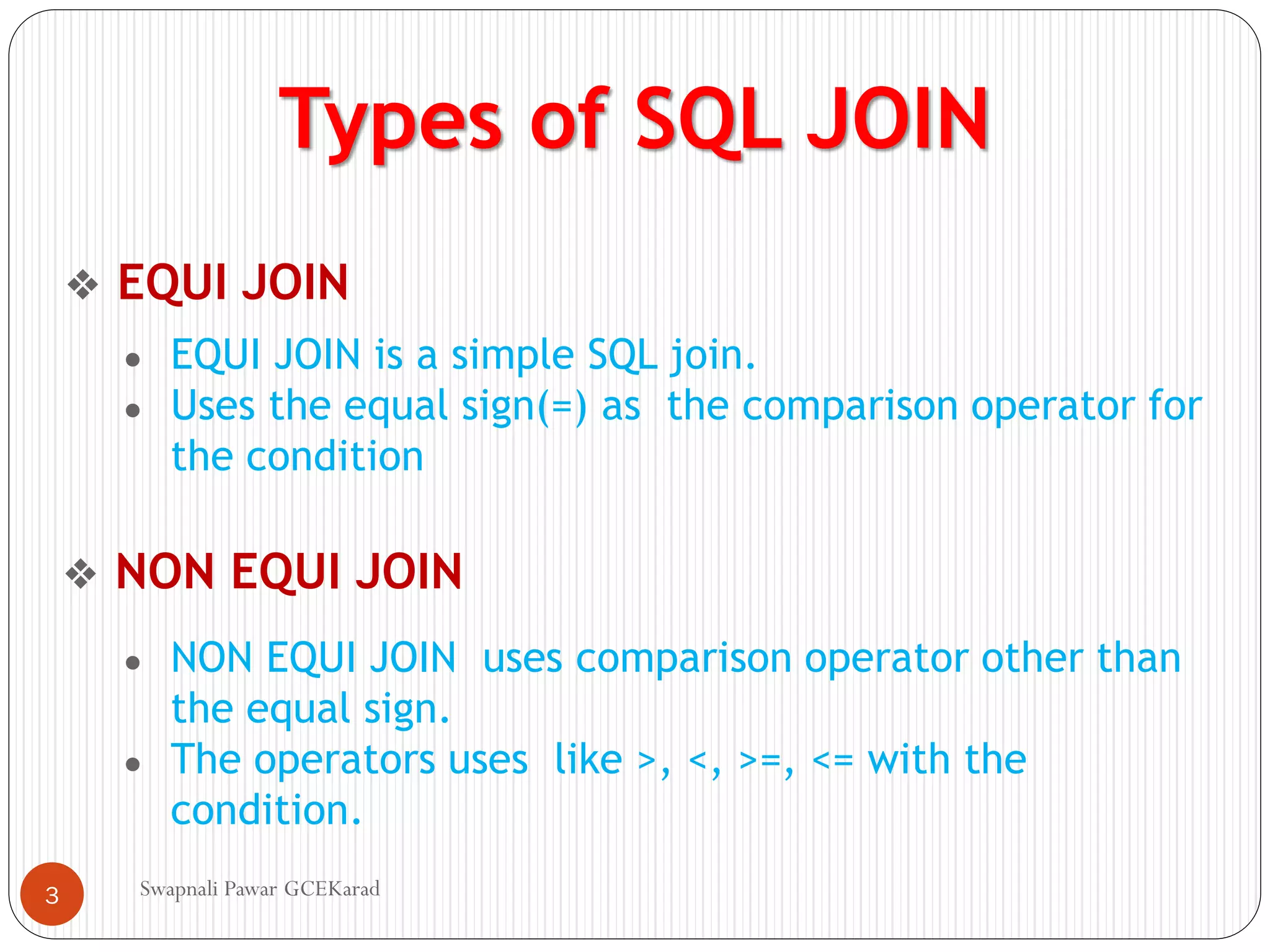
Types of SQLJOIN
❖ EQUI JOIN
● EQUI JOIN is a simple SQL join.
● Uses the equal sign(=) as the comparison operator for
the condition
● NON EQUI JOIN uses comparison operator other than
the equal sign.
● The operators uses like >, <, >=, <= with the
condition.
❖ NON EQUI JOIN
Swapnali Pawar GCEKarad
3
4.
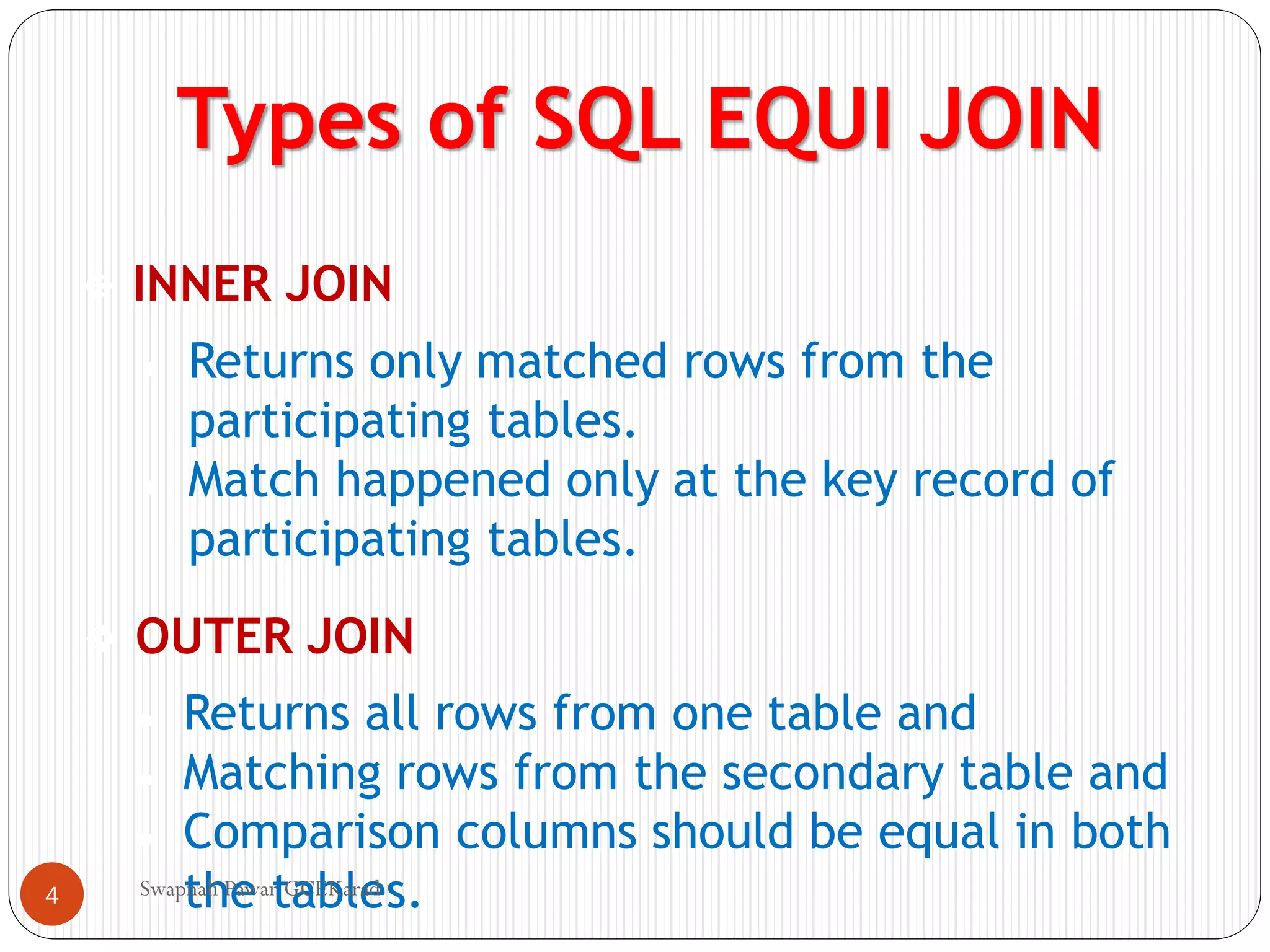
Types of SQLEQUI JOIN
❖ INNER JOIN
❖ OUTER JOIN
● Returns only matched rows from the
participating tables.
● Match happened only at the key record of
participating tables.
● Returns all rows from one table and
● Matching rows from the secondary table and
● Comparison columns should be equal in both
the tables.
Swapnali Pawar GCEKarad
4
5.
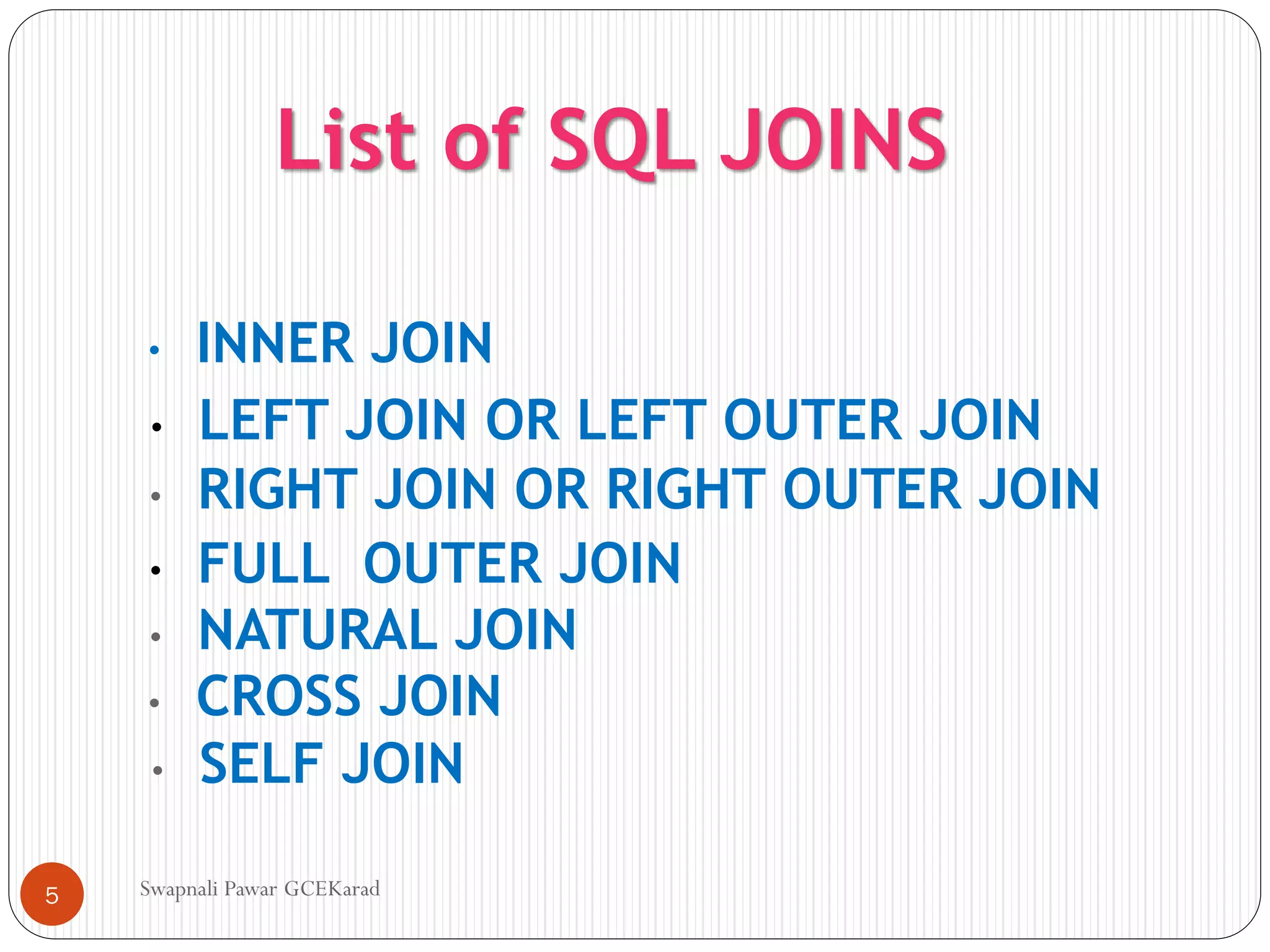
List of SQLJOINS
• INNER JOIN
• LEFT JOIN OR LEFT OUTER JOIN
• RIGHT JOIN OR RIGHT OUTER JOIN
• FULL OUTER JOIN
• NATURAL JOIN
• CROSS JOIN
• SELF JOIN
Swapnali Pawar GCEKarad
5
6.
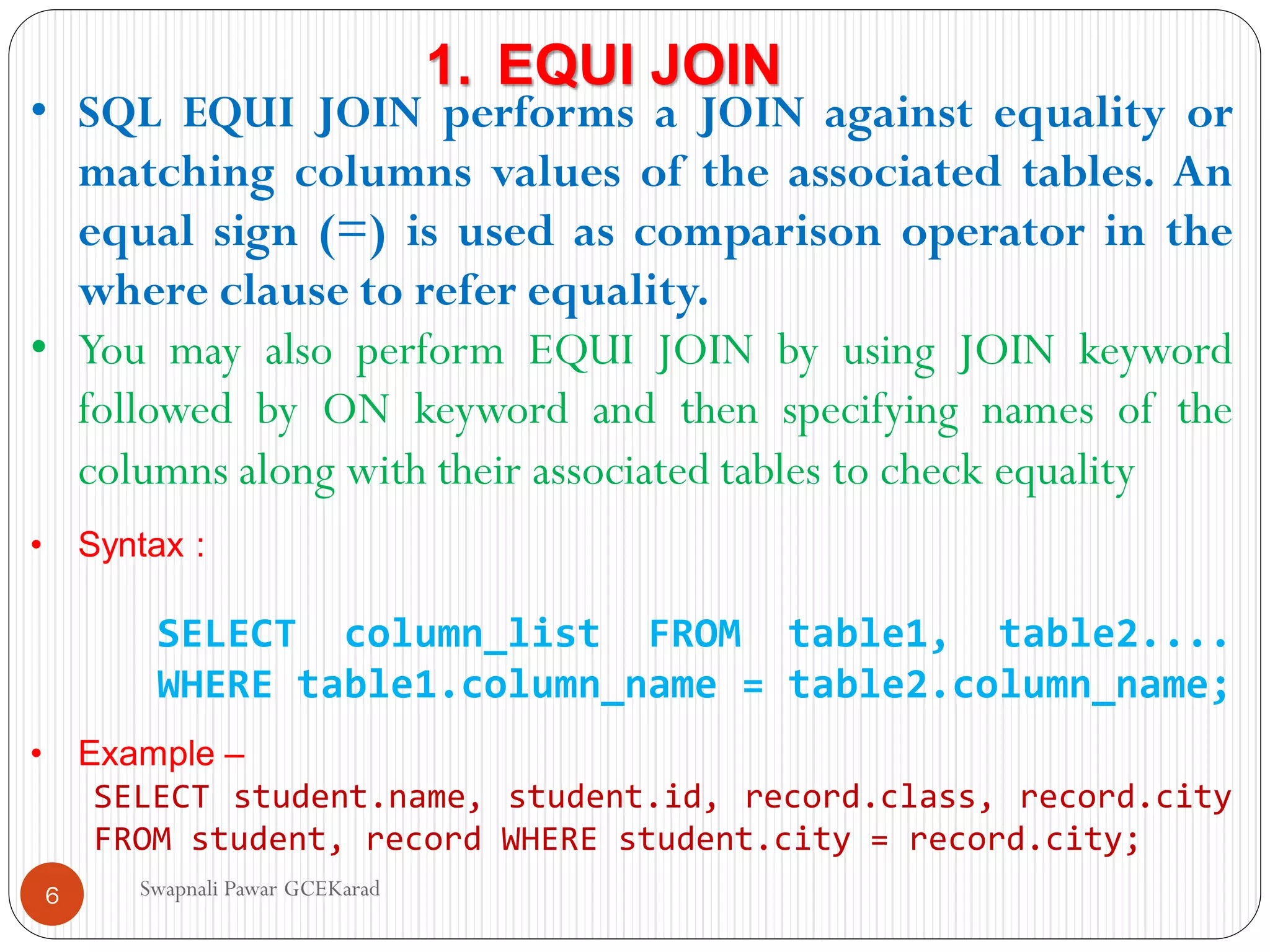
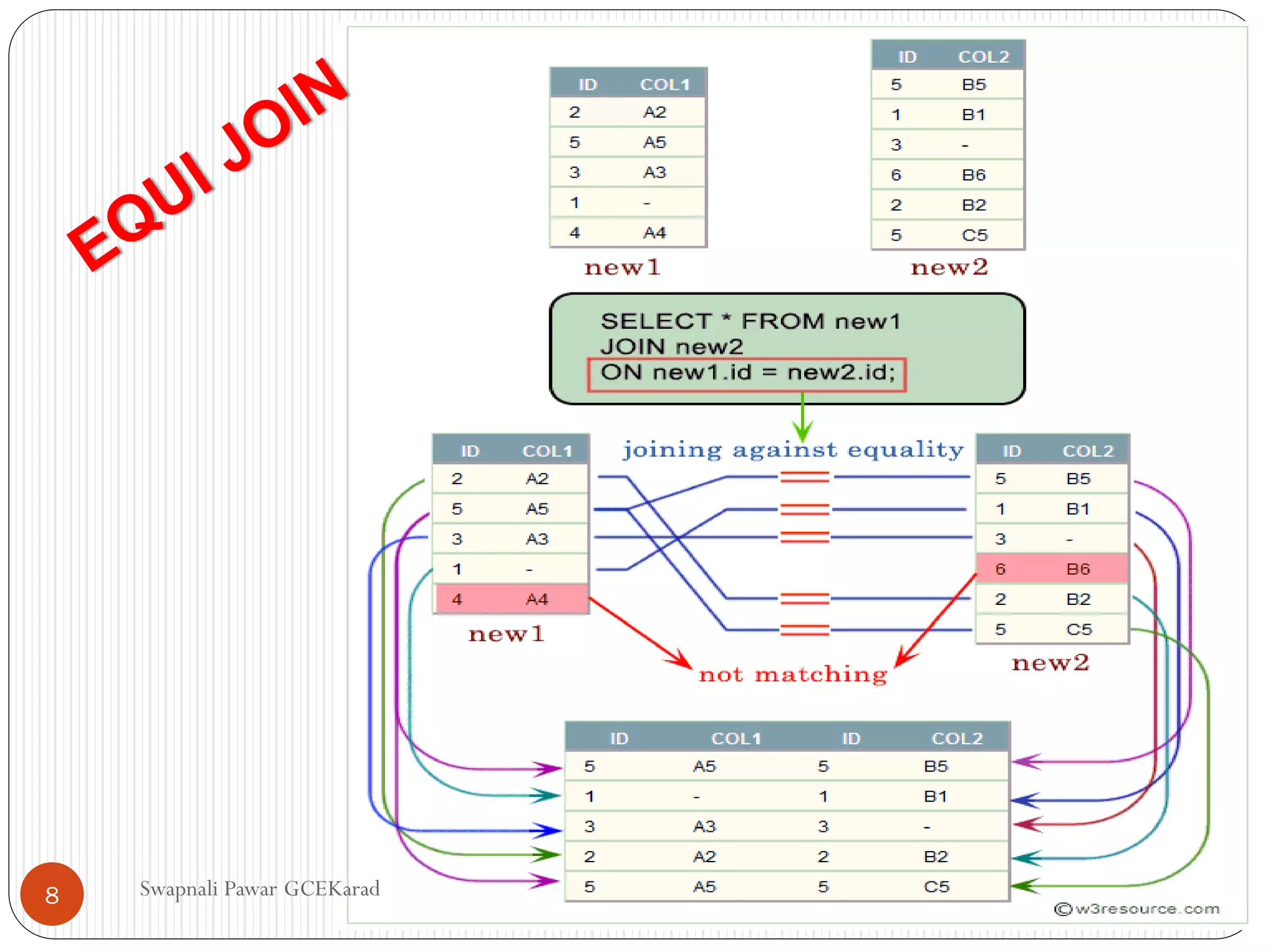
• SQL EQUIJOIN performs a JOIN against equality or
matching columns values of the associated tables. An
equal sign (=) is used as comparison operator in the
where clause to refer equality.
• You may also perform EQUI JOIN by using JOIN keyword
followed by ON keyword and then specifying names of the
columns along with their associated tables to check equality
• Syntax :
SELECT column_list FROM table1, table2....
WHERE table1.column_name = table2.column_name;
• Example –
SELECT student.name, student.id, record.class, record.city
FROM student, record WHERE student.city = record.city;
1. EQUI JOIN
Swapnali Pawar GCEKarad
6
7.
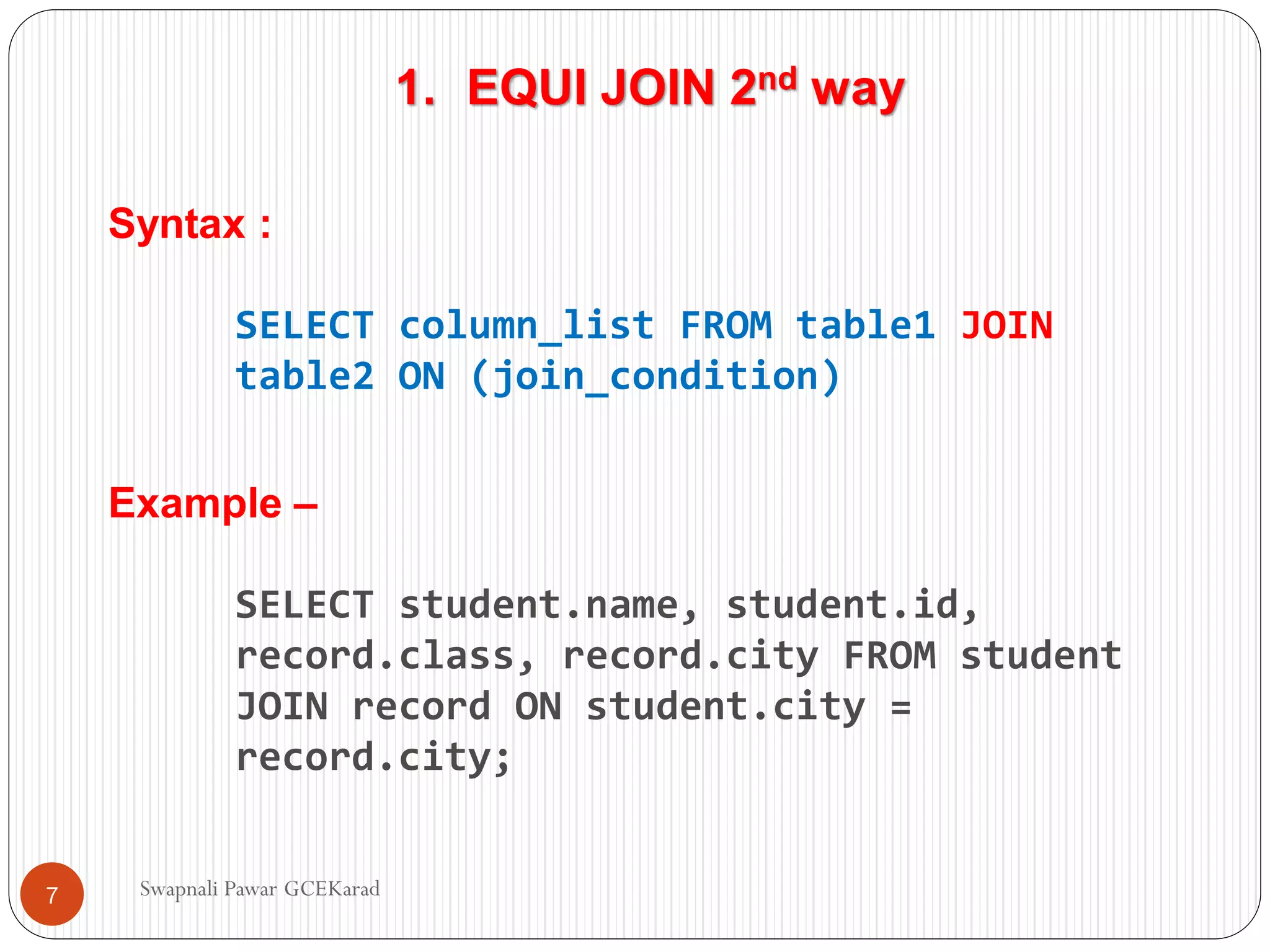
1. EQUI JOIN2nd way
Syntax :
SELECT column_list FROM table1 JOIN
table2 ON (join_condition)
Example –
SELECT student.name, student.id,
record.class, record.city FROM student
JOIN record ON student.city =
record.city;
Swapnali Pawar GCEKarad
7
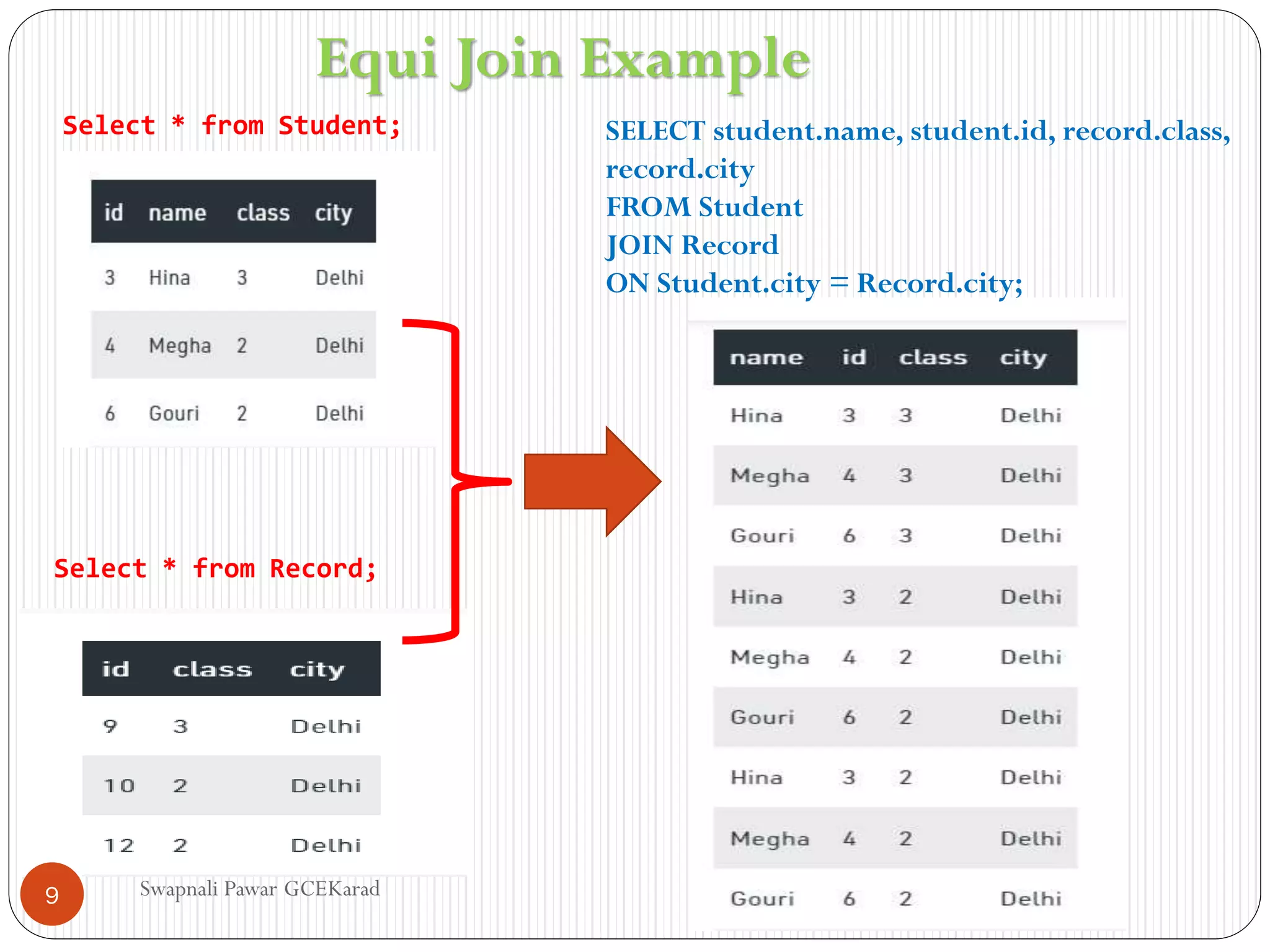
Select * fromRecord;
Select * from Student; SELECT student.name, student.id, record.class,
record.city
FROM Student
JOIN Record
ON Student.city = Record.city;
Equi Join Example
Swapnali Pawar GCEKarad
9
10.
NON-EQUI JOIN
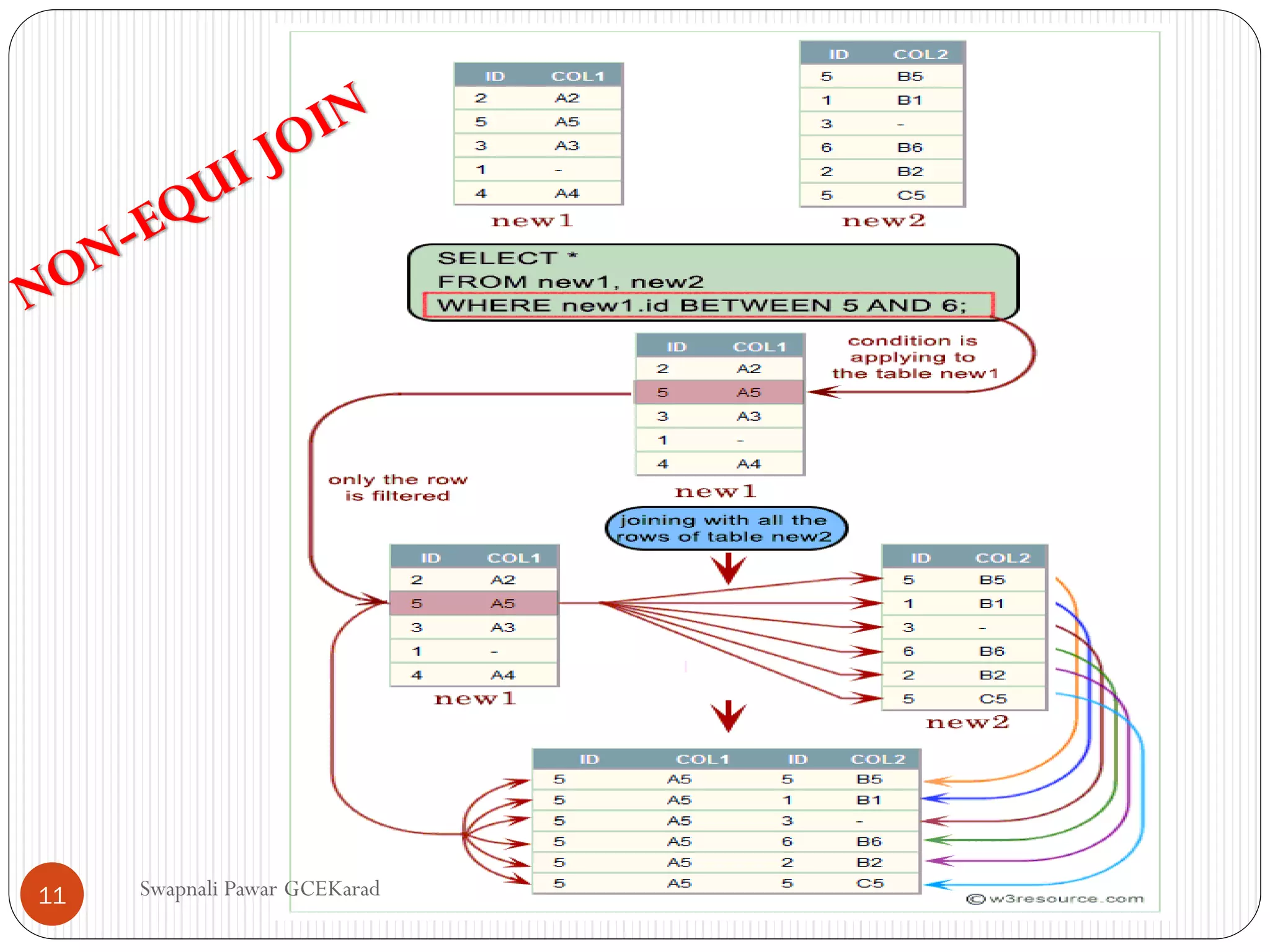
• Non-equijoins are joins whose join conditions use
conditional operators other than equals
• The SQL NON EQUI JOIN uses comparison operator
instead of the equal sign like >, <, >=, <= along with
conditions.
• Syntax:
SELECT * FROM table_name1, table_name2
WHERE
table_name1.column [> | < | >= | <= ]
table_name2.column
Swapnali Pawar GCEKarad
10
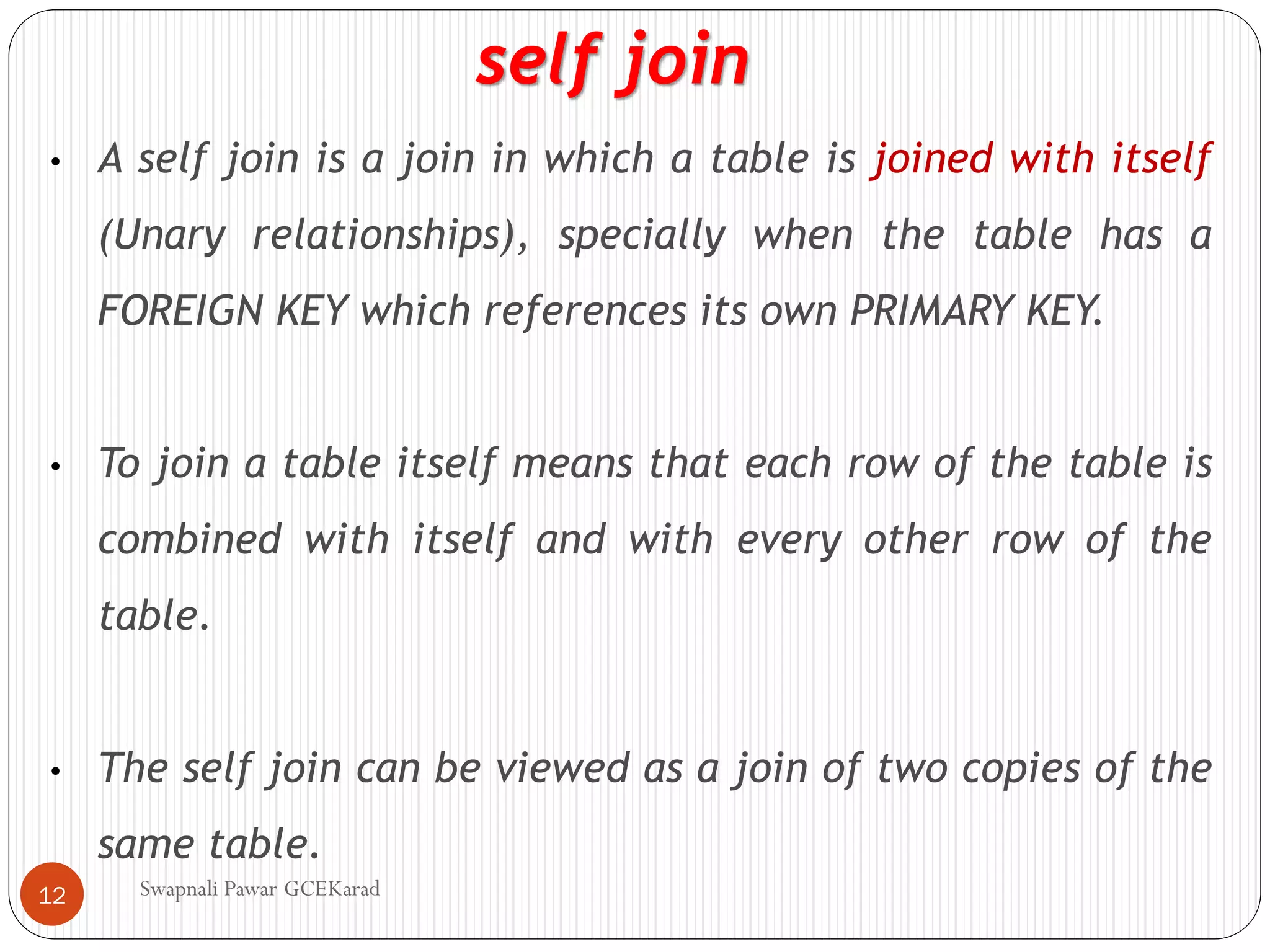
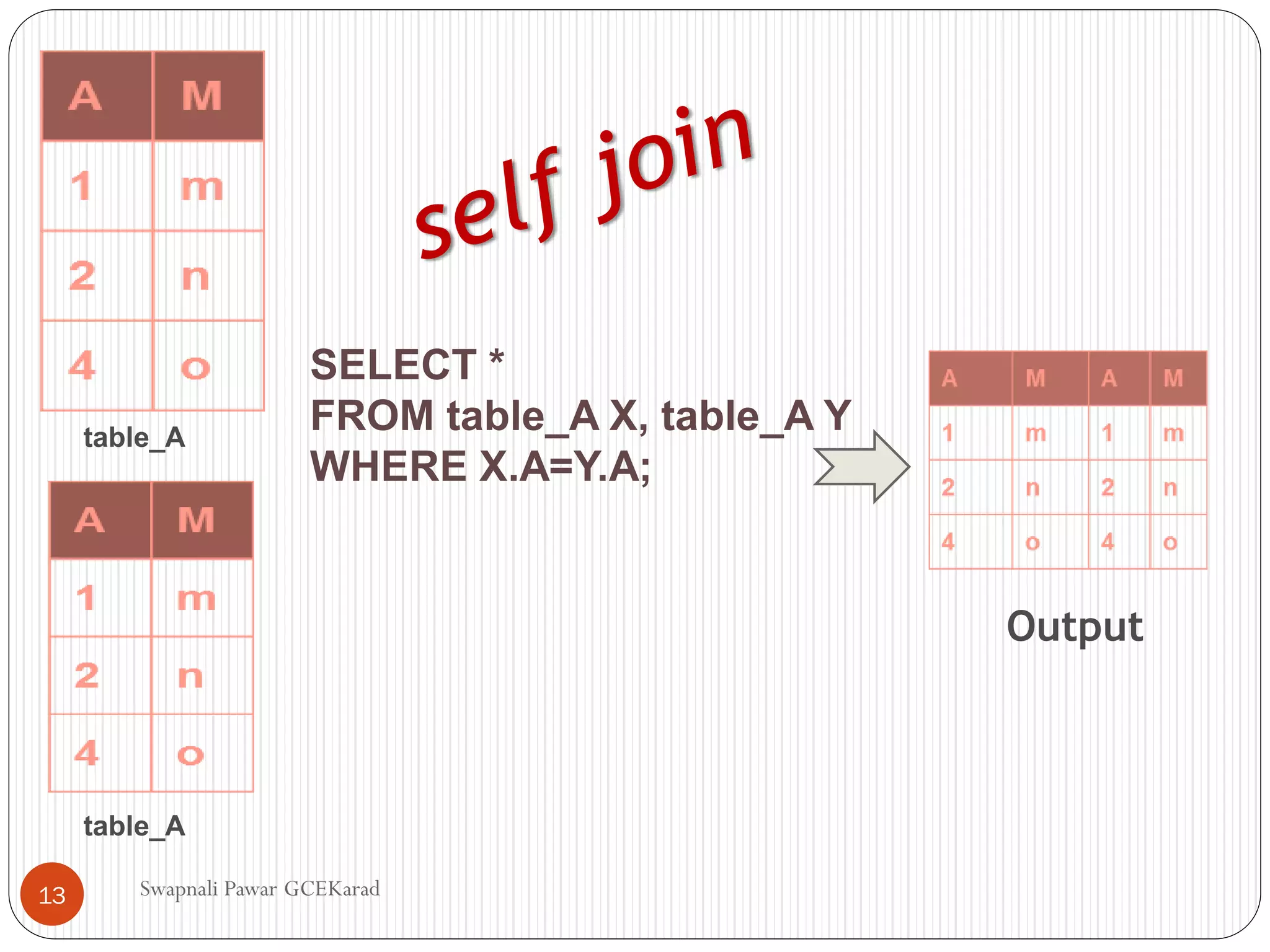
• A selfjoin is a join in which a table is joined with itself
(Unary relationships), specially when the table has a
FOREIGN KEY which references its own PRIMARY KEY.
• To join a table itself means that each row of the table is
combined with itself and with every other row of the
table.
• The self join can be viewed as a join of two copies of the
same table.
self join
Swapnali Pawar GCEKarad
12
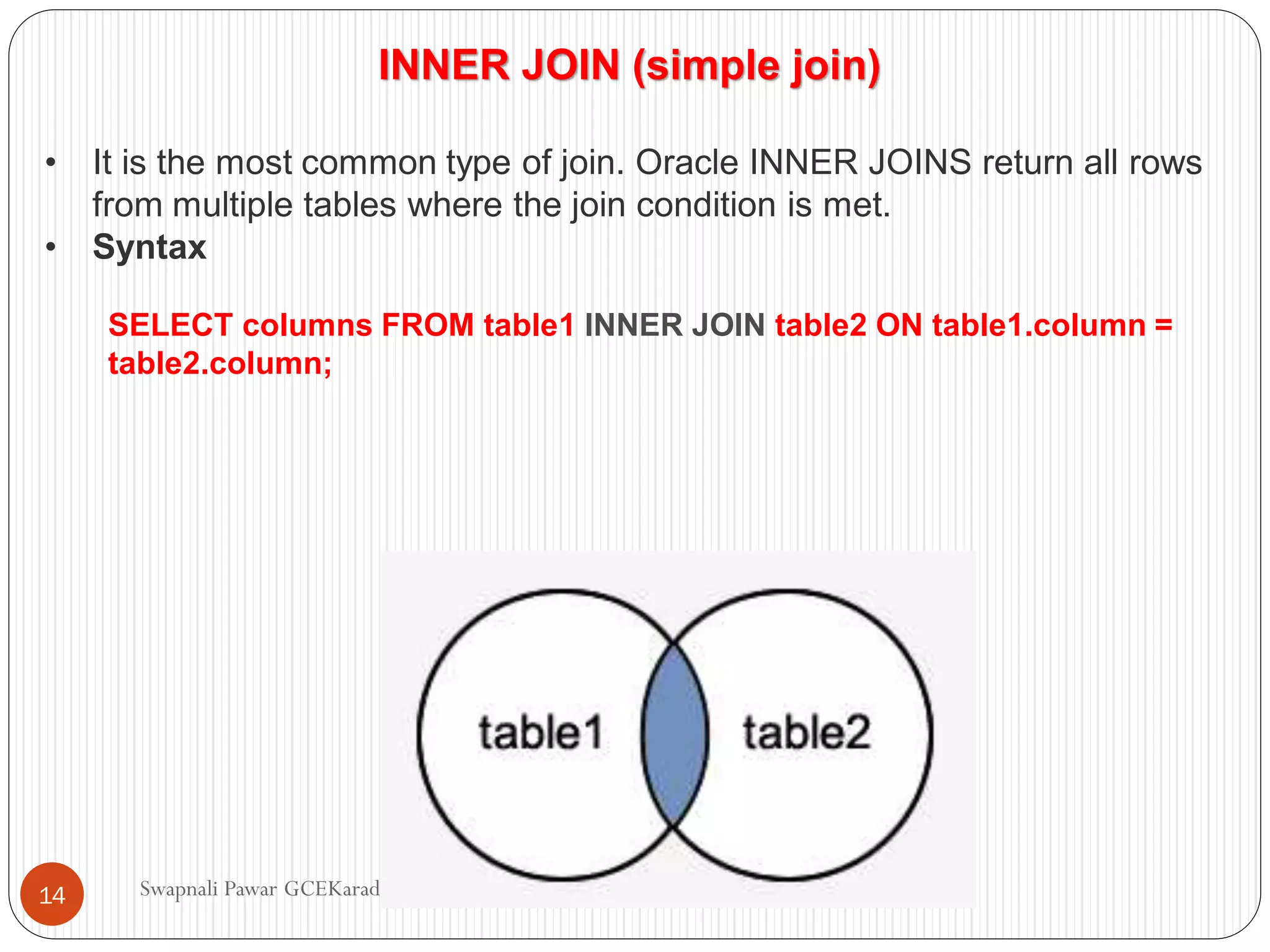
INNER JOIN (simplejoin)
• It is the most common type of join. Oracle INNER JOINS return all rows
from multiple tables where the join condition is met.
• Syntax
SELECT columns FROM table1 INNER JOIN table2 ON table1.column =
table2.column;
Swapnali Pawar GCEKarad
14
15.
LEFT OUTER JOIN
•Another type of join is called an Oracle LEFT OUTER JOIN. This type of join
returns all rows from the LEFT-hand table specified in the ON condition
and only those rows from the other table where the joined fields are equal (join
condition is met).
• Syntax
SELECT columns FROM table1 LEFT [OUTER] JOIN table2 ON
table1.column = table2.column;
• In some databases, the LEFT OUTER JOIN keywords are replaced with LEFT
JOIN.
• The Oracle LEFT OUTER JOIN would return the all records from table1 and
only those records from table2 that intersect with table1.
Swapnali Pawar GCEKarad
15
16.
RIGHT OUTER JOIN
•Another type of join is called an Oracle RIGHT OUTER JOIN. This type of join
returns all rows from the RIGHT-hand table specified in the ON condition
and only those rows from the other table where the joined fields are equal (join
condition is met).
• Syntax
SELECT columns FROM table1 RIGHT [OUTER] JOIN table2 ON
table1.column = table2.column;
• In some databases, the RIGHT OUTER JOIN keywords are replaced with
RIGHT JOIN.
• The Oracle RIGHT OUTER JOIN would return the all records from table2 and
only those records from table1 that intersect with table2.
Swapnali Pawar GCEKarad
16
17.
FULL OUTER JOIN
•Another type of join is called an Oracle FULL OUTER
JOIN. This type of join returns all rows from the LEFT-
hand table and RIGHT-hand table with nulls in place
where the join condition is not met.
• Syntax
SELECT columns FROM table1 FULL [OUTER] JOIN table2 ON
table1.column = table2.column;
• In some databases, the FULL OUTER JOIN keywords are replaced
with FULL JOIN.
• The Oracle FULL OUTER JOIN would return the all records from
both table1 and table2.
Swapnali Pawar GCEKarad
17
18.
Swapnali Pawar GCEKarad
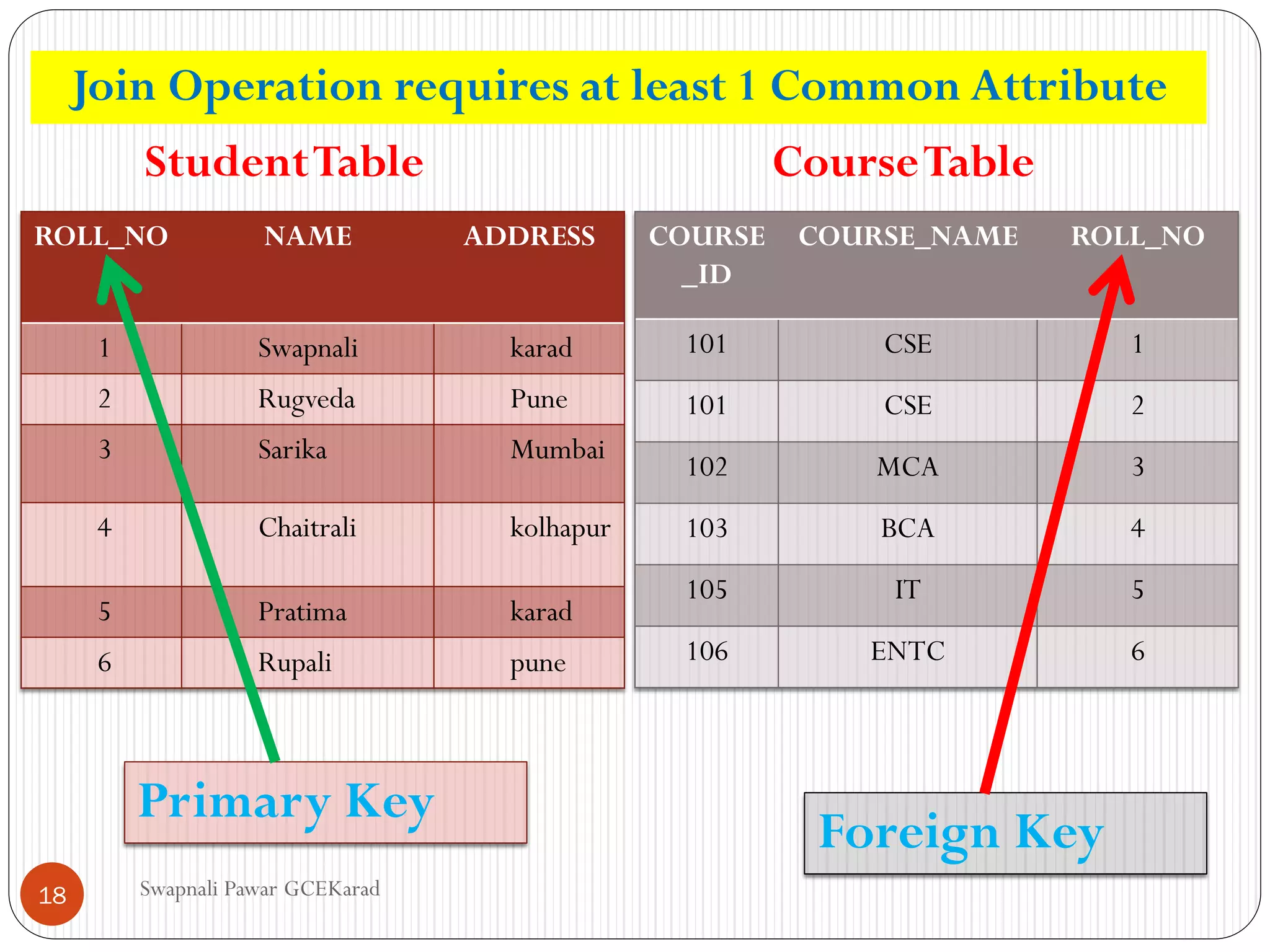
ROLL_NONAME ADDRESS
1 Swapnali karad
2 Rugveda Pune
3 Sarika Mumbai
4 Chaitrali kolhapur
5 Pratima karad
6 Rupali pune
COURSE
_ID
COURSE_NAME ROLL_NO
101 CSE 1
101 CSE 2
102 MCA 3
103 BCA 4
105 IT 5
106 ENTC 6
StudentTable CourseTable
Primary Key
Foreign Key
Join Operation requires at least 1 Common Attribute
18
19.
Swapnali Pawar GCEKarad
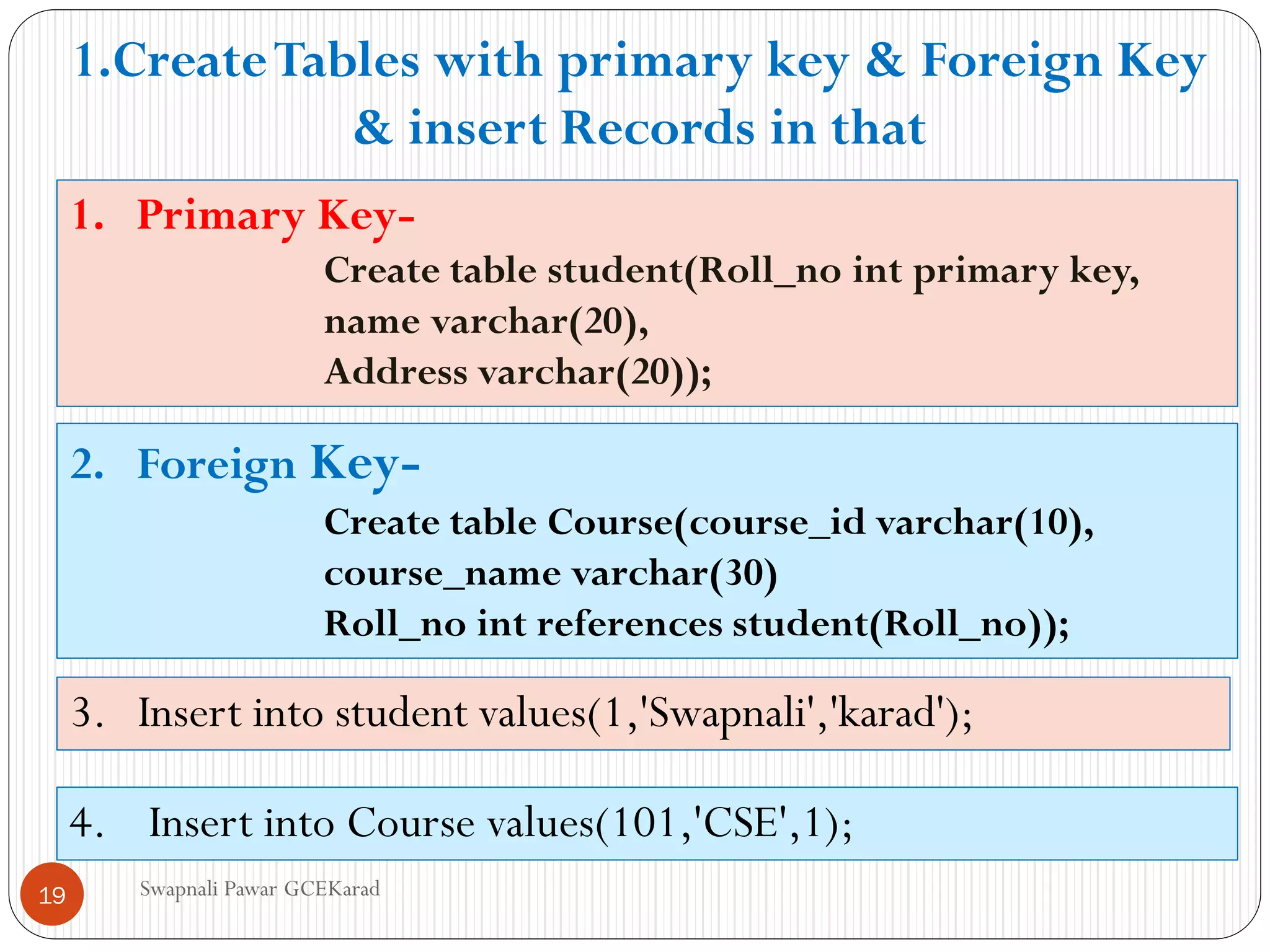
1.Primary Key-
Create table student(Roll_no int primary key,
name varchar(20),
Address varchar(20));
2. Foreign Key-
Create table Course(course_id varchar(10),
course_name varchar(30)
Roll_no int references student(Roll_no));
3. Insert into student values(1,'Swapnali','karad');
4. Insert into Course values(101,'CSE',1);
1.CreateTables with primary key & Foreign Key
& insert Records in that
19
20.
Swapnali Pawar GCEKarad
EQUI-JOIN-
Selectstudent.roll_no,Name,Course_name from
student , course where
student.roll_no=course.roll_no;
select student.roll_no,Name,Course_name
from student JOIN course On
student.roll_no=course.roll_no;
20
21.
Swapnali Pawar GCEKarad
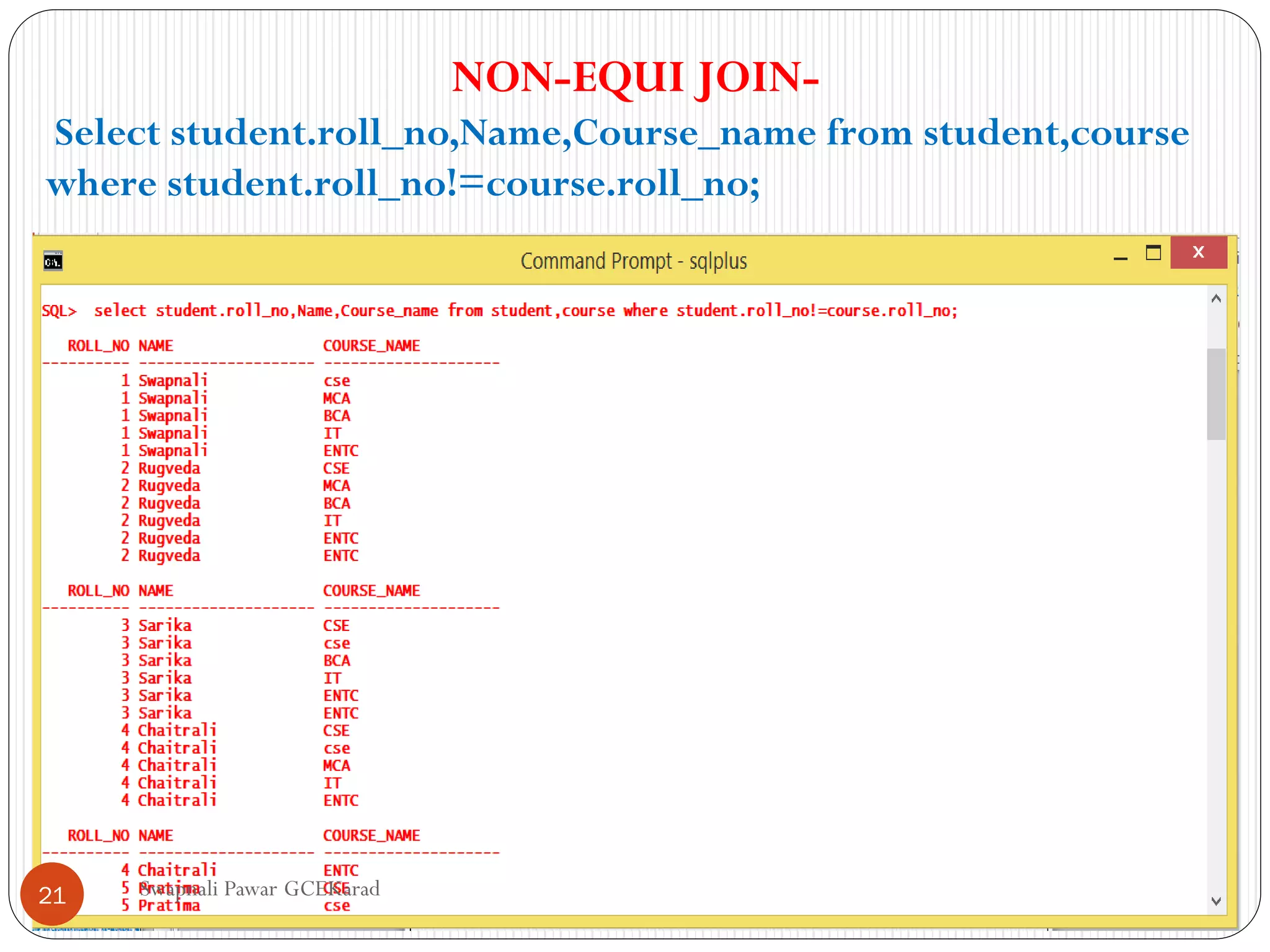
NON-EQUIJOIN-
Select student.roll_no,Name,Course_name from student,course
where student.roll_no!=course.roll_no;
21
22.
Swapnali Pawar GCEKarad
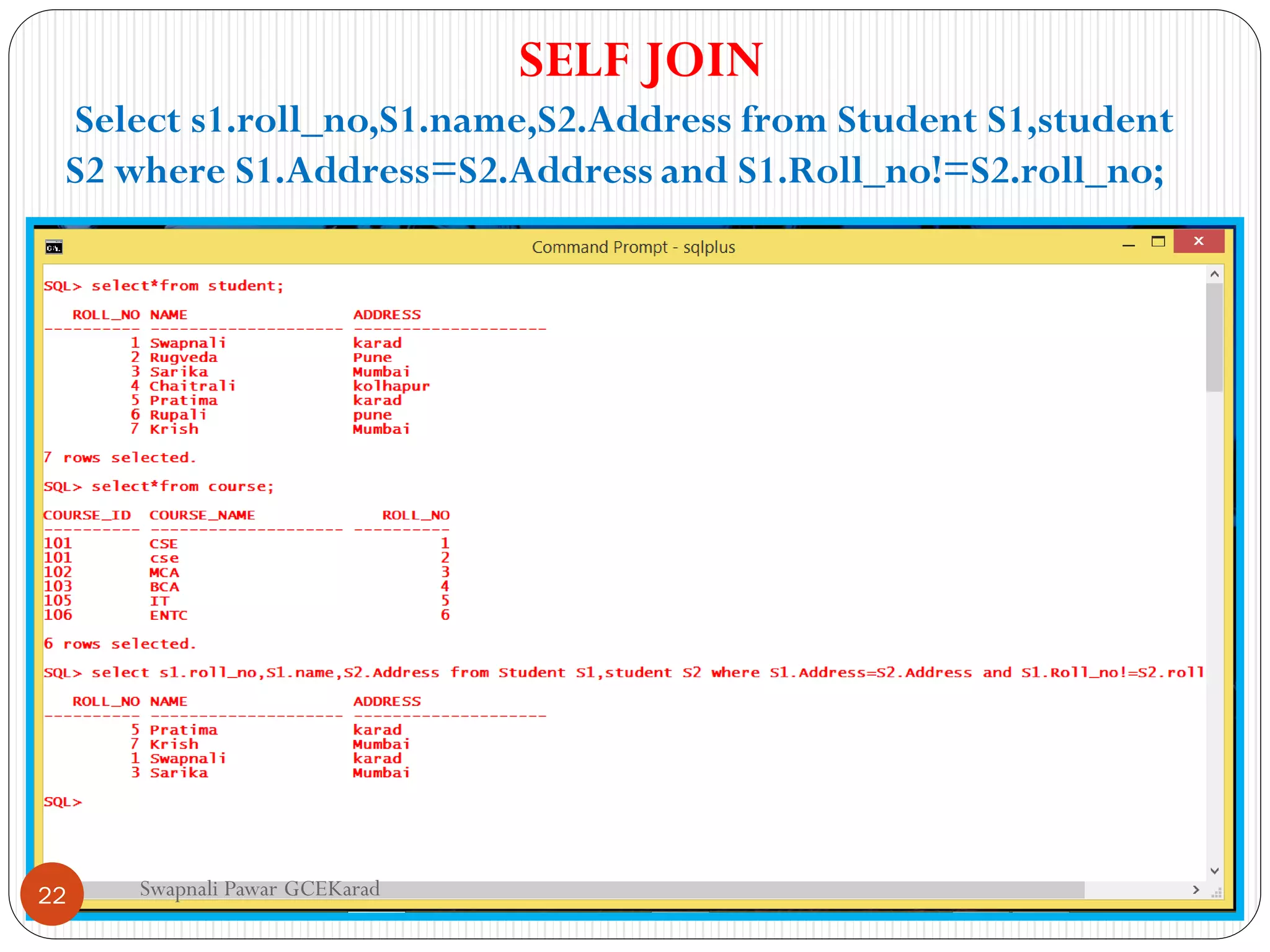
SELFJOIN
Select s1.roll_no,S1.name,S2.Address from Student S1,student
S2 where S1.Address=S2.Address and S1.Roll_no!=S2.roll_no;
22
23.
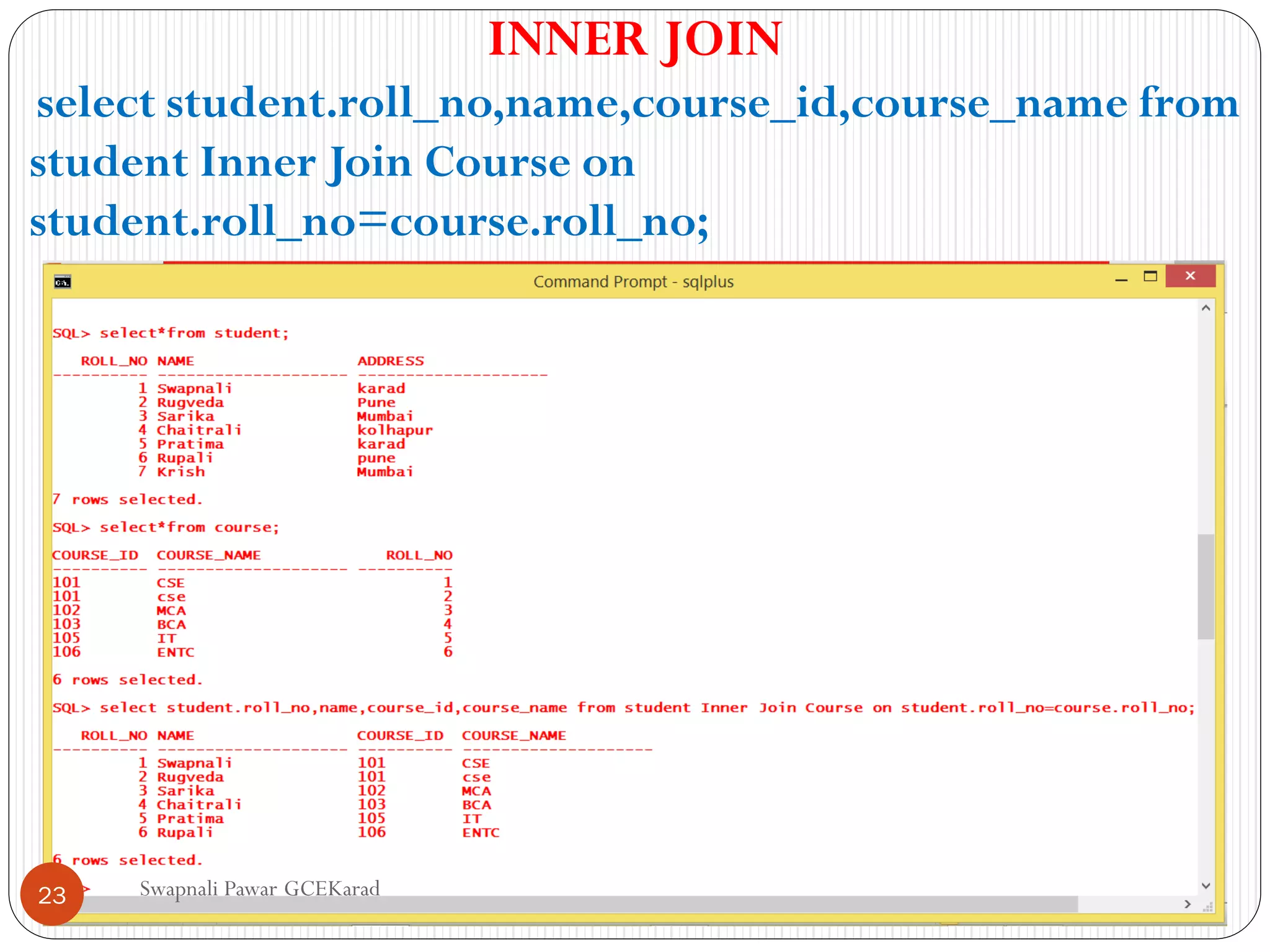
Swapnali Pawar GCEKarad
INNERJOIN
select student.roll_no,name,course_id,course_name from
student Inner Join Course on
student.roll_no=course.roll_no;
23
24.
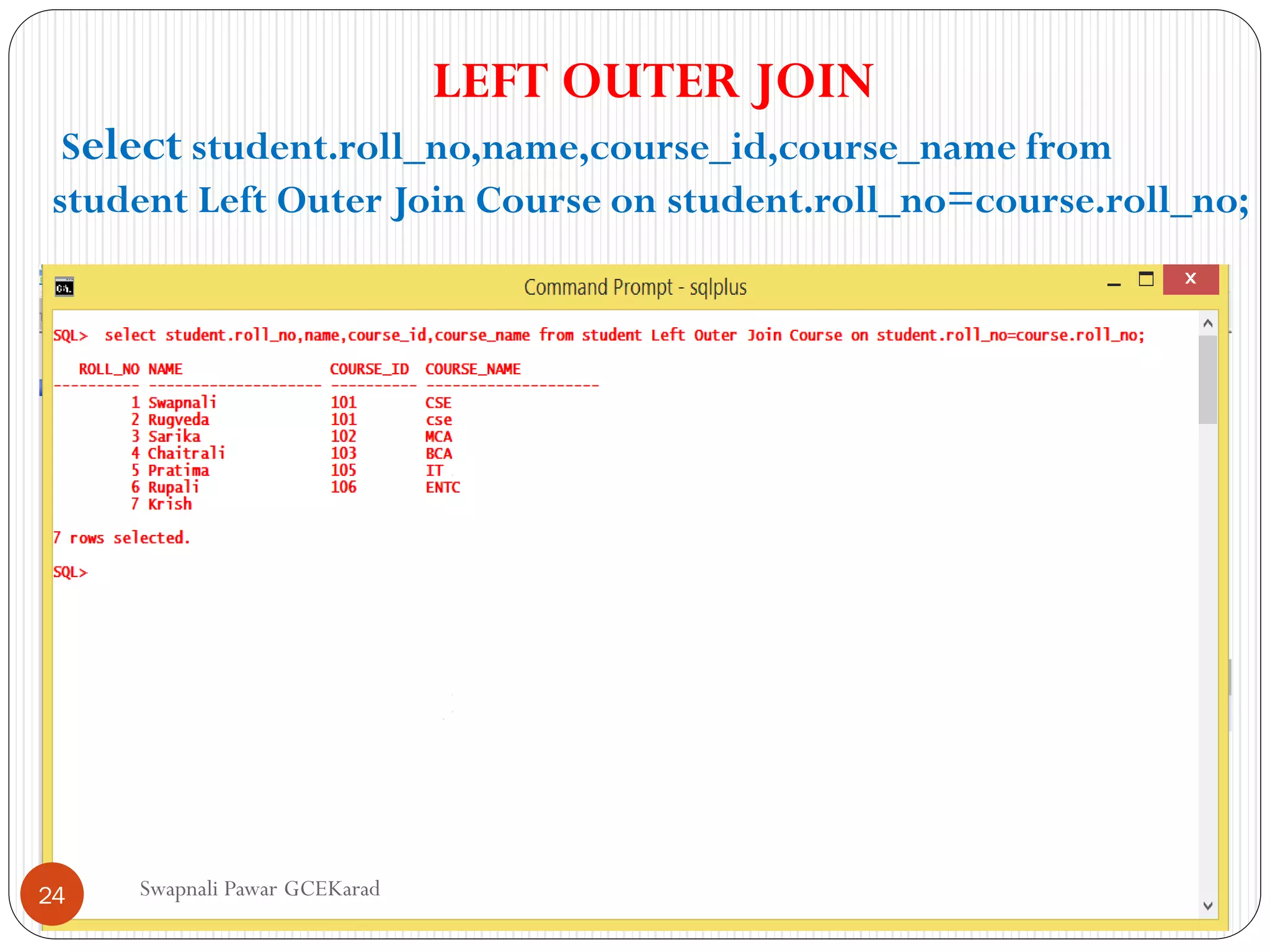
Swapnali Pawar GCEKarad
LEFTOUTER JOIN
Select student.roll_no,name,course_id,course_name from
student Left Outer Join Course on student.roll_no=course.roll_no;
24
25.
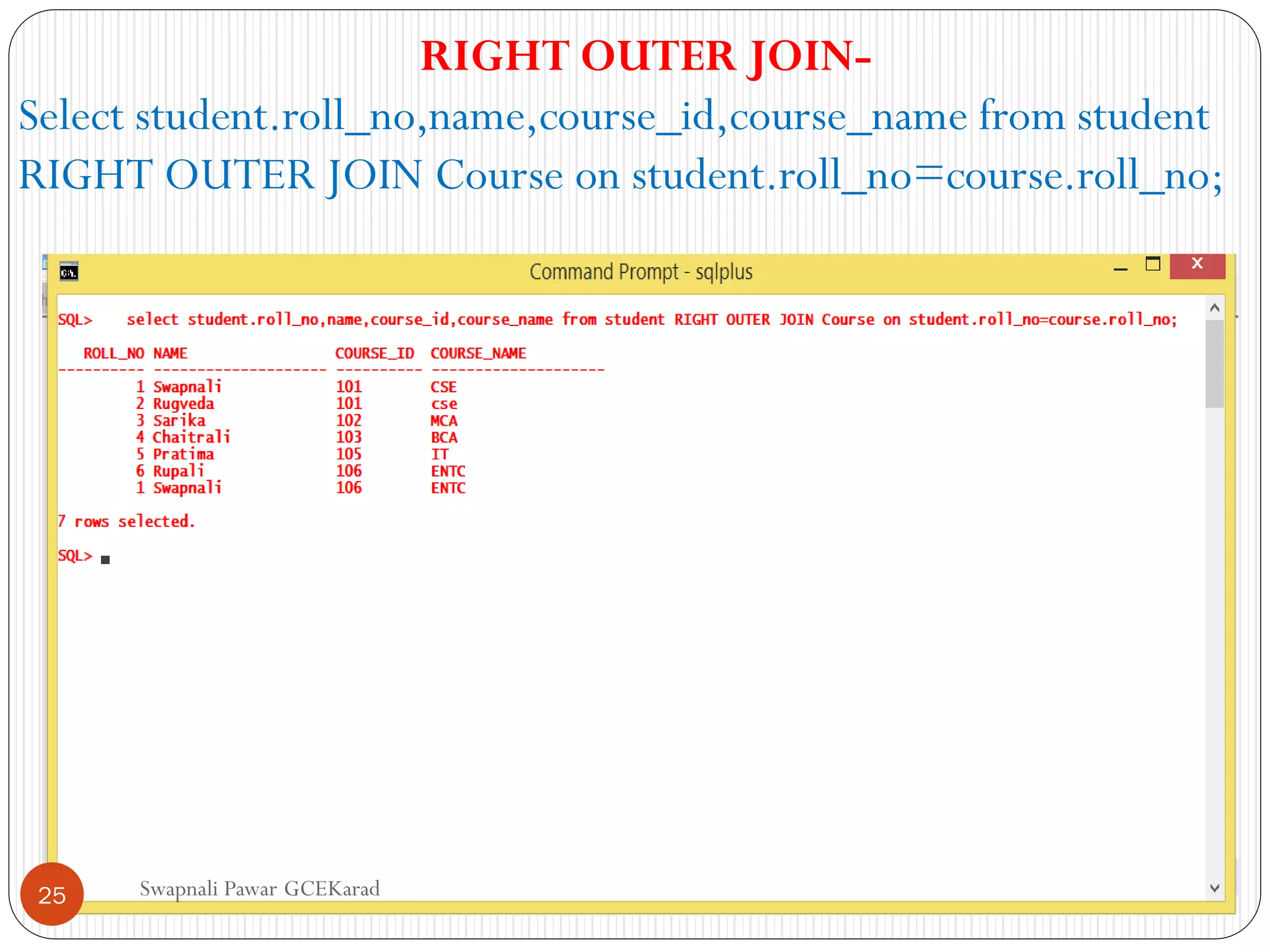
Swapnali Pawar GCEKarad
RIGHTOUTER JOIN-
Select student.roll_no,name,course_id,course_name from student
RIGHT OUTER JOIN Course on student.roll_no=course.roll_no;
25
26.
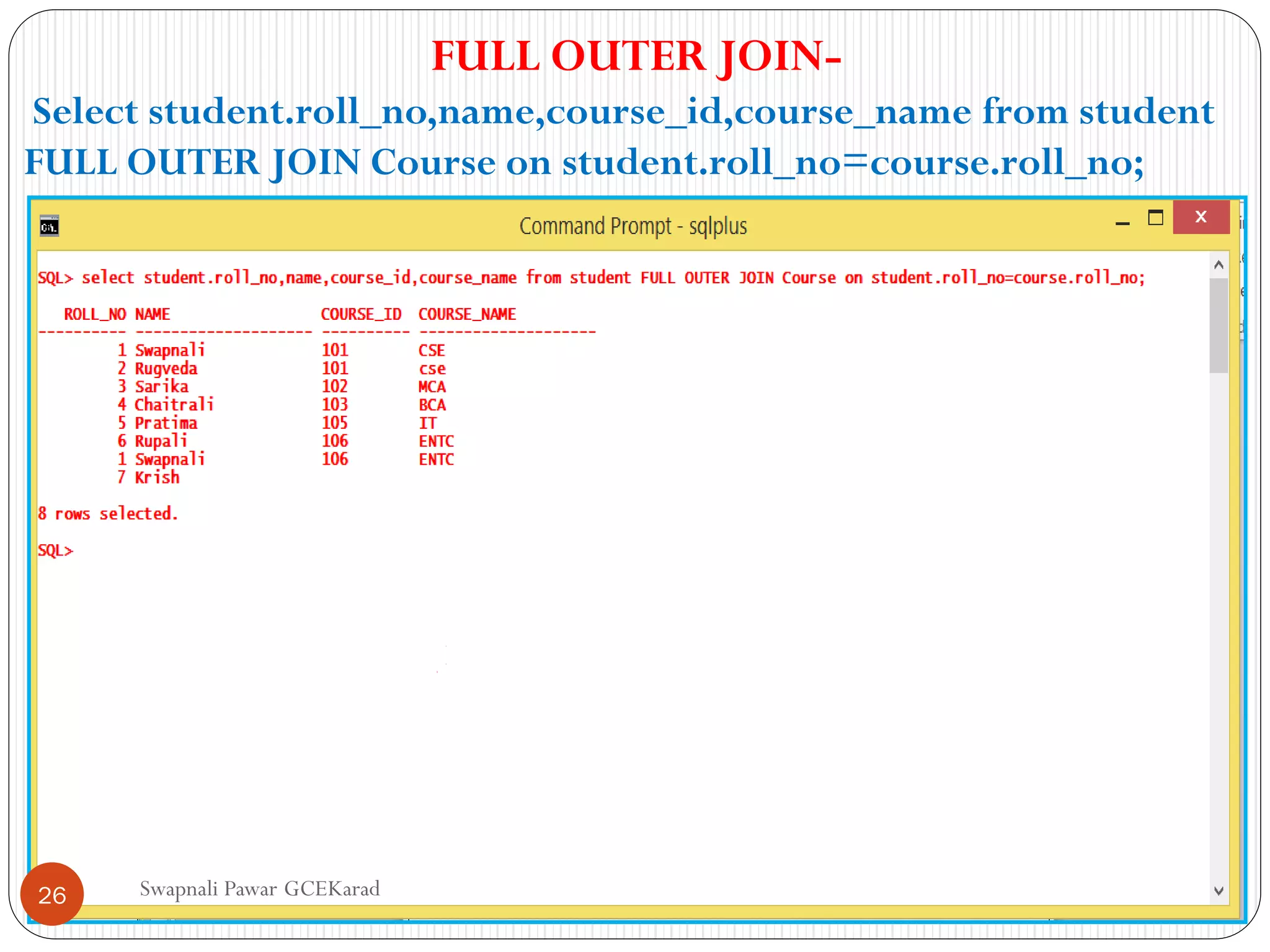
Swapnali Pawar GCEKarad
FULLOUTER JOIN-
Select student.roll_no,name,course_id,course_name from student
FULL OUTER JOIN Course on student.roll_no=course.roll_no;
26
27.
Swapnali Pawar GCEKarad
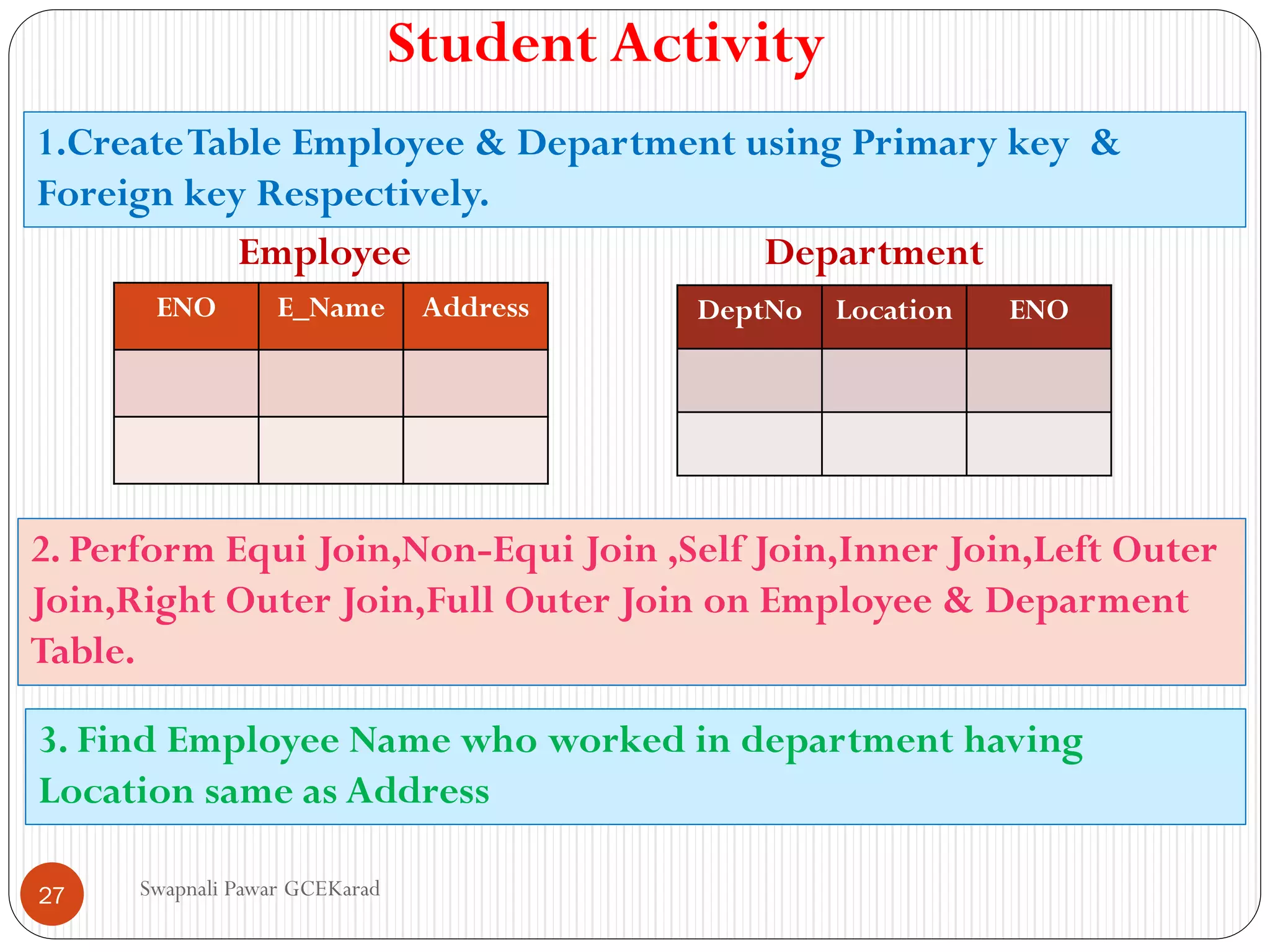
StudentActivity
1.CreateTable Employee & Department using Primary key &
Foreign key Respectively.
ENO E_Name Address DeptNo Location ENO
Employee Department
2. Perform Equi Join,Non-Equi Join ,Self Join,Inner Join,Left Outer
Join,Right Outer Join,Full Outer Join on Employee & Deparment
Table.
3. Find Employee Name who worked in department having
Location same as Address
27

![NON-EQUI JOIN
• Non-equi joins are joins whose join conditions use
conditional operators other than equals
• The SQL NON EQUI JOIN uses comparison operator
instead of the equal sign like >, <, >=, <= along with
conditions.
• Syntax:
SELECT * FROM table_name1, table_name2
WHERE
table_name1.column [> | < | >= | <= ]
table_name2.column
Swapnali Pawar GCEKarad
10](https://image.slidesharecdn.com/4-210803195531/75/SQL-JOINS-10-2048.jpg)
![LEFT OUTER JOIN
• Another type of join is called an Oracle LEFT OUTER JOIN. This type of join
returns all rows from the LEFT-hand table specified in the ON condition
and only those rows from the other table where the joined fields are equal (join
condition is met).
• Syntax
SELECT columns FROM table1 LEFT [OUTER] JOIN table2 ON
table1.column = table2.column;
• In some databases, the LEFT OUTER JOIN keywords are replaced with LEFT
JOIN.
• The Oracle LEFT OUTER JOIN would return the all records from table1 and
only those records from table2 that intersect with table1.
Swapnali Pawar GCEKarad
15](https://image.slidesharecdn.com/4-210803195531/75/SQL-JOINS-15-2048.jpg)
![RIGHT OUTER JOIN
• Another type of join is called an Oracle RIGHT OUTER JOIN. This type of join
returns all rows from the RIGHT-hand table specified in the ON condition
and only those rows from the other table where the joined fields are equal (join
condition is met).
• Syntax
SELECT columns FROM table1 RIGHT [OUTER] JOIN table2 ON
table1.column = table2.column;
• In some databases, the RIGHT OUTER JOIN keywords are replaced with
RIGHT JOIN.
• The Oracle RIGHT OUTER JOIN would return the all records from table2 and
only those records from table1 that intersect with table2.
Swapnali Pawar GCEKarad
16](https://image.slidesharecdn.com/4-210803195531/75/SQL-JOINS-16-2048.jpg)
![FULL OUTER JOIN
• Another type of join is called an Oracle FULL OUTER
JOIN. This type of join returns all rows from the LEFT-
hand table and RIGHT-hand table with nulls in place
where the join condition is not met.
• Syntax
SELECT columns FROM table1 FULL [OUTER] JOIN table2 ON
table1.column = table2.column;
• In some databases, the FULL OUTER JOIN keywords are replaced
with FULL JOIN.
• The Oracle FULL OUTER JOIN would return the all records from
both table1 and table2.
Swapnali Pawar GCEKarad
17](https://image.slidesharecdn.com/4-210803195531/75/SQL-JOINS-17-2048.jpg)