CS 380
WEB PROGRAMMING
Instructor: Xenia Mountrouidou
CS380 1
2
Who am I?
 Dr. X
 PhD at North Carolina State University
 Worked for IBM
 Post doc at College of William and Mary
 Scuba diver, manga comics collector, science
fiction reader.
CS150
Course Objectives
 At the end of this class you will be able to:
 Design and implement a professional website
 Author web pages using HTML
 Make stylistic decisions with CSS
 Create interactive websites with JavaScript and
jQuery
 Enhance interactive websites with AJAX and XML
 Use PHP for server programming
2
CS380
Course Objectives (cont.)
 At the end of this class you will be able to:
 Understand the client-server programming model
and apply this to your designs
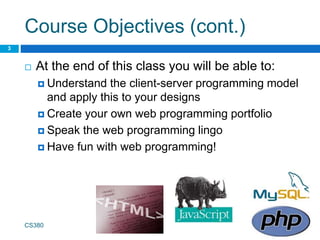
 Create your own web programming portfolio
 Speak the web programming lingo
 Have fun with web programming!
CS380
3
Why did you take CS 380?
CS380
5
Why do you need CS 380?
 Professional webpage to demonstrate your
portfolio, interests etc.
 Software development:
 Middleware
 Web development
 Cloud computing
CS380
4
Lectures
 We meet at 14:00-15:15, every Mon/Wed, at
Merritt Penticoff Science Bld, Room 116A
 Check the schedule in the class webpage
 Read the syllabus and policies carefully
 Reading and labs will be posted online
CS380
6
Lectures
 Lectures will be interactive. This means:
 You will need to study the new material before
every lecture (slides, book, and online material)
 We will have a lab on every lecture, so you will
need to code in almost every lecture
 You will post your questions on the discussion
board before each lecture. If you do not post any
questions, I assume you have understood
everything. Therefore…
 You may be called in class to explain the material
to your classmates
CS380
6
How to get help
 Join my office hours: Mon. 3:30-5:30 pm,
Tues./Fri. 1-3 pm at Merritt Penticoff 203
 Or set an appointment with me
via e-mail
 Use the textbook:
“Web Programming Step by Step”
by Marty Stepp, Jessica Miller,
Victoria Kirst
CS380
7
Office hours and help-My
schedule
CS440
10
We can meet during my office hours OR
set an appointment during the white
time slots
Monday Tuesday Wednesday Thursday Friday
8:00 am
CS150 prep Research
CS150 prep
Research
CS150 prep
:30
9:00 am CS150 – 11
lecture
CS150 – 11
lecture
CS150 – 11
lecture
:30
Independent
study
10:00 am CS150 – 01H
lecture
CS150 – 01H
lecture
CS150 – 01H
lecture
:30
11:00 am CS150 – 05F
lecture
CS150 – 05F
lecture
CS150 – 05F
lecture
:30 Research
12:00 am Division
Meeting
Lunch Lunch
Lunch
Lunch
:30
1:00 pm
CS 380 prep
Office Hours
CS 380 prep
CS340 prep Office Hours
:30
2:00 pm
CS 380 lecture CS 380 lecture
:30
3:00 pm
CS 340 lecture CS 340 lecture
Programming
Competition
Prep
:30
Office Hours
Faculty
Assembly
4:00 pm
RCSS
:30
RCSS
5:00 pm
:30
Grading
 Homework and Programming projects will be
posted online on the class webpage
CS380
8
Quizzes 5%
Project 30%
Homework 40%
Final exam 25%
Total 100%
Programming Project
 You can start working on this from the first
week of the class
 Design and implementation of a professional
website:
 Professional Style
 Interactive
 I will post topics: mostly websites needed by
faculty and staff in our school
 You can complete the project in teams of two
9
Programming Project
 Your project should have five out of the
following features (choose and document
these):
1. Use a Server-Side Framework - use a
technology other than HTML/CSS on the server.
2. AJAX - use AJAX to turn your web pages into
dynamic web applications.
3. Web Service - use an external web service,
mashed up with your own application to create
something even better.
9
Programming Project
4. Design & Evaluate - think carefully about how
users will use your site, design a great interface,
and evaluate it with real people.
5. Go Mobile - create a version of your project
designed to go mobile.
6. Server-Side Processing - do processing on the
server to prepare for user requests in advance.
7. Multimedia – use sound or video to enhance the
user experience.
9
Homework
 It will involve:
 Applying what we learned in class
 Clean design and coding
 Clear documentation
 Homework will be completed individually
CS 340
15
Policies
 Cheating means “submitting, without proper attribution, any
computer code that is directly traceable to the computer code
written by another person.”
 Or even better:
 “Any form of cheating, including concealed notes during exams, copying or allowing
others to copy from an exam, students substituting for one another in exams,
submission of another person’s work for evaluation, preparing work for another
person’s submission, unauthorized collaboration on an assignment, submission of the
same or substantially similar work for two courses without the permission of the
professors. Plagiarism is a form of Academic Misconduct that involves taking either
direct quotes or slightly altered, paraphrased material from a source without proper
citations and thereby failing to credit the original author. Cutting and pasting from any
source including the Internet, as well as purchasing papers, are forms of plagiarism.”
 I give students a failing homework grade for any cheating.
 A second cheating attempt will be escalated to the chair of our
Division.
CS 340
16
Policies
 You may discuss homework problems with
classmates, after you have made a serious
effort in trying the homework on your own.
 You can use ideas from the literature (with
proper citation).
 You can use anything from the
textbooks/notes.
 The code you submit must be written
completely by you.
CS 340
17
Policies
 Read the collaboration policy carefully.
 Late policy:
 5% is reduced by every day the homework is late
CS 340
18
Principles of Pair Programming
CS 380
10
12
Principles of Pair Programming
 All I Really Need to Know about pair
programming I Learned in Kindergarten
 Share everything.
 Play fair.
 Don’t hit people.
 Put things back where you found them.
 Clean up your own mess.
 Don’t take things that aren’t yours.
 Say you’re sorry when you hurt somebody.
CS 340
13
Principles of Pair Programming
 Wash your hands before you eat.
 Flush.
 Warm cookies and cold milk are good for you.
 Live a balanced life – learn some and think some
and draw and paint and sing and
 Dance and play and work every day some.
 Take a nap every afternoon.
 When you go out into the world, watch out for
traffic, hold hands and stick together.
 Be aware of wonder.
CS 340
Professional Portfolio
 A collection of projects you implemented for a
class or for fun.
 Examples:
 http://lesterchan.net/portfolio/programming/
 http://michaelmohammed.com/portfolio.html
 http://www.quality-web-programming.com/web-
programming-portfolio.php
 http://www.energyscripts.com/Portfolio/web_progr
amming.html
CS380
22
The INTERNET… and a bit of history
CS 380
15
What is the internet?
 A “series of tubes”
 How many Internets are out there?
 Is Google one of them?
CS380
24
What is the internet?
 A collection of computer networks that use a
protocol to exchange data
 Is the World Wide Web (WWW) and the
internet the same?
CS380
25
Brief history
 Began as a US Department of Defense
network called ARPANET (1960s-70s)
 Packet switching (in the 60s)
 E-mail is born on 1971
 TCP/IP beginning on 1974 (Vinton Cerf)
 USENET (1979)
 By 1987: Internet includes
nearly 30,000 hosts
CS380
26
Brief history (cont.)
 WWW created in 1989-91 by Tim Berners-Lee
 Popular web browsers released:
 Netscape 1994
 IE 1995
 Amazon.com opens in 1995
 Google January 1996
 Wikipedia launched in 2001
 MySpace opens in 2003
 Facebook February 2004
CS380
27
CS380
28
 Wikipedia launched in 2001
 MySpace opens in 2003
 Facebook February 2004
The future of the internet?
CS380
29
Key aspects of the internet
 Sub-networks are independent
 Computers can dynamically join and leave the
network
 Built on open standards
 Lack of centralized control (mostly)
 Everyone can use it with simple, commonly
available software
CS380
30
People and organizations
 Internet Engineering Task Force (IETF):
internet protocol standards
 Internet Corporation for Assigned Names and
Numbers (ICANN): decides top-level domain
names
 World Wide Web Consortium (W3C): web
standards
CS380
31
CS380
32
Layered architecture
Internet Protocol (IP)
 Simple protocol for data exchange between
computers
 IP Addresses:
 32-bit for IPv5
 128-bit for IPv6
CS380
33
Transmission Control Protocol
(TCP)
 Adds multiplexing, guaranteed message
delivery on top of IP
 Multiplexing: multiple programs using the same
IP address
 Port: a number given to each program or service
 port 80: web browser (port 443 for secure browsing)
 port 25: email
 port 22: ssh
 Some programs (games, streaming media
programs) use simpler UDP protocol instead of
TCP
CS380
34
Web Servers
 Web server: software that listens for web page
requests
 Apache
 Microsoft Internet
Information Server (IIS)
CS380
35
Application Server
 Software framework that provides an
environment where applications can run
 Apache
 Glassfish
 WebSphere
 WebLogic
CS380
36
Web Browser
 Web browser: fetches/displays documents
from web servers
 Mozilla Firefox
 Microsoft Internet Explorer (IE)
 Apple Safari
 Google Chrome
 Opera
CS380
37
Domain Name Server (DNS)
 Set of servers that map written names to IP
addresses
 Example: ju.edu → 204.29.160.73
 Many systems maintain a local cache called a
hosts file
 Windows: C:Windowssystem32driversetchosts
 Mac: /private/etc/hosts
 Linux: /etc/hosts
CS380
38
Uniform Resource Locator
(URL)
 Identifier for the location of a document on a
web site
 Example: http://dept.ju.edu/cs/index.html
 Upon entering this URL into the browser, it
would:
 ask the DNS server for the IP address of
dept.ju.edu
 connect to that IP address at port 80
 ask the server to GET /cs/index.html
 display the resulting page on the screen
CS380
39
Hypertext Transport Protocol
(HTTP)
 Set of commands understood by a web server
and sent from a browser
 Some HTTP commands (your browser sends
these internally):
 GET filename : download
 POST filename : send a web form response
 PUT filename : upload
 Exercise: simulate a browser with a terminal
window
CS380
40
HTTP Error Codes
 When something goes wrong, the web server
returns a special "error code" number
 Common error codes:
CS380
41
Number Meaning
200 OK
301-303
page has moved (permanently
or temporarily)
403
you are forbidden to access
this page
404 page not found
500 internal server error
Internet Media (“MIME”) types
MIME type file extension
text/html .html
text/plain .txt
image/gif .gif
image/jpeg .jpg
video/quicktime .mov
application/octet-stream .exe
CS380
42
Web Languages
 Hypertext Markup Language (HTML): used for
writing web pages
 Cascading Style Sheets (CSS): stylistic info for
web pages
 PHP Hypertext Processor (PHP): dynamically
create pages on a web server
 JavaScript: interactive and programmable web
pages
CS380
43
Web Languages(cont.)
 Asynchronous JavaScript and XML (Ajax):
accessing data for web applications
 eXtensible Markup Language (XML):
metalanguage for organizing data
CS380
44

01-intro.pptx

  • 1.
    CS 380 WEB PROGRAMMING Instructor:Xenia Mountrouidou CS380 1
  • 2.
    2 Who am I? Dr. X  PhD at North Carolina State University  Worked for IBM  Post doc at College of William and Mary  Scuba diver, manga comics collector, science fiction reader. CS150
  • 3.
    Course Objectives  Atthe end of this class you will be able to:  Design and implement a professional website  Author web pages using HTML  Make stylistic decisions with CSS  Create interactive websites with JavaScript and jQuery  Enhance interactive websites with AJAX and XML  Use PHP for server programming 2 CS380
  • 4.
    Course Objectives (cont.) At the end of this class you will be able to:  Understand the client-server programming model and apply this to your designs  Create your own web programming portfolio  Speak the web programming lingo  Have fun with web programming! CS380 3
  • 5.
    Why did youtake CS 380? CS380 5
  • 6.
    Why do youneed CS 380?  Professional webpage to demonstrate your portfolio, interests etc.  Software development:  Middleware  Web development  Cloud computing CS380 4
  • 7.
    Lectures  We meetat 14:00-15:15, every Mon/Wed, at Merritt Penticoff Science Bld, Room 116A  Check the schedule in the class webpage  Read the syllabus and policies carefully  Reading and labs will be posted online CS380 6
  • 8.
    Lectures  Lectures willbe interactive. This means:  You will need to study the new material before every lecture (slides, book, and online material)  We will have a lab on every lecture, so you will need to code in almost every lecture  You will post your questions on the discussion board before each lecture. If you do not post any questions, I assume you have understood everything. Therefore…  You may be called in class to explain the material to your classmates CS380 6
  • 9.
    How to gethelp  Join my office hours: Mon. 3:30-5:30 pm, Tues./Fri. 1-3 pm at Merritt Penticoff 203  Or set an appointment with me via e-mail  Use the textbook: “Web Programming Step by Step” by Marty Stepp, Jessica Miller, Victoria Kirst CS380 7
  • 10.
    Office hours andhelp-My schedule CS440 10 We can meet during my office hours OR set an appointment during the white time slots Monday Tuesday Wednesday Thursday Friday 8:00 am CS150 prep Research CS150 prep Research CS150 prep :30 9:00 am CS150 – 11 lecture CS150 – 11 lecture CS150 – 11 lecture :30 Independent study 10:00 am CS150 – 01H lecture CS150 – 01H lecture CS150 – 01H lecture :30 11:00 am CS150 – 05F lecture CS150 – 05F lecture CS150 – 05F lecture :30 Research 12:00 am Division Meeting Lunch Lunch Lunch Lunch :30 1:00 pm CS 380 prep Office Hours CS 380 prep CS340 prep Office Hours :30 2:00 pm CS 380 lecture CS 380 lecture :30 3:00 pm CS 340 lecture CS 340 lecture Programming Competition Prep :30 Office Hours Faculty Assembly 4:00 pm RCSS :30 RCSS 5:00 pm :30
  • 11.
    Grading  Homework andProgramming projects will be posted online on the class webpage CS380 8 Quizzes 5% Project 30% Homework 40% Final exam 25% Total 100%
  • 12.
    Programming Project  Youcan start working on this from the first week of the class  Design and implementation of a professional website:  Professional Style  Interactive  I will post topics: mostly websites needed by faculty and staff in our school  You can complete the project in teams of two 9
  • 13.
    Programming Project  Yourproject should have five out of the following features (choose and document these): 1. Use a Server-Side Framework - use a technology other than HTML/CSS on the server. 2. AJAX - use AJAX to turn your web pages into dynamic web applications. 3. Web Service - use an external web service, mashed up with your own application to create something even better. 9
  • 14.
    Programming Project 4. Design& Evaluate - think carefully about how users will use your site, design a great interface, and evaluate it with real people. 5. Go Mobile - create a version of your project designed to go mobile. 6. Server-Side Processing - do processing on the server to prepare for user requests in advance. 7. Multimedia – use sound or video to enhance the user experience. 9
  • 15.
    Homework  It willinvolve:  Applying what we learned in class  Clean design and coding  Clear documentation  Homework will be completed individually CS 340 15
  • 16.
    Policies  Cheating means“submitting, without proper attribution, any computer code that is directly traceable to the computer code written by another person.”  Or even better:  “Any form of cheating, including concealed notes during exams, copying or allowing others to copy from an exam, students substituting for one another in exams, submission of another person’s work for evaluation, preparing work for another person’s submission, unauthorized collaboration on an assignment, submission of the same or substantially similar work for two courses without the permission of the professors. Plagiarism is a form of Academic Misconduct that involves taking either direct quotes or slightly altered, paraphrased material from a source without proper citations and thereby failing to credit the original author. Cutting and pasting from any source including the Internet, as well as purchasing papers, are forms of plagiarism.”  I give students a failing homework grade for any cheating.  A second cheating attempt will be escalated to the chair of our Division. CS 340 16
  • 17.
    Policies  You maydiscuss homework problems with classmates, after you have made a serious effort in trying the homework on your own.  You can use ideas from the literature (with proper citation).  You can use anything from the textbooks/notes.  The code you submit must be written completely by you. CS 340 17
  • 18.
    Policies  Read thecollaboration policy carefully.  Late policy:  5% is reduced by every day the homework is late CS 340 18
  • 19.
    Principles of PairProgramming CS 380 10
  • 20.
    12 Principles of PairProgramming  All I Really Need to Know about pair programming I Learned in Kindergarten  Share everything.  Play fair.  Don’t hit people.  Put things back where you found them.  Clean up your own mess.  Don’t take things that aren’t yours.  Say you’re sorry when you hurt somebody. CS 340
  • 21.
    13 Principles of PairProgramming  Wash your hands before you eat.  Flush.  Warm cookies and cold milk are good for you.  Live a balanced life – learn some and think some and draw and paint and sing and  Dance and play and work every day some.  Take a nap every afternoon.  When you go out into the world, watch out for traffic, hold hands and stick together.  Be aware of wonder. CS 340
  • 22.
    Professional Portfolio  Acollection of projects you implemented for a class or for fun.  Examples:  http://lesterchan.net/portfolio/programming/  http://michaelmohammed.com/portfolio.html  http://www.quality-web-programming.com/web- programming-portfolio.php  http://www.energyscripts.com/Portfolio/web_progr amming.html CS380 22
  • 23.
    The INTERNET… anda bit of history CS 380 15
  • 24.
    What is theinternet?  A “series of tubes”  How many Internets are out there?  Is Google one of them? CS380 24
  • 25.
    What is theinternet?  A collection of computer networks that use a protocol to exchange data  Is the World Wide Web (WWW) and the internet the same? CS380 25
  • 26.
    Brief history  Beganas a US Department of Defense network called ARPANET (1960s-70s)  Packet switching (in the 60s)  E-mail is born on 1971  TCP/IP beginning on 1974 (Vinton Cerf)  USENET (1979)  By 1987: Internet includes nearly 30,000 hosts CS380 26
  • 27.
    Brief history (cont.) WWW created in 1989-91 by Tim Berners-Lee  Popular web browsers released:  Netscape 1994  IE 1995  Amazon.com opens in 1995  Google January 1996  Wikipedia launched in 2001  MySpace opens in 2003  Facebook February 2004 CS380 27
  • 28.
    CS380 28  Wikipedia launchedin 2001  MySpace opens in 2003  Facebook February 2004
  • 29.
    The future ofthe internet? CS380 29
  • 30.
    Key aspects ofthe internet  Sub-networks are independent  Computers can dynamically join and leave the network  Built on open standards  Lack of centralized control (mostly)  Everyone can use it with simple, commonly available software CS380 30
  • 31.
    People and organizations Internet Engineering Task Force (IETF): internet protocol standards  Internet Corporation for Assigned Names and Numbers (ICANN): decides top-level domain names  World Wide Web Consortium (W3C): web standards CS380 31
  • 32.
  • 33.
    Internet Protocol (IP) Simple protocol for data exchange between computers  IP Addresses:  32-bit for IPv5  128-bit for IPv6 CS380 33
  • 34.
    Transmission Control Protocol (TCP) Adds multiplexing, guaranteed message delivery on top of IP  Multiplexing: multiple programs using the same IP address  Port: a number given to each program or service  port 80: web browser (port 443 for secure browsing)  port 25: email  port 22: ssh  Some programs (games, streaming media programs) use simpler UDP protocol instead of TCP CS380 34
  • 35.
    Web Servers  Webserver: software that listens for web page requests  Apache  Microsoft Internet Information Server (IIS) CS380 35
  • 36.
    Application Server  Softwareframework that provides an environment where applications can run  Apache  Glassfish  WebSphere  WebLogic CS380 36
  • 37.
    Web Browser  Webbrowser: fetches/displays documents from web servers  Mozilla Firefox  Microsoft Internet Explorer (IE)  Apple Safari  Google Chrome  Opera CS380 37
  • 38.
    Domain Name Server(DNS)  Set of servers that map written names to IP addresses  Example: ju.edu → 204.29.160.73  Many systems maintain a local cache called a hosts file  Windows: C:Windowssystem32driversetchosts  Mac: /private/etc/hosts  Linux: /etc/hosts CS380 38
  • 39.
    Uniform Resource Locator (URL) Identifier for the location of a document on a web site  Example: http://dept.ju.edu/cs/index.html  Upon entering this URL into the browser, it would:  ask the DNS server for the IP address of dept.ju.edu  connect to that IP address at port 80  ask the server to GET /cs/index.html  display the resulting page on the screen CS380 39
  • 40.
    Hypertext Transport Protocol (HTTP) Set of commands understood by a web server and sent from a browser  Some HTTP commands (your browser sends these internally):  GET filename : download  POST filename : send a web form response  PUT filename : upload  Exercise: simulate a browser with a terminal window CS380 40
  • 41.
    HTTP Error Codes When something goes wrong, the web server returns a special "error code" number  Common error codes: CS380 41 Number Meaning 200 OK 301-303 page has moved (permanently or temporarily) 403 you are forbidden to access this page 404 page not found 500 internal server error
  • 42.
    Internet Media (“MIME”)types MIME type file extension text/html .html text/plain .txt image/gif .gif image/jpeg .jpg video/quicktime .mov application/octet-stream .exe CS380 42
  • 43.
    Web Languages  HypertextMarkup Language (HTML): used for writing web pages  Cascading Style Sheets (CSS): stylistic info for web pages  PHP Hypertext Processor (PHP): dynamically create pages on a web server  JavaScript: interactive and programmable web pages CS380 43
  • 44.
    Web Languages(cont.)  AsynchronousJavaScript and XML (Ajax): accessing data for web applications  eXtensible Markup Language (XML): metalanguage for organizing data CS380 44

Editor's Notes

  • #19 I will use software to find if there is illegal collaboration
  • #25 Computer networks interconnected
  • #26 the Web is the collection of web sites and pages around the world; the Internet is larger and also includes other services such as email, chat, online games, etc.
  • #27 The first ARPANET link was established between the University of California, Los Angeles and the Stanford Research Institute on 22:30 hours on October 29, 1969 Store and forward, i.e. packet switching Usenet is a world-wide distributed discussion system. It consists of a set of "newsgroups" with names that are classified hierarchically by subject. "Articles" or "messages" are "posted" to these newsgroups by people on computers with the appropriate software -- these articles are then broadcast to other interconnected computer systems via a wide variety of networks. Some newsgroups are "moderated"; in these newsgroups, the articles are first sent to a moderator for approval before appearing in the newsgroup. Usenet is available on a wide variety of computer systems and networks, but the bulk of modern Usenet traffic is transported over either the Internet or UUCP.
  • #29 Which of these do you recognize?
  • #31 ; anyone can create a new internet device
  • #33 physical layer : devices such as ethernet, coaxial cables, fiber-optic lines, modems data link layer : basic hardware protocols (ethernet, wifi, DSL PPP) network / internet layer : basic software protocol (IP), switching and routing, virtual circuits transport layer : adds reliability to network layer (TCP, UDP) Session: This layer establishes, manages and terminates connections between This layer establishes, manages and terminates connections between applications Presentation: This layer provides independence from differences in data representation (e.g., encryption) by translating from application to network format, and vice versa. application layer : implements specific communication for each kind of program (HTTP, POP3/IMAP, SSH, FTP)
  • #34 find out your internet IP address: whatismyip.com find out your local IP address: in a terminal, type: ipconfig (Windows) or ifconfig (Mac/Linux Routers forward data based on tables IP is simple: no corruption check, no sequencing, no data loss assurance, no duplication
  • #35 ACK for guarantee data delivery, re-transmit, validity checking Multiple programs and services share the same internet connection Freedom from reliability worries UDP: unreliable but faster
  • #36 Normal computers, just more powerful They run specialized SW
  • #37 Taking a big step back, a Web server serves pages for viewing in a Web browser, while an application server provides methods that client applications can call. A little more precisely, you can say that: A Web server exclusively handles HTTP requests, whereas an application server serves business logic to application programs through any number of protocols.
  • #38 Explorer pain
  • #39 What happens when you have connection but cannot download a webpage?? Mapping between numbers and human readable addresses Top level domains: .com, .org, countries
  • #41 telnet ju.edu GET index.html http is stateless
  • #43 Sometimes when including resources in a page (style sheet, icon, multimedia object), we specify their type of data