Copyright © 2016 M/Gateway Developments Ltd
EWD 3 Training Course
Part 14
Using Ajax for QEWD messages
Rob Tweed
Director, M/Gateway Developments Ltd
Twitter: @rtweed
Copyright © 2016 M/Gateway Developments Ltd
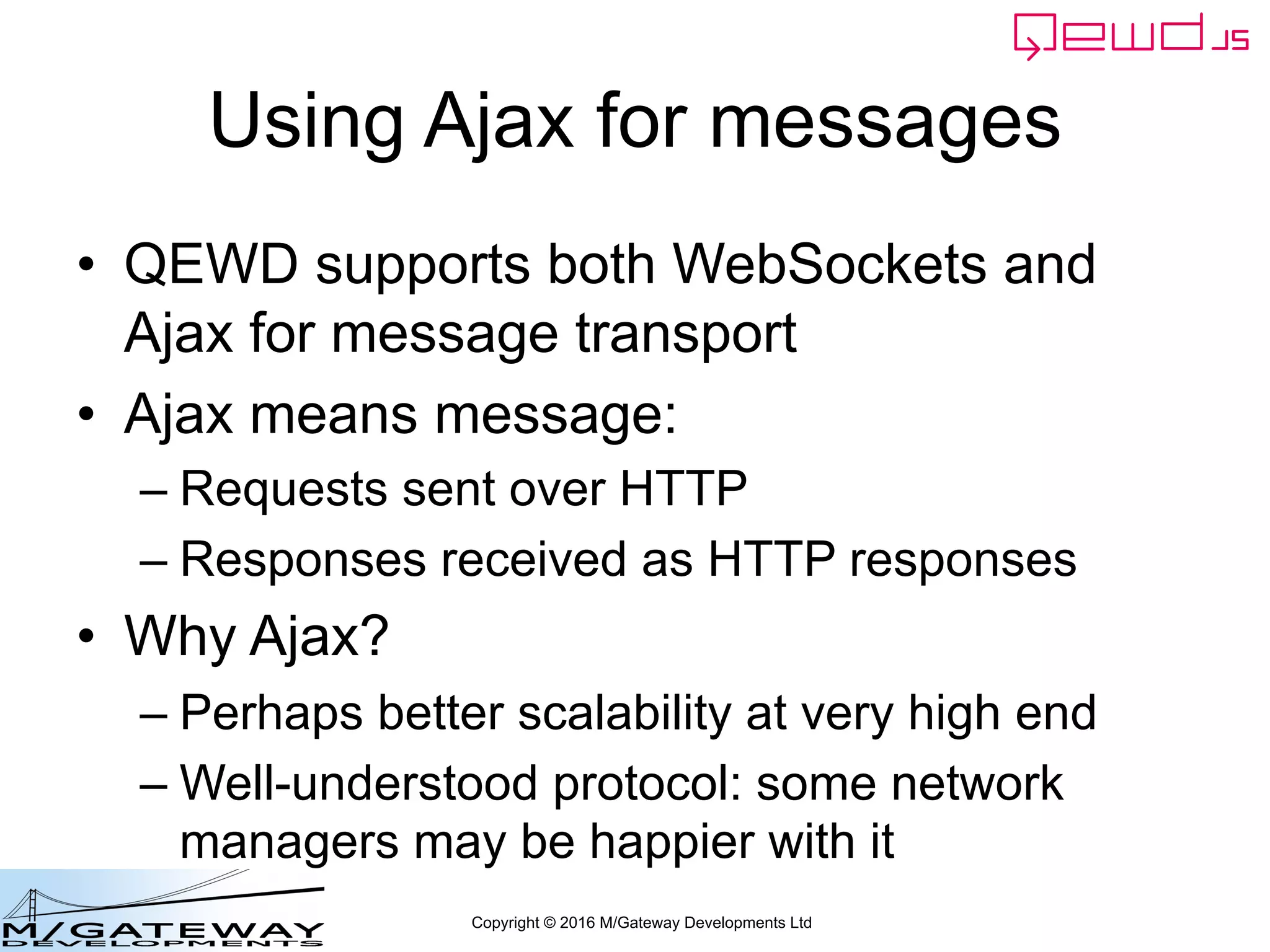
Using Ajax for messages
• QEWD supports both WebSockets and
Ajax for message transport
• Ajax means message:
– Requests sent over HTTP
– Responses received as HTTP responses
• Why Ajax?
– Perhaps better scalability at very high end
– Well-understood protocol: some network
managers may be happier with it
Copyright © 2016 M/Gateway Developments Ltd
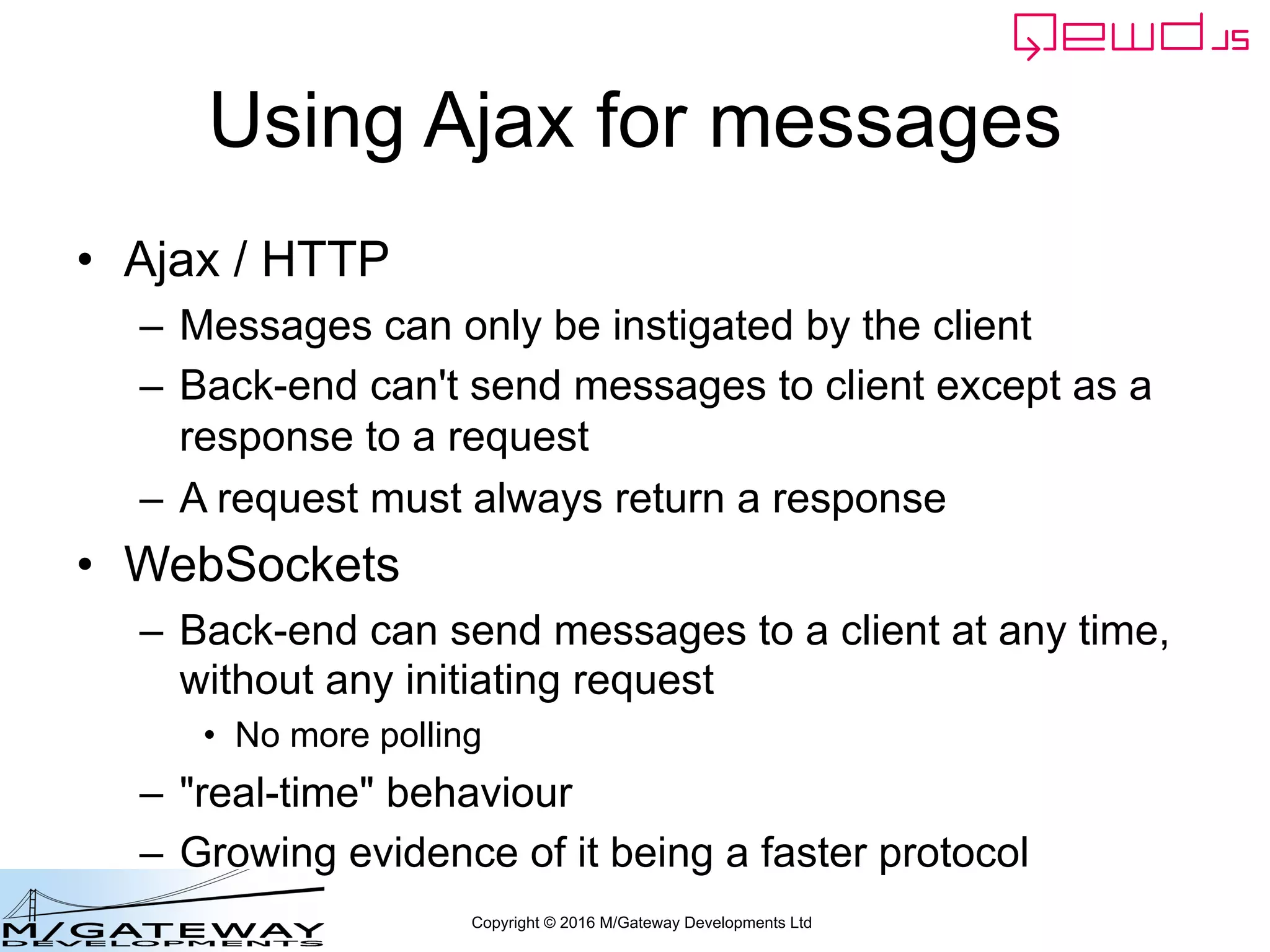
Using Ajax for messages
• Ajax / HTTP
– Messages can only be instigated by the client
– Back-end can't send messages to client except as a
response to a request
– A request must always return a response
• WebSockets
– Back-end can send messages to a client at any time,
without any initiating request
• No more polling
– "real-time" behaviour
– Growing evidence of it being a faster protocol
Copyright © 2016 M/Gateway Developments Ltd
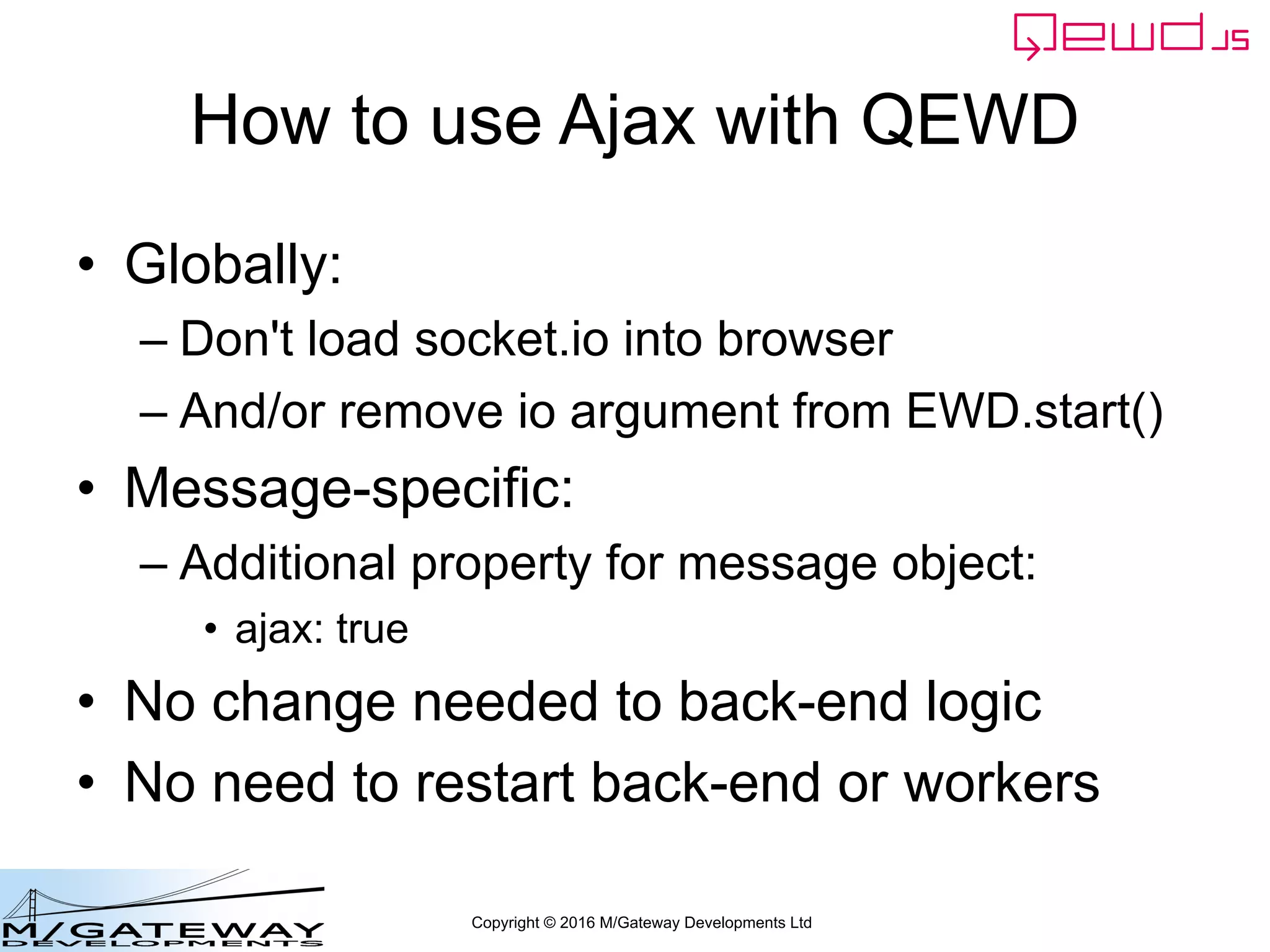
How to use Ajax with QEWD
• Globally:
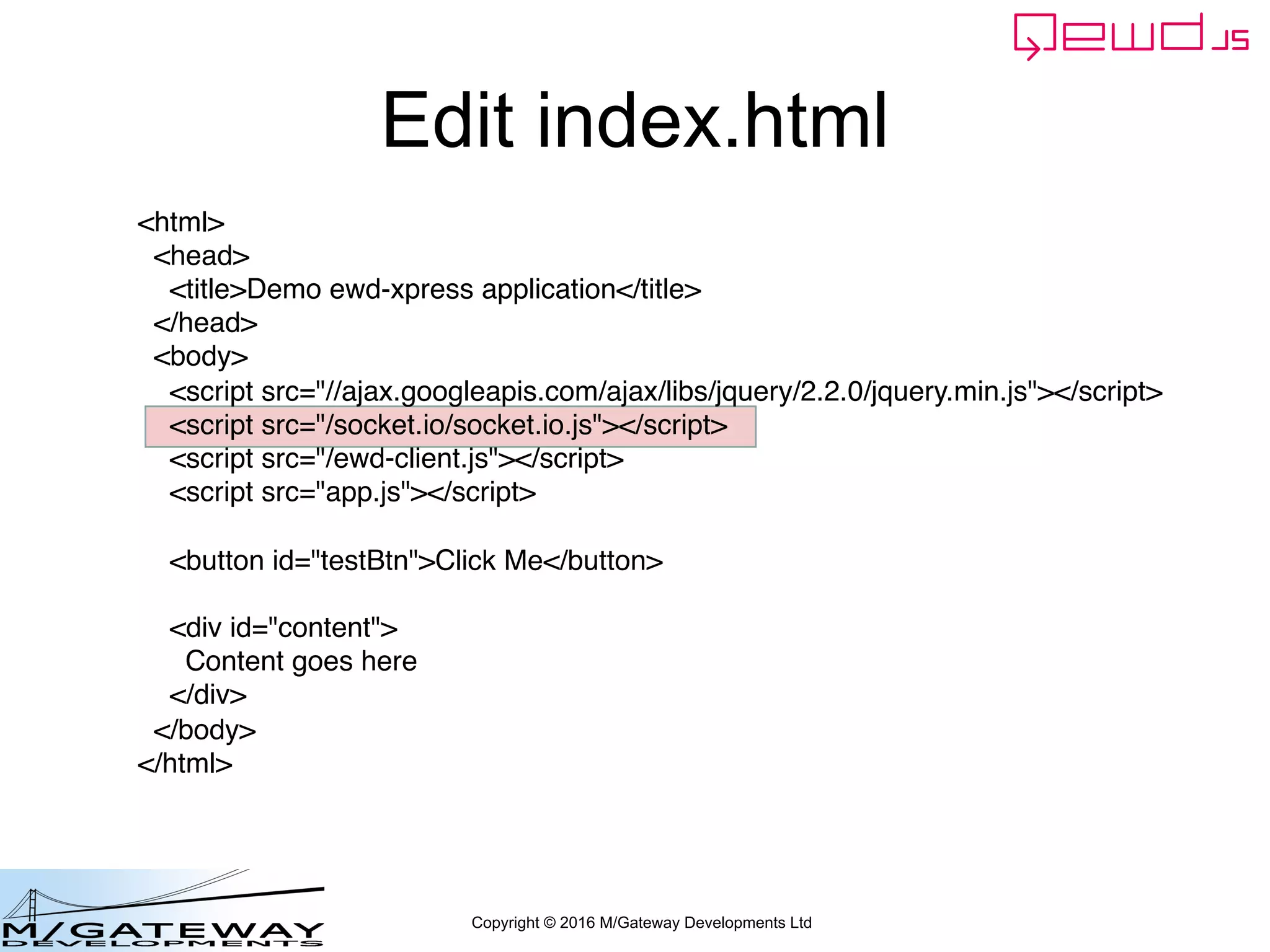
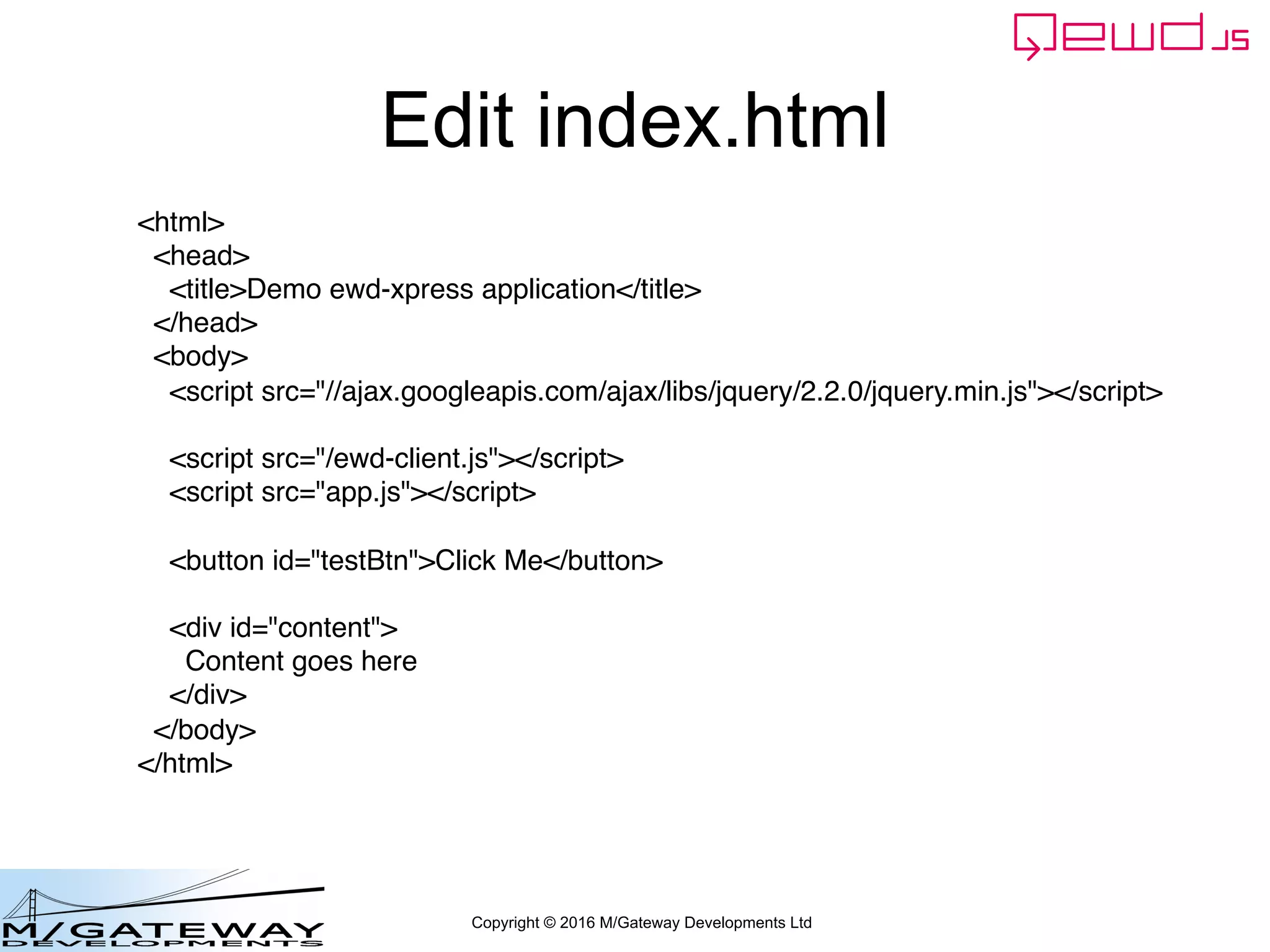
– Don't load socket.io into browser
– And/or remove io argument from EWD.start()
• Message-specific:
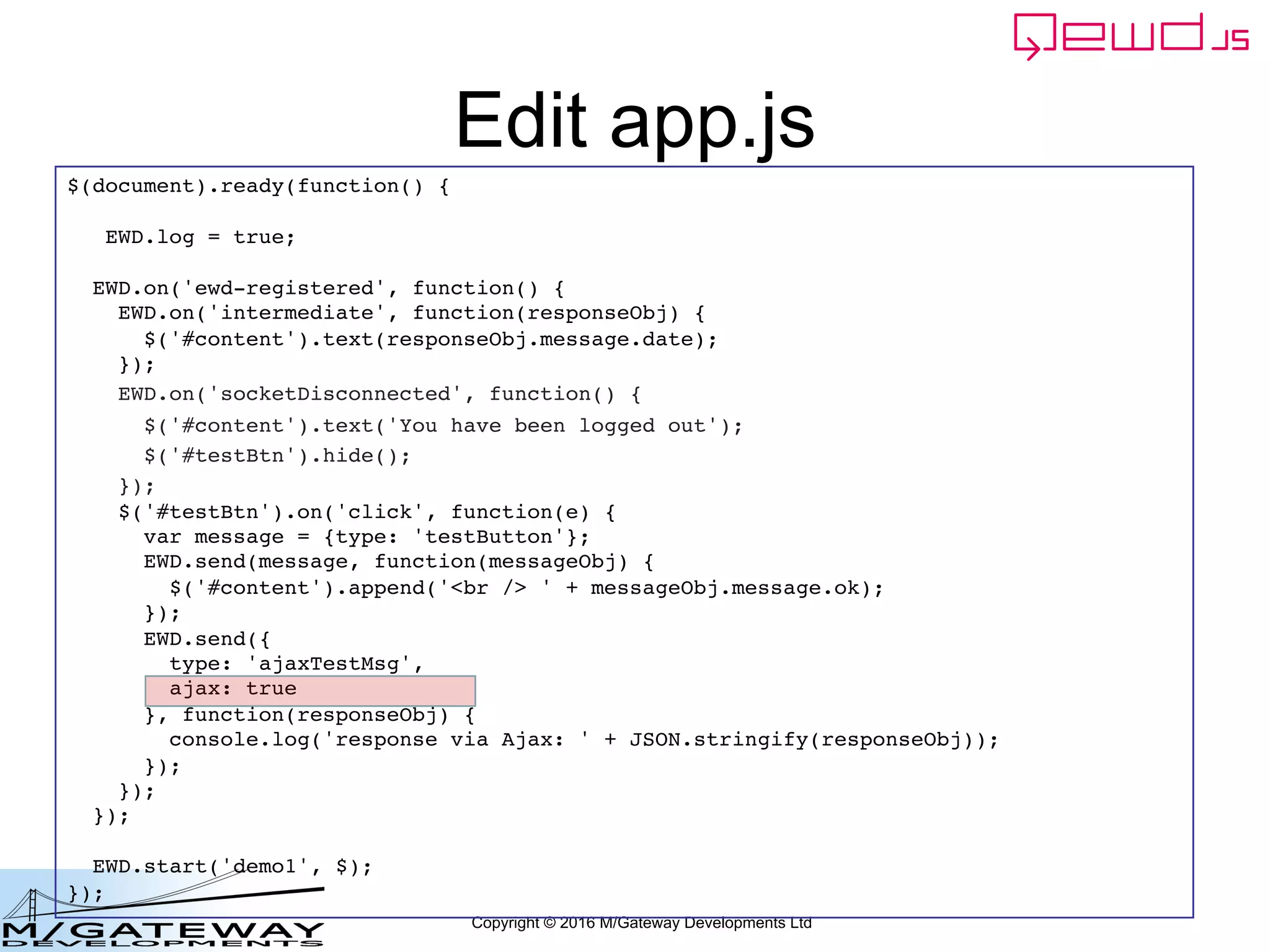
– Additional property for message object:
• ajax: true
• No change needed to back-end logic
• No need to restart back-end or workers
Copyright © 2016 M/Gateway Developments Ltd
Edit index.html
<html>
<head>
<title>Demo ewd-xpress application</title>
</head>
<body>
<script src="//ajax.googleapis.com/ajax/libs/jquery/2.2.0/jquery.min.js"></script>
<script src="/socket.io/socket.io.js"></script>
<script src="/ewd-client.js"></script>
<script src="app.js"></script>
<button id="testBtn">Click Me</button>
<div id="content">
Content goes here
</div>
</body>
</html>
Copyright © 2016 M/Gateway Developments Ltd
Edit index.html
<html>
<head>
<title>Demo ewd-xpress application</title>
</head>
<body>
<script src="//ajax.googleapis.com/ajax/libs/jquery/2.2.0/jquery.min.js"></script>
<script src="/ewd-client.js"></script>
<script src="app.js"></script>
<button id="testBtn">Click Me</button>
<div id="content">
Content goes here
</div>
</body>
</html>
Copyright © 2016 M/Gateway Developments Ltd
Edit app.js
$(document).ready(function() {
EWD.log = true;
EWD.on('ewd-registered', function() {
EWD.on('intermediate', function(responseObj) {
$('#content').text(responseObj.message.date);
});
EWD.on('socketDisconnected', function() {
$('#content').text('You have been logged out');
$('#testBtn').hide();
});
$('#testBtn').on('click', function(e) {
var message = {type: 'testButton'};
EWD.send(message, function(messageObj) {
$('#content').append('<br /> ' + messageObj.message.ok);
});
});
});
EWD.start('demo1', $);
});
Remove 3rd argment (io)
Copyright © 2016 M/Gateway Developments Ltd
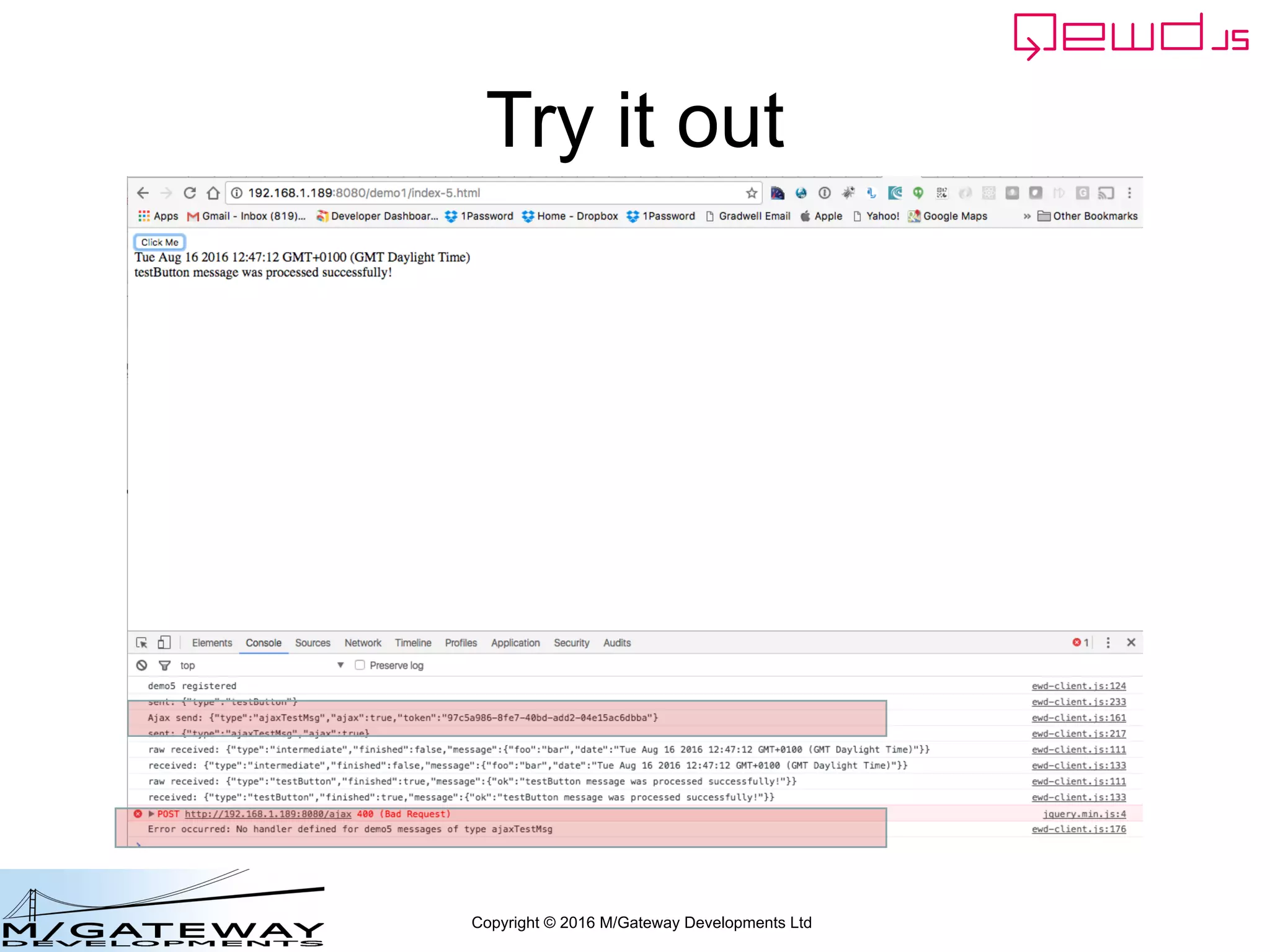
Try it out
Copyright © 2016 M/Gateway Developments Ltd
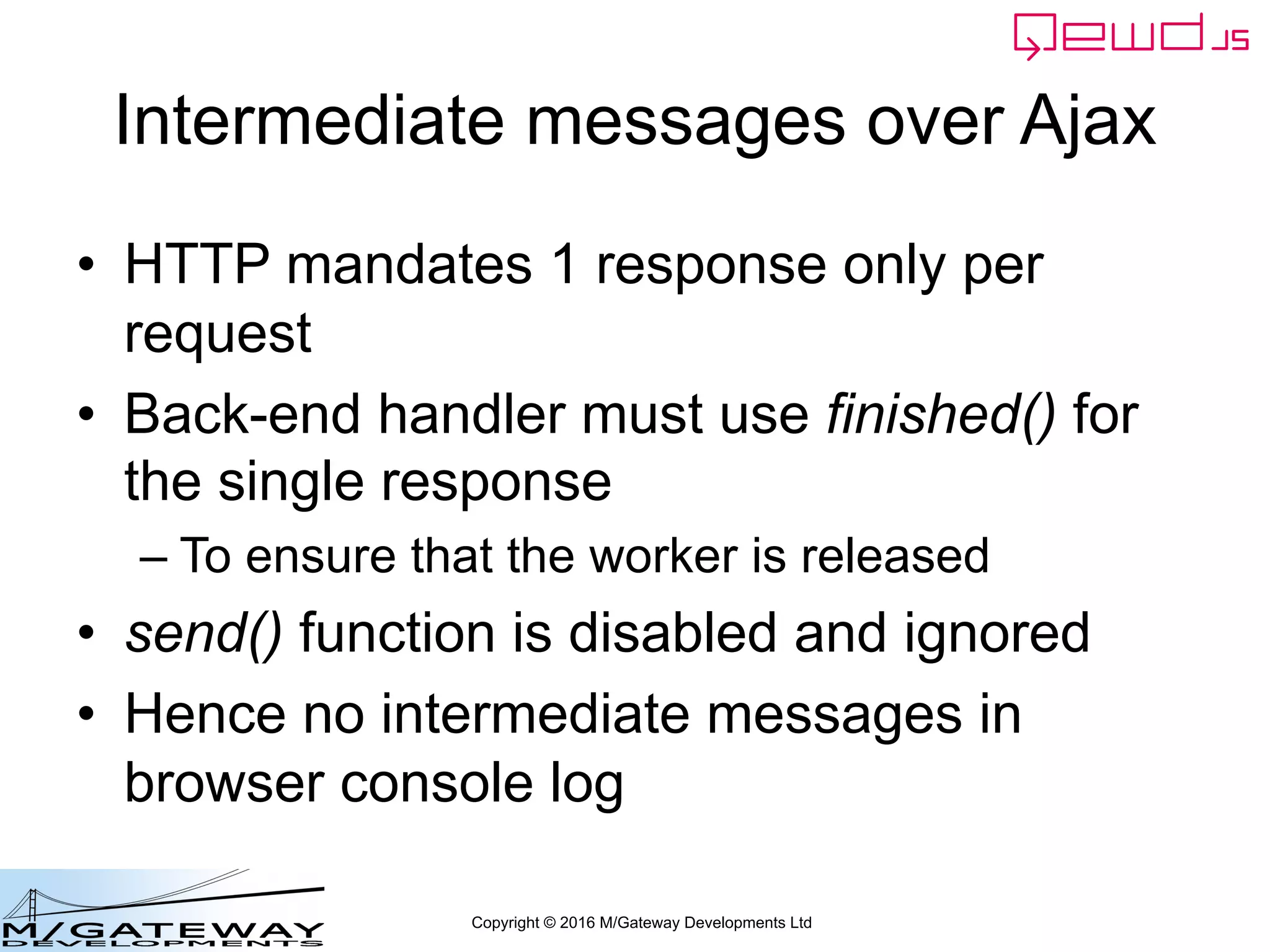
Intermediate messages over Ajax
• HTTP mandates 1 response only per
request
• Back-end handler must use finished() for
the single response
– To ensure that the worker is released
• send() function is disabled and ignored
• Hence no intermediate messages in
browser console log
Copyright © 2016 M/Gateway Developments Ltd
Message-specific Ajax
• Can optionally specify particular messages
to use Ajax, even if WebSockets enabled
Copyright © 2016 M/Gateway Developments Ltd
Edit app.js
$(document).ready(function() {
EWD.log = true;
EWD.on('ewd-registered', function() {
EWD.on('intermediate', function(responseObj) {
$('#content').text(responseObj.message.date);
});
EWD.on('socketDisconnected', function() {
$('#content').text('You have been logged out');
$('#testBtn').hide();
});
$('#testBtn').on('click', function(e) {
var message = {type: 'testButton'};
EWD.send(message, function(messageObj) {
$('#content').append('<br /> ' + messageObj.message.ok);
});
EWD.send({
type: 'ajaxTestMsg',
ajax: true
}, function(responseObj) {
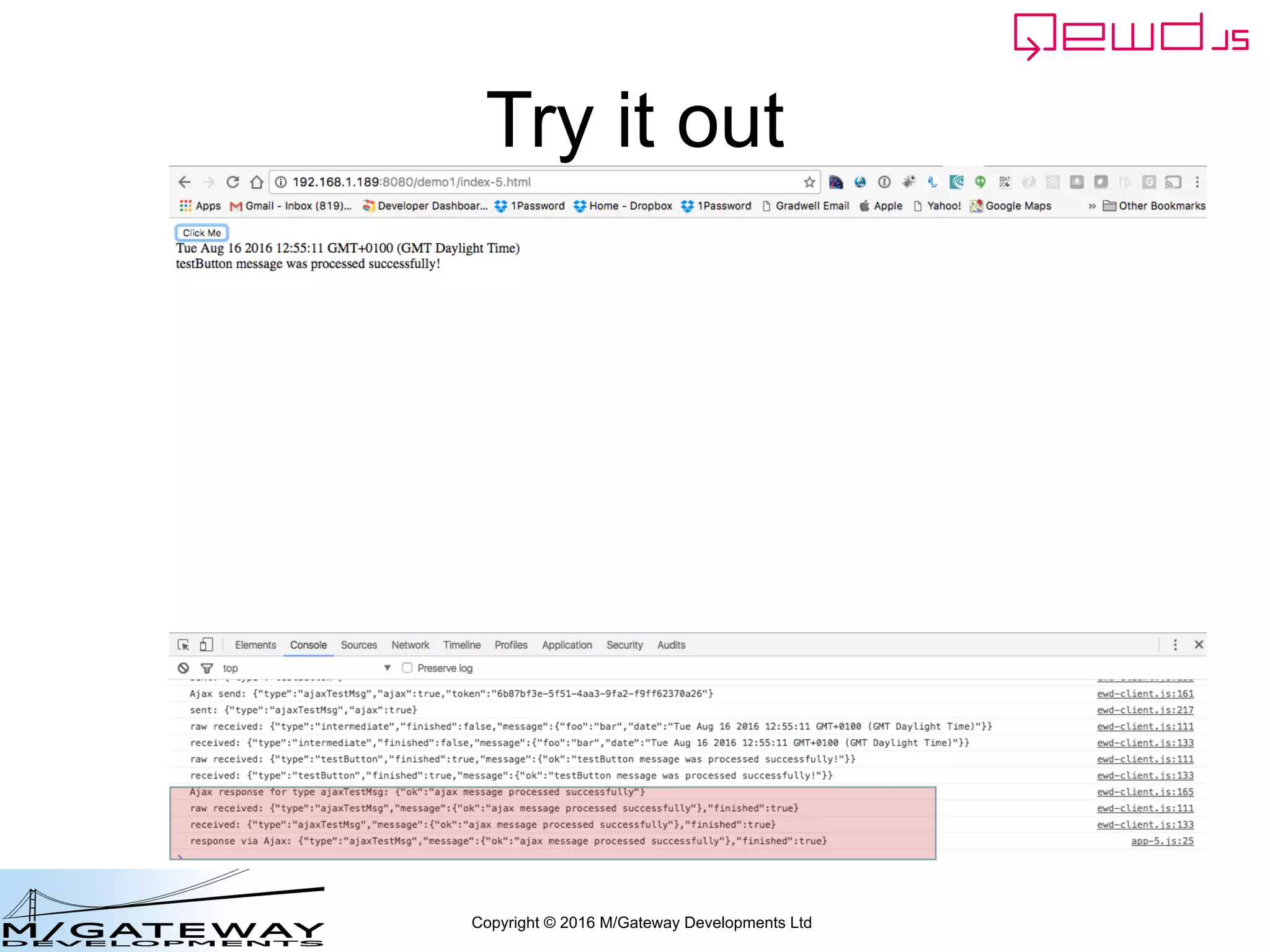
console.log('response via Ajax: ' + JSON.stringify(responseObj));
});
});
});
EWD.start('demo1', $);
});
Copyright © 2016 M/Gateway Developments Ltd
Try it out
Copyright © 2016 M/Gateway Developments Ltd
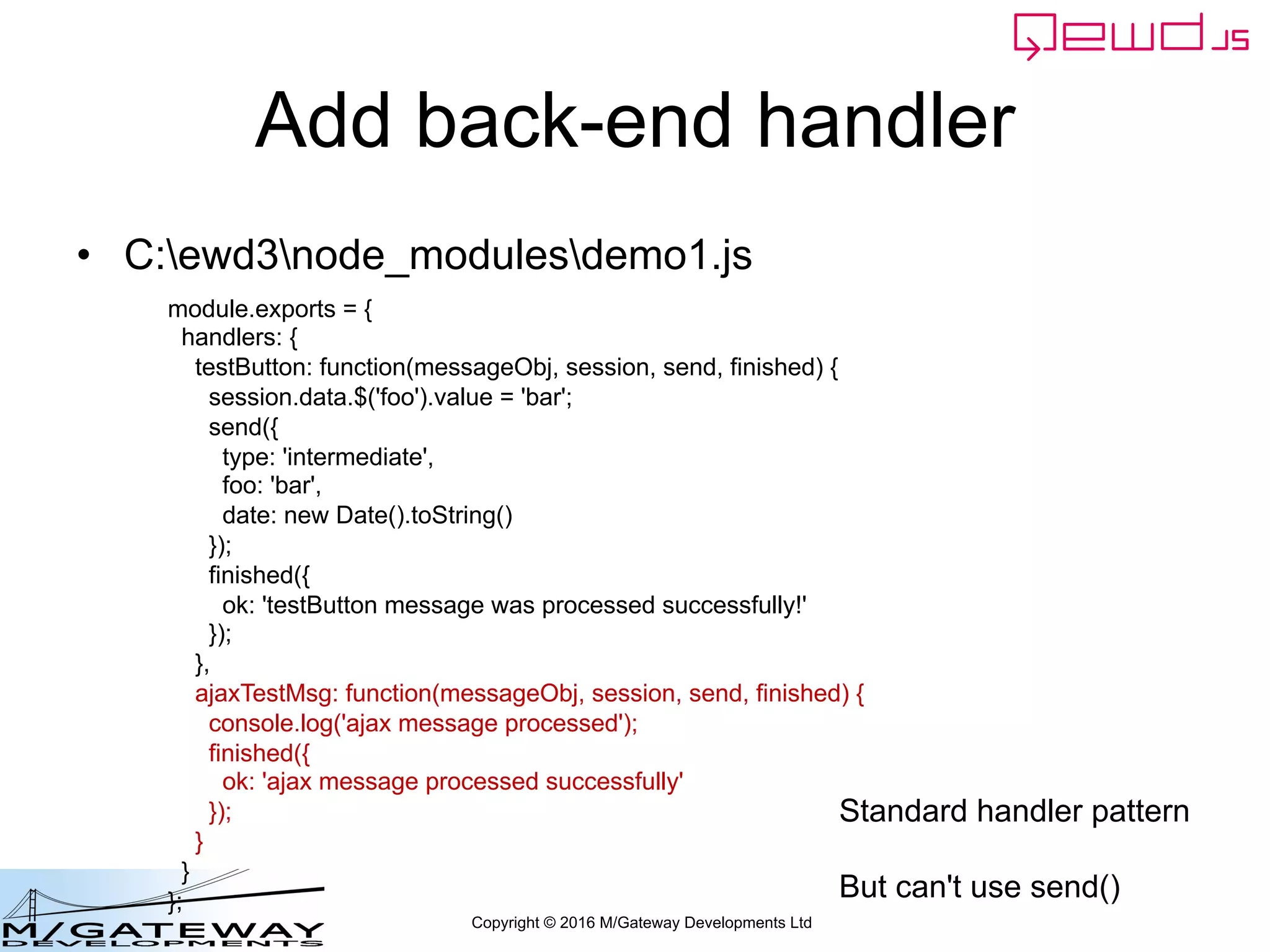
Add back-end handler
• C:ewd3node_modulesdemo1.js
module.exports = {
handlers: {
testButton: function(messageObj, session, send, finished) {
session.data.$('foo').value = 'bar';
send({
type: 'intermediate',
foo: 'bar',
date: new Date().toString()
});
finished({
ok: 'testButton message was processed successfully!'
});
},
ajaxTestMsg: function(messageObj, session, send, finished) {
console.log('ajax message processed');
finished({
ok: 'ajax message processed successfully'
});
}
}
};
Standard handler pattern
But can't use send()
Copyright © 2016 M/Gateway Developments Ltd
Try it out
Copyright © 2016 M/Gateway Developments Ltd
Ajax Dependencies
• The built-in behaviour described here
relies on jQuery being loaded into the
browser
• jQuery isn't essential when using QEWD
– It's a default, but not mandatory, dependency
• If your preferred framework provides its
own Ajax interface function, this can be
integrated instead
Copyright © 2016 M/Gateway Developments Ltd
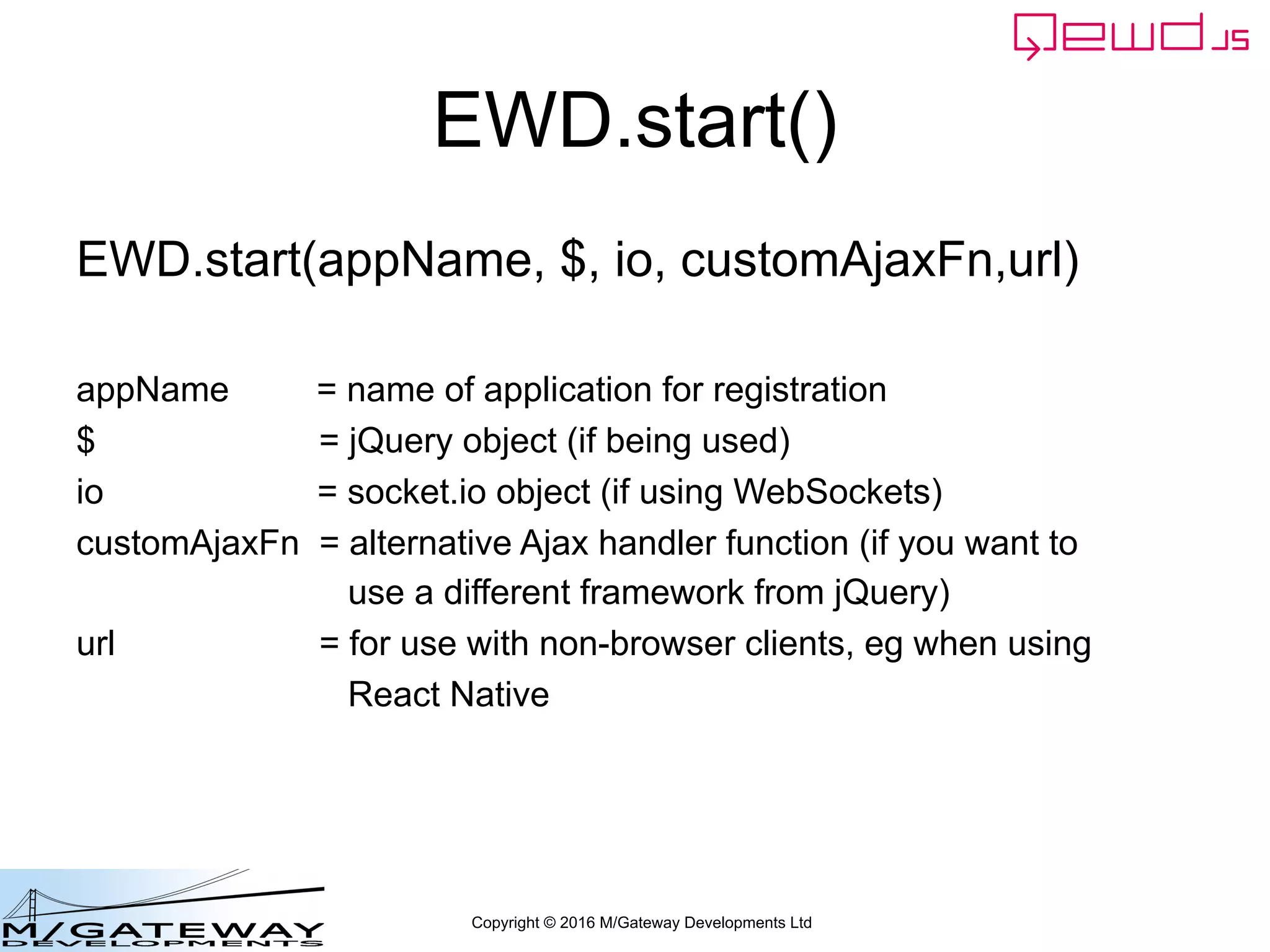
EWD.start()
EWD.start(appName, $, io, customAjaxFn,url)
appName = name of application for registration
$ = jQuery object (if being used)
io = socket.io object (if using WebSockets)
customAjaxFn = alternative Ajax handler function (if you want to
use a different framework from jQuery)
url = for use with non-browser clients, eg when using
React Native
Copyright © 2016 M/Gateway Developments Ltd
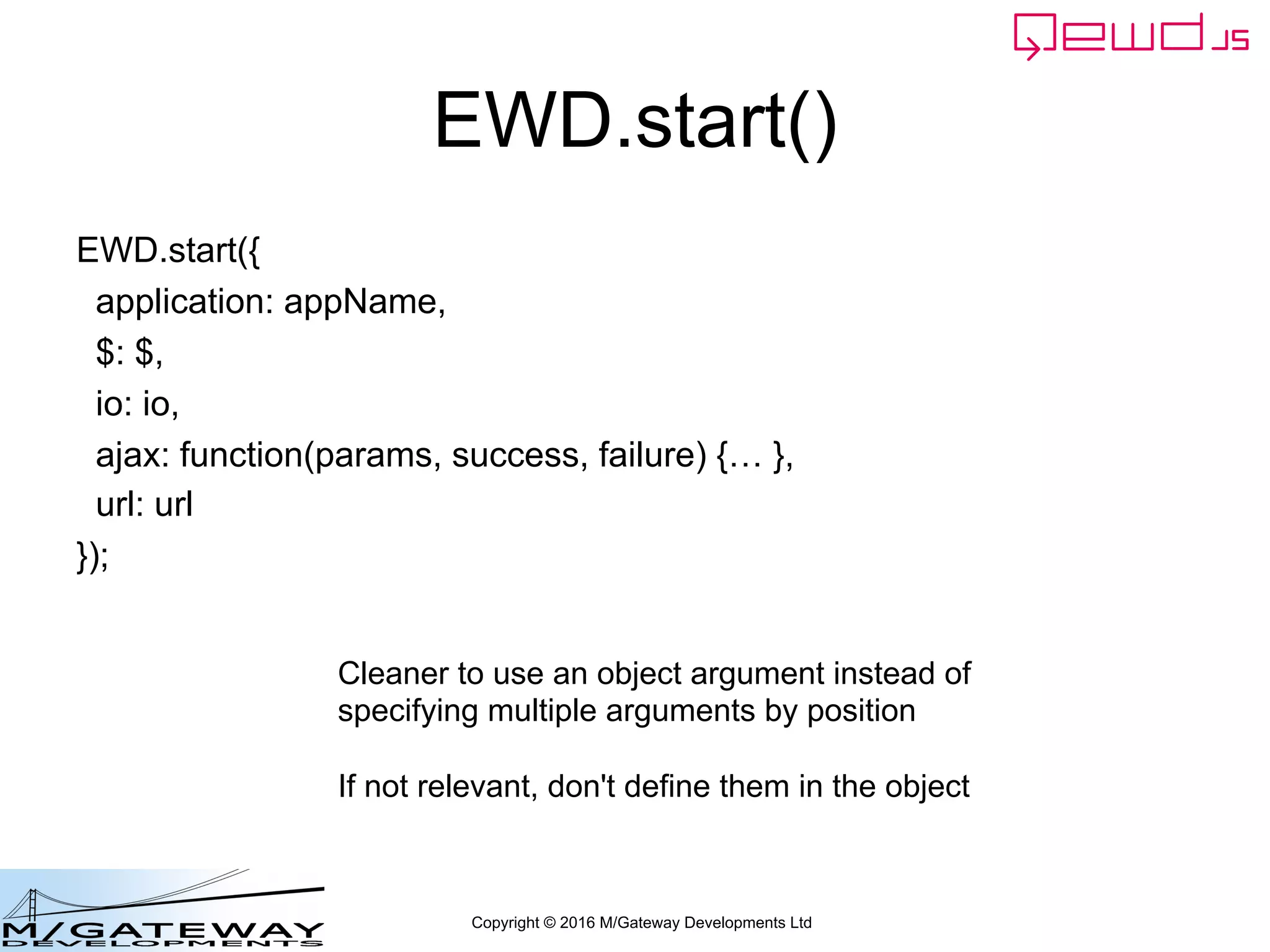
EWD.start()
EWD.start({
application: appName,
$: $,
io: io,
ajax: function(params, success, failure) {… },
url: url
});
Cleaner to use an object argument instead of
specifying multiple arguments by position
If not relevant, don't define them in the object
Copyright © 2016 M/Gateway Developments Ltd
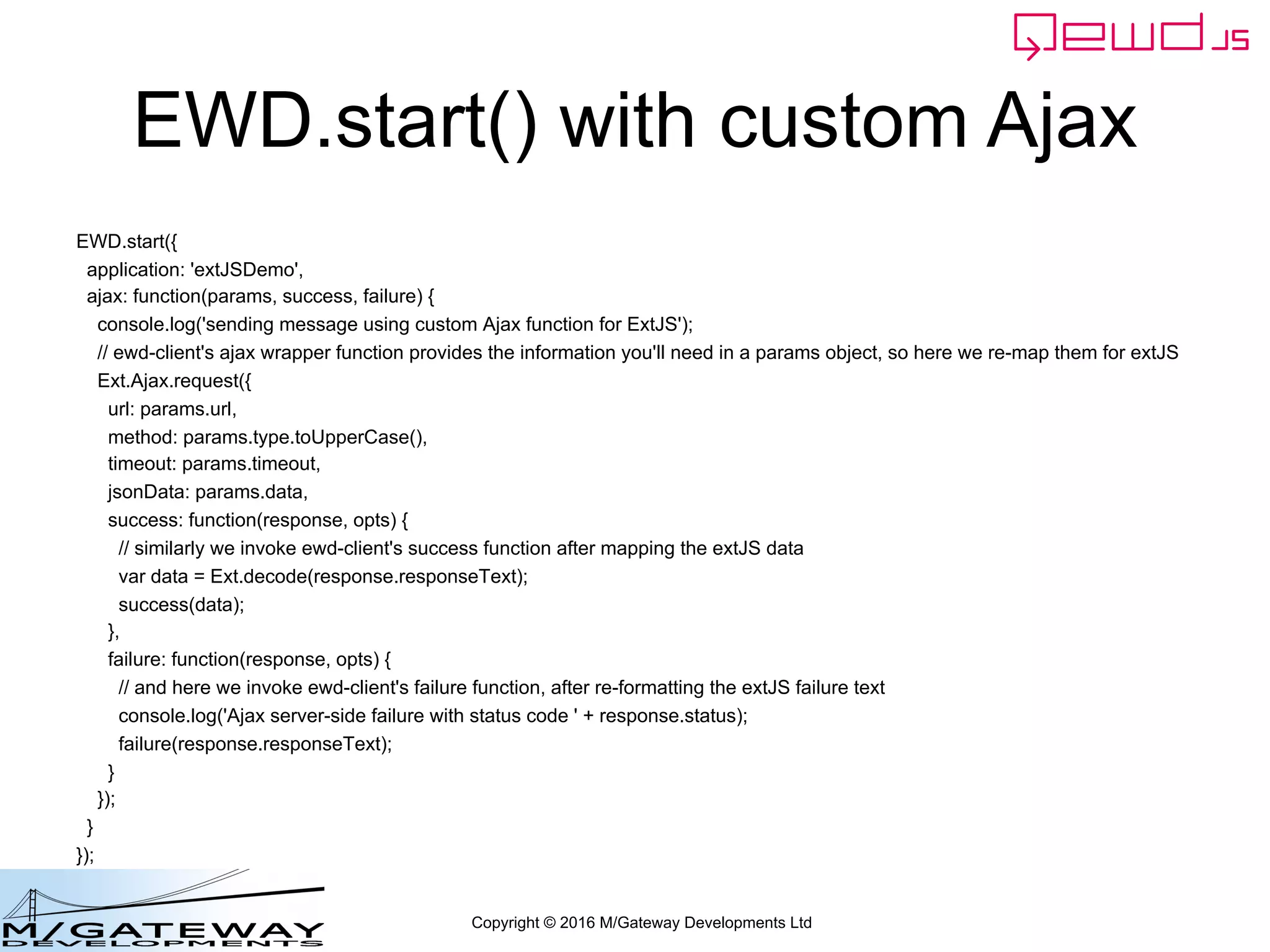
EWD.start() with custom Ajax
EWD.start({
application: 'extJSDemo',
ajax: function(params, success, failure) {
console.log('sending message using custom Ajax function for ExtJS');
// ewd-client's ajax wrapper function provides the information you'll need in a params object, so here we re-map them for extJS
Ext.Ajax.request({
url: params.url,
method: params.type.toUpperCase(),
timeout: params.timeout,
jsonData: params.data,
success: function(response, opts) {
// similarly we invoke ewd-client's success function after mapping the extJS data
var data = Ext.decode(response.responseText);
success(data);
},
failure: function(response, opts) {
// and here we invoke ewd-client's failure function, after re-formatting the extJS failure text
console.log('Ajax server-side failure with status code ' + response.status);
failure(response.responseText);
}
});
}
});

EWD 3 Training Course Part 14: Using Ajax for QEWD Messages

  • 1.
    Copyright © 2016M/Gateway Developments Ltd EWD 3 Training Course Part 14 Using Ajax for QEWD messages Rob Tweed Director, M/Gateway Developments Ltd Twitter: @rtweed
  • 2.
    Copyright © 2016M/Gateway Developments Ltd Using Ajax for messages • QEWD supports both WebSockets and Ajax for message transport • Ajax means message: – Requests sent over HTTP – Responses received as HTTP responses • Why Ajax? – Perhaps better scalability at very high end – Well-understood protocol: some network managers may be happier with it
  • 3.
    Copyright © 2016M/Gateway Developments Ltd Using Ajax for messages • Ajax / HTTP – Messages can only be instigated by the client – Back-end can't send messages to client except as a response to a request – A request must always return a response • WebSockets – Back-end can send messages to a client at any time, without any initiating request • No more polling – "real-time" behaviour – Growing evidence of it being a faster protocol
  • 4.
    Copyright © 2016M/Gateway Developments Ltd How to use Ajax with QEWD • Globally: – Don't load socket.io into browser – And/or remove io argument from EWD.start() • Message-specific: – Additional property for message object: • ajax: true • No change needed to back-end logic • No need to restart back-end or workers
  • 5.
    Copyright © 2016M/Gateway Developments Ltd Edit index.html <html> <head> <title>Demo ewd-xpress application</title> </head> <body> <script src="//ajax.googleapis.com/ajax/libs/jquery/2.2.0/jquery.min.js"></script> <script src="/socket.io/socket.io.js"></script> <script src="/ewd-client.js"></script> <script src="app.js"></script> <button id="testBtn">Click Me</button> <div id="content"> Content goes here </div> </body> </html>
  • 6.
    Copyright © 2016M/Gateway Developments Ltd Edit index.html <html> <head> <title>Demo ewd-xpress application</title> </head> <body> <script src="//ajax.googleapis.com/ajax/libs/jquery/2.2.0/jquery.min.js"></script> <script src="/ewd-client.js"></script> <script src="app.js"></script> <button id="testBtn">Click Me</button> <div id="content"> Content goes here </div> </body> </html>
  • 7.
    Copyright © 2016M/Gateway Developments Ltd Edit app.js $(document).ready(function() { EWD.log = true; EWD.on('ewd-registered', function() { EWD.on('intermediate', function(responseObj) { $('#content').text(responseObj.message.date); }); EWD.on('socketDisconnected', function() { $('#content').text('You have been logged out'); $('#testBtn').hide(); }); $('#testBtn').on('click', function(e) { var message = {type: 'testButton'}; EWD.send(message, function(messageObj) { $('#content').append('<br /> ' + messageObj.message.ok); }); }); }); EWD.start('demo1', $); }); Remove 3rd argment (io)
  • 8.
    Copyright © 2016M/Gateway Developments Ltd Try it out
  • 9.
    Copyright © 2016M/Gateway Developments Ltd Intermediate messages over Ajax • HTTP mandates 1 response only per request • Back-end handler must use finished() for the single response – To ensure that the worker is released • send() function is disabled and ignored • Hence no intermediate messages in browser console log
  • 10.
    Copyright © 2016M/Gateway Developments Ltd Message-specific Ajax • Can optionally specify particular messages to use Ajax, even if WebSockets enabled
  • 11.
    Copyright © 2016M/Gateway Developments Ltd Edit app.js $(document).ready(function() { EWD.log = true; EWD.on('ewd-registered', function() { EWD.on('intermediate', function(responseObj) { $('#content').text(responseObj.message.date); }); EWD.on('socketDisconnected', function() { $('#content').text('You have been logged out'); $('#testBtn').hide(); }); $('#testBtn').on('click', function(e) { var message = {type: 'testButton'}; EWD.send(message, function(messageObj) { $('#content').append('<br /> ' + messageObj.message.ok); }); EWD.send({ type: 'ajaxTestMsg', ajax: true }, function(responseObj) { console.log('response via Ajax: ' + JSON.stringify(responseObj)); }); }); }); EWD.start('demo1', $); });
  • 12.
    Copyright © 2016M/Gateway Developments Ltd Try it out
  • 13.
    Copyright © 2016M/Gateway Developments Ltd Add back-end handler • C:ewd3node_modulesdemo1.js module.exports = { handlers: { testButton: function(messageObj, session, send, finished) { session.data.$('foo').value = 'bar'; send({ type: 'intermediate', foo: 'bar', date: new Date().toString() }); finished({ ok: 'testButton message was processed successfully!' }); }, ajaxTestMsg: function(messageObj, session, send, finished) { console.log('ajax message processed'); finished({ ok: 'ajax message processed successfully' }); } } }; Standard handler pattern But can't use send()
  • 14.
    Copyright © 2016M/Gateway Developments Ltd Try it out
  • 15.
    Copyright © 2016M/Gateway Developments Ltd Ajax Dependencies • The built-in behaviour described here relies on jQuery being loaded into the browser • jQuery isn't essential when using QEWD – It's a default, but not mandatory, dependency • If your preferred framework provides its own Ajax interface function, this can be integrated instead
  • 16.
    Copyright © 2016M/Gateway Developments Ltd EWD.start() EWD.start(appName, $, io, customAjaxFn,url) appName = name of application for registration $ = jQuery object (if being used) io = socket.io object (if using WebSockets) customAjaxFn = alternative Ajax handler function (if you want to use a different framework from jQuery) url = for use with non-browser clients, eg when using React Native
  • 17.
    Copyright © 2016M/Gateway Developments Ltd EWD.start() EWD.start({ application: appName, $: $, io: io, ajax: function(params, success, failure) {… }, url: url }); Cleaner to use an object argument instead of specifying multiple arguments by position If not relevant, don't define them in the object
  • 18.
    Copyright © 2016M/Gateway Developments Ltd EWD.start() with custom Ajax EWD.start({ application: 'extJSDemo', ajax: function(params, success, failure) { console.log('sending message using custom Ajax function for ExtJS'); // ewd-client's ajax wrapper function provides the information you'll need in a params object, so here we re-map them for extJS Ext.Ajax.request({ url: params.url, method: params.type.toUpperCase(), timeout: params.timeout, jsonData: params.data, success: function(response, opts) { // similarly we invoke ewd-client's success function after mapping the extJS data var data = Ext.decode(response.responseText); success(data); }, failure: function(response, opts) { // and here we invoke ewd-client's failure function, after re-formatting the extJS failure text console.log('Ajax server-side failure with status code ' + response.status); failure(response.responseText); } }); } });