Sales Process Map
A step-by-step Process to reach
prospects, qualify leads, and close deals
Step 1: Generate More Leads
Marketing
Automation
Website
Visitors Web Form
Marketing
Automation
Inbound
Calls
Create New
leads
Marketing
Automation
Organics
Views
Web form
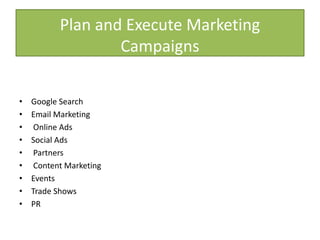
Plan and Execute Marketing
Campaigns
Plan and execute marketing campaigns that generate demand for your product or service.
Capture those leads through a variety of channels including your website.
• Google Search
• Email Marketing
• Online Ads
• Social Ads
• Partners
• Content Marketing
• Events
• Trade Shows
• PR
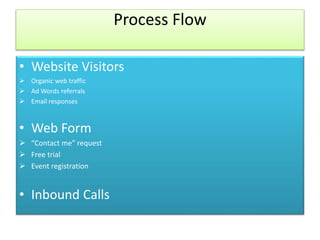
Process Flow
• Website Visitors
 Organic web traffic
 Ad Words referrals
 Email responses
• Web Form
 “Contact me” request
 Free trial
 Event registration
• Inbound Calls
 Yellow pages
 Google Maps
 Word-of-mouth referrals
• Create New Leads
 Search for the customer in Sales force
 If one doesn’t exist, create a new lead
• Organic Views
 Social networks
 Content marketing
 Online communities
• Web Form
 New e-book or offer
Automation Funnel
Lead Sourcing:
Geography
Company Size
Product of interest
Set up auto response
email- Thank you for
your interest l
Assignment Rules
Lead score
Geo
Buying Stage
Marketing Automation
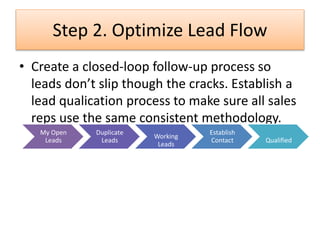
Step 2. Optimize Lead Flow
• Create a closed-loop follow-up process so
leads don’t slip though the cracks. Establish a
lead qualication process to make sure all sales
reps use the same consistent methodology.
My Open
Leads
Duplicate
Leads
Working
Leads
Establish
Contact Qualified
• My Open Leads : Set up different views to manage your leads. For example,
“Today’s Leads” or leads sorted by lead type.
• Duplicate Lead?: The “Find duplicate” button searches for similar leads or contacts
in Salesforce. If a lead turns out to be a duplicate, easily merge the two records.
Salesforce has a number of App Exchange partners that provide high volume de-
duplication and data cleansing tools
• Working Leads : When you’re working a lead, you’ll set up a series of tasks, which
might vary based on the type of lead. For example: Day 1: Personalize mass email
Day 2: Call/voicemail Day 4: Call/voicemail Day 7: Personalize mass email
• Establish Contact?: It is becoming more difficult than ever to contact a lead. It may
take several attempts and various tactics to establish a relationship
• Qualified ? : Create a set of qualification questions, such as current situation,
product of interest, timeframe, key decision makers. If the lead is qualified,
convert it into a contact, with an associated opportunity and account .
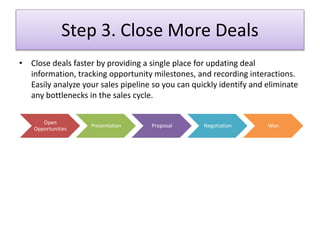
Step 3. Close More Deals
• Close deals faster by providing a single place for updating deal
information, tracking opportunity milestones, and recording interactions.
Easily analyze your sales pipeline so you can quickly identify and eliminate
any bottlenecks in the sales cycle.
Open
Opportunities
Presentation Proposal Negotiation Won
• Open Opportunities : You can monitor your opportunity reports and dashboards to
keep track of your top deals and prioritize your time.
• Presentation :Find a business process that ts your product and sales
methodologies and processes, matching the way you already sell.
• Proposal
• Negotiation
• Won:
New
Customer
s
Marketing
Sales
Support
Won
Yes
Sales Process Map

Sales Process Map

  • 1.
    Sales Process Map Astep-by-step Process to reach prospects, qualify leads, and close deals
  • 2.
    Step 1: GenerateMore Leads Marketing Automation Website Visitors Web Form Marketing Automation Inbound Calls Create New leads Marketing Automation Organics Views Web form
  • 3.
    Plan and ExecuteMarketing Campaigns Plan and execute marketing campaigns that generate demand for your product or service. Capture those leads through a variety of channels including your website. • Google Search • Email Marketing • Online Ads • Social Ads • Partners • Content Marketing • Events • Trade Shows • PR
  • 4.
    Process Flow • WebsiteVisitors  Organic web traffic  Ad Words referrals  Email responses • Web Form  “Contact me” request  Free trial  Event registration • Inbound Calls
  • 5.
     Yellow pages Google Maps  Word-of-mouth referrals • Create New Leads  Search for the customer in Sales force  If one doesn’t exist, create a new lead • Organic Views  Social networks  Content marketing  Online communities • Web Form  New e-book or offer
  • 6.
    Automation Funnel Lead Sourcing: Geography CompanySize Product of interest Set up auto response email- Thank you for your interest l Assignment Rules Lead score Geo Buying Stage Marketing Automation
  • 7.
    Step 2. OptimizeLead Flow • Create a closed-loop follow-up process so leads don’t slip though the cracks. Establish a lead qualication process to make sure all sales reps use the same consistent methodology. My Open Leads Duplicate Leads Working Leads Establish Contact Qualified
  • 8.
    • My OpenLeads : Set up different views to manage your leads. For example, “Today’s Leads” or leads sorted by lead type. • Duplicate Lead?: The “Find duplicate” button searches for similar leads or contacts in Salesforce. If a lead turns out to be a duplicate, easily merge the two records. Salesforce has a number of App Exchange partners that provide high volume de- duplication and data cleansing tools • Working Leads : When you’re working a lead, you’ll set up a series of tasks, which might vary based on the type of lead. For example: Day 1: Personalize mass email Day 2: Call/voicemail Day 4: Call/voicemail Day 7: Personalize mass email • Establish Contact?: It is becoming more difficult than ever to contact a lead. It may take several attempts and various tactics to establish a relationship • Qualified ? : Create a set of qualification questions, such as current situation, product of interest, timeframe, key decision makers. If the lead is qualified, convert it into a contact, with an associated opportunity and account .
  • 9.
    Step 3. CloseMore Deals • Close deals faster by providing a single place for updating deal information, tracking opportunity milestones, and recording interactions. Easily analyze your sales pipeline so you can quickly identify and eliminate any bottlenecks in the sales cycle. Open Opportunities Presentation Proposal Negotiation Won
  • 10.
    • Open Opportunities: You can monitor your opportunity reports and dashboards to keep track of your top deals and prioritize your time. • Presentation :Find a business process that ts your product and sales methodologies and processes, matching the way you already sell. • Proposal • Negotiation • Won: New Customer s Marketing Sales Support Won Yes