







How to build
a marketplace
without code
C O N N O R F I N L A Y S O N
@FinlaysonConnor
www.connorfinlayson.com/ncc
Kia ora, my name is Connor 👋
Wellington, New Zealand 🇳🇿
Freelance Digital Marketer
Creator of Unicorn Factory 🏗
A B O U T M E
About Unicorn Factory
15 mins
The No Code Marketplace Setup
15 mins
No Code Workflow Examples
15 mins
Q&A
until end
O V E R V I E W
I want to inspire you to build your own
marketplace without code!
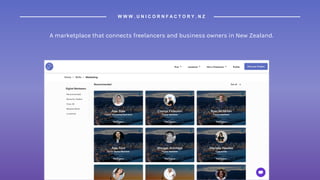
A marketplace that connects freelancers and business owners in New Zealand.
W W W . U N I C O R N F A C T O R Y . N Z
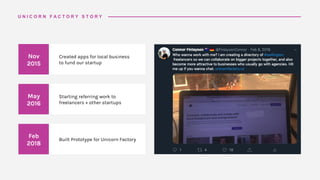
Feb
2018
Built Prototype for Unicorn Factory
May
2016
Starting referring work to
freelancers + other startups
U N I C O R N F A C T O R Y S T O R Y
Nov
2015
Created apps for local business
to fund our startup
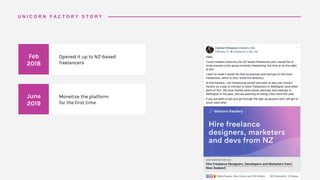
June
2019
Monetize the platform
for the first time
U N I C O R N F A C T O R Y S T O R Y
Feb
2018
Opened it up to NZ-based
freelancers
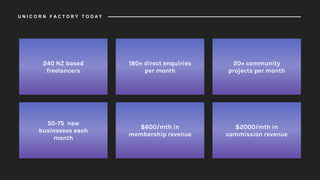
240 NZ based
freelancers
180+ direct enquiries
per month
20+ community
projects per month
50-75 new
businesses each
month
$600/mth in
membership revenue
$2000/mth in
commission revenue
U N I C O R N F A C T O R Y T O D A Y
The No Code Setup
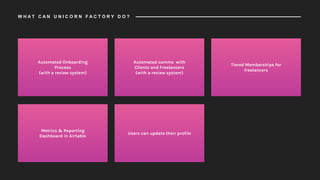
Automated Onboarding
Process
(with a review system)
Automated comms with
Clients and Freelancers
(with a review system)
Tiered Memberships for
freelancers
Metrics & Reporting
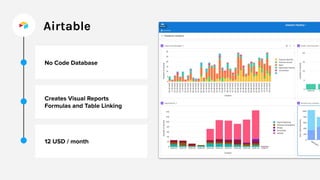
Dashboard in Airtable
Users can update their profile
W H A T C A N U N I C O R N F A C T O R Y D O ?
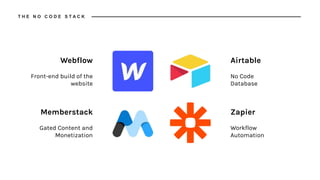
Webflow
Front-end build of the
website
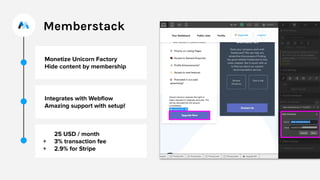
Memberstack
Gated Content and
Monetization
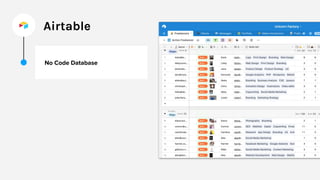
Airtable
No Code
Database
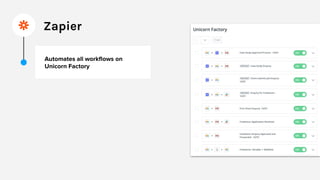
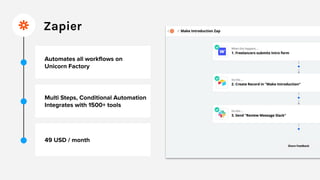
Zapier
Workflow
Automation
T H E N O C O D E S T A C K
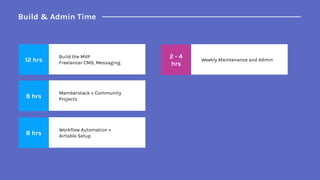
Build & Admin Time
12 hrs
Build the MVP
Freelancer CMS, Messaging
8 hrs
Memberstack + Community
Projects
8 hrs
Workflow Automation +
Airtable Setup
2 - 4
hrs
Weekly Maintenance and Admin
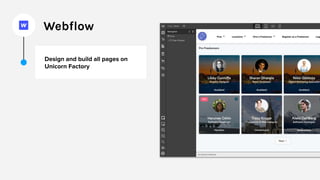
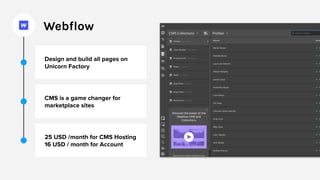
Webflow
Webflow
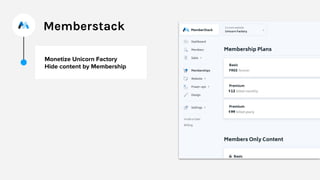
Memberstack
Memberstack
Airtable
Airtable
Zapier
Zapier
Building the Site
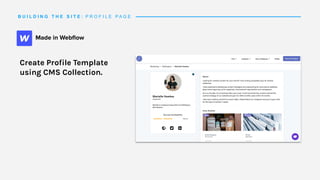
B U I L D I N G T H E S I T E : P R O F I L E P A G E
Create Profile Template
using CMS Collection.
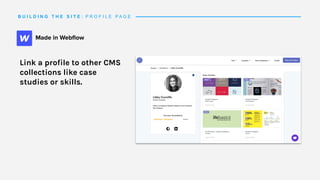
B U I L D I N G T H E S I T E : P R O F I L E P A G E
Link a profile to other CMS
collections like case
studies or skills.
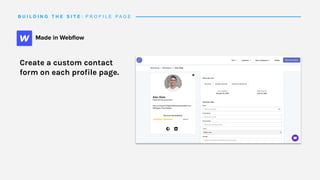
B U I L D I N G T H E S I T E : P R O F I L E P A G E
Create a custom contact
form on each profile page.
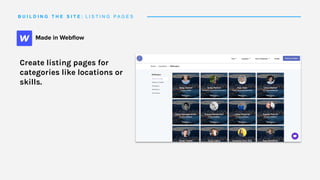
B U I L D I N G T H E S I T E : L I S T I N G P A G E S
Create listing pages for
categories like locations or
skills.
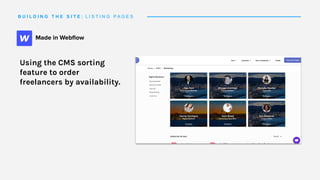
B U I L D I N G T H E S I T E : L I S T I N G P A G E S
Using the CMS sorting
feature to order
freelancers by availability.
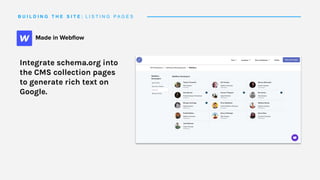
B U I L D I N G T H E S I T E : L I S T I N G P A G E S
Integrate schema.org into
the CMS collection pages
to generate rich text on
Google.
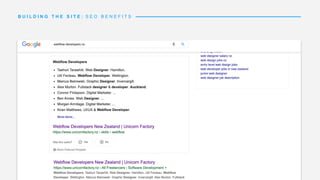
B U I L D I N G T H E S I T E : S E O B E N E F I T S
Monetizing the platform
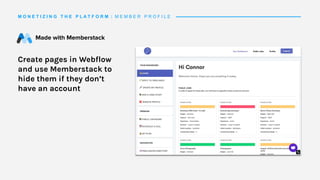
M O N E T I Z I N G T H E P L A T F O R M : M E M B E R P R O F I L E
Create pages in Webflow
and use Memberstack to
hide them if they don’t
have an account
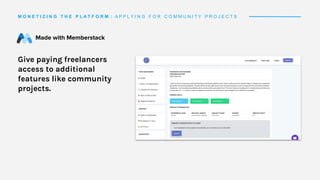
M O N E T I Z I N G T H E P L A T F O R M : A P P L Y I N G F O R C O M M U N I T Y P R O J E C T S
Give paying freelancers
access to additional
features like community
projects.
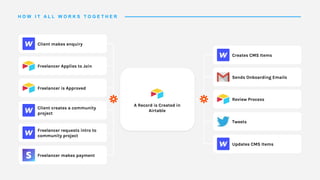
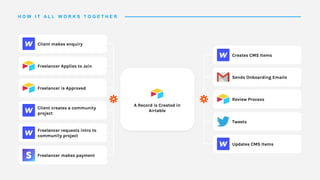
How it all works together
Client makes enquiry
Freelancer Applies to Join
Freelancer is Approved
Client creates a community
project
Freelancer requests intro to
community project
Freelancer makes payment
A Record is Created in
Airtable
Creates CMS Items
Sends Onboarding Emails
Review Process
Tweets
Updates CMS Items
H O W I T A L L W O R K S T O G E T H E R
Unicorn Factory Examples
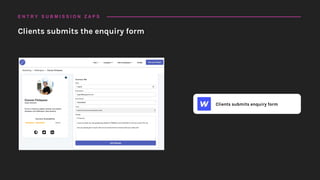
Clients submits enquiry form
Clients submits the enquiry form
E N T R Y S U B M I S S I O N Z A P S
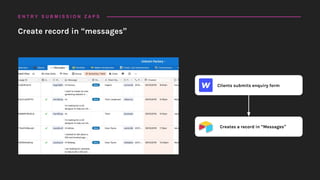
Clients submits enquiry form
Creates a record in “Messages”
Create record in “messages”
E N T R Y S U B M I S S I O N Z A P S
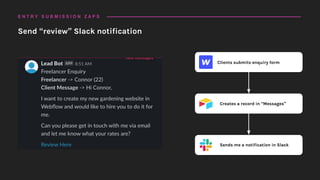
Clients submits enquiry form
Creates a record in “Messages”
Sends me a notification in Slack
Send “review” Slack notification
E N T R Y S U B M I S S I O N Z A P S
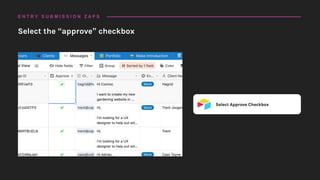
Select Approve Checkbox
Select the “approve” checkbox
E N T R Y S U B M I S S I O N Z A P S
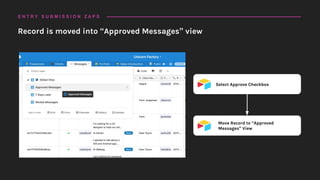
Select Approve Checkbox
Move Record to “Approved
Messages” View
Record is moved into “Approved Messages” view
E N T R Y S U B M I S S I O N Z A P S
Select Approve Checkbox
Move Record to “Approved
Messages” View
Forward Message to freelancer
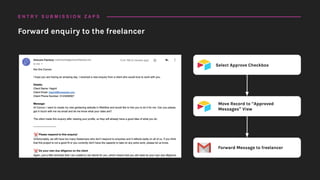
Forward enquiry to the freelancer
E N T R Y S U B M I S S I O N Z A P S
Freelancer Application Completed
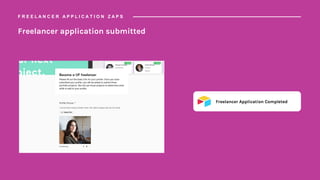
Freelancer application submitted
F R E E L A N C E R A P P L I C A T I O N Z A P S
Freelancer Application Completed
Added to Freelancer Funnel for
Review
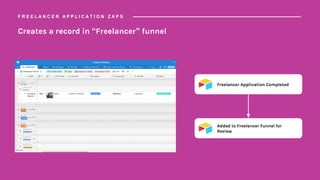
Creates a record in “Freelancer” funnel
F R E E L A N C E R A P P L I C A T I O N Z A P S
Freelancer Application Completed
Added to Freelancer Funnel for
Review
Sends me a notification in Slack
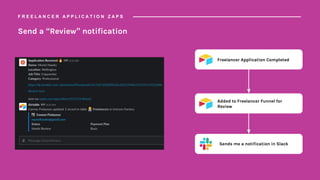
Send a “Review” notification
F R E E L A N C E R A P P L I C A T I O N Z A P S
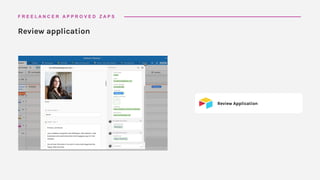
Review Application
Review application
F R E E L A N C E R A P P R O V E D Z A P S
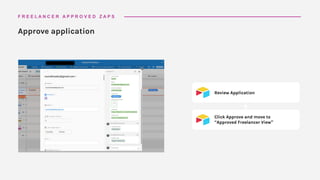
Review Application
Click Approve and move to
“Approved Freelancer View”
Approve application
F R E E L A N C E R A P P R O V E D Z A P S
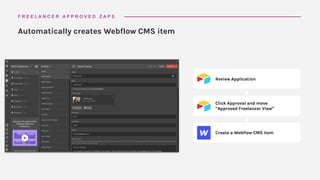
Review Application
Click Approval and move
“Approved Freelancer View”
Create a Webflow CMS Item
Automatically creates Webflow CMS item
F R E E L A N C E R A P P R O V E D Z A P S
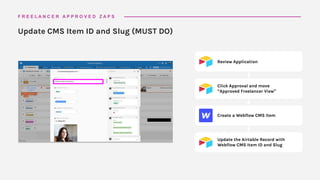
Review Application
Click Approval and move
“Approved Freelancer View”
Create a Webflow CMS Item
Update the Airtable Record with
Webflow CMS Item ID and Slug
Update CMS Item ID and Slug (MUST DO)
F R E E L A N C E R A P P R O V E D Z A P S
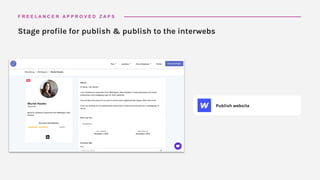
Publish website
Stage profile for publish & publish to the interwebs
F R E E L A N C E R A P P R O V E D Z A P S
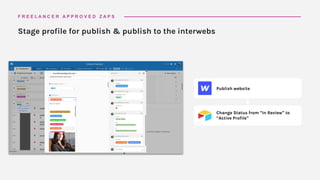
Publish website
Change Status from “In Review” to
“Active Profile”
Stage profile for publish & publish to the interwebs
F R E E L A N C E R A P P R O V E D Z A P S
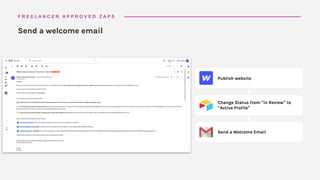
Publish website
Change Status from “In Review” to
“Active Profile”
Send a Welcome Email
Send a welcome email
F R E E L A N C E R A P P R O V E D Z A P S
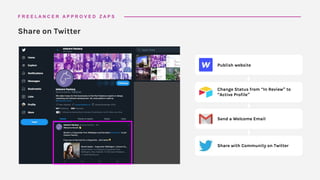
Publish website
Change Status from “In Review” to
“Active Profile”
Send a Welcome Email
Share with Community on Twitter
Share on Twitter
F R E E L A N C E R A P P R O V E D Z A P S
Client makes enquiry
Freelancer Applies to Join
Freelancer is Approved
Client creates a community
project
Freelancer requests intro to
community project
Freelancer makes payment
A Record is Created in
Airtable
Creates CMS Items
Sends Onboarding Emails
Review Process
Tweets
Updates CMS Items
H O W I T A L L W O R K S T O G E T H E R
Tips for your first No Code
Marketplace
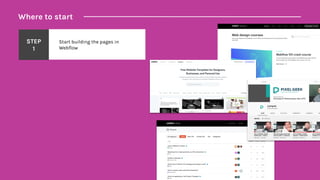
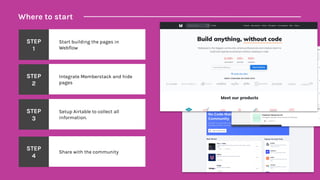
Where to start
STEP
1
Start building the pages in
Webflow
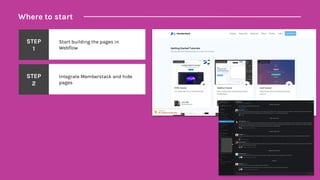
Where to start
STEP
1
Start building the pages in
Webflow
STEP
2
Integrate Memberstack and hide
pages
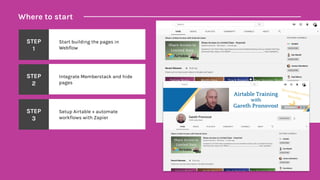
Where to start
STEP
1
Start building the pages in
Webflow
STEP
2
Integrate Memberstack and hide
pages
STEP
3
Setup Airtable + automate
workflows with Zapier
Where to start
STEP
1
Start building the pages in
Webflow
STEP
2
Integrate Memberstack and hide
pages
STEP
3
Setup Airtable to collect all
information.
STEP
4
Share with the community
Download Slides and get in touch:
connorfinlayson.com/ncc
T H A N K Y O U
Let me know how your No Code project is going on Twitter:
@FinlaysonConnor

How to build a marketplace without code - No Code Conf 2019 Workshop

  • 1.
    How to build amarketplace without code C O N N O R F I N L A Y S O N @FinlaysonConnor www.connorfinlayson.com/ncc
  • 2.
    Kia ora, myname is Connor 👋 Wellington, New Zealand 🇳🇿 Freelance Digital Marketer Creator of Unicorn Factory 🏗 A B O U T M E
  • 3.
    About Unicorn Factory 15mins The No Code Marketplace Setup 15 mins No Code Workflow Examples 15 mins Q&A until end O V E R V I E W
  • 4.
    I want toinspire you to build your own marketplace without code!
  • 5.
    A marketplace thatconnects freelancers and business owners in New Zealand. W W W . U N I C O R N F A C T O R Y . N Z
  • 6.
    Feb 2018 Built Prototype forUnicorn Factory May 2016 Starting referring work to freelancers + other startups U N I C O R N F A C T O R Y S T O R Y Nov 2015 Created apps for local business to fund our startup
  • 7.
    June 2019 Monetize the platform forthe first time U N I C O R N F A C T O R Y S T O R Y Feb 2018 Opened it up to NZ-based freelancers
  • 8.
    240 NZ based freelancers 180+direct enquiries per month 20+ community projects per month 50-75 new businesses each month $600/mth in membership revenue $2000/mth in commission revenue U N I C O R N F A C T O R Y T O D A Y
  • 9.
  • 10.
    Automated Onboarding Process (with areview system) Automated comms with Clients and Freelancers (with a review system) Tiered Memberships for freelancers Metrics & Reporting Dashboard in Airtable Users can update their profile W H A T C A N U N I C O R N F A C T O R Y D O ?
  • 11.
    Webflow Front-end build ofthe website Memberstack Gated Content and Monetization Airtable No Code Database Zapier Workflow Automation T H E N O C O D E S T A C K
  • 12.
    Build & AdminTime 12 hrs Build the MVP Freelancer CMS, Messaging 8 hrs Memberstack + Community Projects 8 hrs Workflow Automation + Airtable Setup 2 - 4 hrs Weekly Maintenance and Admin
  • 13.
  • 14.
  • 15.
  • 16.
  • 17.
  • 18.
  • 19.
  • 20.
  • 21.
  • 22.
    B U IL D I N G T H E S I T E : P R O F I L E P A G E Create Profile Template using CMS Collection.
  • 23.
    B U IL D I N G T H E S I T E : P R O F I L E P A G E Link a profile to other CMS collections like case studies or skills.
  • 24.
    B U IL D I N G T H E S I T E : P R O F I L E P A G E Create a custom contact form on each profile page.
  • 25.
    B U IL D I N G T H E S I T E : L I S T I N G P A G E S Create listing pages for categories like locations or skills.
  • 26.
    B U IL D I N G T H E S I T E : L I S T I N G P A G E S Using the CMS sorting feature to order freelancers by availability.
  • 27.
    B U IL D I N G T H E S I T E : L I S T I N G P A G E S Integrate schema.org into the CMS collection pages to generate rich text on Google.
  • 28.
    B U IL D I N G T H E S I T E : S E O B E N E F I T S
  • 29.
  • 30.
    M O NE T I Z I N G T H E P L A T F O R M : M E M B E R P R O F I L E Create pages in Webflow and use Memberstack to hide them if they don’t have an account
  • 31.
    M O NE T I Z I N G T H E P L A T F O R M : A P P L Y I N G F O R C O M M U N I T Y P R O J E C T S Give paying freelancers access to additional features like community projects.
  • 32.
    How it allworks together
  • 33.
    Client makes enquiry FreelancerApplies to Join Freelancer is Approved Client creates a community project Freelancer requests intro to community project Freelancer makes payment A Record is Created in Airtable Creates CMS Items Sends Onboarding Emails Review Process Tweets Updates CMS Items H O W I T A L L W O R K S T O G E T H E R
  • 34.
  • 35.
    Clients submits enquiryform Clients submits the enquiry form E N T R Y S U B M I S S I O N Z A P S
  • 36.
    Clients submits enquiryform Creates a record in “Messages” Create record in “messages” E N T R Y S U B M I S S I O N Z A P S
  • 37.
    Clients submits enquiryform Creates a record in “Messages” Sends me a notification in Slack Send “review” Slack notification E N T R Y S U B M I S S I O N Z A P S
  • 38.
    Select Approve Checkbox Selectthe “approve” checkbox E N T R Y S U B M I S S I O N Z A P S
  • 39.
    Select Approve Checkbox MoveRecord to “Approved Messages” View Record is moved into “Approved Messages” view E N T R Y S U B M I S S I O N Z A P S
  • 40.
    Select Approve Checkbox MoveRecord to “Approved Messages” View Forward Message to freelancer Forward enquiry to the freelancer E N T R Y S U B M I S S I O N Z A P S
  • 41.
    Freelancer Application Completed Freelancerapplication submitted F R E E L A N C E R A P P L I C A T I O N Z A P S
  • 42.
    Freelancer Application Completed Addedto Freelancer Funnel for Review Creates a record in “Freelancer” funnel F R E E L A N C E R A P P L I C A T I O N Z A P S
  • 43.
    Freelancer Application Completed Addedto Freelancer Funnel for Review Sends me a notification in Slack Send a “Review” notification F R E E L A N C E R A P P L I C A T I O N Z A P S
  • 44.
    Review Application Review application FR E E L A N C E R A P P R O V E D Z A P S
  • 45.
    Review Application Click Approveand move to “Approved Freelancer View” Approve application F R E E L A N C E R A P P R O V E D Z A P S
  • 46.
    Review Application Click Approvaland move “Approved Freelancer View” Create a Webflow CMS Item Automatically creates Webflow CMS item F R E E L A N C E R A P P R O V E D Z A P S
  • 47.
    Review Application Click Approvaland move “Approved Freelancer View” Create a Webflow CMS Item Update the Airtable Record with Webflow CMS Item ID and Slug Update CMS Item ID and Slug (MUST DO) F R E E L A N C E R A P P R O V E D Z A P S
  • 48.
    Publish website Stage profilefor publish & publish to the interwebs F R E E L A N C E R A P P R O V E D Z A P S
  • 49.
    Publish website Change Statusfrom “In Review” to “Active Profile” Stage profile for publish & publish to the interwebs F R E E L A N C E R A P P R O V E D Z A P S
  • 50.
    Publish website Change Statusfrom “In Review” to “Active Profile” Send a Welcome Email Send a welcome email F R E E L A N C E R A P P R O V E D Z A P S
  • 51.
    Publish website Change Statusfrom “In Review” to “Active Profile” Send a Welcome Email Share with Community on Twitter Share on Twitter F R E E L A N C E R A P P R O V E D Z A P S
  • 52.
    Client makes enquiry FreelancerApplies to Join Freelancer is Approved Client creates a community project Freelancer requests intro to community project Freelancer makes payment A Record is Created in Airtable Creates CMS Items Sends Onboarding Emails Review Process Tweets Updates CMS Items H O W I T A L L W O R K S T O G E T H E R
  • 53.
    Tips for yourfirst No Code Marketplace
  • 54.
    Where to start STEP 1 Startbuilding the pages in Webflow
  • 55.
    Where to start STEP 1 Startbuilding the pages in Webflow STEP 2 Integrate Memberstack and hide pages
  • 56.
    Where to start STEP 1 Startbuilding the pages in Webflow STEP 2 Integrate Memberstack and hide pages STEP 3 Setup Airtable + automate workflows with Zapier
  • 57.
    Where to start STEP 1 Startbuilding the pages in Webflow STEP 2 Integrate Memberstack and hide pages STEP 3 Setup Airtable to collect all information. STEP 4 Share with the community
  • 58.
    Download Slides andget in touch: connorfinlayson.com/ncc T H A N K Y O U Let me know how your No Code project is going on Twitter: @FinlaysonConnor