Managing Projects using IBM ®  Rational ®  RequisitePro ® Mike Levine, PMP Visa USA [email_address] Larry Aiken, PMP Visa USA [email_address]
Agenda Introduction  Limitations of Traditional Project Management Tools The Missing Project Management Tool Using Traceability to Improve Project Management Demonstration Implementing the Requirement Management Plan Summary of Benefits
Acknowledgements Paer Jansson, IBM Rational Consultant – For partnering with our team to assist us in conceptualizing and delivering the Requirements Management Plan discussed here
Project management control can only be achieved when cost, time, and scope are: Documented Clearly Realistically Derived Managed Deliberately Communicated Effectively But how does a project manager establish and maintain control? Project managers use tools.
Traditional Project Management Tools:  Gantt Chart : Graphic display - activity durations Network Diagram : Shows schedule activities and dependencies Decision Tree : Describes implications of selection from available alternatives
Limitations of Traditional Project Management Tools for Software Development Efforts: In general, software requirements are unpredictable and Gantt charts and network diagrams can force project managers into predictive, rather than adaptive planning. Predictive Planning  - sequencing project tasks far into the future Adaptive (Rolling Wave) Planning  – shorter time horizon Traditional tools are primarily used only by project managers, potentially limiting participation and communications of plans to the team and stakeholders Risk analysis and control can dramatically drop after risks have initially been identified – based on predictive knowledge!
The Missing Project Management Tool: The Requirements Management Plan The Requirements Management Plan unites the management of project scope, time, risk, and communications in a single place that is accessible and understandable to all project stakeholders by establishing traceability! Two Lives of the Requirements Management Plan: As an Artifact As a RequisitePro Project Template - Contains project structure including document types, requirement types, requirement attributes, packages, users, groups, and security
A Good Requirements Management Plan Should Bridge the Gap Between Requirements and the Project Schedule By Addressing Project Risk and Establishing Scope in Each Iteration Requirements Management Plan Requirements Project  Schedule Risks! Falling Back  into Old Patterns Poor Communications Scheduling Scope Creep Scope
A Good Requirements Management Plan Centralizes and Binds Project Stakeholders to a Jointly Established, Common Focal Point Requirements Management Plan in RequisitePro Rose XDE RequisitePro builds this bridge! Test- Manager Testers Require-ments Customer Developers Rose   XDE MS   Project Project Manager
Key Concept:  RequisitePro ‘Realizes’ the Requirements Management Plan in the Logical Structure of the RequisitePro Project Requirements Management Plan Artifacts Use Cases Business Rules  Scenarios Supplementary Specs . . .
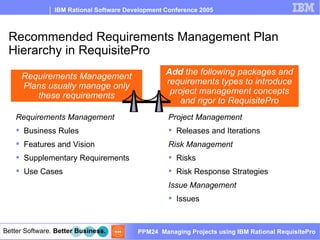
Recommended Requirements Management Plan Hierarchy in RequisitePro Requirements Management Business Rules Features and Vision Supplementary Requirements Use Cases Project Management Releases and Iterations Risk Management Risks Risk Response Strategies Issue Management Issues Add  the following packages and requirements types to introduce project management concepts and rigor to RequisitePro Requirements Management Plans usually manage only these requirements
Project, Risk, and Issue Management in ReqPro Why track releases and iterations in RequisitePro? Iteration planning is key to estimating work Tracing requirements to releases and iterations establishes scope Why track risks in RequisitePro? RUP is a risk-based methodology Encourages constant and ongoing risk management, especially in relation to iterations and releases Why track issues in RequisitePro? RequisitePro provides an issue tracking database accessible to all team members without needing an additional tool Issue status and resolution are logged, tracked and available to stakeholders
The Value of a Good Requirements Management Plan Can Be Found in its Traceability Traceability  is the ability to trace a project element to other related project elements Project Managers can gain the most from RequisitePro when a robust and flexible Requirements Management Plan extends RequisitePro use beyond managing and maintaining requirements to include project scheduling and traceability  Creating a standard Requirements Management Plan for your organization enables a consistent approach to traceability across project teams You don’t get traceability out of the box.  You create it and customize it to meet your organization’s needs.
Use Traceability To: Manage project scope Manage changing requirements Understand the source of changes Assess the project impact  Verify All system requirements are fulfilled by the implementation The application does only what it was intended to do
Release Traceability Establishes project scope at its highest level. Addresses PMBOK Scope Management  Vision  Related Artifact
Release Traceability
Feature Traceability Answers stakeholder needs with detailed requirements  Addresses PMBOK Scope Management  Vision  Related Artifact
Feature Traceability
Risk Traceability Enables active and constant risk management throughout project lifecycle Addresses PMBOK Risk Management  Risk  Management Plan Related Artifact
Risk Traceability
Iteration Traceability Enables adaptive activity and schedule planning, with clear communication to stakeholders Addresses PMBOK Scope, Time, Communications, and Risk Management  Iteration Plan   Related Artifact
Iteration Traceability
The Iteration Plan – Where it all comes together The Iteration Plan is a time-sequenced and time-boxed set of activities and tasks, with assigned resources, containing task dependencies, for the iteration; a fine-grained plan. In the RUP, Project teams schedule activities according to Risk, both architectural and business Additionally, other company specific tasks, such as operations, deployment, documentation, etc. must be added to the project schedule Using the Requirements Management Plan, the output of RequisitePro will create the iteration plan which can be updated in the Gantt Chart, Network Diagrams, and Decision Trees
The Complete Project Management Toolset
Demo
Implementing the Requirements Management Plan Create the Requirements Management Plan Configure RequisitePro to use the Requirements Management Plan Establish a support structure to assist and mentor project teams Communicate with project teams Train project staff Continuously improve the Requirements Management Plan The following activities are needed to successfully implement and use a standard Requirements Management Plan:
Create the Requirements Management Plan 2. Configure RequisitePro to use the Requirements   Management Plan Create a Requirements Management Plan. Establish: Requirements types, requirements attributes Artifact types, artifact attributes Traceability views  Create a new project in RequisitePro based on this Requirements Management Plan Run the ‘New Template’ Wizard against the project to create a standard template for your organization Setup new projects using this standard template
3. Establish a support structure to assist and mentor   project teams 4. Communicate with project teams Staff familiar with both RequisitePro and the Requirements Management Plan should assist staff in initial and ongoing use.  Functions may include: Setup of new projects for project team use Assisting teams in managing their project using RequisitePro Obtaining plan feedback for continuous improvement Communications Announce availability of an organizationally standardized  Requirements Management Plan and its benefits Staff are available to assist in setup and use of the plan Projects should use the standard Requirements Management Plan
5. Train project staff Initial training - RequisitePro Tutorial (built into RequisitePro) All core project team staff (Analysts, Project Managers, Developers, and Testers)  Customized training for your organization using your organization’s Requirements Management Plan All core project team staff Hands-on with your organization’s examples See handout for the training outline
6. Continuously improve the Requirements   Management Plan Use project team feedback to adapt and revise the plan as needed
Requirements Management Plan - Summary of Benefits Improves ability to identify and schedule project activities against project requirements Encourages active risk monitoring and management  Improves understanding of iteration scope among team members Improves communications among stakeholders Provides a consistent and repeatable framework for managing risks, requirements, and schedules across an organization
Questions
Mike Levine  mlevine@visa.com   Larry Aiken  [email_address] Thank You

Using Rational Requisite Pro to Manage Projects

  • 1.
    Managing Projects usingIBM ® Rational ® RequisitePro ® Mike Levine, PMP Visa USA [email_address] Larry Aiken, PMP Visa USA [email_address]
  • 2.
    Agenda Introduction Limitations of Traditional Project Management Tools The Missing Project Management Tool Using Traceability to Improve Project Management Demonstration Implementing the Requirement Management Plan Summary of Benefits
  • 3.
    Acknowledgements Paer Jansson,IBM Rational Consultant – For partnering with our team to assist us in conceptualizing and delivering the Requirements Management Plan discussed here
  • 4.
    Project management controlcan only be achieved when cost, time, and scope are: Documented Clearly Realistically Derived Managed Deliberately Communicated Effectively But how does a project manager establish and maintain control? Project managers use tools.
  • 5.
    Traditional Project ManagementTools: Gantt Chart : Graphic display - activity durations Network Diagram : Shows schedule activities and dependencies Decision Tree : Describes implications of selection from available alternatives
  • 6.
    Limitations of TraditionalProject Management Tools for Software Development Efforts: In general, software requirements are unpredictable and Gantt charts and network diagrams can force project managers into predictive, rather than adaptive planning. Predictive Planning - sequencing project tasks far into the future Adaptive (Rolling Wave) Planning – shorter time horizon Traditional tools are primarily used only by project managers, potentially limiting participation and communications of plans to the team and stakeholders Risk analysis and control can dramatically drop after risks have initially been identified – based on predictive knowledge!
  • 7.
    The Missing ProjectManagement Tool: The Requirements Management Plan The Requirements Management Plan unites the management of project scope, time, risk, and communications in a single place that is accessible and understandable to all project stakeholders by establishing traceability! Two Lives of the Requirements Management Plan: As an Artifact As a RequisitePro Project Template - Contains project structure including document types, requirement types, requirement attributes, packages, users, groups, and security
  • 8.
    A Good RequirementsManagement Plan Should Bridge the Gap Between Requirements and the Project Schedule By Addressing Project Risk and Establishing Scope in Each Iteration Requirements Management Plan Requirements Project Schedule Risks! Falling Back into Old Patterns Poor Communications Scheduling Scope Creep Scope
  • 9.
    A Good RequirementsManagement Plan Centralizes and Binds Project Stakeholders to a Jointly Established, Common Focal Point Requirements Management Plan in RequisitePro Rose XDE RequisitePro builds this bridge! Test- Manager Testers Require-ments Customer Developers Rose XDE MS Project Project Manager
  • 10.
    Key Concept: RequisitePro ‘Realizes’ the Requirements Management Plan in the Logical Structure of the RequisitePro Project Requirements Management Plan Artifacts Use Cases Business Rules Scenarios Supplementary Specs . . .
  • 11.
    Recommended Requirements ManagementPlan Hierarchy in RequisitePro Requirements Management Business Rules Features and Vision Supplementary Requirements Use Cases Project Management Releases and Iterations Risk Management Risks Risk Response Strategies Issue Management Issues Add the following packages and requirements types to introduce project management concepts and rigor to RequisitePro Requirements Management Plans usually manage only these requirements
  • 12.
    Project, Risk, andIssue Management in ReqPro Why track releases and iterations in RequisitePro? Iteration planning is key to estimating work Tracing requirements to releases and iterations establishes scope Why track risks in RequisitePro? RUP is a risk-based methodology Encourages constant and ongoing risk management, especially in relation to iterations and releases Why track issues in RequisitePro? RequisitePro provides an issue tracking database accessible to all team members without needing an additional tool Issue status and resolution are logged, tracked and available to stakeholders
  • 13.
    The Value ofa Good Requirements Management Plan Can Be Found in its Traceability Traceability is the ability to trace a project element to other related project elements Project Managers can gain the most from RequisitePro when a robust and flexible Requirements Management Plan extends RequisitePro use beyond managing and maintaining requirements to include project scheduling and traceability Creating a standard Requirements Management Plan for your organization enables a consistent approach to traceability across project teams You don’t get traceability out of the box. You create it and customize it to meet your organization’s needs.
  • 14.
    Use Traceability To:Manage project scope Manage changing requirements Understand the source of changes Assess the project impact Verify All system requirements are fulfilled by the implementation The application does only what it was intended to do
  • 15.
    Release Traceability Establishesproject scope at its highest level. Addresses PMBOK Scope Management Vision Related Artifact
  • 16.
  • 17.
    Feature Traceability Answersstakeholder needs with detailed requirements Addresses PMBOK Scope Management Vision Related Artifact
  • 18.
  • 19.
    Risk Traceability Enablesactive and constant risk management throughout project lifecycle Addresses PMBOK Risk Management Risk Management Plan Related Artifact
  • 20.
  • 21.
    Iteration Traceability Enablesadaptive activity and schedule planning, with clear communication to stakeholders Addresses PMBOK Scope, Time, Communications, and Risk Management Iteration Plan Related Artifact
  • 22.
  • 23.
    The Iteration Plan– Where it all comes together The Iteration Plan is a time-sequenced and time-boxed set of activities and tasks, with assigned resources, containing task dependencies, for the iteration; a fine-grained plan. In the RUP, Project teams schedule activities according to Risk, both architectural and business Additionally, other company specific tasks, such as operations, deployment, documentation, etc. must be added to the project schedule Using the Requirements Management Plan, the output of RequisitePro will create the iteration plan which can be updated in the Gantt Chart, Network Diagrams, and Decision Trees
  • 24.
    The Complete ProjectManagement Toolset
  • 25.
  • 26.
    Implementing the RequirementsManagement Plan Create the Requirements Management Plan Configure RequisitePro to use the Requirements Management Plan Establish a support structure to assist and mentor project teams Communicate with project teams Train project staff Continuously improve the Requirements Management Plan The following activities are needed to successfully implement and use a standard Requirements Management Plan:
  • 27.
    Create the RequirementsManagement Plan 2. Configure RequisitePro to use the Requirements Management Plan Create a Requirements Management Plan. Establish: Requirements types, requirements attributes Artifact types, artifact attributes Traceability views Create a new project in RequisitePro based on this Requirements Management Plan Run the ‘New Template’ Wizard against the project to create a standard template for your organization Setup new projects using this standard template
  • 28.
    3. Establish asupport structure to assist and mentor project teams 4. Communicate with project teams Staff familiar with both RequisitePro and the Requirements Management Plan should assist staff in initial and ongoing use. Functions may include: Setup of new projects for project team use Assisting teams in managing their project using RequisitePro Obtaining plan feedback for continuous improvement Communications Announce availability of an organizationally standardized Requirements Management Plan and its benefits Staff are available to assist in setup and use of the plan Projects should use the standard Requirements Management Plan
  • 29.
    5. Train projectstaff Initial training - RequisitePro Tutorial (built into RequisitePro) All core project team staff (Analysts, Project Managers, Developers, and Testers) Customized training for your organization using your organization’s Requirements Management Plan All core project team staff Hands-on with your organization’s examples See handout for the training outline
  • 30.
    6. Continuously improvethe Requirements Management Plan Use project team feedback to adapt and revise the plan as needed
  • 31.
    Requirements Management Plan- Summary of Benefits Improves ability to identify and schedule project activities against project requirements Encourages active risk monitoring and management Improves understanding of iteration scope among team members Improves communications among stakeholders Provides a consistent and repeatable framework for managing risks, requirements, and schedules across an organization
  • 32.
  • 33.
    Mike Levine mlevine@visa.com Larry Aiken [email_address] Thank You