Printing Types, Tips
& Digital Printing
Joel F. Kaufman
VP Sales
Chroma Graphics, Inc.
Types of Conventional Printing
• Sheetfed
• Web
• Envelopes
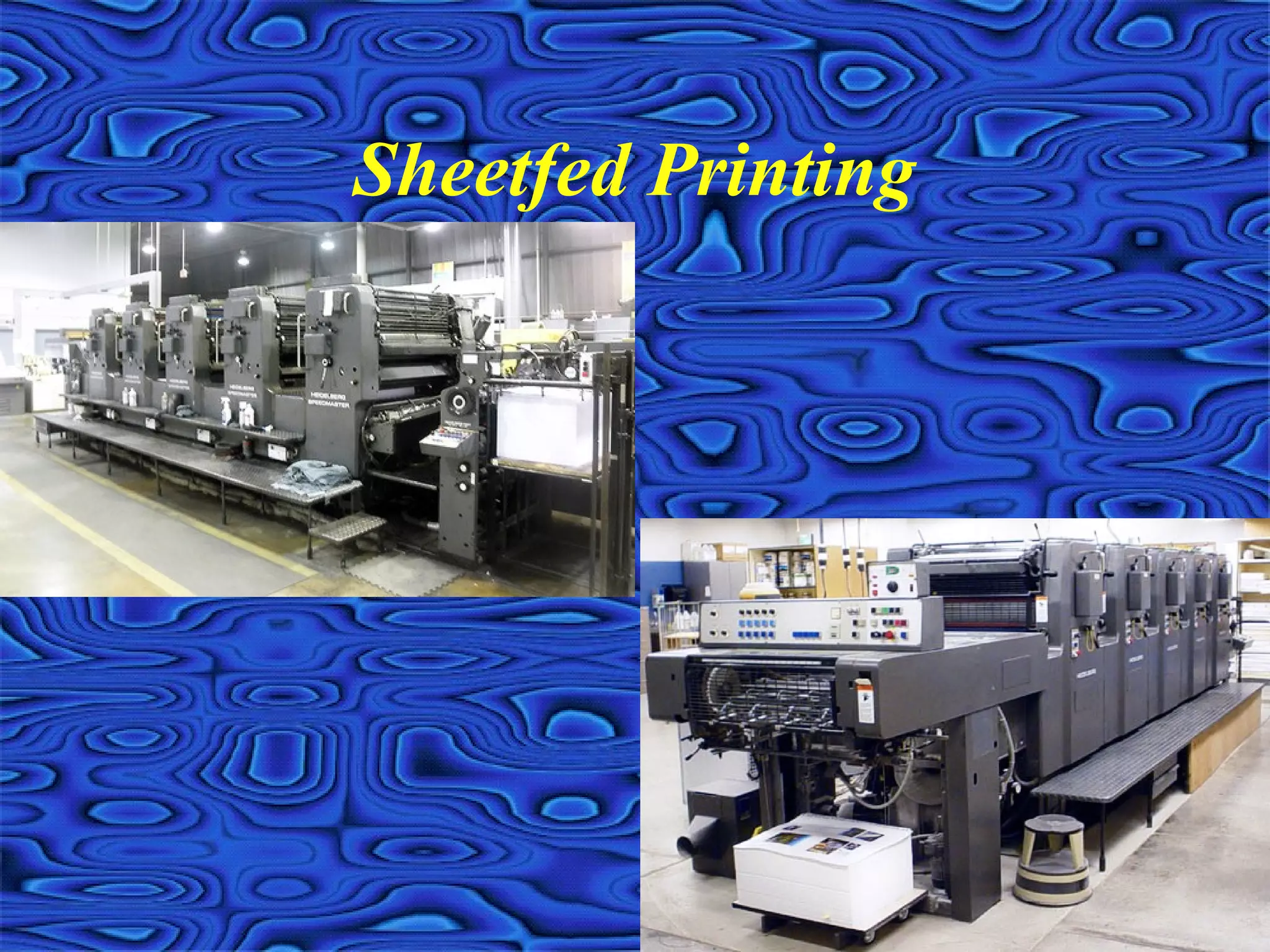
Sheetfed Printing
Sheetfed Printing
• Cut size paper sheet fed through a printing press
• High quality, small to medium size runs
• Limited inline capabilities
• Presses can print one or possibly two sides at at
time
• Most prevalent type of printing press
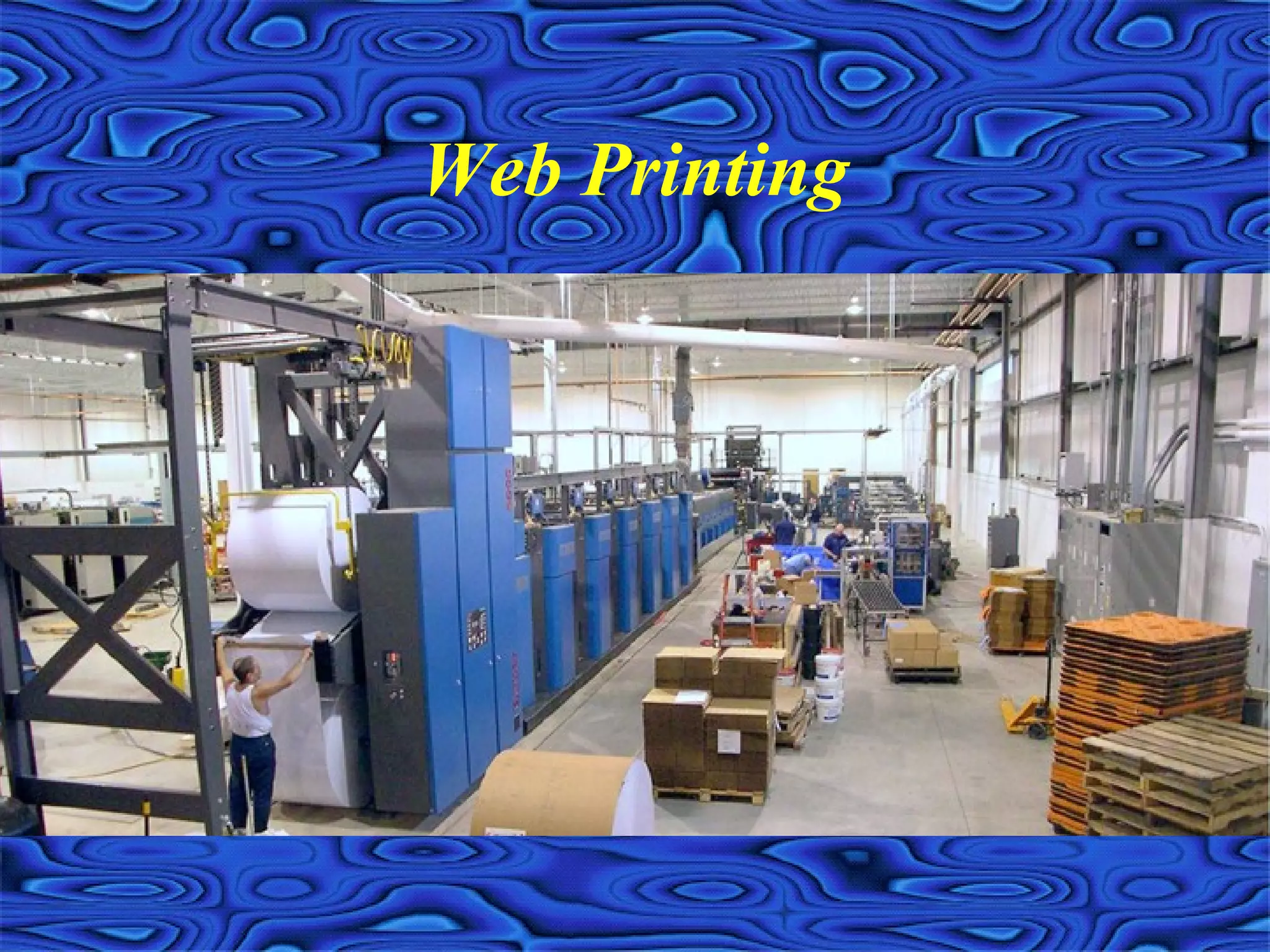
Web Printing
Web Printing
• Roll or web of paper fed through printing press
• Heatset: high quality, cold web: lower quality
• Produce sheets, folded signatures, inline
finishing or continuous/roll to roll forms
• Extensive inline capabilities are available
• Presses can print two sides at at time
• Not as prevalent as sheetfed presses
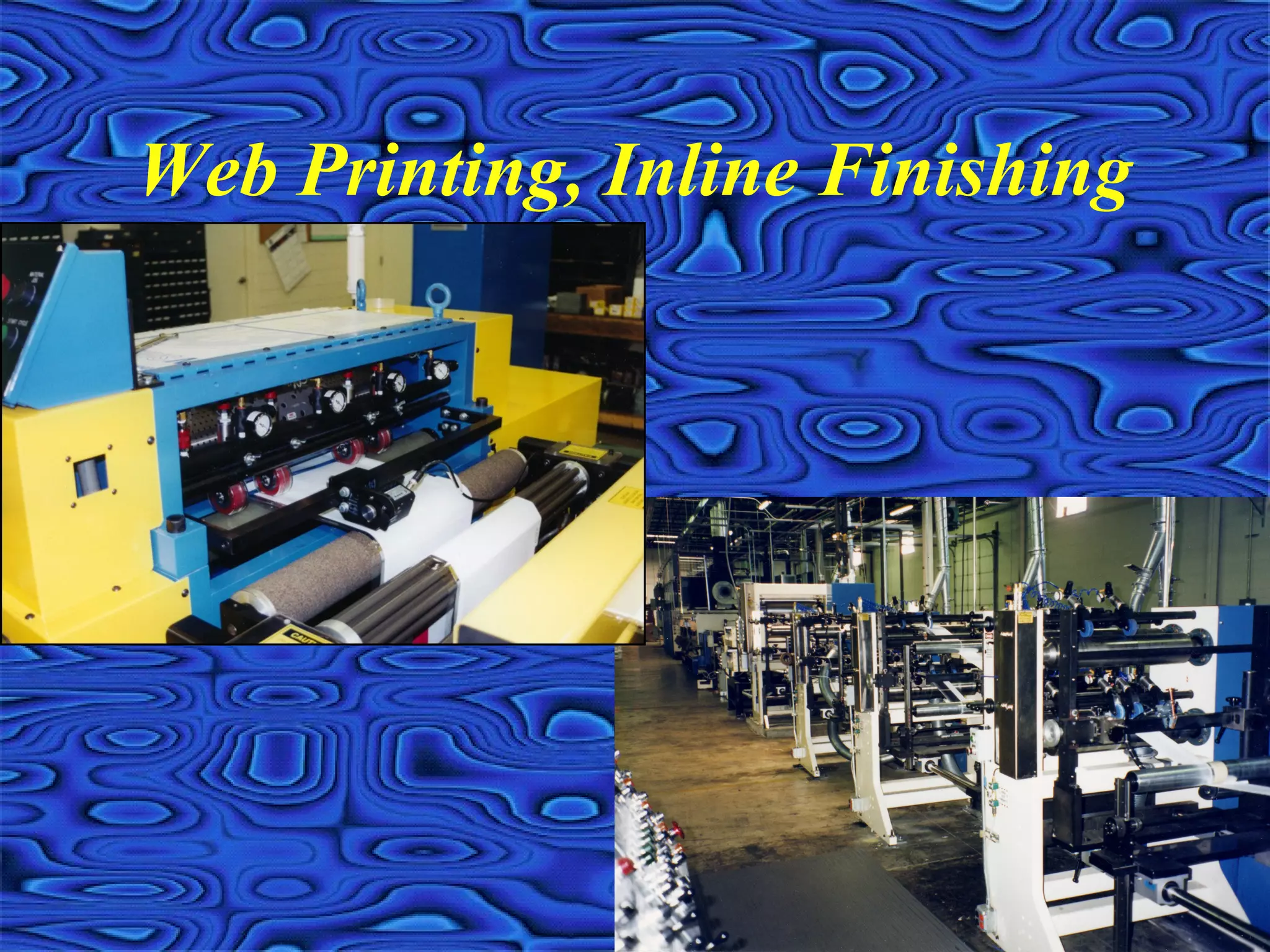
Web Printing, Inline Finishing
• Numerous plow folding configurations
• Paste on spine, pattern perf/glue
• Die cut, formed envelopes
• Encapsulated fragrance, scratch-off, spot UV
• Spot fugitive glue, card tip-ons
• Image inline, K up to 4CP
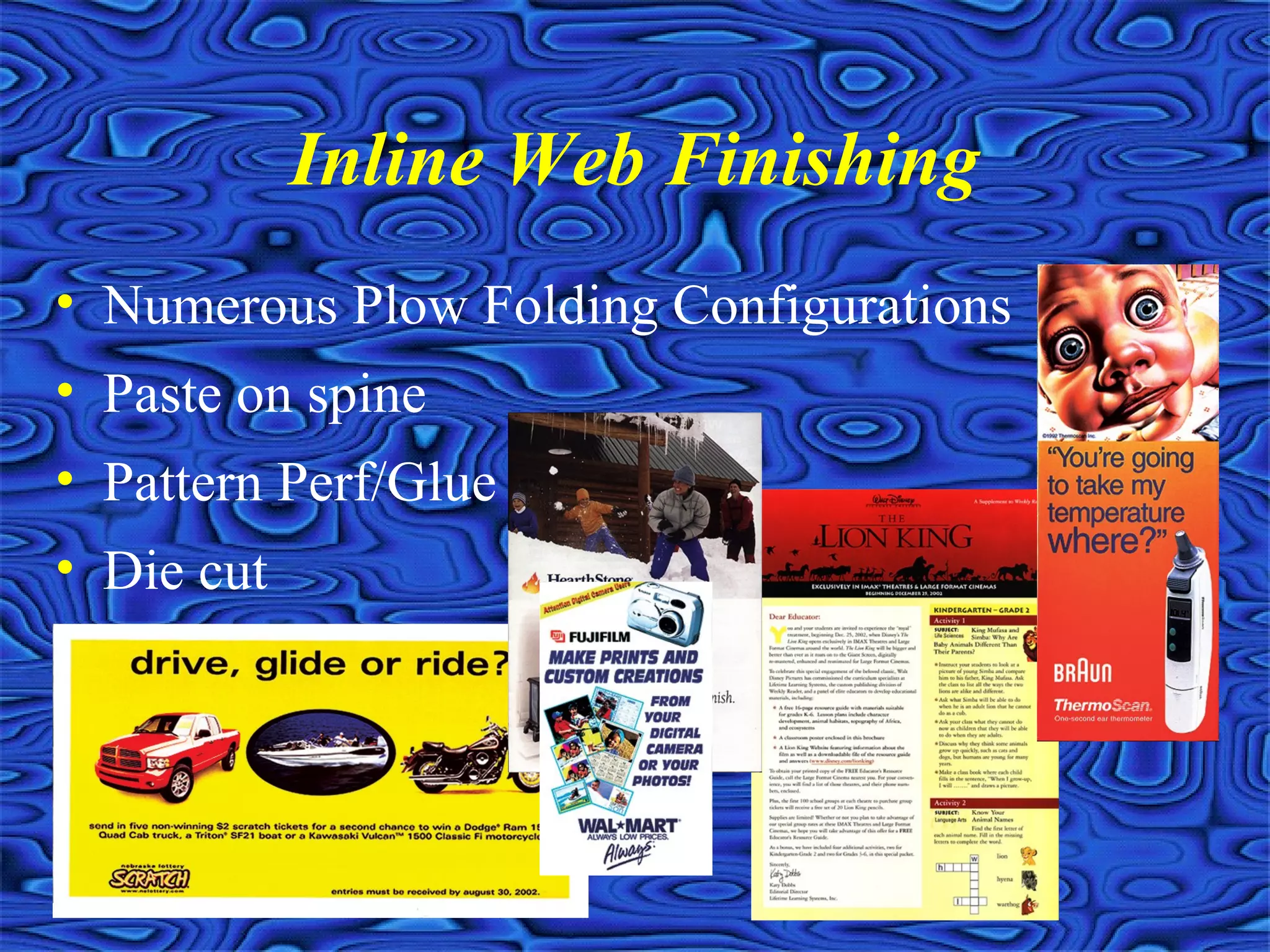
Inline Web Finishing
• Numerous Plow Folding Configurations
• Paste on spine
• Pattern Perf/Glue
• Die cut
Inline Web Finishing
• Encapsulated Fragrance
• Formed envelopes
• Spot fugitive glue
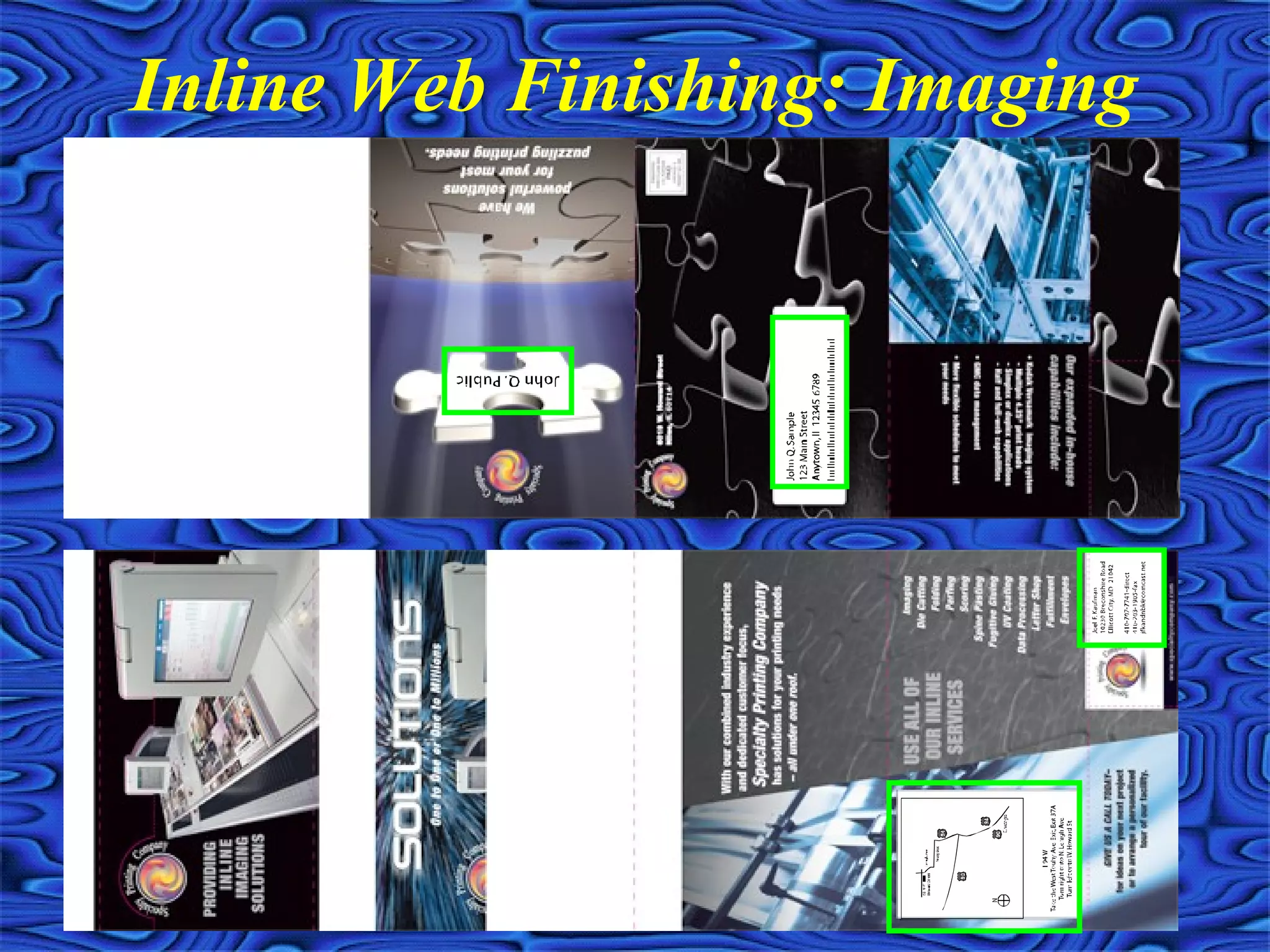
Inline Web Finishing: Imaging
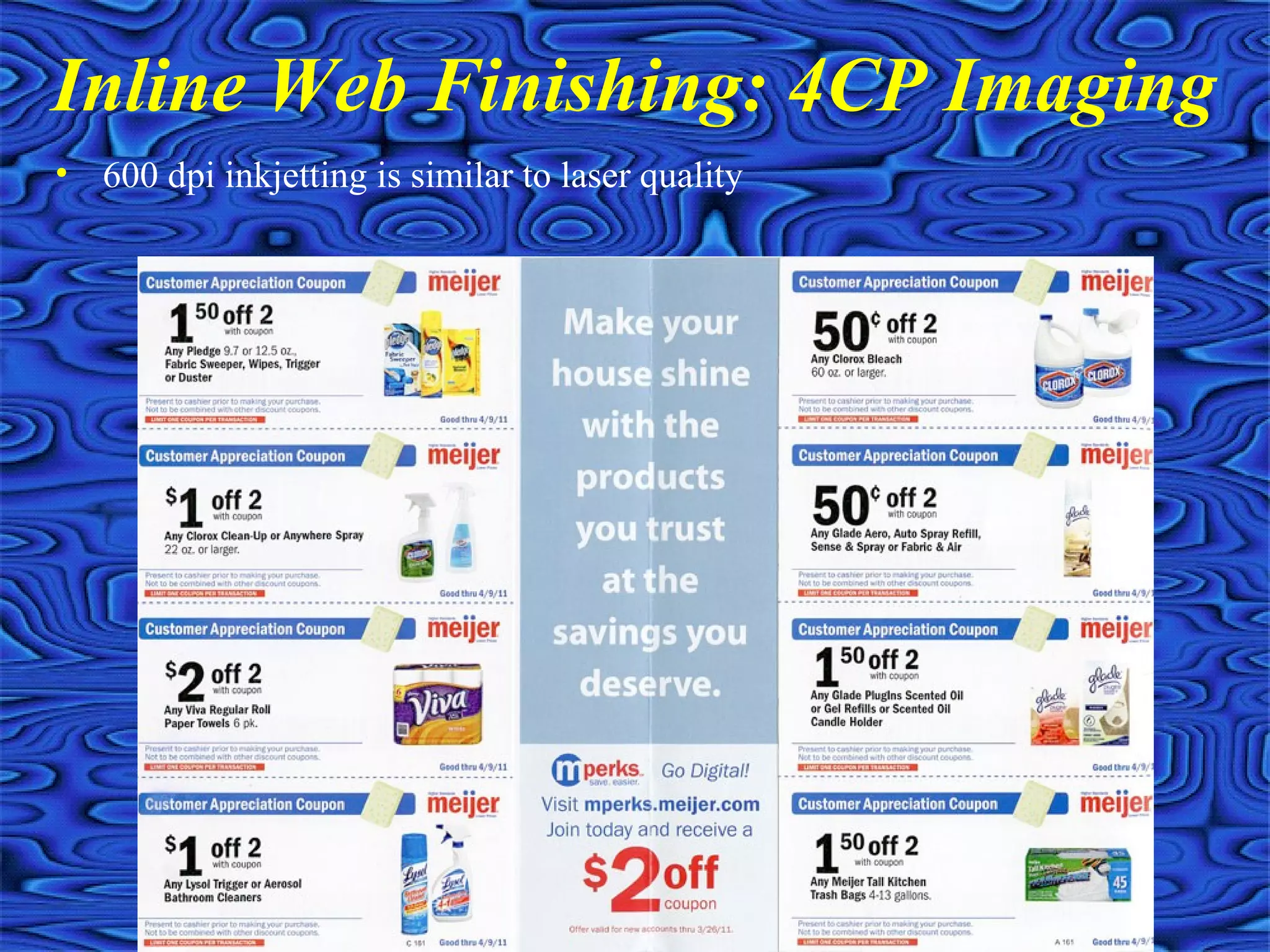
Inline Web Finishing: 4CP Imaging
• 600 dpi inkjetting is similar to laser quality
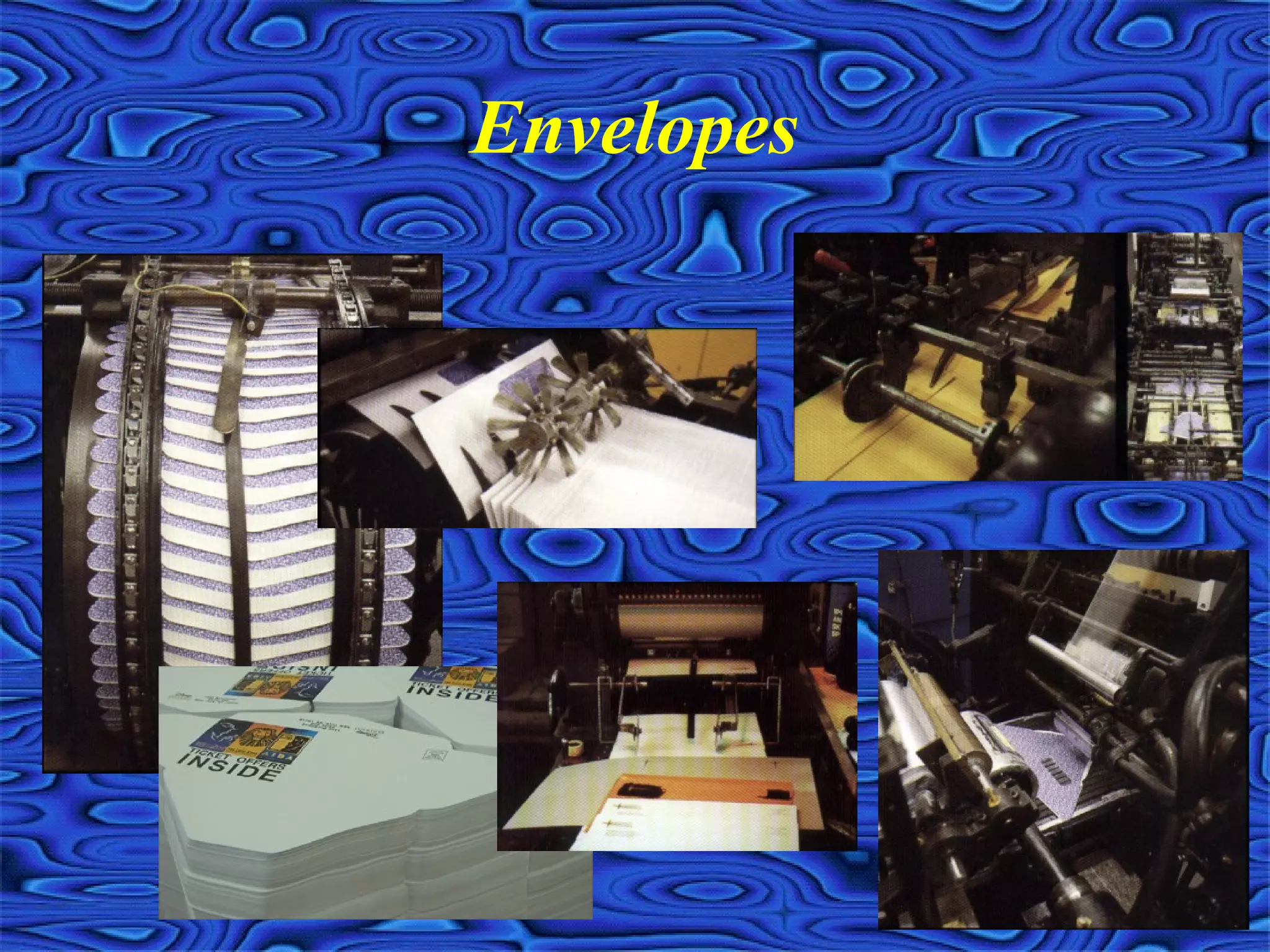
Envelopes
Envelope Printing
• Stocked envelopes
• Converted envelopes
• Web produced envelopes
• Keep mailshop production in mind
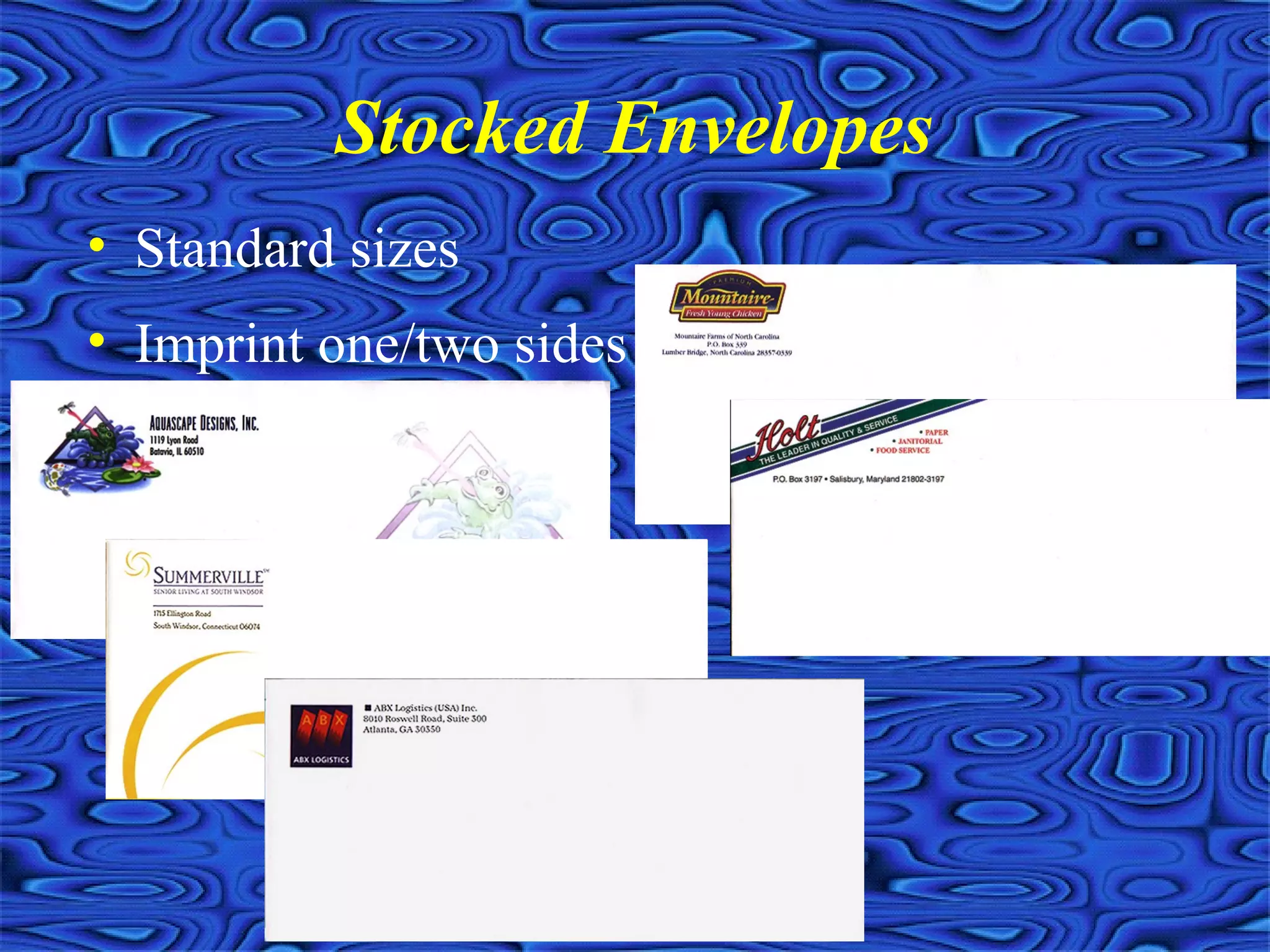
Stocked Envelopes
• Standard sizes
• Imprint one/two sides
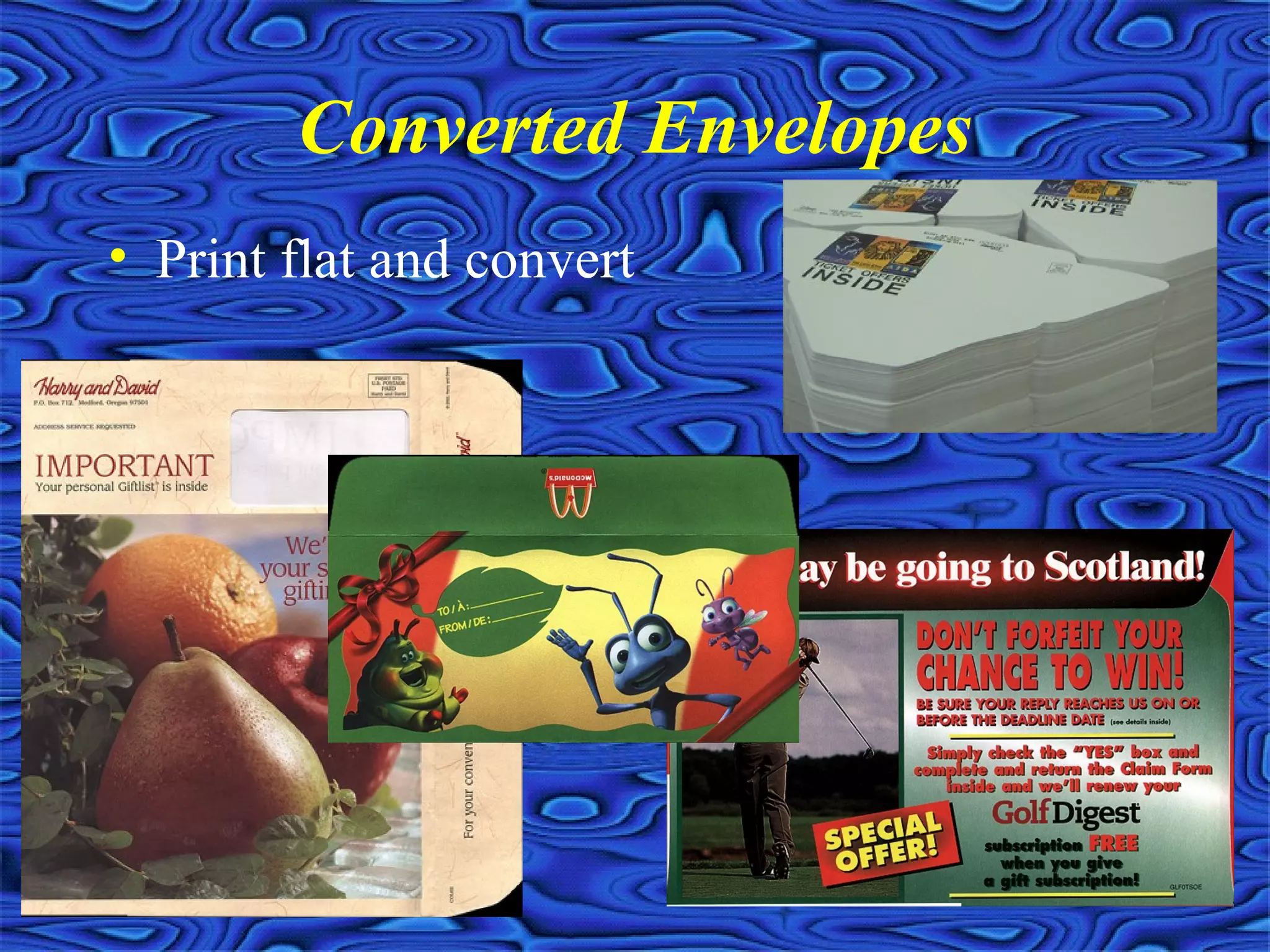
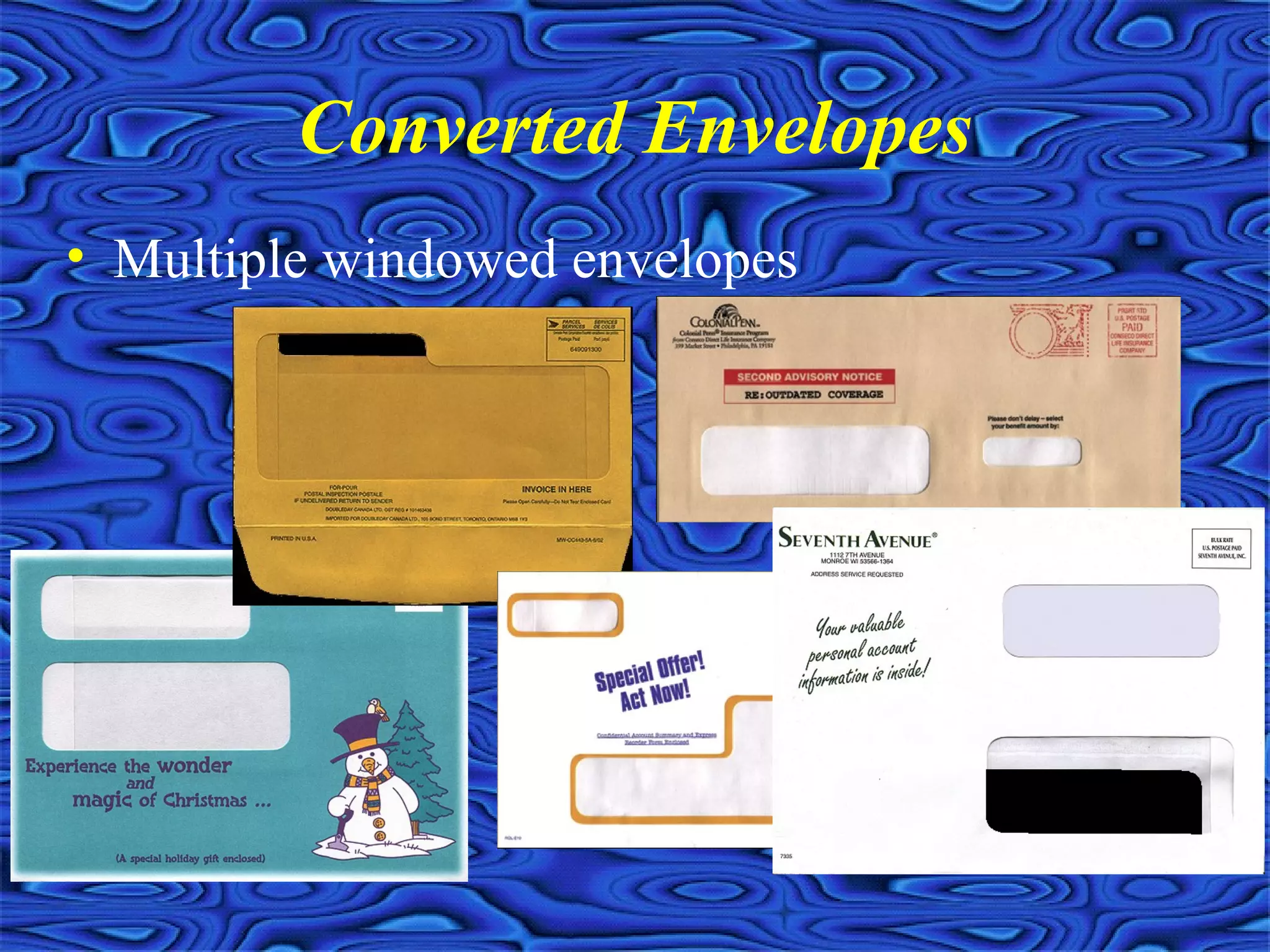
Converted Envelopes
• Print flat and convert
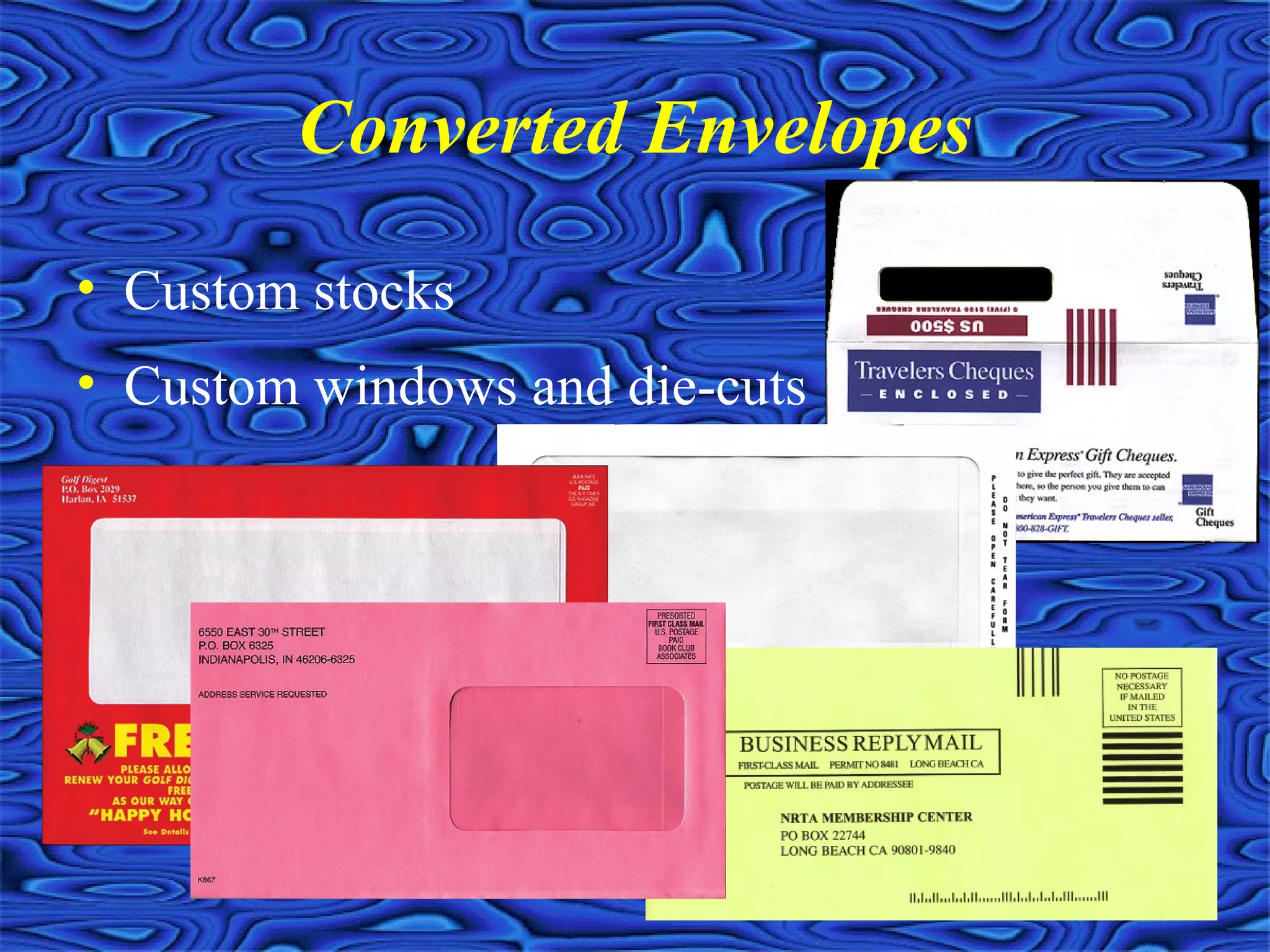
Converted Envelopes
• Custom stocks
• Custom windows and die-cuts
Converted Envelopes
• Multiple windowed envelopes
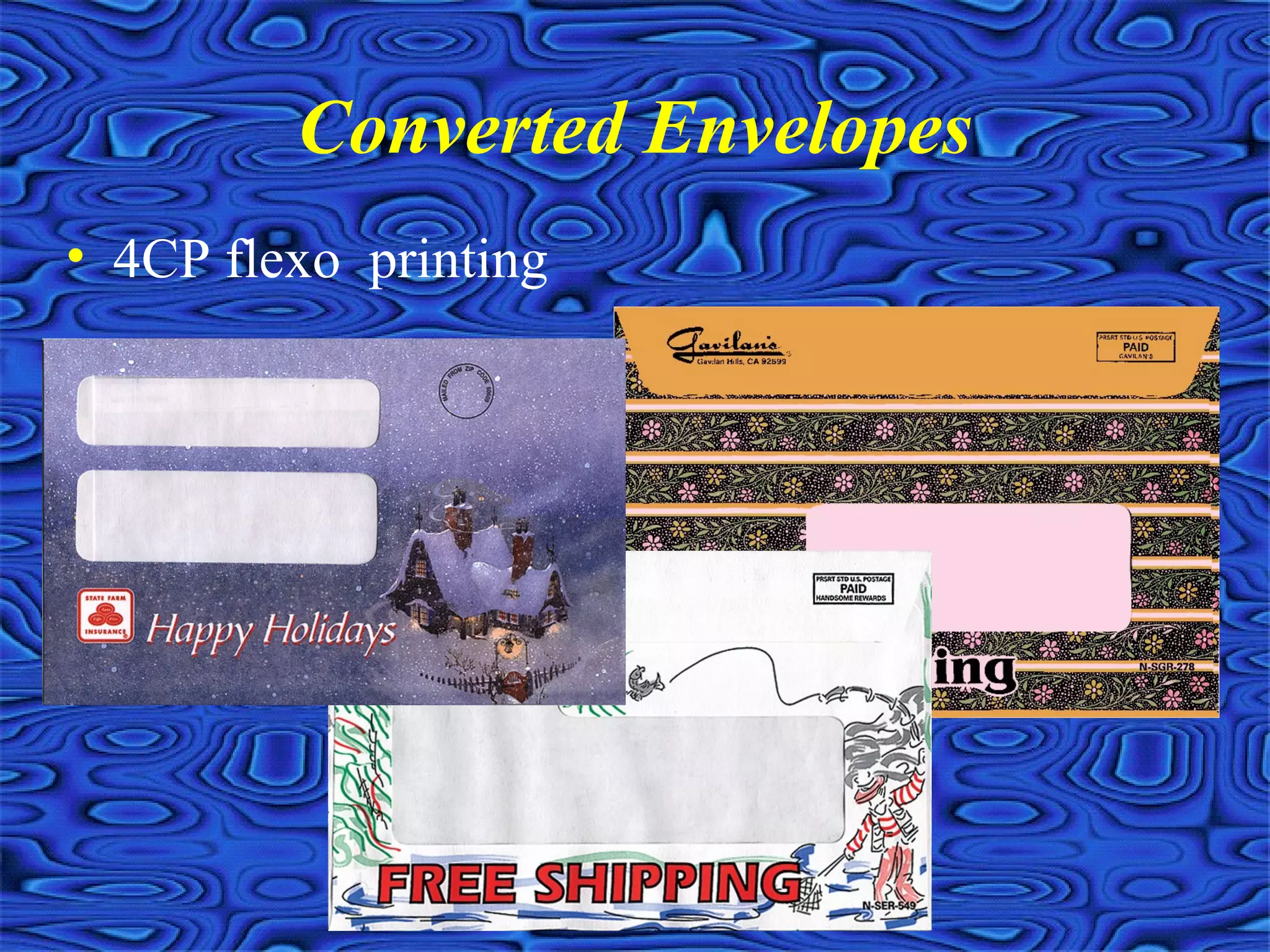
Converted Envelopes
• 4CP flexo printing
Printing Tips
• Provide complete and accurate specifications
• Beware of potential printing and postpress
problems
• Strive to cut corners, without sacrificing quality
• Get your supplier involved with the project
before the job is released
Provide complete and accurate
specifications
• Avoid additional cost surprises by specifying all
known information
• More information provided means better
chances that less costly options can be explored
• The better organized the job information is, the
better chances your supplier will actually
produce the job to your expectations
• Design specifications to minimize postal (think
backwards)
Beware of Potential Printing
and Postpress Problems
• Registration, ghosting and DMAX issues
• Inline inking projects
• Grain direction issues
• Poor drying pigments, especially matte
stocks
• Pushout and creepage
• Z-folds and other potential inserting issues
Strive to Cut Corners Without
Sacrificing Quality
• “Cheat” on trim sizes to accommodate smaller press
sheets
• Use common colors and stocks to gang multiple items on
same press form
• Bind multiple up when applicable
• Consider process color builds in lieu of additional PMS
colors
• Be flexible with color impositioning to minimize number
of plates
• Use digital proofs and /or PDFs to reduce AA costs
Get your supplier involved with the
project before the job is released
• Utilize the experience and expertise of a sales
professional to trouble shoot your jobs
• Take advantage on special of leftover stock
inventory or slow production periods
• Request ink drawdowns on actual job stock to
avoid costly mistakes
• Modify job specifications to take advantage of
any supplier specific inline finishing capabilities
Digital and Variable Content
Digital Printing
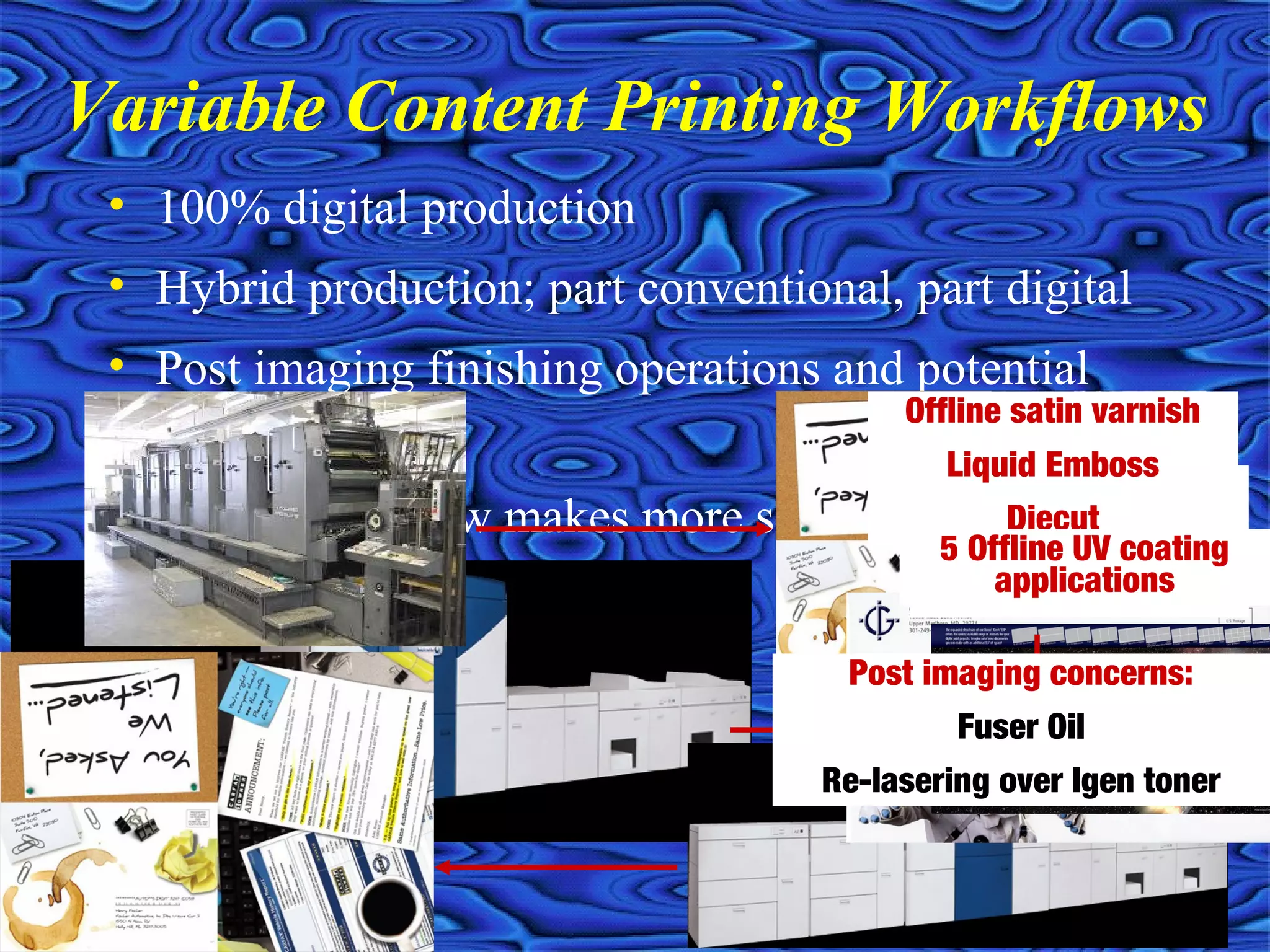
• 100% digital production
• Hybrid production; part conventional, part digital
• Post imaging finishing operations and potential
concerns
• Which workflow makes more sense for your project?
Variable Content Printing Workflows
Apply Rub ‘n Smell
Foil stamped
Diecut
Offline satin varnish
Liquid Emboss
Diecut
5 Offline UV coating
applications
Post imaging concerns:
Fuser Oil
Re-lasering over Igen toner
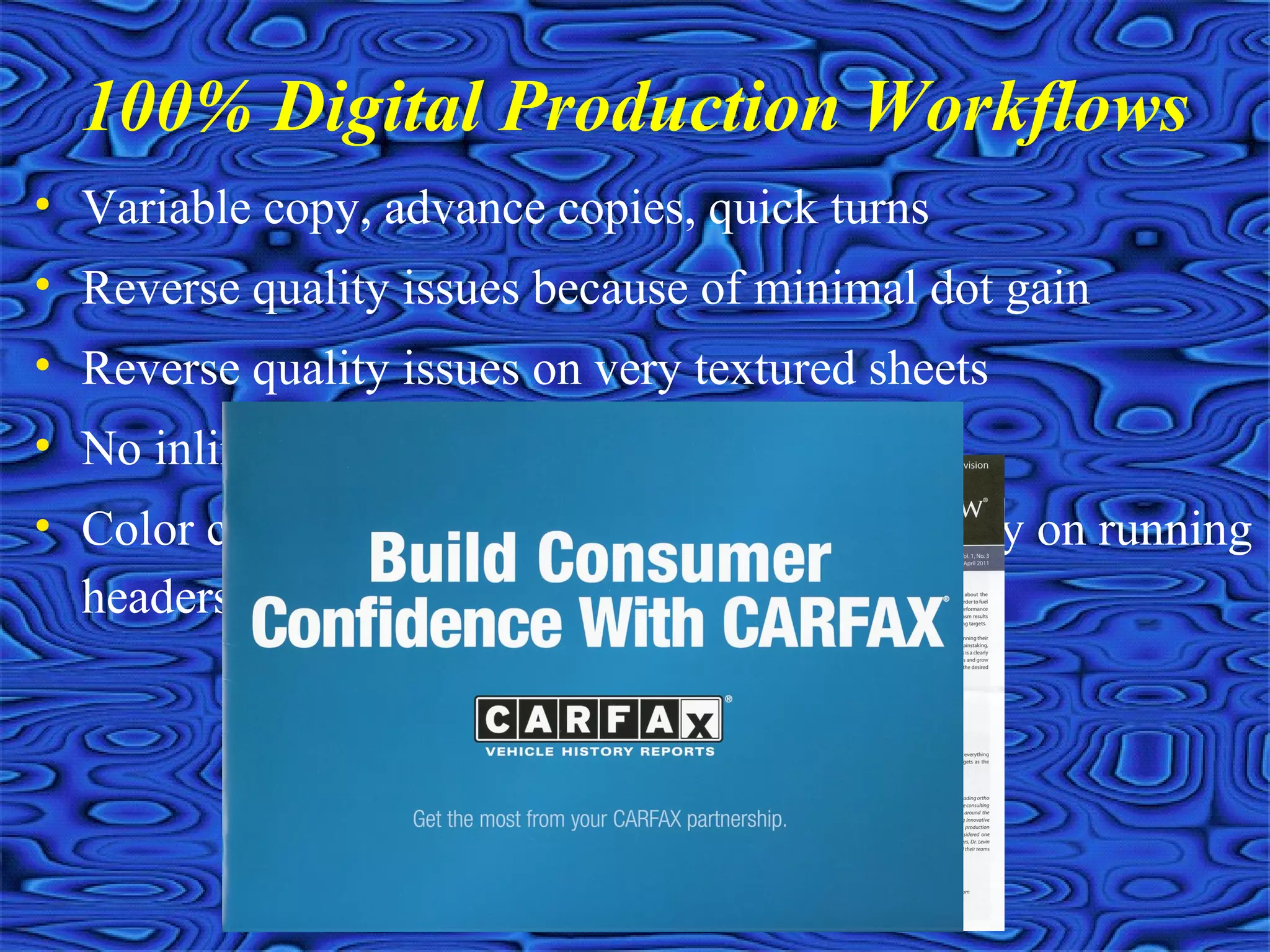
• Variable copy, advance copies, quick turns
• Reverse quality issues because of minimal dot gain
• Reverse quality issues on very textured sheets
• No inline inking and ghosting issues
• Color consistencies vastly improved (especially on running
headers and tabs)
100% Digital Production Workflows
Hybrid production; part
conventional, part digital
• Variable digital printing combined with conventional
printing and binding processes
• Matching spot colors out of 4CP gamut, matching other non
digital pieces
• Quantity dictates production efficiencies
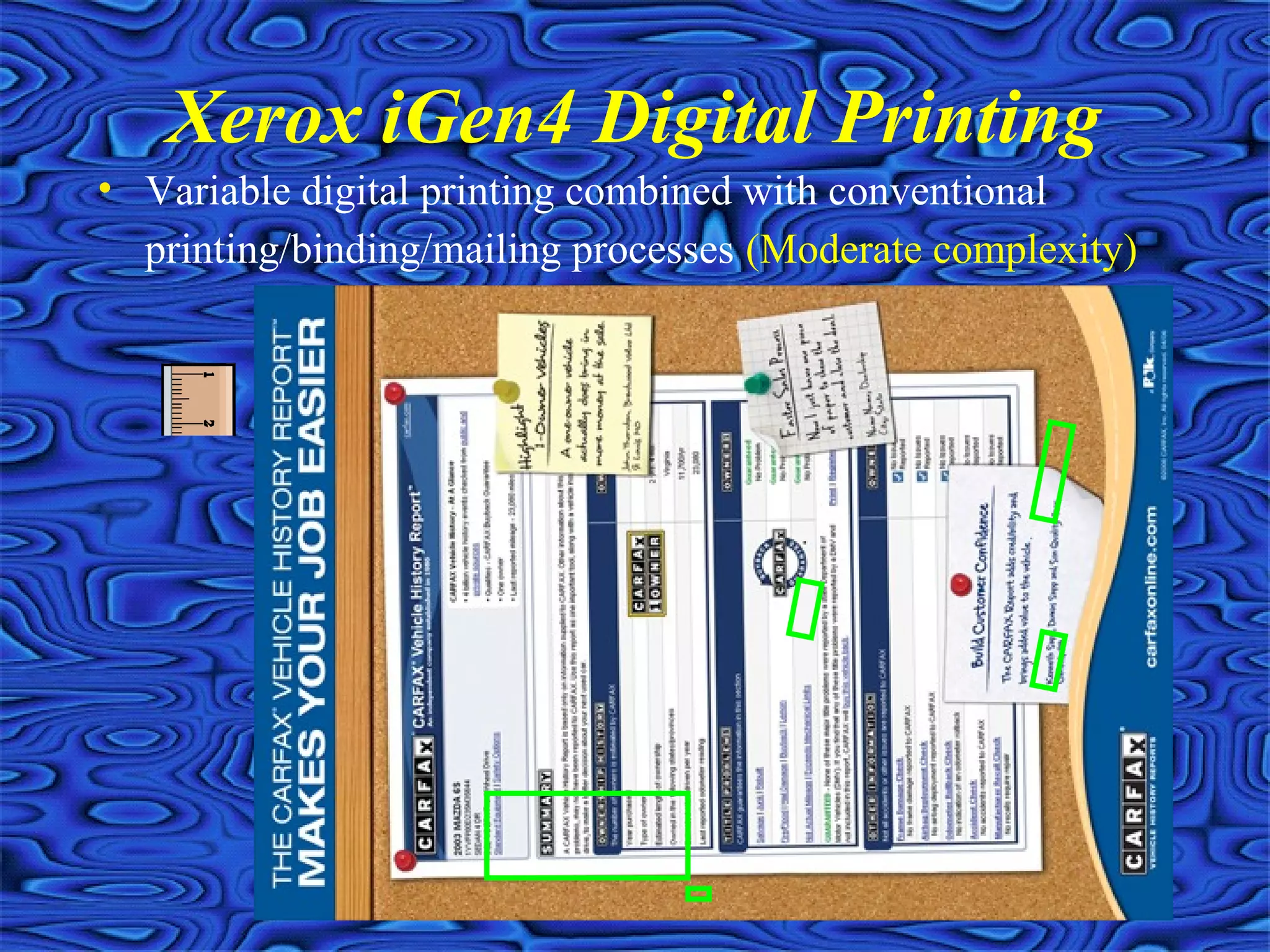
Xerox iGen4 Digital Printing
• Variable digital printing combined with conventional
printing/binding/mailing processes (Moderate complexity)
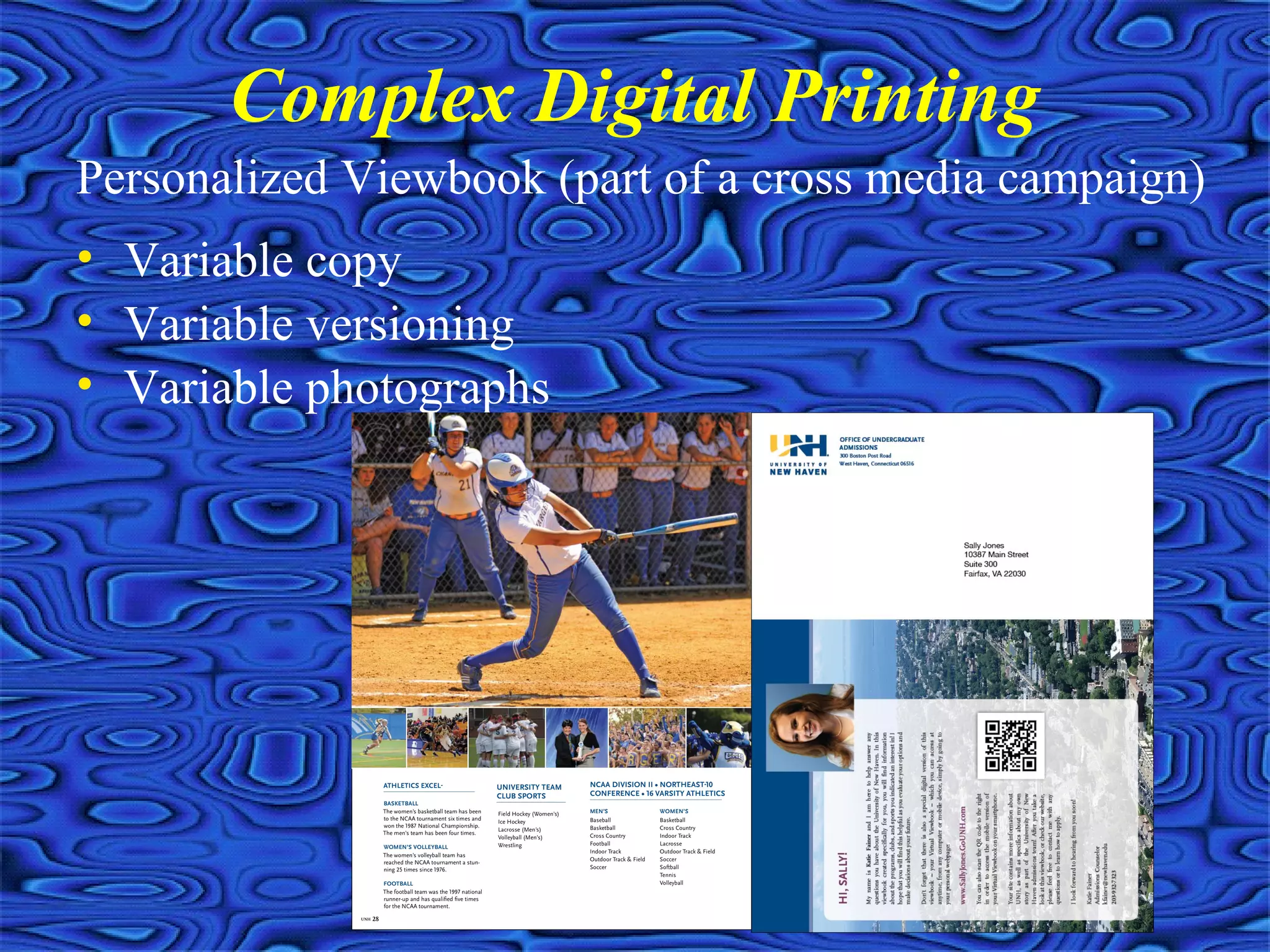
Complex Digital Printing
Personalized Viewbook (part of a cross media campaign)
• Variable copy
• Variable versioning
• Variable photographs
Relevant data can make a REAL impact!
• Variable copy
• Variable graphics and versioning
• Variable photographs
• Variable content within photographs
Types of Variable Content Printing
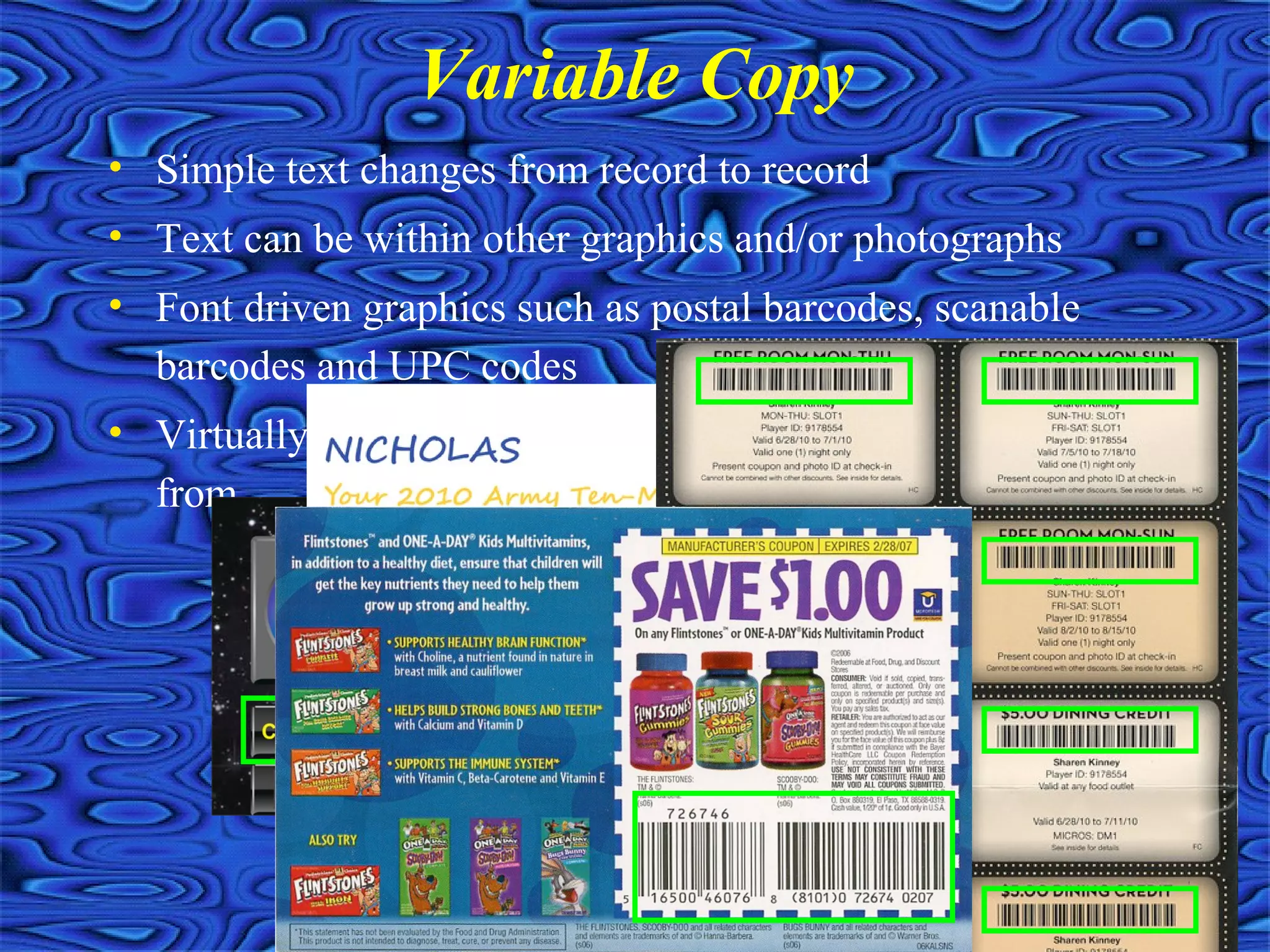
• Simple text changes from record to record
• Text can be within other graphics and/or photographs
• Font driven graphics such as postal barcodes, scanable
barcodes and UPC codes
• Virtually no limit on the number of fields you can pull
from
Variable Copy
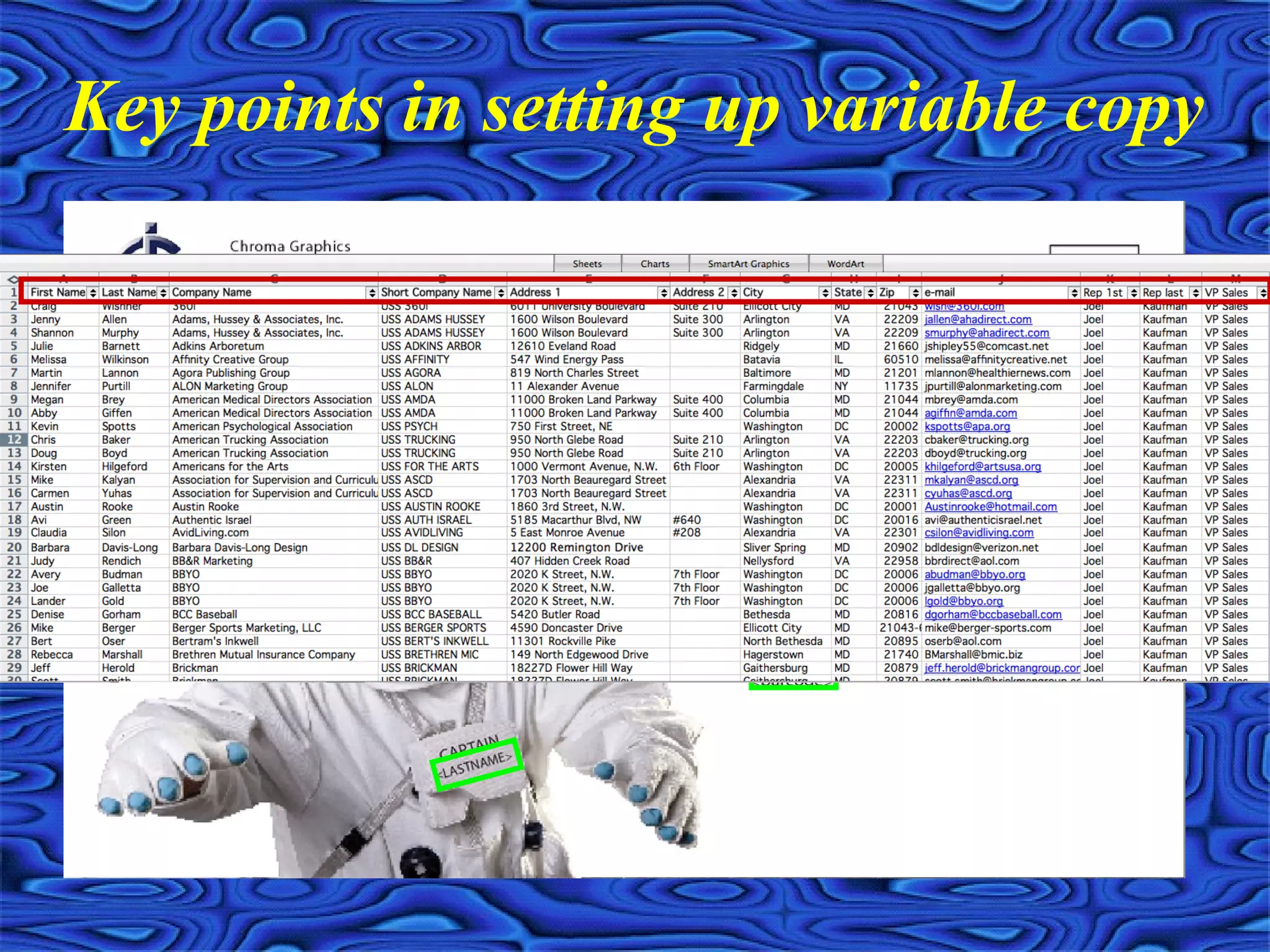
Key points in setting up variable copy
• Text, graphics and photographs can change from record
to record
• Design can totally change between versions (same stock
and size only)
• Data work and postal savings considerations
• Virtually no limit on the number of layers you can
establish (500+)
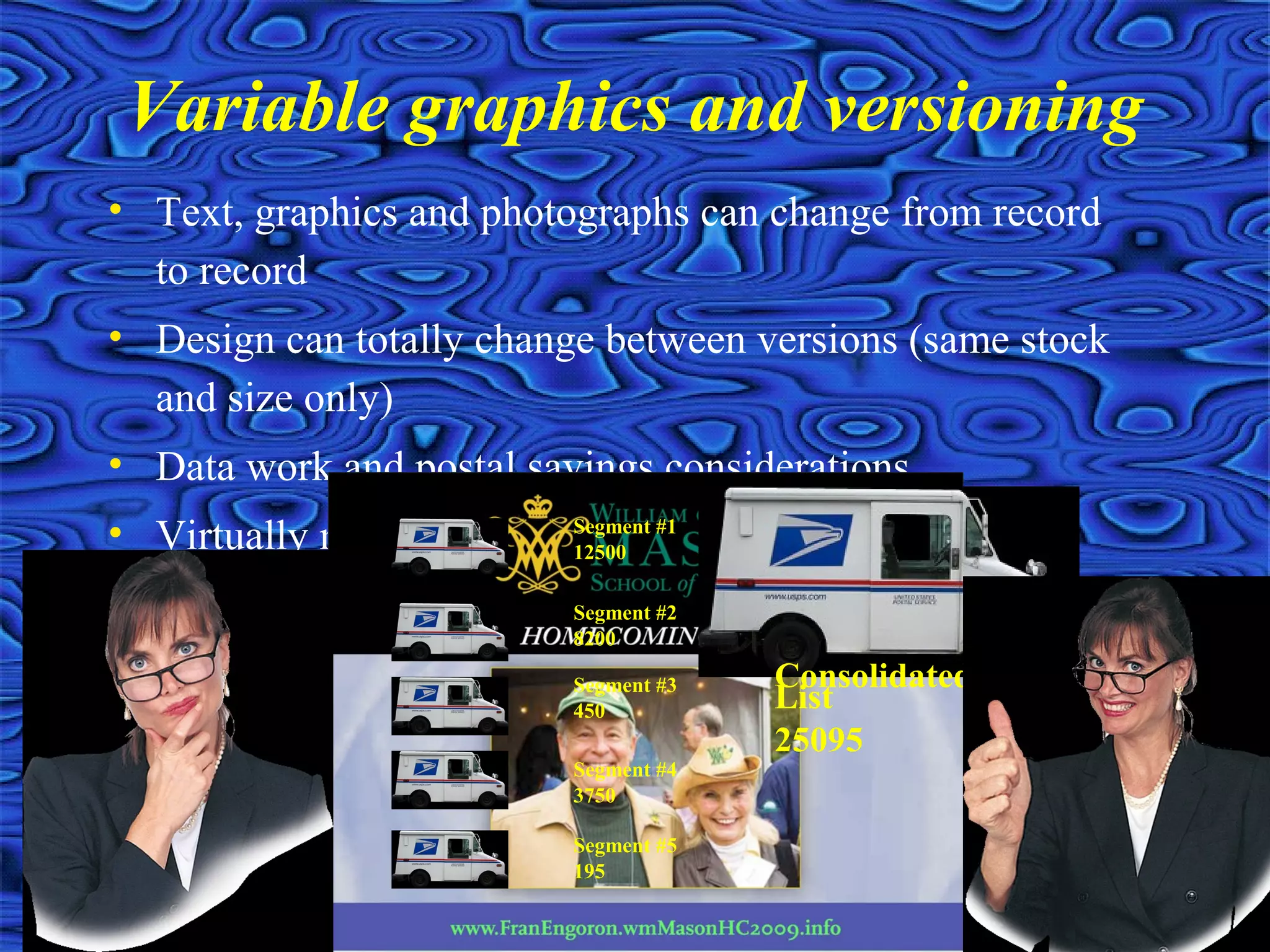
Variable graphics and versioning
Segment #1
12500
Segment #2
8200
Segment #3
450
Segment #4
3750
Segment #5
195
Consolidated
List
25095
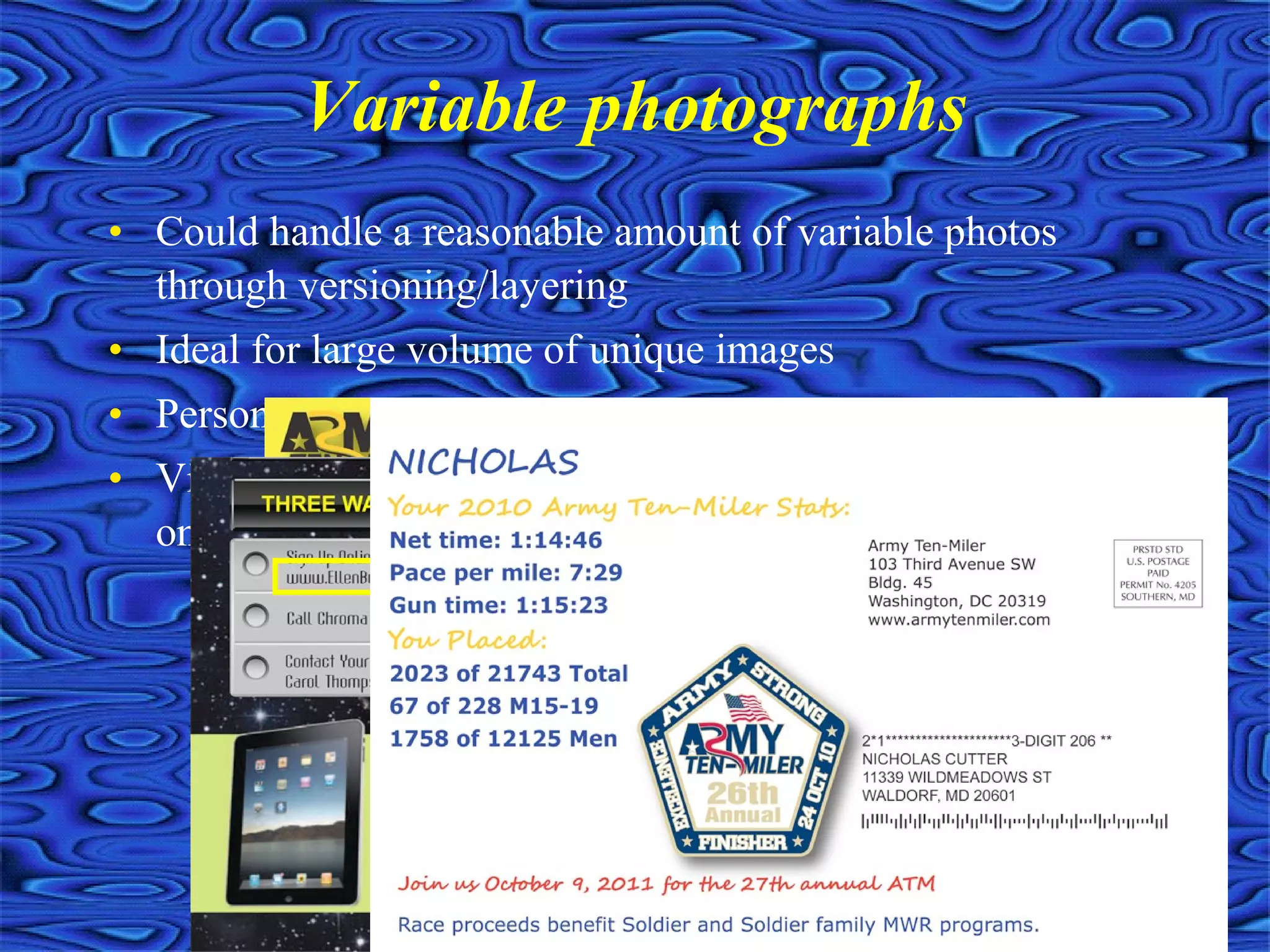
• Could handle a reasonable amount of variable photos
through versioning/layering
• Ideal for large volume of unique images
• Personalized QR codes
• Virtually no limit on the number of unique photographs
on a mailing
Variable photographs
• Allows for powerful visual differentiators
• Takes longer to produce and costs a little more, but well worth it if
you can create the perfect visual enticement
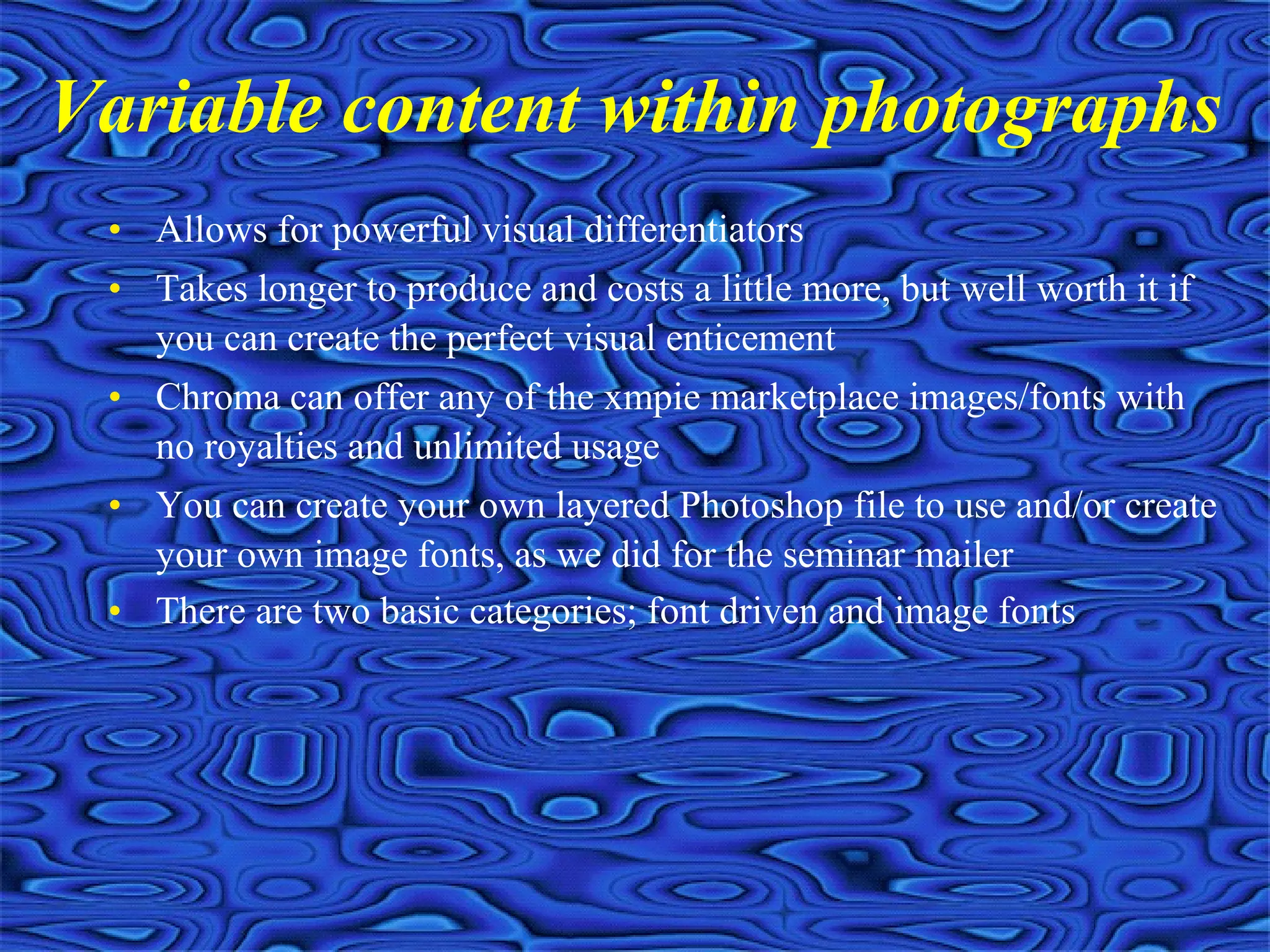
• Chroma can offer any of the xmpie marketplace images/fonts with
no royalties and unlimited usage
• You can create your own layered Photoshop file to use and/or create
your own image fonts, as we did for the seminar mailer
• There are two basic categories; font driven and image fonts
Variable content within photographs
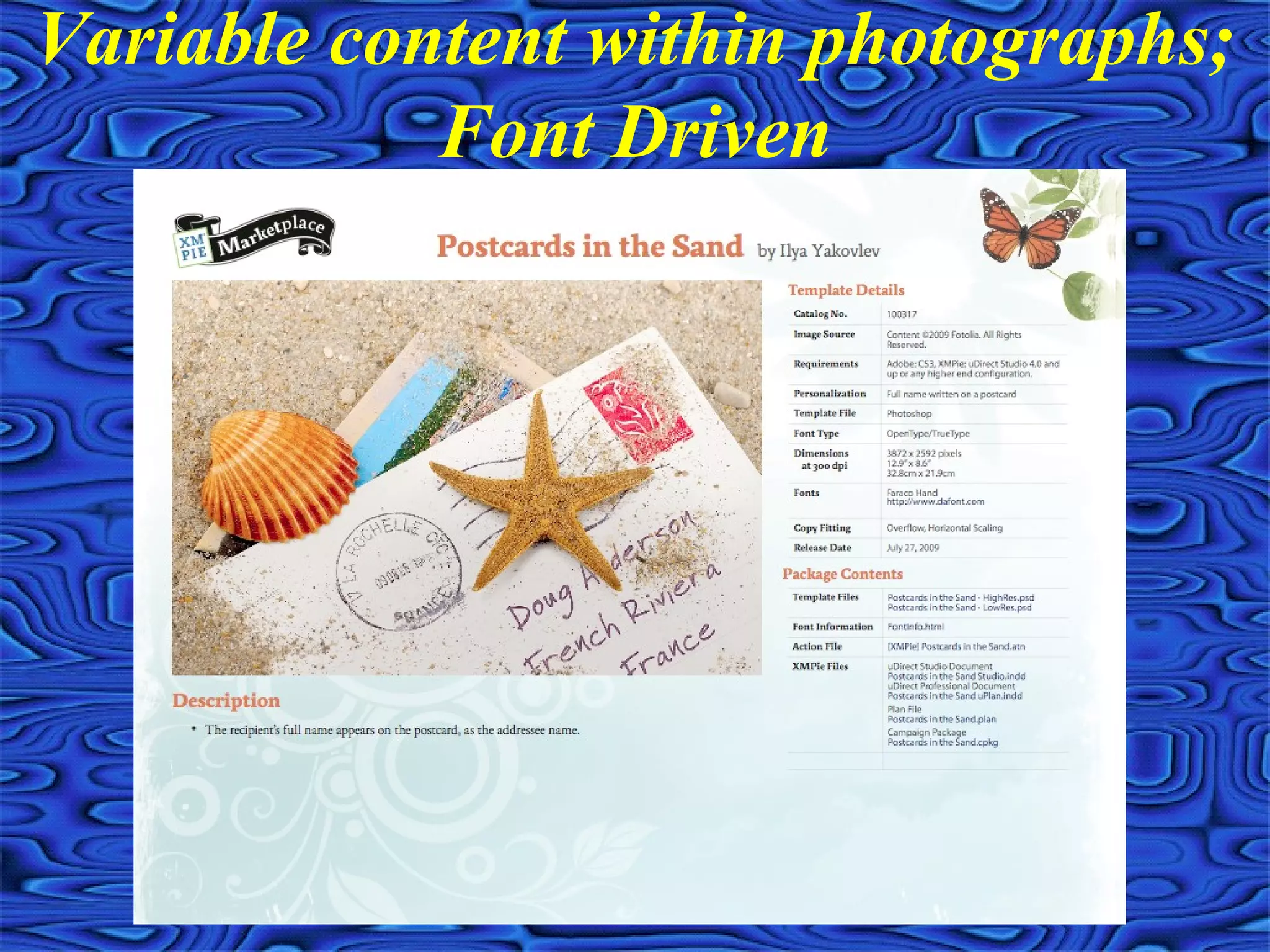
Variable content within photographs;
Font Driven
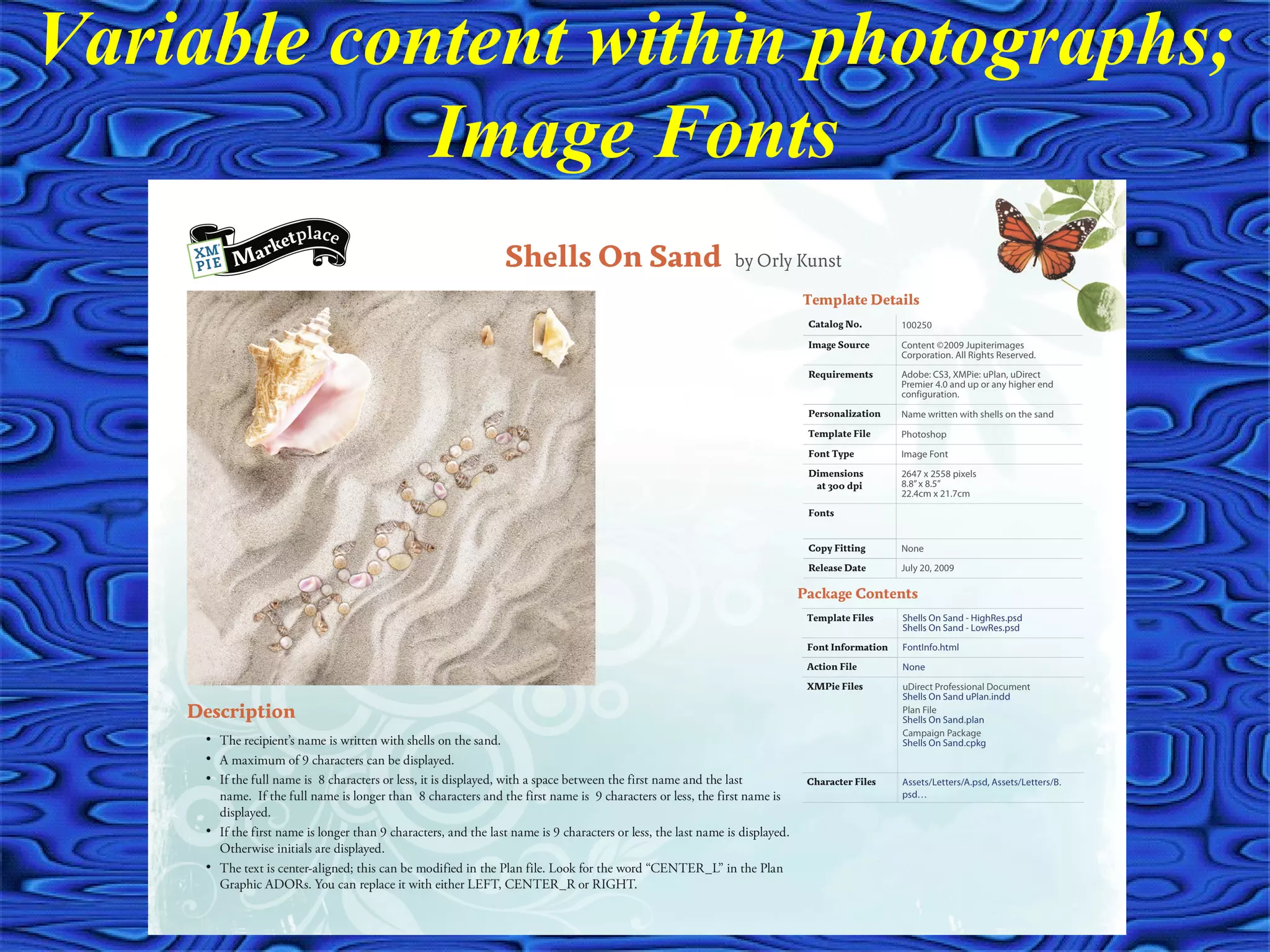
Variable content within photographs;
Image Fonts
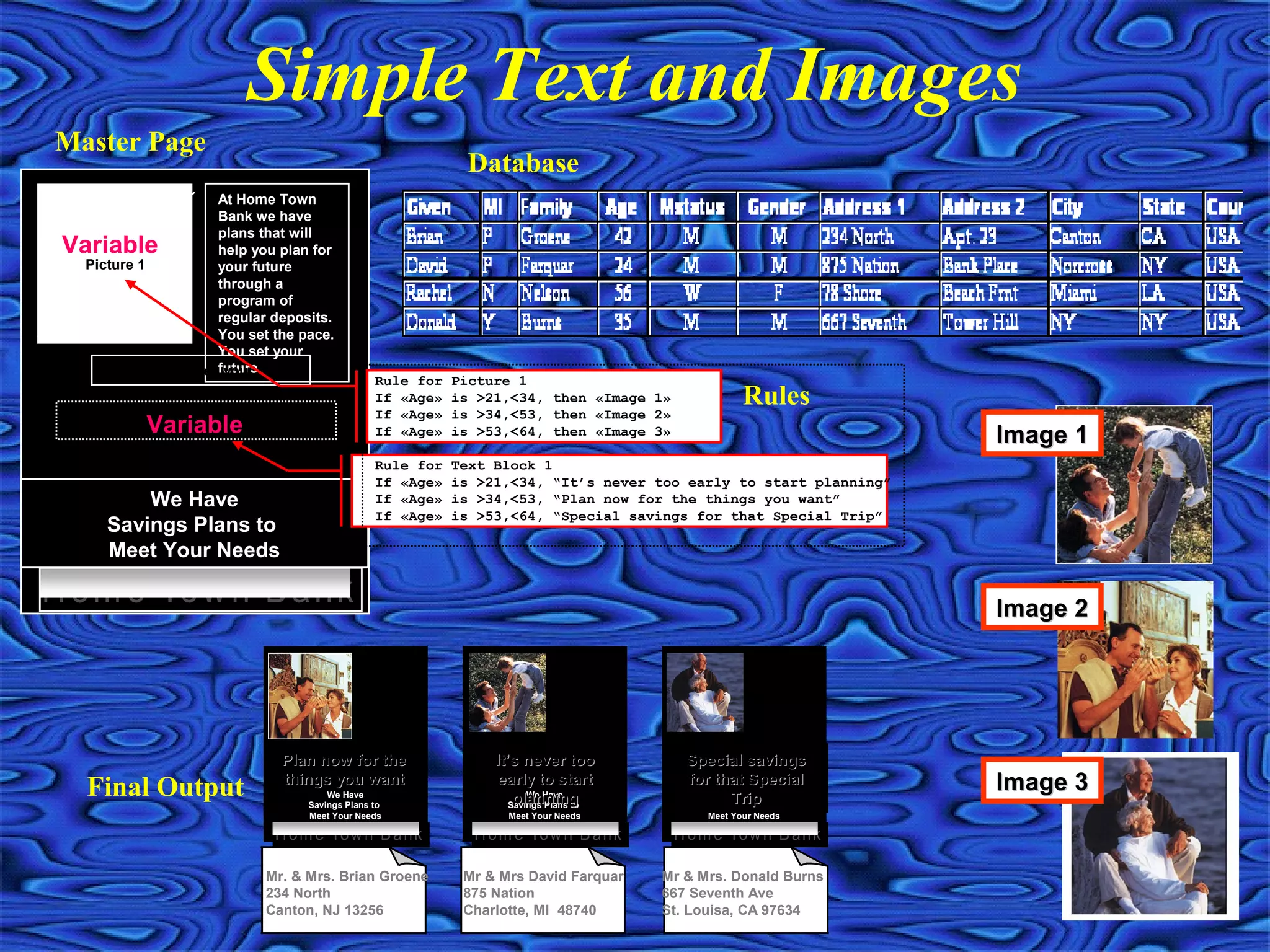
Simple Text and Images
We HaveWe Have
Savings Plans toSavings Plans to
Meet Your NeedsMeet Your Needs
Picture 1
At Home Town
Bank we have
plans that will
help you plan for
your future
through a
program of
regular deposits.
You set the pace.
You set your
future.Only you can see your future
Text Block 1Variable
Variable
Rule for Picture 1
If «Age» is >21,<34, then «Image 1»
If «Age» is >34,<53, then «Image 2»
If «Age» is >53,<64, then «Image 3»
Rule for Text Block 1
If «Age» is >21,<34, “It’s never too early to start planning”
If «Age» is >34,<53, “Plan now for the things you want”
If «Age» is >53,<64, “Special savings for that Special Trip”
ImageImage 11
Image 2Image 2
Image 3Image 3We HaveWe Have
Savings Plans toSavings Plans to
Meet Your NeedsMeet Your Needs
Pictur
e 1
At Home Town
Bank we have
plans that will
help you plan for
your future
through a
program of
regular
deposits. You
set the pace.
You set your
future.
Only you can see your future
Plan now for thePlan now for the
things you wantthings you want
Mr. & Mrs. Brian Groene
234 North
Canton, NJ 13256
We HaveWe Have
Savings Plans toSavings Plans to
Meet Your NeedsMeet Your Needs
Pictur
e 1
At Home Town
Bank we have
plans that will
help you plan for
your future
through a
program of
regular
deposits. You
set the pace.
You set your
future.
Only you can see your future
It’s never tooIt’s never too
early to startearly to start
planningplanning
Mr & Mrs David Farquar
875 Nation
Charlotte, MI 48740
We HaveWe Have
Savings Plans toSavings Plans to
Meet Your NeedsMeet Your Needs
Pictur
e 1
At Home Town
Bank we have
plans that will
help you plan for
your future
through a
program of
regular
deposits. You
set the pace.
You set your
future.
Only you can see your future
Special savingsSpecial savings
for that Specialfor that Special
TripTrip
Mr & Mrs. Donald Burns
667 Seventh Ave
St. Louisa, CA 97634
Master Page
Database
Final Output
Rules
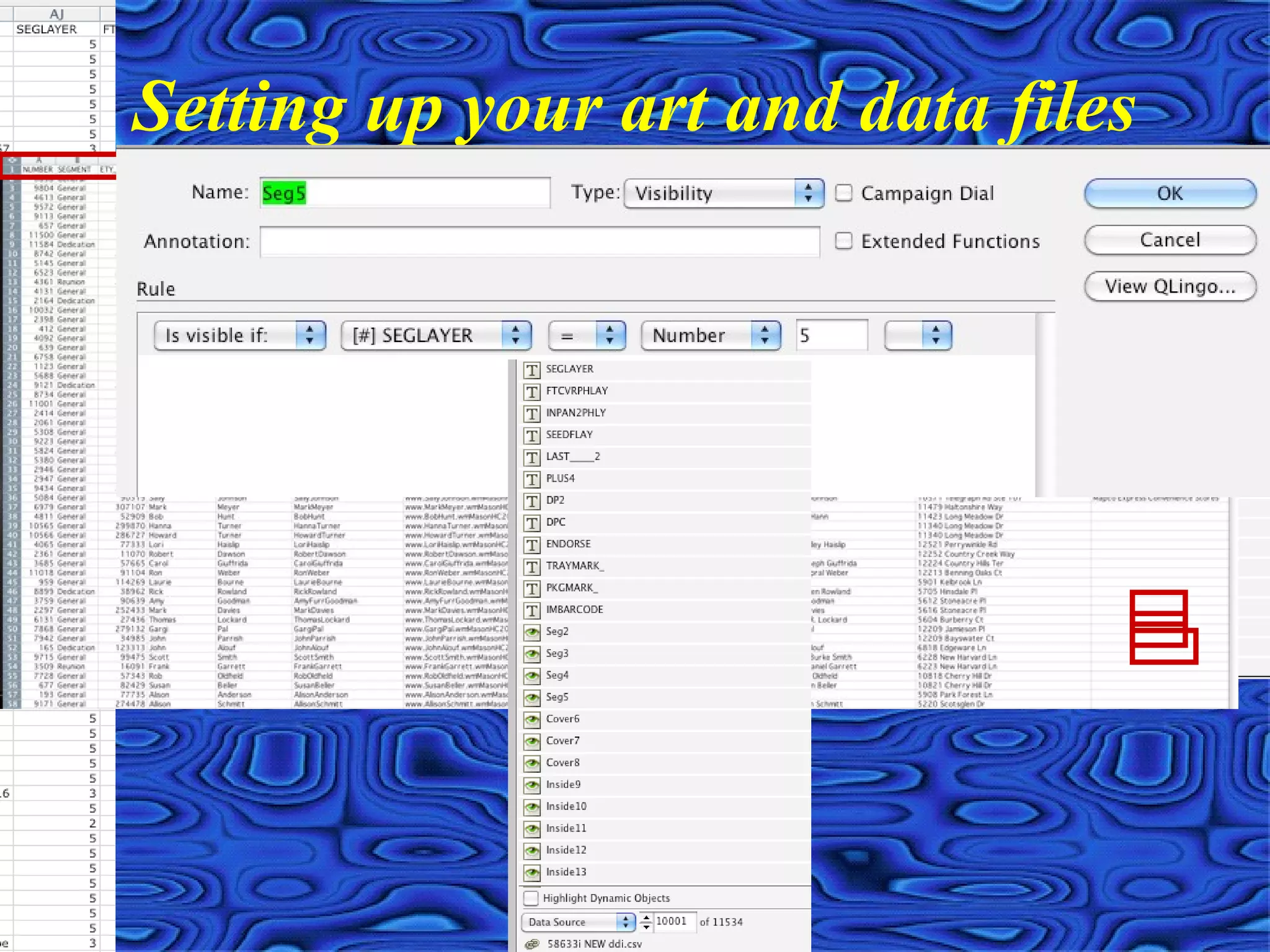
Setting up your art and data files
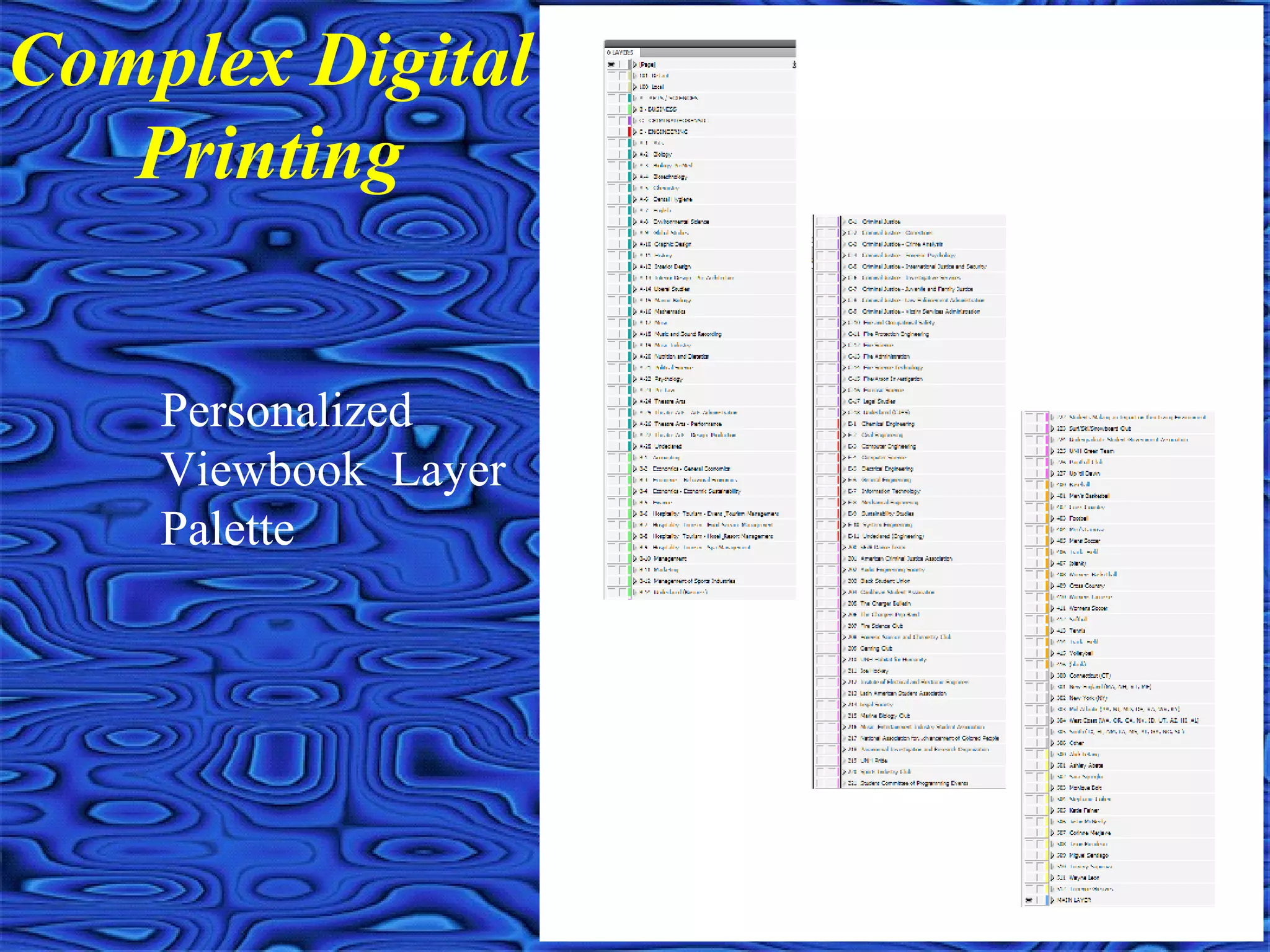
Complex Digital
Printing
Personalized
Viewbook Layer
Palette
Any Questions
?

Dmfa printing copy

  • 1.
    Printing Types, Tips &Digital Printing Joel F. Kaufman VP Sales Chroma Graphics, Inc.
  • 2.
    Types of ConventionalPrinting • Sheetfed • Web • Envelopes
  • 3.
  • 4.
    Sheetfed Printing • Cutsize paper sheet fed through a printing press • High quality, small to medium size runs • Limited inline capabilities • Presses can print one or possibly two sides at at time • Most prevalent type of printing press
  • 5.
  • 6.
    Web Printing • Rollor web of paper fed through printing press • Heatset: high quality, cold web: lower quality • Produce sheets, folded signatures, inline finishing or continuous/roll to roll forms • Extensive inline capabilities are available • Presses can print two sides at at time • Not as prevalent as sheetfed presses
  • 7.
  • 8.
    Web Printing, InlineFinishing • Numerous plow folding configurations • Paste on spine, pattern perf/glue • Die cut, formed envelopes • Encapsulated fragrance, scratch-off, spot UV • Spot fugitive glue, card tip-ons • Image inline, K up to 4CP
  • 9.
    Inline Web Finishing •Numerous Plow Folding Configurations • Paste on spine • Pattern Perf/Glue • Die cut
  • 10.
    Inline Web Finishing •Encapsulated Fragrance • Formed envelopes • Spot fugitive glue
  • 11.
  • 12.
    Inline Web Finishing:4CP Imaging • 600 dpi inkjetting is similar to laser quality
  • 13.
  • 14.
    Envelope Printing • Stockedenvelopes • Converted envelopes • Web produced envelopes • Keep mailshop production in mind
  • 15.
    Stocked Envelopes • Standardsizes • Imprint one/two sides
  • 16.
  • 17.
    Converted Envelopes • Customstocks • Custom windows and die-cuts
  • 18.
  • 19.
  • 20.
    Printing Tips • Providecomplete and accurate specifications • Beware of potential printing and postpress problems • Strive to cut corners, without sacrificing quality • Get your supplier involved with the project before the job is released
  • 21.
    Provide complete andaccurate specifications • Avoid additional cost surprises by specifying all known information • More information provided means better chances that less costly options can be explored • The better organized the job information is, the better chances your supplier will actually produce the job to your expectations • Design specifications to minimize postal (think backwards)
  • 22.
    Beware of PotentialPrinting and Postpress Problems • Registration, ghosting and DMAX issues • Inline inking projects • Grain direction issues • Poor drying pigments, especially matte stocks • Pushout and creepage • Z-folds and other potential inserting issues
  • 23.
    Strive to CutCorners Without Sacrificing Quality • “Cheat” on trim sizes to accommodate smaller press sheets • Use common colors and stocks to gang multiple items on same press form • Bind multiple up when applicable • Consider process color builds in lieu of additional PMS colors • Be flexible with color impositioning to minimize number of plates • Use digital proofs and /or PDFs to reduce AA costs
  • 24.
    Get your supplierinvolved with the project before the job is released • Utilize the experience and expertise of a sales professional to trouble shoot your jobs • Take advantage on special of leftover stock inventory or slow production periods • Request ink drawdowns on actual job stock to avoid costly mistakes • Modify job specifications to take advantage of any supplier specific inline finishing capabilities
  • 25.
    Digital and VariableContent Digital Printing
  • 26.
    • 100% digitalproduction • Hybrid production; part conventional, part digital • Post imaging finishing operations and potential concerns • Which workflow makes more sense for your project? Variable Content Printing Workflows Apply Rub ‘n Smell Foil stamped Diecut Offline satin varnish Liquid Emboss Diecut 5 Offline UV coating applications Post imaging concerns: Fuser Oil Re-lasering over Igen toner
  • 27.
    • Variable copy,advance copies, quick turns • Reverse quality issues because of minimal dot gain • Reverse quality issues on very textured sheets • No inline inking and ghosting issues • Color consistencies vastly improved (especially on running headers and tabs) 100% Digital Production Workflows
  • 28.
    Hybrid production; part conventional,part digital • Variable digital printing combined with conventional printing and binding processes • Matching spot colors out of 4CP gamut, matching other non digital pieces • Quantity dictates production efficiencies
  • 29.
    Xerox iGen4 DigitalPrinting • Variable digital printing combined with conventional printing/binding/mailing processes (Moderate complexity)
  • 30.
    Complex Digital Printing PersonalizedViewbook (part of a cross media campaign) • Variable copy • Variable versioning • Variable photographs
  • 31.
    Relevant data canmake a REAL impact!
  • 32.
    • Variable copy •Variable graphics and versioning • Variable photographs • Variable content within photographs Types of Variable Content Printing
  • 33.
    • Simple textchanges from record to record • Text can be within other graphics and/or photographs • Font driven graphics such as postal barcodes, scanable barcodes and UPC codes • Virtually no limit on the number of fields you can pull from Variable Copy
  • 34.
    Key points insetting up variable copy
  • 35.
    • Text, graphicsand photographs can change from record to record • Design can totally change between versions (same stock and size only) • Data work and postal savings considerations • Virtually no limit on the number of layers you can establish (500+) Variable graphics and versioning Segment #1 12500 Segment #2 8200 Segment #3 450 Segment #4 3750 Segment #5 195 Consolidated List 25095
  • 36.
    • Could handlea reasonable amount of variable photos through versioning/layering • Ideal for large volume of unique images • Personalized QR codes • Virtually no limit on the number of unique photographs on a mailing Variable photographs
  • 37.
    • Allows forpowerful visual differentiators • Takes longer to produce and costs a little more, but well worth it if you can create the perfect visual enticement • Chroma can offer any of the xmpie marketplace images/fonts with no royalties and unlimited usage • You can create your own layered Photoshop file to use and/or create your own image fonts, as we did for the seminar mailer • There are two basic categories; font driven and image fonts Variable content within photographs
  • 38.
    Variable content withinphotographs; Font Driven
  • 39.
    Variable content withinphotographs; Image Fonts
  • 40.
    Simple Text andImages We HaveWe Have Savings Plans toSavings Plans to Meet Your NeedsMeet Your Needs Picture 1 At Home Town Bank we have plans that will help you plan for your future through a program of regular deposits. You set the pace. You set your future.Only you can see your future Text Block 1Variable Variable Rule for Picture 1 If «Age» is >21,<34, then «Image 1» If «Age» is >34,<53, then «Image 2» If «Age» is >53,<64, then «Image 3» Rule for Text Block 1 If «Age» is >21,<34, “It’s never too early to start planning” If «Age» is >34,<53, “Plan now for the things you want” If «Age» is >53,<64, “Special savings for that Special Trip” ImageImage 11 Image 2Image 2 Image 3Image 3We HaveWe Have Savings Plans toSavings Plans to Meet Your NeedsMeet Your Needs Pictur e 1 At Home Town Bank we have plans that will help you plan for your future through a program of regular deposits. You set the pace. You set your future. Only you can see your future Plan now for thePlan now for the things you wantthings you want Mr. & Mrs. Brian Groene 234 North Canton, NJ 13256 We HaveWe Have Savings Plans toSavings Plans to Meet Your NeedsMeet Your Needs Pictur e 1 At Home Town Bank we have plans that will help you plan for your future through a program of regular deposits. You set the pace. You set your future. Only you can see your future It’s never tooIt’s never too early to startearly to start planningplanning Mr & Mrs David Farquar 875 Nation Charlotte, MI 48740 We HaveWe Have Savings Plans toSavings Plans to Meet Your NeedsMeet Your Needs Pictur e 1 At Home Town Bank we have plans that will help you plan for your future through a program of regular deposits. You set the pace. You set your future. Only you can see your future Special savingsSpecial savings for that Specialfor that Special TripTrip Mr & Mrs. Donald Burns 667 Seventh Ave St. Louisa, CA 97634 Master Page Database Final Output Rules
  • 41.
    Setting up yourart and data files
  • 42.
  • 43.