Question 4
HOW DID YOU USE NEW MEDIA TECHNOLOGIES IN THE
CONSTRUCTION & RESEARCH, PLANNING AND EVALUATION STAGES?
THE INTERNET
The internet has been a key component throughout the completion of my task and I have used it
from the very first stages with my research.
The very first tool that I used on the internet was YouTube for the research into movie trailers.
YouTube offered me access to a wide range of historical and more recent movie trailers, enabling
me to conduct in-depth research into them.
From this I was also able to deconstruct movie trailers and examine them in depth to help me
with the production of my own trailer. From deconstructing them in this way I discovered things
such as codes and conventions and how horror movie trailers, in particular, are structured.
YouTube also proved very useful later on in the process as it enabled me to upload the work that
I was producing so that it was easily accessible.
THE INTERNET
A further way the internet has proved to be very useful is with my use of imagery. I have sourced
a number of images from google images to present my work. By this I mean that I have used
them to convey messages and be used as examples on my blog and in presentations such as this
one.
The internet also aided me in my research so that I was able to use other technologies such as
the camera. I was able to research various shot sizes and angles so that I was able to use the
camera when producing my products.
Another way the internet has helped is with the research and production of my magazine cover
and poster. It enabled me to explore websites of film companies and magazines to discover their
different codes and conventions and I could also source examples form these websites and then
analyse them.
Real Media Texts
I have also consumed real media texts via digital media such as the TV. Thi has come in the form
of me watching a number of horror movies on TV over the years and the constant showing of
horror movie trailers after the watershed. This in itself has added to my research and my
knowledge of the horror genre and codes and conventions that it uses.
Technology-camera
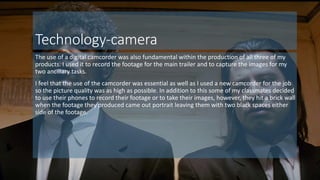
The use of a digital camcorder was also fundamental within the production of all three of my
products. I used it to record the footage for the main trailer and to capture the images for my
two ancillary tasks.
I feel that the use of the camcorder was essential as well as I used a new camcorder for the job
so the picture quality was as high as possible. In addition to this some of my classmates decided
to use their phones to record their footage or to take their images, however, they hit a brick wall
when the footage they produced came out portrait leaving them with two black spaces either
side of the footage.
Technology
Without digital technology I would not even have been able to access the internet. I used a
range of devices to access the internet and to complete the task. The first piece of software that
I used was the desktop computers at school. I used these computers for a lot of my work.
However, I also used other devices too such as my own tablet at home and my phone. I
completed most of my work for the task on my home tablet as I found it to be much quicker and
more reliable than the computers at school, which are quite dated now.
The computers/tablets also allowed me to use tools such as print screen and screen shot so that
I could demonstrate what I have been doing when discussing the production and evaluation of
my work.
This links in to the software used throughout the task.
Software
I used a range of software on my various devices. I would say that the main one that I used was
Microsoft Power Point. PowerPoint enabled me to complete a variety of tasks, from producing
presentations for my blog to producing text to put into my movie trailer.
Another key piece of software that I used was Microsoft publisher. This enabled me to produce
both my magazine front cover and my poster.
On my devices I also used windows movie maker. Without movie maker I would have no trailer
at all making it essential to the task. I searched around for ages to try to find a successful tool to
help me to construct and edit my trailer and I feel that movie maker was ideal for the job. The
reason for me not using it straight away was that it was very slow on the computers at school,
however, it worked perfectly on my tablet at home-also reinforcing the importance of my tablet.
Print screen
Presenting
I have used a number of platforms within my work to present both my progress and evaluation.
The first tool that I used was SlideShare. I have previously used slideshare in my foundation portfolio
and find it a really nice recourse to use. To produce a presentation in powerpoint and then upload it
to slideshare so that it can be presented on your blog.
I have used slideshare five times during my advanced portfolio
- once for post production
- once for feedback and development
-twice for evaluation questions
- Once for research into camera shots and angles
One criticism that I do have of slideshare is that it does not let you use any of the animations used by
powerpoint which can make the process quite defficult if you have used animations and then want to
move the presentation across.
Presenting
The next tool that I used was Prezi. I have used Prezi 5 times within my advanced portfolio and
have used it this amount of times because I find the tool really useful and reliable.
The major part of work that I used prezi for was for the planning of my movie trailer. I used it for
this purpose as I needed to produce a large amount of work to display on my blog and I felt as
though prezi was the only appropriate tool to do this and the only one that would be able to
clearly show such a large volume of work successfully.
This particular prezi is 30 slides long and allows me to embed youtube links to my work and links
to various websites where needed.
Another reason why I enjoy using prezi is that there is a wide range of layouts to choose from so
it will never become repetitive for the viewer when displayed on your blog-which may be the
case with tools such as slideshare.
Presenting
It was suggested to my teacher to use the website Vimeo to upload video to, so that I could then
embed them into my blog. This was a successful tool to use when I wanted to put a video onto
my blog and is was easy to navigate around and to use. However, quite a big drawback of vimeo,
for me, is the amount of time it takes to upload the videos to the website. It usually takes well
over an hour for a single video to upload, which is time that I simply do not have when
completing this task as I have a deadline to work towards. For this reason I found it much easier
to just upload my videos to youtube as the upload time was shorter and I could just as easily
embed youtube files into my blog.
Presenting
For our blogs we had to use a variety of tools and platforms to display our work. For this reason I
searched the internet (another way the internet helped me with the task) and came across a
website called Emaze. Emaze is a tool very similar to PowerPoint, however, it is much more
interactive. For example one of the presentations that I have created with emaze is in the form
of an art gallery and each slide is on a different wall and when you pan between slides you can
see people walking around the gallery. I found Emaze to be a really useful tool to use as not only
did it look good but it was simple to use aswell as being very easy to embed presentations into
my blog.
I would quite happily use emaze again for future tasks.
I have used 3 emaze presentations within my work.
Presenting
Another presentation tool that I have used within my evaluation is Popplet. Popplet is
completely different to any of the other presenting tools that I have used previously. It presents
work in the form of a mind map or brain storm. To begin with I found Popplet to be quite
difficult to use, however, once you get used to it there really isn’t much to it.
I defiantly feel that popplet adds more variety to my blog and is a useful resource.
Blogger
Blogger was the instrumental part of me presenting my work with this task. Blogger has allowed
me to display all of my work in chronological order and allows the use of a wide range of
platforms to be embedded in it. Without the use of blogger this task would have been much
much harder. It has allowed me to tie in all of the technologies that I have used and present my
work to the best of my ability.

Question 4

  • 1.
    Question 4 HOW DIDYOU USE NEW MEDIA TECHNOLOGIES IN THE CONSTRUCTION & RESEARCH, PLANNING AND EVALUATION STAGES?
  • 2.
    THE INTERNET The internethas been a key component throughout the completion of my task and I have used it from the very first stages with my research. The very first tool that I used on the internet was YouTube for the research into movie trailers. YouTube offered me access to a wide range of historical and more recent movie trailers, enabling me to conduct in-depth research into them. From this I was also able to deconstruct movie trailers and examine them in depth to help me with the production of my own trailer. From deconstructing them in this way I discovered things such as codes and conventions and how horror movie trailers, in particular, are structured. YouTube also proved very useful later on in the process as it enabled me to upload the work that I was producing so that it was easily accessible.
  • 3.
    THE INTERNET A furtherway the internet has proved to be very useful is with my use of imagery. I have sourced a number of images from google images to present my work. By this I mean that I have used them to convey messages and be used as examples on my blog and in presentations such as this one. The internet also aided me in my research so that I was able to use other technologies such as the camera. I was able to research various shot sizes and angles so that I was able to use the camera when producing my products. Another way the internet has helped is with the research and production of my magazine cover and poster. It enabled me to explore websites of film companies and magazines to discover their different codes and conventions and I could also source examples form these websites and then analyse them.
  • 4.
    Real Media Texts Ihave also consumed real media texts via digital media such as the TV. Thi has come in the form of me watching a number of horror movies on TV over the years and the constant showing of horror movie trailers after the watershed. This in itself has added to my research and my knowledge of the horror genre and codes and conventions that it uses.
  • 5.
    Technology-camera The use ofa digital camcorder was also fundamental within the production of all three of my products. I used it to record the footage for the main trailer and to capture the images for my two ancillary tasks. I feel that the use of the camcorder was essential as well as I used a new camcorder for the job so the picture quality was as high as possible. In addition to this some of my classmates decided to use their phones to record their footage or to take their images, however, they hit a brick wall when the footage they produced came out portrait leaving them with two black spaces either side of the footage.
  • 6.
    Technology Without digital technologyI would not even have been able to access the internet. I used a range of devices to access the internet and to complete the task. The first piece of software that I used was the desktop computers at school. I used these computers for a lot of my work. However, I also used other devices too such as my own tablet at home and my phone. I completed most of my work for the task on my home tablet as I found it to be much quicker and more reliable than the computers at school, which are quite dated now. The computers/tablets also allowed me to use tools such as print screen and screen shot so that I could demonstrate what I have been doing when discussing the production and evaluation of my work. This links in to the software used throughout the task.
  • 7.
    Software I used arange of software on my various devices. I would say that the main one that I used was Microsoft Power Point. PowerPoint enabled me to complete a variety of tasks, from producing presentations for my blog to producing text to put into my movie trailer. Another key piece of software that I used was Microsoft publisher. This enabled me to produce both my magazine front cover and my poster. On my devices I also used windows movie maker. Without movie maker I would have no trailer at all making it essential to the task. I searched around for ages to try to find a successful tool to help me to construct and edit my trailer and I feel that movie maker was ideal for the job. The reason for me not using it straight away was that it was very slow on the computers at school, however, it worked perfectly on my tablet at home-also reinforcing the importance of my tablet.
  • 8.
    Print screen Presenting I haveused a number of platforms within my work to present both my progress and evaluation. The first tool that I used was SlideShare. I have previously used slideshare in my foundation portfolio and find it a really nice recourse to use. To produce a presentation in powerpoint and then upload it to slideshare so that it can be presented on your blog. I have used slideshare five times during my advanced portfolio - once for post production - once for feedback and development -twice for evaluation questions - Once for research into camera shots and angles One criticism that I do have of slideshare is that it does not let you use any of the animations used by powerpoint which can make the process quite defficult if you have used animations and then want to move the presentation across.
  • 9.
    Presenting The next toolthat I used was Prezi. I have used Prezi 5 times within my advanced portfolio and have used it this amount of times because I find the tool really useful and reliable. The major part of work that I used prezi for was for the planning of my movie trailer. I used it for this purpose as I needed to produce a large amount of work to display on my blog and I felt as though prezi was the only appropriate tool to do this and the only one that would be able to clearly show such a large volume of work successfully. This particular prezi is 30 slides long and allows me to embed youtube links to my work and links to various websites where needed. Another reason why I enjoy using prezi is that there is a wide range of layouts to choose from so it will never become repetitive for the viewer when displayed on your blog-which may be the case with tools such as slideshare.
  • 10.
    Presenting It was suggestedto my teacher to use the website Vimeo to upload video to, so that I could then embed them into my blog. This was a successful tool to use when I wanted to put a video onto my blog and is was easy to navigate around and to use. However, quite a big drawback of vimeo, for me, is the amount of time it takes to upload the videos to the website. It usually takes well over an hour for a single video to upload, which is time that I simply do not have when completing this task as I have a deadline to work towards. For this reason I found it much easier to just upload my videos to youtube as the upload time was shorter and I could just as easily embed youtube files into my blog.
  • 11.
    Presenting For our blogswe had to use a variety of tools and platforms to display our work. For this reason I searched the internet (another way the internet helped me with the task) and came across a website called Emaze. Emaze is a tool very similar to PowerPoint, however, it is much more interactive. For example one of the presentations that I have created with emaze is in the form of an art gallery and each slide is on a different wall and when you pan between slides you can see people walking around the gallery. I found Emaze to be a really useful tool to use as not only did it look good but it was simple to use aswell as being very easy to embed presentations into my blog. I would quite happily use emaze again for future tasks. I have used 3 emaze presentations within my work.
  • 12.
    Presenting Another presentation toolthat I have used within my evaluation is Popplet. Popplet is completely different to any of the other presenting tools that I have used previously. It presents work in the form of a mind map or brain storm. To begin with I found Popplet to be quite difficult to use, however, once you get used to it there really isn’t much to it. I defiantly feel that popplet adds more variety to my blog and is a useful resource.
  • 14.
    Blogger Blogger was theinstrumental part of me presenting my work with this task. Blogger has allowed me to display all of my work in chronological order and allows the use of a wide range of platforms to be embedded in it. Without the use of blogger this task would have been much much harder. It has allowed me to tie in all of the technologies that I have used and present my work to the best of my ability.