Data corruption
Where does it come from and what
can you do about it?
Tomas Vondra
tomas@2ndquadrant.com / tomas@pgaddict.com
data_checksums = on
Well, not quite ...
The larger and older a database is, the
more likely it's corrupted in some way.
Agenda
● What is data corruption?
● Sources of data corruption
● What to do about it
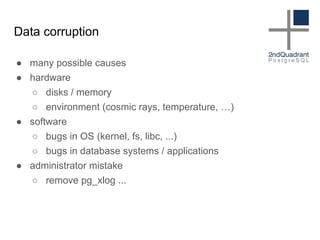
Data corruption
● many possible causes
● hardware
○ disks / memory
○ environment (cosmic rays, temperature, …)
● software
○ bugs in OS (kernel, fs, libc, ...)
○ bugs in database systems / applications
● administrator mistake
○ remove pg_xlog ...
naturally one-off events
cosmic rays = no clue
storage
storage corruption
● this used to be pretty common
○ crappy disks, RAID controllers
○ insufficient power-loss protection
● it got better over time
○ better disks, better RAID controllers
○ when it failed, it failed totally
● now it's getting worse, again :-(
○ crappy disks connected over network
(SAN, EBS, NFS, …)
○ layers of virtualization everywhere
software issues
Operating System
● PostgreSQL is very trusting
○ relies on a lot of stuff
○ assumes it's perfect
● nothing is perfect
○ kernel bugs
○ filesystem bugs
○ glibc bugs (collation updates, …)
○ ...
Collations
● rules for language-specific text sort
○ defined in glibc
○ change rarely, poor versioning
● indexes require text ordering to be stable
● what if you build index and then
○ upgrade to diffferent collations
○ replica has different collations
● ICU solves this
○ reliable versioning
#fsyncgate
● CHECKPOINT
○ flush data from shared_buffers to disc
○ discard old part of WAL
● in case of fsync error, retry
● assumes two things
○ reliable kernel error reporting
○ dirty data are kept in page cache
#fsyncgate
● fact #1: error reporting unreliable
○ behavior depends on kernel version
○ errors may be consumed by someone else
○ fixed in new kernel (>= 4.13)
● fact #2: dirty data are discarded after error
○ retry never really retries the write
○ replaced with elog(PANIC) forcing recovery
● a bunch of bugs in the error handling ;-)
○ error branches are the least tested code
NFS == cosmic rays
database systems
● broken indexes
○ violated constraints
○ index scan misses data, seq scan finds it
● bogus data
○ insufficient UTF-8 validation
○ corrupted varlena headers
● data loss
○ multixact bug
○ inappropriate removal of data
○ data made visible/invisible inappropriately
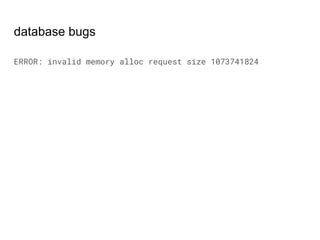
database bugs
ERROR: invalid memory alloc request size 1073741824
pilot error
DBA mistakes ....
● drop incorrect table
● free space by removing "logs" from pg_xlog
● let's compress everything in DATADIR
● take backups incorrectly
What can you do about it?
Preventing data corruption
● use good hardware
○ good hardware is cheaper than outages
○ no, desktop machines are not good choice
○ ECC RAM is a must
● update regularly
○ minor releases exist for a reason
● test it
○ Are the numbers way too good?
○ What happens in case of power-loss?
○ Does the virtualization honor fsyncs etc.?
Preventing data corruption
● make sure you have backups
○ take them and test them
○ consider higher retention periods
● consider doing extra checks on backups
○ pg_verify_checksums
○ application tests
● "prophylactic" pg_dump is a good idea
○ pg_dump > /dev/null
○ especially when using pg_basebackup
fixing data corruption
So you want to fix in-place ...
There's no universal recipe :-(
Recipe
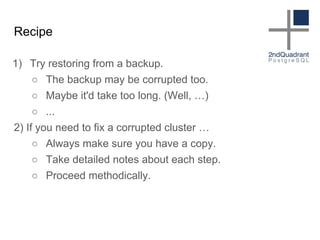
1) Try restoring from a backup.
○ The backup may be corrupted too.
○ Maybe it'd take too long. (Well, …)
○ ...
2) If you need to fix a corrupted cluster …
○ Always make sure you have a copy.
○ Take detailed notes about each step.
○ Proceed methodically.
Recipe
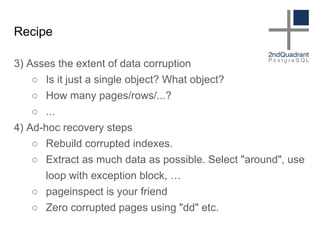
3) Asses the extent of data corruption
○ Is it just a single object? What object?
○ How many pages/rows/...?
○ ...
4) Ad-hoc recovery steps
○ Rebuild corrupted indexes.
○ Extract as much data as possible. Select "around", use
loop with exception block, …
○ pageinspect is your friend
○ Zero corrupted pages using "dd" etc.
http://thebuild.com/presentations/corruption-war-stories-fosdem-2017.pdf
So, what about data checksums?
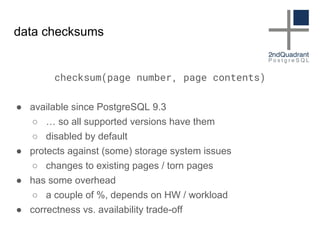
data checksums
checksum(page number, page contents)
● available since PostgreSQL 9.3
○ … so all supported versions have them
○ disabled by default
● protects against (some) storage system issues
○ changes to existing pages / torn pages
● has some overhead
○ a couple of %, depends on HW / workload
● correctness vs. availability trade-off
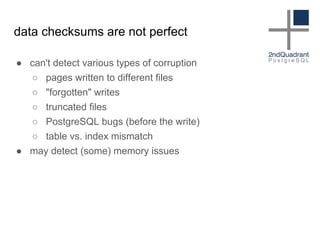
data checksums are not perfect
● can't detect various types of corruption
○ pages written to different files
○ "forgotten" writes
○ truncated files
○ PostgreSQL bugs (before the write)
○ table vs. index mismatch
● may detect (some) memory issues
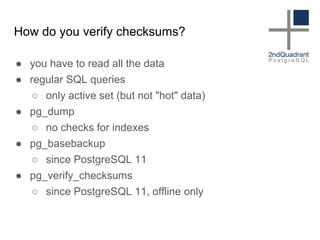
How do you verify checksums?
● you have to read all the data
● regular SQL queries
○ only active set (but not "hot" data)
● pg_dump
○ no checks for indexes
● pg_basebackup
○ since PostgreSQL 11
● pg_verify_checksums
○ since PostgreSQL 11, offline only
Questions?

Data corruption

  • 1.
    Data corruption Where doesit come from and what can you do about it? Tomas Vondra tomas@2ndquadrant.com / tomas@pgaddict.com
  • 2.
  • 3.
  • 4.
    The larger andolder a database is, the more likely it's corrupted in some way.
  • 5.
    Agenda ● What isdata corruption? ● Sources of data corruption ● What to do about it
  • 6.
    Data corruption ● manypossible causes ● hardware ○ disks / memory ○ environment (cosmic rays, temperature, …) ● software ○ bugs in OS (kernel, fs, libc, ...) ○ bugs in database systems / applications ● administrator mistake ○ remove pg_xlog ...
  • 7.
  • 8.
  • 9.
  • 10.
    storage corruption ● thisused to be pretty common ○ crappy disks, RAID controllers ○ insufficient power-loss protection ● it got better over time ○ better disks, better RAID controllers ○ when it failed, it failed totally ● now it's getting worse, again :-( ○ crappy disks connected over network (SAN, EBS, NFS, …) ○ layers of virtualization everywhere
  • 11.
  • 12.
    Operating System ● PostgreSQLis very trusting ○ relies on a lot of stuff ○ assumes it's perfect ● nothing is perfect ○ kernel bugs ○ filesystem bugs ○ glibc bugs (collation updates, …) ○ ...
  • 13.
    Collations ● rules forlanguage-specific text sort ○ defined in glibc ○ change rarely, poor versioning ● indexes require text ordering to be stable ● what if you build index and then ○ upgrade to diffferent collations ○ replica has different collations ● ICU solves this ○ reliable versioning
  • 14.
    #fsyncgate ● CHECKPOINT ○ flushdata from shared_buffers to disc ○ discard old part of WAL ● in case of fsync error, retry ● assumes two things ○ reliable kernel error reporting ○ dirty data are kept in page cache
  • 15.
    #fsyncgate ● fact #1:error reporting unreliable ○ behavior depends on kernel version ○ errors may be consumed by someone else ○ fixed in new kernel (>= 4.13) ● fact #2: dirty data are discarded after error ○ retry never really retries the write ○ replaced with elog(PANIC) forcing recovery ● a bunch of bugs in the error handling ;-) ○ error branches are the least tested code
  • 16.
  • 17.
    database systems ● brokenindexes ○ violated constraints ○ index scan misses data, seq scan finds it ● bogus data ○ insufficient UTF-8 validation ○ corrupted varlena headers ● data loss ○ multixact bug ○ inappropriate removal of data ○ data made visible/invisible inappropriately
  • 18.
    database bugs ERROR: invalidmemory alloc request size 1073741824
  • 19.
  • 20.
    DBA mistakes .... ●drop incorrect table ● free space by removing "logs" from pg_xlog ● let's compress everything in DATADIR ● take backups incorrectly
  • 21.
    What can youdo about it?
  • 22.
    Preventing data corruption ●use good hardware ○ good hardware is cheaper than outages ○ no, desktop machines are not good choice ○ ECC RAM is a must ● update regularly ○ minor releases exist for a reason ● test it ○ Are the numbers way too good? ○ What happens in case of power-loss? ○ Does the virtualization honor fsyncs etc.?
  • 23.
    Preventing data corruption ●make sure you have backups ○ take them and test them ○ consider higher retention periods ● consider doing extra checks on backups ○ pg_verify_checksums ○ application tests ● "prophylactic" pg_dump is a good idea ○ pg_dump > /dev/null ○ especially when using pg_basebackup
  • 24.
  • 25.
    So you wantto fix in-place ...
  • 26.
  • 27.
    Recipe 1) Try restoringfrom a backup. ○ The backup may be corrupted too. ○ Maybe it'd take too long. (Well, …) ○ ... 2) If you need to fix a corrupted cluster … ○ Always make sure you have a copy. ○ Take detailed notes about each step. ○ Proceed methodically.
  • 28.
    Recipe 3) Asses theextent of data corruption ○ Is it just a single object? What object? ○ How many pages/rows/...? ○ ... 4) Ad-hoc recovery steps ○ Rebuild corrupted indexes. ○ Extract as much data as possible. Select "around", use loop with exception block, … ○ pageinspect is your friend ○ Zero corrupted pages using "dd" etc.
  • 29.
  • 30.
    So, what aboutdata checksums?
  • 31.
    data checksums checksum(page number,page contents) ● available since PostgreSQL 9.3 ○ … so all supported versions have them ○ disabled by default ● protects against (some) storage system issues ○ changes to existing pages / torn pages ● has some overhead ○ a couple of %, depends on HW / workload ● correctness vs. availability trade-off
  • 32.
    data checksums arenot perfect ● can't detect various types of corruption ○ pages written to different files ○ "forgotten" writes ○ truncated files ○ PostgreSQL bugs (before the write) ○ table vs. index mismatch ● may detect (some) memory issues
  • 33.
    How do youverify checksums? ● you have to read all the data ● regular SQL queries ○ only active set (but not "hot" data) ● pg_dump ○ no checks for indexes ● pg_basebackup ○ since PostgreSQL 11 ● pg_verify_checksums ○ since PostgreSQL 11, offline only
  • 34.