Android
System, platform and
application types
Bibliography
1. Wallace Jackson, Android Apps for Absolute
Beginners, Apress, 2017
2. Peter Späth, Learn Kotlin for Android
Development, Apress 2019
3. Android Application Fundamentals,
http://developer.android.com/guide/topics/f
undamentals.html
2
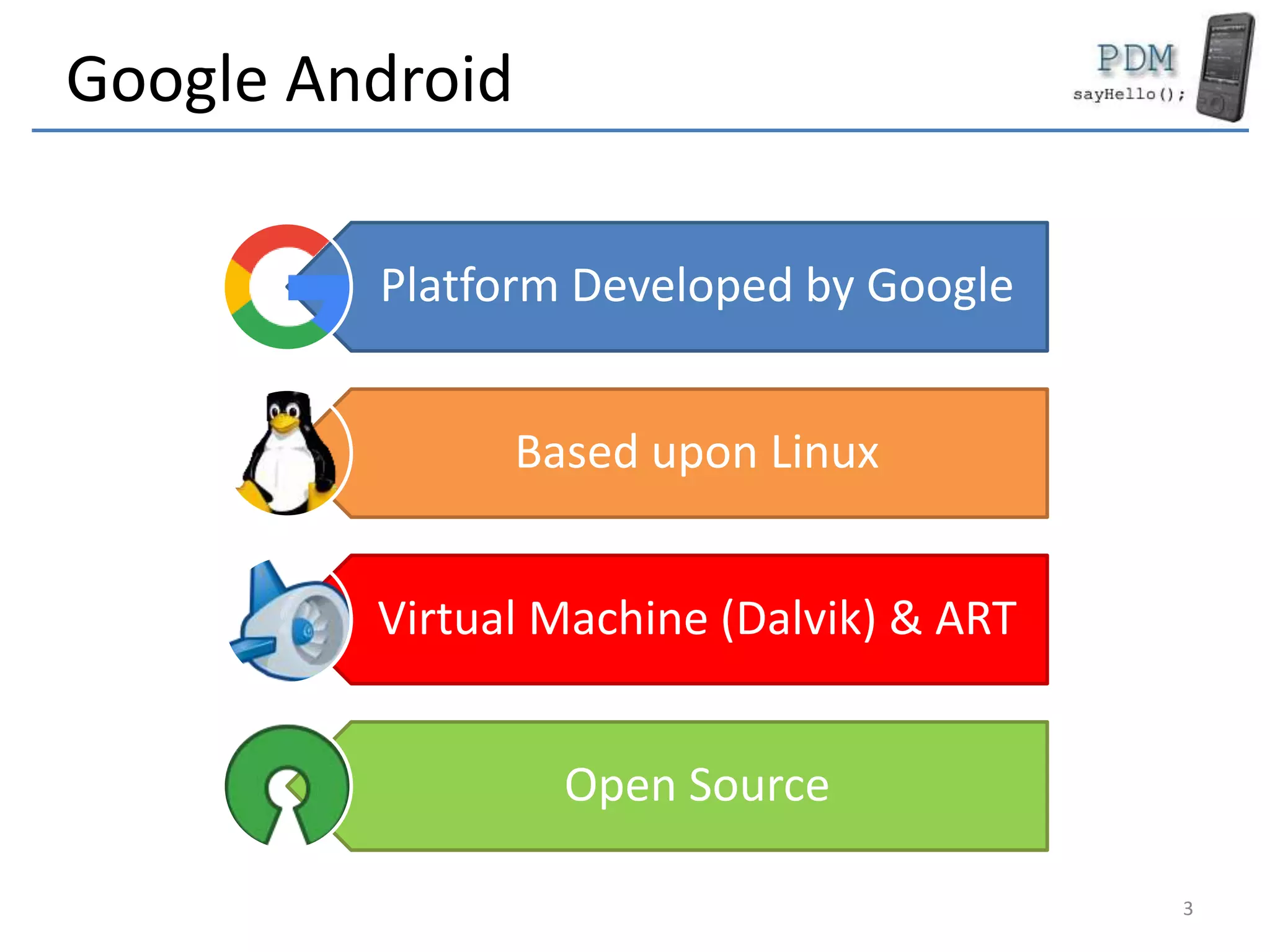
Google Android
Platform Developed by Google
Based upon Linux
Virtual Machine (Dalvik) & ART
Open Source
3
Android Platform
• Android
– OS
– Platform
• Application types
– Activities
– Services
– Content providers
– Intents
– Broadcast Revceivers
4
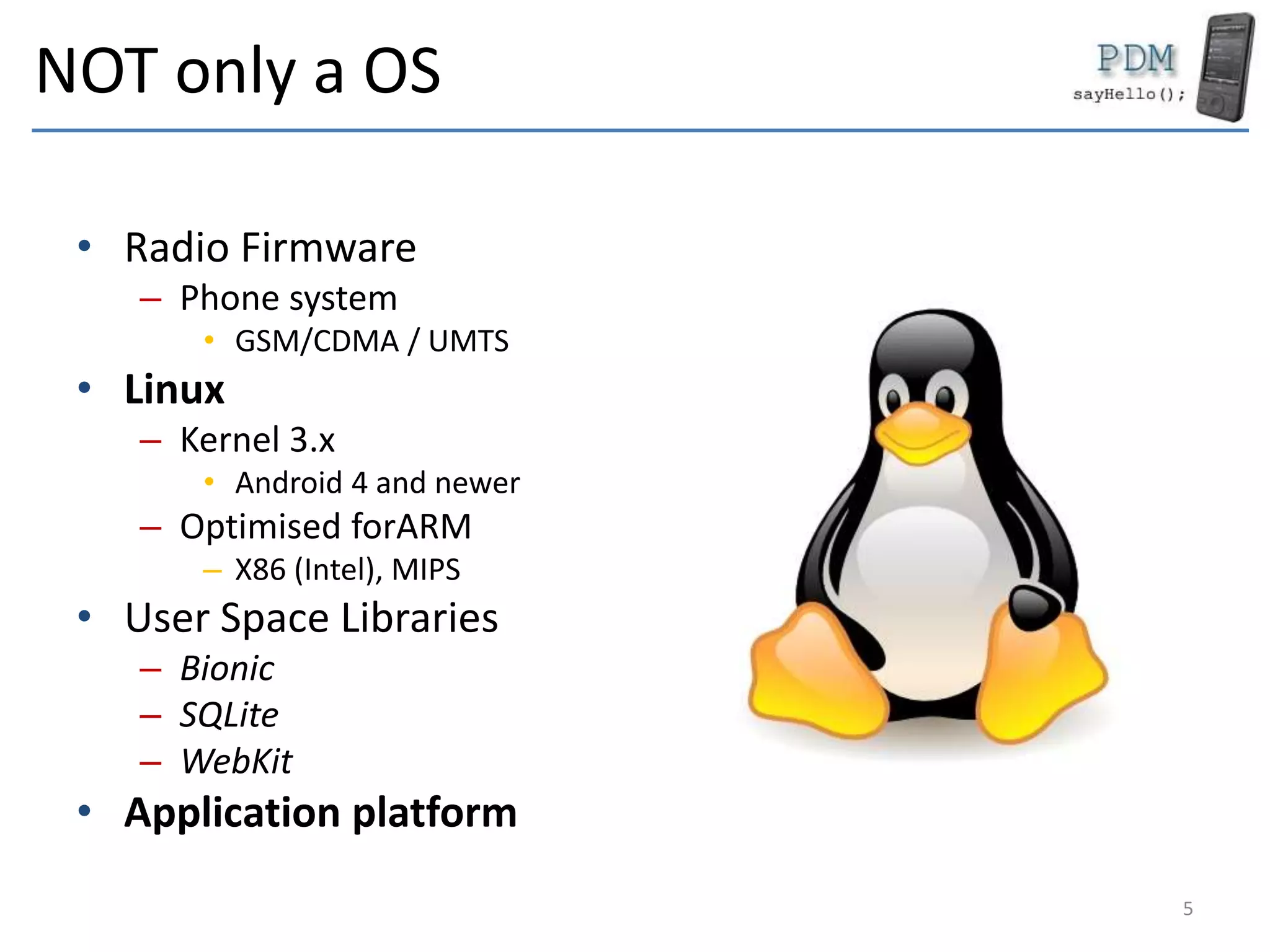
NOT only a OS
• Radio Firmware
– Phone system
• GSM/CDMA / UMTS
• Linux
– Kernel 3.x
• Android 4 and newer
– Optimised forARM
– X86 (Intel), MIPS
• User Space Libraries
– Bionic
– SQLite
– WebKit
• Application platform
5
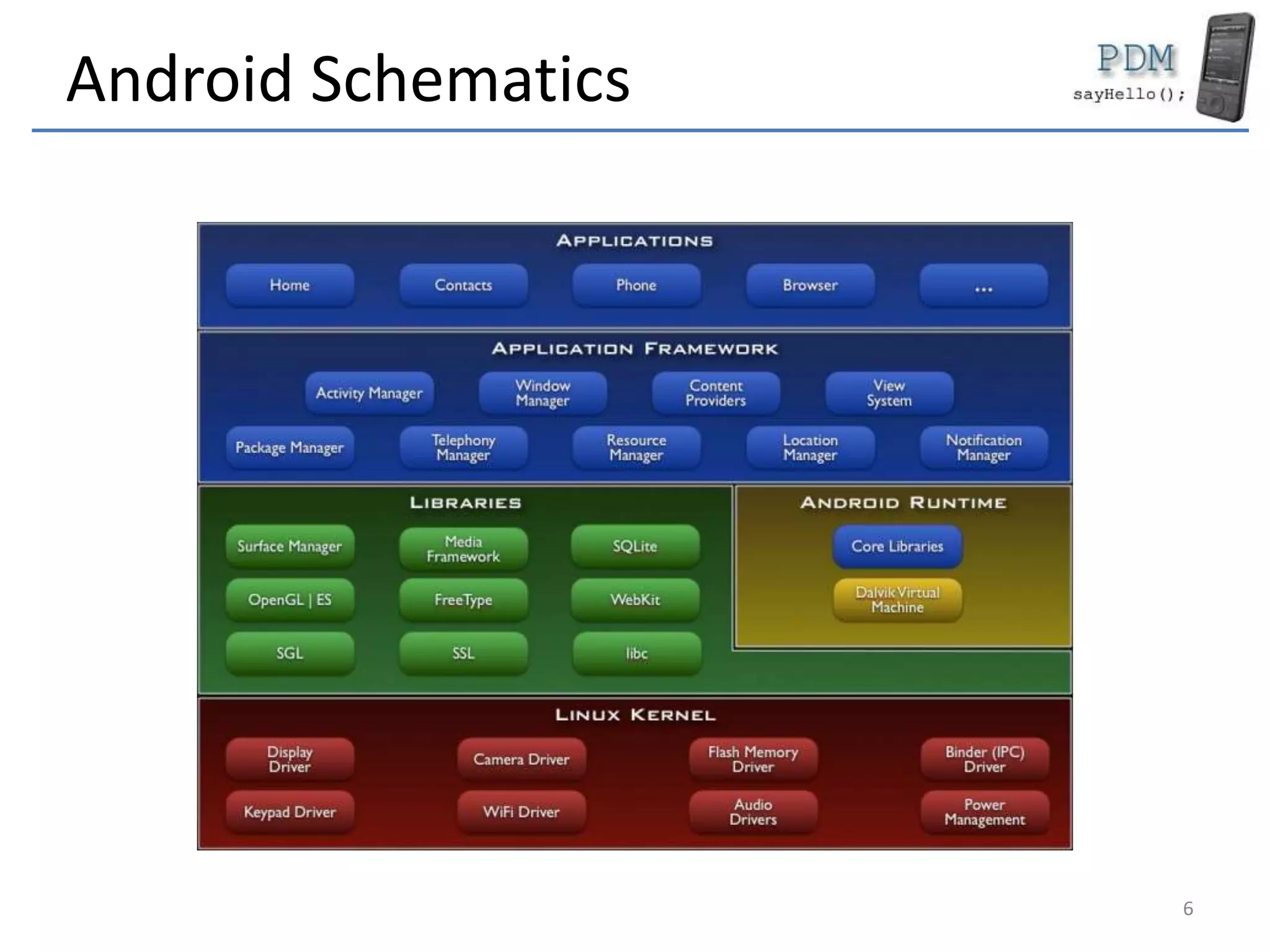
Android Schematics
6
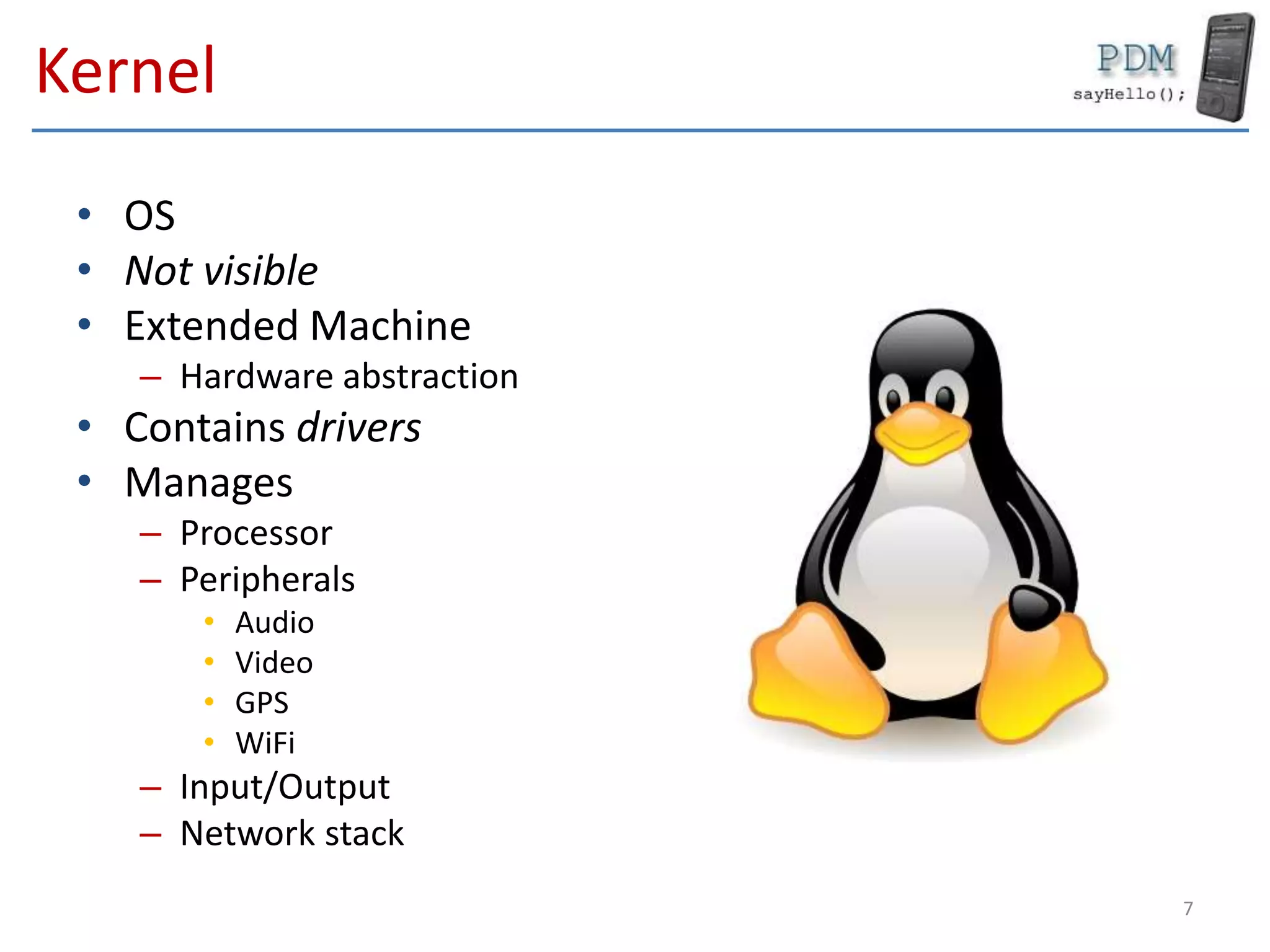
Kernel
• OS
• Not visible
• Extended Machine
– Hardware abstraction
• Contains drivers
• Manages
– Processor
– Peripherals
• Audio
• Video
• GPS
• WiFi
– Input/Output
– Network stack
7
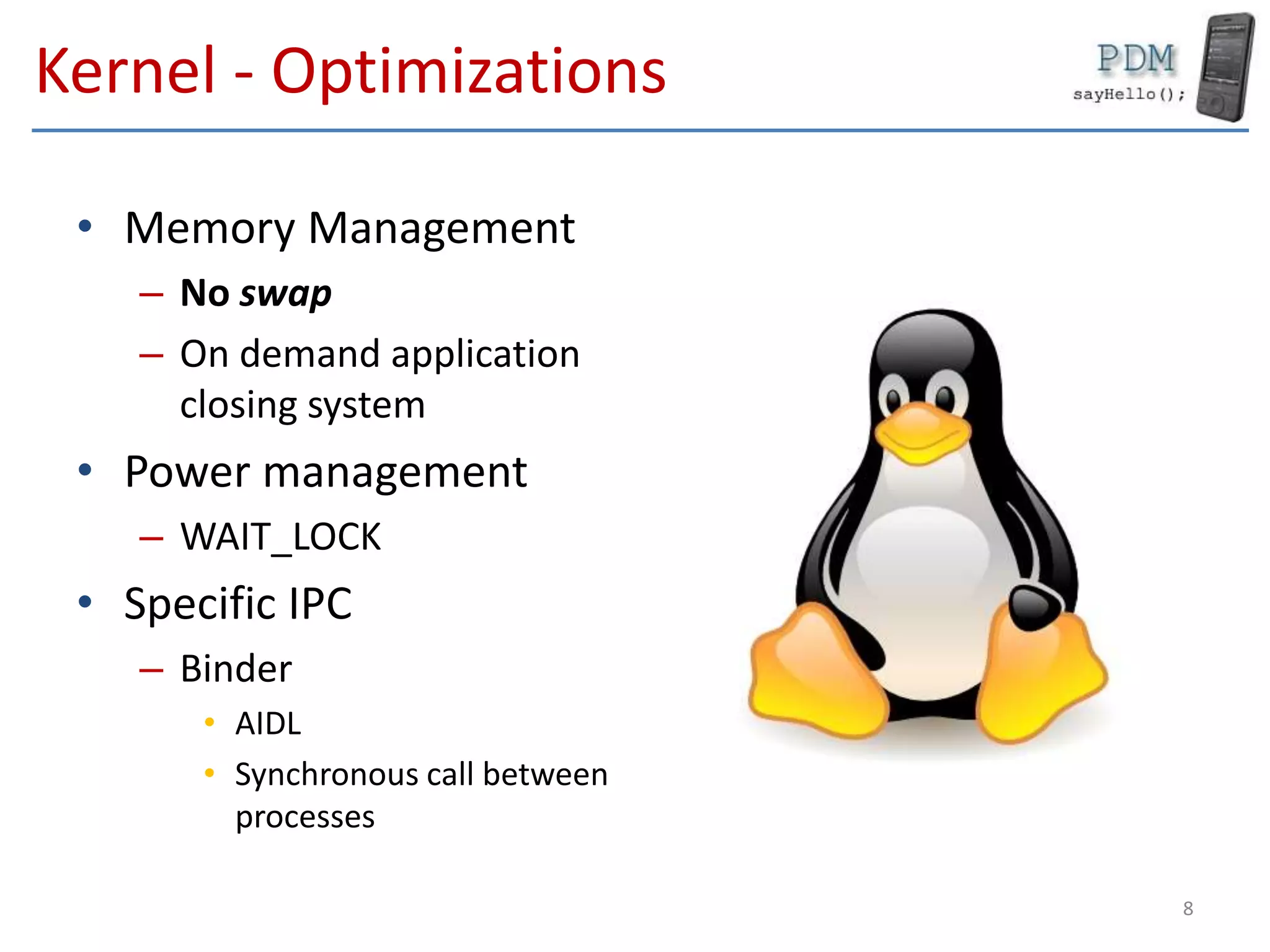
Kernel - Optimizations
• Memory Management
– No swap
– On demand application
closing system
• Power management
– WAIT_LOCK
• Specific IPC
– Binder
• AIDL
• Synchronous call between
processes
8
User Space Libraries
• Programming libraries
– Link between the kernel
and programs
– Screen display
• printf (…)
• scanf (…)
– Network access
• socket (…)
• Bionic
– Libc for Android
9
User Space Libraries
• SQlite
• WebKit
• Surfaces
• FreeType
• Media Framework
• OpenGL|ES
• SSL
• …
10
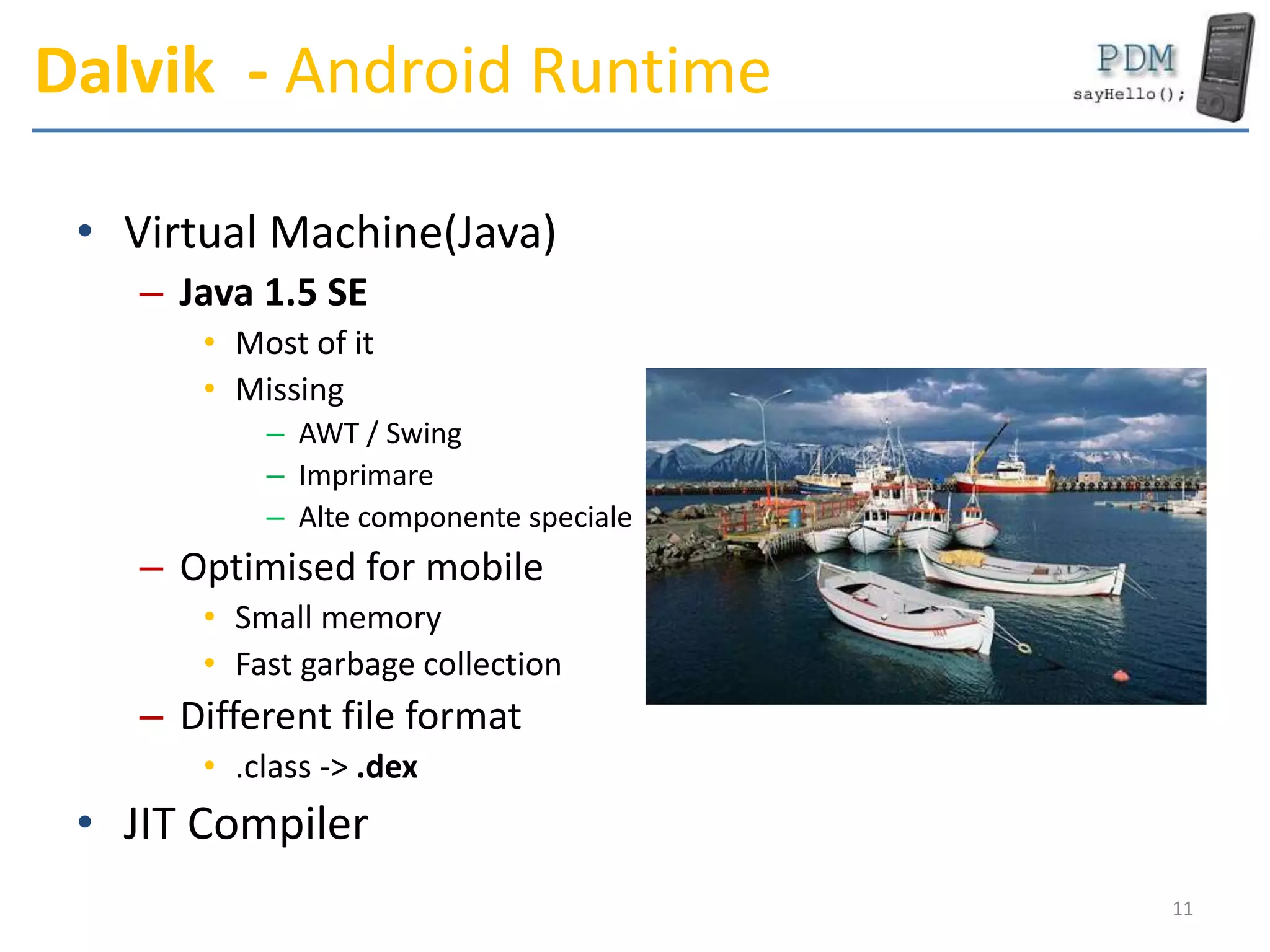
Dalvik - Android Runtime
• Virtual Machine(Java)
– Java 1.5 SE
• Most of it
• Missing
– AWT / Swing
– Imprimare
– Alte componente speciale
– Optimised for mobile
• Small memory
• Fast garbage collection
– Different file format
• .class -> .dex
• JIT Compiler
11
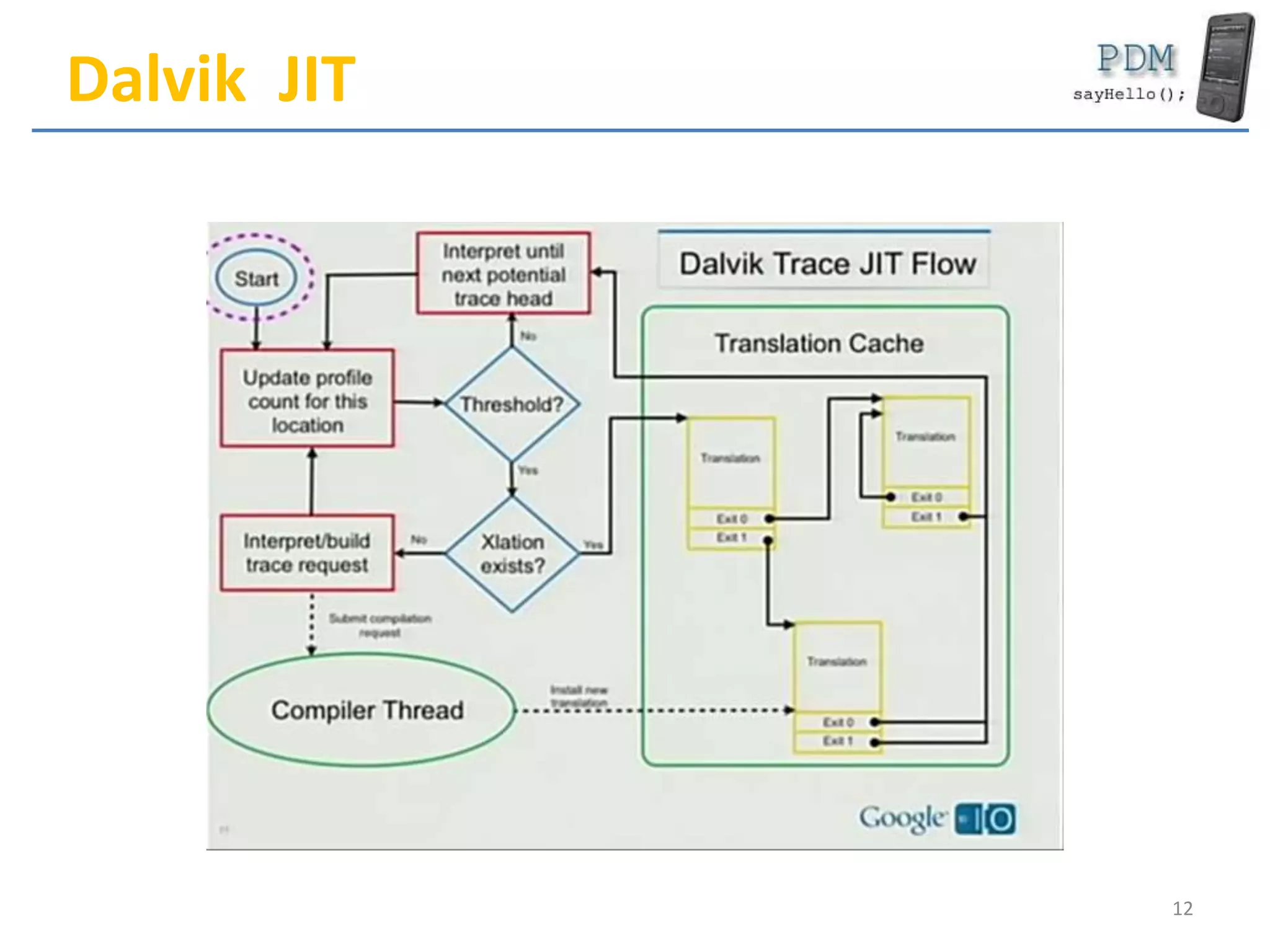
Dalvik JIT
12
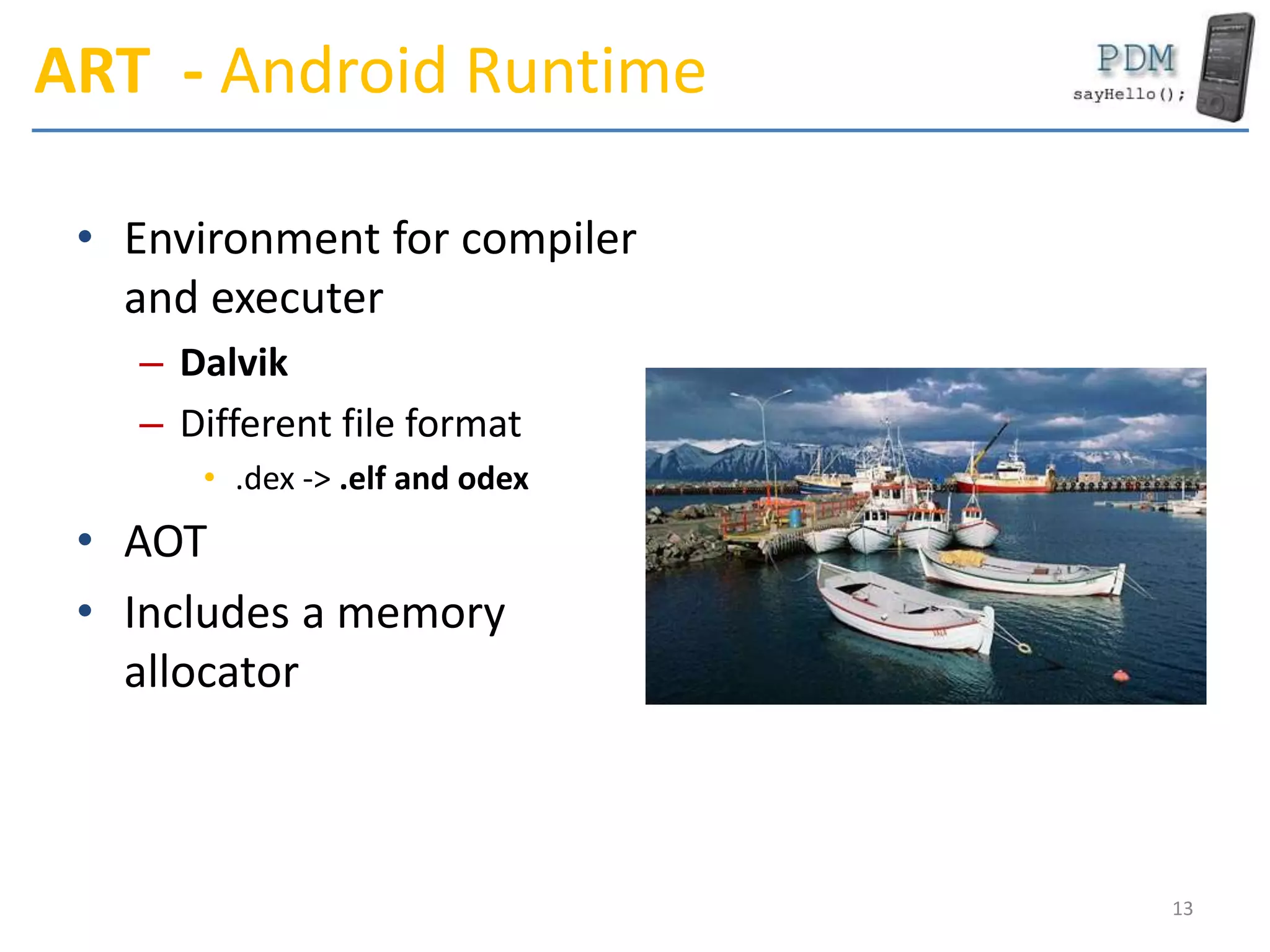
ART - Android Runtime
• Environment for compiler
and executer
– Dalvik
– Different file format
• .dex -> .elf and odex
• AOT
• Includes a memory
allocator
13
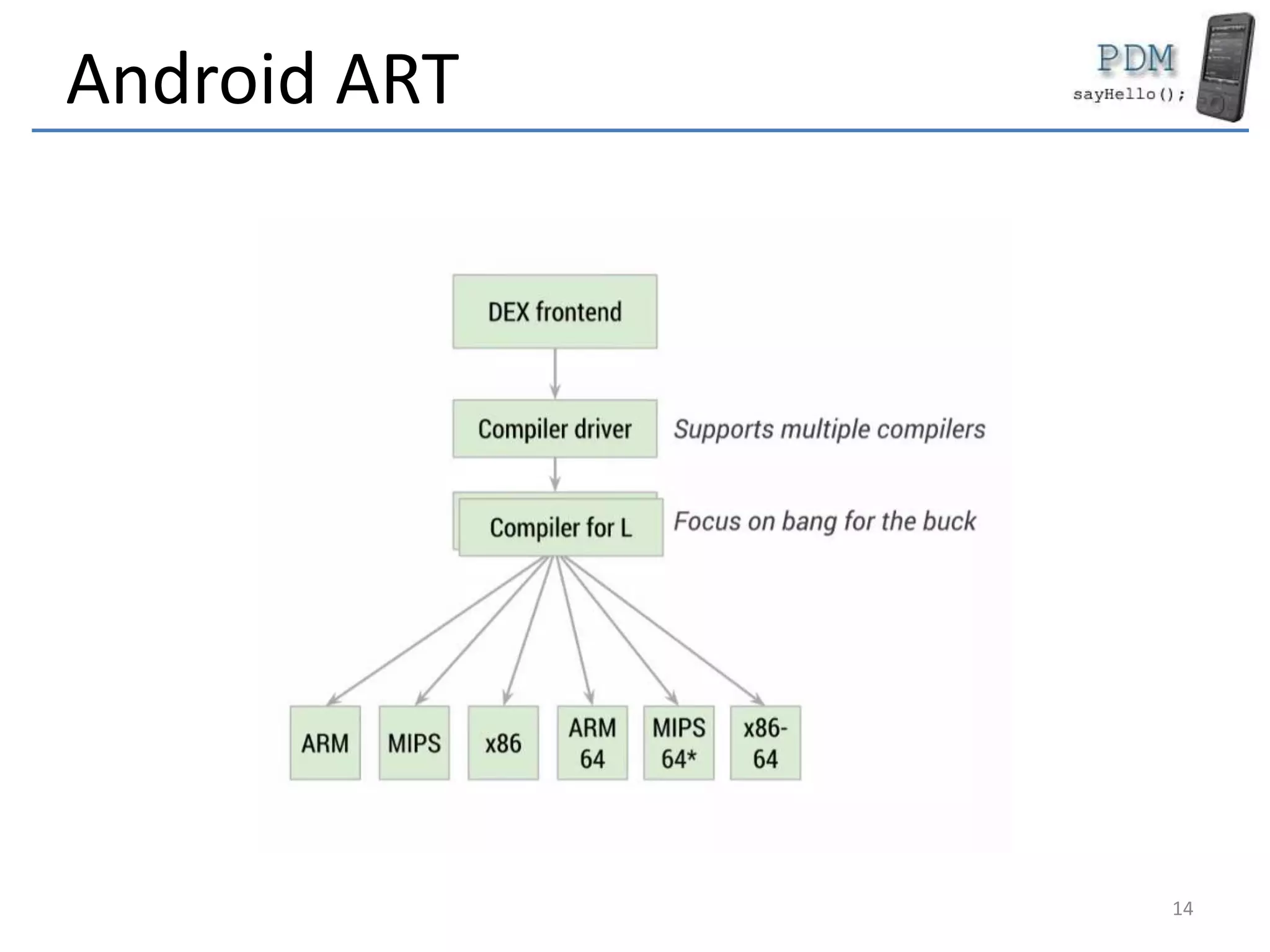
Android ART
14
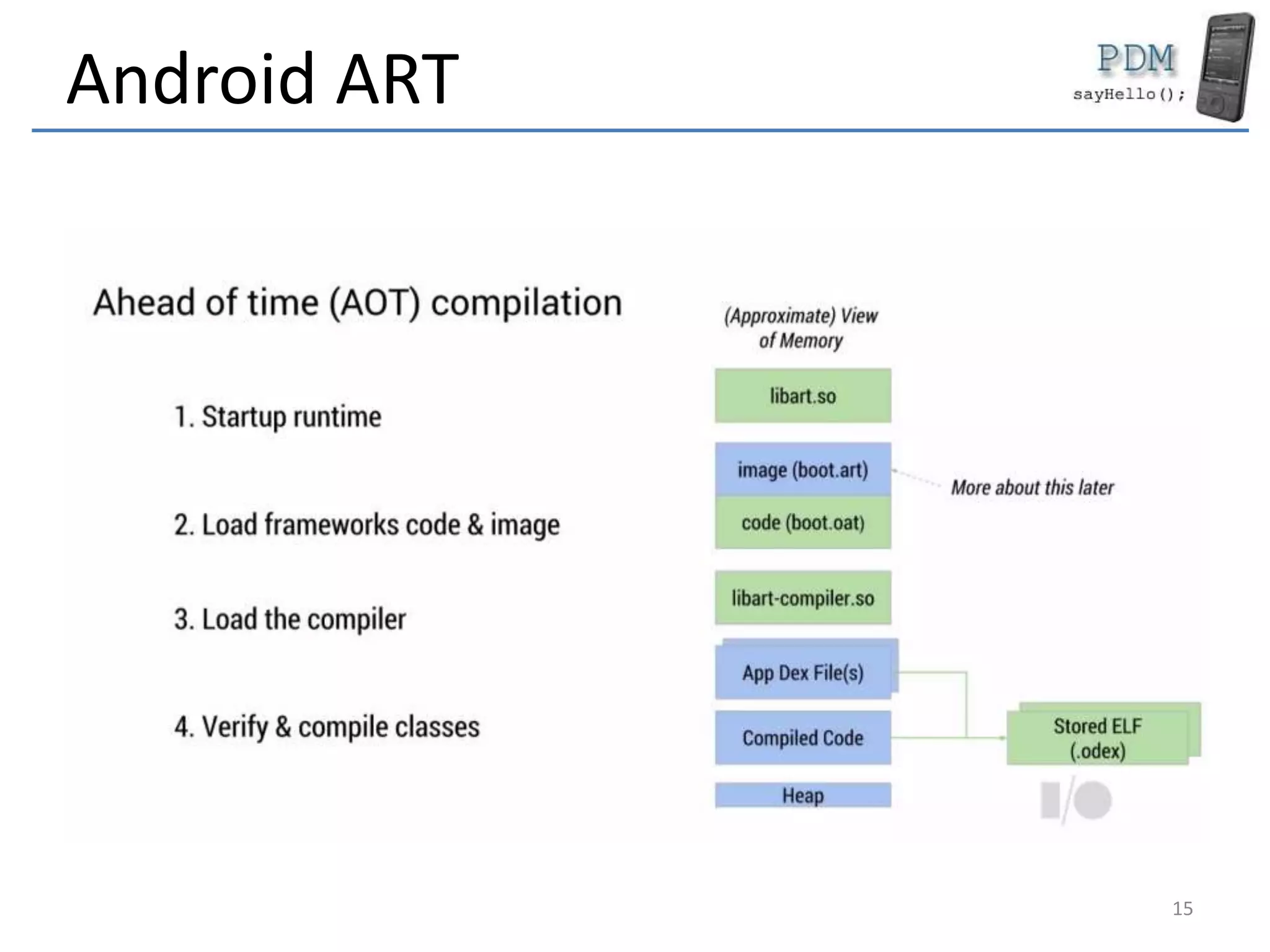
Android ART
15
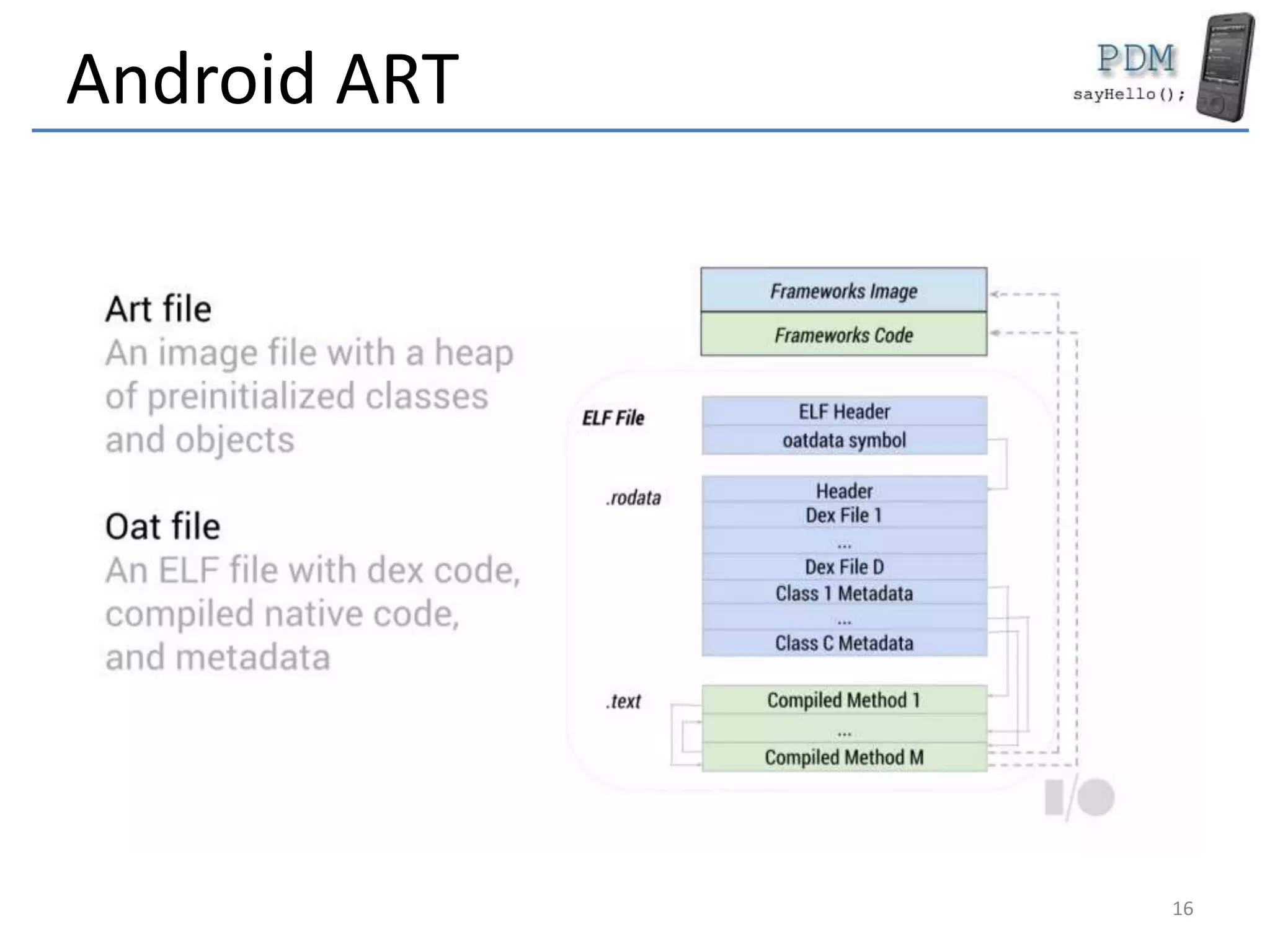
Android ART
16
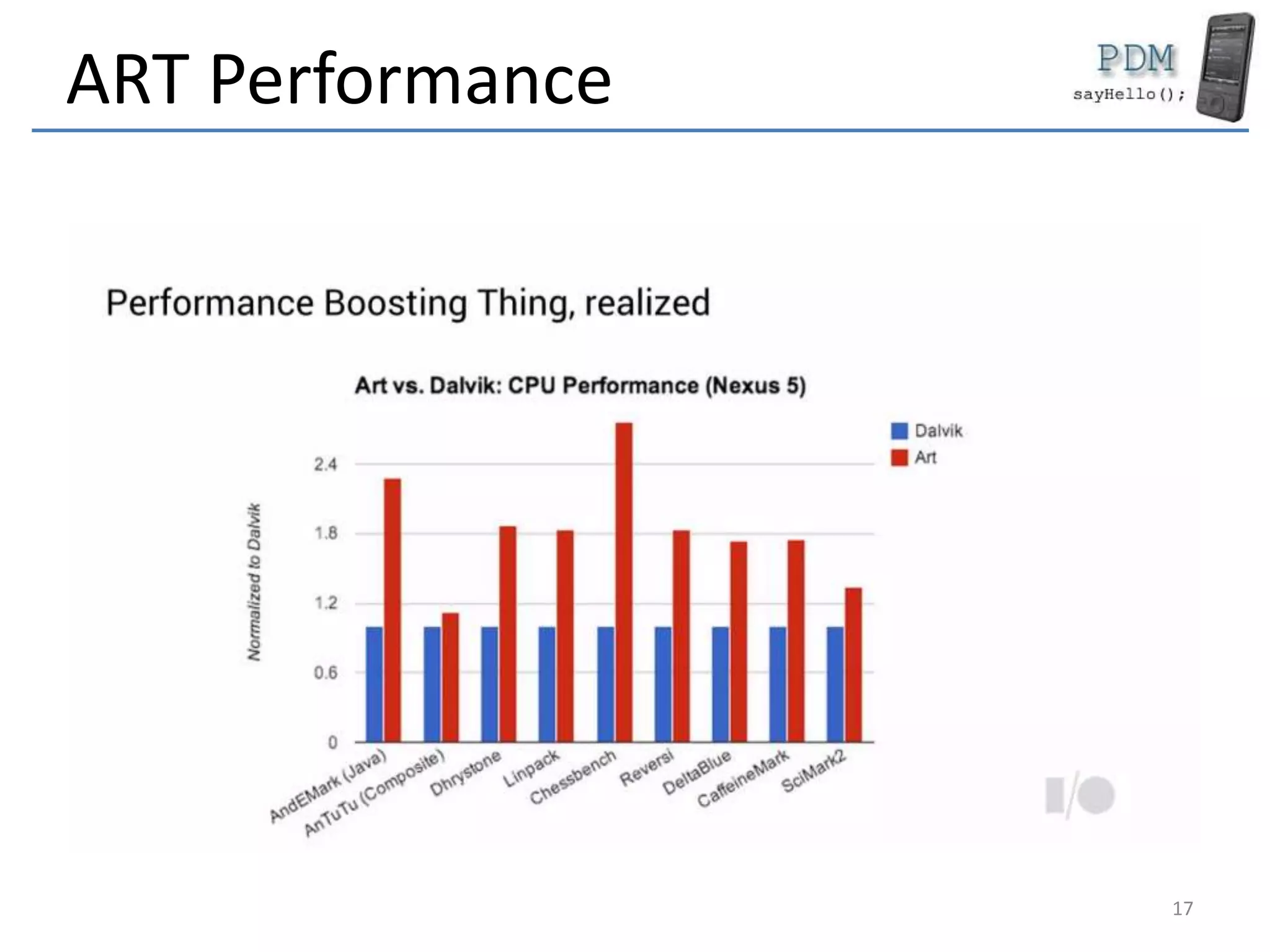
ART Performance
17
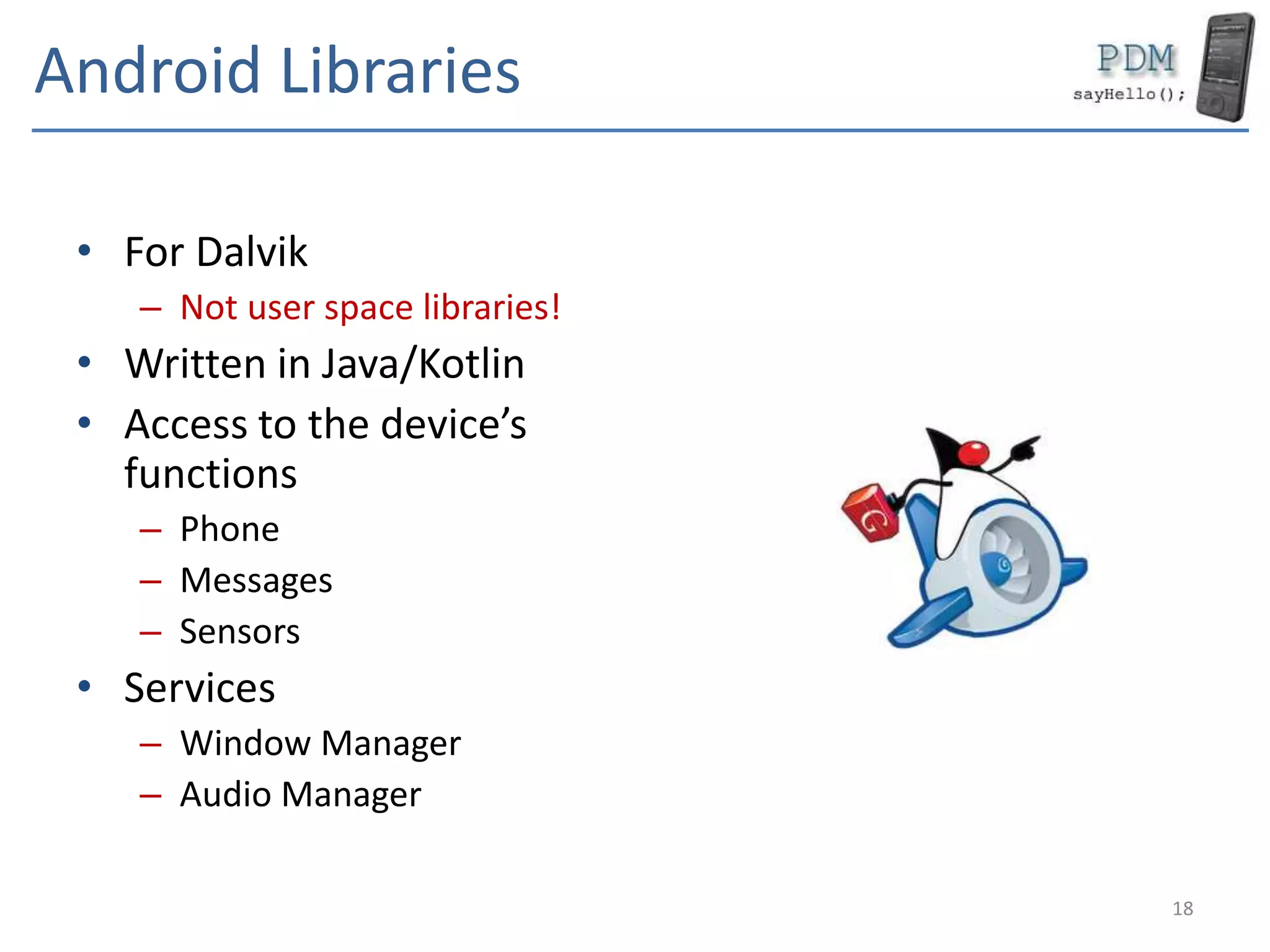
Android Libraries
• For Dalvik
– Not user space libraries!
• Written in Java/Kotlin
• Access to the device’s
functions
– Phone
– Messages
– Sensors
• Services
– Window Manager
– Audio Manager
18
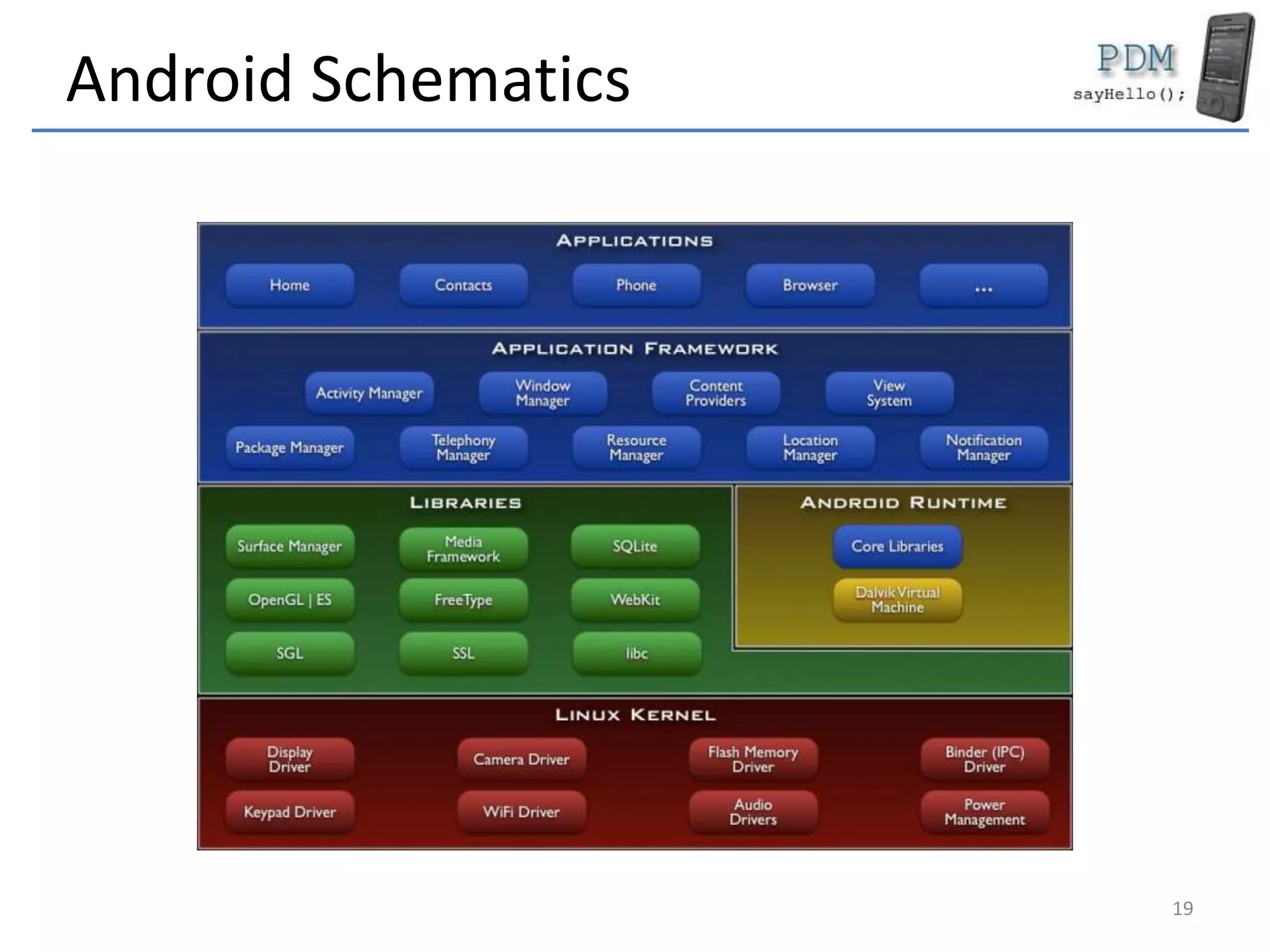
Android Schematics
19
Features
• Application API
• Dalvik
• Browser
• Graphics
– 2D optimised
– 3D – OpenGL ES 1.0
• SQLite
– Data base
• Multimedia Support
– Audio / Video
• GSM/CDMA
• Connectivity
– Bluetooth
– WiFi
– GPRS / EDGE / 3G
• Sensors
– Photo camera
– GPS / AGPS
– Magnetometer
– Accelerometer
• Development platform
– Command line
– Android Studio
20
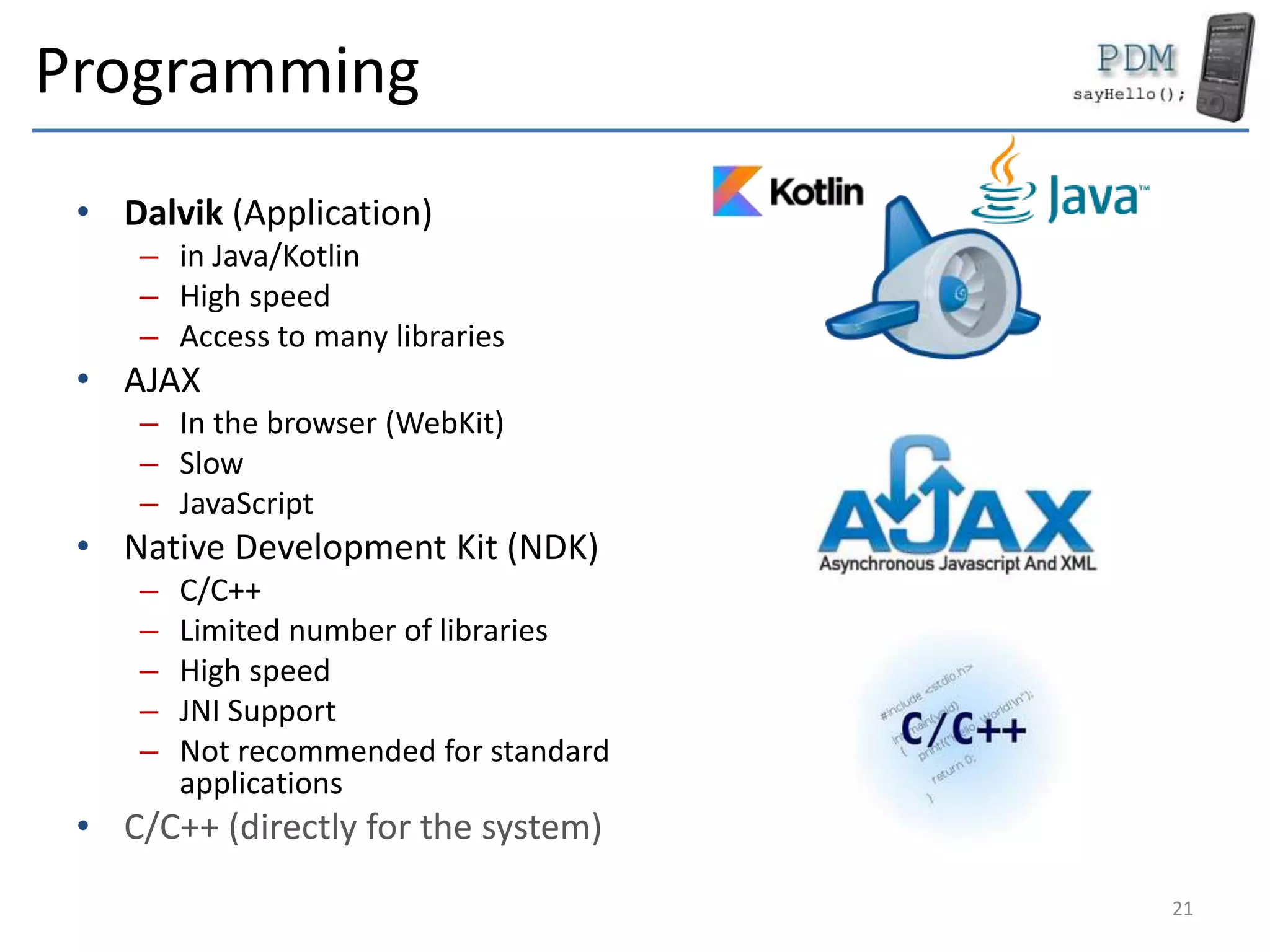
Programming
• Dalvik (Application)
– in Java/Kotlin
– High speed
– Access to many libraries
• AJAX
– In the browser (WebKit)
– Slow
– JavaScript
• Native Development Kit (NDK)
– C/C++
– Limited number of libraries
– High speed
– JNI Support
– Not recommended for standard
applications
• C/C++ (directly for the system)
21
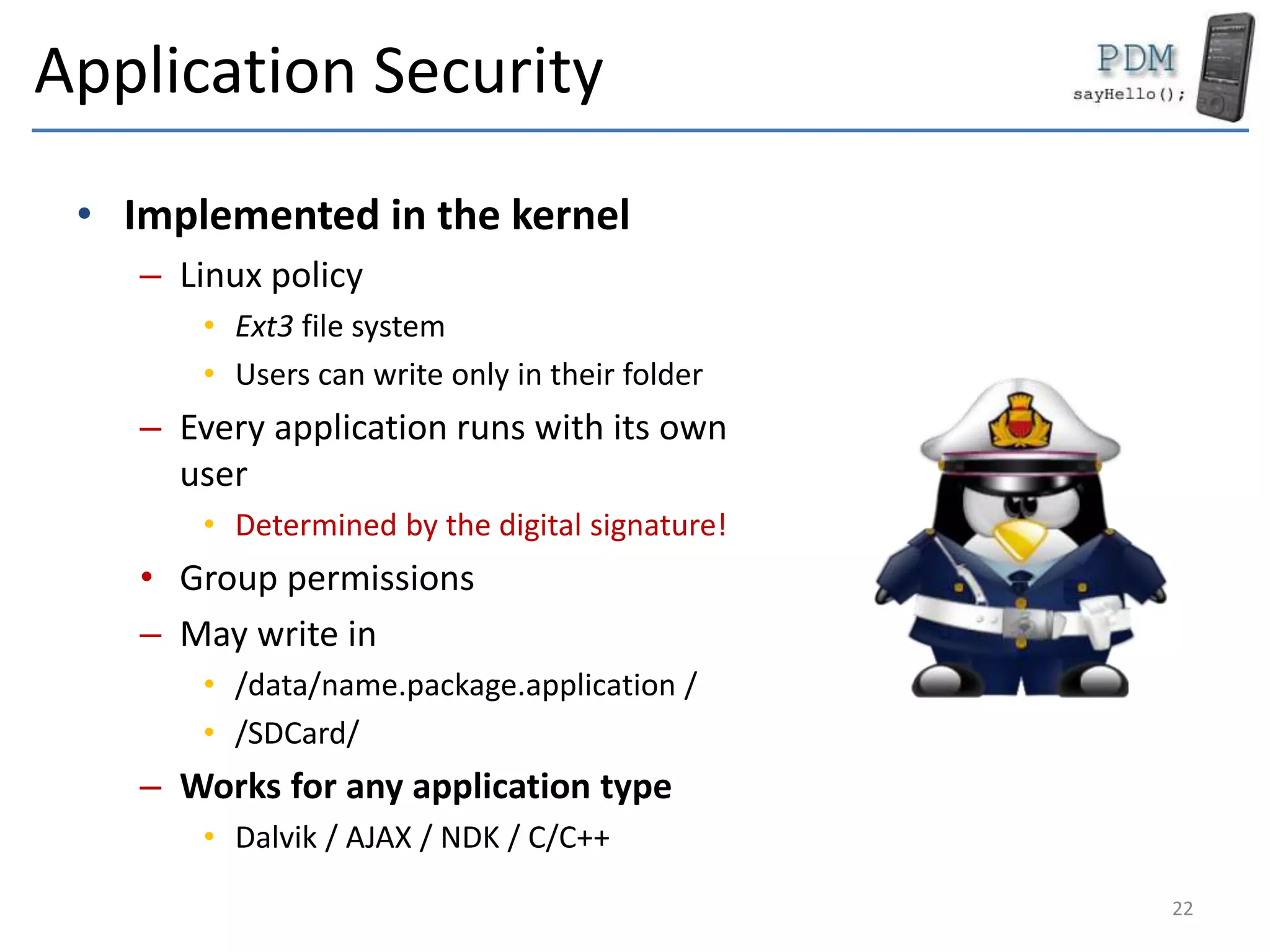
Application Security
• Implemented in the kernel
– Linux policy
• Ext3 file system
• Users can write only in their folder
– Every application runs with its own
user
• Determined by the digital signature!
• Group permissions
– May write in
• /data/name.package.application /
• /SDCard/
– Works for any application type
• Dalvik / AJAX / NDK / C/C++
22
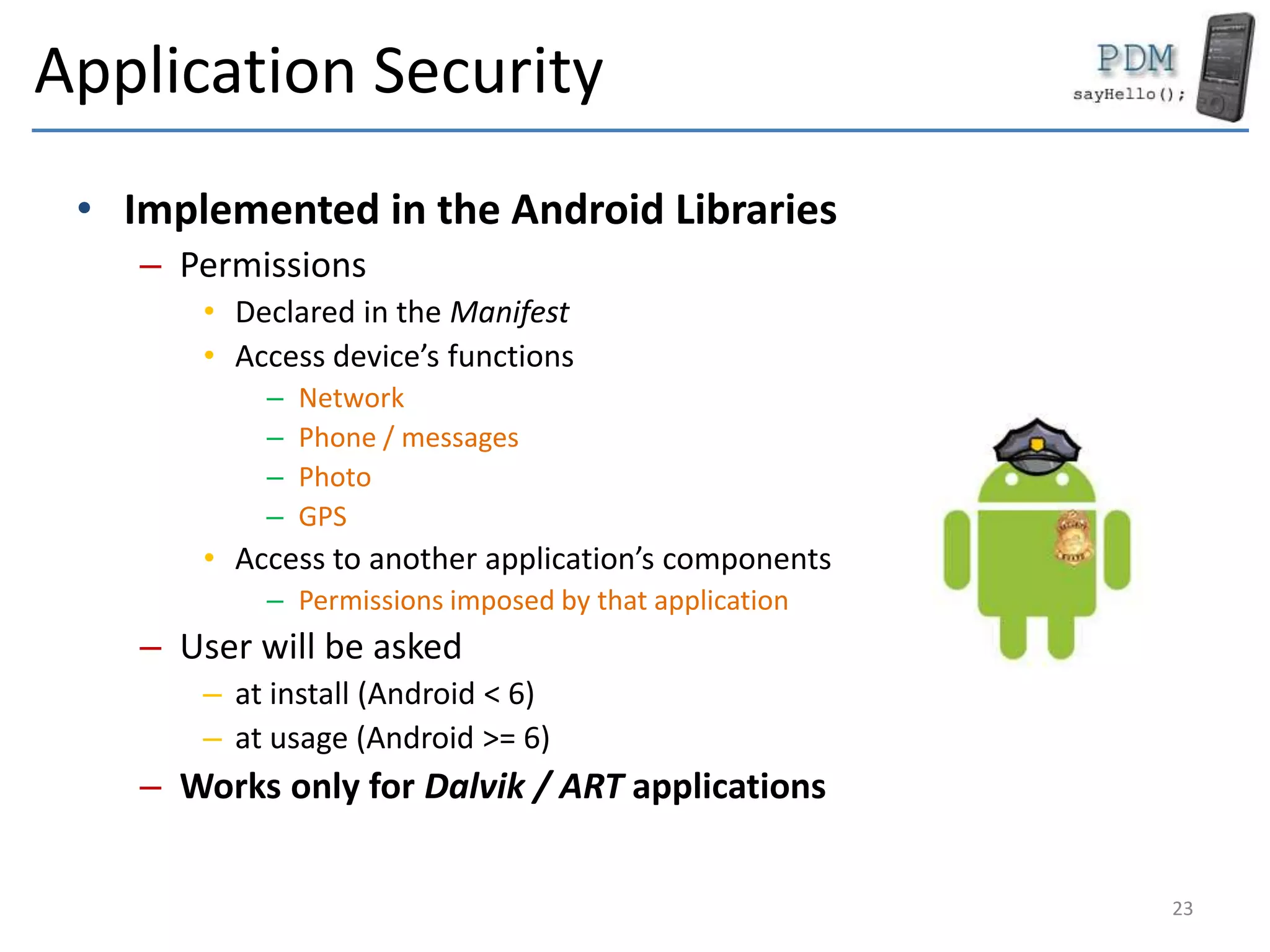
Application Security
• Implemented in the Android Libraries
– Permissions
• Declared in the Manifest
• Access device’s functions
– Network
– Phone / messages
– Photo
– GPS
• Access to another application’s components
– Permissions imposed by that application
– User will be asked
– at install (Android < 6)
– at usage (Android >= 6)
– Works only for Dalvik / ART applications
23
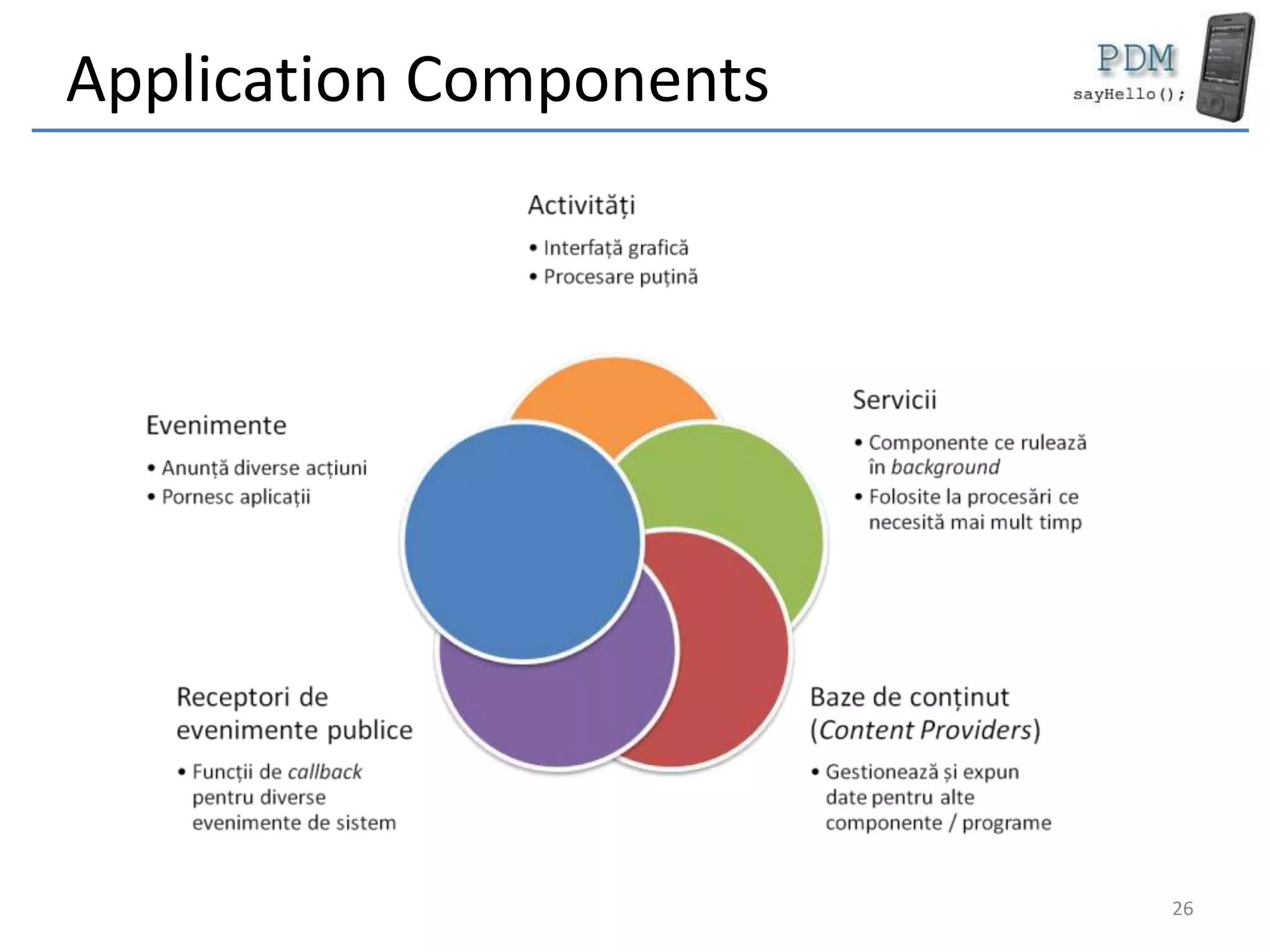
Programs (Dalvik)
• There is no main()
• Formed of components
– Activities
– Services
– Intents
– Content Providers
– Broadcast Receivers
• Components can run
separately
24
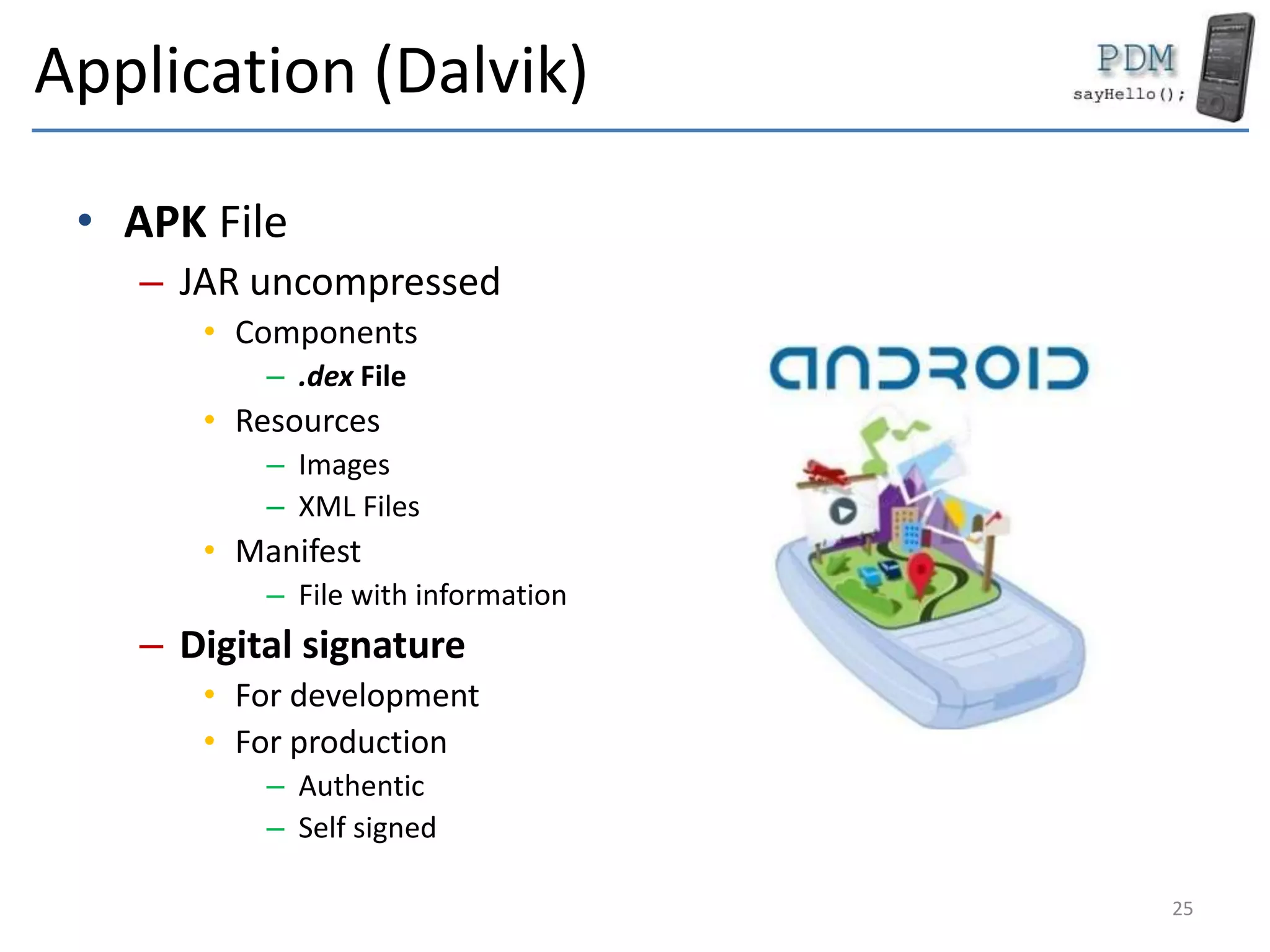
Application (Dalvik)
• APK File
– JAR uncompressed
• Components
– .dex File
• Resources
– Images
– XML Files
• Manifest
– File with information
– Digital signature
• For development
• For production
– Authentic
– Self signed
25
Application Components
26
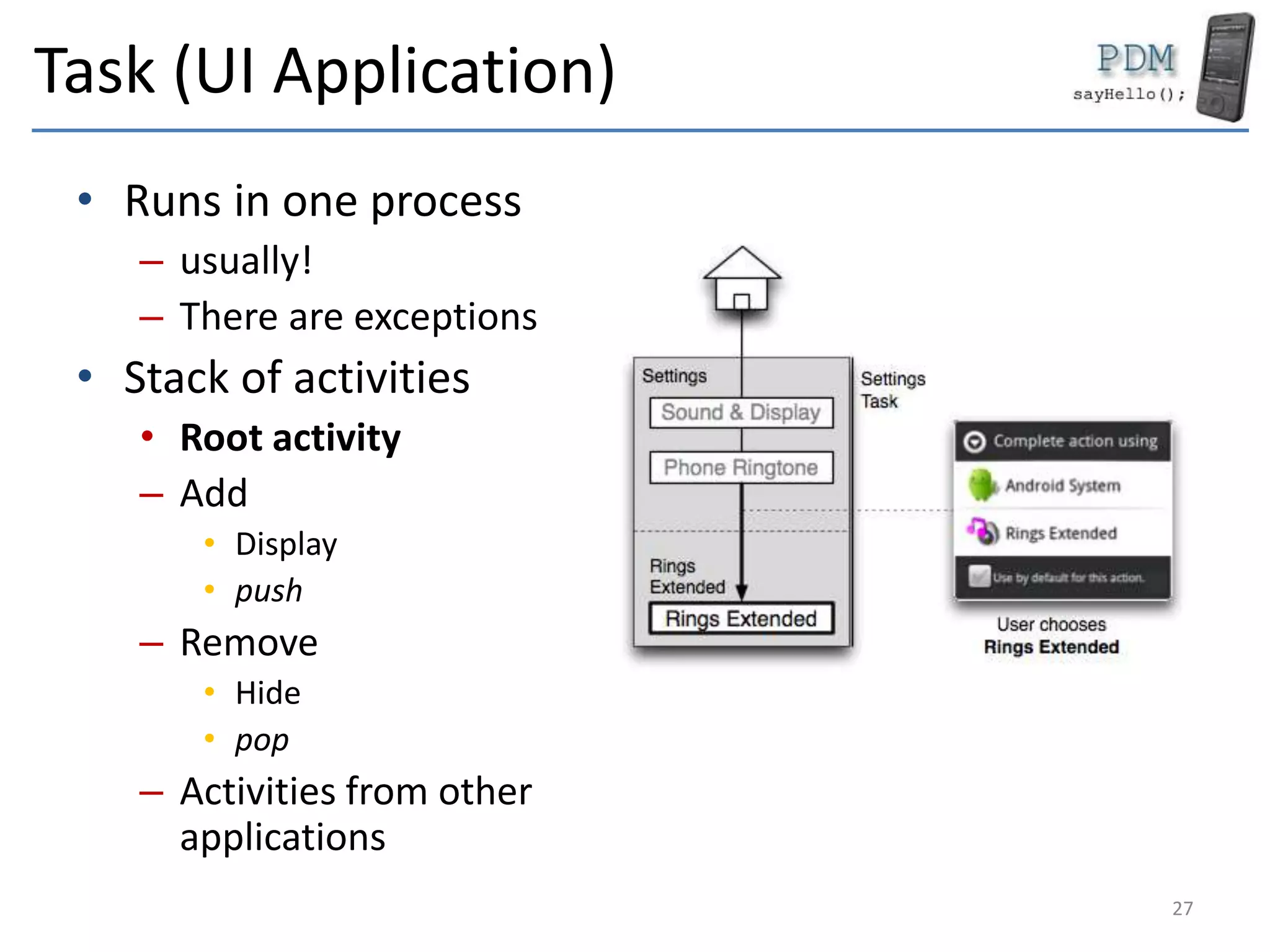
Task (UI Application)
• Runs in one process
– usually!
– There are exceptions
• Stack of activities
• Root activity
– Add
• Display
• push
– Remove
• Hide
• pop
– Activities from other
applications
27
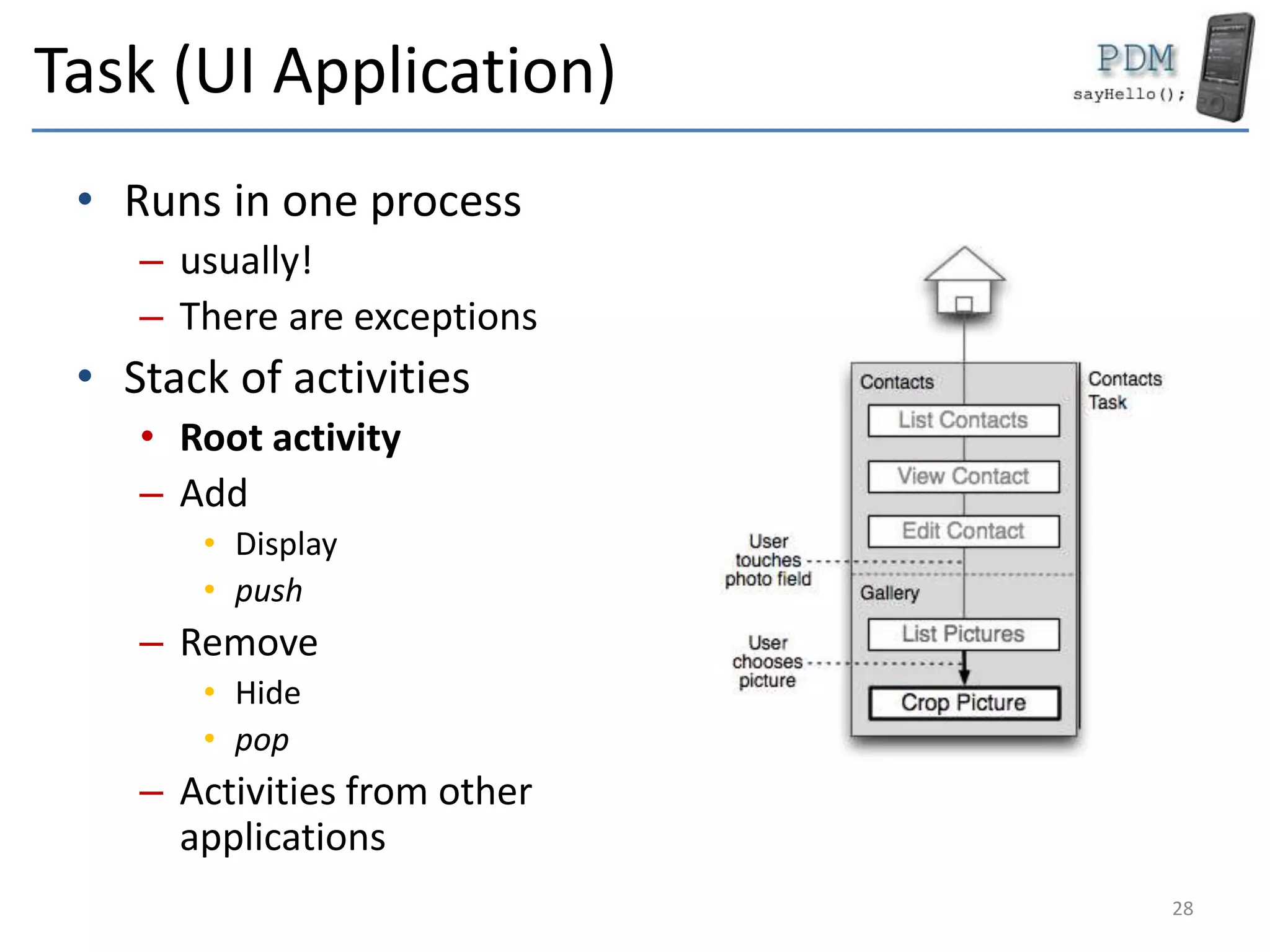
Task (UI Application)
• Runs in one process
– usually!
– There are exceptions
• Stack of activities
• Root activity
– Add
• Display
• push
– Remove
• Hide
• pop
– Activities from other
applications
28
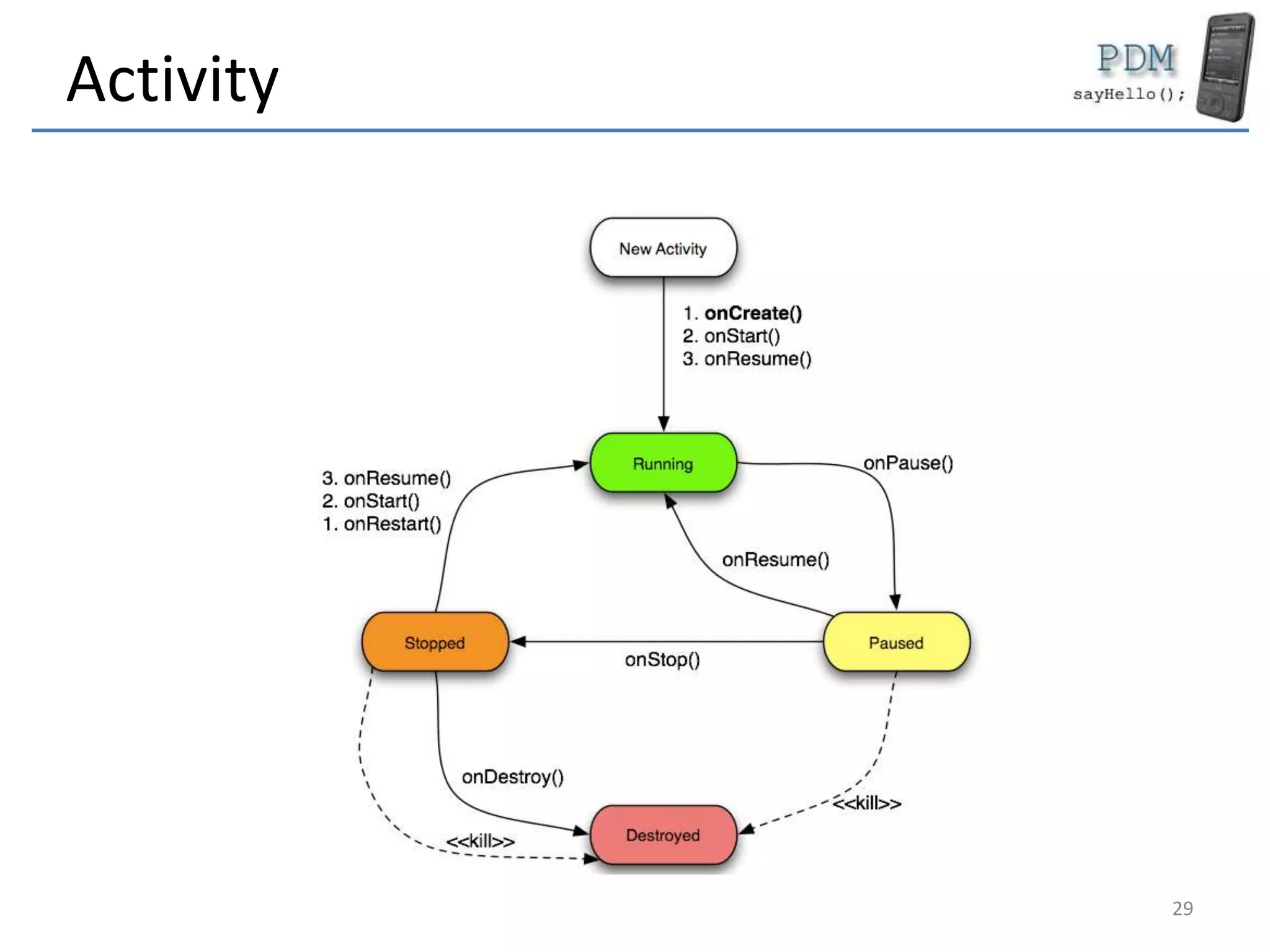
Activity
29
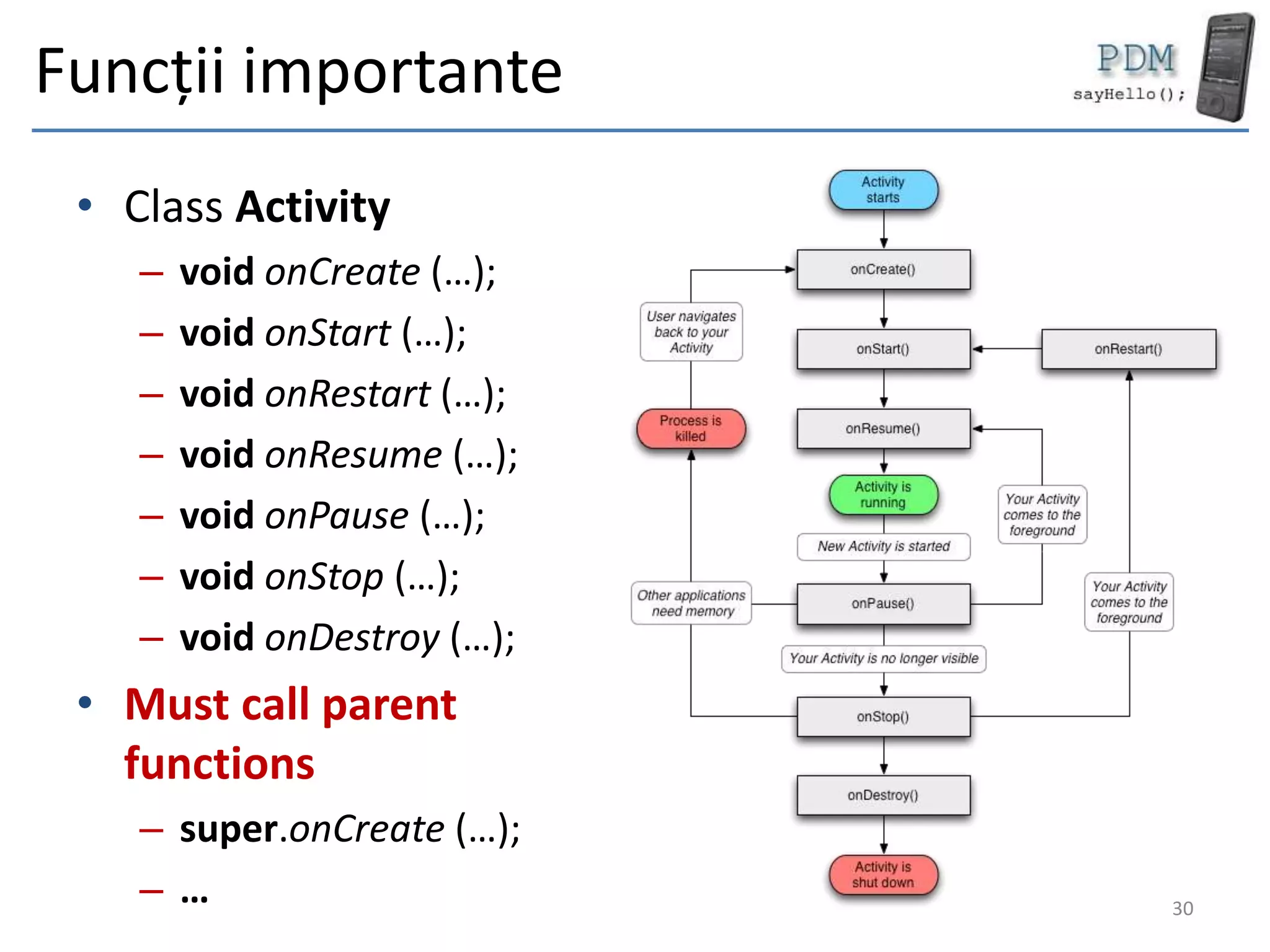
Funcții importante
• Class Activity
– void onCreate (…);
– void onStart (…);
– void onRestart (…);
– void onResume (…);
– void onPause (…);
– void onStop (…);
– void onDestroy (…);
• Must call parent
functions
– super.onCreate (…);
– … 30
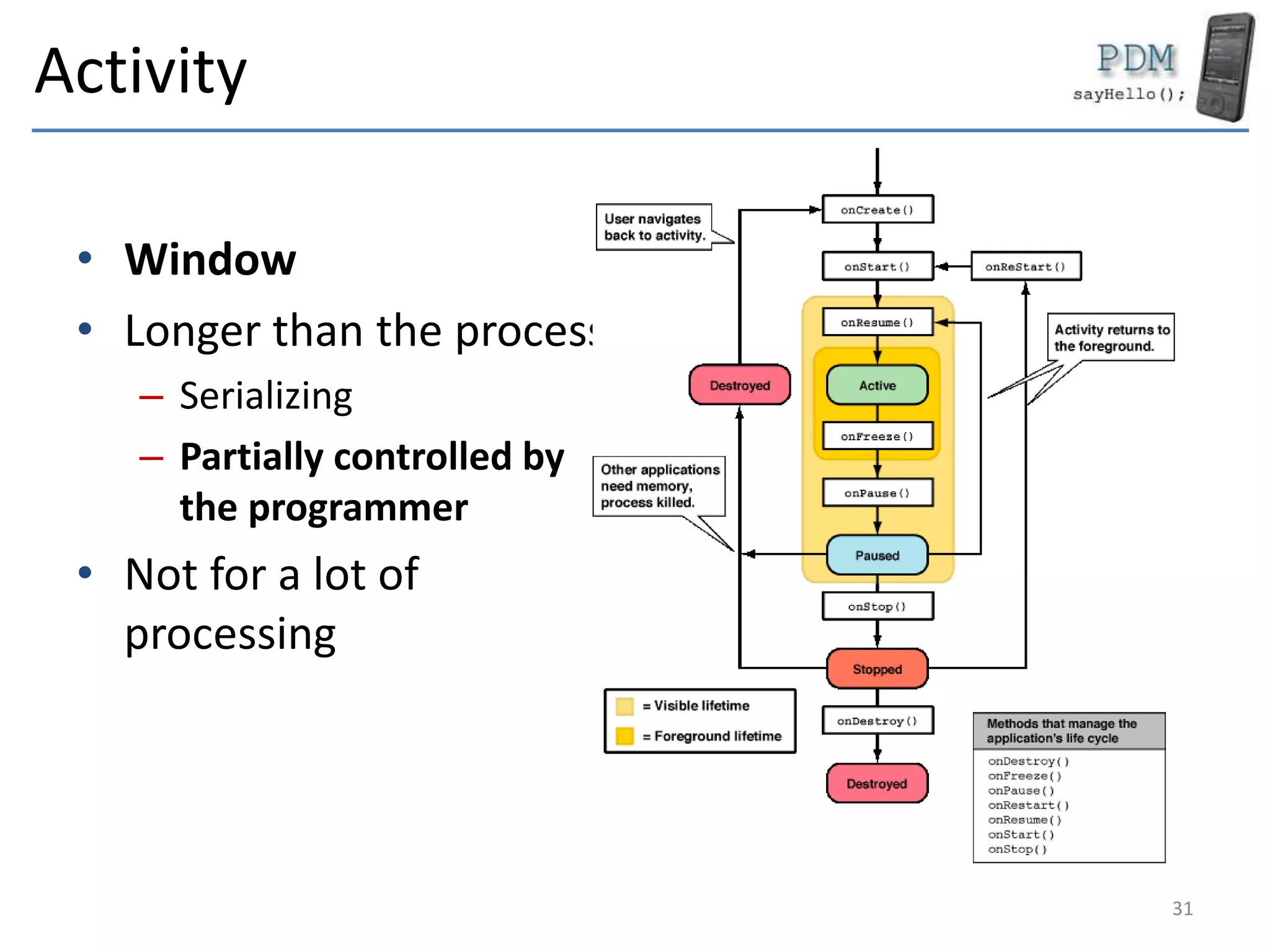
Activity
• Window
• Longer than the process
– Serializing
– Partially controlled by
the programmer
• Not for a lot of
processing
31
Services
• Android Component
• Specially for processing
• Runs in background
• process
– Low priority
– More stable (in time)
32
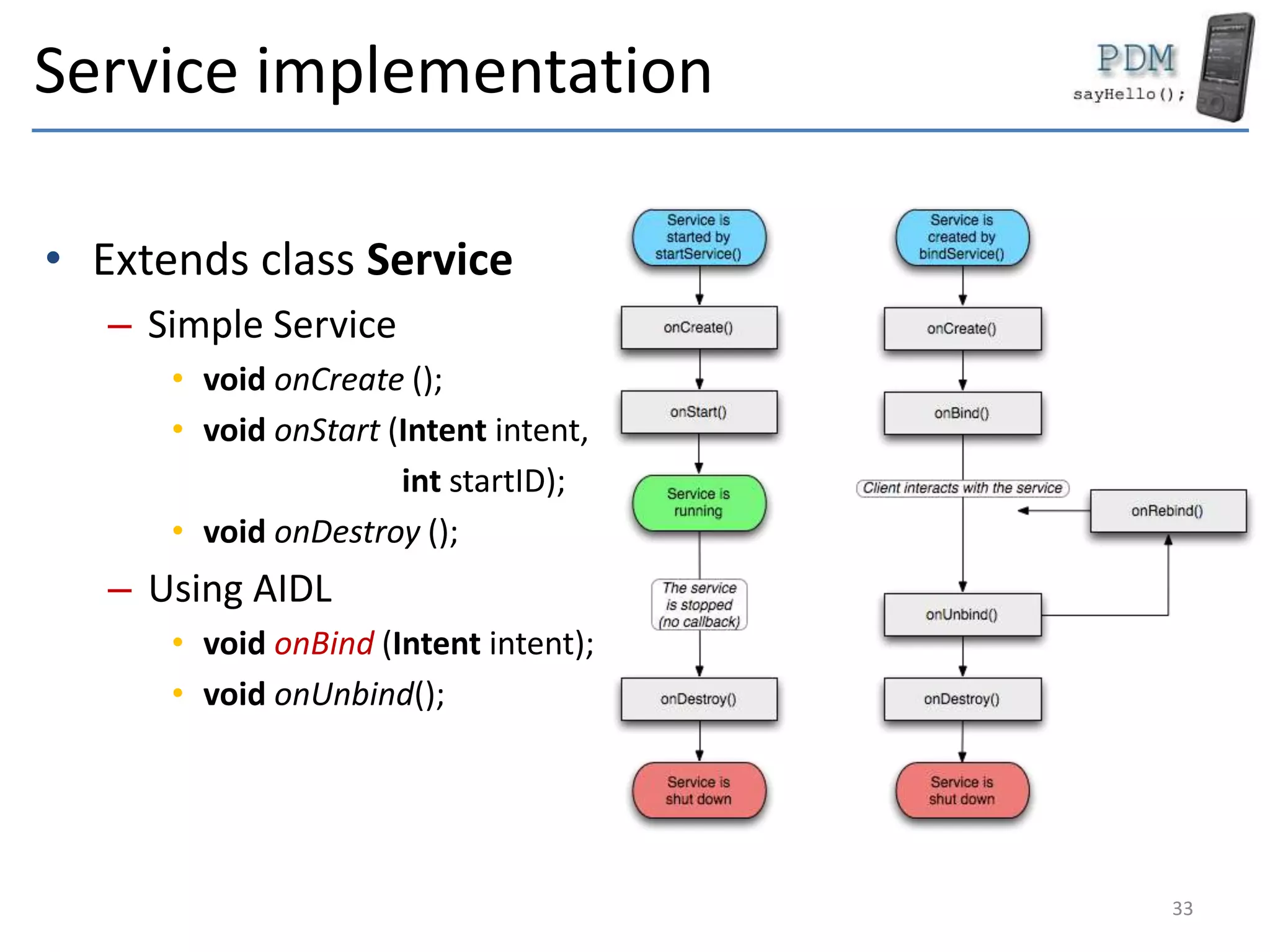
Service implementation
• Extends class Service
– Simple Service
• void onCreate ();
• void onStart (Intent intent,
int startID);
• void onDestroy ();
– Using AIDL
• void onBind (Intent intent);
• void onUnbind();
33
Content Providers / Broadcast Receivers
• Content providers
– Offer information
– Link with SQLite
– Based on URLs
• Broadcast receivers
– Observers
– Public events
• SCREEN_ON
• SCREEN_OFF
• BATTER_STATUS_CHANGED
34
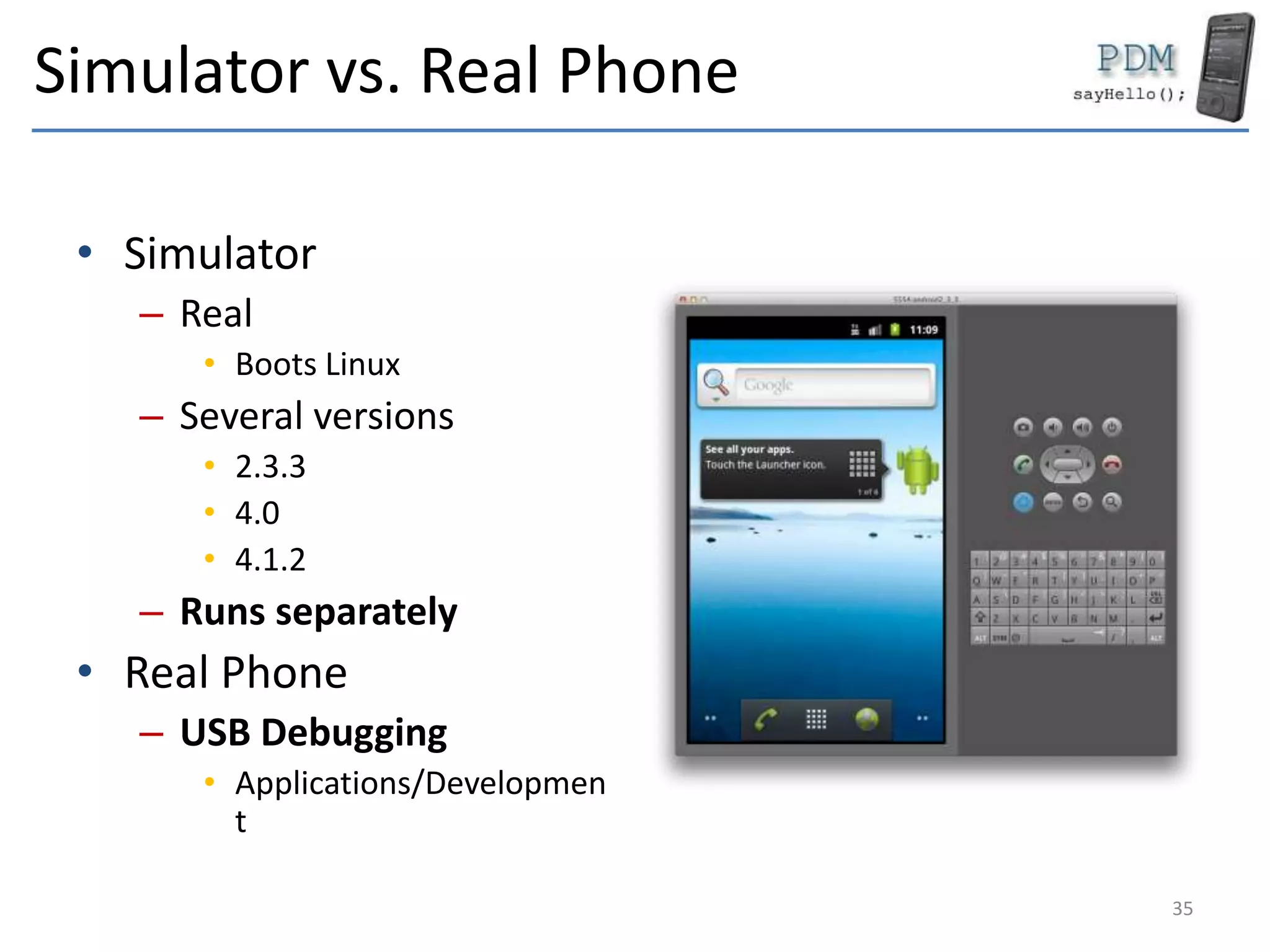
Simulator vs. Real Phone
• Simulator
– Real
• Boots Linux
– Several versions
• 2.3.3
• 4.0
• 4.1.2
– Runs separately
• Real Phone
– USB Debugging
• Applications/Developmen
t
35
Application template
• AndroidManifest.xml
• build.xml
• default.properties
• Bin
– compiled files
• res
– drawable
– layout
– values
• assets
– resources
– gen
– Resources IDs (automatically
generated)
• Src
– source files
36
Conclusions
• Android Platform
– Linux OS
– Set of libraries for Android
• Programming ways
– Dalvik/ART – Java/Kotlin
– AJAX – Web
– NDK – C/C++
• Android Applications are a set of components
– Activities
– Services
– Intents
– Content Providers
– Broadcast Receivers
– There is no main()
• Real emulator
• Task – UI Applications
– Set of Activities
• Survive the process
37
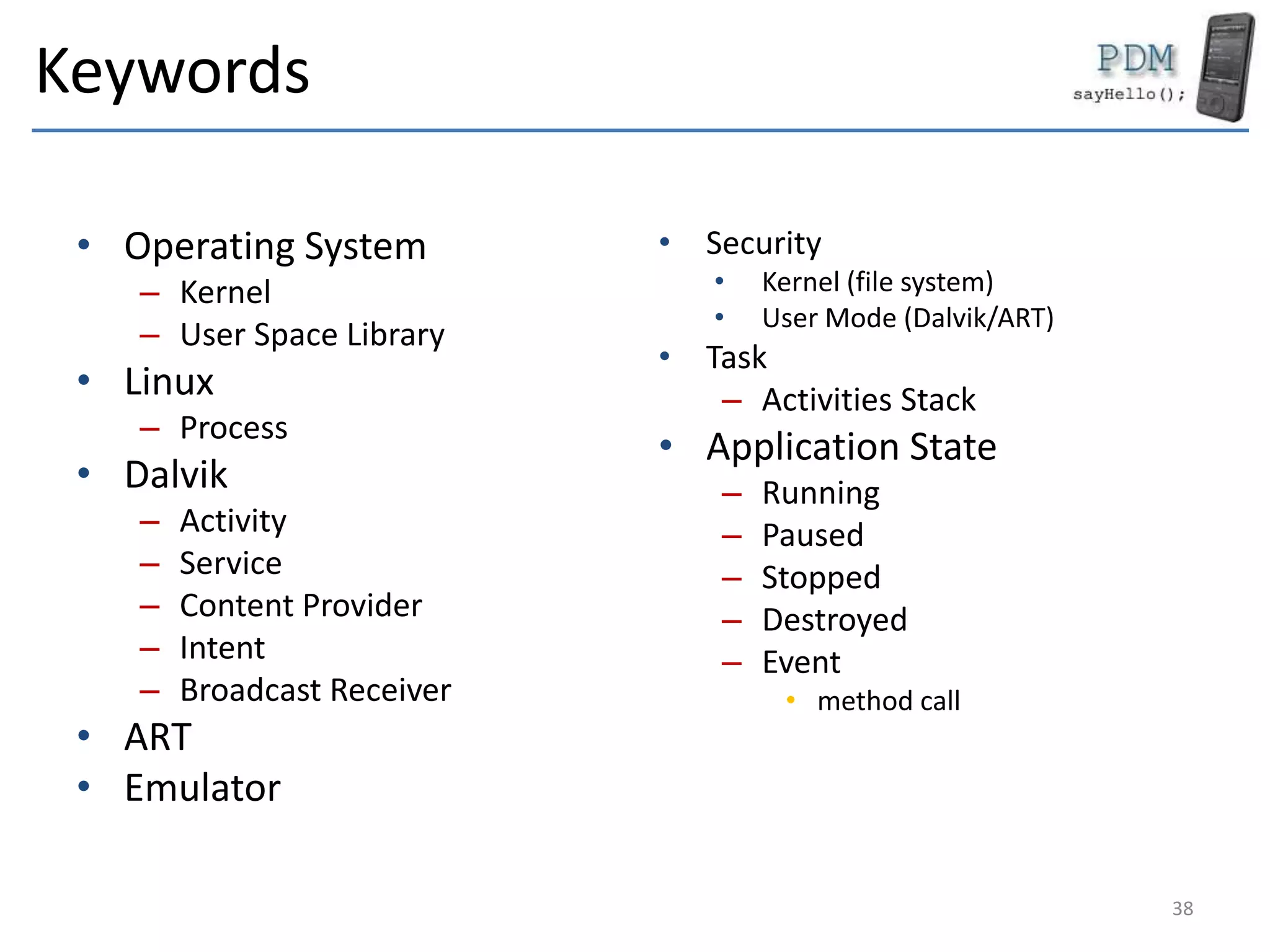
Keywords
• Operating System
– Kernel
– User Space Library
• Linux
– Process
• Dalvik
– Activity
– Service
– Content Provider
– Intent
– Broadcast Receiver
• ART
• Emulator
• Security
• Kernel (file system)
• User Mode (Dalvik/ART)
• Task
– Activities Stack
• Application State
– Running
– Paused
– Stopped
– Destroyed
– Event
• method call
38
Questions
39

MDAD 3 - Android - System, Platform and Application Types

  • 1.
  • 2.
    Bibliography 1. Wallace Jackson,Android Apps for Absolute Beginners, Apress, 2017 2. Peter Späth, Learn Kotlin for Android Development, Apress 2019 3. Android Application Fundamentals, http://developer.android.com/guide/topics/f undamentals.html 2
  • 3.
    Google Android Platform Developedby Google Based upon Linux Virtual Machine (Dalvik) & ART Open Source 3
  • 4.
    Android Platform • Android –OS – Platform • Application types – Activities – Services – Content providers – Intents – Broadcast Revceivers 4
  • 5.
    NOT only aOS • Radio Firmware – Phone system • GSM/CDMA / UMTS • Linux – Kernel 3.x • Android 4 and newer – Optimised forARM – X86 (Intel), MIPS • User Space Libraries – Bionic – SQLite – WebKit • Application platform 5
  • 6.
  • 7.
    Kernel • OS • Notvisible • Extended Machine – Hardware abstraction • Contains drivers • Manages – Processor – Peripherals • Audio • Video • GPS • WiFi – Input/Output – Network stack 7
  • 8.
    Kernel - Optimizations •Memory Management – No swap – On demand application closing system • Power management – WAIT_LOCK • Specific IPC – Binder • AIDL • Synchronous call between processes 8
  • 9.
    User Space Libraries •Programming libraries – Link between the kernel and programs – Screen display • printf (…) • scanf (…) – Network access • socket (…) • Bionic – Libc for Android 9
  • 10.
    User Space Libraries •SQlite • WebKit • Surfaces • FreeType • Media Framework • OpenGL|ES • SSL • … 10
  • 11.
    Dalvik - AndroidRuntime • Virtual Machine(Java) – Java 1.5 SE • Most of it • Missing – AWT / Swing – Imprimare – Alte componente speciale – Optimised for mobile • Small memory • Fast garbage collection – Different file format • .class -> .dex • JIT Compiler 11
  • 12.
  • 13.
    ART - AndroidRuntime • Environment for compiler and executer – Dalvik – Different file format • .dex -> .elf and odex • AOT • Includes a memory allocator 13
  • 14.
  • 15.
  • 16.
  • 17.
  • 18.
    Android Libraries • ForDalvik – Not user space libraries! • Written in Java/Kotlin • Access to the device’s functions – Phone – Messages – Sensors • Services – Window Manager – Audio Manager 18
  • 19.
  • 20.
    Features • Application API •Dalvik • Browser • Graphics – 2D optimised – 3D – OpenGL ES 1.0 • SQLite – Data base • Multimedia Support – Audio / Video • GSM/CDMA • Connectivity – Bluetooth – WiFi – GPRS / EDGE / 3G • Sensors – Photo camera – GPS / AGPS – Magnetometer – Accelerometer • Development platform – Command line – Android Studio 20
  • 21.
    Programming • Dalvik (Application) –in Java/Kotlin – High speed – Access to many libraries • AJAX – In the browser (WebKit) – Slow – JavaScript • Native Development Kit (NDK) – C/C++ – Limited number of libraries – High speed – JNI Support – Not recommended for standard applications • C/C++ (directly for the system) 21
  • 22.
    Application Security • Implementedin the kernel – Linux policy • Ext3 file system • Users can write only in their folder – Every application runs with its own user • Determined by the digital signature! • Group permissions – May write in • /data/name.package.application / • /SDCard/ – Works for any application type • Dalvik / AJAX / NDK / C/C++ 22
  • 23.
    Application Security • Implementedin the Android Libraries – Permissions • Declared in the Manifest • Access device’s functions – Network – Phone / messages – Photo – GPS • Access to another application’s components – Permissions imposed by that application – User will be asked – at install (Android < 6) – at usage (Android >= 6) – Works only for Dalvik / ART applications 23
  • 24.
    Programs (Dalvik) • Thereis no main() • Formed of components – Activities – Services – Intents – Content Providers – Broadcast Receivers • Components can run separately 24
  • 25.
    Application (Dalvik) • APKFile – JAR uncompressed • Components – .dex File • Resources – Images – XML Files • Manifest – File with information – Digital signature • For development • For production – Authentic – Self signed 25
  • 26.
  • 27.
    Task (UI Application) •Runs in one process – usually! – There are exceptions • Stack of activities • Root activity – Add • Display • push – Remove • Hide • pop – Activities from other applications 27
  • 28.
    Task (UI Application) •Runs in one process – usually! – There are exceptions • Stack of activities • Root activity – Add • Display • push – Remove • Hide • pop – Activities from other applications 28
  • 29.
  • 30.
    Funcții importante • ClassActivity – void onCreate (…); – void onStart (…); – void onRestart (…); – void onResume (…); – void onPause (…); – void onStop (…); – void onDestroy (…); • Must call parent functions – super.onCreate (…); – … 30
  • 31.
    Activity • Window • Longerthan the process – Serializing – Partially controlled by the programmer • Not for a lot of processing 31
  • 32.
    Services • Android Component •Specially for processing • Runs in background • process – Low priority – More stable (in time) 32
  • 33.
    Service implementation • Extendsclass Service – Simple Service • void onCreate (); • void onStart (Intent intent, int startID); • void onDestroy (); – Using AIDL • void onBind (Intent intent); • void onUnbind(); 33
  • 34.
    Content Providers /Broadcast Receivers • Content providers – Offer information – Link with SQLite – Based on URLs • Broadcast receivers – Observers – Public events • SCREEN_ON • SCREEN_OFF • BATTER_STATUS_CHANGED 34
  • 35.
    Simulator vs. RealPhone • Simulator – Real • Boots Linux – Several versions • 2.3.3 • 4.0 • 4.1.2 – Runs separately • Real Phone – USB Debugging • Applications/Developmen t 35
  • 36.
    Application template • AndroidManifest.xml •build.xml • default.properties • Bin – compiled files • res – drawable – layout – values • assets – resources – gen – Resources IDs (automatically generated) • Src – source files 36
  • 37.
    Conclusions • Android Platform –Linux OS – Set of libraries for Android • Programming ways – Dalvik/ART – Java/Kotlin – AJAX – Web – NDK – C/C++ • Android Applications are a set of components – Activities – Services – Intents – Content Providers – Broadcast Receivers – There is no main() • Real emulator • Task – UI Applications – Set of Activities • Survive the process 37
  • 38.
    Keywords • Operating System –Kernel – User Space Library • Linux – Process • Dalvik – Activity – Service – Content Provider – Intent – Broadcast Receiver • ART • Emulator • Security • Kernel (file system) • User Mode (Dalvik/ART) • Task – Activities Stack • Application State – Running – Paused – Stopped – Destroyed – Event • method call 38
  • 39.