Implementing INSPIRE and
Creating Mashups with FME
Dean Hintz
Safe Software
Sören Dupke
con terra
Erin Lemky
Safe Software
Your photo here Your photo here
Dean Hintz
Senior Analyst
Erin Lemky
Senior Product Marketing
Hello!
Your photo here
Sören Dupke
Consultant & Developer
What is INSPIRE?
▪ EU member state directive
▪ Since 2007
▪ Deadline is 2021
▪ Objective: Enable sharing of
environmental spatial information
for policies and activities that may
have an impact on the
environment1
1
https://inspire.ec.europa.eu/about-inspire/563
What is INSPIRE?
▪ One of the largest:
▪ Deployments of Open
Geospatial Consortium (OGC)
standards
▪ Spatial data infrastructures
(SDIs)
▪ Open data portals
Agenda
Introduction
1. INSPIRE Implementation Using FME
▪ Schema, Geometry Transformation & Validation
▪ Creating INSPIRE GML & ATOM Feeds
2. Leveraging INSPIRE data using FME
▪ Mashing up INSPIRE data & In-House data
▪ Connecting Web Services & APIs
FME Enhancements
Resources
Q&A
Poll Question
How familiar are you with FME?
● I’ve been using it for 5+ years
● I’ve been using it for a couple
years
● I’ve been using it for less than 1
year
● I’m curious to learn about it
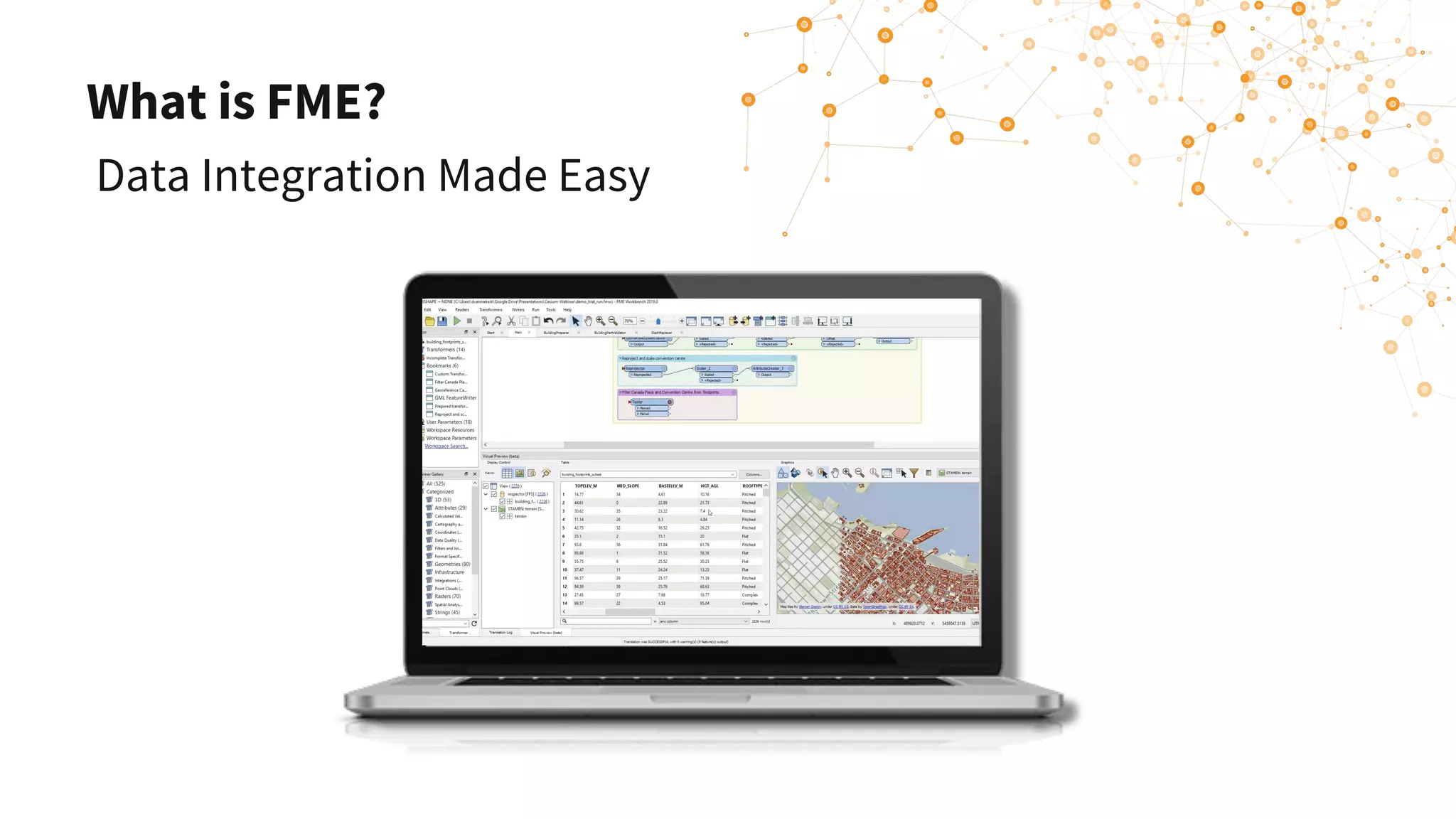
What is FME?
Data Integration Made Easy
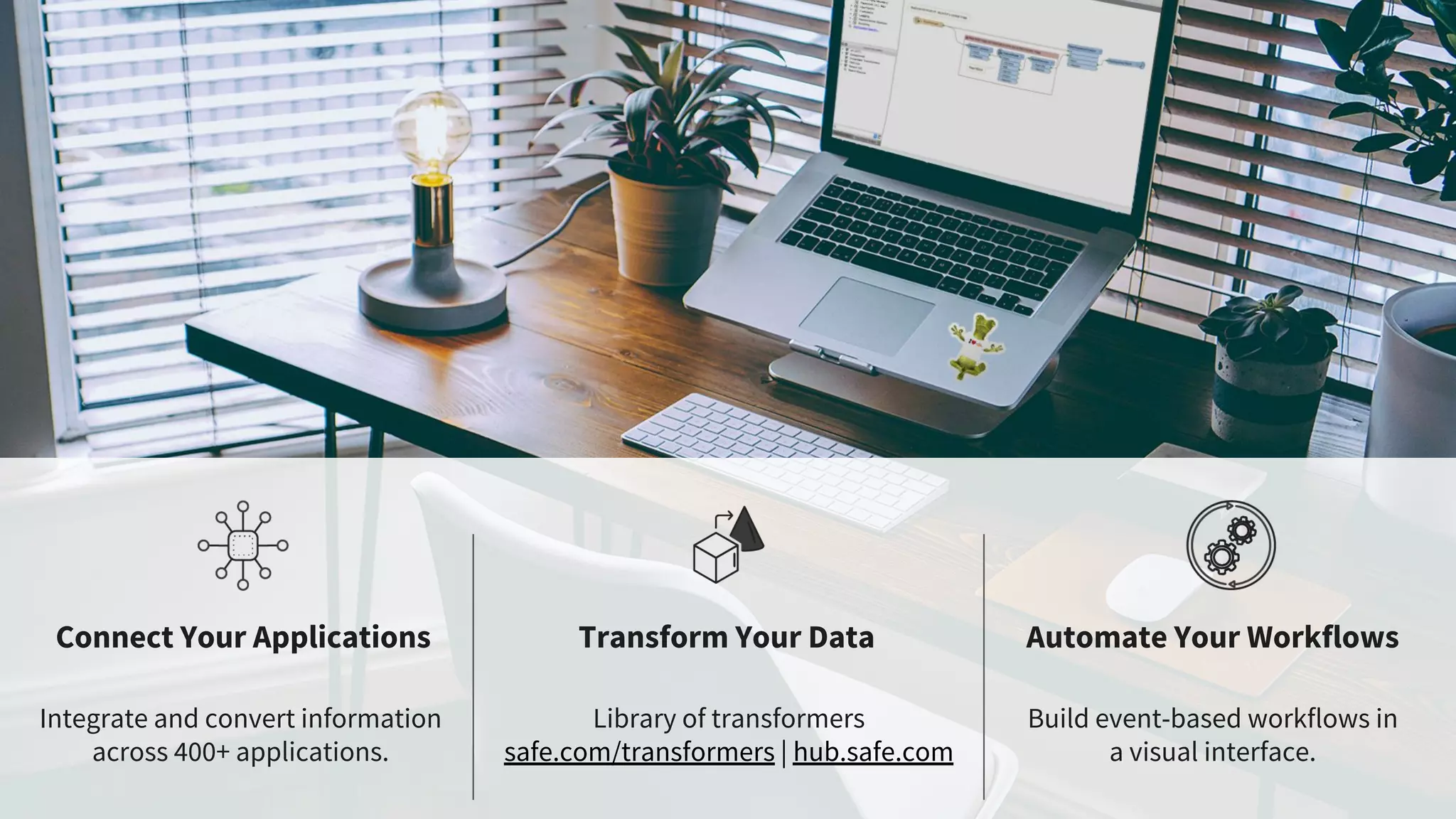
Connect Your Applications Transform Your Data Automate Your Workflows
Integrate and convert information
across 400+ applications.
Library of transformers
safe.com/transformers | hub.safe.com
Build event-based workflows in
a visual interface.
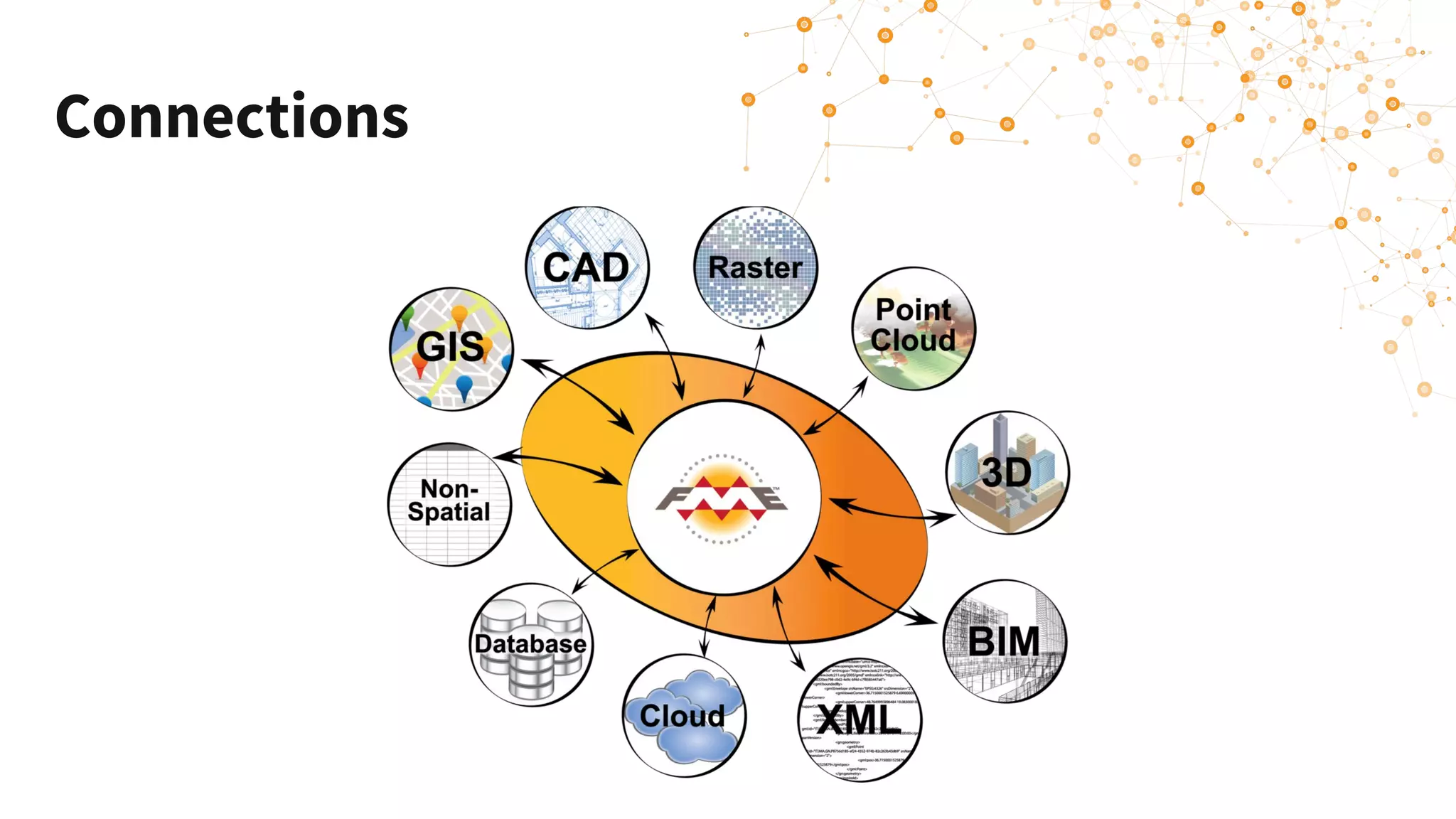
Connections
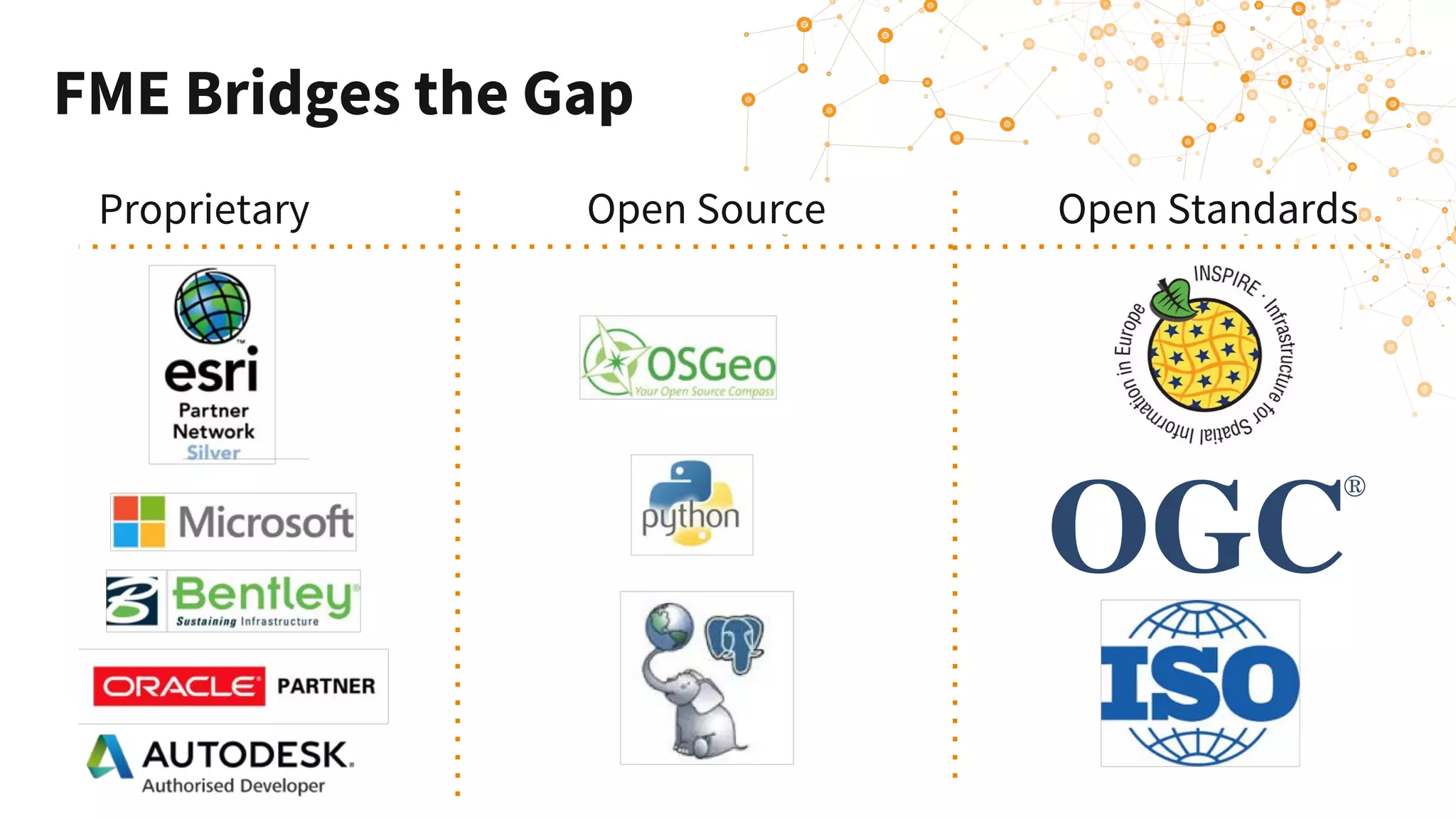
FME Bridges the Gap
Proprietary Open Source Open Standards
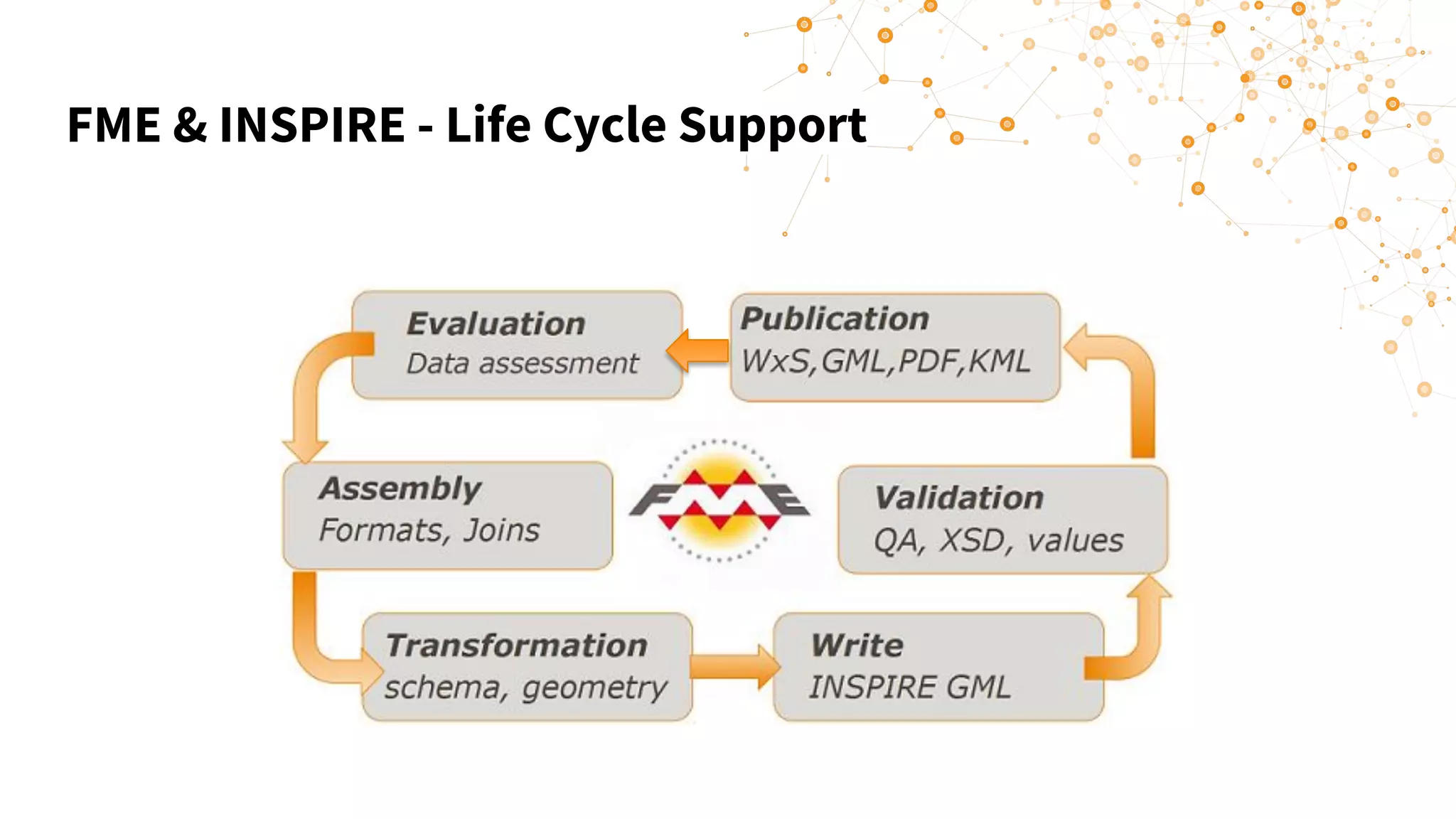
FME & INSPIRE - Life Cycle Support
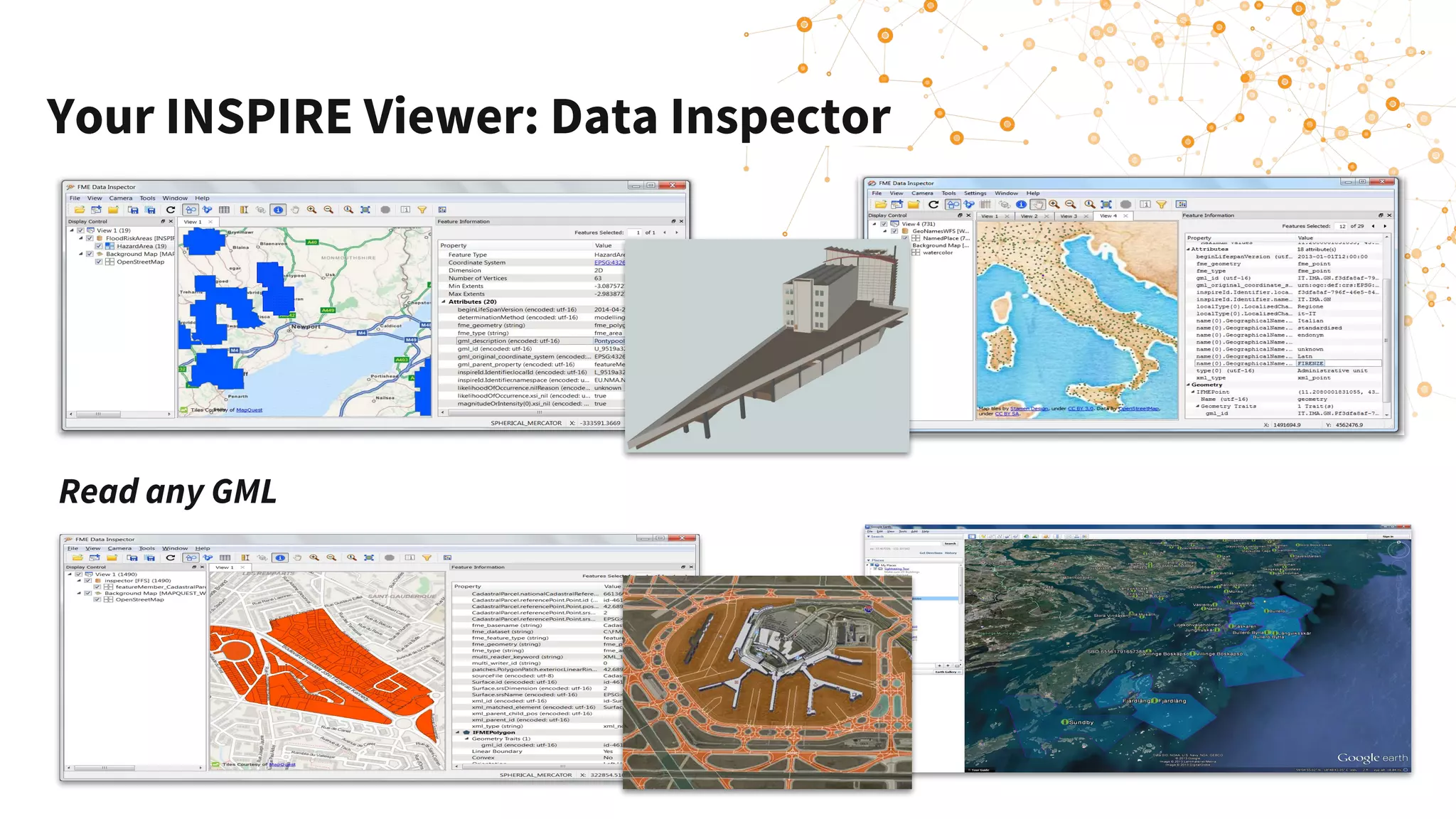
Your INSPIRE Viewer: Data Inspector
Read any GML
Poll Question
What is your relationship with EU
INSPIRE?
● I’m using FME to meet INSPIRE
compliance
● I’m exploring using FME for
INSPIRE compliance
● I’m using other tools to work on
INSPIRE compliance
● I want to consume INSPIRE data
● I’m observing INSPIRE from afar
Schema, Geometry Transformation
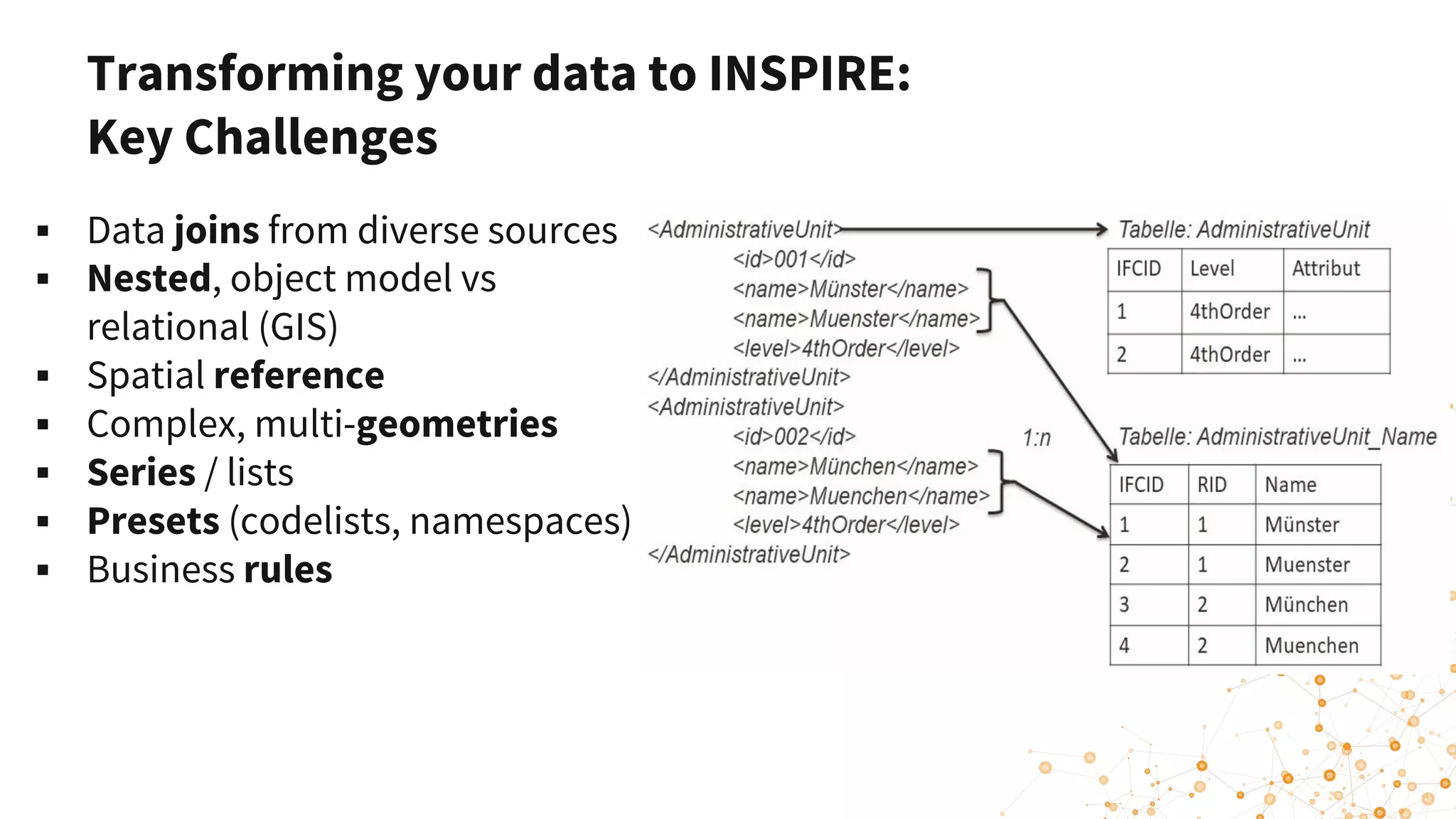
▪ Data joins from diverse sources
▪ Nested, object model vs
relational (GIS)
▪ Spatial reference
▪ Complex, multi-geometries
▪ Series / lists
▪ Presets (codelists, namespaces)
▪ Business rules
Transforming your data to INSPIRE:
Key Challenges
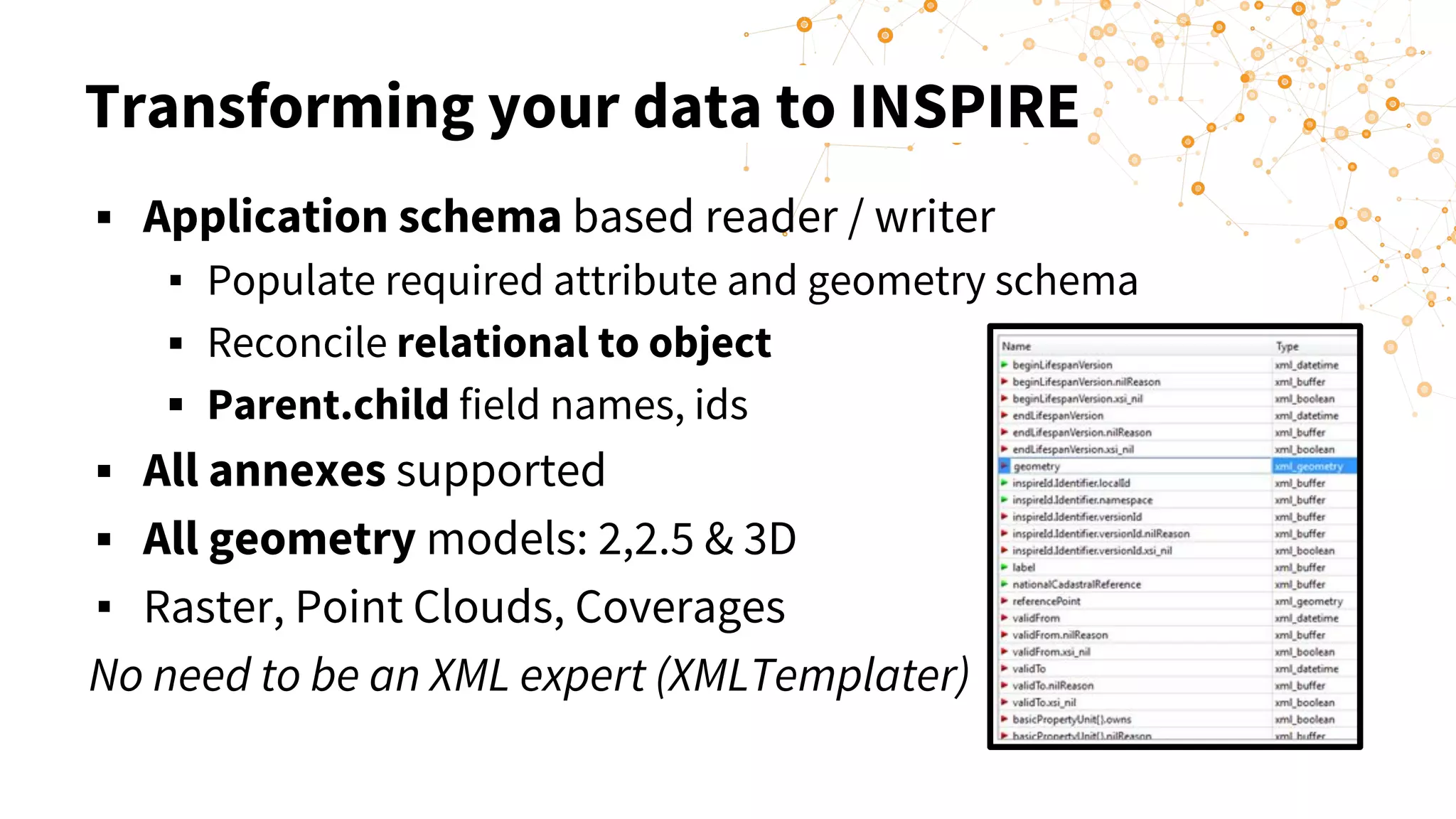
Transforming your data to INSPIRE
▪ Application schema based reader / writer
▪ Populate required attribute and geometry schema
▪ Reconcile relational to object
▪ Parent.child field names, ids
▪ All annexes supported
▪ All geometry models: 2,2.5 & 3D
▪ Raster, Point Clouds, Coverages
No need to be an XML expert (XMLTemplater)
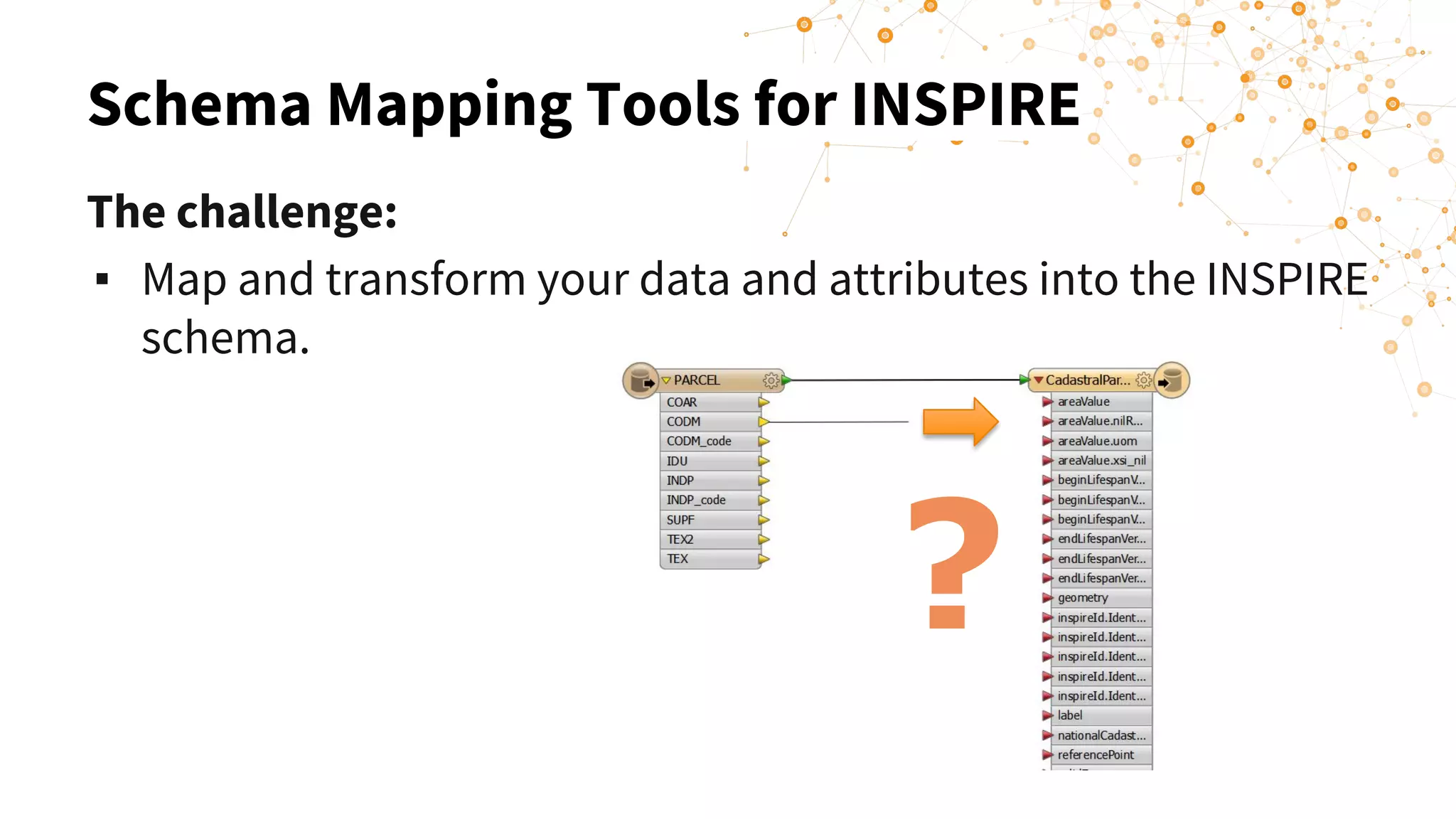
Schema Mapping Tools for INSPIRE
?
The challenge:
▪ Map and transform your data and attributes into the INSPIRE
schema.
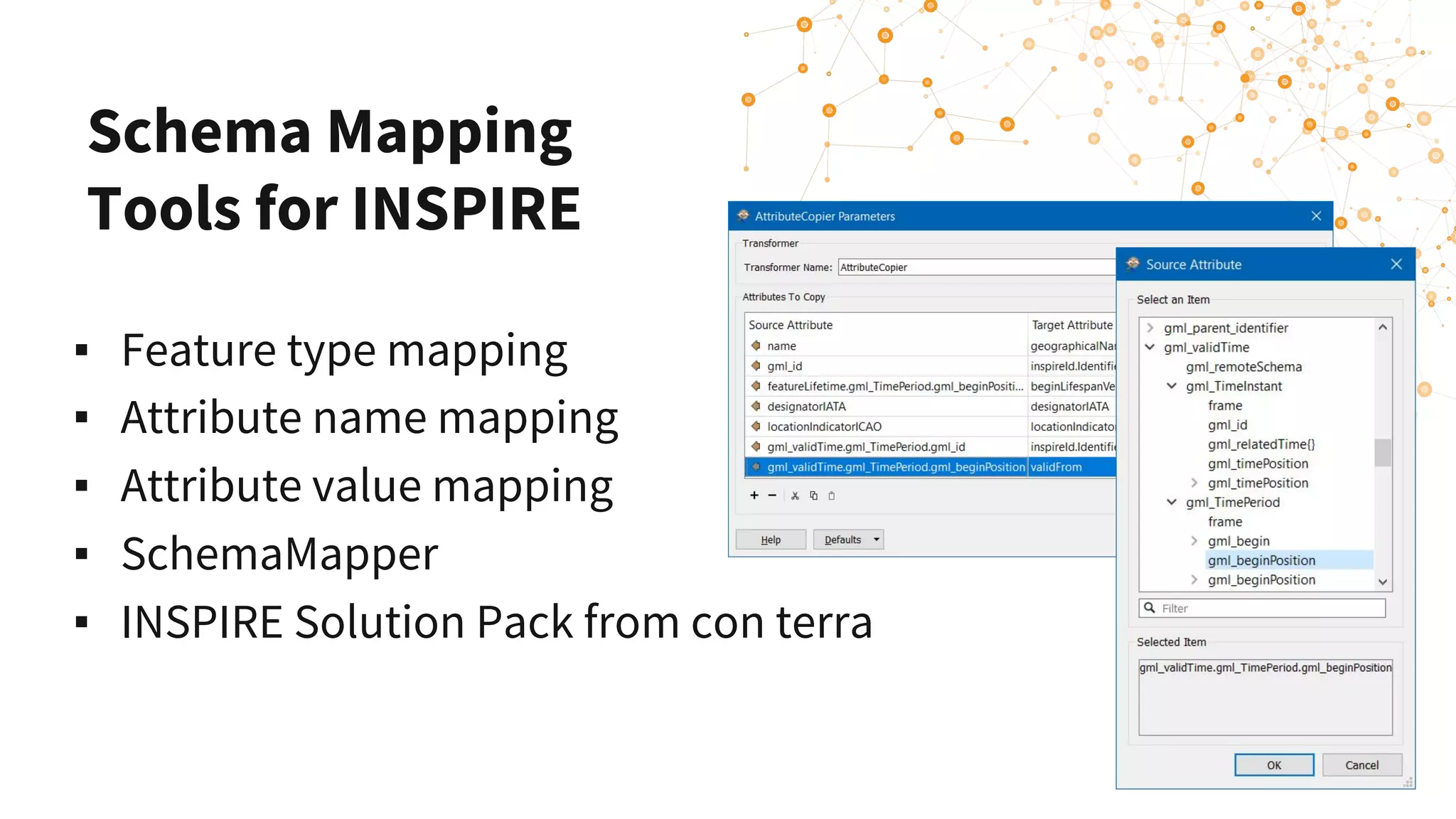
Schema Mapping
Tools for INSPIRE
▪ Feature type mapping
▪ Attribute name mapping
▪ Attribute value mapping
▪ SchemaMapper
▪ INSPIRE Solution Pack from con terra
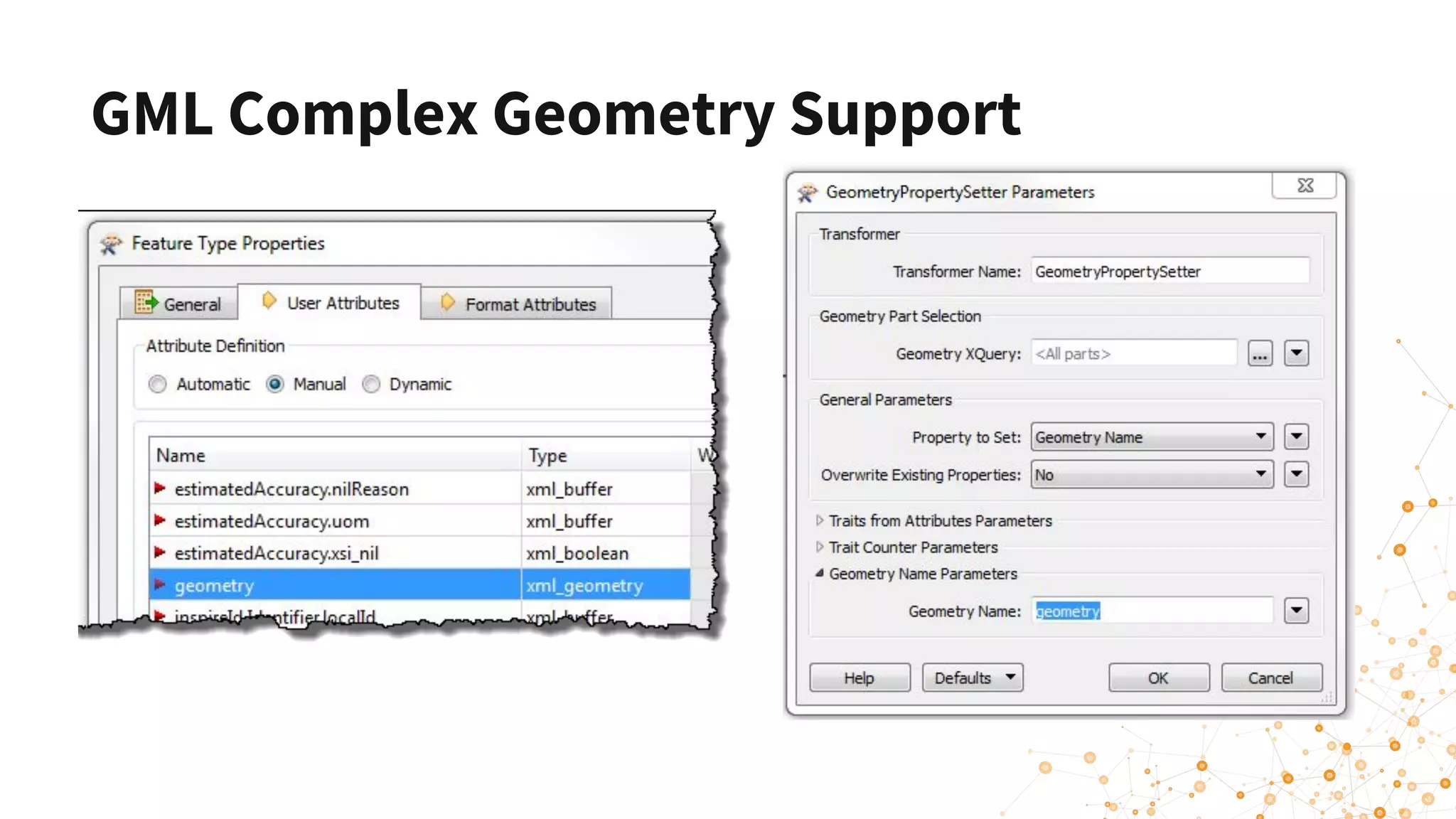
GML Complex Geometry Support
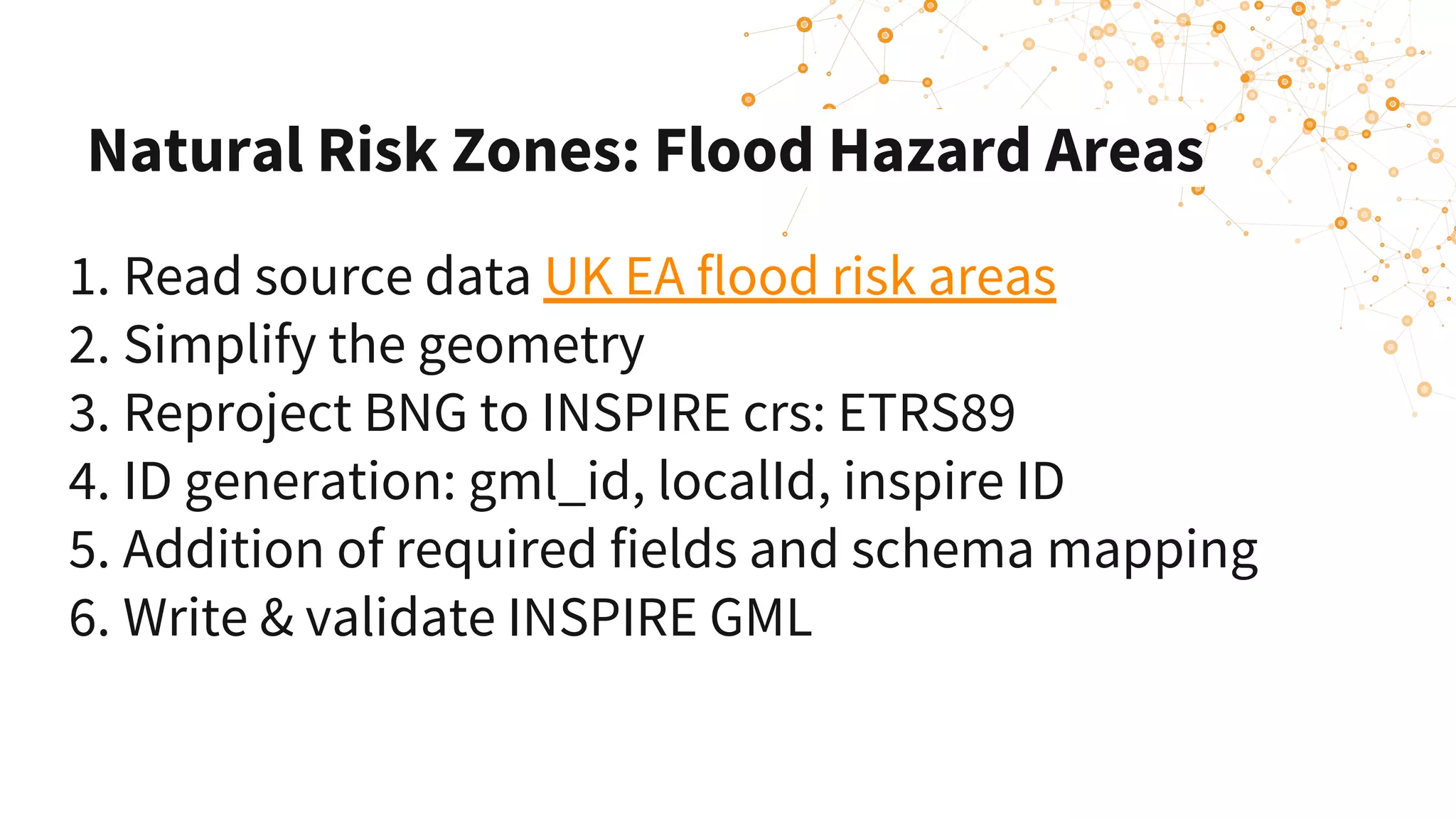
Natural Risk Zones: Flood Hazard Areas
1. Read source data UK EA flood risk areas 
2. Simplify the geometry 
3. Reproject BNG to INSPIRE crs: ETRS89
4. ID generation: gml_id, localId, inspire ID
5. Addition of required fields and schema mapping
6. Write & validate INSPIRE GML
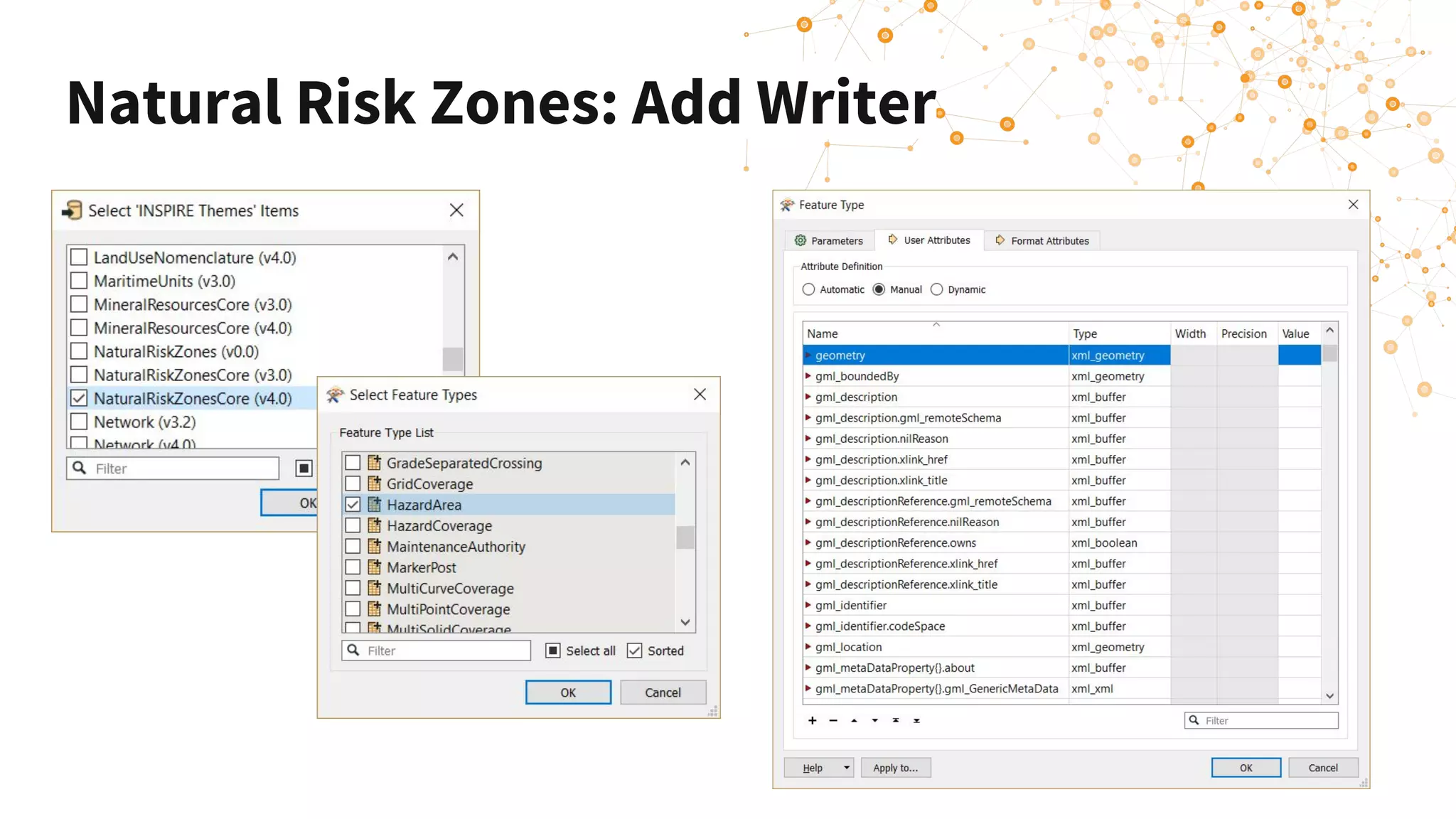
Natural Risk Zones: Add Writer
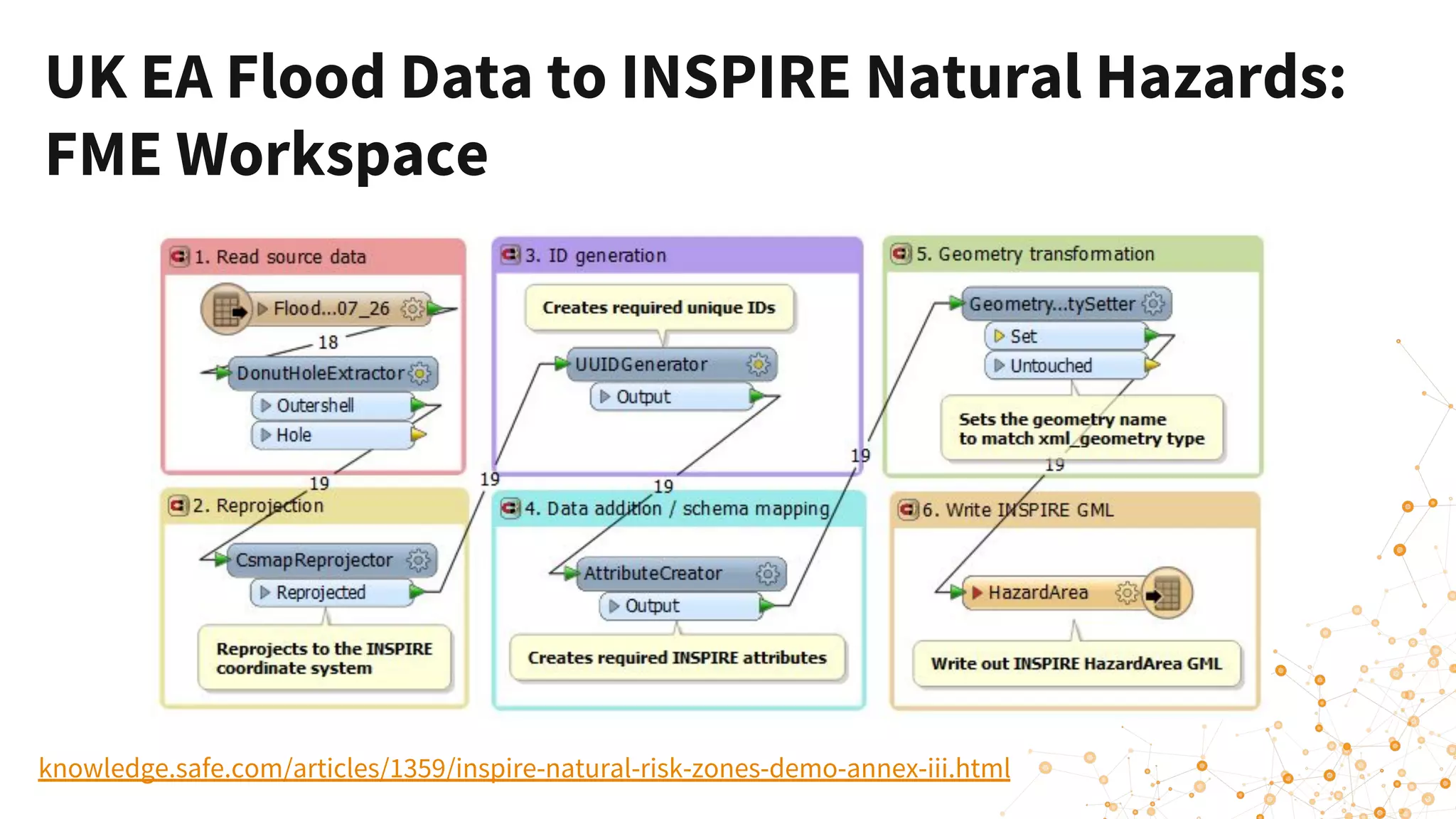
UK EA Flood Data to INSPIRE Natural Hazards:
FME Workspace
knowledge.safe.com/articles/1359/inspire-natural-risk-zones-demo-annex-iii.html
AIXM Database to Aerodromes - Schema
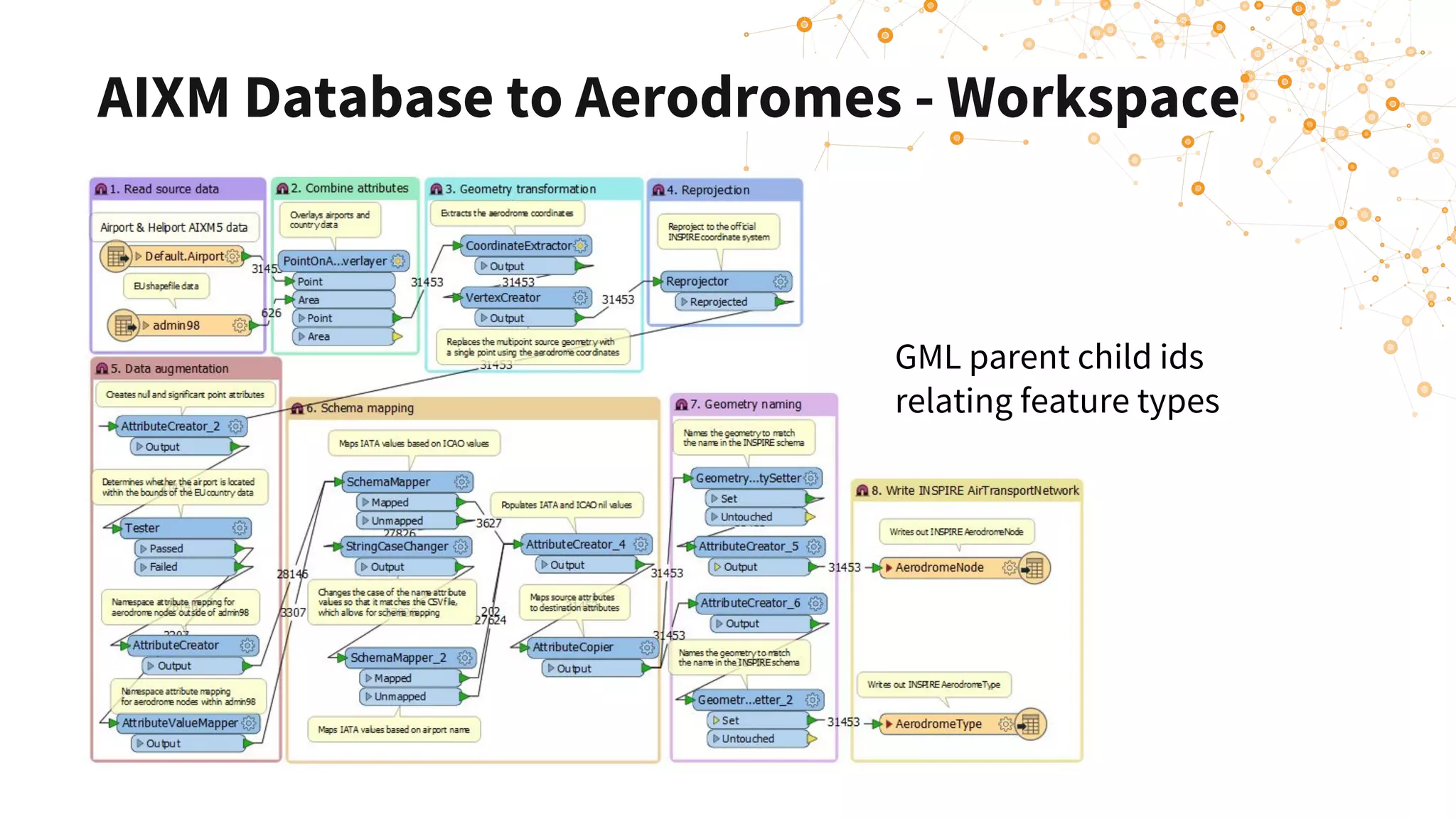
AIXM Database to Aerodromes - Workspace
GML parent child ids
relating feature types
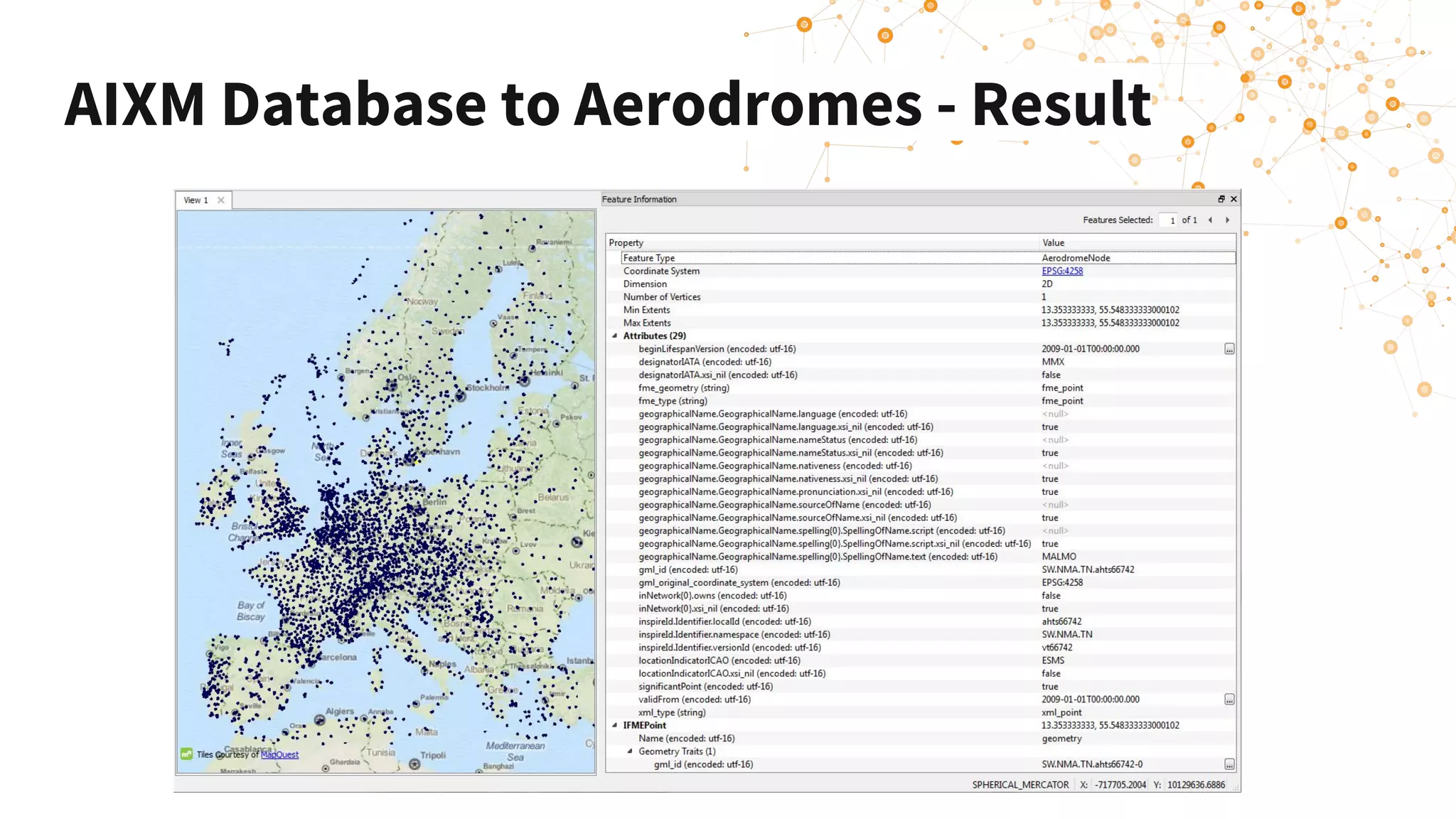
AIXM Database to Aerodromes - Result
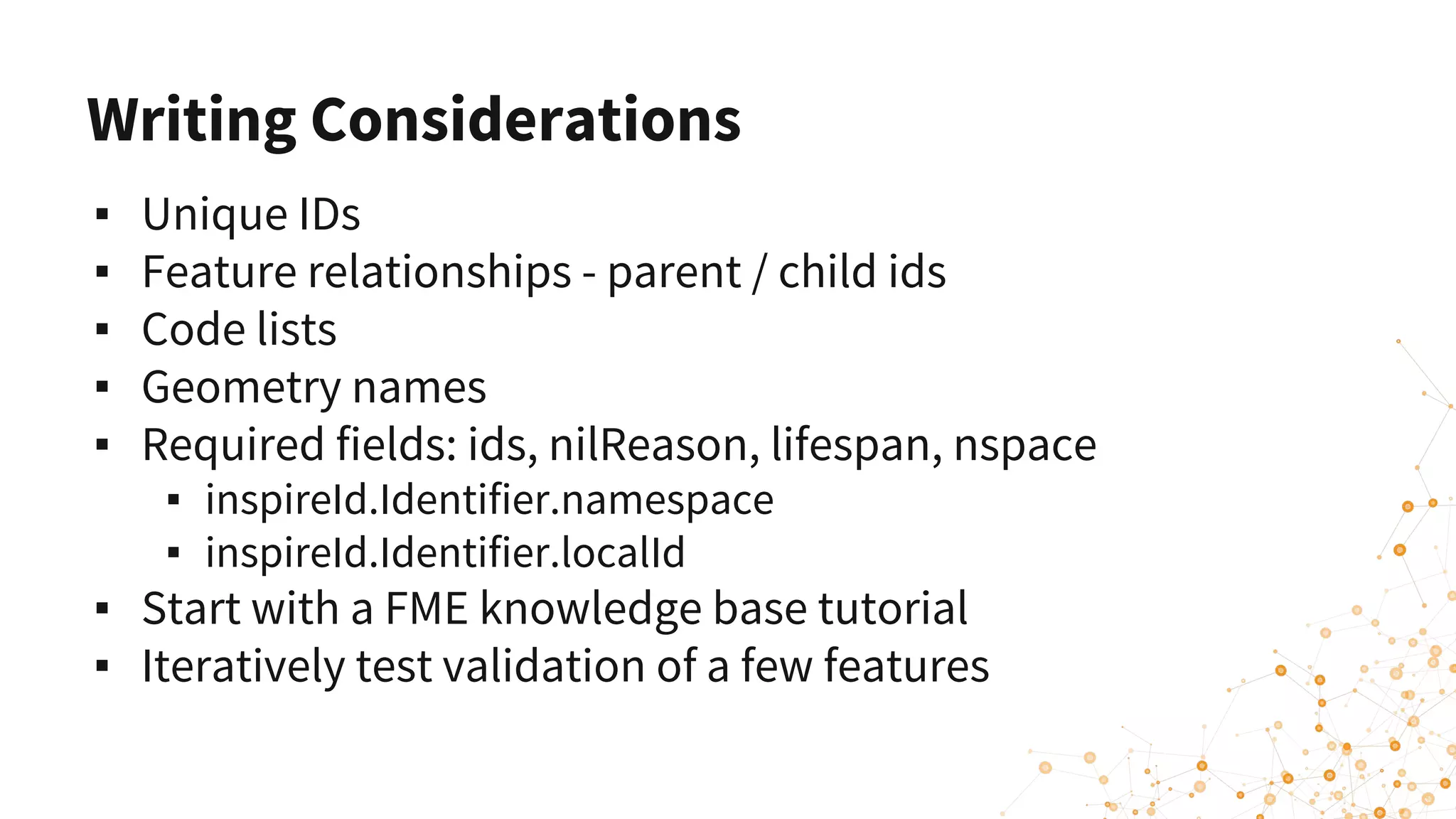
Writing Considerations
▪ Unique IDs
▪ Feature relationships - parent / child ids
▪ Code lists
▪ Geometry names
▪ Required fields: ids, nilReason, lifespan, nspace
▪ inspireId.Identifier.namespace
▪ inspireId.Identifier.localId
▪ Start with a FME knowledge base tutorial
▪ Iteratively test validation of a few features
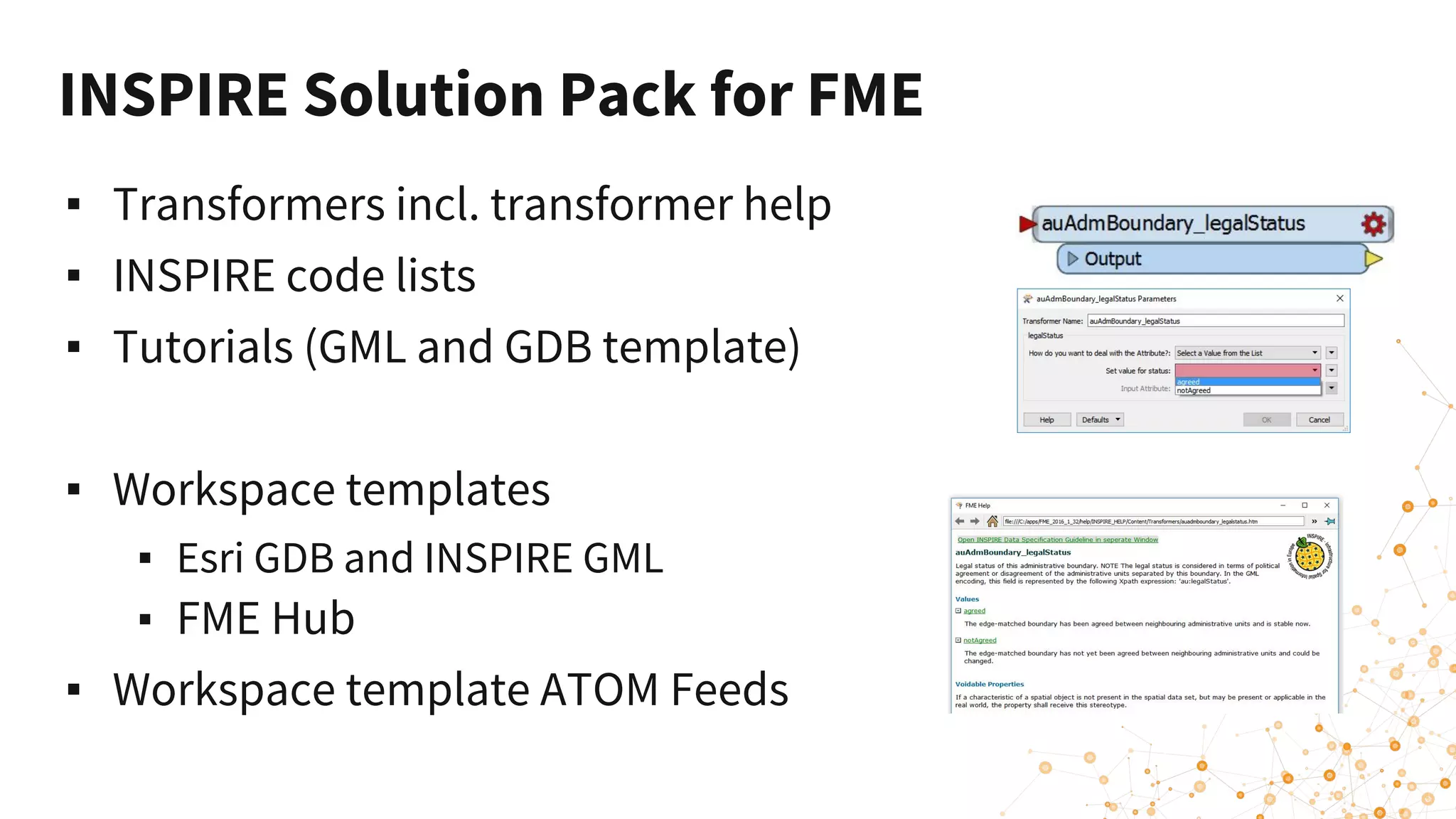
INSPIRE Solution Pack for FME
▪ Transformers incl. transformer help
▪ INSPIRE code lists
▪ Tutorials (GML and GDB template)
▪ Workspace templates
▪ Esri GDB and INSPIRE GML
▪ FME Hub
▪ Workspace template ATOM Feeds
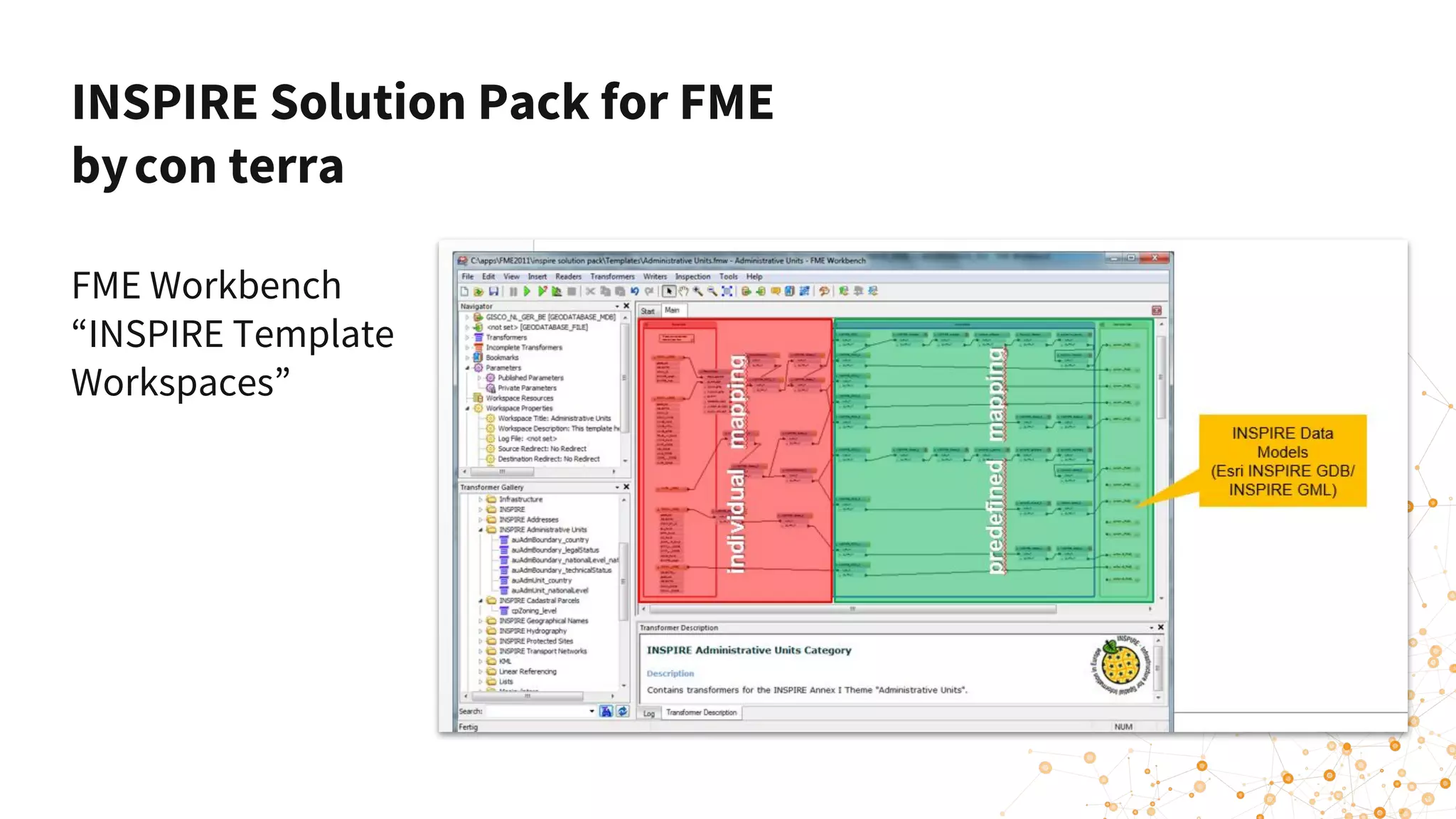
INSPIRE Solution Pack for FME
bycon terra
FME Workbench
“INSPIRE Template
Workspaces”
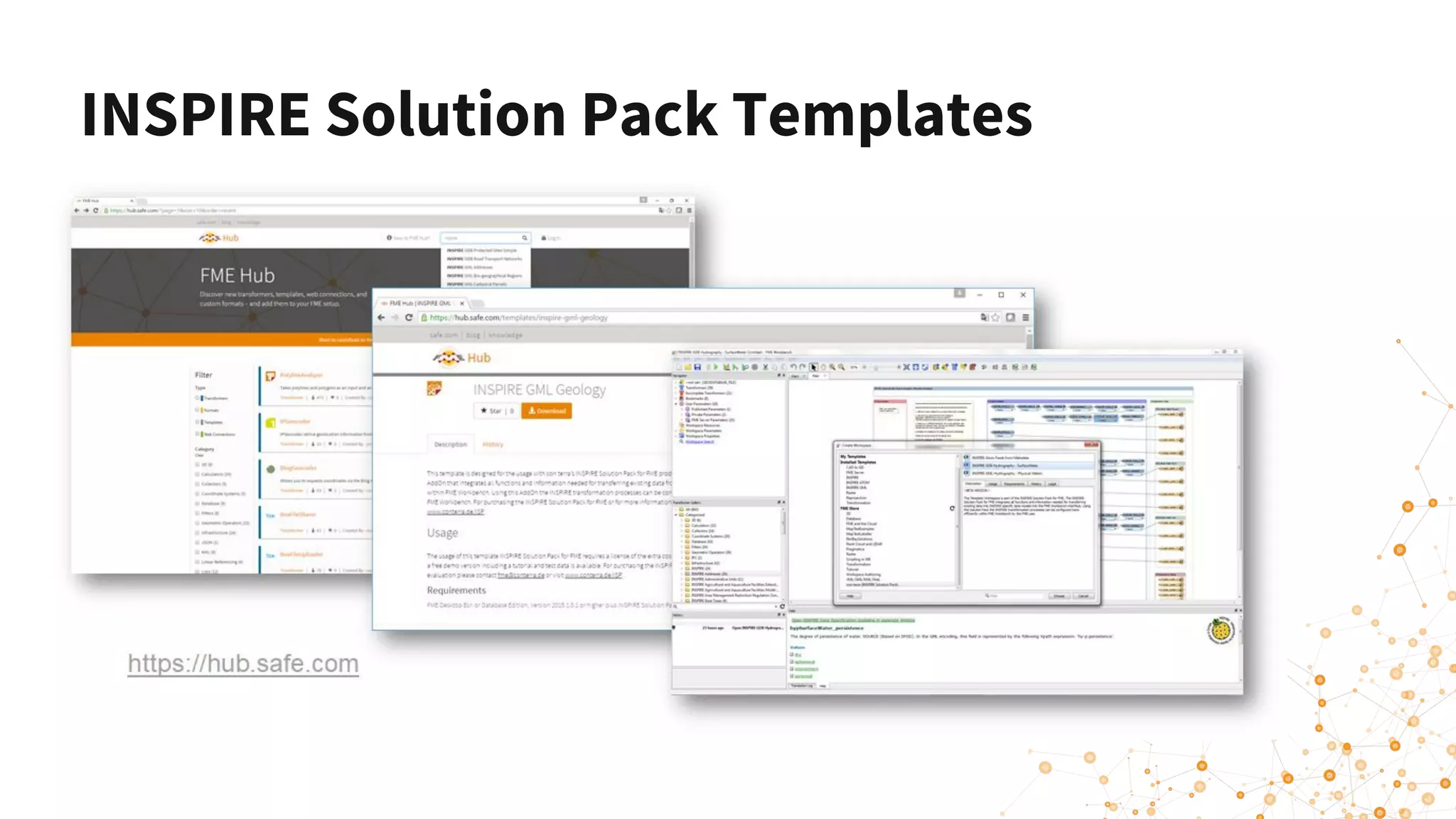
INSPIRE Solution Pack Templates
Data Validation
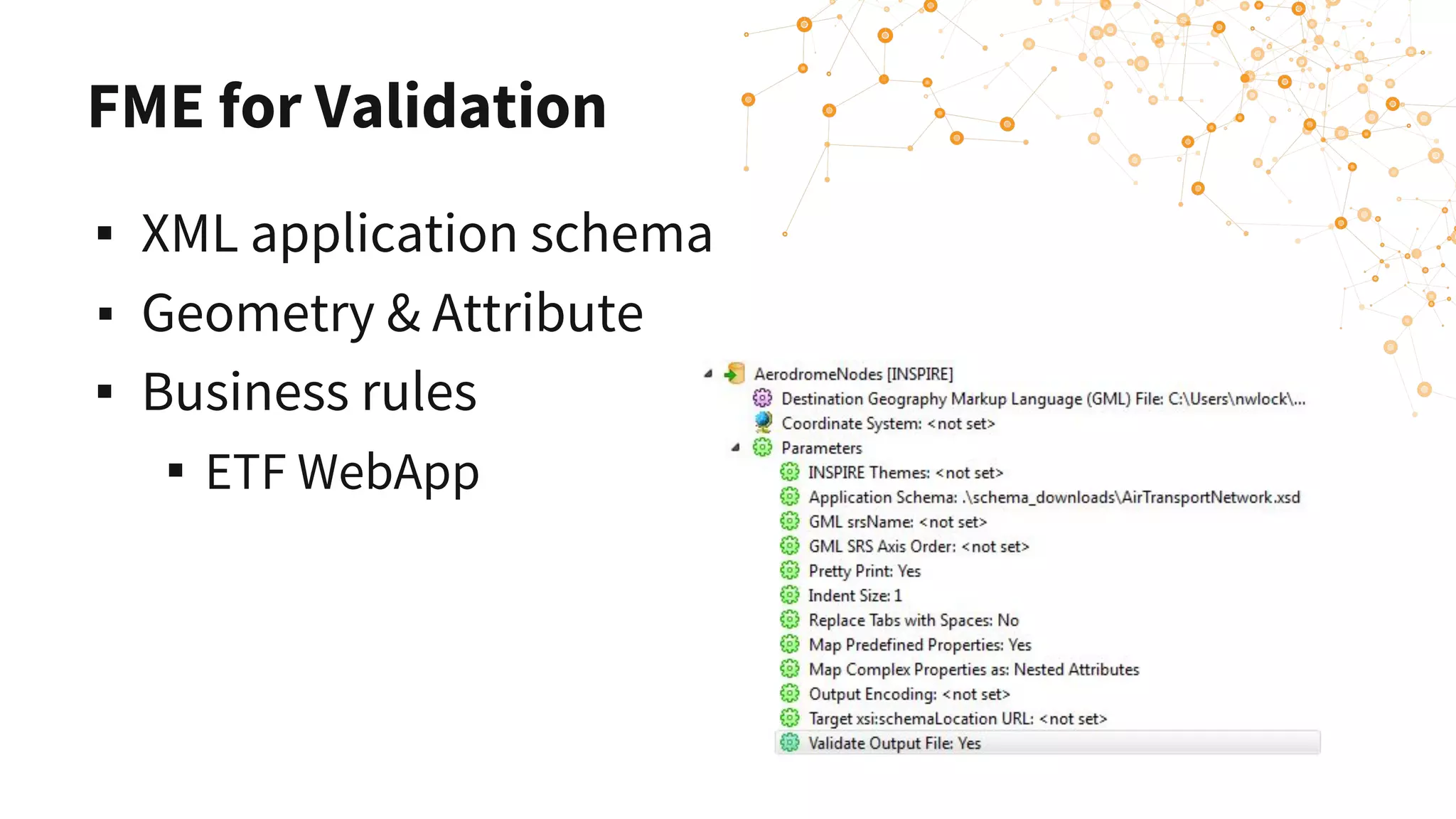
FME for Validation
▪ XML application schema
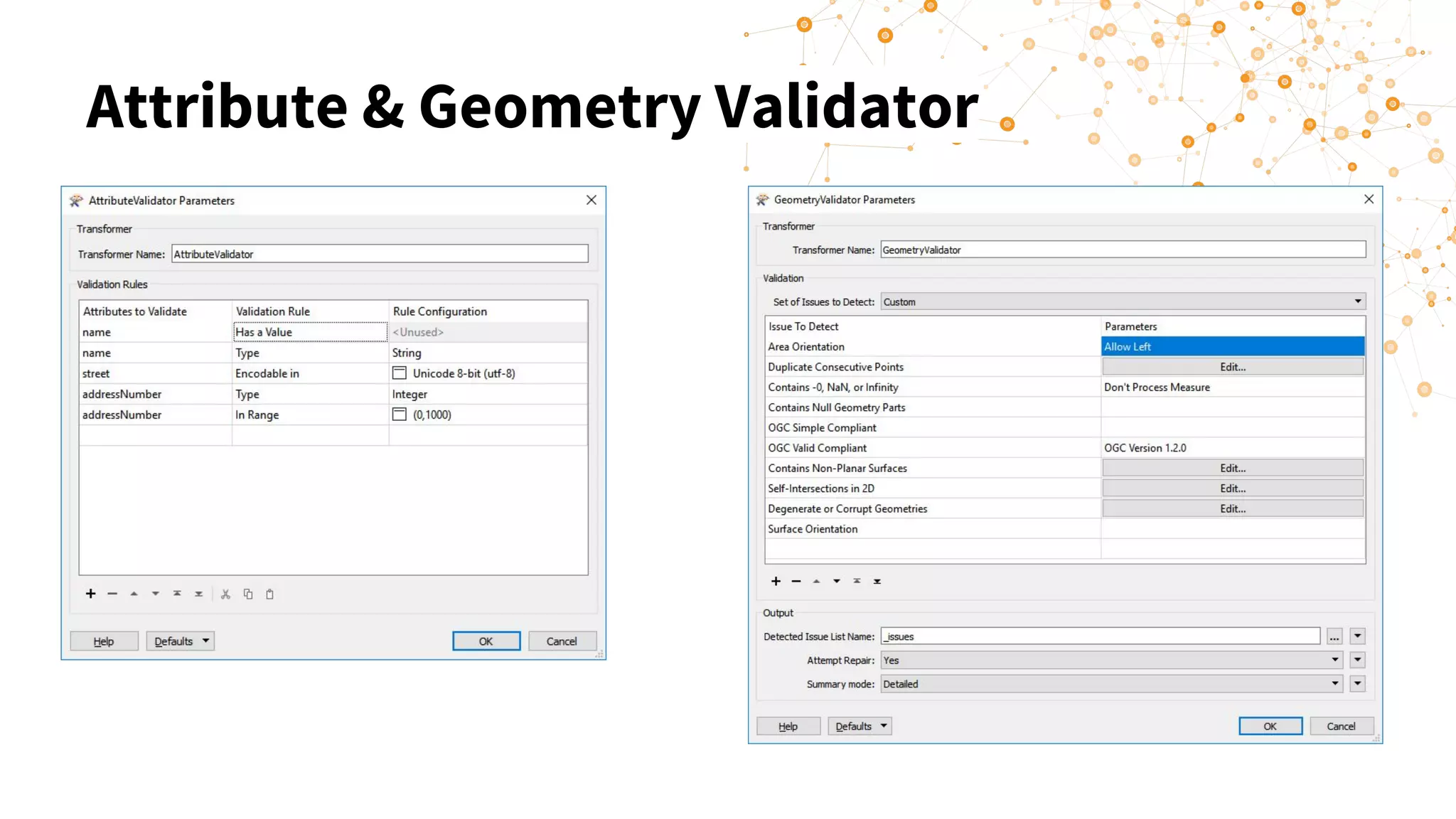
▪ Geometry & Attribute
▪ Business rules
▪ ETF WebApp
Attribute & Geometry Validator
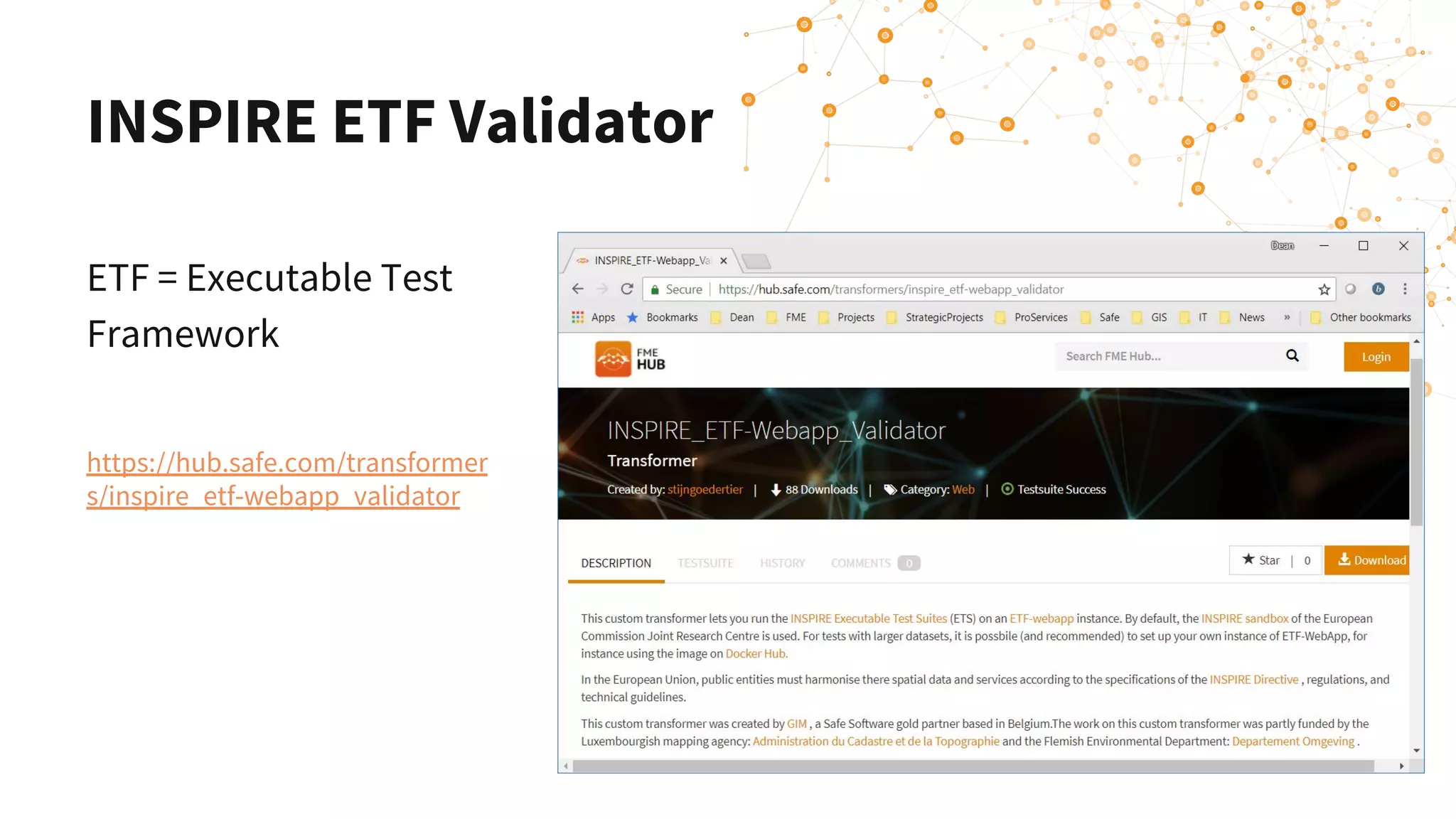
INSPIRE ETF Validator
ETF = Executable Test
Framework
https://hub.safe.com/transformer
s/inspire_etf-webapp_validator
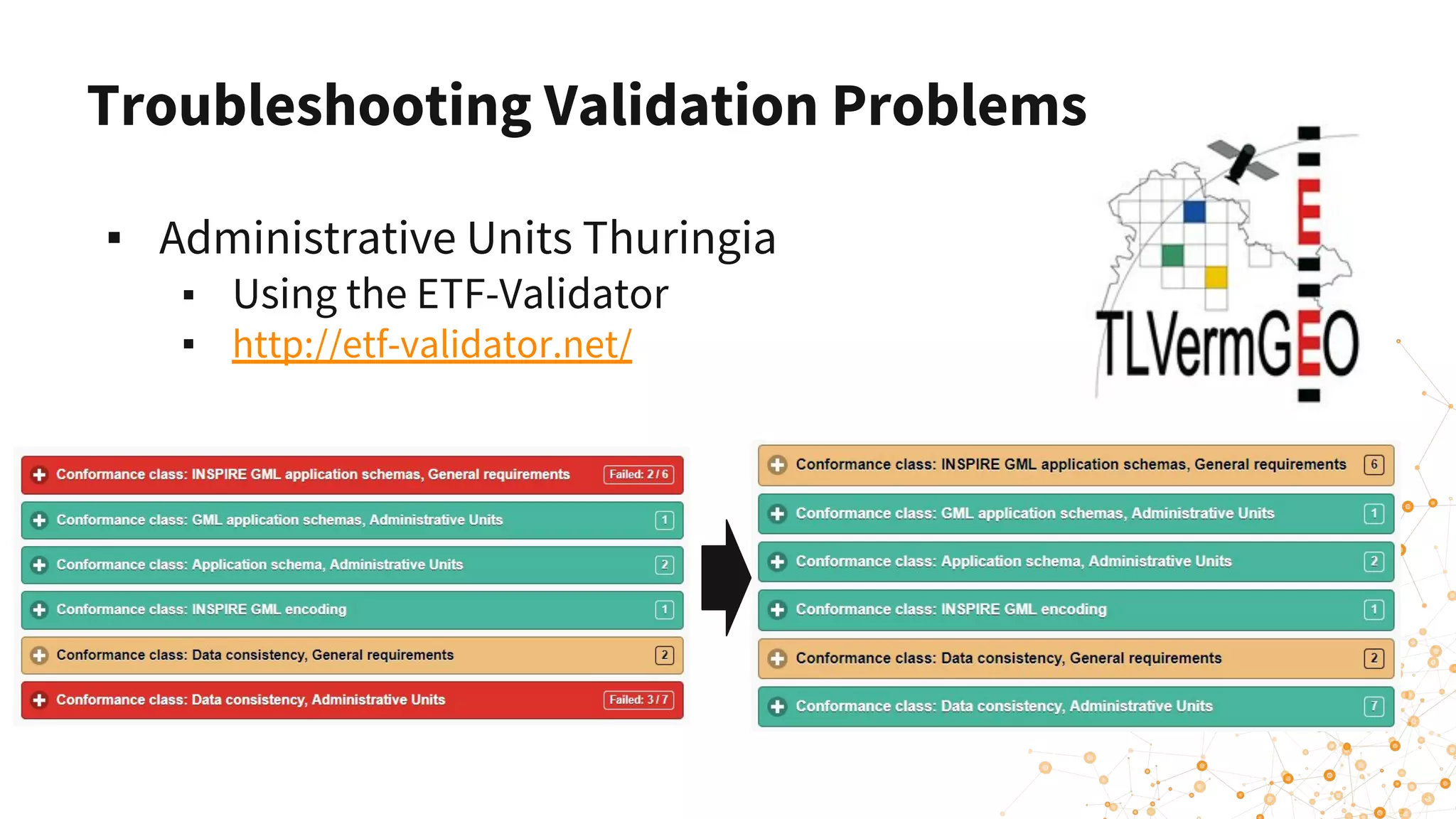
▪ Administrative Units Thuringia
▪ Using the ETF-Validator
▪ http://etf-validator.net/
Troubleshooting Validation Problems
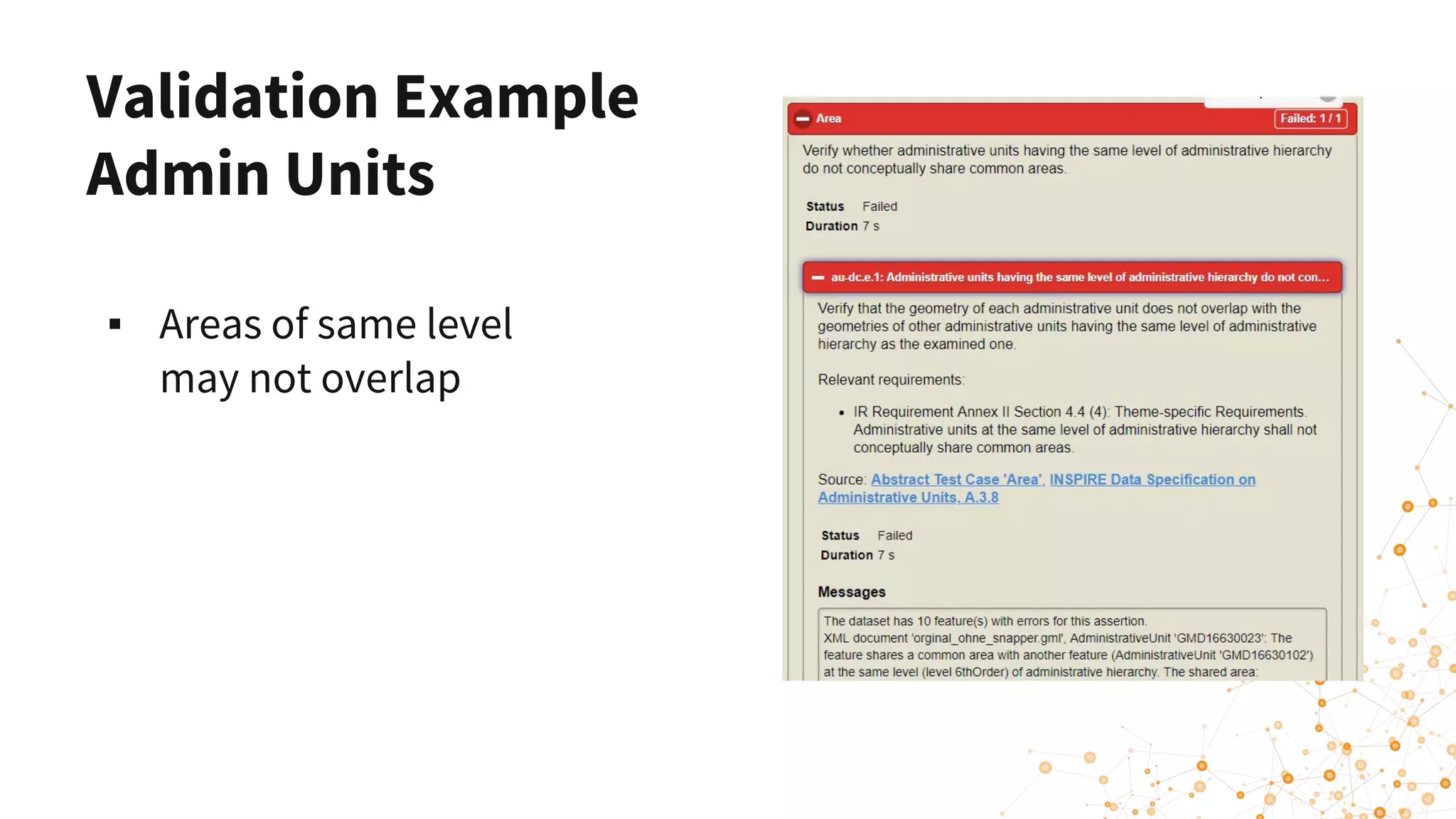
Validation Example
Admin Units
▪ Areas of same level
may not overlap
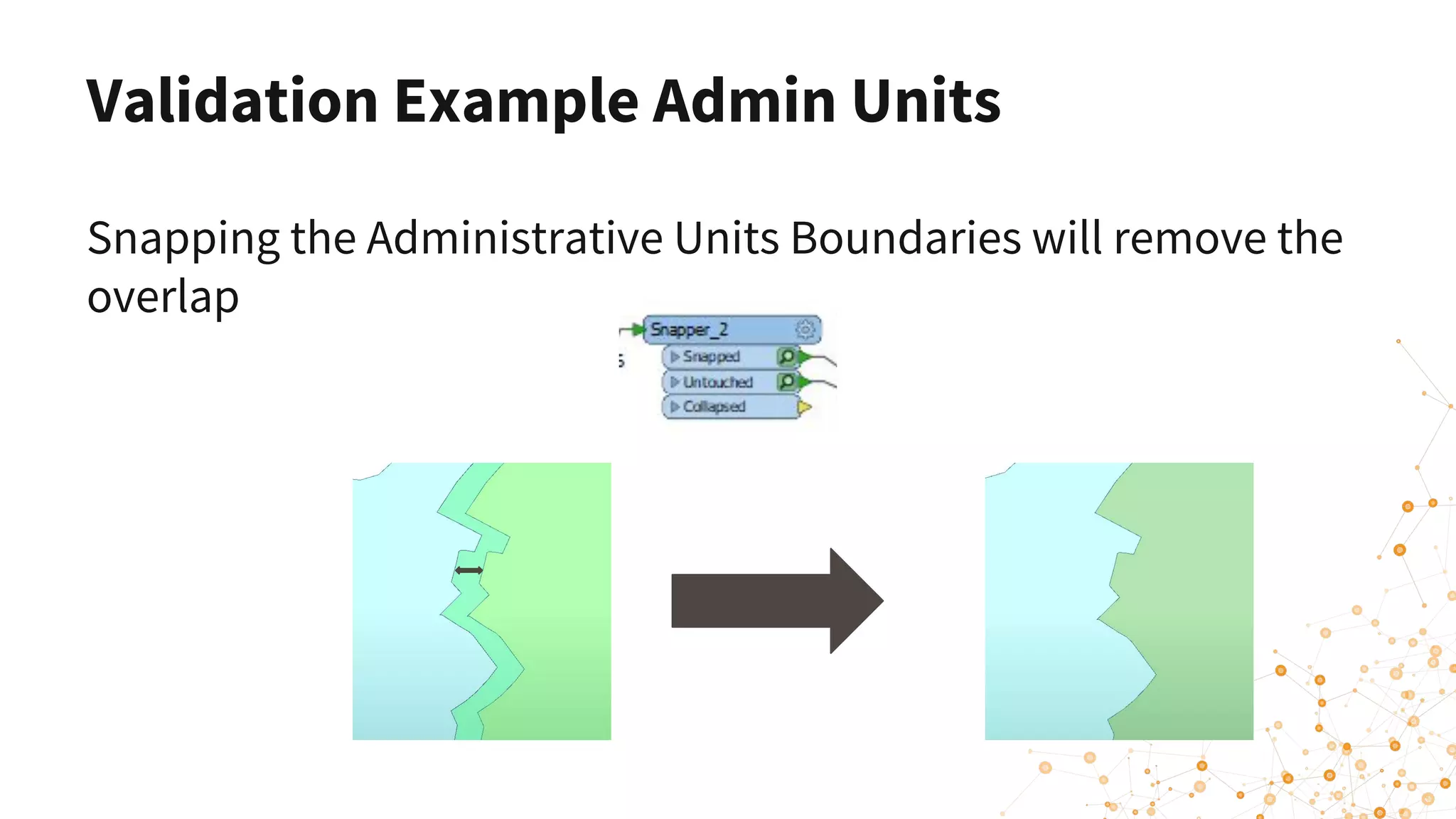
Validation Example Admin Units
Snapping the Administrative Units Boundaries will remove the
overlap
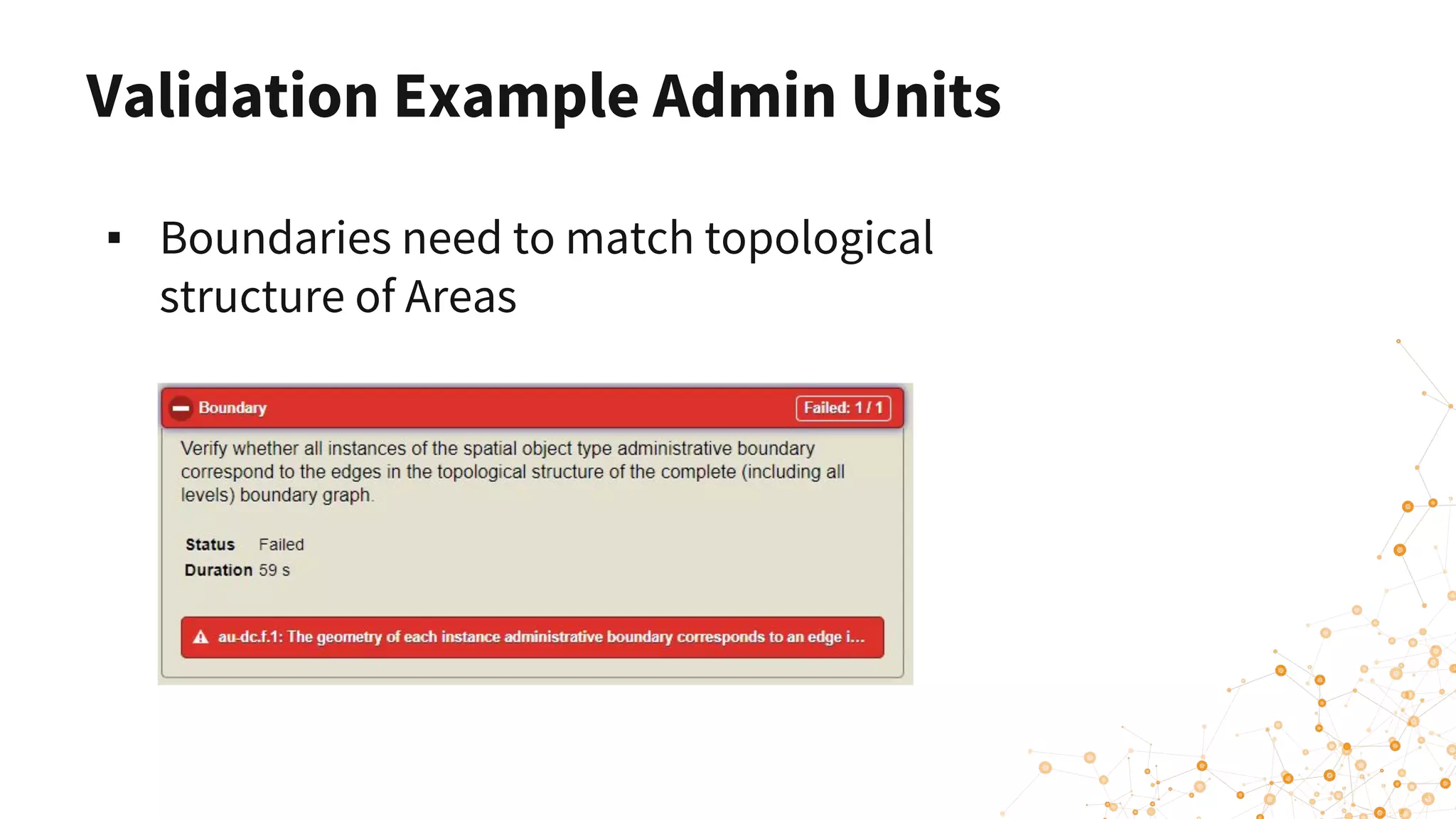
Validation Example Admin Units
▪ Boundaries need to match topological
structure of Areas
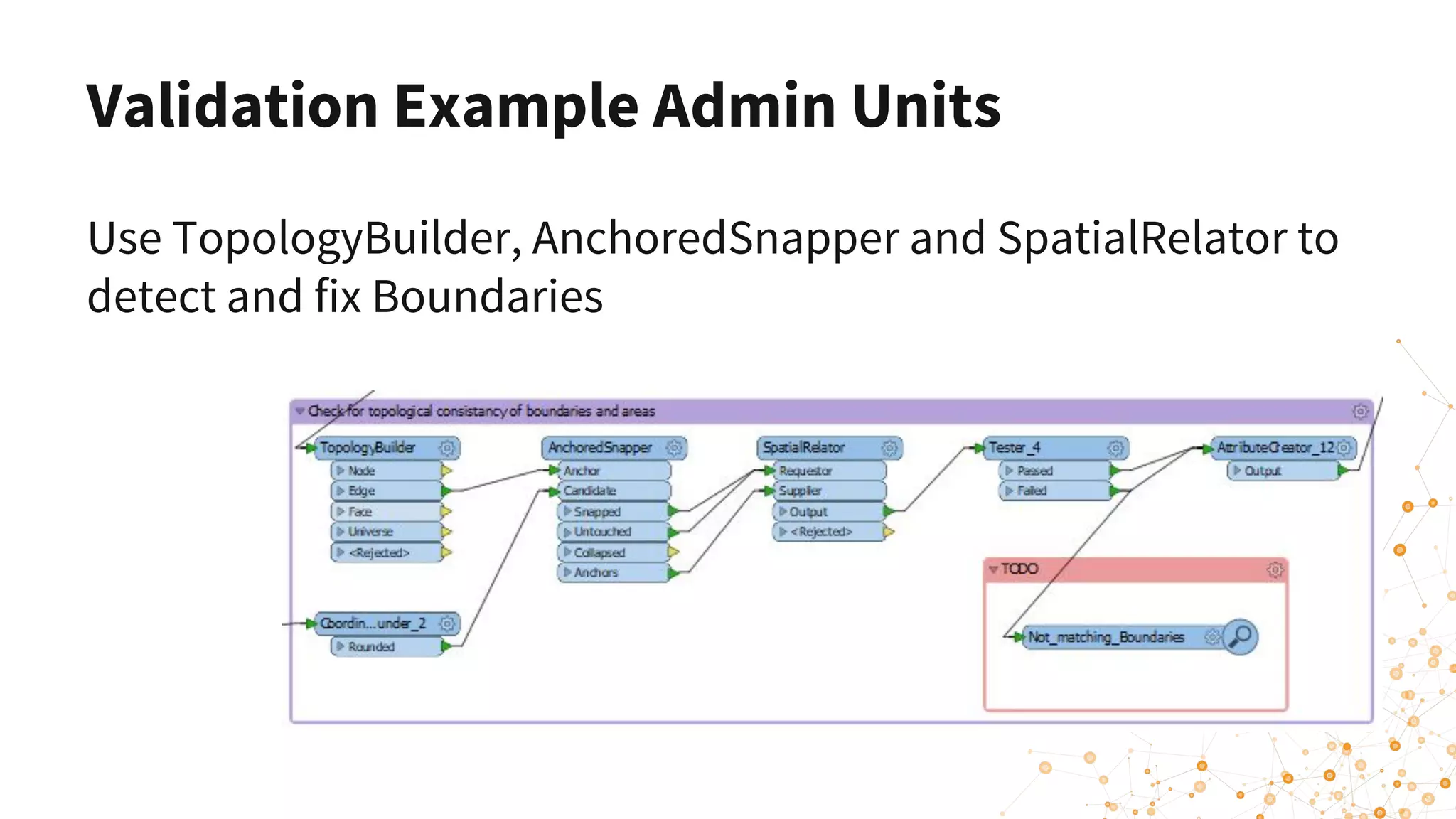
Validation Example Admin Units
Use TopologyBuilder, AnchoredSnapper and SpatialRelator to
detect and fix Boundaries
Validation Summary
▪ FME is a powerful tool for all kinds of validation
▪ Geometry
▪ Attributes
▪ Business Rules (ETF Validator)
▪ It can help you to detect and fix errors
Creating INSPIRE GML & ATOM Feeds
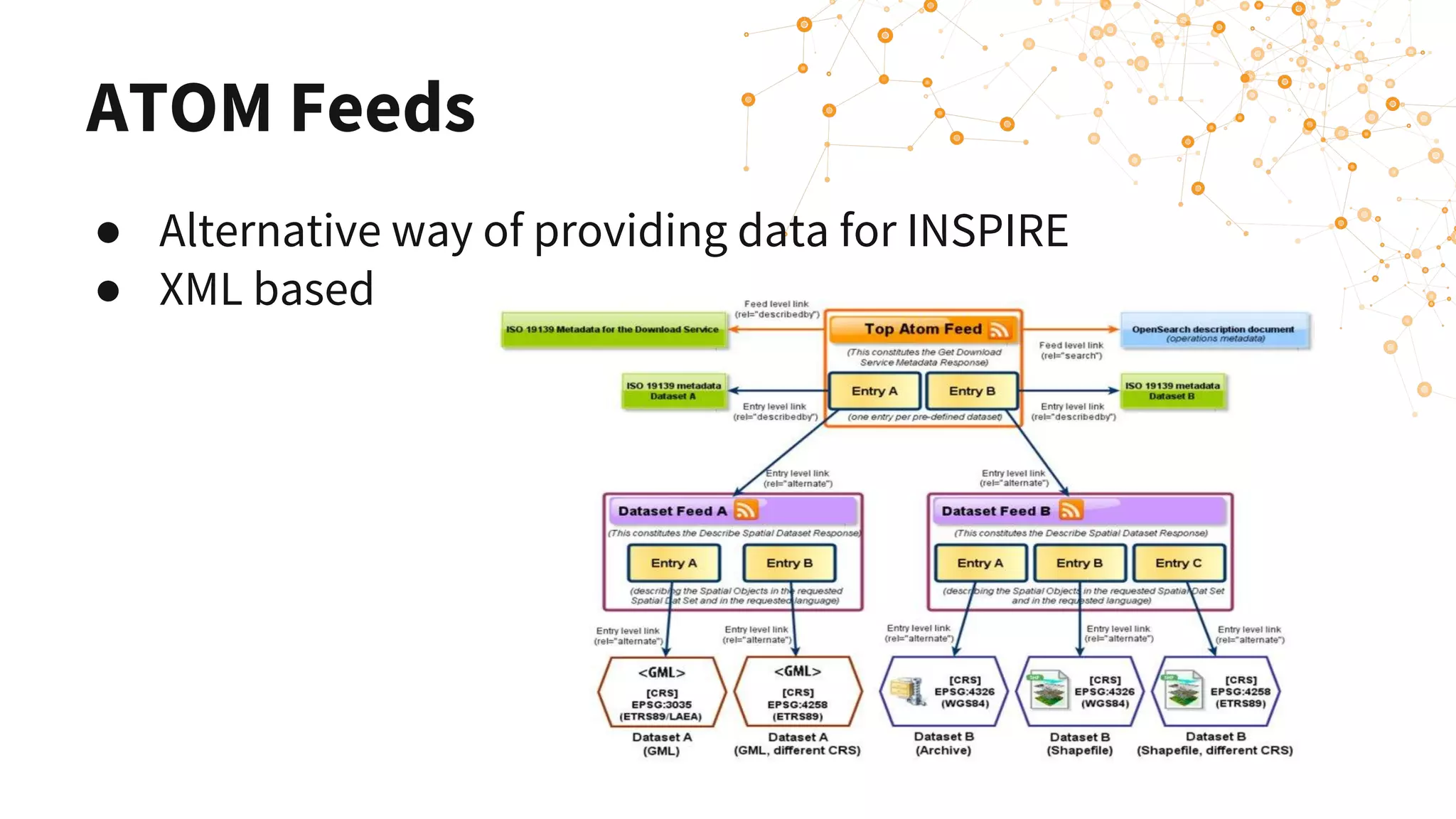
ATOM Feeds
● Alternative way of providing data for INSPIRE
● XML based
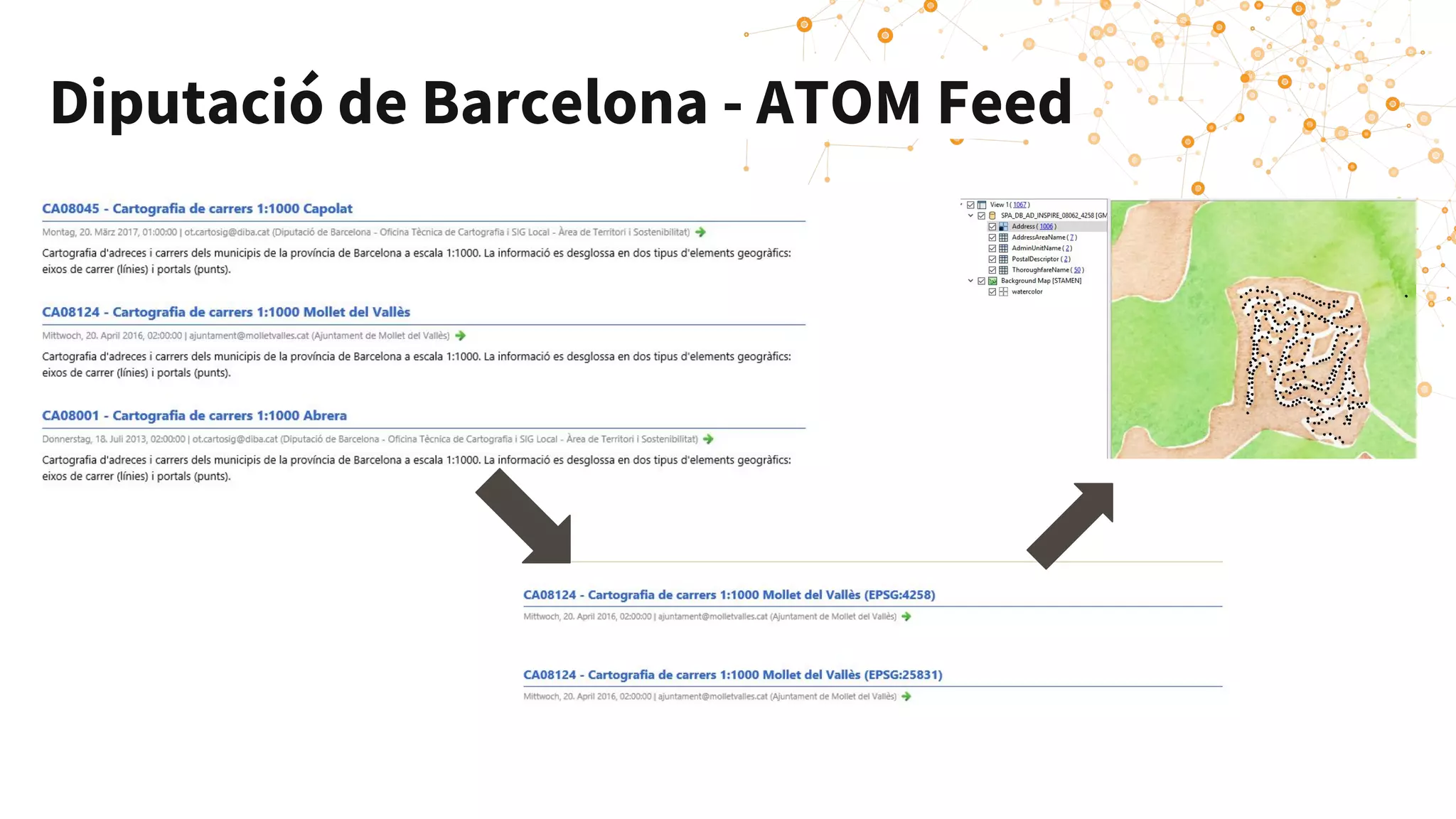
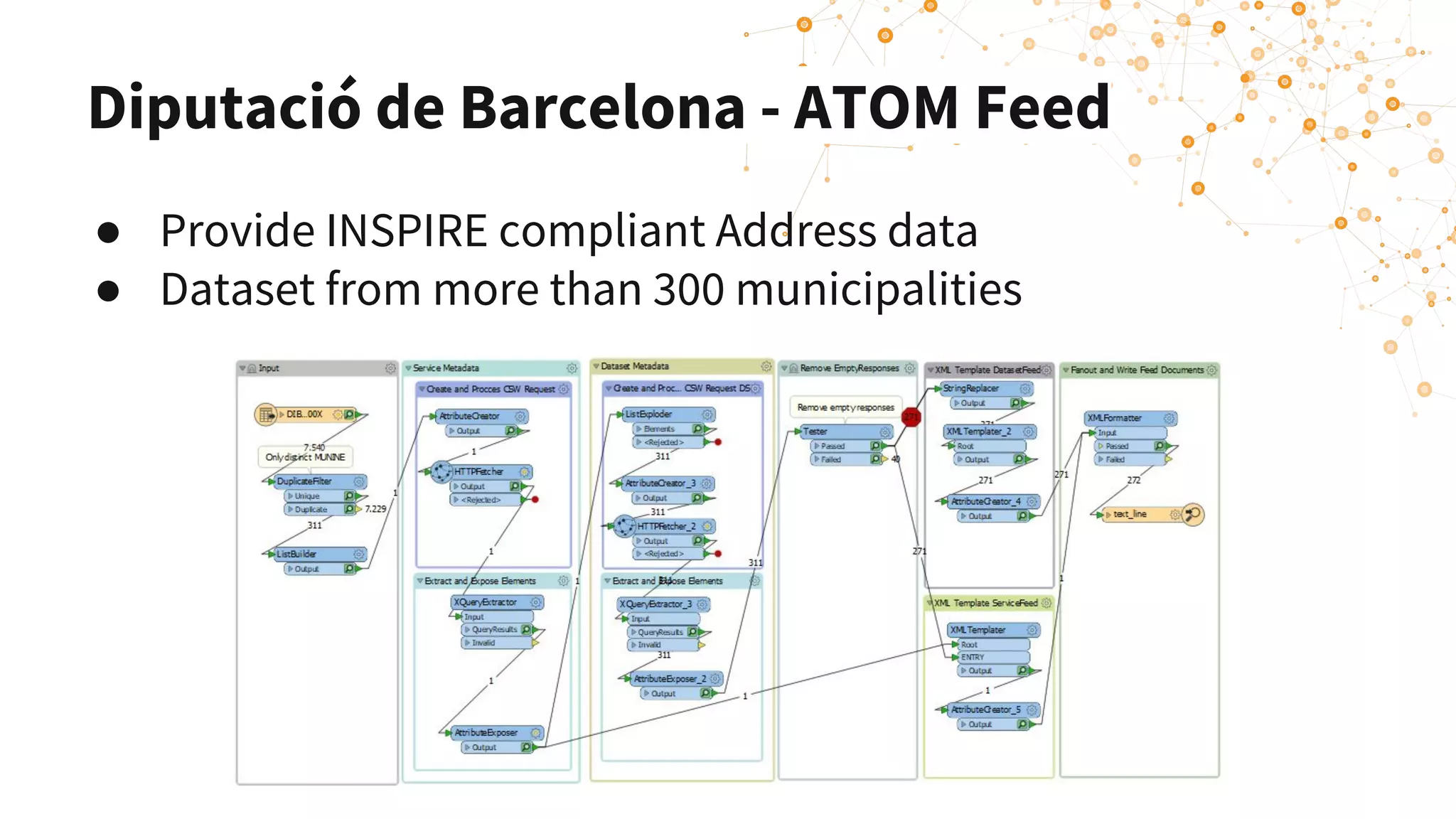
Diputació de Barcelona - ATOM Feed
● Provide INSPIRE compliant Address data
● Dataset from more than 300 municipalities
Leverage the cloud for INSPIRE
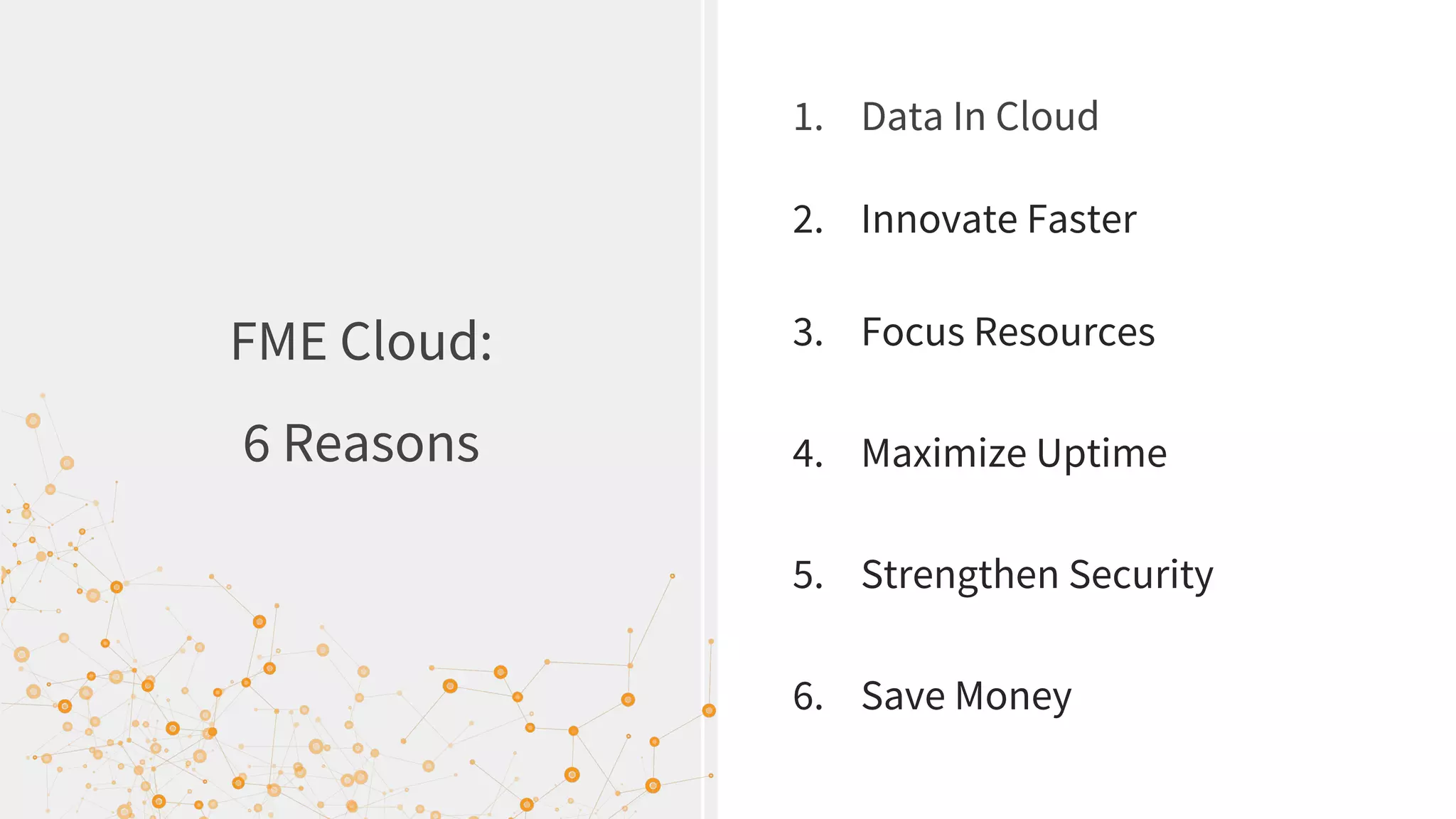
FME Cloud:
6 Reasons
1. Data In Cloud
2. Innovate Faster
3. Focus Resources
4. Maximize Uptime
5. Strengthen Security
6. Save Money
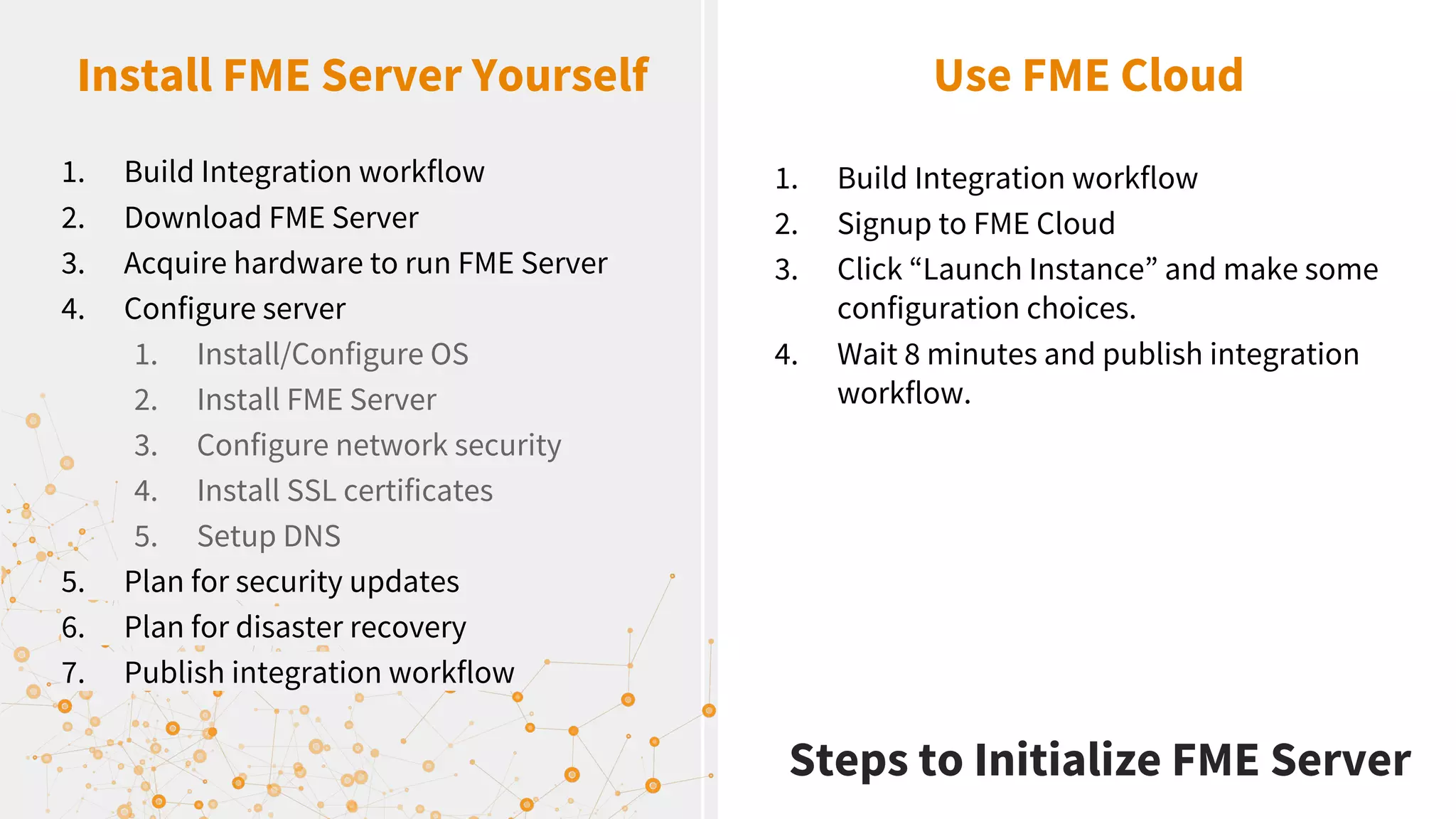
Install FME Server Yourself Use FME Cloud
1. Build Integration workflow
2. Download FME Server
3. Acquire hardware to run FME Server
4. Configure server
1. Install/Configure OS
2. Install FME Server
3. Configure network security
4. Install SSL certificates
5. Setup DNS
5. Plan for security updates
6. Plan for disaster recovery
7. Publish integration workflow
1. Build Integration workflow
2. Signup to FME Cloud
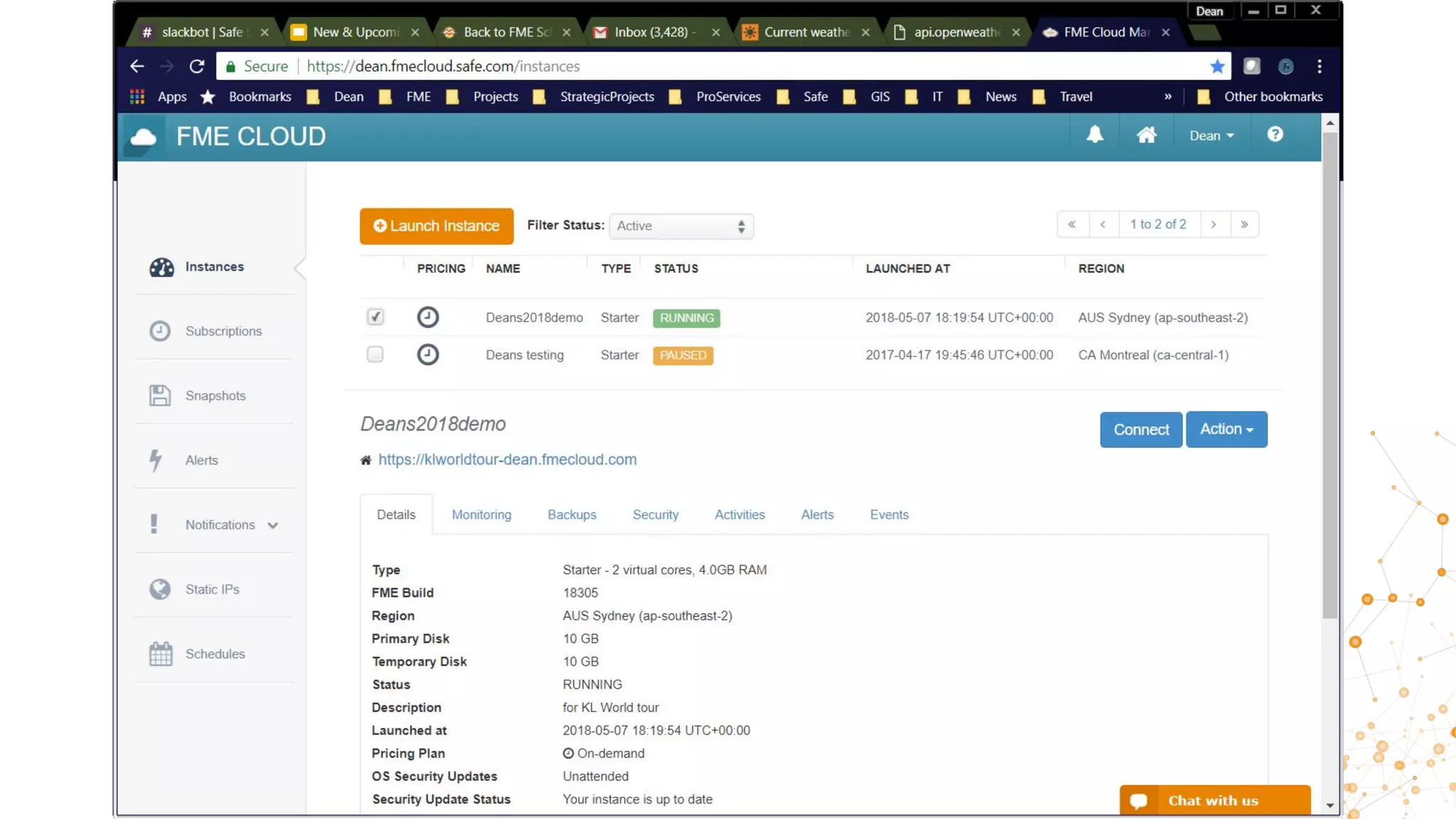
3. Click “Launch Instance” and make some
configuration choices.
4. Wait 8 minutes and publish integration
workflow.
Steps to Initialize FME Server
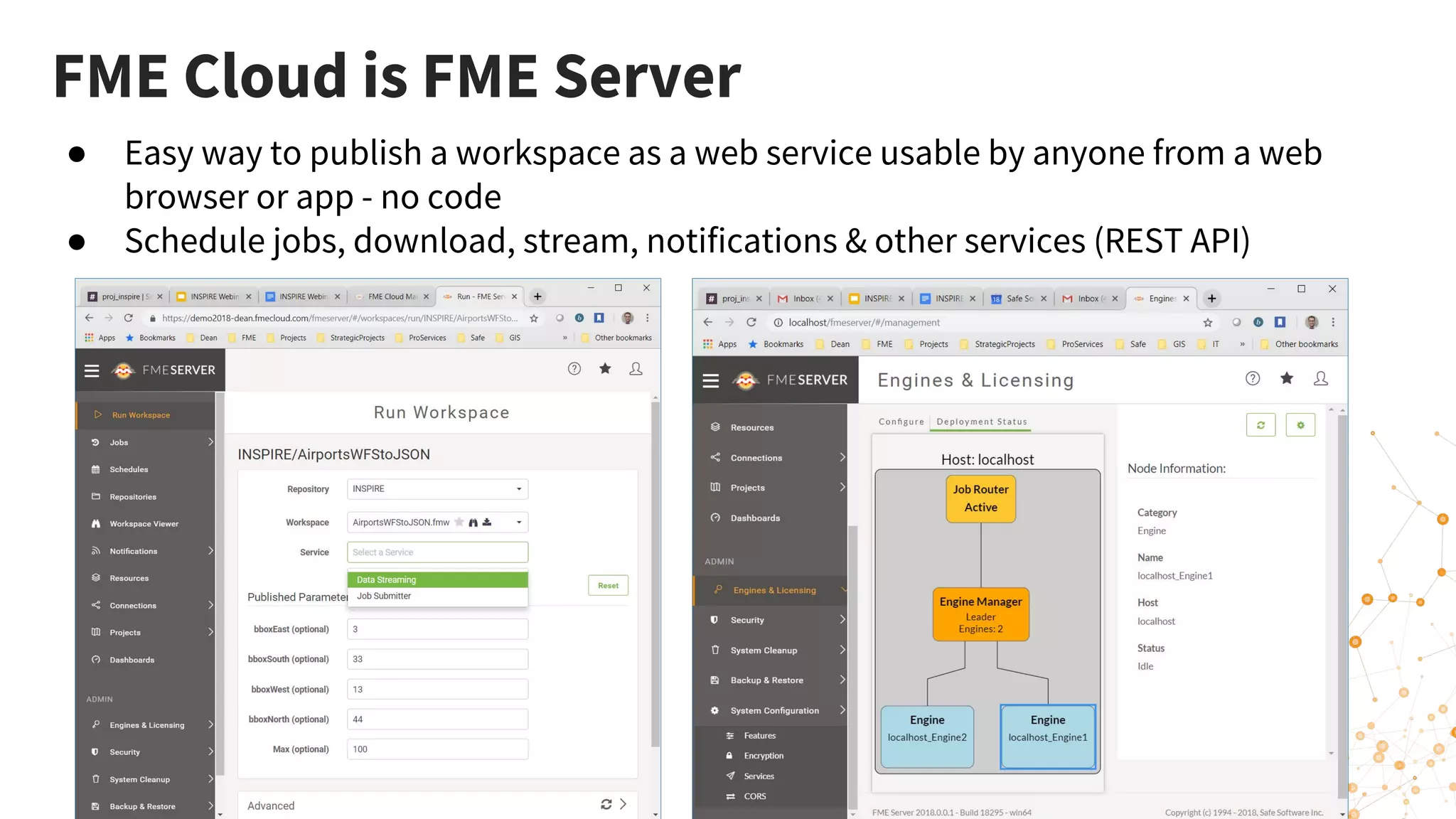
FME Cloud is FME Server
● Easy way to publish a workspace as a web service usable by anyone from a web
browser or app - no code
● Schedule jobs, download, stream, notifications & other services (REST API)
Mashing up INSPIRE & In-House Data
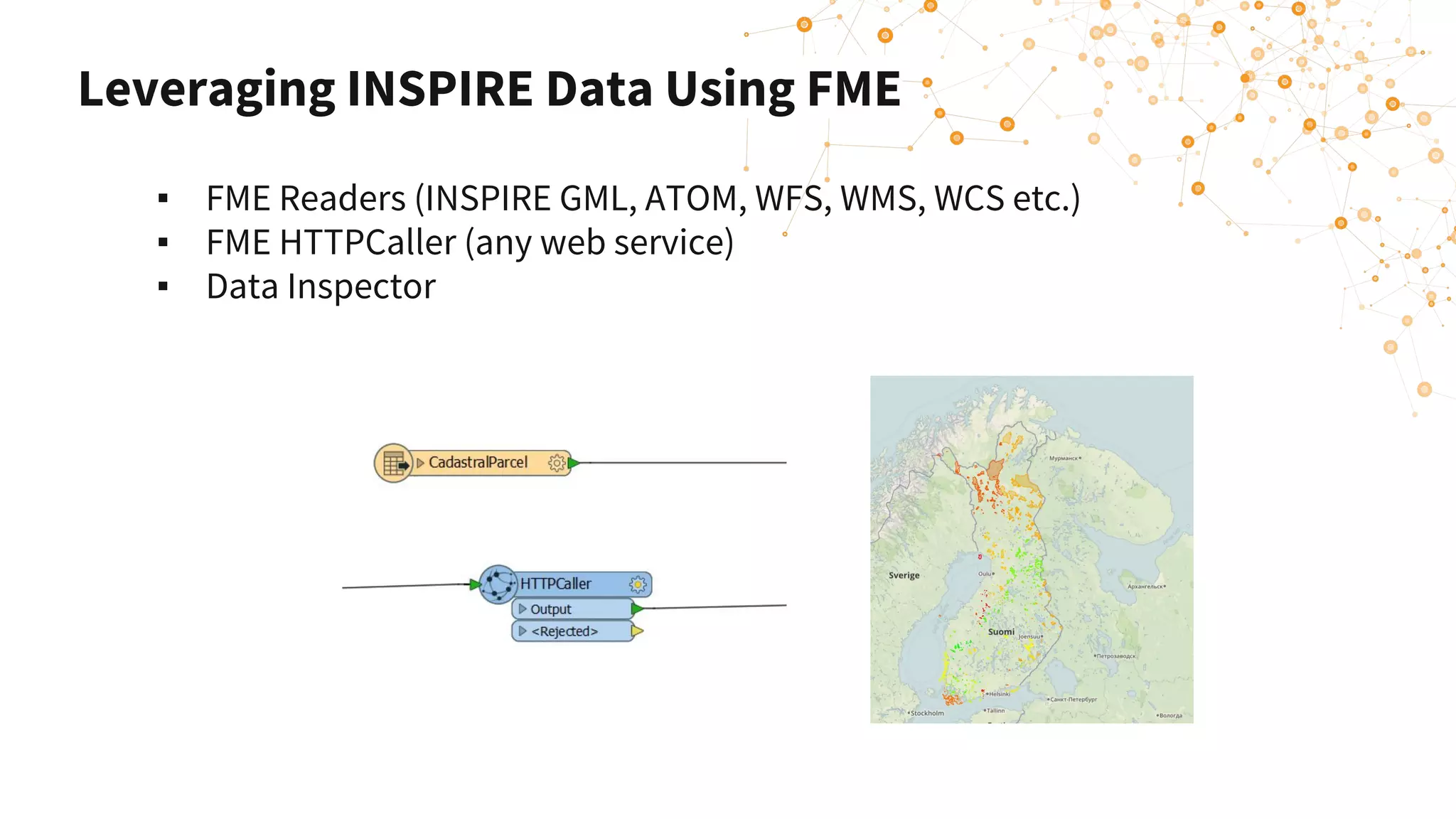
Leveraging INSPIRE Data Using FME
▪ FME Readers (INSPIRE GML, ATOM, WFS, WMS, WCS etc.)
▪ FME HTTPCaller (any web service)
▪ Data Inspector
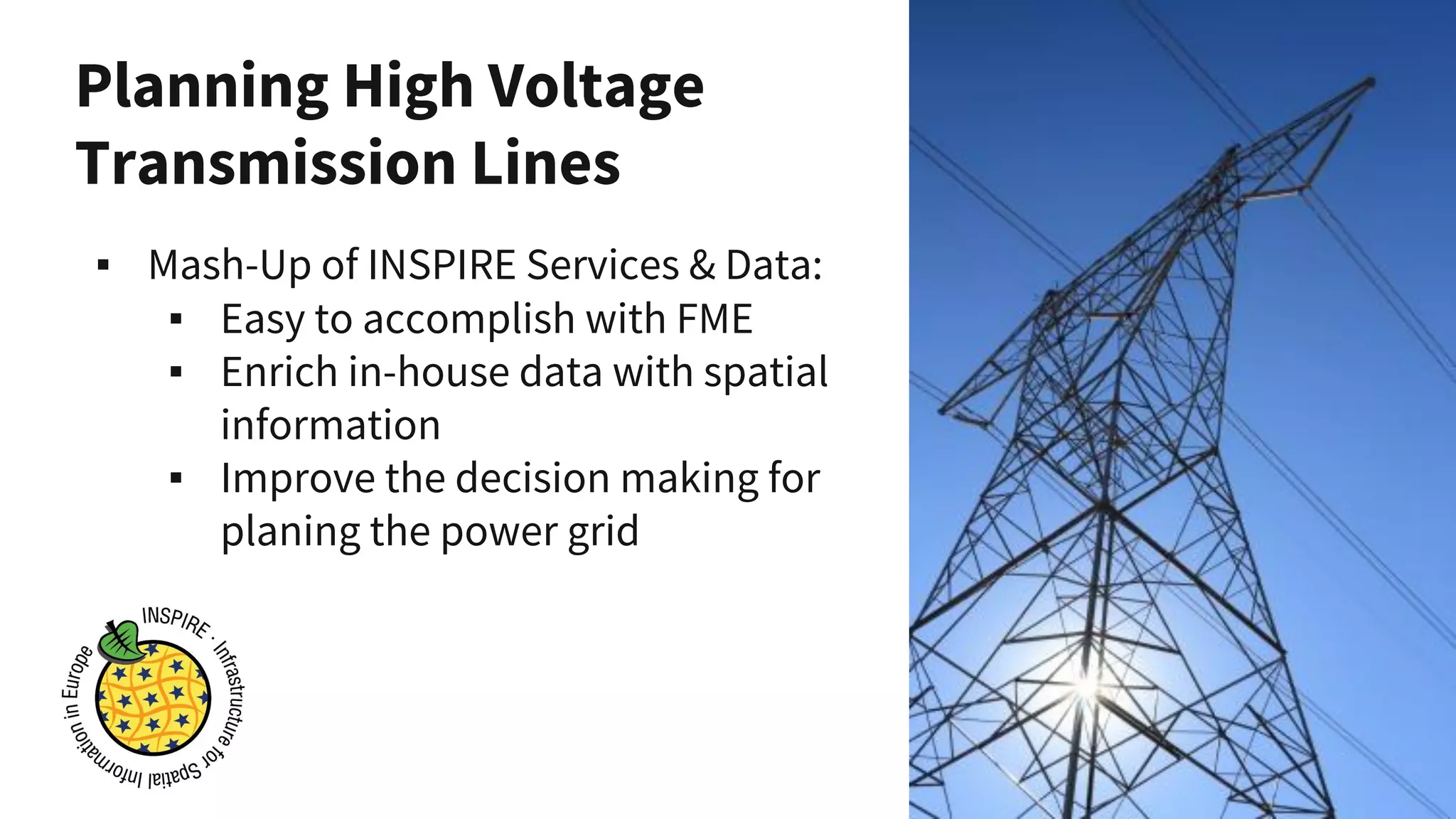
Planning High Voltage
Transmission Lines
▪ Mash-Up of INSPIRE Services & Data:
▪ Easy to accomplish with FME
▪ Enrich in-house data with spatial
information
▪ Improve the decision making for
planing the power grid
Planning High Voltage Transmission
Lines
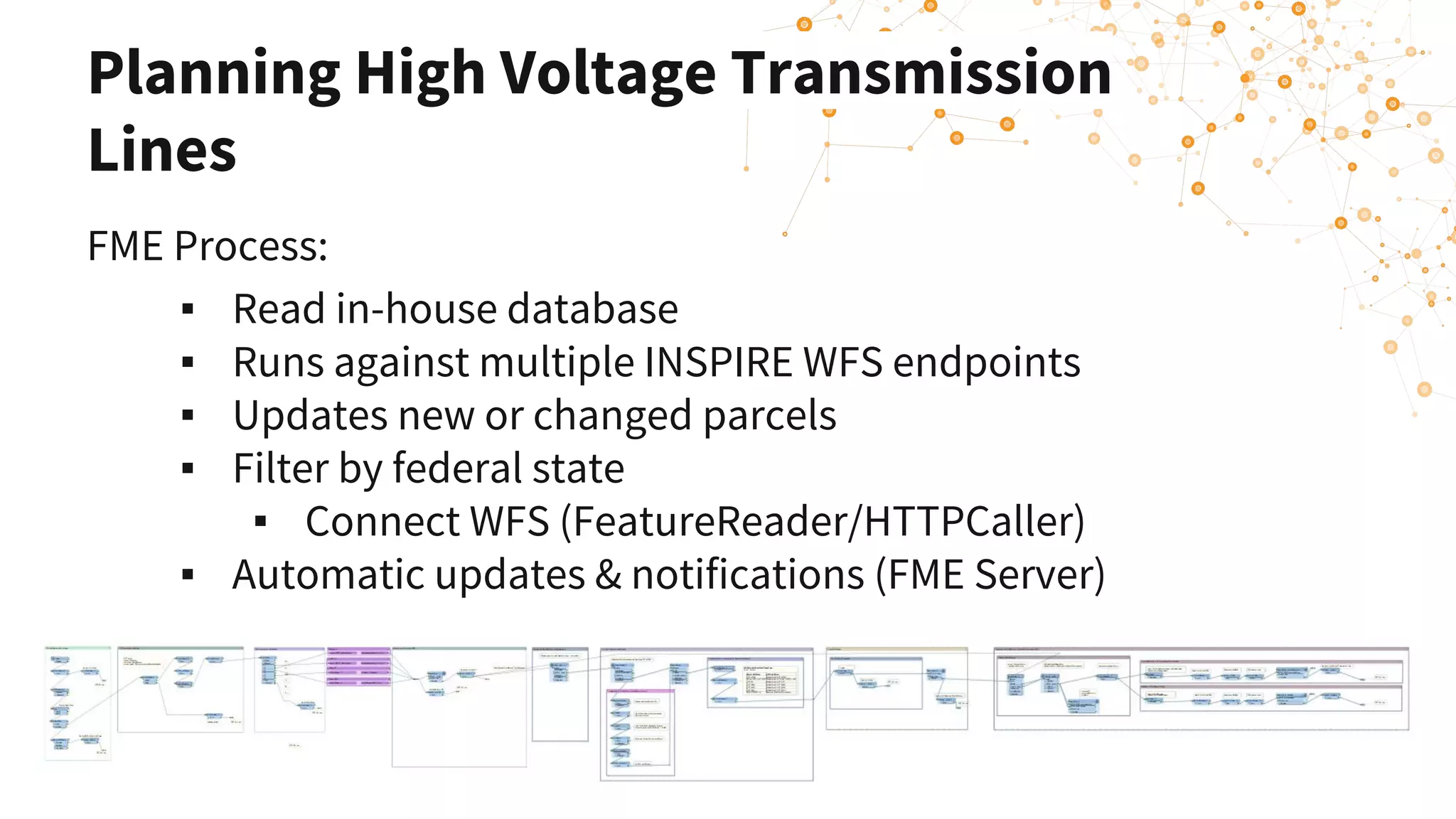
FME Process:
▪ Read in-house database
▪ Runs against multiple INSPIRE WFS endpoints
▪ Updates new or changed parcels
▪ Filter by federal state
▪ Connect WFS (FeatureReader/HTTPCaller)
▪ Automatic updates & notifications (FME Server)
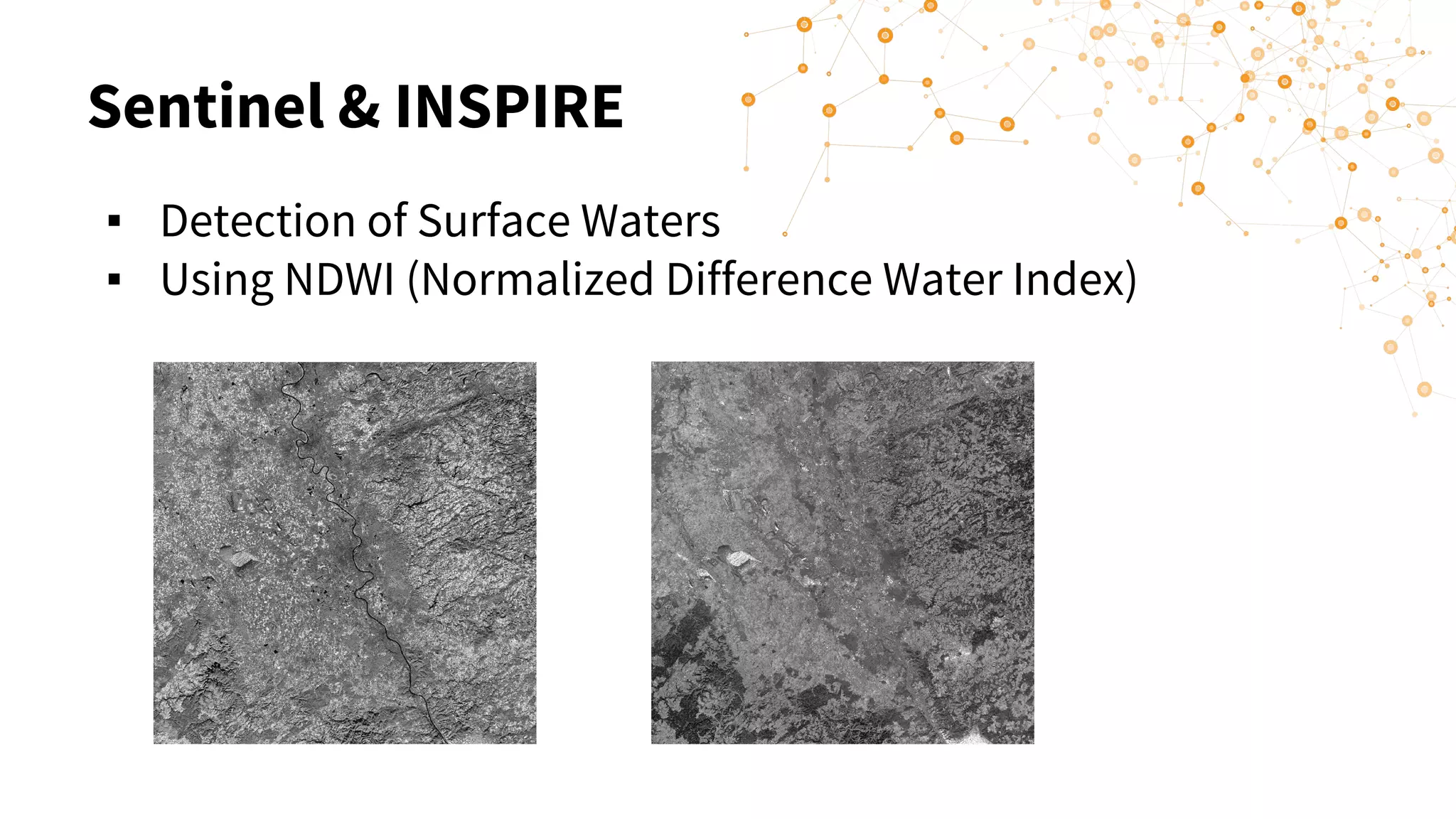
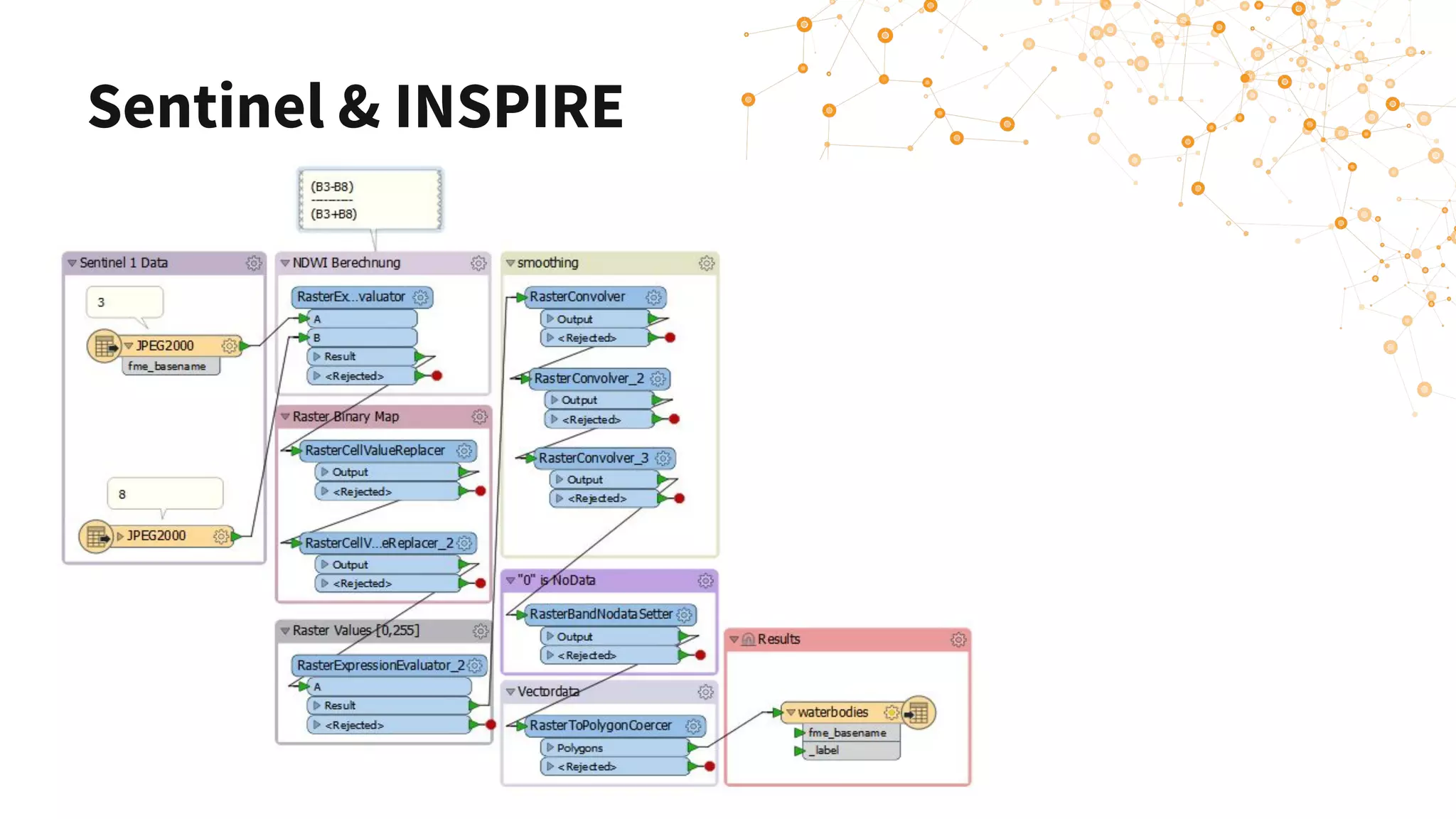
Sentinel & INSPIRE
▪ Detection of Surface Waters
▪ Using NDWI (Normalized Difference Water Index)
Sentinel & INSPIRE
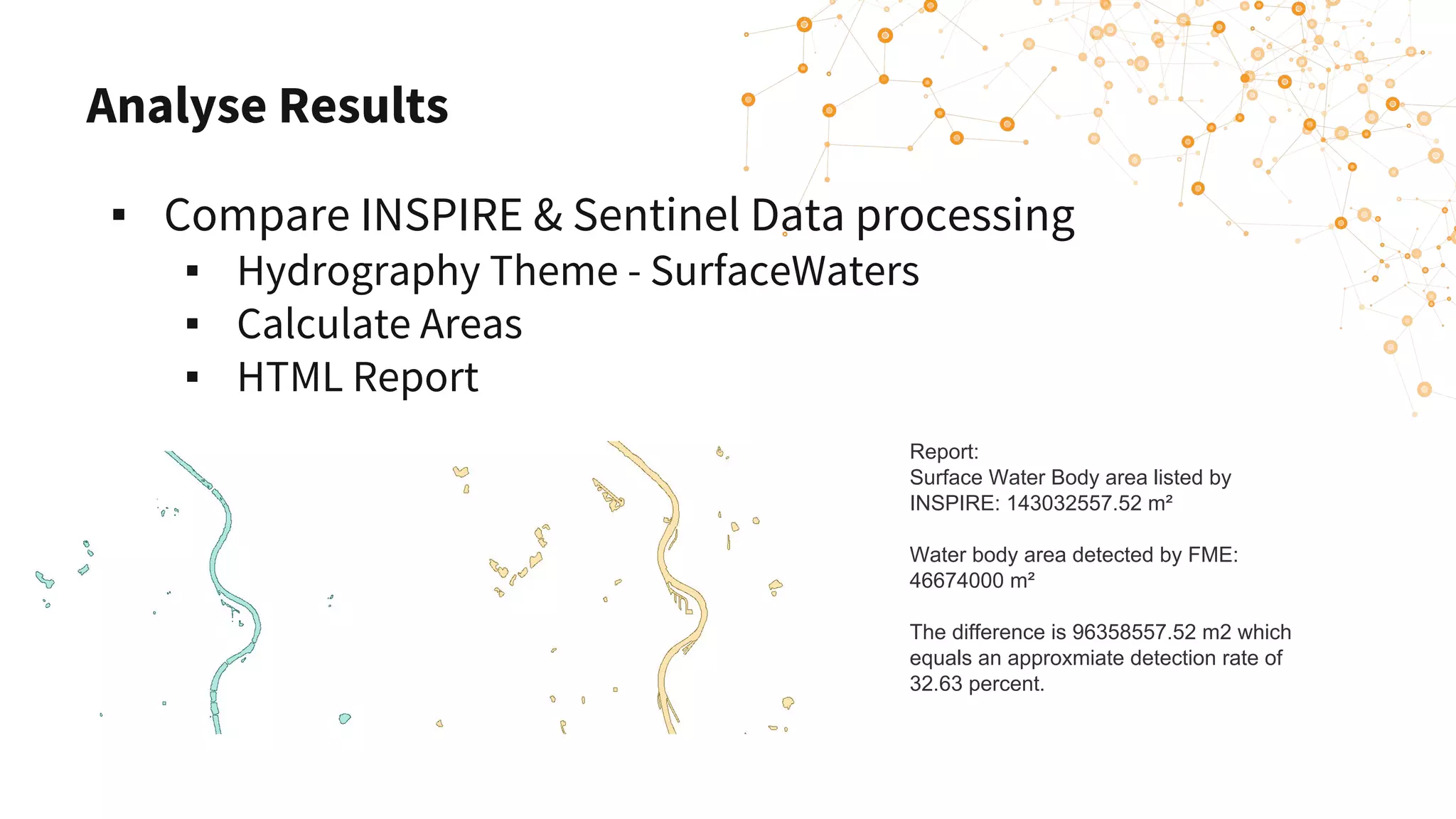
Analyse Results
▪ Compare INSPIRE & Sentinel Data processing
▪ Hydrography Theme - SurfaceWaters
▪ Calculate Areas
▪ HTML Report
Report:
Surface Water Body area listed by
INSPIRE: 143032557.52 m²
Water body area detected by FME:
46674000 m²
The difference is 96358557.52 m2 which
equals an approxmiate detection rate of
32.63 percent.
Summary: Leveraging INSPIRE
data using FME
▪ Read INSPIRE Services and combine with your
in-house data using FME
▪ Connect to other services and APIs with FME
HTTPCaller
▪ Mash up!
Connecting Web Services & APIs
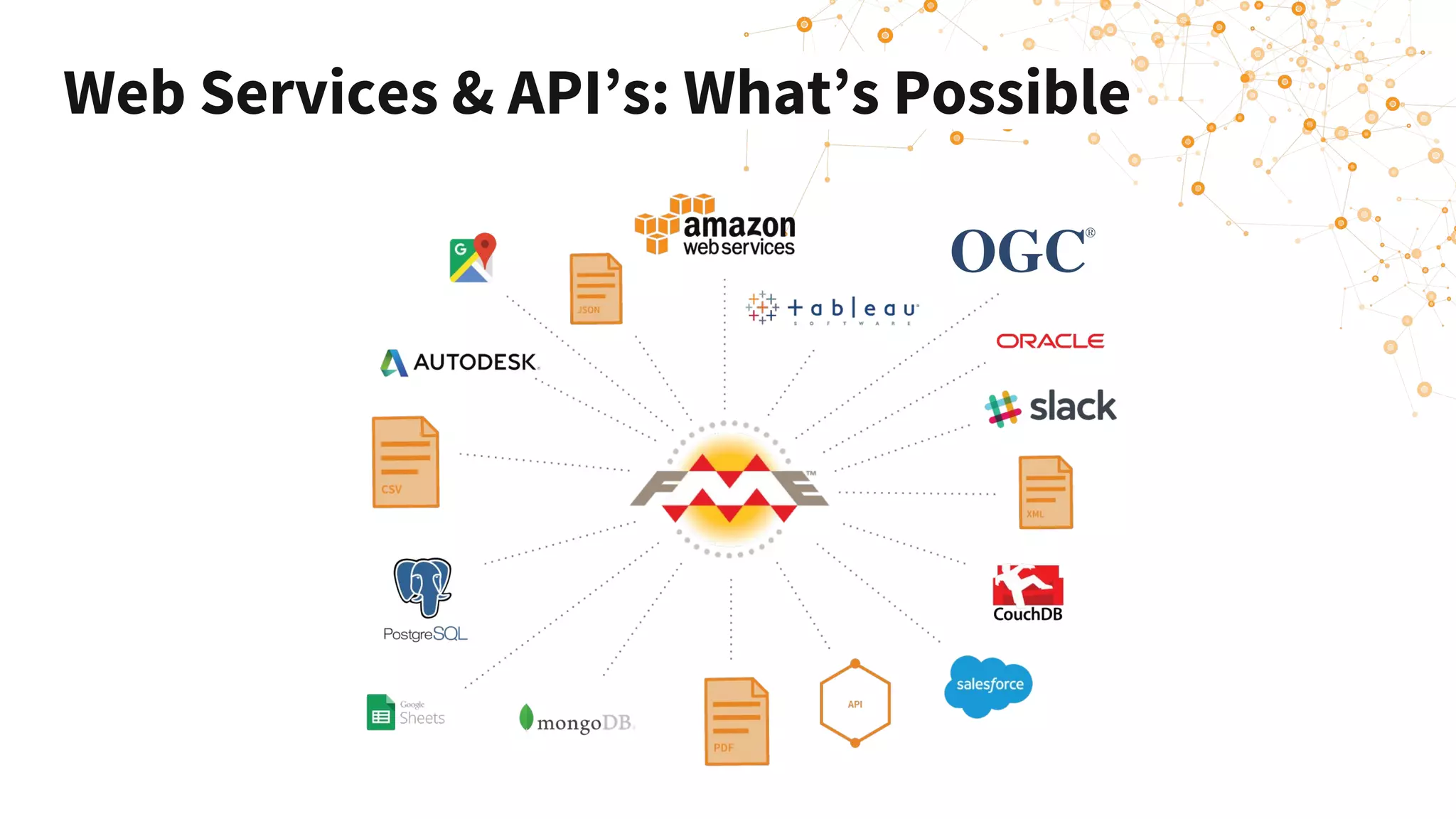
Web Services & API’s: What’s Possible
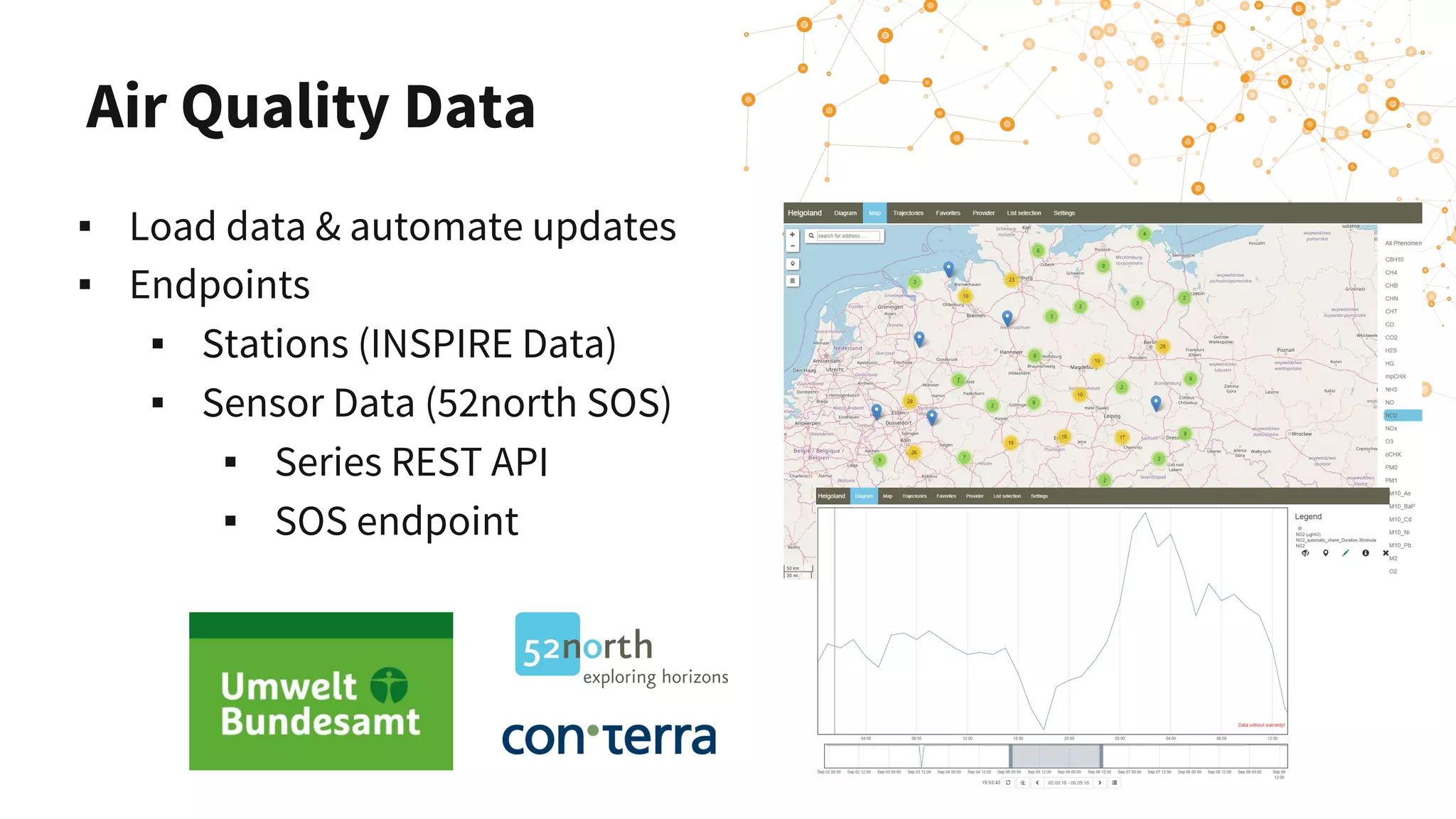
Air Quality Data
▪ Load data & automate updates
▪ Endpoints
▪ Stations (INSPIRE Data)
▪ Sensor Data (52north SOS)
▪ Series REST API
▪ SOS endpoint
Connecting Services & APIs
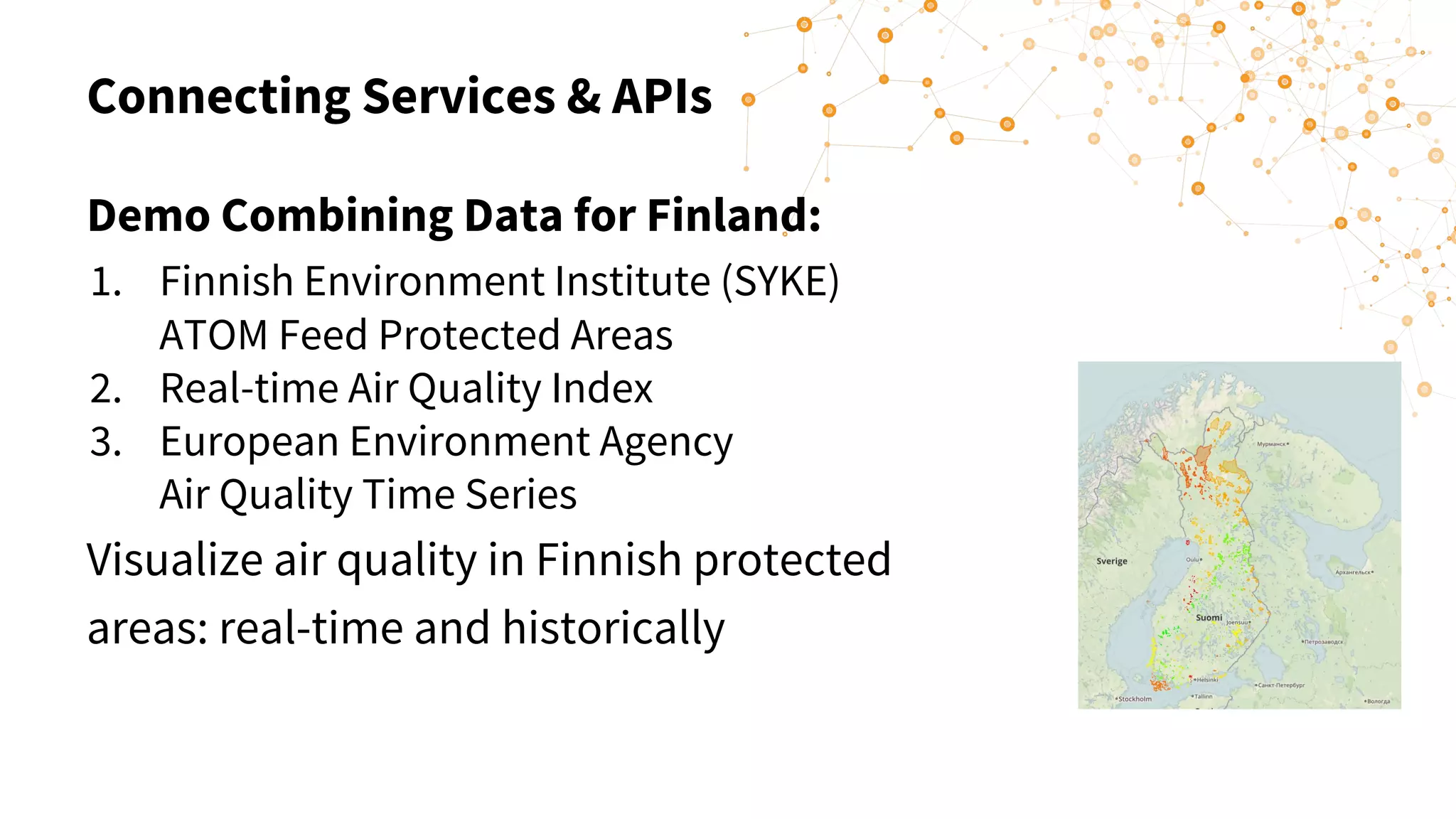
Demo Combining Data for Finland:
1. Finnish Environment Institute (SYKE)
ATOM Feed Protected Areas
2. Real-time Air Quality Index
3. European Environment Agency
Air Quality Time Series
Visualize air quality in Finnish protected
areas: real-time and historically
Connecting Services & APIs
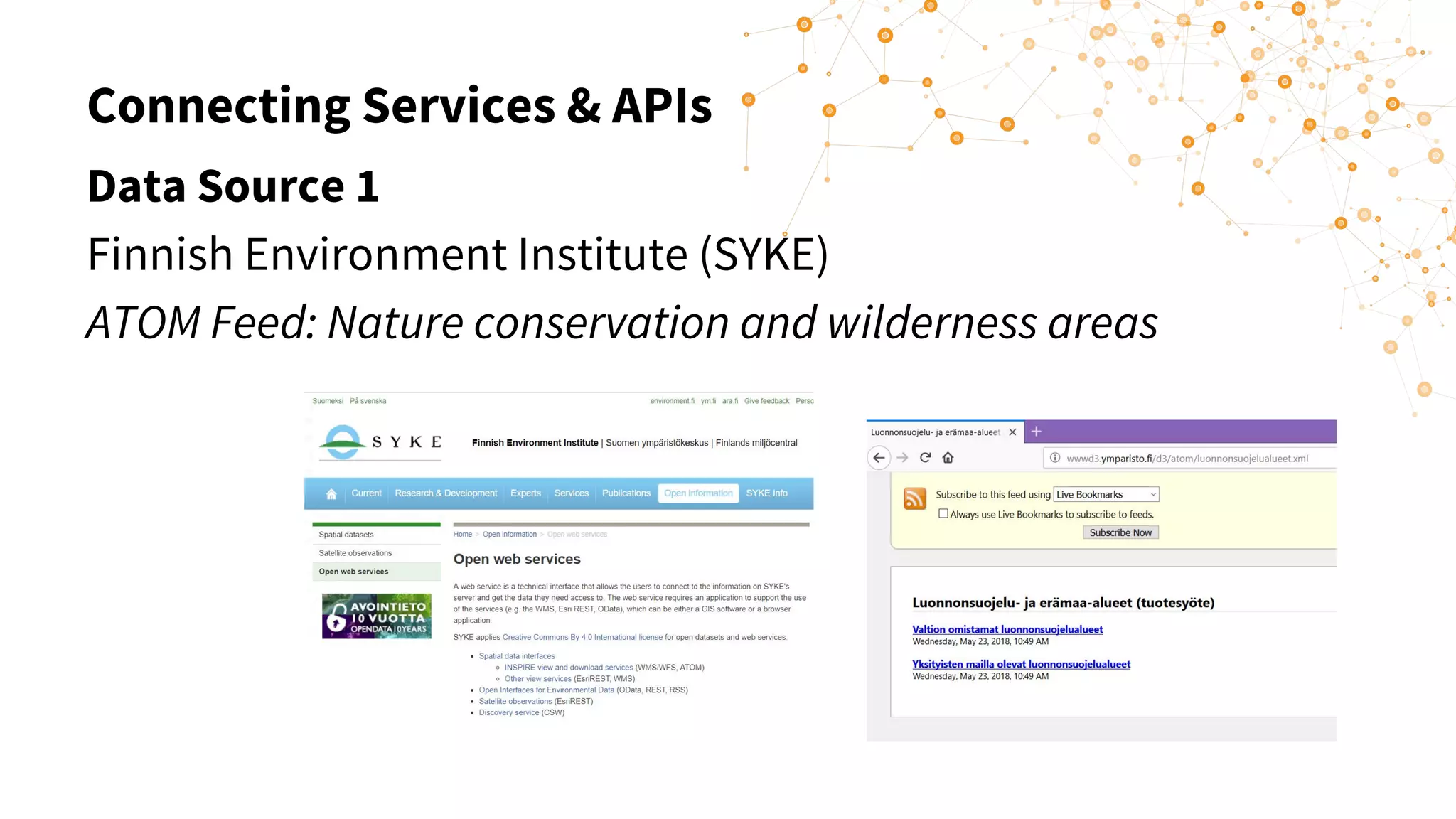
Data Source 1
Finnish Environment Institute (SYKE)
ATOM Feed: Nature conservation and wilderness areas
Connecting Services & APIs
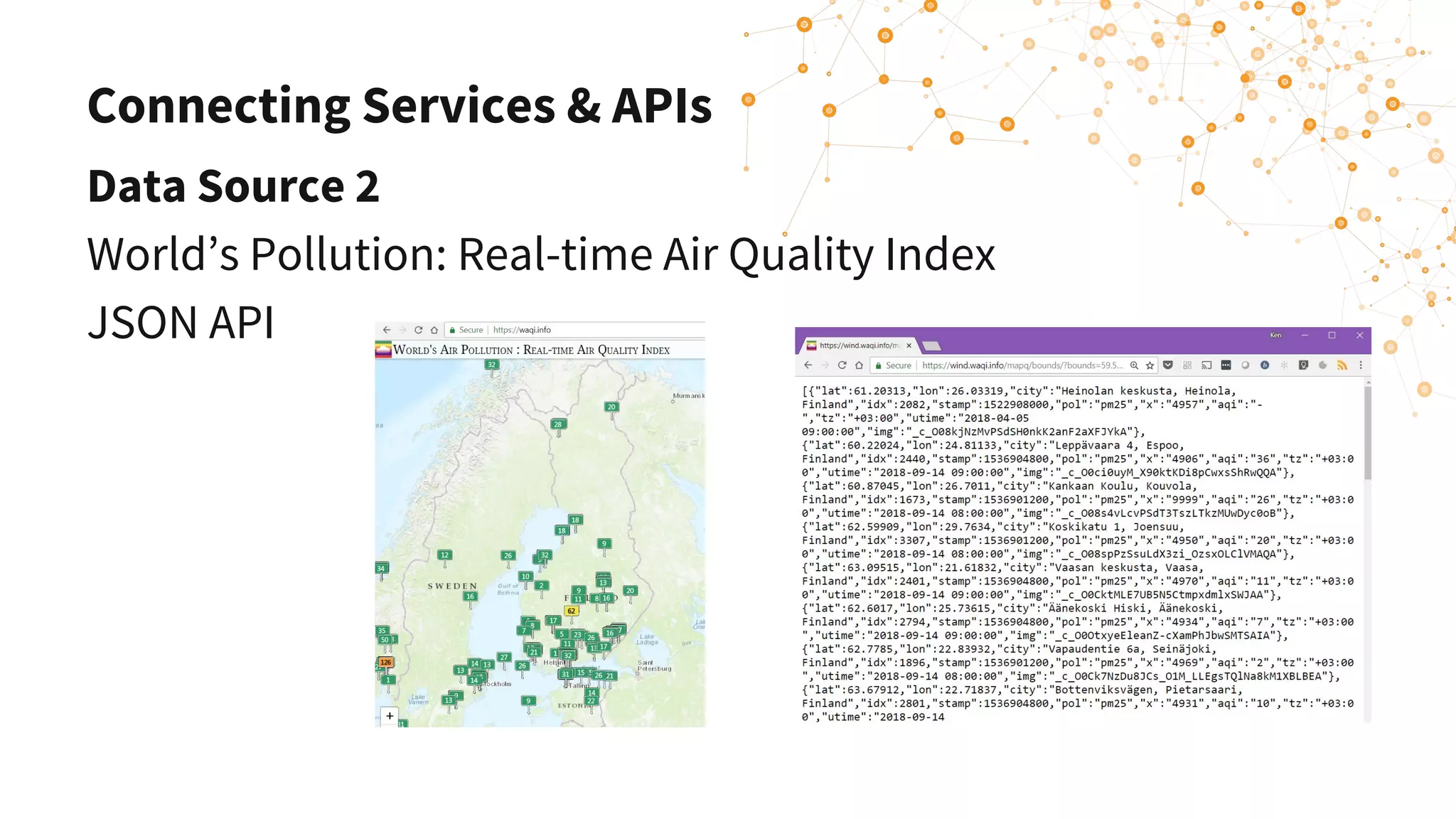
Data Source 2
World’s Pollution: Real-time Air Quality Index
JSON API
Connecting Services & APIs
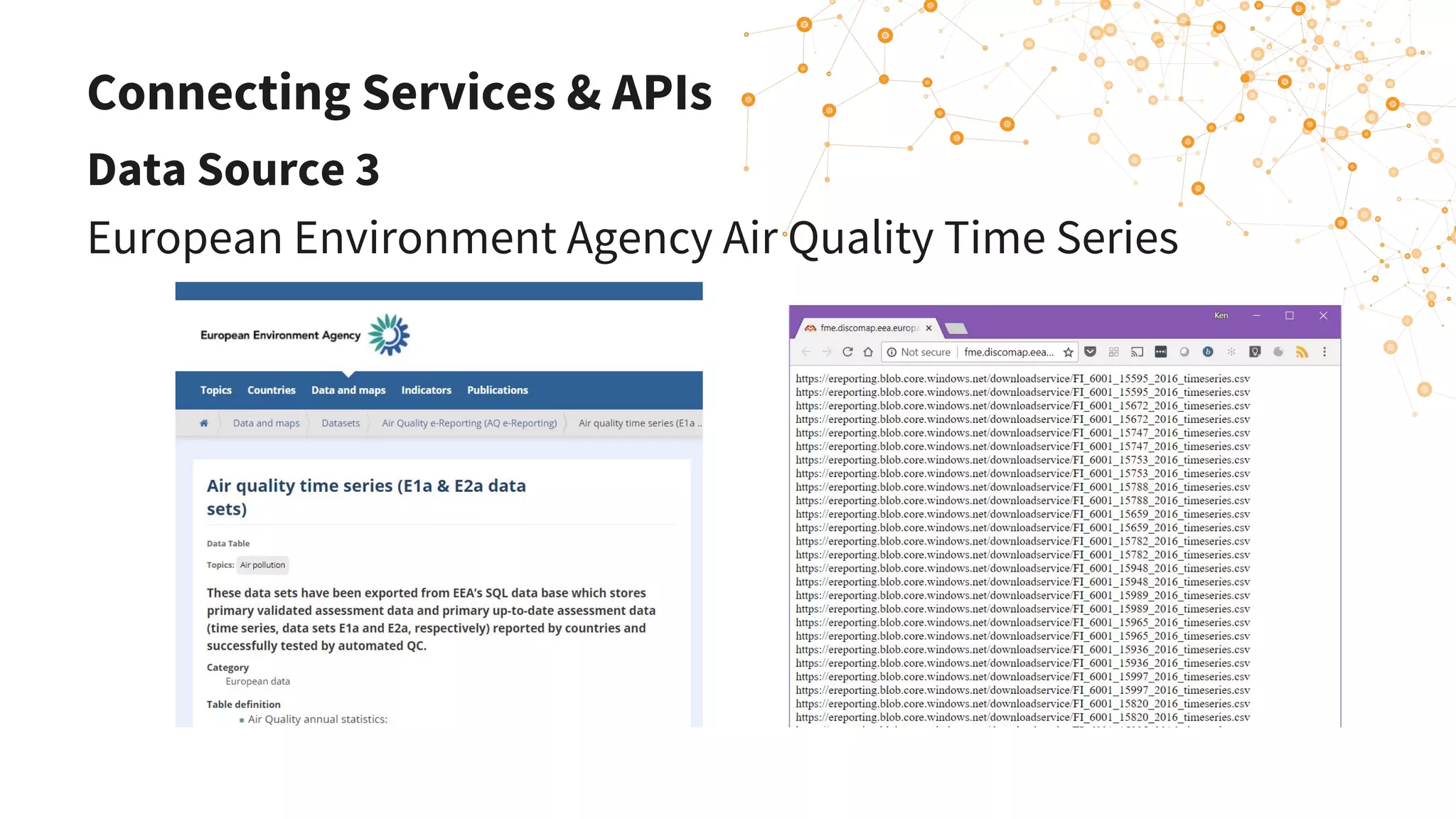
Data Source 3
European Environment Agency Air Quality Time Series
FME Enhancements
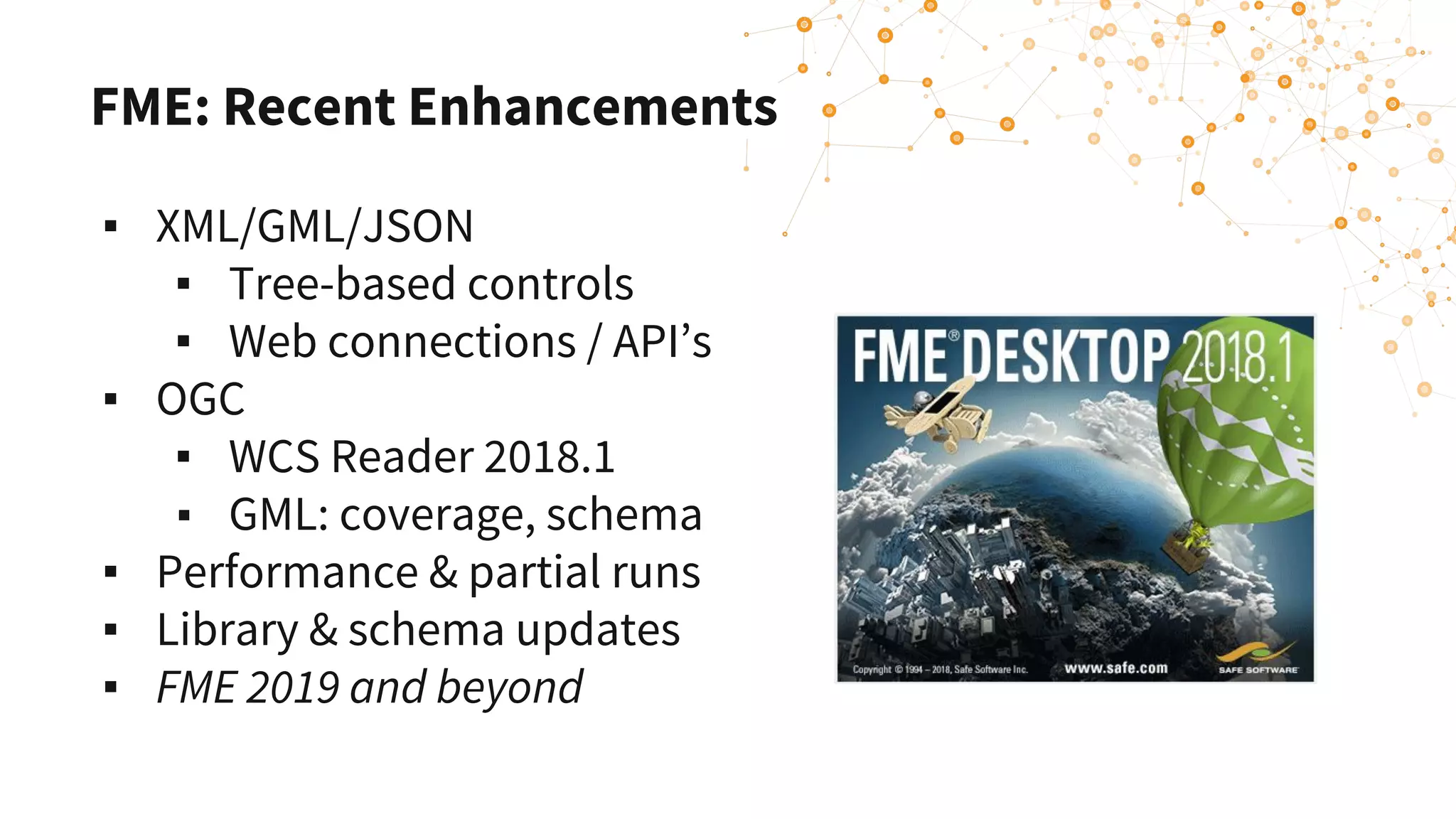
FME: Recent Enhancements
▪ XML/GML/JSON
▪ Tree-based controls
▪ Web connections / API’s
▪ OGC
▪ WCS Reader 2018.1
▪ GML: coverage, schema
▪ Performance & partial runs
▪ Library & schema updates
▪ FME 2019 and beyond
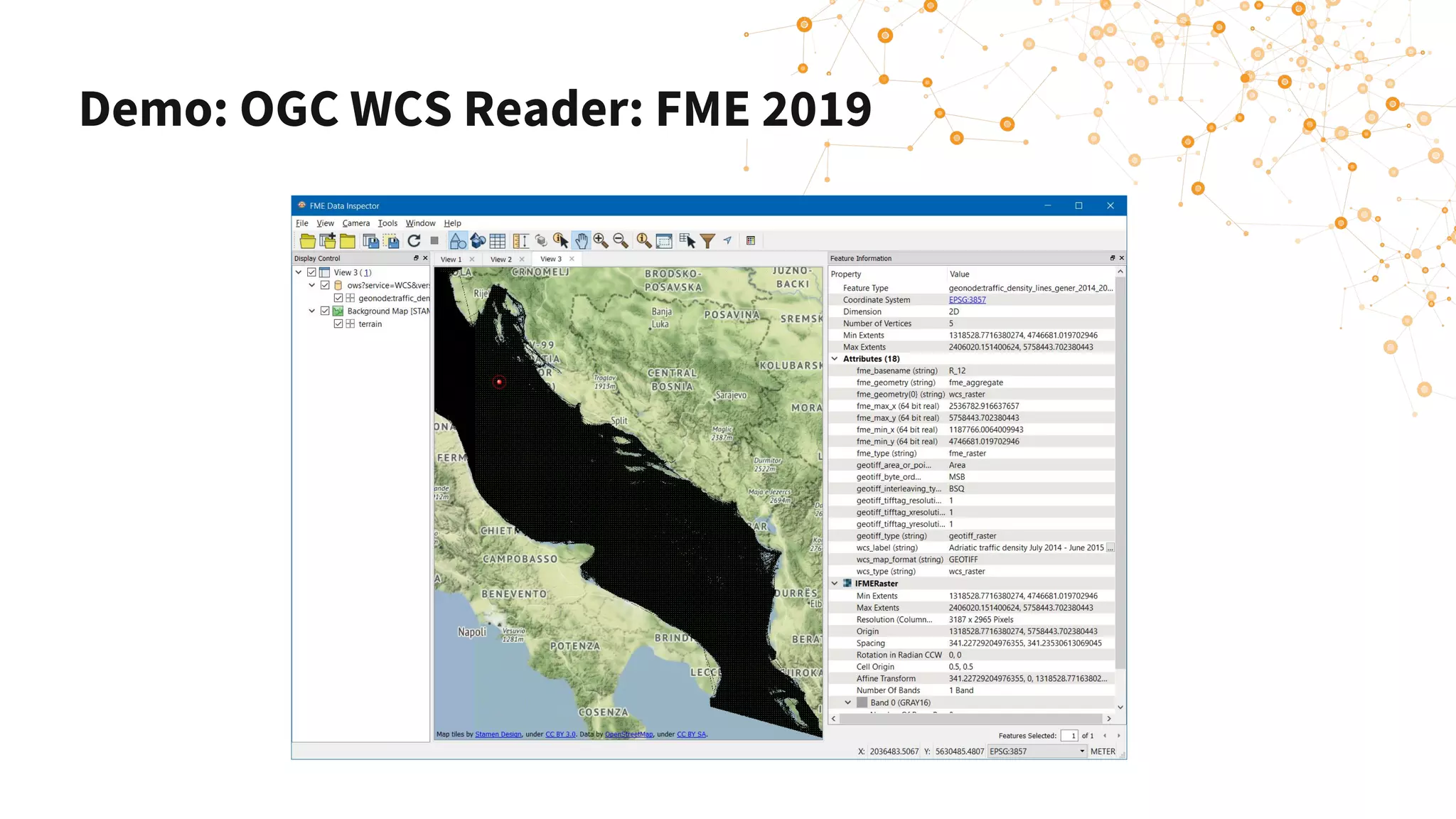
Demo: OGC WCS Reader: FME 2019
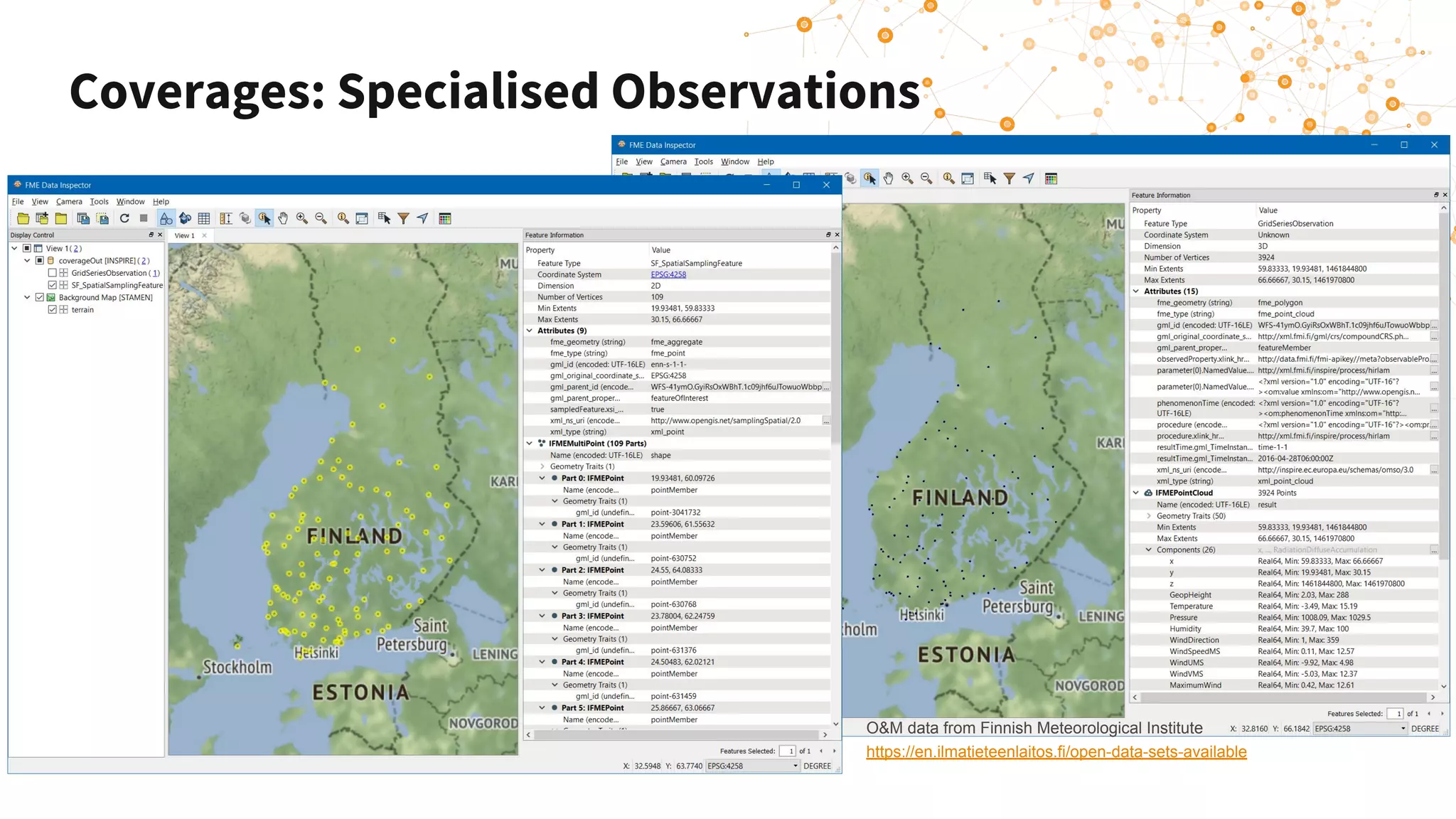
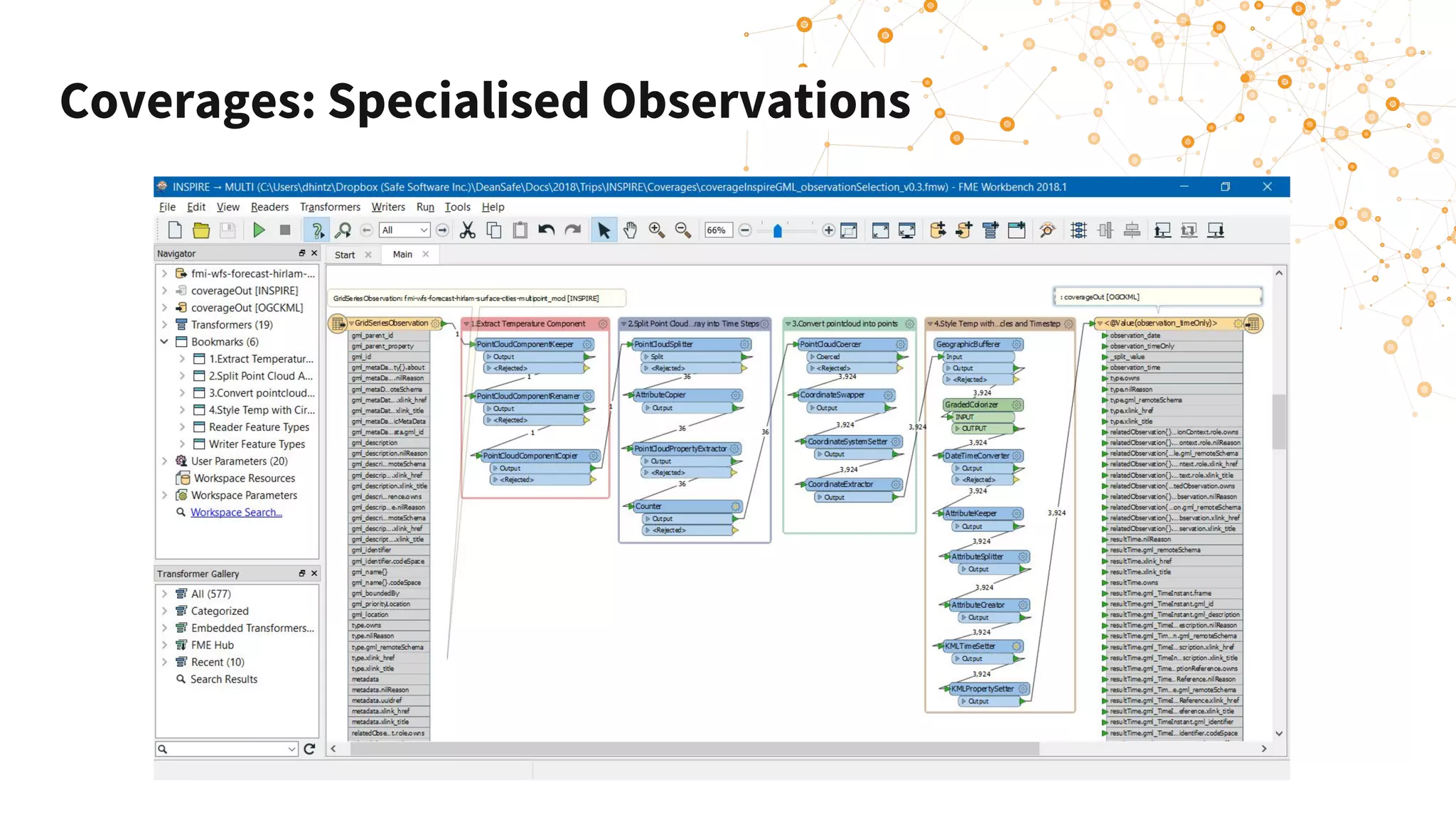
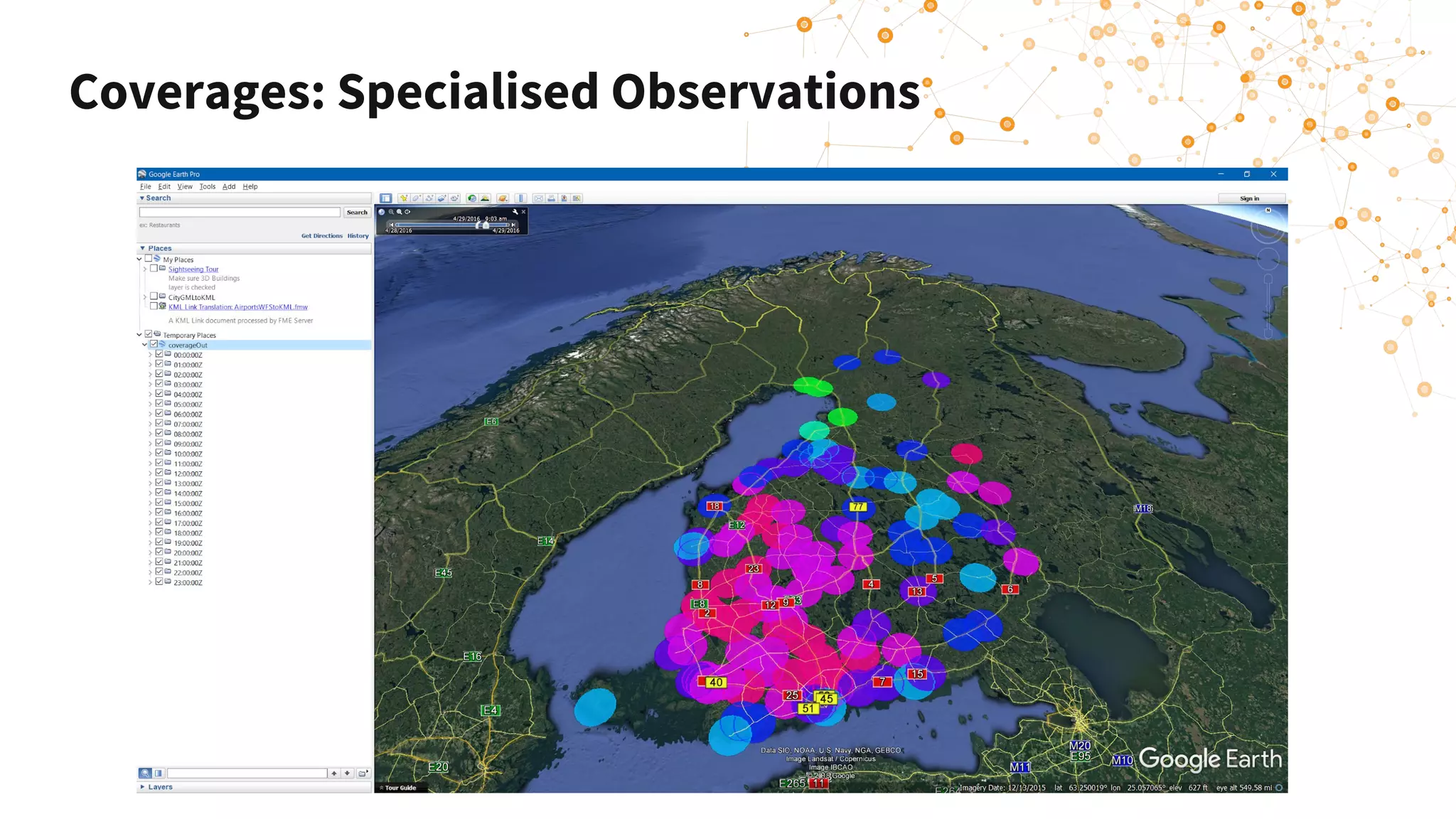
Coverages: Specialised Observations
O&M data from Finnish Meteorological Institute
https://en.ilmatieteenlaitos.fi/open-data-sets-available
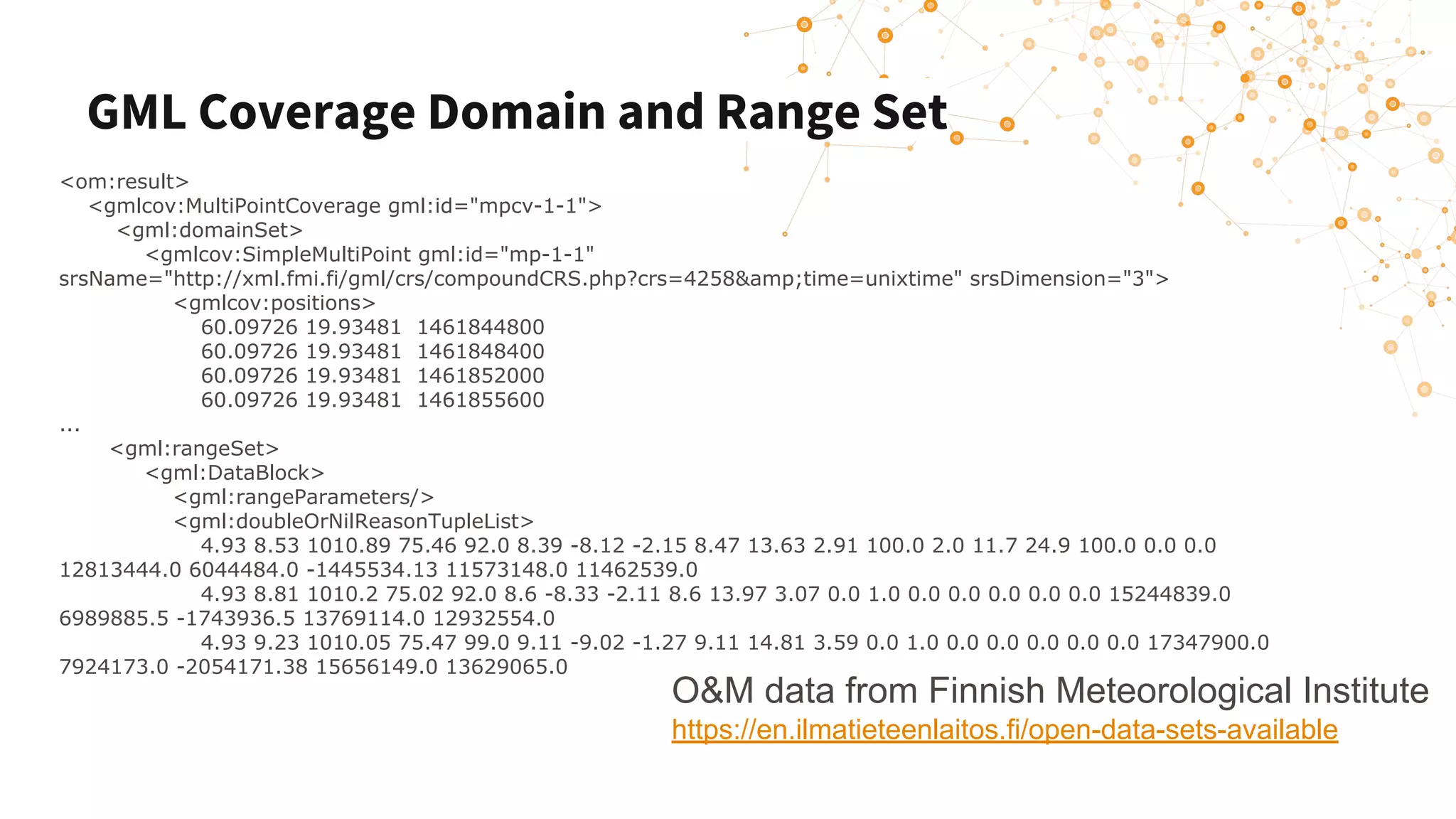
GML Coverage Domain and Range Set
<om:result>
<gmlcov:MultiPointCoverage gml:id="mpcv-1-1">
<gml:domainSet>
<gmlcov:SimpleMultiPoint gml:id="mp-1-1"
srsName="http://xml.fmi.fi/gml/crs/compoundCRS.php?crs=4258&amp;time=unixtime" srsDimension="3">
<gmlcov:positions>
60.09726 19.93481 1461844800
60.09726 19.93481 1461848400
60.09726 19.93481 1461852000
60.09726 19.93481 1461855600
...
<gml:rangeSet>
<gml:DataBlock>
<gml:rangeParameters/>
<gml:doubleOrNilReasonTupleList>
4.93 8.53 1010.89 75.46 92.0 8.39 -8.12 -2.15 8.47 13.63 2.91 100.0 2.0 11.7 24.9 100.0 0.0 0.0
12813444.0 6044484.0 -1445534.13 11573148.0 11462539.0
4.93 8.81 1010.2 75.02 92.0 8.6 -8.33 -2.11 8.6 13.97 3.07 0.0 1.0 0.0 0.0 0.0 0.0 0.0 15244839.0
6989885.5 -1743936.5 13769114.0 12932554.0
4.93 9.23 1010.05 75.47 99.0 9.11 -9.02 -1.27 9.11 14.81 3.59 0.0 1.0 0.0 0.0 0.0 0.0 0.0 17347900.0
7924173.0 -2054171.38 15656149.0 13629065.0
O&M data from Finnish Meteorological Institute
https://en.ilmatieteenlaitos.fi/open-data-sets-available
Coverages: Specialised Observations
Conclusions
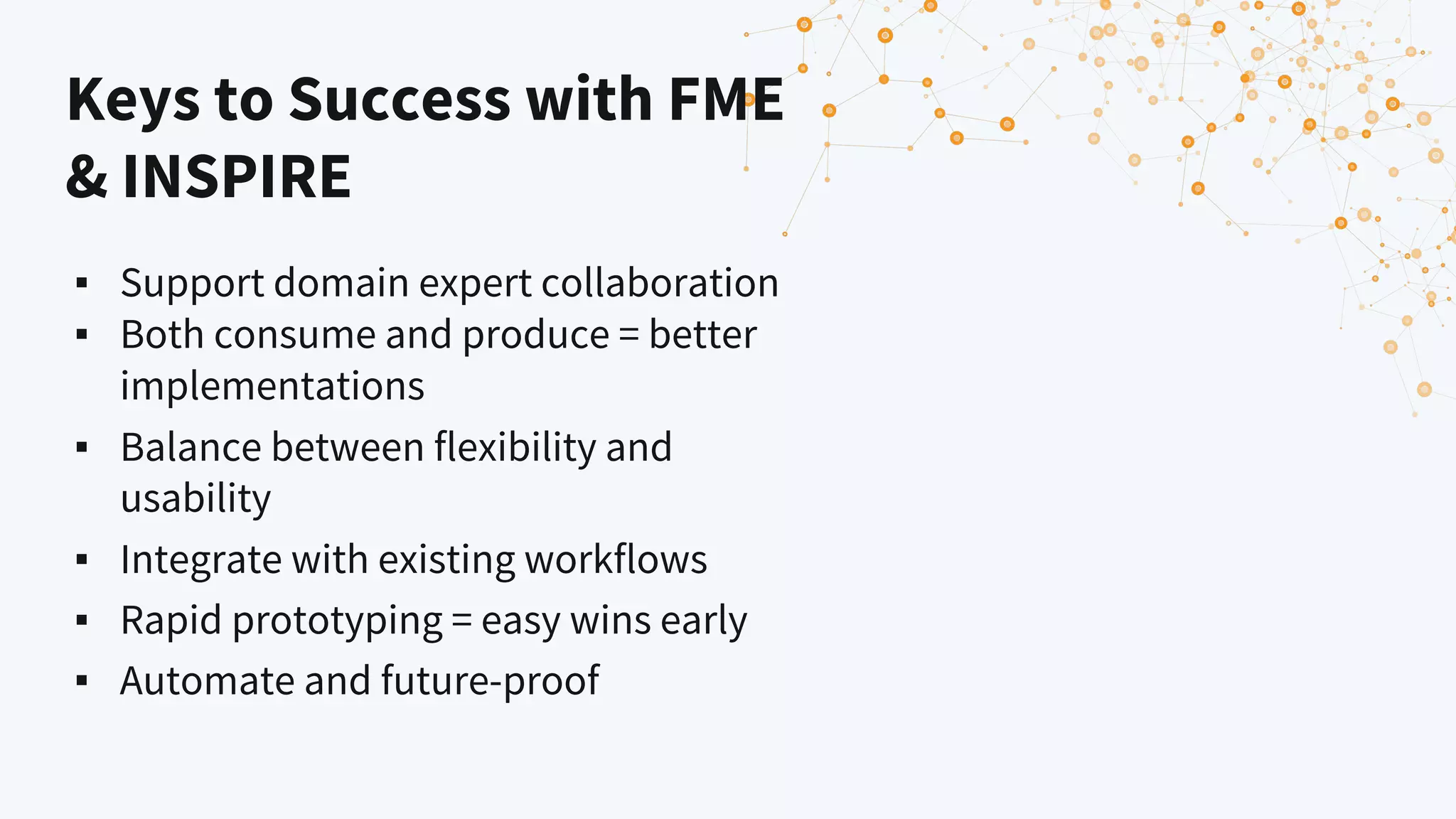
Keys to Success with FME
& INSPIRE
▪ Support domain expert collaboration
▪ Both consume and produce = better
implementations
▪ Balance between flexibility and
usability
▪ Integrate with existing workflows
▪ Rapid prototyping = easy wins early
▪ Automate and future-proof
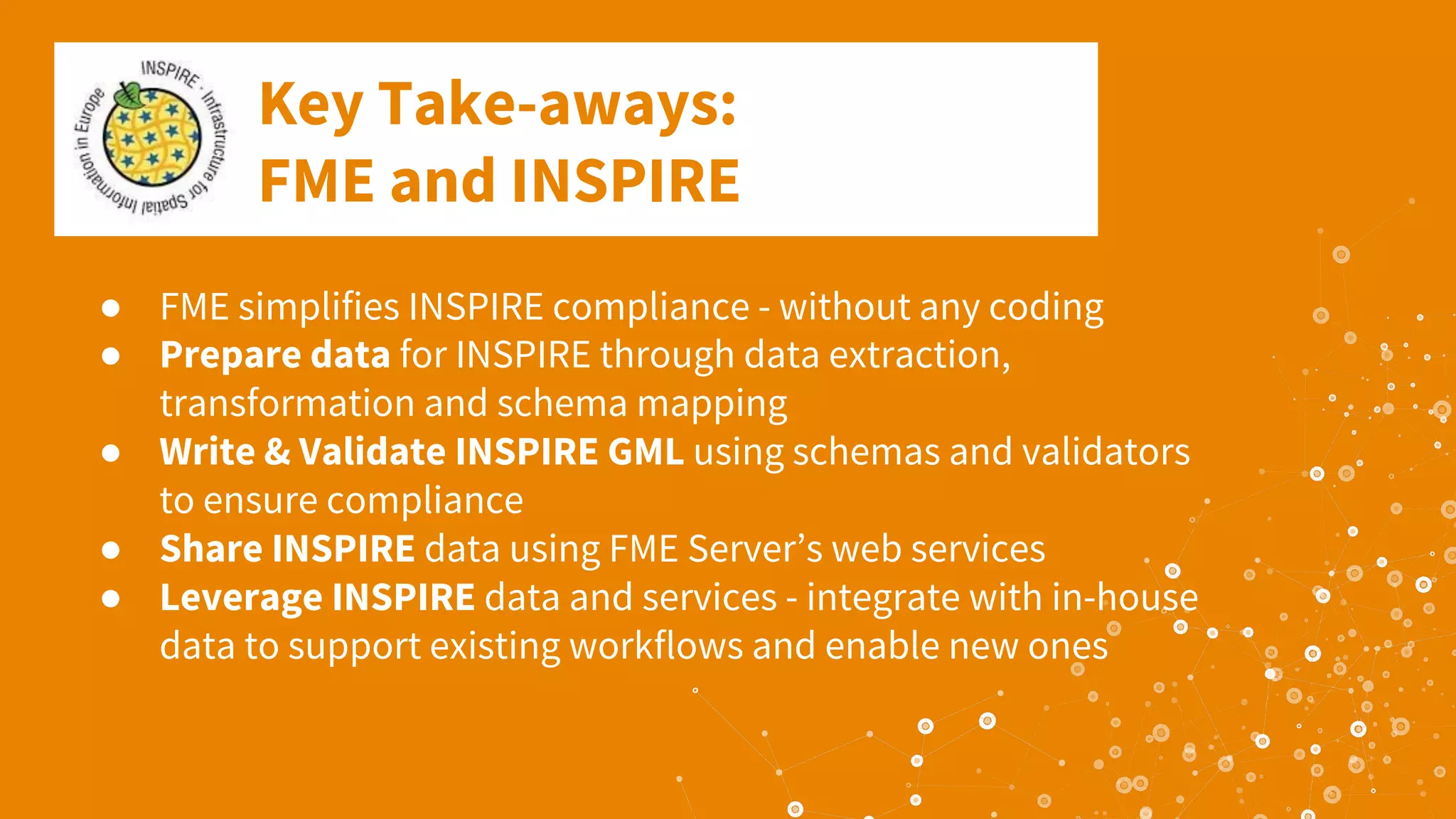
Key Take-aways:
FME and INSPIRE
● FME simplifies INSPIRE compliance - without any coding
● Prepare data for INSPIRE through data extraction,
transformation and schema mapping
● Write & Validate INSPIRE GML using schemas and validators
to ensure compliance
● Share INSPIRE data using FME Server’s web services
● Leverage INSPIRE data and services - integrate with in-house
data to support existing workflows and enable new ones
INSPIRE is just the start, not the destination
➔ Harmonize INSPIRE data
➔ Consume INSPIRE data
➔ Learn one tool for all your integration needs
➔ Easily document and share workflows
FME Partners Providing INSPIRE Solutions
▪ con terra (> 100 implementations across Europe)
▪ GIM, Belgium
▪ SWECO, KMD Denmark, SGU Sweden
▪ Spatialworld, Finland (National Land Survey)
▪ ISOGeo, France (SDI Platform)
▪ GeoData, Norwegian National GeoPortal
▪ AED Sicad (NAS to INSPIRE conversions)
▪ Veremes, France
▪ Metria, Swedish EPA
▪ 1-Spatial & Dotted Eyes, UK
Get started with free
resources at safe.com
✓ Free FME Trial
✓ Free Online Training
✓ Free Tutorials
✓ Free Webinars
✓ Free Knowledge Center
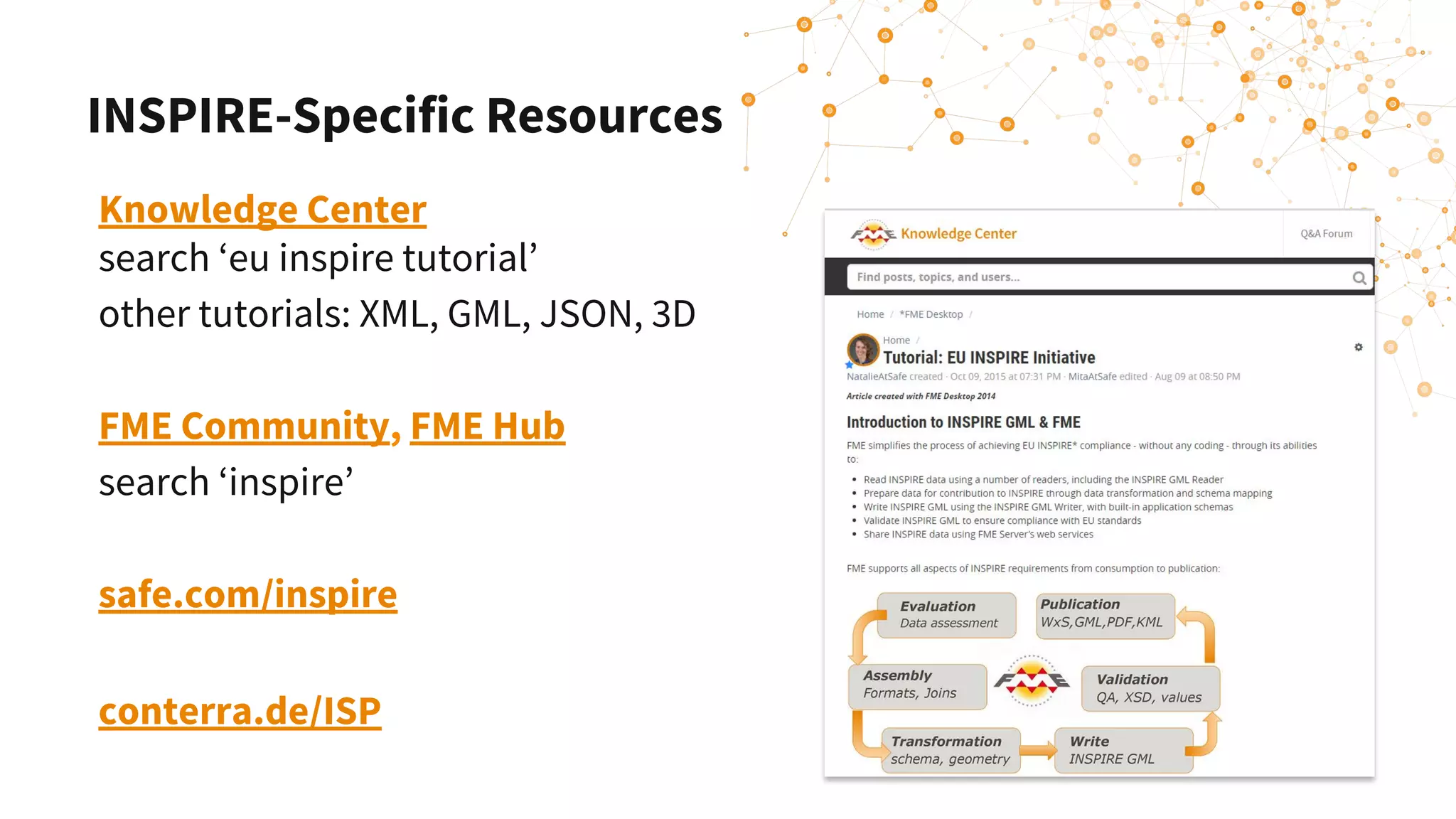
Knowledge Center
search ‘eu inspire tutorial’
other tutorials: XML, GML, JSON, 3D
FME Community, FME Hub
search ‘inspire’
safe.com/inspire
conterra.de/ISP
INSPIRE-Specific Resources
Thank you!
Dean Hintz
Senior Analyst
dean@safe.com
@DeanAtSafe
Sören Dupke
INSPIRE Coordinator
con terra
s.dupke@conterra.de
Erin Lemky
Senior Product Marketing Manager
erin.lemky@safe.com
Join Us:
FME World Tour 2019, March 18 - June 12, 70+ Cities
FME Days 2019, March 18-20, Bonn, Germany
Q&A

Efficiently Implementing INSPIRE & Creating INSPIRE Mashups with FME

  • 1.
    Implementing INSPIRE and CreatingMashups with FME Dean Hintz Safe Software Sören Dupke con terra Erin Lemky Safe Software
  • 2.
    Your photo hereYour photo here Dean Hintz Senior Analyst Erin Lemky Senior Product Marketing Hello! Your photo here Sören Dupke Consultant & Developer
  • 3.
    What is INSPIRE? ▪EU member state directive ▪ Since 2007 ▪ Deadline is 2021 ▪ Objective: Enable sharing of environmental spatial information for policies and activities that may have an impact on the environment1 1 https://inspire.ec.europa.eu/about-inspire/563
  • 4.
    What is INSPIRE? ▪One of the largest: ▪ Deployments of Open Geospatial Consortium (OGC) standards ▪ Spatial data infrastructures (SDIs) ▪ Open data portals
  • 5.
    Agenda Introduction 1. INSPIRE ImplementationUsing FME ▪ Schema, Geometry Transformation & Validation ▪ Creating INSPIRE GML & ATOM Feeds 2. Leveraging INSPIRE data using FME ▪ Mashing up INSPIRE data & In-House data ▪ Connecting Web Services & APIs FME Enhancements Resources Q&A
  • 6.
    Poll Question How familiarare you with FME? ● I’ve been using it for 5+ years ● I’ve been using it for a couple years ● I’ve been using it for less than 1 year ● I’m curious to learn about it
  • 7.
    What is FME? DataIntegration Made Easy
  • 8.
    Connect Your ApplicationsTransform Your Data Automate Your Workflows Integrate and convert information across 400+ applications. Library of transformers safe.com/transformers | hub.safe.com Build event-based workflows in a visual interface.
  • 9.
  • 10.
    FME Bridges theGap Proprietary Open Source Open Standards
  • 11.
    FME & INSPIRE- Life Cycle Support
  • 12.
    Your INSPIRE Viewer:Data Inspector Read any GML
  • 13.
    Poll Question What isyour relationship with EU INSPIRE? ● I’m using FME to meet INSPIRE compliance ● I’m exploring using FME for INSPIRE compliance ● I’m using other tools to work on INSPIRE compliance ● I want to consume INSPIRE data ● I’m observing INSPIRE from afar
  • 14.
  • 15.
    ▪ Data joinsfrom diverse sources ▪ Nested, object model vs relational (GIS) ▪ Spatial reference ▪ Complex, multi-geometries ▪ Series / lists ▪ Presets (codelists, namespaces) ▪ Business rules Transforming your data to INSPIRE: Key Challenges
  • 16.
    Transforming your datato INSPIRE ▪ Application schema based reader / writer ▪ Populate required attribute and geometry schema ▪ Reconcile relational to object ▪ Parent.child field names, ids ▪ All annexes supported ▪ All geometry models: 2,2.5 & 3D ▪ Raster, Point Clouds, Coverages No need to be an XML expert (XMLTemplater)
  • 17.
    Schema Mapping Toolsfor INSPIRE ? The challenge: ▪ Map and transform your data and attributes into the INSPIRE schema.
  • 18.
    Schema Mapping Tools forINSPIRE ▪ Feature type mapping ▪ Attribute name mapping ▪ Attribute value mapping ▪ SchemaMapper ▪ INSPIRE Solution Pack from con terra
  • 19.
  • 20.
    Natural Risk Zones:Flood Hazard Areas 1. Read source data UK EA flood risk areas  2. Simplify the geometry  3. Reproject BNG to INSPIRE crs: ETRS89 4. ID generation: gml_id, localId, inspire ID 5. Addition of required fields and schema mapping 6. Write & validate INSPIRE GML
  • 21.
  • 22.
    UK EA FloodData to INSPIRE Natural Hazards: FME Workspace knowledge.safe.com/articles/1359/inspire-natural-risk-zones-demo-annex-iii.html
  • 23.
    AIXM Database toAerodromes - Schema
  • 24.
    AIXM Database toAerodromes - Workspace GML parent child ids relating feature types
  • 25.
    AIXM Database toAerodromes - Result
  • 26.
    Writing Considerations ▪ UniqueIDs ▪ Feature relationships - parent / child ids ▪ Code lists ▪ Geometry names ▪ Required fields: ids, nilReason, lifespan, nspace ▪ inspireId.Identifier.namespace ▪ inspireId.Identifier.localId ▪ Start with a FME knowledge base tutorial ▪ Iteratively test validation of a few features
  • 27.
  • 28.
    ▪ Transformers incl.transformer help ▪ INSPIRE code lists ▪ Tutorials (GML and GDB template) ▪ Workspace templates ▪ Esri GDB and INSPIRE GML ▪ FME Hub ▪ Workspace template ATOM Feeds INSPIRE Solution Pack for FME
  • 29.
    INSPIRE Solution Packfor FME bycon terra FME Workbench “INSPIRE Template Workspaces”
  • 30.
  • 31.
  • 32.
    FME for Validation ▪XML application schema ▪ Geometry & Attribute ▪ Business rules ▪ ETF WebApp
  • 33.
  • 34.
    INSPIRE ETF Validator ETF= Executable Test Framework https://hub.safe.com/transformer s/inspire_etf-webapp_validator
  • 35.
    ▪ Administrative UnitsThuringia ▪ Using the ETF-Validator ▪ http://etf-validator.net/ Troubleshooting Validation Problems
  • 36.
    Validation Example Admin Units ▪Areas of same level may not overlap
  • 37.
    Validation Example AdminUnits Snapping the Administrative Units Boundaries will remove the overlap
  • 38.
    Validation Example AdminUnits ▪ Boundaries need to match topological structure of Areas
  • 39.
    Validation Example AdminUnits Use TopologyBuilder, AnchoredSnapper and SpatialRelator to detect and fix Boundaries
  • 40.
    Validation Summary ▪ FMEis a powerful tool for all kinds of validation ▪ Geometry ▪ Attributes ▪ Business Rules (ETF Validator) ▪ It can help you to detect and fix errors
  • 41.
  • 42.
    ATOM Feeds ● Alternativeway of providing data for INSPIRE ● XML based
  • 43.
  • 44.
    Diputació de Barcelona- ATOM Feed ● Provide INSPIRE compliant Address data ● Dataset from more than 300 municipalities
  • 45.
    Leverage the cloudfor INSPIRE
  • 46.
    FME Cloud: 6 Reasons 1.Data In Cloud 2. Innovate Faster 3. Focus Resources 4. Maximize Uptime 5. Strengthen Security 6. Save Money
  • 47.
    Install FME ServerYourself Use FME Cloud 1. Build Integration workflow 2. Download FME Server 3. Acquire hardware to run FME Server 4. Configure server 1. Install/Configure OS 2. Install FME Server 3. Configure network security 4. Install SSL certificates 5. Setup DNS 5. Plan for security updates 6. Plan for disaster recovery 7. Publish integration workflow 1. Build Integration workflow 2. Signup to FME Cloud 3. Click “Launch Instance” and make some configuration choices. 4. Wait 8 minutes and publish integration workflow. Steps to Initialize FME Server
  • 49.
    FME Cloud isFME Server ● Easy way to publish a workspace as a web service usable by anyone from a web browser or app - no code ● Schedule jobs, download, stream, notifications & other services (REST API)
  • 50.
    Mashing up INSPIRE& In-House Data
  • 51.
    Leveraging INSPIRE DataUsing FME ▪ FME Readers (INSPIRE GML, ATOM, WFS, WMS, WCS etc.) ▪ FME HTTPCaller (any web service) ▪ Data Inspector
  • 52.
    Planning High Voltage TransmissionLines ▪ Mash-Up of INSPIRE Services & Data: ▪ Easy to accomplish with FME ▪ Enrich in-house data with spatial information ▪ Improve the decision making for planing the power grid
  • 53.
    Planning High VoltageTransmission Lines FME Process: ▪ Read in-house database ▪ Runs against multiple INSPIRE WFS endpoints ▪ Updates new or changed parcels ▪ Filter by federal state ▪ Connect WFS (FeatureReader/HTTPCaller) ▪ Automatic updates & notifications (FME Server)
  • 54.
    Sentinel & INSPIRE ▪Detection of Surface Waters ▪ Using NDWI (Normalized Difference Water Index)
  • 55.
  • 56.
    Analyse Results ▪ CompareINSPIRE & Sentinel Data processing ▪ Hydrography Theme - SurfaceWaters ▪ Calculate Areas ▪ HTML Report Report: Surface Water Body area listed by INSPIRE: 143032557.52 m² Water body area detected by FME: 46674000 m² The difference is 96358557.52 m2 which equals an approxmiate detection rate of 32.63 percent.
  • 57.
    Summary: Leveraging INSPIRE datausing FME ▪ Read INSPIRE Services and combine with your in-house data using FME ▪ Connect to other services and APIs with FME HTTPCaller ▪ Mash up!
  • 58.
  • 59.
    Web Services &API’s: What’s Possible
  • 60.
    Air Quality Data ▪Load data & automate updates ▪ Endpoints ▪ Stations (INSPIRE Data) ▪ Sensor Data (52north SOS) ▪ Series REST API ▪ SOS endpoint
  • 61.
    Connecting Services &APIs Demo Combining Data for Finland: 1. Finnish Environment Institute (SYKE) ATOM Feed Protected Areas 2. Real-time Air Quality Index 3. European Environment Agency Air Quality Time Series Visualize air quality in Finnish protected areas: real-time and historically
  • 62.
    Connecting Services &APIs Data Source 1 Finnish Environment Institute (SYKE) ATOM Feed: Nature conservation and wilderness areas
  • 63.
    Connecting Services &APIs Data Source 2 World’s Pollution: Real-time Air Quality Index JSON API
  • 64.
    Connecting Services &APIs Data Source 3 European Environment Agency Air Quality Time Series
  • 65.
  • 66.
    FME: Recent Enhancements ▪XML/GML/JSON ▪ Tree-based controls ▪ Web connections / API’s ▪ OGC ▪ WCS Reader 2018.1 ▪ GML: coverage, schema ▪ Performance & partial runs ▪ Library & schema updates ▪ FME 2019 and beyond
  • 67.
    Demo: OGC WCSReader: FME 2019
  • 68.
    Coverages: Specialised Observations O&Mdata from Finnish Meteorological Institute https://en.ilmatieteenlaitos.fi/open-data-sets-available
  • 69.
    GML Coverage Domainand Range Set <om:result> <gmlcov:MultiPointCoverage gml:id="mpcv-1-1"> <gml:domainSet> <gmlcov:SimpleMultiPoint gml:id="mp-1-1" srsName="http://xml.fmi.fi/gml/crs/compoundCRS.php?crs=4258&amp;time=unixtime" srsDimension="3"> <gmlcov:positions> 60.09726 19.93481 1461844800 60.09726 19.93481 1461848400 60.09726 19.93481 1461852000 60.09726 19.93481 1461855600 ... <gml:rangeSet> <gml:DataBlock> <gml:rangeParameters/> <gml:doubleOrNilReasonTupleList> 4.93 8.53 1010.89 75.46 92.0 8.39 -8.12 -2.15 8.47 13.63 2.91 100.0 2.0 11.7 24.9 100.0 0.0 0.0 12813444.0 6044484.0 -1445534.13 11573148.0 11462539.0 4.93 8.81 1010.2 75.02 92.0 8.6 -8.33 -2.11 8.6 13.97 3.07 0.0 1.0 0.0 0.0 0.0 0.0 0.0 15244839.0 6989885.5 -1743936.5 13769114.0 12932554.0 4.93 9.23 1010.05 75.47 99.0 9.11 -9.02 -1.27 9.11 14.81 3.59 0.0 1.0 0.0 0.0 0.0 0.0 0.0 17347900.0 7924173.0 -2054171.38 15656149.0 13629065.0 O&M data from Finnish Meteorological Institute https://en.ilmatieteenlaitos.fi/open-data-sets-available
  • 70.
  • 71.
  • 73.
  • 74.
    Keys to Successwith FME & INSPIRE ▪ Support domain expert collaboration ▪ Both consume and produce = better implementations ▪ Balance between flexibility and usability ▪ Integrate with existing workflows ▪ Rapid prototyping = easy wins early ▪ Automate and future-proof
  • 75.
    Key Take-aways: FME andINSPIRE ● FME simplifies INSPIRE compliance - without any coding ● Prepare data for INSPIRE through data extraction, transformation and schema mapping ● Write & Validate INSPIRE GML using schemas and validators to ensure compliance ● Share INSPIRE data using FME Server’s web services ● Leverage INSPIRE data and services - integrate with in-house data to support existing workflows and enable new ones
  • 76.
    INSPIRE is justthe start, not the destination ➔ Harmonize INSPIRE data ➔ Consume INSPIRE data ➔ Learn one tool for all your integration needs ➔ Easily document and share workflows
  • 77.
    FME Partners ProvidingINSPIRE Solutions ▪ con terra (> 100 implementations across Europe) ▪ GIM, Belgium ▪ SWECO, KMD Denmark, SGU Sweden ▪ Spatialworld, Finland (National Land Survey) ▪ ISOGeo, France (SDI Platform) ▪ GeoData, Norwegian National GeoPortal ▪ AED Sicad (NAS to INSPIRE conversions) ▪ Veremes, France ▪ Metria, Swedish EPA ▪ 1-Spatial & Dotted Eyes, UK
  • 78.
    Get started withfree resources at safe.com ✓ Free FME Trial ✓ Free Online Training ✓ Free Tutorials ✓ Free Webinars ✓ Free Knowledge Center
  • 79.
    Knowledge Center search ‘euinspire tutorial’ other tutorials: XML, GML, JSON, 3D FME Community, FME Hub search ‘inspire’ safe.com/inspire conterra.de/ISP INSPIRE-Specific Resources
  • 80.
    Thank you! Dean Hintz SeniorAnalyst dean@safe.com @DeanAtSafe Sören Dupke INSPIRE Coordinator con terra s.dupke@conterra.de Erin Lemky Senior Product Marketing Manager erin.lemky@safe.com Join Us: FME World Tour 2019, March 18 - June 12, 70+ Cities FME Days 2019, March 18-20, Bonn, Germany
  • 81.