Android 介面設計
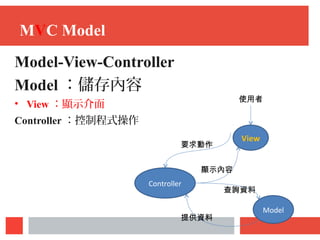
MVC Model
Model-View-Controller
Model :儲存內容
• View :顯示介面
Controller :控制程式操作
View
Controller
Model
要求動作
顯示內容
使用者
查詢資料
提供資料
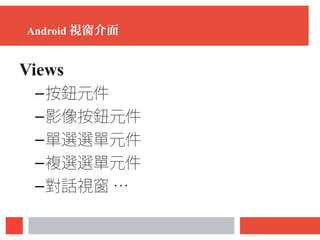
Android 視窗介面
Views
–按鈕元件
–影像按鈕元件
–單選選單元件
–複選選單元件
–對話視窗 …
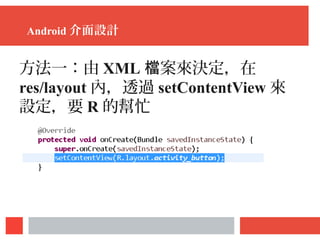
Android 介面設計
方法一:由 XML 案來決定,在檔
res/layout 內,透過 setContentView 來
設定,要 R 的幫忙
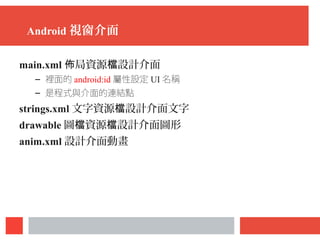
Android 視窗介面
main.xml 局資源 設計介面佈 檔
– 裡面的 android:id 屬性設定 UI 名稱
– 是程式與介面的連結點
strings.xml 文字資源 設計介面文字檔
drawable 圖 資源 設計介面圖形檔 檔
anim.xml 設計介面動畫
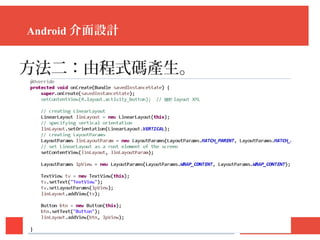
Android 介面設計
方法二:由程式碼產生。
XML
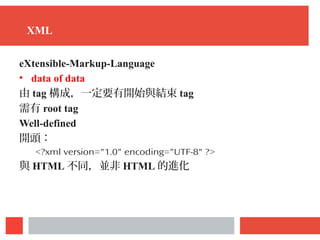
XML
eXtensible-Markup-Language
• data of data
由 tag 構成,一定要有開始與結束 tag
需有 root tag
Well-defined
開頭:  
<?xml version="1.0" encoding="UTF-8" ?>
與 HTML 不同,並非 HTML 的進化
XML
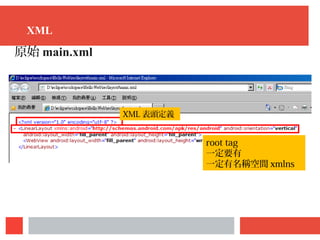
原始 main.xml
root tag
一定要有
一定有名稱空間 xmlns
XML 表頭定義
XML
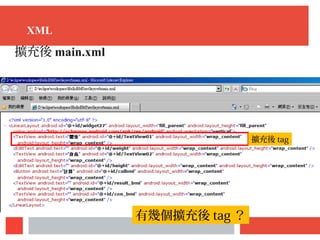
擴充後 main.xml
擴充後 tag
有幾個擴充後 tag ?
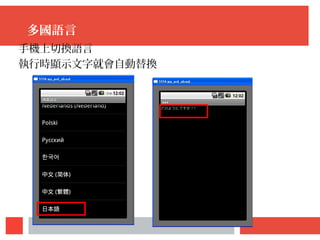
多國語言
多國語言
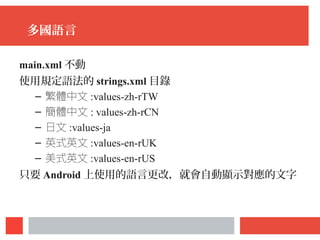
main.xml 不動
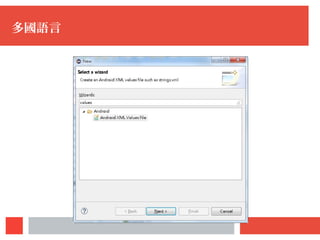
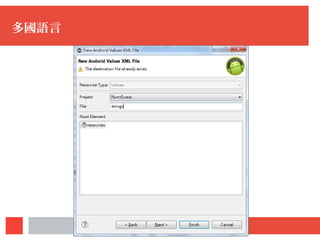
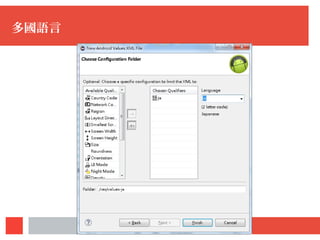
使用規定語法的 strings.xml 目錄
– 繁體中文 :values-zh-rTW
– 簡體中文 : values-zh-rCN
– 日文 :values-ja
– 英式英文 :values-en-rUK
– 美式英文 :values-en-rUS
只要 Android 上使用的語言更改,就會自動顯示對應的文字
多國語言
多國語言
多國語言
多國語言
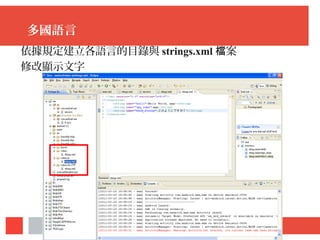
依據規定建立各語言的目錄與 strings.xml 案檔
修改顯示文字
多國語言
手機上切換語言
執行時顯示文字就會自動替換
介面 局佈 Layout
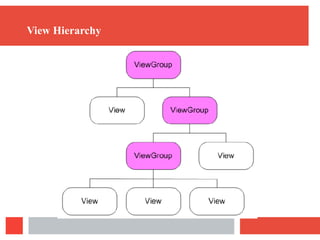
View Hierarchy
Layout
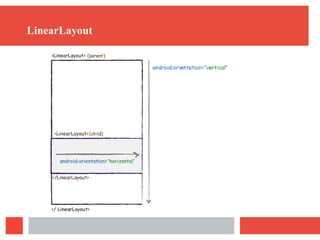
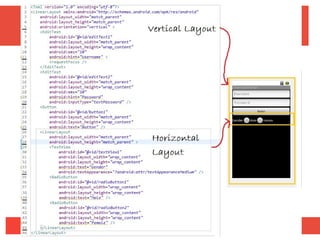
LinearLayout
– 將 View 以水平或垂直方式做線性排列
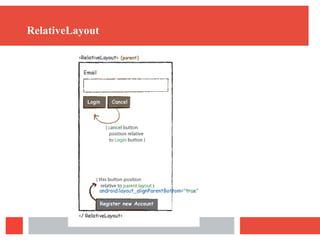
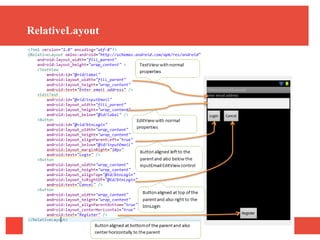
RelativeLayout
• 將 View 依相對位置做排列
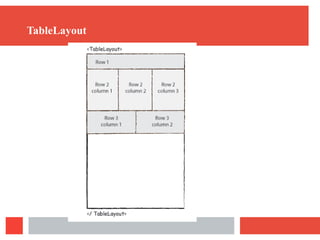
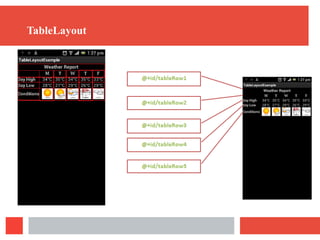
TableLayout
• 像建立表格般安排 View/ViewGroup 的位置
LinearLayout
LinearLayout
RelativeLayout
RelativeLayout
TableLayout
TableLayout
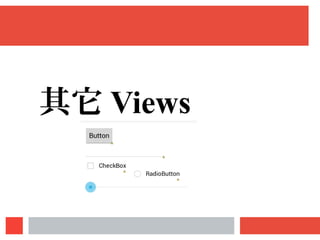
其它 Views
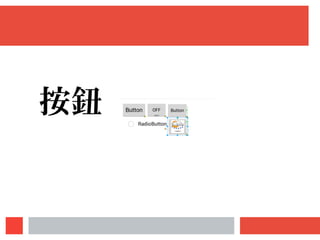
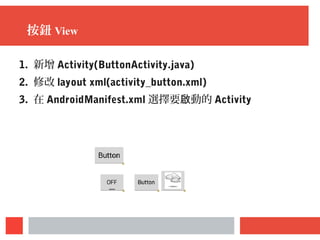
按鈕
按鈕 View
1. 新增 Activity(ButtonActivity.java)
2. 修改 layout xml(activity_button.xml)
3. 在 AndroidManifest.xml 選擇要 動的啟 Activity
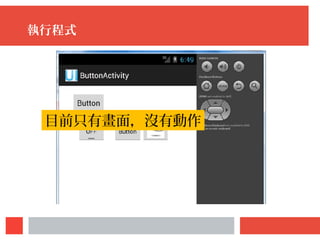
執行程式
目前只有畫面,沒有動作
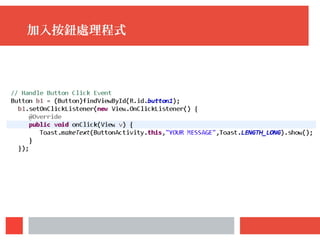
加入按鈕處理程式
練習
在 TextView 中顯示 SeekBar 的數 。值
請先自行 Google TextView 與 SeekBar 的用法。
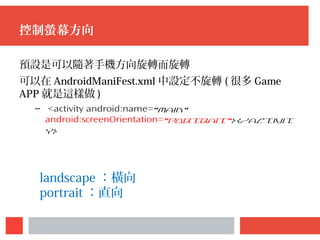
控制螢幕方向
預設是可以隨著手機方向旋轉而旋轉
可以在 AndroidManiFest.xml 中設定不旋轉 ( 很多 Game
APP 就是這樣做 )
– <activity android:name="Main"
android:screenOrientation="portrait"></activit
y>
landscape :橫向
portrait :直向
Contact
 E-mail: pinglunliao [at] gmail [dot] com
 LINE: Holan.Liao
 Skype: pinglunliao
 FB: https://www.facebook.com/LiaoPingLun

Android 介面設計