Testing 2
Advanced Test
Management
@Inflectra | #InflectraCon
Remco Putker
Owner, Robust-IT
Program Manager, EY
@RPutker
Session Aims
Advanced test management techniques
Manage requirements and release test case coverage
Explore exploratory testing
Test sets with different owners for E2E testing
But first…
A short introduction
The Netherlands?
The Netherlands!
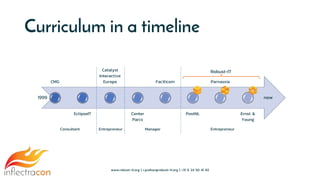
Curriculum
CMG
EclipseIT
Catalyst
Interactive
Europe
Center
Parcs
Facilicom
PostNL
Parnassia
Ernst &
Young
www.robust-it.org | r.putker@robust-it.org | +31 6 24 50 41 82
Consultant Entrepreneur Manager Entrepreneur
1999 now
Robust-IT
Curriculum in a timeline
And…
Why am I here?
Why am I here?
1. I 🧡 SpiraTest / SpiraTeam / SpiraPlan
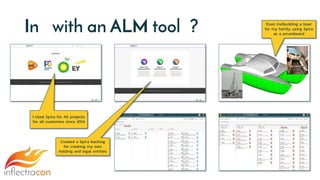
In with an ALM tool ?
I Used Spira for All projects
for all customers since 2014
Created a Spira backlog
for creating my own
holding and legal entities
Even (re)building a boat
for my family using Spira
as a scrumboard
Why am I here?
1. I 🧡 SpiraTest / SpiraTeam / SpiraPlan
2. 15 projects / 4 multinational organizations /
waterfall to scrum and back
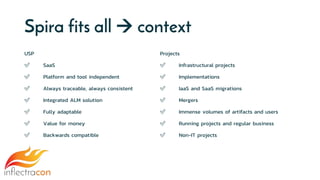
Spira fits all  context
USP
✅ SaaS
✅ Platform and tool independent
✅ Always traceable, always consistent
✅ Integrated ALM solution
✅ Fully adaptable
✅ Value for money
✅ Backwards compatible
Projects
✅ Infrastructural projects
✅ Implementations
✅ IaaS and SaaS migrations
✅ Mergers
✅ Immense volumes of artifacts and users
✅ Running projects and regular business
✅ Non-IT projects
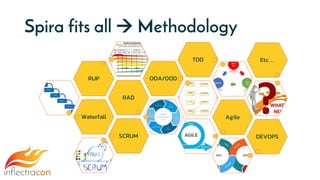
Spira fits all  Methodology
Waterfall
RAD
RUP OOA/OOD
TDD
Agile
SCRUM DEVOPS
Etc…
Why am I here?
1. I 🧡 SpiraTest / SpiraTeam / SpiraPlan
2. 15 projects / 4 multinational organizations /
waterfall to scrum and back
3. Certified solution provider for Inflectra BeNeLux
Robust-IT and Inflectra
Advanced test
management
techniques
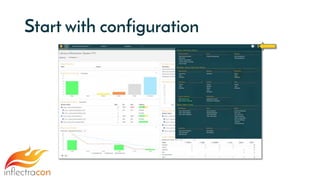
Start with configuration
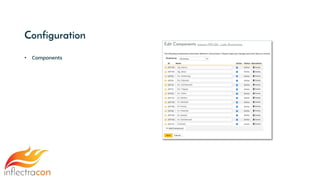
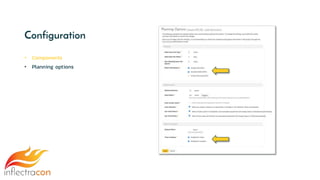
Configuration
• Components
Configuration
• Components
• Planning options
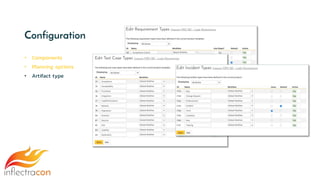
Configuration
• Components
• Planning options
• Artifact type
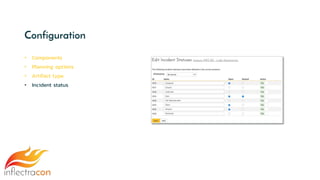
Configuration
• Components
• Planning options
• Artifact type
• Incident status
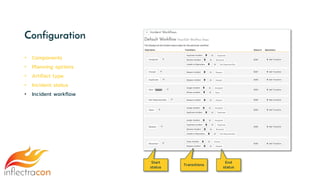
Configuration
• Components
• Planning options
• Artifact type
• Incident status
• Incident workflow
Start
status
Transitions
End
status
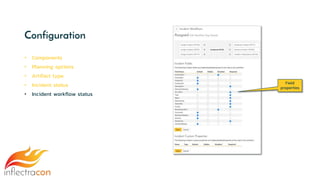
Configuration
• Components
• Planning options
• Artifact type
• Incident status
• Incident workflow status
Field
properties
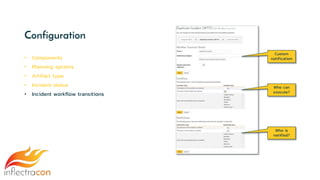
Configuration
• Components
• Planning options
• Artifact type
• Incident status
• Incident workflow transitions
Custom
notification
Who can
execute?
Who is
notified?
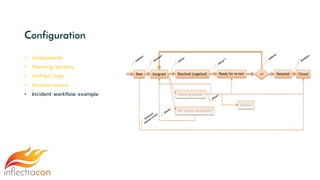
Configuration
• Components
• Planning options
• Artifact type
• Incident status
• Incident workflow example
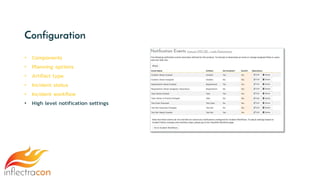
Configuration
• Components
• Planning options
• Artifact type
• Incident status
• Incident workflow
• High level notification settings
Configuration
• Components
• Planning options
• Artifact type
• Incident status
• Incident workflow
• High level notification settings
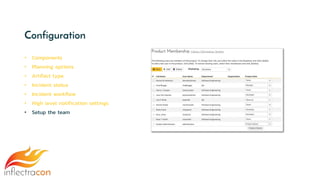
• Setup the team
Manage
requirements and
release test case
coverage
Manage requirements
1. Classic list view
2. Plan board
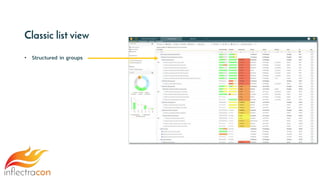
Classic list view
• Structured in groups
Classic list view
• Structured in groups
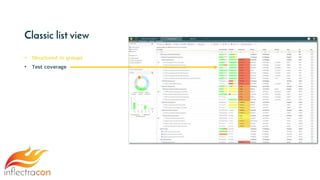
• Test coverage
Classic list view
• Structured in groups
• Test coverage
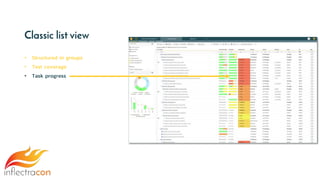
• Task progress
Classic list view
• Structured in groups
• Test coverage
• Task progress
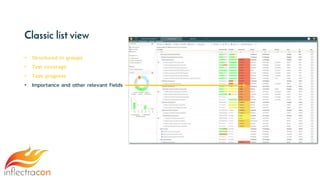
• Importance and other relevant fields
Classic list view
• Structured in groups
• Test coverage
• Task progress
• Importance and other relevant fields
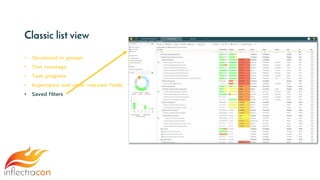
• Saved filters
Classic list view
• Structured in groups
• Test coverage
• Task progress
• Importance and other relevant fields
• Saved filters
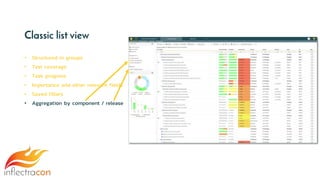
• Aggregation by component / release
Classic list view
• Structured in groups
• Test coverage
• Task progress
• Importance and other relevant fields
• Saved filters
• Aggregation by component / release
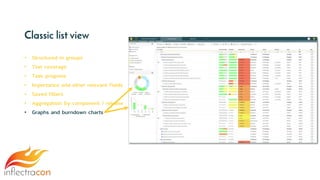
• Graphs and burndown charts
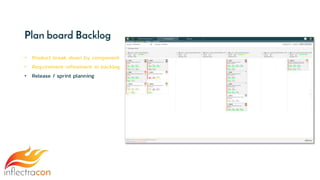
Plan board Backlog
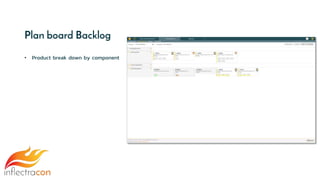
• Product break down by component
Plan board Backlog
• Product break down by component
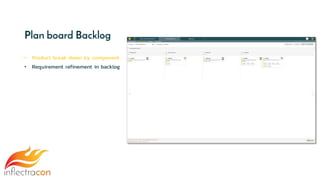
• Requirement refinement in backlog
Plan board Backlog
• Product break down by component
• Requirement refinement in backlog
• Release / sprint planning
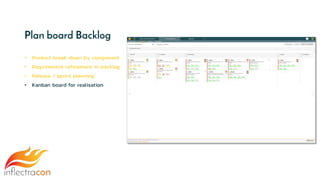
Plan board Backlog
• Product break down by component
• Requirement refinement in backlog
• Release / sprint planning
• Kanban board for realisation
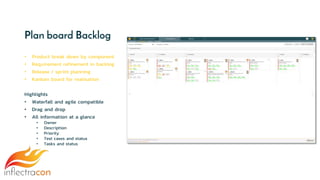
Plan board Backlog
• Product break down by component
• Requirement refinement in backlog
• Release / sprint planning
• Kanban board for realisation
Highlights
• Waterfall and agile compatible
• Drag and drop
• All information at a glance
• Owner
• Description
• Priority
• Test cases and status
• Tasks and status
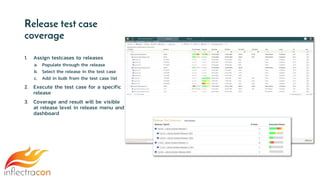
Release test case
coverage
1. Assign testcases to releases
a. Populate through the release
b. Select the release in the test case
c. Add in bulk from the test case list
2. Execute the test case for a specific
release
3. Coverage and result will be visible
at release level in release menu and
dashboard
Explore exploratory
testing
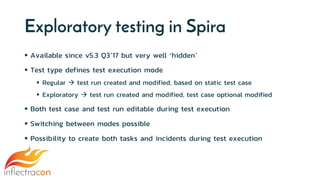
Exploratory testing in Spira
 Available since v5.3 Q3’17 but very well ‘hidden’
 Test type defines test execution mode
 Regular  test run created and modified, based on static test case
 Exploratory  test run created and modified, test case optional modified
 Both test case and test run editable during test execution
 Switching between modes possible
 Possibility to create both tasks and incidents during test execution
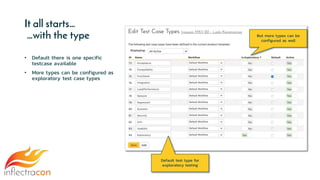
It all starts…
…with the type
• Default there is one specific
testcase available
• More types can be configured as
exploratory test case types
Default test type for
exploratory testing
But more types can be
configured as well
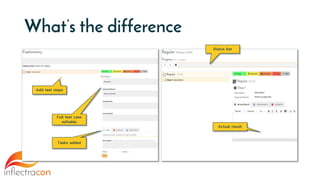
What’s the difference
Add test steps
Status bar
Actual result
Full test case
editable
Tasks added
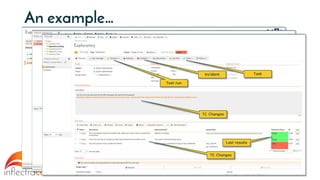
An example…
Description changed during test
3 steps added
Task created
Incident created
Update testcase
Incident
Task
Result
Incident
IncidentTC Changes
Last results
TC Changes
TaskIncident
Test run
Test sets with
different owners for
E2E testing
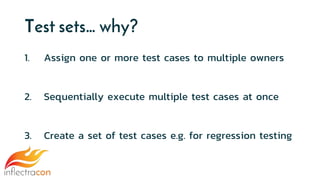
Test sets… why?
1. Assign one or more test cases to multiple owners
2. Sequentially execute multiple test cases at once
3. Create a set of test cases e.g. for regression testing
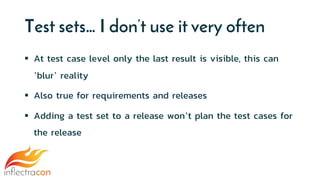
Test sets… I don’t use it very often
 At test case level only the last result is visible, this can
’blur’ reality
 Also true for requirements and releases
 Adding a test set to a release won’t plan the test cases for
the release
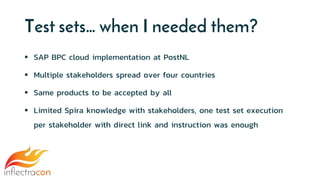
Test sets… when I needed them?
 SAP BPC cloud implementation at PostNL
 Multiple stakeholders spread over four countries
 Same products to be accepted by all
 Limited Spira knowledge with stakeholders, one test set execution
per stakeholder with direct link and instruction was enough
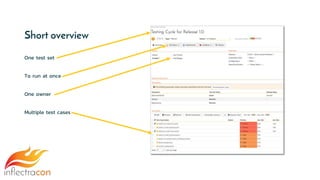
Short overview
One test set
To run at once
One owner
Multiple test cases
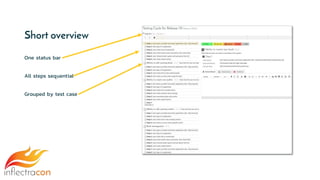
Short overview
One status bar
All steps sequential
Grouped by test case
Wrap-up
 With 20 years of experience Spira is the best ALM tool I’ve used
 A little configuration is necessary and Spira allows you to do so
 Spira does support all methodologies from waterfall to scrum
 Out of the box the requirements management functionality is
sublime
 Adding exploratory testing to the toolkit is a great improvement
 Test sets can be essential and valuable within their limitations
Testing 2: Advanced Test Management

Testing 2: Advanced Test Management

  • 1.
  • 2.
  • 3.
    Session Aims Advanced testmanagement techniques Manage requirements and release test case coverage Explore exploratory testing Test sets with different owners for E2E testing
  • 4.
  • 5.
  • 6.
  • 7.
  • 8.
    CMG EclipseIT Catalyst Interactive Europe Center Parcs Facilicom PostNL Parnassia Ernst & Young www.robust-it.org |r.putker@robust-it.org | +31 6 24 50 41 82 Consultant Entrepreneur Manager Entrepreneur 1999 now Robust-IT Curriculum in a timeline
  • 9.
  • 10.
    Why am Ihere? 1. I 🧡 SpiraTest / SpiraTeam / SpiraPlan
  • 11.
    In with anALM tool ? I Used Spira for All projects for all customers since 2014 Created a Spira backlog for creating my own holding and legal entities Even (re)building a boat for my family using Spira as a scrumboard
  • 12.
    Why am Ihere? 1. I 🧡 SpiraTest / SpiraTeam / SpiraPlan 2. 15 projects / 4 multinational organizations / waterfall to scrum and back
  • 13.
    Spira fits all context USP ✅ SaaS ✅ Platform and tool independent ✅ Always traceable, always consistent ✅ Integrated ALM solution ✅ Fully adaptable ✅ Value for money ✅ Backwards compatible Projects ✅ Infrastructural projects ✅ Implementations ✅ IaaS and SaaS migrations ✅ Mergers ✅ Immense volumes of artifacts and users ✅ Running projects and regular business ✅ Non-IT projects
  • 14.
    Spira fits all Methodology Waterfall RAD RUP OOA/OOD TDD Agile SCRUM DEVOPS Etc…
  • 15.
    Why am Ihere? 1. I 🧡 SpiraTest / SpiraTeam / SpiraPlan 2. 15 projects / 4 multinational organizations / waterfall to scrum and back 3. Certified solution provider for Inflectra BeNeLux
  • 16.
  • 17.
  • 18.
  • 19.
  • 20.
  • 21.
  • 22.
    Configuration • Components • Planningoptions • Artifact type • Incident status
  • 23.
    Configuration • Components • Planningoptions • Artifact type • Incident status • Incident workflow Start status Transitions End status
  • 24.
    Configuration • Components • Planningoptions • Artifact type • Incident status • Incident workflow status Field properties
  • 25.
    Configuration • Components • Planningoptions • Artifact type • Incident status • Incident workflow transitions Custom notification Who can execute? Who is notified?
  • 26.
    Configuration • Components • Planningoptions • Artifact type • Incident status • Incident workflow example
  • 27.
    Configuration • Components • Planningoptions • Artifact type • Incident status • Incident workflow • High level notification settings
  • 28.
    Configuration • Components • Planningoptions • Artifact type • Incident status • Incident workflow • High level notification settings • Setup the team
  • 29.
  • 30.
    Manage requirements 1. Classiclist view 2. Plan board
  • 31.
    Classic list view •Structured in groups
  • 32.
    Classic list view •Structured in groups • Test coverage
  • 33.
    Classic list view •Structured in groups • Test coverage • Task progress
  • 34.
    Classic list view •Structured in groups • Test coverage • Task progress • Importance and other relevant fields
  • 35.
    Classic list view •Structured in groups • Test coverage • Task progress • Importance and other relevant fields • Saved filters
  • 36.
    Classic list view •Structured in groups • Test coverage • Task progress • Importance and other relevant fields • Saved filters • Aggregation by component / release
  • 37.
    Classic list view •Structured in groups • Test coverage • Task progress • Importance and other relevant fields • Saved filters • Aggregation by component / release • Graphs and burndown charts
  • 38.
    Plan board Backlog •Product break down by component
  • 39.
    Plan board Backlog •Product break down by component • Requirement refinement in backlog
  • 40.
    Plan board Backlog •Product break down by component • Requirement refinement in backlog • Release / sprint planning
  • 41.
    Plan board Backlog •Product break down by component • Requirement refinement in backlog • Release / sprint planning • Kanban board for realisation
  • 42.
    Plan board Backlog •Product break down by component • Requirement refinement in backlog • Release / sprint planning • Kanban board for realisation Highlights • Waterfall and agile compatible • Drag and drop • All information at a glance • Owner • Description • Priority • Test cases and status • Tasks and status
  • 43.
    Release test case coverage 1.Assign testcases to releases a. Populate through the release b. Select the release in the test case c. Add in bulk from the test case list 2. Execute the test case for a specific release 3. Coverage and result will be visible at release level in release menu and dashboard
  • 44.
  • 45.
    Exploratory testing inSpira  Available since v5.3 Q3’17 but very well ‘hidden’  Test type defines test execution mode  Regular  test run created and modified, based on static test case  Exploratory  test run created and modified, test case optional modified  Both test case and test run editable during test execution  Switching between modes possible  Possibility to create both tasks and incidents during test execution
  • 46.
    It all starts… …withthe type • Default there is one specific testcase available • More types can be configured as exploratory test case types Default test type for exploratory testing But more types can be configured as well
  • 47.
    What’s the difference Addtest steps Status bar Actual result Full test case editable Tasks added
  • 48.
    An example… Description changedduring test 3 steps added Task created Incident created Update testcase Incident Task Result Incident IncidentTC Changes Last results TC Changes TaskIncident Test run
  • 49.
    Test sets with differentowners for E2E testing
  • 50.
    Test sets… why? 1.Assign one or more test cases to multiple owners 2. Sequentially execute multiple test cases at once 3. Create a set of test cases e.g. for regression testing
  • 51.
    Test sets… Idon’t use it very often  At test case level only the last result is visible, this can ’blur’ reality  Also true for requirements and releases  Adding a test set to a release won’t plan the test cases for the release
  • 52.
    Test sets… whenI needed them?  SAP BPC cloud implementation at PostNL  Multiple stakeholders spread over four countries  Same products to be accepted by all  Limited Spira knowledge with stakeholders, one test set execution per stakeholder with direct link and instruction was enough
  • 53.
    Short overview One testset To run at once One owner Multiple test cases
  • 54.
    Short overview One statusbar All steps sequential Grouped by test case
  • 55.
    Wrap-up  With 20years of experience Spira is the best ALM tool I’ve used  A little configuration is necessary and Spira allows you to do so  Spira does support all methodologies from waterfall to scrum  Out of the box the requirements management functionality is sublime  Adding exploratory testing to the toolkit is a great improvement  Test sets can be essential and valuable within their limitations