Create accounting foran invoice
hychen39@gmail.com
2015/5/25
Pre-Condition: Auto-Invoice concurrent has successfully create the invoice for your order.
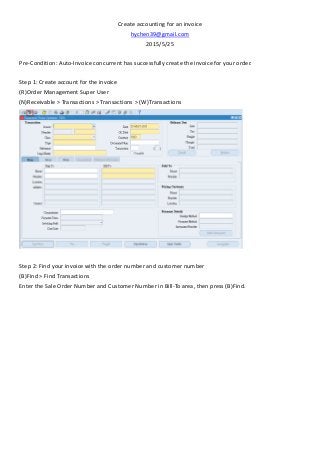
Step 1: Create account for the invoice
(R)Order Management Super User
(N)Receivable > Transactions > Transactions > (W)Transactions
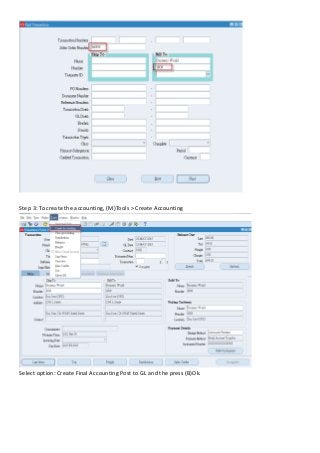
Step 2: Find your invoice with the order number and customer number
(B)Find > Find Transactions
Enter the Sale Order Number and Customer Number in Bill-To area, then press (B)Find.
2.
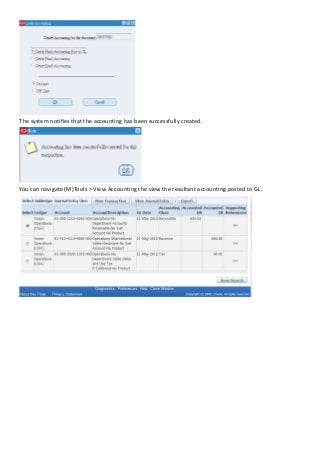
Step 3: Tocreate the accounting, (M)Tools > Create Accounting
Select option: Create Final Accounting Post to GL and the press (B)Ok.
3.
The system notifiesthat the accounting has been successfully created.
You can navigate (M)Tools > View Accounting the view the resultant accounting posted to GL.