Getting the Most Out of LinkedIn 
Gina Mintzer, CMP, MHA 
MPI NENY 
November 6, 2014
You’re On LinkedIn – Now What?
LinkedIn – You’re here to 
get found, connect, 
prospect and PROSPER!
7 Benefits of Linked In 
1) Make smart, right connections. Only the serious apply here. This is where 
the professional community engages, interacts, connects and refers. Start 
your process on LinkedIn if you want to get a company or person to notice 
you. Develop your profile, put up a professional head shot, link your blog, and 
post good content as often as you can and respond to other people’s posts. 
2) Who do you want to meet? Make a target list of who you want to meet-companies 
and people. Make LinkedIn a prospecting, research and 
engagement tool. Use the information you gather to send thoughtful, smart 
messages. 
3) Who do you want to meet you? This is where “mutual magnetism” works 
both ways. There are people we all want to meet for the value they bring to us, 
but there is value in what you bring to others too. Use your connections, 
wisdom, experience and personality to both meet people and initiate people 
meeting you. Develop your profile and keep it up to date!
4) Link up on LinkedIn: Identify people in your sphere and community that 
would be great to meet each other and make introductions. When you want 
to be connected, those connections you made can come in very handy! 
5) The Rules of Engagement: There is an etiquette on all the social 
platforms, but especially LinkedIn. Just because we connect doesn’t give 
anyone permission to start sending frequent, non-permission based sales 
emails. Spend some time interacting with people, supporting their content, 
causes and company before launching into salesy stuff. 
6) Use brand power — your brand, your company brand, your industry 
brand: LinkedIn is the perfect environment to leverage ‘brand power’. 
Remember there’s your brand, your company brand and your industry brand. 
Promote and connect all three and watch relationships grow. 
7) You + new media = smart connections: Your strategic, consistent and 
value driven communications used in a thoughtful way on LinkedIn can and 
will open doors. LinkedIn is a great place to start, it makes it easy to add 
Twitter, your blog and other sites that all work together to professionally 
present you in a single page snapshot.
Overcome LinkedIn Challenges 
What do I do? Where do I start? 
I don’t know how to write a bio. 
I have experienced a loss of ……….. and am looking for opportunities 
online 
I’m having a hard time finding customers online. 
I don’t understand how LinkedIn can specifically help me or my 
business. 
This takes too much time! 
I can’t do this all by myself
Get Found!
Get Found! 
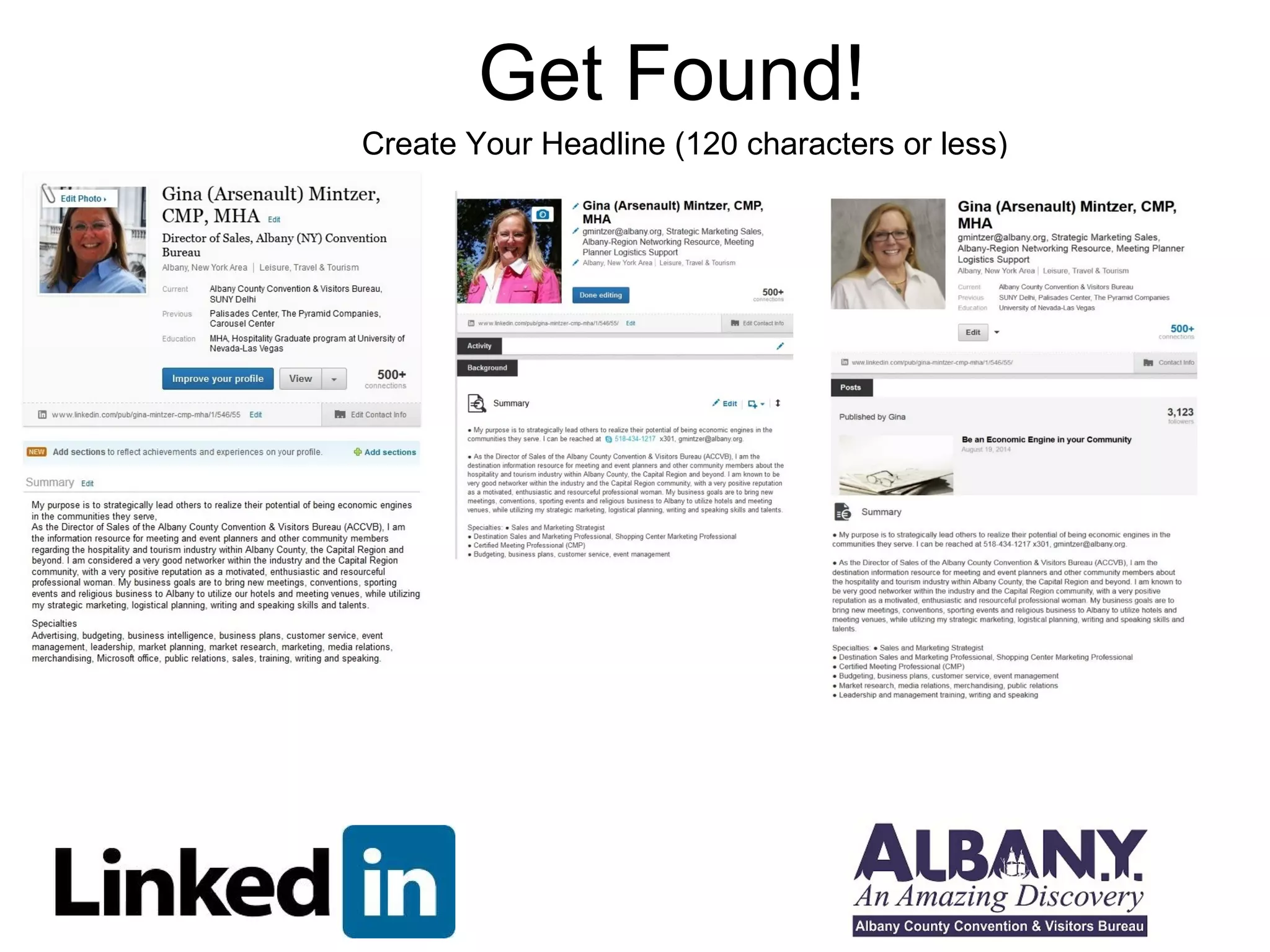
Create Your Headline (120 characters or less)
Create Your Headline (120 Characters or Less) 
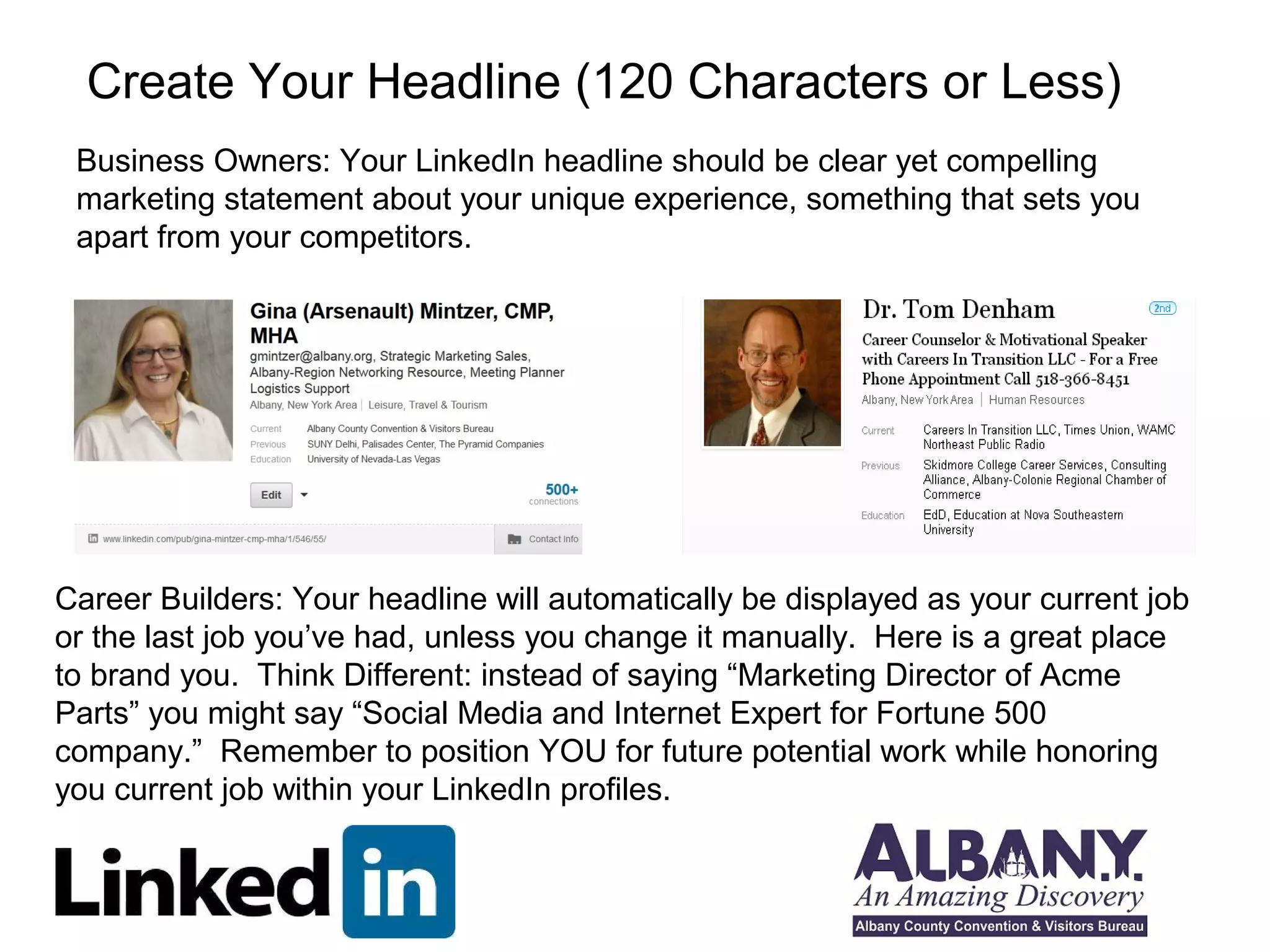
Business Owners: Your LinkedIn headline should be clear yet compelling 
marketing statement about your unique experience, something that sets you 
apart from your competitors. 
Career Builders: Your headline will automatically be displayed as your current job 
or the last job you’ve had, unless you change it manually. Here is a great place 
to brand you. Think Different: instead of saying “Marketing Director of Acme 
Parts” you might say “Social Media and Internet Expert for Fortune 500 
company.” Remember to position YOU for future potential work while honoring 
you current job within your LinkedIn profiles.
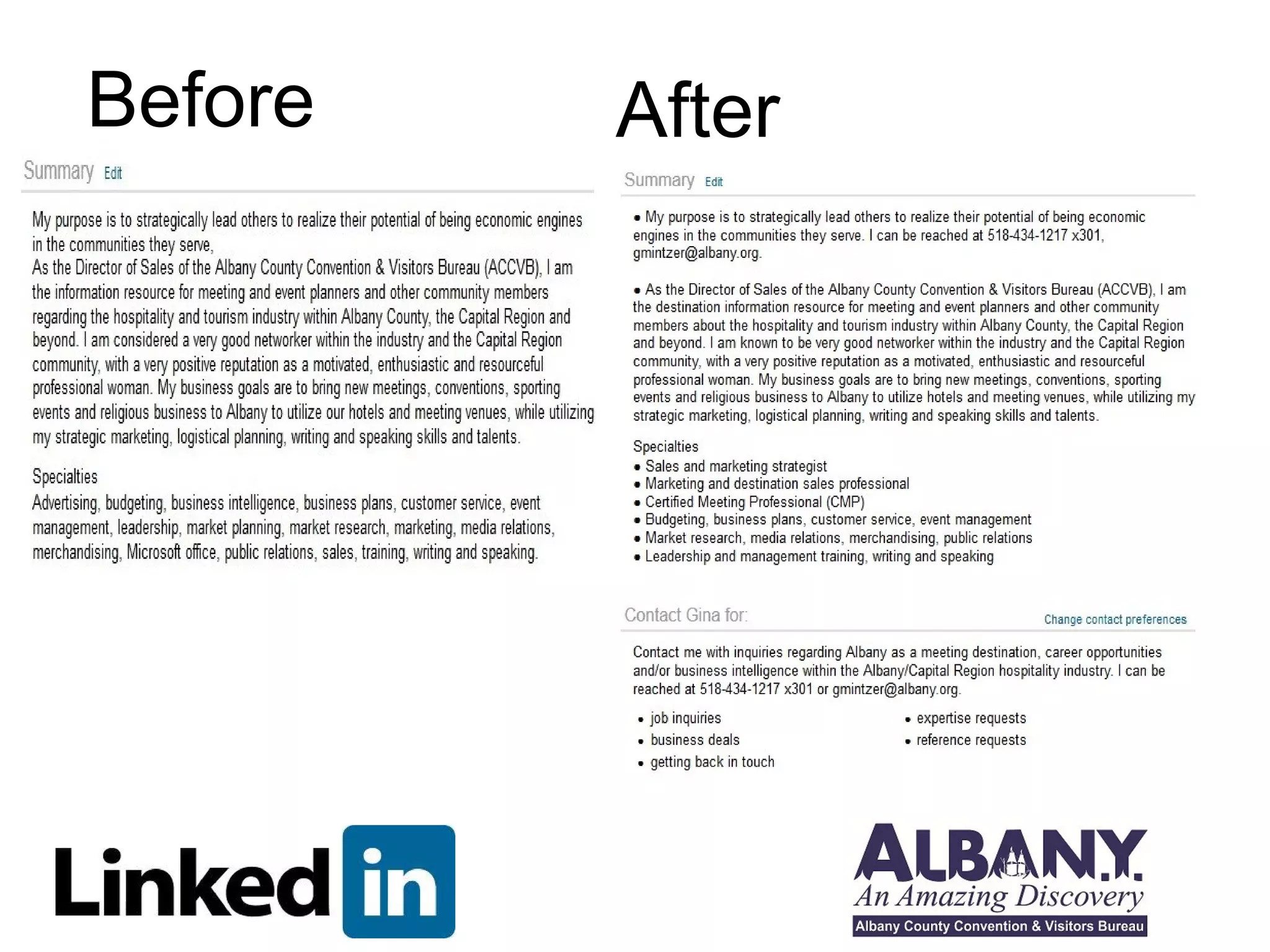
Before After
Another way to think of yourself 
Example: Sharon Smith is a secret agent-ninja known for her ability 
to infiltrate organizations, gain access to valuable date and make 
targets into un-persons. Sharon is passionate about ridding the 
world of crime, one double-agent at a time and has worked with 
prestigious firms including Toys R Us, Pottery Barn and Denny’s-frequent 
criminal hideouts. 
(Your name) is a _________________________________________ 
Known For: ______________________________________________ 
And is passionate about: ____________________________________ 
And has worked with:_______________________________________ 
Use parts of your defining statement to create your headline and 
sprinkle it through your summary.
To Really Surcharge your profile, use bullets or 
special characters via your computer’s character 
map! Here’s how you find bullets: 
Windows: Point to Start > Programs > Accessories > System 
Tools > Character Map 
Mac: Apple > System Preferences > Search > “Character 
Pallete” 
OR: Just use MS Word and copy/paste!
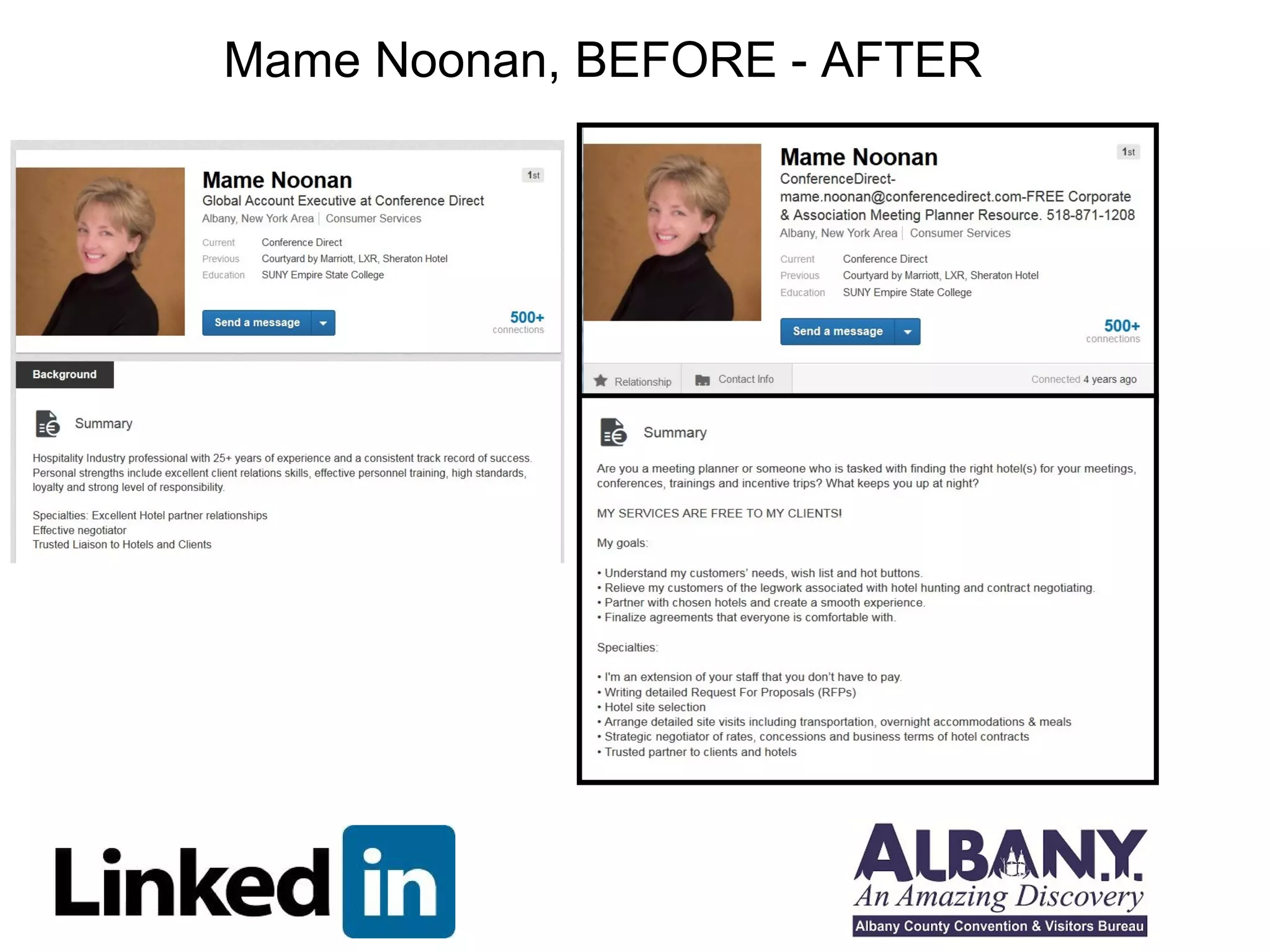
Mame Noonan, BEFORE - AFTER
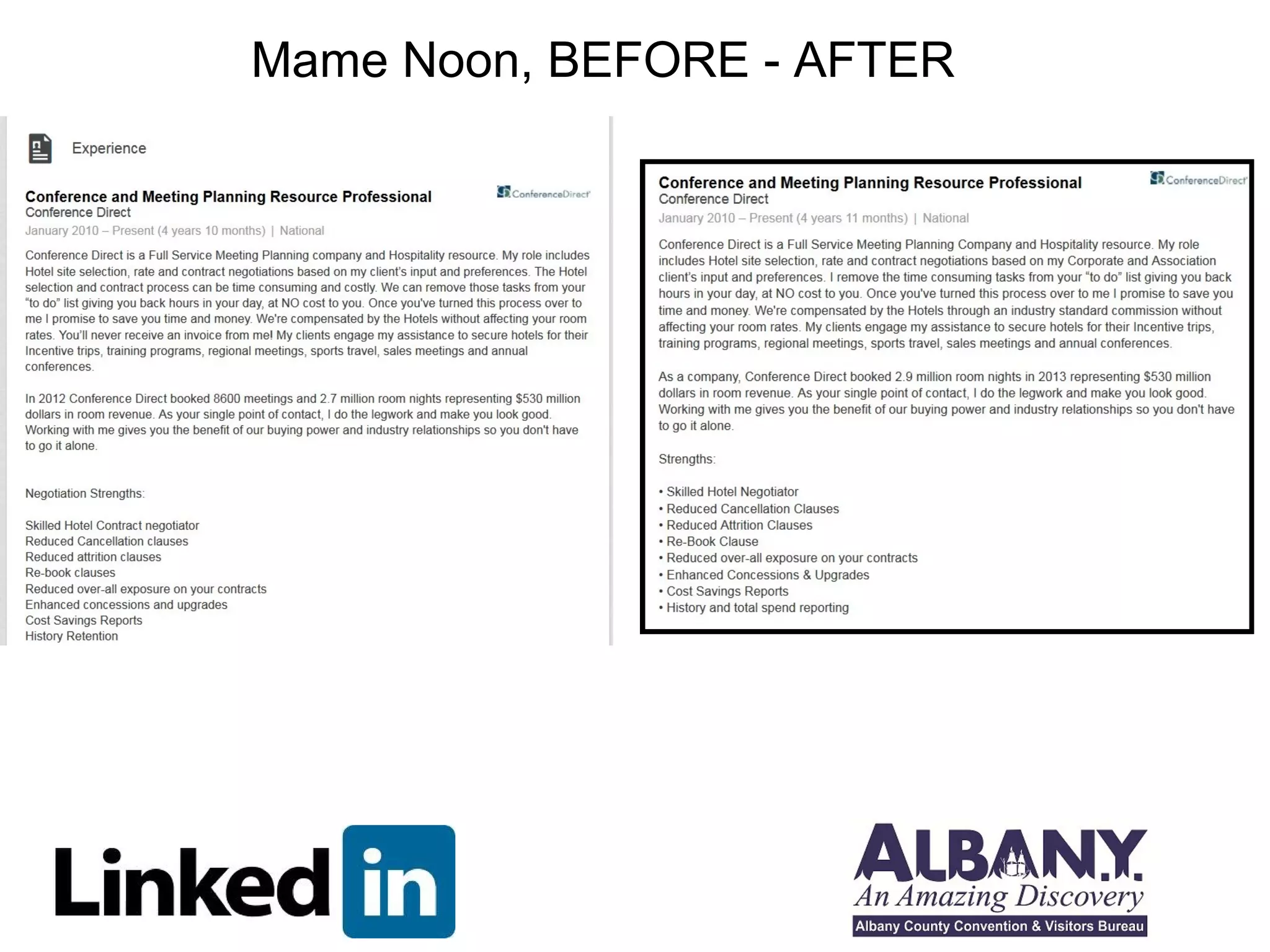
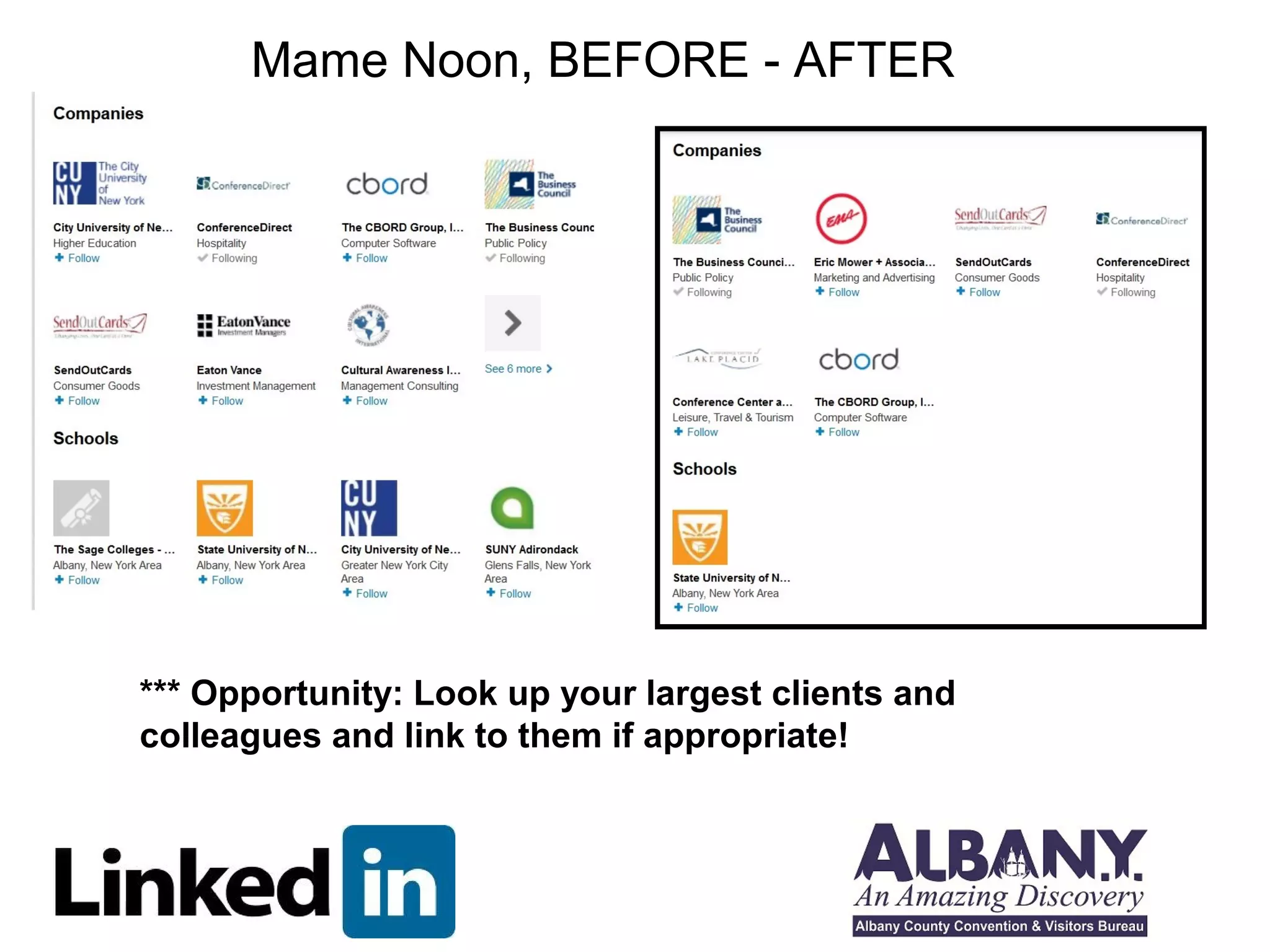
Mame Noon, BEFORE - AFTER
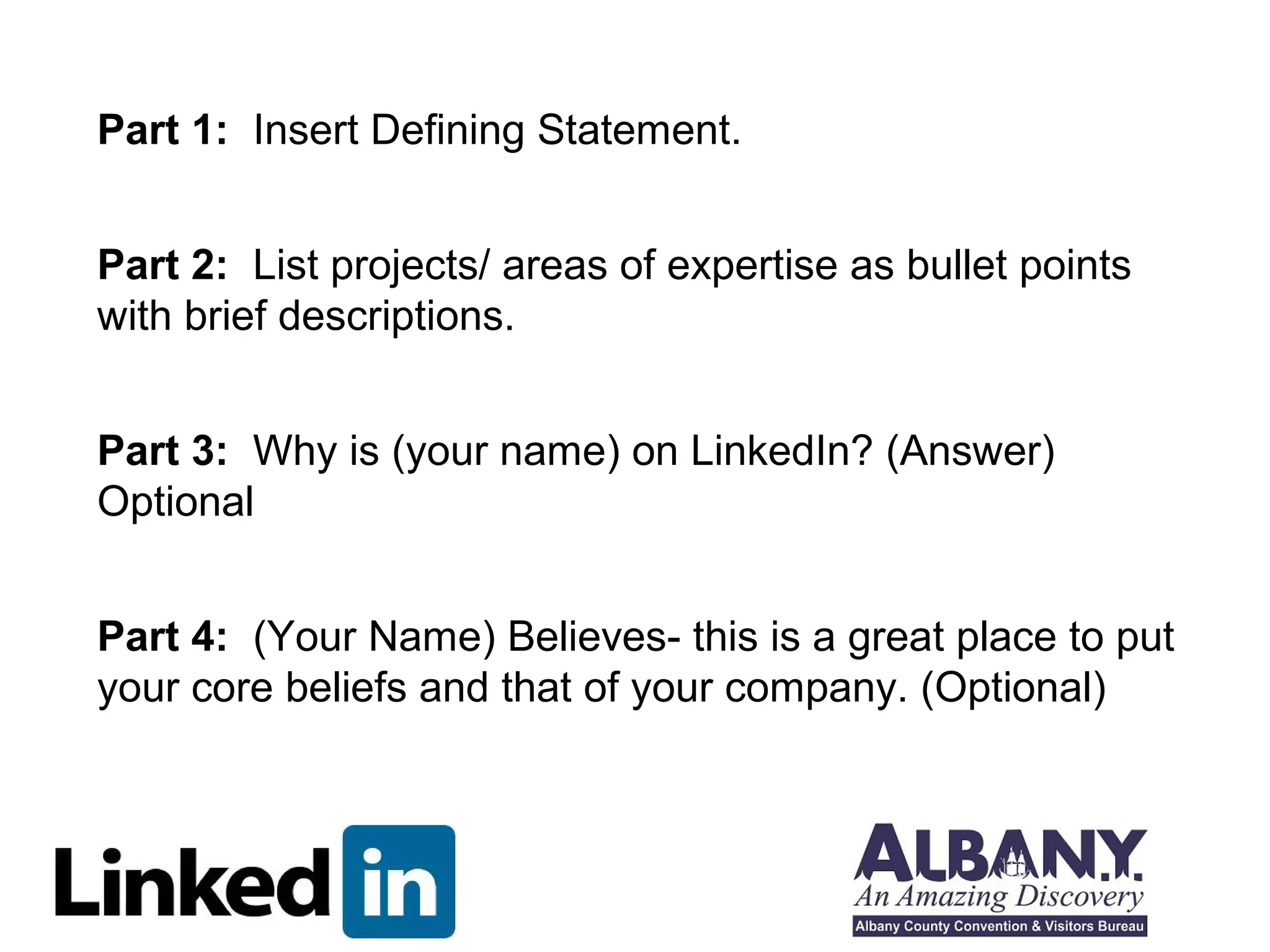
Part 1: Insert Defining Statement. 
Part 2: List projects/ areas of expertise as bullet points 
with brief descriptions. 
Part 3: Why is (your name) on LinkedIn? (Answer) 
Optional 
Part 4: (Your Name) Believes- this is a great place to put 
your core beliefs and that of your company. (Optional)
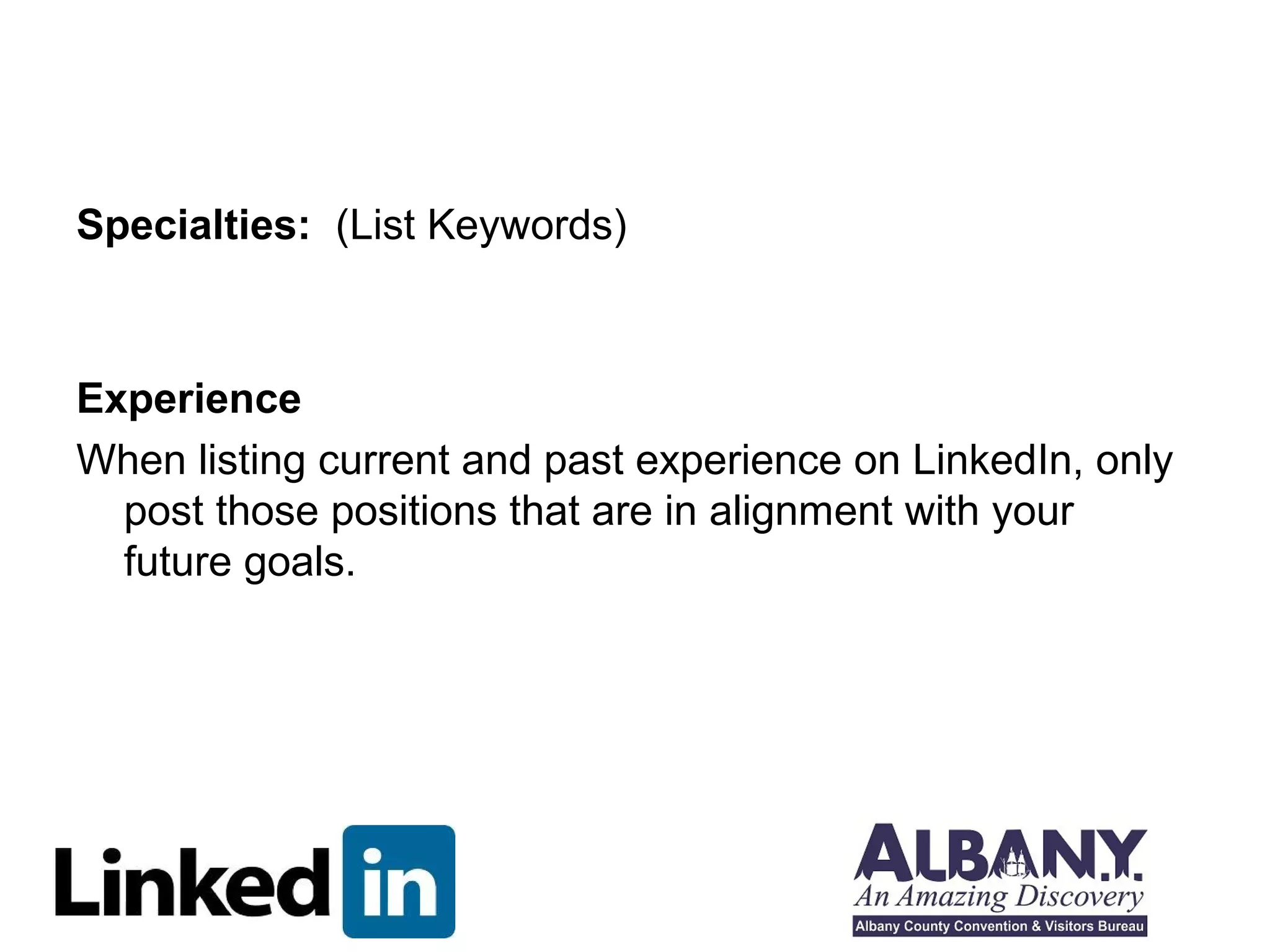
Specialties: (List Keywords) 
Experience 
When listing current and past experience on LinkedIn, only 
post those positions that are in alignment with your 
future goals.
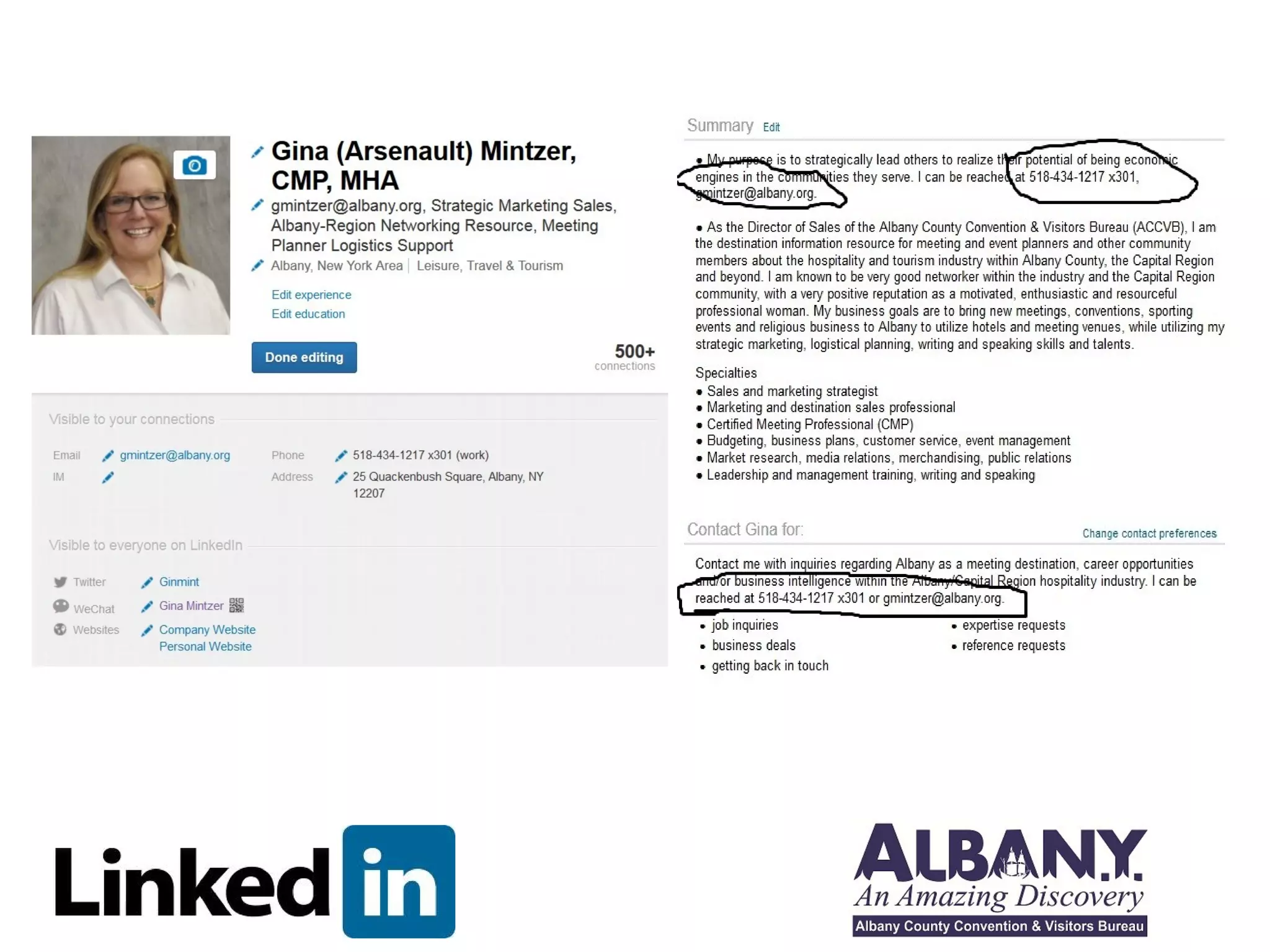
Get Connected!
All About Groups
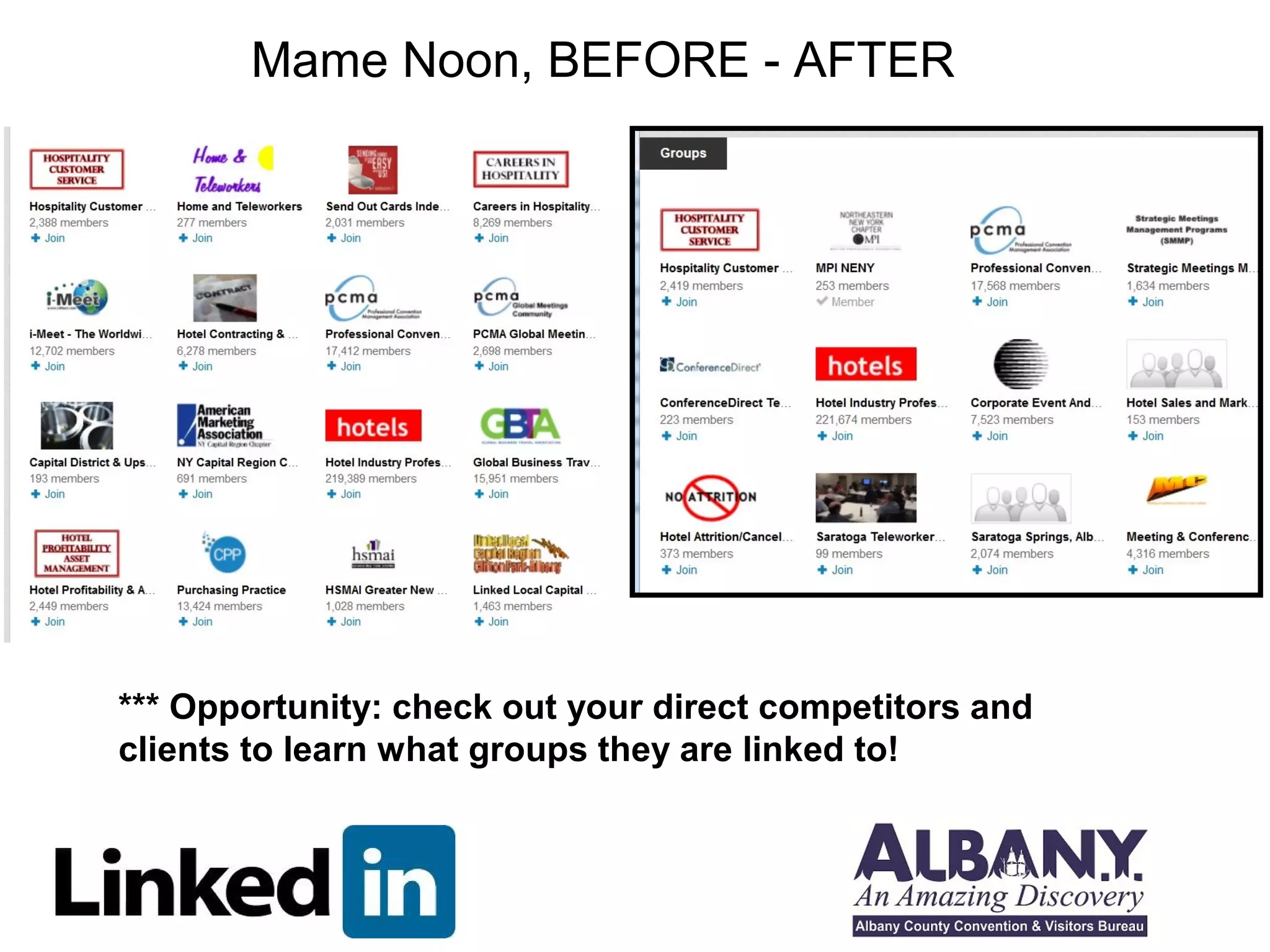
Mame Noon, BEFORE - AFTER 
*** Opportunity: check out your direct competitors and 
clients to learn what groups they are linked to!
Mame Noon, BEFORE - AFTER 
*** Opportunity: Look up your largest clients and 
colleagues and link to them if appropriate!
Power Posting – Show your expertise! 
What/Where to Post … 
Items to post: 
Post here: 
•General Status 
•Within a group 
• Quotes 
• Blogs 
• Travel 
• Events 
• Needs 
• Links to books, articles, and slideshares
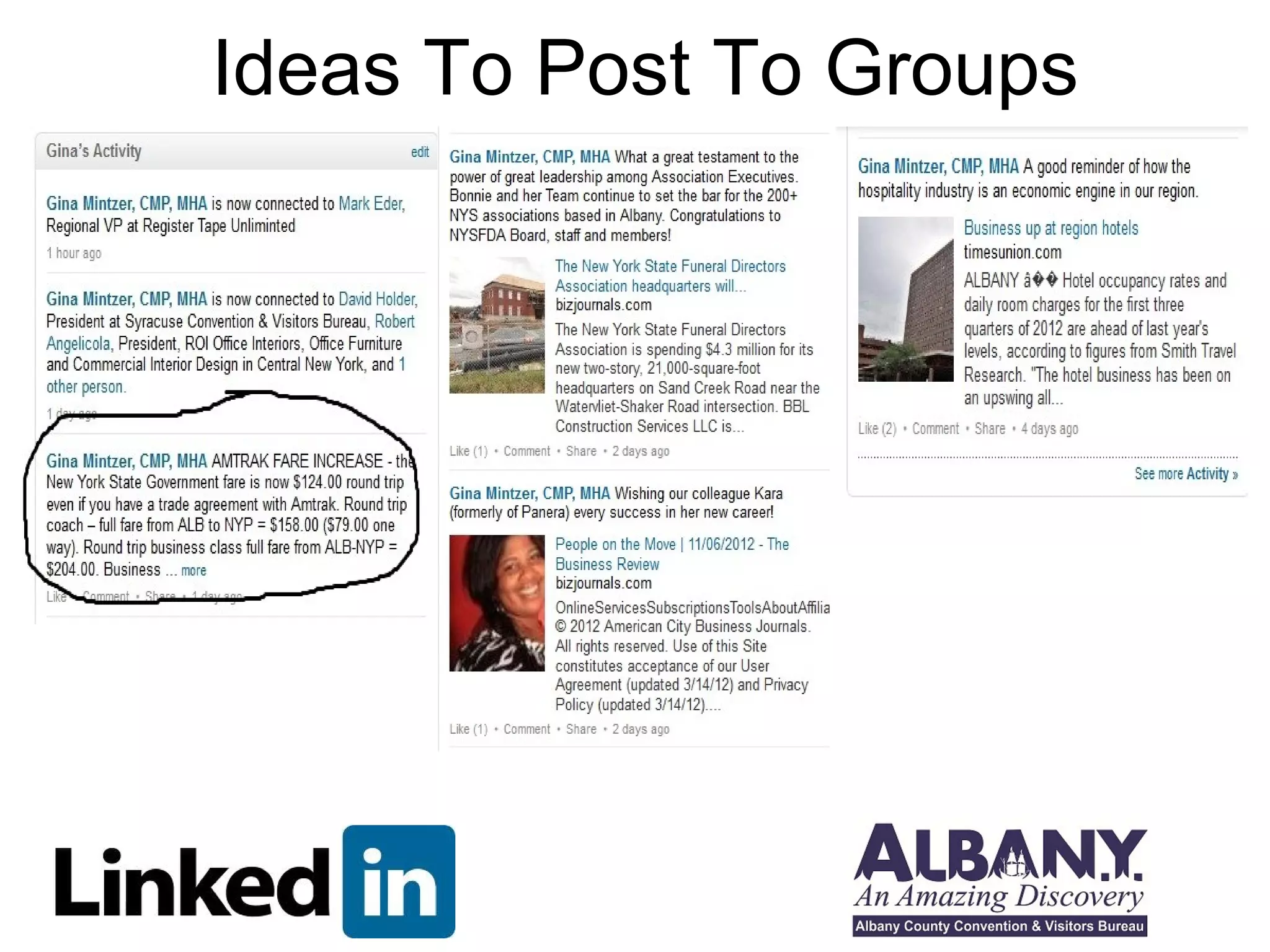
Ideas To Post To Groups
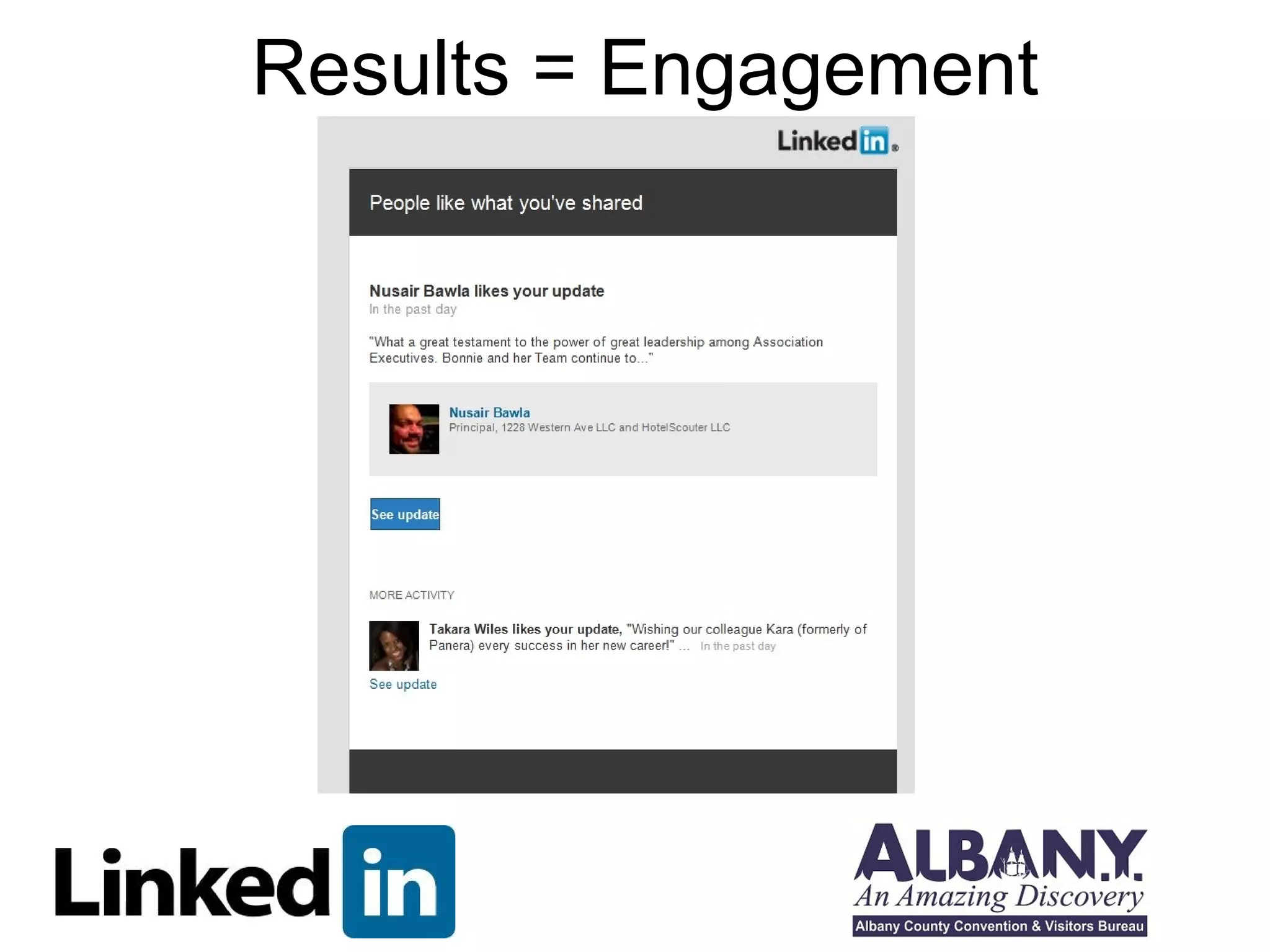
Results = Engagement
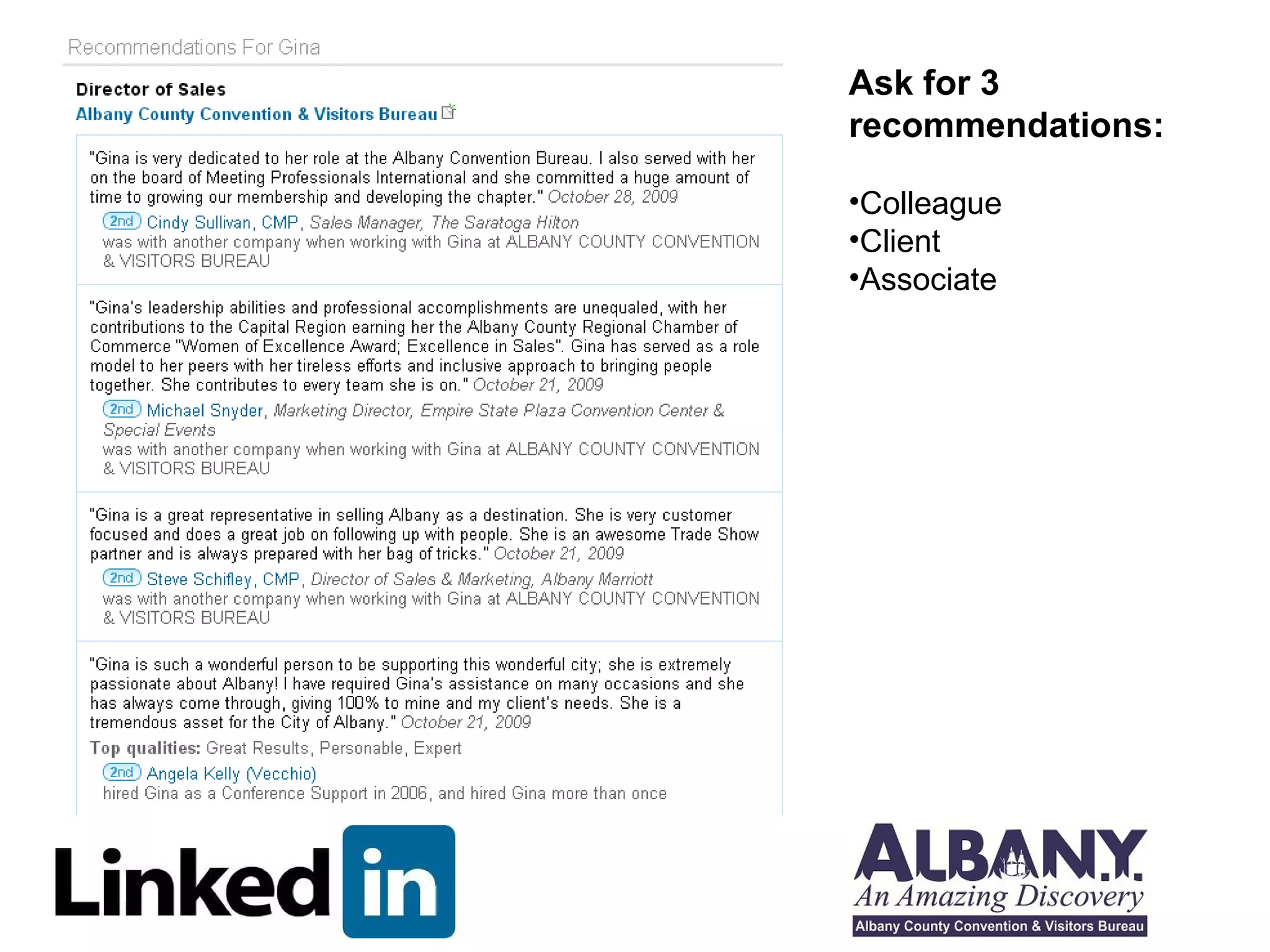
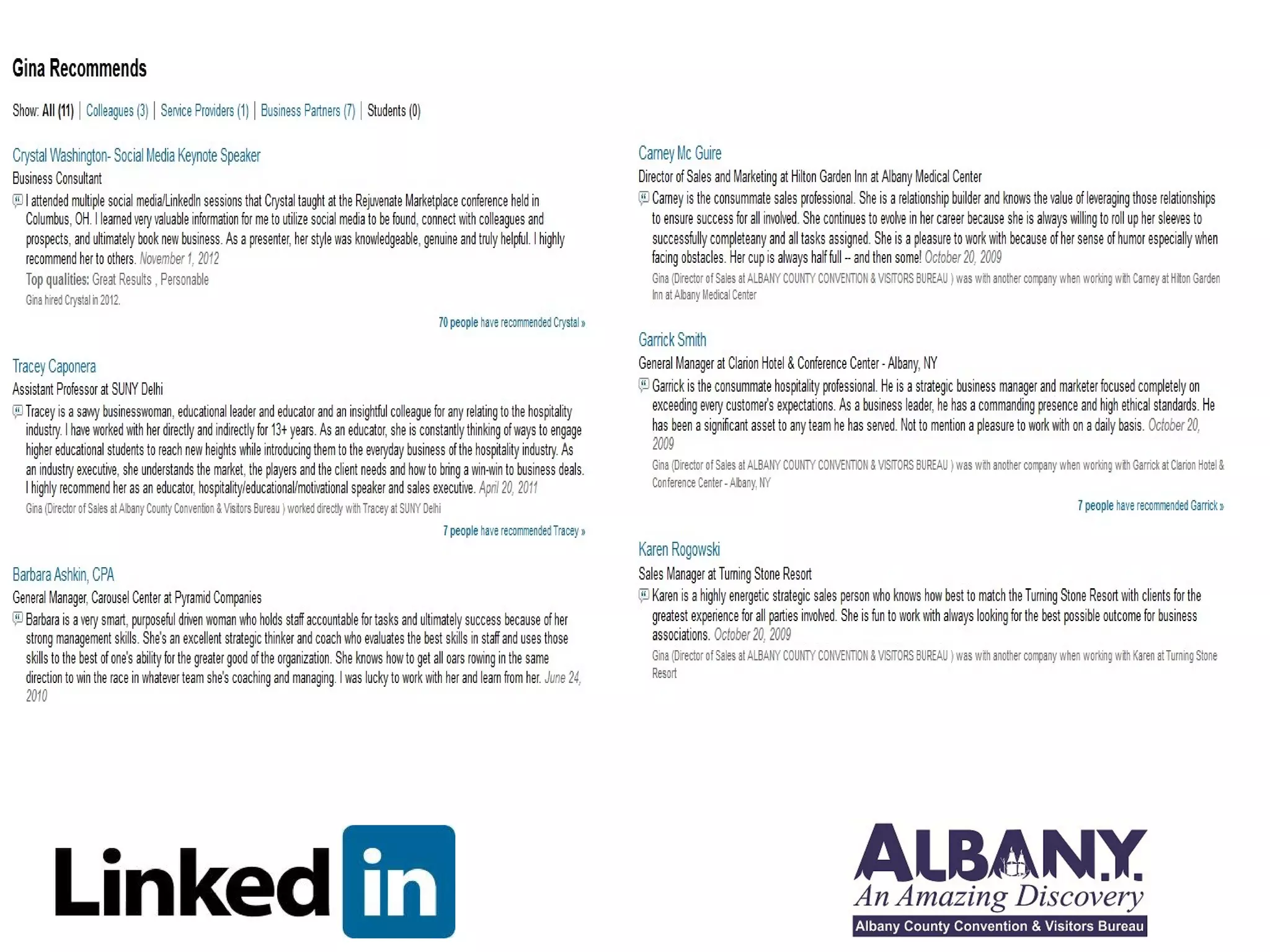
Recommendations
Ask for 3 
recommendations: 
•Colleague 
•Client 
•Associate
Here are some tips on how to write a great 
LinkedIn recommendation 
• Write recommendations that are genuine, earnest, detailed and 
descriptive. 
• Be very specific and tell us why the person is outstanding. 
• If possible, support a person’s personal brand. 
• Tell us what they do: what makes them different and better than the 
rest. 
• Throw in a call to action if possible. 
• Mention any transferable skills. For instance, everyone wants to 
work with leaders who have strong problem solving skills, great work 
habits, and continues to learn! 
• 60-100 words 
• Follow the rule of threes - Choose three adjectives and make them 
interesting, not just nice!
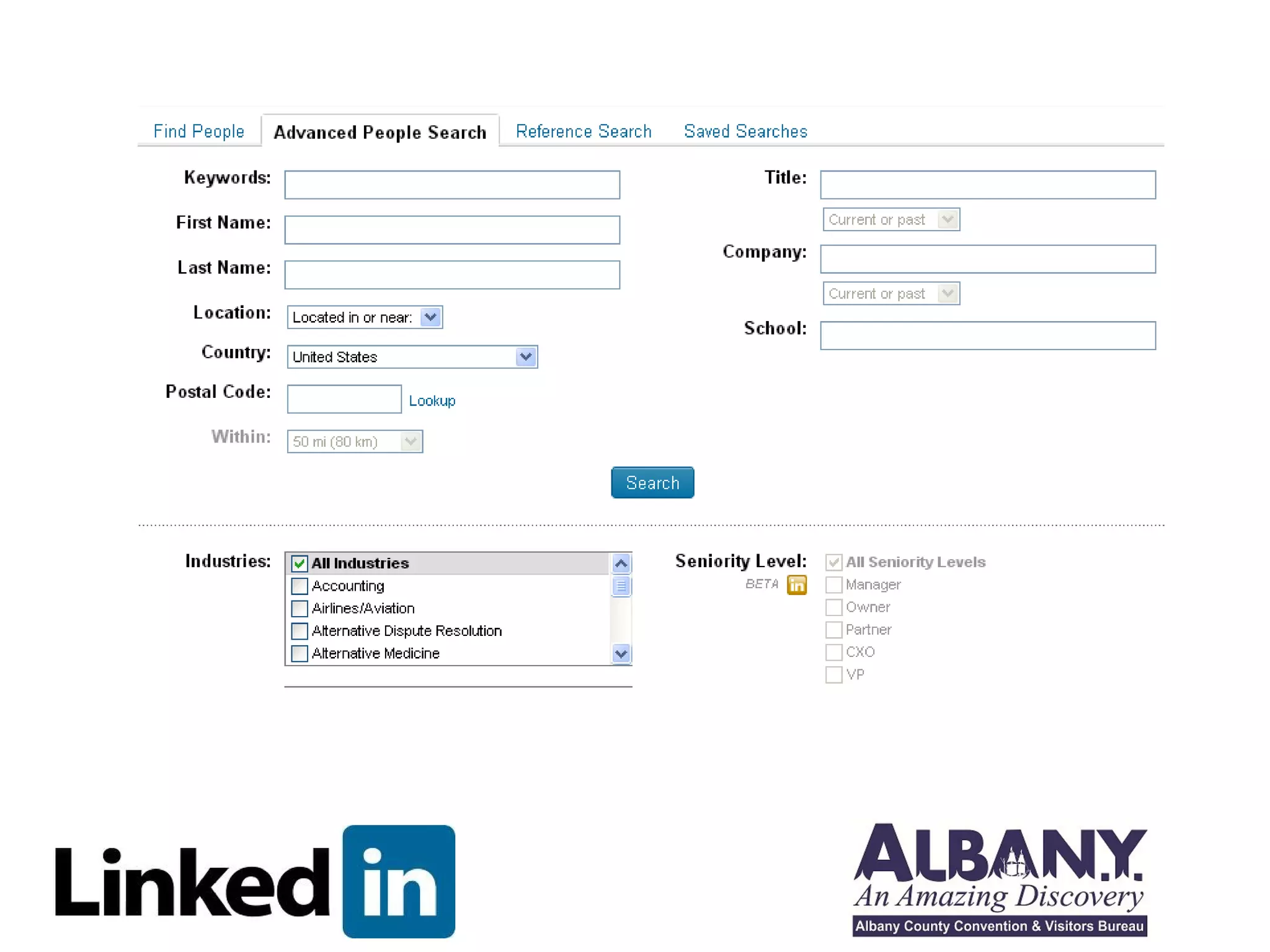
Prospecting/ 
Search
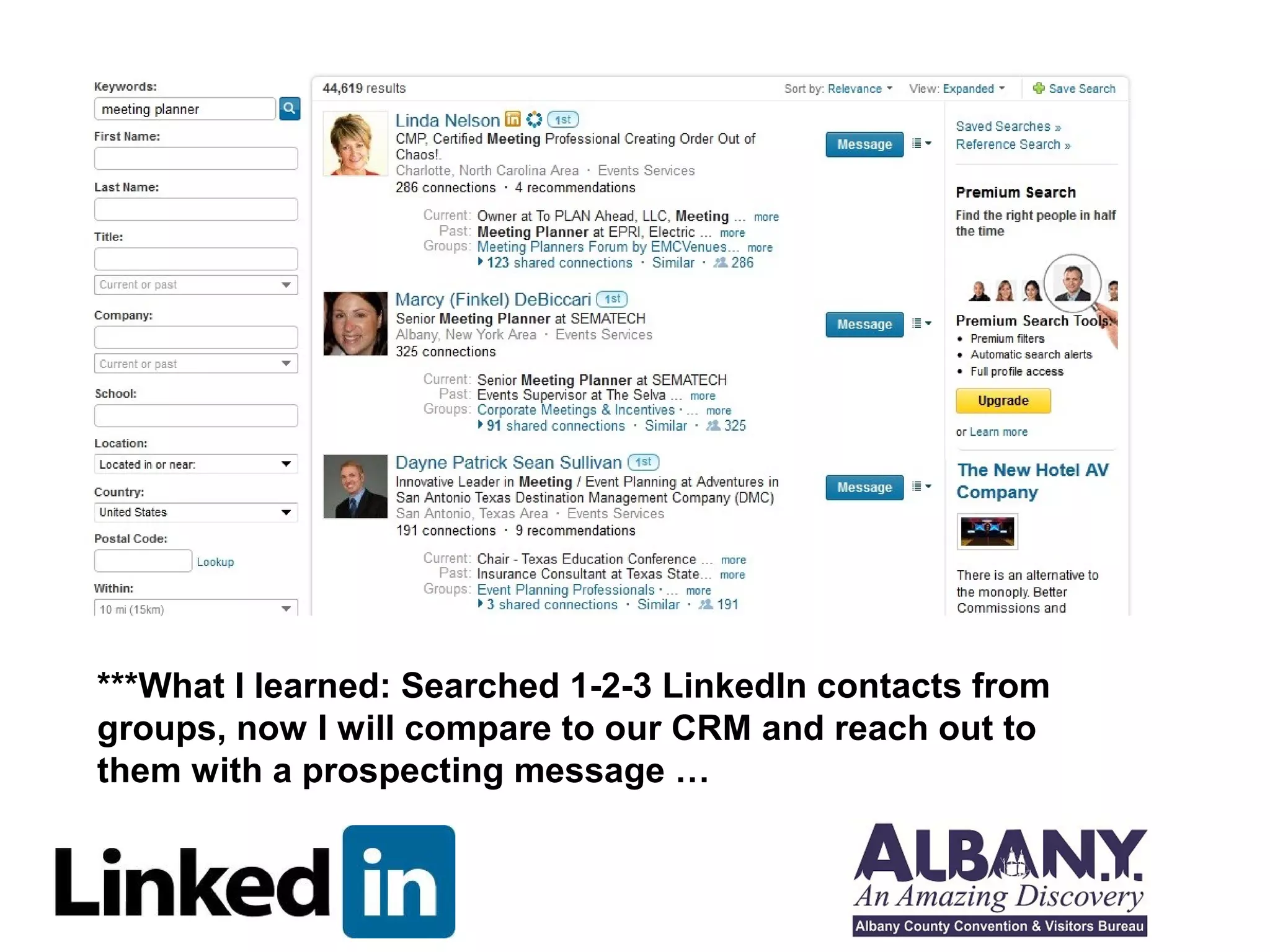
***What I learned: Searched 1-2-3 LinkedIn contacts from 
groups, now I will compare to our CRM and reach out to 
them with a prospecting message …
LinkedIn – Get found, connect, 
prospect and PROSPER! 
1. LinkedIn is a place to brag. 
2. LinkedIn is reputation management. 
3. Use Keywords to get found. Be interesting. 
4. Connect, Communicate, Convert!
EXTRAS 
1. Do you have a Social Media strategy? 
2. Make a plan to be consistent across all 
your Social Media outlets 
3. See Social Media calendar 
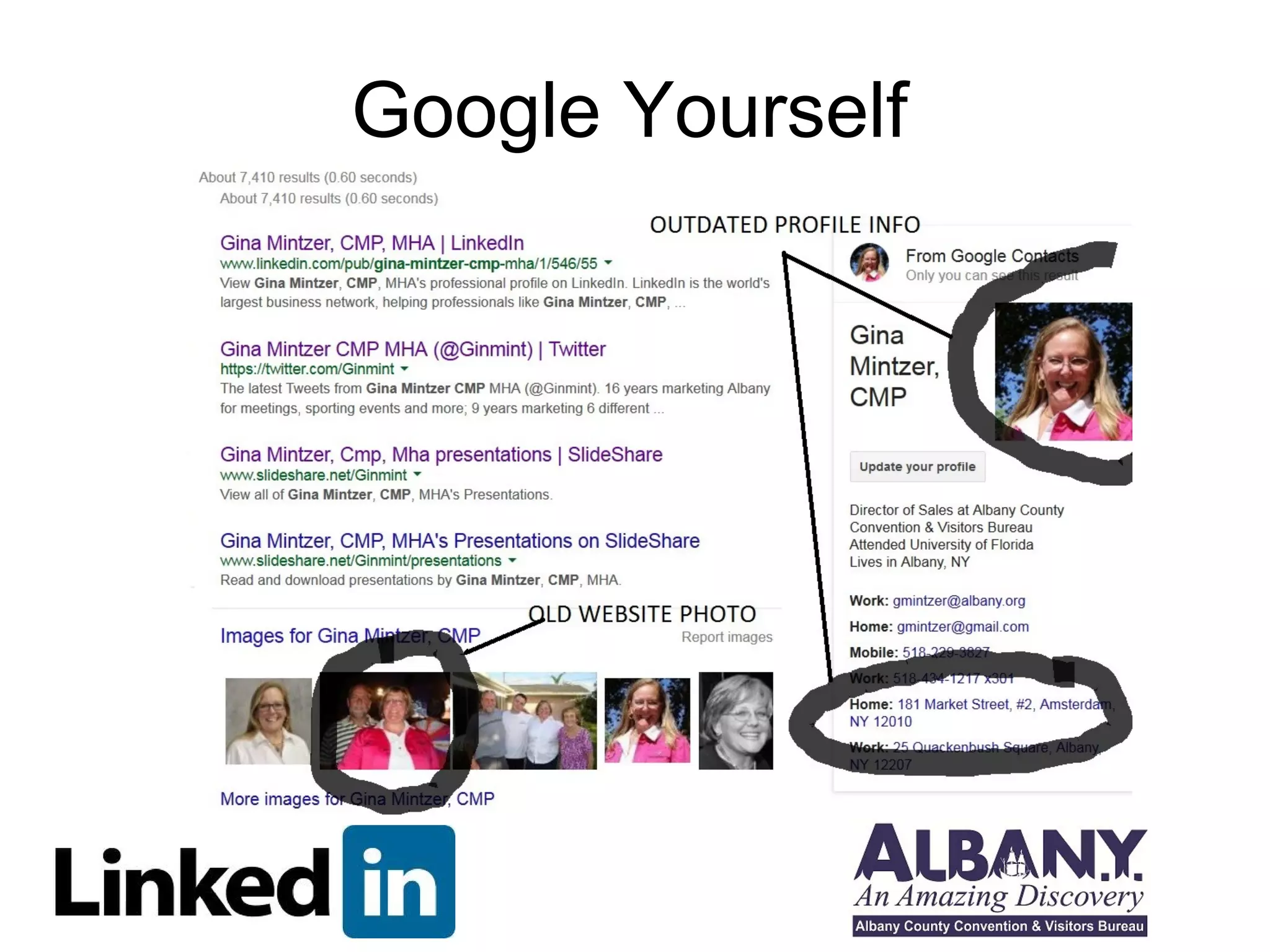
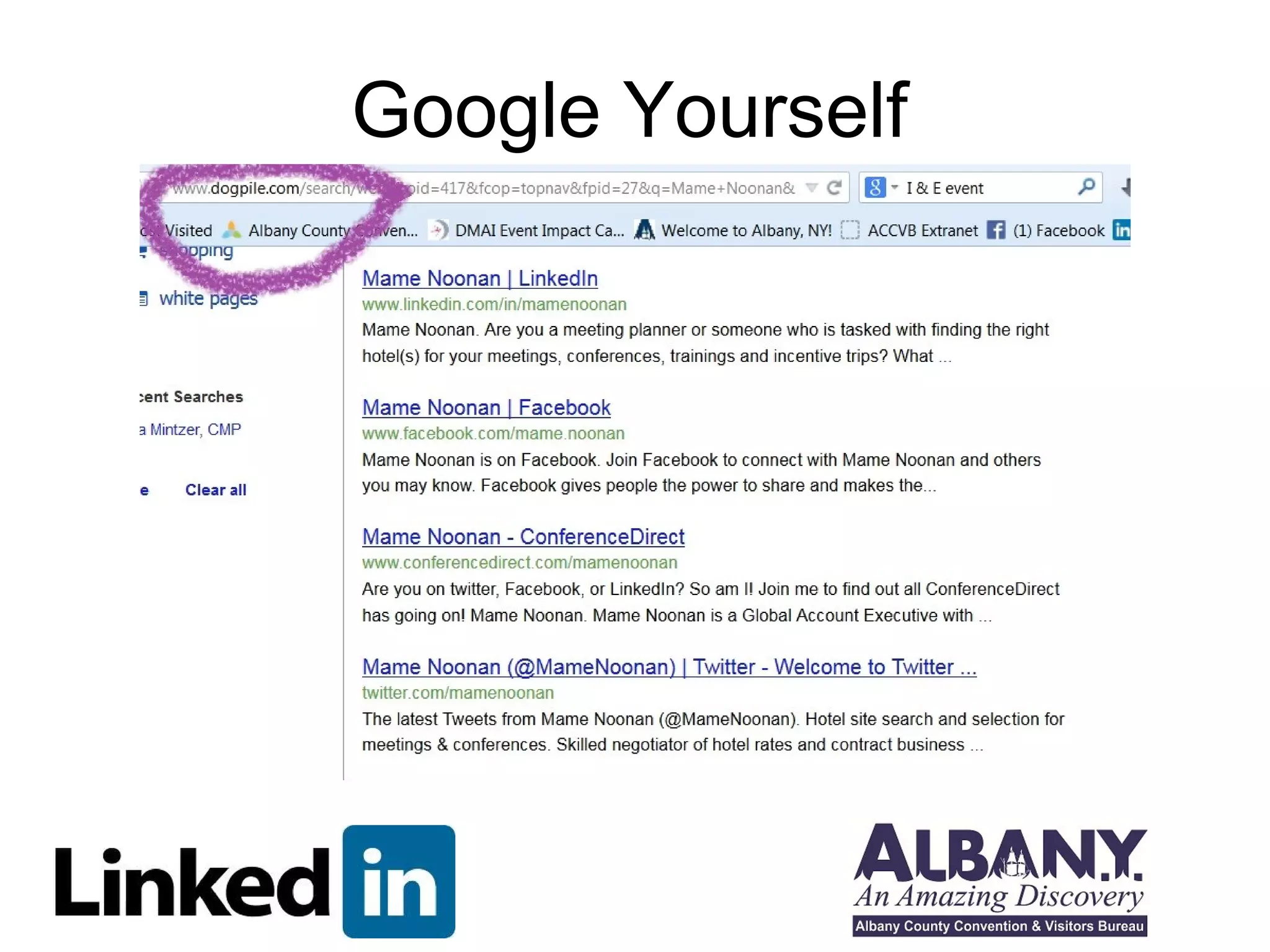
4. Google yourself and check your profiles 
everywhere 
5. Here’s what I found – Gina Mintzer 
many different profiles, different photos, 
make the time to update all and/or 
delete some
Google Yourself
Google Yourself
Notes & Extras 
Gina Mintzer, CMP, MHA 
gmintzer@albany.org 
518-434-1217 X301

Getting the most out of linked in mpineny

  • 1.
    Getting the MostOut of LinkedIn Gina Mintzer, CMP, MHA MPI NENY November 6, 2014
  • 2.
    You’re On LinkedIn– Now What?
  • 3.
    LinkedIn – You’rehere to get found, connect, prospect and PROSPER!
  • 4.
    7 Benefits ofLinked In 1) Make smart, right connections. Only the serious apply here. This is where the professional community engages, interacts, connects and refers. Start your process on LinkedIn if you want to get a company or person to notice you. Develop your profile, put up a professional head shot, link your blog, and post good content as often as you can and respond to other people’s posts. 2) Who do you want to meet? Make a target list of who you want to meet-companies and people. Make LinkedIn a prospecting, research and engagement tool. Use the information you gather to send thoughtful, smart messages. 3) Who do you want to meet you? This is where “mutual magnetism” works both ways. There are people we all want to meet for the value they bring to us, but there is value in what you bring to others too. Use your connections, wisdom, experience and personality to both meet people and initiate people meeting you. Develop your profile and keep it up to date!
  • 5.
    4) Link upon LinkedIn: Identify people in your sphere and community that would be great to meet each other and make introductions. When you want to be connected, those connections you made can come in very handy! 5) The Rules of Engagement: There is an etiquette on all the social platforms, but especially LinkedIn. Just because we connect doesn’t give anyone permission to start sending frequent, non-permission based sales emails. Spend some time interacting with people, supporting their content, causes and company before launching into salesy stuff. 6) Use brand power — your brand, your company brand, your industry brand: LinkedIn is the perfect environment to leverage ‘brand power’. Remember there’s your brand, your company brand and your industry brand. Promote and connect all three and watch relationships grow. 7) You + new media = smart connections: Your strategic, consistent and value driven communications used in a thoughtful way on LinkedIn can and will open doors. LinkedIn is a great place to start, it makes it easy to add Twitter, your blog and other sites that all work together to professionally present you in a single page snapshot.
  • 6.
    Overcome LinkedIn Challenges What do I do? Where do I start? I don’t know how to write a bio. I have experienced a loss of ……….. and am looking for opportunities online I’m having a hard time finding customers online. I don’t understand how LinkedIn can specifically help me or my business. This takes too much time! I can’t do this all by myself
  • 7.
  • 8.
    Get Found! CreateYour Headline (120 characters or less)
  • 9.
    Create Your Headline(120 Characters or Less) Business Owners: Your LinkedIn headline should be clear yet compelling marketing statement about your unique experience, something that sets you apart from your competitors. Career Builders: Your headline will automatically be displayed as your current job or the last job you’ve had, unless you change it manually. Here is a great place to brand you. Think Different: instead of saying “Marketing Director of Acme Parts” you might say “Social Media and Internet Expert for Fortune 500 company.” Remember to position YOU for future potential work while honoring you current job within your LinkedIn profiles.
  • 10.
  • 11.
    Another way tothink of yourself Example: Sharon Smith is a secret agent-ninja known for her ability to infiltrate organizations, gain access to valuable date and make targets into un-persons. Sharon is passionate about ridding the world of crime, one double-agent at a time and has worked with prestigious firms including Toys R Us, Pottery Barn and Denny’s-frequent criminal hideouts. (Your name) is a _________________________________________ Known For: ______________________________________________ And is passionate about: ____________________________________ And has worked with:_______________________________________ Use parts of your defining statement to create your headline and sprinkle it through your summary.
  • 12.
    To Really Surchargeyour profile, use bullets or special characters via your computer’s character map! Here’s how you find bullets: Windows: Point to Start > Programs > Accessories > System Tools > Character Map Mac: Apple > System Preferences > Search > “Character Pallete” OR: Just use MS Word and copy/paste!
  • 13.
  • 14.
  • 15.
    Part 1: InsertDefining Statement. Part 2: List projects/ areas of expertise as bullet points with brief descriptions. Part 3: Why is (your name) on LinkedIn? (Answer) Optional Part 4: (Your Name) Believes- this is a great place to put your core beliefs and that of your company. (Optional)
  • 16.
    Specialties: (List Keywords) Experience When listing current and past experience on LinkedIn, only post those positions that are in alignment with your future goals.
  • 17.
  • 19.
  • 20.
    Mame Noon, BEFORE- AFTER *** Opportunity: check out your direct competitors and clients to learn what groups they are linked to!
  • 21.
    Mame Noon, BEFORE- AFTER *** Opportunity: Look up your largest clients and colleagues and link to them if appropriate!
  • 22.
    Power Posting –Show your expertise! What/Where to Post … Items to post: Post here: •General Status •Within a group • Quotes • Blogs • Travel • Events • Needs • Links to books, articles, and slideshares
  • 23.
    Ideas To PostTo Groups
  • 24.
  • 25.
  • 26.
    Ask for 3 recommendations: •Colleague •Client •Associate
  • 28.
    Here are sometips on how to write a great LinkedIn recommendation • Write recommendations that are genuine, earnest, detailed and descriptive. • Be very specific and tell us why the person is outstanding. • If possible, support a person’s personal brand. • Tell us what they do: what makes them different and better than the rest. • Throw in a call to action if possible. • Mention any transferable skills. For instance, everyone wants to work with leaders who have strong problem solving skills, great work habits, and continues to learn! • 60-100 words • Follow the rule of threes - Choose three adjectives and make them interesting, not just nice!
  • 29.
  • 31.
    ***What I learned:Searched 1-2-3 LinkedIn contacts from groups, now I will compare to our CRM and reach out to them with a prospecting message …
  • 32.
    LinkedIn – Getfound, connect, prospect and PROSPER! 1. LinkedIn is a place to brag. 2. LinkedIn is reputation management. 3. Use Keywords to get found. Be interesting. 4. Connect, Communicate, Convert!
  • 33.
    EXTRAS 1. Doyou have a Social Media strategy? 2. Make a plan to be consistent across all your Social Media outlets 3. See Social Media calendar 4. Google yourself and check your profiles everywhere 5. Here’s what I found – Gina Mintzer many different profiles, different photos, make the time to update all and/or delete some
  • 34.
  • 35.
  • 36.
    Notes & Extras Gina Mintzer, CMP, MHA gmintzer@albany.org 518-434-1217 X301