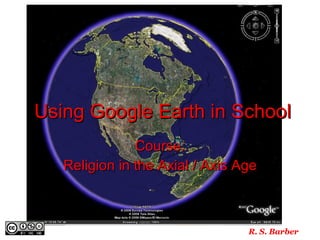
Google Earth In School

Loading...

Flash Player 9 (or above) is needed to view presentations.
We have detected that you do not have it on your computer. To install it, go here.

0 comments

Post a comment

    Post a comment
    Embed Video
    Edit your comment Cancel

    2 Favorites

    Google Earth In School - Presentation Transcript

    1. Using Google Earth in School Course: Religion in the Axial / Axis Age R. S. Barber
    2. Step 1: Check your PC
      • PC Recommended:
        • Operating System: Windows XP
        • CPU: Pentium 4 2.4GHz+ or AMD 2400xp+
        • System Memory (RAM): 512MB RAM
        • Hard Disk: 2GB free space
        • Network Speed: 768 Kbits/sec
        • Graphics Card: 3D-capable with 32MB of VRAM
        • Screen: 1280x1024, "32-bit True Color" screen
    3. or Step 1: Check your Mac
      • Mac Recommendations
        • Operating System: Mac OSX 10.4.8
        • CPU: G4 1.2Ghz
        • System Memory (RAM): 512MB RAM
        • Hard Disk: 2GB free space
        • Network Speed: 768 Kbits/sec
        • Graphics Card: 3D-capable with 32MB of VRAM
        • Screen: 1280x1024, "32-bit True Color" screen
    4. Step 2: Download Google Earth http://earth.google.com
    5. Step 3: Launch Google Earth – Double-click on the desktop icon Always Read the “Tip of the Day”
    6. Step 4: Choose Overview Map
    7. Step 5: Go to “Fly to” and type in Iran
    8. Step 6: Add the word Zoroaster and fly!
    9.  
    10. Zoroaster Historical Place Auguste 2007 by E.M.
    11.  
    12.  
    13.  
    14.  
    15.  
    16.  
    17.  
    18. Marking a path
    19.  
    20. Helpful, Handy Hints
      • Left-hand column: Places will show the additions like paths and placemarks.
      • Clicking on the path (under Places) and you can go to properties and change the color of the path and the width .
      • If you mess up, DELETE and start over.
    21. By JL2003 @ http://www.flickr.com/photos/brighton/2153602543/
    22. Where are you flying to today?

    + robbiebarberrobbiebarber, 2 years ago

    custom

    892 views, 2 favs, 0 embeds more stats

    An introduction to using Google Earth in Middle & H more

    More info about this document

    CC Attribution-NonCommercial-ShareAlike LicenseCC Attribution-NonCommercial-ShareAlike LicenseCC Attribution-NonCommercial-ShareAlike License

    Go to text version

    • Total Views 892
      • 892 on SlideShare
      • 0 from embeds
    • Comments 0
    • Favorites 2
    • Downloads 47
    Most viewed embeds

    more

    All embeds

    less

    Flagged as inappropriate Flag as inappropriate
    Flag as inappropriate

    Select your reason for flagging this presentation as inappropriate. If needed, use the feedback form to let us know more details.

    Cancel
    File a copyright complaint
    Having problems? Go to our helpdesk?

    Categories