My SAP PPT BY ravindra nath sharma MBA SYNBIOSIS international university (SCIT)pune

Loading...

Flash Player 9 (or above) is needed to view presentations.
We have detected that you do not have it on your computer. To install it, go here.

3 comments

Comments 1 - 3 of 3 previous next Post a comment

Post a comment
Embed Video
Edit your comment Cancel

4 Favorites

My SAP PPT BY ravindra nath sharma MBA SYNBIOSIS international university (SCIT)pune - Presentation Transcript

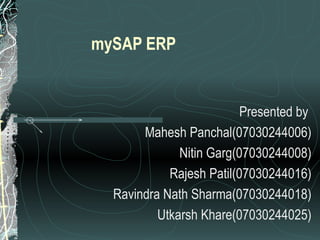
  1. mySAP ERP Presented by Mahesh Panchal(07030244006) Nitin Garg(07030244008) Rajesh Patil(07030244016) Ravindra Nath Sharma(07030244018) Utkarsh Khare(07030244025)
  2. History of SAP
    • Systems Applications and Products in Data Processing
      • German : Systeme, Anwendungen, Produkte in der Datenverarbeitung
    • Founded in 1972 by Wellenreuther, Hopp, Hector, Plattner and Tschira
      • Re named in 1977
      • Before 1977 : Systems Analysis and Program Development (German : Systemanalyse und Programmentwicklung)
    • SAP is both the name of the Company as well as their ERP Product
    • SAP system comprises of a number of fully integrated modules, which covers virtually every aspect of the business
    • Three systems developed : R/1, R/2, R/3
  3. Development of SAP
      • Enterprise Resource Planning
    Total Company Value Evolution of ERP Create Strategic Value Efficiency and Control Automation 80’s R/2 90’s R/3 Today mySAP ERP Inter-Enterprise Co-operation Enterprise Resource Planning Collaborative Business
  4. SAP Business Strategy:
    • New Maintenance Offerings
    • Architecture Planning
    • Custom Development
    • Consulting
    • System Integration
    • Operations Planning & Optimization
    • Hosting / Outsourcing
  5. SAP Business Strategy: SAP Direct Vertical Sales Resellers Business One Centers Sales/Service Partners
  6. For Over 30 Years, SAP Has Been Driving ERP – and They Continue to Do So… 70s SAP Invents Real-Time ERP SAP defines and establishes a new approach to Integrated Standard Business Software. ERP = The Business Software Industry The approach that SAP established becomes industry standard. New competitors enter the market. ERP Rapid Adoption Companies start to adopt ERP on a massive scale Dot.com Hype: ERP = Old E-Business = New Trends seemed to indicate that ERP was an out-of-fashion model mySAP ERP E-Business is now seen as an extension of ERP, not a replacement. SAP is leading the new industry standard for collaborative business applications. 80s 90s 00s
  7. Evolution of SAP
  8. Benefits of mySAP ERP
    • SAP ERP delivers a comprehensive set of integrated, cross-functional business processes. With SAP ERP, we can gain the following benefits:
    • Improve alignment of strategies and operations
    • Improve productivity and insight
    • Reduce costs through increased flexibility
    • Support changing industry requirements
    • Reduce risk
    • Improve financial management and corporate governance
    • Optimize IT spending
    • Gain higher ROI faster
    • Retain top performers
    • Provide immediate access to enterprise information
  9.  
  10.  
  11. SAP R/3 Architecture
  12. 3 Tier Client / Server Architecture
    • The SAP R/3 architecture is based on a 3-tier client/server principle
      • Presentation Server
      • Application Server
      • Database Server
    • Dedicated Servers are linked by Communication Networks
    • Perform tasks without sacrificing data integration and processes within the system, as a whole
  13. SAP R/3 System Architecture
  14. SAP integration architecture
  15. Overview of Presentation & Database Servers
    • The Presentation Server
      • GUI only
      • At workstation
      • Very light
      • Sends requests to application server
      • Obtains screens from application server and displays
    • The Database Server
      • Interface between application server and RDBMS
      • Also holds the vendor specific DB driver
  16. SAP R/3 Conceptual Areas SAP Conceptual Areas Application Area (Initiate and execute SAP transactions) (Functional) Basis Area (The technical administration of the system) (Authorizations/Ids/etc)
    • Development Area
    • (1. A developer’s
    • workbench
      • 2. Create & Test
      • ABAP/4 programs)
      • (Technical)
  17. Systems in R3 Development System (DC) Quality System (QC) Production System (IC) Client 110 100 etc.. Transport Request
  18. Clients in R/3
    • The Logon Client
      • 3 digit number ( 000 to 999)
      • Helps maintain independent sets of data within the same R/3 system
    • Client mechanism and handling
  19. Clients in R/3
  20. R/3 Technology Environment DB2 for OS/390 ADABAS D DB2 for AIX INFORMIX-OnLine ORACLE Windows 3.1, Windows 95, Windows NT, OSF/Motif *, OS/2 Presentation Manager (PM), Macintosh *, Java ADABAS D MS SQL Server INFORMIX-OnLine ORACLE ABAP/4, C, C++, HTML, Java DB2 for OS/400 OS/390 AIX Digital UNIX HP-UX Reliant UNIX (SINIX) SOLARIS Windows NT OS/400 Hardware Bull/Zenith Compaq Data General ... NCR Sequent SNI Digital HP (Intel) IBM (Intel) Bull Digital HP IBM SNI SUN UNIX Systems IBM AS/400 Operating systems Dialog SAPGUI Languages Databases IBM S/390
  21. Platforms and Databases supported by R/3 Operating Systems Supported Hardware Supported Front ends Supported Databases AIX SINIX IBM SNI SUN Win 3.1/ 95 / NT DB2 for AIX SOLARIS HP-UX Digital HP OSF / Motif Informix – Online Digital Unix Bull OS/2 Macintosh Oracle 7.1 ADABAS D Windows NT AT&T Compaq Bull / Zenith HP (Intel) SNI IBM (Intel) Digital (Intel) Data-General Win 3.1 / 95 / NT OSF / Motif OS/2 Macintosh Oracle 7.1 SQL Server 6.0 ADABAS D OS/400 AS/400 Win 95 OS/2 DB2/400
  22. SAP R/3 Modules
  23. SAP Modules SAP R/3 FI WF PS PM WM PP MM SD HR AM CO QM PP – Production Planning WM – Warehouse Management PM – Plant Maintenance AM – Asset Management PS – Project System MM – Materials Management SD – Sales and Distribution QM – Quality Management WF – Workflow HR – Human Resources CO – Controlling FI – Financial Accounting
    • Financial accounting (FI)
    • Controlling (CO)
    • Asset management (AM)
    • Materials management (MM)
    • Sales and Distribution (SD)
    • Production Planning (PP)
    • Quality management (QM)
    • Plant maintenance (PM) & Customer Service (CS)
    • Project system (PS)
    • Human resources (HR)
    • Workflow (WF)
    SAP R/3 Application Modules
  24. MM Material Procurement Inventory Management Batch Management Goods inspection Invoice Verification PP BOM/Work Center/Routing MRP Capacity Evaluations Production Orders QM in production SD Inquiry processing Sales Order Processing Delivery Processing Billing FI General Ledger Accounts Payable Accounts receivable Cash management CO Cost Center Accounting Product Costing Order Contribution Analysis Module Functionalities
    • External reporting of
      • General ledger
      • Accounts receivable/payable
      • Sub-ledger accounts
    • Key elements
      • General ledger
      • Accounts payable
      • Accounts receivable
      • Asset Management
      • Accounting Information System
    Module FI – Financial Accounting
  25. Financial Accounting Payables Receivables Bank accounts General Ledger Cash management and forecast Foreign exchange management Management of secureties and loans Finance information system Bank Invoice verification Credit management Consolidation Extended General Ledger Accounts payable Accounts receivable
    • Represents the flow of cost and revenue
    • Instrument for organizational decisions
    • Key elements of the CO application module include :
      • Cost center accounting
      • Product cost Planning
      • Product Costing
      • Profitability analysis
      • Profit center accounting
      • Activity based costing
      • Enterprise controlling
    Module CO – Controlling
  26. Sales and Distribution Processing M A T E R I A L S M A N A G E M E N T
    • Optimize tasks/activities in
      • Sales
      • Delivery
      • Billing
    • Key elements of the SD application module include :
      • Pre-sales support
      • Inquiry processing
      • Quotation processing
      • Sales order processing
      • Delivery processing
      • Warehouse management
      • Billing
      • Credit Management
      • Sales Information system
    Module SD – Sales and Distribution
  27. Sales Order Process (Order-to-Cash) Sales Order Entry Post Goods Issue Invoice Customer Pick Materials Receipt of Customer Payment Pack Materials Check Availability
    • Supports
      • Procurement
      • Inventory
    • Key elements
      • Materials procurement (purchasing)
      • Inventory management
      • Invoice verification
      • Material valuation
      • Vendor evaluation
      • External Services management
      • Purchasing Information System (PurchIS)
      • Inventory Controlling Information system
    Module MM – Materials Management
  28. Procurement Process (Procure-to-Pay) Purchase Requisition Payment to Vendor Notify Vendor Vendor Shipment Invoice Receipt Goods Receipt Purchase Order
  29. Materials Management Service / spare parts
    • Material Special stock Batch
    • Vendor/one-time customer
    • Purchasing info record
    • Service specifications
    • Workflow
    • Optical archive
    • Texts Mail Communication
    • Classification
    • Documents
    • Conditions
    BASIC DATA Purchasing information system Vendor evaluation
    • Purchase requisition
    PURCHASING
    • MRP
    • Direct requisition
    • Release procedures
    • RFQ/Quotation
    • Material/service
    • Price comparisons
    • Price comparison list
    • Purchasing
    • Purchase orders
    • Outline agreements
    • Scheduling agreements
    • Goods receipt/issue
    • Transfer posting
    • Quantities and values
    • Physical inventory
    • Storage bins
    • Check and post
    • Price update
    INVENTORY MANAGEMENT INVOICE VERIFICATION SD PP PM QM FI AM CO PS Third-party order Requirements Inspection lot Fixed assets Cost center / Budget Project G/L accounts Cash management and forecast Service/ Spare Parts
  30. Production Planning FI CO HR Cost accounting Financial accounting Human resources Project Networks Maintenance Repairs Plant maintenance Inbound Raw Material Finished Goods Sales and Operations Planning Demand management / MPS Material requirements planning Detailed Schedeling and Planning Capacity planning Shop floor control Costing Information system Purchasing Warehouse Invoice verification Sales Shipping Billing Customers Vendors SD PP SD SD SD MM SD QM SD PM SD PS
    • Supports
      • Quality planning
      • Inspection
      • Control for manufacturing
      • Costing
      • Procurement
    • Key elements
      • Quality planning
      • Quality during procurement, production, distribution
      • Quality Management Information - Quality inspection
      • Information System (QMIS )
    Module QM – Quality Management
    • PS – Project Systems
      • Support planning, control, & monitoring of long term highly complex projects with defined goals
      • Key elements
        • Project WBS – Plan
        • Budget & Monitor
        • Network Management
        • Activity monitoring, Material Planning, Milestones, Capacities Scheduling
        • Project Management Information System
    • HR – Human Resource
      • Key elements
        • Recruitment
        • Payroll & Time management
        • Travel Expense accounting & Benefits
        • Workforce planning & Training administration
        • Organization management
    Module PS – Project System & HR – Human Resource
  31. mySAP Industry Solutions (Some Examples)
    • SAP for Aerospace & Defense
    • SAP for Media
    • SAP for Automotive
    • SAP for Mill Products
    • SAP for Banking
    • SAP for Mining
    • SAP for Chemicals
    • SAP for Oil & Gas
    • SAP for Consumer Products
    • SAP for Pharmaceuticals
    • SAP for Engineering, Construction & Operations
    • SAP for Professional Services
    • SAP for Healthcare
    • SAP for Public Sector
    • SAP for High Tech
    • SAP for Retail
    • SAP for Higher Education & Research
    • SAP for Service Providers
    • SAP for Industrial Machinery & Components
    • SAP for Telecommunications
    • SAP for Insurance
    • SAP for Utilities
  32. SAP Product Overview
  33. Evolution of SAP products R/3 R/3 Enterprise SAP NetWeaver mySAP ERP Solutions mySAP CRM mySAP SCM mySAP HR mySAP PLM ……… .. mySAP Business Suite Web AS
    • Easing Upgrade Plans & Providing Transition Options
    • Bringing benefits of SAP Netweaver into installed base
    • New Customers have more entry options & receive world –class ERP
  34. Evolution of SAP products SAP R/3 my SAP Solutions my SAP Business Suite
  35. mySAP Solutions Operations Corporate Services mySAP HR mySAP Financials Adaptive Business Solutions SAP R/3 mySAP SCM mySAP PLM mySAP SRM mySAP CRM
  36. my SAP Business Suite mySAP PLM mySAP SCM mySAP mySAP SRM CRM Operations Corporate Services mySAP HR mySAP Financials Application Platform ( Web As ) People Integration (Portal) Information Integration( BI,MDM ) Process Integration (XI) SAP NetWeaver
  37. mySAP Solutions & Netweaver
    • mySAP CRM
    • mySAP SRM
    • mySAP SCM
    • mySAP PLM
    • SAP Netweaver
  38. My SAP Customer Relationship Management (CRM)
  39. CRM Solution Map
  40. CRM – Holistic view
  41. Where does a CRM solution fit ? Who Sales Service Marketing Executives What Service Transact Fulfill Engage Which way Internet Mobile Telephony How Operational Collaborative Analytical Workplace Use a CRM Solution to complete the Cycle
  42. My SAP Supplier Relationship Management (SRM)
  43. SRM Vision
  44.  
  45.  
  46.  
  47. SAP Netweaver
  48. A Roadmap for Web Services
  49. Services are changing SAP’s Product portfolio
  50. From Basis to WAS
  51.  
  52. SAP NetWeaver The integration and application platform for lower TCO
    • Unifies and aligns people, information and business processes
    • Integrates across technologies and organizational boundaries
    • A safe choice with full .NET and J2EE interoperability
    • The Business foundation for SAP and partners
    • Powers business-ready solutions that reduce custom integration
    • It’s Enterprise Services Architecture increases business process flexibility
  53. ERP implementation
  54.  
  55. Ways to Implement: There are two main implementation approaches: Roll Out : inclusion of subsequent releases and/or locations in separate systems. Roll In : inclusion of subsequent releases and/or locations in same systems. Both focus on implementation at one location or one area of functionality, followed by subsequent implementation of other sites and/or functional areas The alternative to Roll Out and Roll In is Big Bang Generally only considered for small (<200) implementations
  56.  
  57. Cost of SAP deployment
  58. mySAP Business Suite Pricing Model:
    • mySAP CRM
    • mySAP SCM
    • mySAP ERP
    • mySAP FIN
    • mySAP HR
    • mySAP PLM
    • mySAP SRM
    Software Engine fees: ( e.g Purchase Order/ Sales Order Industry Solutions based on industry metrics) Professional E3800 Limited Prof. E1600 (mobile E800) Employee E400 Functionality / Price Named User fees (4 categories ) Developer ? Up to E5700
  59. Thank You!

+ ravindra sharmaravindra sharma, 8 months ago

custom

4541 views, 4 favs, 0 embeds more stats

More info about this document

© All Rights Reserved

Go to text version

  • Total Views 4541
    • 4541 on SlideShare
    • 0 from embeds
  • Comments 3
  • Favorites 4
  • Downloads 356
Most viewed embeds

more

All embeds

less

Flagged as inappropriate Flag as inappropriate
Flag as inappropriate

Select your reason for flagging this presentation as inappropriate. If needed, use the feedback form to let us know more details.

Cancel
File a copyright complaint
Having problems? Go to our helpdesk?

Categories