I would like to demonstrate how iPods, iTunes, and ANGEL can work together to provide a more interactive experience learning a language than traditional media such as analog tapes and digital media such as audio CD’s. The presentation will cover technologies such as voice recording and podcasts and the practical application of these technologies as they apply to learning a second language (French will be used for the examples), although the information certainly applies to other disciplines. The diagram on the home page shows the interaction among the three and will be examined later in the presentation. Ask these questions (how many speak a second language? Teach or support the teaching of a second language? Have used an iPod or other MP3 player?)
Interactive Language Learning: iPod, iTunes, ANGEL - Presentation Transcript
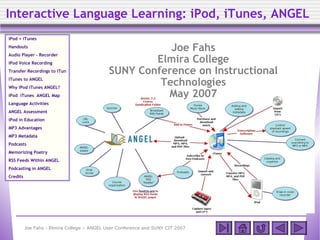
Interactive Language Learning: iPod, iTunes, ANGEL iPod + iTunes Handouts Audio Player - Recorder iPod Voice Recording Transfer Recordings to iTunes iTunes to ANGEL Why iPod iTunes ANGEL? iPod iTunes ANGEL Map Language Activities ANGEL Assessment iPod in Education MP3 Advantages MP3 Metadata Podcasts Memorizing Poetry RSS Feeds Within ANGEL Podcasting in ANGEL Credits Joe Fahs Elmira College SUNY Conference on Instructional Technologies May 2007
Handouts
These Resources are available at http://mpondu.blogspot.com
Table of iPod Recording Options
Diagram of iPod, iTunes, and ANGEL Interaction
Interactive Language Learning with iPod, iTunes, and ANGEL (20-page PDF document)
Elmira College Cowles Hall - original building Founded 1855 - first college in the country to grant equal degrees for women to that of men. Private liberal arts college 1,200 full-time students 800 continuing education and graduate students Elmira is 22 miles south of Watkins Glen and 30 miles south of Ithaca.
Speaking a Second Language
Percentage of Americans who speak a second language
Percentage of Europeans who speak a second language
Percentage of Americans who regularly use an MP3 player
Surveys
Know 2 Languages
iPod/Portable MP3 player ownership continues to rise
iPod + iTunes
iPod + iTunes - Plays music, easy to use, cool
Shuffle iPod with Video Nano
Audio Player and Recorder
The iPod gradually became a versatile audio player and recorder suitable for education
iPod Voice Recording 1. Recording menu Recording quality and time - uncompressed WAV format 3. Recording … 2. Press Select Snap-on recorders
Transfer Recordings to iTunes 1. Move from iPod to iTunes 2. MP3 conversion settings 3. Convert WAV to MP3 4. Tag the MP3
From iTunes to ANGEL 1. Drag MP3 recording to desktop 2. Upload the recording to a drop box 3. Have students add comments MP3 files are preferred over WAV files, which are typically much larger and lack comprehensive metadata. Instructors can down an entire drop box as Zip archive and then upload the files into iTunes.
iTunes - iPod - ANGEL Diagram
Language Activities
Search iTunes podcasts (lessons, lectures, learning materials, and radio broadcasts) for your ANGEL courses.
Students prepare questions and then record interviews with French speakers. The recording is opened into iTunes (convert to MP3, add metadata) and then uploaded to ANGEL.
Students collaborate to contribute to a collective story that is recorded and submitted to their ANGEL course
Memorize poetry by listening and reading the poem at the same time. A picture can also be added to the MP3 file.
For additional activities refer to handout Interactive Language Learning with iPod, iTunes, and ANGEL
ANGEL Assessment
Grade student drop box recordings and add audio comments (weekly diaries, interviews, etc.)
Have students participate in discussion forums by uploading their responses as audio recordings. Grade the responses.
Create ANGEL quizzes with embedded audio recordings (or podcasts using iTunes) and have students listen and answer questions online.
Students record in-class audio presentations and upload them into ANGEL. Classmates listen to the recordings online outside of class and critique the presentations with written or audio comments.
Podcasting in ANGEL
Course Syndication Folder - new in ANGEL 7.2
Organizes and publishes uploaded content for delivery to iTunes or a general purpose RSS Reader.
MP3 formatted recordings, MPEG-4 movies, and PDF documents are available as iTunes podcasts
Add audio, video, PDF documents, and HTML pages to the RSS Reader of your choice
MP3 files are preferred over WAV files, which are typically much larger and lack comprehensive metadata.
Summary: iPod + iTunes + ANGEL
iPod - mass storage, portability, recording, integration with iTunes
iTunes - Windows or Mac, easy-to-use, integration with iPod, converts audio to MP3, metadata editor, subscribe to podcasts
ANGEL - assessment, feedback, tracking, central location for audio files, and now … syndication
Advantages of MP3’s
WAV files are uncompressed and take up a lot of space.
Converting to MP3’s can reduce the size of recording files by up to 90% without noticeable loss of quality.
Stereo Bit Rate = 96 kbps
Sample Rate = 44.100 kHz
Mono
Smaller files copy and load faster and take up less storage space.
MP3 can be tagged with metadata that keeps track of title, artist, album, composer, etc.
MP3 Metadata
Media in ANGEL Quizzes
In this example, a MP3 recording is uploaded into ANGEL and embedded into the quiz’s heading. Students answer questions by listening to the recording. The text below the recording is for information only and would be hidden from students.
Memorizing Poetry
Record a dramatic reading of the poem and transfer it to iTunes. Example: Verlaine’s Chanson d’Automne .
Start iTunes and add metadata using the Info tab.
Add an image using the Artwork tab.
Click the Lyrics tab and paste a copy of the lyrics.
Chanson d’Automne Flipping through iPod tabs
iTunes Podcasts
Provide instructions on how to search for and subscribe to specific podcasts
Create links in ANGEL to podcasts in the iTunes store: The French Podcast , Word of the Week
Students can click the link and subscribe to the podcasts in their iTunes Library.
Display the RSS feed within an ANGEL page that includes links to the iTunes media or PDF files.
Bringing Feeds to ANGEL
ANGEL does not currently have a built-in RSS Reader .
However, feeds can be displayed in ANGEL pages using Javascript.
feed2js.org builds Javascript code based on the RSS source address.
The Javascript code is pasted into an ANGEL page.
Safari displays RSS feeds in ANGEL, but is used by less than 5% of all users. The French Pod Class
Feed2js.org builds Javascript code that can be pasted into ANGEL pages.
End of Presentation Supporting Slides and Credits follow
iPod in Education
iPods became recognized for their educational value soon after they were introduced in 2001.
Georgia State: course "War, Politics and Shakespeare”
audio recordings of an introduction to Shakespeare and his works
songs about war and peace
historic speeches on war
student recitations.
iPods @ GCSU : http://ipod.gcsu.edu
Middlebury: iPods for 2nd Language Acquisition: https://segue.middlebury.edu/sites/ipod-ls
Duke Digital Initiative : http://www.duke.edu/ddi/projects/ipod.html
Other iPod Initiatives
RSS Feeds and RSS Readers
RSS Feeds are Web sites that contain content (e.g. news articles, blogs, podcasts) available for automatic delivery to users that subscribe to them.
RSS Readers subscribe to different feed sites and collect and organize them for content delivery to your computer.
Web Readers - Service that requires an online account, but no extra software: Google Reader
Desktop Readers - Requires installation of software on your computer. Usually has more features than Web-based readers.
iPod 4G Recording Settings
iPod 4G recording settings:
WAV audio file
Size: 16.8 MB - 18:18 (min:sec)
Bit Rate: 128 kbps
Sample Rate: 8.000 kHz
Channel: Mono
Transcription Software
Transcribe! is designed to help people who want to work out a piece of music from a recording, in order to write it out or play it themselves.
The iPod was designed as a portable music player fo more
The iPod was designed as a portable music player for entertainment, but has evolved into an effective educational tool. iPods equipped with snap-in recorders enable learners to record lectures, maintain audio diaries, conduct live interviews, and practice speaking skills. Such audio recordings combined with Podcasts, audiobooks, and music are especially suitable for the teaching and learning of languages. This session demonstrates how to engage students in interactive language learning using these audio technologies and the ANGEL learning management system (concepts also apply to other systems such as WebCT and Blackboard). Included in the presentation are methods to organize MP3 audio files for transfer and linking between iPods, iTunes and ANGEL courses, although a MP3 player is not required. less
0 comments
Post a comment