Interactive Tables And Displays, Ubiquitous Computing Lynn Marentette March 26, 2007

Loading...

Flash Player 9 (or above) is needed to view presentations.
We have detected that you do not have it on your computer. To install it, go here.

0 comments

Post a comment

    Post a comment
    Embed Video
    Edit your comment Cancel

    Notes on slide 1

    Update 1/2009: See my blogs for additional information: http://interactivemultimediatechnology.blogspot.com http://tswhi.blogspot.com

    2 Favorites

    Interactive Tables And Displays, Ubiquitous Computing Lynn Marentette March 26, 2007 - Presentation Transcript

    1. Interactive Touch-Tables and Displays for Work and Leisure Lynn Marentette March 26, 2007 Ubiquitous Computing
    2. Introduction
      • Work involving tables stems from the research in computer supported cooperative work (CSCW).
      • Need to work off-of the desktop in order to view more information with others at the same time.
        • Collaboration using GIS-type applications
        • Photography, graphics, design
      Interactive Touch-Tables and Displays for Work and Leisure
    3. Questions
      • What are the advantages of interactive displays and tabletops?
        • Takes natural input and gestures
        • Takes advantage of social habits- gathering around a table.
          • Encourages human-to-human interaction
          • Some applications allow for co-location
          • Allows for multi-user interaction
        • Provides large work or play surfaces
          • Decreases cognitive load
      Interactive Touch-Tables and Displays for Work and Leisure
    4. Questions
      • Does a large tabletop provide spatial and perceptual cognitive advantages for users?
      • Under what circumstances does this occur and when does it break down?
      • Further evaluation of cognitive prosthesis
      • Further evaluation of how this device can help represent, visualize, express, and share ideas
      • (From: “Informing the Design of Direct-Touch Tabletops”)
      Interactive Touch-Tables and Displays for Work and Leisure
    5. Questions
      • What are the advantages of interactive displays and tabletops that are interoperable with mobile devices?
        • Support of synchronous remote collaboration and communication
        • Support of synchronous sharing of pictures, video streams, and visualized representation of data
        • Support of mult-user “pervasive” games
        • Support of navigation and way-finding tasks
      Interactive Touch-Tables and Displays for Work and Leisure
    6. Challenges
      • Usability in a variety of settings?
        • Design centers
        • Homes
        • Cafes
        • Showrooms
        • Waiting rooms
        • Lobbies
      Interactive Touch-Tables and Displays for Work and Leisure
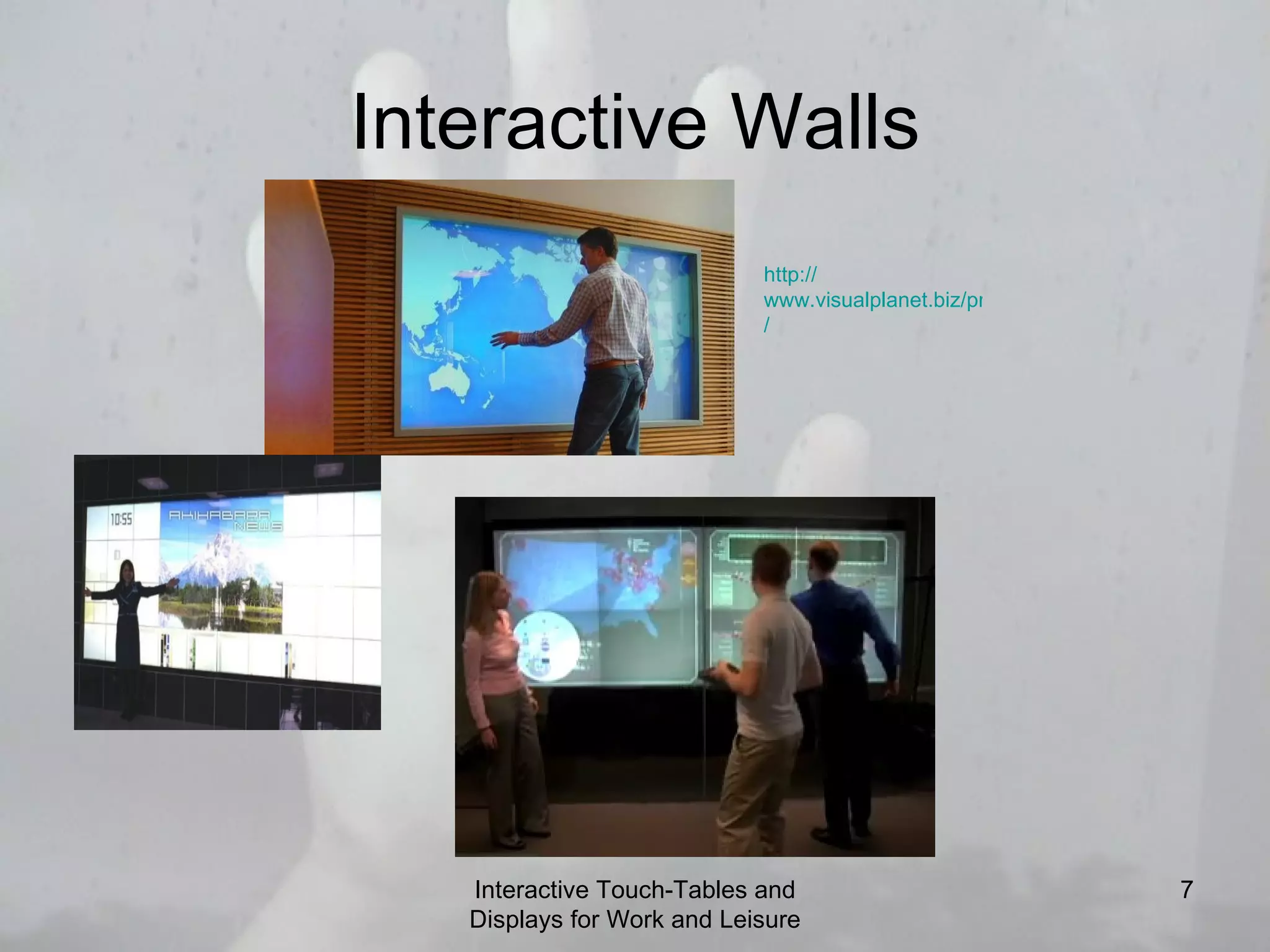
    7. Interactive Walls Interactive Touch-Tables and Displays for Work and Leisure http:// www.visualplanet.biz/products/touchfoil /
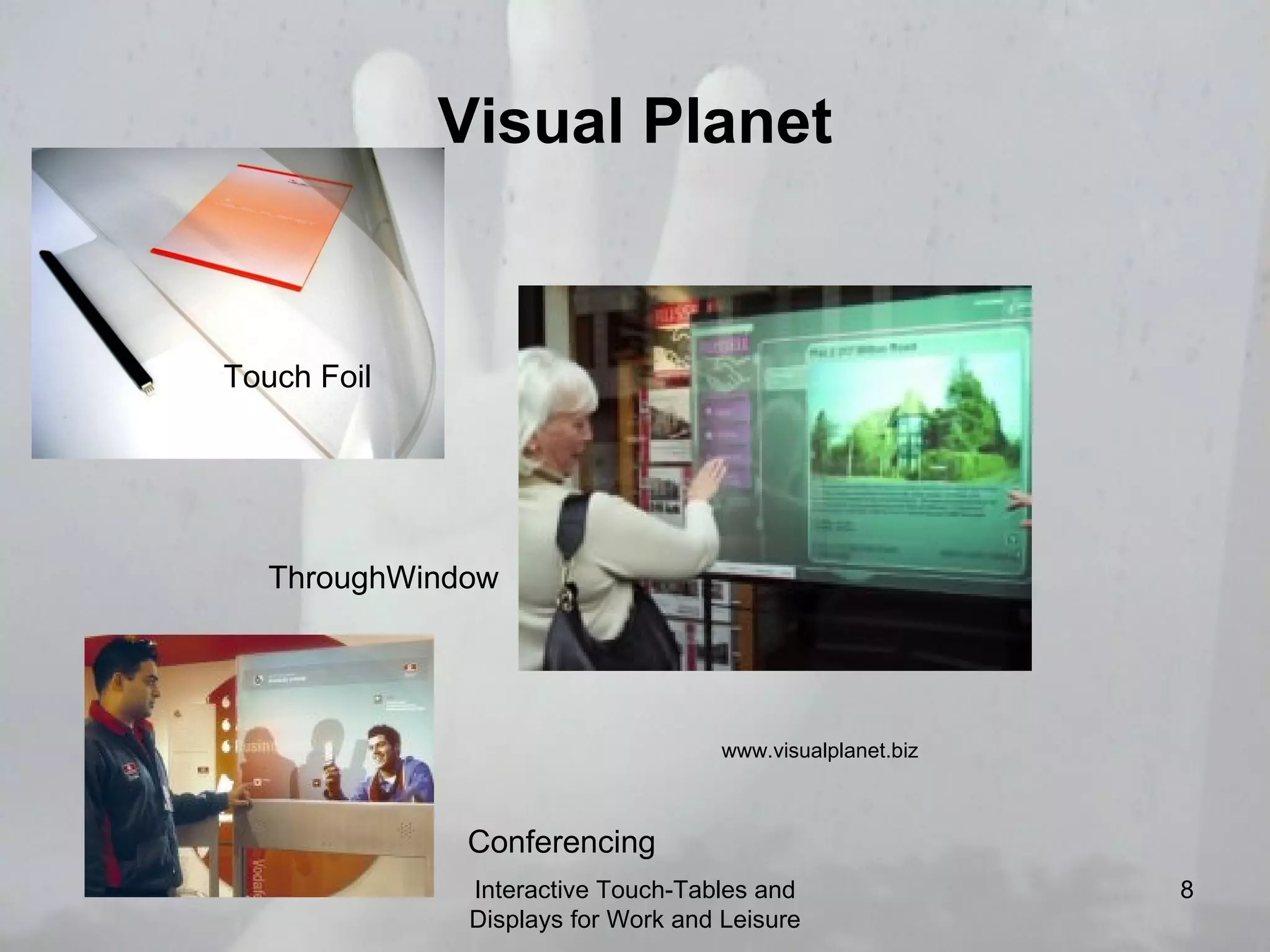
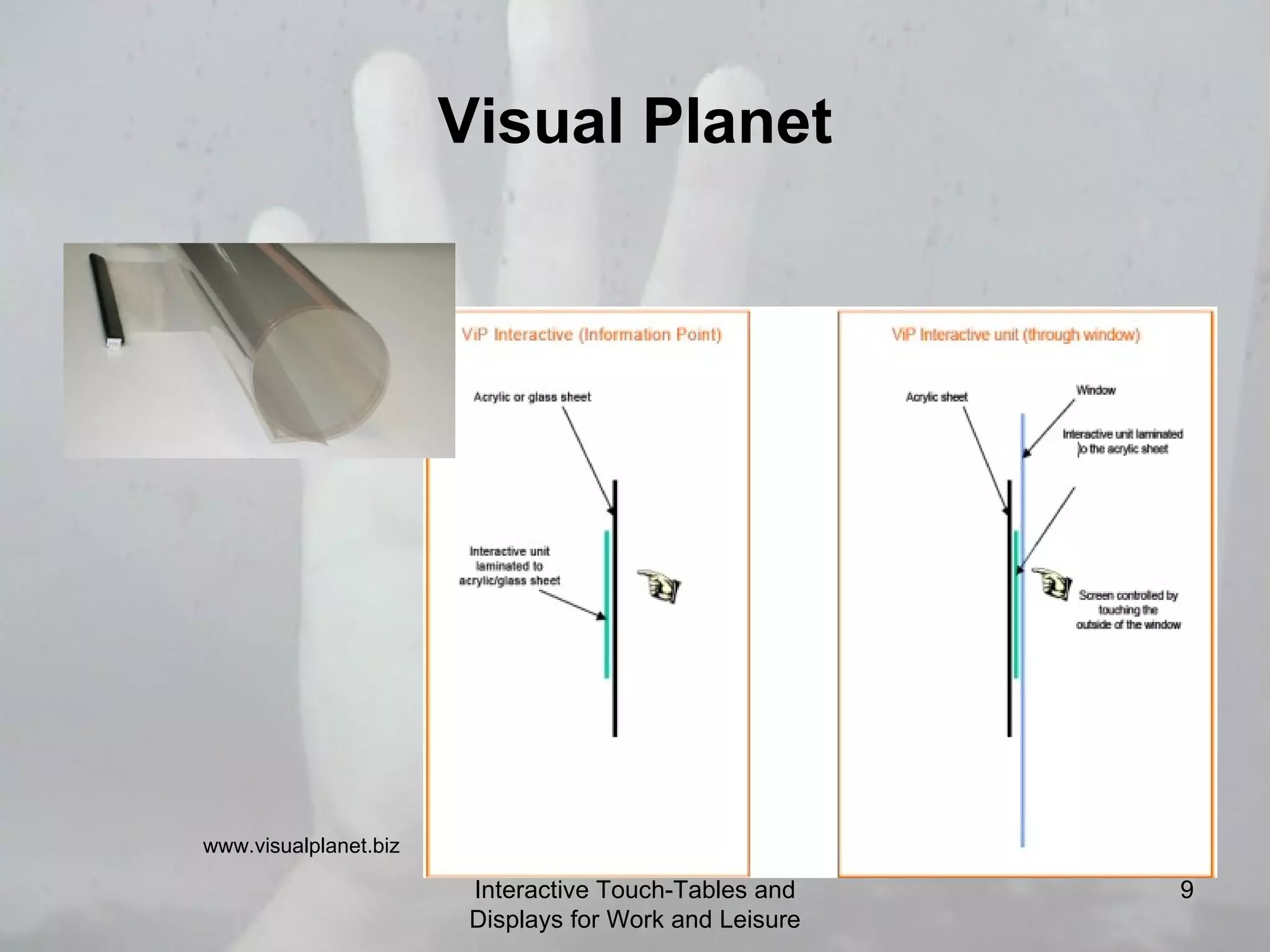
    8. Visual Planet Interactive Touch-Tables and Displays for Work and Leisure Touch Foil ThroughWindow Conferencing www.visualplanet.biz
    9. Visual Planet Interactive Touch-Tables and Displays for Work and Leisure www.visualplanet.biz
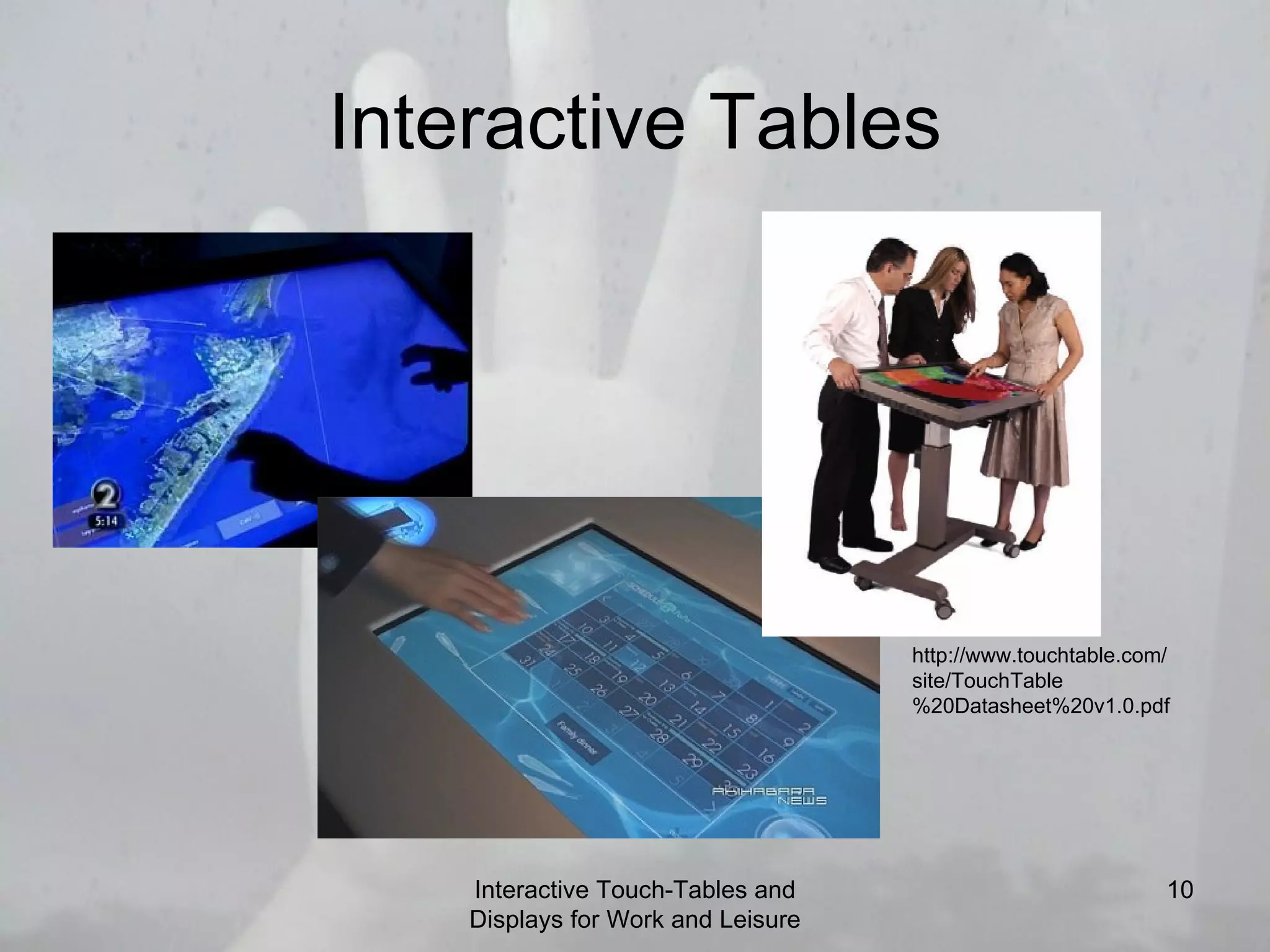
    10. Interactive Tables Interactive Touch-Tables and Displays for Work and Leisure http://www.touchtable.com/site/TouchTable%20Datasheet%20v1.0.pdf
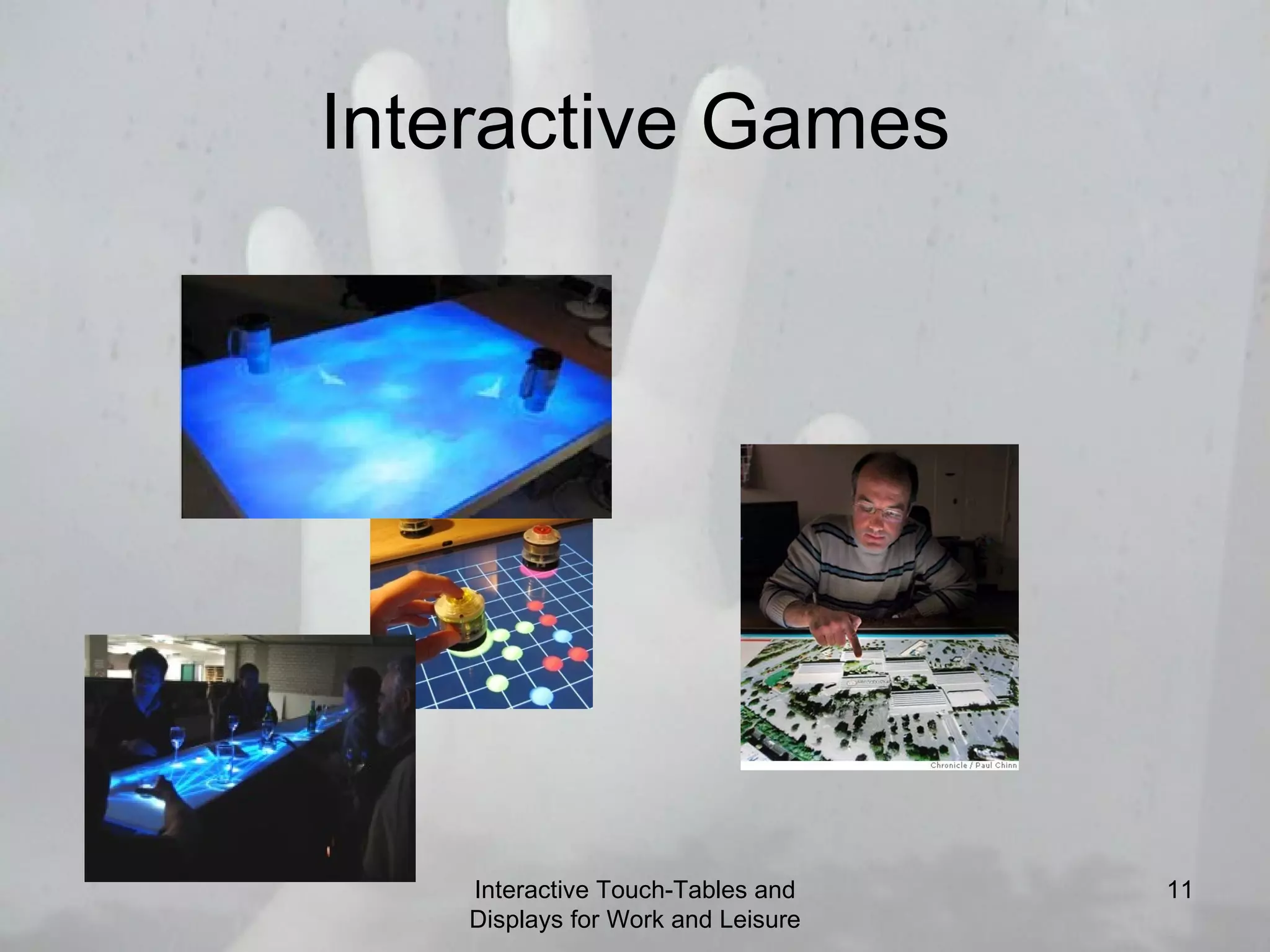
    11. Interactive Games Interactive Touch-Tables and Displays for Work and Leisure
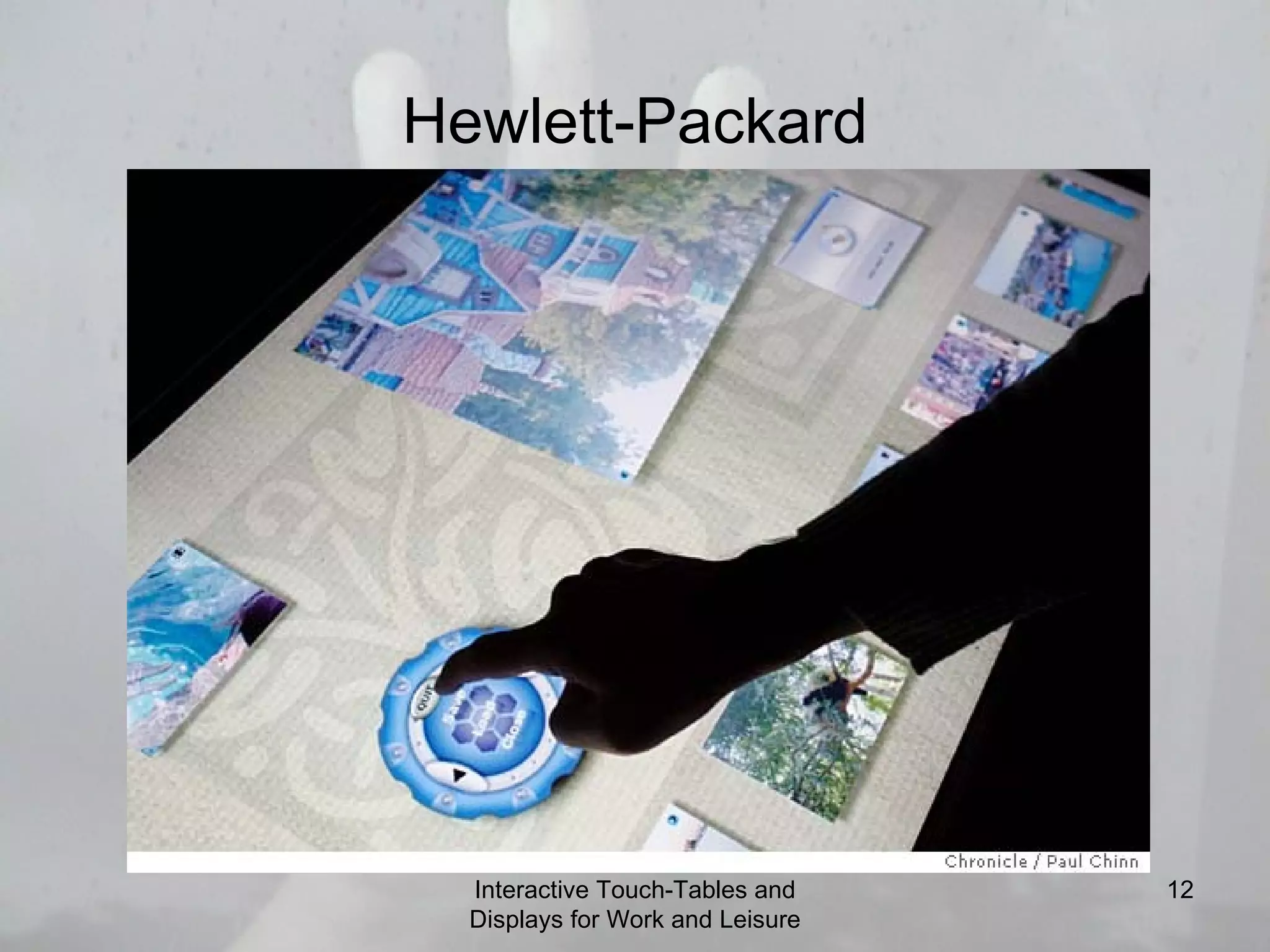
    12. Hewlett-Packard Interactive Touch-Tables and Displays for Work and Leisure
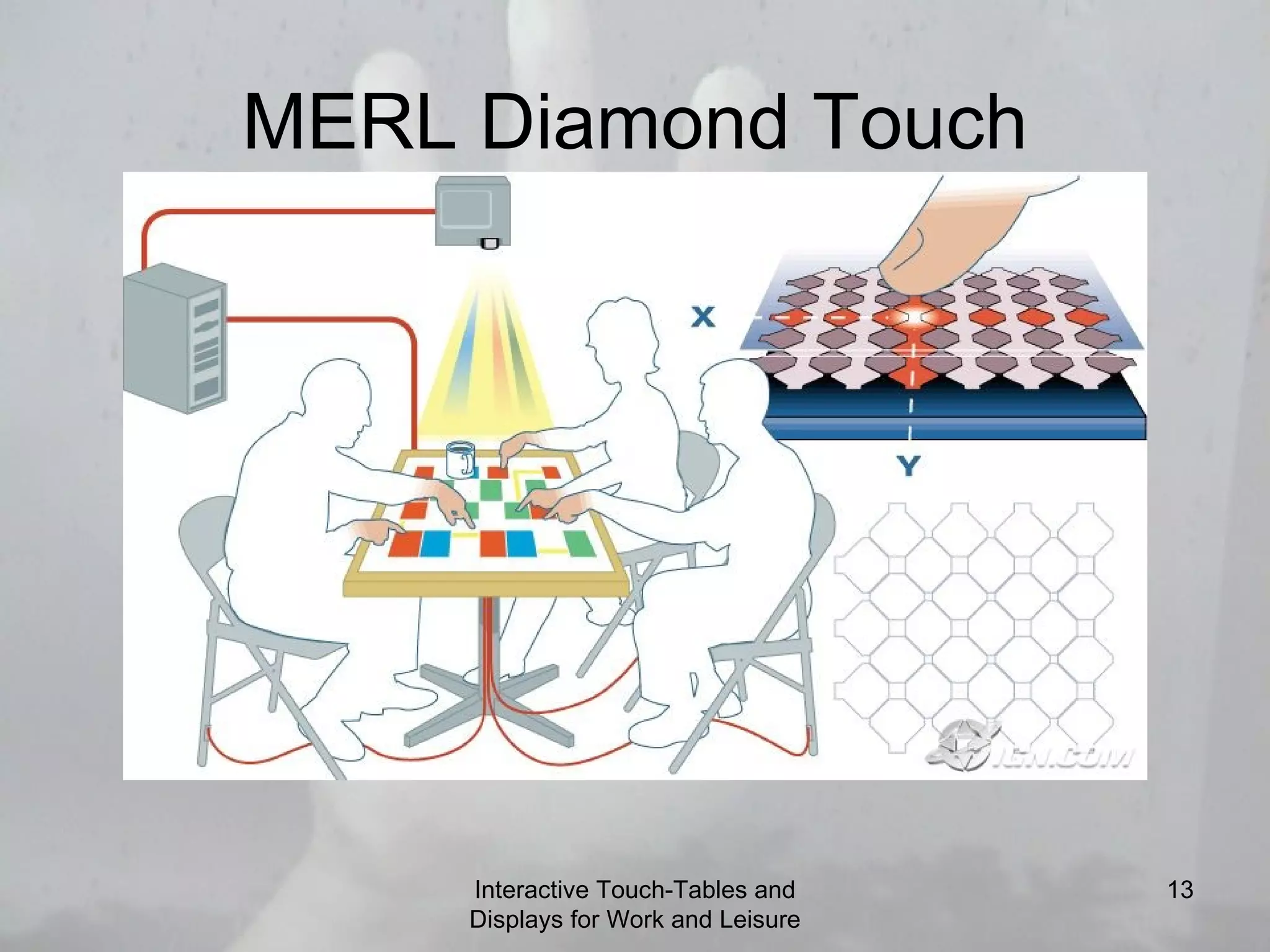
    13. MERL Diamond Touch Interactive Touch-Tables and Displays for Work and Leisure
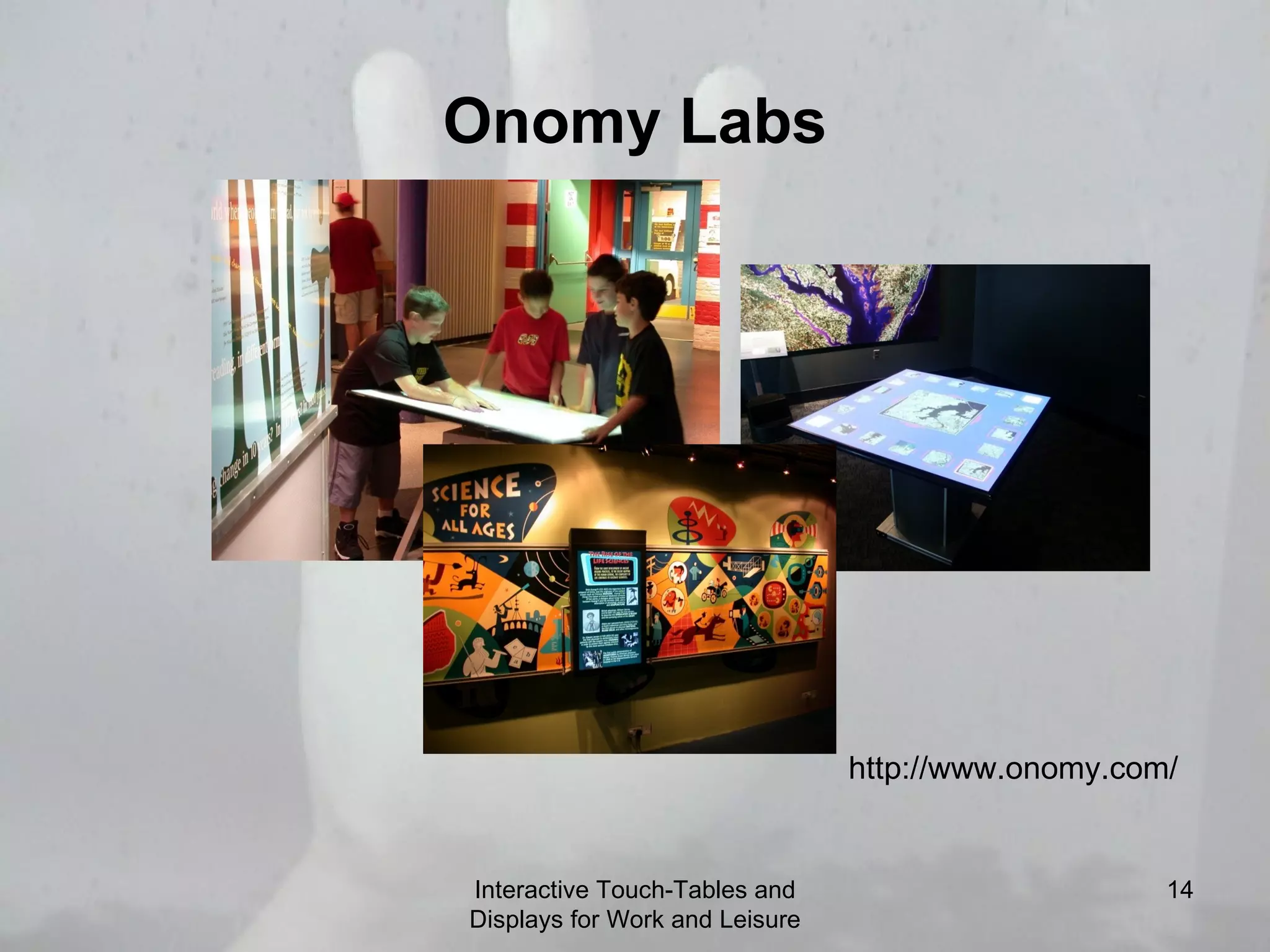
    14. Onomy Labs Interactive Touch-Tables and Displays for Work and Leisure http://www.onomy.com/
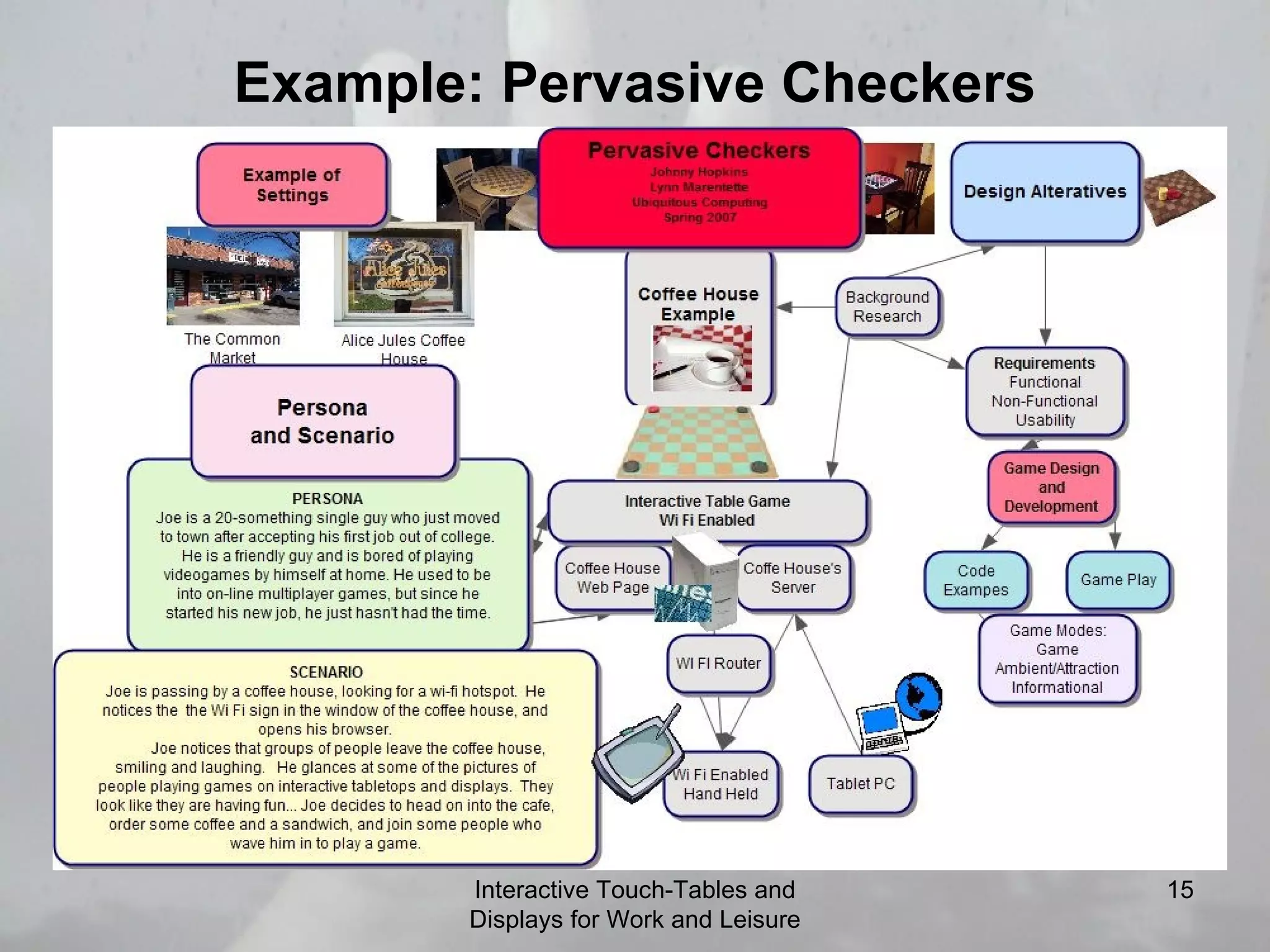
    15. Example: Pervasive Checkers Interactive Touch-Tables and Displays for Work and Leisure
    16. Challenges
      • Content orientation
      • Occlusion and reach
        • How do we make the application occlusion-aware?
      • Drag and drop/rotation
      • Handling of concurrent interaction
      • Allowing for bi-manual or multi-touch input
      Interactive Touch-Tables and Displays for Work and Leisure
    17. Challenges
      • Support for legacy applications
        • Mouse and keyboard applications
      • Enhancing precision, hovering on the screen
      • Handling walk-up and walk away events
      • Handling non-speech feedback
      Interactive Touch-Tables and Displays for Work and Leisure
    18. More Challenges
      • How do we establish ubiquitous systems that support interoperability with mobile devices and large-screen displays?
      • What other work, education, and leisure activities can be supported by this sort of system?
      • What are privacy and security issues related to remote access and use of these systems?
      • How do we evaluate?
      Interactive Touch-Tables and Displays for Work and Leisure
    19. Research and Products
      • Jeff Hans: MultiTouch Interaction Research Video (2006)
        • Jeff Hans is a researcher at NYU.
      • i_AM demo video
        • The i_AM application demos give a good picture of what people can do with interactive touch screens for art and music.
      Interactive Touch-Tables and Displays for Work and Leisure
    20. Co-operative Work Computer Systems TouchTable
      • " It has become increasingly important for institutions to merge knowledge sets in order to see the entire scope of a project.  TouchTable facilitates this by giving the means to combine and display this data in a collaborative environment."
      Interactive Touch-Tables and Displays for Work and Leisure
    21. Co-operative Work Computer Systems
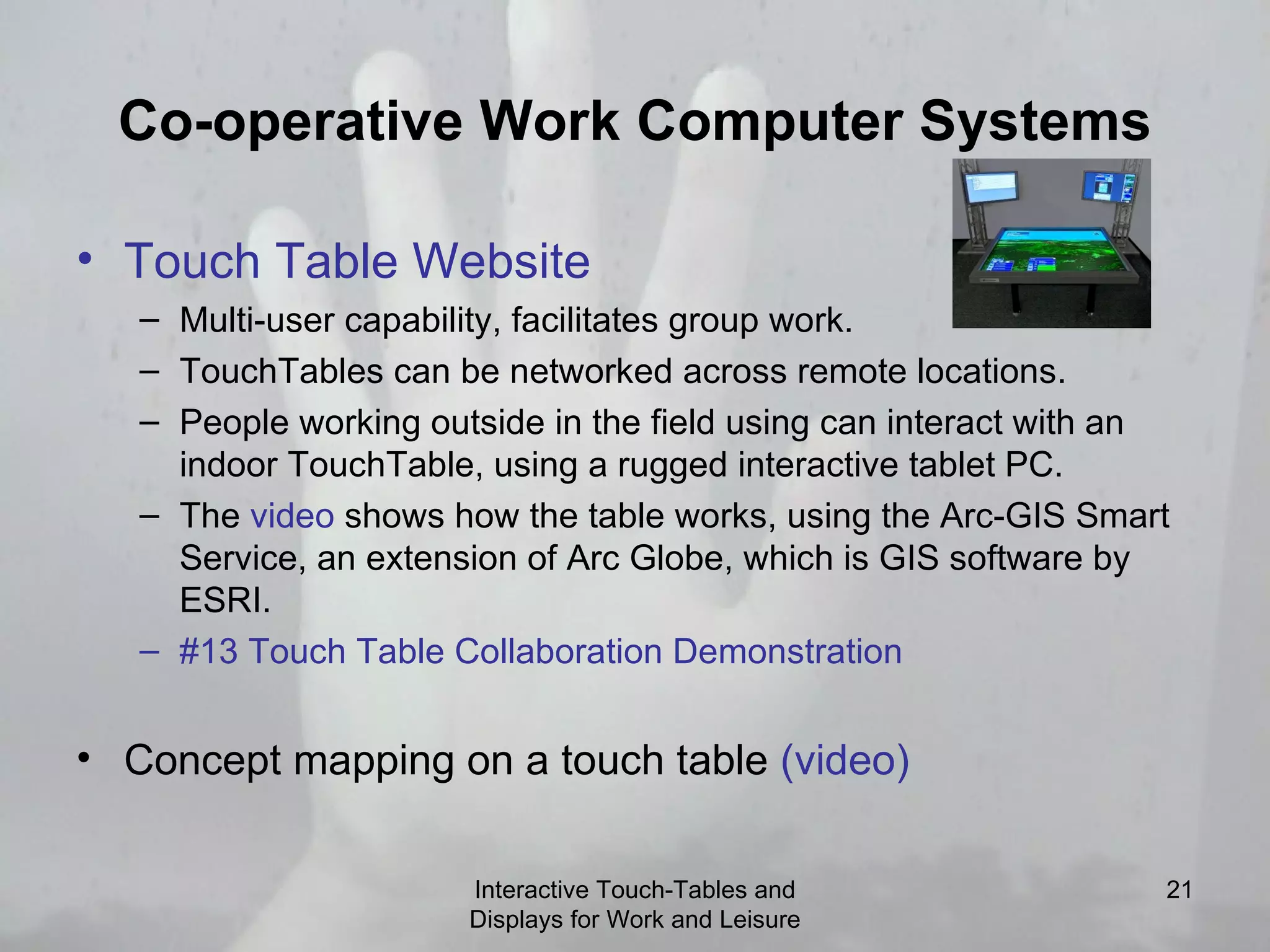
      • Touch Table Website
        • Multi-user capability, facilitates group work.
        • TouchTables can be networked across remote locations.
        • People working outside in the field using can interact with an indoor TouchTable, using a rugged interactive tablet PC.
        • The video shows how the table works, using the Arc-GIS Smart Service, an extension of Arc Globe, which is GIS software by ESRI.
        • #13 Touch Table Collaboration Demonstration
      • Concept mapping on a touch table (video)
      Interactive Touch-Tables and Displays for Work and Leisure
    22. MERL Mitsubishi Electronic Research Laboratory
      • DiamondTouch Interactive Table MERL (Mitsubishi Electronic Research Laboratory)
      • UbiTable video: http:// www.merl.com/projects/UbiTable/UbiTablewithCopyright.mov
        • Video demonstrations: http:// www.diamondspace.merl.com/video.php
      • Mitsubishi Research - Video demonstration of a multimodal-multiplayer tabletop game, " WarcraftIII "
        • This demo shows how a popular strategy game can be played on a touch screen table.
        • DiamondSpace Publication List
      Interactive Touch-Tables and Displays for Work and Leisure
    23. Philips Research
      • Philips Entertaible: http:// www.youtube.com/watch?v =SD9HXRWIHPw
        • The Entertaible is a multi-touch format for playing games with more than one player
        • Philips Entertaible website .
      • Philips Cafe Table: http://www.design.philips.com/assets/Downloadablefile/lime-12959.mov
        • The Cafe Table is another example of how a touch-screen interface can be deployed in a gathering place.
      Interactive Touch-Tables and Displays for Work and Leisure
    24. EyeClick EyeTouch
      • EyeClick is used for advertising and games in public spaces, such as malls.
      • EyeClick EyeTouch Website
      • EyeClick Interactive Media videoclips:
        • http:// www.youtube.com/watch?v = IqVgPZlKpmc
        • http:// www.youtube.com/watch?v =8PEKjqomRCg
        • http:// www.youtube.com/watch?v = PHZeNLCZqMs http:// www.youtube.com/watch?v =Nae0jA6eeg8
        • EyeClick Soccer: http:// www.youtube.com/watch?v = BTfvttVHzSo
      Interactive Touch-Tables and Displays for Work and Leisure
    25. Buildings and Public Spaces
      • Asian Society Media Table
        • The media table is located in the lobby of the Asian society and is designed for use by middle age and older people
      • Intelligent Buildings: http:// www.intelligentbuildings.com/Video/ballantyne_final.wmv
        • This Charlotte-based company provides the "fourth utility" services. This includes interactive displays and digital signage for way-finding.
      Interactive Touch-Tables and Displays for Work and Leisure
    26. Tableportation Interactive Touch-Tables and Displays for Work and Leisure
      • TablePortation design space analysis videoclip:
        • http://www.interaction-ivrea.it/theses/2003-04/tableportation/index.html
      • Also see the TablePortation Project website Panasonic's Interactive Table (scroll down to locate video)
    27. Resources
      • Stanford University Interactive Workspaces Lab
      • Tangible Play /Intelligent User Interfaces
      • Interactive Tables: Supporting Casual Collaborative Learning http:// craftwww.epfl.ch/research/interactivetable /
      Interactive Touch-Tables and Displays for Work and Leisure
    28. Resources
      • Jean- Baptiste Haué , Pierre Dillenbourg Ecole Polytechnique Fédérale de Lausanne (EPFL) CRAFT - School of Computer and Communication Sciences CH-1015 Lausanne, Switerzland
      • Bill Buxton: Multi-Touch Systems that I have Known and Loved Website, Microsoft Research, 2007
      • Pasta and Vinegar Blog: Interactive Tables
      • http://tecfa.unige.ch/perso/staf/nova/blog/2005/01/10/space-and-place-a-list-fo-interactive-tables /
      Interactive Touch-Tables and Displays for Work and Leisure

    + Lynn MarentetteLynn Marentette, 10 months ago

    custom

    1196 views, 2 favs, 0 embeds more stats

    The following paper was one of my presentation refe more

    More info about this document

    © All Rights Reserved

    Go to text version

    • Total Views 1196
      • 1196 on SlideShare
      • 0 from embeds
    • Comments 0
    • Favorites 2
    • Downloads 58
    Most viewed embeds

    more

    All embeds

    less

    Flagged as inappropriate Flag as inappropriate
    Flag as inappropriate

    Select your reason for flagging this presentation as inappropriate. If needed, use the feedback form to let us know more details.

    Cancel
    File a copyright complaint
    Having problems? Go to our helpdesk?

    Categories