Heiko Braun, October 2011
Back to the future ...
AS 7 Key Features
• Fast and Lightweight
• Unified, user focused configuration
   – No more intermixing of internal wiring and config

• Modular
   – Only APIs, no AS implementation exposure
   – True isolation (users can finally use their own XML parsers)
• Multiple consistent management interfaces
   – CLI, Java API, HTTP API, Console
• Supports domain (multi-node) management


   3
Performance Improvements
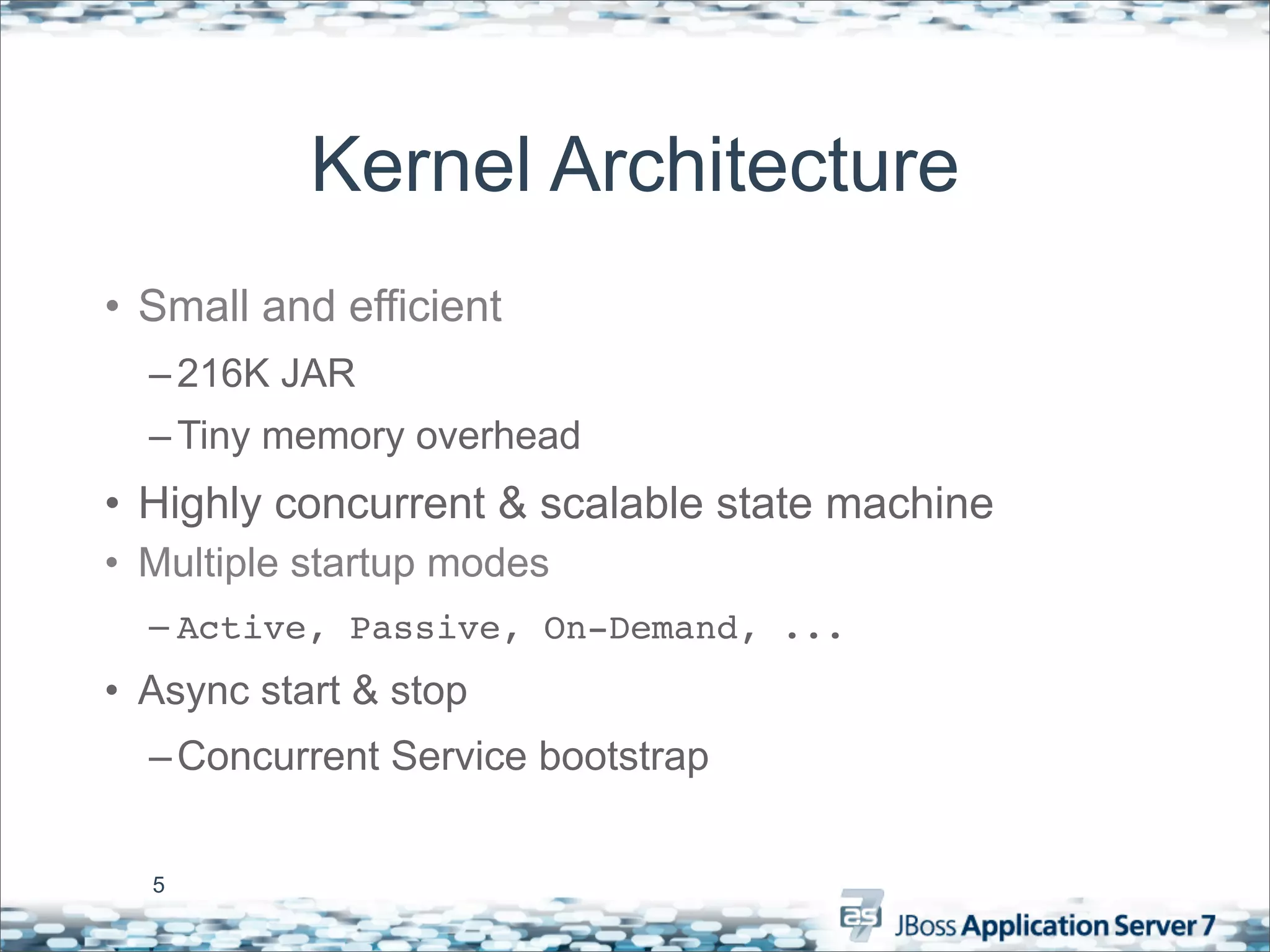
Kernel Architecture
• Small and efficient
  – 216K JAR
  – Tiny memory overhead
• Highly concurrent & scalable state machine
• Multiple startup modes
  – Active, Passive, On-Demand, ...
• Async start & stop
  – Concurrent Service bootstrap


  5
Modular Classloading
• Small, lightweight and efficient
  – O(1) Dep resolution
  – Concurrent class loading
  – 207k JAR
• “Pure” modular class loading
  – Dependency declarations instead of visibility hierarchy
  – Modules only see what they import (includes JDK classes!)


  6
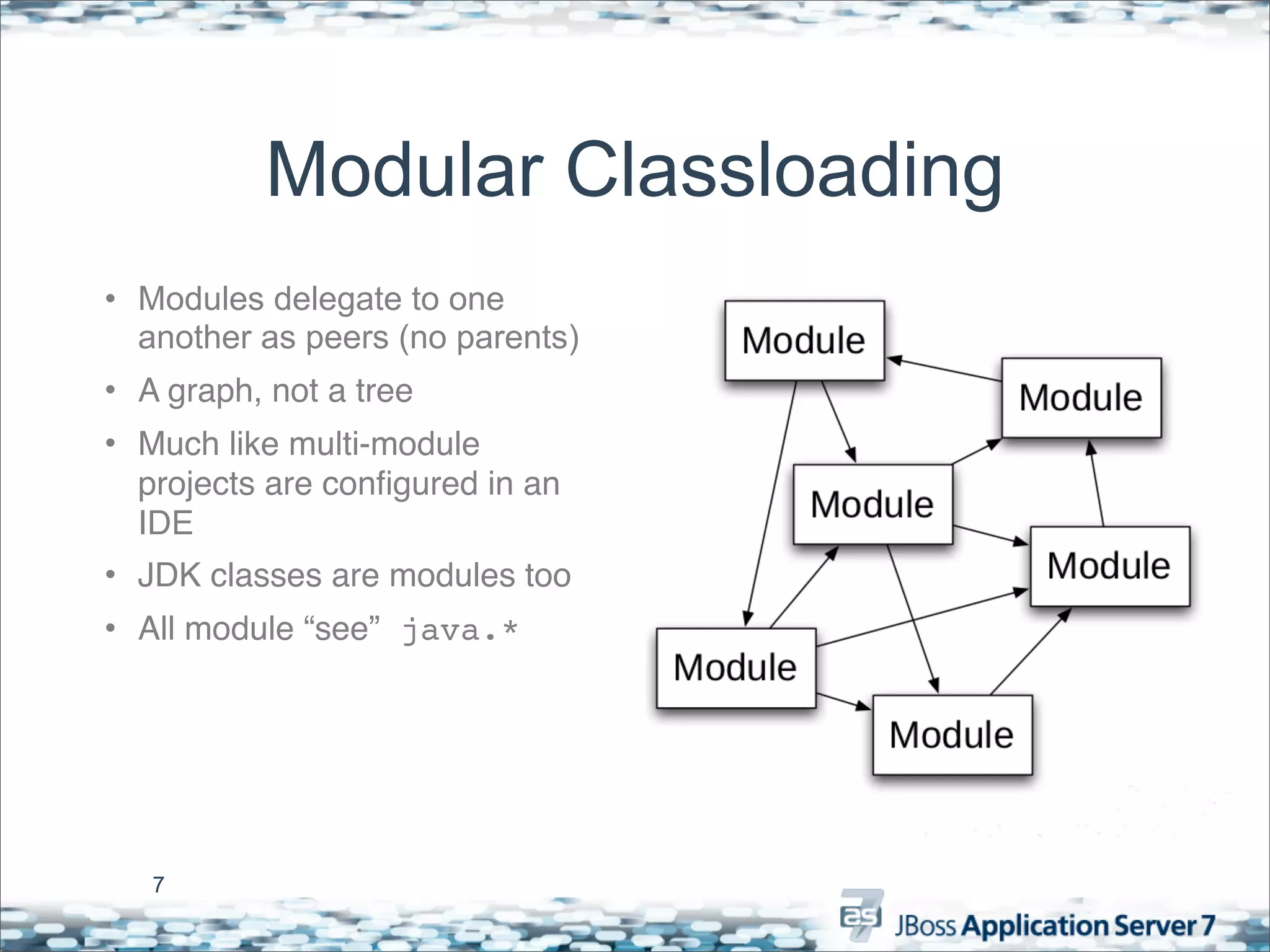
Modular Classloading
• Modules delegate to one
  another as peers (no parents)
• A graph, not a tree
• Much like multi-module
  projects are configured in an
  IDE
• JDK classes are modules too
• All module “see” java.*


   7
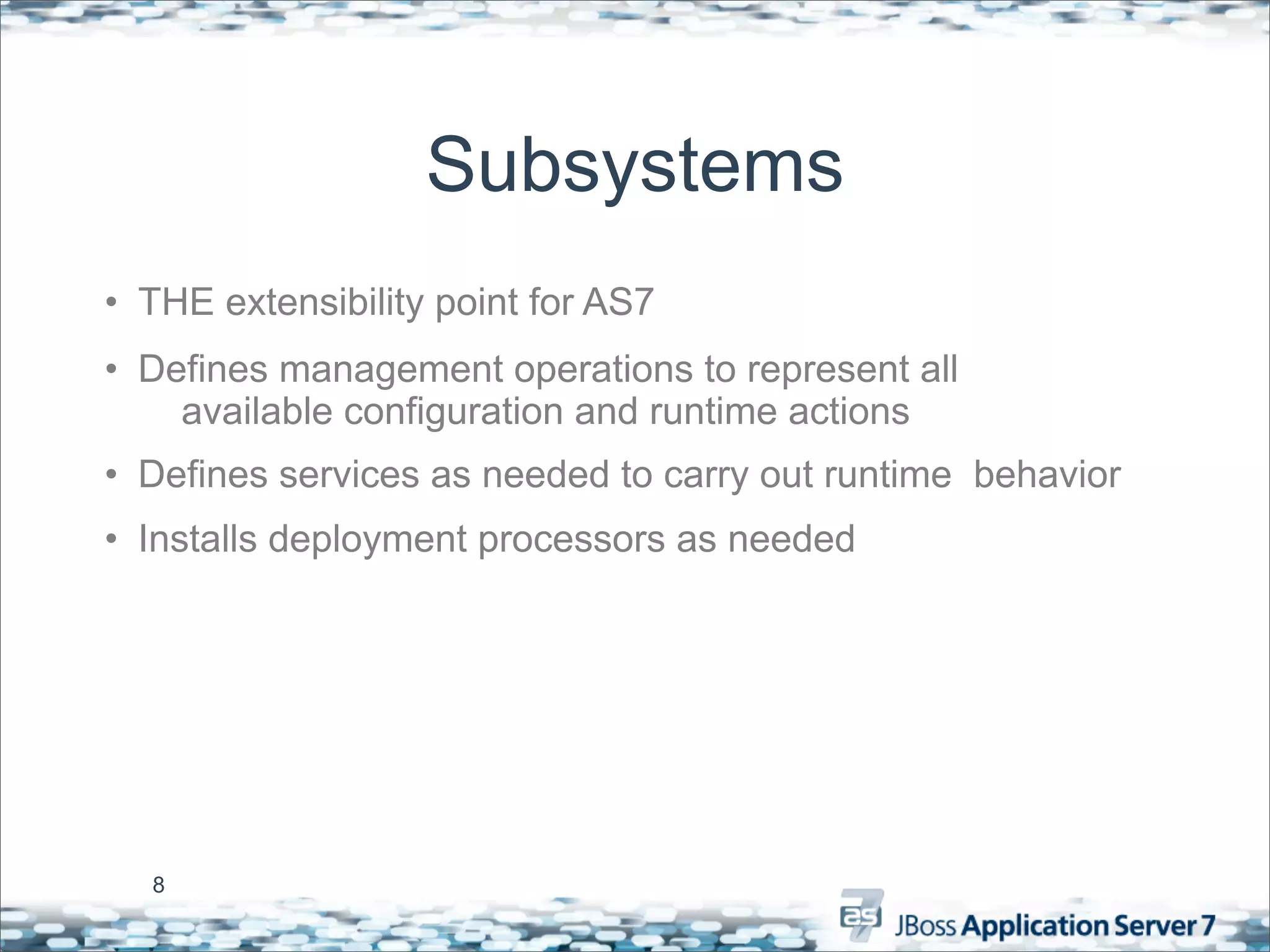
Subsystems
• THE extensibility point for AS7
• Defines management operations to represent all
    available configuration and runtime actions
• Defines services as needed to carry out runtime behavior
• Installs deployment processors as needed


  8
Boot Time Results


9
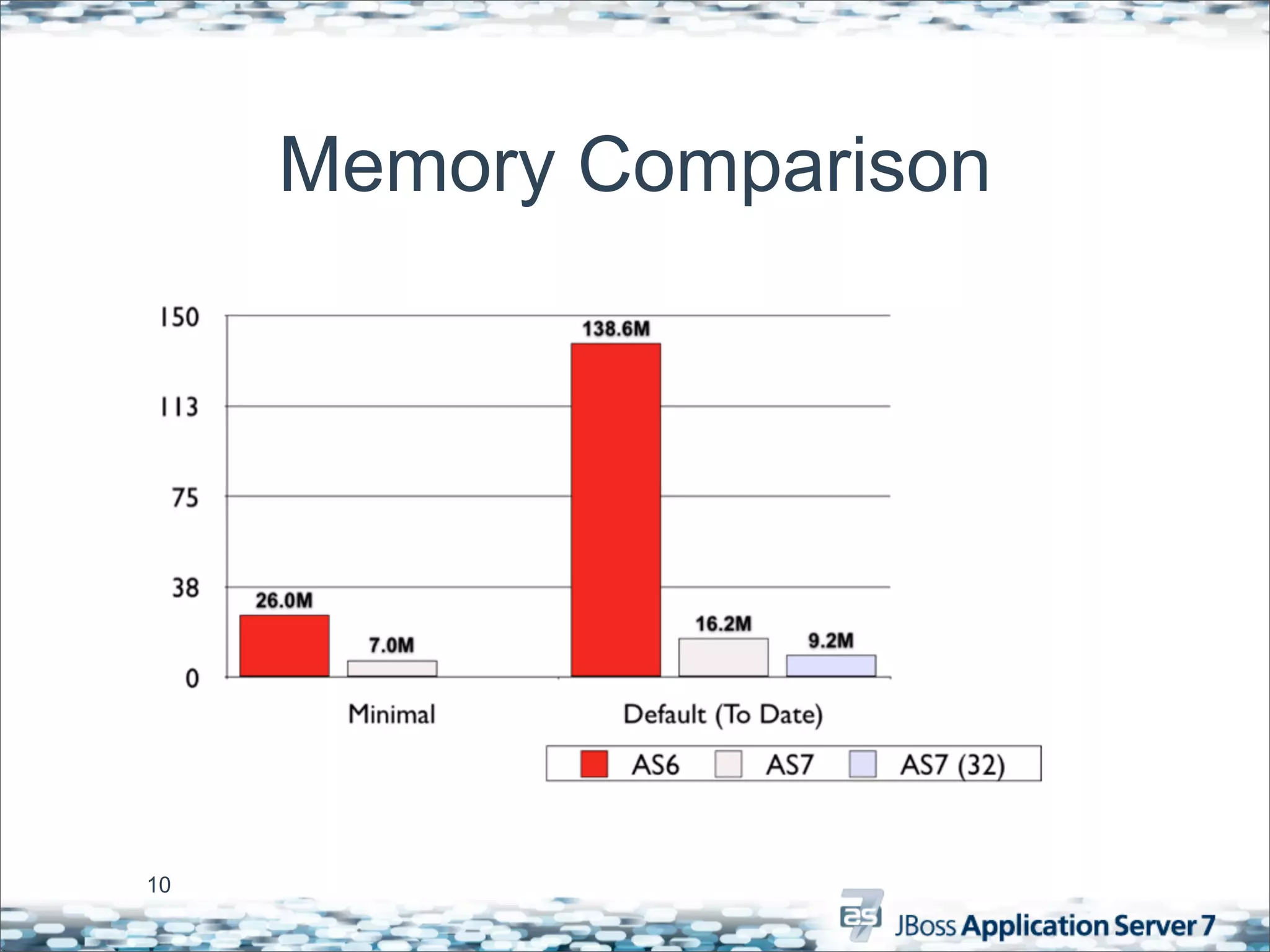
Memory Comparison


10
Management & Configuration
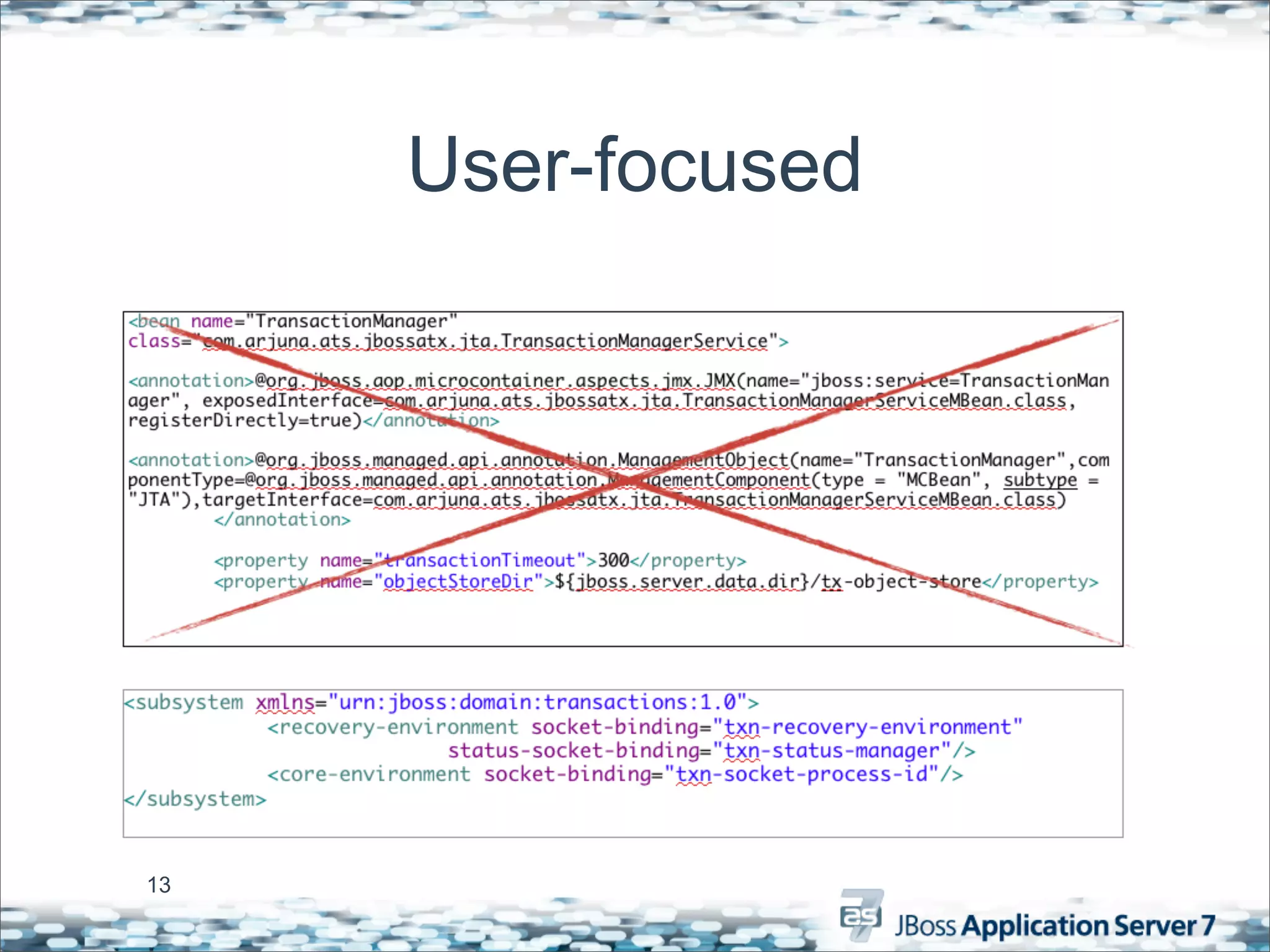
Simplified Configuration
• End user configuration centralized in a few files
  –No longer scattered all over the distribution
• Configuration files focused on end user configuration
  –No internal service wiring details
• Config changes made via management tools
  persisted back to the config file


  12
User-focused


13
Management API
• Central Detyped Management API
  – All management operations operate with/on DMR
    (Detyped Management Representation)
• Auto-converts like dynamic languages
• Self describing
  –Operations
  –Attributes
  –Metrics

  14
Management Protocol
[standalone@localhost:9999 /] /subsystem=web/connector=http:read-resource
{
   "outcome" => "success",
   "result" => {
      "enable-lookups" => false,
      "enabled" => true,
      "max-post-size" => 2097152,
      "max-save-post-size" => 4096,
      "protocol" => "HTTP/1.1",
      "redirect-port" => 8443,
      "scheme" => "http",
      "secure" => false,
      "socket-binding" => "http",
      "ssl" => undefined,
      "virtual-server" => undefined
   }
}


  15
Protocol Explained
[standalone@localhost:9999 /] /subsystem=web/connector=http:read-resource
{
   "outcome" => "success",
   "result" => {
      "enable-lookups" => false,
      "enabled" => true,               Address
      "max-post-size" => 2097152,
      "max-save-post-size" => 4096,
      "protocol" => "HTTP/1.1",
                                                      Operation
      "redirect-port" => 8443,
      "scheme" => "http",
      "secure" => false,
                                           Payload
      "socket-binding" => "http",
      "ssl" => undefined,
      "virtual-server" => undefined
   }
}


  16
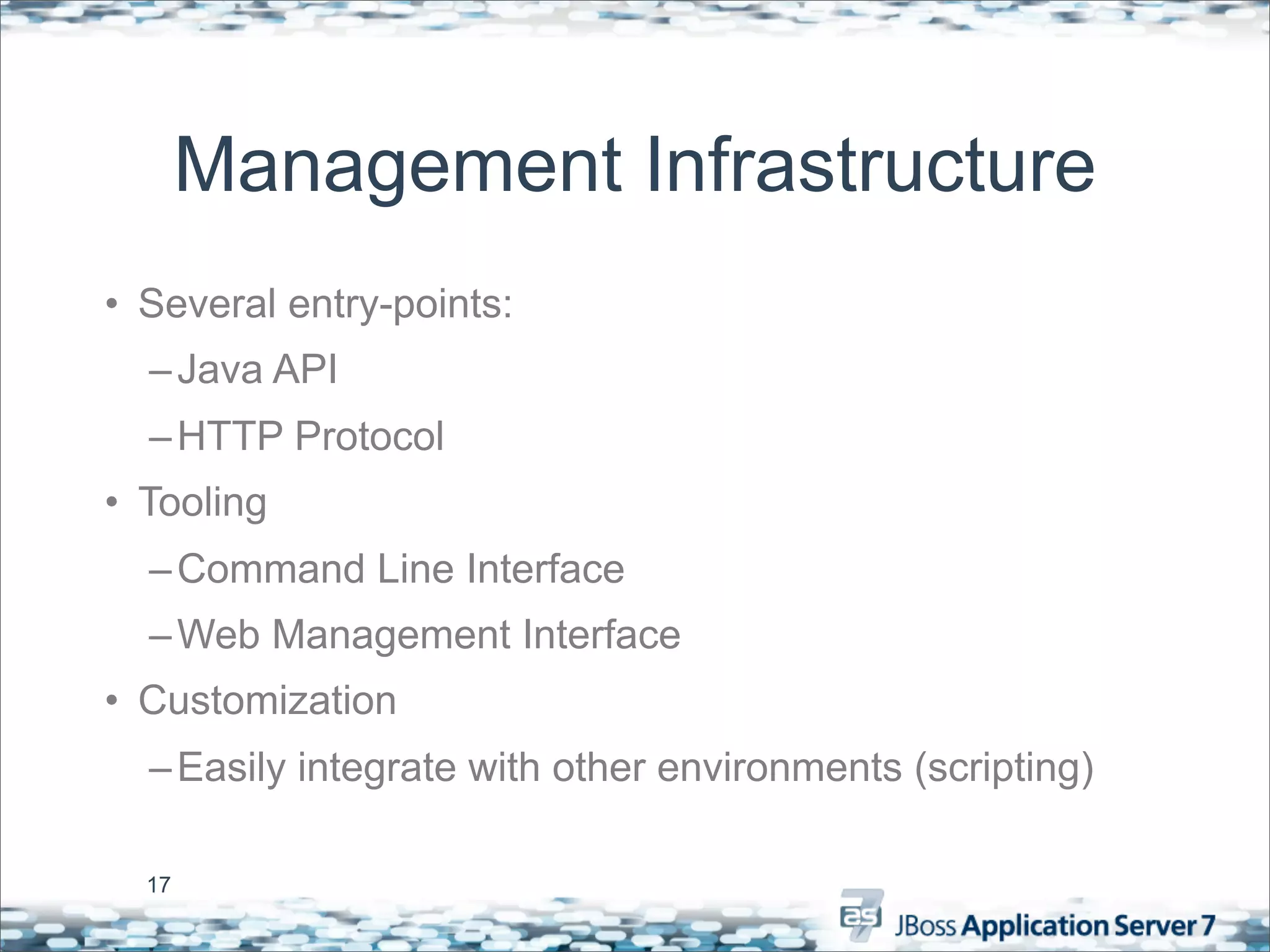
Management Infrastructure
• Several entry-points:
  – Java API
  – HTTP Protocol
• Tooling
  – Command Line Interface
  – Web Management Interface
• Customization
  – Easily integrate with other environments (scripting)

  17
18
Operational Modes
Two Operational Modes
• Standalone
     – Traditional JBoss single JVM server
     – Management facilities IN-VM
     – No lifecycle management (only shutdown)
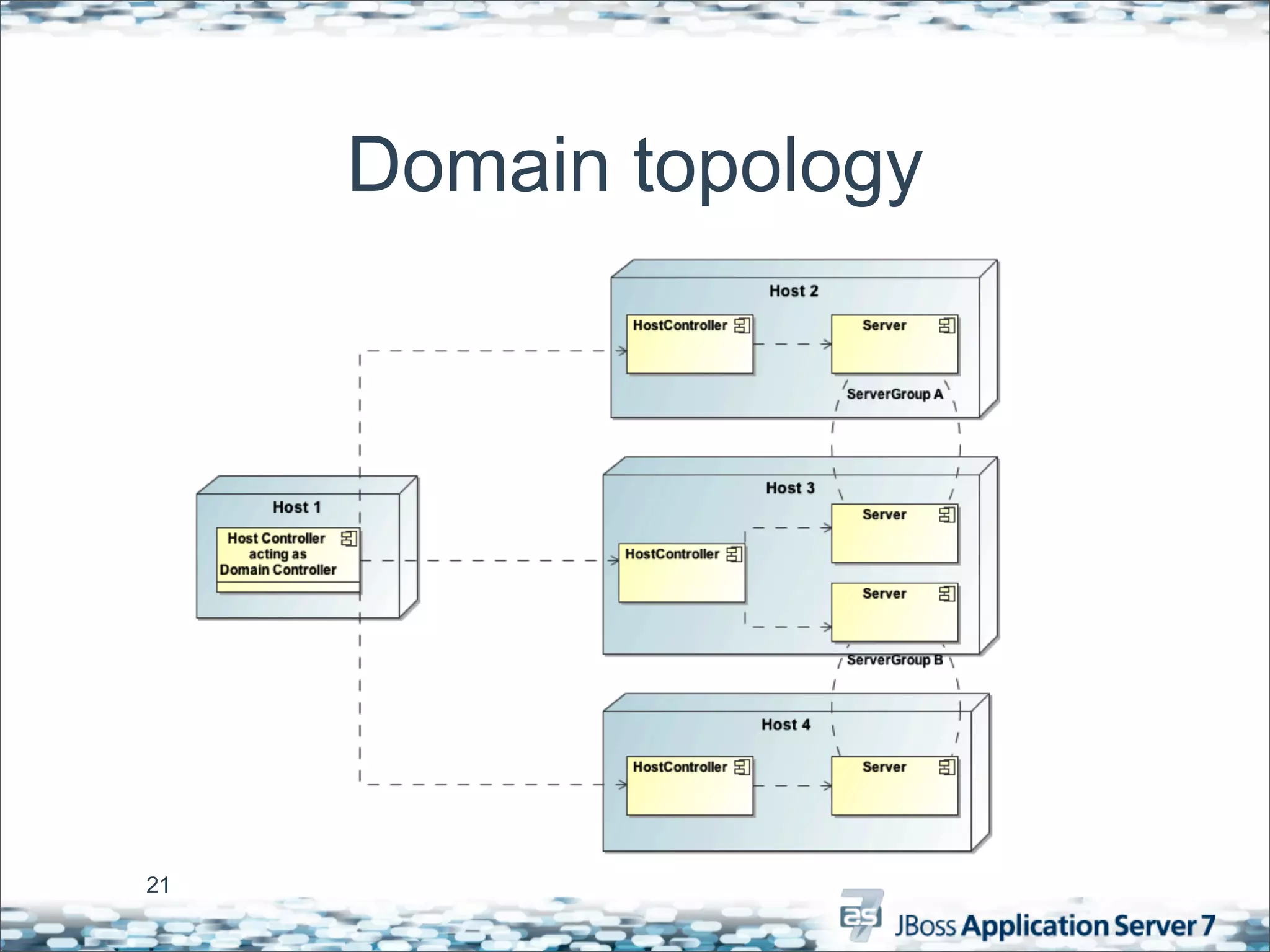
• Domain
     – Multi-JVM, multi-server model
     – Management coordinated by Domain Controller Process
     – Multiple server instances (JVMs) per Host
     – Full lifecycle managed by Process Controller


20
Domain topology


21
Management Choices
• Basically, do you want to take advantage
  of our multi-server management features?
 –Yes: run in Domain Mode
 –No: run in Standalone Mode
• Either way, you still get simplified
  configuration and a robust management
  API


 22
Grow with your needs
“Start small, grow big”
• Engineering requirements change:
  – Project requirements
  – Development teams & size
  – System Capacity
• AS 7 can stay:
  – Web Profile, EE Profile
  – Server, Managed Domain
  – Single Instance, Cluster
  – Cloud

 24
Q&A
• AS 7 space on jboss.org
   –http://community.jboss.org/en/jbossas/dev/
    jboss_as7_development
• Mail list
   –jboss-as7-dev@lists.jboss.org
• IRC
   –#jboss-as7 on freenode
• JIRA
   –https://issues.jboss.org/browse/AS71

  25

One daytalk hbraun_oct2011

  • 1.
  • 2.
    Back to thefuture ...
  • 3.
    AS 7 KeyFeatures • Fast and Lightweight • Unified, user focused configuration – No more intermixing of internal wiring and config • Modular – Only APIs, no AS implementation exposure – True isolation (users can finally use their own XML parsers) • Multiple consistent management interfaces – CLI, Java API, HTTP API, Console • Supports domain (multi-node) management 3
  • 4.
  • 5.
    Kernel Architecture • Smalland efficient – 216K JAR – Tiny memory overhead • Highly concurrent & scalable state machine • Multiple startup modes – Active, Passive, On-Demand, ... • Async start & stop – Concurrent Service bootstrap 5
  • 6.
    Modular Classloading • Small,lightweight and efficient – O(1) Dep resolution – Concurrent class loading – 207k JAR • “Pure” modular class loading – Dependency declarations instead of visibility hierarchy – Modules only see what they import (includes JDK classes!) 6
  • 7.
    Modular Classloading • Modulesdelegate to one another as peers (no parents) • A graph, not a tree • Much like multi-module projects are configured in an IDE • JDK classes are modules too • All module “see” java.* 7
  • 8.
    Subsystems • THE extensibilitypoint for AS7 • Defines management operations to represent all available configuration and runtime actions • Defines services as needed to carry out runtime behavior • Installs deployment processors as needed 8
  • 9.
  • 10.
  • 11.
  • 12.
    Simplified Configuration • Enduser configuration centralized in a few files –No longer scattered all over the distribution • Configuration files focused on end user configuration –No internal service wiring details • Config changes made via management tools persisted back to the config file 12
  • 13.
  • 14.
    Management API • CentralDetyped Management API – All management operations operate with/on DMR (Detyped Management Representation) • Auto-converts like dynamic languages • Self describing –Operations –Attributes –Metrics 14
  • 15.
    Management Protocol [standalone@localhost:9999 /]/subsystem=web/connector=http:read-resource { "outcome" => "success", "result" => { "enable-lookups" => false, "enabled" => true, "max-post-size" => 2097152, "max-save-post-size" => 4096, "protocol" => "HTTP/1.1", "redirect-port" => 8443, "scheme" => "http", "secure" => false, "socket-binding" => "http", "ssl" => undefined, "virtual-server" => undefined } } 15
  • 16.
    Protocol Explained [standalone@localhost:9999 /]/subsystem=web/connector=http:read-resource { "outcome" => "success", "result" => { "enable-lookups" => false, "enabled" => true, Address "max-post-size" => 2097152, "max-save-post-size" => 4096, "protocol" => "HTTP/1.1", Operation "redirect-port" => 8443, "scheme" => "http", "secure" => false, Payload "socket-binding" => "http", "ssl" => undefined, "virtual-server" => undefined } } 16
  • 17.
    Management Infrastructure • Severalentry-points: – Java API – HTTP Protocol • Tooling – Command Line Interface – Web Management Interface • Customization – Easily integrate with other environments (scripting) 17
  • 18.
  • 19.
  • 20.
    Two Operational Modes •Standalone – Traditional JBoss single JVM server – Management facilities IN-VM – No lifecycle management (only shutdown) • Domain – Multi-JVM, multi-server model – Management coordinated by Domain Controller Process – Multiple server instances (JVMs) per Host – Full lifecycle managed by Process Controller 20
  • 21.
  • 22.
    Management Choices • Basically,do you want to take advantage of our multi-server management features? –Yes: run in Domain Mode –No: run in Standalone Mode • Either way, you still get simplified configuration and a robust management API 22
  • 23.
  • 24.
    “Start small, growbig” • Engineering requirements change: – Project requirements – Development teams & size – System Capacity • AS 7 can stay: – Web Profile, EE Profile – Server, Managed Domain – Single Instance, Cluster – Cloud 24
  • 25.
    Q&A • AS 7space on jboss.org –http://community.jboss.org/en/jbossas/dev/ jboss_as7_development • Mail list –jboss-as7-dev@lists.jboss.org • IRC –#jboss-as7 on freenode • JIRA –https://issues.jboss.org/browse/AS71 25