2012-11-29


Introduction to Microsoft’s
Modern UI in Windows
Phone
Frédéric Harper @ Microsoft Canada
@fharper
outofcomfortzone.net
Windows Phone
                                          Design


2   Microsoft confidential   11/30/2012
The Windows Phone Design Style


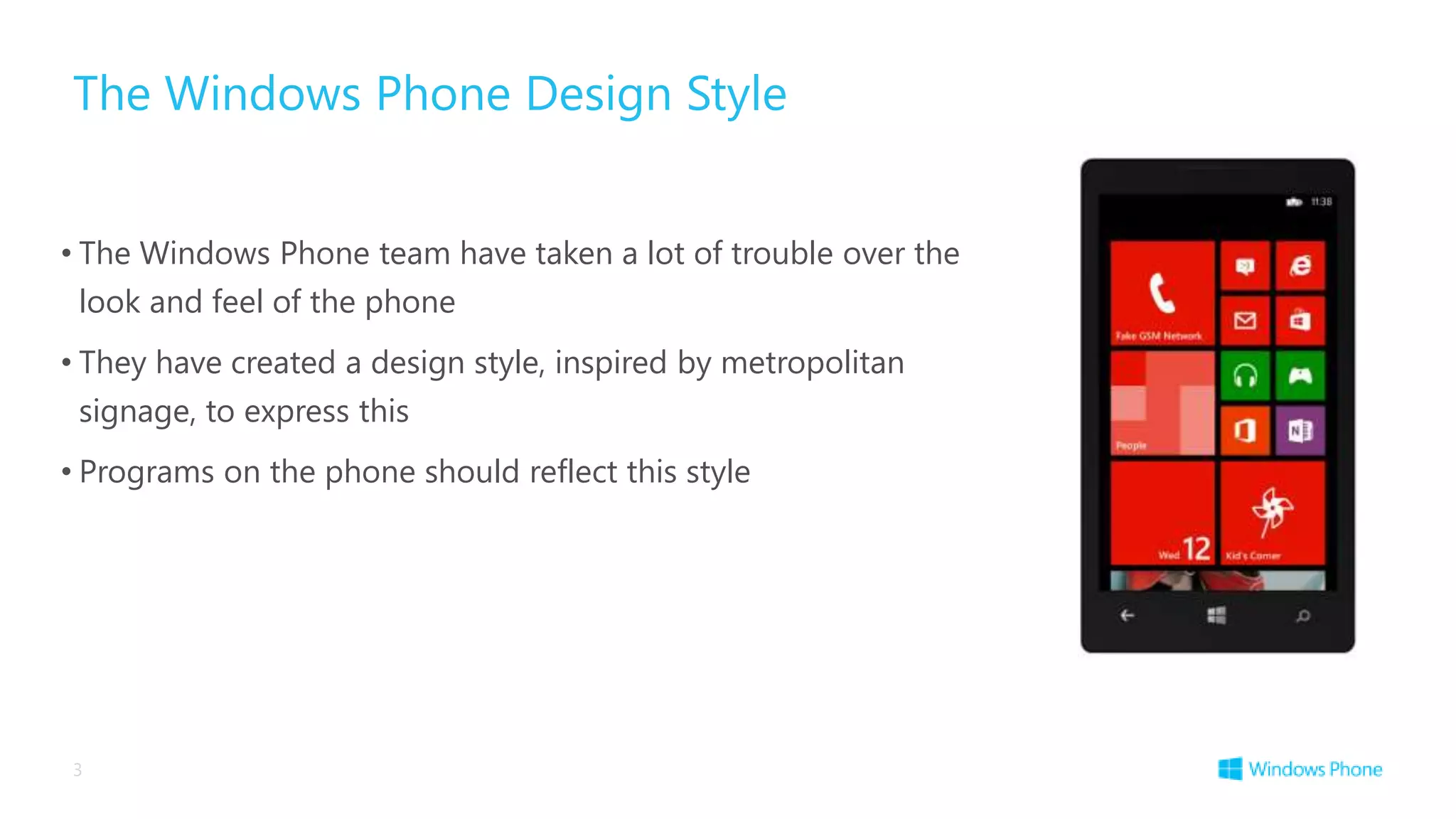
• The Windows Phone team have taken a lot of trouble over the
 look and feel of the phone
• They have created a design style, inspired by metropolitan
 signage, to express this
• Programs on the phone should reflect this style


3
Windows Design Principles
Principle: Pride in craftsmanship


      Take care of the details
      Make it safe and reliable
      Uncompromising Sensitivity to Weight, Balance and Scale
      Align to the grid
Principle: Be fast and fluid


       Life is mobile
       Delight with motion
       Design for touch
       Intuitive interaction
       Be responsive and ready
       Immersive and compelling
Principle: Do more with less


      Be great at something
      Focused and direct
      Content before chrome
      Inspire confidence
Principle: Authentically Digital


       Don’t Try to be What It’s NOT
       Cloud connected
       Dynamic and alive
       Beautiful use of typography
       Bold vibrant colours
       Motion
Principle: Win as one


      Fit into the UI model
      Reduce redundancy
      Work together to complete scenarios
      Tools and templates are designed to scale
Windows Phone 8 SDK and the Windows Phone Design Style

• To make life easier for us the Windows Phone design style is “baked in” to the developer
 tools
• The default appearance, behaviour and fonts of the user elements all match the style
• If you want to find out more about the Windows Phone Design Style you can read the
 “User Experience Design Guidelines for Windows Phone”


                http://msdn.microsoft.com/en-
                      us/library/hh202915.aspx
11
Designing an App


12       11/30/2012
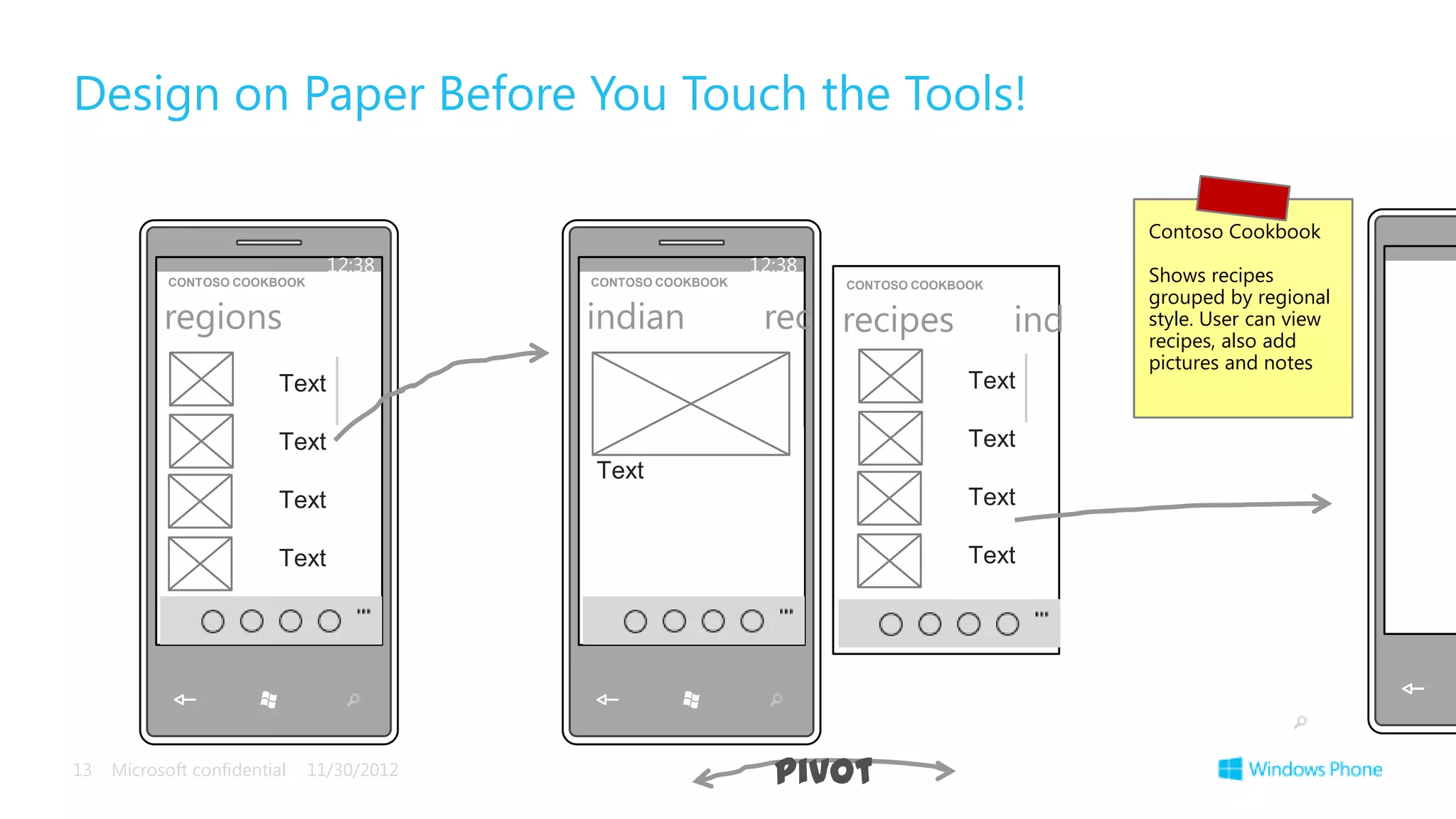
Design on Paper Before You Touch the Tools!

                                                                                                Contoso Cookbook
                                 12:38                         12:38                            Shows recipes
            CONTOSO COOKBOOK                CONTOSO COOKBOOK           CONTOSO COOKBOOK
                                                                                                grouped by regional
           regions                          indian              rec recipes               ind   style. User can view
                                                                                                recipes, also add
                                                                                                pictures and notes
                          Text                                                       Text

                          Text                                                       Text
                                            Text
                          Text                                                       Text

                          Text                                                       Text


13   Microsoft confidential    11/30/2012                        pivot
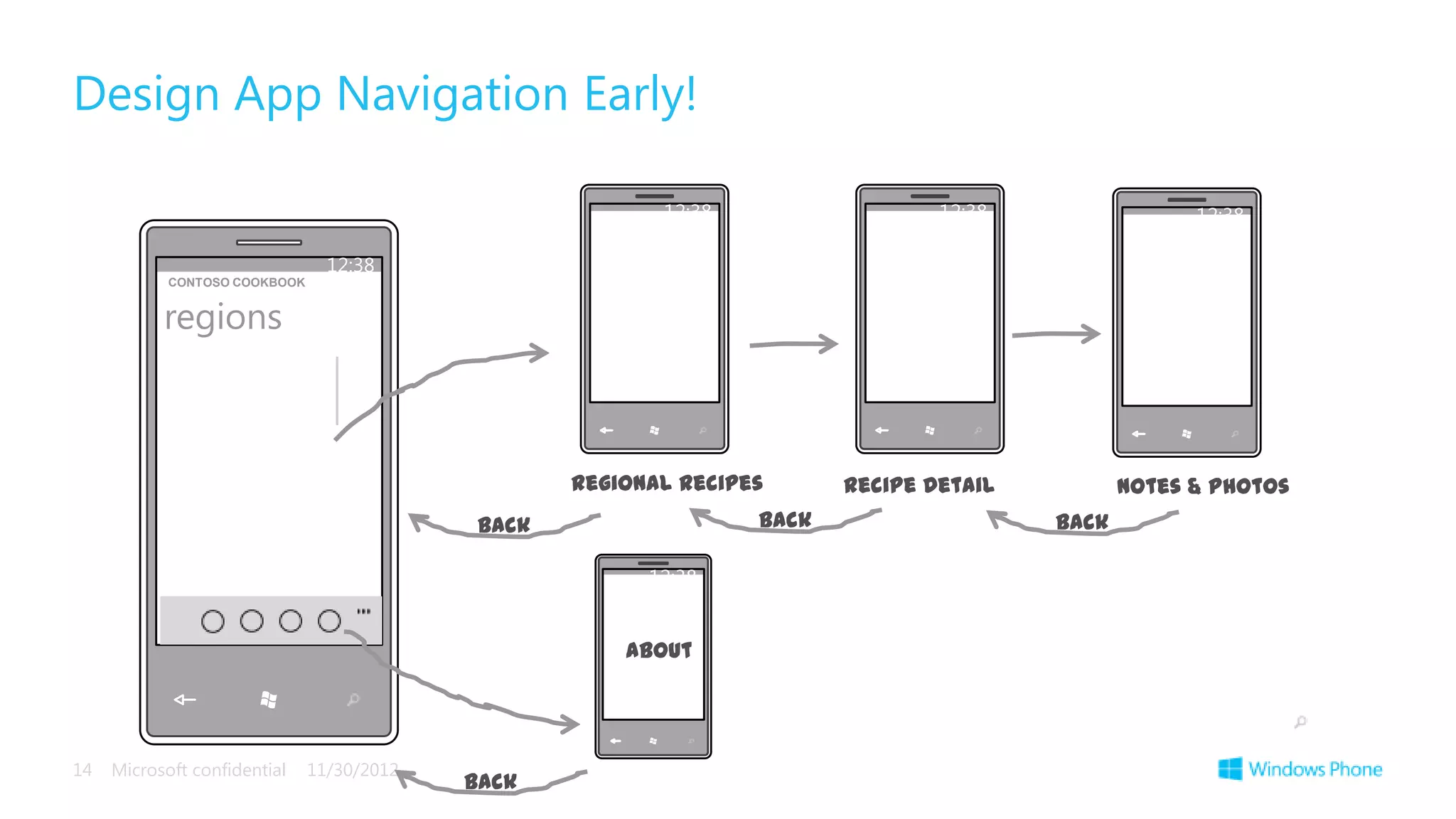
Design App Navigation Early!

                                                           12:38                  12:38                12:38

                                 12:38
            CONTOSO COOKBOOK


           regions


                                                    Regional recipes      Recipe Detail          Notes & Photos
                                             Back                  Back                   Back

                                                          12:38


                                                        About


14   Microsoft confidential    11/30/2012
                                            Back
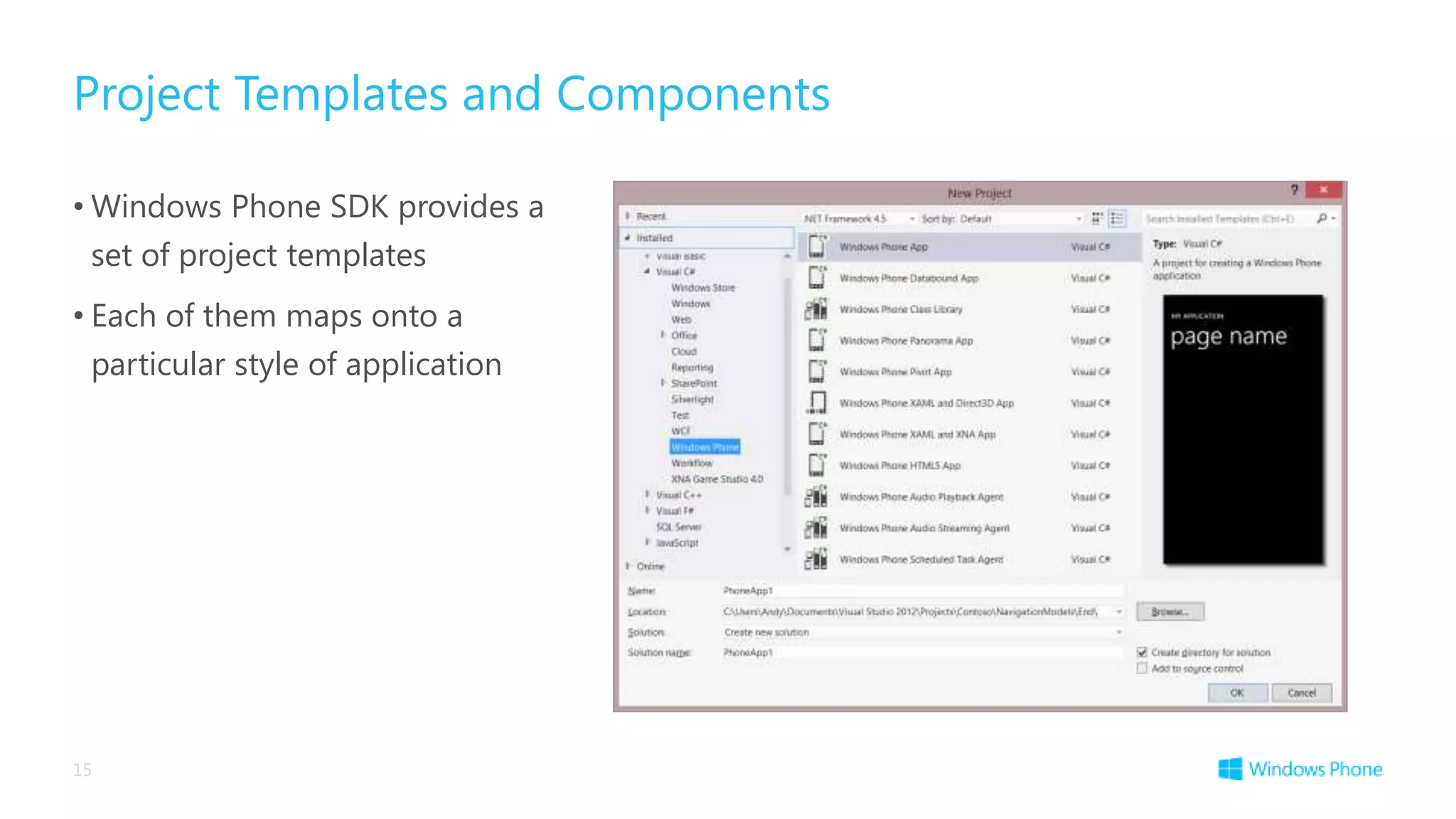
Project Templates and Components

• Windows Phone SDK provides a
 set of project templates
• Each of them maps onto a
 particular style of application


15
Questions

     Frédéric Harper


     fredh@microsoft.com
     @fharper


     http://webnotwar.ca
     http://outofcomfortzone.net


16
The information herein is for informational                        interpreted to be a commitment on the part of
purposes only an represents the current view of                    Microsoft, and Microsoft cannot guarantee the
Microsoft Corporation as of the date of this                       accuracy of any information provided after the
presentation. Because Microsoft must respond                       date of this presentation.
to changing market conditions, it should not be

MICROSOFT MAKES NO WARRANTIES, EXPRESS, IMPLIED OR STATUTORY, AS TO THE INFORMATION
IN THIS PRESENTATION.


© 2012 Microsoft Corporation.
All rights reserved. Microsoft, Windows, Windows Vista and other product names are or may be registered trademarks and/or trademarks in the U.S. and/or other countries.

Windows phone 8 wave guide montreal code camp intro to microsoft's modern ui in windows phone

  • 1.
    2012-11-29 Introduction to Microsoft’s ModernUI in Windows Phone Frédéric Harper @ Microsoft Canada @fharper outofcomfortzone.net
  • 2.
    Windows Phone Design 2 Microsoft confidential 11/30/2012
  • 3.
    The Windows PhoneDesign Style • The Windows Phone team have taken a lot of trouble over the look and feel of the phone • They have created a design style, inspired by metropolitan signage, to express this • Programs on the phone should reflect this style 3
  • 4.
  • 5.
    Principle: Pride incraftsmanship Take care of the details Make it safe and reliable Uncompromising Sensitivity to Weight, Balance and Scale Align to the grid
  • 6.
    Principle: Be fastand fluid Life is mobile Delight with motion Design for touch Intuitive interaction Be responsive and ready Immersive and compelling
  • 7.
    Principle: Do morewith less Be great at something Focused and direct Content before chrome Inspire confidence
  • 8.
    Principle: Authentically Digital Don’t Try to be What It’s NOT Cloud connected Dynamic and alive Beautiful use of typography Bold vibrant colours Motion
  • 9.
    Principle: Win asone Fit into the UI model Reduce redundancy Work together to complete scenarios Tools and templates are designed to scale
  • 11.
    Windows Phone 8SDK and the Windows Phone Design Style • To make life easier for us the Windows Phone design style is “baked in” to the developer tools • The default appearance, behaviour and fonts of the user elements all match the style • If you want to find out more about the Windows Phone Design Style you can read the “User Experience Design Guidelines for Windows Phone” http://msdn.microsoft.com/en- us/library/hh202915.aspx 11
  • 12.
  • 13.
    Design on PaperBefore You Touch the Tools! Contoso Cookbook 12:38 12:38 Shows recipes CONTOSO COOKBOOK CONTOSO COOKBOOK CONTOSO COOKBOOK grouped by regional regions indian rec recipes ind style. User can view recipes, also add pictures and notes Text Text Text Text Text Text Text Text Text 13 Microsoft confidential 11/30/2012 pivot
  • 14.
    Design App NavigationEarly! 12:38 12:38 12:38 12:38 CONTOSO COOKBOOK regions Regional recipes Recipe Detail Notes & Photos Back Back Back 12:38 About 14 Microsoft confidential 11/30/2012 Back
  • 15.
    Project Templates andComponents • Windows Phone SDK provides a set of project templates • Each of them maps onto a particular style of application 15
  • 16.
    Questions Frédéric Harper fredh@microsoft.com @fharper http://webnotwar.ca http://outofcomfortzone.net 16
  • 17.
    The information hereinis for informational interpreted to be a commitment on the part of purposes only an represents the current view of Microsoft, and Microsoft cannot guarantee the Microsoft Corporation as of the date of this accuracy of any information provided after the presentation. Because Microsoft must respond date of this presentation. to changing market conditions, it should not be MICROSOFT MAKES NO WARRANTIES, EXPRESS, IMPLIED OR STATUTORY, AS TO THE INFORMATION IN THIS PRESENTATION. © 2012 Microsoft Corporation. All rights reserved. Microsoft, Windows, Windows Vista and other product names are or may be registered trademarks and/or trademarks in the U.S. and/or other countries.

Editor's Notes

  • #4 The Windows Phone design styleMicrosoft created the Metro design, which is inspired by the clear signage you often see employed with metropolitan area public transit signage. Metro uses big, clear typography and features large text that catches the eye and runs off the page. The Metro design principles center on a look that uses type to echo the visual language of airport and metro system signage. The goal is to clearly direct end users to the content they want. Metro interfaces are supposed to embody harmonious, functional, and attractive visual elements. Ideally, good UI design should encourage playful exploration when interacting with the application and people should feel a sense of wonder and excitement. A clear, straightforward design not only makes an application legible, it encourages usage.Make the point that the Metro style is influencing many Microsoft products, and that it will play an increasing role in Windows products beyond the phone platform, such as in the UI for the forthcoming Windows 8.  
  • #6 Pride in craftsmanship-Take care of the details-Make it safe and reliable-Balance, symmetry, hierarchy-Align to the grid>> This principle is a reminder that designers and developers should take pride in what they create. They shouldn’t accept mediocre. It’s about ensuring balance and symmetry, and where possible aligning to the grid (12px for Windows Phone, 10x for Windows!). It’s also about building an intuitive interface where the user is free to explore without fear that they’ll accidentally break or delete something.
  • #7 Be fast and fluid-Life is mobile-Delight with motion-Design for touch-Intuitive interaction-Be responsive and ready-Immersive and compelling>> With the continually increase in device capabilities it’s possible to bring a new dimension to applications in the form of animations. Windows has a number of predefined animations that can assist with consistency. Both platforms share a similar state and transition system which is powerful when designing for motion.
  • #8 Do more with less-Be great at something-Focused and direct-Content before chrome-Inspire confidence>> The key to this principle is to focus on the core objective of the application. Too often this is not considered so it can appear that an application is an aggregation of a number of somewhat disparate components. When designing the structure of the application, ask the question “why has the user opened the application?”
  • #9 Authentically Digital-Cloud connected-Dynamic and alive-Beautiful use of typography-Bold vibrant colours-Motion>> Both platforms make extensive use of bold, block, colours, which is a relatively flat style. There is a focus on allowing applications to breathe and not cramming everything onto a single page. There should be no attempt at skewmorphism - to make applications look like they belong in the real world – instead, embrace the digital world.
  • #10 Win as one-Fit into the UI model-Reduce redundancy-Work together to complete scenarios-Tools and templates are designed to scale>> Windows and Windows Phone have a unique design language that runs through the core applications. It’s important that application developers respect the design of the platform (for better or worse) and where possible adapt their brand to compliment the design language. This ensures a consistent user experience which benefits the end user, application developer, device manufacturers and of course Microsoft (ie the whole ecosystem).
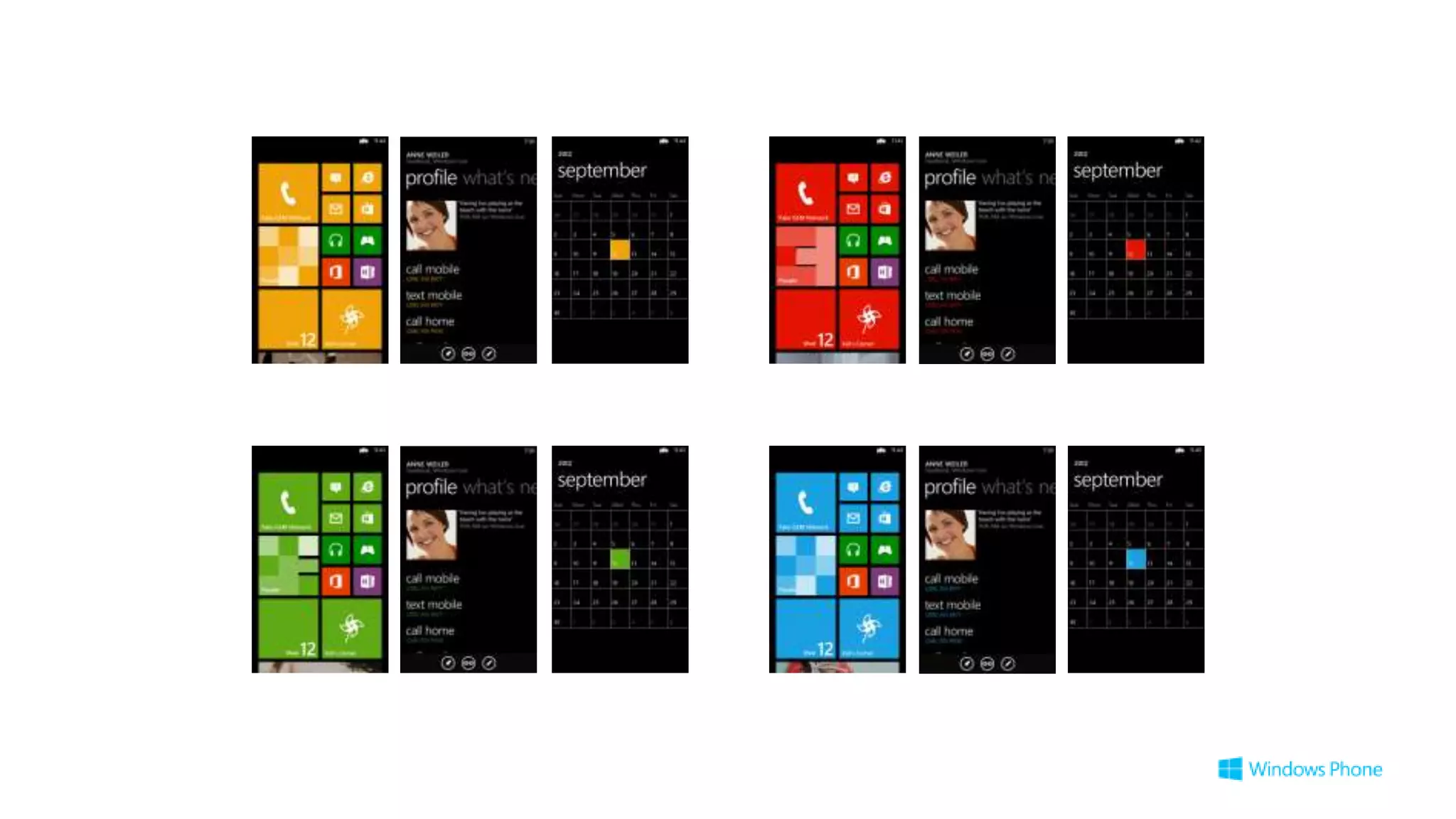
  • #11 The result is the Windows Phone that you see today – great use of bold block colors, a clear uncluttered display and clear communication of the information the user needs.
  • #12 XAML and MetroWindows phone uses a default font called Segoe WP. All the project templates and controls use this style by default. There are many other aspects of design that together make up the Windows Design Language as applied to Windows Phone, such as the spacing between UI items and the page layout.You can download the User Experience Design Guidelines for Windows Phone document from AppHub, or from the URL shown on the slide. The design guidelines are well worth reading. In fact you can’t call yourself a phone developer until you have read them.   
  • #13 Now, keeping those design messages in mind, we are going to go through the process of building an app, from the design concept right through to the completion of a functional, prototype. As we do so, we will learn how the tools help us to build great apps that adopt the Windows Phone style.
  • #14 The first thing to note, is that it is rarely a great idea to break out the tools to start prototyping your app. Better to think carefully about what your app is going to do, and to do the first design exercise on paper. With any app, you should always be asking yourself: “What is it that the user opened this app to do?”. The app should have a clear purpose, be intuitive and pleasurable to use. You can bests achieve these goals by spending some time thinking about the different screens the user will see and what the information they communicate should be.Here we see the design for the Contoso Cookbook application, which is what we are going to build. The main page is a list of regional cookery styles, and after the user selects the regional style they want, the app displays a pivot consisting of an introduction page on the region, and then a list of recipes for that region. Then, when you select a recipe from the list, the app displays the detailed instructions of how to make the selected recipe.
  • #15 As a part of this exercise, think carefully about how the user will navigate through your app. Is it a “hub and spoke” design (most are) where there is a recognisable “home page” and the user starts from there to go out along a spoke to achieve some goal, or is it a more free-form ‘magazine’ style of app, where the user can jump around from experience to experience? Think about this now, as it will influence how you build your app.
  • #16 Project Templates and ComponentsThe Windows Phone SDK installs a set of different project templates which you use to create the starter design and code of your application. All the templates conform to the Windows Phone design guidelines, but address slightly different styles of application.Once you have picked your style you can then create an application based on that.