How to use TubeChop

Loading...

Flash Player 9 (or above) is needed to view presentations.
We have detected that you do not have it on your computer. To install it, go here.

0 comments

Post a comment

    Post a comment
    Embed Video
    Edit your comment Cancel

    2 Favorites

    How to use TubeChop - Presentation Transcript

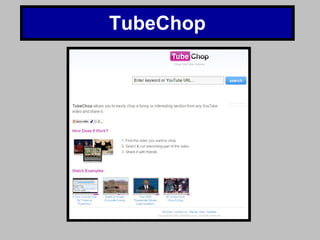
    1. TubeChop
    2. What is TubeChop?
      • TubeChop is a website designed to allow the user to shorten YouTube videos.
      • Why is it practical?
      • It is helpful to shorten long speeches for videos where smaller segments are of importance. With TubeChop you are able to omit unnecessary information from videos.
    3. Step One. Find a video that interests you on YouTube. Once you have chosen a video, enter its URL into the TubeChop site. it will then find your video io that you can shorten its length.
    4. Step Two. Once you have chosen your video, drag the black bars to determine the length of your clip.
    5. Final Step. Watch your new video clip and allow other people to make comments on it.

    + digitalmaverickdigitalmaverick, 5 months ago

    custom

    520 views, 2 favs, 0 embeds more stats

    A brief introduction to the use of ww.tubechop.com more

    More info about this document

    © All Rights Reserved

    Go to text version

    • Total Views 520
      • 520 on SlideShare
      • 0 from embeds
    • Comments 0
    • Favorites 2
    • Downloads 0
    Most viewed embeds

    more

    All embeds

    less

    Flagged as inappropriate Flag as inappropriate
    Flag as inappropriate

    Select your reason for flagging this presentation as inappropriate. If needed, use the feedback form to let us know more details.

    Cancel
    File a copyright complaint
    Having problems? Go to our helpdesk?

    Categories