D7 Entites/Fields
 Cyberswat - Kevin Bridges
                             24. aug 10:00
                             Trellon Room
This is Code Heavy
This is Code Heavy

       • We will be discussing
         code
This is Code Heavy

       • We will be discussing
         code
       • If you are not a coder this
         will probably be
         incredibly boring to you
This is Code Heavy

       • We will be discussing
         code
       • If you are not a coder this
         will probably be
         incredibly boring to you
       • We are not responsible
         for what may happen to
         you if you fall asleep.
The Next Hour
The Next Hour
• Lots of content and fast talking. Save questions
  until the end
The Next Hour
• Lots of content and fast talking. Save questions
  until the end
• Discuss key concepts in Drupal 7: Bundles,
  Entities and Fields
The Next Hour
• Lots of content and fast talking. Save questions
  until the end
• Discuss key concepts in Drupal 7: Bundles,
  Entities and Fields
• Walk through the creation of a content type
  that will add a Bundle of Fields complete
  with custom Formatters to the node Entity
The Next Hour
• Lots of content and fast talking. Save questions
  until the end
• Discuss key concepts in Drupal 7: Bundles,
  Entities and Fields
• Walk through the creation of a content type
  that will add a Bundle of Fields complete
  with custom Formatters to the node Entity
• Explain WTH that last comment meant
The Next Hour
• Lots of content and fast talking. Save questions
  until the end
• Discuss key concepts in Drupal 7: Bundles,
  Entities and Fields
• Walk through the creation of a content type
  that will add a Bundle of Fields complete
  with custom Formatters to the node Entity
• Explain WTH that last comment meant
• Introduce the most excellent node_example
  module
Key Concept
  Entity
Key Concept
                Entity
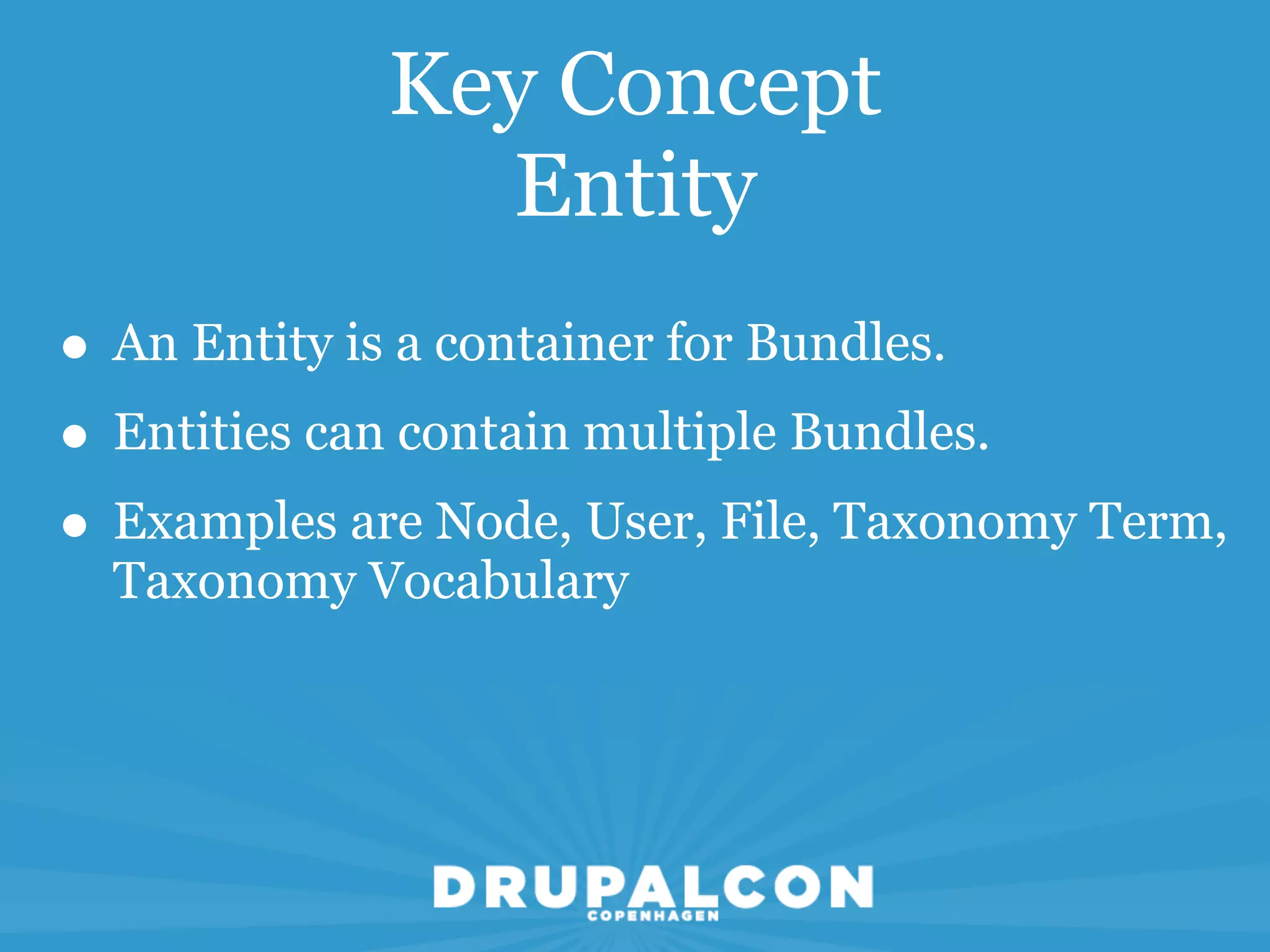
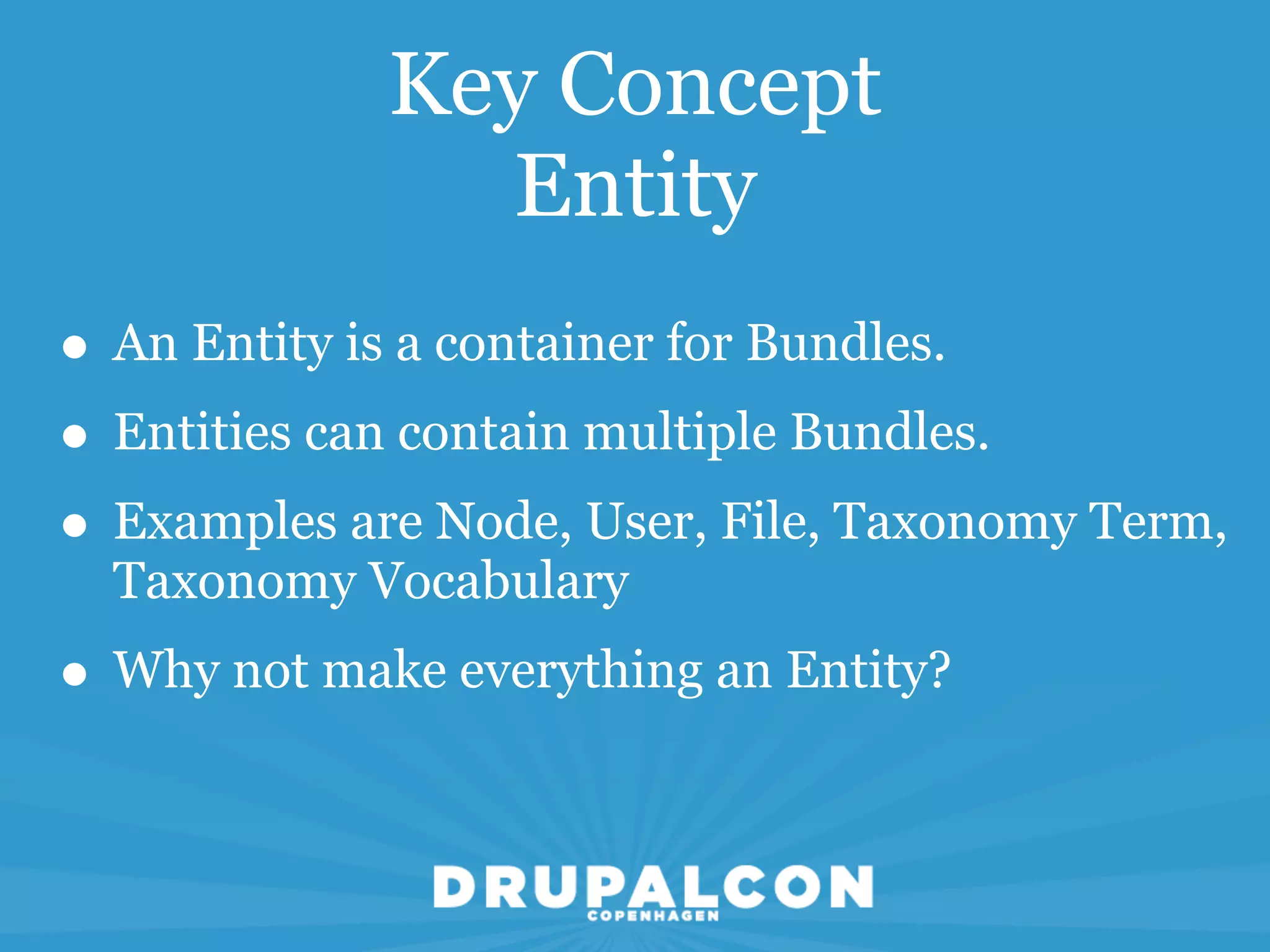
• An Entity is a container for Bundles.
Key Concept
                Entity
• An Entity is a container for Bundles.
• Entities can contain multiple Bundles.
Key Concept
               Entity
• An Entity is a container for Bundles.
• Entities can contain multiple Bundles.
• Examples are Node, User, File, Taxonomy Term,
  Taxonomy Vocabulary
Key Concept
               Entity
• An Entity is a container for Bundles.
• Entities can contain multiple Bundles.
• Examples are Node, User, File, Taxonomy Term,
  Taxonomy Vocabulary
• Why not make everything an Entity?
Key Concept
  Bundles
Key Concept
                 Bundles

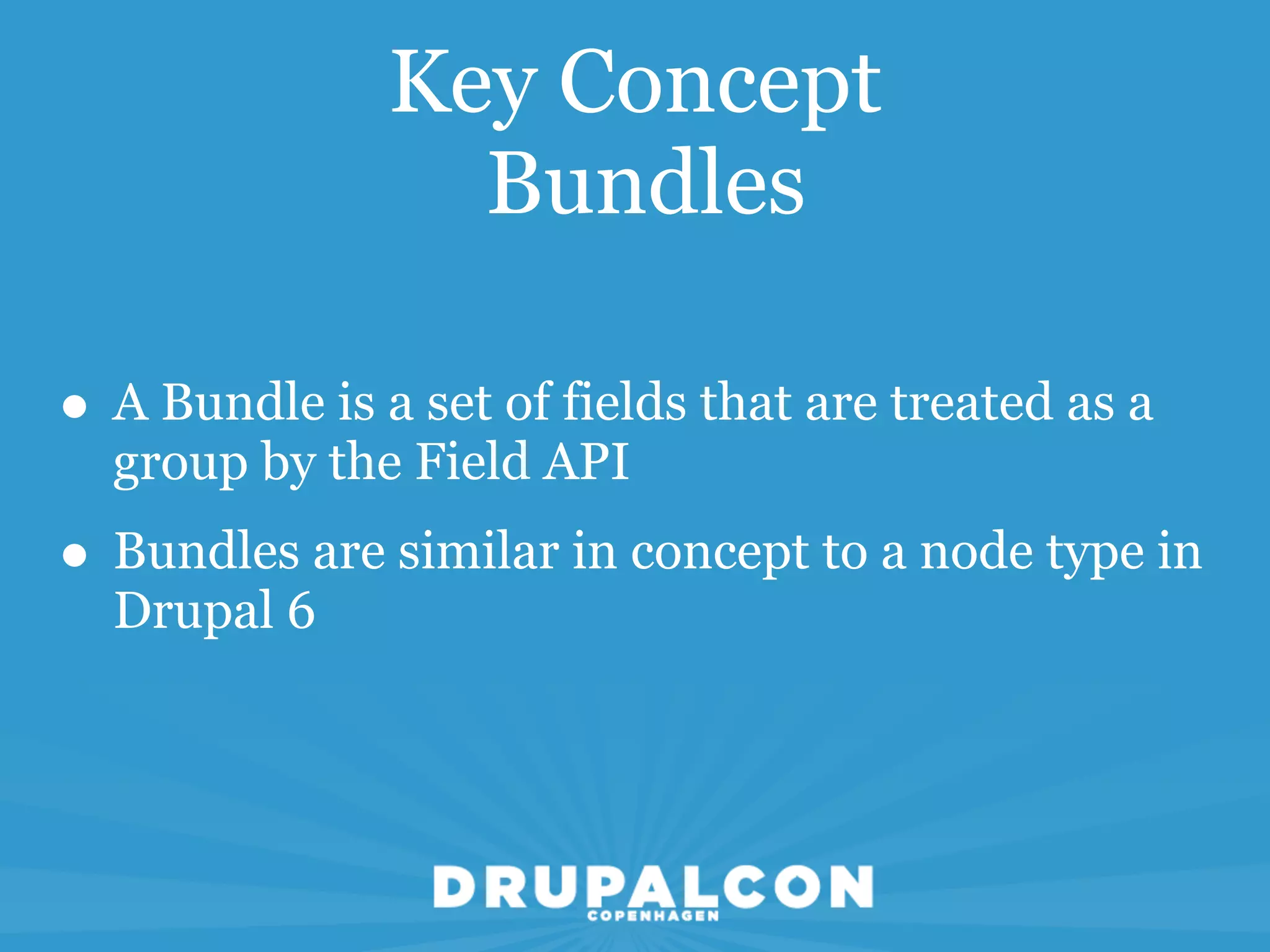
• A Bundle is a set of fields that are treated as a
  group by the Field API
Key Concept
                 Bundles

• A Bundle is a set of fields that are treated as a
  group by the Field API
• Bundles are similar in concept to a node type in
  Drupal 6
Key Concept
   Fields
Key Concept
                  Fields
• A field defines a particular type of data that can
  be attached to any entity and can be shared
  between entities
Key Concept
                  Fields
• A field defines a particular type of data that can
  be attached to any entity and can be shared
  between entities
• A field can have Widgets. A widget is the UI
  element that allows a user to enter data into the
  field
Key Concept
                  Fields
• A field defines a particular type of data that can
  be attached to any entity and can be shared
  between entities
• A field can have Widgets. A widget is the UI
  element that allows a user to enter data into the
  field
• A field can have Formatters. A formatter defines
  how a fields data gets displayed in a view mode
The Examples Module
The Examples Module
• In my mind, the best resource for learning is the
  Examples Modue
The Examples Module
• In my mind, the best resource for learning is the
  Examples Modue
• This module used to live exclusively in CVS but is
  now maintained by rfay, Dave Reid, katbailey
  and ilo in contrib
The Examples Module
• In my mind, the best resource for learning is the
  Examples Modue
• This module used to live exclusively in CVS but is
  now maintained by rfay, Dave Reid, katbailey
  and ilo in contrib
• Documentation can be viewed from
  api.drupal.org by following the Examples link
The Examples Module
• In my mind, the best resource for learning is the
  Examples Modue
• This module used to live exclusively in CVS but is
  now maintained by rfay, Dave Reid, katbailey
  and ilo in contrib
• Documentation can be viewed from
  api.drupal.org by following the Examples link
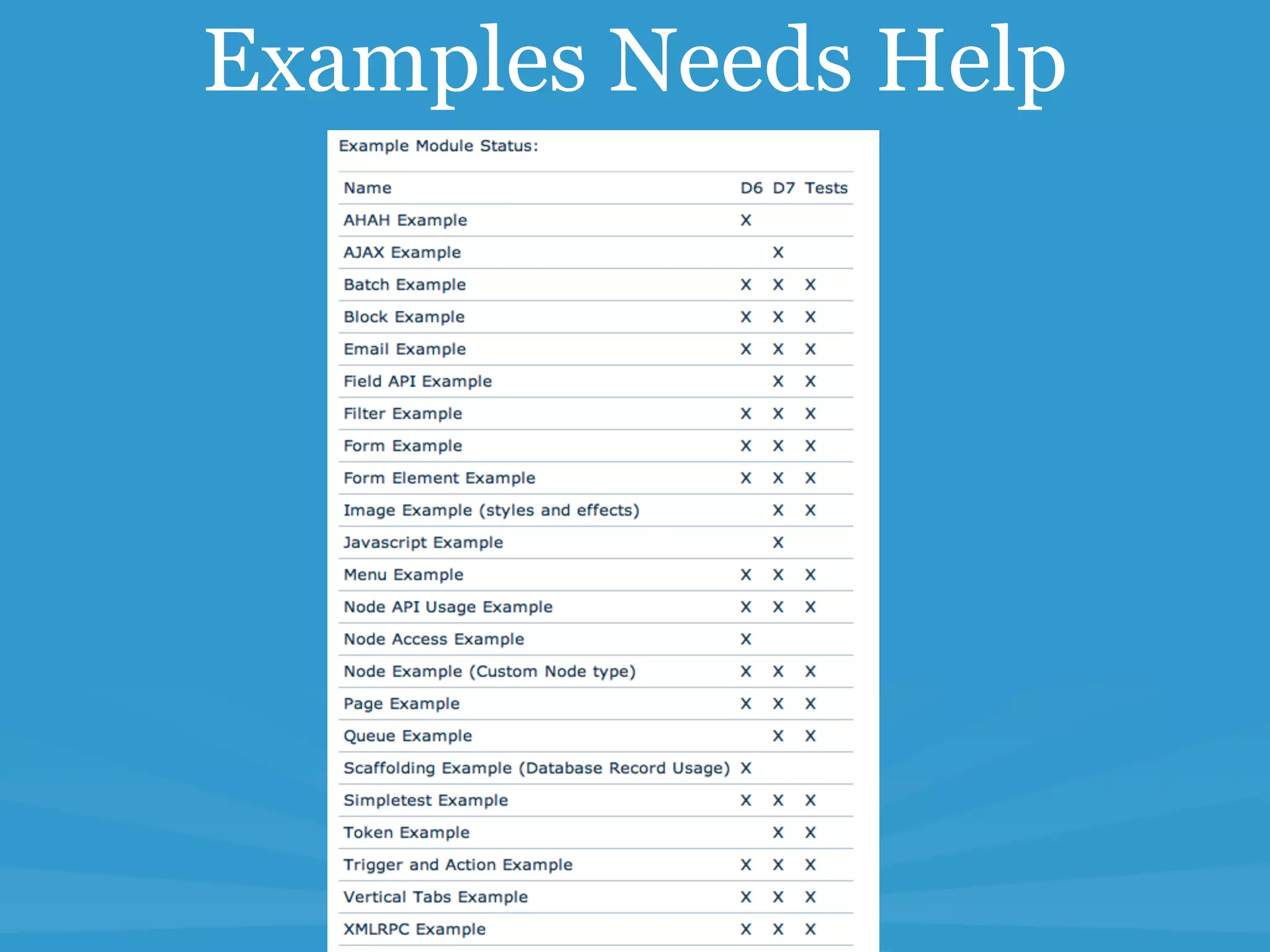
• drupal.org/project/examples - not just the node
  module
Examples Needs Help
Examples Needs Help
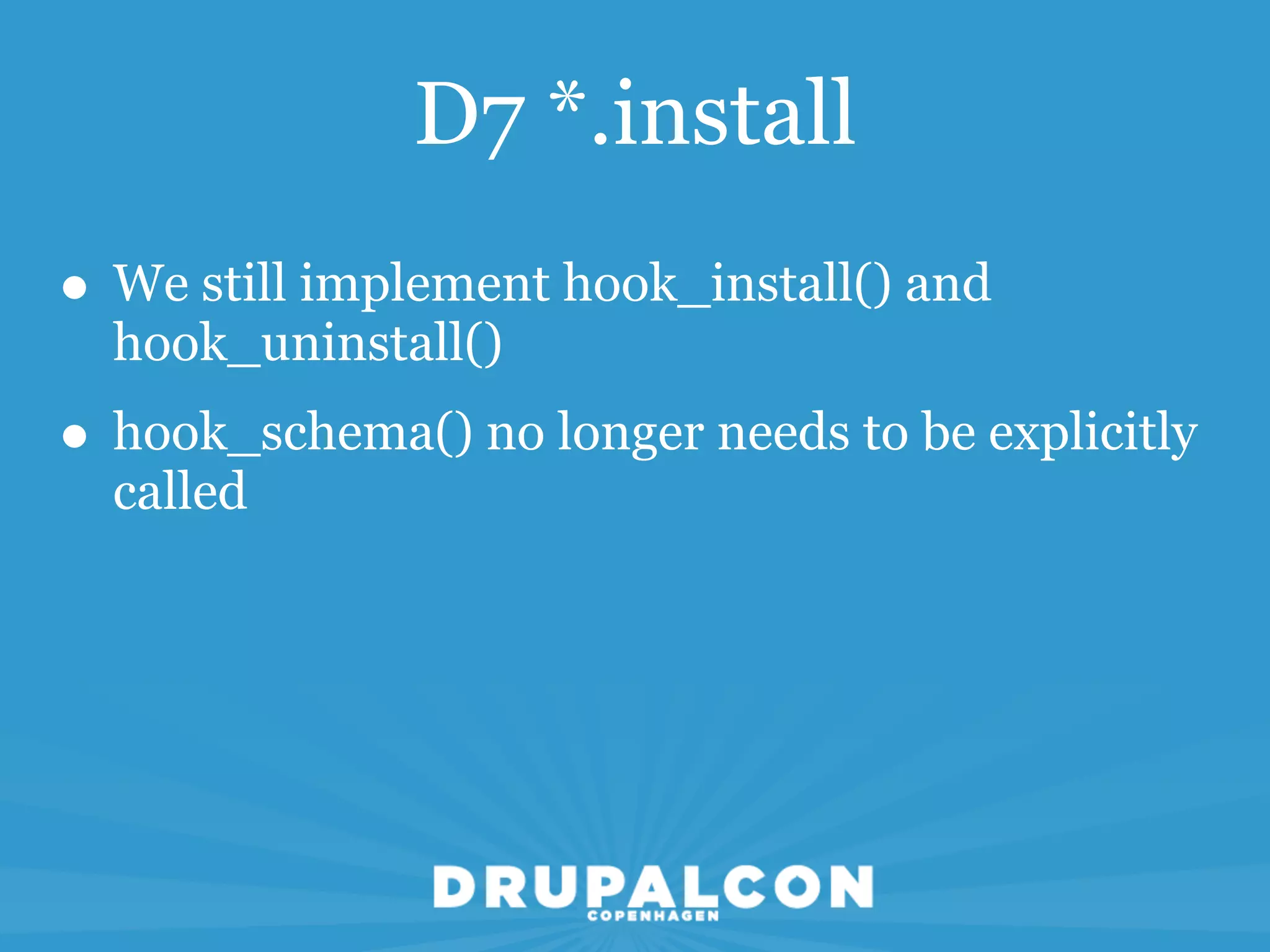
D7 *.install
D7 *.install
• We still implement hook_install() and
  hook_uninstall()
D7 *.install
• We still implement hook_install() and
  hook_uninstall()
• hook_schema() no longer needs to be explicitly
  called
D7 *.install
• We still implement hook_install() and
  hook_uninstall()
• hook_schema() no longer needs to be explicitly
  called
• Database structure will resemble D6 CCK tables
D7 *.install
• We still implement hook_install() and
  hook_uninstall()
• hook_schema() no longer needs to be explicitly
  called
• Database structure will resemble D6 CCK tables
• Database Entity revisions are provided
  automatically
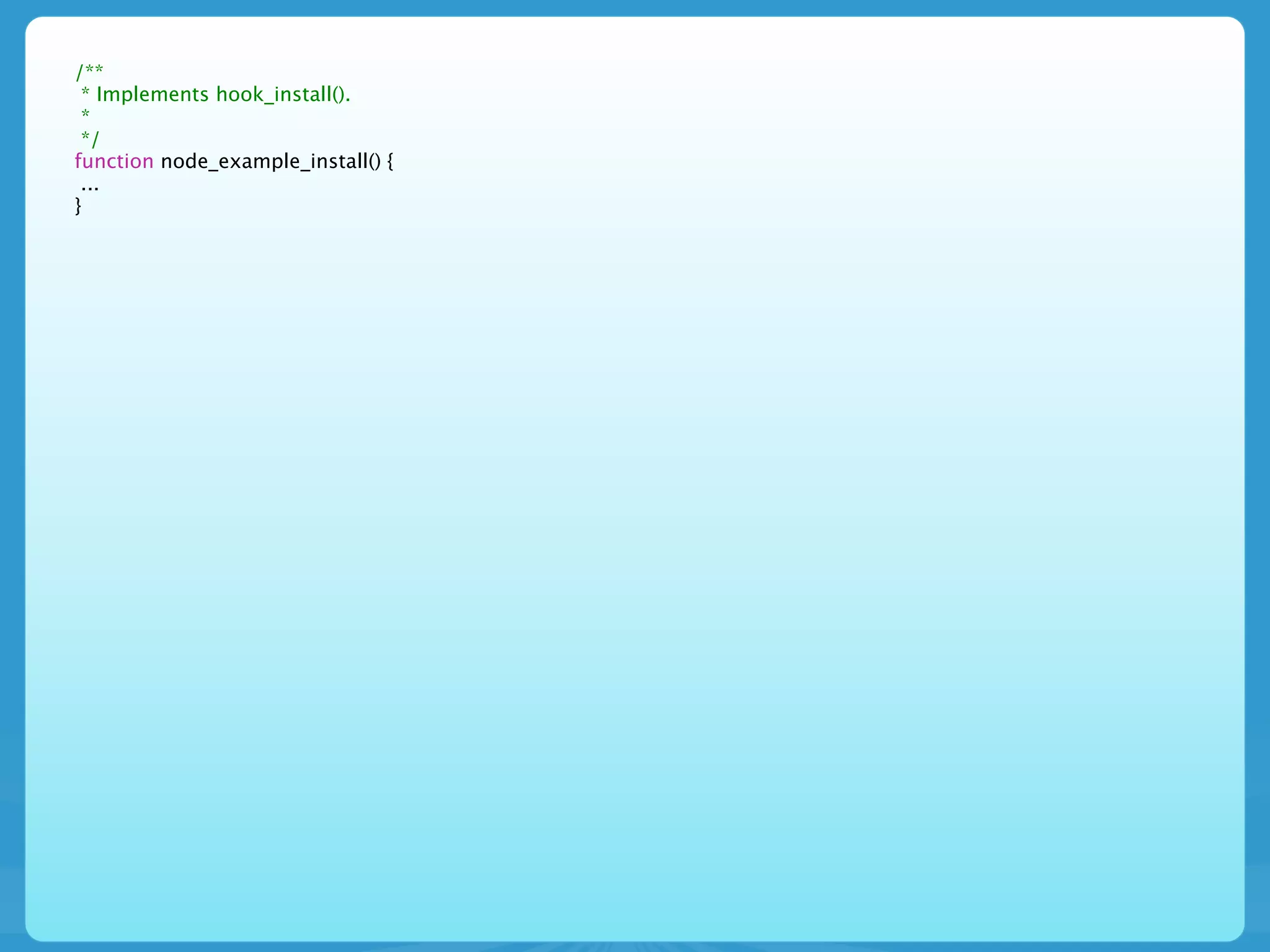
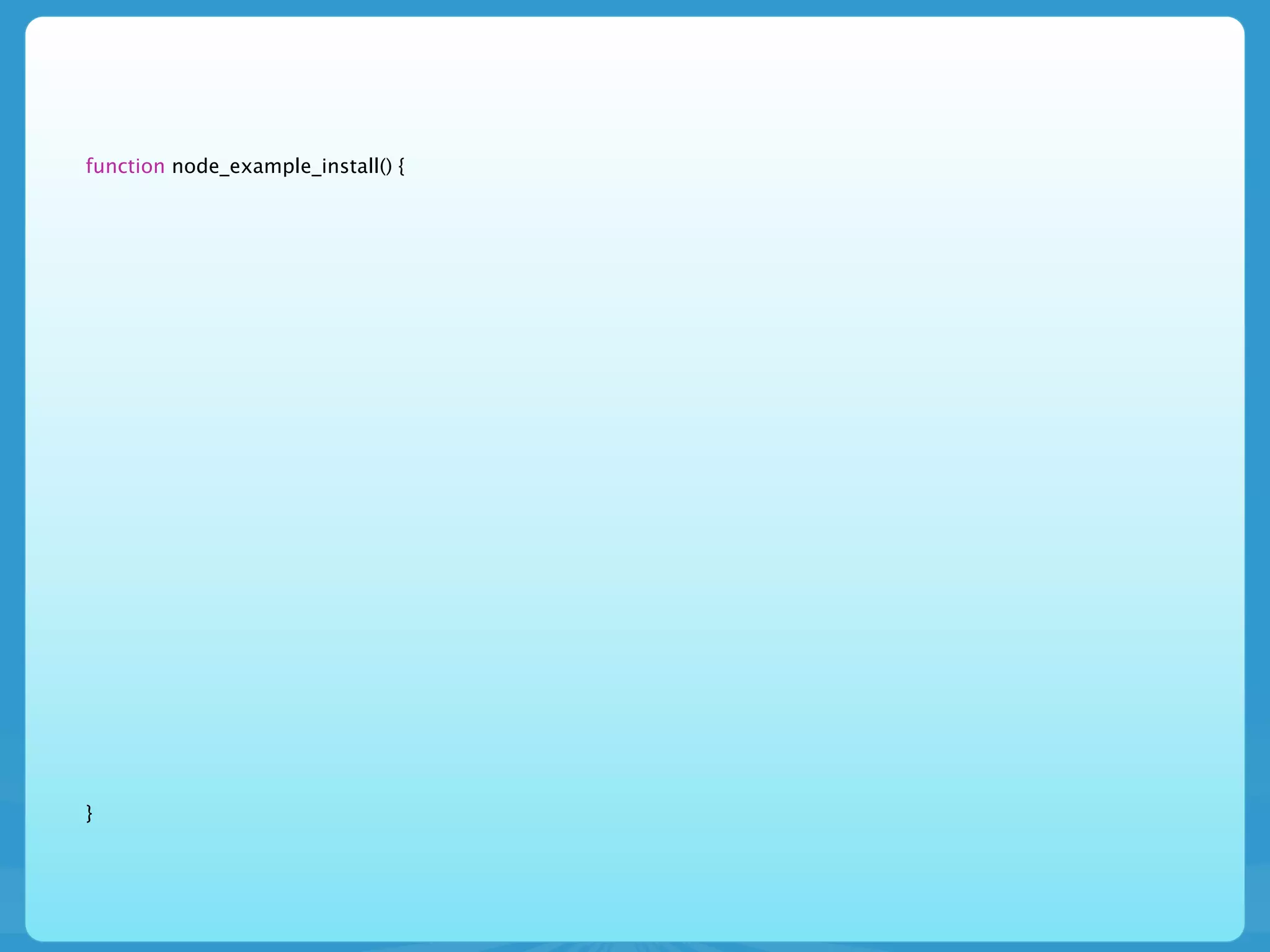
/**
 * Implements hook_install().
 *
 */
function node_example_install() {
 ...
}
/**
 * Implements hook_install().
 *
 */
function node_example_install() {
 ...
}

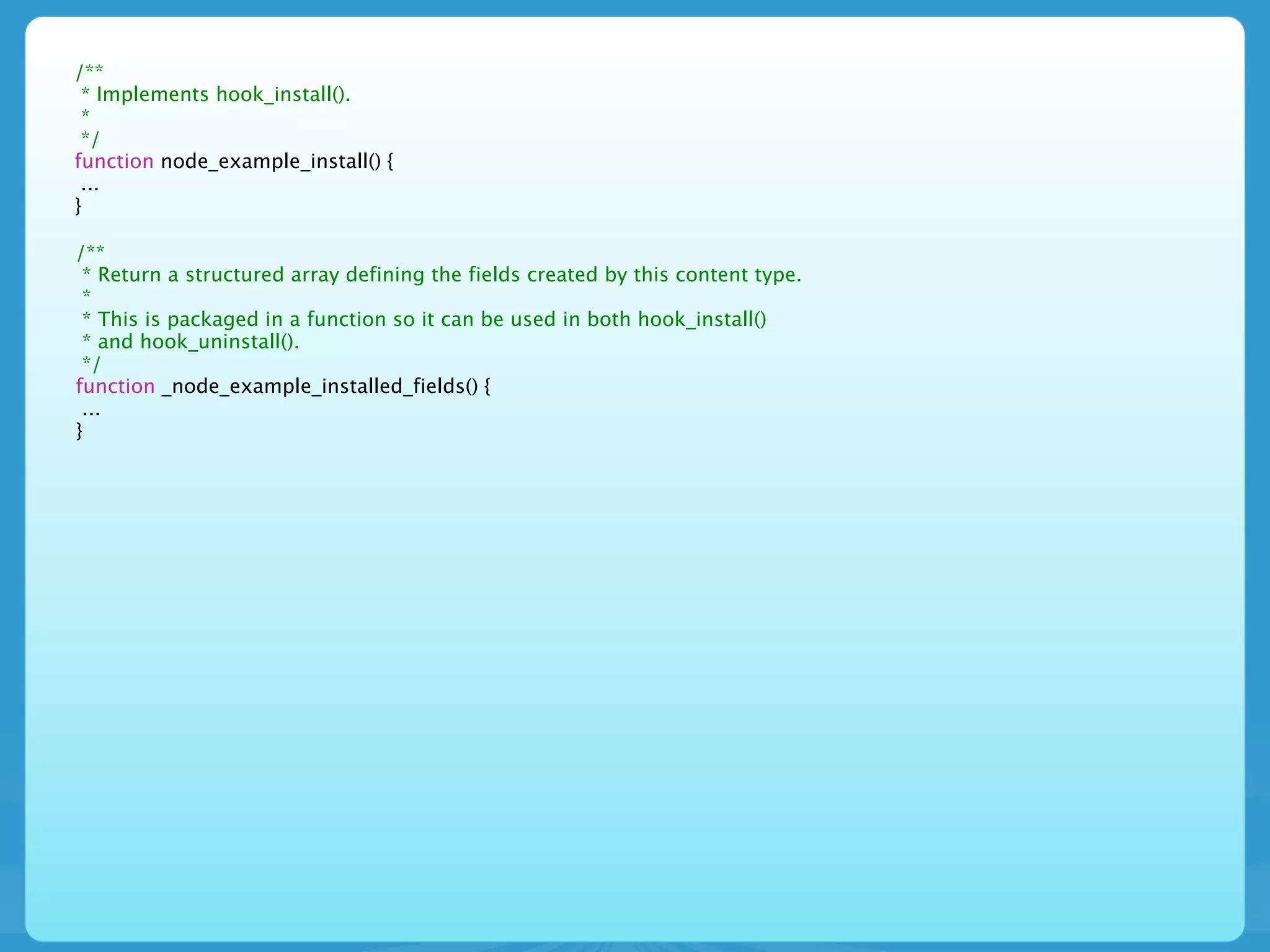
/**
 * Return a structured array defining the fields created by this content type.
 *
 * This is packaged in a function so it can be used in both hook_install()
 * and hook_uninstall().
 */
function _node_example_installed_fields() {
 ...
}
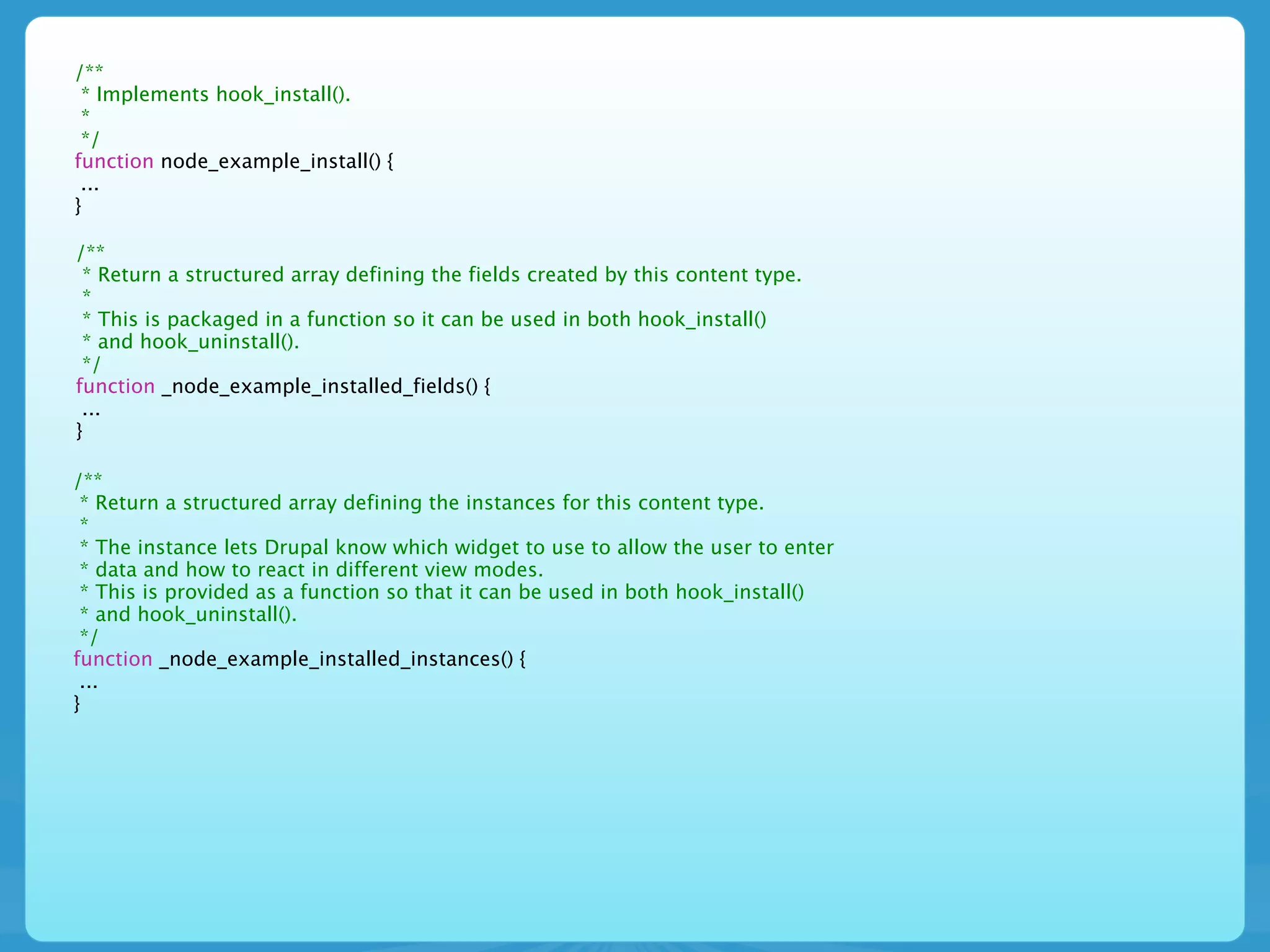
/**
 * Implements hook_install().
 *
 */
function node_example_install() {
 ...
}

/**
 * Return a structured array defining the fields created by this content type.
 *
 * This is packaged in a function so it can be used in both hook_install()
 * and hook_uninstall().
 */
function _node_example_installed_fields() {
 ...
}

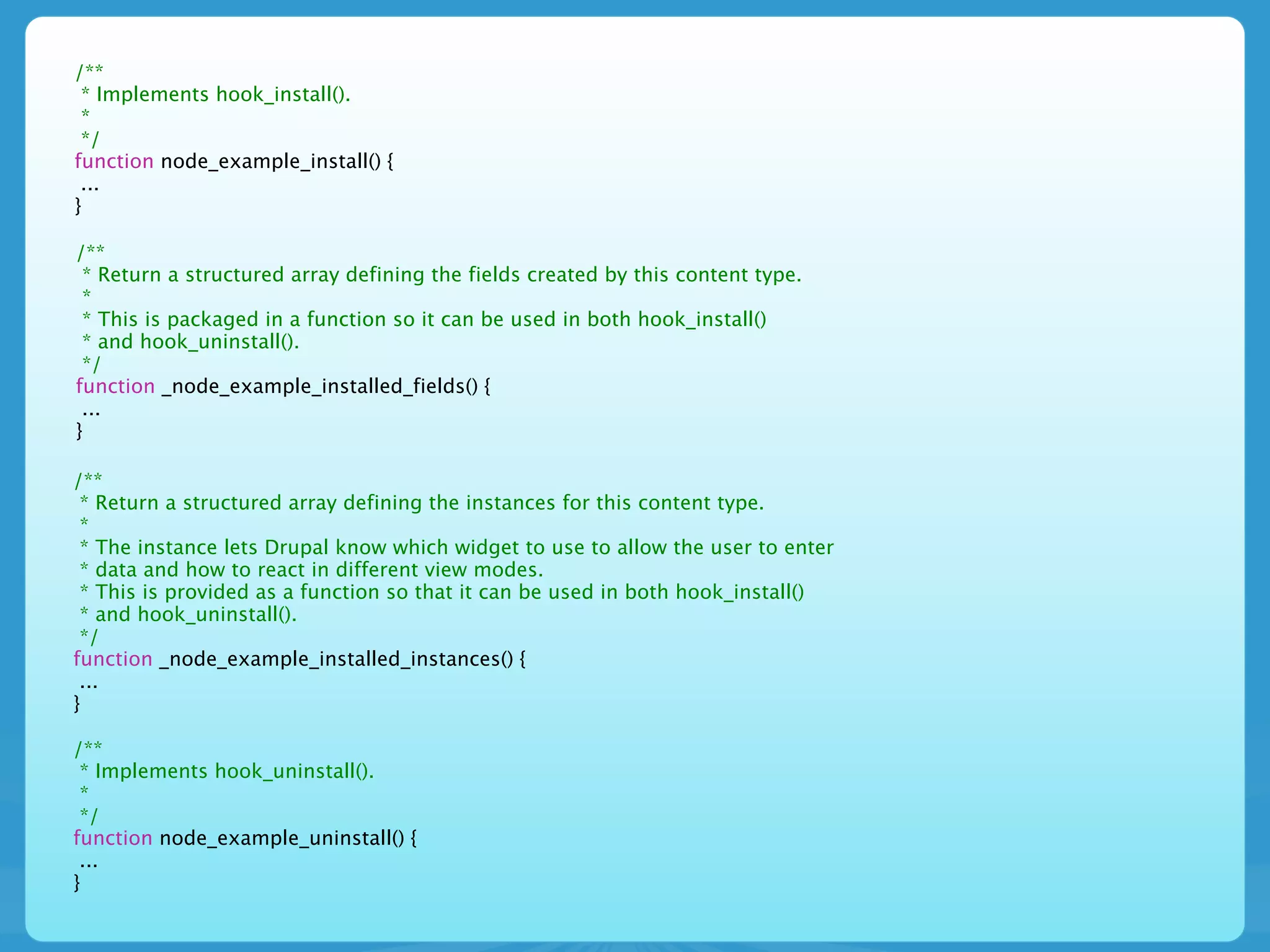
/**
 * Return a structured array defining the instances for this content type.
 *
 * The instance lets Drupal know which widget to use to allow the user to enter
 * data and how to react in different view modes.
 * This is provided as a function so that it can be used in both hook_install()
 * and hook_uninstall().
 */
function _node_example_installed_instances() {
 ...
}
/**
 * Implements hook_install().
 *
 */
function node_example_install() {
 ...
}

/**
 * Return a structured array defining the fields created by this content type.
 *
 * This is packaged in a function so it can be used in both hook_install()
 * and hook_uninstall().
 */
function _node_example_installed_fields() {
 ...
}

/**
 * Return a structured array defining the instances for this content type.
 *
 * The instance lets Drupal know which widget to use to allow the user to enter
 * data and how to react in different view modes.
 * This is provided as a function so that it can be used in both hook_install()
 * and hook_uninstall().
 */
function _node_example_installed_instances() {
 ...
}

/**
 * Implements hook_uninstall().
 *
 */
function node_example_uninstall() {
 ...
}
D7 *.install
D7 *.install

• hook_install() will set up our content type
D7 *.install

• hook_install() will set up our content type
• hook_install() is where we create our fields, if
  needed
D7 *.install

• hook_install() will set up our content type
• hook_install() is where we create our fields, if
  needed
• hook_install() is used to tie our fields to an
  Entity as a Bundle
function node_example_install() {


}
function node_example_install() {
  $types = node_type_get_types();
  node_add_body_field($types['node_example']);


}
function node_example_install() {
  $types = node_type_get_types();
  node_add_body_field($types['node_example']);
    // Load the instance definition for our content type's body
    // http://api.drupal.org/api/function/field_info_instance/7
    $body_instance = field_info_instance('node', 'body', 'node_example');


}
function node_example_install() {
  $types = node_type_get_types();
  node_add_body_field($types['node_example']);
    // Load the instance definition for our content type's body
    // http://api.drupal.org/api/function/field_info_instance/7
    $body_instance = field_info_instance('node', 'body', 'node_example');

    // Add our example_node_list view mode to the body instance display by
    // instructing the body to display as a summary
    $body_instance['type'] = 'text_summary_or_trimmed';


}
function node_example_install() {
  $types = node_type_get_types();
  node_add_body_field($types['node_example']);
    // Load the instance definition for our content type's body
    // http://api.drupal.org/api/function/field_info_instance/7
    $body_instance = field_info_instance('node', 'body', 'node_example');

    // Add our example_node_list view mode to the body instance display by
    // instructing the body to display as a summary
    $body_instance['type'] = 'text_summary_or_trimmed';

    // Save our changes to the body field instance.
    // http://api.drupal.org/api/function/field_update_instance/7
    field_update_instance($body_instance);


}
function node_example_install() {
  $types = node_type_get_types();
  node_add_body_field($types['node_example']);
     // Load the instance definition for our content type's body
     // http://api.drupal.org/api/function/field_info_instance/7
     $body_instance = field_info_instance('node', 'body', 'node_example');

     // Add our example_node_list view mode to the body instance display by
     // instructing the body to display as a summary
     $body_instance['type'] = 'text_summary_or_trimmed';

    // Save our changes to the body field instance.
    // http://api.drupal.org/api/function/field_update_instance/7
    field_update_instance($body_instance);

    // Create all the fields we are adding to our content type.
    // http://api.drupal.org/api/function/field_create_field/7
    foreach (_node_example_installed_fields() as $field) {
      field_create_field($field);
    }


}
function node_example_install() {
  $types = node_type_get_types();
  node_add_body_field($types['node_example']);
     // Load the instance definition for our content type's body
     // http://api.drupal.org/api/function/field_info_instance/7
     $body_instance = field_info_instance('node', 'body', 'node_example');

     // Add our example_node_list view mode to the body instance display by
     // instructing the body to display as a summary
     $body_instance['type'] = 'text_summary_or_trimmed';

    // Save our changes to the body field instance.
    // http://api.drupal.org/api/function/field_update_instance/7
    field_update_instance($body_instance);

    // Create all the fields we are adding to our content type.
    // http://api.drupal.org/api/function/field_create_field/7
    foreach (_node_example_installed_fields() as $field) {
      field_create_field($field);
    }

    // Create all the instances for our fields.
    // http://api.drupal.org/api/function/field_create_instance/7
    foreach (_node_example_installed_instances() as $instance) {
      $instance['entity_type'] = 'node';
      $instance['bundle'] = 'node_example';
      field_create_instance($instance);
    }
}
D7 *.install
D7 *.install


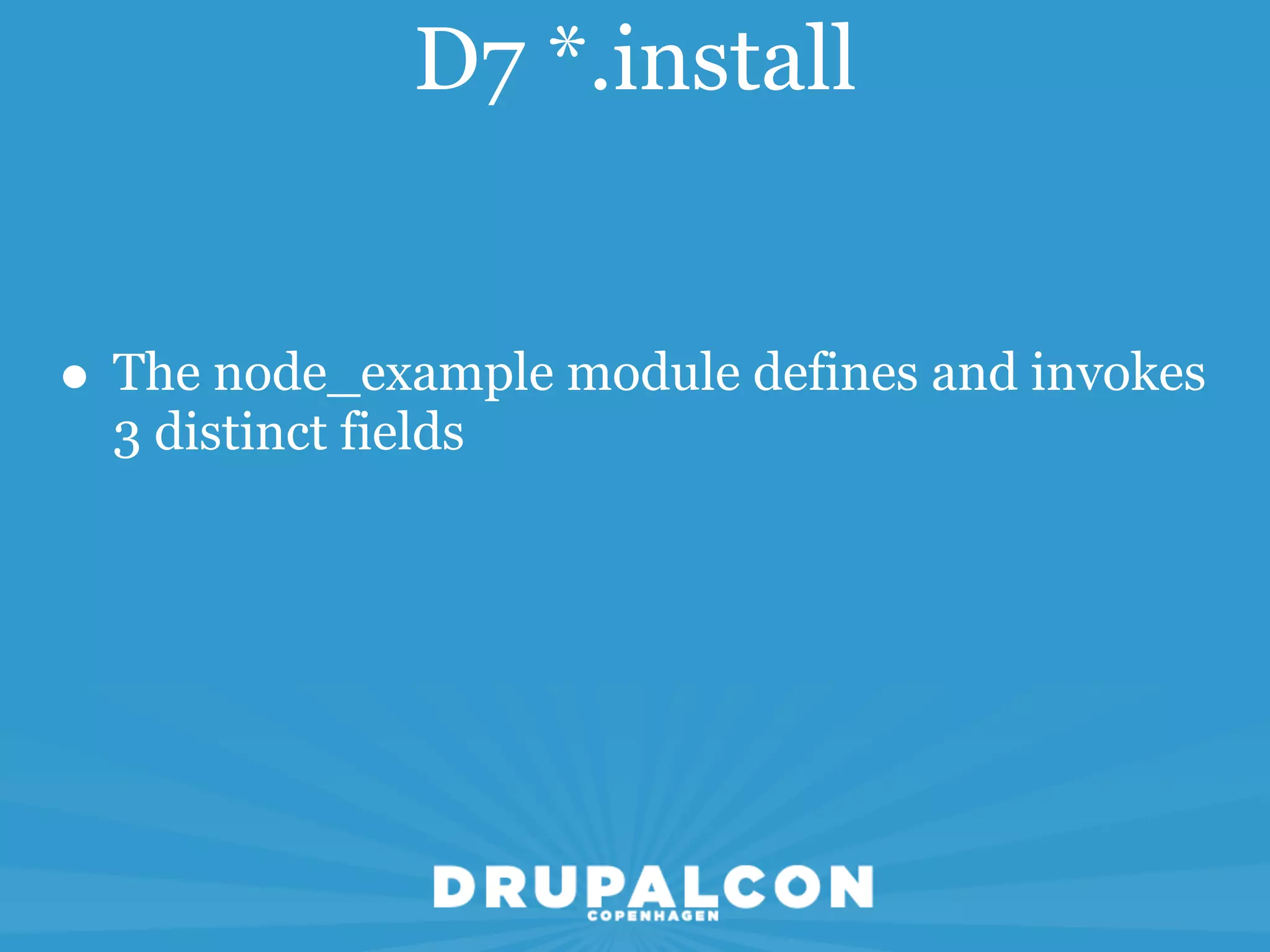
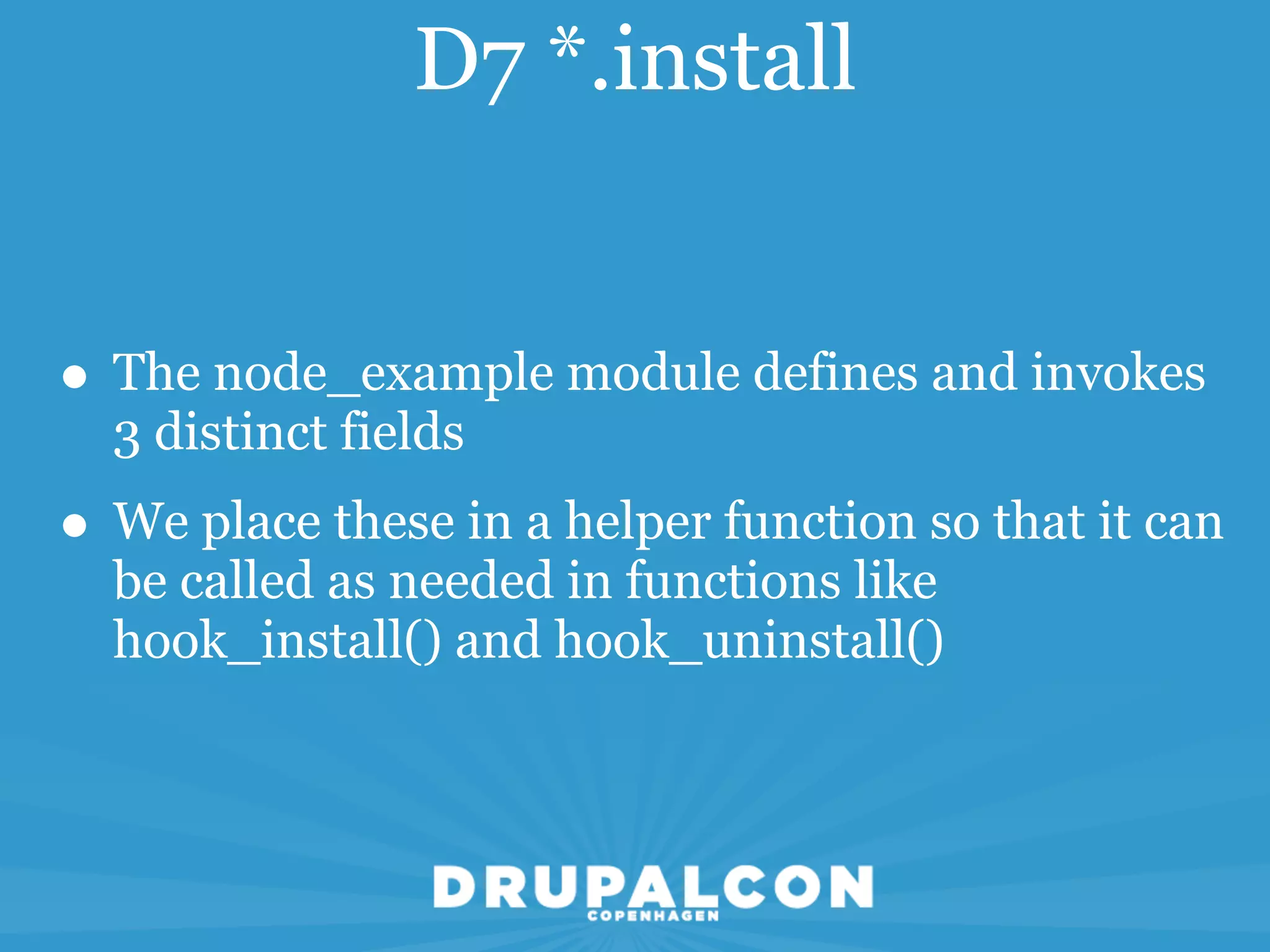
• The node_example module defines and invokes
  3 distinct fields
D7 *.install


• The node_example module defines and invokes
  3 distinct fields
• We place these in a helper function so that it can
  be called as needed in functions like
  hook_install() and hook_uninstall()
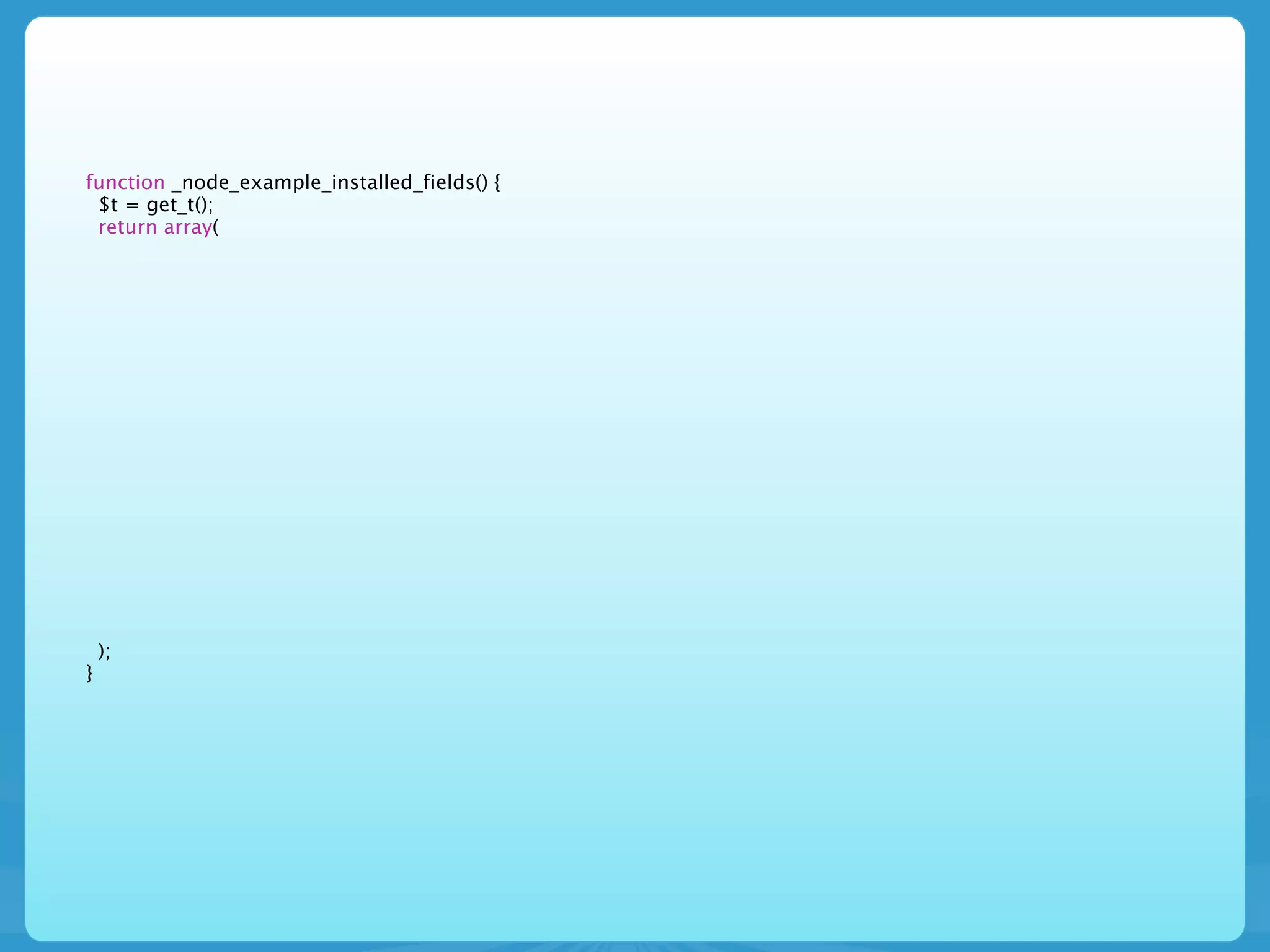
function _node_example_installed_fields() {
 $t = get_t();
 return array(


    );
}
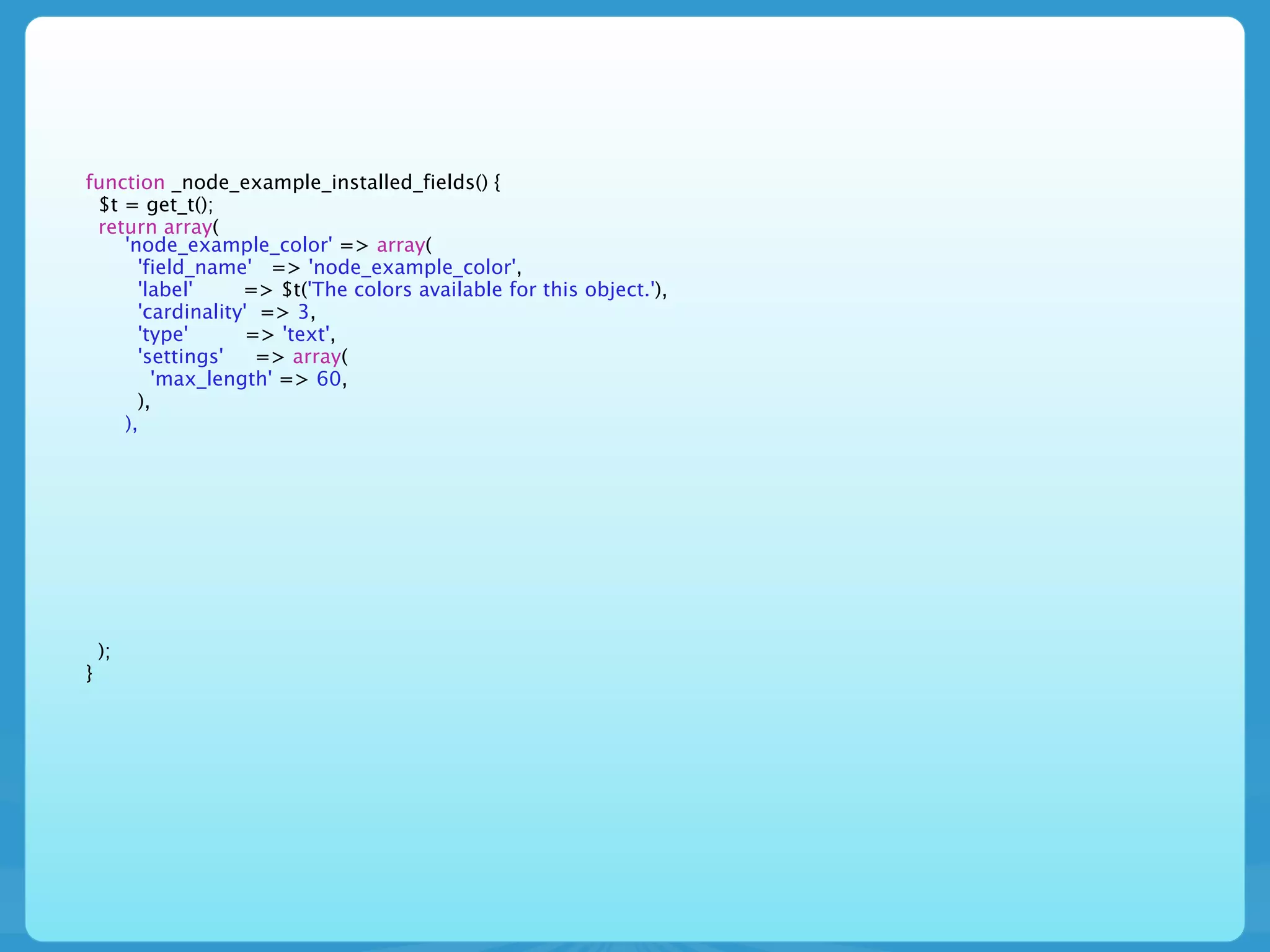
function _node_example_installed_fields() {
 $t = get_t();
 return array(
    'node_example_color' => array(
      'field_name' => 'node_example_color',
      'label'     => $t('The colors available for this object.'),
      'cardinality' => 3,
      'type'       => 'text',
      'settings'    => array(
        'max_length' => 60,
      ),
    ),


    );
}
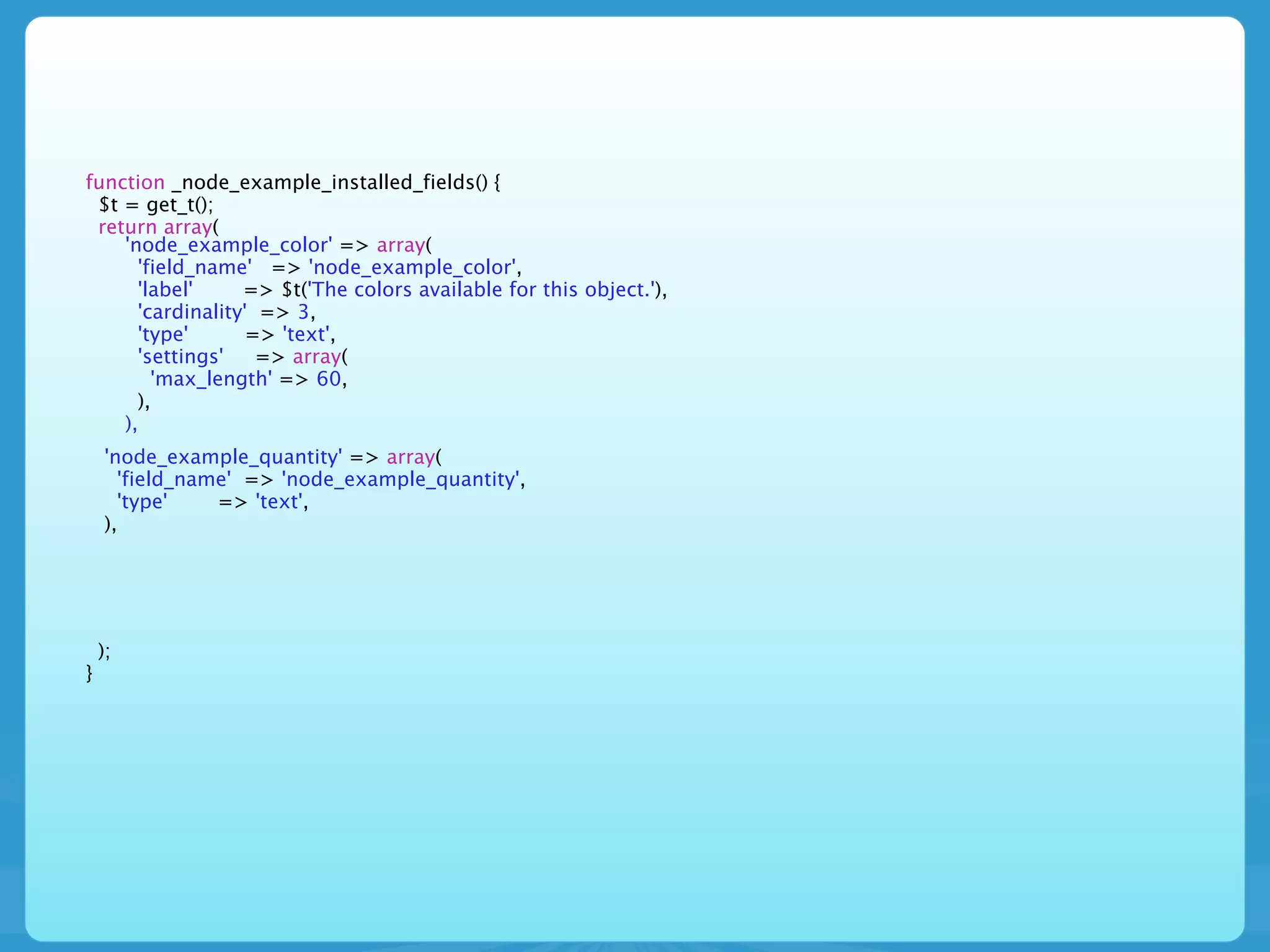
function _node_example_installed_fields() {
 $t = get_t();
 return array(
    'node_example_color' => array(
      'field_name' => 'node_example_color',
      'label'     => $t('The colors available for this object.'),
      'cardinality' => 3,
      'type'       => 'text',
      'settings'    => array(
        'max_length' => 60,
      ),
    ),
    'node_example_quantity' => array(
      'field_name' => 'node_example_quantity',
      'type'    => 'text',
    ),


    );
}
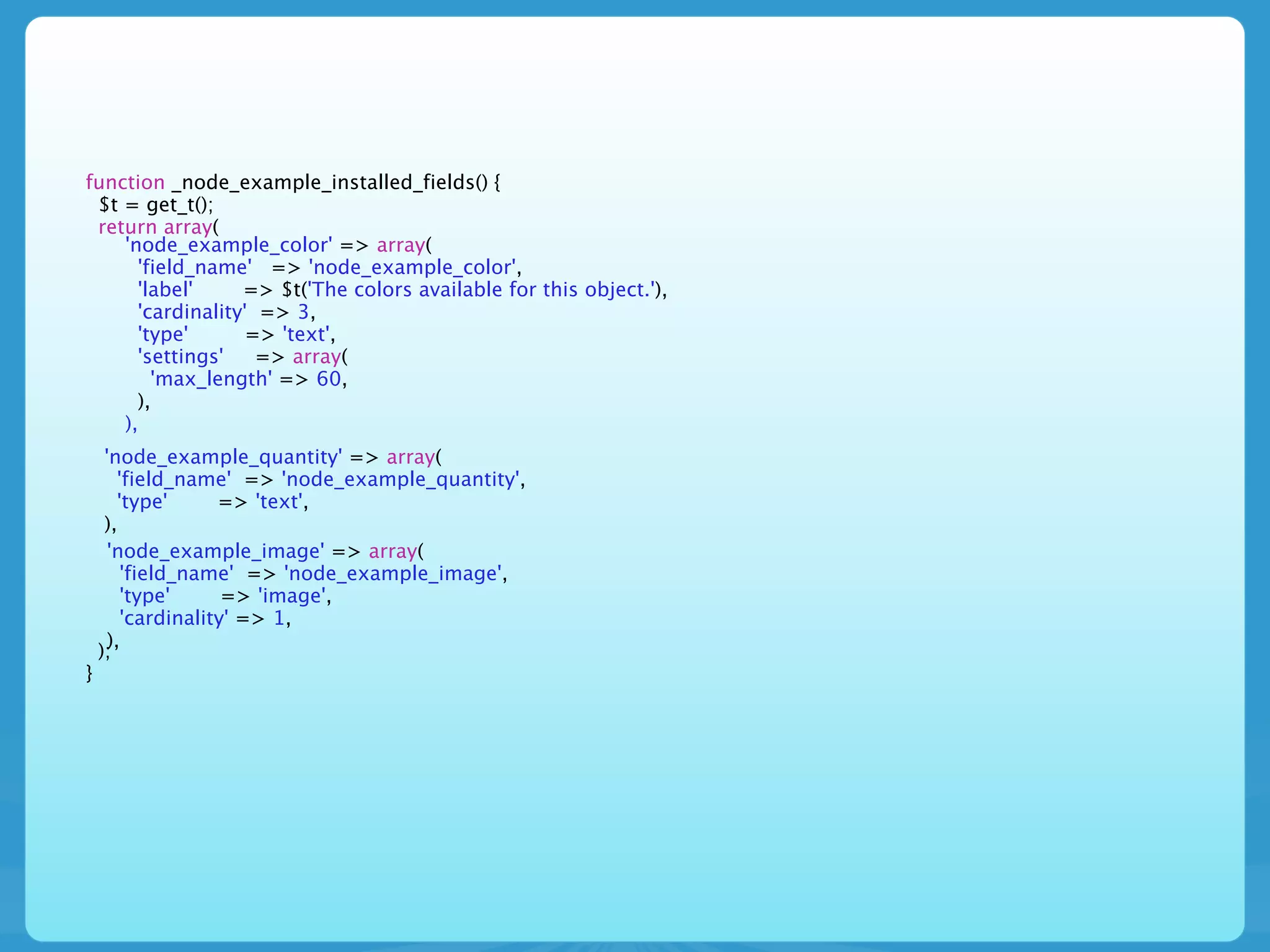
function _node_example_installed_fields() {
 $t = get_t();
 return array(
    'node_example_color' => array(
      'field_name' => 'node_example_color',
      'label'     => $t('The colors available for this object.'),
      'cardinality' => 3,
      'type'       => 'text',
      'settings'    => array(
        'max_length' => 60,
      ),
    ),
     'node_example_quantity' => array(
        'field_name' => 'node_example_quantity',
        'type'      => 'text',
     ),
      'node_example_image' => array(
         'field_name' => 'node_example_image',
         'type'      => 'image',
         'cardinality' => 1,
      ),
    );
}
D7 *.install


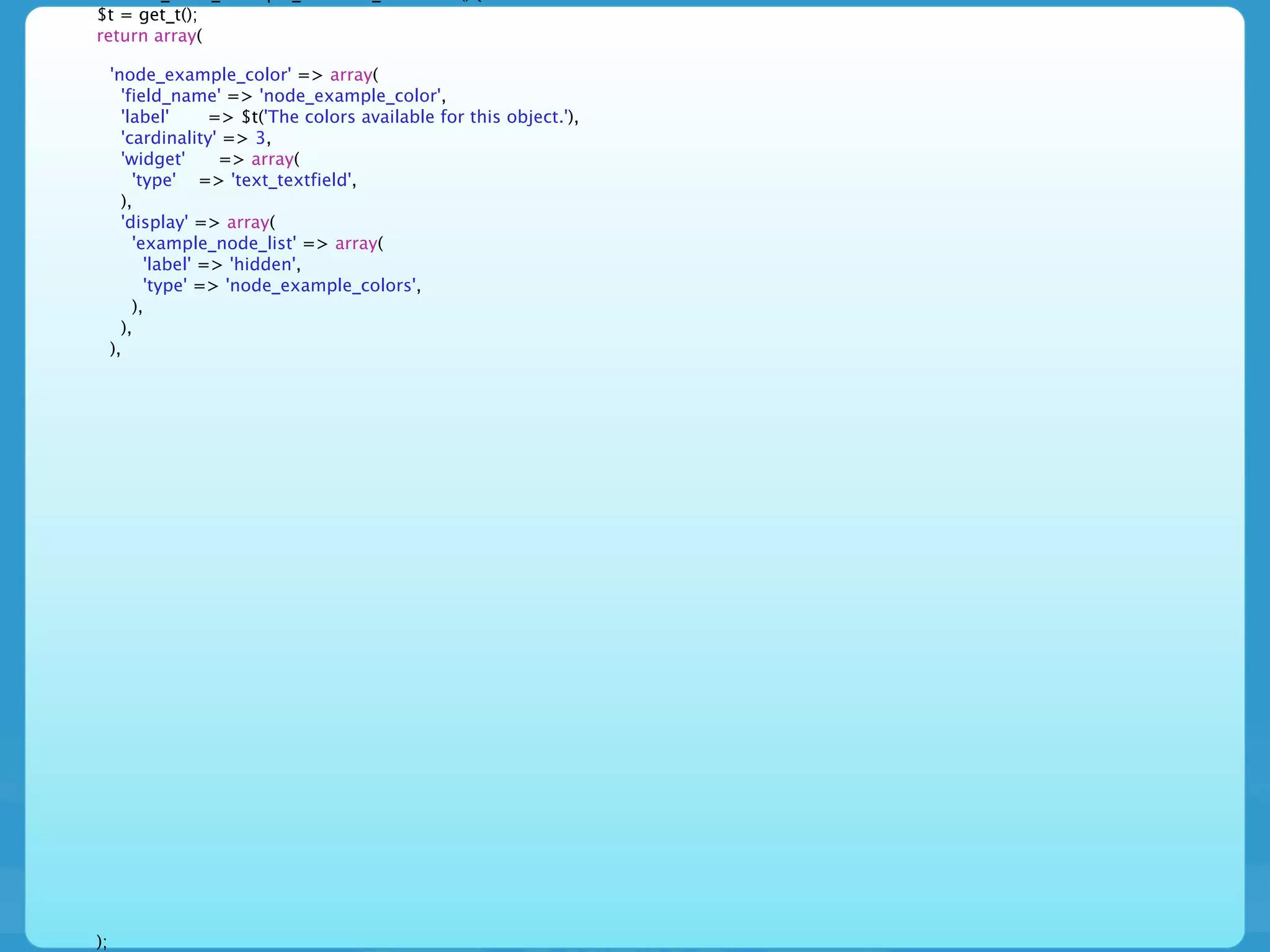
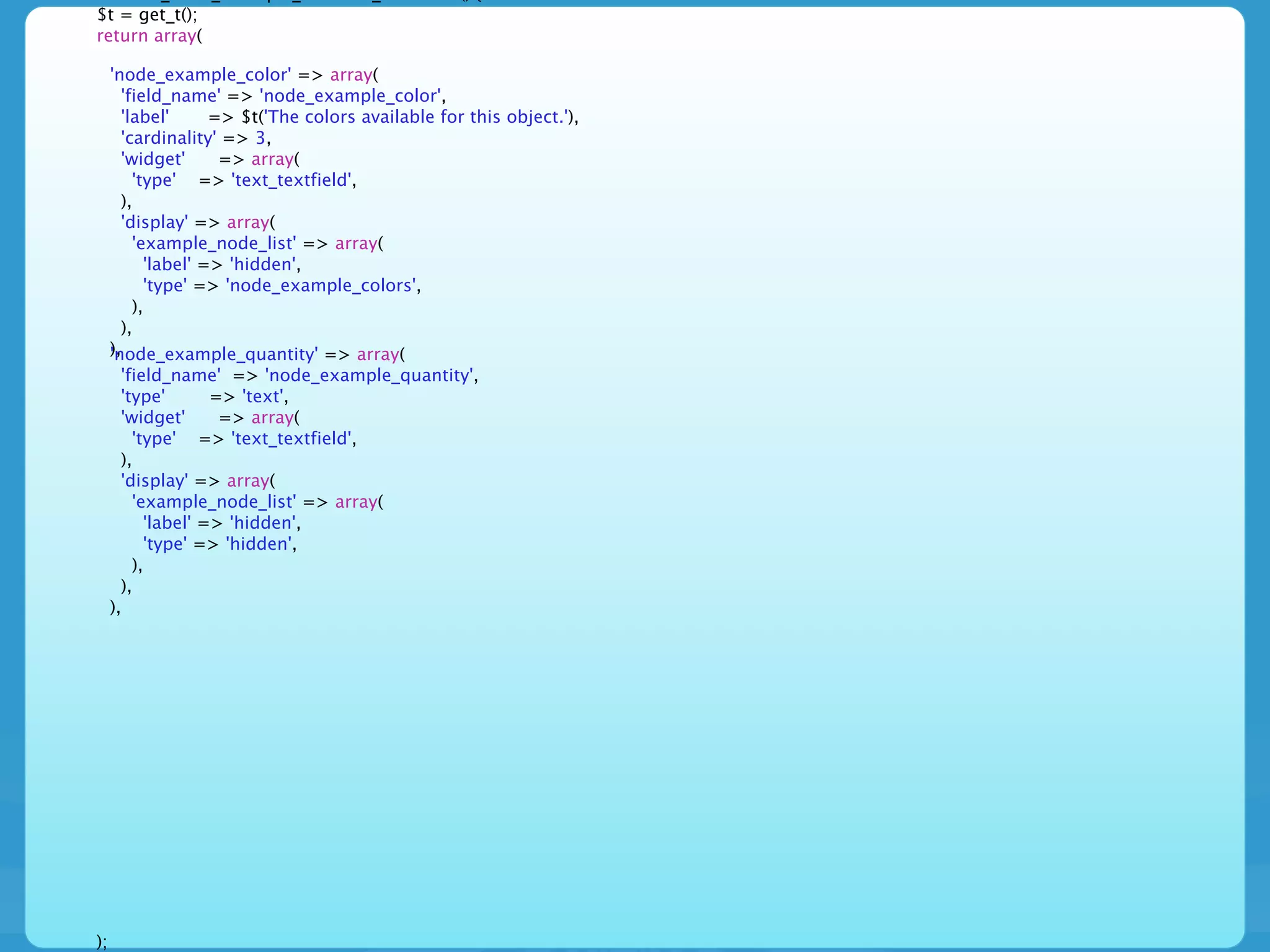
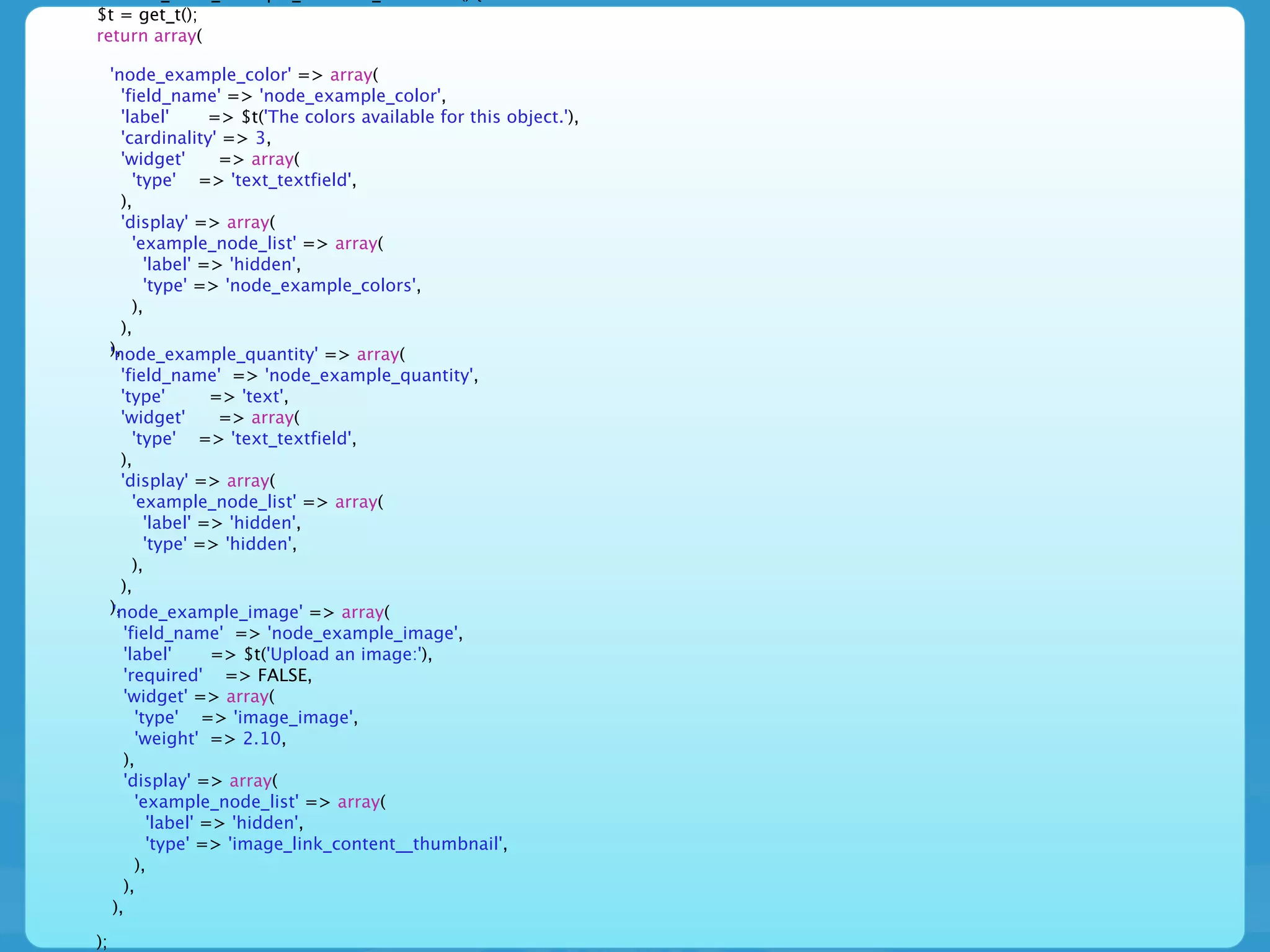
• This is the fun part ... we get to apply formatters
  to the instances to control their display and
  widgets to control the input
$t = get_t();
return array(


);
$t = get_t();
return array(

     'node_example_color' => array(
       'field_name' => 'node_example_color',
       'label'      => $t('The colors available for this object.'),
       'cardinality' => 3,
       'widget'      => array(
         'type' => 'text_textfield',
       ),
       'display' => array(
         'example_node_list' => array(
           'label' => 'hidden',
           'type' => 'node_example_colors',
         ),
       ),
     ),


);
$t = get_t();
return array(

     'node_example_color' => array(
       'field_name' => 'node_example_color',
       'label'      => $t('The colors available for this object.'),
       'cardinality' => 3,
       'widget'      => array(
         'type' => 'text_textfield',
       ),
       'display' => array(
         'example_node_list' => array(
           'label' => 'hidden',
           'type' => 'node_example_colors',
         ),
       ),
     ),
     'node_example_quantity' => array(
       'field_name' => 'node_example_quantity',
       'type'       => 'text',
       'widget'      => array(
         'type' => 'text_textfield',
       ),
       'display' => array(
         'example_node_list' => array(
           'label' => 'hidden',
           'type' => 'hidden',
         ),
       ),
     ),


);
$t = get_t();
return array(

     'node_example_color' => array(
       'field_name' => 'node_example_color',
       'label'      => $t('The colors available for this object.'),
       'cardinality' => 3,
       'widget'      => array(
         'type' => 'text_textfield',
       ),
       'display' => array(
         'example_node_list' => array(
           'label' => 'hidden',
           'type' => 'node_example_colors',
         ),
       ),
     ),
     'node_example_quantity' => array(
       'field_name' => 'node_example_quantity',
       'type'          => 'text',
       'widget'         => array(
          'type' => 'text_textfield',
       ),
       'display' => array(
          'example_node_list' => array(
             'label' => 'hidden',
             'type' => 'hidden',
          ),
       ),
     ),
     'node_example_image' => array(
        'field_name' => 'node_example_image',
        'label'        => $t('Upload an image:'),
        'required' => FALSE,
        'widget' => array(
           'type' => 'image_image',
           'weight' => 2.10,
        ),
        'display' => array(
           'example_node_list' => array(
              'label' => 'hidden',
              'type' => 'image_link_content__thumbnail',
           ),
        ),
     ),

);
D7 *.install
D7 *.install

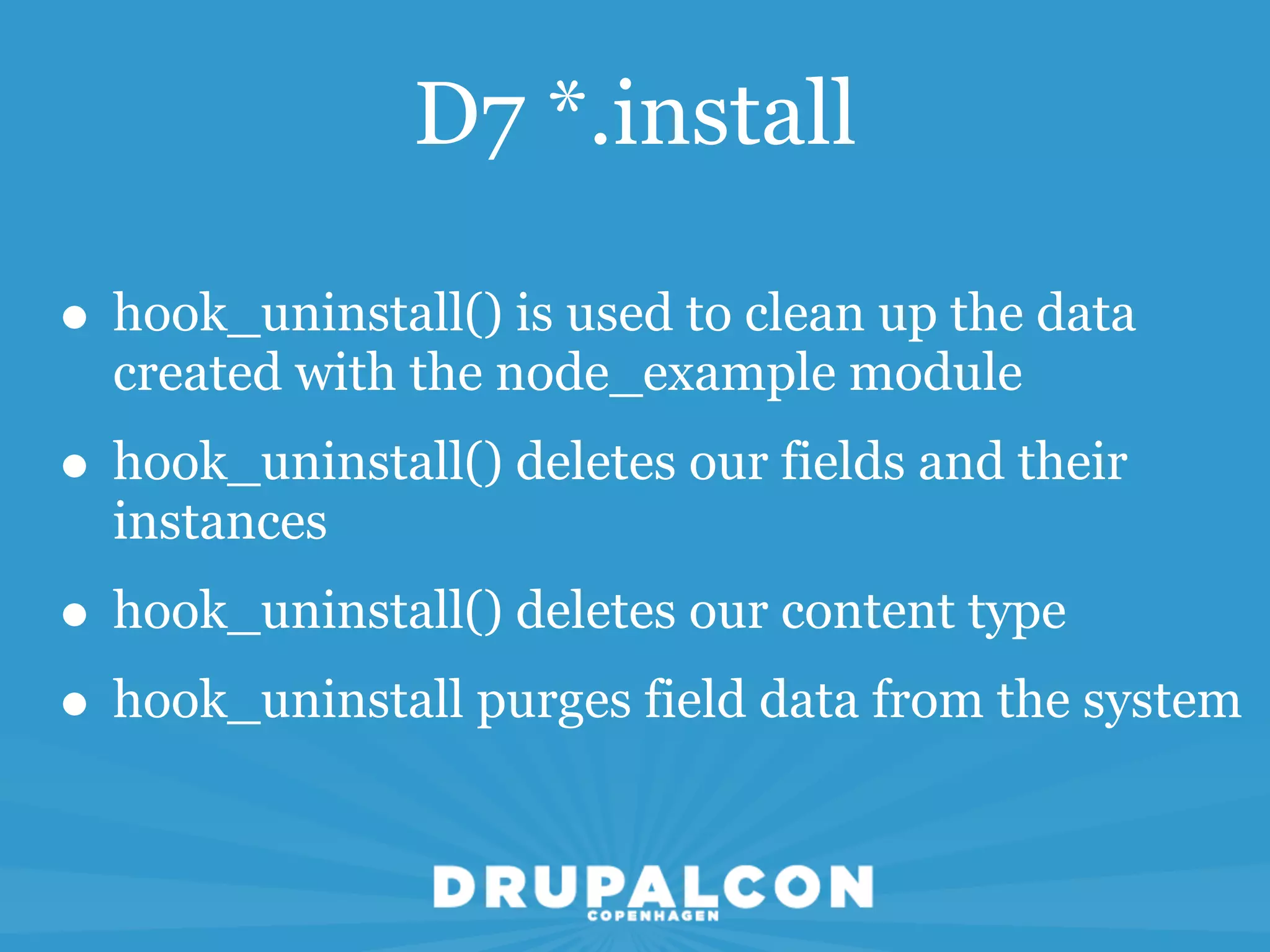
• hook_uninstall() is used to clean up the data
  created with the node_example module
D7 *.install

• hook_uninstall() is used to clean up the data
  created with the node_example module
• hook_uninstall() deletes our fields and their
  instances
D7 *.install

• hook_uninstall() is used to clean up the data
  created with the node_example module
• hook_uninstall() deletes our fields and their
  instances
• hook_uninstall() deletes our content type
D7 *.install

• hook_uninstall() is used to clean up the data
  created with the node_example module
• hook_uninstall() deletes our fields and their
  instances
• hook_uninstall() deletes our content type
• hook_uninstall purges field data from the system
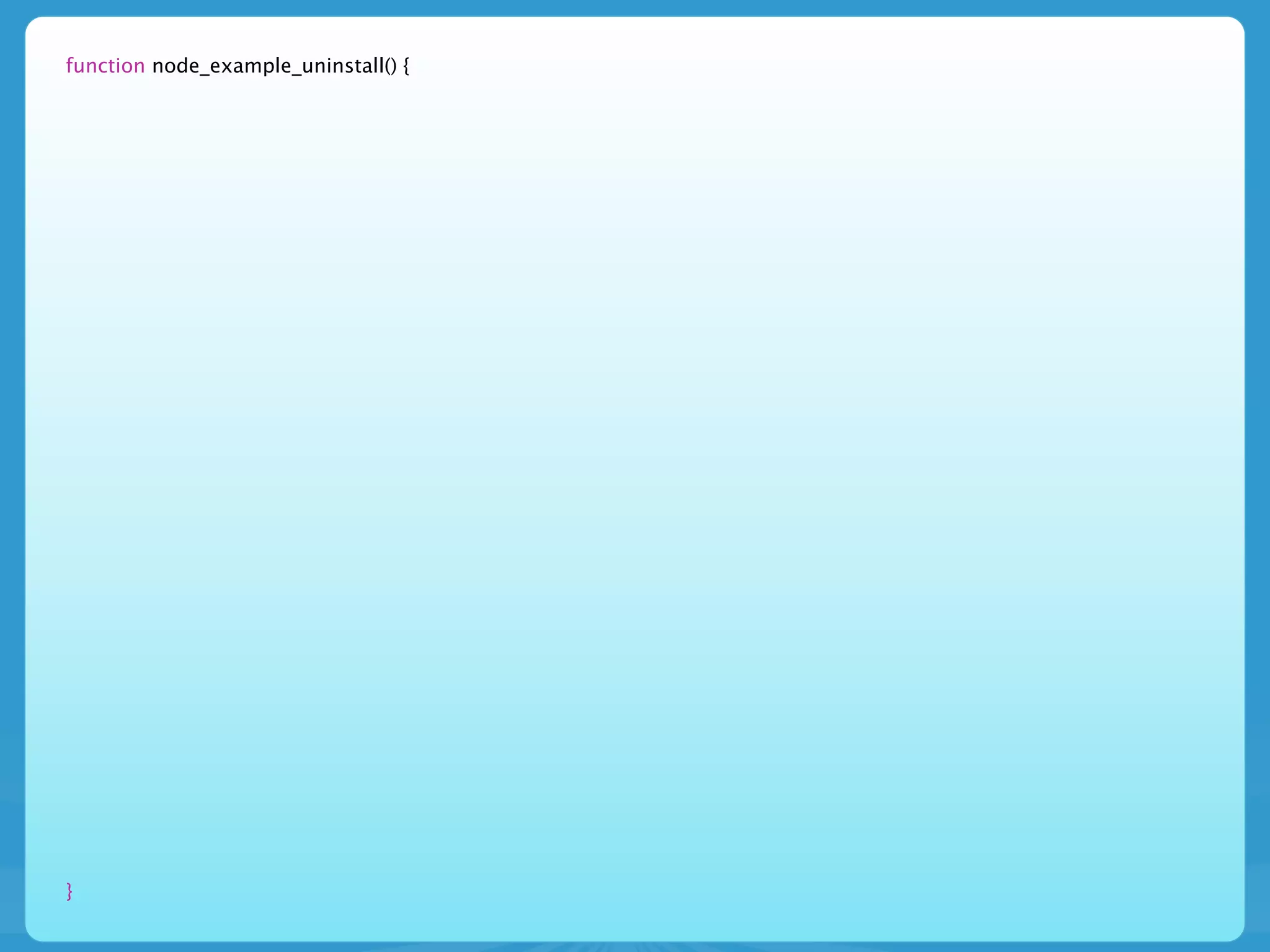
function node_example_uninstall() {


}
function node_example_uninstall() {
  // Gather all the example content that might have been created while this
  // module was enabled. Simple selects still use db_query().
  // http://api.drupal.org/api/function/db_query/7
  $sql = 'SELECT nid FROM {node} n WHERE n.type = :type';
  $result = db_query($sql, array(':type' => 'node_example'));
  $nids = array();
  foreach ($result as $row) {
    $nids[] = $row->nid;
  }


}
function node_example_uninstall() {
  // Gather all the example content that might have been created while this
  // module was enabled. Simple selects still use db_query().
  // http://api.drupal.org/api/function/db_query/7
  $sql = 'SELECT nid FROM {node} n WHERE n.type = :type';
  $result = db_query($sql, array(':type' => 'node_example'));
  $nids = array();
  foreach ($result as $row) {
    $nids[] = $row->nid;
  }

    // Delete all the nodes at once
    // http://api.drupal.org/api/function/node_delete_multiple/7
    node_delete_multiple($nids);


}
function node_example_uninstall() {
  // Gather all the example content that might have been created while this
  // module was enabled. Simple selects still use db_query().
  // http://api.drupal.org/api/function/db_query/7
  $sql = 'SELECT nid FROM {node} n WHERE n.type = :type';
  $result = db_query($sql, array(':type' => 'node_example'));
  $nids = array();
  foreach ($result as $row) {
    $nids[] = $row->nid;
  }

    // Delete all the nodes at once
    // http://api.drupal.org/api/function/node_delete_multiple/7
    node_delete_multiple($nids);

    // Loop over each of the fields defined by this module and delete
    // all instances of the field, their data, and the field itself.
    // http://api.drupal.org/api/function/field_delete_field/7
    foreach (array_keys(_node_example_installed_fields()) as $field) {
      field_delete_field($field);
    }


}
function node_example_uninstall() {
  // Gather all the example content that might have been created while this
  // module was enabled. Simple selects still use db_query().
  // http://api.drupal.org/api/function/db_query/7
  $sql = 'SELECT nid FROM {node} n WHERE n.type = :type';
  $result = db_query($sql, array(':type' => 'node_example'));
  $nids = array();
  foreach ($result as $row) {
    $nids[] = $row->nid;
  }

    // Delete all the nodes at once
    // http://api.drupal.org/api/function/node_delete_multiple/7
    node_delete_multiple($nids);

    // Loop over each of the fields defined by this module and delete
    // all instances of the field, their data, and the field itself.
    // http://api.drupal.org/api/function/field_delete_field/7
    foreach (array_keys(_node_example_installed_fields()) as $field) {
      field_delete_field($field);
    }

    // Loop over any remaining field instances attached to the node_example
    // content type (such as the body field) and delete them individually.
    // http://api.drupal.org/api/function/field_delete_field/7
    $instances = field_info_instances('node', 'node_example');
    foreach ($instances as $instance_name => $instance) {
      field_delete_instance($instance);
    }


}
function node_example_uninstall() {
  // Gather all the example content that might have been created while this
  // module was enabled. Simple selects still use db_query().
  // http://api.drupal.org/api/function/db_query/7
  $sql = 'SELECT nid FROM {node} n WHERE n.type = :type';
  $result = db_query($sql, array(':type' => 'node_example'));
  $nids = array();
  foreach ($result as $row) {
    $nids[] = $row->nid;
  }

    // Delete all the nodes at once
    // http://api.drupal.org/api/function/node_delete_multiple/7
    node_delete_multiple($nids);

    // Loop over each of the fields defined by this module and delete
    // all instances of the field, their data, and the field itself.
    // http://api.drupal.org/api/function/field_delete_field/7
    foreach (array_keys(_node_example_installed_fields()) as $field) {
      field_delete_field($field);
    }

    // Loop over any remaining field instances attached to the node_example
    // content type (such as the body field) and delete them individually.
    // http://api.drupal.org/api/function/field_delete_field/7
    $instances = field_info_instances('node', 'node_example');
    foreach ($instances as $instance_name => $instance) {
      field_delete_instance($instance);
    }

    // Delete our content type
    // http://api.drupal.org/api/function/node_type_delete/7
    node_type_delete('node_example');


}
function node_example_uninstall() {
  // Gather all the example content that might have been created while this
  // module was enabled. Simple selects still use db_query().
  // http://api.drupal.org/api/function/db_query/7
  $sql = 'SELECT nid FROM {node} n WHERE n.type = :type';
  $result = db_query($sql, array(':type' => 'node_example'));
  $nids = array();
  foreach ($result as $row) {
    $nids[] = $row->nid;
  }

    // Delete all the nodes at once
    // http://api.drupal.org/api/function/node_delete_multiple/7
    node_delete_multiple($nids);

    // Loop over each of the fields defined by this module and delete
    // all instances of the field, their data, and the field itself.
    // http://api.drupal.org/api/function/field_delete_field/7
    foreach (array_keys(_node_example_installed_fields()) as $field) {
      field_delete_field($field);
    }

    // Loop over any remaining field instances attached to the node_example
    // content type (such as the body field) and delete them individually.
    // http://api.drupal.org/api/function/field_delete_field/7
    $instances = field_info_instances('node', 'node_example');
    foreach ($instances as $instance_name => $instance) {
      field_delete_instance($instance);
    }

    // Delete our content type
    // http://api.drupal.org/api/function/node_type_delete/7
    node_type_delete('node_example');

    // Purge all field information
    // http://api.drupal.org/api/function/field_purge_batch/7
    field_purge_batch(1000);
}
D7 *.module
D7 *.module
• Finally on to the module file!
D7 *.module
• Finally on to the module file!
• Let’s start with the hooks we will recognize from
  D6
D7 *.module
• Finally on to the module file!
• Let’s start with the hooks we will recognize from
  D6
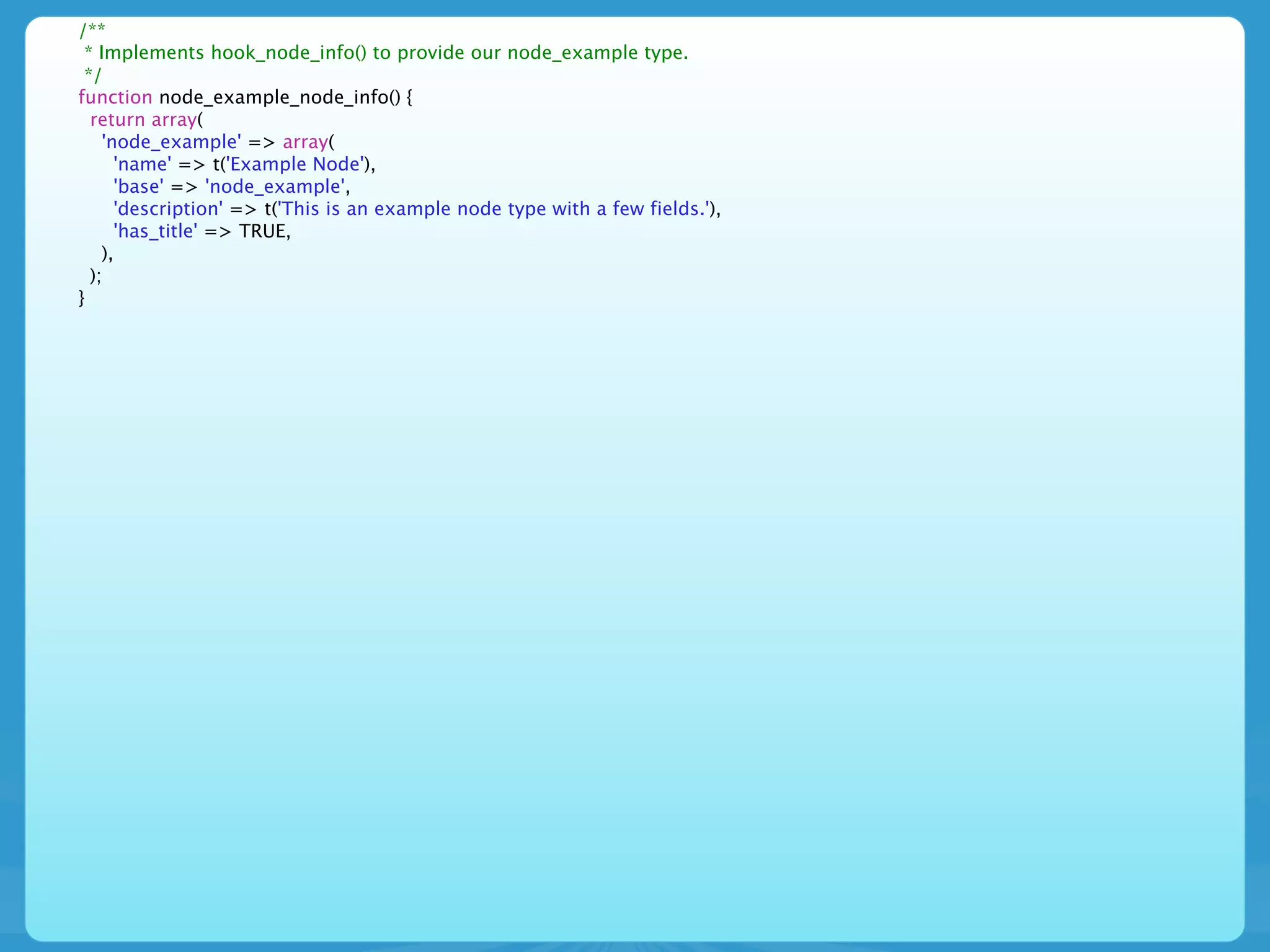
• hook_node_info() informs Drupal about our
  content type
D7 *.module
• Finally on to the module file!
• Let’s start with the hooks we will recognize from
  D6
• hook_node_info() informs Drupal about our
  content type
• hook_menu() tells Drupal where our custom
  page is going to live and how to build it
D7 *.module
• Finally on to the module file!
• Let’s start with the hooks we will recognize from
  D6
• hook_node_info() informs Drupal about our
  content type
• hook_menu() tells Drupal where our custom
  page is going to live and how to build it
• hook_help() provides help information for our
  users
/**
 * Implements hook_node_info() to provide our node_example type.
 */
function node_example_node_info() {
  return array(
    'node_example' => array(
      'name' => t('Example Node'),
      'base' => 'node_example',
      'description' => t('This is an example node type with a few fields.'),
      'has_title' => TRUE,
    ),
  );
}
/**
 * Implements hook_node_info() to provide our node_example type.
 */
function node_example_node_info() {
   return array(
     'node_example' => array(
        'name' => t('Example Node'),
        'base' => 'node_example',
        'description' => t('This is an example node type with a few fields.'),
        'has_title' => TRUE,
     ),
   );
}
/**
  * Implements hook_menu().
  *
  * We are providing a default page to illustrate the use of our custom node view
  * mode that will live at http://example.com/?q=examples/node_example
  */
function node_example_menu() {
   $items['examples/node_example'] = array(
      'page callback' => 'node_example_page',
      'access arguments' => array('access content'),
      'title' => 'Node Example',
   );
   return $items;
}
/**
 * Implements hook_node_info() to provide our node_example type.
 */
function node_example_node_info() {
   return array(
     'node_example' => array(
        'name' => t('Example Node'),
        'base' => 'node_example',
        'description' => t('This is an example node type with a few fields.'),
        'has_title' => TRUE,
     ),
   );
}
/**
  * Implements hook_menu().
  *
  * We are providing a default page to illustrate the use of our custom node view
  * mode that will live at http://example.com/?q=examples/node_example
  */
function node_example_menu() {
   $items['examples/node_example'] = array(
      'page callback' => 'node_example_page',
      'access arguments' => array('access content'),
      'title' => 'Node Example',
   );
   return $items;
}
/**
  * Implements hook_help().
  */
function node_example_help($path, $arg) {
   switch ($path) {
      case 'examples/node_example':
        return "<p>" . t(
          "The Node Example module provides a custom node type.
          You can create new nodes using the <a href='!nodeadd'>node add form</a>.
          Nodes that you create will be displayed here.",
          array('!nodeadd' => url('node/add/node-example'))
        ) . "</p>";
   }
}
d7 *.module
d7 *.module


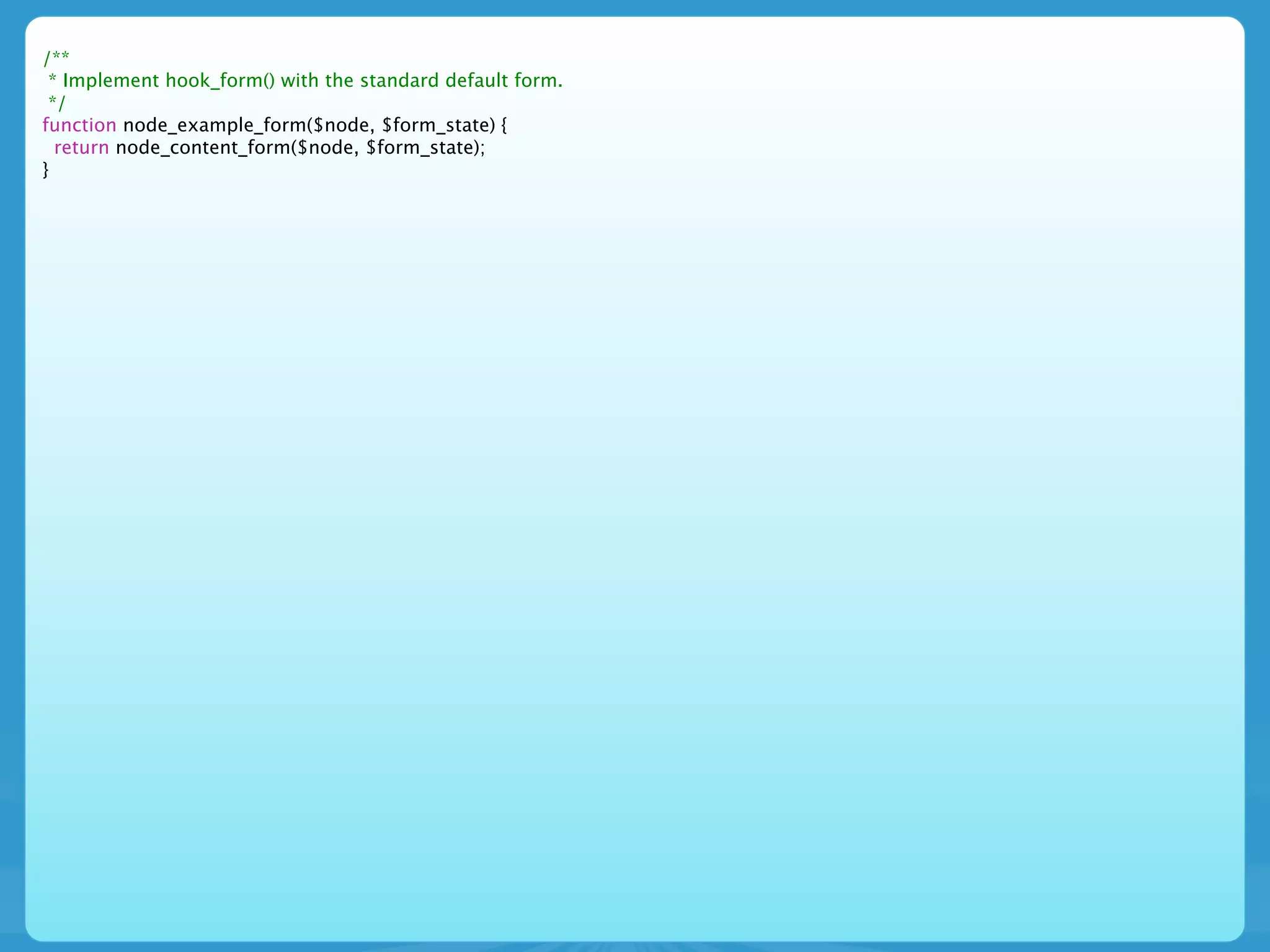
• hook_form() is used to create the basic content
  form
d7 *.module


• hook_form() is used to create the basic content
  form
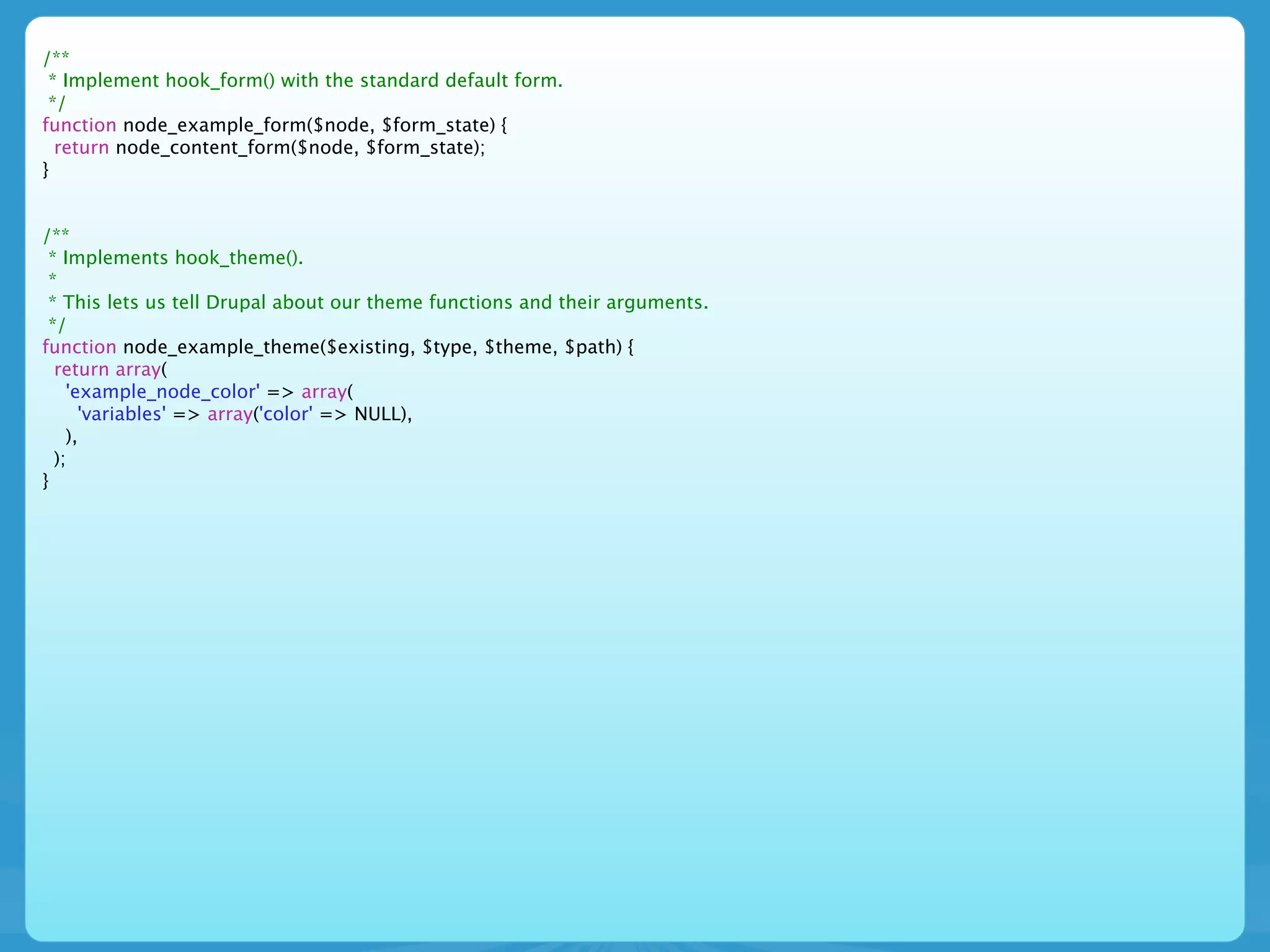
• hook_theme() informs Drupal of our theme
  callbacks
/**
 * Implement hook_form() with the standard default form.
 */
function node_example_form($node, $form_state) {
  return node_content_form($node, $form_state);
}
/**
 * Implement hook_form() with the standard default form.
 */
function node_example_form($node, $form_state) {
  return node_content_form($node, $form_state);
}


/**
 * Implements hook_theme().
 *
 * This lets us tell Drupal about our theme functions and their arguments.
 */
function node_example_theme($existing, $type, $theme, $path) {
  return array(
    'example_node_color' => array(
      'variables' => array('color' => NULL),
    ),
  );
}
/**
 * Implement hook_form() with the standard default form.
 */
function node_example_form($node, $form_state) {
  return node_content_form($node, $form_state);
}


/**
 * Implements hook_theme().
 *
 * This lets us tell Drupal about our theme functions and their arguments.
 */
function node_example_theme($existing, $type, $theme, $path) {
  return array(
    'example_node_color' => array(
      'variables' => array('color' => NULL),
    ),
  );
}


/**
 * A custom theme function.
 *
 * By using this function to format our node-specific information, themes
 * can override this presentation if they wish. This is a simplified theme
 * function purely for illustrative purposes.
 */
function theme_example_node_color($variables) {
  $output = '<span style="background-color: #ccc; padding: 1em; margin-bottom: 1em; float: left; color: ' .
   $variables['color'] . '">' . $variables['color'] . '</span>';
  return $output;
}
D7 *.module
D7 *.module

• Now for the juicy D7 changes!!!
D7 *.module

• Now for the juicy D7 changes!!!
• hook_entity_info_alter() lets us modify the
  node_entity to use our custom view mode
D7 *.module

• Now for the juicy D7 changes!!!
• hook_entity_info_alter() lets us modify the
  node_entity to use our custom view mode
• hook_field_formatter_view() is where we place
  the details of our custom view mode
/**
 * Implements hook_entity_info_alter().
 *
 * We need to modify the default node entity info by adding a new view mode to
 * be used in functions like node_view() or node_build_content().
 *
 */
function node_example_entity_info_alter(&$entity_info) {
  $entity_info['node']['view modes']['example_node_list'] = array(
    'label' => t('Example Node List'),
    'custom settings' => TRUE,
  );
}
/**
  * Implements hook_entity_info_alter().
  *
  * We need to modify the default node entity info by adding a new view mode to
  * be used in functions like node_view() or node_build_content().
  *
  */
 function node_example_entity_info_alter(&$entity_info) {
   $entity_info['node']['view modes']['example_node_list'] = array(
     'label' => t('Example Node List'),
     'custom settings' => TRUE,
   );
 }


/**
 * Implements hook_field_formatter_info().
 */
function node_example_field_formatter_info() {
  return array(
    'node_example_colors' => array(
      'label' => t('Node Example Color Handle'),
      'field types' => array('text'),
    ),
  );
}
D7 *.module
D7 *.module


• Last ... but certainly not least
D7 *.module


• Last ... but certainly not least
• hook_field_formatter_view() is where we place
  the details of our custom view mode
/**
 * Implements hook_field_formatter_view().
 *
 * @todo: We need to provide a formatter for the colors that a user is allowed to enter
 * during node creation.
 */
function node_example_field_formatter_view($object_type, $object, $field, $instance, $langcode, $items, $display) {
  $element = array();
  switch ($display['type']) {
    case 'node_example_colors':
     foreach ($items as $delta => $item) {
       $element[$delta]['#type'] = 'markup';
       $color = $item['safe_value'];
       $element[$delta]['#markup'] = theme('example_node_color', array('color' => $color));
     }
     break;
  }

    return $element;
}
Informative Links
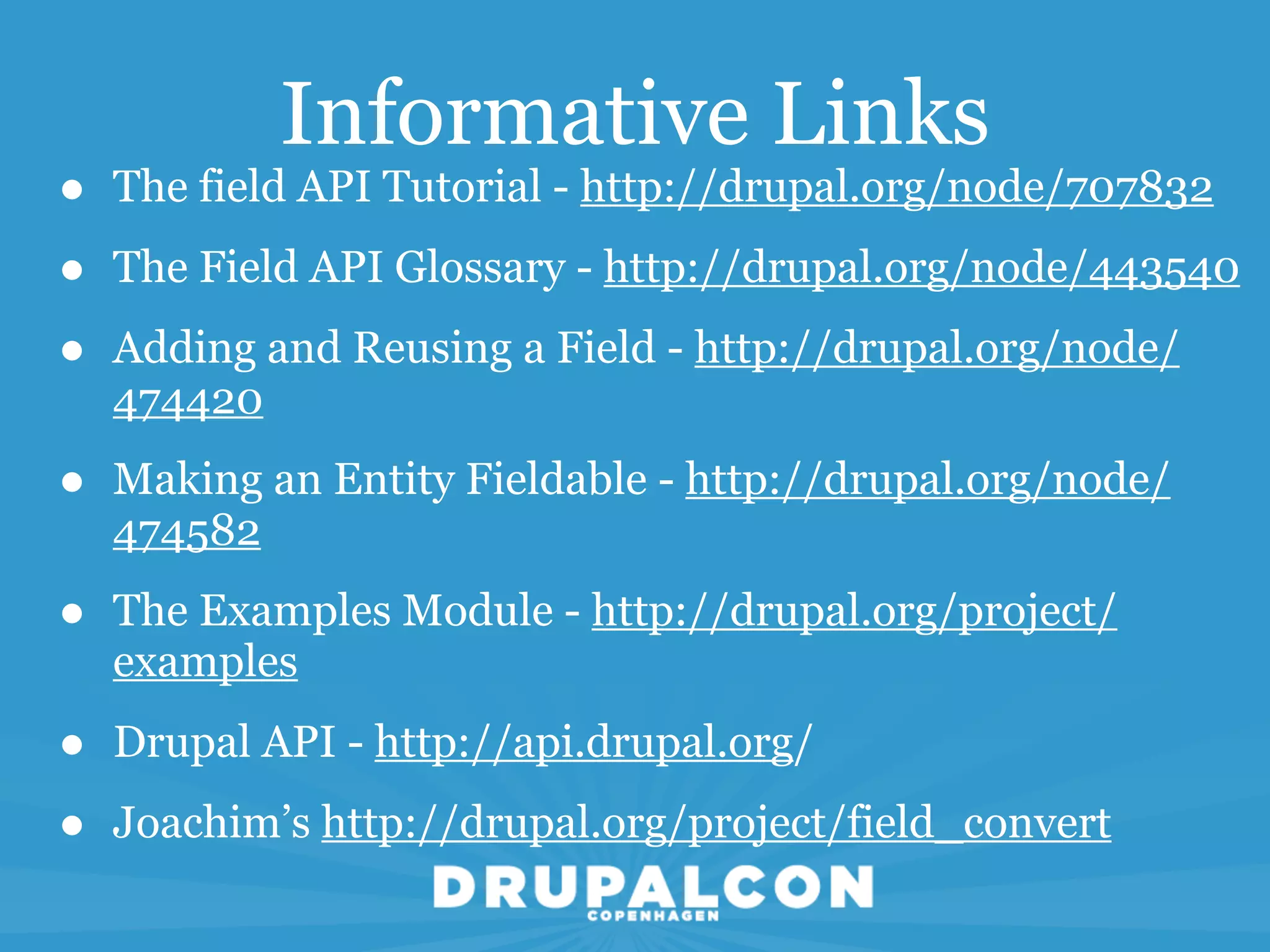
•   The field API Tutorial - http://drupal.org/node/707832

•   The Field API Glossary - http://drupal.org/node/443540

•   Adding and Reusing a Field - http://drupal.org/node/
    474420

•   Making an Entity Fieldable - http://drupal.org/node/
    474582

•   The Examples Module - http://drupal.org/project/
    examples

•   Drupal API - http://api.drupal.org/

•   Joachim’s http://drupal.org/project/field_convert
http://cph2010.drupal.org/node/13323

Drupalcon cph

  • 1.
    D7 Entites/Fields Cyberswat- Kevin Bridges 24. aug 10:00 Trellon Room
  • 2.
  • 3.
    This is CodeHeavy • We will be discussing code
  • 4.
    This is CodeHeavy • We will be discussing code • If you are not a coder this will probably be incredibly boring to you
  • 5.
    This is CodeHeavy • We will be discussing code • If you are not a coder this will probably be incredibly boring to you • We are not responsible for what may happen to you if you fall asleep.
  • 6.
  • 7.
    The Next Hour •Lots of content and fast talking. Save questions until the end
  • 8.
    The Next Hour •Lots of content and fast talking. Save questions until the end • Discuss key concepts in Drupal 7: Bundles, Entities and Fields
  • 9.
    The Next Hour •Lots of content and fast talking. Save questions until the end • Discuss key concepts in Drupal 7: Bundles, Entities and Fields • Walk through the creation of a content type that will add a Bundle of Fields complete with custom Formatters to the node Entity
  • 10.
    The Next Hour •Lots of content and fast talking. Save questions until the end • Discuss key concepts in Drupal 7: Bundles, Entities and Fields • Walk through the creation of a content type that will add a Bundle of Fields complete with custom Formatters to the node Entity • Explain WTH that last comment meant
  • 11.
    The Next Hour •Lots of content and fast talking. Save questions until the end • Discuss key concepts in Drupal 7: Bundles, Entities and Fields • Walk through the creation of a content type that will add a Bundle of Fields complete with custom Formatters to the node Entity • Explain WTH that last comment meant • Introduce the most excellent node_example module
  • 12.
  • 13.
    Key Concept Entity • An Entity is a container for Bundles.
  • 14.
    Key Concept Entity • An Entity is a container for Bundles. • Entities can contain multiple Bundles.
  • 15.
    Key Concept Entity • An Entity is a container for Bundles. • Entities can contain multiple Bundles. • Examples are Node, User, File, Taxonomy Term, Taxonomy Vocabulary
  • 16.
    Key Concept Entity • An Entity is a container for Bundles. • Entities can contain multiple Bundles. • Examples are Node, User, File, Taxonomy Term, Taxonomy Vocabulary • Why not make everything an Entity?
  • 17.
    Key Concept Bundles
  • 18.
    Key Concept Bundles • A Bundle is a set of fields that are treated as a group by the Field API
  • 19.
    Key Concept Bundles • A Bundle is a set of fields that are treated as a group by the Field API • Bundles are similar in concept to a node type in Drupal 6
  • 20.
  • 21.
    Key Concept Fields • A field defines a particular type of data that can be attached to any entity and can be shared between entities
  • 22.
    Key Concept Fields • A field defines a particular type of data that can be attached to any entity and can be shared between entities • A field can have Widgets. A widget is the UI element that allows a user to enter data into the field
  • 23.
    Key Concept Fields • A field defines a particular type of data that can be attached to any entity and can be shared between entities • A field can have Widgets. A widget is the UI element that allows a user to enter data into the field • A field can have Formatters. A formatter defines how a fields data gets displayed in a view mode
  • 24.
  • 25.
    The Examples Module •In my mind, the best resource for learning is the Examples Modue
  • 26.
    The Examples Module •In my mind, the best resource for learning is the Examples Modue • This module used to live exclusively in CVS but is now maintained by rfay, Dave Reid, katbailey and ilo in contrib
  • 27.
    The Examples Module •In my mind, the best resource for learning is the Examples Modue • This module used to live exclusively in CVS but is now maintained by rfay, Dave Reid, katbailey and ilo in contrib • Documentation can be viewed from api.drupal.org by following the Examples link
  • 28.
    The Examples Module •In my mind, the best resource for learning is the Examples Modue • This module used to live exclusively in CVS but is now maintained by rfay, Dave Reid, katbailey and ilo in contrib • Documentation can be viewed from api.drupal.org by following the Examples link • drupal.org/project/examples - not just the node module
  • 29.
  • 30.
  • 31.
  • 32.
    D7 *.install • Westill implement hook_install() and hook_uninstall()
  • 33.
    D7 *.install • Westill implement hook_install() and hook_uninstall() • hook_schema() no longer needs to be explicitly called
  • 34.
    D7 *.install • Westill implement hook_install() and hook_uninstall() • hook_schema() no longer needs to be explicitly called • Database structure will resemble D6 CCK tables
  • 35.
    D7 *.install • Westill implement hook_install() and hook_uninstall() • hook_schema() no longer needs to be explicitly called • Database structure will resemble D6 CCK tables • Database Entity revisions are provided automatically
  • 37.
    /** * Implementshook_install(). * */ function node_example_install() { ... }
  • 38.
    /** * Implementshook_install(). * */ function node_example_install() { ... } /** * Return a structured array defining the fields created by this content type. * * This is packaged in a function so it can be used in both hook_install() * and hook_uninstall(). */ function _node_example_installed_fields() { ... }
  • 39.
    /** * Implementshook_install(). * */ function node_example_install() { ... } /** * Return a structured array defining the fields created by this content type. * * This is packaged in a function so it can be used in both hook_install() * and hook_uninstall(). */ function _node_example_installed_fields() { ... } /** * Return a structured array defining the instances for this content type. * * The instance lets Drupal know which widget to use to allow the user to enter * data and how to react in different view modes. * This is provided as a function so that it can be used in both hook_install() * and hook_uninstall(). */ function _node_example_installed_instances() { ... }
  • 40.
    /** * Implementshook_install(). * */ function node_example_install() { ... } /** * Return a structured array defining the fields created by this content type. * * This is packaged in a function so it can be used in both hook_install() * and hook_uninstall(). */ function _node_example_installed_fields() { ... } /** * Return a structured array defining the instances for this content type. * * The instance lets Drupal know which widget to use to allow the user to enter * data and how to react in different view modes. * This is provided as a function so that it can be used in both hook_install() * and hook_uninstall(). */ function _node_example_installed_instances() { ... } /** * Implements hook_uninstall(). * */ function node_example_uninstall() { ... }
  • 41.
  • 42.
    D7 *.install • hook_install()will set up our content type
  • 43.
    D7 *.install • hook_install()will set up our content type • hook_install() is where we create our fields, if needed
  • 44.
    D7 *.install • hook_install()will set up our content type • hook_install() is where we create our fields, if needed • hook_install() is used to tie our fields to an Entity as a Bundle
  • 45.
  • 46.
    function node_example_install() { $types = node_type_get_types(); node_add_body_field($types['node_example']); }
  • 47.
    function node_example_install() { $types = node_type_get_types(); node_add_body_field($types['node_example']); // Load the instance definition for our content type's body // http://api.drupal.org/api/function/field_info_instance/7 $body_instance = field_info_instance('node', 'body', 'node_example'); }
  • 48.
    function node_example_install() { $types = node_type_get_types(); node_add_body_field($types['node_example']); // Load the instance definition for our content type's body // http://api.drupal.org/api/function/field_info_instance/7 $body_instance = field_info_instance('node', 'body', 'node_example'); // Add our example_node_list view mode to the body instance display by // instructing the body to display as a summary $body_instance['type'] = 'text_summary_or_trimmed'; }
  • 49.
    function node_example_install() { $types = node_type_get_types(); node_add_body_field($types['node_example']); // Load the instance definition for our content type's body // http://api.drupal.org/api/function/field_info_instance/7 $body_instance = field_info_instance('node', 'body', 'node_example'); // Add our example_node_list view mode to the body instance display by // instructing the body to display as a summary $body_instance['type'] = 'text_summary_or_trimmed'; // Save our changes to the body field instance. // http://api.drupal.org/api/function/field_update_instance/7 field_update_instance($body_instance); }
  • 50.
    function node_example_install() { $types = node_type_get_types(); node_add_body_field($types['node_example']); // Load the instance definition for our content type's body // http://api.drupal.org/api/function/field_info_instance/7 $body_instance = field_info_instance('node', 'body', 'node_example'); // Add our example_node_list view mode to the body instance display by // instructing the body to display as a summary $body_instance['type'] = 'text_summary_or_trimmed'; // Save our changes to the body field instance. // http://api.drupal.org/api/function/field_update_instance/7 field_update_instance($body_instance); // Create all the fields we are adding to our content type. // http://api.drupal.org/api/function/field_create_field/7 foreach (_node_example_installed_fields() as $field) { field_create_field($field); } }
  • 51.
    function node_example_install() { $types = node_type_get_types(); node_add_body_field($types['node_example']); // Load the instance definition for our content type's body // http://api.drupal.org/api/function/field_info_instance/7 $body_instance = field_info_instance('node', 'body', 'node_example'); // Add our example_node_list view mode to the body instance display by // instructing the body to display as a summary $body_instance['type'] = 'text_summary_or_trimmed'; // Save our changes to the body field instance. // http://api.drupal.org/api/function/field_update_instance/7 field_update_instance($body_instance); // Create all the fields we are adding to our content type. // http://api.drupal.org/api/function/field_create_field/7 foreach (_node_example_installed_fields() as $field) { field_create_field($field); } // Create all the instances for our fields. // http://api.drupal.org/api/function/field_create_instance/7 foreach (_node_example_installed_instances() as $instance) { $instance['entity_type'] = 'node'; $instance['bundle'] = 'node_example'; field_create_instance($instance); } }
  • 52.
  • 53.
    D7 *.install • Thenode_example module defines and invokes 3 distinct fields
  • 54.
    D7 *.install • Thenode_example module defines and invokes 3 distinct fields • We place these in a helper function so that it can be called as needed in functions like hook_install() and hook_uninstall()
  • 55.
    function _node_example_installed_fields() { $t = get_t(); return array( ); }
  • 56.
    function _node_example_installed_fields() { $t = get_t(); return array( 'node_example_color' => array( 'field_name' => 'node_example_color', 'label' => $t('The colors available for this object.'), 'cardinality' => 3, 'type' => 'text', 'settings' => array( 'max_length' => 60, ), ), ); }
  • 57.
    function _node_example_installed_fields() { $t = get_t(); return array( 'node_example_color' => array( 'field_name' => 'node_example_color', 'label' => $t('The colors available for this object.'), 'cardinality' => 3, 'type' => 'text', 'settings' => array( 'max_length' => 60, ), ), 'node_example_quantity' => array( 'field_name' => 'node_example_quantity', 'type' => 'text', ), ); }
  • 58.
    function _node_example_installed_fields() { $t = get_t(); return array( 'node_example_color' => array( 'field_name' => 'node_example_color', 'label' => $t('The colors available for this object.'), 'cardinality' => 3, 'type' => 'text', 'settings' => array( 'max_length' => 60, ), ), 'node_example_quantity' => array( 'field_name' => 'node_example_quantity', 'type' => 'text', ), 'node_example_image' => array( 'field_name' => 'node_example_image', 'type' => 'image', 'cardinality' => 1, ), ); }
  • 59.
    D7 *.install • Thisis the fun part ... we get to apply formatters to the instances to control their display and widgets to control the input
  • 60.
  • 61.
    $t = get_t(); returnarray( 'node_example_color' => array( 'field_name' => 'node_example_color', 'label' => $t('The colors available for this object.'), 'cardinality' => 3, 'widget' => array( 'type' => 'text_textfield', ), 'display' => array( 'example_node_list' => array( 'label' => 'hidden', 'type' => 'node_example_colors', ), ), ), );
  • 62.
    $t = get_t(); returnarray( 'node_example_color' => array( 'field_name' => 'node_example_color', 'label' => $t('The colors available for this object.'), 'cardinality' => 3, 'widget' => array( 'type' => 'text_textfield', ), 'display' => array( 'example_node_list' => array( 'label' => 'hidden', 'type' => 'node_example_colors', ), ), ), 'node_example_quantity' => array( 'field_name' => 'node_example_quantity', 'type' => 'text', 'widget' => array( 'type' => 'text_textfield', ), 'display' => array( 'example_node_list' => array( 'label' => 'hidden', 'type' => 'hidden', ), ), ), );
  • 63.
    $t = get_t(); returnarray( 'node_example_color' => array( 'field_name' => 'node_example_color', 'label' => $t('The colors available for this object.'), 'cardinality' => 3, 'widget' => array( 'type' => 'text_textfield', ), 'display' => array( 'example_node_list' => array( 'label' => 'hidden', 'type' => 'node_example_colors', ), ), ), 'node_example_quantity' => array( 'field_name' => 'node_example_quantity', 'type' => 'text', 'widget' => array( 'type' => 'text_textfield', ), 'display' => array( 'example_node_list' => array( 'label' => 'hidden', 'type' => 'hidden', ), ), ), 'node_example_image' => array( 'field_name' => 'node_example_image', 'label' => $t('Upload an image:'), 'required' => FALSE, 'widget' => array( 'type' => 'image_image', 'weight' => 2.10, ), 'display' => array( 'example_node_list' => array( 'label' => 'hidden', 'type' => 'image_link_content__thumbnail', ), ), ), );
  • 64.
  • 65.
    D7 *.install • hook_uninstall()is used to clean up the data created with the node_example module
  • 66.
    D7 *.install • hook_uninstall()is used to clean up the data created with the node_example module • hook_uninstall() deletes our fields and their instances
  • 67.
    D7 *.install • hook_uninstall()is used to clean up the data created with the node_example module • hook_uninstall() deletes our fields and their instances • hook_uninstall() deletes our content type
  • 68.
    D7 *.install • hook_uninstall()is used to clean up the data created with the node_example module • hook_uninstall() deletes our fields and their instances • hook_uninstall() deletes our content type • hook_uninstall purges field data from the system
  • 69.
  • 70.
    function node_example_uninstall() { // Gather all the example content that might have been created while this // module was enabled. Simple selects still use db_query(). // http://api.drupal.org/api/function/db_query/7 $sql = 'SELECT nid FROM {node} n WHERE n.type = :type'; $result = db_query($sql, array(':type' => 'node_example')); $nids = array(); foreach ($result as $row) { $nids[] = $row->nid; } }
  • 71.
    function node_example_uninstall() { // Gather all the example content that might have been created while this // module was enabled. Simple selects still use db_query(). // http://api.drupal.org/api/function/db_query/7 $sql = 'SELECT nid FROM {node} n WHERE n.type = :type'; $result = db_query($sql, array(':type' => 'node_example')); $nids = array(); foreach ($result as $row) { $nids[] = $row->nid; } // Delete all the nodes at once // http://api.drupal.org/api/function/node_delete_multiple/7 node_delete_multiple($nids); }
  • 72.
    function node_example_uninstall() { // Gather all the example content that might have been created while this // module was enabled. Simple selects still use db_query(). // http://api.drupal.org/api/function/db_query/7 $sql = 'SELECT nid FROM {node} n WHERE n.type = :type'; $result = db_query($sql, array(':type' => 'node_example')); $nids = array(); foreach ($result as $row) { $nids[] = $row->nid; } // Delete all the nodes at once // http://api.drupal.org/api/function/node_delete_multiple/7 node_delete_multiple($nids); // Loop over each of the fields defined by this module and delete // all instances of the field, their data, and the field itself. // http://api.drupal.org/api/function/field_delete_field/7 foreach (array_keys(_node_example_installed_fields()) as $field) { field_delete_field($field); } }
  • 73.
    function node_example_uninstall() { // Gather all the example content that might have been created while this // module was enabled. Simple selects still use db_query(). // http://api.drupal.org/api/function/db_query/7 $sql = 'SELECT nid FROM {node} n WHERE n.type = :type'; $result = db_query($sql, array(':type' => 'node_example')); $nids = array(); foreach ($result as $row) { $nids[] = $row->nid; } // Delete all the nodes at once // http://api.drupal.org/api/function/node_delete_multiple/7 node_delete_multiple($nids); // Loop over each of the fields defined by this module and delete // all instances of the field, their data, and the field itself. // http://api.drupal.org/api/function/field_delete_field/7 foreach (array_keys(_node_example_installed_fields()) as $field) { field_delete_field($field); } // Loop over any remaining field instances attached to the node_example // content type (such as the body field) and delete them individually. // http://api.drupal.org/api/function/field_delete_field/7 $instances = field_info_instances('node', 'node_example'); foreach ($instances as $instance_name => $instance) { field_delete_instance($instance); } }
  • 74.
    function node_example_uninstall() { // Gather all the example content that might have been created while this // module was enabled. Simple selects still use db_query(). // http://api.drupal.org/api/function/db_query/7 $sql = 'SELECT nid FROM {node} n WHERE n.type = :type'; $result = db_query($sql, array(':type' => 'node_example')); $nids = array(); foreach ($result as $row) { $nids[] = $row->nid; } // Delete all the nodes at once // http://api.drupal.org/api/function/node_delete_multiple/7 node_delete_multiple($nids); // Loop over each of the fields defined by this module and delete // all instances of the field, their data, and the field itself. // http://api.drupal.org/api/function/field_delete_field/7 foreach (array_keys(_node_example_installed_fields()) as $field) { field_delete_field($field); } // Loop over any remaining field instances attached to the node_example // content type (such as the body field) and delete them individually. // http://api.drupal.org/api/function/field_delete_field/7 $instances = field_info_instances('node', 'node_example'); foreach ($instances as $instance_name => $instance) { field_delete_instance($instance); } // Delete our content type // http://api.drupal.org/api/function/node_type_delete/7 node_type_delete('node_example'); }
  • 75.
    function node_example_uninstall() { // Gather all the example content that might have been created while this // module was enabled. Simple selects still use db_query(). // http://api.drupal.org/api/function/db_query/7 $sql = 'SELECT nid FROM {node} n WHERE n.type = :type'; $result = db_query($sql, array(':type' => 'node_example')); $nids = array(); foreach ($result as $row) { $nids[] = $row->nid; } // Delete all the nodes at once // http://api.drupal.org/api/function/node_delete_multiple/7 node_delete_multiple($nids); // Loop over each of the fields defined by this module and delete // all instances of the field, their data, and the field itself. // http://api.drupal.org/api/function/field_delete_field/7 foreach (array_keys(_node_example_installed_fields()) as $field) { field_delete_field($field); } // Loop over any remaining field instances attached to the node_example // content type (such as the body field) and delete them individually. // http://api.drupal.org/api/function/field_delete_field/7 $instances = field_info_instances('node', 'node_example'); foreach ($instances as $instance_name => $instance) { field_delete_instance($instance); } // Delete our content type // http://api.drupal.org/api/function/node_type_delete/7 node_type_delete('node_example'); // Purge all field information // http://api.drupal.org/api/function/field_purge_batch/7 field_purge_batch(1000); }
  • 76.
  • 77.
    D7 *.module • Finallyon to the module file!
  • 78.
    D7 *.module • Finallyon to the module file! • Let’s start with the hooks we will recognize from D6
  • 79.
    D7 *.module • Finallyon to the module file! • Let’s start with the hooks we will recognize from D6 • hook_node_info() informs Drupal about our content type
  • 80.
    D7 *.module • Finallyon to the module file! • Let’s start with the hooks we will recognize from D6 • hook_node_info() informs Drupal about our content type • hook_menu() tells Drupal where our custom page is going to live and how to build it
  • 81.
    D7 *.module • Finallyon to the module file! • Let’s start with the hooks we will recognize from D6 • hook_node_info() informs Drupal about our content type • hook_menu() tells Drupal where our custom page is going to live and how to build it • hook_help() provides help information for our users
  • 83.
    /** * Implementshook_node_info() to provide our node_example type. */ function node_example_node_info() { return array( 'node_example' => array( 'name' => t('Example Node'), 'base' => 'node_example', 'description' => t('This is an example node type with a few fields.'), 'has_title' => TRUE, ), ); }
  • 84.
    /** * Implementshook_node_info() to provide our node_example type. */ function node_example_node_info() { return array( 'node_example' => array( 'name' => t('Example Node'), 'base' => 'node_example', 'description' => t('This is an example node type with a few fields.'), 'has_title' => TRUE, ), ); } /** * Implements hook_menu(). * * We are providing a default page to illustrate the use of our custom node view * mode that will live at http://example.com/?q=examples/node_example */ function node_example_menu() { $items['examples/node_example'] = array( 'page callback' => 'node_example_page', 'access arguments' => array('access content'), 'title' => 'Node Example', ); return $items; }
  • 85.
    /** * Implementshook_node_info() to provide our node_example type. */ function node_example_node_info() { return array( 'node_example' => array( 'name' => t('Example Node'), 'base' => 'node_example', 'description' => t('This is an example node type with a few fields.'), 'has_title' => TRUE, ), ); } /** * Implements hook_menu(). * * We are providing a default page to illustrate the use of our custom node view * mode that will live at http://example.com/?q=examples/node_example */ function node_example_menu() { $items['examples/node_example'] = array( 'page callback' => 'node_example_page', 'access arguments' => array('access content'), 'title' => 'Node Example', ); return $items; } /** * Implements hook_help(). */ function node_example_help($path, $arg) { switch ($path) { case 'examples/node_example': return "<p>" . t( "The Node Example module provides a custom node type. You can create new nodes using the <a href='!nodeadd'>node add form</a>. Nodes that you create will be displayed here.", array('!nodeadd' => url('node/add/node-example')) ) . "</p>"; } }
  • 86.
  • 87.
    d7 *.module • hook_form()is used to create the basic content form
  • 88.
    d7 *.module • hook_form()is used to create the basic content form • hook_theme() informs Drupal of our theme callbacks
  • 90.
    /** * Implementhook_form() with the standard default form. */ function node_example_form($node, $form_state) { return node_content_form($node, $form_state); }
  • 91.
    /** * Implementhook_form() with the standard default form. */ function node_example_form($node, $form_state) { return node_content_form($node, $form_state); } /** * Implements hook_theme(). * * This lets us tell Drupal about our theme functions and their arguments. */ function node_example_theme($existing, $type, $theme, $path) { return array( 'example_node_color' => array( 'variables' => array('color' => NULL), ), ); }
  • 92.
    /** * Implementhook_form() with the standard default form. */ function node_example_form($node, $form_state) { return node_content_form($node, $form_state); } /** * Implements hook_theme(). * * This lets us tell Drupal about our theme functions and their arguments. */ function node_example_theme($existing, $type, $theme, $path) { return array( 'example_node_color' => array( 'variables' => array('color' => NULL), ), ); } /** * A custom theme function. * * By using this function to format our node-specific information, themes * can override this presentation if they wish. This is a simplified theme * function purely for illustrative purposes. */ function theme_example_node_color($variables) { $output = '<span style="background-color: #ccc; padding: 1em; margin-bottom: 1em; float: left; color: ' . $variables['color'] . '">' . $variables['color'] . '</span>'; return $output; }
  • 93.
  • 94.
    D7 *.module • Nowfor the juicy D7 changes!!!
  • 95.
    D7 *.module • Nowfor the juicy D7 changes!!! • hook_entity_info_alter() lets us modify the node_entity to use our custom view mode
  • 96.
    D7 *.module • Nowfor the juicy D7 changes!!! • hook_entity_info_alter() lets us modify the node_entity to use our custom view mode • hook_field_formatter_view() is where we place the details of our custom view mode
  • 98.
    /** * Implementshook_entity_info_alter(). * * We need to modify the default node entity info by adding a new view mode to * be used in functions like node_view() or node_build_content(). * */ function node_example_entity_info_alter(&$entity_info) { $entity_info['node']['view modes']['example_node_list'] = array( 'label' => t('Example Node List'), 'custom settings' => TRUE, ); }
  • 99.
    /** *Implements hook_entity_info_alter(). * * We need to modify the default node entity info by adding a new view mode to * be used in functions like node_view() or node_build_content(). * */ function node_example_entity_info_alter(&$entity_info) { $entity_info['node']['view modes']['example_node_list'] = array( 'label' => t('Example Node List'), 'custom settings' => TRUE, ); } /** * Implements hook_field_formatter_info(). */ function node_example_field_formatter_info() { return array( 'node_example_colors' => array( 'label' => t('Node Example Color Handle'), 'field types' => array('text'), ), ); }
  • 100.
  • 101.
    D7 *.module • Last... but certainly not least
  • 102.
    D7 *.module • Last... but certainly not least • hook_field_formatter_view() is where we place the details of our custom view mode
  • 104.
    /** * Implementshook_field_formatter_view(). * * @todo: We need to provide a formatter for the colors that a user is allowed to enter * during node creation. */ function node_example_field_formatter_view($object_type, $object, $field, $instance, $langcode, $items, $display) { $element = array(); switch ($display['type']) { case 'node_example_colors': foreach ($items as $delta => $item) { $element[$delta]['#type'] = 'markup'; $color = $item['safe_value']; $element[$delta]['#markup'] = theme('example_node_color', array('color' => $color)); } break; } return $element; }

  • 105.
    Informative Links • The field API Tutorial - http://drupal.org/node/707832 • The Field API Glossary - http://drupal.org/node/443540 • Adding and Reusing a Field - http://drupal.org/node/ 474420 • Making an Entity Fieldable - http://drupal.org/node/ 474582 • The Examples Module - http://drupal.org/project/ examples • Drupal API - http://api.drupal.org/ • Joachim’s http://drupal.org/project/field_convert
  • 106.