

Recommended
More Related Content
Recently uploaded
Recently uploaded (20)
Featured
Featured (20)
Slipstreaming Windows Xp SP3
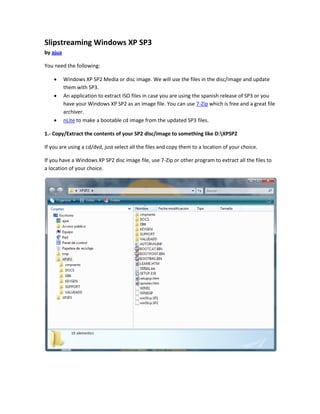
- 1. Slipstreaming Windows XP SP3 by ajua You need the following: Windows XP SP2 Media or disc image. We will use the files in the disc/image and update them with SP3. An application to extract ISO files in case you are using the spanish release of SP3 or you have your Windows XP SP2 as an image file. You can use 7-Zip which is free and a great file archiver. nLite to make a bootable cd image from the updated SP3 files. 1.- Copy/Extract the contents of your SP2 disc/image to something like D:XPSP2 If you are using a cd/dvd, just select all the files and copy them to a location of your choice. If you have a Windows XP SP2 disc image file, use 7-Zip or other program to extract all the files to a location of your choice.
- 2. 2.- Copy/Extract the files from the downloaded SP3 release to something like D:XPSP3 If you are using the english release of SP3 you need to copy the installer to this location. If you are using the spanish release, you need to use 7-Zip to extract the files to this location. Open the image file you downloaded and extract its contents. 3.- Run the SP3 installer with a command-line switch to update the files I use Launch, my own program, to run files with switches. If you don't want to use Launch, use the Run box in the start menu, but make sure you have administrator privileges. The command-line switches are: WINDOWSXP-KB936929-SP3-X86-ESN.EXE /integrate:D:XPSP2 WindowsXP-KB936929-SP3-x86-ENU.exe /integrate:D:XPSP2
- 3. After you run it, the installer begins to update the files in the folder you specified. Wait until it finishes and you should see a dialog that tells you that everything went fine.
- 4. 4.- Use nLite to make a bootable disc image with the updated files Open nLite and point it to the folder where the updated files are and click Next. In the Task Selection window select Create: Bootable ISO and click Next.
- 5. In the next window write a label for the disc image or leave it as it is. Click the Make ISO button and choose where to save the disc image nLite will generate. Wait until it finishes and click Next.
- 6. Then exit the program. 5.- We are done now. You can now burn the image file to a cd/dvd and use it to install Windows XP SP3 just like you did with earlier versions.