Dive into SObjectizer-5.5
SObjectizer Team, Jan 2016
Fifth Part: Timers
(at v.5.5.15)
This is the next part of the series of presentations with deep
introduction into features of SObjectizer-5.5.
This part is dedicated to usage of timers. In particular:
● delayed messages;
● periodic messages;
● cancellation of delayed/periodic messages;
● timer thread and timer mechanisms.
SObjectizer Team, Jan 2016
Timers are actively used in typical SObjectizer’s based
applications.
That's why SObjectizer provides easy to use tools for dealing
with timers:
● delayed messages;
● periodic messages.
SObjectizer Team, Jan 2016
A delayed message is delivered after a specified time
interval since the message was sent.
It means that if a delayed message is sent at some time
point T and the delay is 150ms then it will be pushed to
subscribers’ event queues at time point (T+150ms).
SObjectizer Team, Jan 2016
A periodic message is repeatedly delivered after a specified
amount of time.
It means that if a periodic message is sent at some time
point T with delay of 150ms and repetition period of 250ms
then it will be pushed to subscribers’ event queues first time
at time point (T+150ms), then at time point (T+400ms), then
at (T+650ms) and so on.
A periodic message will be repeated until it canceled.
SObjectizer Team, Jan 2016
Delayed Messages
SObjectizer Team, Jan 2016
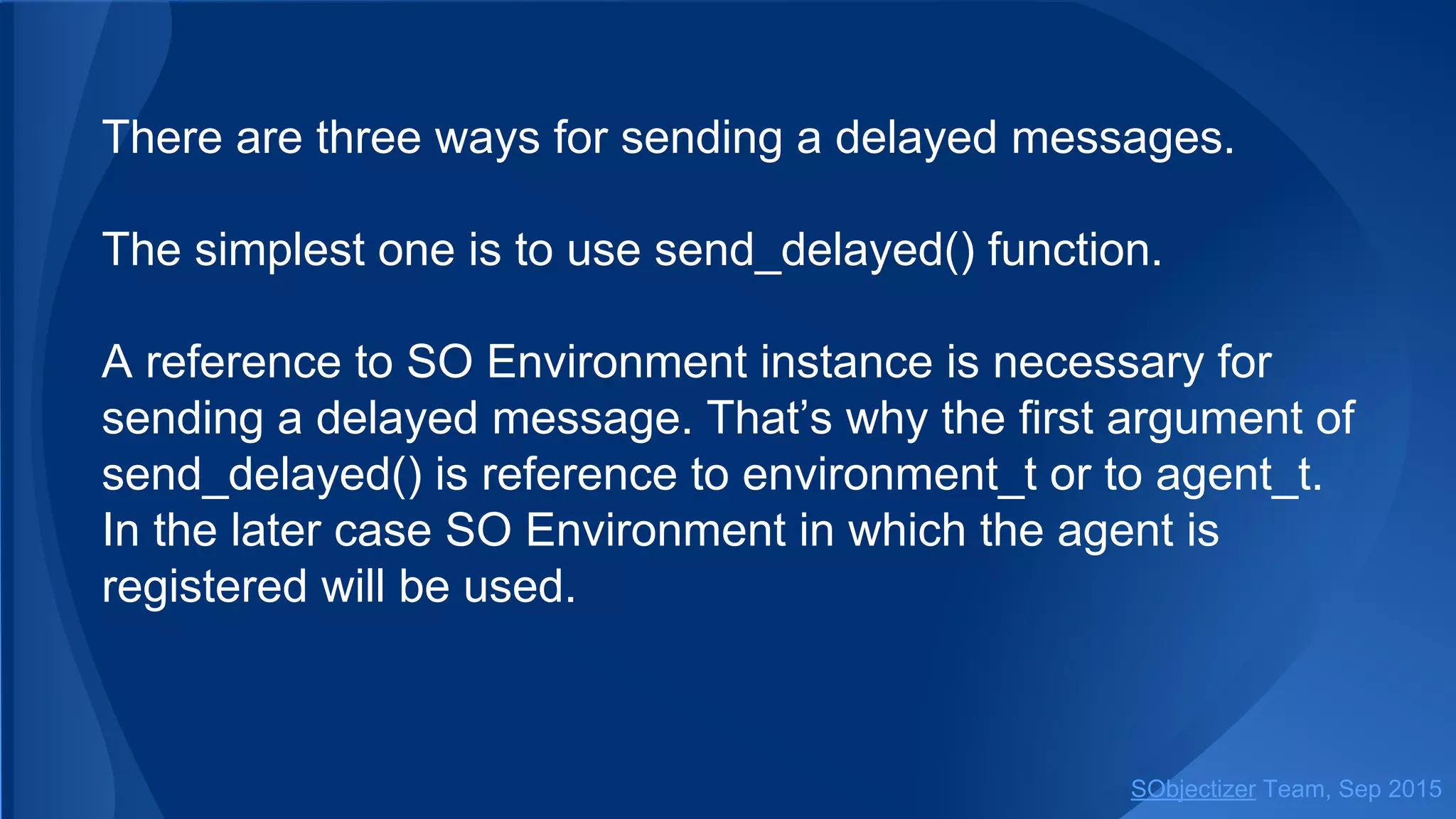
There are three ways for sending a delayed messages.
The simplest one is to use send_delayed() function.
A reference to SO Environment instance is necessary for
sending a delayed message. That’s why the first argument of
send_delayed() is a reference to environment_t or some
object from which that reference could be obtained.
SObjectizer Team, Jan 2016
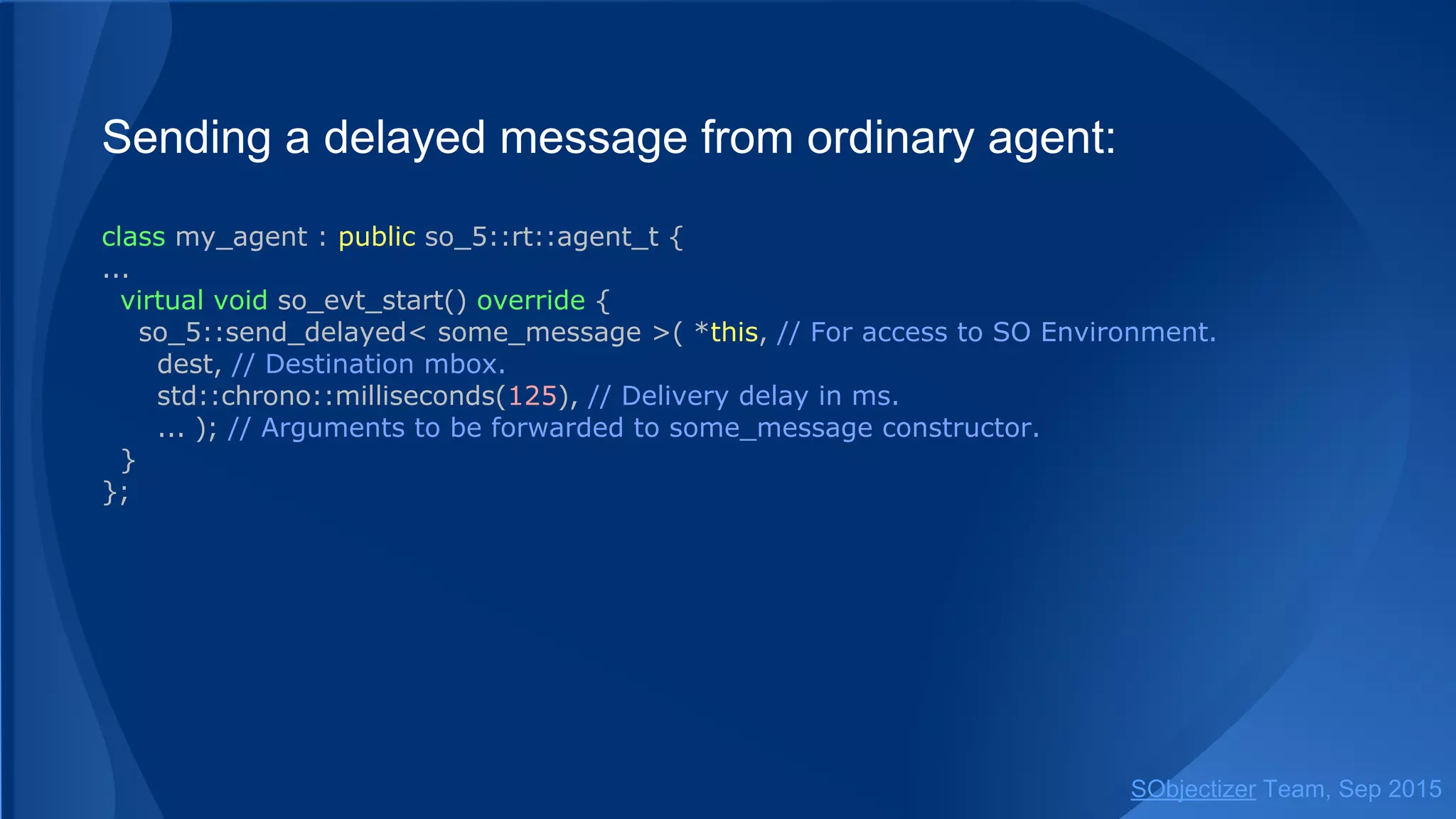
Sending a delayed message from ordinary agent:
class my_agent : public so_5::agent_t {
...
virtual void so_evt_start() override {
so_5::send_delayed< some_message >(
so_environment(), // SO Environment to be used.
dest, // Destination mbox.
std::chrono::milliseconds(125), // Delivery delay in ms.
... ); // Arguments to be forwarded to some_message constructor.
}
};
SObjectizer Team, Jan 2016
Sending a delayed message from ad-hoc agent:
env.introduce_coop( []( so_5::coop_t & coop ) {
coop.define_agent().on_start( [&coop] {
so_5::send_delayed< some_message >(
coop.environment(), // SO Environment to be used.
dest, // Destination mbox.
std::chrono::milliseconds(125), // Delivery delay in ms.
... ); // Arguments to be forwarded to some_message constructor.
...
} );
} );
SObjectizer Team, Jan 2016
Function send_delayed can be used to sending a delayed
message to the direct mbox of agent-receiver.
SO Environment in which the receiver is registered will be
used in that case.
SObjectizer Team, Jan 2016
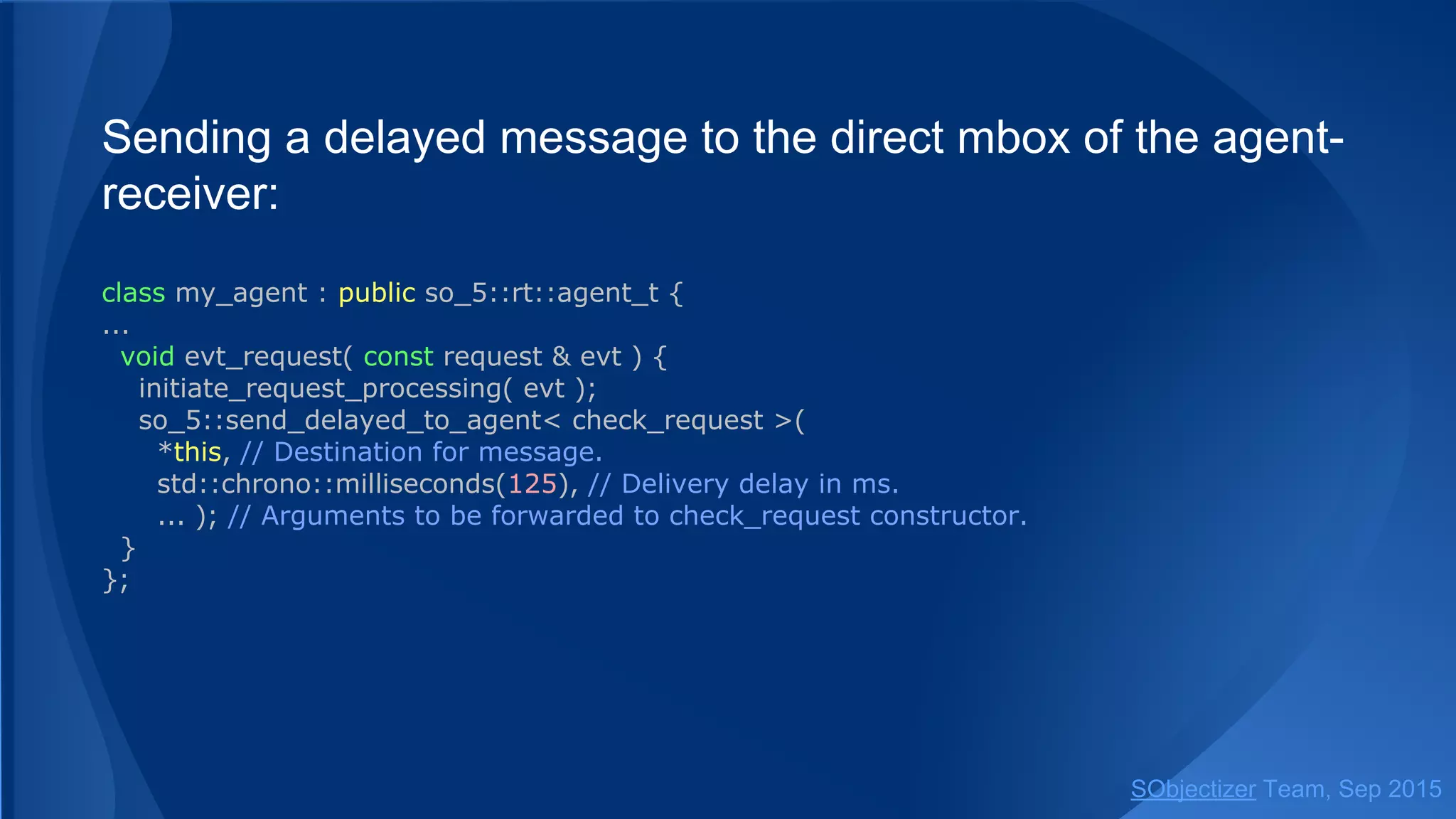
Sending a delayed message to the direct mbox of the agent-
receiver:
class my_agent : public so_5::agent_t {
...
void evt_request( const request & evt ) {
initiate_request_processing( evt );
so_5::send_delayed< check_request >(
*this, // Destination for message.
std::chrono::milliseconds(125), // Delivery delay in ms.
... ); // Arguments to be forwarded to check_request constructor.
}
};
SObjectizer Team, Jan 2016
Function send_delayed() also accepts an ad-hoc agent
proxy:
env.introduce_coop( []( so_5::coop_t & coop ) {
auto a = coop.define_agent();
a.event( a, [a]( const request & evt ) {
initiate_request_processing( evt );
so_5::send_delayed< check_request >(
a, // Destination for message.
std::chrono::milliseconds(125), // Delivery delay in ms.
... ); // Arguments to be forwarded to check_request constructor.
} );
} );
SObjectizer Team, Jan 2016
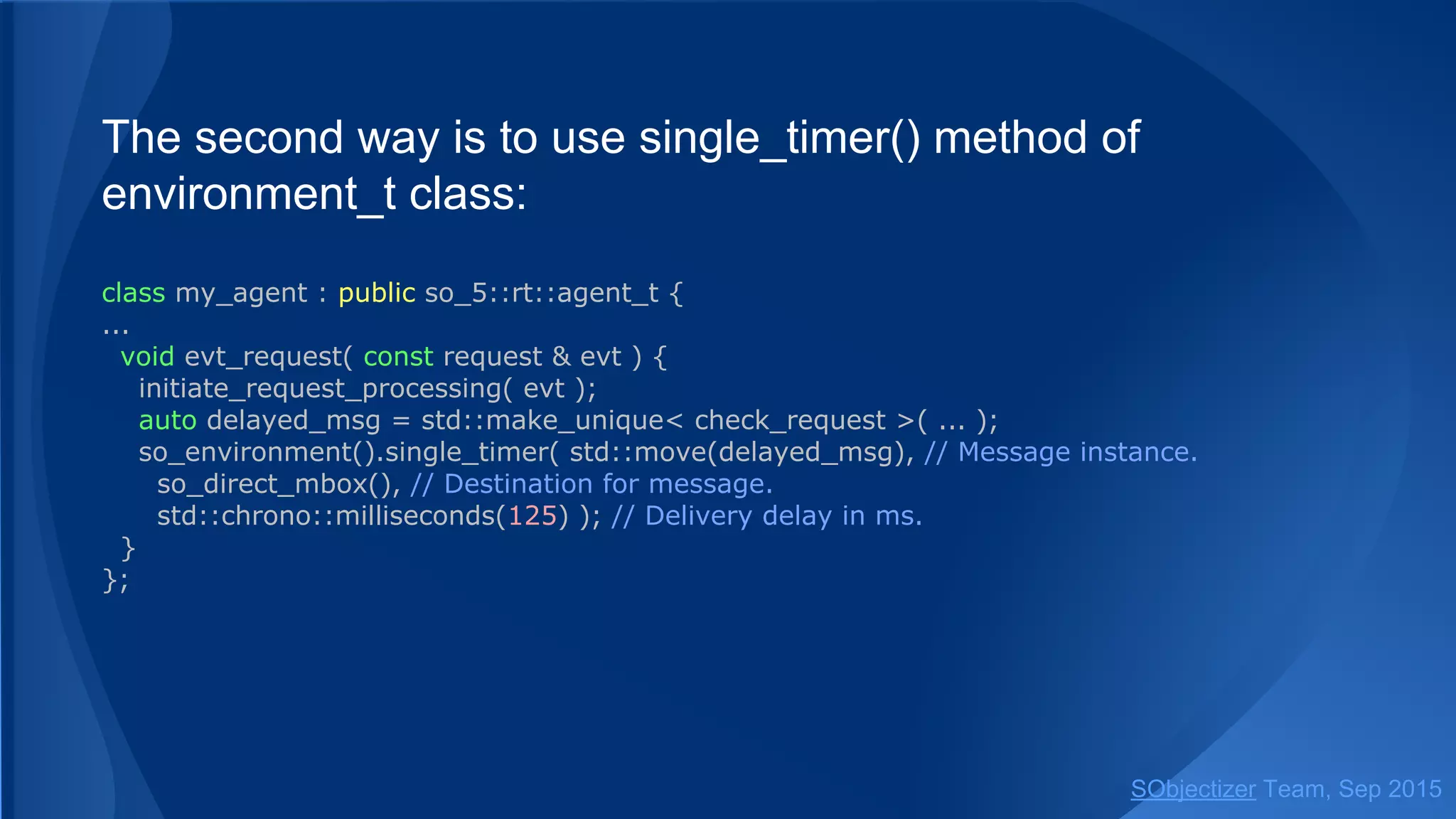
The second way is to use single_timer() method of
environment_t class:
class my_agent : public so_5::agent_t {
...
void evt_request( const request & evt ) {
initiate_request_processing( evt );
auto delayed_msg = std::make_unique< check_request >( ... );
so_environment().single_timer( std::move(delayed_msg), // Message instance.
so_direct_mbox(), // Destination for message.
std::chrono::milliseconds(125) ); // Delivery delay in ms.
}
};
SObjectizer Team, Jan 2016
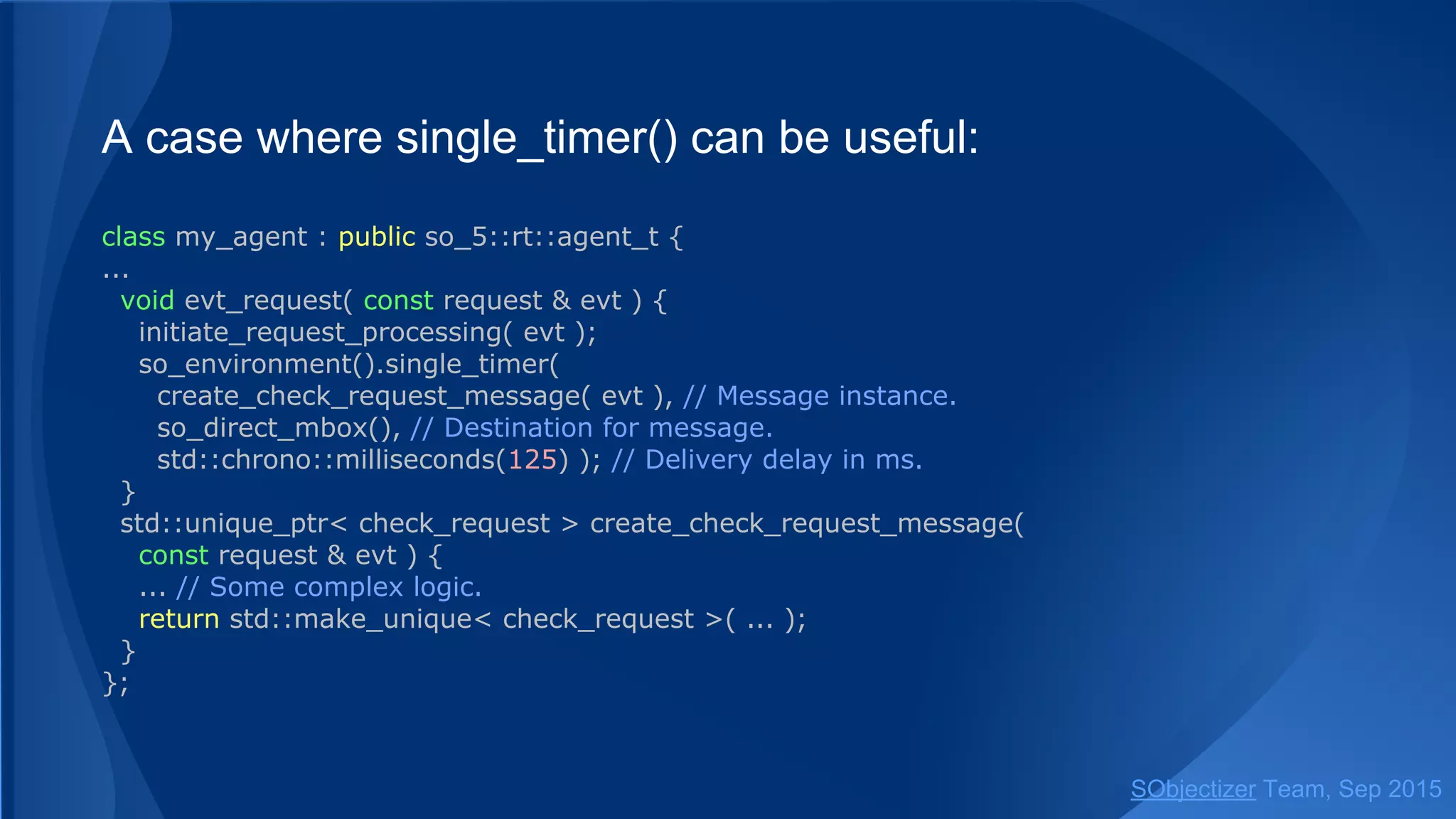
Usage of single_timer() is not as easy as usage of
send_delayed().
But single_timer() can be useful if a message instance is
created somewhere else...
SObjectizer Team, Jan 2016
A case where single_timer() can be useful:
class my_agent : public so_5::agent_t {
...
void evt_request( const request & evt ) {
initiate_request_processing( evt );
so_environment().single_timer(
create_check_request_message( evt ), // Message instance.
so_direct_mbox(), // Destination for message.
std::chrono::milliseconds(125) ); // Delivery delay in ms.
}
std::unique_ptr< check_request > create_check_request_message( const request & evt ) {
... // Some complex logic.
return std::make_unique< check_request >( ... );
}
};
SObjectizer Team, Jan 2016
The third way is to use schedule_timer() method of
environment_t class.
Method schedule_timer() returns timer ID which can be used
for timer cancellation.
SObjectizer Team, Jan 2016
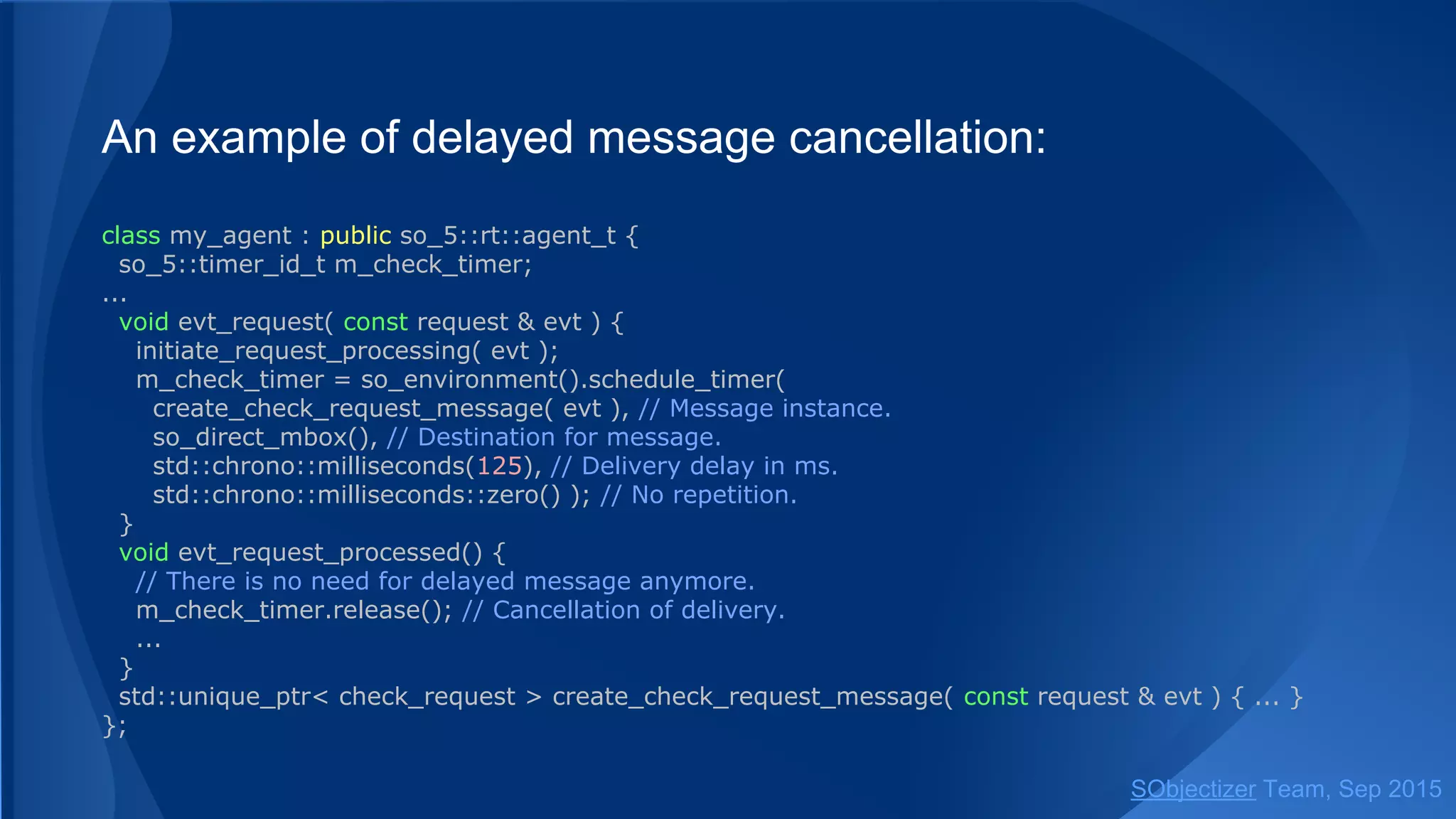
An example of delayed message cancellation:
class my_agent : public so_5::agent_t {
so_5::timer_id_t m_check_timer;
...
void evt_request( const request & evt ) {
initiate_request_processing( evt );
m_check_timer = so_environment().schedule_timer(
create_check_request_message( evt ), // Message instance.
so_direct_mbox(), // Destination for message.
std::chrono::milliseconds(125), // Delivery delay in ms.
std::chrono::milliseconds::zero() ); // No repetition.
}
void evt_request_processed() {
// There is no need for delayed message anymore.
m_check_timer.release(); // Cancellation of delivery.
...
}
std::unique_ptr< check_request > create_check_request_message( const request & evt ) { ... }
};
SObjectizer Team, Jan 2016
Periodic Messages
SObjectizer Team, Jan 2016
Periodic message are repeated again and again until it will
be cancelled.
The same message instance is delivered every time. It
means that message instance is not deallocated after
processing. Deallocation will occur when message will be
cancelled.
SObjectizer Team, Jan 2016
There are two ways for sending a periodic message.
The simplest one is to use send_periodic() function.
As for delayed messages the access to SO Environment is
necessary for sending a periodic message. That’s why the
first argument of send_periodic() must be a reference to
environment_t or some object from which that reference
could be obtained.
SObjectizer Team, Jan 2016
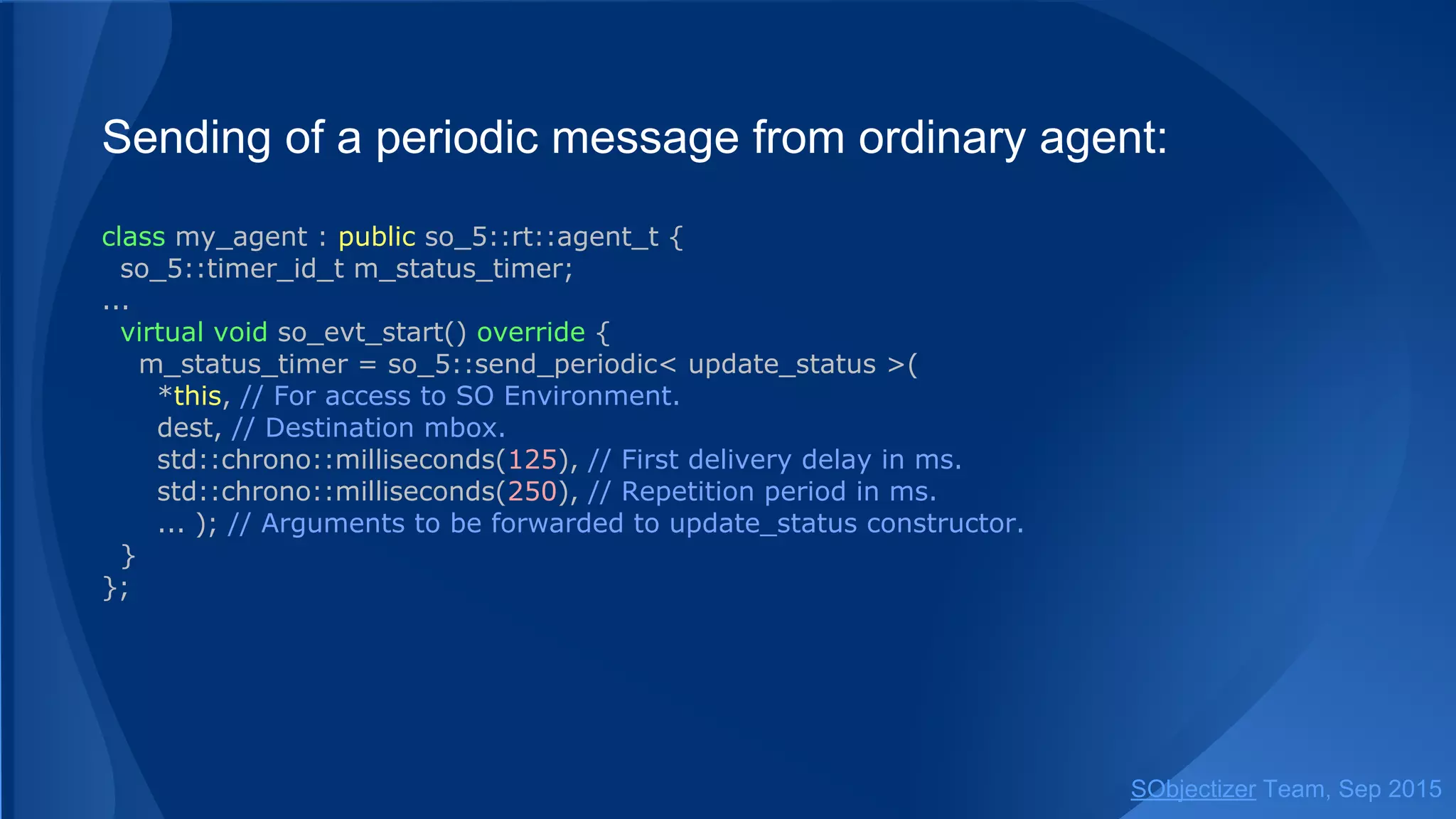
Sending of a periodic message from ordinary agent:
class my_agent : public so_5::agent_t {
so_5::timer_id_t m_status_timer;
...
virtual void so_evt_start() override {
m_status_timer = so_5::send_periodic< update_status >(
so_environment(), // SO Environment to be used.
dest, // Destination mbox.
std::chrono::milliseconds(125), // First delivery delay in ms.
std::chrono::milliseconds(250), // Repetition period in ms.
... ); // Arguments to be forwarded to update_status constructor.
}
};
SObjectizer Team, Jan 2016
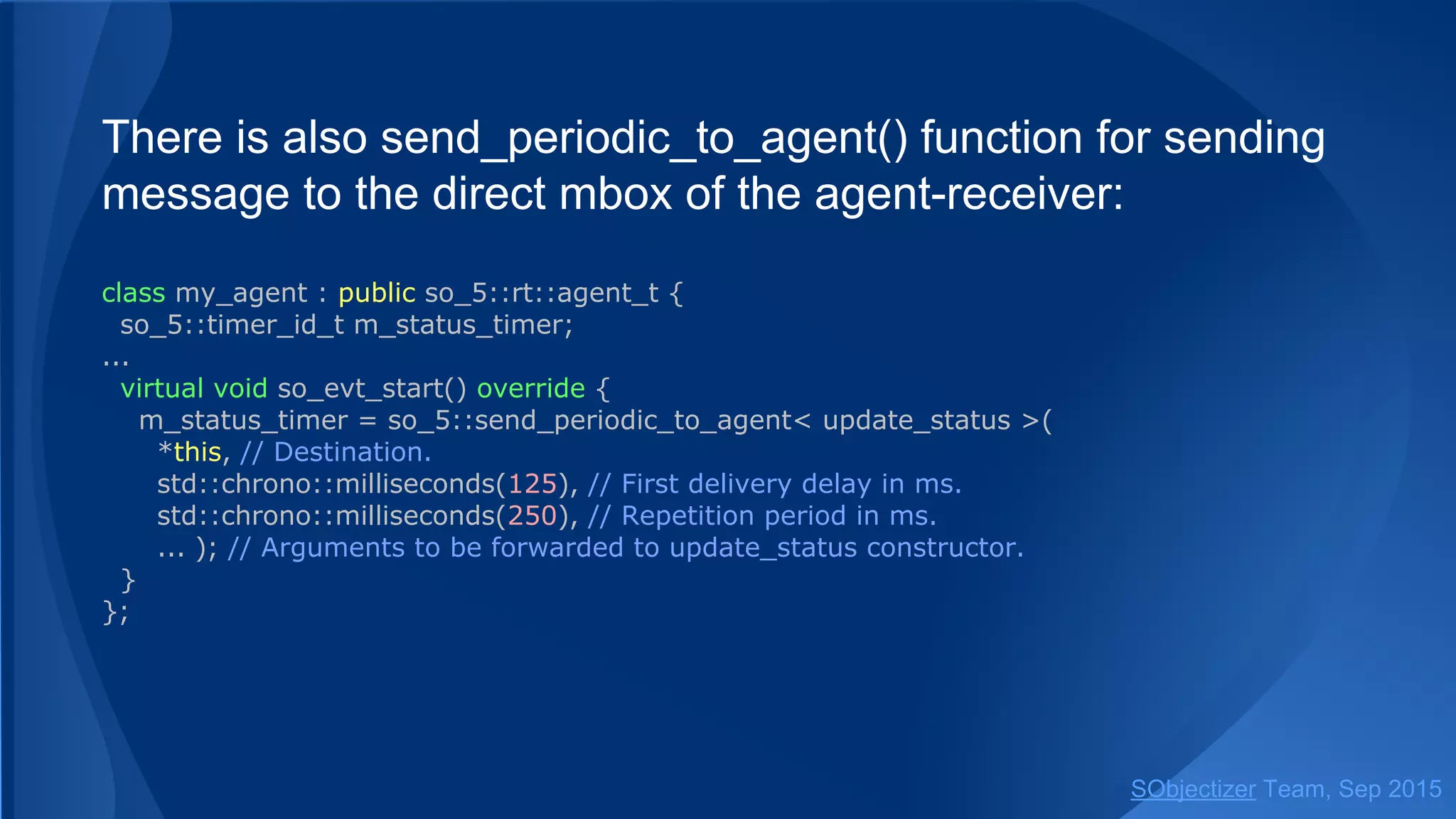
Function send_periodic() can send a message to the direct
mbox of the agent-receiver:
class my_agent : public so_5::agent_t {
so_5::timer_id_t m_status_timer;
...
virtual void so_evt_start() override {
m_status_timer = so_5::send_periodic< update_status >(
*this, // Destination. SO Environment of target agent will be used.
std::chrono::milliseconds(125), // First delivery delay in ms.
std::chrono::milliseconds(250), // Repetition period in ms.
... ); // Arguments to be forwarded to update_status constructor.
}
};
SObjectizer Team, Jan 2016
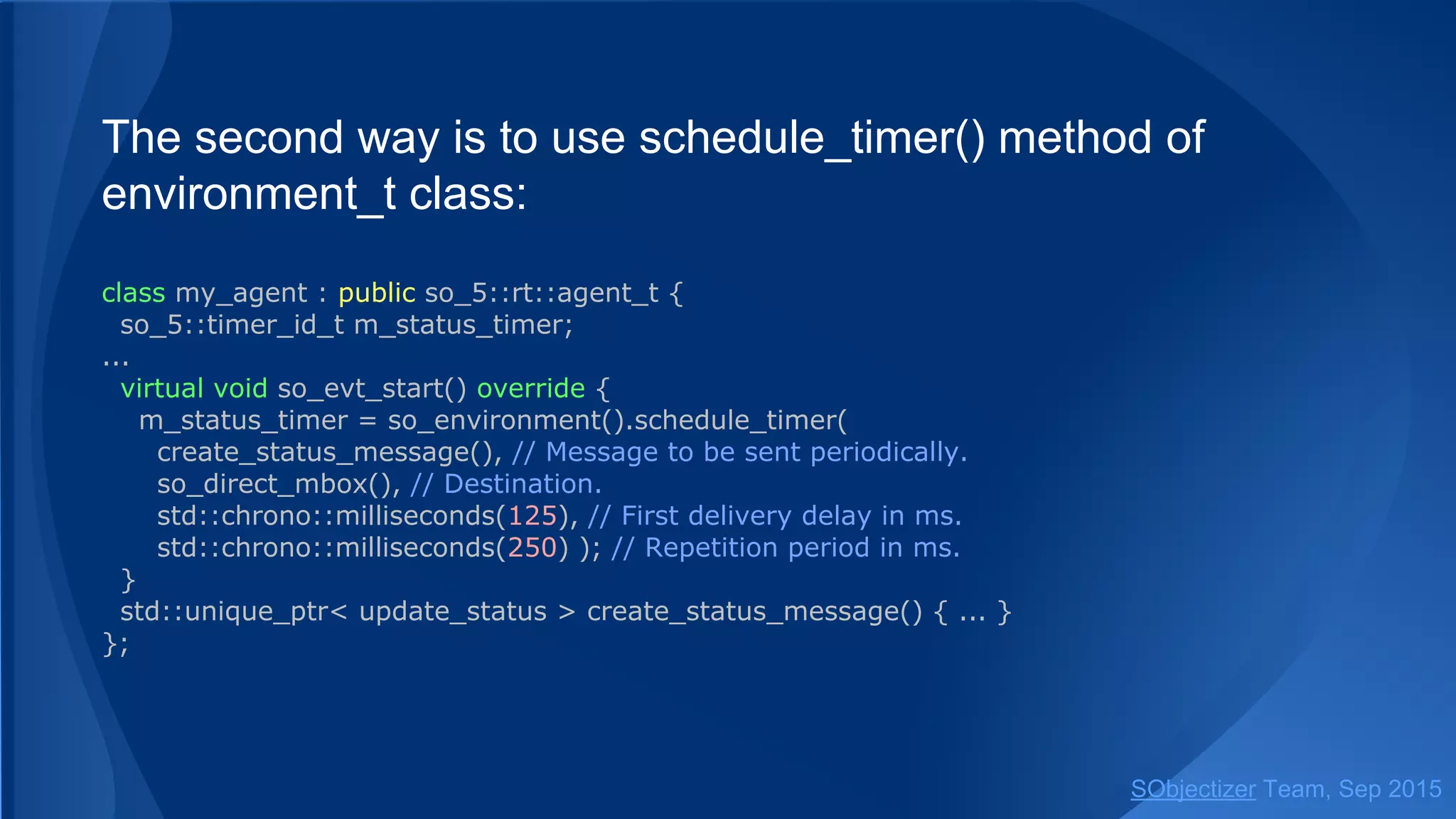
The second way is to use schedule_timer() method of
environment_t class:
class my_agent : public so_5::agent_t {
so_5::timer_id_t m_status_timer;
...
virtual void so_evt_start() override {
m_status_timer = so_environment().schedule_timer(
create_status_message(), // Message to be sent periodically.
so_direct_mbox(), // Destination.
std::chrono::milliseconds(125), // First delivery delay in ms.
std::chrono::milliseconds(250) ); // Repetition period in ms.
}
std::unique_ptr< update_status > create_status_message() { ... }
};
SObjectizer Team, Jan 2016
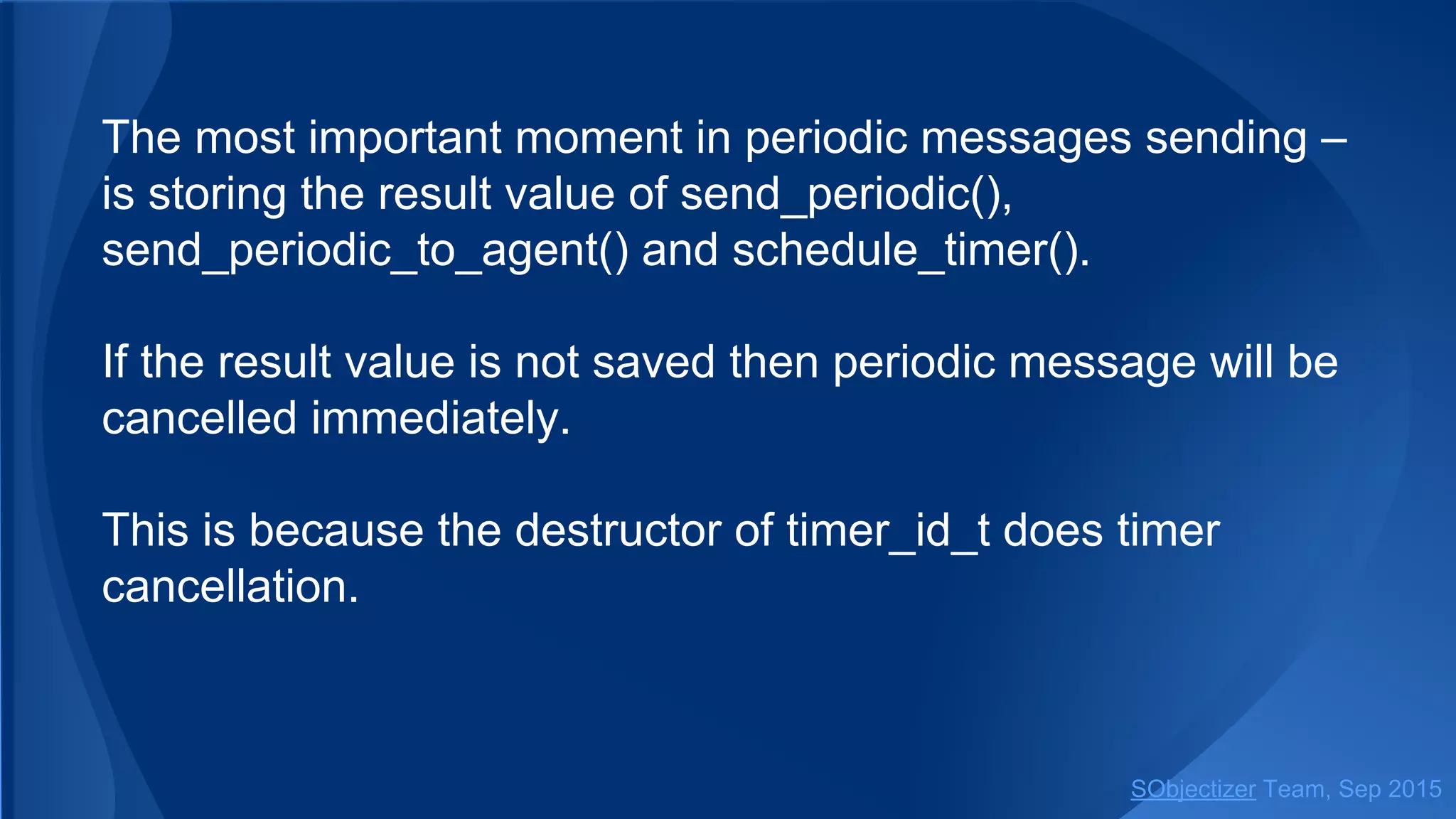
The most important moment in periodic messages sending ‒
is storing the result value of send_periodic() and
schedule_timer().
If the result value is not saved then periodic message will be
cancelled immediately.
This is because the destructor of timer_id_t does timer
cancellation.
SObjectizer Team, Jan 2016
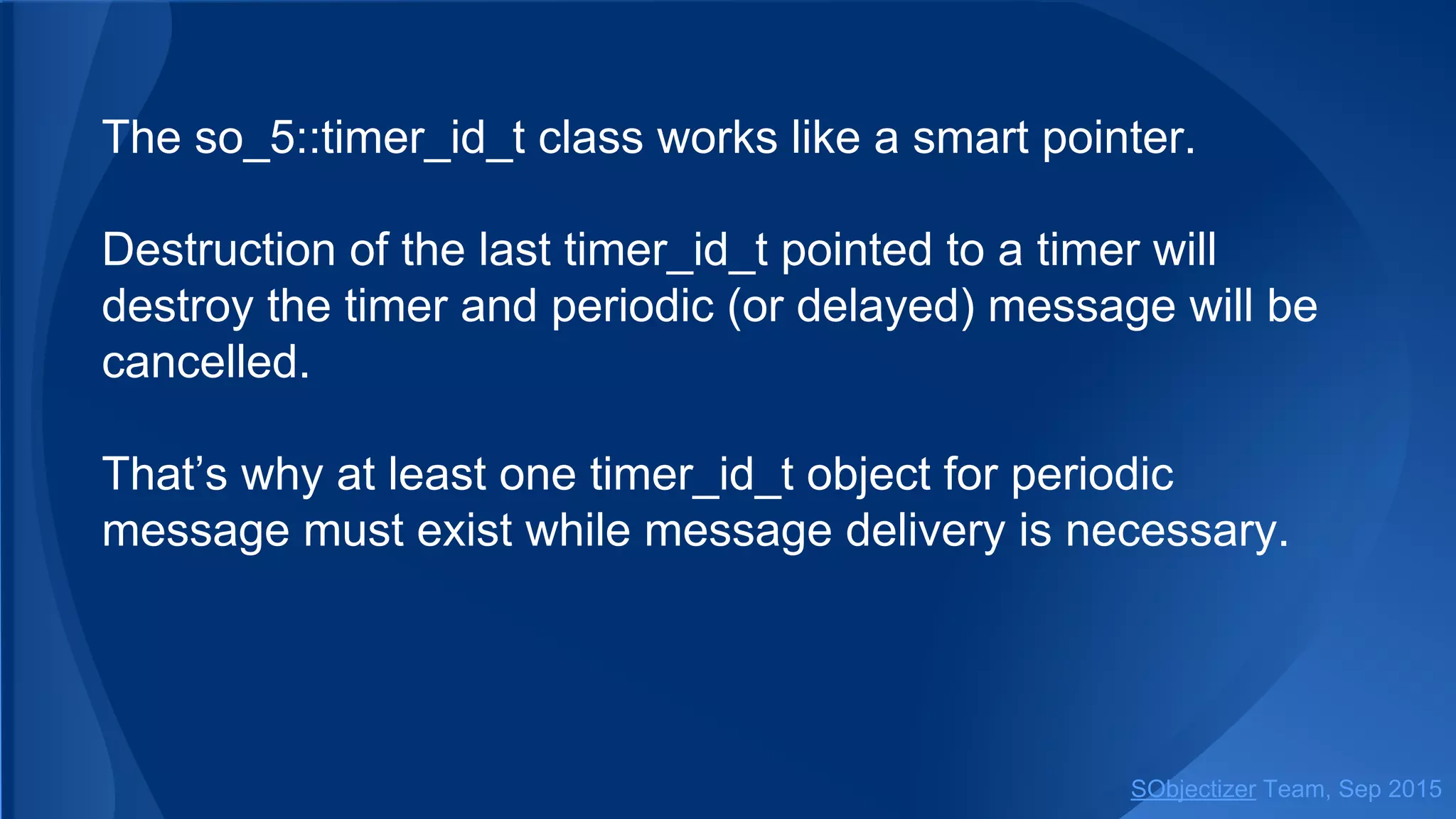
The so_5::timer_id_t class works like a smart pointer.
Destruction of the last timer_id_t pointed to a timer will
destroy the timer and periodic (or delayed) message will be
cancelled.
That’s why at least one timer_id_t object for periodic
message must exist while message delivery is necessary.
SObjectizer Team, Jan 2016
Delayed/Periodic Messages Cancellation
SObjectizer Team, Jan 2016
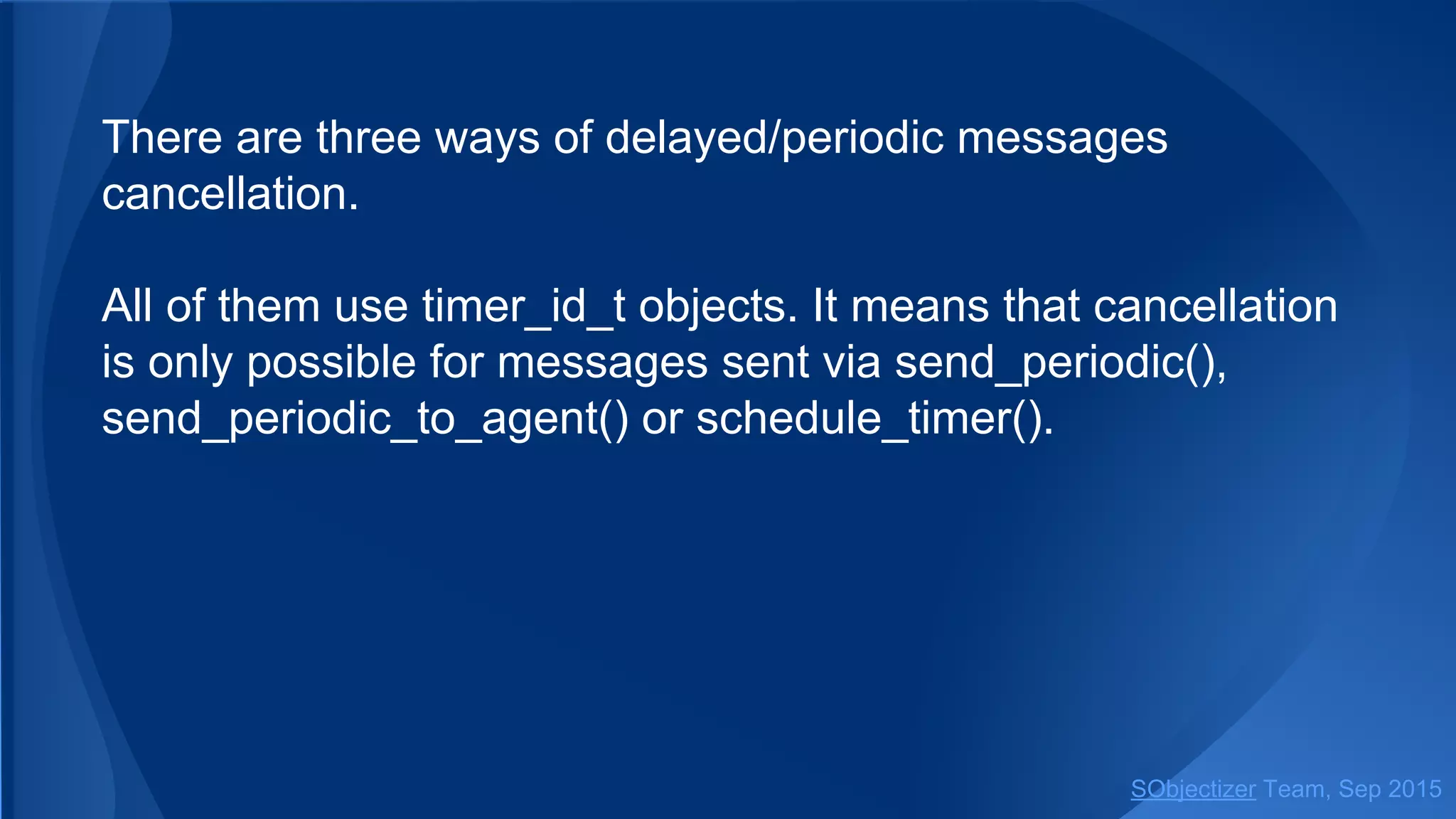
There are three ways of delayed/periodic messages
cancellation.
All of them use timer_id_t objects. It means that cancellation
is only possible for messages sent via send_periodic() or
schedule_timer().
SObjectizer Team, Jan 2016
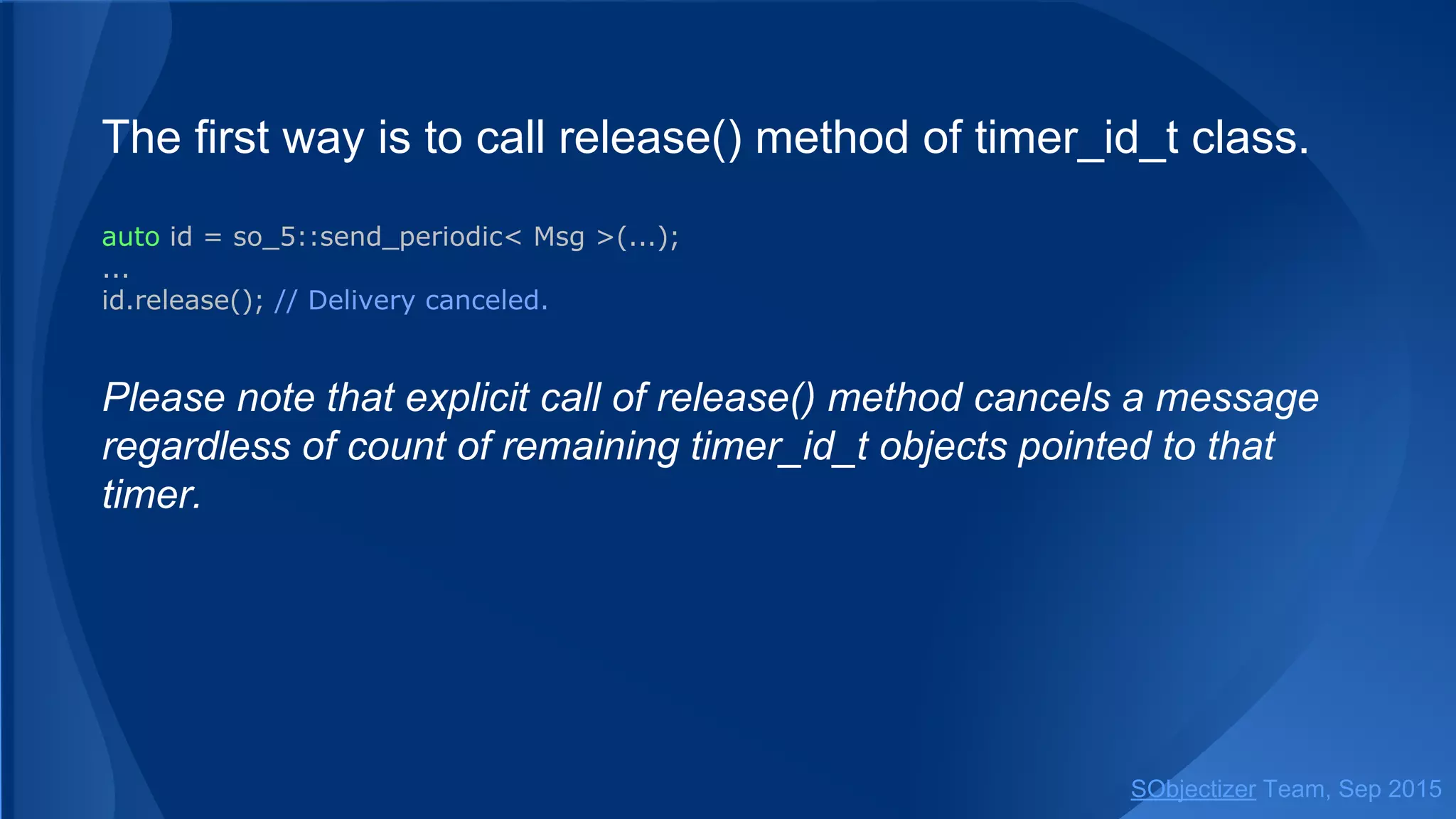
The first way is to call release() method of timer_id_t class.
auto id = so_5::send_periodic< Msg >(...);
...
id.release(); // Delivery canceled.
Please note that explicit call of release() method cancels a message
regardless of count of remaining timer_id_t objects pointed to that
timer.
SObjectizer Team, Jan 2016
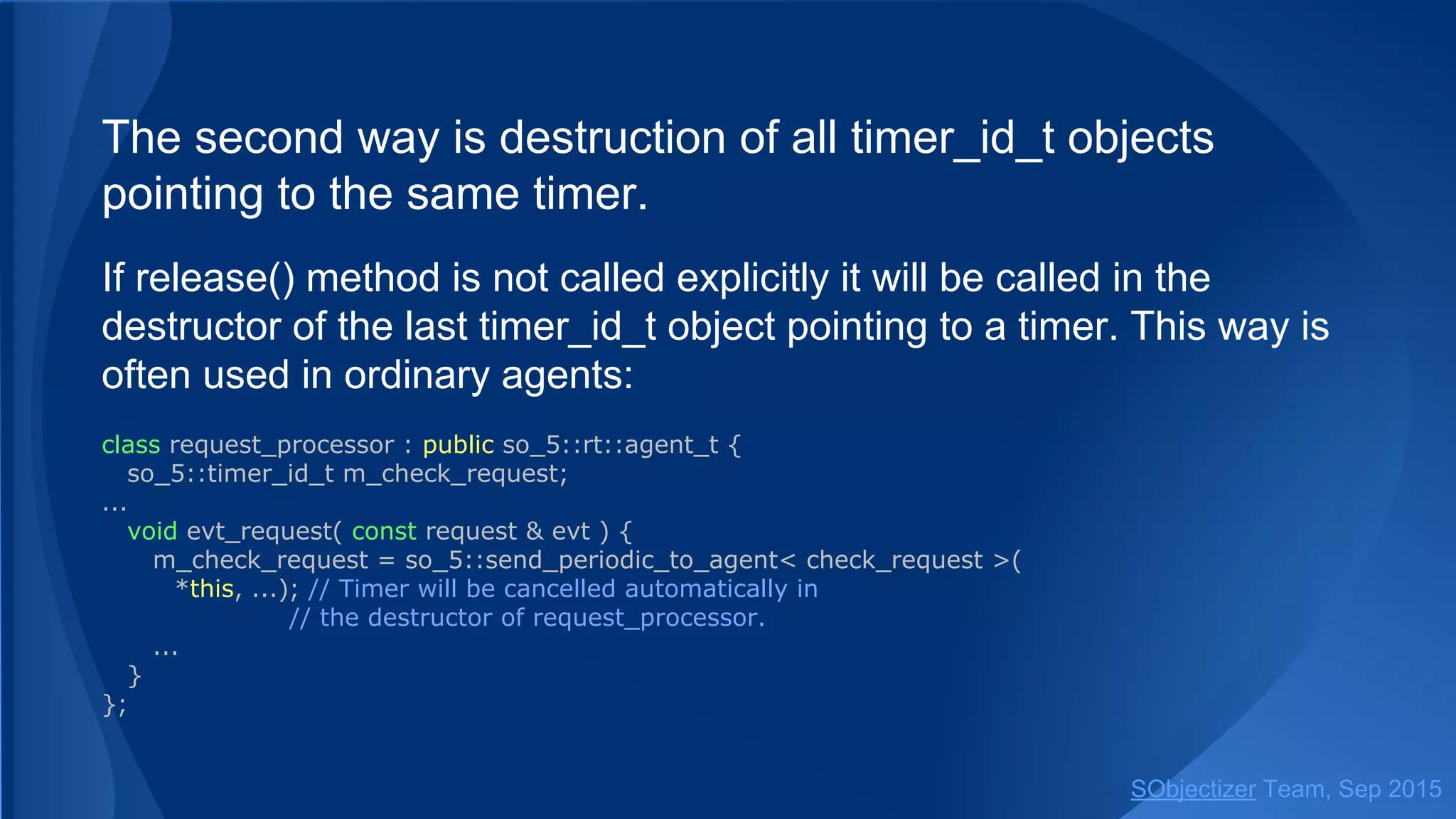
The second way is destruction of all timer_id_t objects
pointing to the same timer.
If release() method is not called explicitly it will be called in the
destructor of the last timer_id_t object pointing to a timer. This way is
often used in ordinary agents:
class request_processor : public so_5::agent_t {
so_5::timer_id_t m_check_request;
...
void evt_request( const request & evt ) {
m_check_request = so_5::send_periodic< check_request >(
*this, ...); // Timer will be cancelled automatically in
// the destructor of request_processor.
...
}
};
SObjectizer Team, Jan 2016
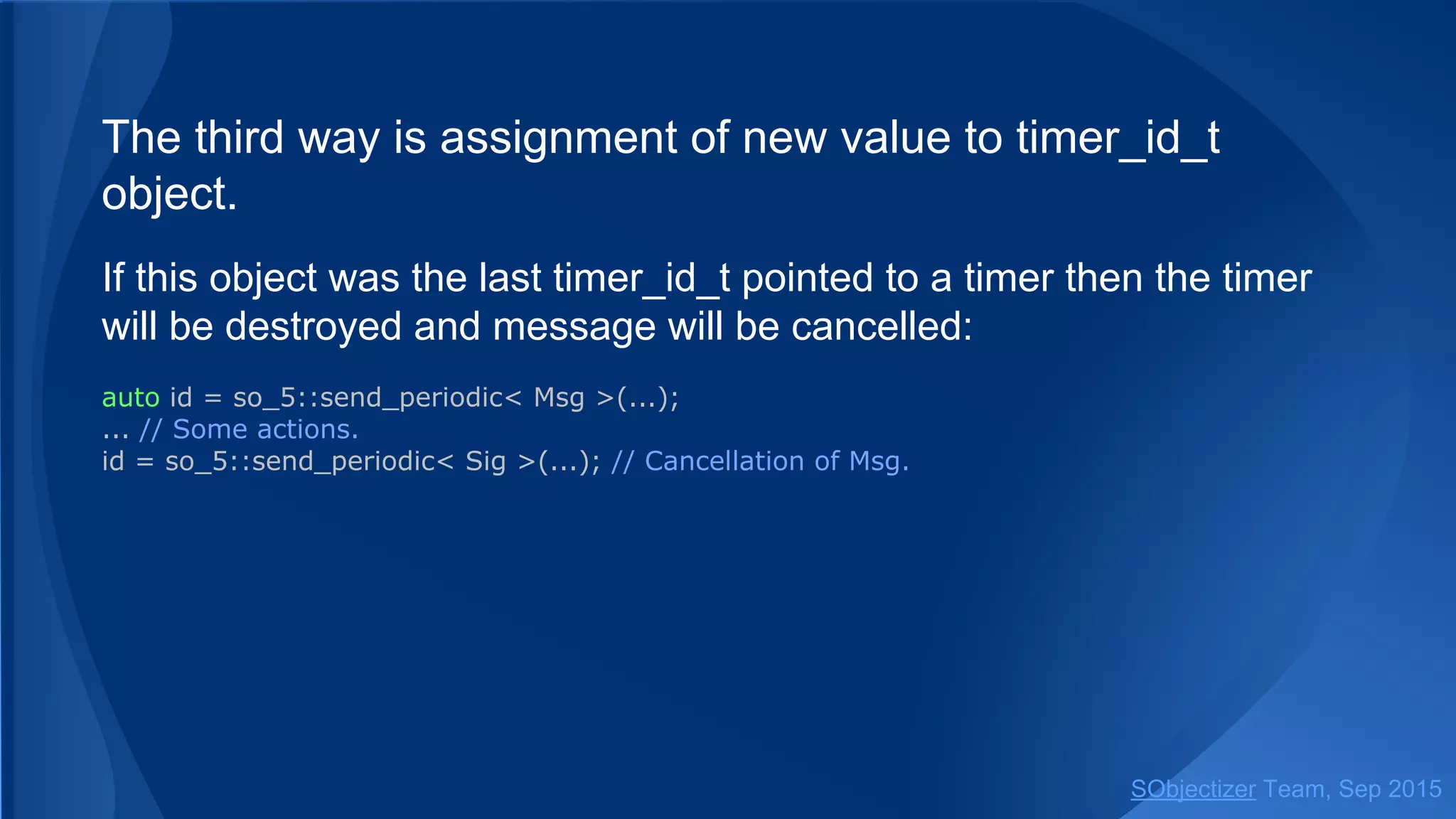
The third way is assignment of new value to timer_id_t
object.
If this object was the last timer_id_t pointed to a timer then the timer
will be destroyed and message will be cancelled:
auto id = so_5::send_periodic< Msg >(...);
... // Some actions.
id = so_5::send_periodic< Sig >(...); // Cancellation of Msg.
SObjectizer Team, Jan 2016
There is a trick moment with cancellation of delayed
messages...
Delayed message will be cancelled only if it is still under control
of timer thread. If message already leaved timer thread and is
waiting in event queues of recipients then message delivery will
not be cancelled and message will be processed by
subscribers.
For example if delay was 125ms and cancelaction is initiated after
125ms after call to send_delayed there is a high probability that
message will be delivered anyway.
SObjectizer Team, Jan 2016
Timer Thread
SObjectizer Team, Jan 2016
SO Environment starts a special thread for handling timers.
This thread is known as timer thread.
All timers are controlled and processed by that timer thread.
Timer thread can efficiently process big amount of timers:
tens and hundreds of millions. Even billions of timers.
A user can choose a timer mechanism most appropriate for
application needs.
SObjectizer Team, Jan 2016
Three timer mechanisms are supported. Each has its
strengths and weakness:
● timer_wheel
● timer_list
● timer_heap
SObjectizer Team, Jan 2016
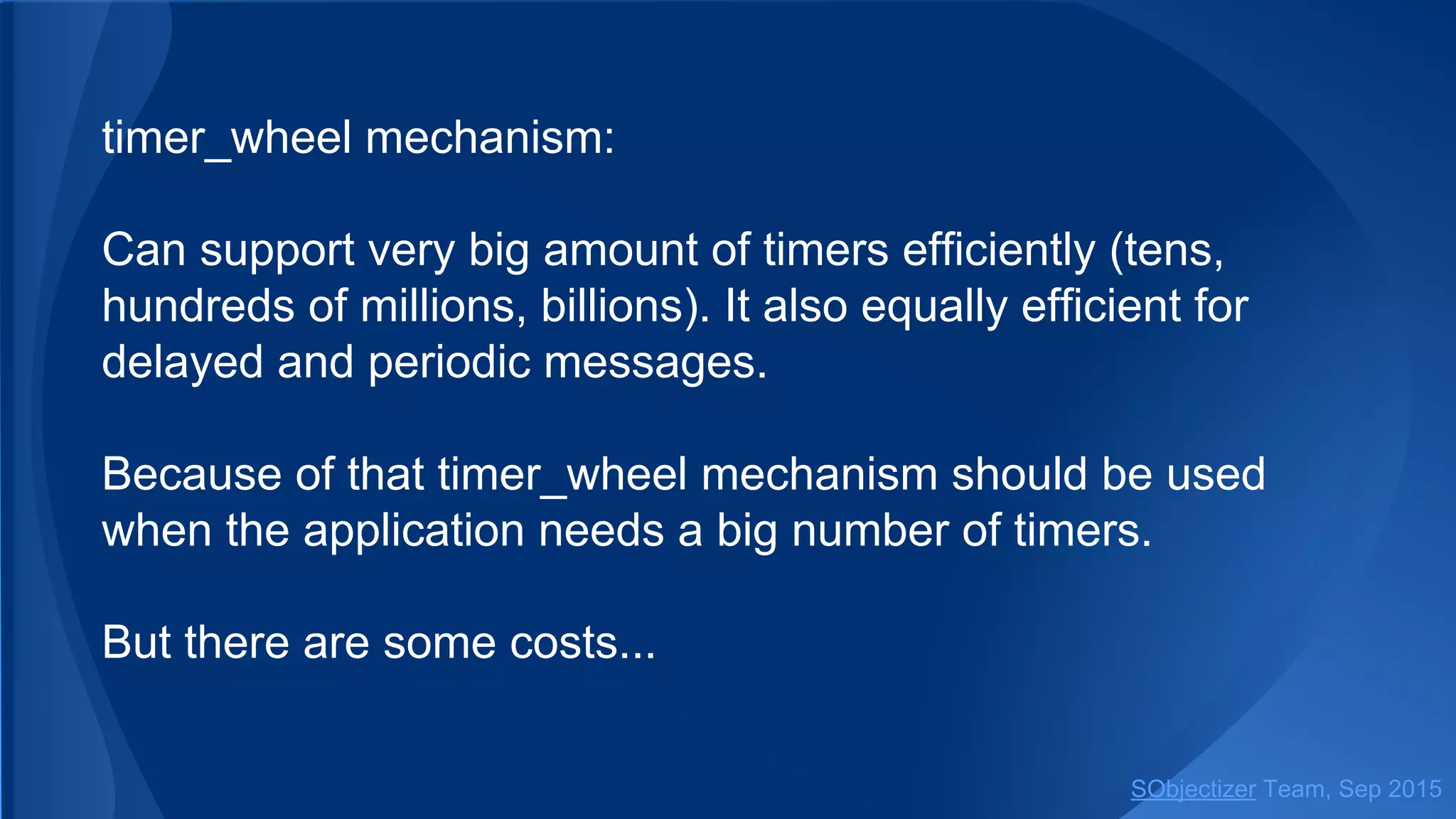
timer_wheel mechanism:
Can support very big amount of timers efficiently (tens,
hundreds of millions, billions). It also equally efficient for
delayed and periodic messages.
Because of that timer_wheel mechanism should be used
when the application needs a big number of timers.
But there are some costs...
SObjectizer Team, Jan 2016
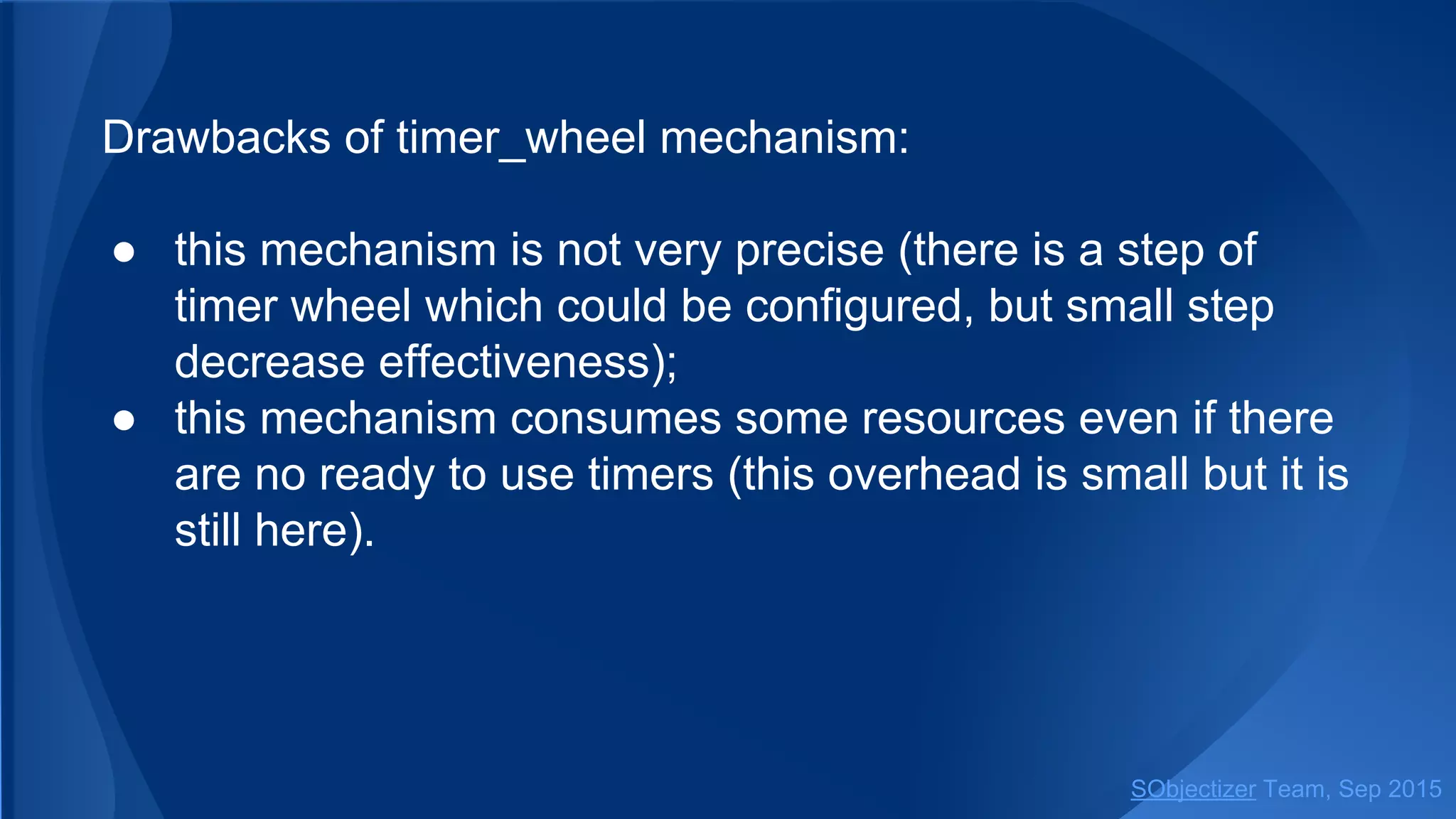
Drawbacks of timer_wheel mechanism:
● this mechanism is not very precise (there is a step of
timer wheel which could be configured, but small step
decrease effectiveness);
● this mechanism consumes some resources even if there
are no ready to use timers (this overhead is small but it is
still here).
SObjectizer Team, Jan 2016
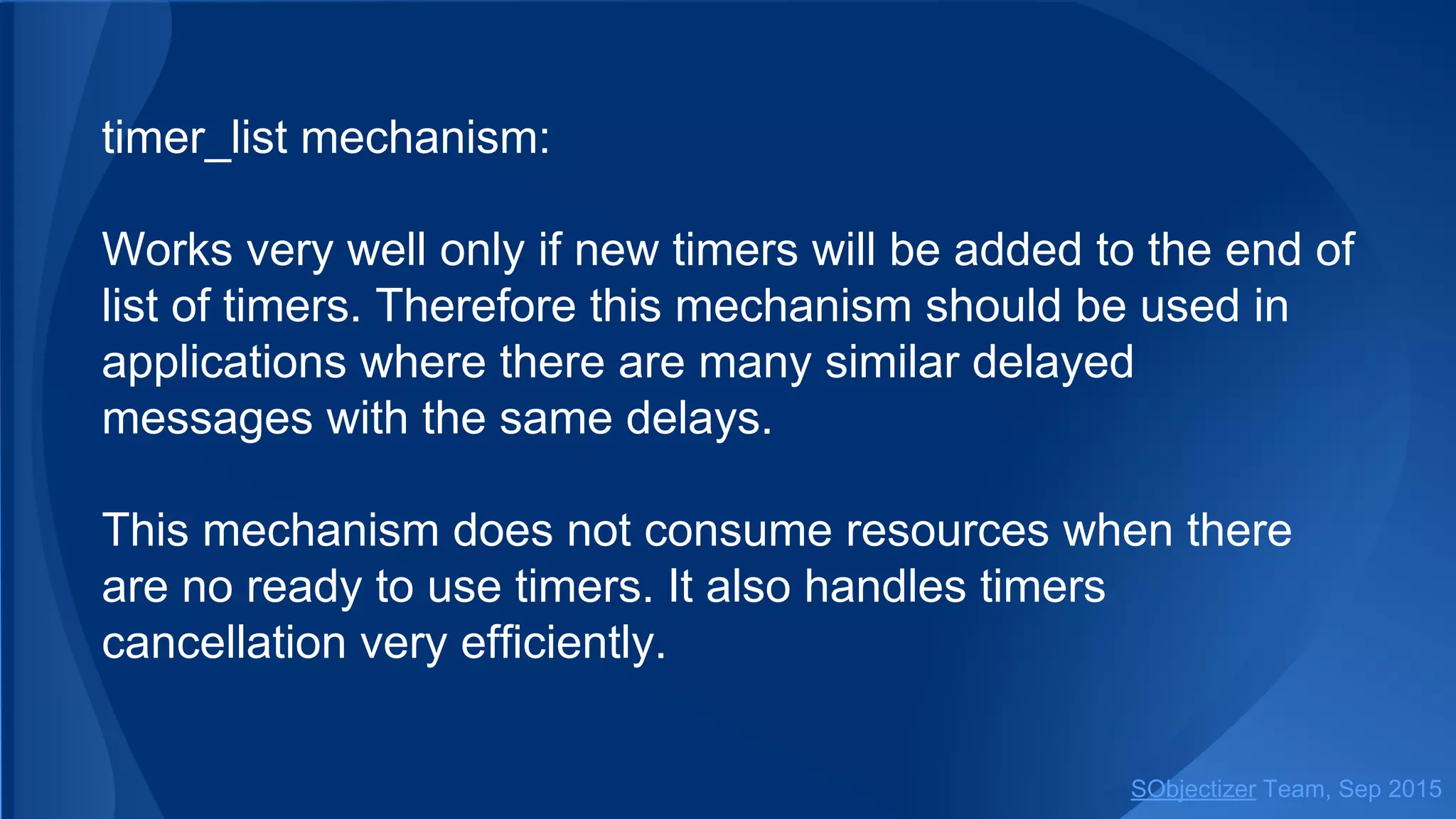
timer_list mechanism:
Works very well only if new timers will be added to the end of
list of timers. Therefore this mechanism should be used in
applications where there are many similar delayed
messages with the same delays.
This mechanism does not consume resources when there
are no ready to use timers. It also handles timers
cancellation very efficiently.
SObjectizer Team, Jan 2016
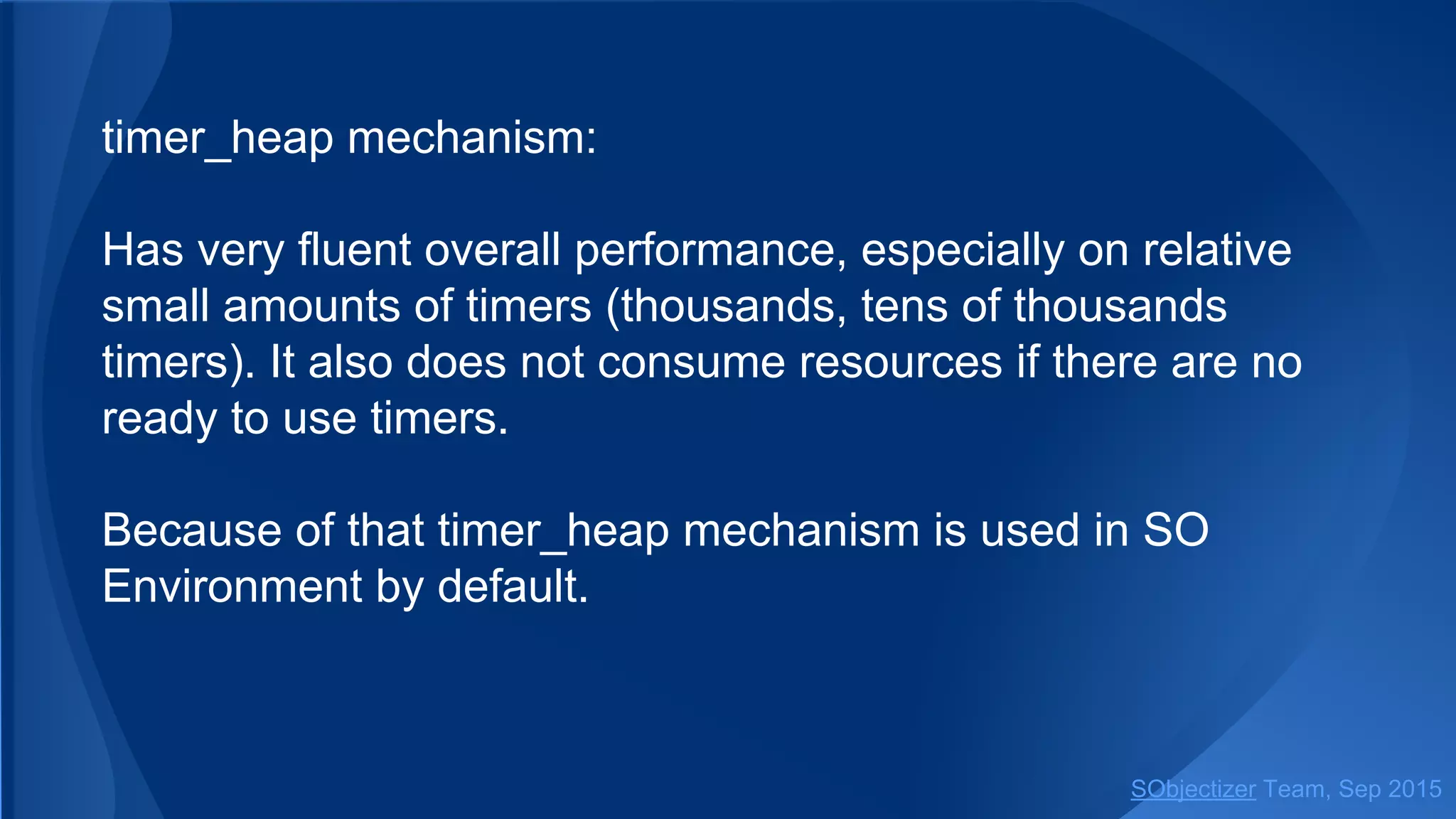
timer_heap mechanism:
Has very fluent overall performance, especially on relative
small amounts of timers (thousands, tens of thousands
timers). It also does not consume resources if there are no
ready to use timers.
Because of that timer_heap mechanism is used in SO
Environment by default.
SObjectizer Team, Jan 2016
For more information about timer mechanisms, their
strengths and weakness see description of Timer Template
Thread (timertt) library. This library is used for
implementation of delayed and periodic messages in SO-
5.5.
SObjectizer Team, Jan 2016
Timer mechanism can be specified in Environment’s
parameters before start of SO Environment:
so_5::launch( []( so_5::environment_t & env ) {
// Some initialization stuff...
},
// SObjectizer Environment parameters tuning.
[]( so_5::environment_params_t & params ) {
// Use timer_wheel mechanism with wheel size 10000
// and timer step size of 5ms.
params.timer_thread(
so_5::timer_wheel_factory( 10000,
std::chrono::milliseconds(5) ) );
...
} );
SObjectizer Team, Jan 2016
Additional Information:
Project’s home: http://sourceforge.net/projects/sobjectizer
Documentation: http://sourceforge.net/p/sobjectizer/wiki/
Forum: http://sourceforge.net/p/sobjectizer/discussion/
Google-group: https://groups.google.com/forum/#!forum/sobjectizer
GitHub mirror: https://github.com/masterspline/SObjectizer

Dive into SObjectizer 5.5. Fifth part: Timers

  • 1.
    Dive into SObjectizer-5.5 SObjectizerTeam, Jan 2016 Fifth Part: Timers (at v.5.5.15)
  • 2.
    This is thenext part of the series of presentations with deep introduction into features of SObjectizer-5.5. This part is dedicated to usage of timers. In particular: ● delayed messages; ● periodic messages; ● cancellation of delayed/periodic messages; ● timer thread and timer mechanisms. SObjectizer Team, Jan 2016
  • 3.
    Timers are activelyused in typical SObjectizer’s based applications. That's why SObjectizer provides easy to use tools for dealing with timers: ● delayed messages; ● periodic messages. SObjectizer Team, Jan 2016
  • 4.
    A delayed messageis delivered after a specified time interval since the message was sent. It means that if a delayed message is sent at some time point T and the delay is 150ms then it will be pushed to subscribers’ event queues at time point (T+150ms). SObjectizer Team, Jan 2016
  • 5.
    A periodic messageis repeatedly delivered after a specified amount of time. It means that if a periodic message is sent at some time point T with delay of 150ms and repetition period of 250ms then it will be pushed to subscribers’ event queues first time at time point (T+150ms), then at time point (T+400ms), then at (T+650ms) and so on. A periodic message will be repeated until it canceled. SObjectizer Team, Jan 2016
  • 6.
  • 7.
    There are threeways for sending a delayed messages. The simplest one is to use send_delayed() function. A reference to SO Environment instance is necessary for sending a delayed message. That’s why the first argument of send_delayed() is a reference to environment_t or some object from which that reference could be obtained. SObjectizer Team, Jan 2016
  • 8.
    Sending a delayedmessage from ordinary agent: class my_agent : public so_5::agent_t { ... virtual void so_evt_start() override { so_5::send_delayed< some_message >( so_environment(), // SO Environment to be used. dest, // Destination mbox. std::chrono::milliseconds(125), // Delivery delay in ms. ... ); // Arguments to be forwarded to some_message constructor. } }; SObjectizer Team, Jan 2016
  • 9.
    Sending a delayedmessage from ad-hoc agent: env.introduce_coop( []( so_5::coop_t & coop ) { coop.define_agent().on_start( [&coop] { so_5::send_delayed< some_message >( coop.environment(), // SO Environment to be used. dest, // Destination mbox. std::chrono::milliseconds(125), // Delivery delay in ms. ... ); // Arguments to be forwarded to some_message constructor. ... } ); } ); SObjectizer Team, Jan 2016
  • 10.
    Function send_delayed canbe used to sending a delayed message to the direct mbox of agent-receiver. SO Environment in which the receiver is registered will be used in that case. SObjectizer Team, Jan 2016
  • 11.
    Sending a delayedmessage to the direct mbox of the agent- receiver: class my_agent : public so_5::agent_t { ... void evt_request( const request & evt ) { initiate_request_processing( evt ); so_5::send_delayed< check_request >( *this, // Destination for message. std::chrono::milliseconds(125), // Delivery delay in ms. ... ); // Arguments to be forwarded to check_request constructor. } }; SObjectizer Team, Jan 2016
  • 12.
    Function send_delayed() alsoaccepts an ad-hoc agent proxy: env.introduce_coop( []( so_5::coop_t & coop ) { auto a = coop.define_agent(); a.event( a, [a]( const request & evt ) { initiate_request_processing( evt ); so_5::send_delayed< check_request >( a, // Destination for message. std::chrono::milliseconds(125), // Delivery delay in ms. ... ); // Arguments to be forwarded to check_request constructor. } ); } ); SObjectizer Team, Jan 2016
  • 13.
    The second wayis to use single_timer() method of environment_t class: class my_agent : public so_5::agent_t { ... void evt_request( const request & evt ) { initiate_request_processing( evt ); auto delayed_msg = std::make_unique< check_request >( ... ); so_environment().single_timer( std::move(delayed_msg), // Message instance. so_direct_mbox(), // Destination for message. std::chrono::milliseconds(125) ); // Delivery delay in ms. } }; SObjectizer Team, Jan 2016
  • 14.
    Usage of single_timer()is not as easy as usage of send_delayed(). But single_timer() can be useful if a message instance is created somewhere else... SObjectizer Team, Jan 2016
  • 15.
    A case wheresingle_timer() can be useful: class my_agent : public so_5::agent_t { ... void evt_request( const request & evt ) { initiate_request_processing( evt ); so_environment().single_timer( create_check_request_message( evt ), // Message instance. so_direct_mbox(), // Destination for message. std::chrono::milliseconds(125) ); // Delivery delay in ms. } std::unique_ptr< check_request > create_check_request_message( const request & evt ) { ... // Some complex logic. return std::make_unique< check_request >( ... ); } }; SObjectizer Team, Jan 2016
  • 16.
    The third wayis to use schedule_timer() method of environment_t class. Method schedule_timer() returns timer ID which can be used for timer cancellation. SObjectizer Team, Jan 2016
  • 17.
    An example ofdelayed message cancellation: class my_agent : public so_5::agent_t { so_5::timer_id_t m_check_timer; ... void evt_request( const request & evt ) { initiate_request_processing( evt ); m_check_timer = so_environment().schedule_timer( create_check_request_message( evt ), // Message instance. so_direct_mbox(), // Destination for message. std::chrono::milliseconds(125), // Delivery delay in ms. std::chrono::milliseconds::zero() ); // No repetition. } void evt_request_processed() { // There is no need for delayed message anymore. m_check_timer.release(); // Cancellation of delivery. ... } std::unique_ptr< check_request > create_check_request_message( const request & evt ) { ... } }; SObjectizer Team, Jan 2016
  • 18.
  • 19.
    Periodic message arerepeated again and again until it will be cancelled. The same message instance is delivered every time. It means that message instance is not deallocated after processing. Deallocation will occur when message will be cancelled. SObjectizer Team, Jan 2016
  • 20.
    There are twoways for sending a periodic message. The simplest one is to use send_periodic() function. As for delayed messages the access to SO Environment is necessary for sending a periodic message. That’s why the first argument of send_periodic() must be a reference to environment_t or some object from which that reference could be obtained. SObjectizer Team, Jan 2016
  • 21.
    Sending of aperiodic message from ordinary agent: class my_agent : public so_5::agent_t { so_5::timer_id_t m_status_timer; ... virtual void so_evt_start() override { m_status_timer = so_5::send_periodic< update_status >( so_environment(), // SO Environment to be used. dest, // Destination mbox. std::chrono::milliseconds(125), // First delivery delay in ms. std::chrono::milliseconds(250), // Repetition period in ms. ... ); // Arguments to be forwarded to update_status constructor. } }; SObjectizer Team, Jan 2016
  • 22.
    Function send_periodic() cansend a message to the direct mbox of the agent-receiver: class my_agent : public so_5::agent_t { so_5::timer_id_t m_status_timer; ... virtual void so_evt_start() override { m_status_timer = so_5::send_periodic< update_status >( *this, // Destination. SO Environment of target agent will be used. std::chrono::milliseconds(125), // First delivery delay in ms. std::chrono::milliseconds(250), // Repetition period in ms. ... ); // Arguments to be forwarded to update_status constructor. } }; SObjectizer Team, Jan 2016
  • 23.
    The second wayis to use schedule_timer() method of environment_t class: class my_agent : public so_5::agent_t { so_5::timer_id_t m_status_timer; ... virtual void so_evt_start() override { m_status_timer = so_environment().schedule_timer( create_status_message(), // Message to be sent periodically. so_direct_mbox(), // Destination. std::chrono::milliseconds(125), // First delivery delay in ms. std::chrono::milliseconds(250) ); // Repetition period in ms. } std::unique_ptr< update_status > create_status_message() { ... } }; SObjectizer Team, Jan 2016
  • 24.
    The most importantmoment in periodic messages sending ‒ is storing the result value of send_periodic() and schedule_timer(). If the result value is not saved then periodic message will be cancelled immediately. This is because the destructor of timer_id_t does timer cancellation. SObjectizer Team, Jan 2016
  • 25.
    The so_5::timer_id_t classworks like a smart pointer. Destruction of the last timer_id_t pointed to a timer will destroy the timer and periodic (or delayed) message will be cancelled. That’s why at least one timer_id_t object for periodic message must exist while message delivery is necessary. SObjectizer Team, Jan 2016
  • 26.
  • 27.
    There are threeways of delayed/periodic messages cancellation. All of them use timer_id_t objects. It means that cancellation is only possible for messages sent via send_periodic() or schedule_timer(). SObjectizer Team, Jan 2016
  • 28.
    The first wayis to call release() method of timer_id_t class. auto id = so_5::send_periodic< Msg >(...); ... id.release(); // Delivery canceled. Please note that explicit call of release() method cancels a message regardless of count of remaining timer_id_t objects pointed to that timer. SObjectizer Team, Jan 2016
  • 29.
    The second wayis destruction of all timer_id_t objects pointing to the same timer. If release() method is not called explicitly it will be called in the destructor of the last timer_id_t object pointing to a timer. This way is often used in ordinary agents: class request_processor : public so_5::agent_t { so_5::timer_id_t m_check_request; ... void evt_request( const request & evt ) { m_check_request = so_5::send_periodic< check_request >( *this, ...); // Timer will be cancelled automatically in // the destructor of request_processor. ... } }; SObjectizer Team, Jan 2016
  • 30.
    The third wayis assignment of new value to timer_id_t object. If this object was the last timer_id_t pointed to a timer then the timer will be destroyed and message will be cancelled: auto id = so_5::send_periodic< Msg >(...); ... // Some actions. id = so_5::send_periodic< Sig >(...); // Cancellation of Msg. SObjectizer Team, Jan 2016
  • 31.
    There is atrick moment with cancellation of delayed messages... Delayed message will be cancelled only if it is still under control of timer thread. If message already leaved timer thread and is waiting in event queues of recipients then message delivery will not be cancelled and message will be processed by subscribers. For example if delay was 125ms and cancelaction is initiated after 125ms after call to send_delayed there is a high probability that message will be delivered anyway. SObjectizer Team, Jan 2016
  • 32.
  • 33.
    SO Environment startsa special thread for handling timers. This thread is known as timer thread. All timers are controlled and processed by that timer thread. Timer thread can efficiently process big amount of timers: tens and hundreds of millions. Even billions of timers. A user can choose a timer mechanism most appropriate for application needs. SObjectizer Team, Jan 2016
  • 34.
    Three timer mechanismsare supported. Each has its strengths and weakness: ● timer_wheel ● timer_list ● timer_heap SObjectizer Team, Jan 2016
  • 35.
    timer_wheel mechanism: Can supportvery big amount of timers efficiently (tens, hundreds of millions, billions). It also equally efficient for delayed and periodic messages. Because of that timer_wheel mechanism should be used when the application needs a big number of timers. But there are some costs... SObjectizer Team, Jan 2016
  • 36.
    Drawbacks of timer_wheelmechanism: ● this mechanism is not very precise (there is a step of timer wheel which could be configured, but small step decrease effectiveness); ● this mechanism consumes some resources even if there are no ready to use timers (this overhead is small but it is still here). SObjectizer Team, Jan 2016
  • 37.
    timer_list mechanism: Works verywell only if new timers will be added to the end of list of timers. Therefore this mechanism should be used in applications where there are many similar delayed messages with the same delays. This mechanism does not consume resources when there are no ready to use timers. It also handles timers cancellation very efficiently. SObjectizer Team, Jan 2016
  • 38.
    timer_heap mechanism: Has veryfluent overall performance, especially on relative small amounts of timers (thousands, tens of thousands timers). It also does not consume resources if there are no ready to use timers. Because of that timer_heap mechanism is used in SO Environment by default. SObjectizer Team, Jan 2016
  • 39.
    For more informationabout timer mechanisms, their strengths and weakness see description of Timer Template Thread (timertt) library. This library is used for implementation of delayed and periodic messages in SO- 5.5. SObjectizer Team, Jan 2016
  • 40.
    Timer mechanism canbe specified in Environment’s parameters before start of SO Environment: so_5::launch( []( so_5::environment_t & env ) { // Some initialization stuff... }, // SObjectizer Environment parameters tuning. []( so_5::environment_params_t & params ) { // Use timer_wheel mechanism with wheel size 10000 // and timer step size of 5ms. params.timer_thread( so_5::timer_wheel_factory( 10000, std::chrono::milliseconds(5) ) ); ... } ); SObjectizer Team, Jan 2016
  • 41.
    Additional Information: Project’s home:http://sourceforge.net/projects/sobjectizer Documentation: http://sourceforge.net/p/sobjectizer/wiki/ Forum: http://sourceforge.net/p/sobjectizer/discussion/ Google-group: https://groups.google.com/forum/#!forum/sobjectizer GitHub mirror: https://github.com/masterspline/SObjectizer