沈晟
射手科技(splayer.org)

Basic
射手科技(splayer.org)

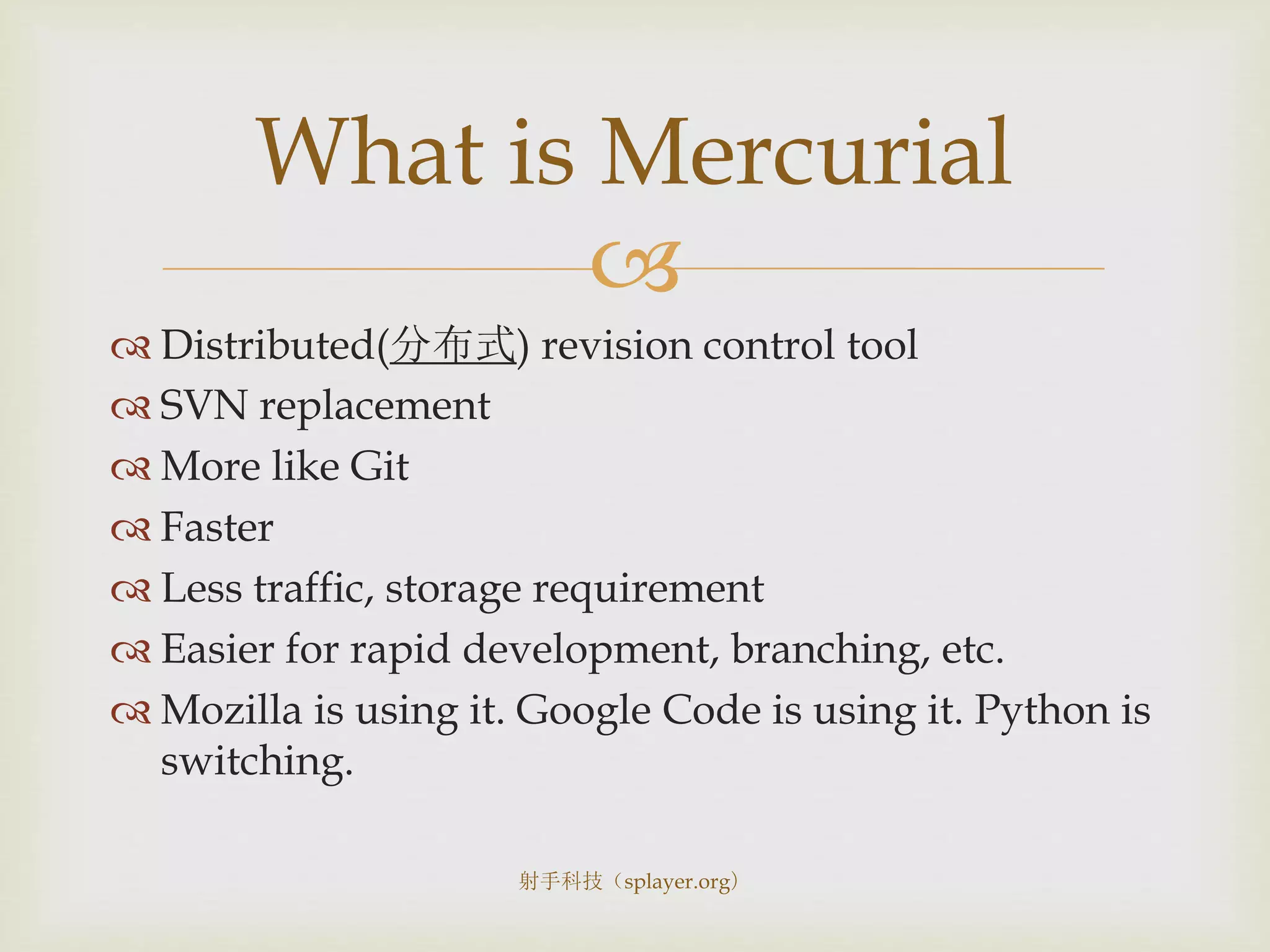
 Distributed(分布式) revision control tool
 SVN replacement
 More like Git
 Faster
 Less traffic, storage requirement
 Easier for rapid development, branching, etc.
 Mozilla is using it. Google Code is using it. Python is
switching.
What is Mercurial
射手科技(splayer.org)

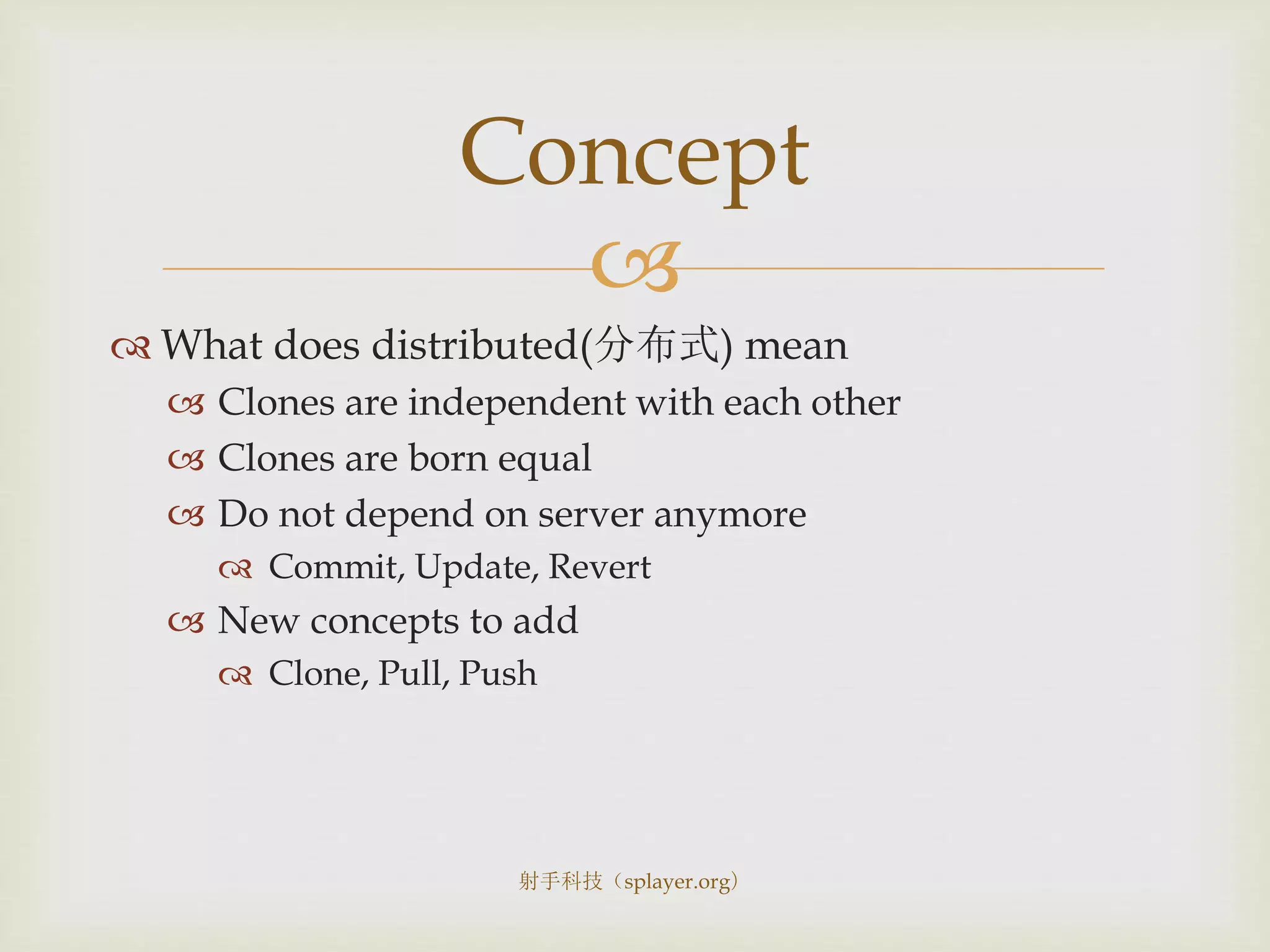
 What does distributed(分布式) mean
 Clones are independent with each other
 Clones are born equal
 Do not depend on server anymore
 Commit, Update, Revert
 New concepts to add
 Clone, Pull, Push
Concept
射手科技(splayer.org)

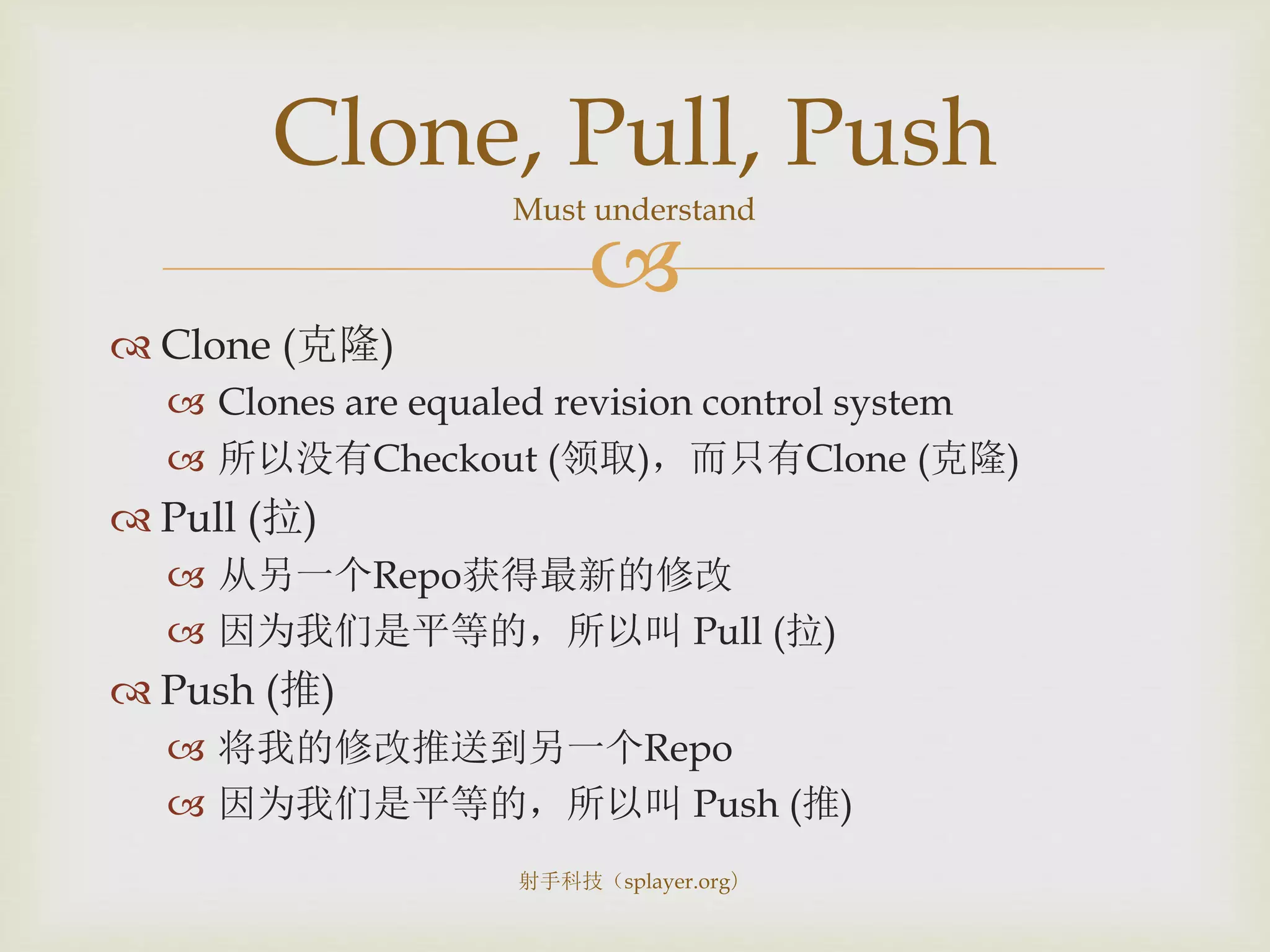
 Clone (克隆)
 Clones are equaled revision control system
 所以没有Checkout (领取),而只有Clone (克隆)
 Pull (拉)
 从另一个Repo获得最新的修改
 因为我们是平等的,所以叫 Pull (拉)
 Push (推)
 将我的修改推送到另一个Repo
 因为我们是平等的,所以叫 Push (推)
Clone, Pull, Push
Must understand
射手科技(splayer.org)

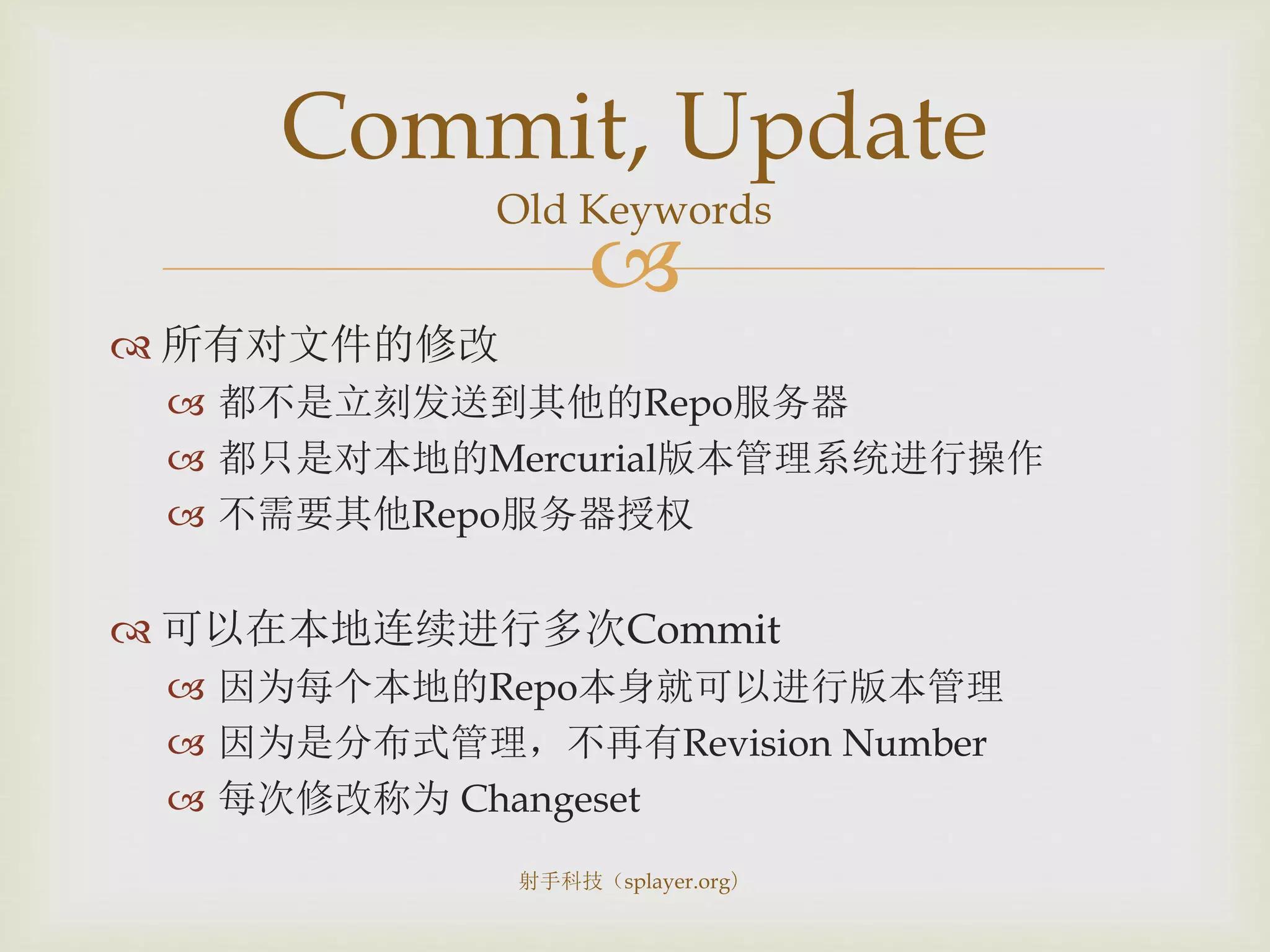
 所有对文件的修改
 都不是立刻发送到其他的Repo服务器
 都只是对本地的Mercurial版本管理系统进行操作
 不需要其他Repo服务器授权
 可以在本地连续进行多次Commit
 因为每个本地的Repo本身就可以进行版本管理
 因为是分布式管理,不再有Revision Number
 每次修改称为 Changeset
Commit, Update
Old Keywords
射手科技(splayer.org)

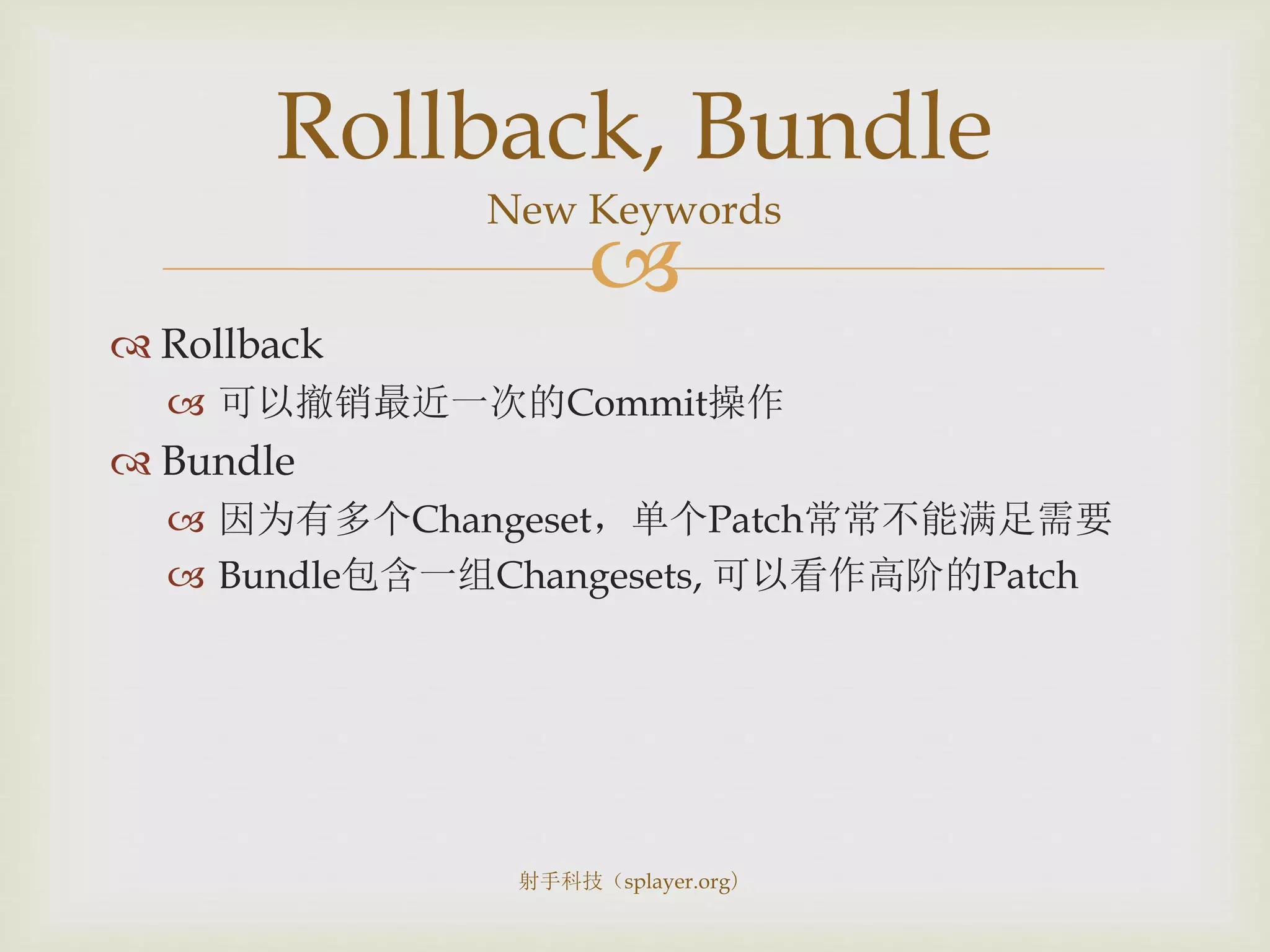
 Rollback
 可以撤销最近一次的Commit操作
 Bundle
 因为有多个Changeset,单个Patch常常不能满足需要
 Bundle包含一组Changesets, 可以看作高阶的Patch
Rollback, Bundle
New Keywords
射手科技(splayer.org)

Practice
Tortoisehg
射手科技(splayer.org)

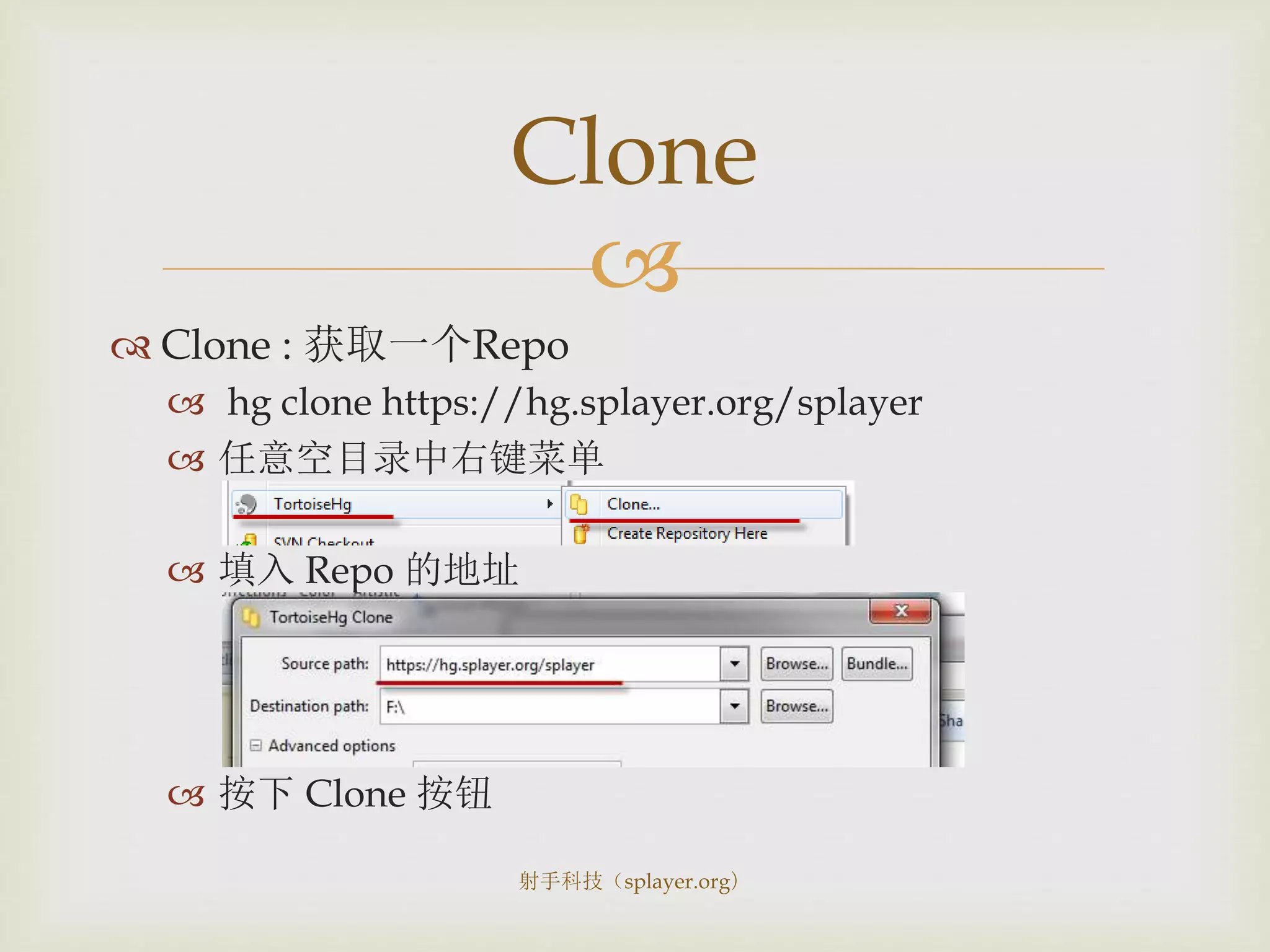
 Clone : 获取一个Repo
 hg clone https://hg.splayer.org/splayer
 任意空目录中右键菜单
 填入 Repo 的地址
 按下 Clone 按钮
Clone
射手科技(splayer.org)

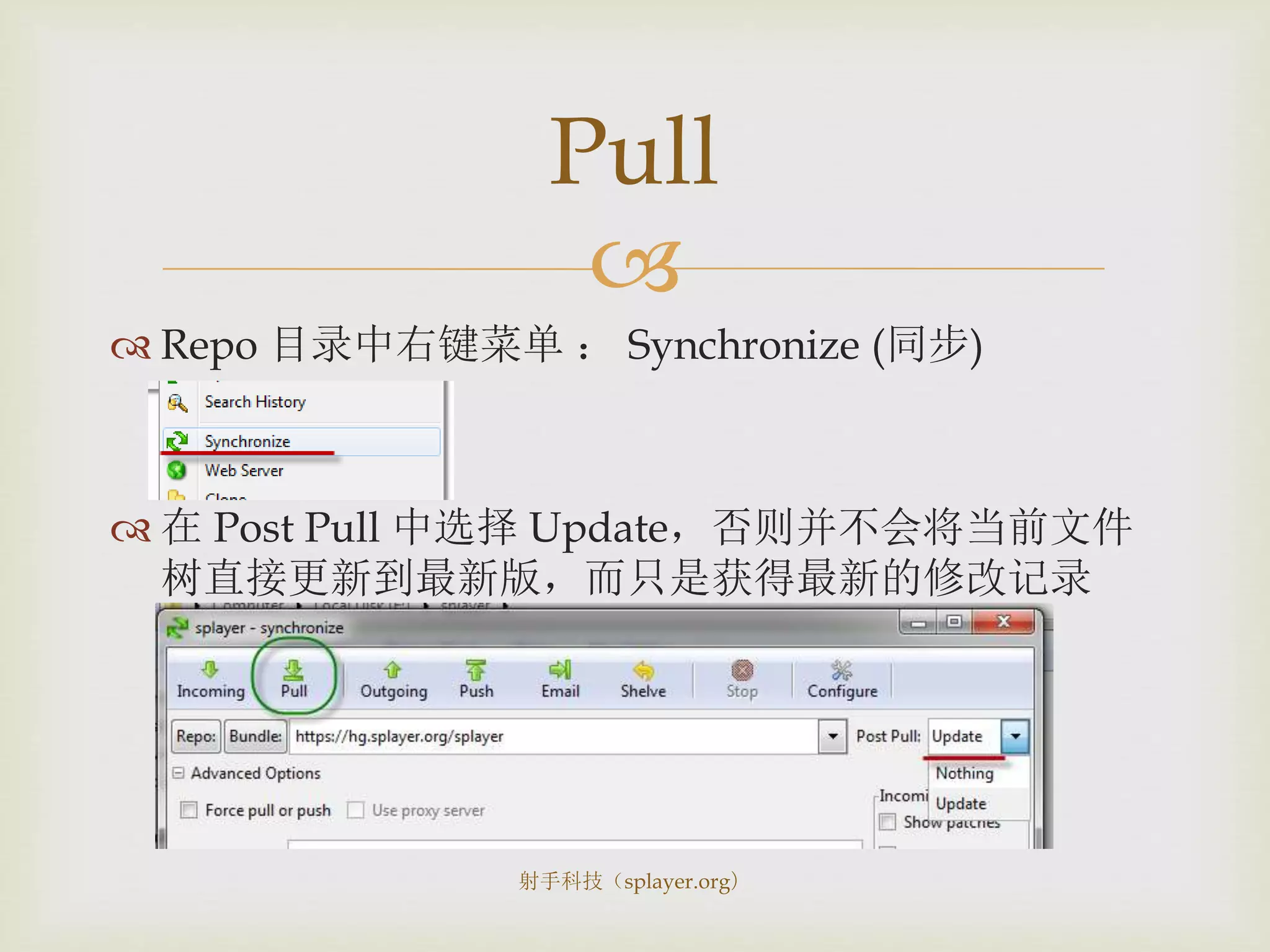
 Repo 目录中右键菜单 : Synchronize (同步)
 在 Post Pull 中选择 Update,否则并不会将当前文件
树直接更新到最新版,而只是获得最新的修改记录
Pull
射手科技(splayer.org)

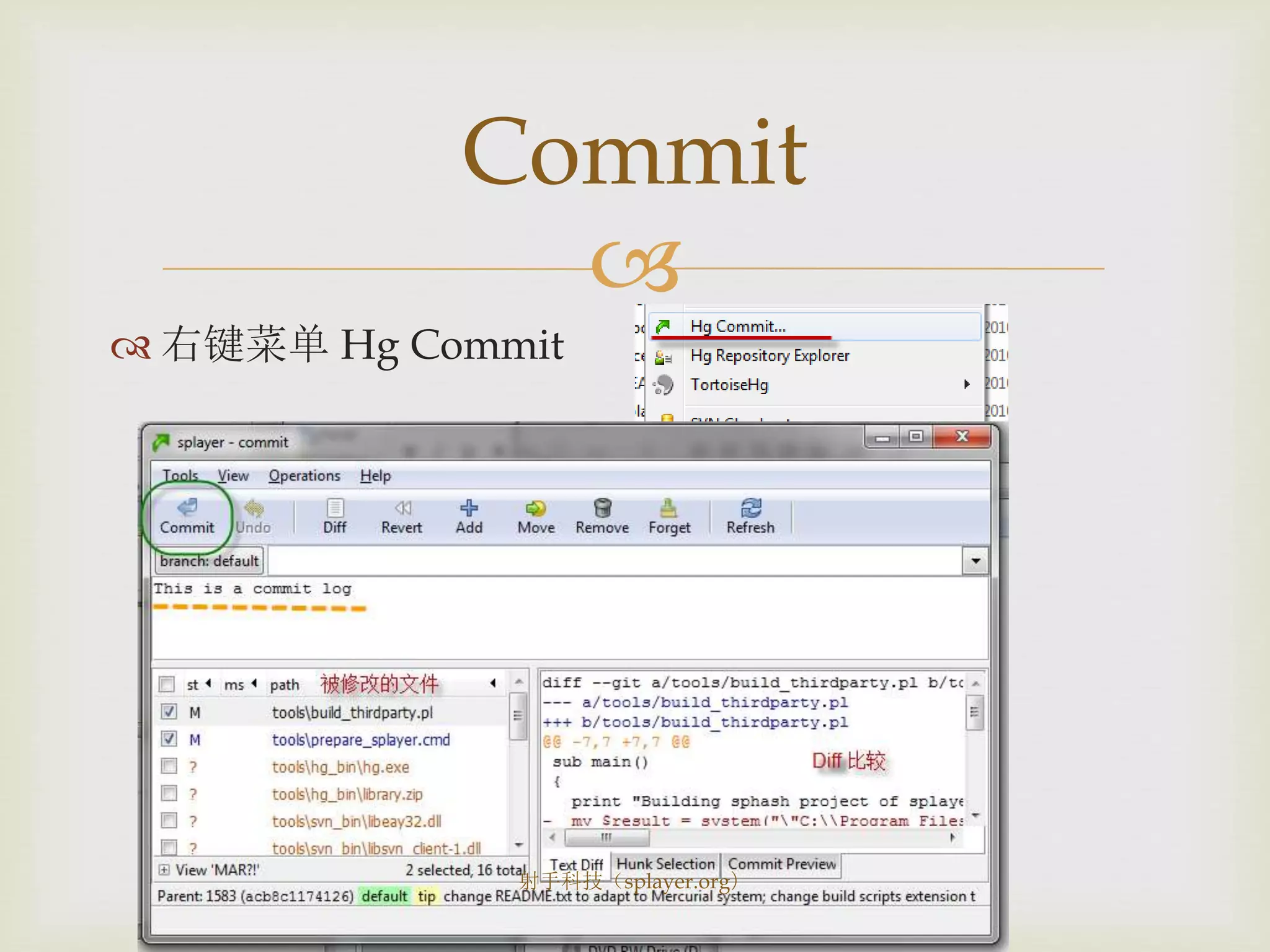
 右键菜单 Hg Commit
Commit
射手科技(splayer.org)

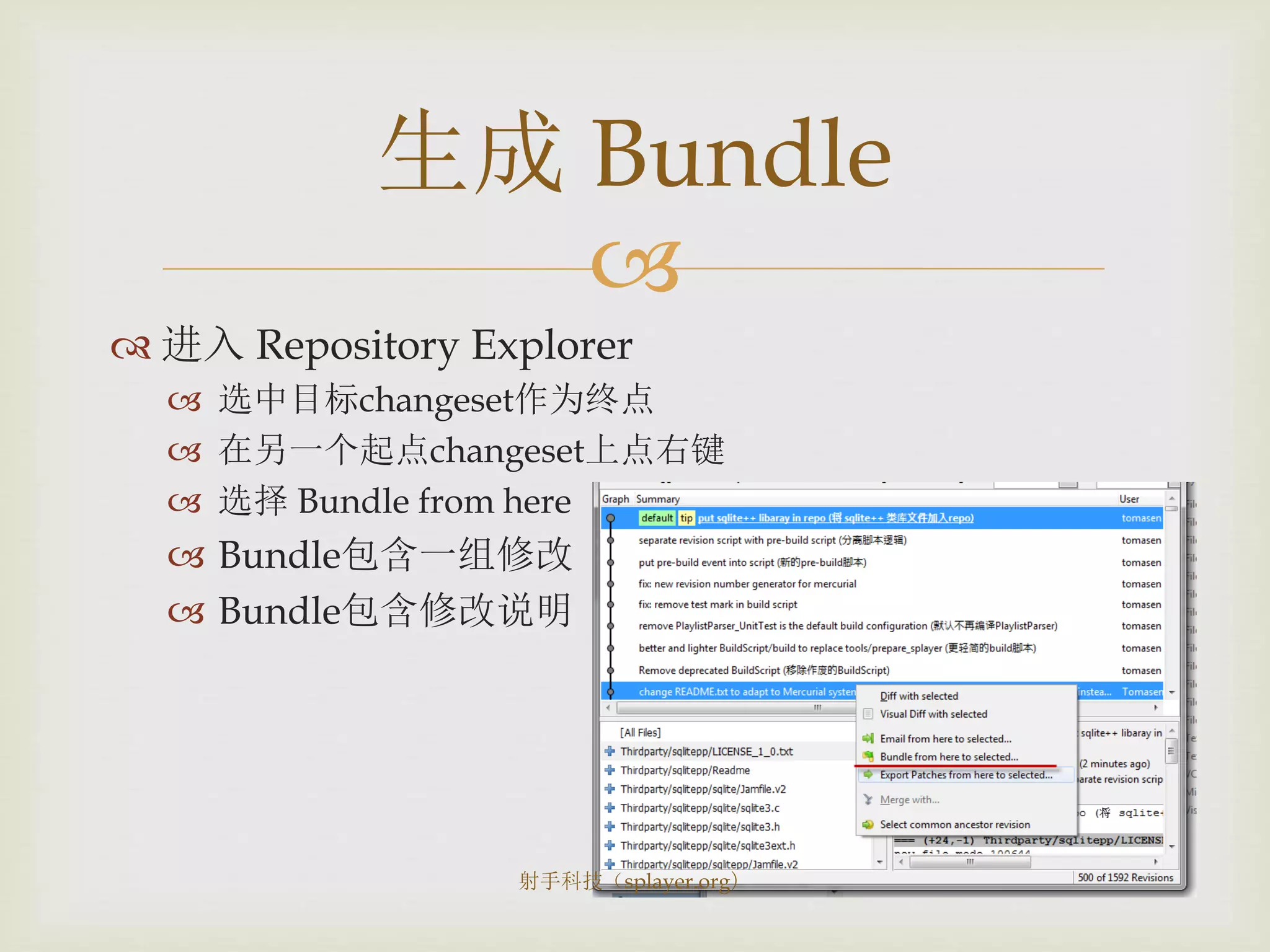
 进入 Repository Explorer
 选中目标changeset作为终点
 在另一个起点changeset上点右键
 选择 Bundle from here
 Bundle包含一组修改
 Bundle包含修改说明
生成 Bundle
射手科技(splayer.org)

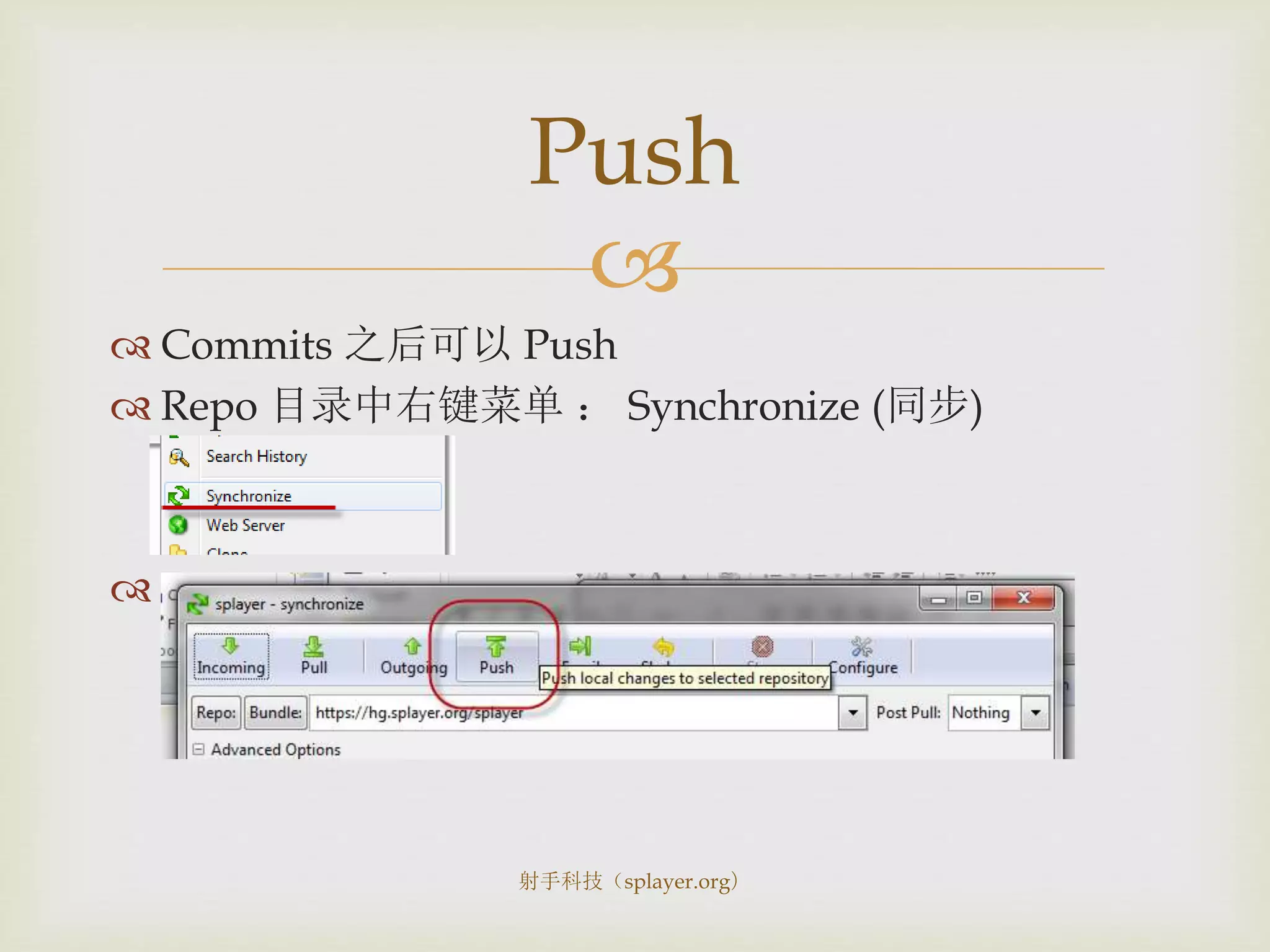
 Commits 之后可以 Push
 Repo 目录中右键菜单 : Synchronize (同步)

Push
射手科技(splayer.org)

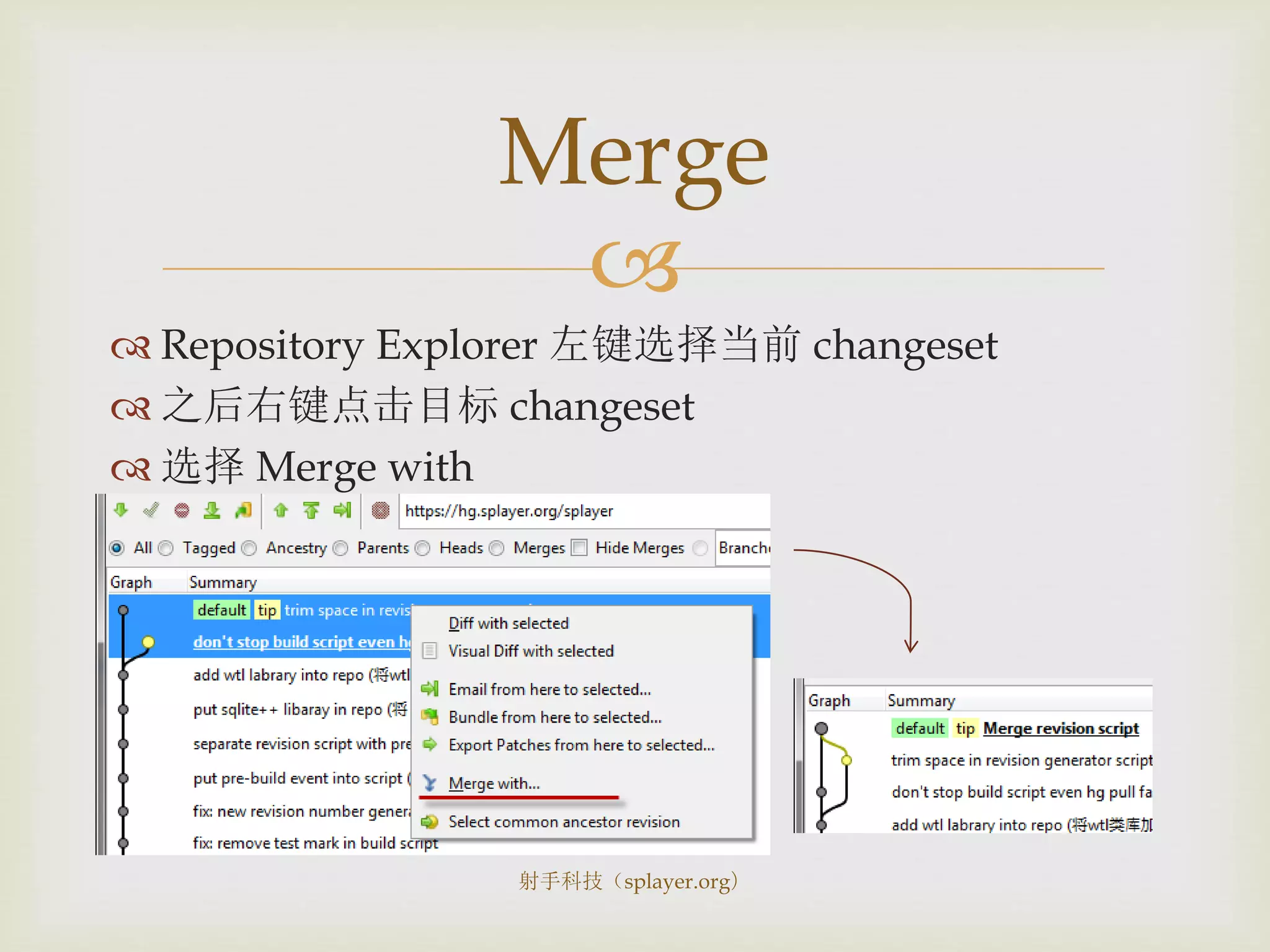
 Repository Explorer 左键选择当前 changeset
 之后右键点击目标 changeset
 选择 Merge with
Merge
射手科技(splayer.org)

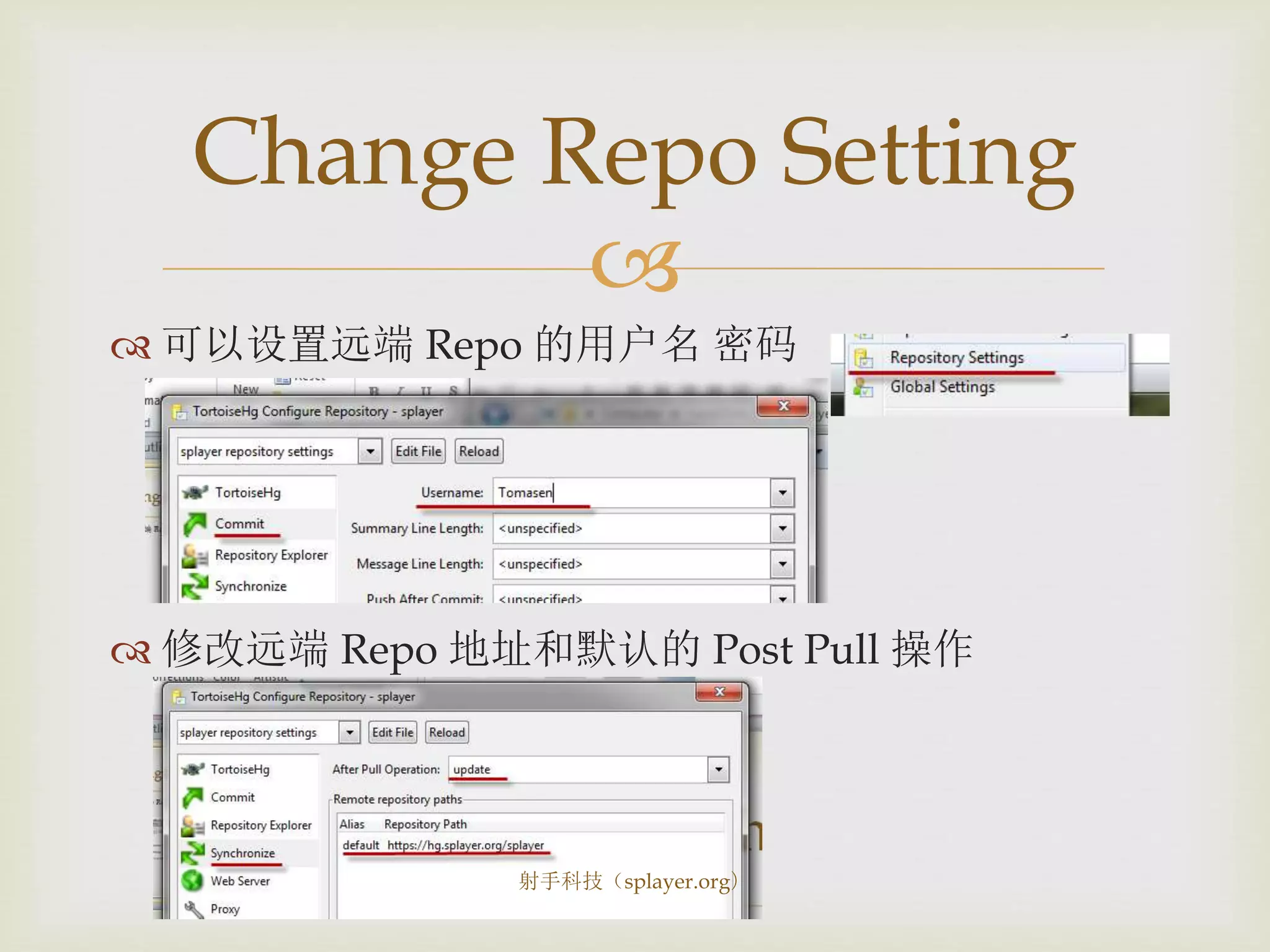
 可以设置远端 Repo 的用户名 密码
 修改远端 Repo 地址和默认的 Post Pull 操作
Change Repo Setting
射手科技(splayer.org)

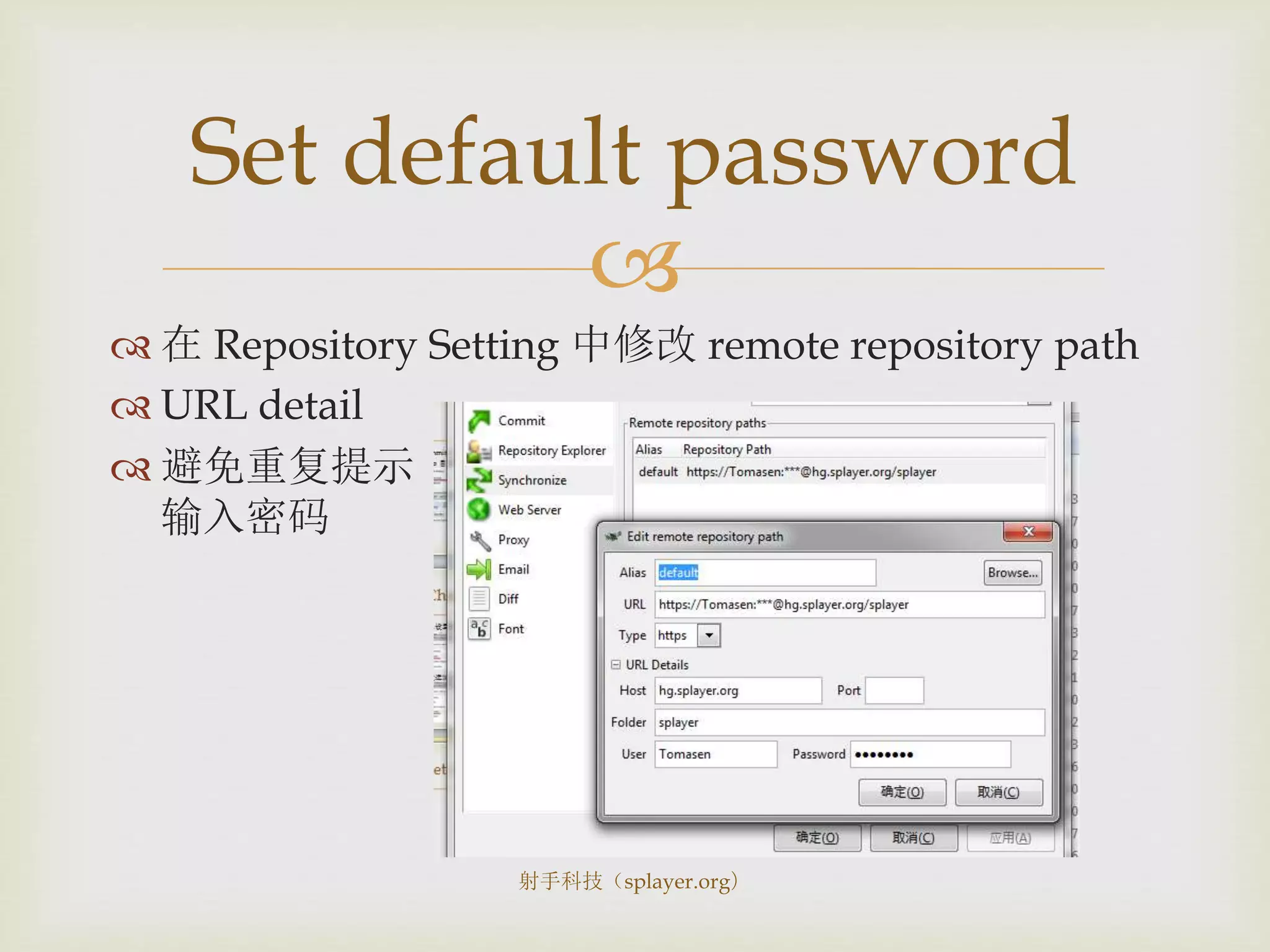
 在 Repository Setting 中修改 remote repository path
 URL detail
 避免重复提示
输入密码
Set default password
射手科技(splayer.org)

Misc.
射手科技(splayer.org)

 Pull, Push, Update 均可在Repository Explorer中完成
 Commit Log尽量写在一行内。因为第二行会被隐藏。
 第一次Clone总会很慢。因为同时克隆所有历史修改。
Tips
射手科技(splayer.org)

 Pull != Update
 Pull 操作仅获得最新的ChangeSets 并不会 Update 到最
新版本,除非给出命令
 Commit 记录并不总是容易被清理
 Revert 回到之前的版本也会留下 Log
 Rollback 只能回滚一次
 所有 Log 在 Push 时都会保留
 所以虽然 Commit 不再依赖服务端,但仍需慎重
Common Mistakes
射手科技(splayer.org)

 Let professionals take care the maintenance
 Manage both public and private repo in the same
user management system
 Customize domain so we can reverse proxy it to
increase speed
 Therefore, it’s more suite for startup business
Why BitBucket
射手科技(splayer.org)

 http://en.wikipedia.org/wiki/Mercurial
 http://tortoisehg.bitbucket.org/download/index.html
References
射手科技(splayer.org)

Mercurial Quick Tutorial

  • 1.
  • 2.
  • 3.
      Distributed(分布式) revisioncontrol tool  SVN replacement  More like Git  Faster  Less traffic, storage requirement  Easier for rapid development, branching, etc.  Mozilla is using it. Google Code is using it. Python is switching. What is Mercurial 射手科技(splayer.org)
  • 4.
      What doesdistributed(分布式) mean  Clones are independent with each other  Clones are born equal  Do not depend on server anymore  Commit, Update, Revert  New concepts to add  Clone, Pull, Push Concept 射手科技(splayer.org)
  • 5.
      Clone (克隆) Clones are equaled revision control system  所以没有Checkout (领取),而只有Clone (克隆)  Pull (拉)  从另一个Repo获得最新的修改  因为我们是平等的,所以叫 Pull (拉)  Push (推)  将我的修改推送到另一个Repo  因为我们是平等的,所以叫 Push (推) Clone, Pull, Push Must understand 射手科技(splayer.org)
  • 6.
      所有对文件的修改  都不是立刻发送到其他的Repo服务器 都只是对本地的Mercurial版本管理系统进行操作  不需要其他Repo服务器授权  可以在本地连续进行多次Commit  因为每个本地的Repo本身就可以进行版本管理  因为是分布式管理,不再有Revision Number  每次修改称为 Changeset Commit, Update Old Keywords 射手科技(splayer.org)
  • 7.
      Rollback  可以撤销最近一次的Commit操作 Bundle  因为有多个Changeset,单个Patch常常不能满足需要  Bundle包含一组Changesets, 可以看作高阶的Patch Rollback, Bundle New Keywords 射手科技(splayer.org)
  • 8.
  • 9.
      Clone :获取一个Repo  hg clone https://hg.splayer.org/splayer  任意空目录中右键菜单  填入 Repo 的地址  按下 Clone 按钮 Clone 射手科技(splayer.org)
  • 10.
      Repo 目录中右键菜单: Synchronize (同步)  在 Post Pull 中选择 Update,否则并不会将当前文件 树直接更新到最新版,而只是获得最新的修改记录 Pull 射手科技(splayer.org)
  • 11.
      右键菜单 HgCommit Commit 射手科技(splayer.org)
  • 12.
      进入 RepositoryExplorer  选中目标changeset作为终点  在另一个起点changeset上点右键  选择 Bundle from here  Bundle包含一组修改  Bundle包含修改说明 生成 Bundle 射手科技(splayer.org)
  • 13.
      Commits 之后可以Push  Repo 目录中右键菜单 : Synchronize (同步)  Push 射手科技(splayer.org)
  • 14.
      Repository Explorer左键选择当前 changeset  之后右键点击目标 changeset  选择 Merge with Merge 射手科技(splayer.org)
  • 15.
      可以设置远端 Repo的用户名 密码  修改远端 Repo 地址和默认的 Post Pull 操作 Change Repo Setting 射手科技(splayer.org)
  • 16.
      在 RepositorySetting 中修改 remote repository path  URL detail  避免重复提示 输入密码 Set default password 射手科技(splayer.org)
  • 17.
  • 18.
      Pull, Push,Update 均可在Repository Explorer中完成  Commit Log尽量写在一行内。因为第二行会被隐藏。  第一次Clone总会很慢。因为同时克隆所有历史修改。 Tips 射手科技(splayer.org)
  • 19.
      Pull !=Update  Pull 操作仅获得最新的ChangeSets 并不会 Update 到最 新版本,除非给出命令  Commit 记录并不总是容易被清理  Revert 回到之前的版本也会留下 Log  Rollback 只能回滚一次  所有 Log 在 Push 时都会保留  所以虽然 Commit 不再依赖服务端,但仍需慎重 Common Mistakes 射手科技(splayer.org)
  • 20.
      Let professionalstake care the maintenance  Manage both public and private repo in the same user management system  Customize domain so we can reverse proxy it to increase speed  Therefore, it’s more suite for startup business Why BitBucket 射手科技(splayer.org)
  • 21.