ROCKIN' 
RESPONSIVE CONTENT
with Panels Layouts!
Created by: Matt Glaman / @nmdmatt

WiFi info is SSID: FTC­Student Password: SuccessIsForMe.
Content & Responsive Design
Responsive design is an approach that aims to provide 
an optimal user experience across all devices.
●

Mobile first strategy

●

Flush out page structure as device width increases

●

Layout and design fit across all devices

Responsive design does not always mean Responsive Content.
●

Responsive design does not always consider context of use.

●

Focus often put on theme appearance versus content 
distribution.
Defining Your Content
Static Content

Dynamic content

●

Branding data

●

Main content

●

Main menu

●

Sidebars

●

User menus

●

Specialty menus

●

Footer links

●

User specific

●

Copyright
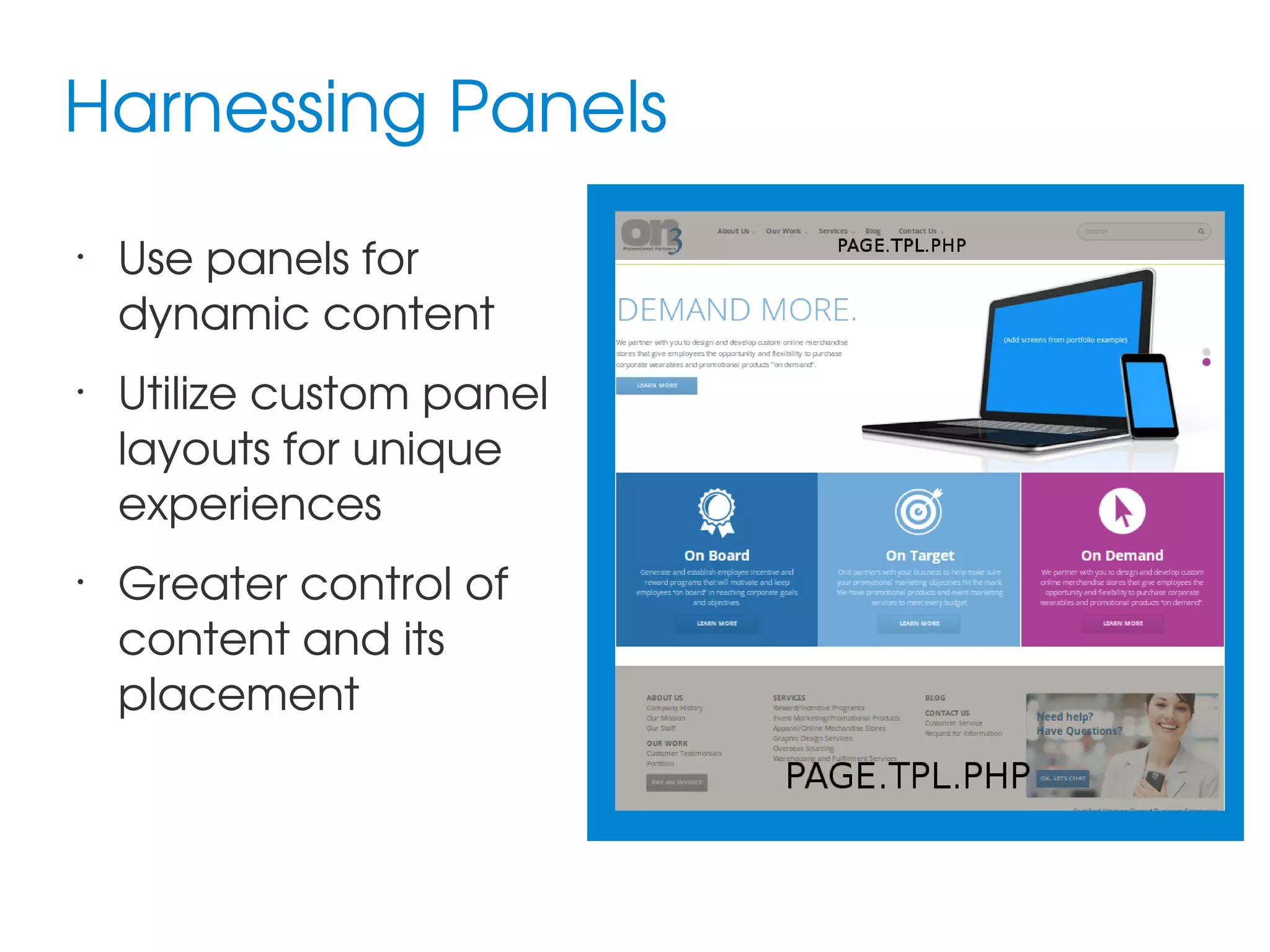
Harnessing Panels
•

•

•

Use panels for 
dynamic content
Utilize custom panel 
layouts for unique 
experiences
Greater control of 
content and its 
placement
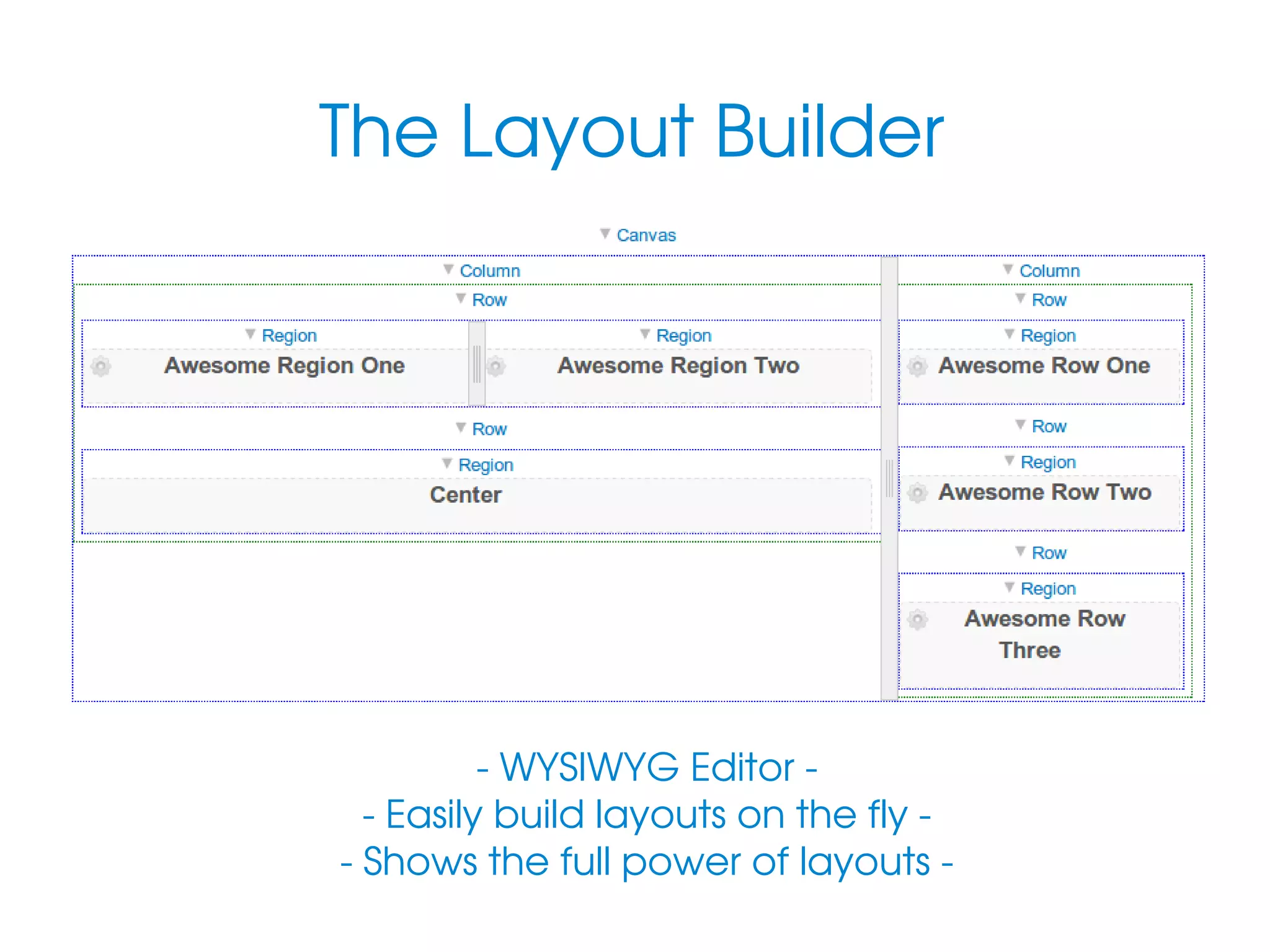
The Layout Builder

­ WYSIWYG Editor ­
 ­ Easily build layouts on the fly ­ 
 ­ Shows the full power of layouts ­ 
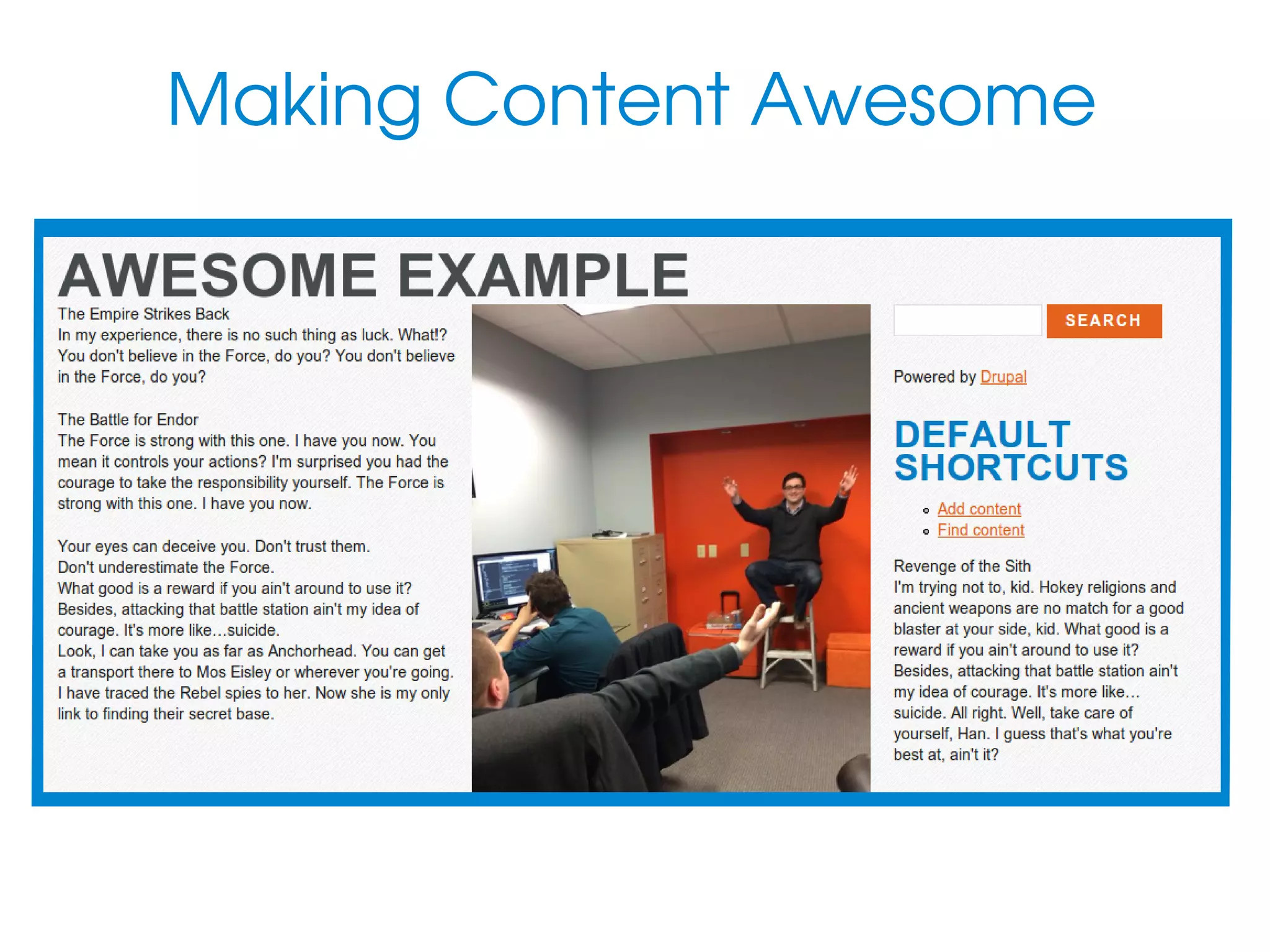
Making Content Awesome
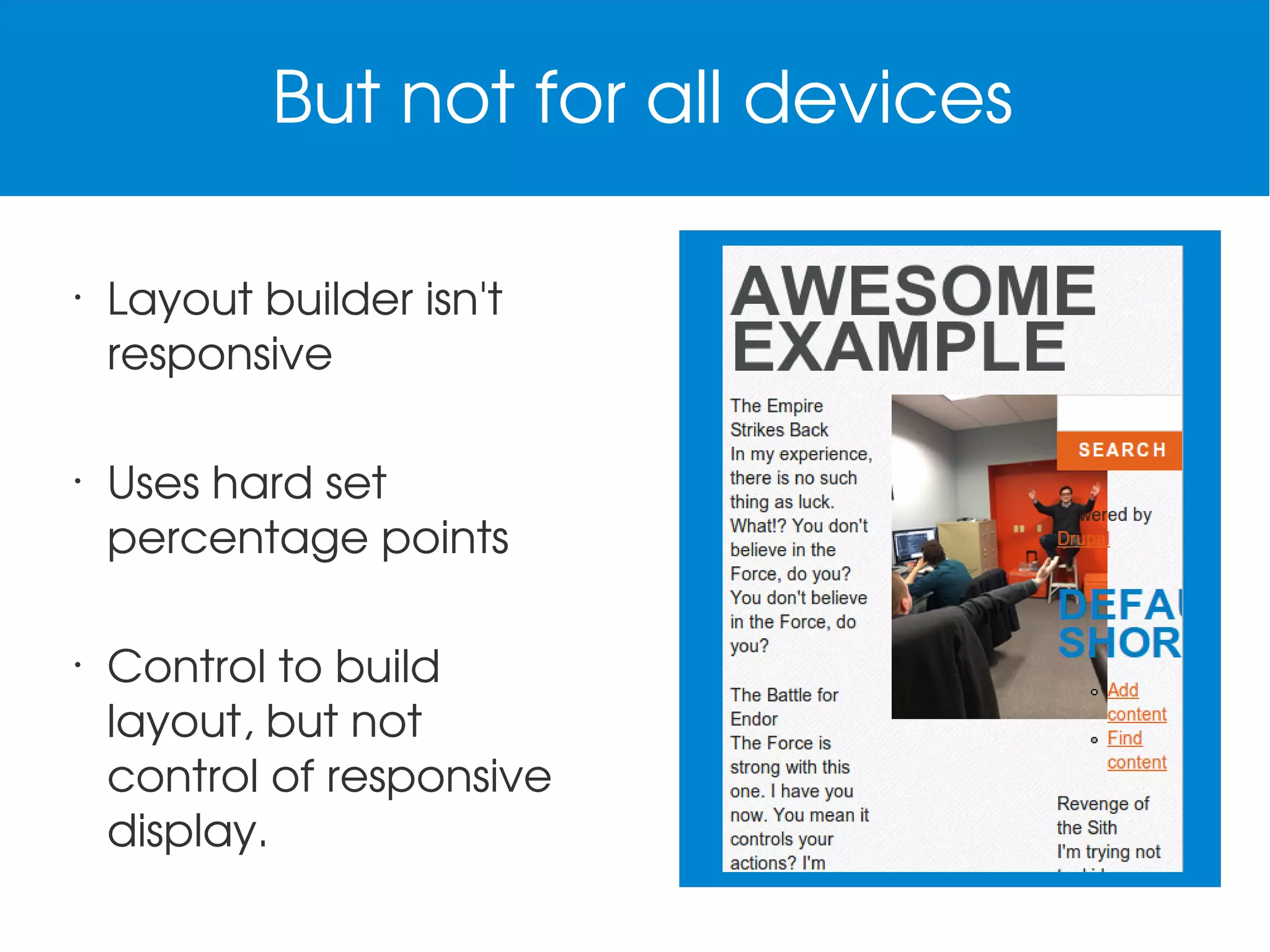
But not for all devices
•

•

•

Layout builder isn't 
responsive
Uses hard set 
percentage points
Control to build 
layout, but not 
control of responsive 
display.
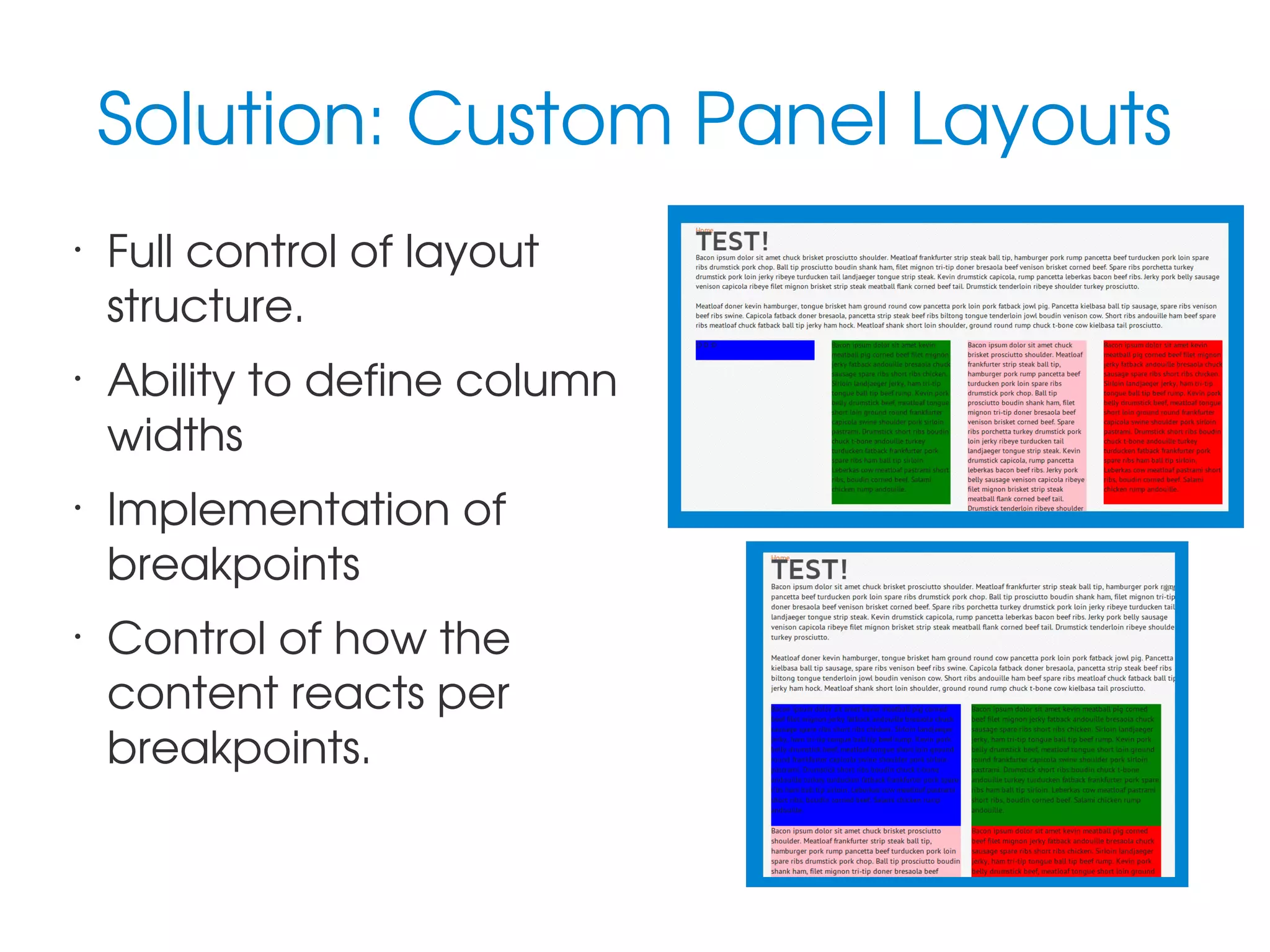
Solution: Custom Panel Layouts
•

•

•

•

Full control of layout 
structure.
Ability to define column 
widths
Implementation of 
breakpoints
Control of how the 
content reacts per 
breakpoints.
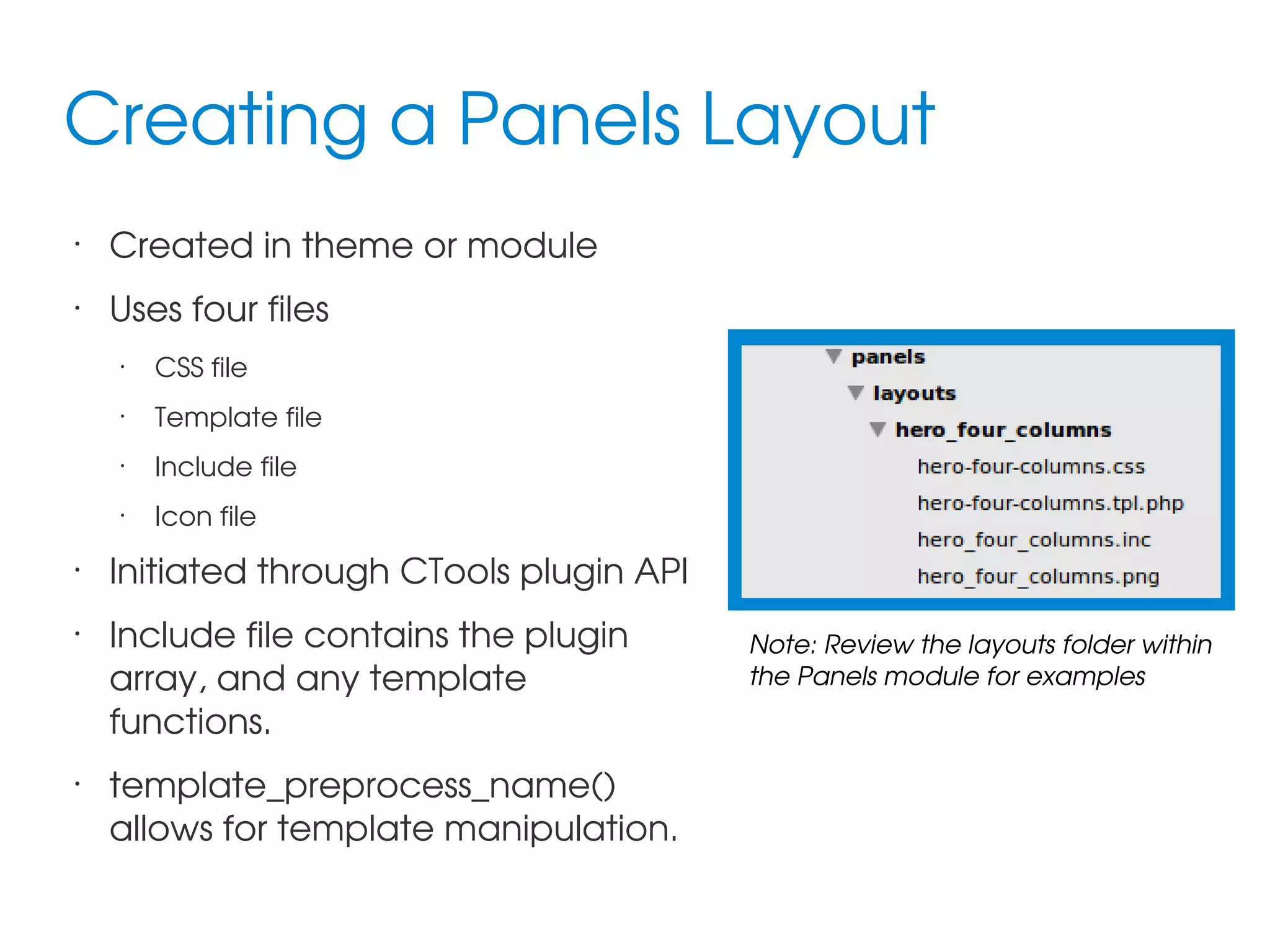
Creating a Panels Layout
•

Created in theme or module

•

Uses four files
•

•

•

Include file

•

•

Template file

•

•

CSS file

Icon file

Initiated through CTools plugin API
Include file contains the plugin 
array, and any template 
functions.
template_preprocess_name() 
allows for template manipulation.

Note: Review the layouts folder within 
the Panels module for examples
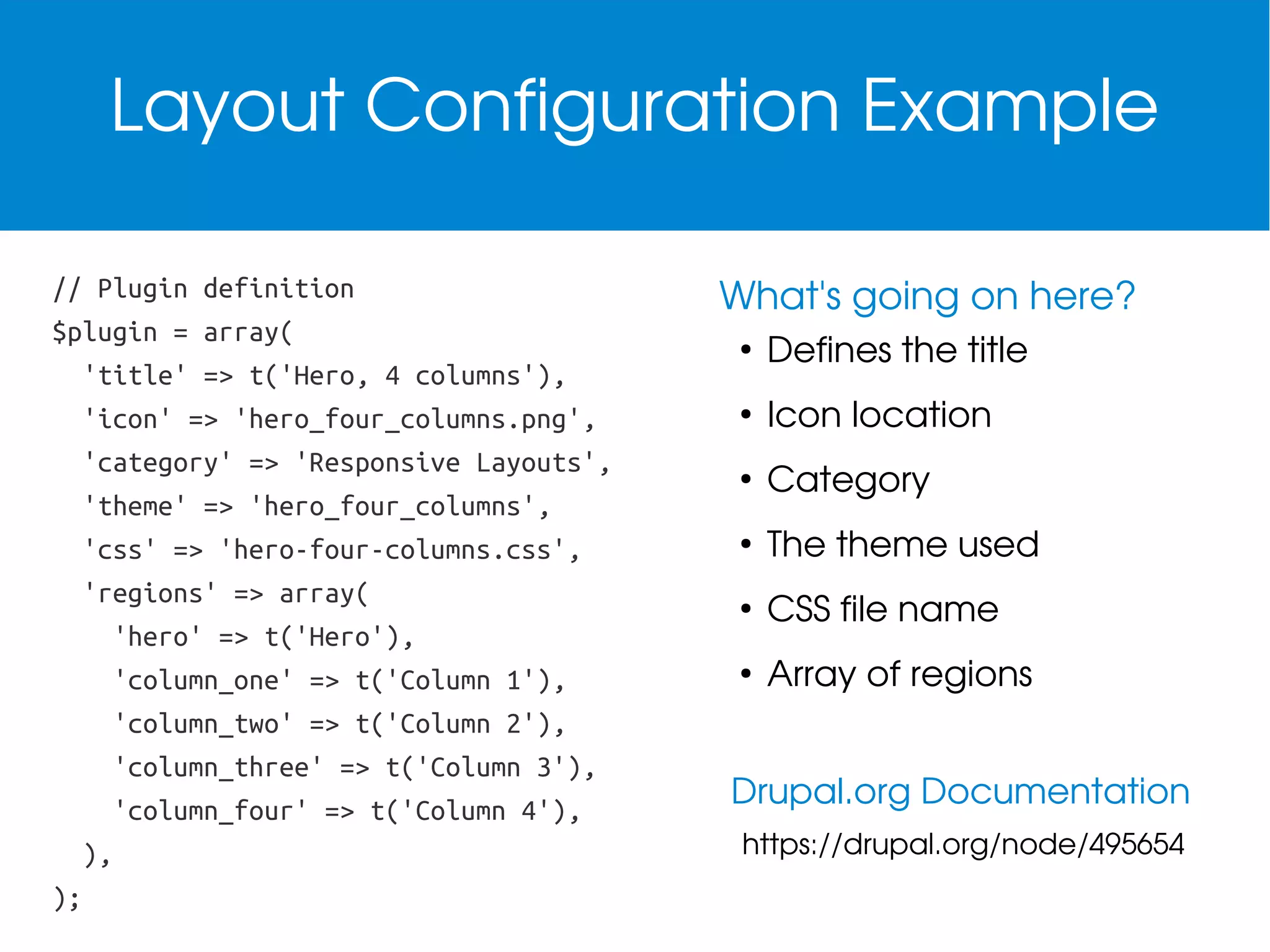
Layout Configuration Example
// Plugin definition
$plugin = array(
'title' => t('Hero, 4 columns'),
'icon' => 'hero_four_columns.png',
'category' => 'Responsive Layouts',
'theme' => 'hero_four_columns',
'css' => 'hero-four-columns.css',
'regions' => array(
'hero' => t('Hero'),
'column_one' => t('Column 1'),
'column_two' => t('Column 2'),
'column_three' => t('Column 3'),
'column_four' => t('Column 4'),
),
);

What's going on here?
●

Defines the title

●

Icon location

●

Category

●

The theme used

●

CSS file name

●

Array of regions

Drupal.org Documentation
https://drupal.org/node/495654
hook_template_preprocess().
Utilize template hook to 
add CSS classes to 
regions

Provides means of 
handling missing dynamic 
content

// Sets the Panel layout classes.
$variables['attributes_array']['class'][] = 'panel-display';
$variables['attributes_array']['class'][] = 'panel-display—hero-four-column';
foreach($variables['content'] as $name => $item) {
$variables['region_attributes_array'][$name]['class'][] = 'panel-region';
$variables...['class'][] = 'panel-region--'.drupal_clean_css_identifier($name);
}
Layout Template Example
•

•

•

•

<div<?php print $attributes ?>>
<div<?php print drupal_attributes($wrapper_attributes_array)?>>
<?php foreach(array_intersect_key($content, $layout['regions']) as $name =>
$item): ?>
<?php if (!empty($item)): ?>
<div<?php print drupal_attributes($region_attributes_array[$name])?>>

•

<?php print $item ?>

•

</div>

•

•

•

•

<?php endif; ?>
<?php endforeach; ?>
</div>
Letting Panels Know About the Layout
Themes ­ .info file
; Plugins
plugins[panels][layouts] = panels/layouts

Modules ­ .module file
/**
* Implementation of hook_ctools_plugin_directory()
*/
function mymodule_ctools_plugin_directory($module, $plugin) {
if ($owner == 'panels') {
return "panels/$plugin";
}
}
Responsive and Sass­y
•

Singularity is a flexible, and simple, grid 
framework for handling responsive structure.
 

•

Breakpoint for controlling your making 
breakpoints simple.

•

Compass to bring it all together. Plan ahead for 
config.rb management.
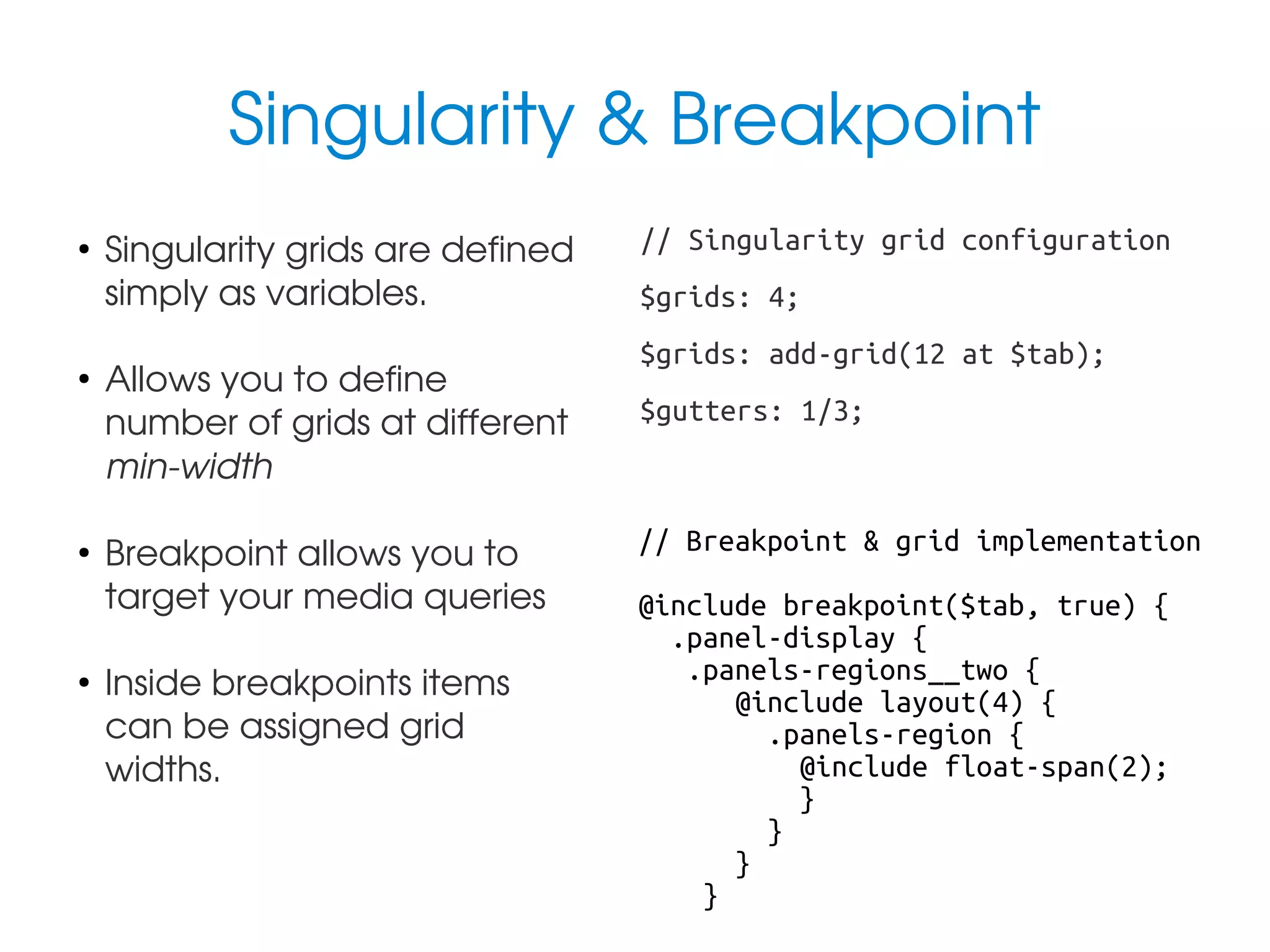
Singularity & Breakpoint
●

●

●

●

Singularity grids are defined 
simply as variables.
Allows you to define 
number of grids at different 
min­width
Breakpoint allows you to 
target your media queries
Inside breakpoints items 
can be assigned grid 
widths.

// Singularity grid configuration
$grids: 4;
$grids: add-grid(12 at $tab);
$gutters: 1/3;

// Breakpoint & grid implementation
@include breakpoint($tab, true) {
.panel-display {
.panels-regions__two {
@include layout(4) {
.panels-region {
@include float-span(2);
}
}
}
}
Resources & Links
Creating a custom Panels layout
https://drupal.org/node/495654

Singularity documentation
https://github.com/Team­Sass/Singularity/wiki

Responsive Panels layout referenced in slides
https://github.com/mglaman/responsive_panels_layouts

Radix, responsive Panels layouts module
https://drupal.org/project/radix_layouts

Rockin Responsive Content with Panels Layouts