





Luigi Oliveto
POLIMI
Natural User Interfaces
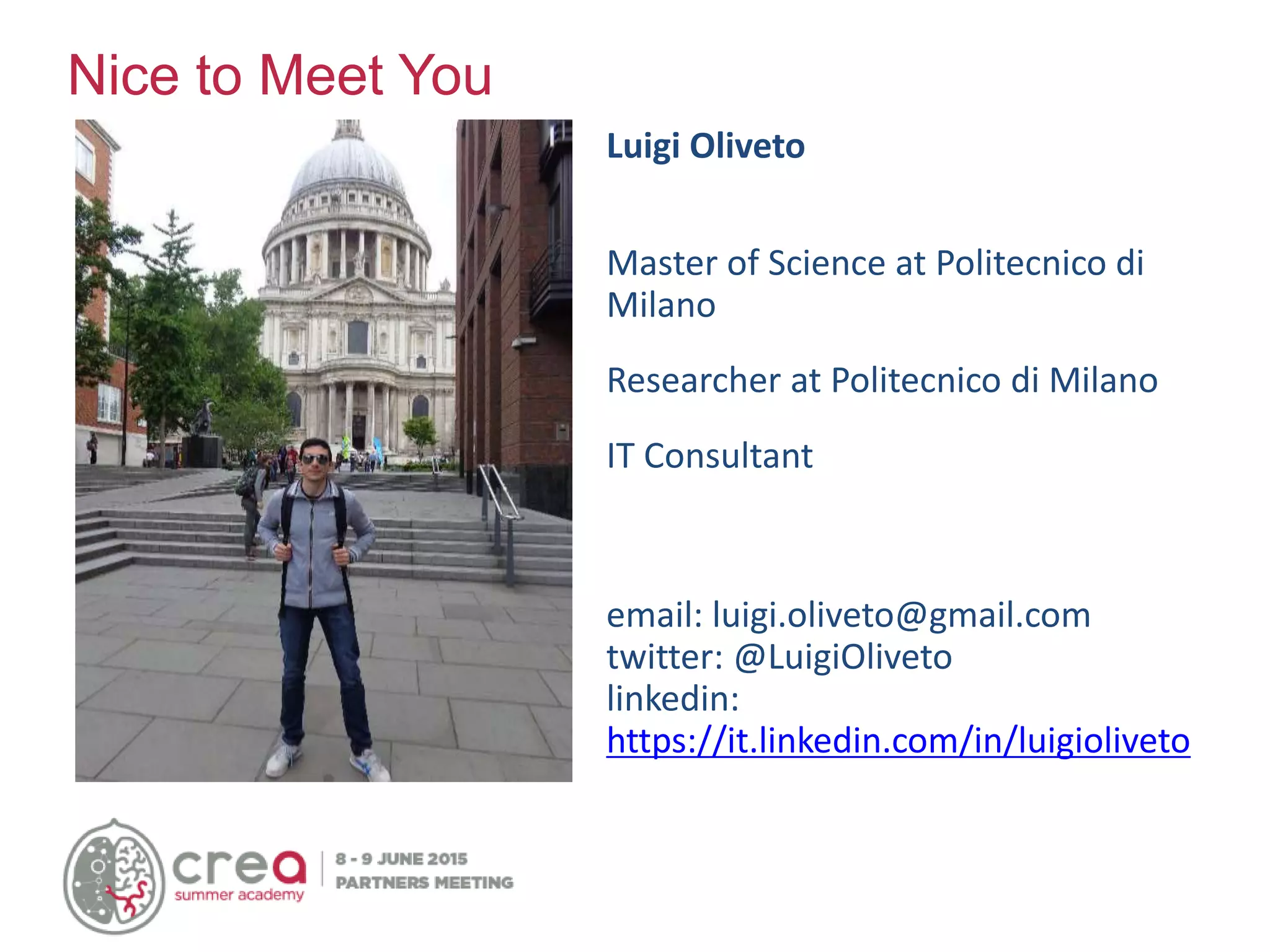
Luigi Oliveto
Master of Science at Politecnico di
Milano
Researcher at Politecnico di Milano
IT Consultant
email: luigi.oliveto@gmail.com
twitter: @LuigiOliveto
linkedin:
https://it.linkedin.com/in/luigioliveto
Nice to Meet You
Lots of words…
Ambient Intelligence
Internet of Things
Pervasive Computing
Physical Computing
Ubiquitous computing
Augmented reality
Human-centered computing
Smart device
• No more desktop-centered computation, but
distributed computation(“ubiquitous”)
• Objects become more “intelligent” and “smart”
• New information’s model
• New possibility of interaction with information
• Machines fit the human environment instead
of forcing humans to enter theirs
… One concept
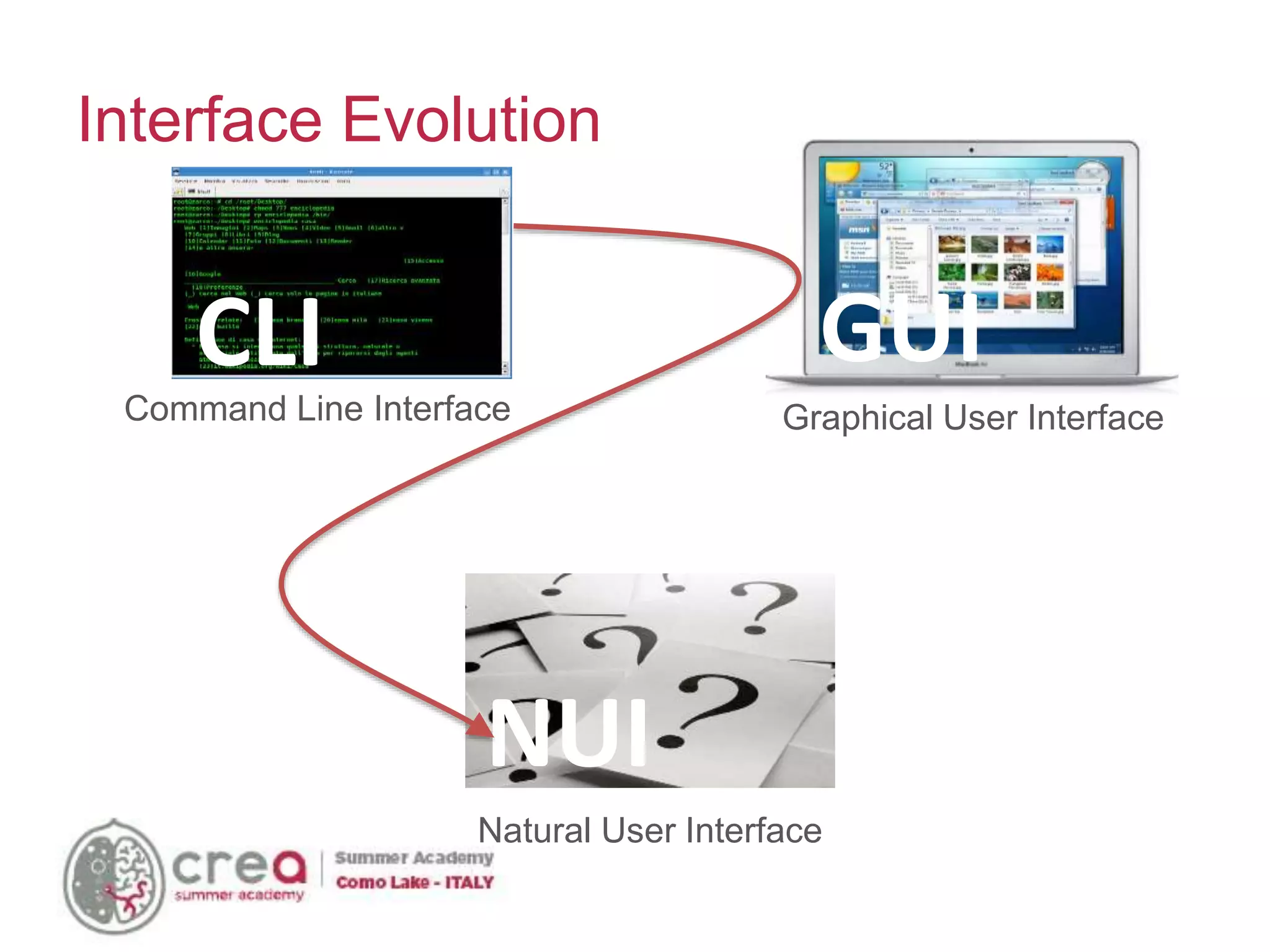
Interface Evolution
Command Line Interface
CLI
Graphical User Interface
GUI
NUI
Natural User Interface
Computer
Vision
Facial
Recognition
Spatial
Recognition
Augmented
Reality
Gesture
Sensing
Audio
Recognition
Voice
Comma
nd
Natural
Speech
Ambien
t Noise
Touch
Single
Touch
Multi-
Touch
Pen
Input
Sensors
Geospatial
Sensing
Accelerometers
Biometrics
Ambient
Light
Brain
Waves
Mind
control
Mood
Recogniti
on
Multi-Touch interfaces
make a withdrawal…
megawatts86
Airplane check-in…
mrkathika
Shopping…
pin add
What’s happened?
Natural…experience!
“Natural interaction is defined in terms of
experience: people naturally communicate
through gestures, expressions, movements, and
discover the world by looking around and
manipulating physical stuff.”
Alessandro Valli
https://www.linkedin.com/in/alessandrovalli
What is changed?
AFTERBEFORE
• Single device
• Collaborative experience
• More points
• Multiple devices
• Individual experience
• One click
• Sensible to touch surface (touch screen)
Multi-Touch Hardware
RESISTIVE CAPACITIVE
• Camera-based technology:
Laser Line Plan
Frustrated Total Internal Reflection
Diffused illumination
Pixel Sense
Multi-Touch Hardware (2)
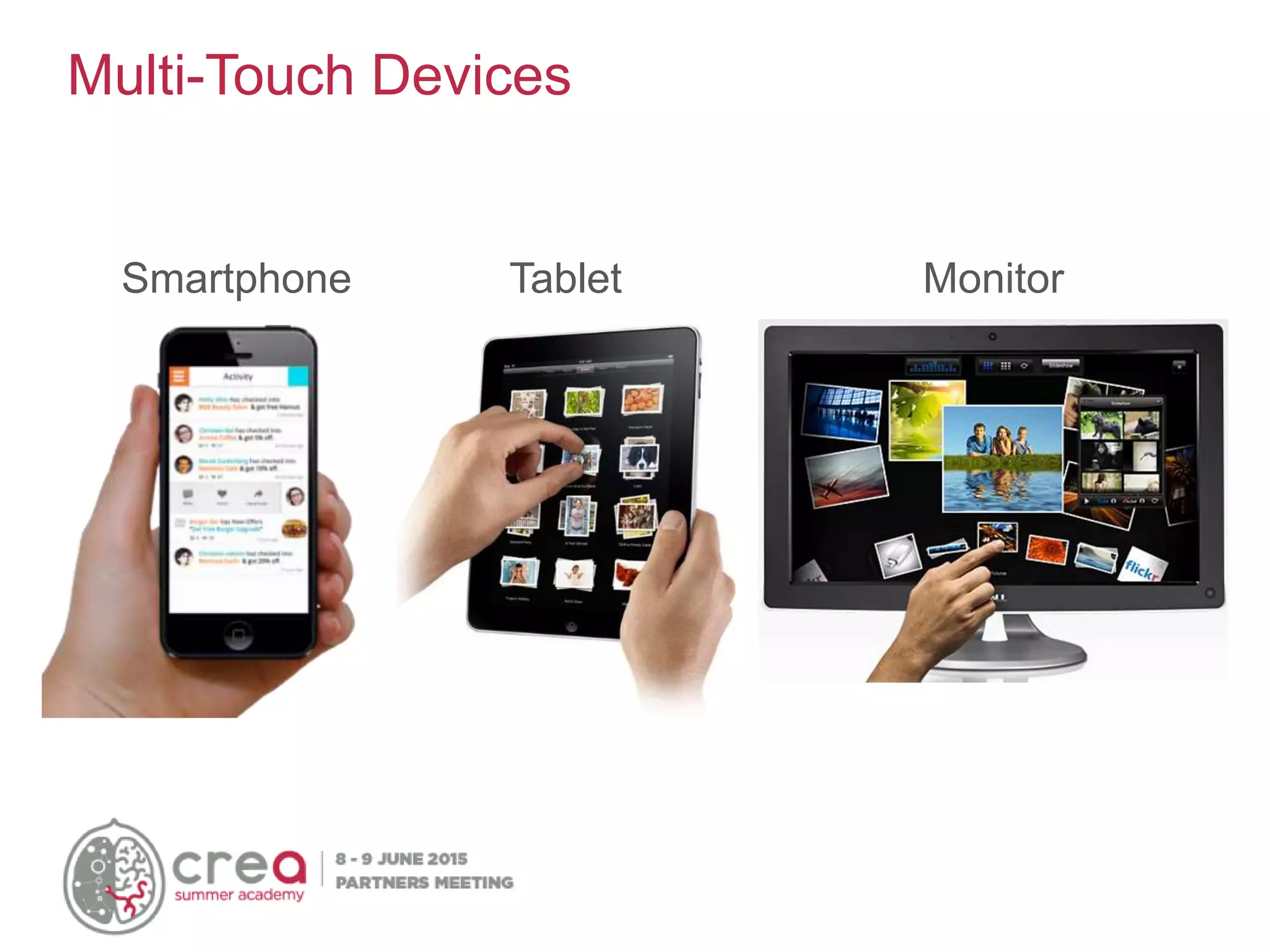
Multi-Touch Devices
Smartphone Tablet Monitor
Multi-Touch Devices (2)
Tangible Table / Wall
• Microsoft "Surface SDK" and "Windows Presentation
Foundation" include API, documentation and tool to
develop multi-touch apps on Windows 7 and Surface
• "Cocoa Touch" is a library to develop software for iPhone,
iPod Touch, e iPad. "Cocoa Touch" is included in iPhone
SDK.
• Android SDK include tool, emulator, debugger and library
to develop App for Android
• Gestureworks (by Ideum) is an interesting Flash multi-touch.
The Gestureworks software allows to develop multiuser and
multi-touch-enabled applications with Adobe Flash.
Multi-Touch Software
http://www.lukew.com/touch/TouchGestureGuide.pdf
Common Gestures
• Nails
• Gloves
• Dirty fingers
• Gestures (are they so easy?)
• Accuracy
Problems: Input
Gorilla arm problem
Problems: Accessibility
• Touch-based applications introduce new important
constraints in design of interface and interaction:
• Target’s dimensions must be fit to fingers’ dimension
(min 10mm)
Problems: Usability
Labels’ position: hands and fingers can hide information
Problems: Usability (2)
Gesture’s design: some actions can hide part of information,
too.
Problems: Usability (3)
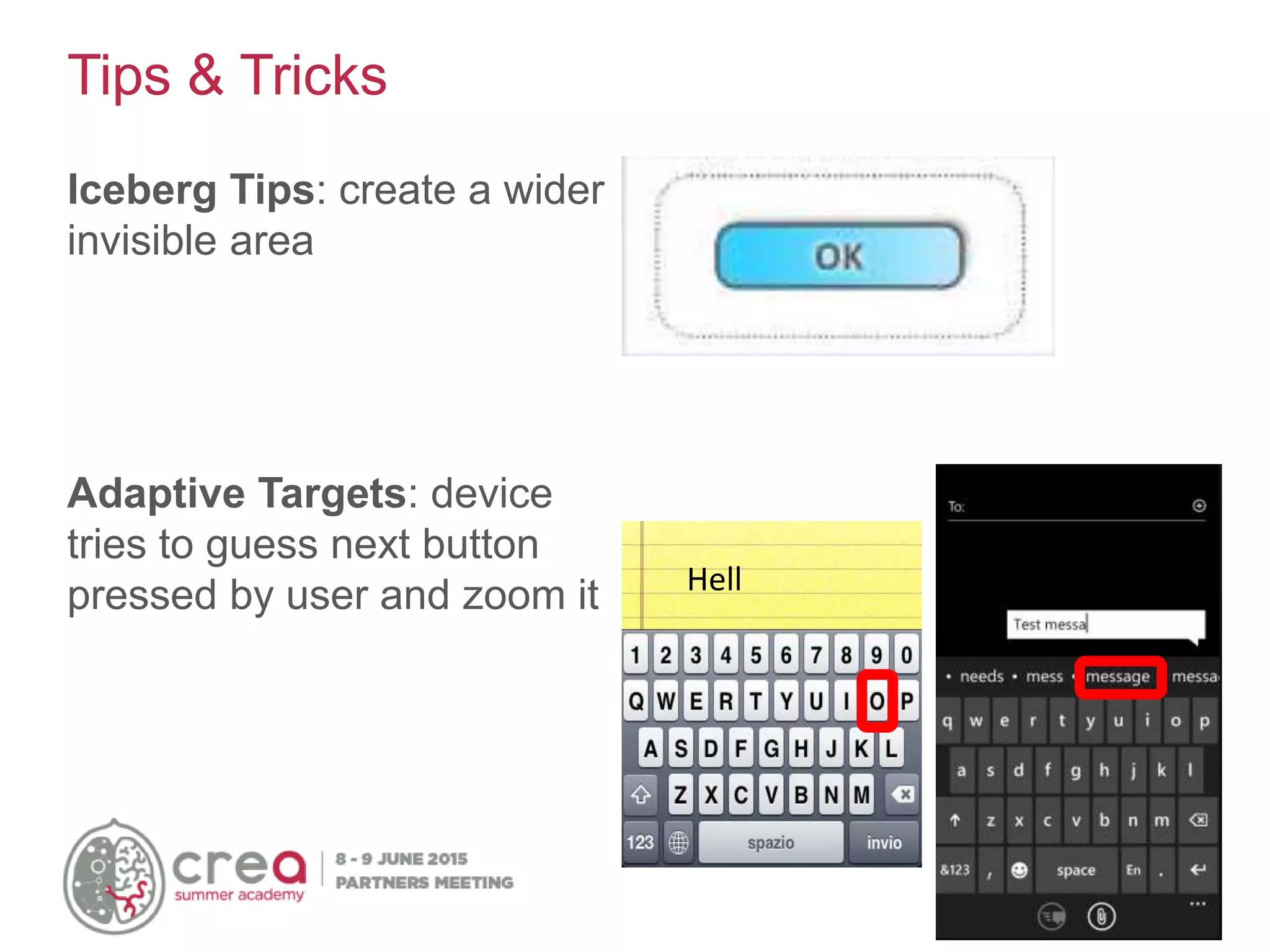
Iceberg Tips: create a wider
invisible area
Adaptive Targets: device
tries to guess next button
pressed by user and zoom it Hell
Tips & Tricks
• Don’t assume that people will know that they can touch a
screen.
• Create an “attract state” that demonstrates interactivity while
nobody is using the device
• Make touchable things look touchable
• Design for fingers
• Make sure hands don’t cover up information necessary for
interaction
• Don’t rely on traditional mouse-based interactions, such as
hover & double click
• Use consistent and familiar gestures
Tips & Tricks (2)
The Power of Microsoft® PixelSense™
https://www.youtube.com/watch?v=58dsqozft3k
Samsung SUR40 with Microsoft® PixelSense™
https://www.youtube.com/watch?v=kmOku92MlQc
Microsoft Surface wine-tasting demo
http://www.youtube.com/watch?v=Y3KzprGxpZU&feature=related
Patient Consultation Interface Surface Application
http://www.youtube.com/watch?v=Qf0WxOo3O4g&feature=related
Videos
Microsoft Surface Application- Barclay's
https://www.youtube.com/watch?v=cBF5BI5H7vs
Playing with Microsoft Surface
http://www.youtube.com/watch?v=SUfRSZppUYs&feature=related
Touch2Much - Microsoft Surface Museum/Gallery Application
http://www.youtube.com/watch?v=DDrCq9632YY
AR.Drone Quadrotor Flight via Microsoft Surface
http://www.youtube.com/watch?v=x1bbT8M6uRs
Video (2)
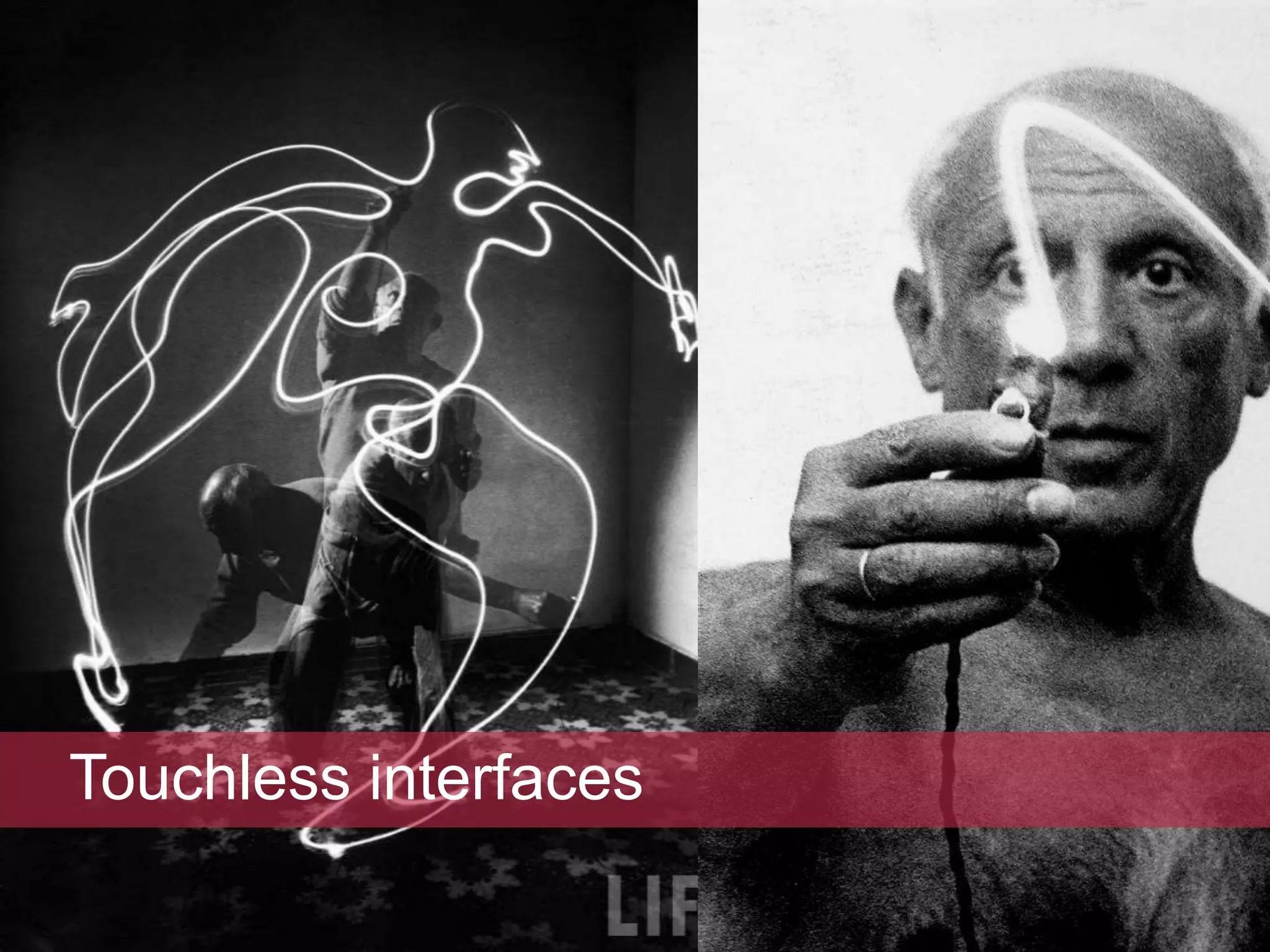
Touchless interfaces
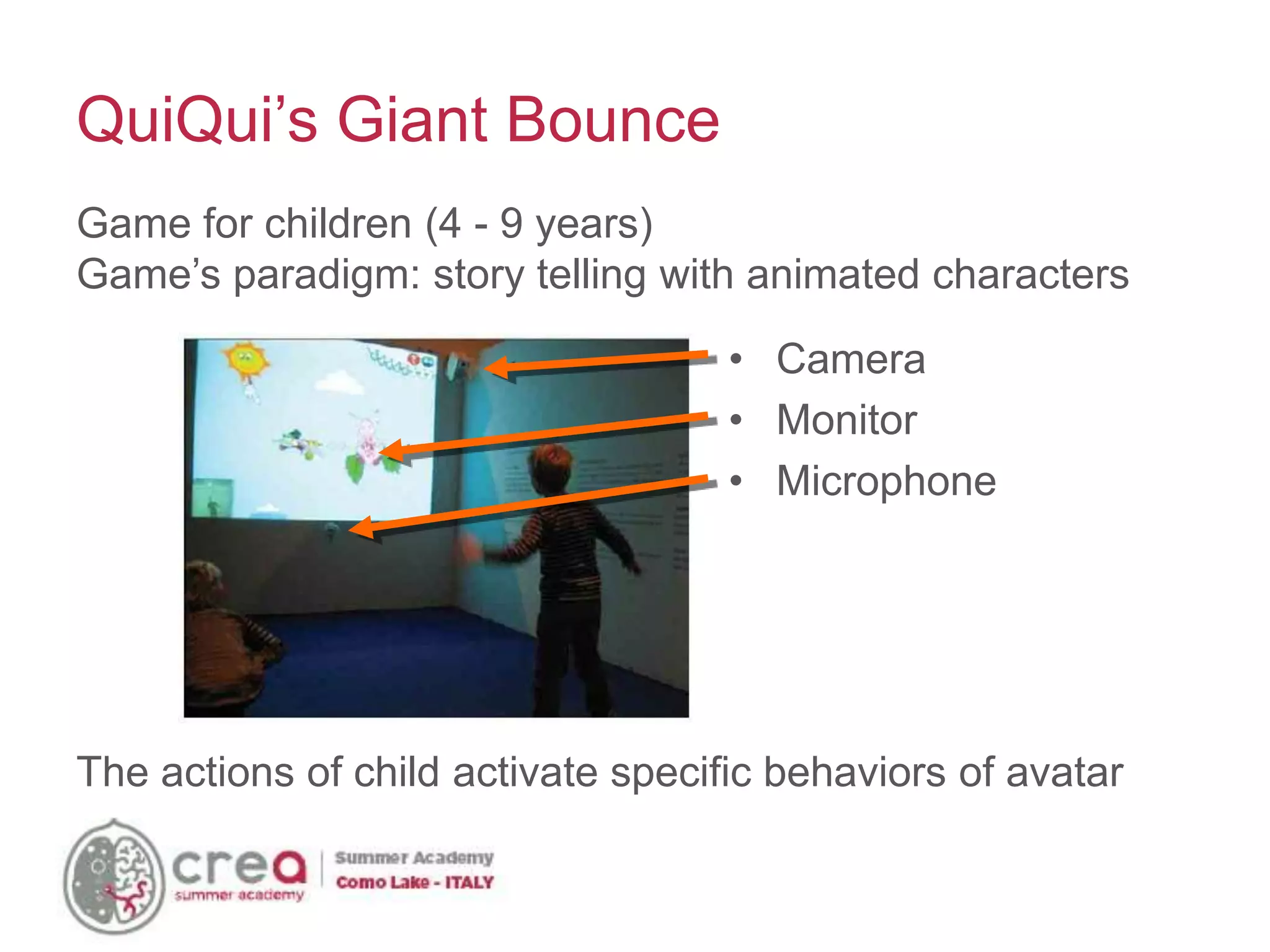
• Camera
• Monitor
• Microphone
QuiQui’s Giant Bounce
Game for children (4 - 9 years)
Game’s paradigm: story telling with animated characters
The actions of child activate specific behaviors of avatar
• The EyeToy is a color digital camera device, similar to a
webcam, for the PlayStation 2.
• The technology uses computer vision and Gesture recognition
to process images taken by the camera.
• This allows players to interact with games using motion, color
detection and also sound, through its built-in microphone.
• Limited success due to the low precision
Sony Eye Toy
• The console was released on November 19,
2006. About eight days after, 600,000 Wii’s were
reported to be sold.
• It has revolutionized game play and has
impacted society: anyone can play!
Nintendo Wii
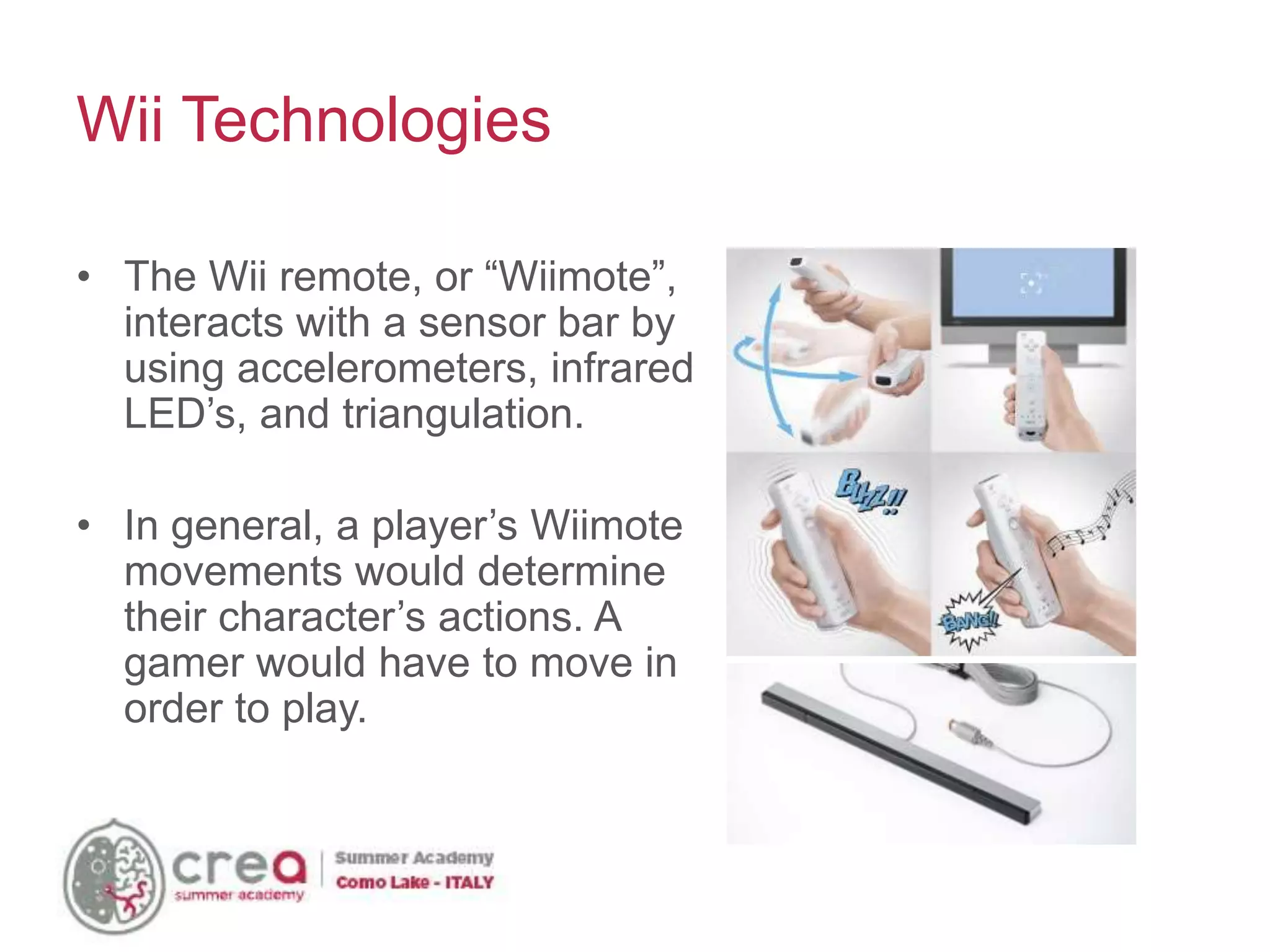
• The Wii remote, or “Wiimote”,
interacts with a sensor bar by
using accelerometers, infrared
LED’s, and triangulation.
• In general, a player’s Wiimote
movements would determine
their character’s actions. A
gamer would have to move in
order to play.
Wii Technologies
• Wii and wiimote comunicate by Bluetooth
• TED 2008: Johnny Lee show how is possible
connect wiimote with a normal pc and use them
in innovative application:
– interactive whiteboard
– 3D head tracking
– finger tracking
• Many others researcher start to use wiimote in
academia projects: http://hackaday.com
Wii Hacks
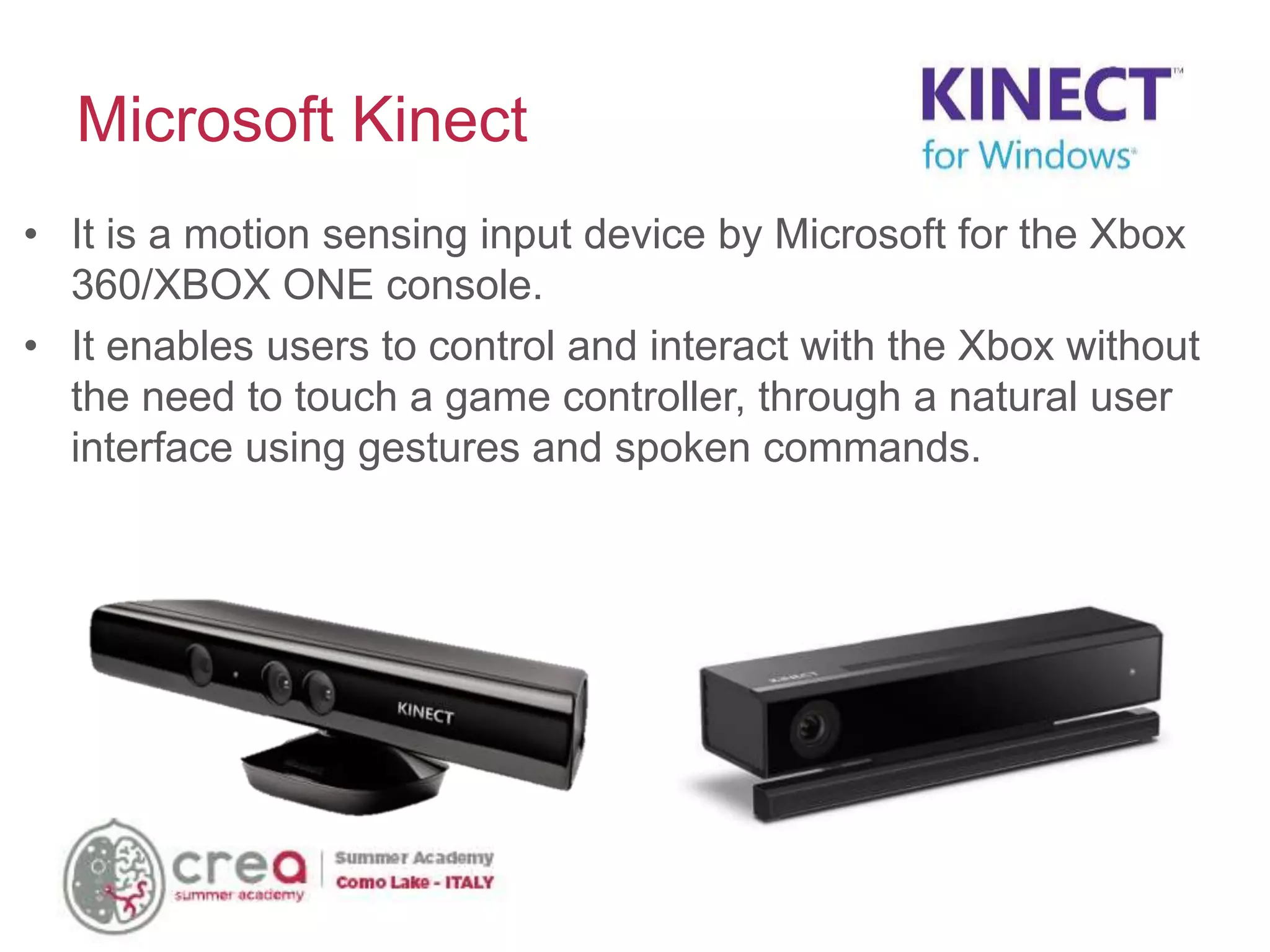
• It is a motion sensing input device by Microsoft for the Xbox
360/XBOX ONE console.
• It enables users to control and interact with the Xbox without
the need to touch a game controller, through a natural user
interface using gestures and spoken commands.
Microsoft Kinect
Immersive user experience
Kinect’s magic
“Any sufficiently advanced technology is indistinguishable
from magic”
(Arthur C. Clarke)
Provided Data
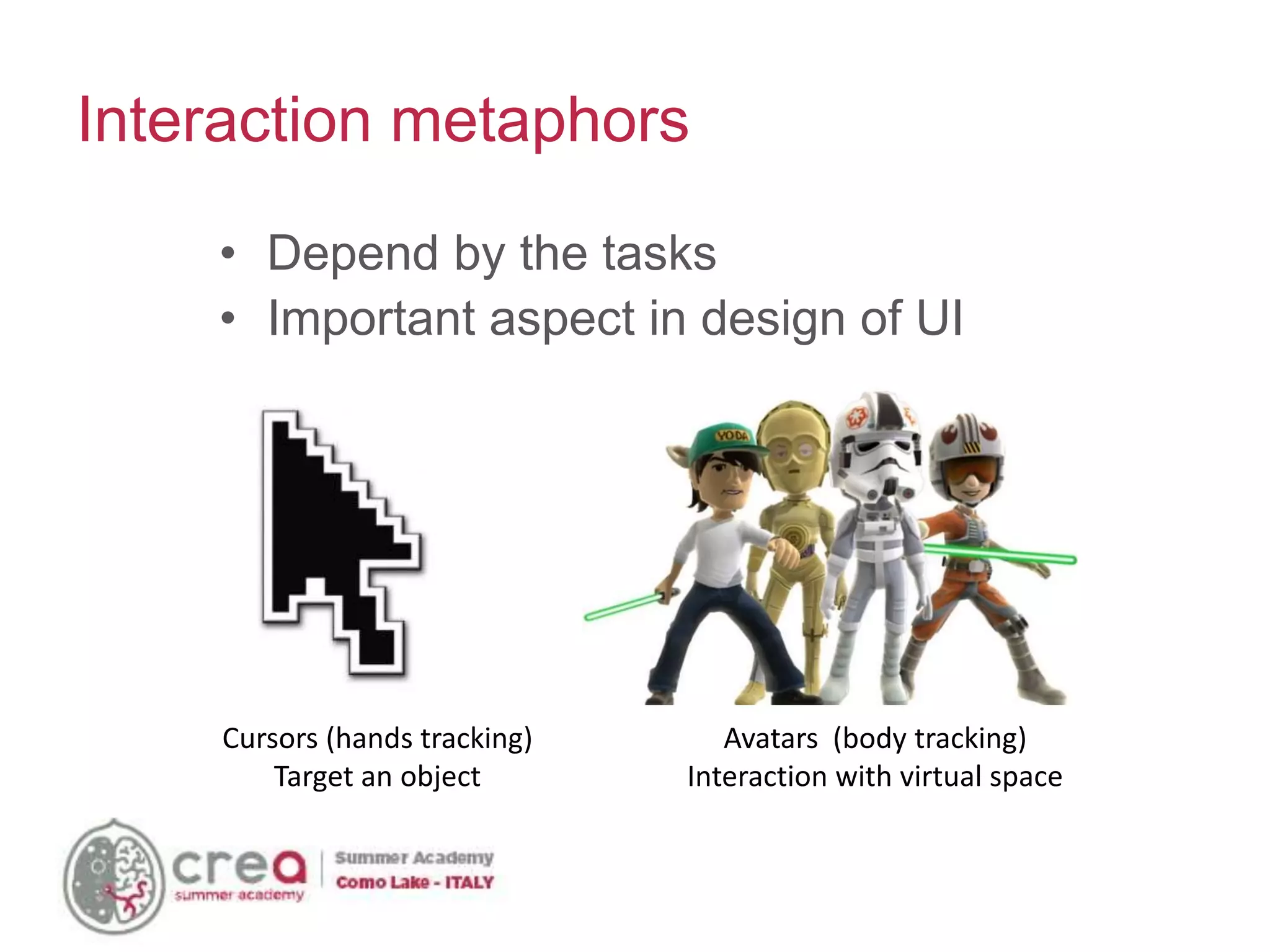
Cursors (hands tracking)
Target an object
Avatars (body tracking)
Interaction with virtual space
• Depend by the tasks
• Important aspect in design of UI
Interaction metaphors
The shadow/mirror effect
Shadow Effect:
• I see the back of my avatar
• Problems with Z
movements
Mirror Effect:
• I see the front of my
avatar
• Problem with mapping
left/right movements
User Interaction
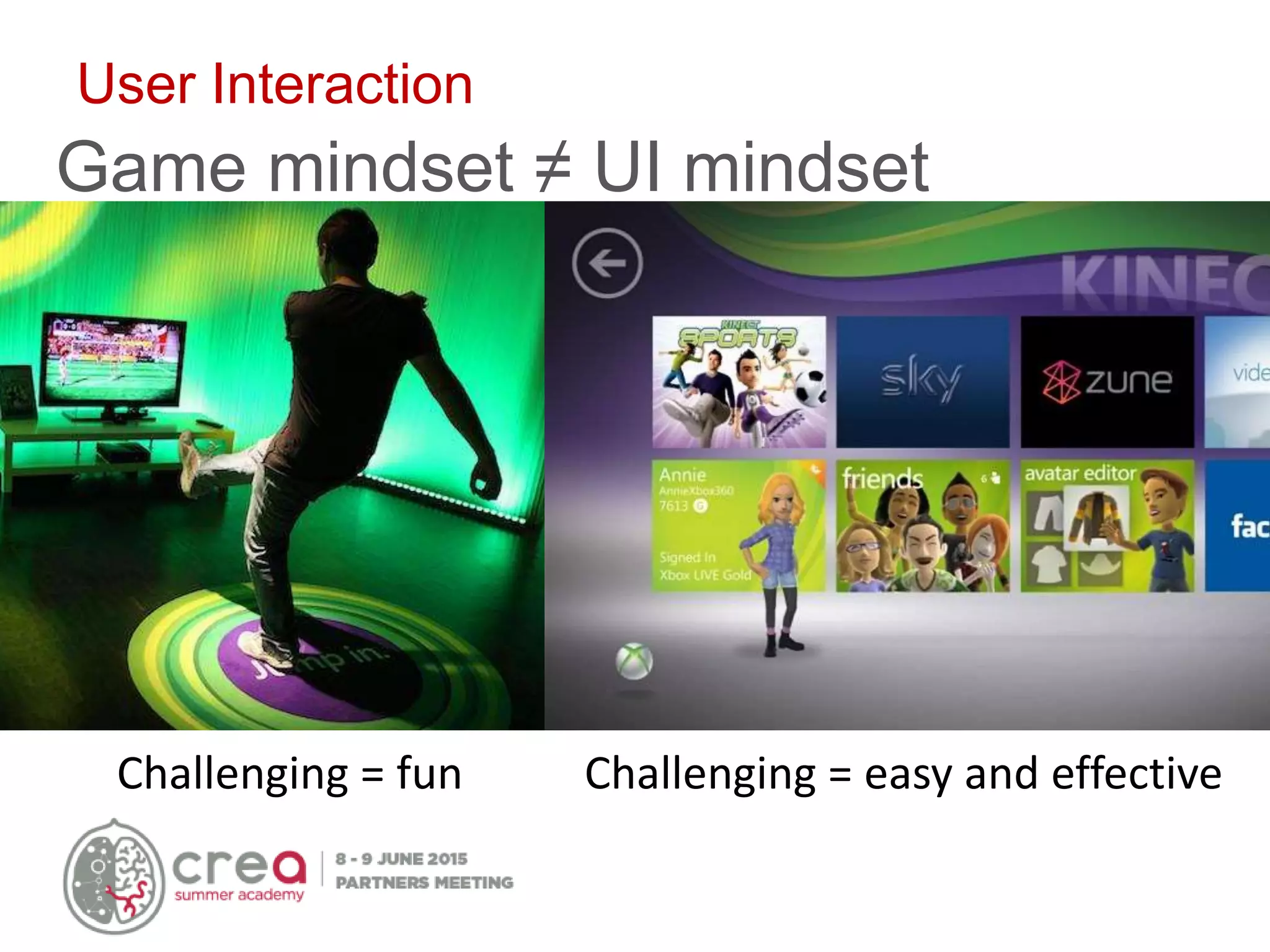
Game mindset ≠ UI mindset
Challenging = fun Challenging = easy and effective
Gesture semantically fits user task
Abstract Meaningful
Intel Real Sense
4 basic types of input
Categories of
Input
Capabilities Features
Hands • Hand and Finger
Tracking
• Gesture Recognition
• 22-point Hand and Finger Tracking
• 9 static and dynamic mid-air gestures
Face • Face Detection and
Tracking
• Multiple Face Detection and tracking
• 78-point Landmark Detection (facial features)
• Emotion Recognition (7 emotions, coming post-Beta)
• Pulse Estimation
• Face Recognition (Coming post-beta)
Speech • Speech Recognition • Command and Control
• Dictation
• Text to Speech
Environment • Segmentation
• 3D Scanning
• Augmented Reality
• Background Removal
• 3D Object / Face / Room Scanning (Coming post-beta)
• 2D/3D Object Tracking
• Scene Perception (coming post-beta)
https://www.youtube.com/watch?v=_d6KuiuteIA
https://airspace.leapmotion.com/
Leap Motion
Leap Motion - Field of View
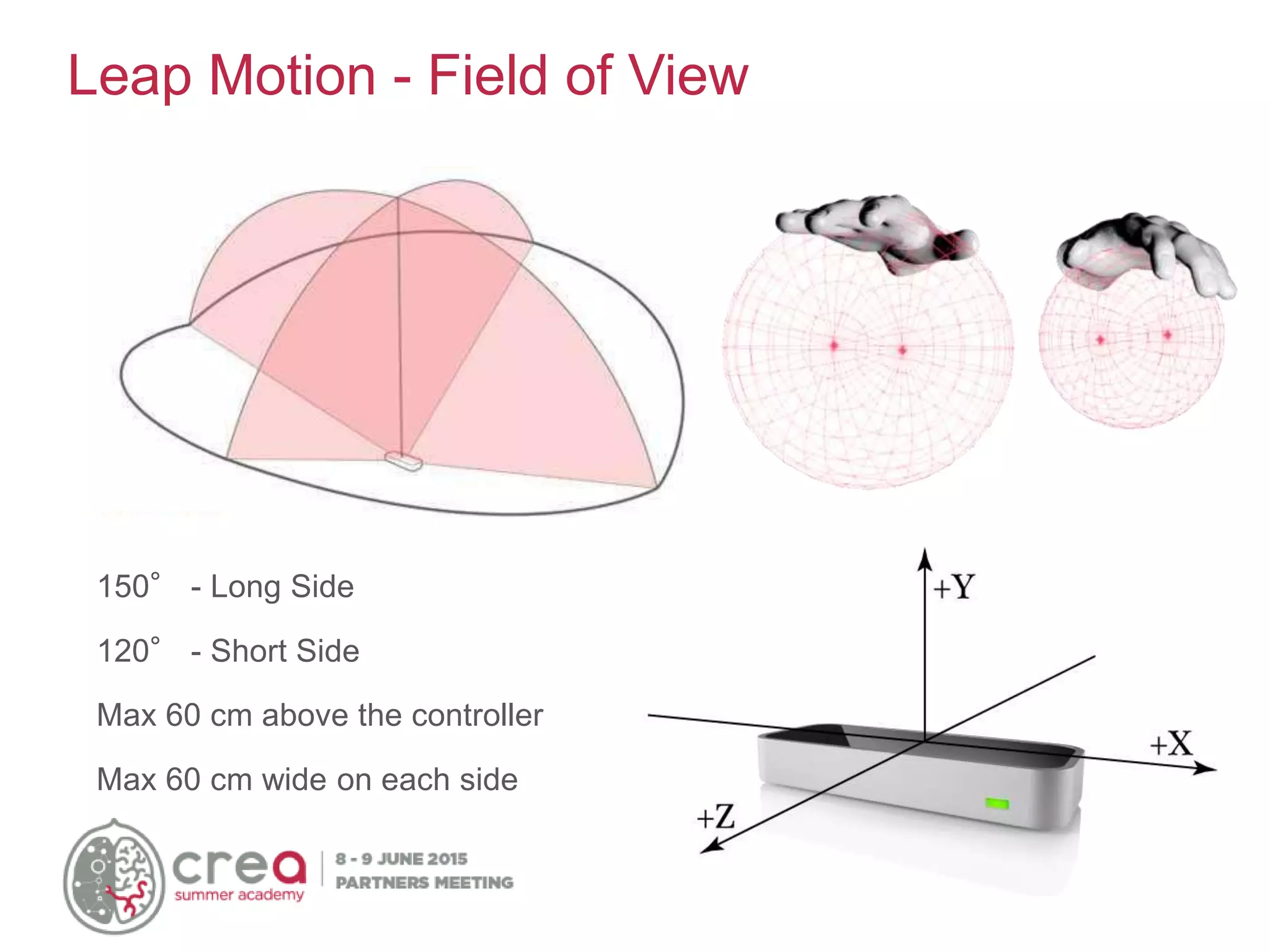
150° - Long Side
120° - Short Side
Max 60 cm above the controller
Max 60 cm wide on each side
Thalmic Labs Myo
https://www.myo.com/
http://www.tobii.com/en/eye-experience/
Tobii EyeX
Power Comes from the Sum
• Any single technology on its own – can create
good experiences
• The sum: This is where the magic is
• Tons of opportunities ahead
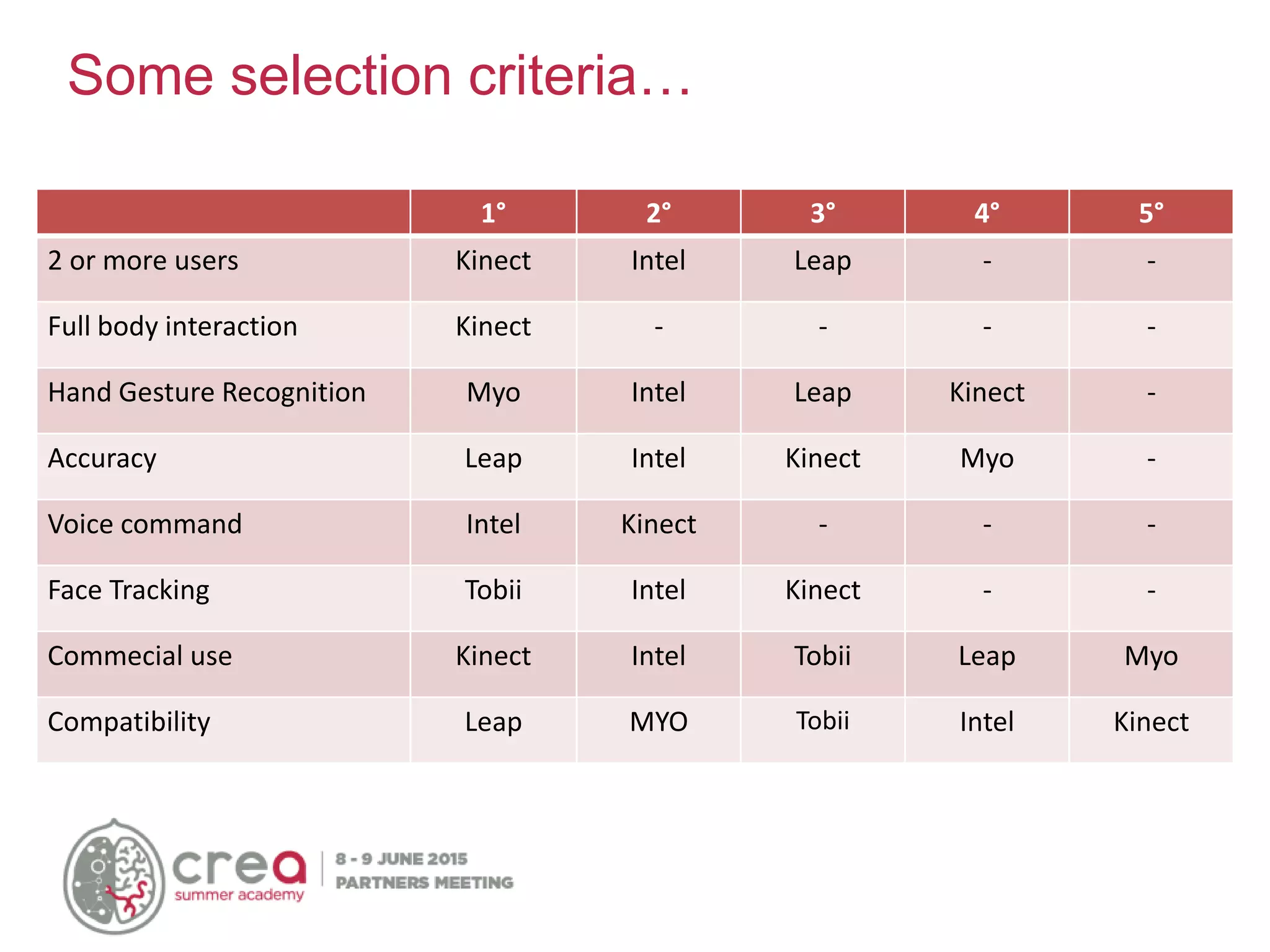
Some selection criteria…
1° 2° 3° 4° 5°
2 or more users Kinect Intel Leap - -
Full body interaction Kinect - - - -
Hand Gesture Recognition Myo Intel Leap Kinect -
Accuracy Leap Intel Kinect Myo -
Voice command Intel Kinect - - -
Face Tracking Tobii Intel Kinect - -
Commecial use Kinect Intel Tobii Leap Myo
Compatibility Leap MYO Tobii Intel Kinect
Costs
Cost Buy Link
Kinect 1 100€ [???]
Kinect 2 150€ http://goo.gl/rskPuD
Real Sense 99$ http://goo.gl/G67TVy
Leap Motion 90€ http://goo.gl/zyVXZZ
Myo 199$ https://goo.gl/ubv6wV
EyeX 99€ http://goo.gl/oGD3Ds
Leap, Real Sense, Kinect ranges
2,5 cm 60 cm 2 m 4 m
Final considerations
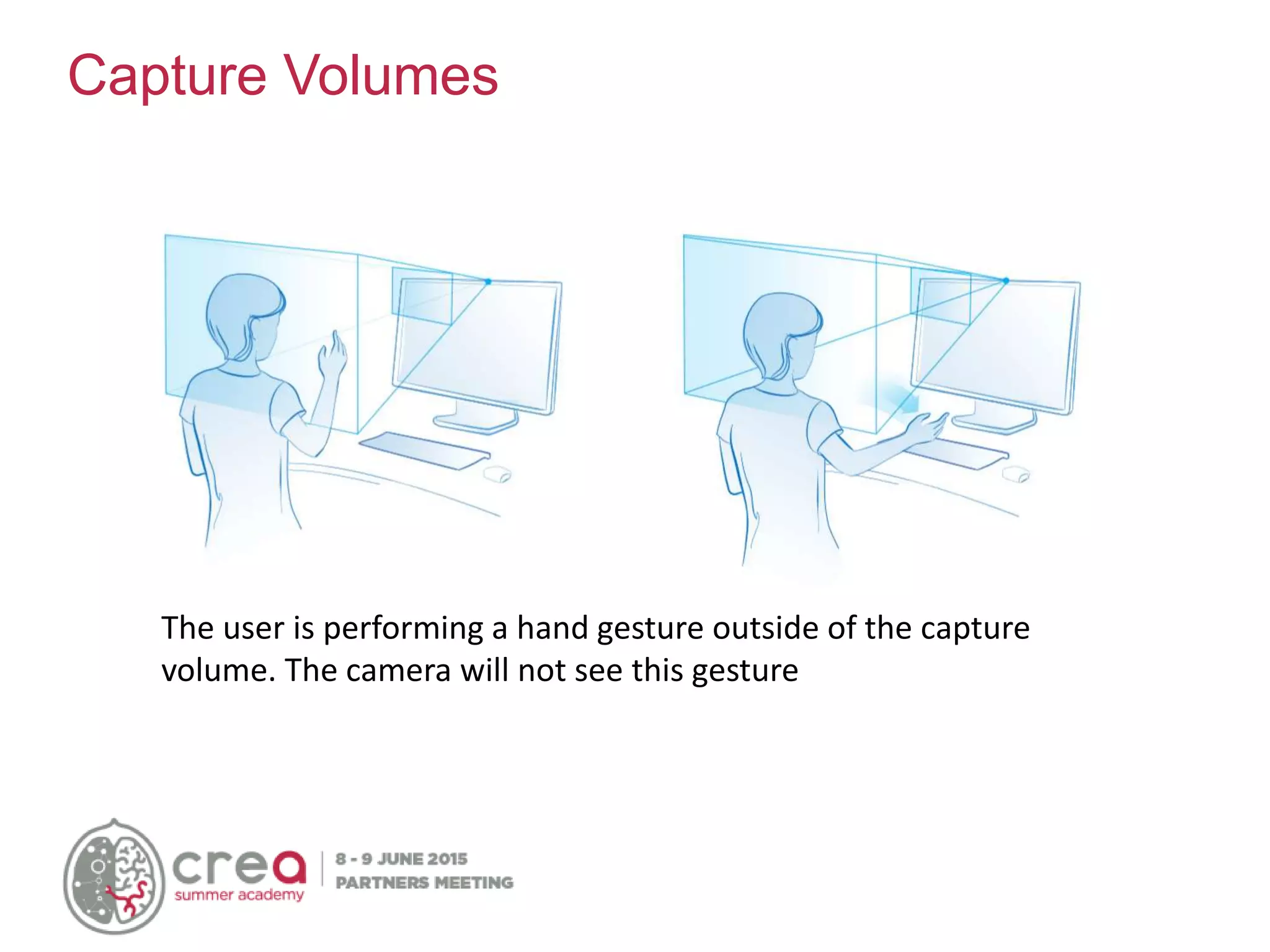
Capture Volumes
The user is performing a hand gesture outside of the capture
volume. The camera will not see this gesture
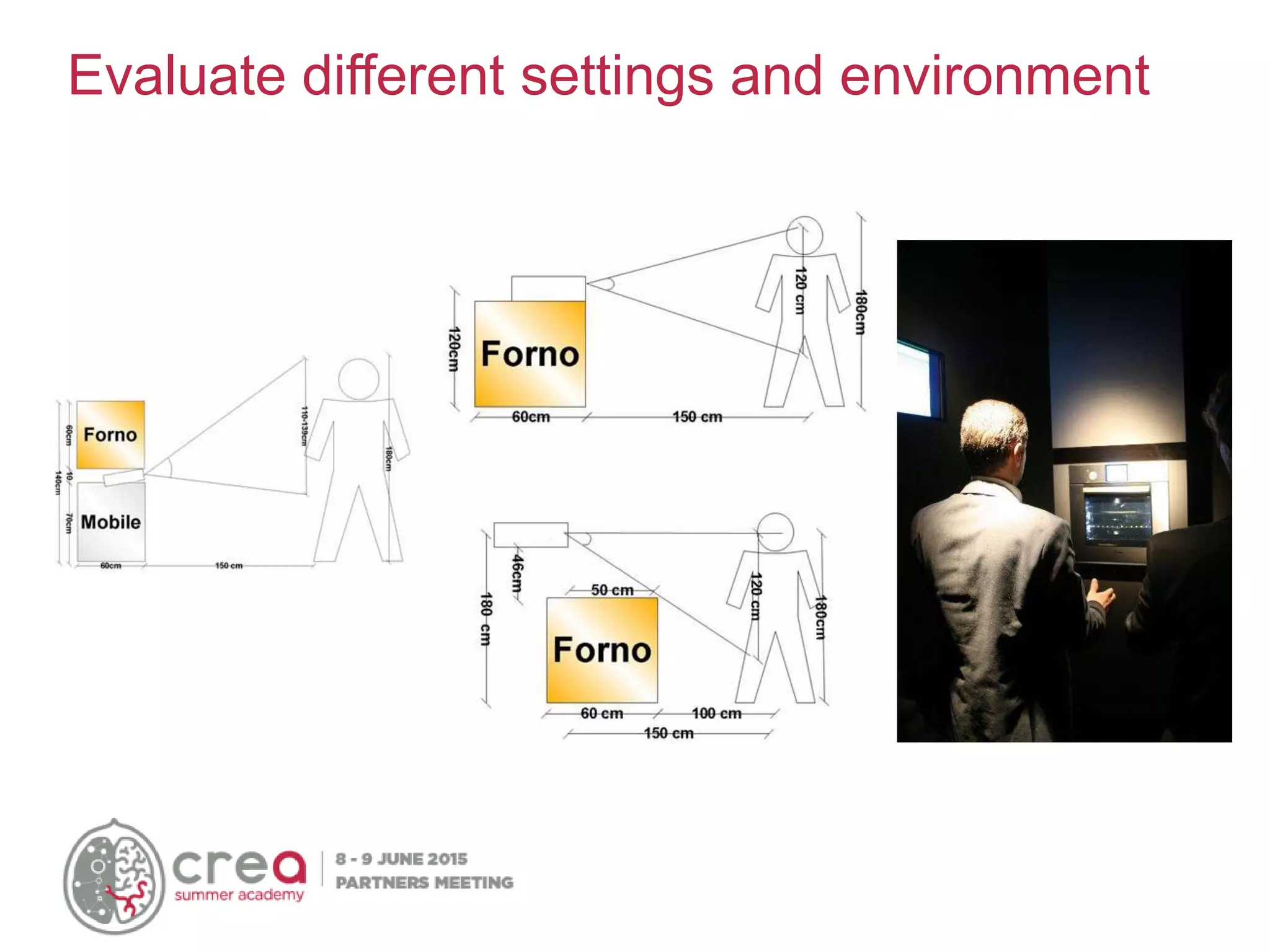
Evaluate different settings and environment
Sensor with Camera use IR light and Sunlight can blind the camera!!!
• Check exposition during all day
• Verify that there isn’t direct light on the camera
These devices aren’t a Rugged devices:
• Check temperatures (+3/33°)
• Check humidity
Indoor/Outdoor
Comfortable positions
Your users are not GORILLAS!!!
User posture may affect design of a gesture
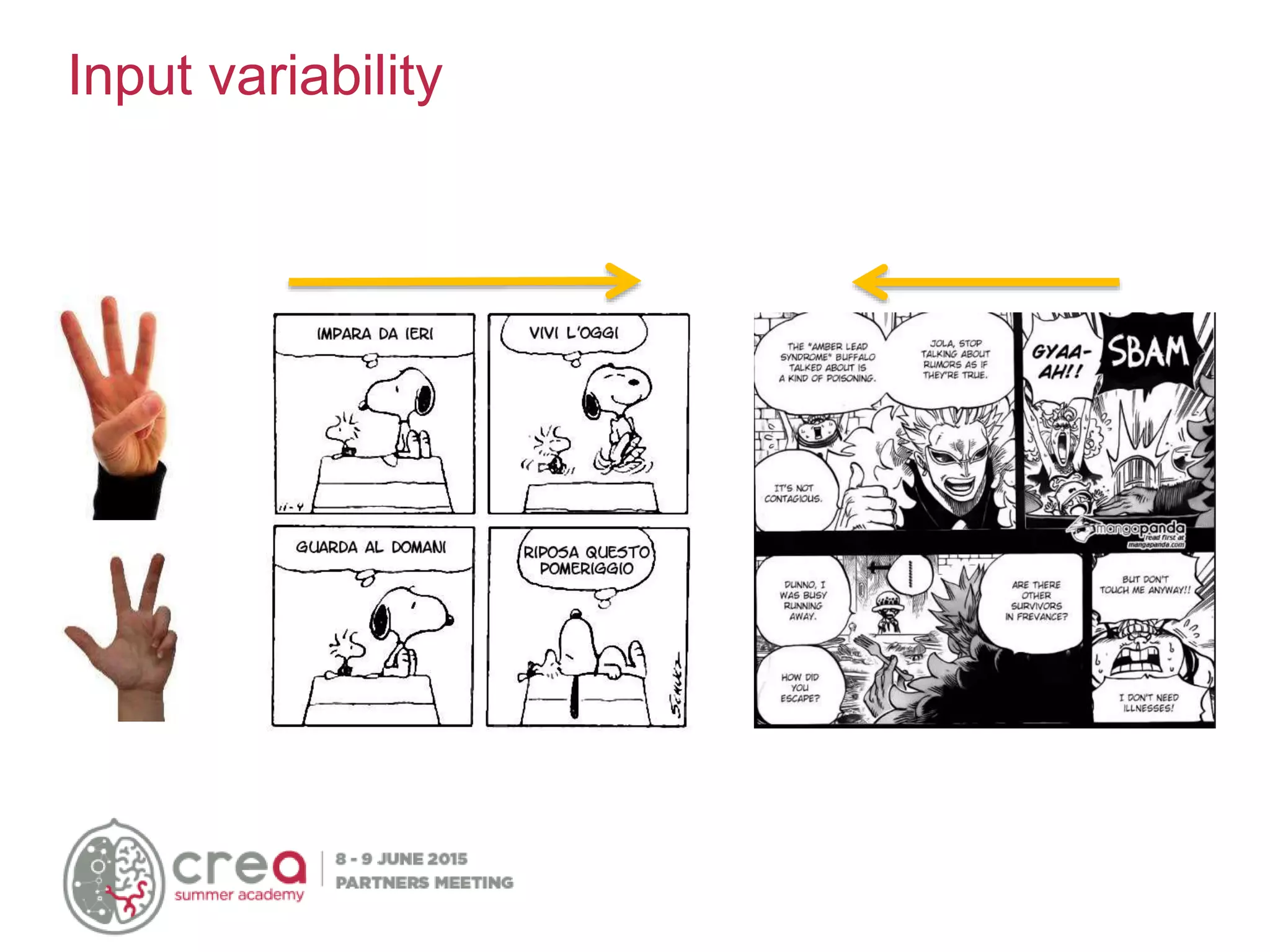
Input variability
Feedback, feedback, feedback,…
View of user:
• User Viewport
• User Overlay
… where actions performed for some other purpose or unconscious
signs are interpreted in order to influence/improve/facilitate the actors'
future interaction or day-to-day life (from Alan Dix)
• The interaction is not purposeful from the person side, but it is
designed “to happen”
• It “happens” in relation to signs which are not done for that (body
temperature, unconscious reactions such as blink rate, or
unconscious aspects of activities such as typing rate, vocabulary
shifts (e.g. modal verbs), actions done for other purposes, …
• It is designed for people acting
Manage Incidental Interaction
Luigi Oliveto
POLIMI
Natural User Interfaces

Natural User Interfaces

  • 1.
  • 2.
    Luigi Oliveto Master ofScience at Politecnico di Milano Researcher at Politecnico di Milano IT Consultant email: luigi.oliveto@gmail.com twitter: @LuigiOliveto linkedin: https://it.linkedin.com/in/luigioliveto Nice to Meet You
  • 3.
    Lots of words… AmbientIntelligence Internet of Things Pervasive Computing Physical Computing Ubiquitous computing Augmented reality Human-centered computing Smart device
  • 4.
    • No moredesktop-centered computation, but distributed computation(“ubiquitous”) • Objects become more “intelligent” and “smart” • New information’s model • New possibility of interaction with information • Machines fit the human environment instead of forcing humans to enter theirs … One concept
  • 5.
    Interface Evolution Command LineInterface CLI Graphical User Interface GUI NUI Natural User Interface
  • 6.
    Natural User Interface Computer Vision Facial Recognition Spatial Recognition Augmented Reality Gesture Sensing Audio Recognition Voice Comma nd Natural Speech Ambien tNoise Touch Single Touch Multi- Touch Pen Input Sensors Geospatial Sensing Accelerometers Biometrics Ambient Light Brain Waves Mind control Mood Recogniti on
  • 7.
  • 8.
  • 9.
  • 10.
  • 11.
  • 12.
  • 13.
  • 14.
  • 15.
    Natural…experience! “Natural interaction isdefined in terms of experience: people naturally communicate through gestures, expressions, movements, and discover the world by looking around and manipulating physical stuff.” Alessandro Valli https://www.linkedin.com/in/alessandrovalli
  • 17.
    What is changed? AFTERBEFORE •Single device • Collaborative experience • More points • Multiple devices • Individual experience • One click
  • 18.
    • Sensible totouch surface (touch screen) Multi-Touch Hardware RESISTIVE CAPACITIVE
  • 19.
    • Camera-based technology: LaserLine Plan Frustrated Total Internal Reflection Diffused illumination Pixel Sense Multi-Touch Hardware (2)
  • 20.
  • 21.
  • 22.
    • Microsoft "SurfaceSDK" and "Windows Presentation Foundation" include API, documentation and tool to develop multi-touch apps on Windows 7 and Surface • "Cocoa Touch" is a library to develop software for iPhone, iPod Touch, e iPad. "Cocoa Touch" is included in iPhone SDK. • Android SDK include tool, emulator, debugger and library to develop App for Android • Gestureworks (by Ideum) is an interesting Flash multi-touch. The Gestureworks software allows to develop multiuser and multi-touch-enabled applications with Adobe Flash. Multi-Touch Software
  • 23.
  • 24.
    • Nails • Gloves •Dirty fingers • Gestures (are they so easy?) • Accuracy Problems: Input
  • 25.
  • 26.
    • Touch-based applicationsintroduce new important constraints in design of interface and interaction: • Target’s dimensions must be fit to fingers’ dimension (min 10mm) Problems: Usability
  • 27.
    Labels’ position: handsand fingers can hide information Problems: Usability (2)
  • 28.
    Gesture’s design: someactions can hide part of information, too. Problems: Usability (3)
  • 29.
    Iceberg Tips: createa wider invisible area Adaptive Targets: device tries to guess next button pressed by user and zoom it Hell Tips & Tricks
  • 30.
    • Don’t assumethat people will know that they can touch a screen. • Create an “attract state” that demonstrates interactivity while nobody is using the device • Make touchable things look touchable • Design for fingers • Make sure hands don’t cover up information necessary for interaction • Don’t rely on traditional mouse-based interactions, such as hover & double click • Use consistent and familiar gestures Tips & Tricks (2)
  • 31.
    The Power ofMicrosoft® PixelSense™ https://www.youtube.com/watch?v=58dsqozft3k Samsung SUR40 with Microsoft® PixelSense™ https://www.youtube.com/watch?v=kmOku92MlQc Microsoft Surface wine-tasting demo http://www.youtube.com/watch?v=Y3KzprGxpZU&feature=related Patient Consultation Interface Surface Application http://www.youtube.com/watch?v=Qf0WxOo3O4g&feature=related Videos
  • 32.
    Microsoft Surface Application-Barclay's https://www.youtube.com/watch?v=cBF5BI5H7vs Playing with Microsoft Surface http://www.youtube.com/watch?v=SUfRSZppUYs&feature=related Touch2Much - Microsoft Surface Museum/Gallery Application http://www.youtube.com/watch?v=DDrCq9632YY AR.Drone Quadrotor Flight via Microsoft Surface http://www.youtube.com/watch?v=x1bbT8M6uRs Video (2)
  • 33.
  • 34.
    • Camera • Monitor •Microphone QuiQui’s Giant Bounce Game for children (4 - 9 years) Game’s paradigm: story telling with animated characters The actions of child activate specific behaviors of avatar
  • 35.
    • The EyeToyis a color digital camera device, similar to a webcam, for the PlayStation 2. • The technology uses computer vision and Gesture recognition to process images taken by the camera. • This allows players to interact with games using motion, color detection and also sound, through its built-in microphone. • Limited success due to the low precision Sony Eye Toy
  • 36.
    • The consolewas released on November 19, 2006. About eight days after, 600,000 Wii’s were reported to be sold. • It has revolutionized game play and has impacted society: anyone can play! Nintendo Wii
  • 37.
    • The Wiiremote, or “Wiimote”, interacts with a sensor bar by using accelerometers, infrared LED’s, and triangulation. • In general, a player’s Wiimote movements would determine their character’s actions. A gamer would have to move in order to play. Wii Technologies
  • 38.
    • Wii andwiimote comunicate by Bluetooth • TED 2008: Johnny Lee show how is possible connect wiimote with a normal pc and use them in innovative application: – interactive whiteboard – 3D head tracking – finger tracking • Many others researcher start to use wiimote in academia projects: http://hackaday.com Wii Hacks
  • 39.
    • It isa motion sensing input device by Microsoft for the Xbox 360/XBOX ONE console. • It enables users to control and interact with the Xbox without the need to touch a game controller, through a natural user interface using gestures and spoken commands. Microsoft Kinect
  • 40.
    Immersive user experience Kinect’smagic “Any sufficiently advanced technology is indistinguishable from magic” (Arthur C. Clarke)
  • 41.
  • 42.
    Cursors (hands tracking) Targetan object Avatars (body tracking) Interaction with virtual space • Depend by the tasks • Important aspect in design of UI Interaction metaphors
  • 43.
    The shadow/mirror effect ShadowEffect: • I see the back of my avatar • Problems with Z movements Mirror Effect: • I see the front of my avatar • Problem with mapping left/right movements
  • 44.
    User Interaction Game mindset≠ UI mindset Challenging = fun Challenging = easy and effective
  • 45.
    Gesture semantically fitsuser task Abstract Meaningful
  • 46.
  • 47.
    4 basic typesof input Categories of Input Capabilities Features Hands • Hand and Finger Tracking • Gesture Recognition • 22-point Hand and Finger Tracking • 9 static and dynamic mid-air gestures Face • Face Detection and Tracking • Multiple Face Detection and tracking • 78-point Landmark Detection (facial features) • Emotion Recognition (7 emotions, coming post-Beta) • Pulse Estimation • Face Recognition (Coming post-beta) Speech • Speech Recognition • Command and Control • Dictation • Text to Speech Environment • Segmentation • 3D Scanning • Augmented Reality • Background Removal • 3D Object / Face / Room Scanning (Coming post-beta) • 2D/3D Object Tracking • Scene Perception (coming post-beta)
  • 48.
  • 49.
    Leap Motion -Field of View 150° - Long Side 120° - Short Side Max 60 cm above the controller Max 60 cm wide on each side
  • 50.
  • 51.
  • 52.
    Power Comes fromthe Sum • Any single technology on its own – can create good experiences • The sum: This is where the magic is • Tons of opportunities ahead
  • 53.
    Some selection criteria… 1°2° 3° 4° 5° 2 or more users Kinect Intel Leap - - Full body interaction Kinect - - - - Hand Gesture Recognition Myo Intel Leap Kinect - Accuracy Leap Intel Kinect Myo - Voice command Intel Kinect - - - Face Tracking Tobii Intel Kinect - - Commecial use Kinect Intel Tobii Leap Myo Compatibility Leap MYO Tobii Intel Kinect
  • 54.
    Costs Cost Buy Link Kinect1 100€ [???] Kinect 2 150€ http://goo.gl/rskPuD Real Sense 99$ http://goo.gl/G67TVy Leap Motion 90€ http://goo.gl/zyVXZZ Myo 199$ https://goo.gl/ubv6wV EyeX 99€ http://goo.gl/oGD3Ds
  • 55.
    Leap, Real Sense,Kinect ranges 2,5 cm 60 cm 2 m 4 m
  • 56.
  • 57.
    Capture Volumes The useris performing a hand gesture outside of the capture volume. The camera will not see this gesture
  • 58.
  • 59.
    Sensor with Camerause IR light and Sunlight can blind the camera!!! • Check exposition during all day • Verify that there isn’t direct light on the camera These devices aren’t a Rugged devices: • Check temperatures (+3/33°) • Check humidity Indoor/Outdoor
  • 60.
  • 61.
    User posture mayaffect design of a gesture
  • 62.
  • 63.
    Feedback, feedback, feedback,… Viewof user: • User Viewport • User Overlay
  • 64.
    … where actionsperformed for some other purpose or unconscious signs are interpreted in order to influence/improve/facilitate the actors' future interaction or day-to-day life (from Alan Dix) • The interaction is not purposeful from the person side, but it is designed “to happen” • It “happens” in relation to signs which are not done for that (body temperature, unconscious reactions such as blink rate, or unconscious aspects of activities such as typing rate, vocabulary shifts (e.g. modal verbs), actions done for other purposes, … • It is designed for people acting Manage Incidental Interaction
  • 65.