
Transcendent Design with CSS & JavaScript (Web Directions North '07)
•
25 likes•1,746 views

The presentation Andy Clarke and I did at Web Direction North. Traditionally, CSS has been the domain of designers while JavaScript was for programmers, but these technologies can and should work together to improve your visitors’ experiences. After all, you can do amazing things with CSS, but when you start to use CSS in concert with DOM Scripting, there’s almost no limit to what you can achieve. MOD-ern web designer Andy Clarke and DOM/Ajax developer Aaron Gustafson will take your CSS skills and supercharge them with JavaScript magic, exploring how you can make CSS and JavaScript work together to make beautiful (and functional) results.

Recommended
More Related Content
What's hot
What's hot (20)
Viewers also liked
Similar to Transcendent Design with CSS & JavaScript (Web Directions North '07)
Similar to Transcendent Design with CSS & JavaScript (Web Directions North '07) (20)
More from Aaron Gustafson
More from Aaron Gustafson (20)
Recently uploaded
Recently uploaded (20)
Transcendent Design with CSS & JavaScript (Web Directions North '07)
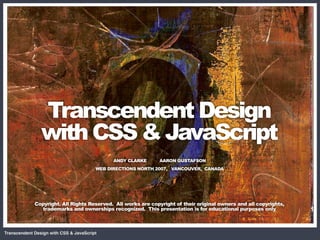
- 1. CSS + DOM = Magic Transcendent Design with CSS & JavaScript ANDY CLARKE AARON GUSTAFSON WEB DIRECTIONS NORTH 2007, VANCOUVER, CANADA Copyright. All Rights Reserved. All works are copyright of their original owners and all copyrights, trademarks and ownerships recognized. This presentation is for educational purposes only Transcendent Design with CSS & JavaScript
- 2. CSS + DOM = Magic Photo by Patrick Lauke Photo by Cindy Li Clarke Gustafson Transcendent Design with CSS & JavaScript
- 3. CSS + DOM = Magic Transcendent Design with CSS & JavaScript
- 4. “ Art is design without compromise “ Jeffrey Veen Transcendent Design with CSS & JavaScript
- 5. Environment; The inflexibility of the 2d screen, Materials; The limitations of markup and CSS, Medium; Poorer CSS support in older browsers Ourselves; Unlearning that we have learned from past experience Transcendent Design with CSS & JavaScript
- 6. Transcendent Design with CSS & JavaScript
- 7. Transcendent Design with CSS & JavaScript
- 8. Transcendent Design with CSS & JavaScript
- 9. Transcendent Design with CSS & JavaScript
- 10. Transcendent Design with CSS & JavaScript
- 11. Transcendent Design with CSS & JavaScript
- 12. Transcendent Design with CSS & JavaScript
- 13. Transcendent Design with CSS & JavaScript
- 14. “ We've arrived at a situation where beautiful sites with beautiful code are being produced by the hundreds; every month, every week, every day. It's no longer a myth that you can produce a stunning site with Web Standards. “ Cameron Adams Transcendent Design with CSS & JavaScript
- 15. Transcendent Design with CSS & JavaScript
- 16. Transcendent Design with CSS & JavaScript
- 17. Transcendent Design with CSS & JavaScript
- 18. Transcendent Design with CSS & JavaScript
- 19. Transcendent Design with CSS & JavaScript
- 20. Transcendent Design with CSS & JavaScript
- 21. Transcendent Design with CSS & JavaScript
- 22. Transcendent Design with CSS & JavaScript
- 23. Transcendent Design with CSS & JavaScript
- 24. Transcendent Design with CSS & JavaScript
- 25. Transcendent Design with CSS & JavaScript
- 26. Transcendent Design with CSS & JavaScript
- 27. Transcendent Design with CSS & JavaScript
- 28. Transcendent Design with CSS & JavaScript
- 29. Transcendent Design with CSS & JavaScript
- 30. Transcendent Design with CSS & JavaScript
- 31. Transcendent Design with CSS & JavaScript
- 32. Transcendent Design with CSS & JavaScript
- 33. Meaningful markup Semantics means “meaning” Markup as meaningful to content The content‐out approach Aids accessibility & SEO Valid is not always meaningful Transcendent Design with CSS & JavaScript
- 34. DOM visualision <html> <body> <div> <ul> <dl> <p> <h1> <dt> <dd> <li> <q> <img> <p> <em> <h4> <p> Transcendent Design with CSS & JavaScript
- 35. DOM visualision <html> <body> <div#branding> <div#content> <div#siteinfo> <h4> <h5#tagline> <div#content_main> <p> <ul> <p> <img> <h4> <p> <p> <li> Transcendent Design with CSS & JavaScript
- 36. DOM visualision <p>This is a paragraph that contains an <a href= "#" title="">anchor</a>.</p> <p> This is a paragraph <a> .(period) that contains an href title anchor Transcendent Design with CSS & JavaScript
- 37. “ Simply replacing table cells with div elements will not help you gain the full benefits of using web standards or CSS. Unless you have carefully considered the meaning of each division, div elements are little better than using tables. “ Transcendent Design with CSS & JavaScript
- 38. Transcendent Design with CSS & JavaScript
- 39. Transcendent Design with CSS & JavaScript
- 40. Transcendent Design with CSS & JavaScript
- 41. Transcendent Design with CSS & JavaScript
- 42. Transcendent Design with CSS & JavaScript
- 43. Transcendent Design with CSS & JavaScript
- 44. <ul> </li> <li> Green </li> <li> Purple </li> <li> Red </li> <li> Blue </li> <li> Black </ul> Transcendent Design with CSS & JavaScript
- 45. Transcendent Design with CSS & JavaScript
- 46. <ol> </a> </li> <li> <a> 2784 </a> </li> <li> <a> 3243 </a> </li> <li> <a> 1992 </a> </li> <li> <a> 2011 </a> </li> <li> <a> 2205 </ol> Transcendent Design with CSS & JavaScript
- 47. Transcendent Design with CSS & JavaScript
- 48. <table> </th> <tr> <th> Taxi number </th> <th> Driver name </th> <th> License plate </th> <th> </tr> Rank order </td> <tr> <td> 8K33 </td> <td> Aaron </td> <td> 666 DOM </td> <td> </tr> 1 </table> Transcendent Design with CSS & JavaScript
- 49. Transcendent Design with CSS & JavaScript
- 50. Transcendent Design with CSS & JavaScript
- 51. <h1> <li id="p89"> <p> <h2> <ul> <li> <h3> <a> <img> <p> <li id="p65"> Transcendent Design with CSS & JavaScript
- 52. CSS positioning “Mastering positioning with its enormous potential for layout flexibility and robust behavior will be one of the most rewarding challenges you can take on when learning CSS.” Transcendent Design with CSS & JavaScript
- 53. Transcendent Design with CSS & JavaScript
- 54. CSS and JavaScript CSS JavaScript a var a = document.getElementsByTagName('a'); #content var container = document.getElementById ('content'); #extras p var paras = document.getElementById ('extras').getElementsByTagName('p'); Transcendent Design with CSS & JavaScript
- 55. Attribute selectors “Style an element either based on whether an element has an attribute name such as href or based on the attribute value.” Transcendent Design with CSS & JavaScript
- 56. Accessing attributes You can get attribute values var a = document.getElementById ( 'content' ).getElementsByTagName( 'a' )[0] var href = a.getAttribute( 'href' ); or set them a.setAttribute( 'title', 'I added this with the DOM' ); Transcendent Design with CSS & JavaScript
- 57. Creating content var ul = document.createElement( 'ul' ); var li = document.createElement( 'li' ); var i = 1; while( i < 4 ){ var temp = li.cloneNode( true ); temp.appendChild( document.createTextNode( 'this is LI number '+i ) ); ul.appendChild( temp ); i++; } document.getElementsByTagName( 'body' )[0].appendChild( ul ); Transcendent Design with CSS & JavaScript
- 58. Transcendent Design with CSS & JavaScript
- 59. CSS3 Multi‐column Module Transcendent Design with CSS & JavaScript
- 60. CSS3 Multi‐column Module column‐count column‐width column‐gap column‐rule ‐moz‐column‐count ‐moz‐column‐width ‐moz‐column‐gap ‐moz‐column‐rule Transcendent Design with CSS & JavaScript
- 61. CSS3 Multi‐column Module #content_main ul { column‐width : 18em; column‐gap : 25px; column‐rule : thin solid black; ‐moz‐column‐width : 18em; ‐moz‐column‐gap : 25px; ‐moz‐column‐rule : thin solid black; } Transcendent Design with CSS & JavaScript
- 62. CSS3 Multi‐column Module “As proposed by Andy Clarke in his blog [1], the 'column‐ rule‐image' property has been added to the spec. In the blog, the examples are: body { column‐rule‐image : url(rule.png); } body { column‐rule‐image : url(rule.png) repeat‐x 0 0; }” Håkon Wium Lie. CTO Opera Software Transcendent Design with CSS & JavaScript
- 63. Transcendent Design with CSS & JavaScript
- 64. CSS3 Multi‐column Module demo Transcendent Design with CSS & JavaScript
- 65. Zebra striping Transcendent Design with CSS & JavaScript
- 66. Zebra striping <tbody> <tr> <td>bicarbonate of soda</td> </tr> <tr> <td>cream of tartar</td> </tr> </tbody> Transcendent Design with CSS & JavaScript
- 67. Zebra striping <tbody> <tr class="odd"> <td>bicarbonate of soda</td> </tr> <tr class="even"> <td>cream of tartar</td> </tr> </tbody> Transcendent Design with CSS & JavaScript
- 68. Zebra striping tr:nth‐child(odd) { background‐color : #fff; } tr:nth‐child(even) { background‐color : #ebebeb; } Transcendent Design with CSS & JavaScript
- 69. Zebra striping Count up the number of rows in increments of 10 (10, 20, 30 etc.) and target the rows that come immediately before (‐1), so enabling you to style the 9th, 19th, 29th, etc. rows. tr:nth‐child(10n‐1) { background‐color : #ebebeb; } Transcendent Design with CSS & JavaScript
- 70. Transcendent Design with CSS & JavaScript
- 71. CSS3 Advanced Layout Module Transcendent Design with CSS & JavaScript
- 72. Transcendent Design with CSS & JavaScript
- 73. CSS3 Advanced Layout Module Slot letter identifies the slot within the grid for any content that will be positioned within it @ (at symbol) A default slot into which content that has not been situated can flow. . (period) A white‐space slot that can have no content inserted into it. Transcendent Design with CSS & JavaScript
- 74. CSS3 Advanced Layout Module div#biscotti { position : a; } div#wafles { position : b; } div#muffins { position : c; } div#jelly { position : d; } div#bread { position : e; } div#icecream { position : f; } Transcendent Design with CSS & JavaScript
- 75. Transcendent Design with CSS & JavaScript
- 76. <div id="biscotti"> <div id="waffles"> <div id="muffins"> <div id="jelly"> <div id="bread"> <div id="icecream"> Transcendent Design with CSS & JavaScript
- 77. <div id="biscotti"> <div id="waffles"> <div id="muffins"> position : a; position : b; position : c; <div id="jelly"> <div id="bread"> <div id="icecream"> position : d; position : e; position : f; Transcendent Design with CSS & JavaScript
- 78. Transcendent Design with CSS & JavaScript
- 79. 1 2 3 4 1 1 2 1 2 3 1 2 3 Transcendent Design with CSS & JavaScript
- 80. Transcendent Design with CSS & JavaScript
- 81. CSS3 Advanced Layout Module demo Transcendent Design with CSS & JavaScript
- 82. Working with libraries Prototype (prototypejs.org) YUI (developer.yahoo.com/yui ) Moo.fx (moofx.mad4milk.net) Mochikit (mochikit.com) Dojo (dojotoolkit.org) Scriptaculous (script.aculo.us) jQuery (jquery.com) Rico (openrico.org) Lowpro (ujs4rails.com) Transcendent Design with CSS & JavaScript
- 83. Working with libraries Some give JS the feel of another language Prototype, Scriptaculous & Lowpro ‐ Ruby Mochikit – Python YUI – Java Transcendent Design with CSS & JavaScript
- 84. Working with libraries Why do we use them? They make our lives easier. The key there is easier. Which one is best? How do I get started? Transcendent Design with CSS & JavaScript
- 85. Dean Edwards’ IE7 Scripts “ Dean Edwards’ IE7 Scripts allow you to use CSS2 and even some CSS3 selectors in your stylesheets and transforms legacy versions of Internet Explorer into a shiny new browser. “ Transcendent Design with CSS & JavaScript
- 86. Dean Edwards’ IE7 Scripts Child selectors :nth‐child pseudo‐classes Adjacent sibling selectors :before :after Attribute value selectors :hover, :active, :focus all elements :first‐child PNG alpha‐transparency :last‐child :only‐child Transcendent Design with CSS & JavaScript
- 87. Dean Edwards’ IE7 Scripts <!‐‐[if lte IE 6]> <script src="ie7‐standard‐p.js" type="text/javascript"> </script> <![endif]‐‐> Transcendent Design with CSS & JavaScript
- 88. CSS + DOM = Magic Transcendent Design with CSS & JavaScript ANDY CLARKE AARON GUSTAFSON WEB DIRECTIONS NORTH 2007, VANCOUVER, CANADA Copyright. All Rights Reserved. All works are copyright of their original owners and all copyrights, trademarks and ownerships recognized. This presentation is for educational purposes only Transcendent Design with CSS & JavaScript
- 89. One more thing Transcendent Design with CSS & JavaScript
- 90. CSS + DOM = Magic Transcendent Design with CSS & JavaScript ANDY CLARKE AARON GUSTAFSON WEB DIRECTIONS NORTH 2007, VANCOUVER, CANADA Copyright. All Rights Reserved. All works are copyright of their original owners and all copyrights, trademarks and ownerships recognized. This presentation is for educational purposes only Transcendent Design with CSS & JavaScript