Part Three – Fusion Middleware
10th October 2013
Review Oracle OpenWorld 2013
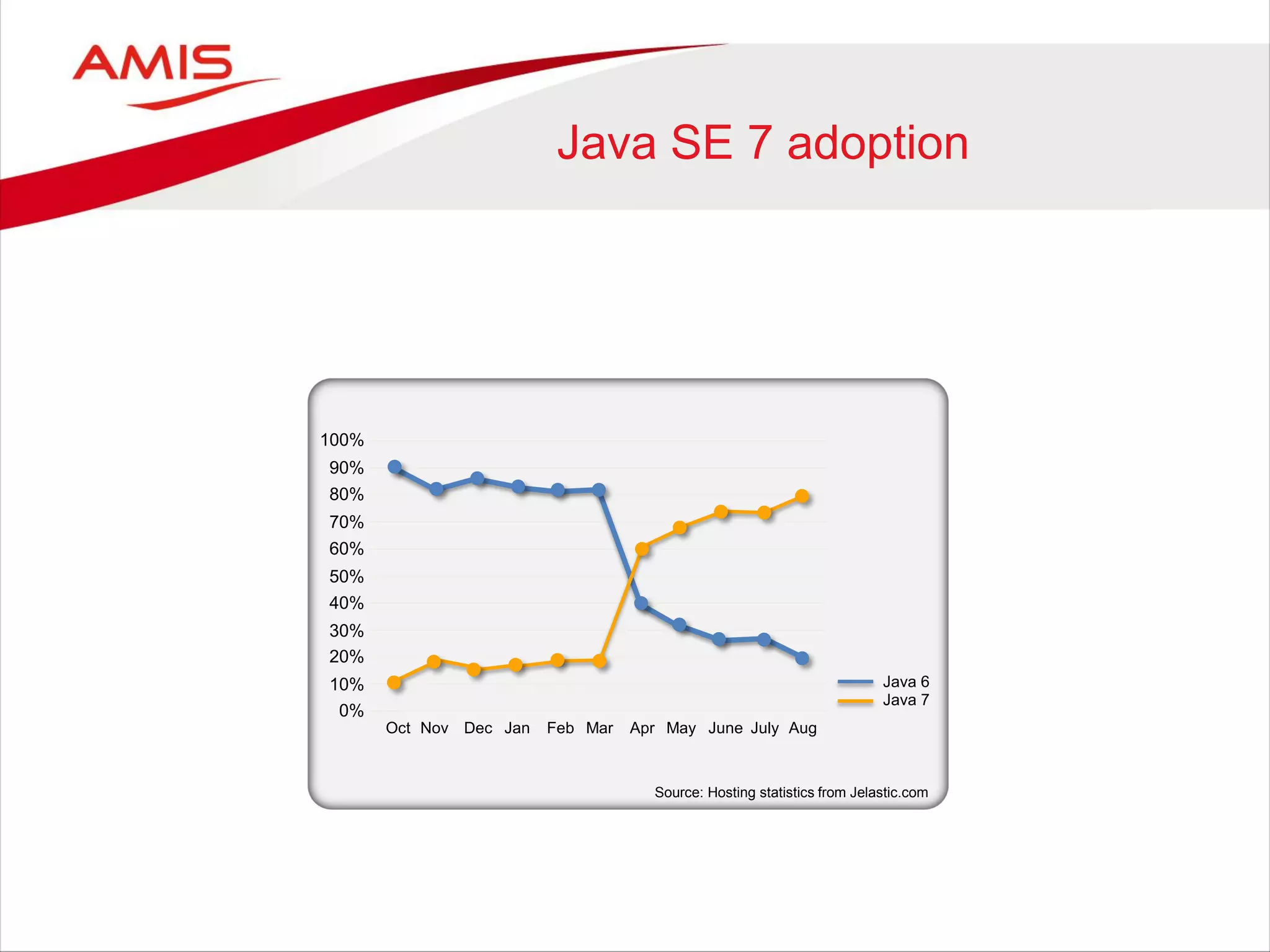
Java SE 7 adoption
100%
90%
80%
70%
60%
50%
40%
30%
20%
10%
0%
Source: Hosting statistics from Jelastic.com
Nov Dec Jan Feb Mar Apr May June July AugOct
Java 6
Java 7
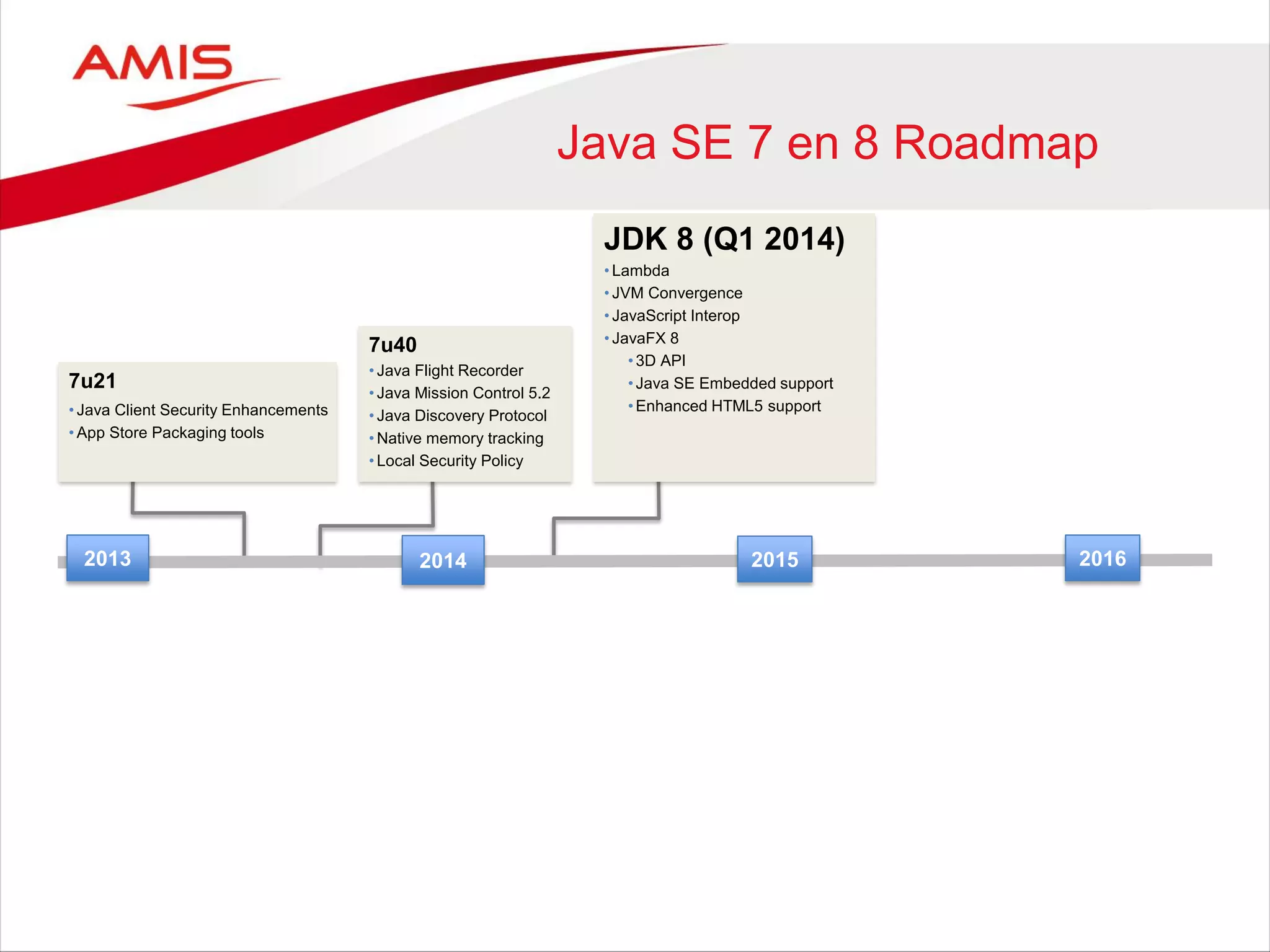
Java SE 7 en 8 Roadmap
20152013 2014 2016
JDK 8 (Q1 2014)
• Lambda
• JVM Convergence
• JavaScript Interop
• JavaFX 8
•3D API
•Java SE Embedded support
•Enhanced HTML5 support
7u40
• Java Flight Recorder
• Java Mission Control 5.2
• Java Discovery Protocol
• Native memory tracking
• Local Security Policy
7u21
• Java Client Security Enhancements
• App Store Packaging tools
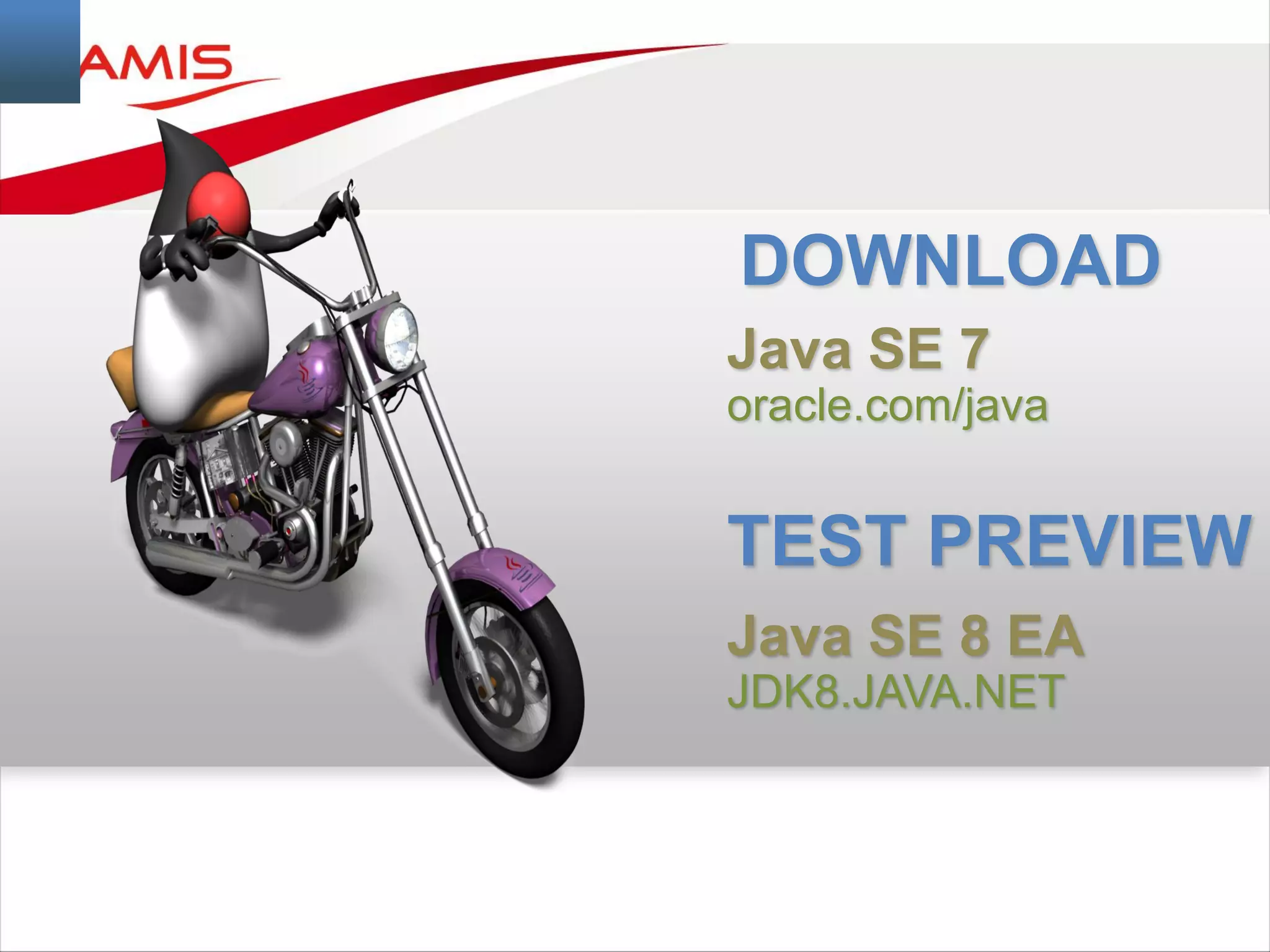
DOWNLOAD
Java SE 7
oracle.com/java
TEST PREVIEW
Java SE 8 EA
JDK8.JAVA.NET
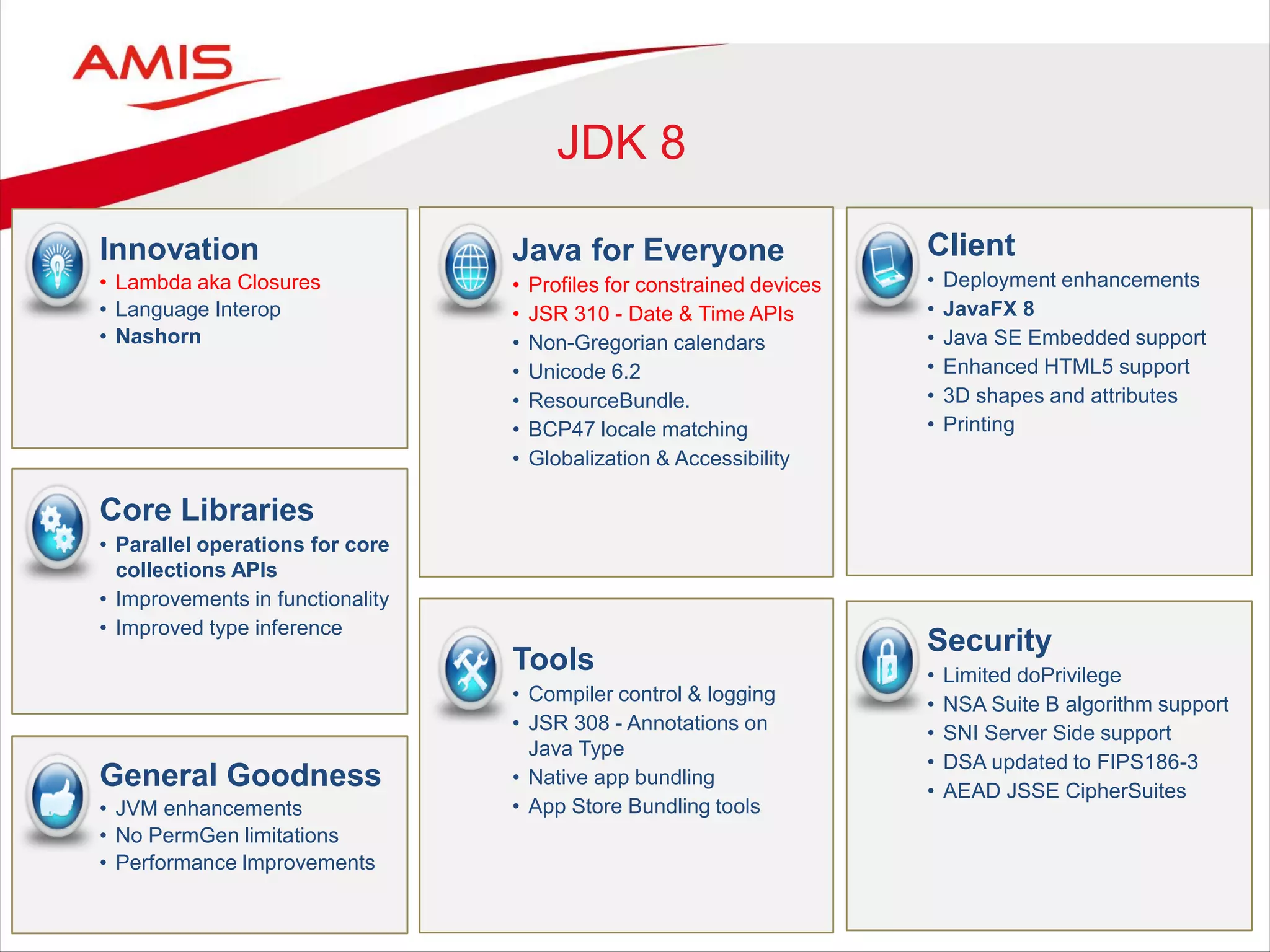
JDK 8
Java for Everyone
• Profiles for constrained devices
• JSR 310 - Date & Time APIs
• Non-Gregorian calendars
• Unicode 6.2
• ResourceBundle.
• BCP47 locale matching
• Globalization & Accessibility
Innovation
• Lambda aka Closures
• Language Interop
• Nashorn
Core Libraries
• Parallel operations for core
collections APIs
• Improvements in functionality
• Improved type inference
Security
• Limited doPrivilege
• NSA Suite B algorithm support
• SNI Server Side support
• DSA updated to FIPS186-3
• AEAD JSSE CipherSuites
Tools
• Compiler control & logging
• JSR 308 - Annotations on
Java Type
• Native app bundling
• App Store Bundling tools
Client
• Deployment enhancements
• JavaFX 8
• Java SE Embedded support
• Enhanced HTML5 support
• 3D shapes and attributes
• Printing
General Goodness
• JVM enhancements
• No PermGen limitations
• Performance lmprovements
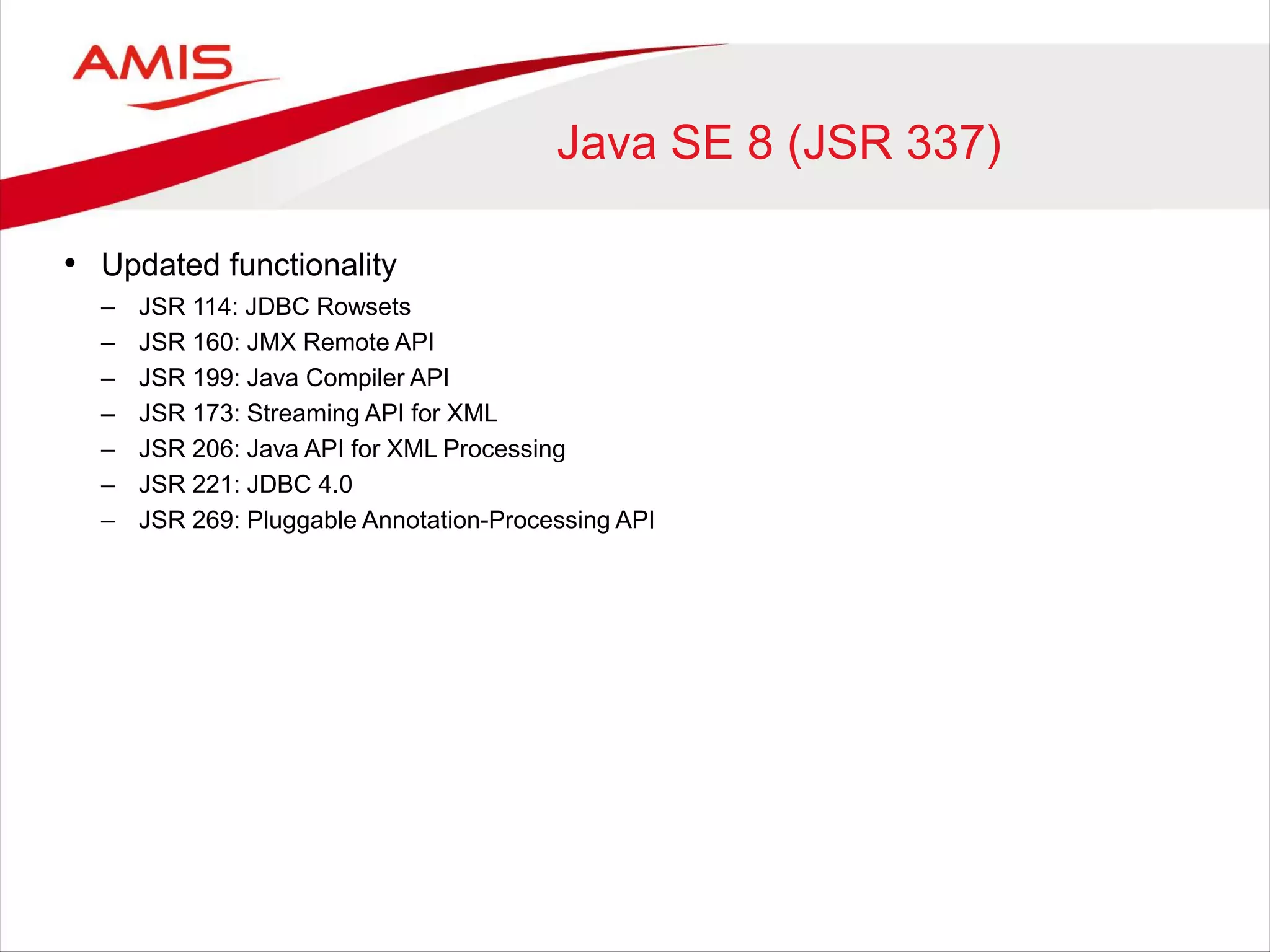
Java SE 8 (JSR 337)
• Updated functionality
– JSR 114: JDBC Rowsets
– JSR 160: JMX Remote API
– JSR 199: Java Compiler API
– JSR 173: Streaming API for XML
– JSR 206: Java API for XML Processing
– JSR 221: JDBC 4.0
– JSR 269: Pluggable Annotation-Processing API
7
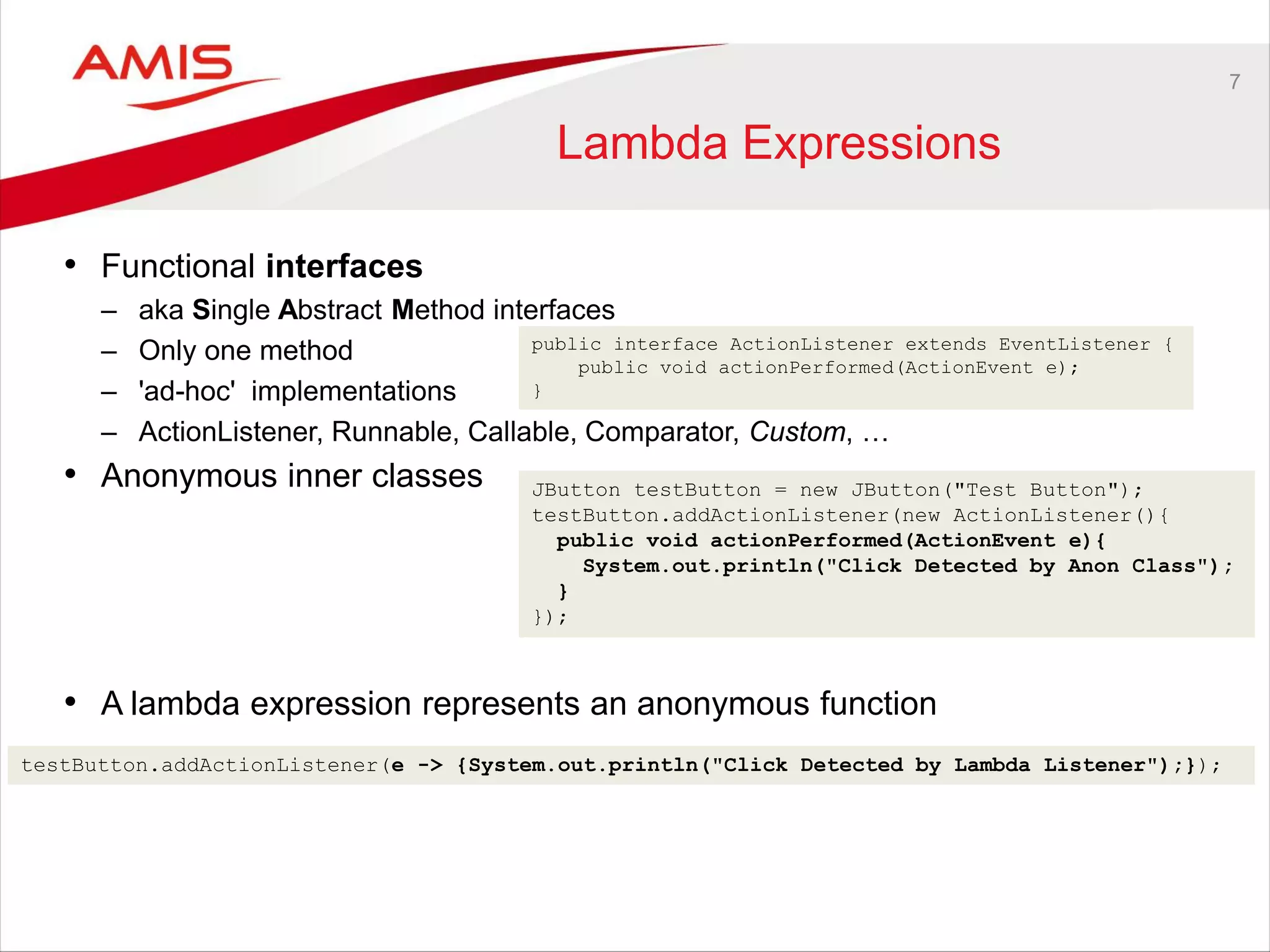
Lambda Expressions
• Functional interfaces
– aka Single Abstract Method interfaces
– Only one method
– 'ad-hoc' implementations
– ActionListener, Runnable, Callable, Comparator, Custom, …
• Anonymous inner classes
• A lambda expression represents an anonymous function
JButton testButton = new JButton("Test Button");
testButton.addActionListener(new ActionListener(){
public void actionPerformed(ActionEvent e){
System.out.println("Click Detected by Anon Class");
}
});
testButton.addActionListener(e -> {System.out.println("Click Detected by Lambda Listener");});
public interface ActionListener extends EventListener {
public void actionPerformed(ActionEvent e);
}
8
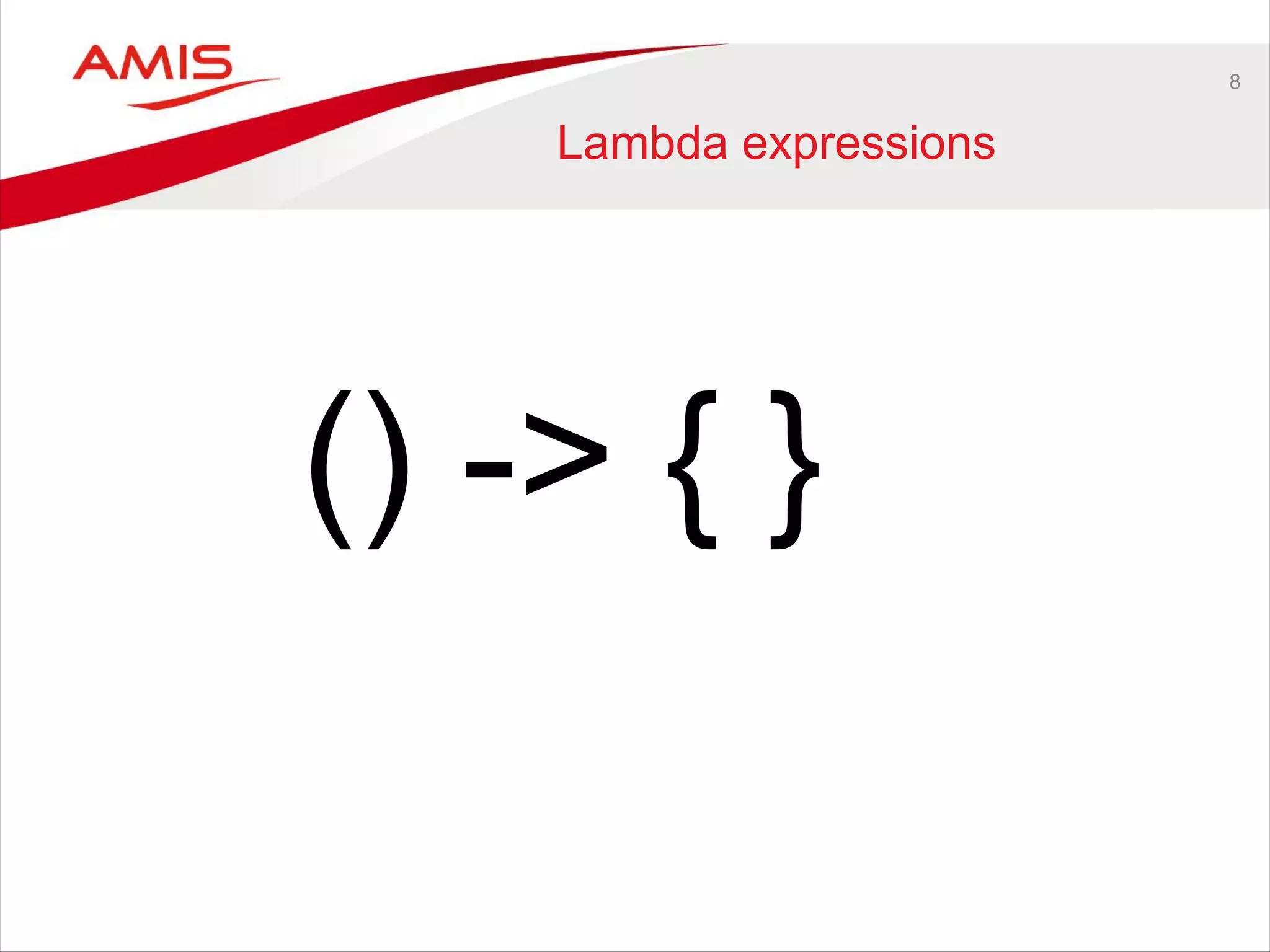
Lambda expressions
() -> { }
9
Syntax
(int x, int y) -> x + y
(x, y) -> x - y
() -> 33
(String s) -> System.out.println(s)
x -> 2 * x
c -> { int s = c.size(); c.clear(); return s; }
testButton.addActionListener(e -> {System.out.println("Click Detected by Lambda Listener");});
Predicate<Integer> isOdd = n -> n % 2 != 0;
@FunctionalInterface
public interface Wisdom {
public String provideAnswer();
}
public class Oracle {
public void giveAdvise (Wisdom wisdom){
String answer = wisdom.provideAnswer();
System.out.println ("I advise: %s", answer);
}
}
public static void main(String[] args){
Oracle deepBlue = new Oracle();
deepBlue.giveAdvise ( () -> "42" );
}
10
Streams &
Collections and Lambda
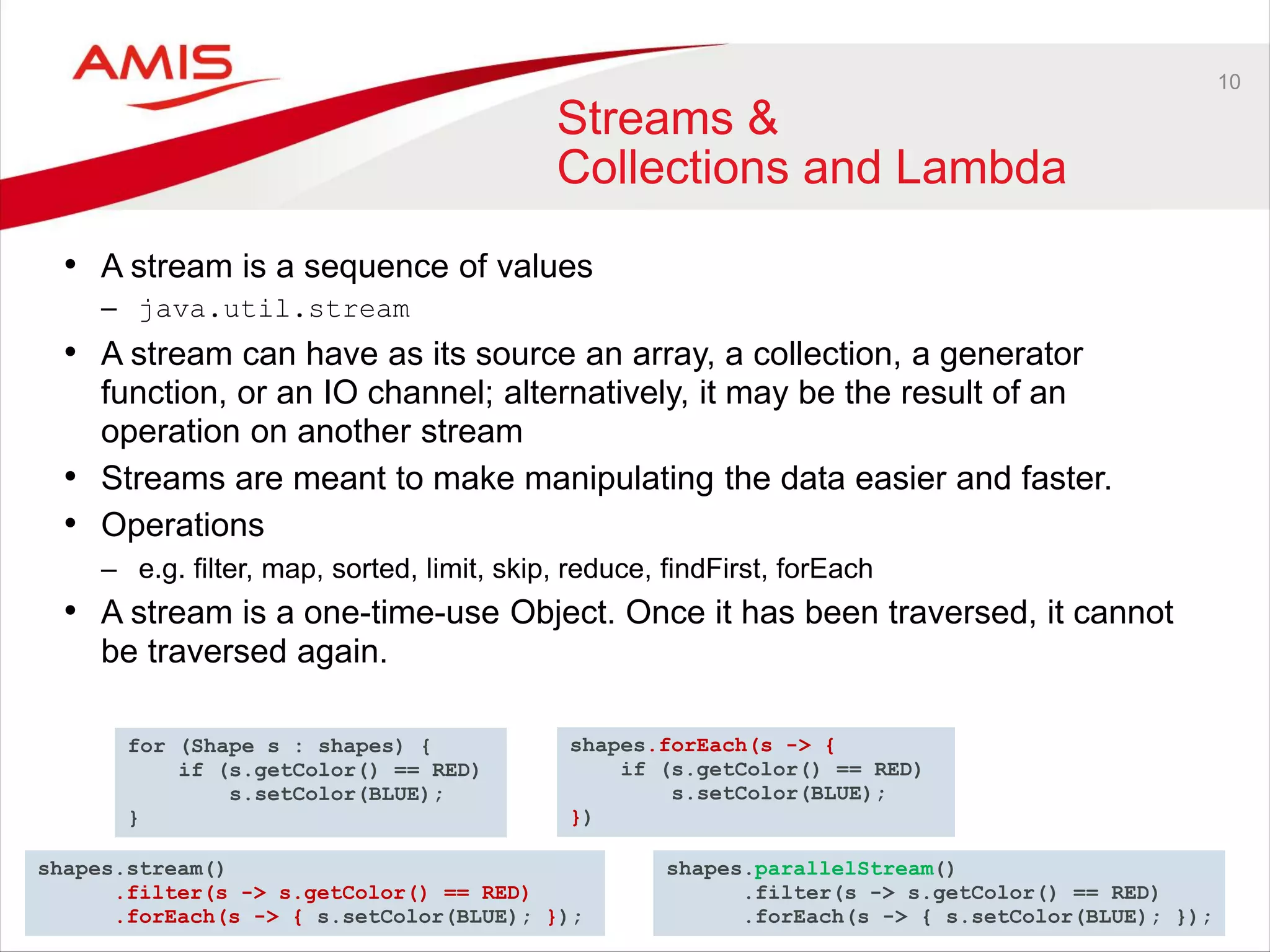
• A stream is a sequence of values
– java.util.stream
• A stream can have as its source an array, a collection, a generator
function, or an IO channel; alternatively, it may be the result of an
operation on another stream
• Streams are meant to make manipulating the data easier and faster.
• Operations
– e.g. filter, map, sorted, limit, skip, reduce, findFirst, forEach
• A stream is a one-time-use Object. Once it has been traversed, it cannot
be traversed again.
for (Shape s : shapes) {
if (s.getColor() == RED)
s.setColor(BLUE);
}
shapes.forEach(s -> {
if (s.getColor() == RED)
s.setColor(BLUE);
})
shapes.stream()
.filter(s -> s.getColor() == RED)
.forEach(s -> { s.setColor(BLUE); });
shapes.parallelStream()
.filter(s -> s.getColor() == RED)
.forEach(s -> { s.setColor(BLUE); });
11
12
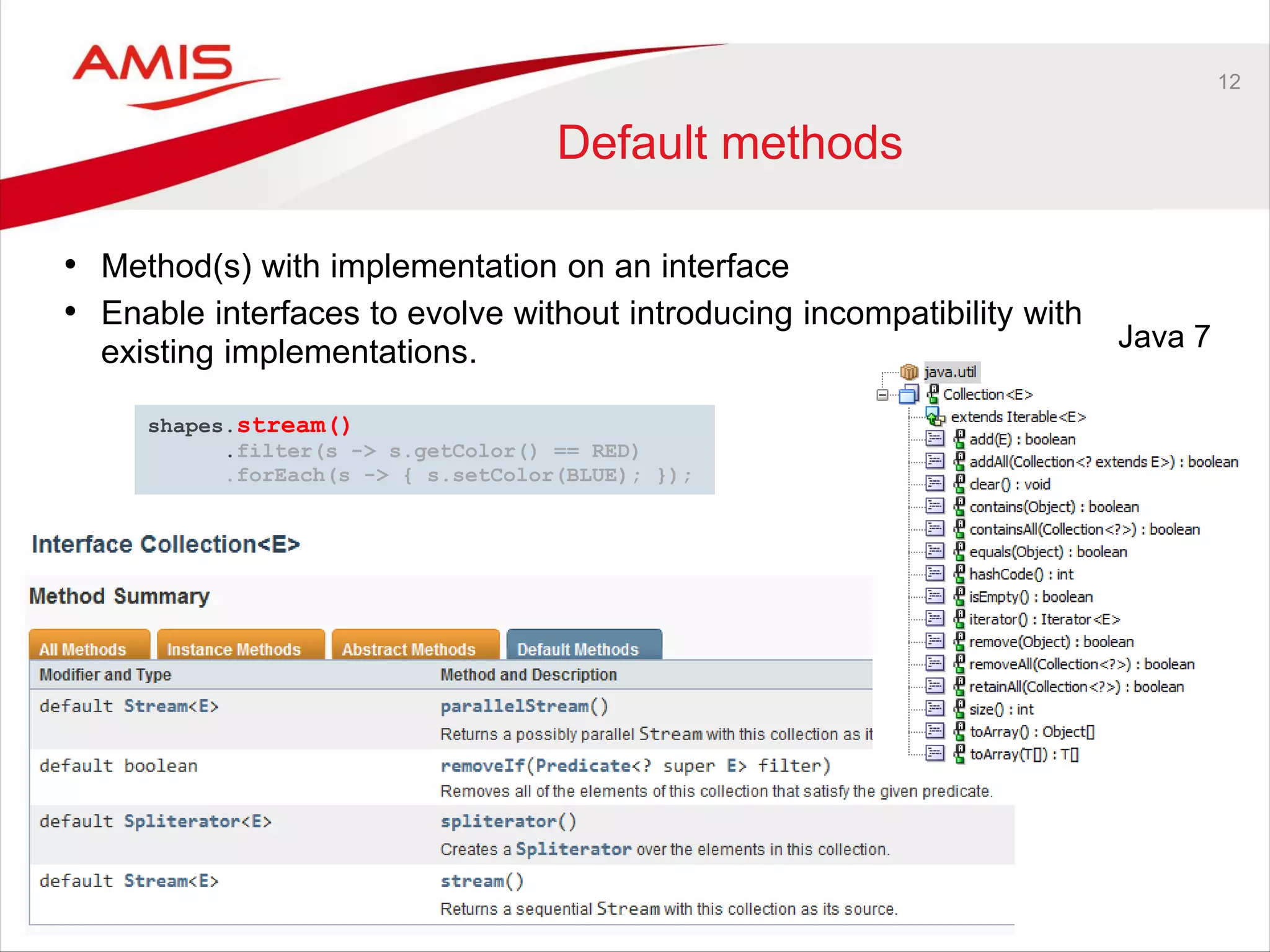
Default methods
• Method(s) with implementation on an interface
• Enable interfaces to evolve without introducing incompatibility with
existing implementations. Java 7
shapes.stream()
.filter(s -> s.getColor() == RED)
.forEach(s -> { s.setColor(BLUE); });
13
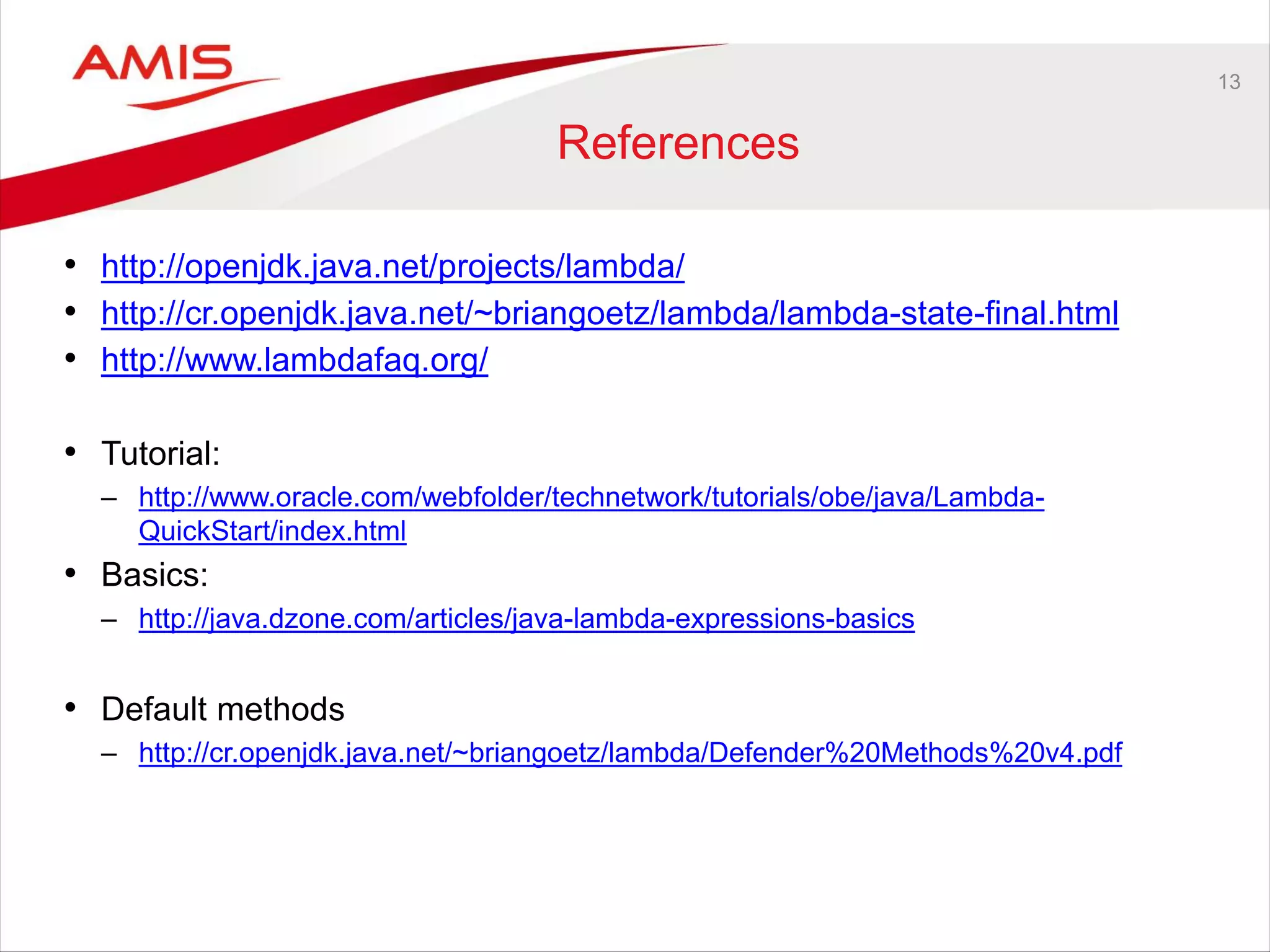
References
• http://openjdk.java.net/projects/lambda/
• http://cr.openjdk.java.net/~briangoetz/lambda/lambda-state-final.html
• http://www.lambdafaq.org/
• Tutorial:
– http://www.oracle.com/webfolder/technetwork/tutorials/obe/java/Lambda-
QuickStart/index.html
• Basics:
– http://java.dzone.com/articles/java-lambda-expressions-basics
• Default methods
– http://cr.openjdk.java.net/~briangoetz/lambda/Defender%20Methods%20v4.pdf
14
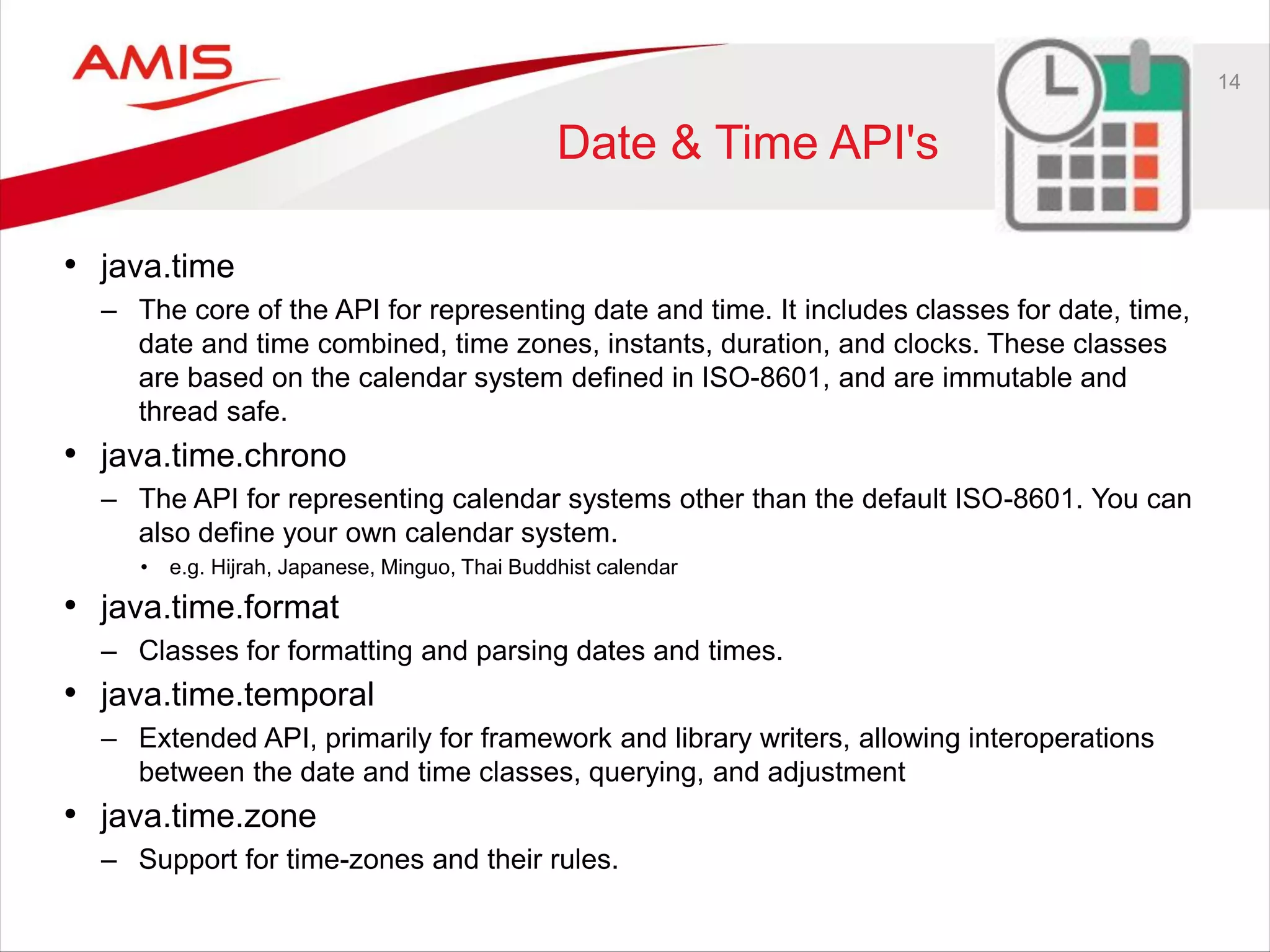
Date & Time API's
• java.time
– The core of the API for representing date and time. It includes classes for date, time,
date and time combined, time zones, instants, duration, and clocks. These classes
are based on the calendar system defined in ISO-8601, and are immutable and
thread safe.
• java.time.chrono
– The API for representing calendar systems other than the default ISO-8601. You can
also define your own calendar system.
• e.g. Hijrah, Japanese, Minguo, Thai Buddhist calendar
• java.time.format
– Classes for formatting and parsing dates and times.
• java.time.temporal
– Extended API, primarily for framework and library writers, allowing interoperations
between the date and time classes, querying, and adjustment
• java.time.zone
– Support for time-zones and their rules.
15
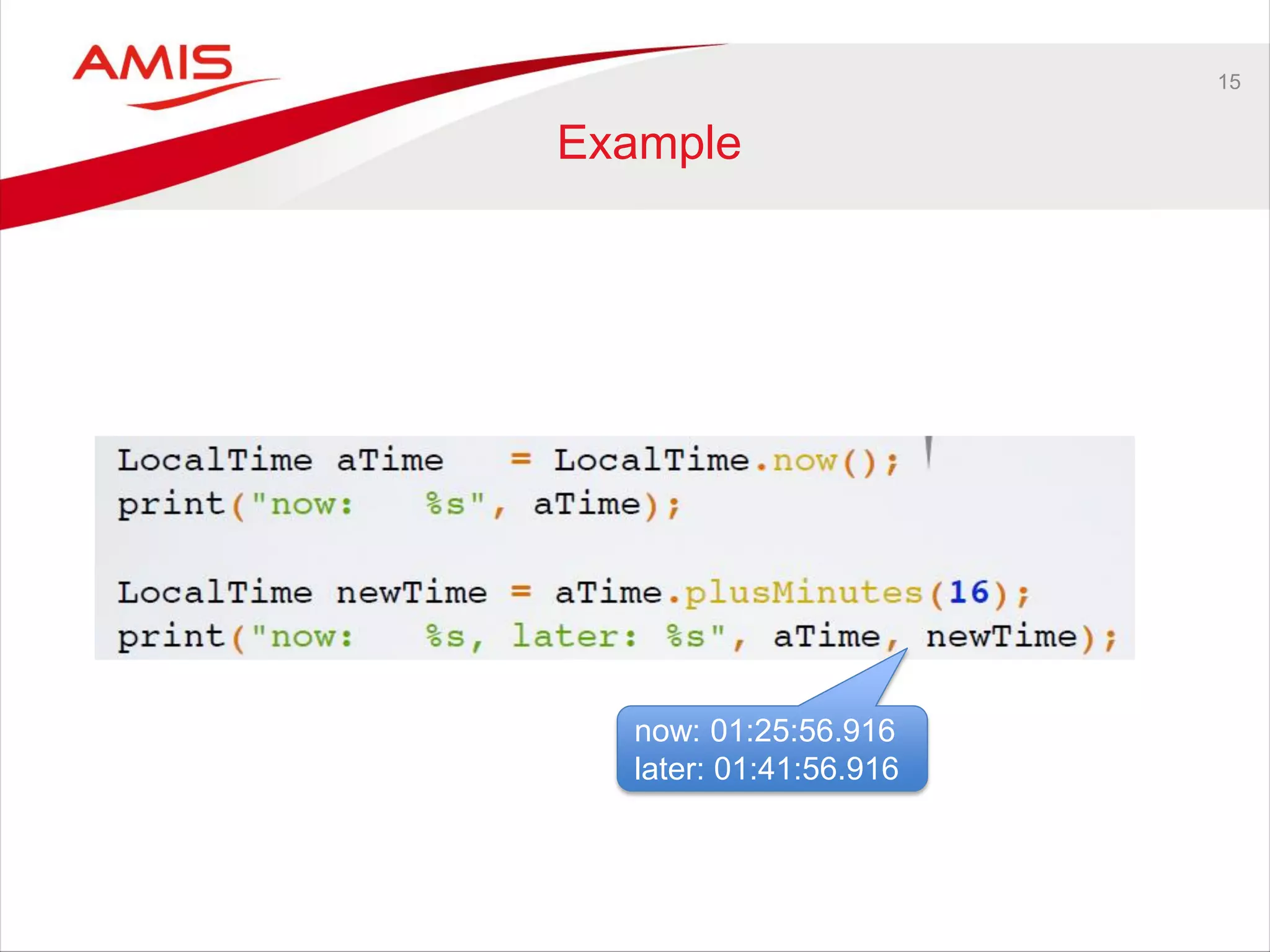
Example
now: 01:25:56.916
later: 01:41:56.916
16
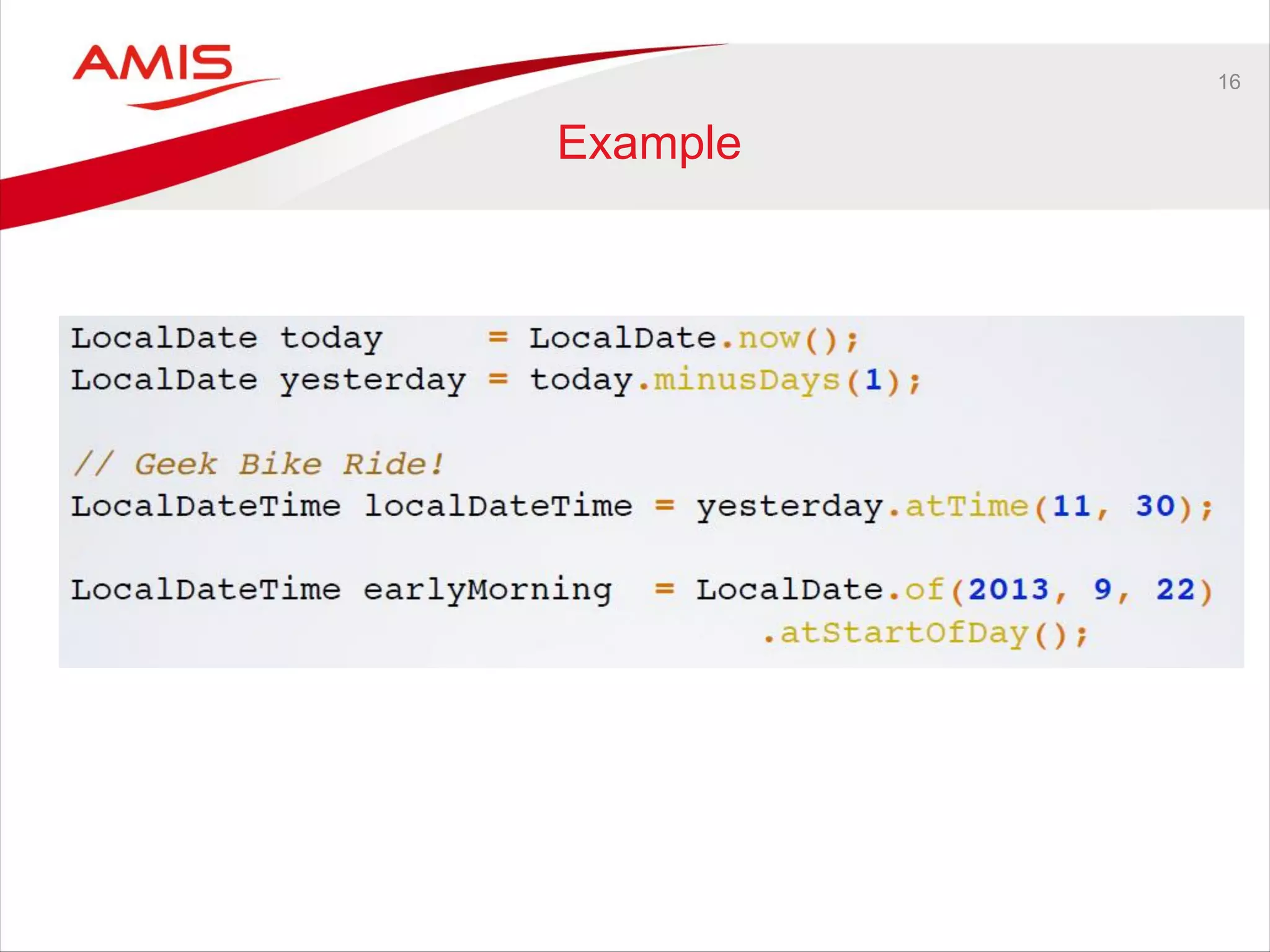
Example
17
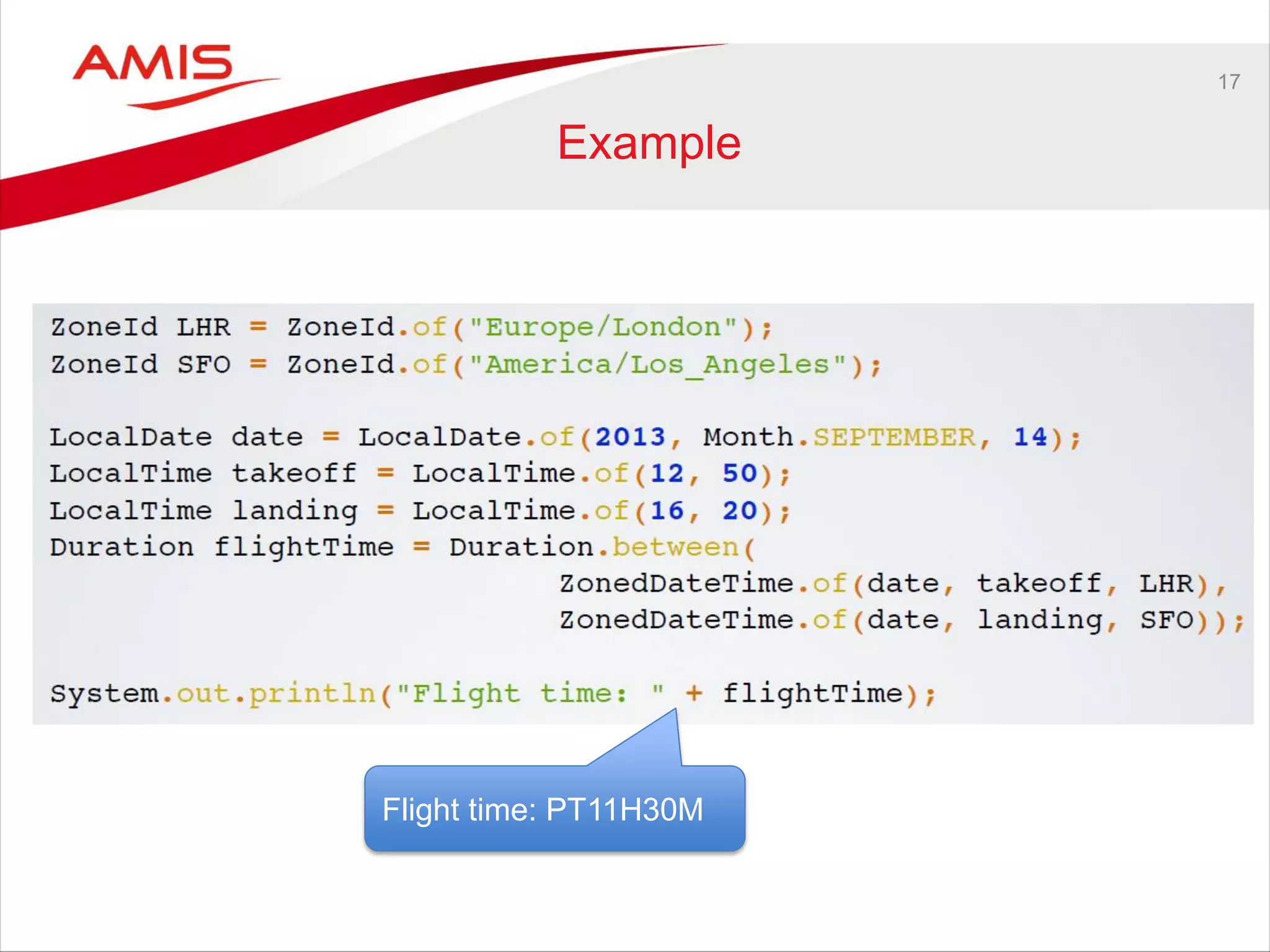
Example
Flight time: PT11H30M
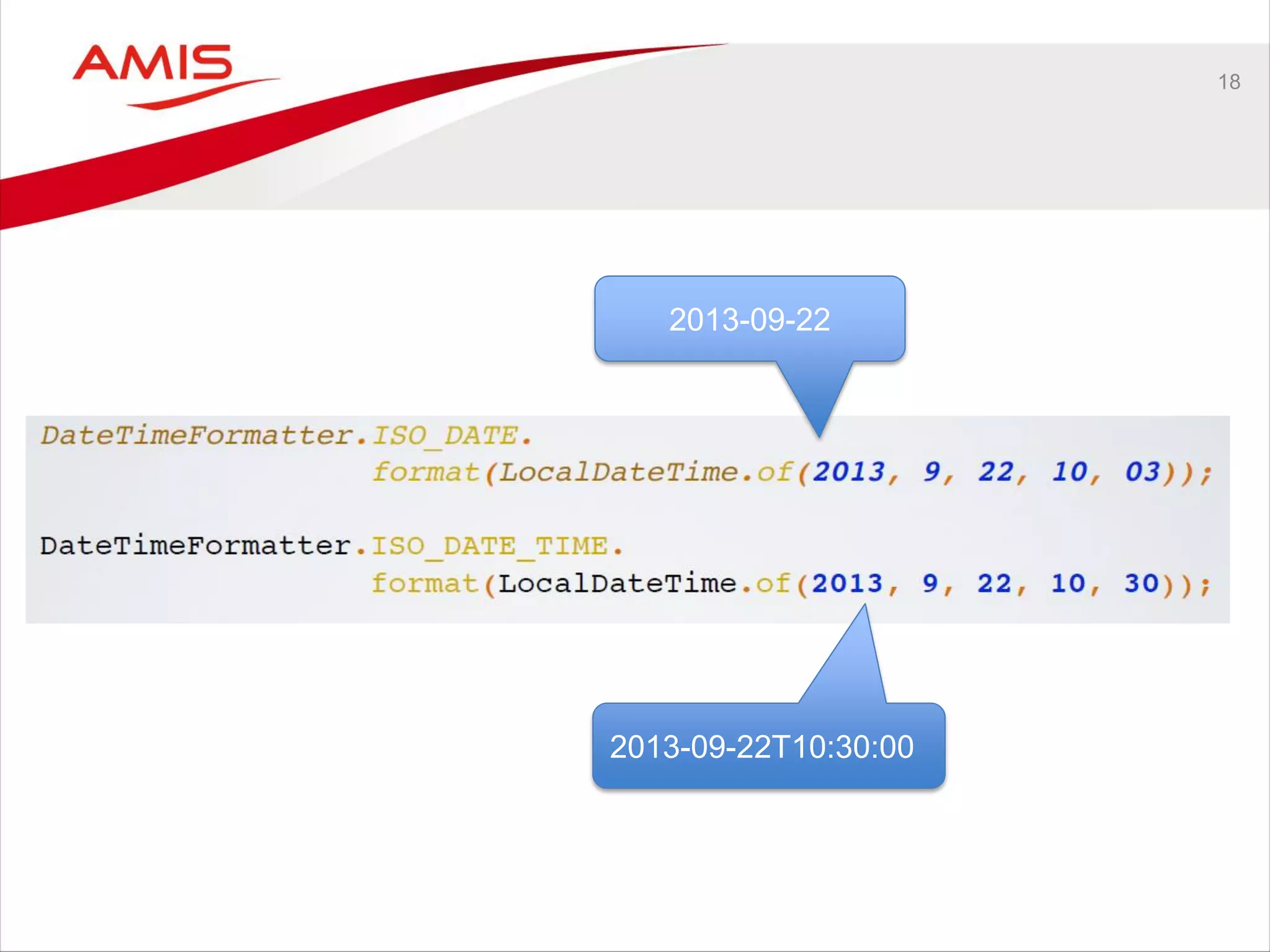
18
2013-09-22
2013-09-22T10:30:00
19
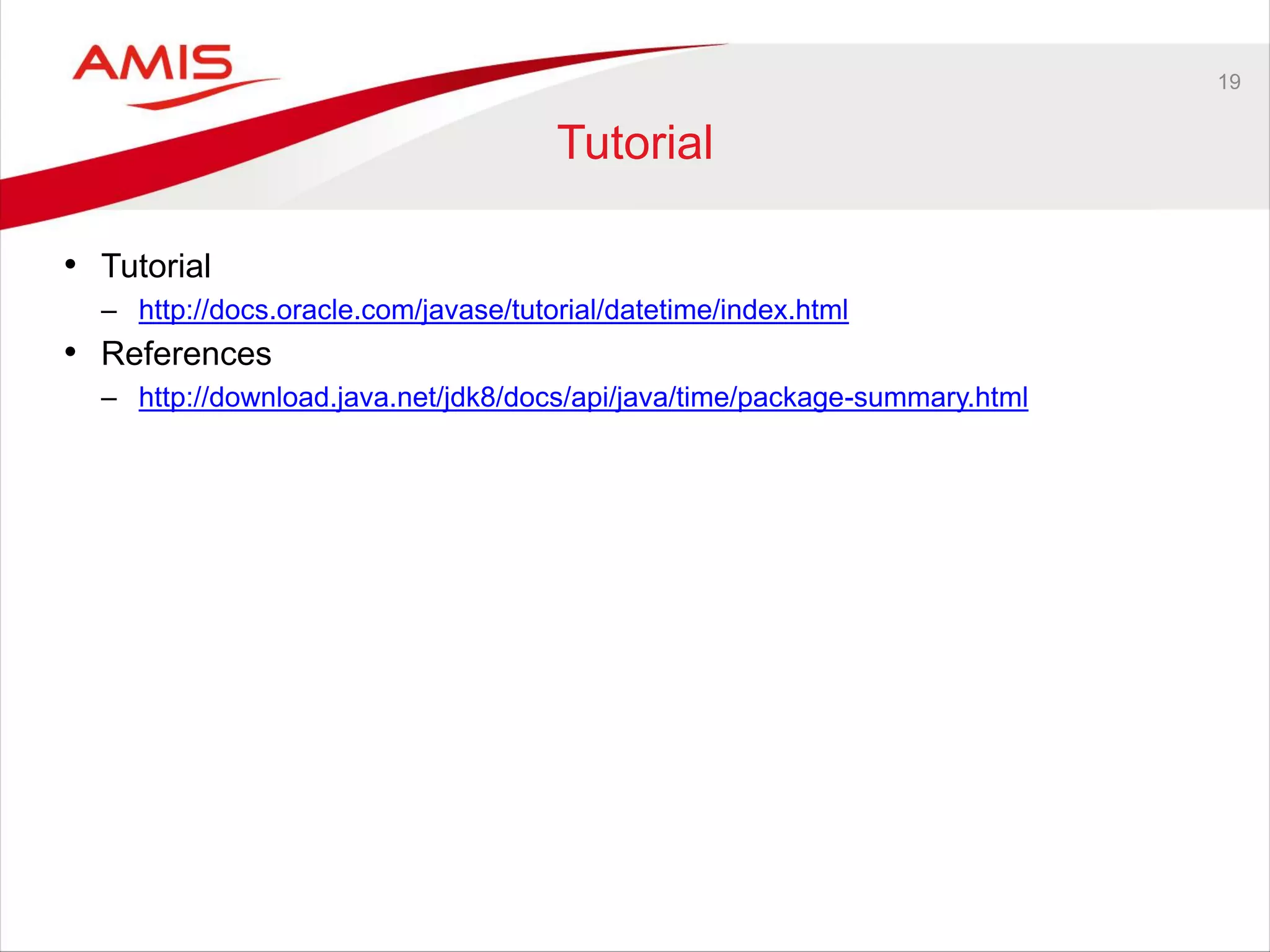
Tutorial
• Tutorial
– http://docs.oracle.com/javase/tutorial/datetime/index.html
• References
– http://download.java.net/jdk8/docs/api/java/time/package-summary.html
20
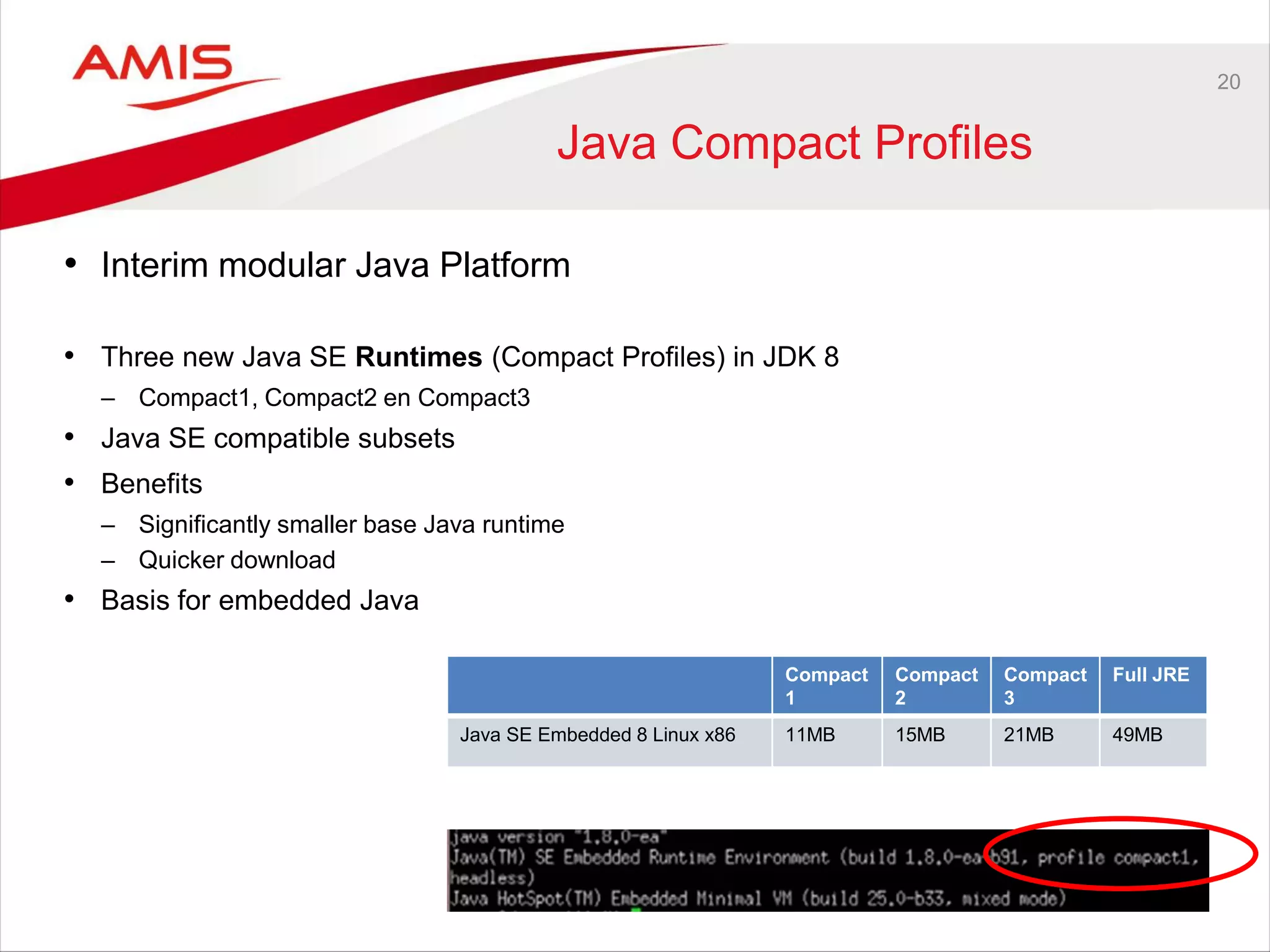
Java Compact Profiles
• Interim modular Java Platform
• Three new Java SE Runtimes (Compact Profiles) in JDK 8
– Compact1, Compact2 en Compact3
• Java SE compatible subsets
• Benefits
– Significantly smaller base Java runtime
– Quicker download
• Basis for embedded Java
Compact
1
Compact
2
Compact
3
Full JRE
Java SE Embedded 8 Linux x86 11MB 15MB 21MB 49MB
21
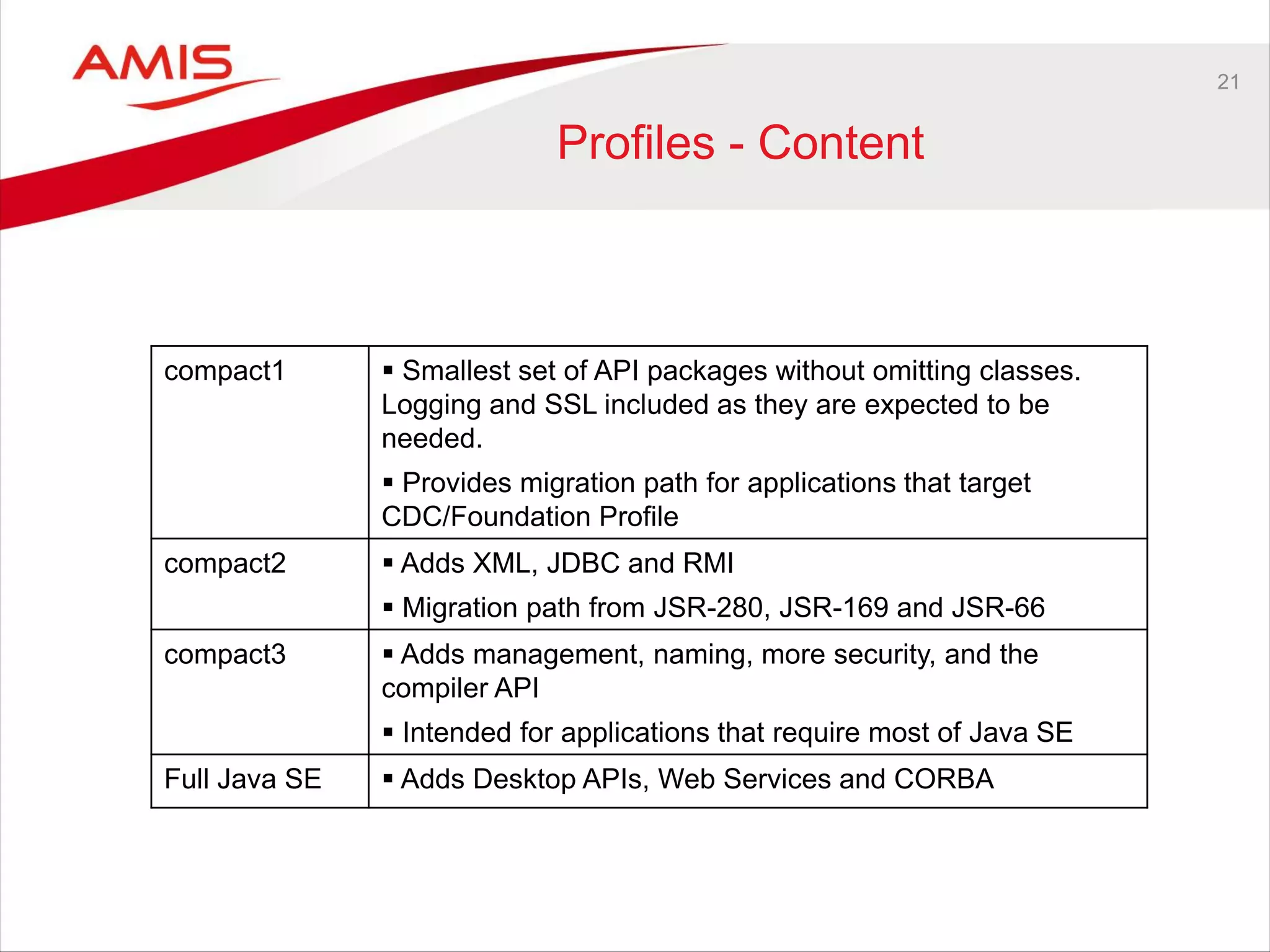
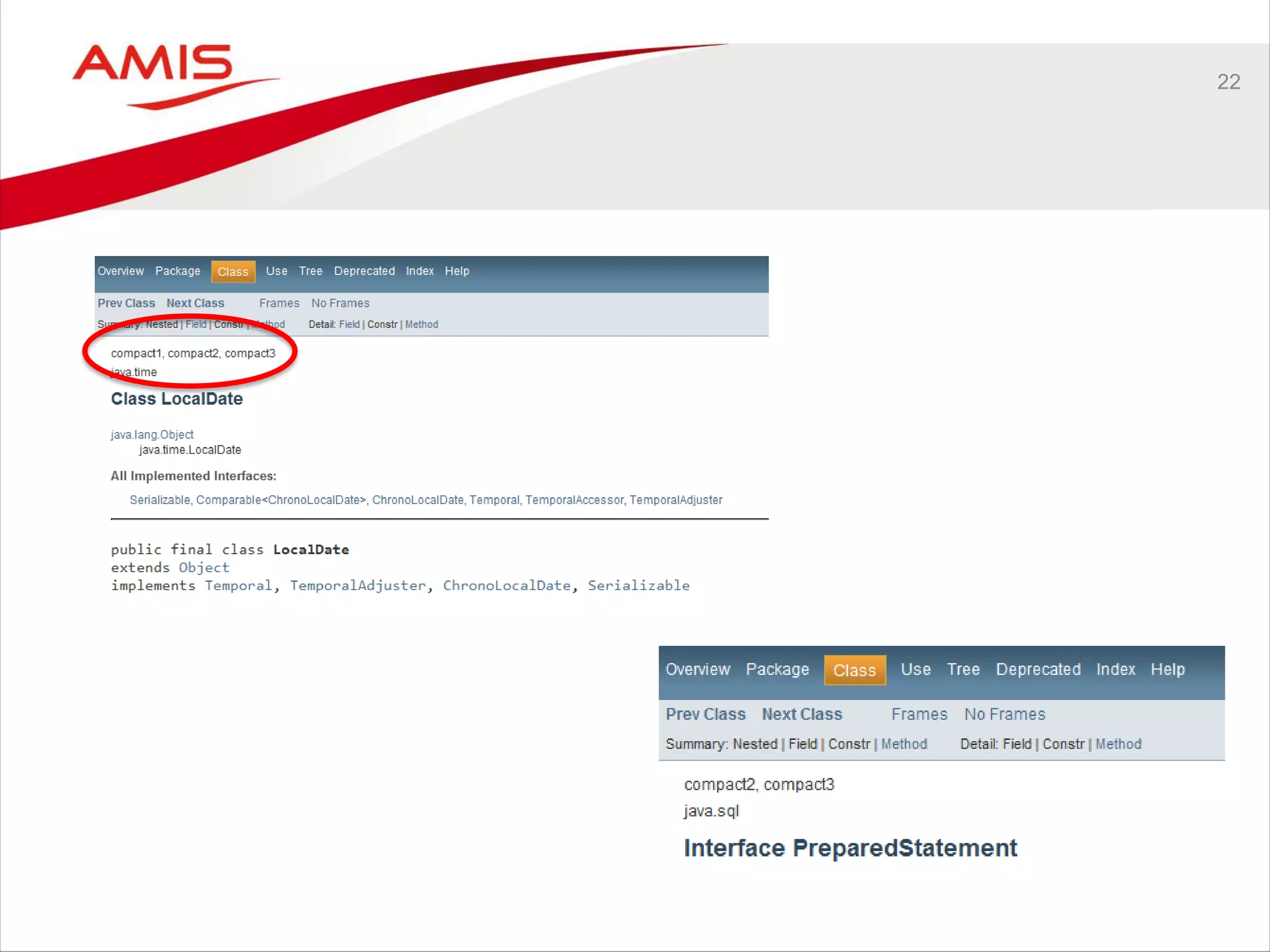
Profiles - Content
compact1  Smallest set of API packages without omitting classes.
Logging and SSL included as they are expected to be
needed.
 Provides migration path for applications that target
CDC/Foundation Profile
compact2  Adds XML, JDBC and RMI
 Migration path from JSR-280, JSR-169 and JSR-66
compact3  Adds management, naming, more security, and the
compiler API
 Intended for applications that require most of Java SE
Full Java SE  Adds Desktop APIs, Web Services and CORBA
22
23
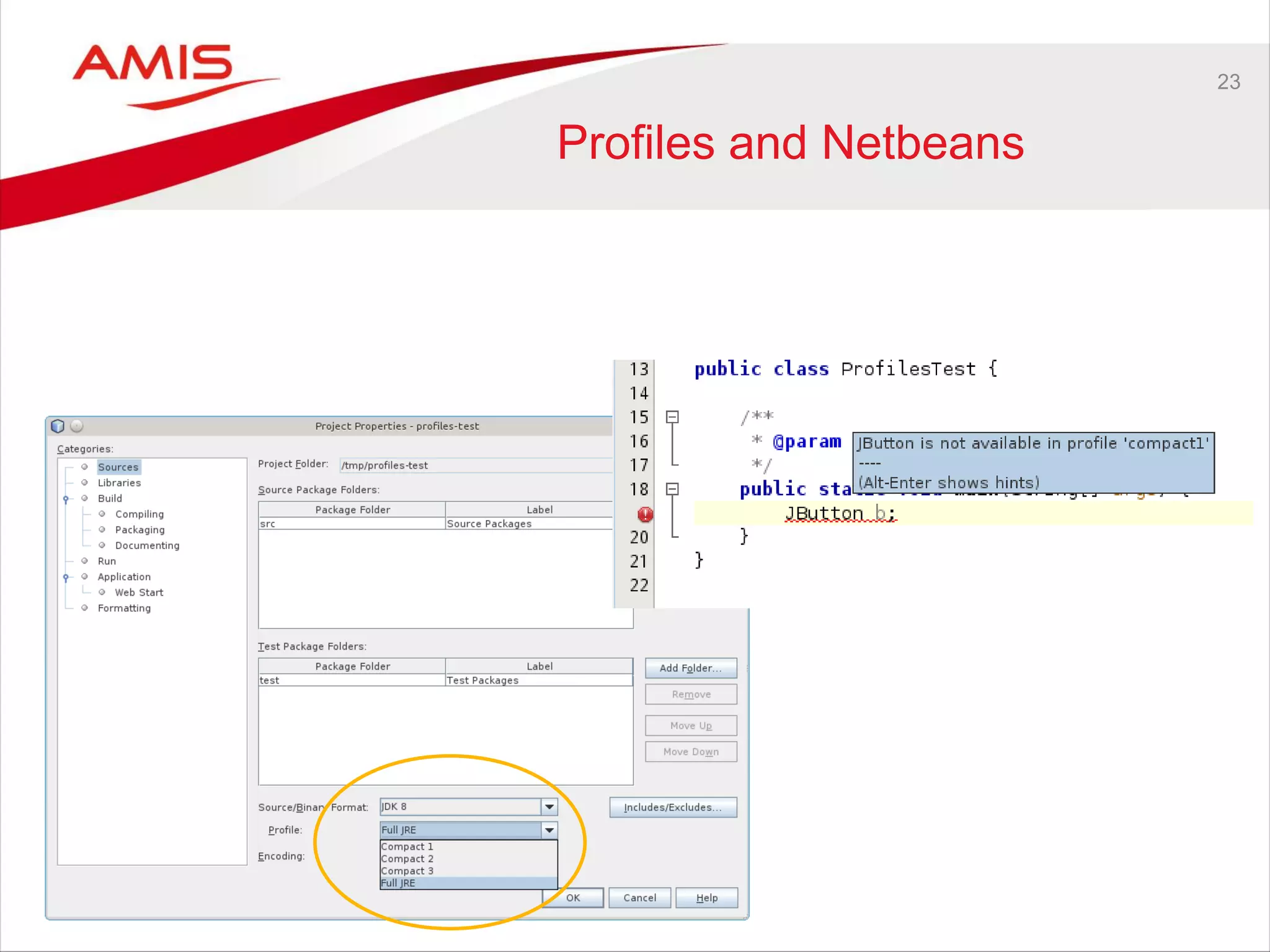
Profiles and Netbeans
24
References
• https://blogs.oracle.com/jtc/entry/a_first_look_at_compact
• https://blogs.oracle.com/jtc/entry/compact_profiles_demonstrated
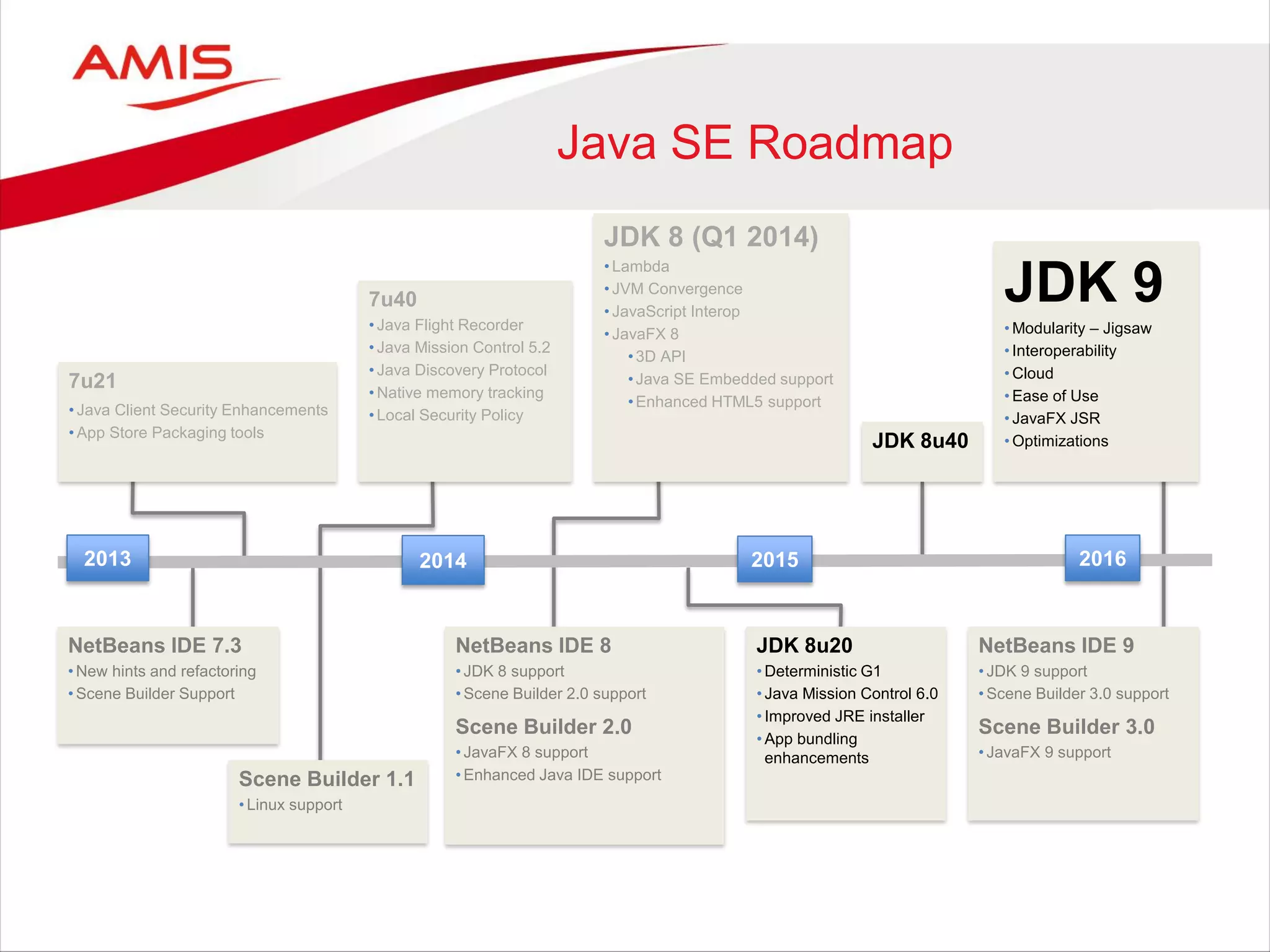
Java SE Roadmap
20152013 2014 2016
JDK 8 (Q1 2014)
• Lambda
• JVM Convergence
• JavaScript Interop
• JavaFX 8
•3D API
•Java SE Embedded support
•Enhanced HTML5 support
7u40
• Java Flight Recorder
• Java Mission Control 5.2
• Java Discovery Protocol
• Native memory tracking
• Local Security Policy
JDK 9
• Modularity – Jigsaw
• Interoperability
• Cloud
• Ease of Use
• JavaFX JSR
• Optimizations
NetBeans IDE 7.3
• New hints and refactoring
• Scene Builder Support
NetBeans IDE 8
• JDK 8 support
• Scene Builder 2.0 support
Scene Builder 2.0
• JavaFX 8 support
• Enhanced Java IDE support
NetBeans IDE 9
• JDK 9 support
• Scene Builder 3.0 support
Scene Builder 3.0
• JavaFX 9 support
7u21
• Java Client Security Enhancements
• App Store Packaging tools
JDK 8u20
• Deterministic G1
• Java Mission Control 6.0
• Improved JRE installer
• App bundling
enhancements
JDK 8u40
Scene Builder 1.1
• Linux support
26
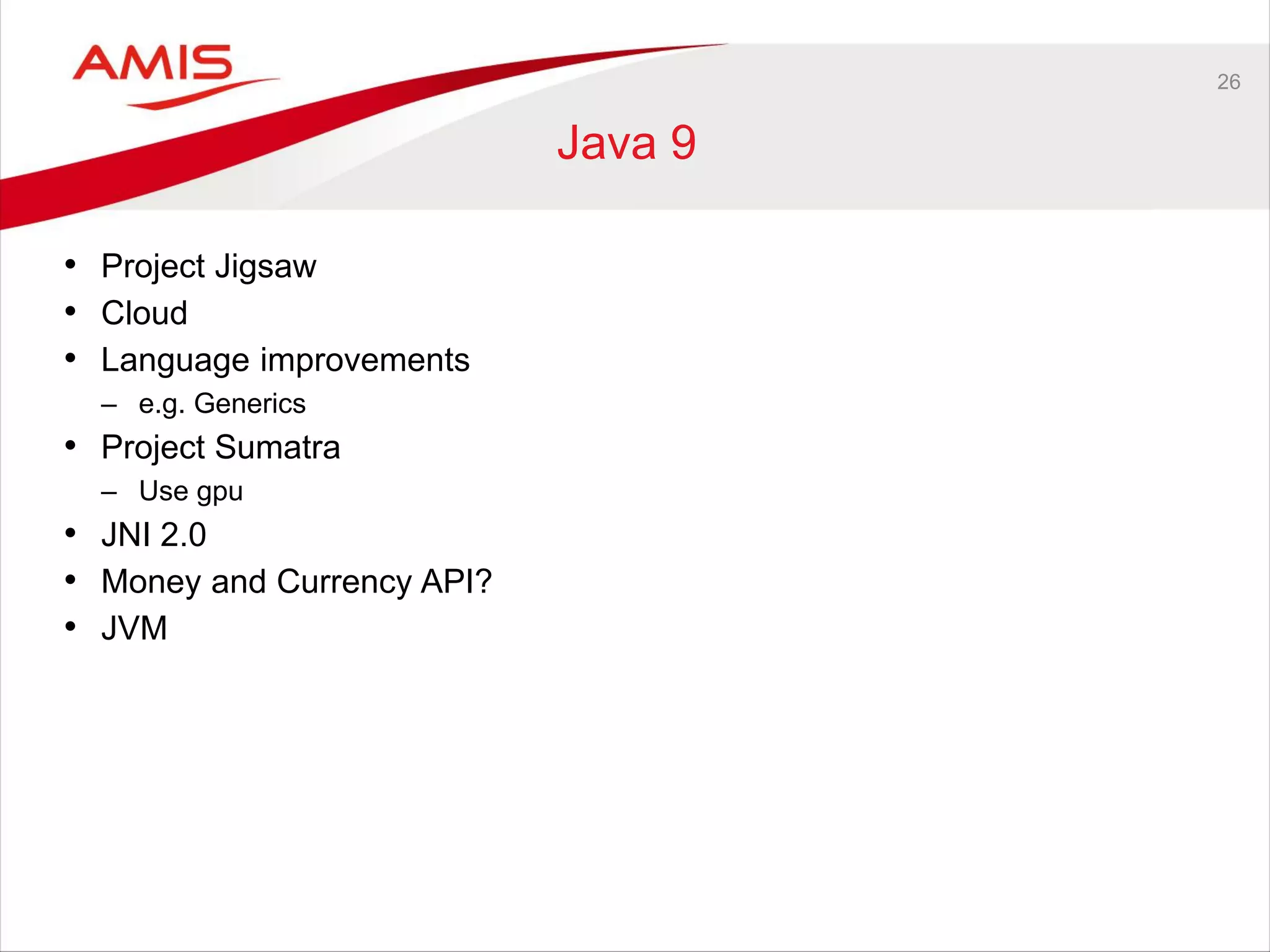
Java 9
• Project Jigsaw
• Cloud
• Language improvements
– e.g. Generics
• Project Sumatra
– Use gpu
• JNI 2.0
• Money and Currency API?
• JVM
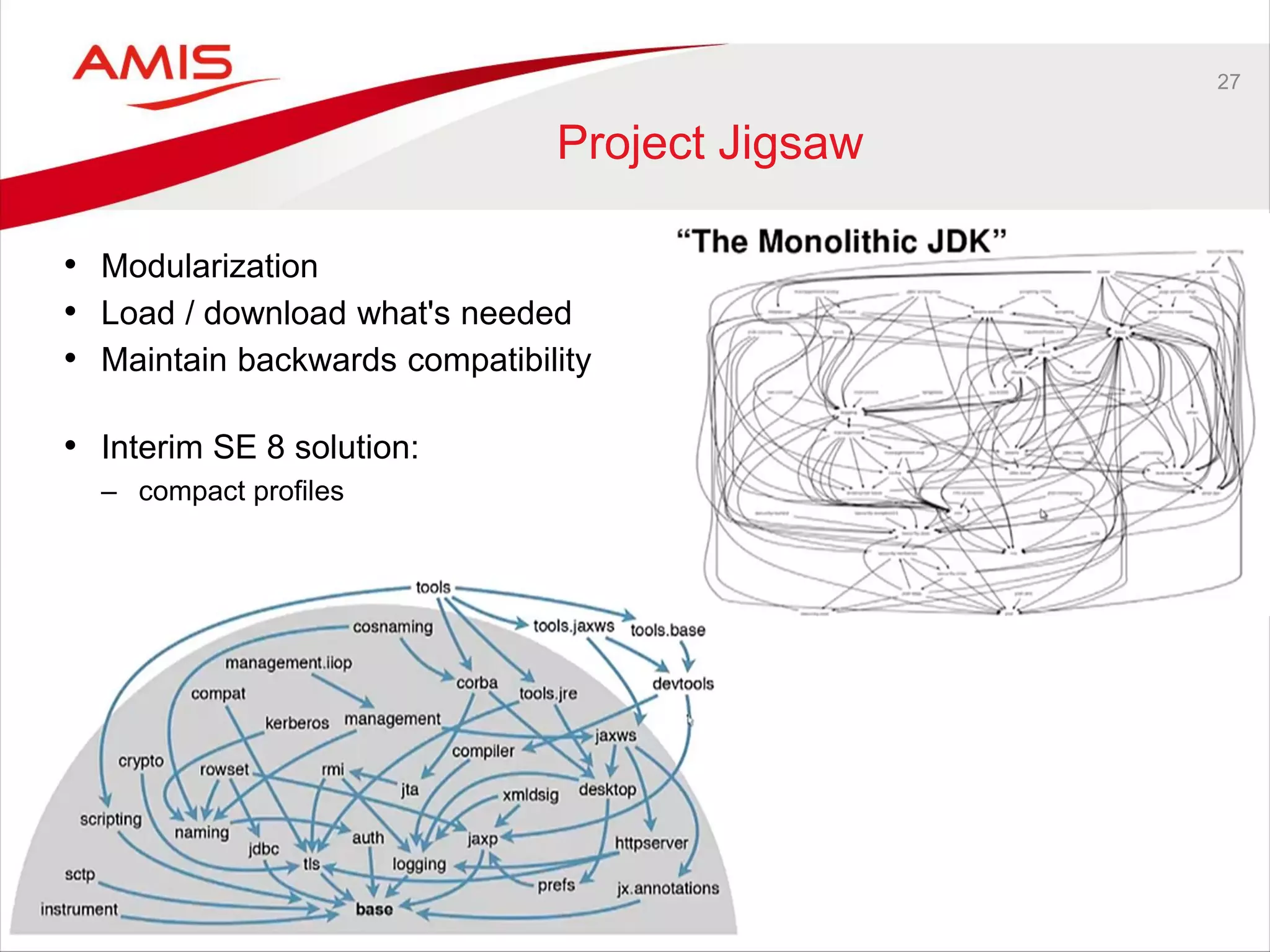
27
Project Jigsaw
• Modularization
• Load / download what's needed
• Maintain backwards compatibility
• Interim SE 8 solution:
– compact profiles
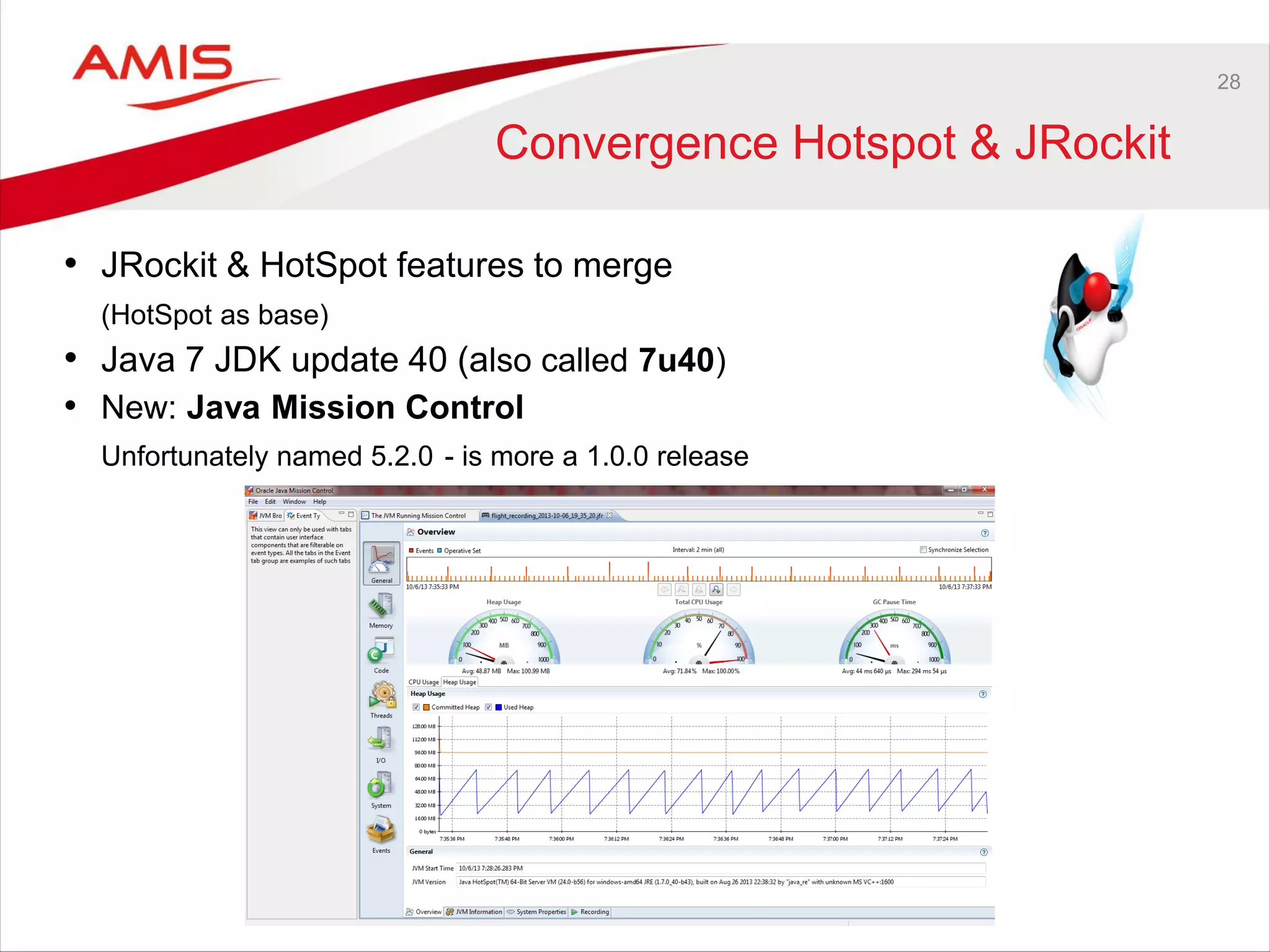
28
Convergence Hotspot & JRockit
• JRockit & HotSpot features to merge
(HotSpot as base)
• Java 7 JDK update 40 (also called 7u40)
• New: Java Mission Control
Unfortunately named 5.2.0 - is more a 1.0.0 release
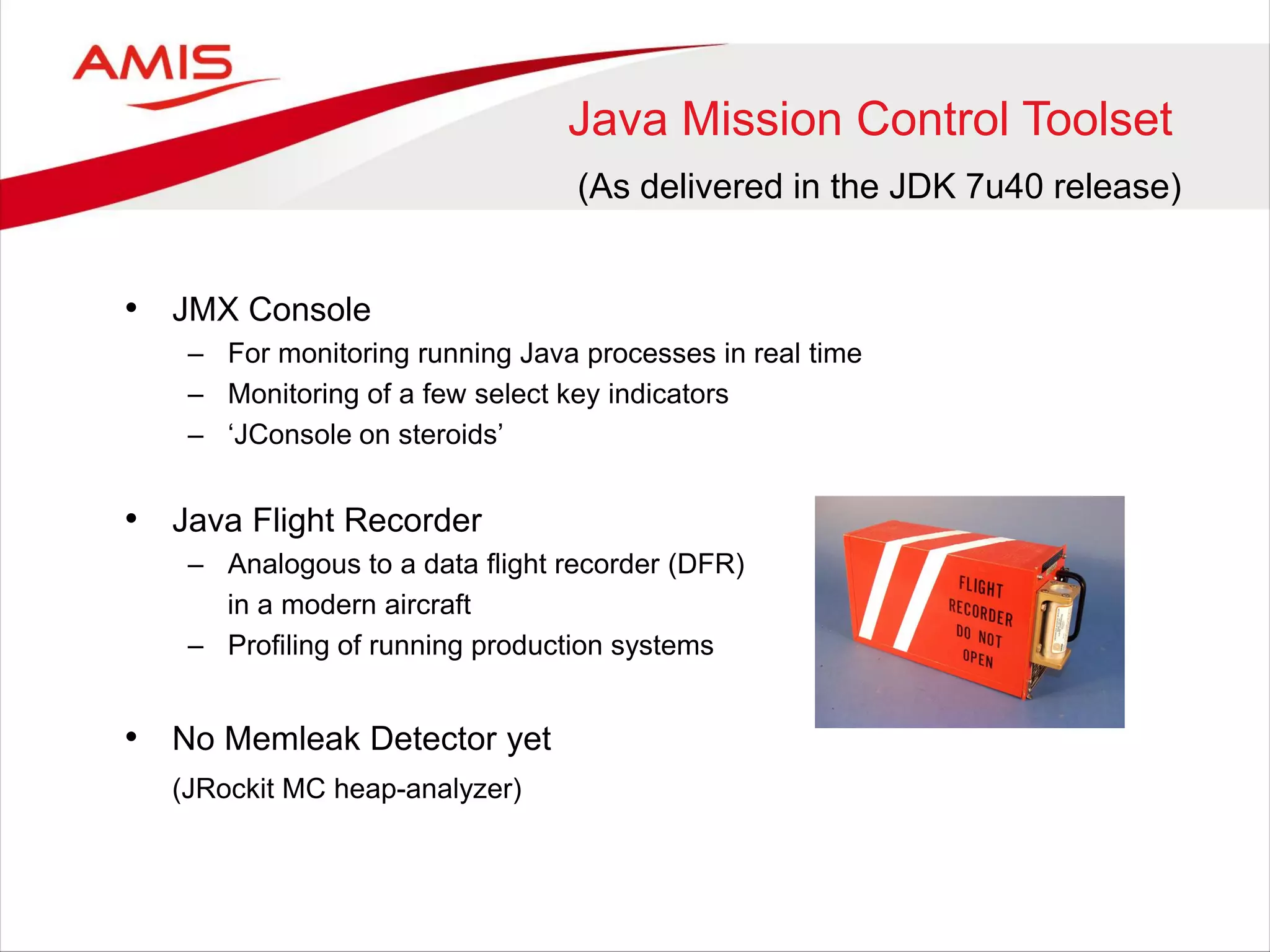
Java Mission Control Toolset
• JMX Console
– For monitoring running Java processes in real time
– Monitoring of a few select key indicators
– ‘JConsole on steroids’
• Java Flight Recorder
– Analogous to a data flight recorder (DFR)
in a modern aircraft
– Profiling of running production systems
• No Memleak Detector yet
(JRockit MC heap-analyzer)
(As delivered in the JDK 7u40 release)
30
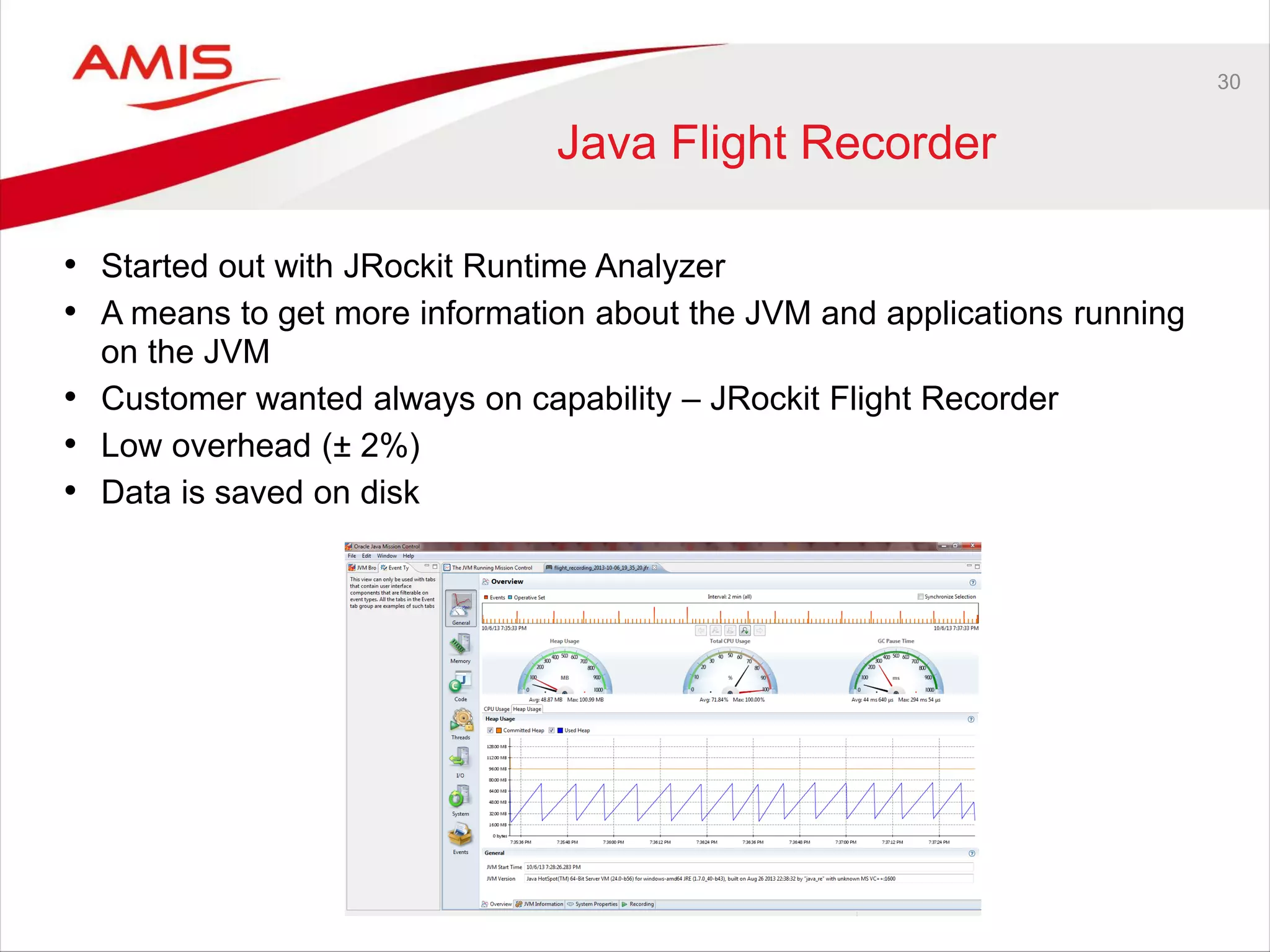
Java Flight Recorder
• Started out with JRockit Runtime Analyzer
• A means to get more information about the JVM and applications running
on the JVM
• Customer wanted always on capability – JRockit Flight Recorder
• Low overhead (± 2%)
• Data is saved on disk
31
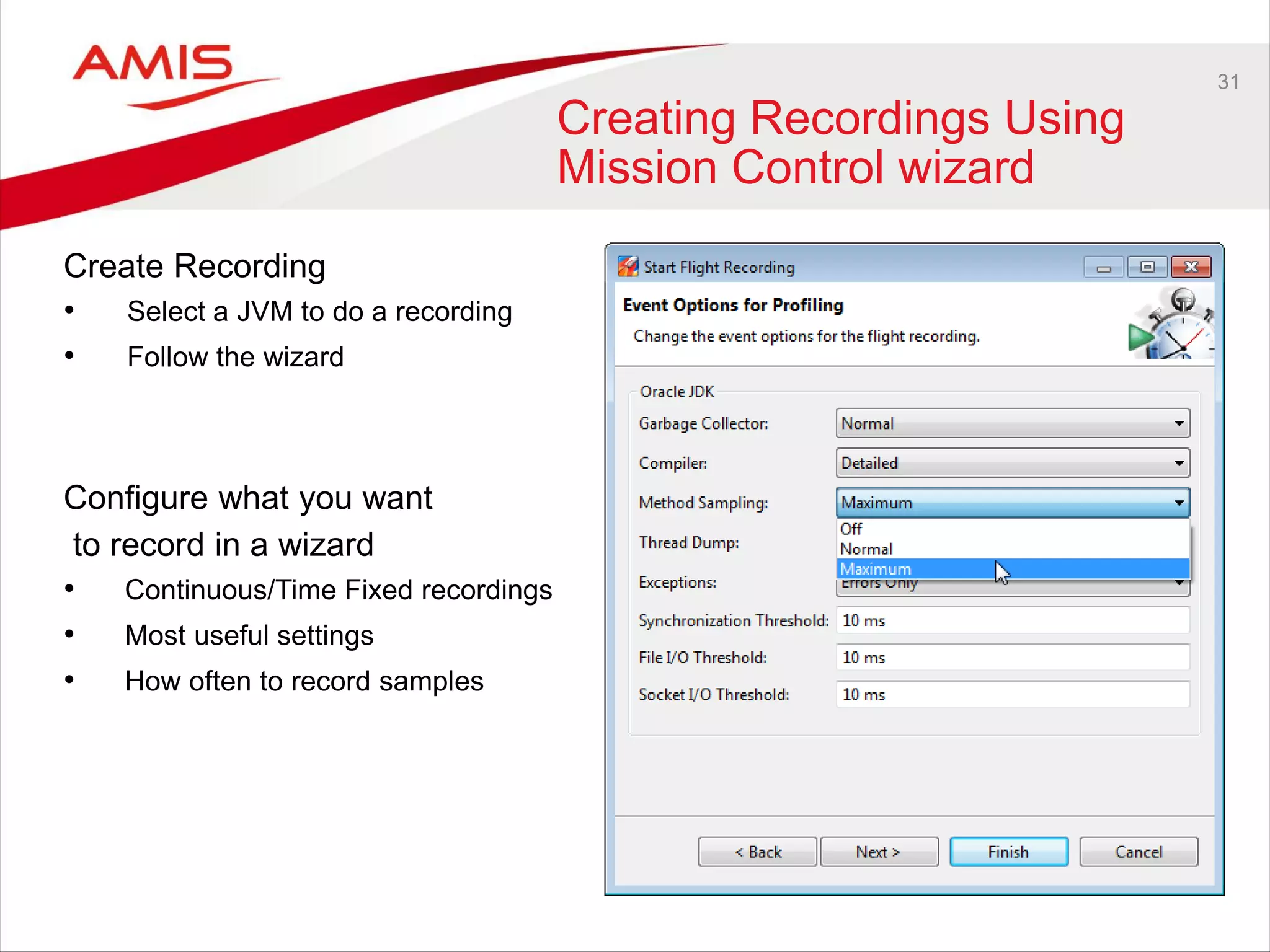
Creating Recordings Using
Mission Control wizard
Create Recording
• Select a JVM to do a recording
• Follow the wizard
Configure what you want
to record in a wizard
• Continuous/Time Fixed recordings
• Most useful settings
• How often to record samples
32
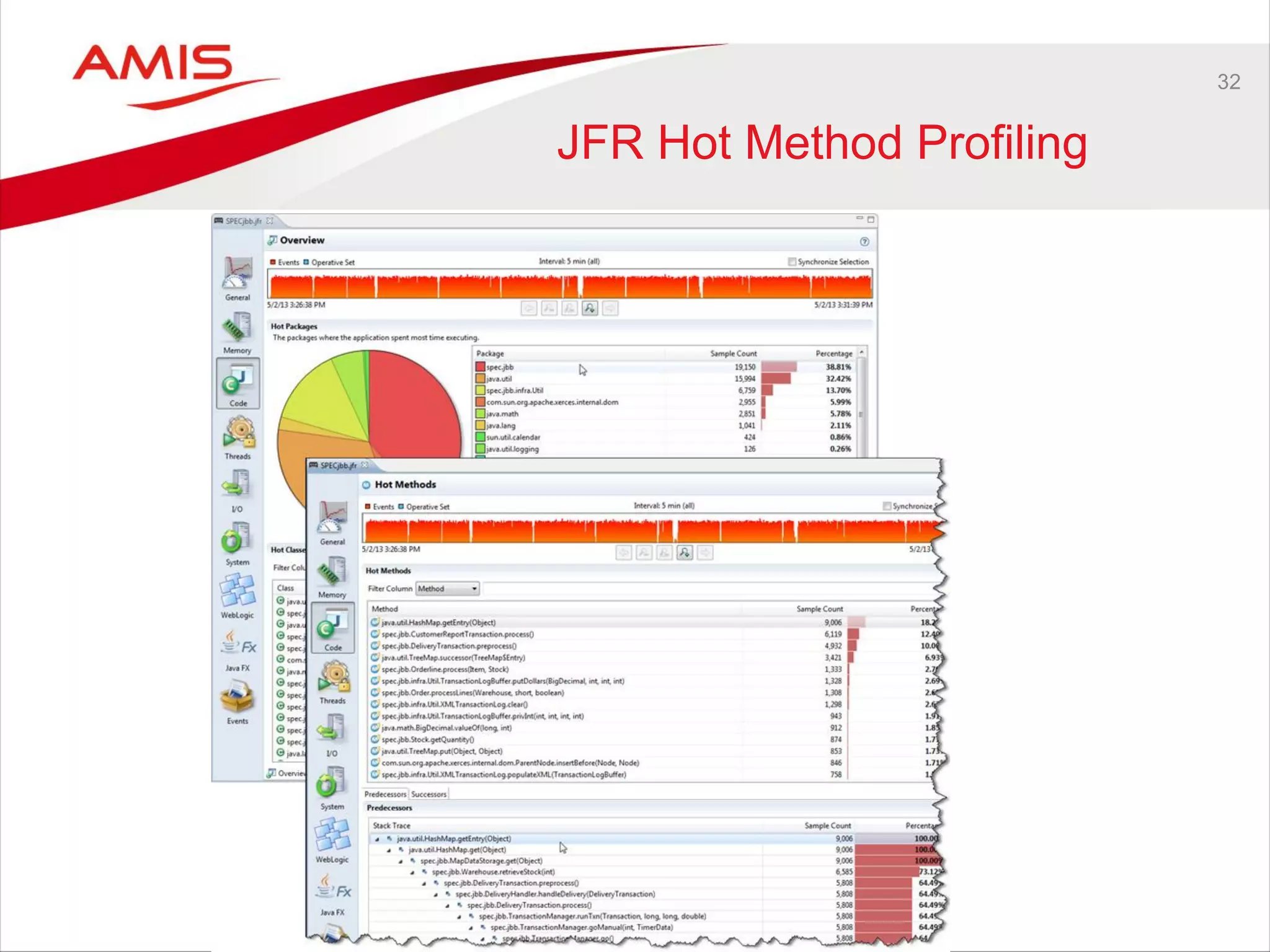
JFR Hot Method Profiling
33
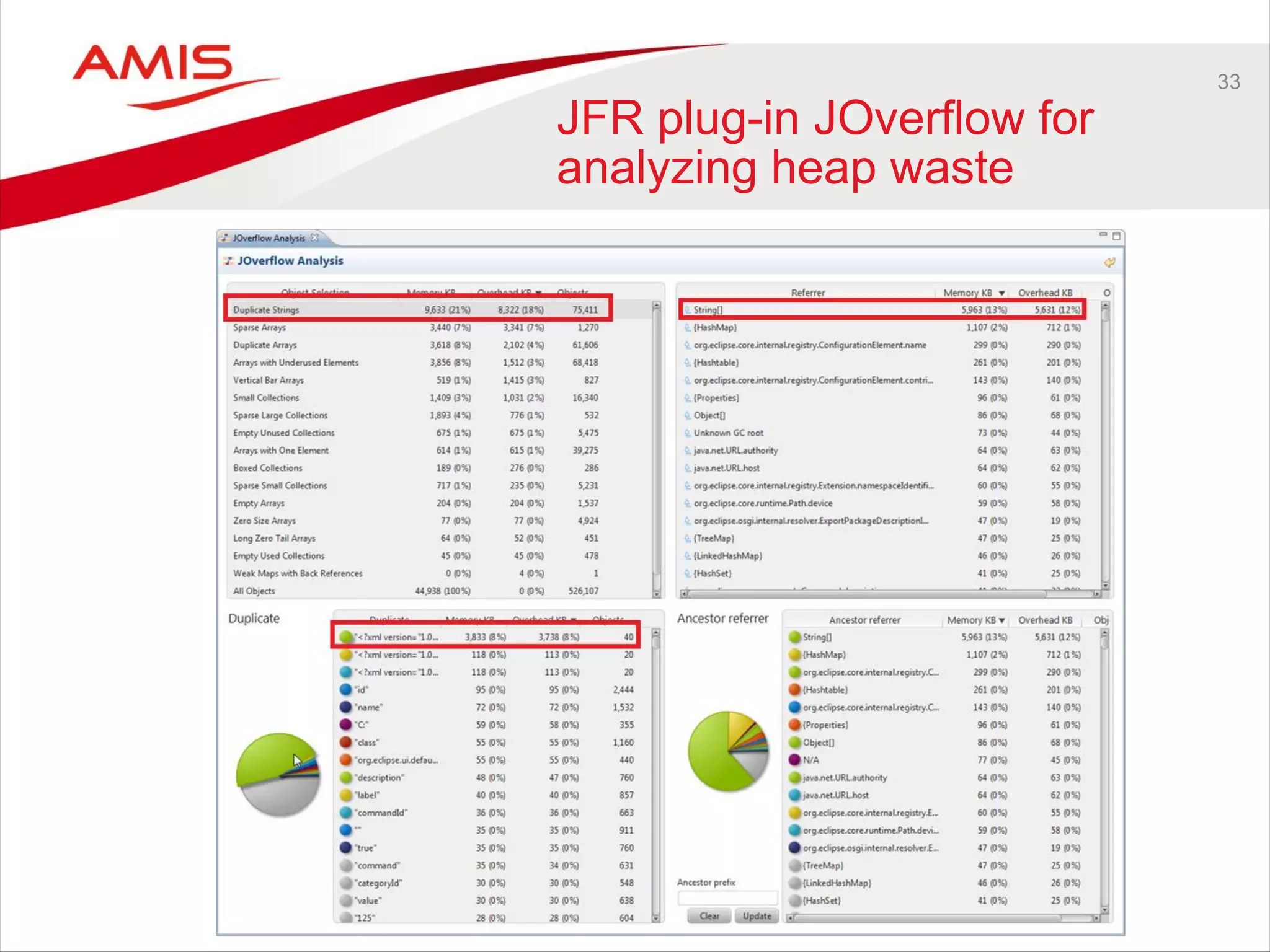
JFR plug-in JOverflow for
analyzing heap waste
34
Future Java Mission Control
• Version 5.3.0 will be released with JDK 8 and a later 7 update
• improved JMX Console
• Automatic analysis of Flight Recordings (Heuristics Engine)
– Automatically provides diagnostics information
– Automatically suggests potential performance enhancements
35
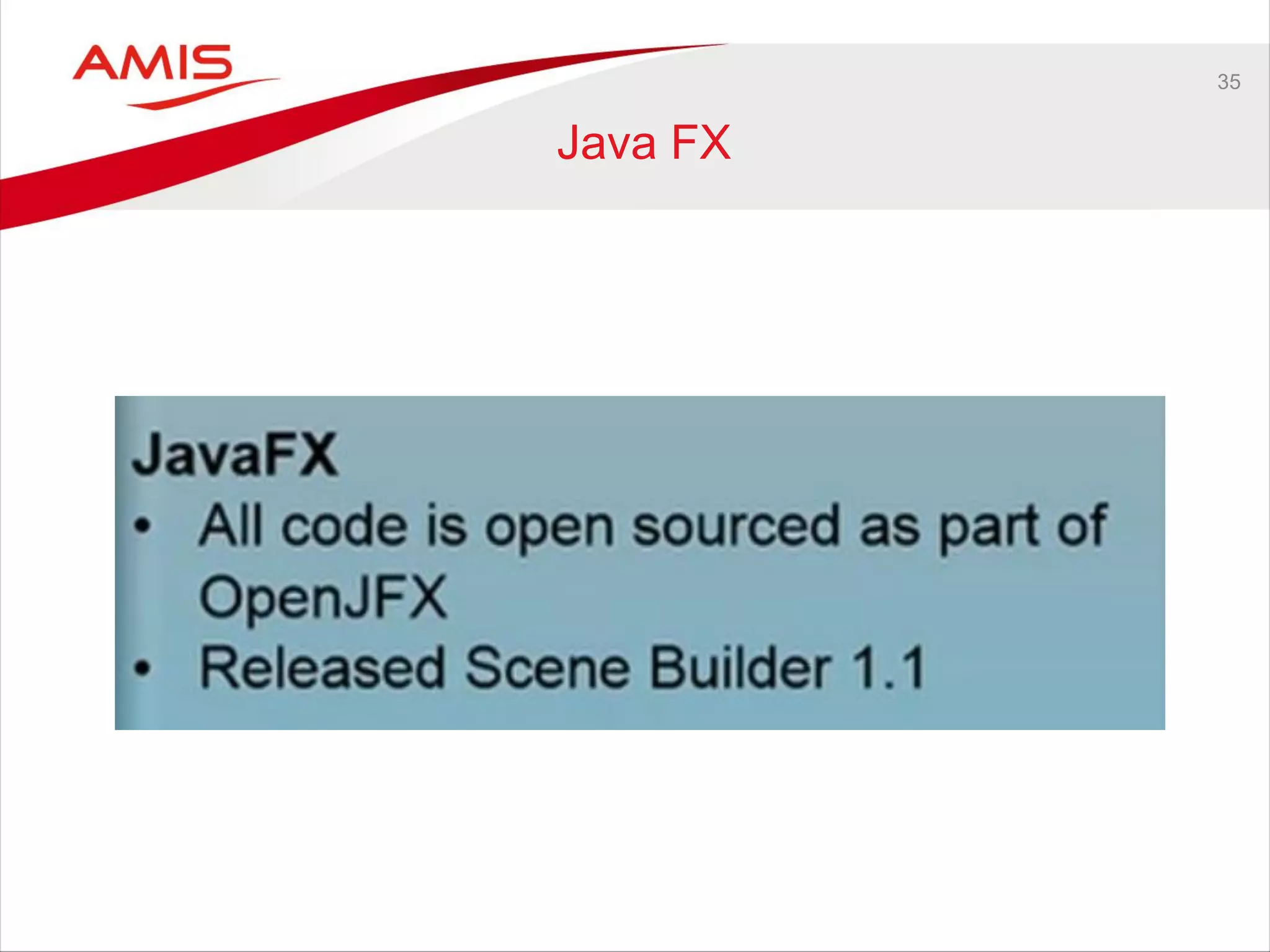
Java FX
36
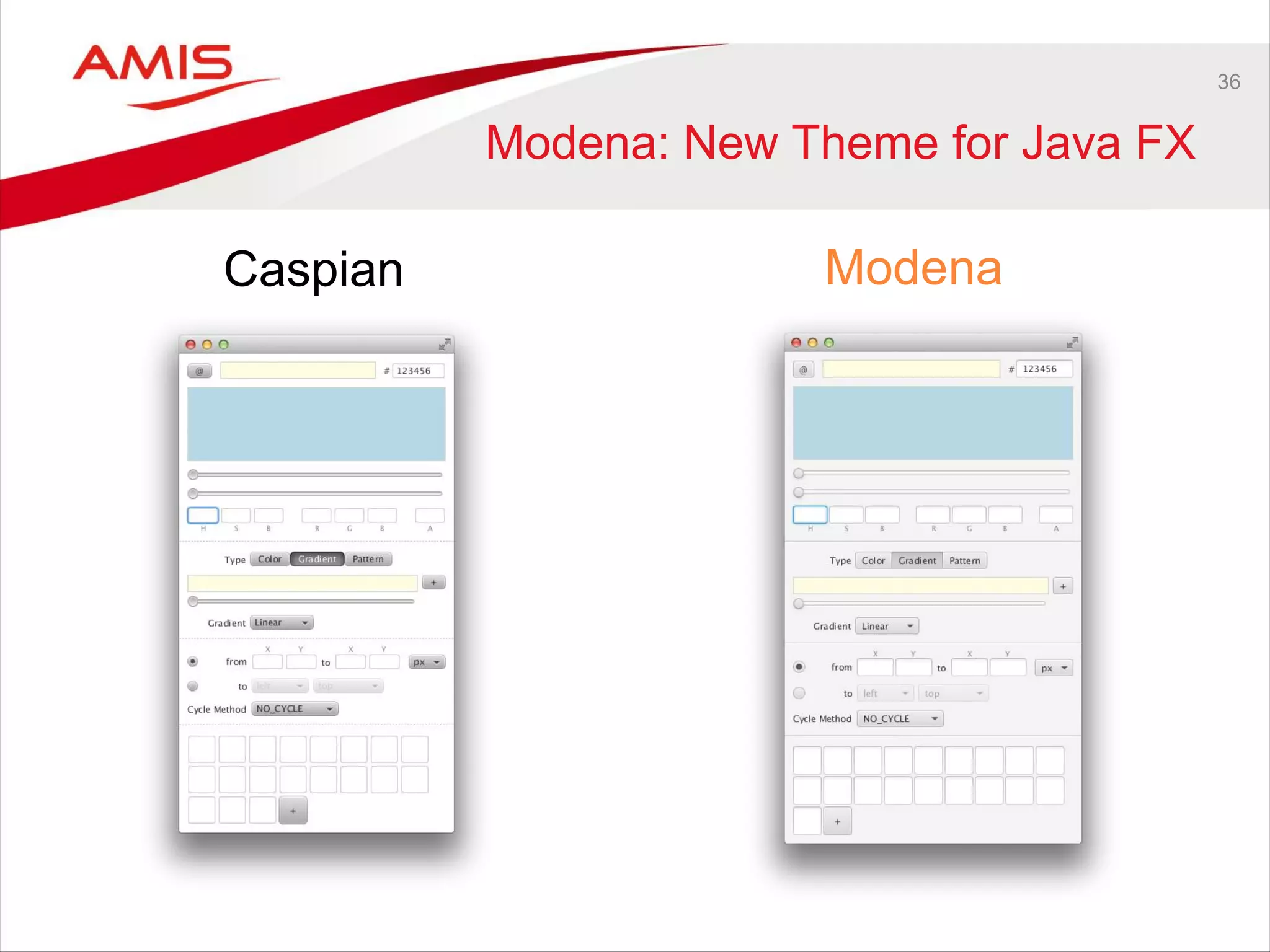
Modena: New Theme for Java FX
Caspian Modena
37
Some new Features
• ObservableArray
• ScheduledService
• Date picker
• TransformationList
• Printing
38
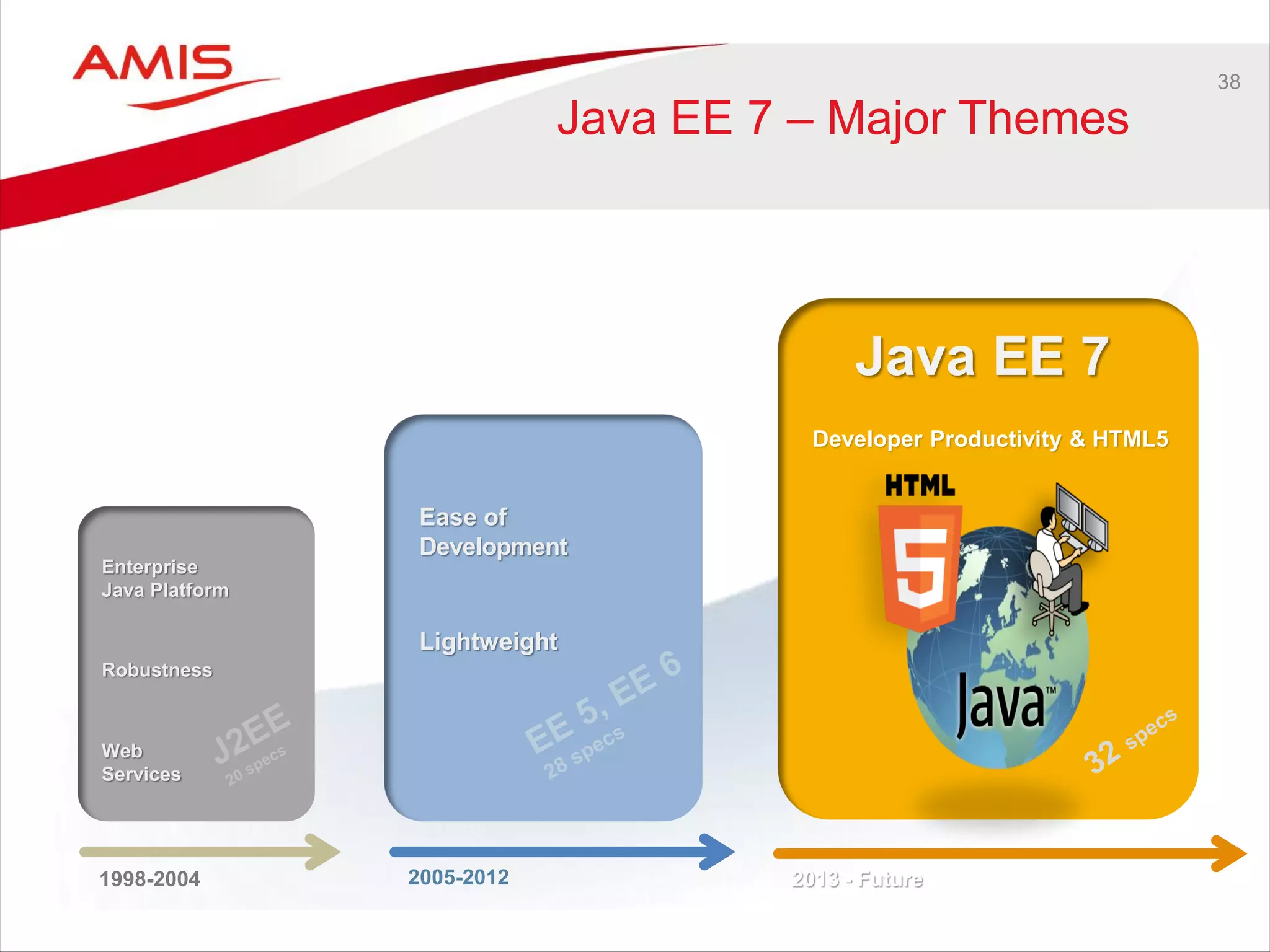
Java EE 7 – Major Themes
Java EE 7
2005-2012
Ease of
Development
Lightweight
Developer Productivity & HTML5
1998-2004
Enterprise
Java Platform
Robustness
Web
Services
2013 - Future
39
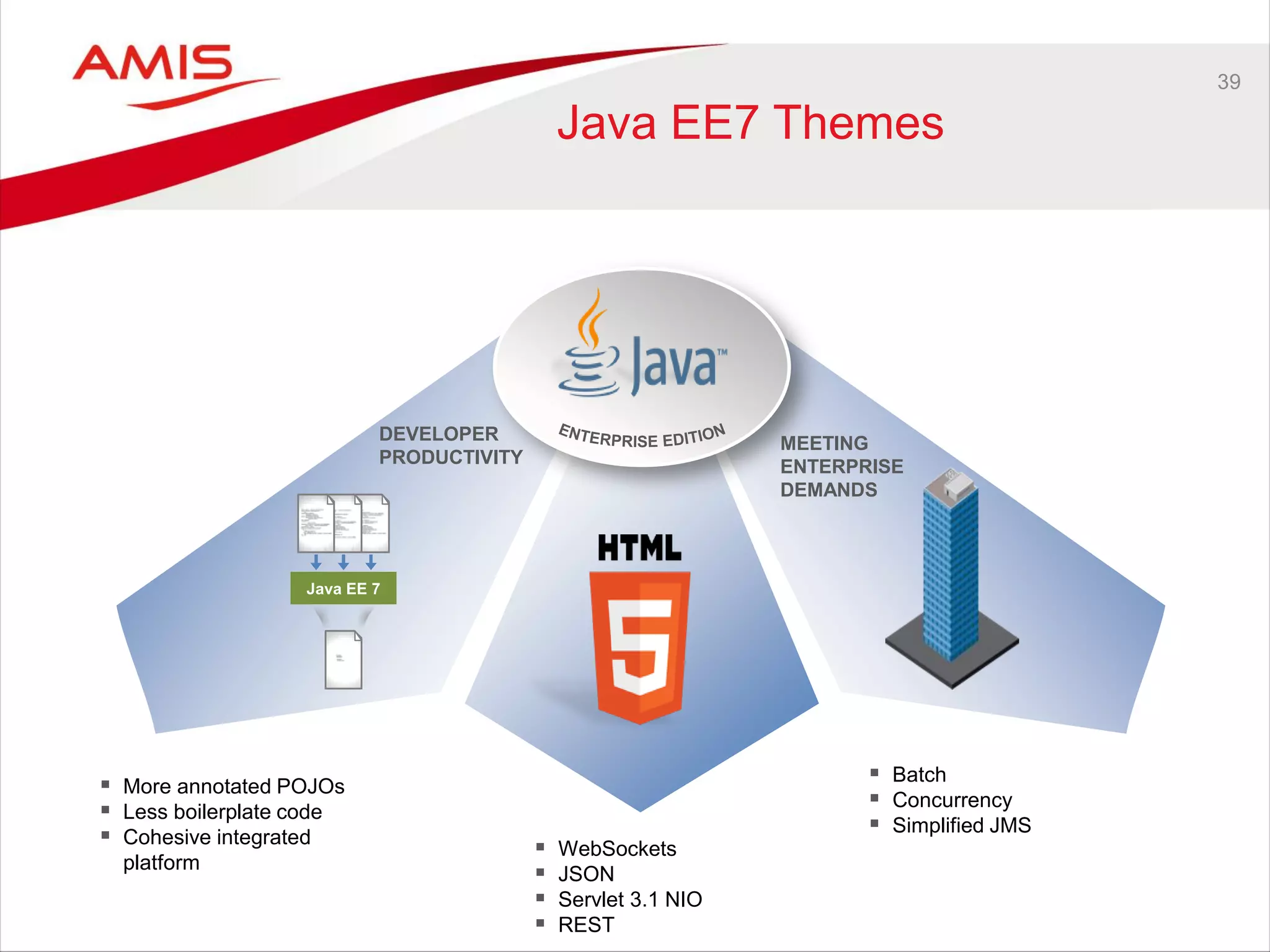
Java EE7 Themes
DEVELOPER
PRODUCTIVITY
MEETING
ENTERPRISE
DEMANDS
Java EE 7
 Batch
 Concurrency
 Simplified JMS
 More annotated POJOs
 Less boilerplate code
 Cohesive integrated
platform
 WebSockets
 JSON
 Servlet 3.1 NIO
 REST
40
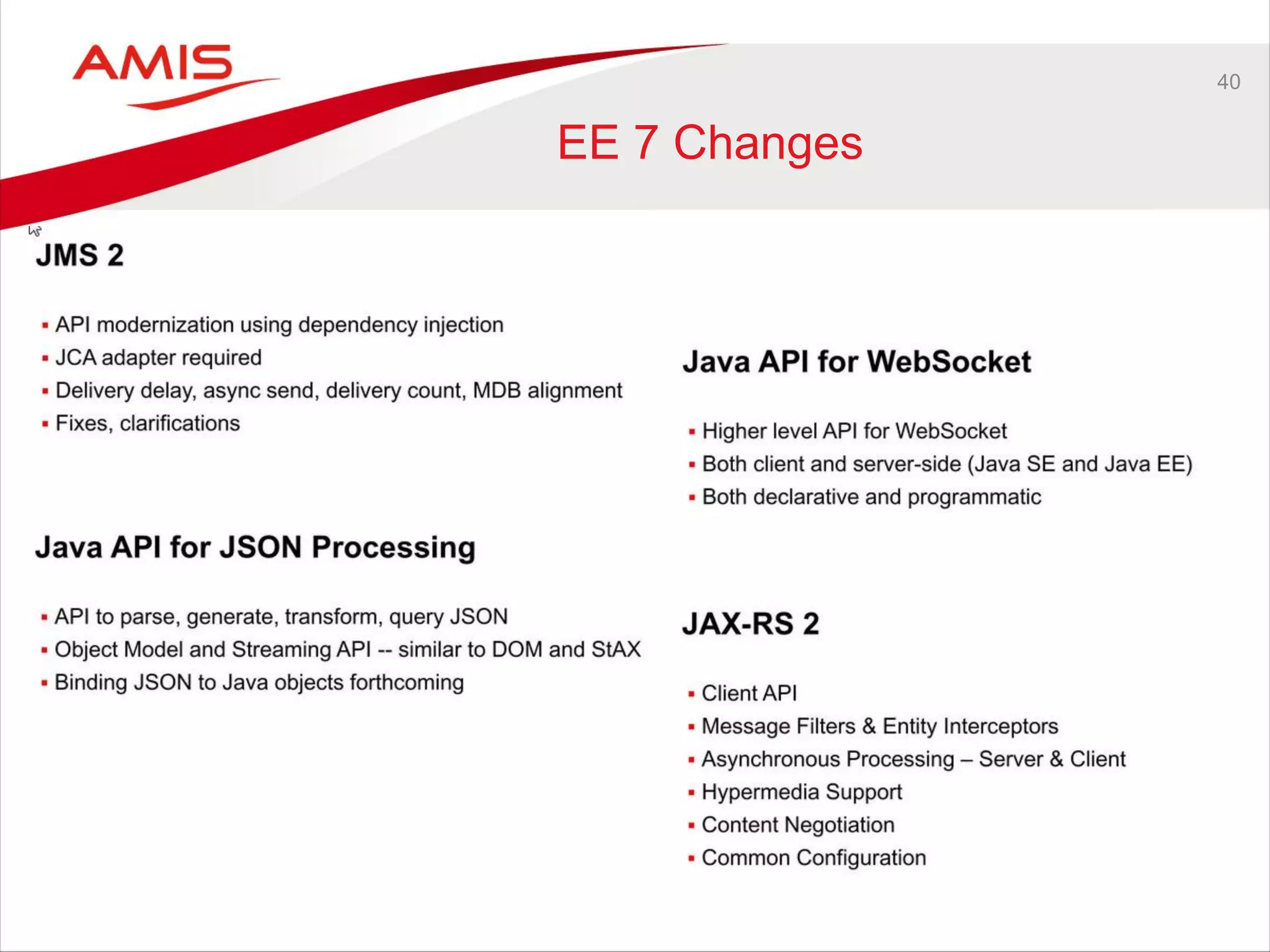
EE 7 Changes
41
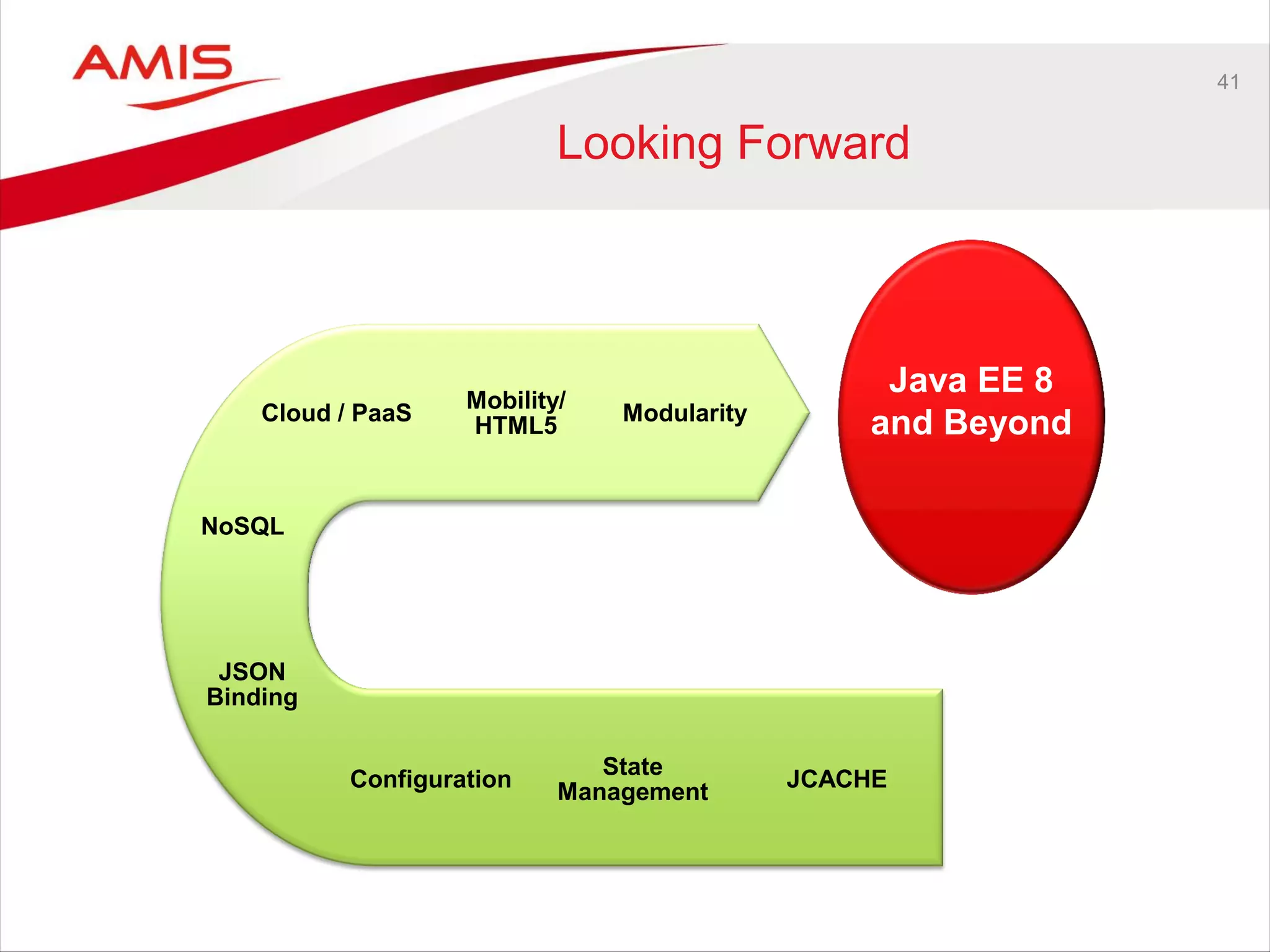
Looking Forward
JCACHE
State
Management
Configuration
JSON
Binding
Java EE 8
and Beyond
NoSQL
Modularity
Mobility/
HTML5
Cloud / PaaS
42
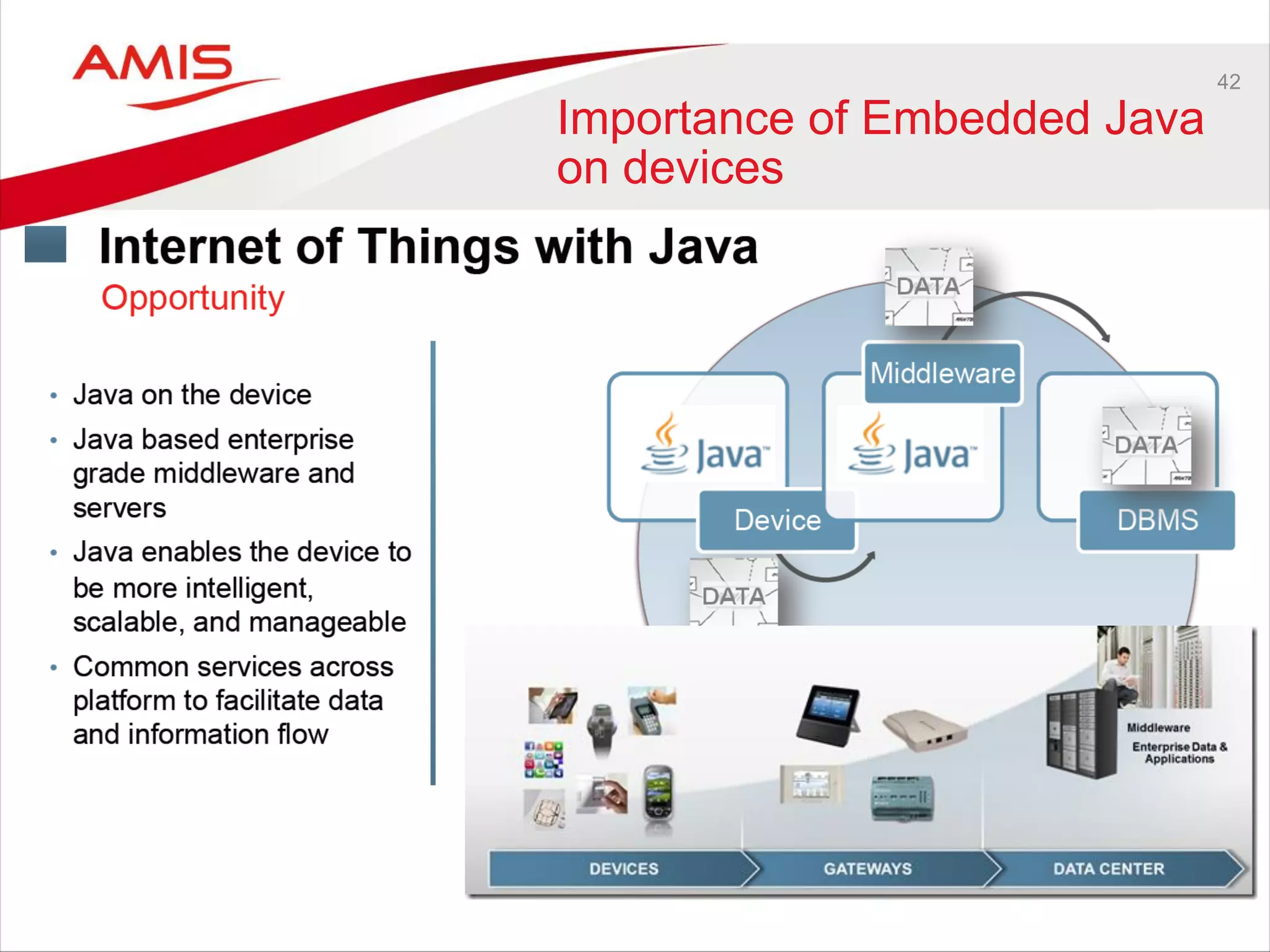
Importance of Embedded Java
on devices
43
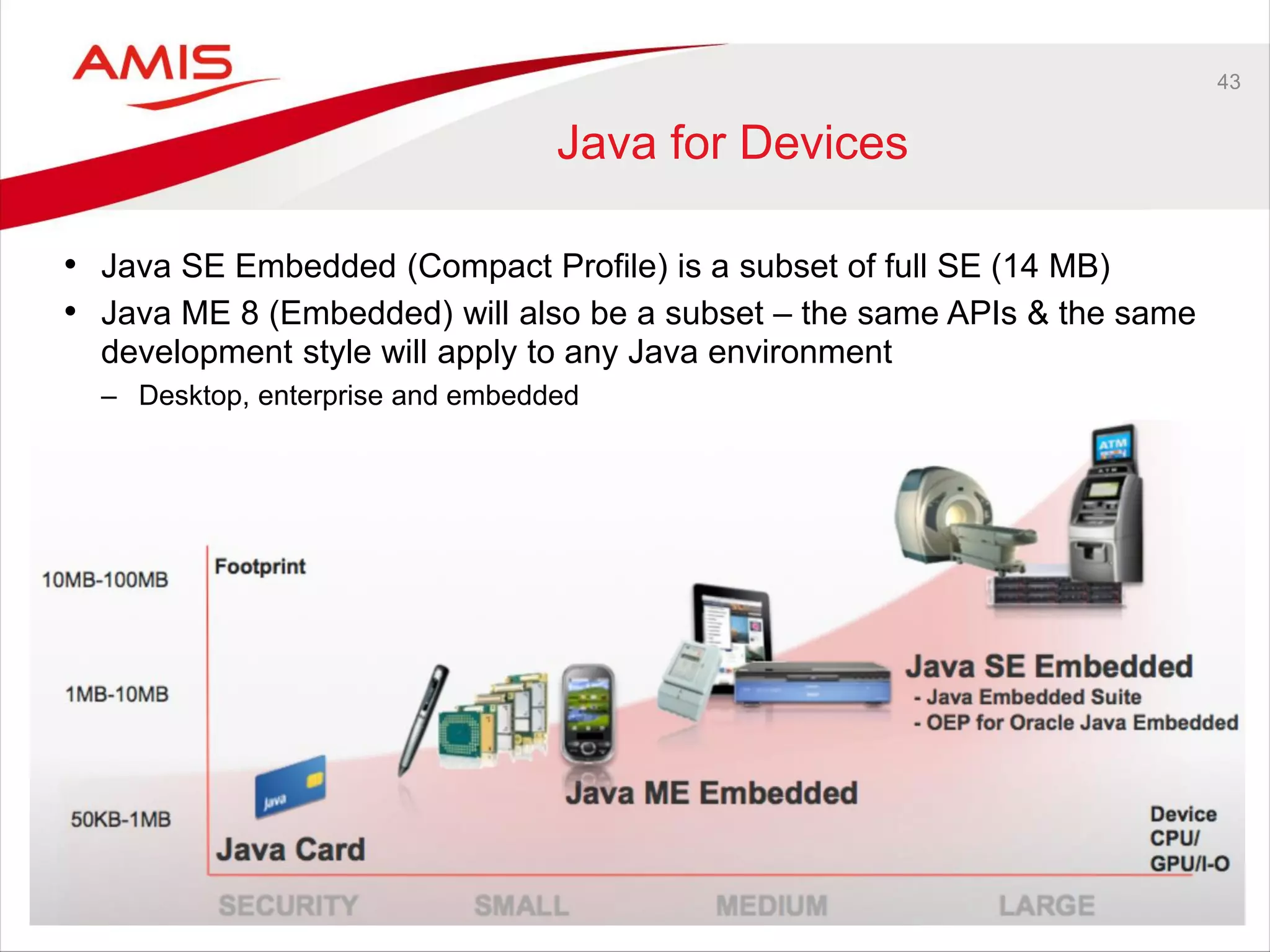
Java for Devices
• Java SE Embedded (Compact Profile) is a subset of full SE (14 MB)
• Java ME 8 (Embedded) will also be a subset – the same APIs & the same
development style will apply to any Java environment
– Desktop, enterprise and embedded
44
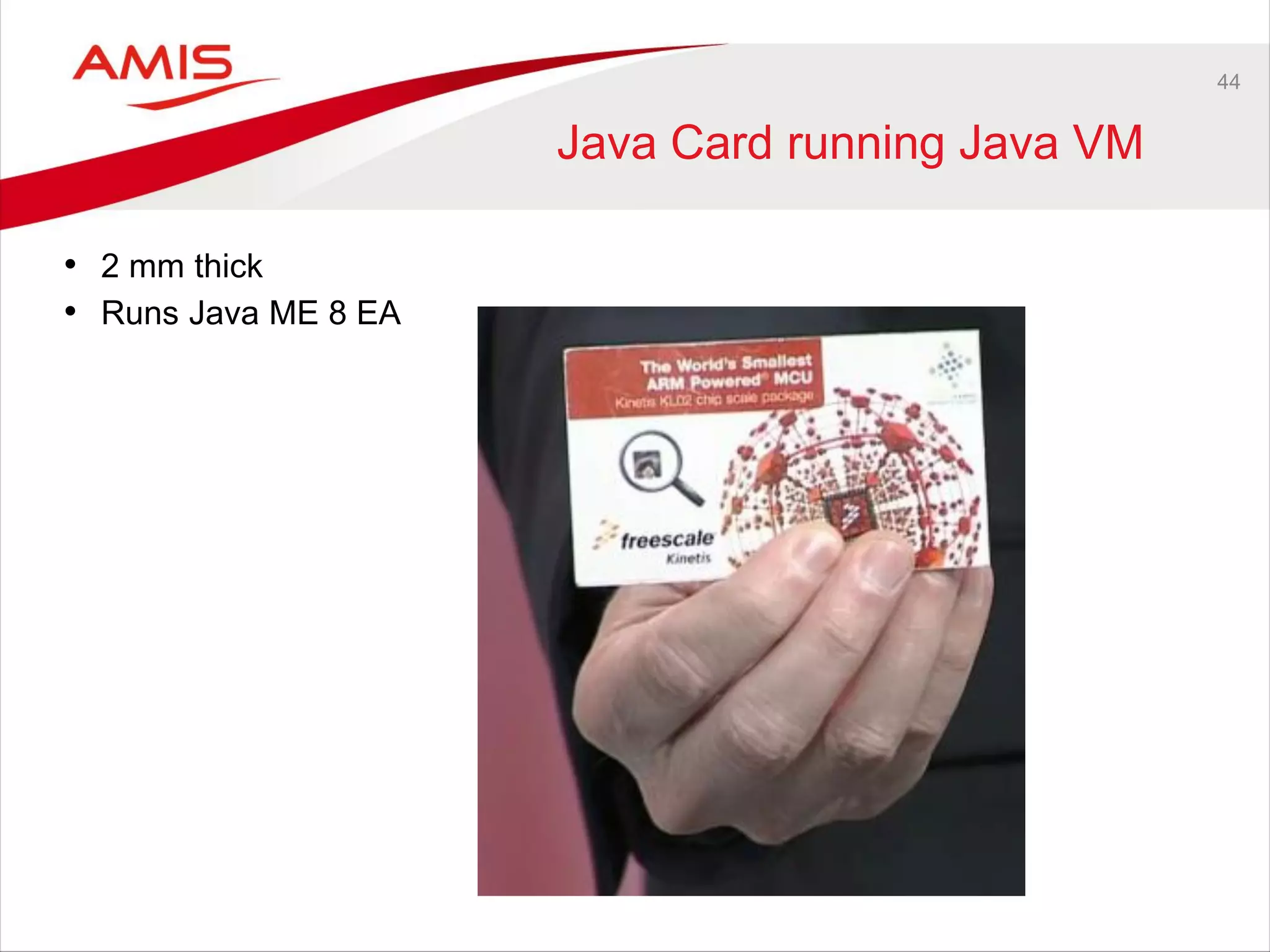
Java Card running Java VM
• 2 mm thick
• Runs Java ME 8 EA
45
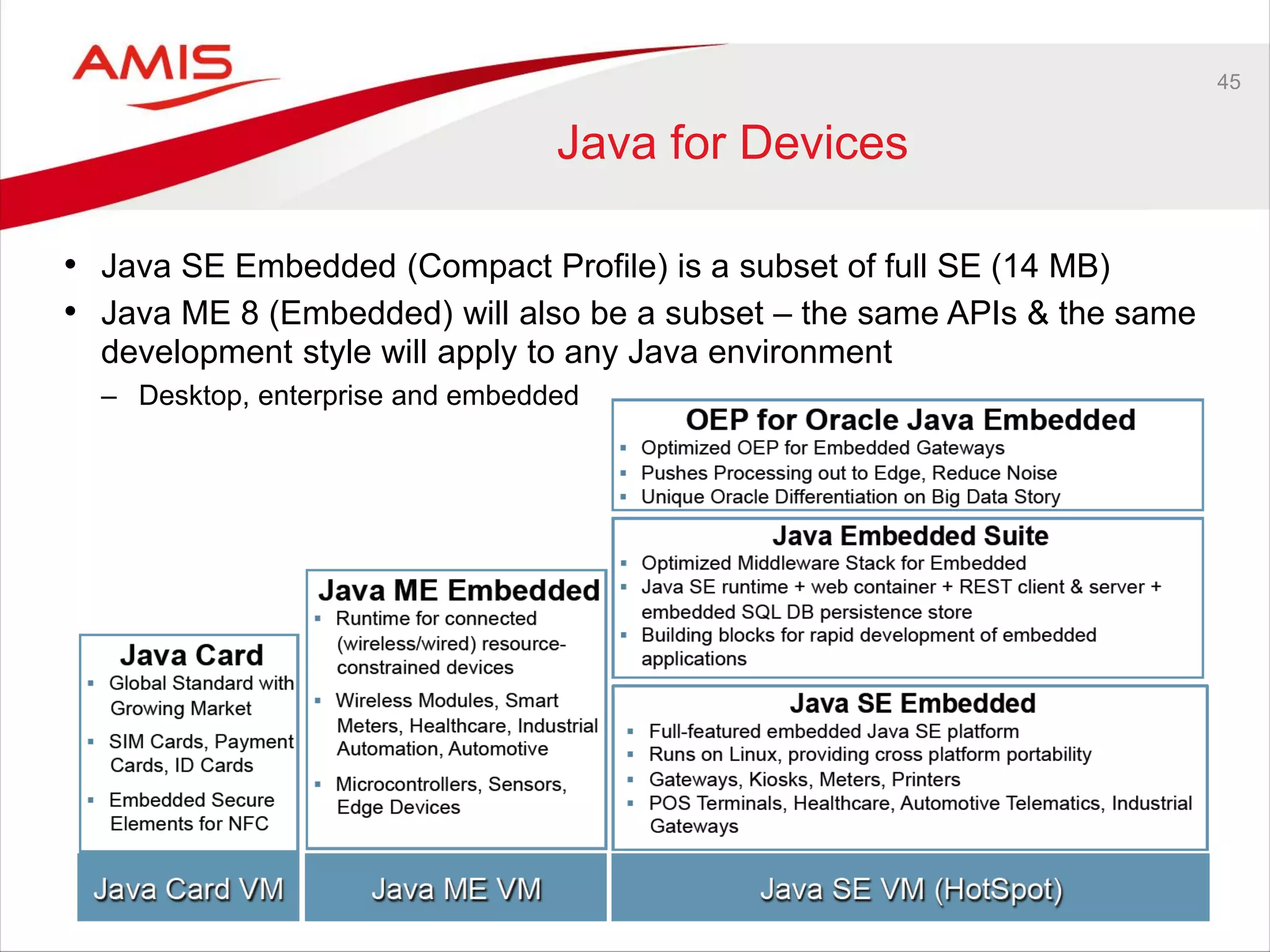
Java for Devices
• Java SE Embedded (Compact Profile) is a subset of full SE (14 MB)
• Java ME 8 (Embedded) will also be a subset – the same APIs & the same
development style will apply to any Java environment
– Desktop, enterprise and embedded
46
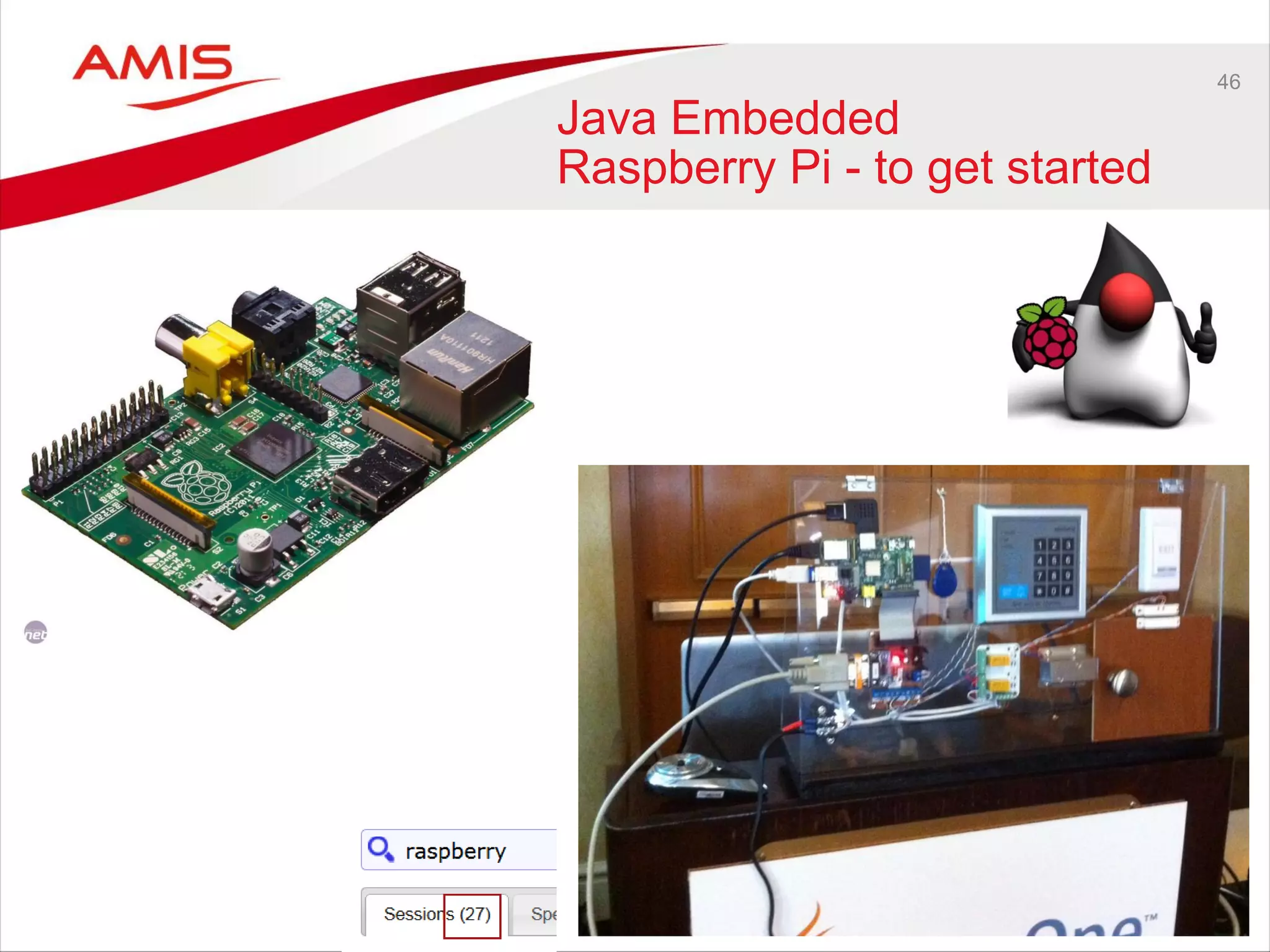
Java Embedded
Raspberry Pi - to get started
47
Java – State of the Community
48
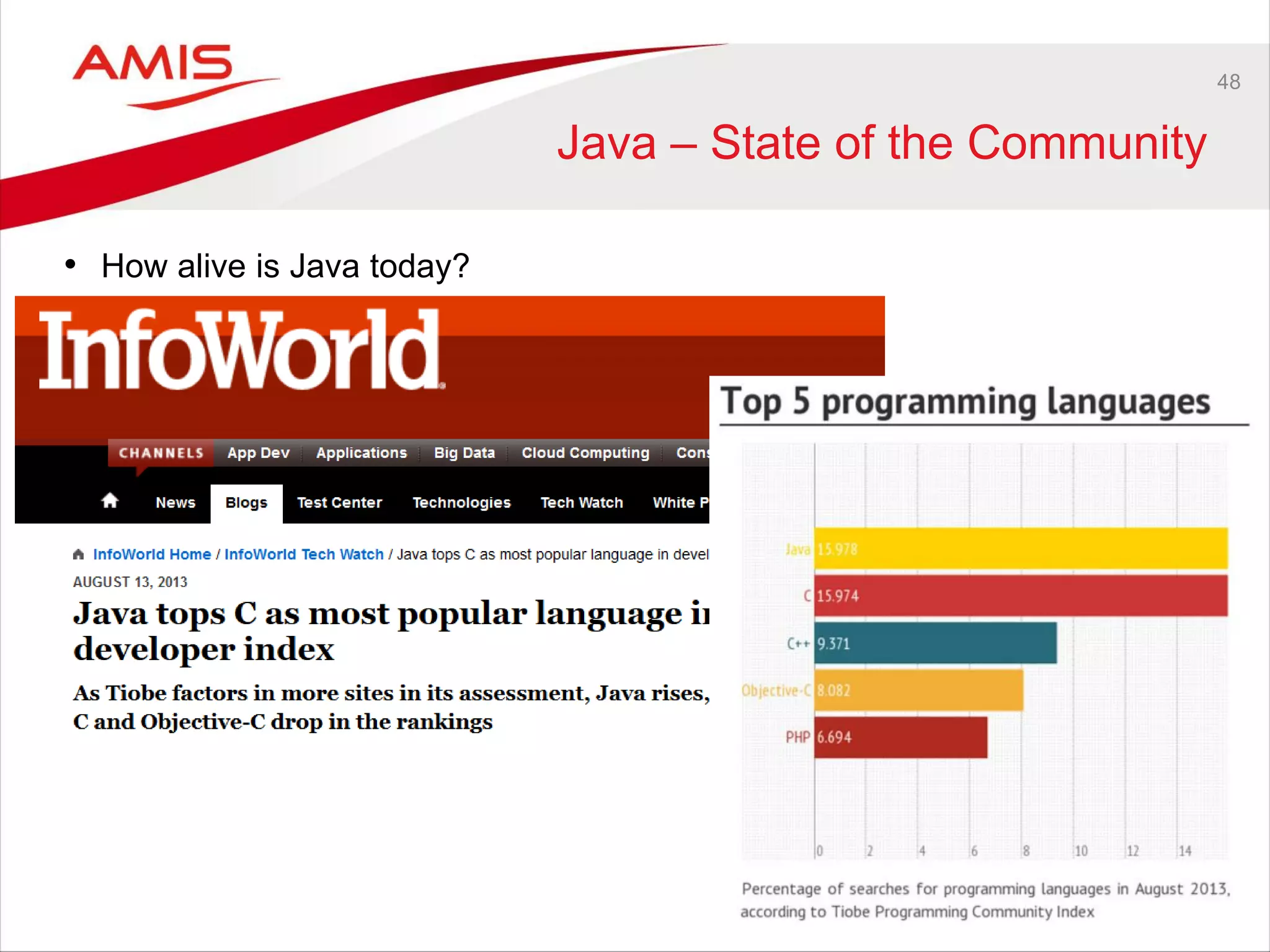
Java – State of the Community
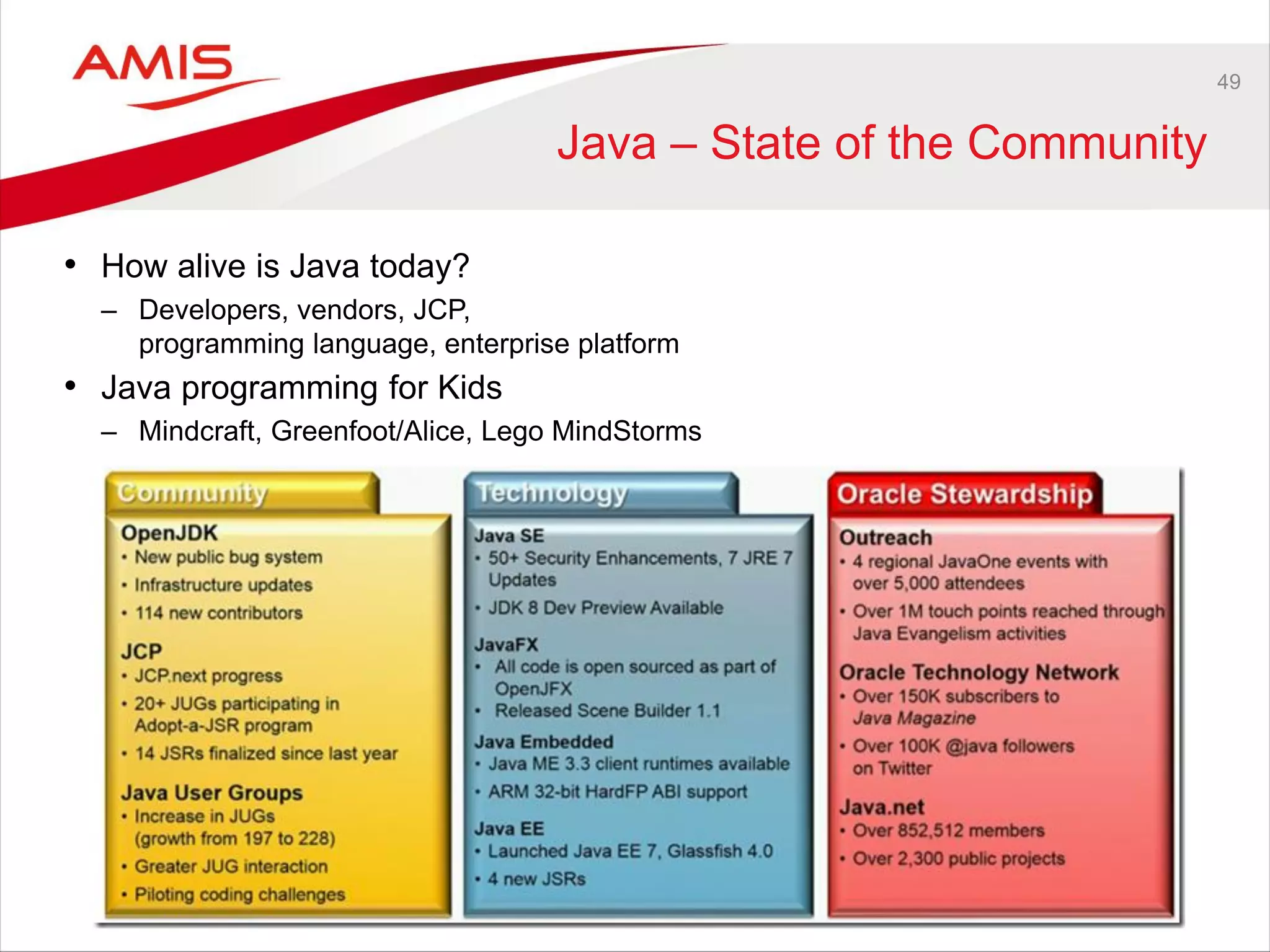
• How alive is Java today?
49
Java – State of the Community
• How alive is Java today?
– Developers, vendors, JCP,
programming language, enterprise platform
• Java programming for Kids
– Mindcraft, Greenfoot/Alice, Lego MindStorms
User Experience
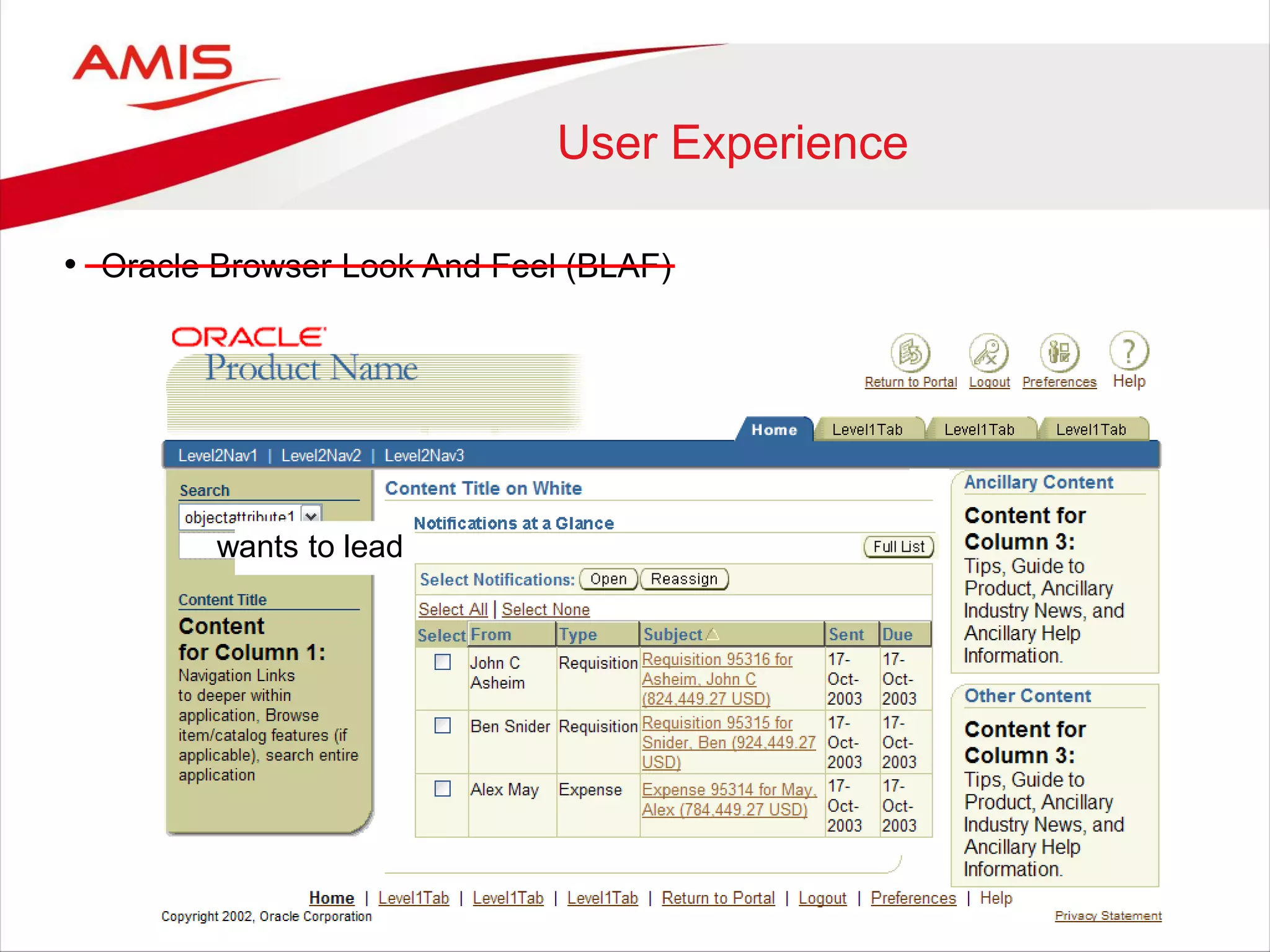
• Oracle Browser Look And Feel (BLAF)
wants to lead
User Experience
• Oracle Browser Look And Feel (BLAF)
• Oracle is catching up
• User Experience Team
• Oracle is leading the industry in User Experience
• User Experience Strategy
wants to lead
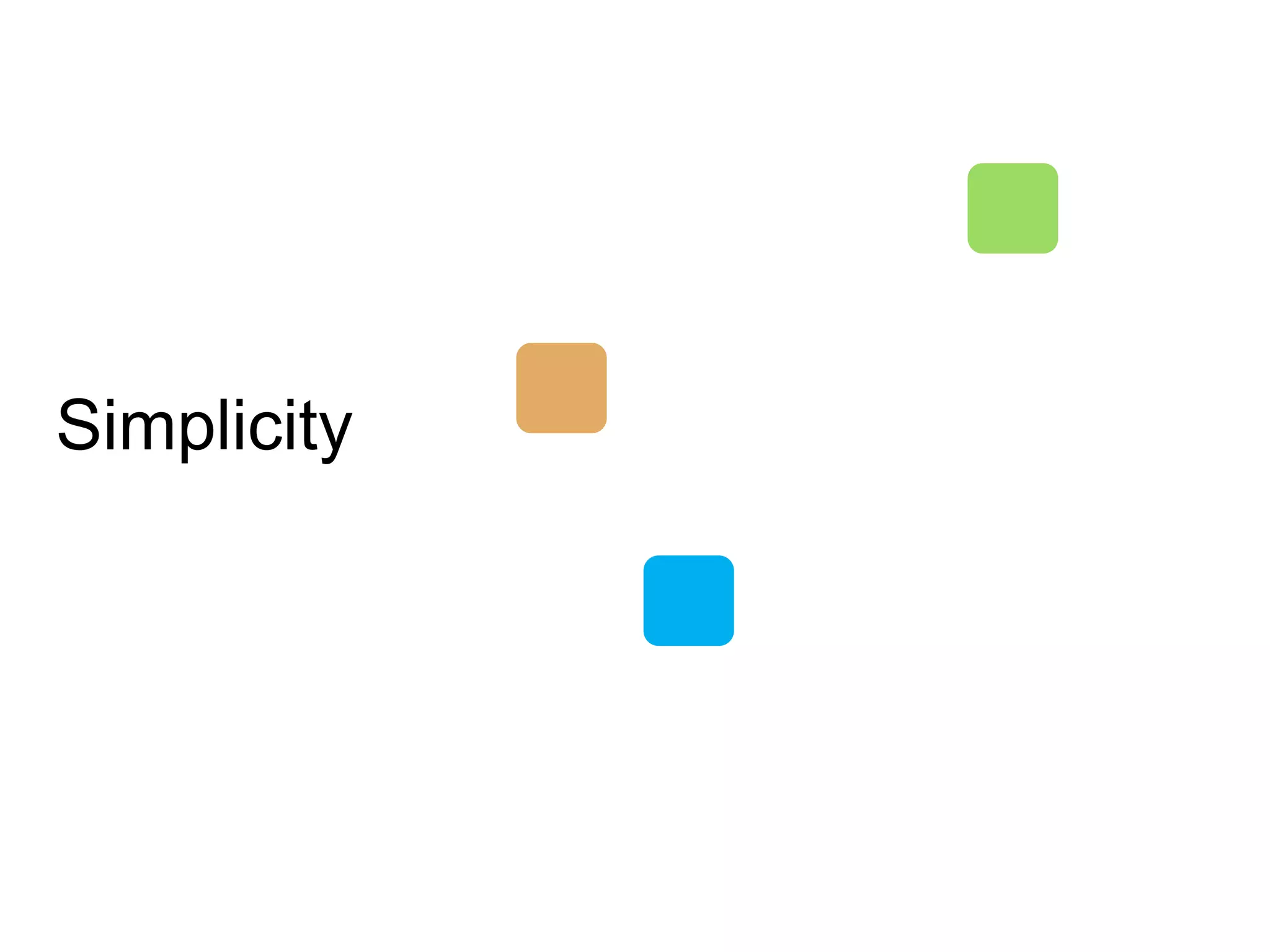
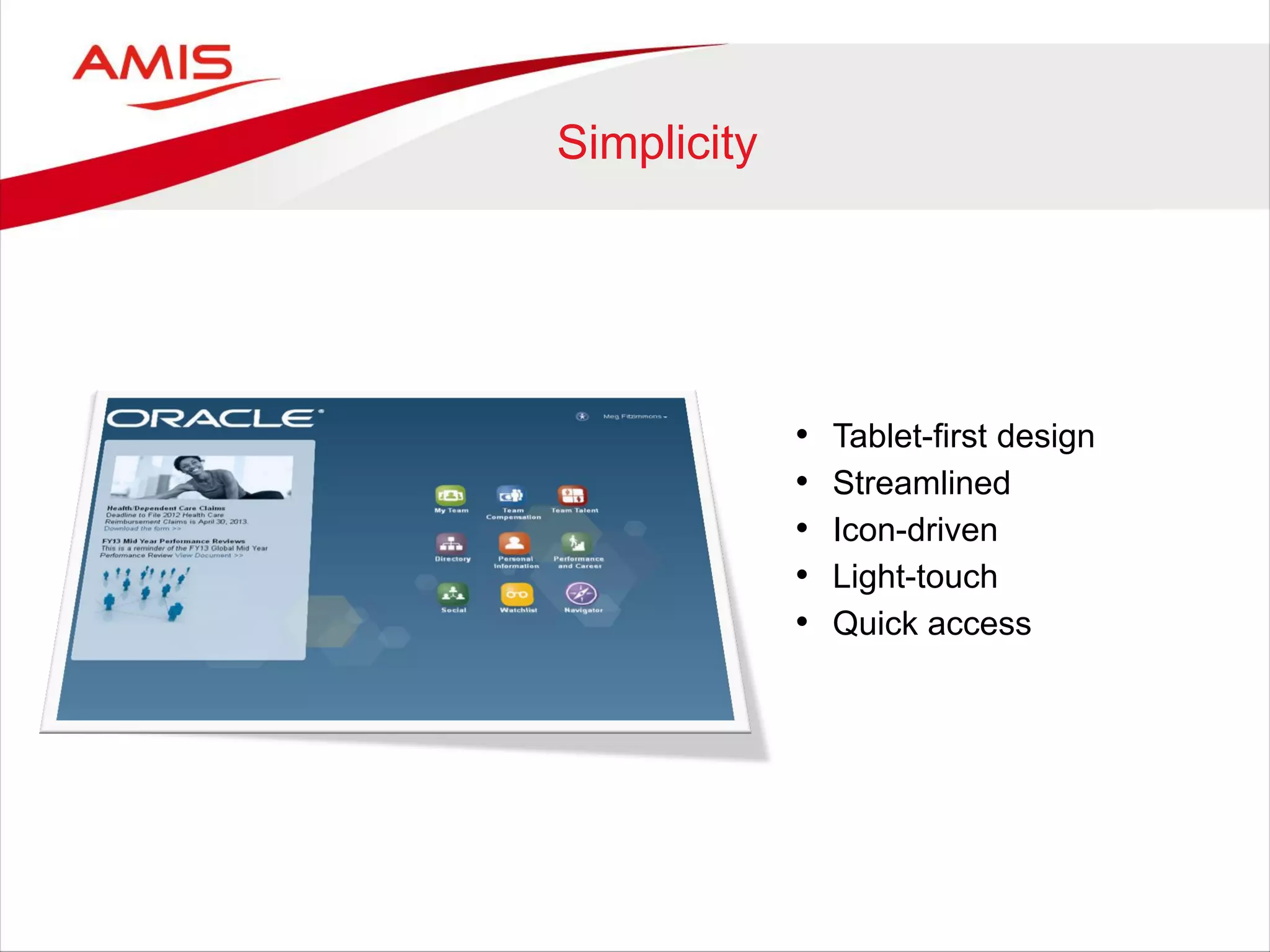
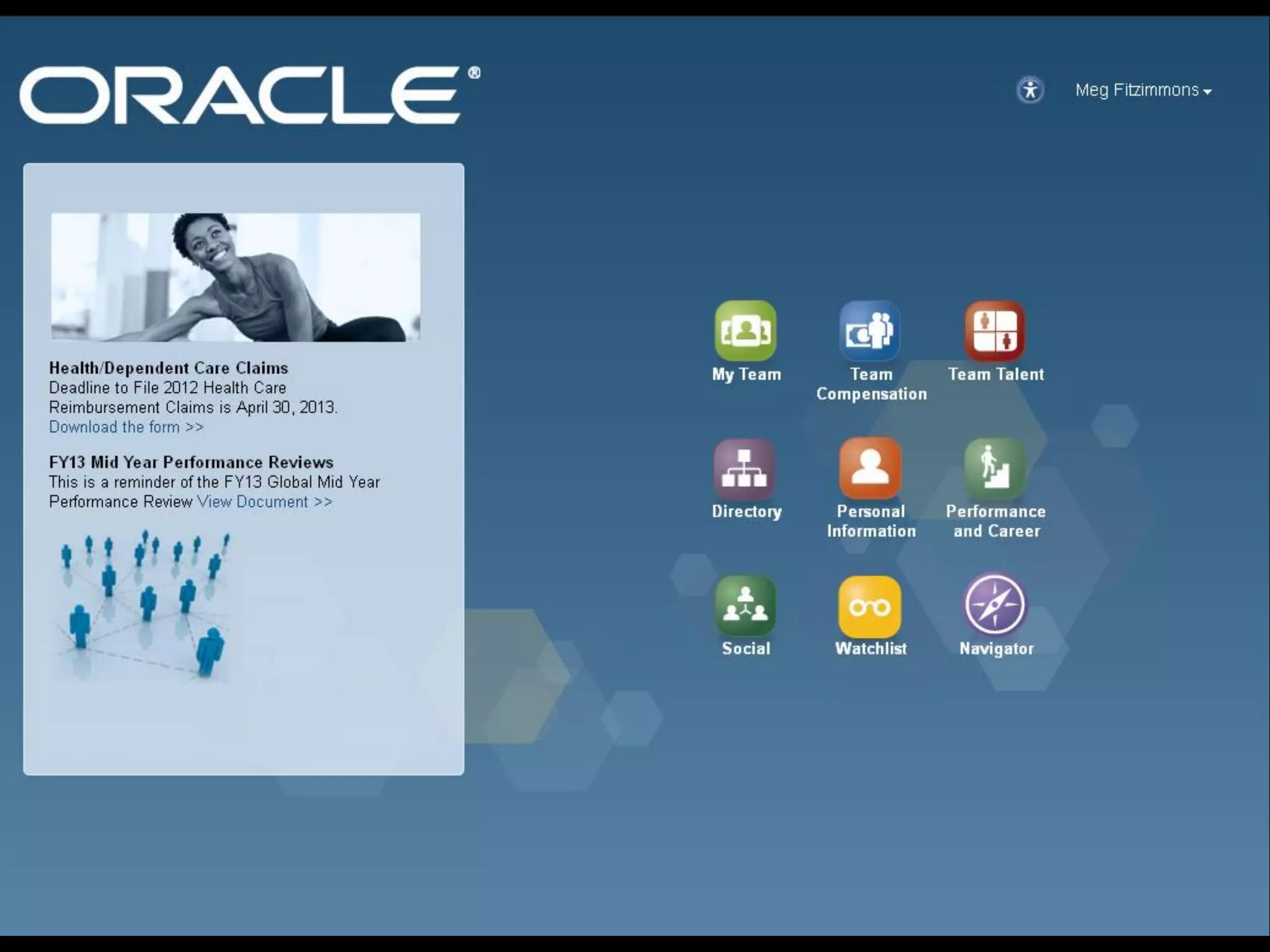
Simplicity
Simplicity
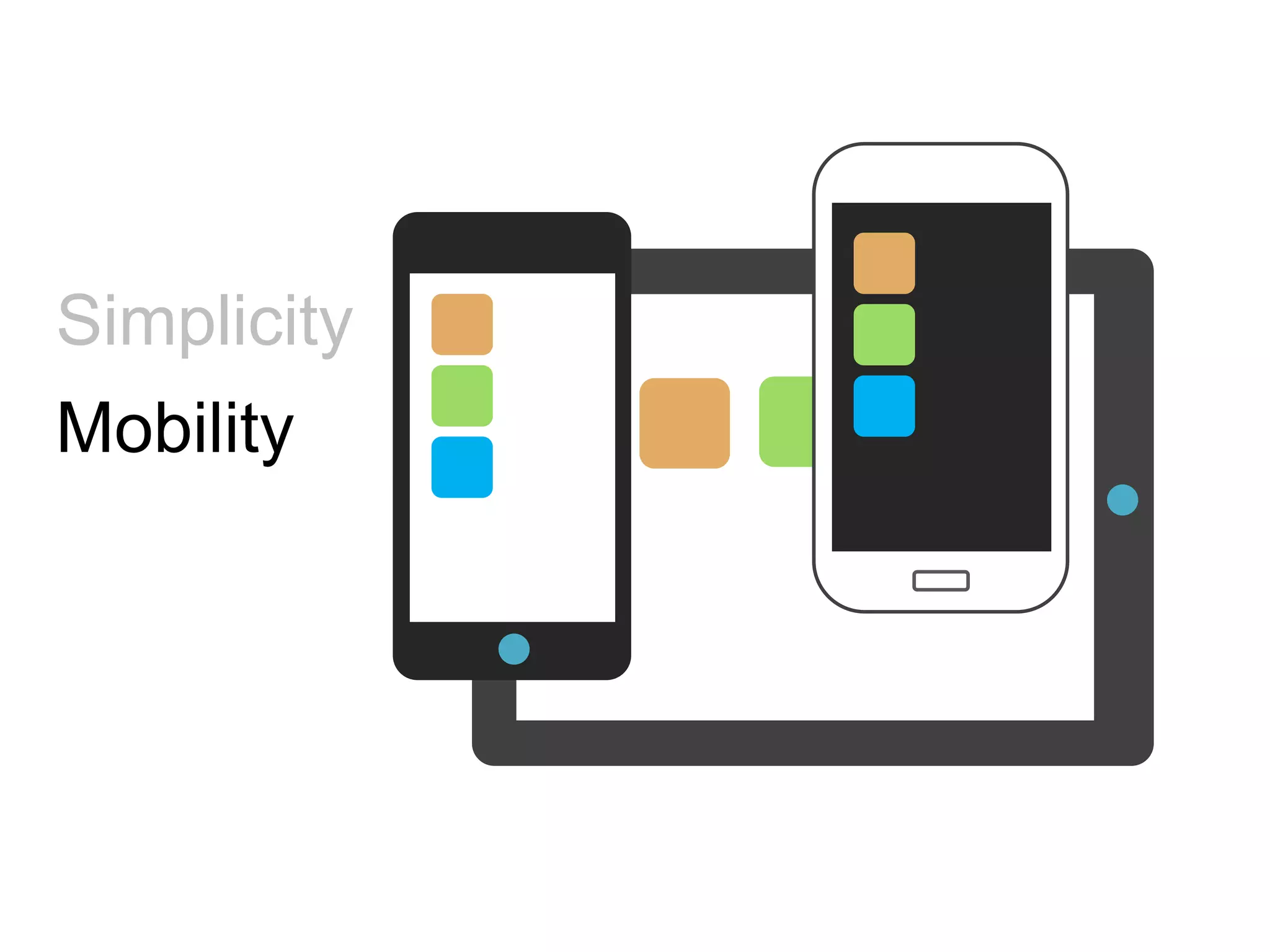
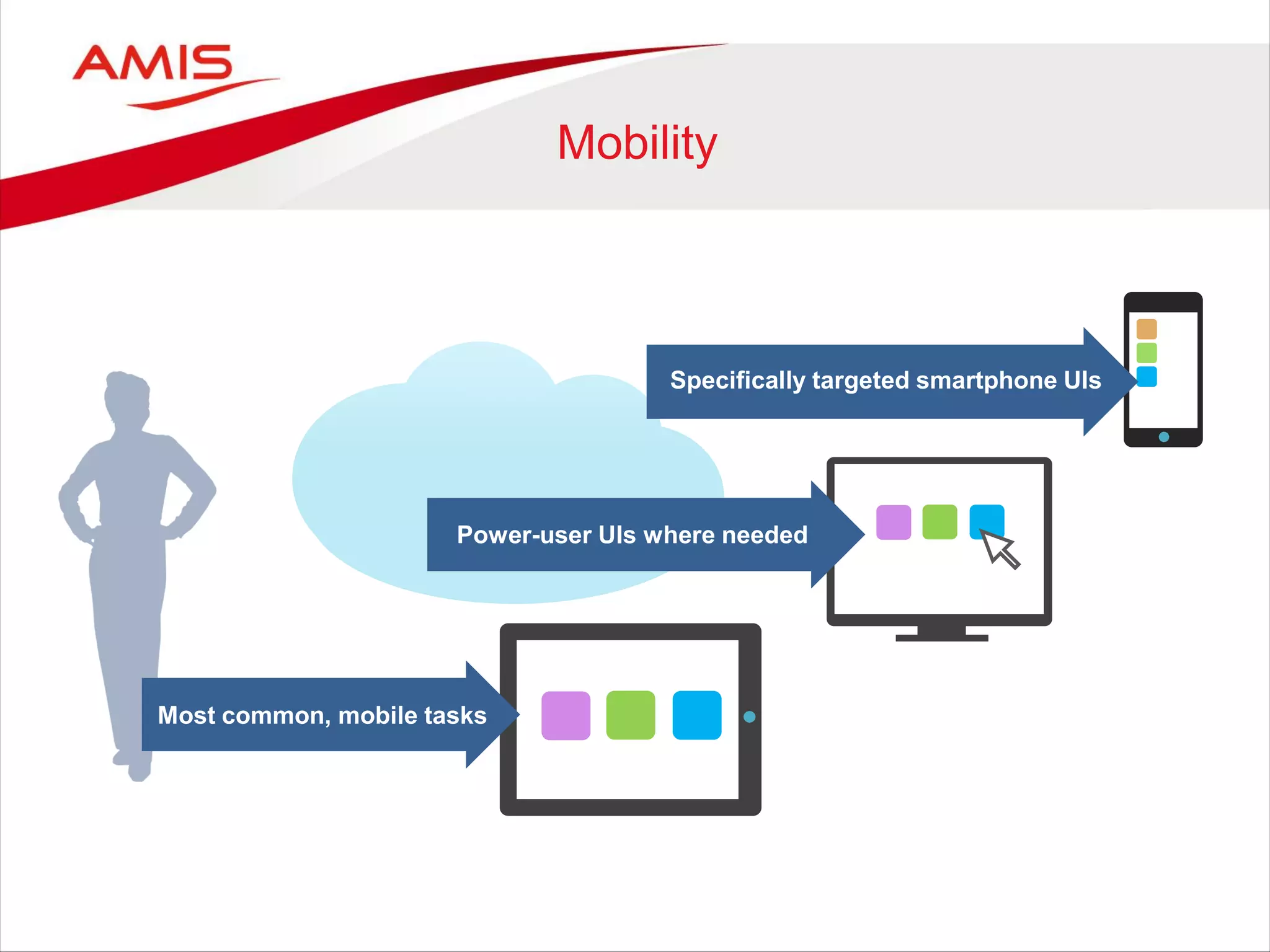
Mobility
Simplicity
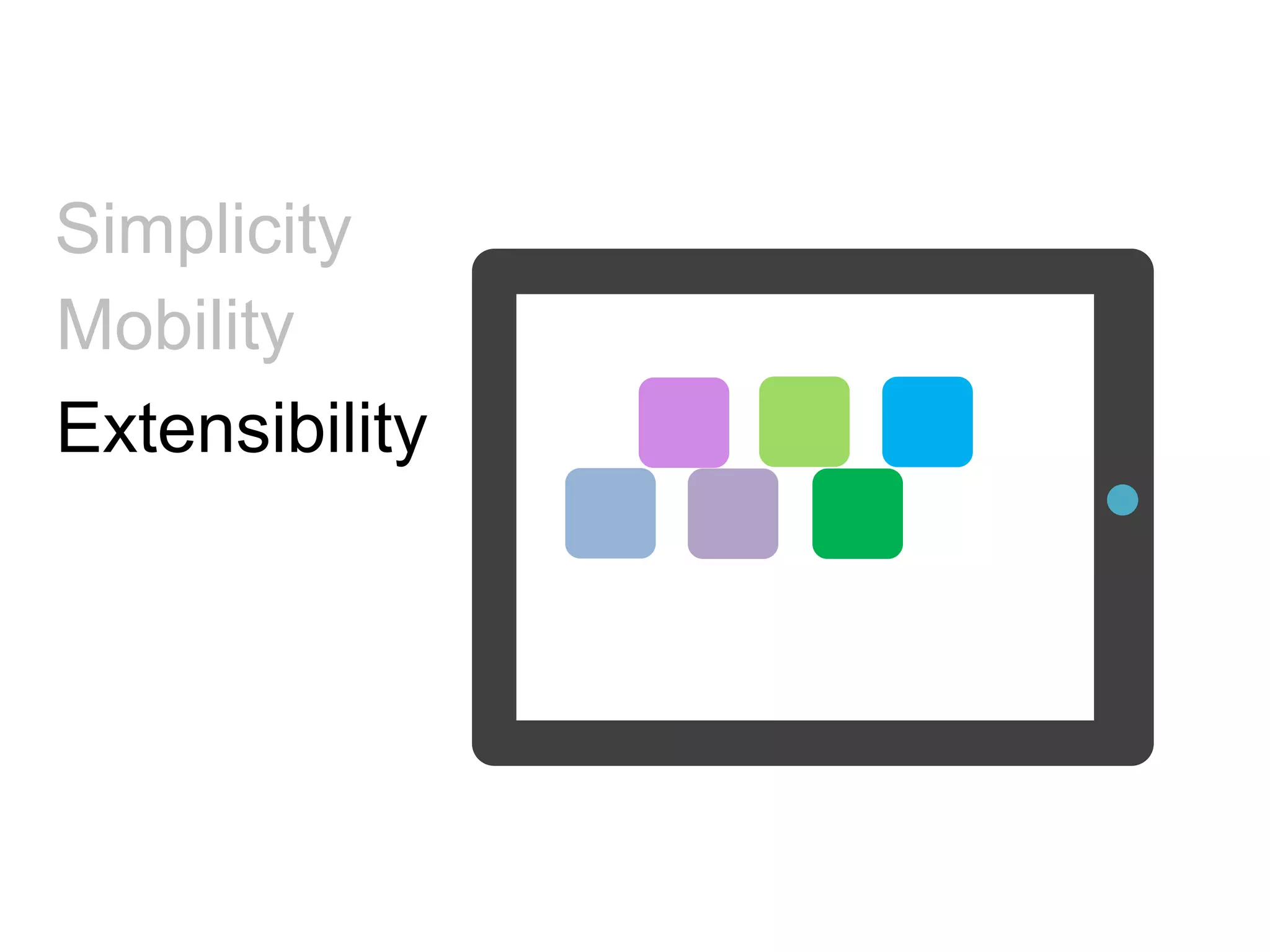
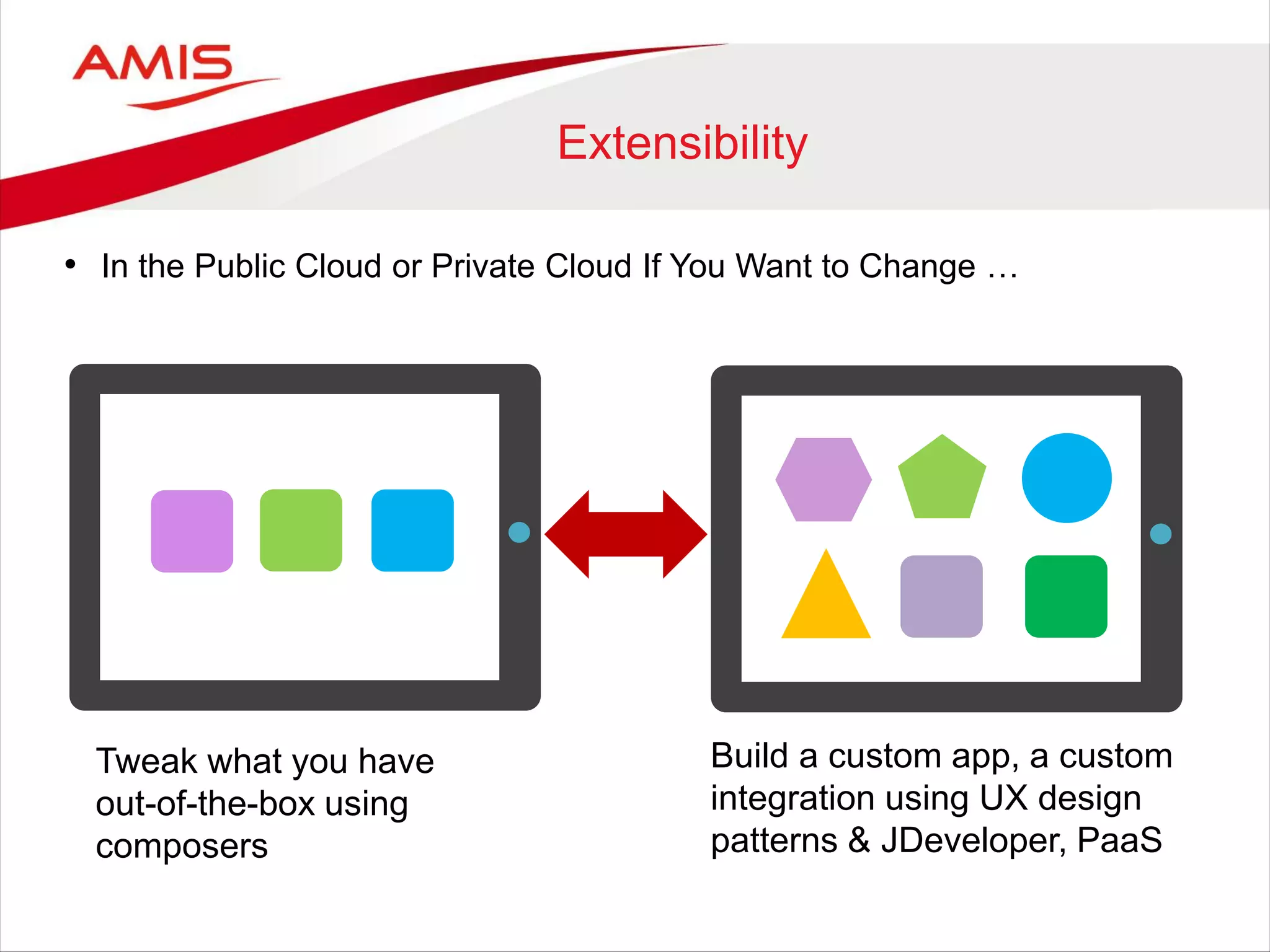
Extensibility
Mobility
Simplicity
• Tablet-first design
• Streamlined
• Icon-driven
• Light-touch
• Quick access
Mobility
Specifically targeted smartphone UIs
Most common, mobile tasks
Power-user UIs where needed
Extensibility
• In the Public Cloud or Private Cloud If You Want to Change …
Tweak what you have
out-of-the-box using
composers
Build a custom app, a custom
integration using UX design
patterns & JDeveloper, PaaS
6
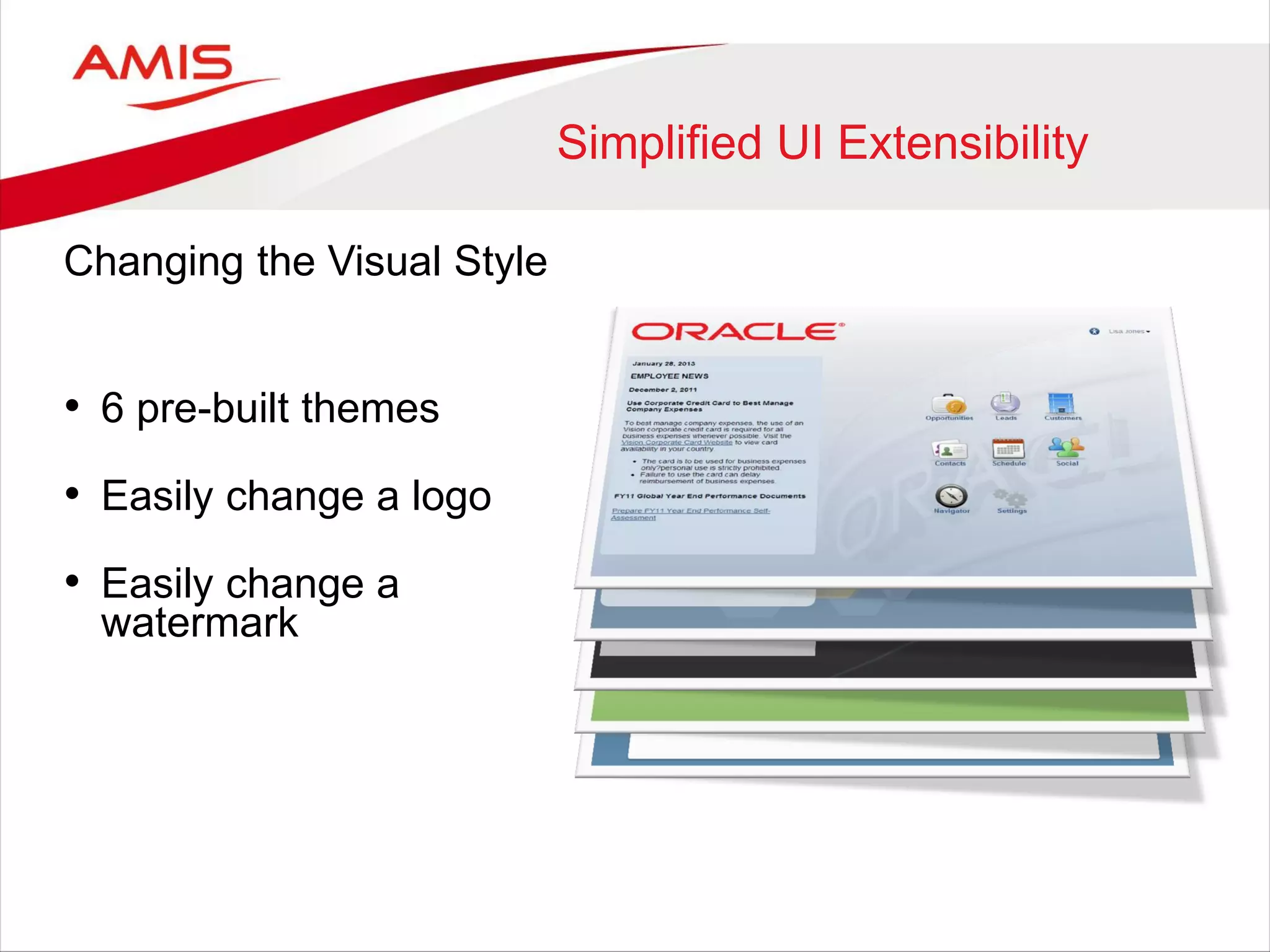
Simplified UI Extensibility
Changing the Visual Style
• 6 pre-built themes
• Easily change a logo
• Easily change a
watermark
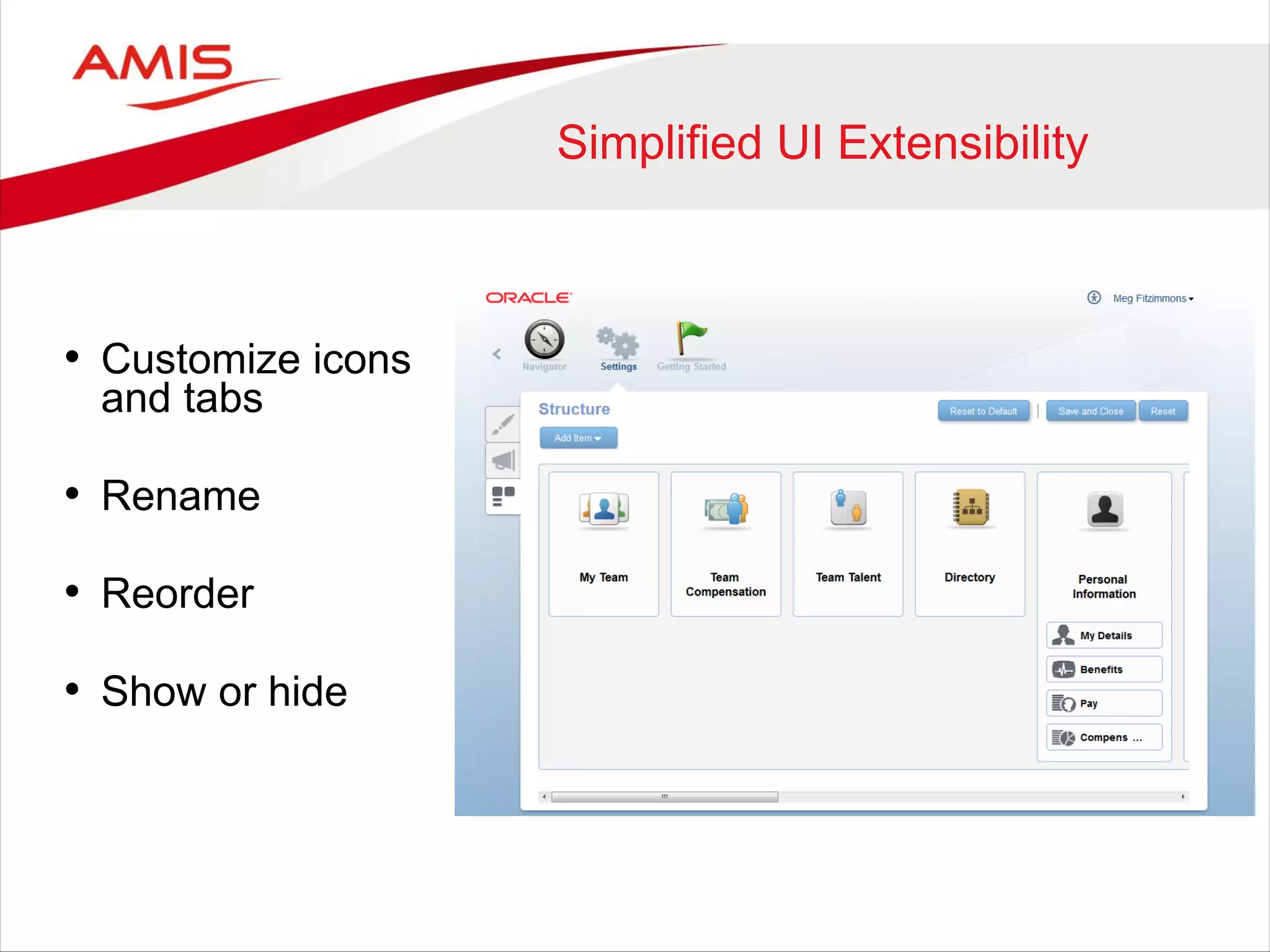
Simplified UI Extensibility
• Customize icons
and tabs
• Rename
• Reorder
• Show or hide
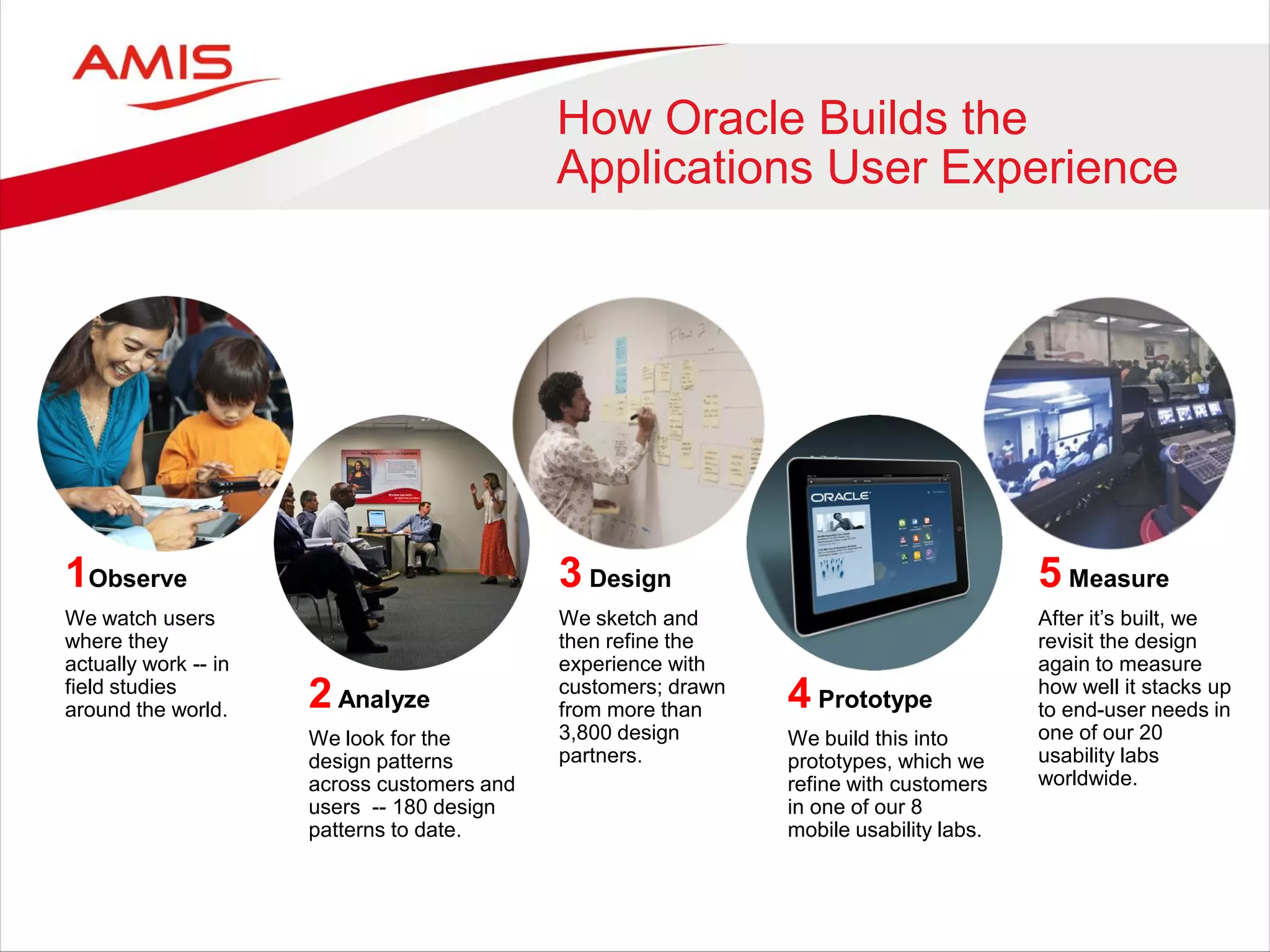
How Oracle Builds the
Applications User Experience
1Observe
We watch users
where they
actually work -- in
field studies
around the world. 2Analyze
We look for the
design patterns
across customers and
users -- 180 design
patterns to date.
3 Design
We sketch and
then refine the
experience with
customers; drawn
from more than
3,800 design
partners.
4 Prototype
We build this into
prototypes, which we
refine with customers
in one of our 8
mobile usability labs.
5 Measure
After it’s built, we
revisit the design
again to measure
how well it stacks up
to end-user needs in
one of our 20
usability labs
worldwide.
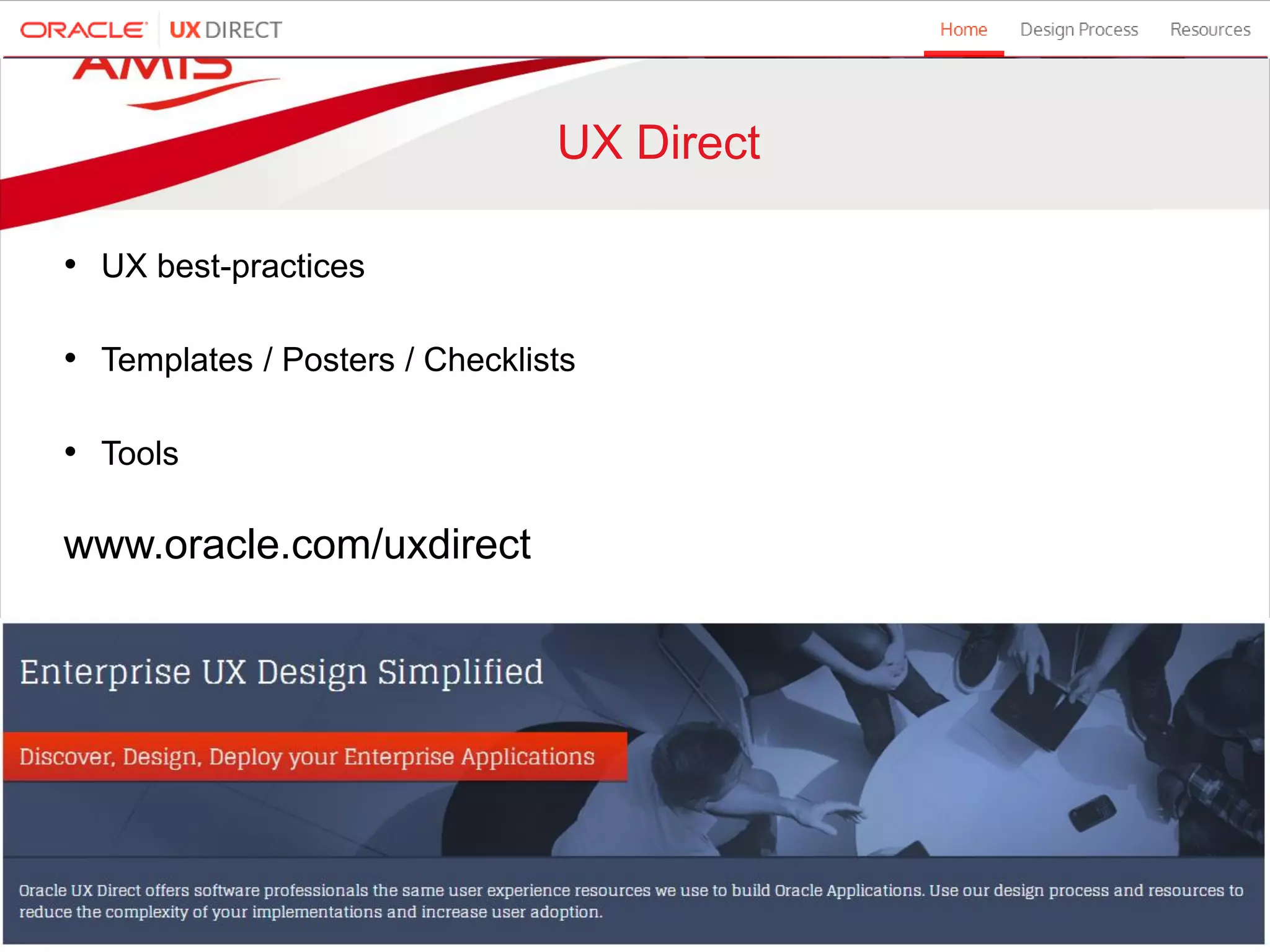
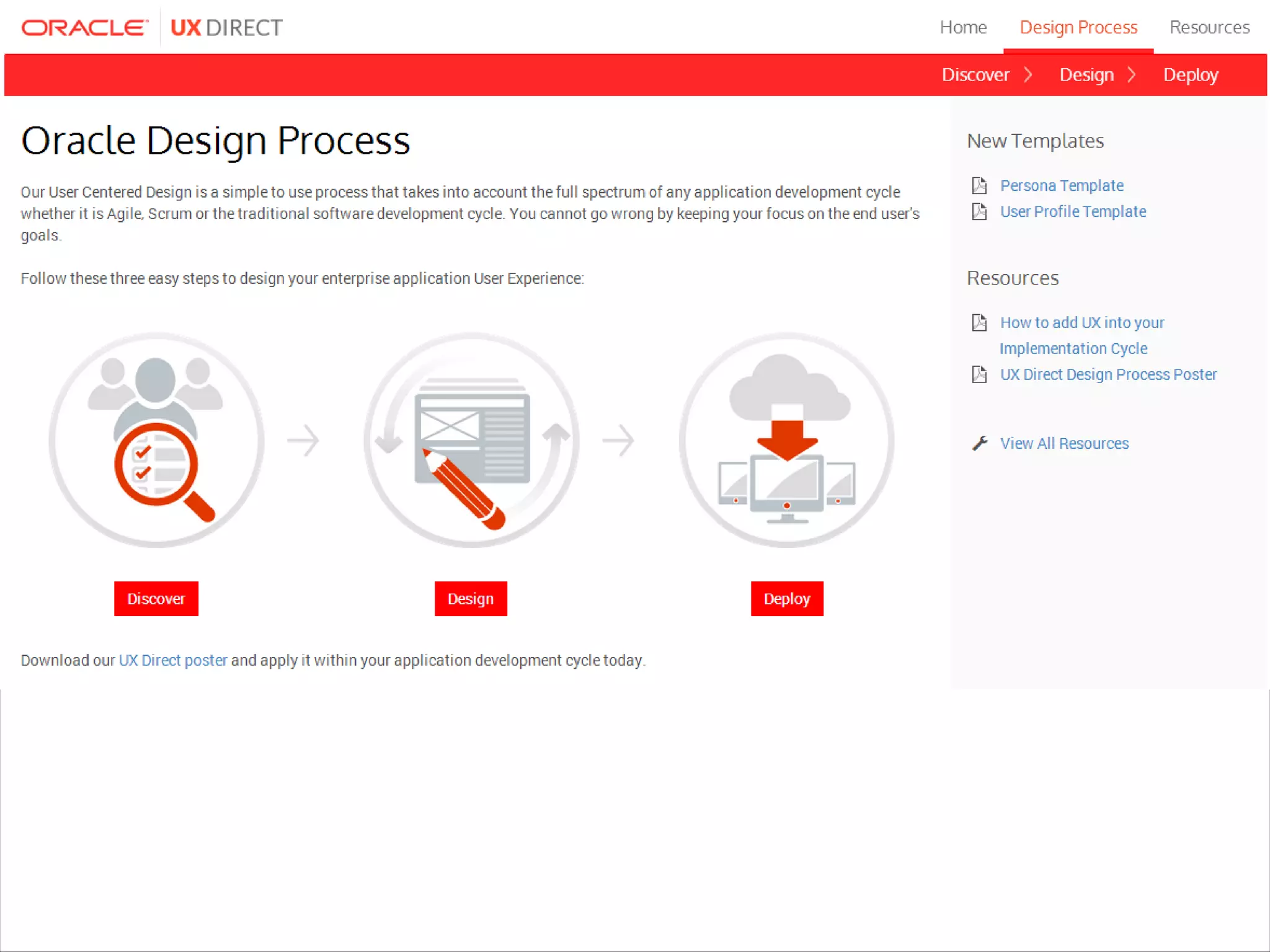
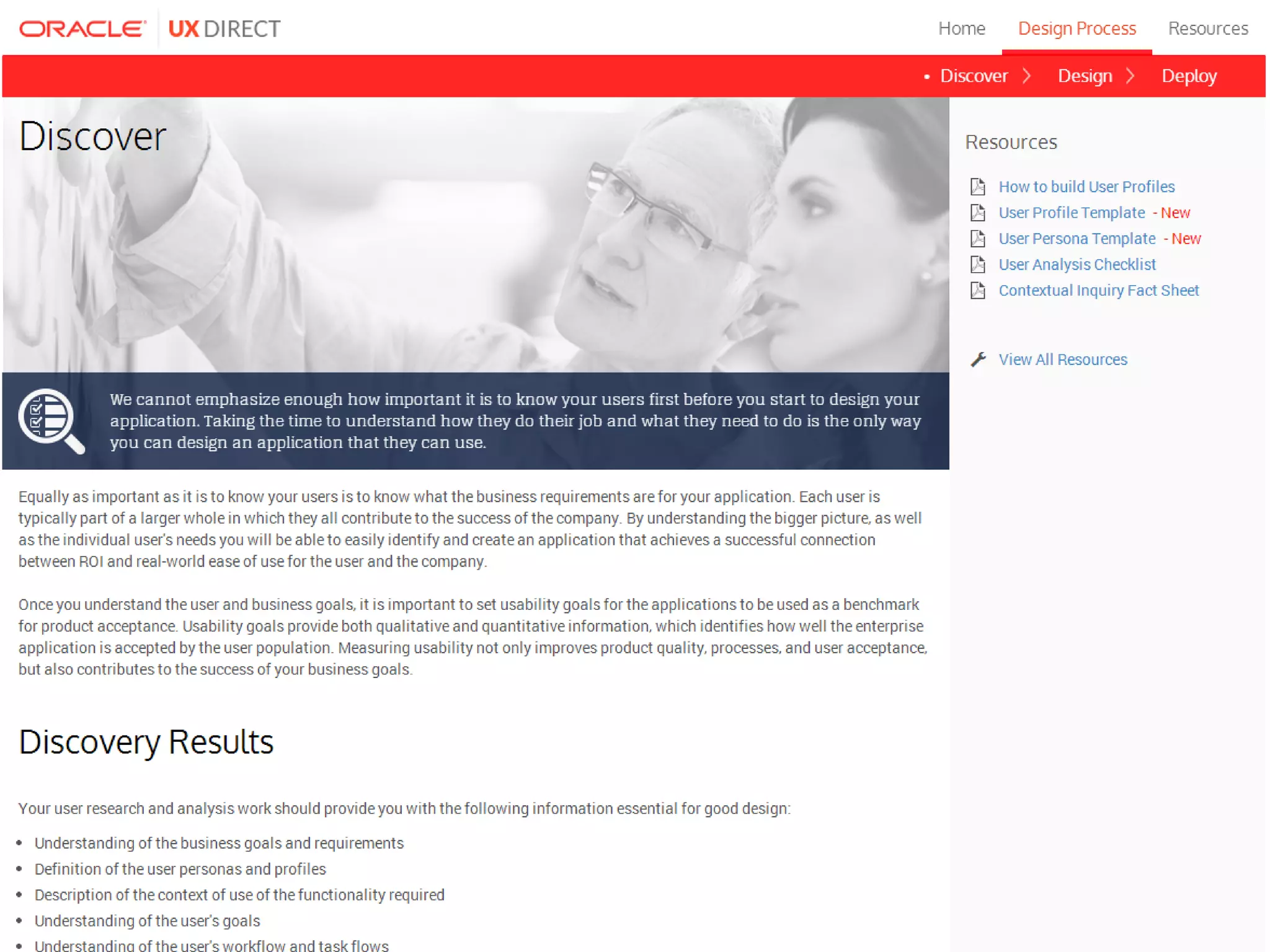
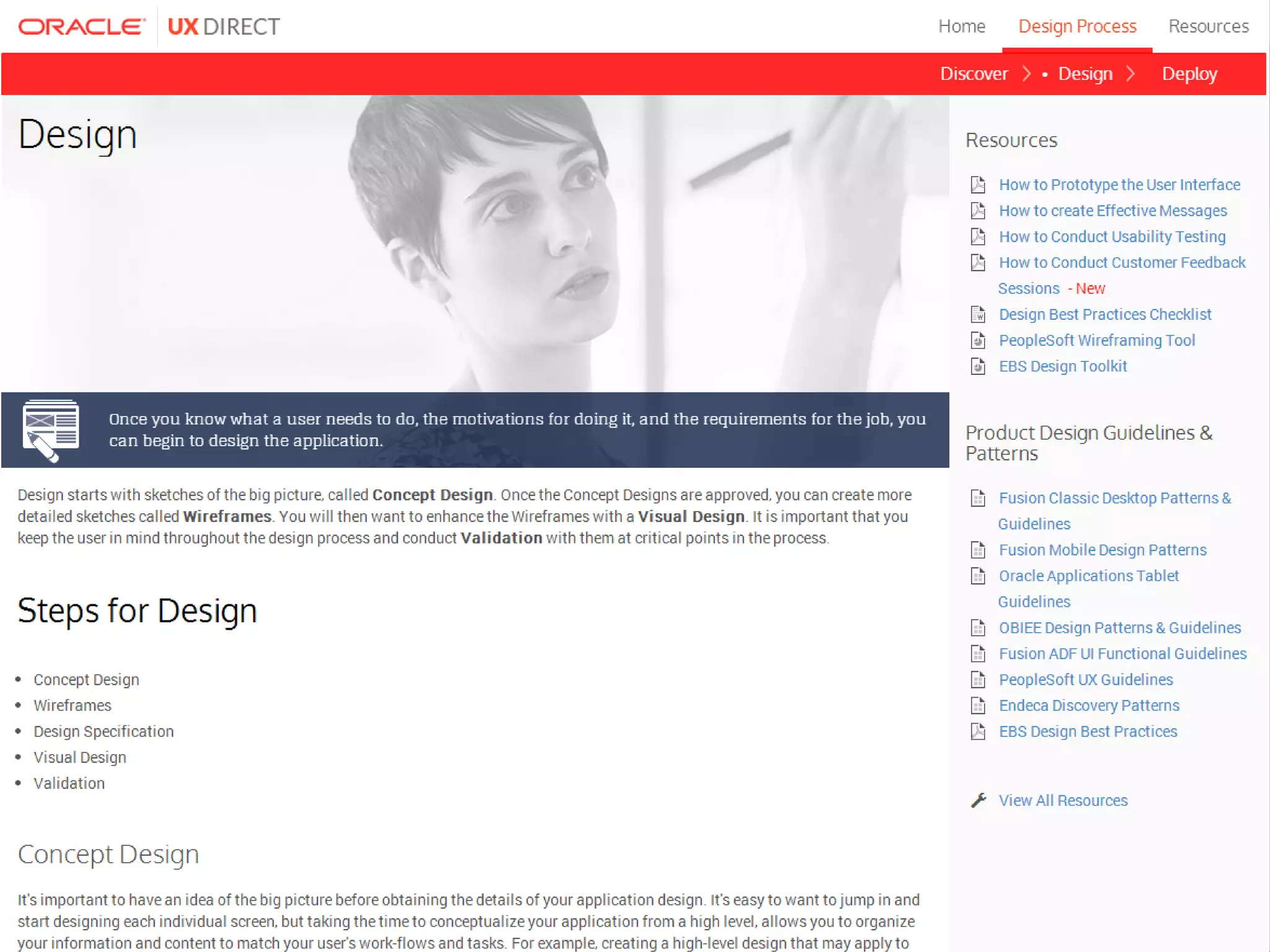
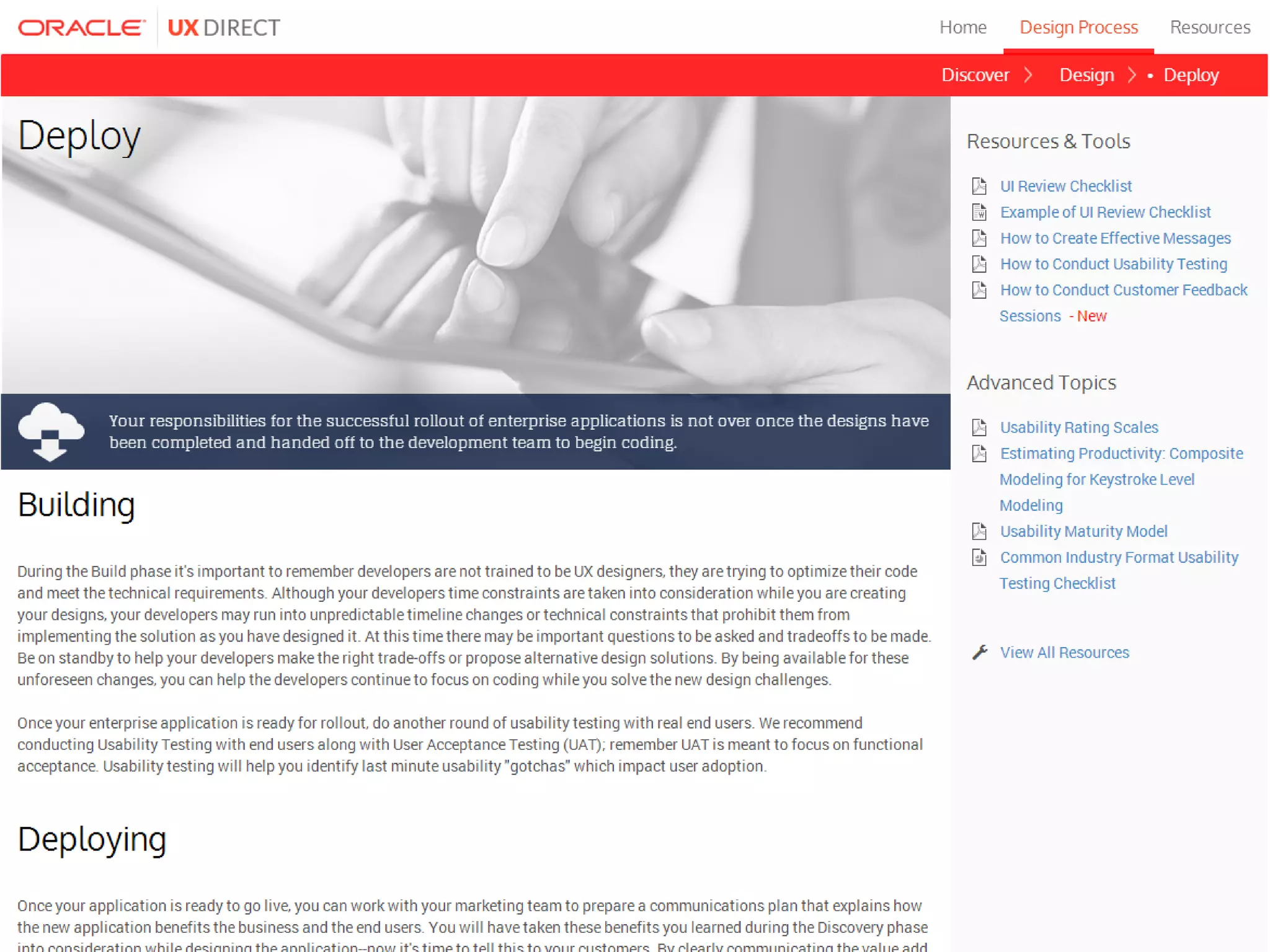
UX Direct
• UX best-practices
• Templates / Posters / Checklists
• Tools
www.oracle.com/uxdirect
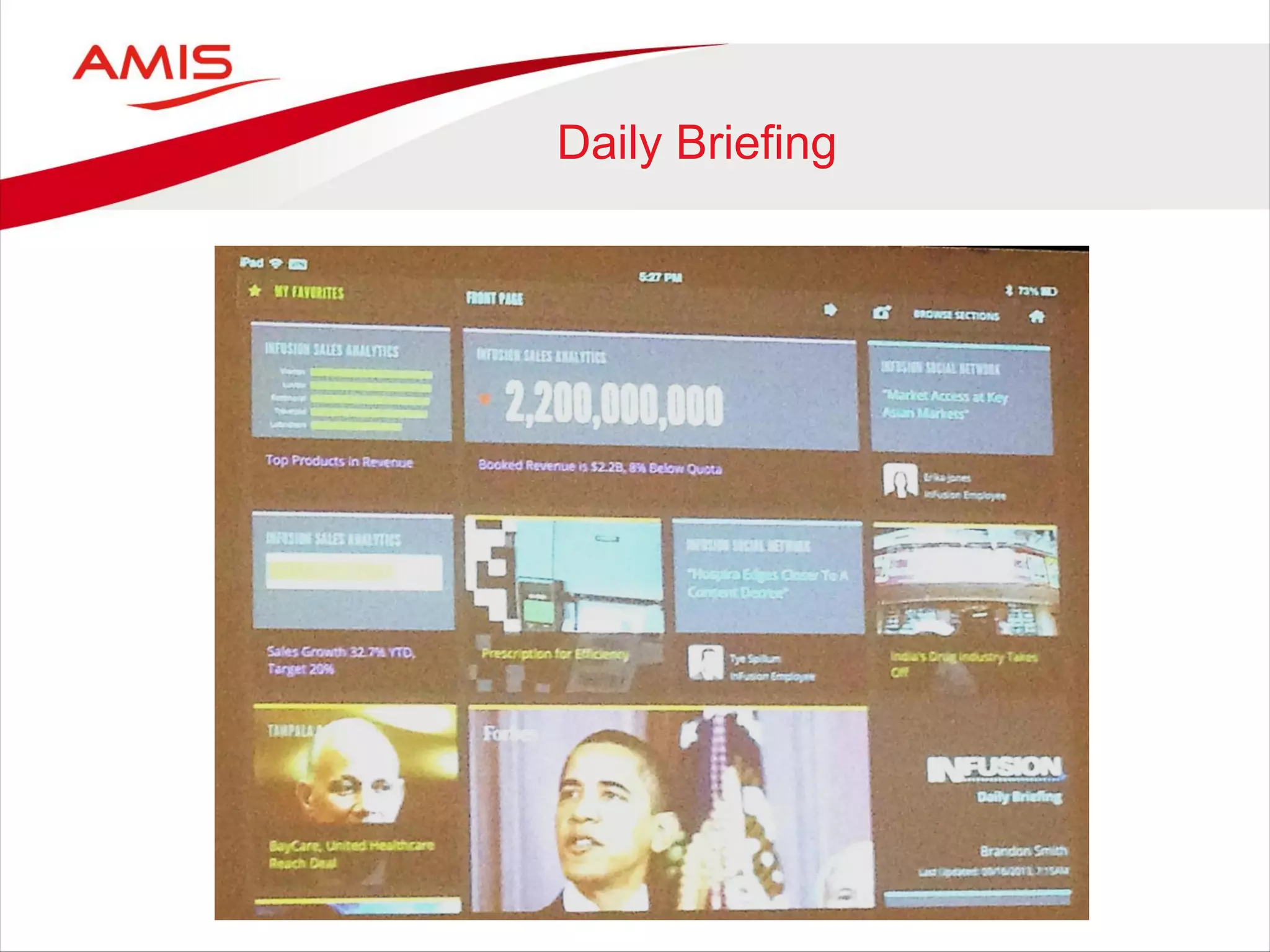
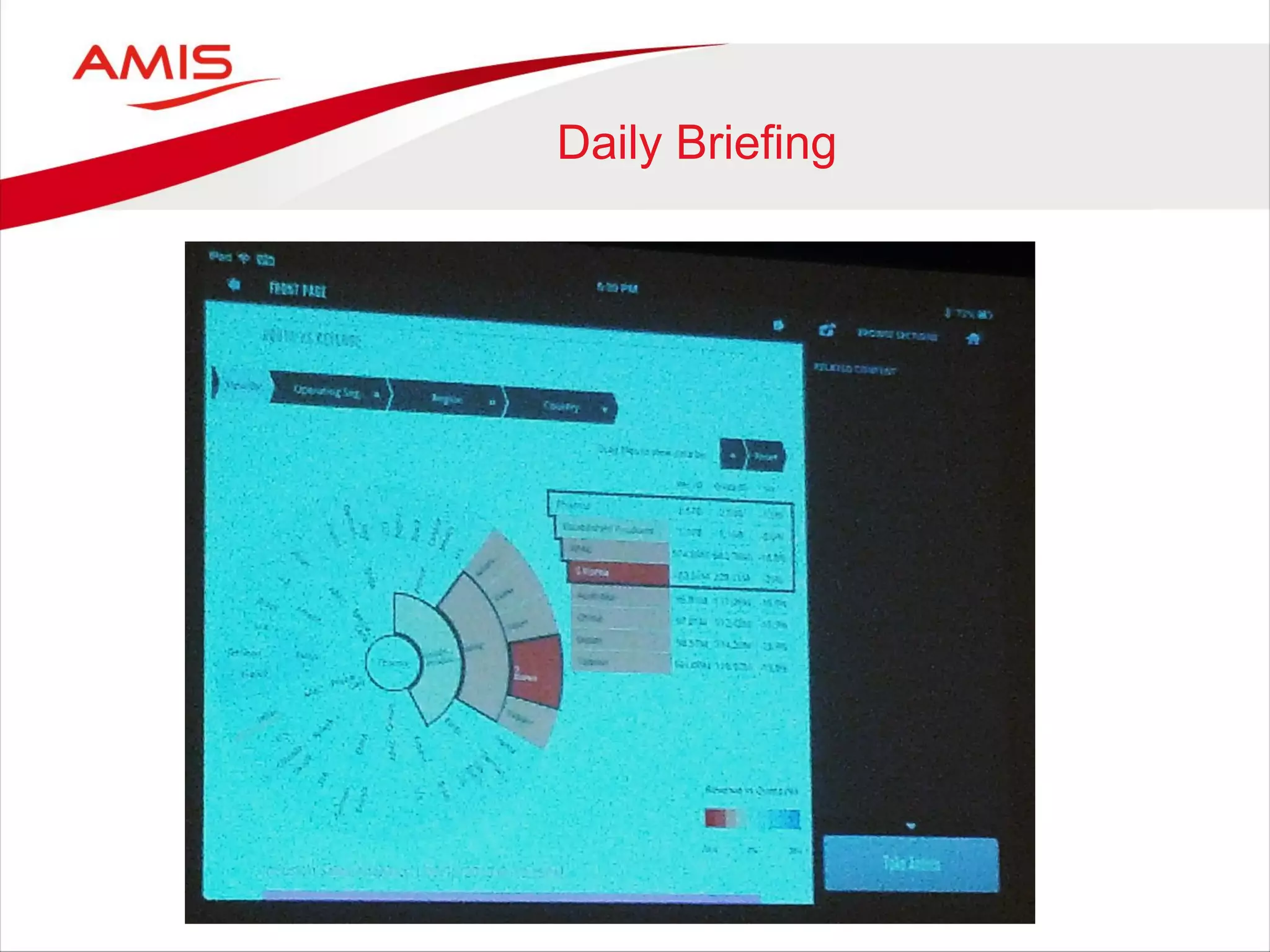
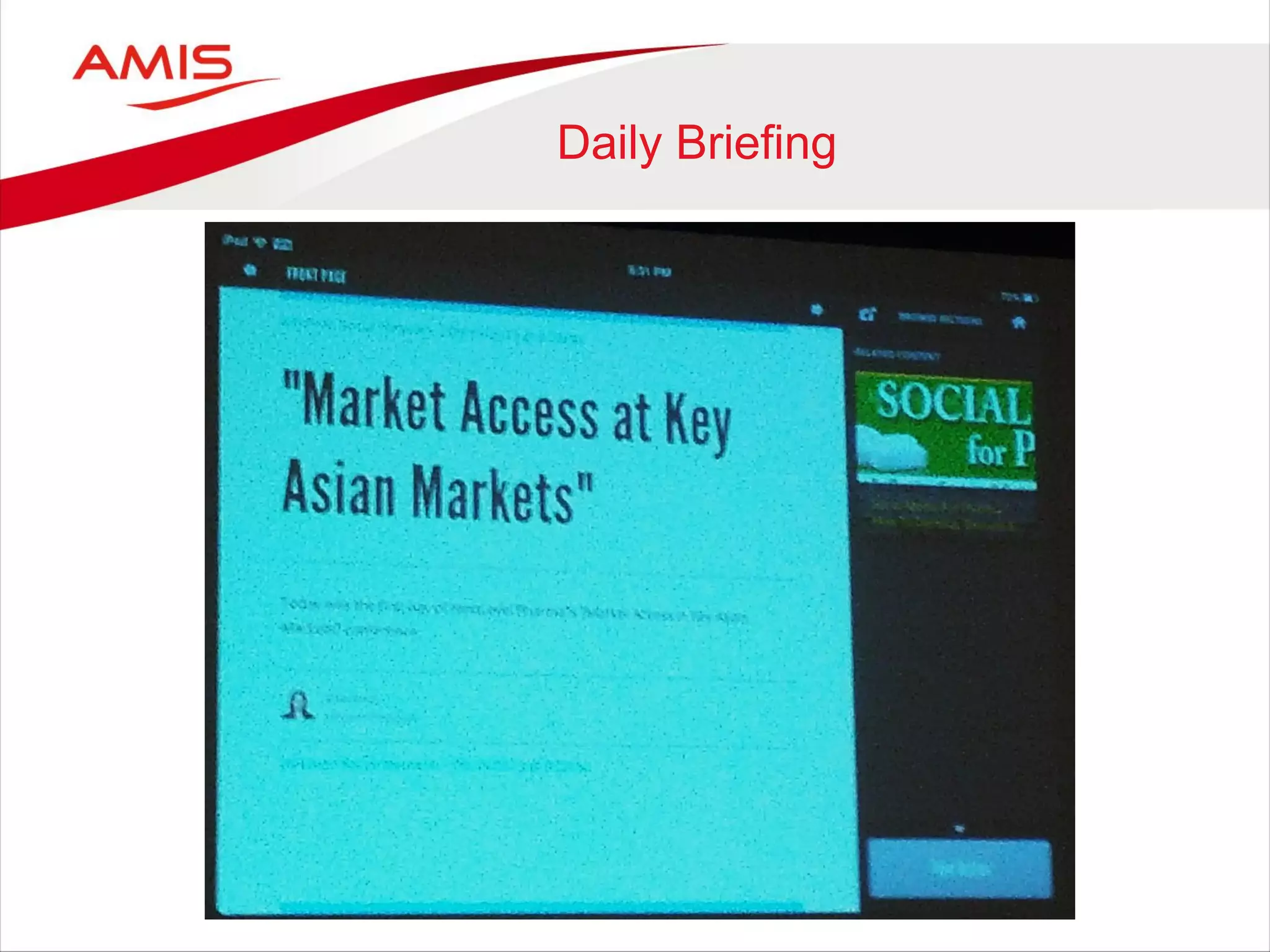
Daily Briefing
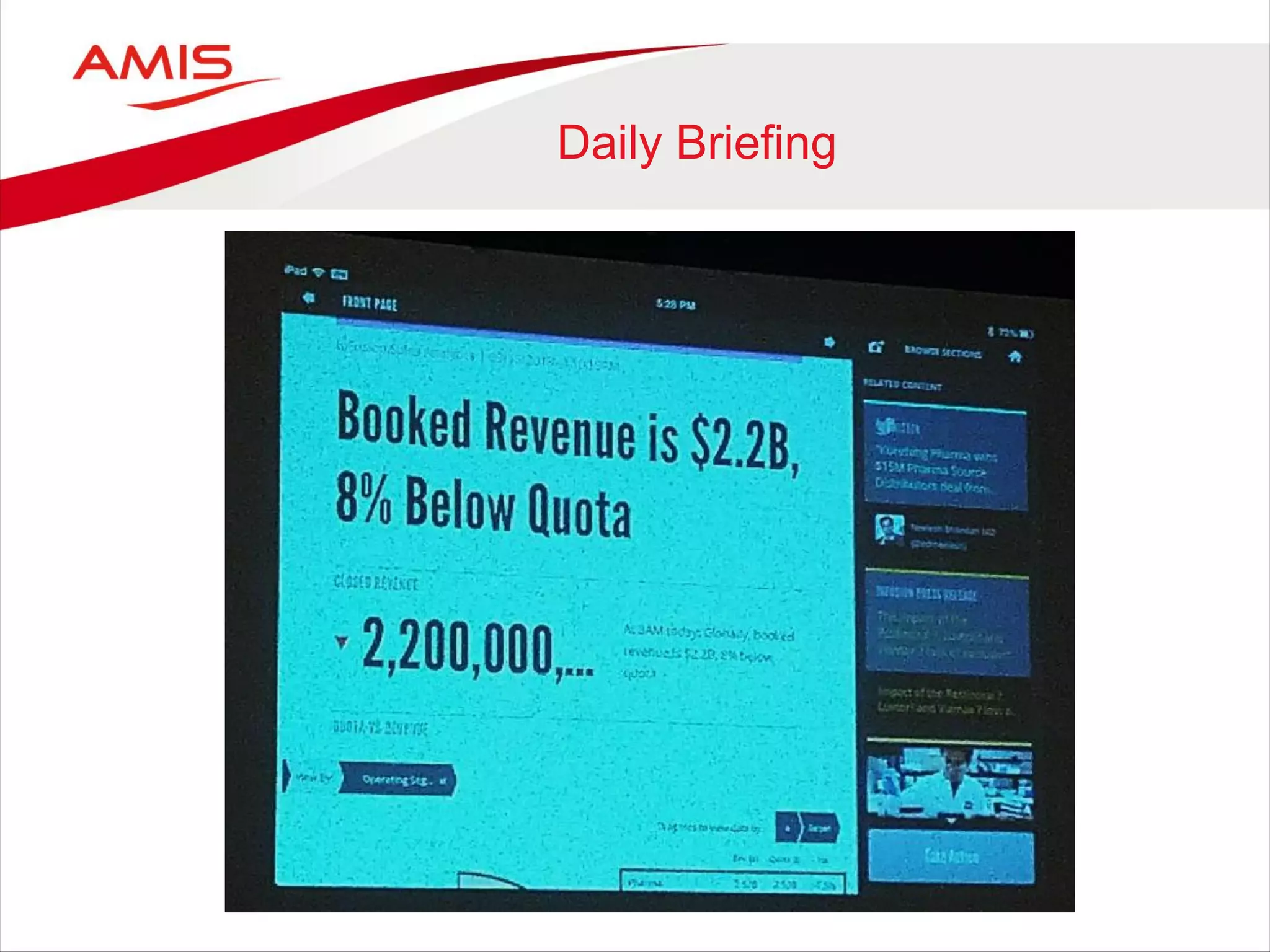
Daily Briefing
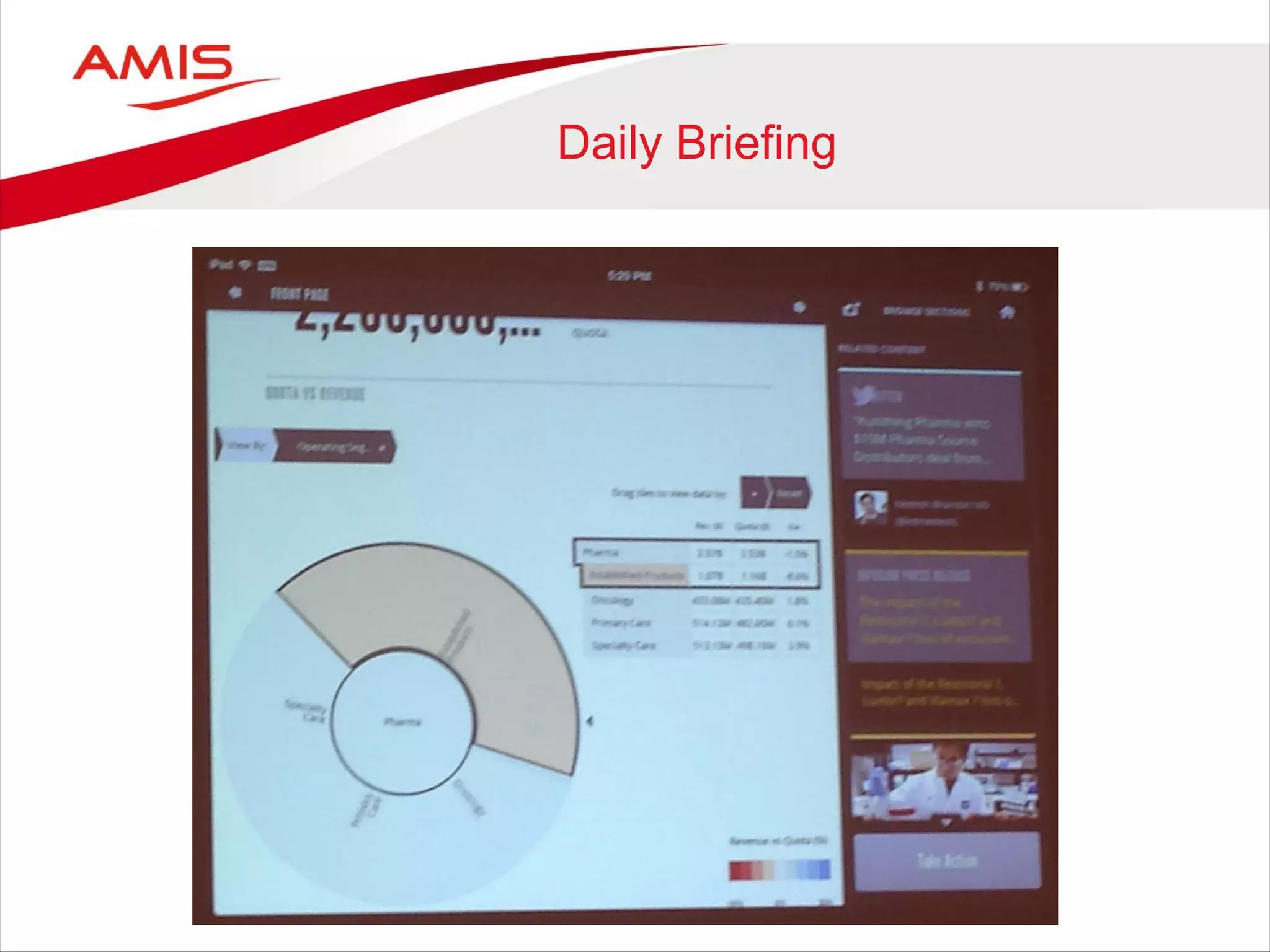
Daily Briefing
Daily Briefing
Daily Briefing
Other experiments
• Board & HCM eBooks
• Oracle Voice
• Oracle Capture
• Oracle Mobilytics
• Infographics
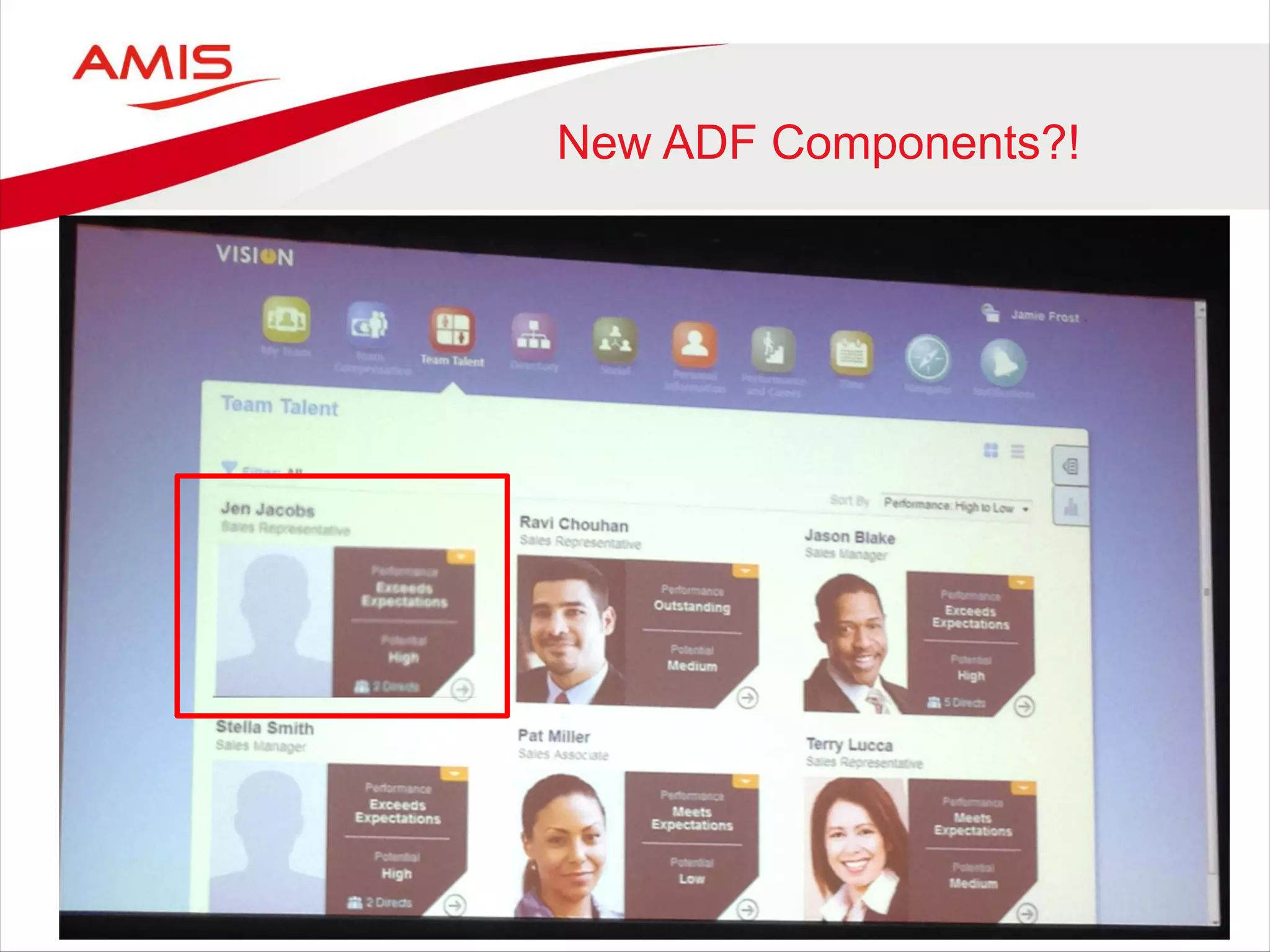
New ADF Components?!
ADF
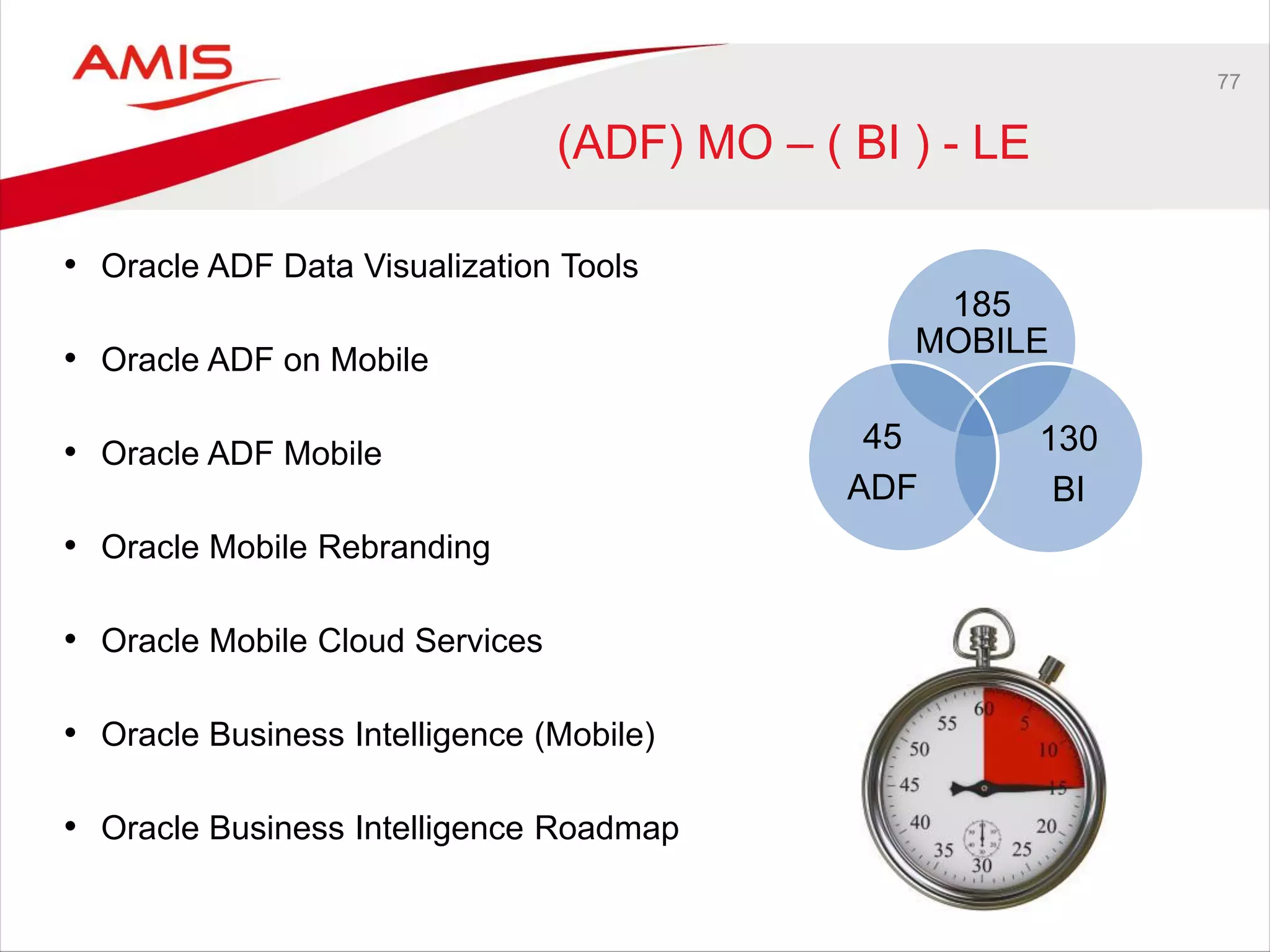
77
(ADF) MO – ( BI ) - LE
• Oracle ADF Data Visualization Tools
• Oracle ADF on Mobile
• Oracle ADF Mobile
• Oracle Mobile Rebranding
• Oracle Mobile Cloud Services
• Oracle Business Intelligence (Mobile)
• Oracle Business Intelligence Roadmap
185
MOBILE
130
BI
45
ADF
78
ADF Data Visualization Tools
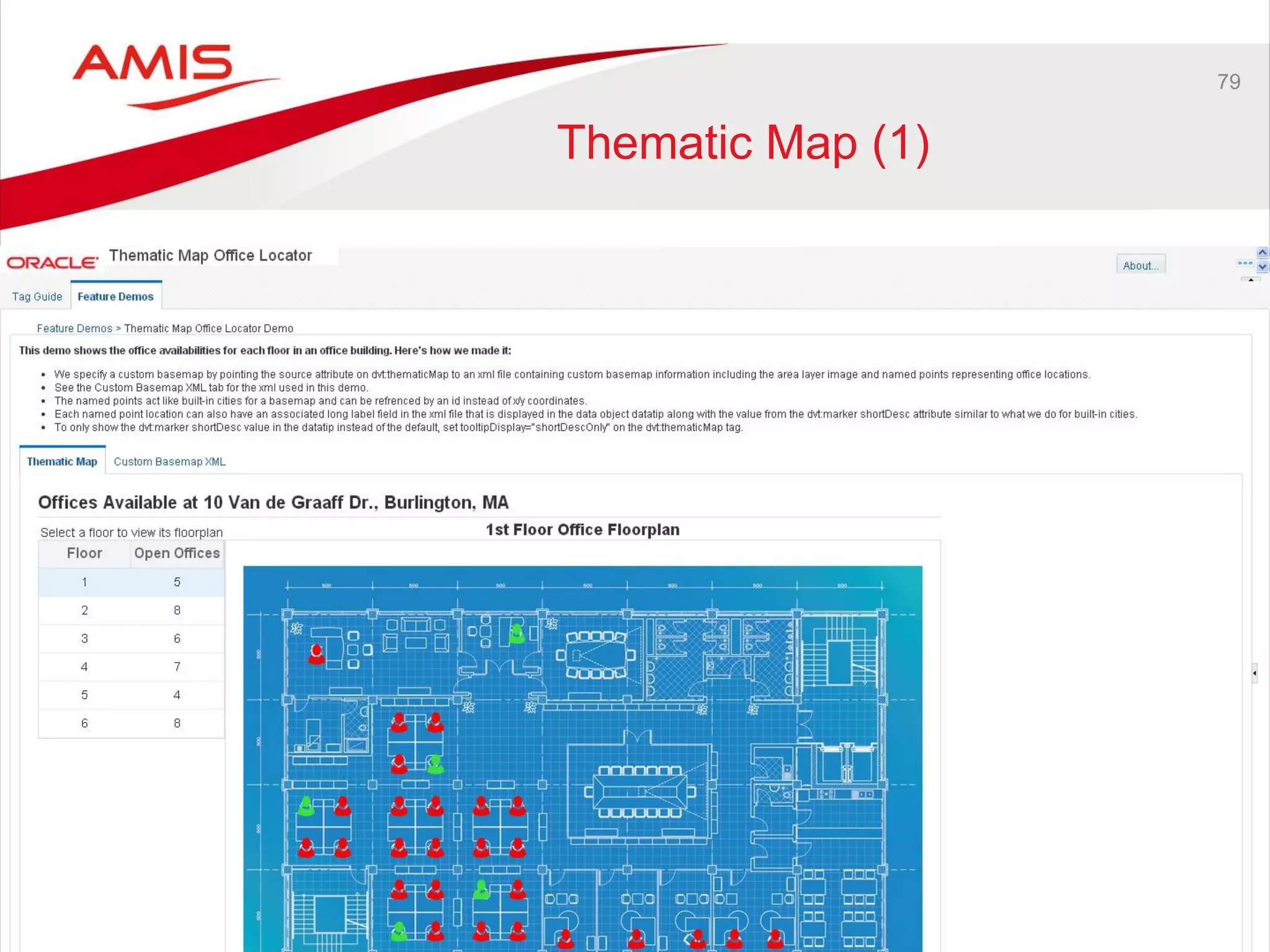
79
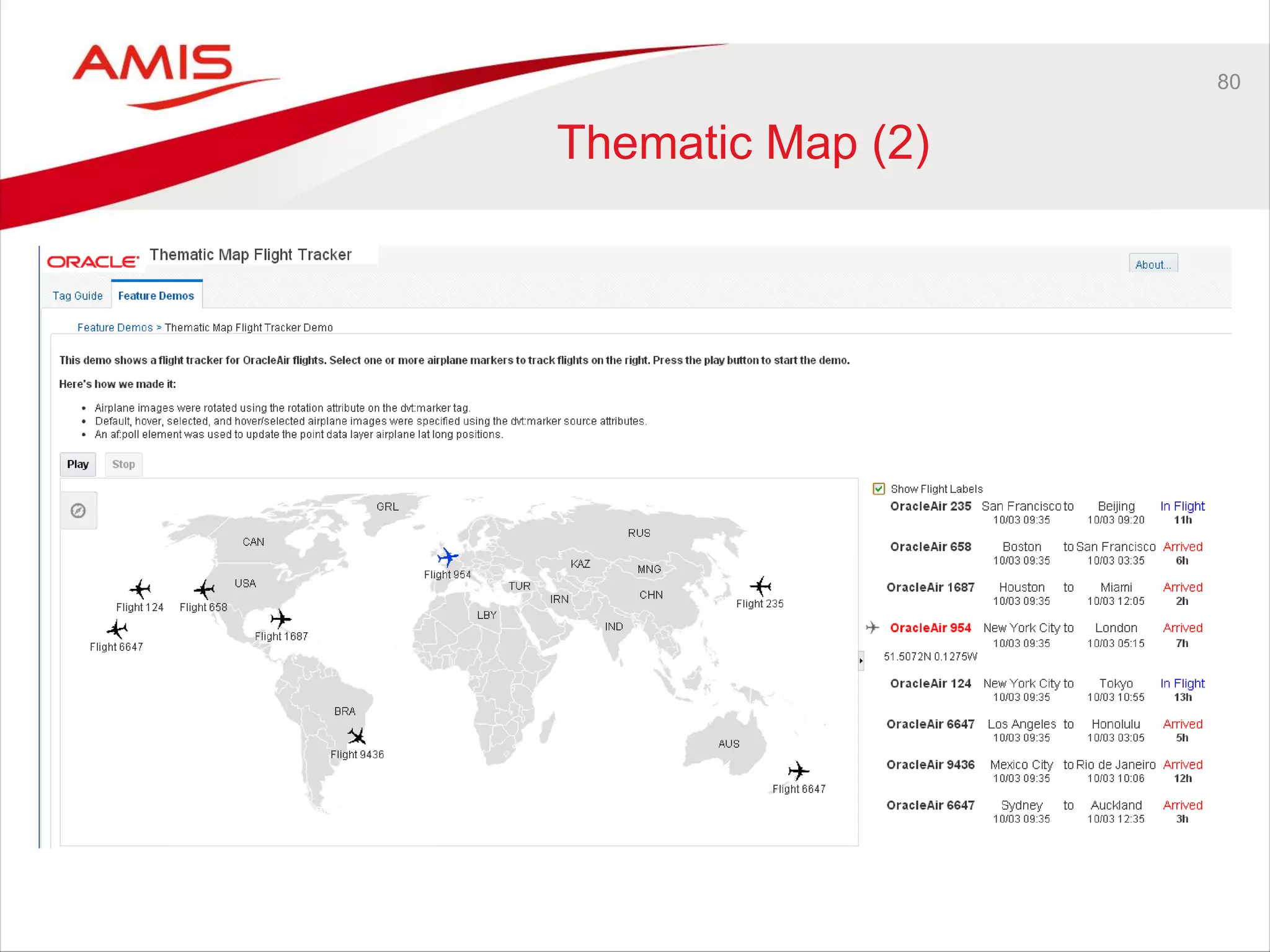
Thematic Map (1)
80
Thematic Map (2)
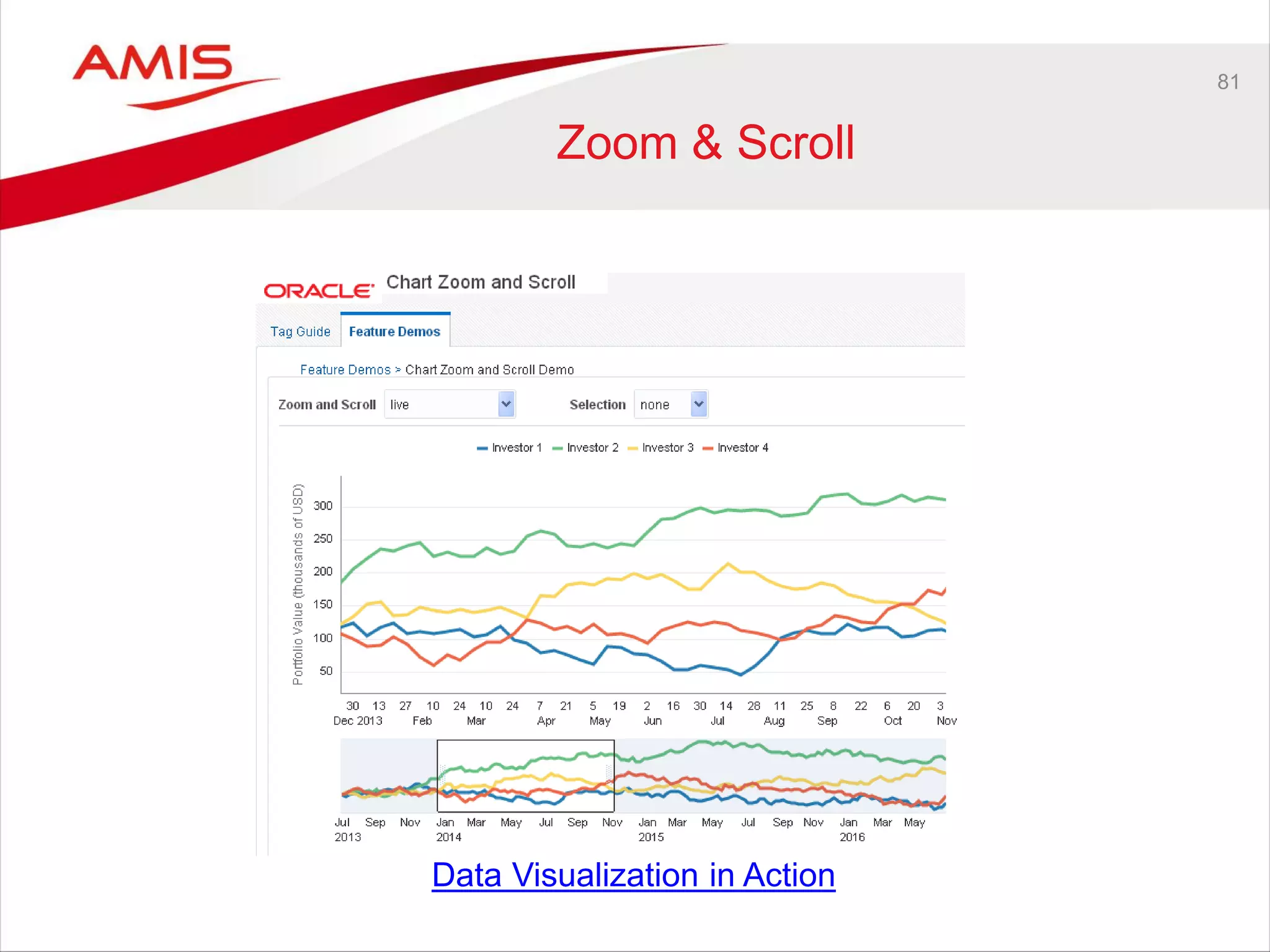
81
Zoom & Scroll
Data Visualization in Action
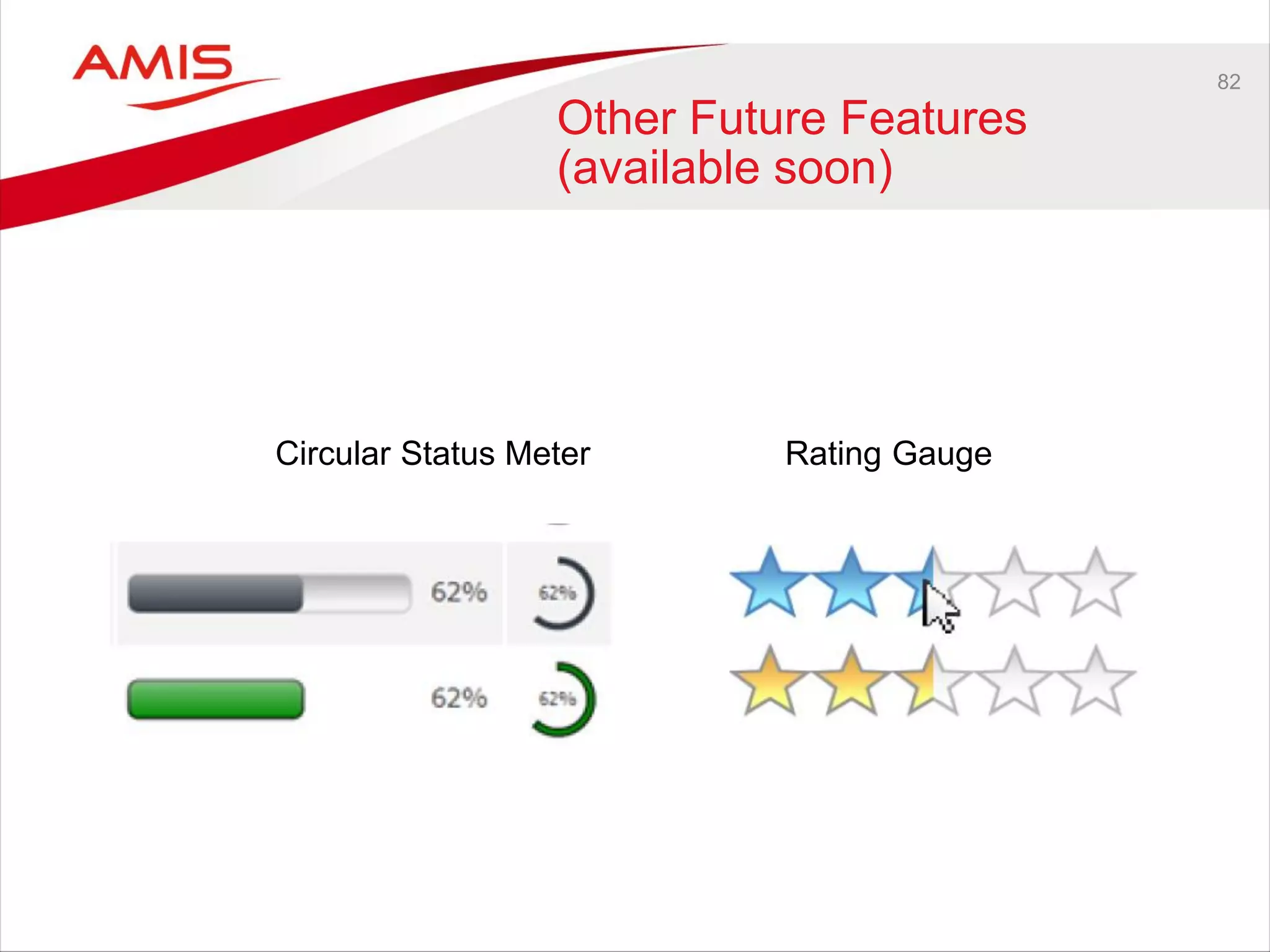
82
Other Future Features
(available soon)
Circular Status Meter Rating Gauge
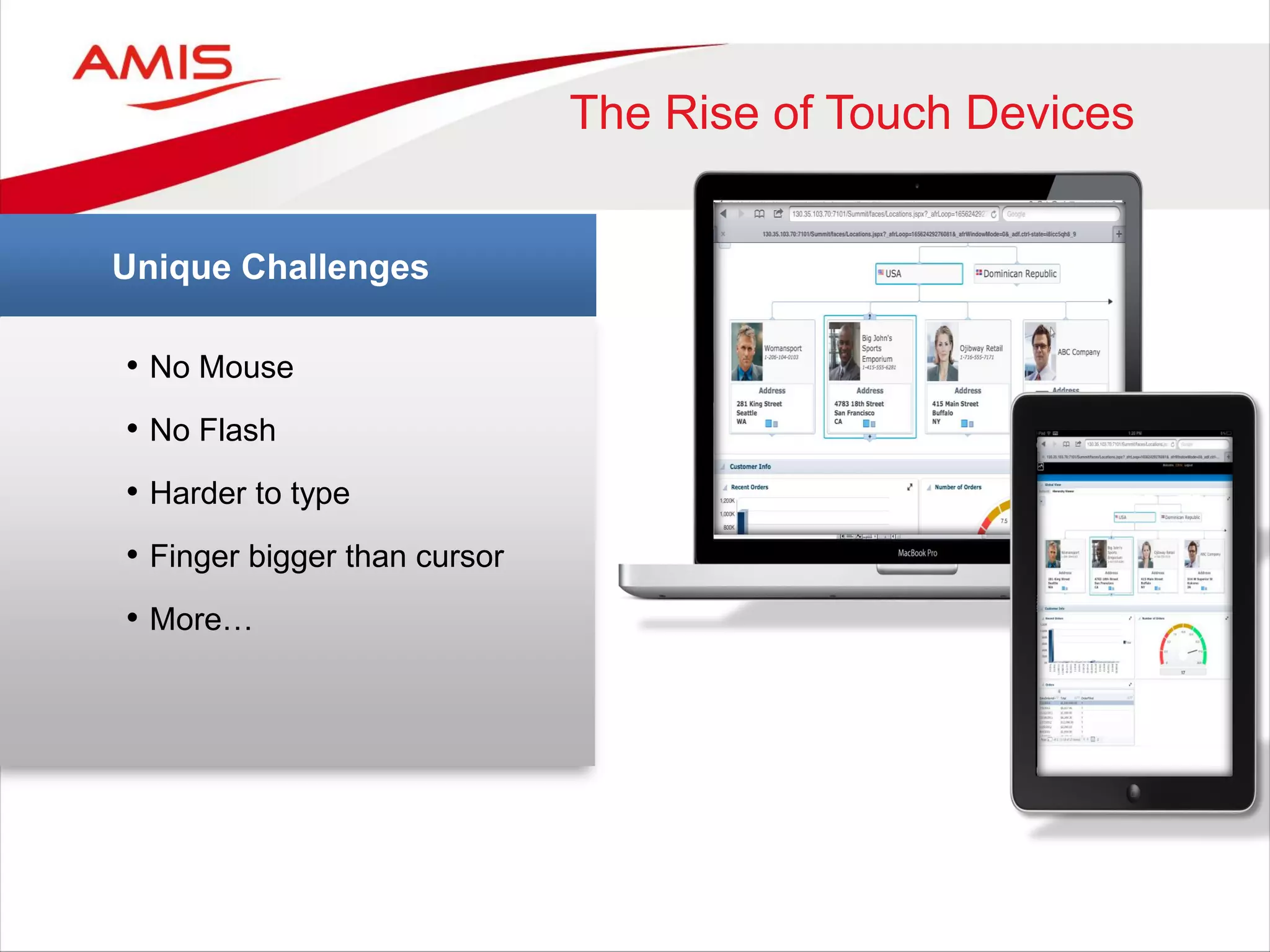
• No Mouse
• No Flash
• Harder to type
• Finger bigger than cursor
• More…
Unique Challenges
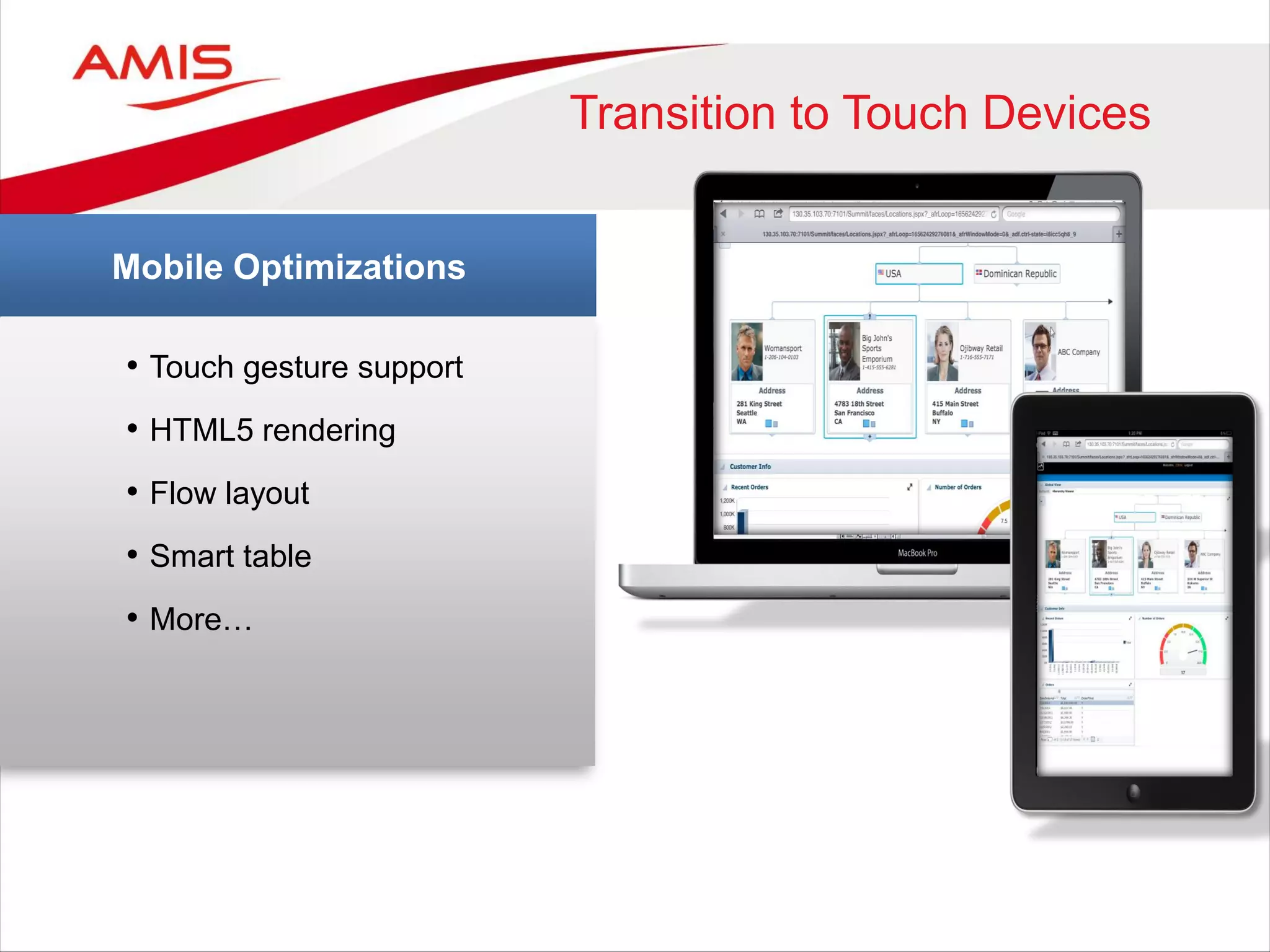
The Rise of Touch Devices
• Touch gesture support
• HTML5 rendering
• Flow layout
• Smart table
• More…
Mobile Optimizations
Transition to Touch Devices
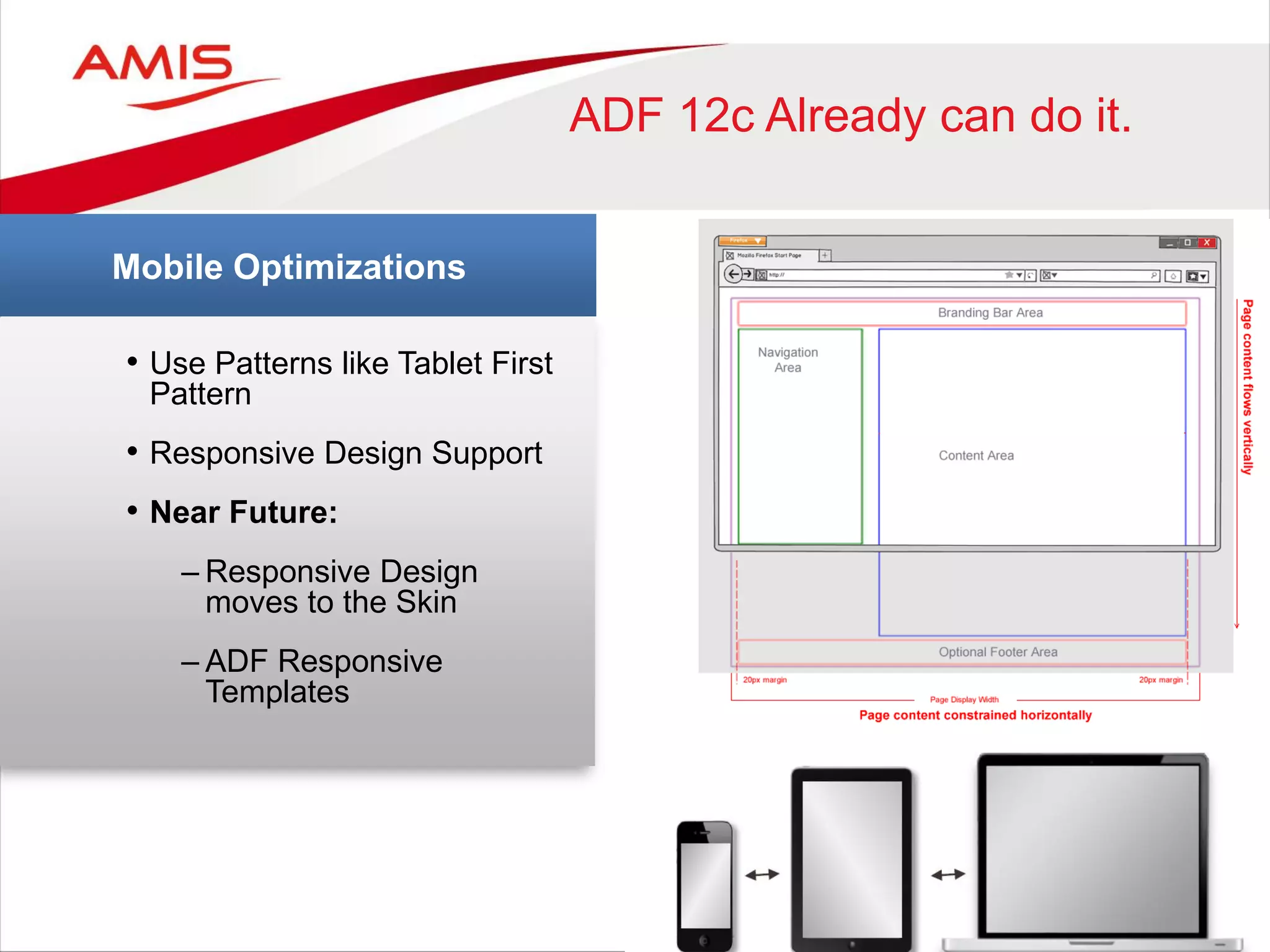
• Use Patterns like Tablet First
Pattern
• Responsive Design Support
• Near Future:
– Responsive Design
moves to the Skin
– ADF Responsive
Templates
Mobile Optimizations
ADF 12c Already can do it.
86
ADF Mobile
87
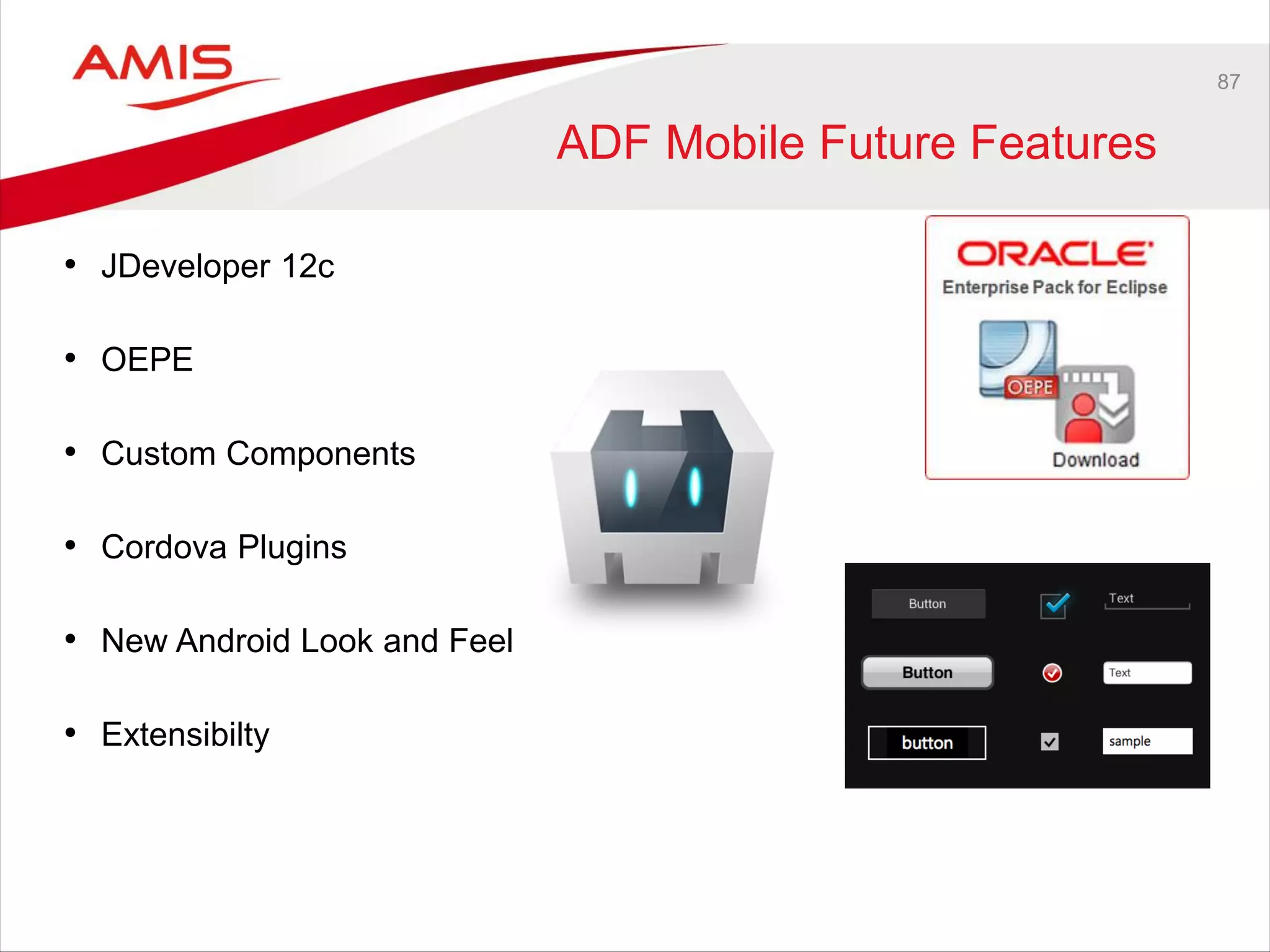
ADF Mobile Future Features
• JDeveloper 12c
• OEPE
• Custom Components
• Cordova Plugins
• New Android Look and Feel
• Extensibilty
88
Oracle ADF Mobile Rebranding
89
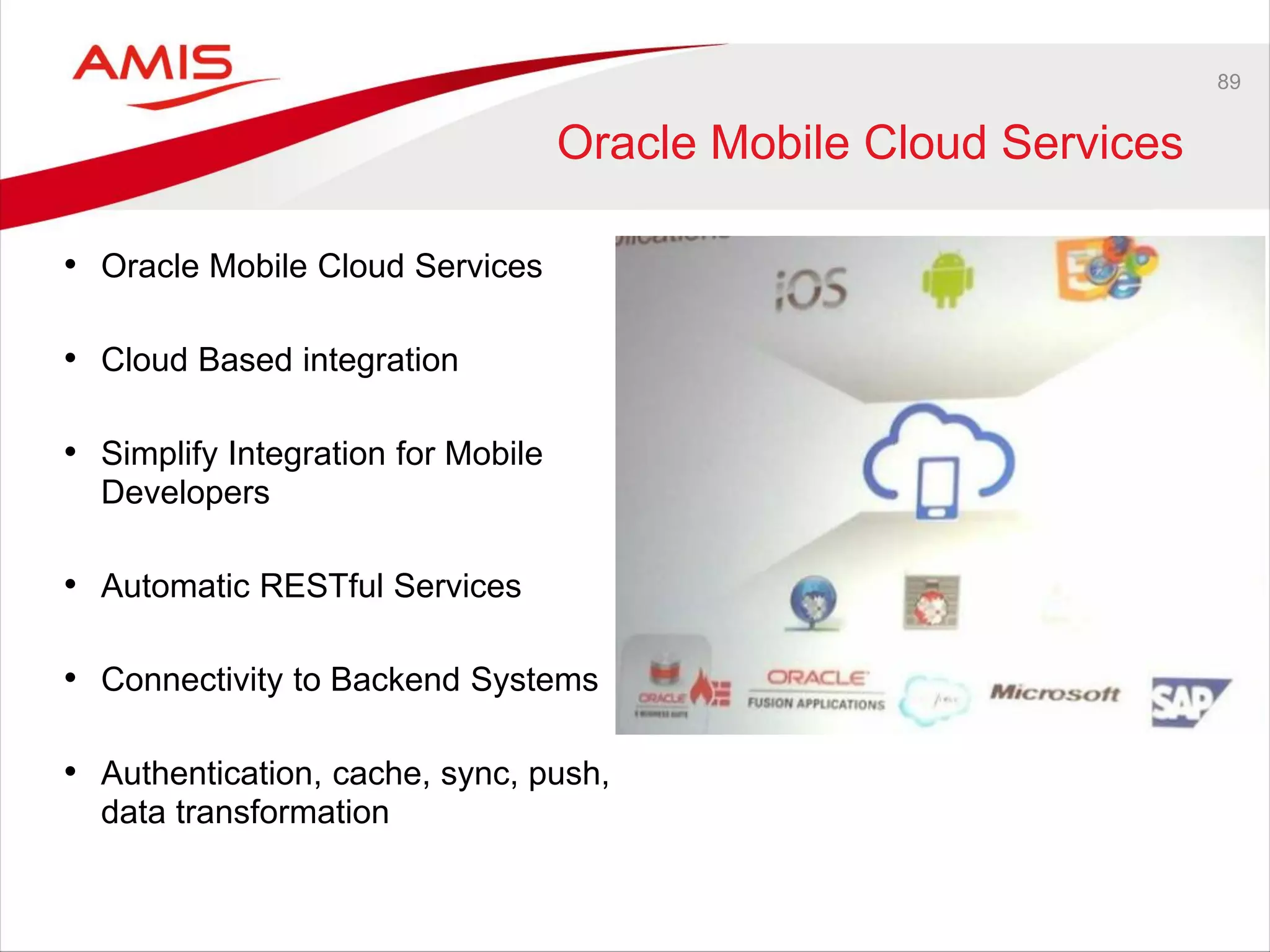
Oracle Mobile Cloud Services
• Oracle Mobile Cloud Services
• Cloud Based integration
• Simplify Integration for Mobile
Developers
• Automatic RESTful Services
• Connectivity to Backend Systems
• Authentication, cache, sync, push,
data transformation
90
Oracle Business Intelligence
(Mobile)
91
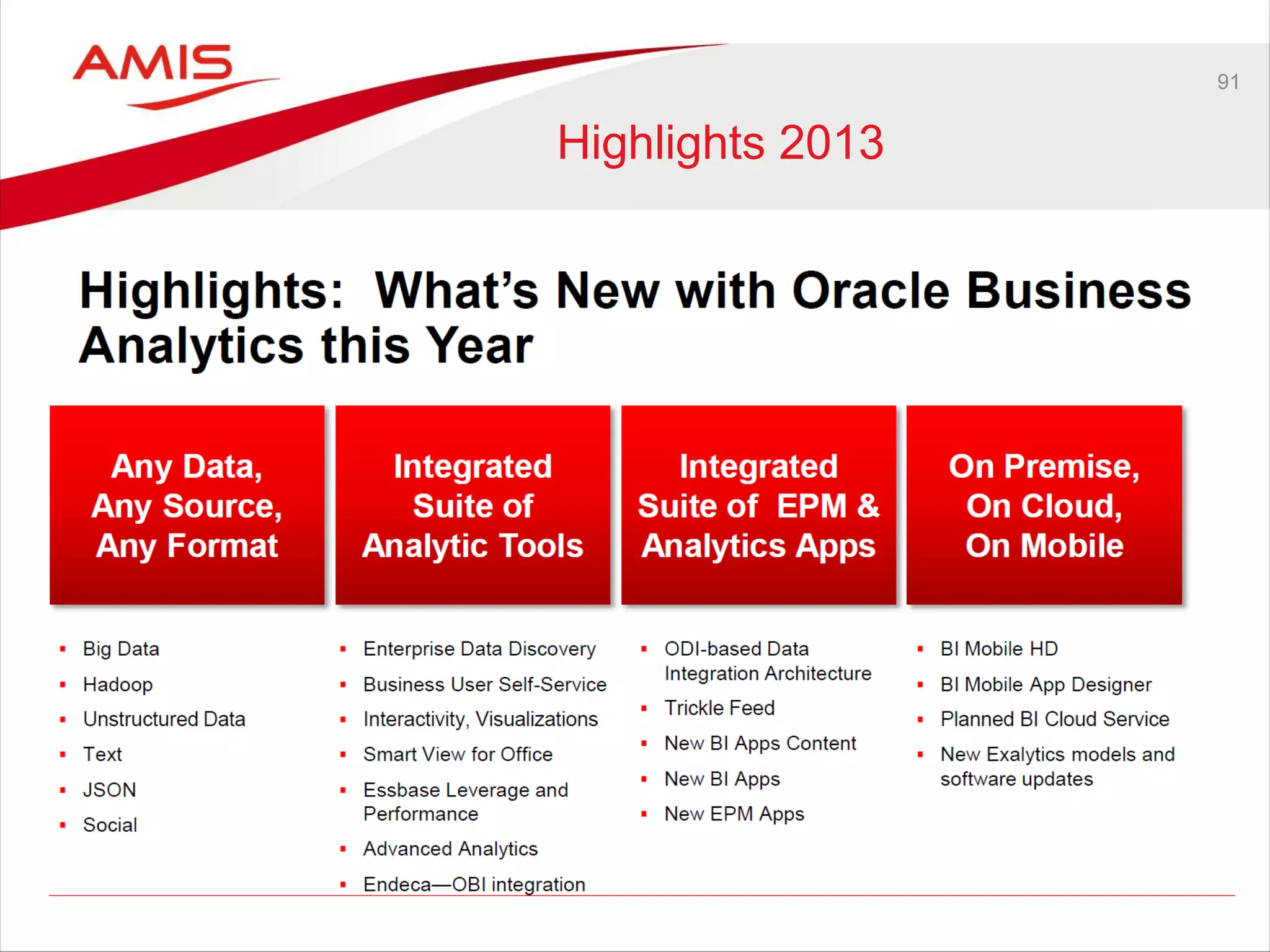
Highlights 2013
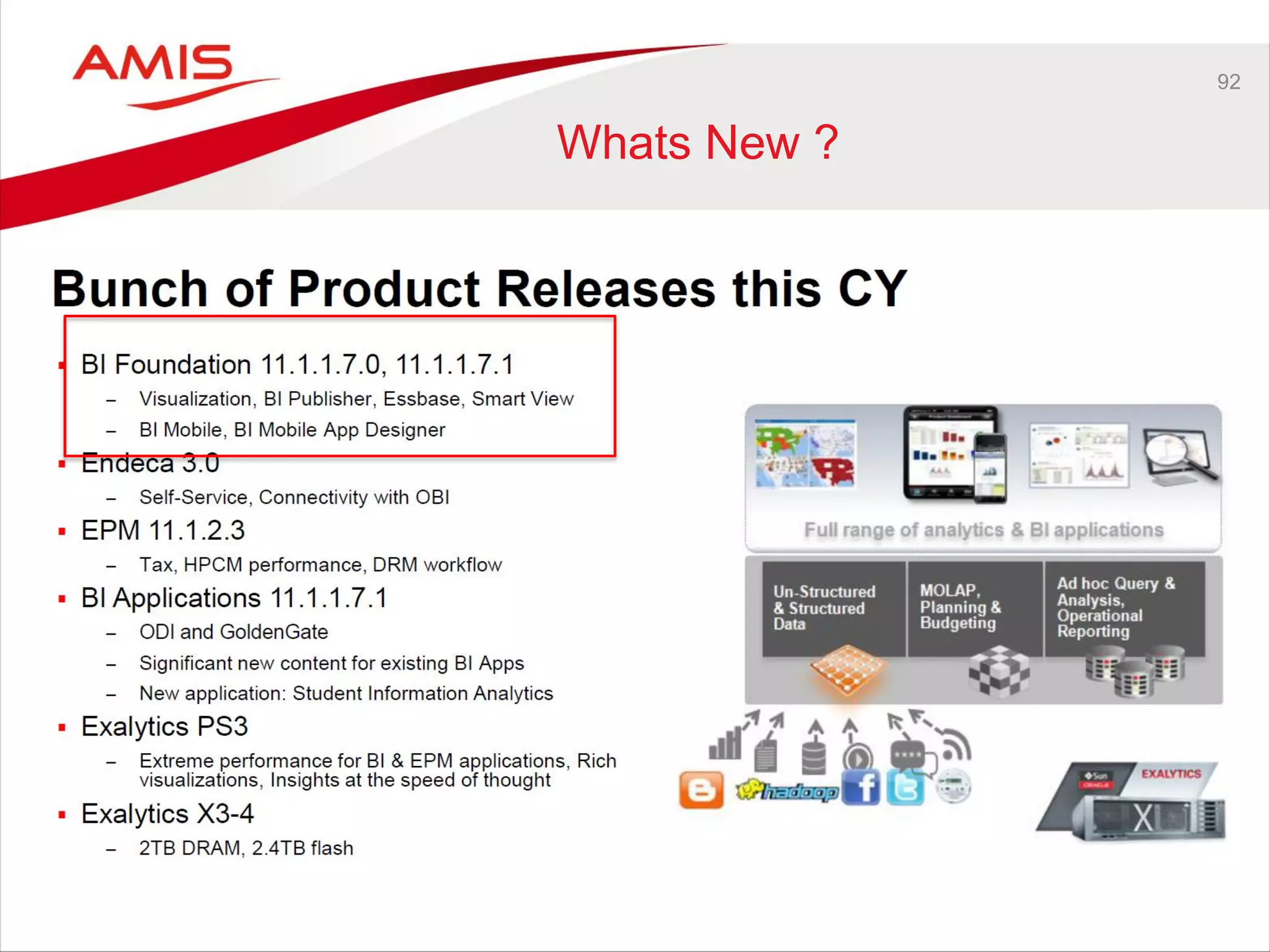
92
Whats New ?
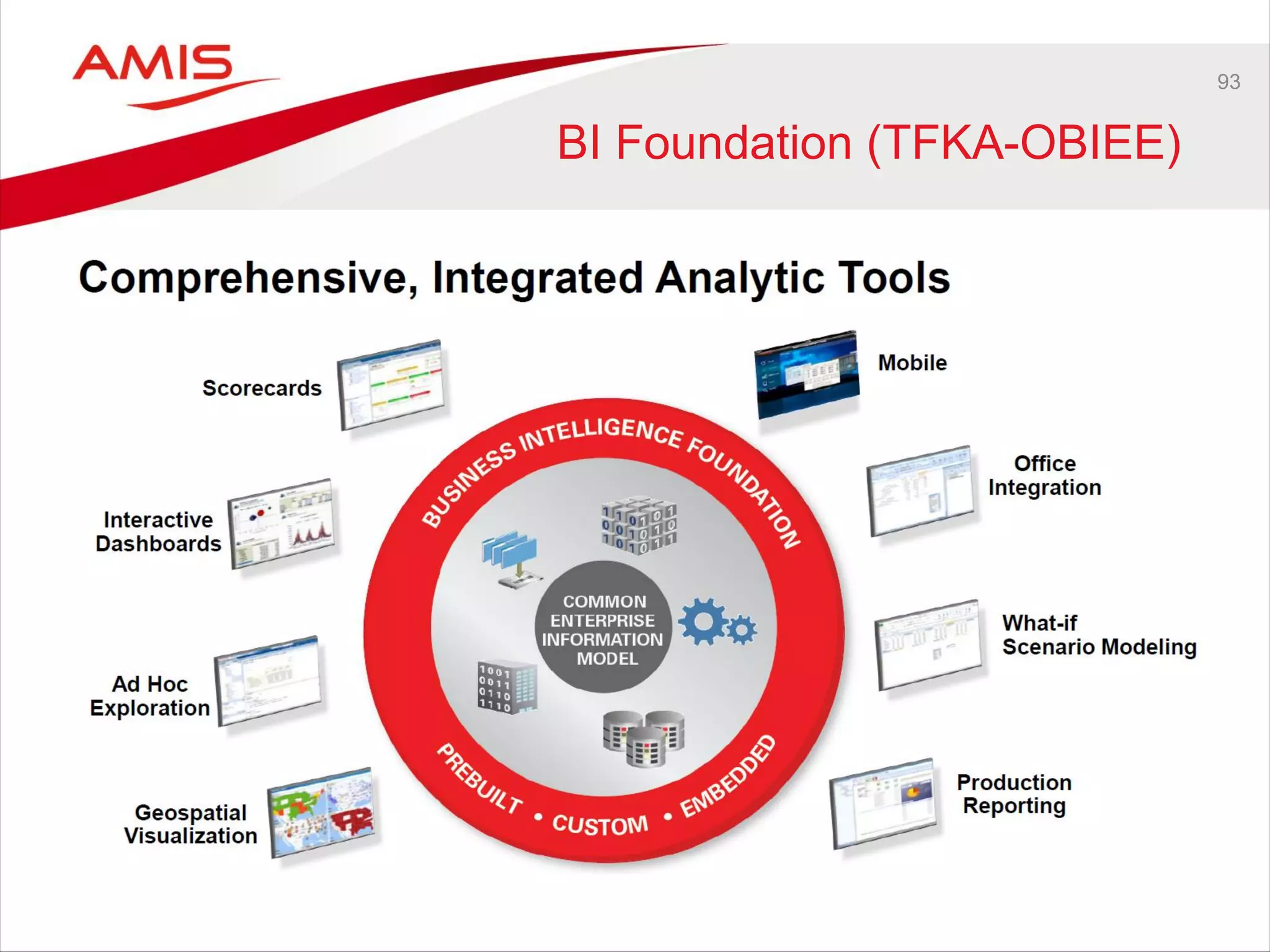
93
BI Foundation (TFKA-OBIEE)
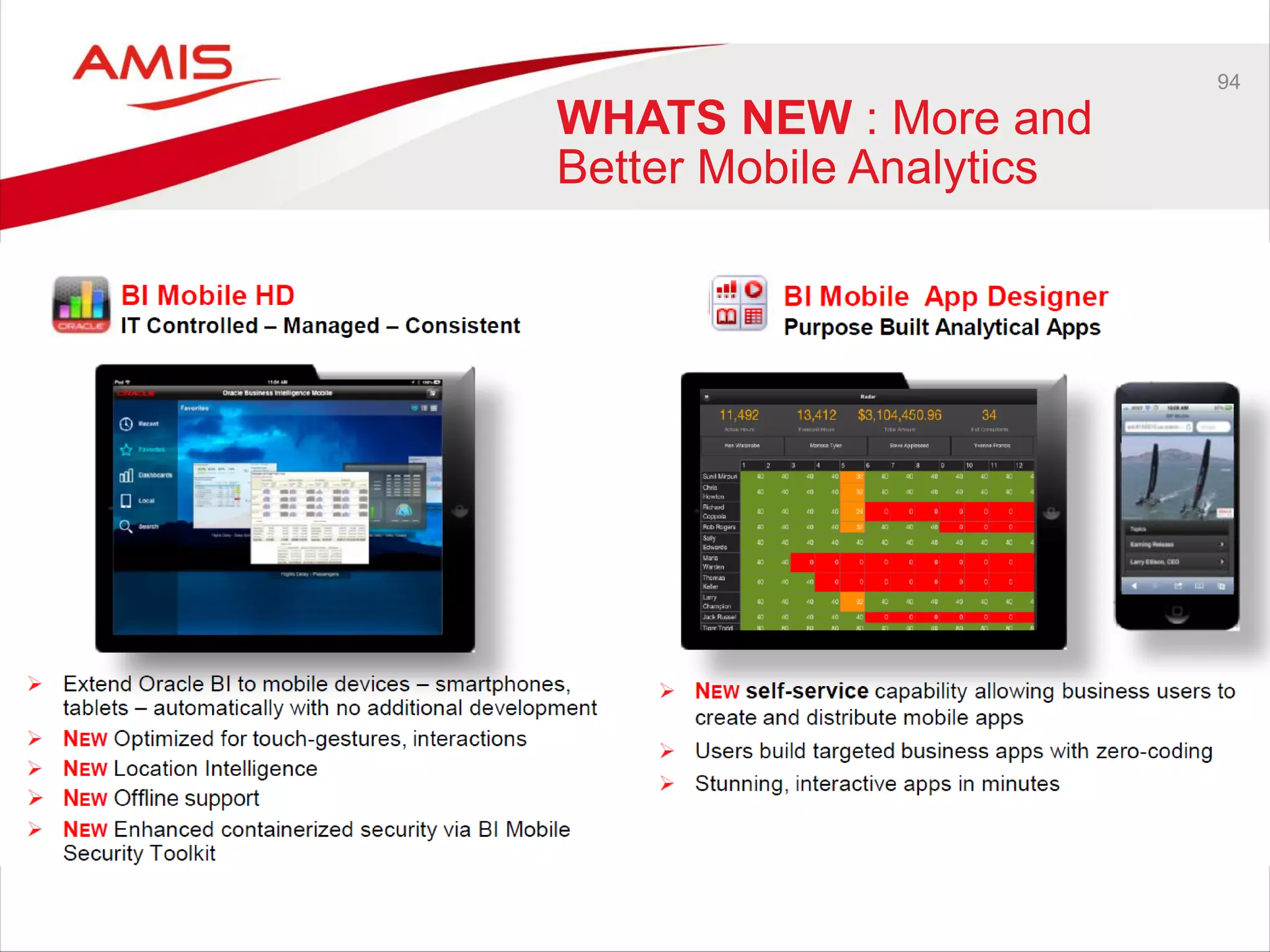
94
WHATS NEW : More and
Better Mobile Analytics
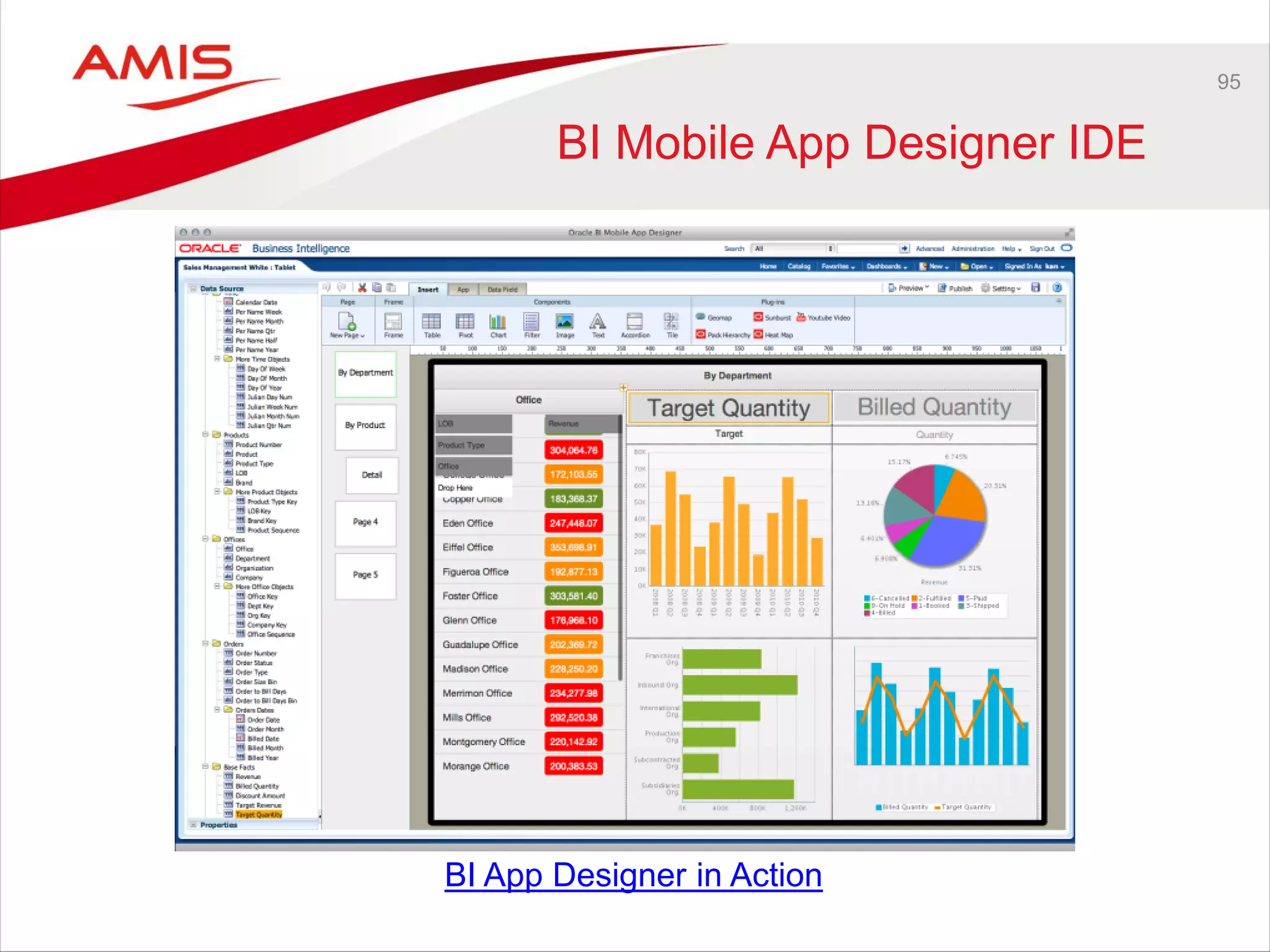
95
BI Mobile App Designer IDE
BI App Designer in Action
96
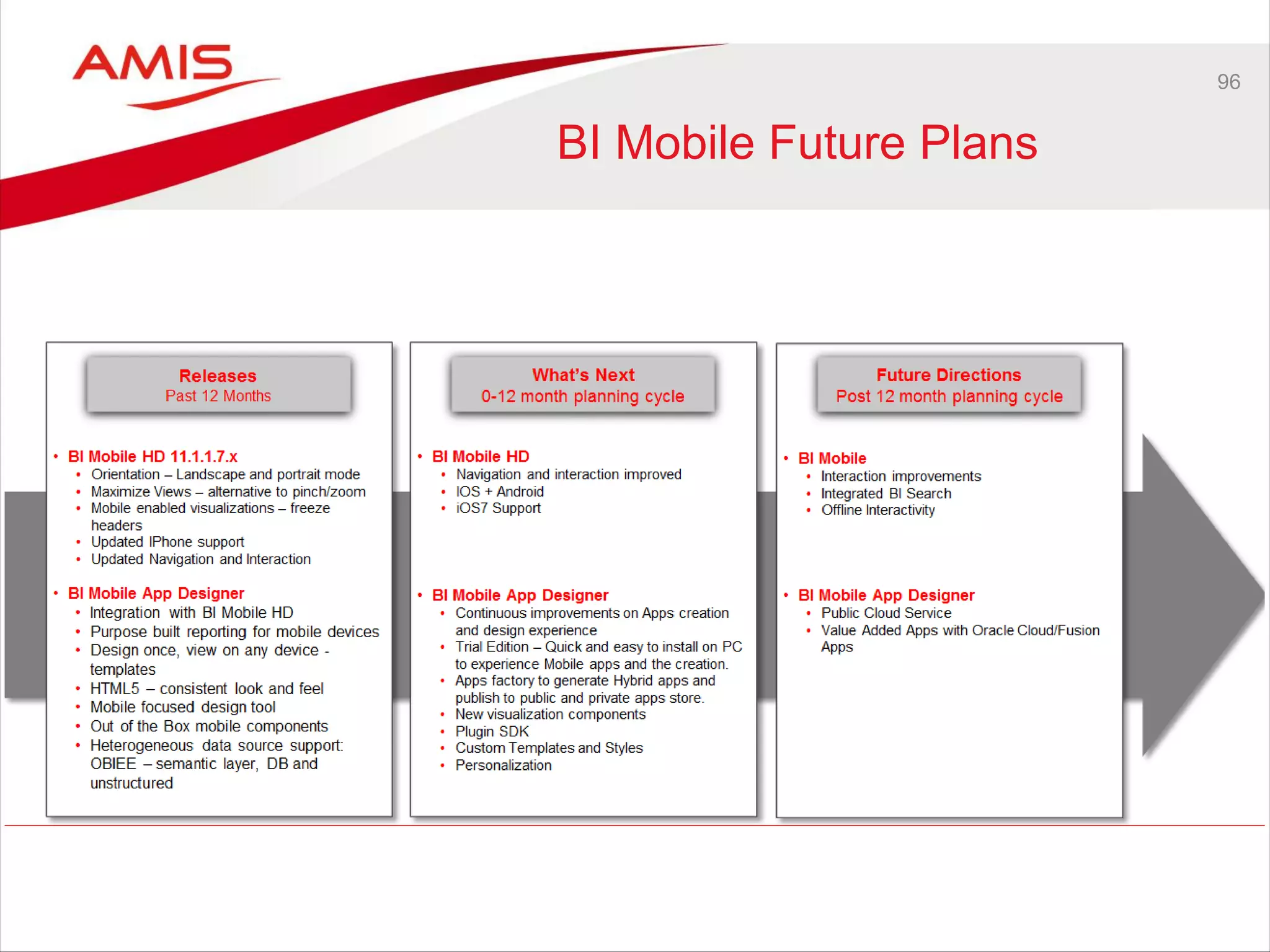
BI Mobile Future Plans
97
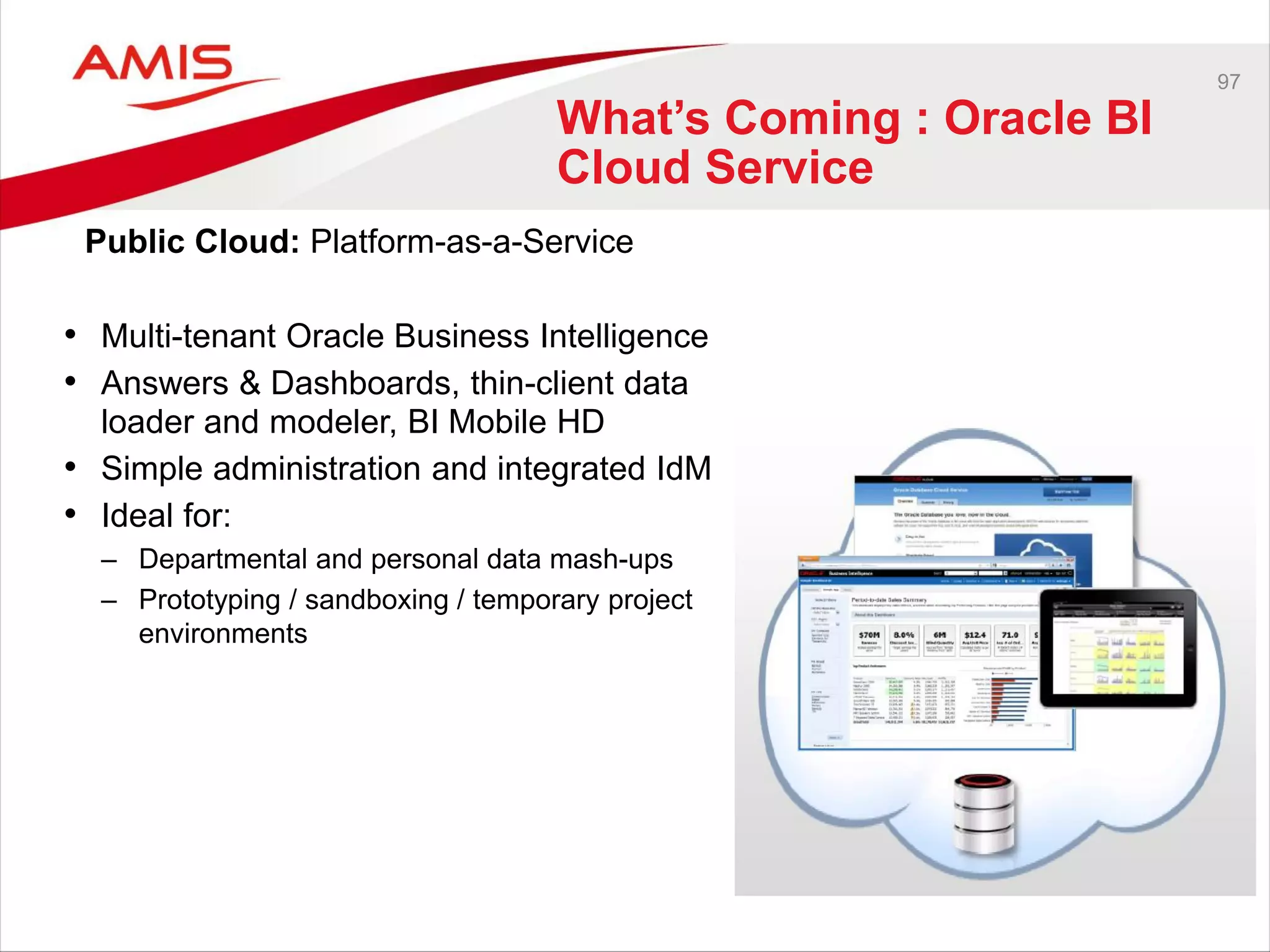
What’s Coming : Oracle BI
Cloud Service
• Multi-tenant Oracle Business Intelligence
• Answers & Dashboards, thin-client data
loader and modeler, BI Mobile HD
• Simple administration and integrated IdM
• Ideal for:
– Departmental and personal data mash-ups
– Prototyping / sandboxing / temporary project
environments
Public Cloud: Platform-as-a-Service
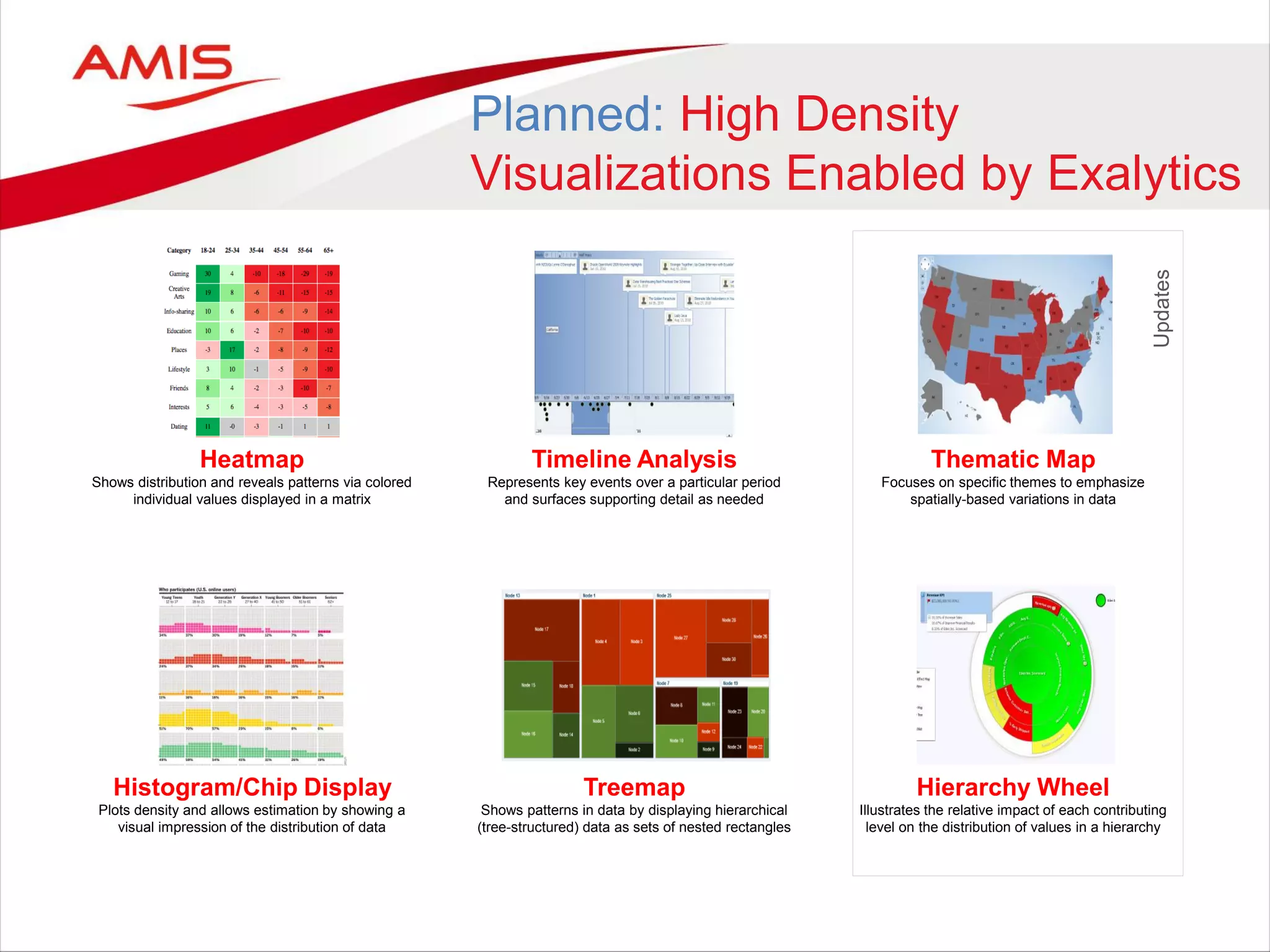
Timeline Analysis
Represents key events over a particular period
and surfaces supporting detail as needed
Treemap
Shows patterns in data by displaying hierarchical
(tree-structured) data as sets of nested rectangles
Thematic Map
Focuses on specific themes to emphasize
spatially-based variations in data
Hierarchy Wheel
Illustrates the relative impact of each contributing
level on the distribution of values in a hierarchy
Updates
Heatmap
Shows distribution and reveals patterns via colored
individual values displayed in a matrix
Histogram/Chip Display
Plots density and allows estimation by showing a
visual impression of the distribution of data
Planned: High Density
Visualizations Enabled by Exalytics
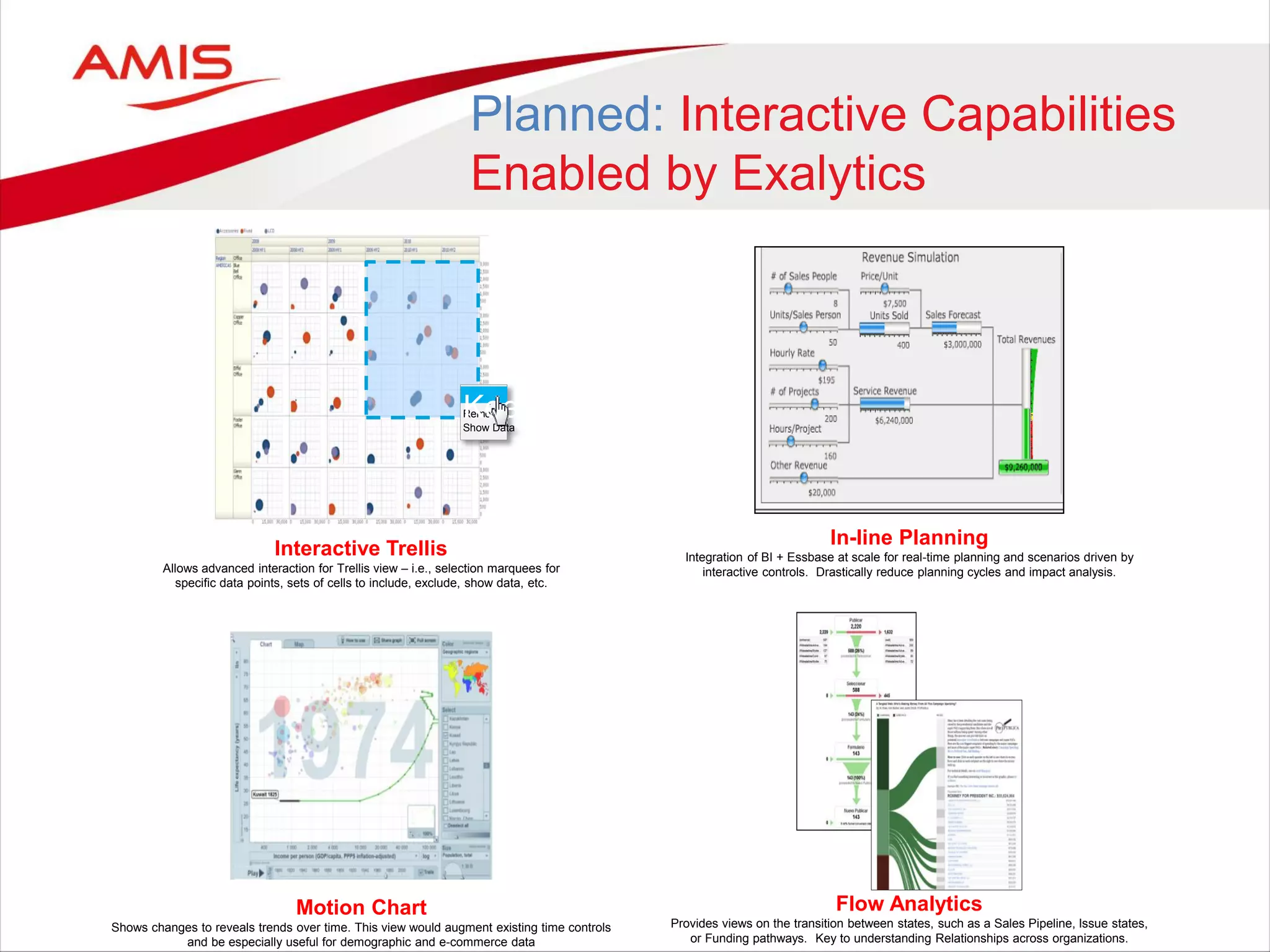
Interactive Trellis
Allows advanced interaction for Trellis view – i.e., selection marquees for
specific data points, sets of cells to include, exclude, show data, etc.
Motion Chart
Shows changes to reveals trends over time. This view would augment existing time controls
and be especially useful for demographic and e-commerce data
Keep
Remove
Show Data
Keep
In-line Planning
Integration of BI + Essbase at scale for real-time planning and scenarios driven by
interactive controls. Drastically reduce planning cycles and impact analysis.
Flow Analytics
Provides views on the transition between states, such as a Sales Pipeline, Issue states,
or Funding pathways. Key to understanding Relationships across organizations.
Planned: Interactive Capabilities
Enabled by Exalytics
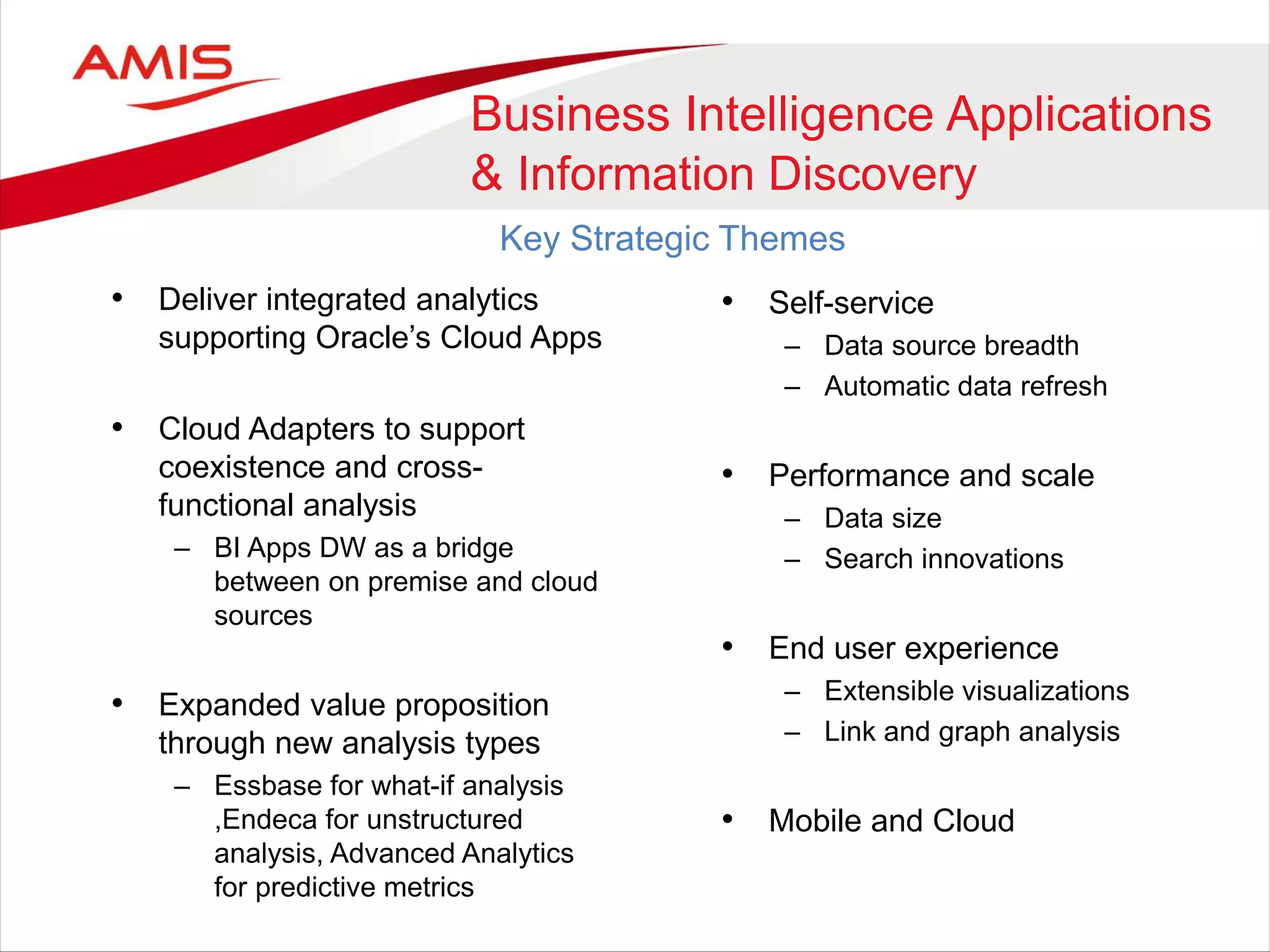
• Deliver integrated analytics
supporting Oracle’s Cloud Apps
• Cloud Adapters to support
coexistence and cross-
functional analysis
– BI Apps DW as a bridge
between on premise and cloud
sources
• Expanded value proposition
through new analysis types
– Essbase for what-if analysis
,Endeca for unstructured
analysis, Advanced Analytics
for predictive metrics
Business Intelligence Applications
& Information Discovery
Key Strategic Themes
• Self-service
– Data source breadth
– Automatic data refresh
• Performance and scale
– Data size
– Search innovations
• End user experience
– Extensible visualizations
– Link and graph analysis
• Mobile and Cloud
Oracle & the REST
• Oracle embraces REST
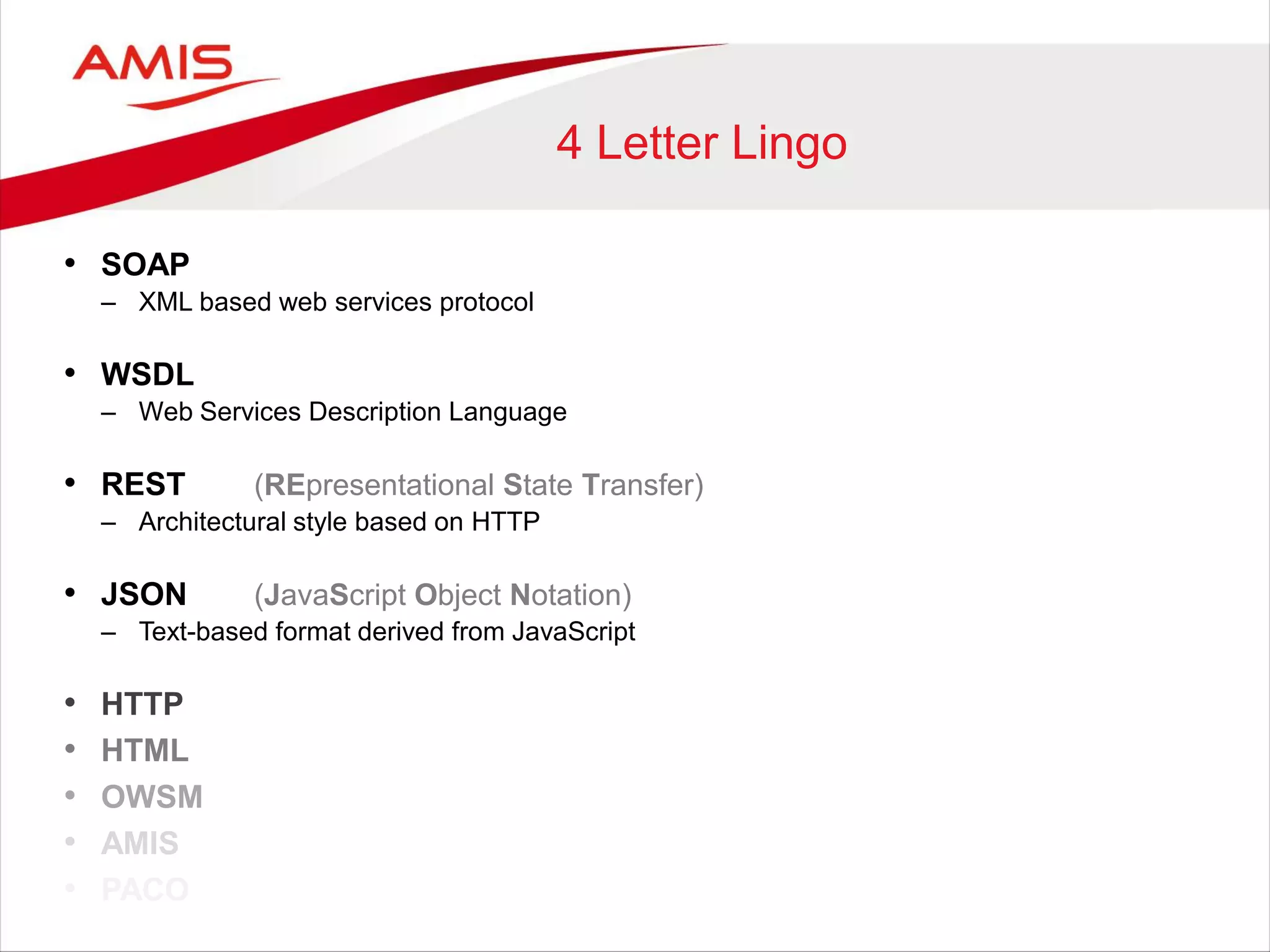
4 Letter Lingo
• SOAP
– XML based web services protocol
• WSDL
– Web Services Description Language
• REST (REpresentational State Transfer)
– Architectural style based on HTTP
• JSON (JavaScript Object Notation)
– Text-based format derived from JavaScript
• HTTP
• HTML
• OWSM
• AMIS
• PACO
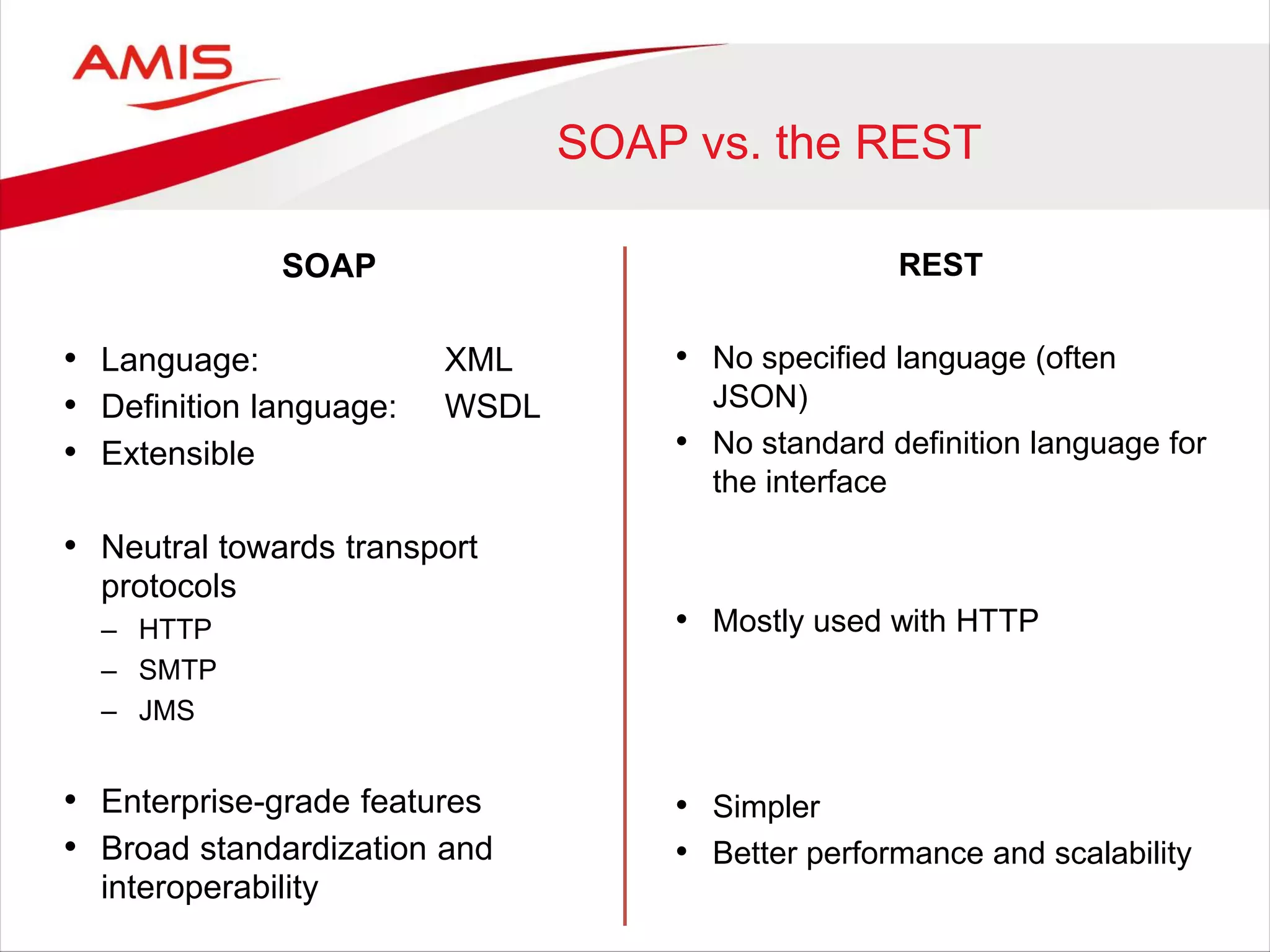
SOAP vs. the REST
SOAP
• Language: XML
• Definition language: WSDL
• Extensible
• Neutral towards transport
protocols
– HTTP
– SMTP
– JMS
• Enterprise-grade features
• Broad standardization and
interoperability
REST
• No specified language (often
JSON)
• No standard definition language for
the interface
• Mostly used with HTTP
• Simpler
• Better performance and scalability
REST Example
GET http://server.com/rest/customers?name=am*
Response:
{ "customers": [
{ "name": “AMIS",
"phone": "0-987-654-321"
}
] }
<customers>
<customer>
<name>AMIS</name>
<phone>0-987-654-321</phone>
</customer>
</customers>
XML
JSON
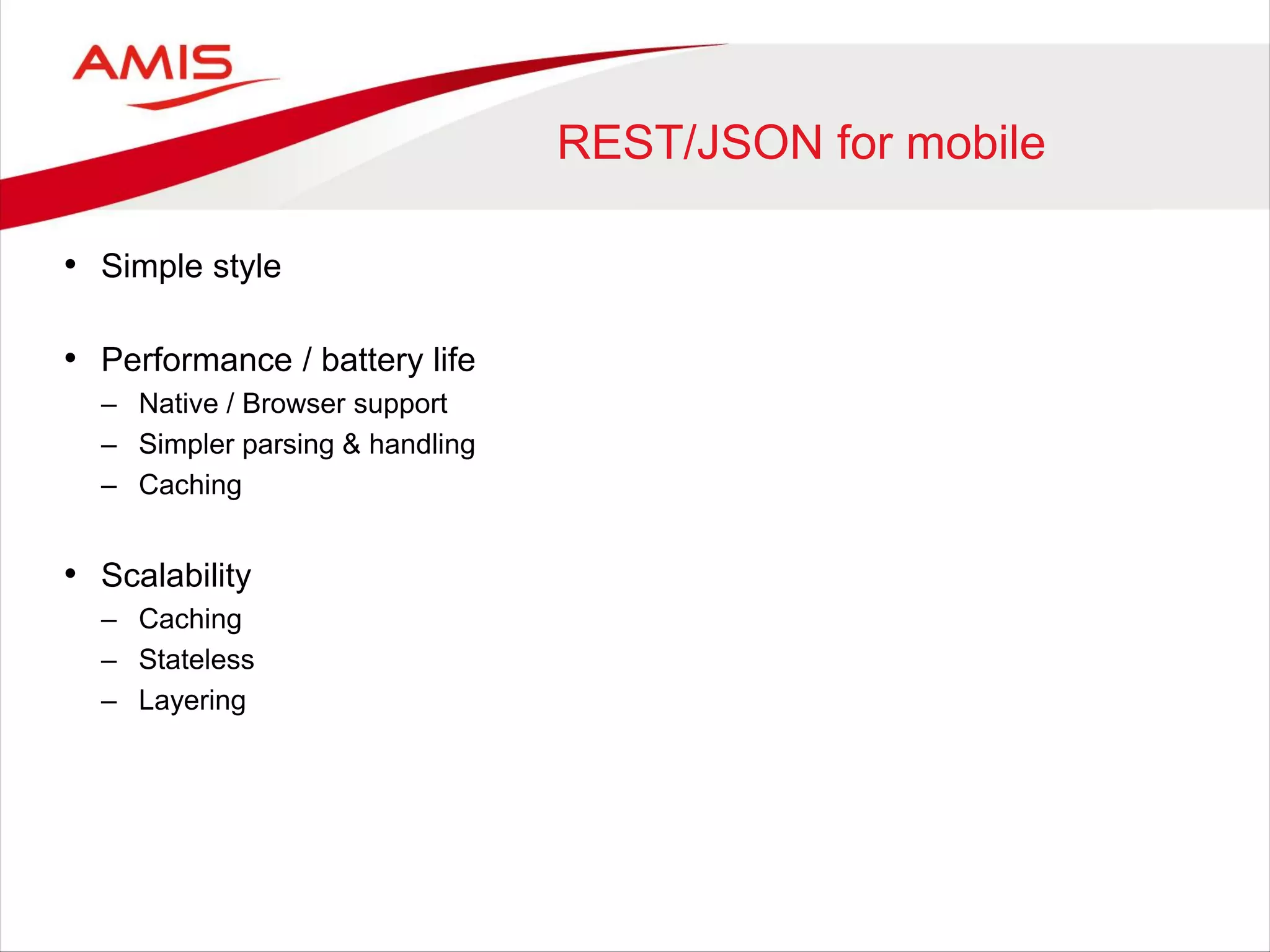
REST/JSON for mobile
• Simple style
• Performance / battery life
– Native / Browser support
– Simpler parsing & handling
– Caching
• Scalability
– Caching
– Stateless
– Layering
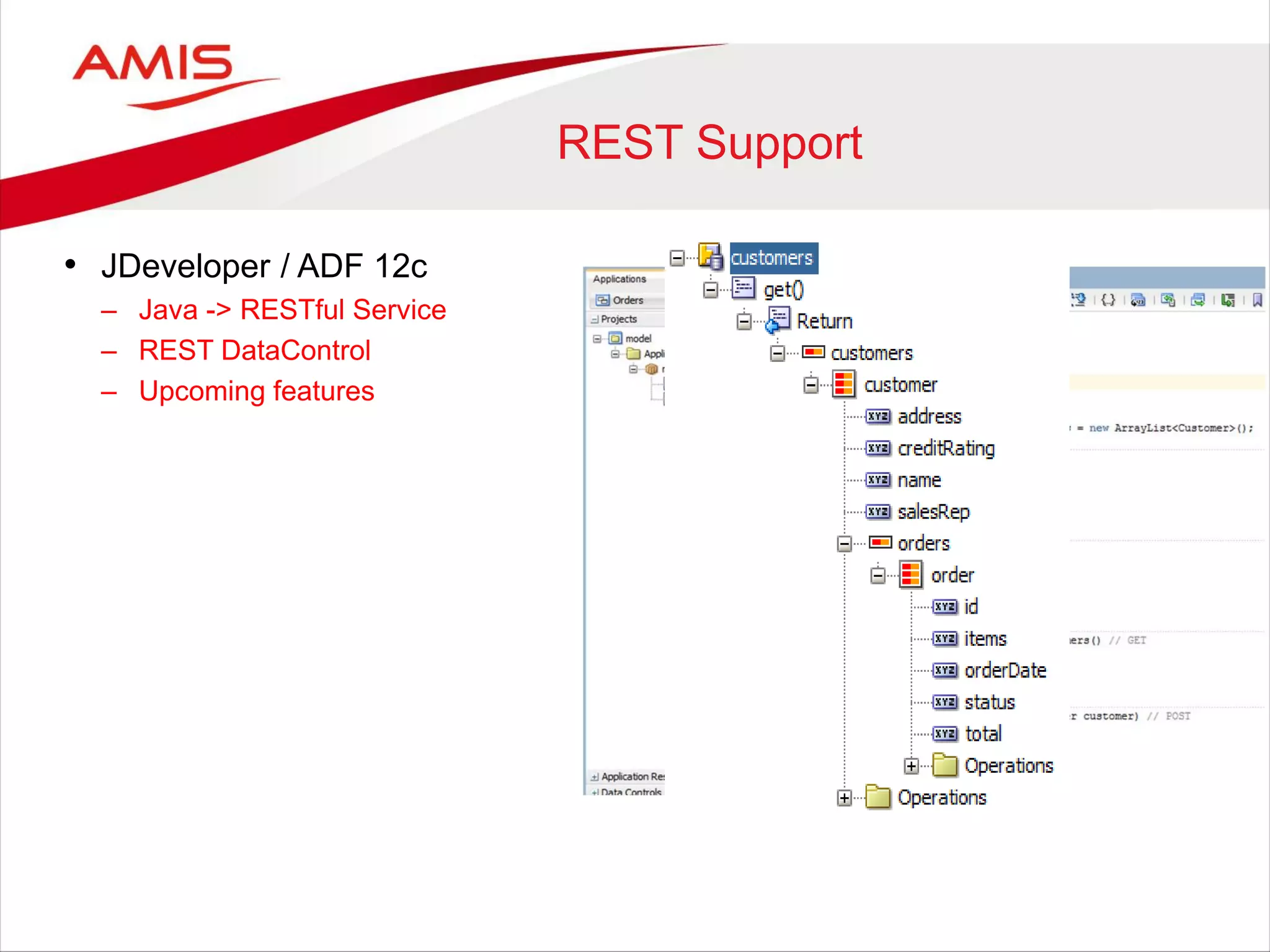
REST Support
• JDeveloper / ADF 12c
– Java -> RESTful Service
– REST DataControl
– Upcoming features
Upcoming Features
Future release JDeveloper 12c
• Publish ADF Business Components as REST resources
Upcoming Features
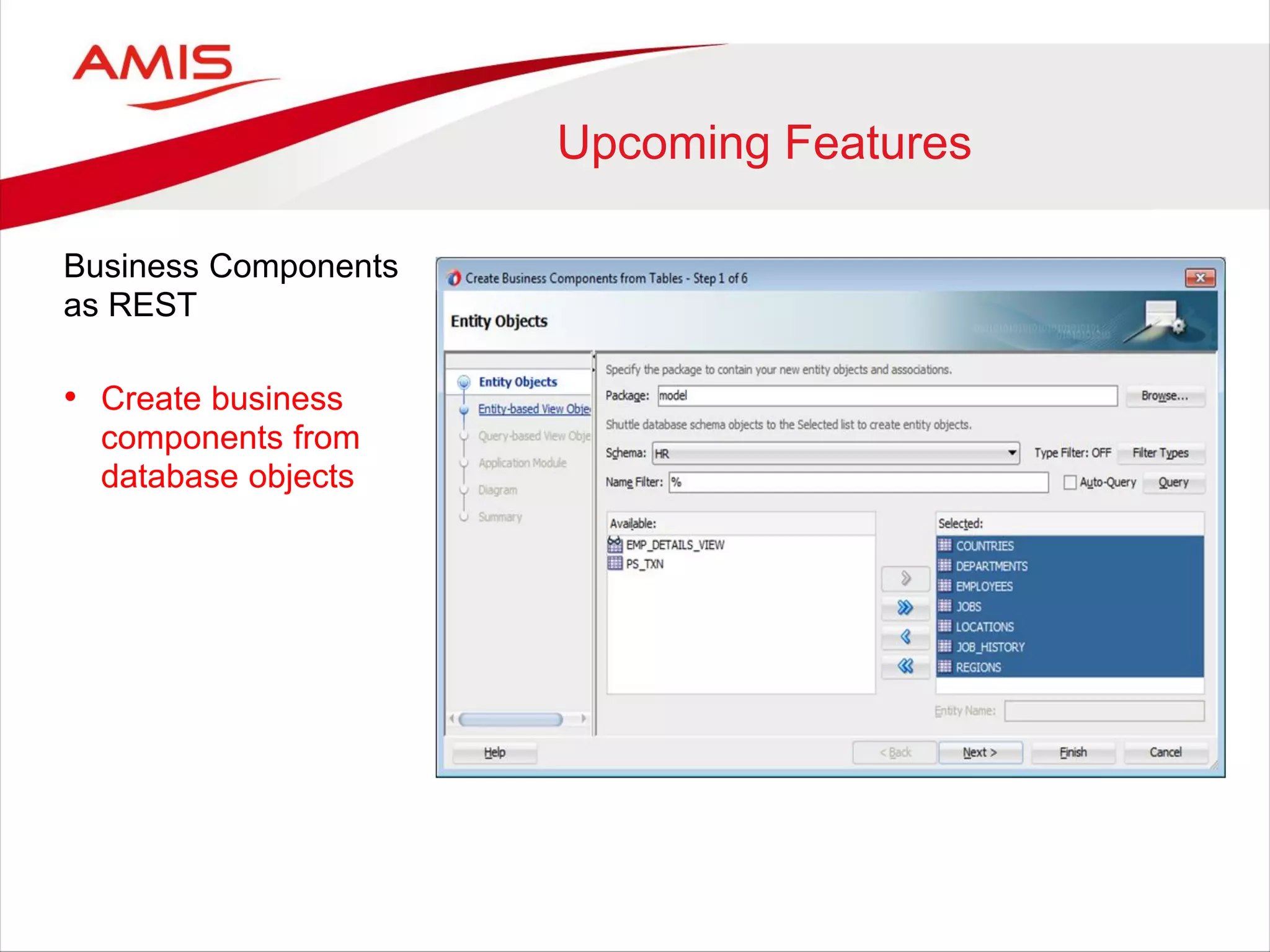
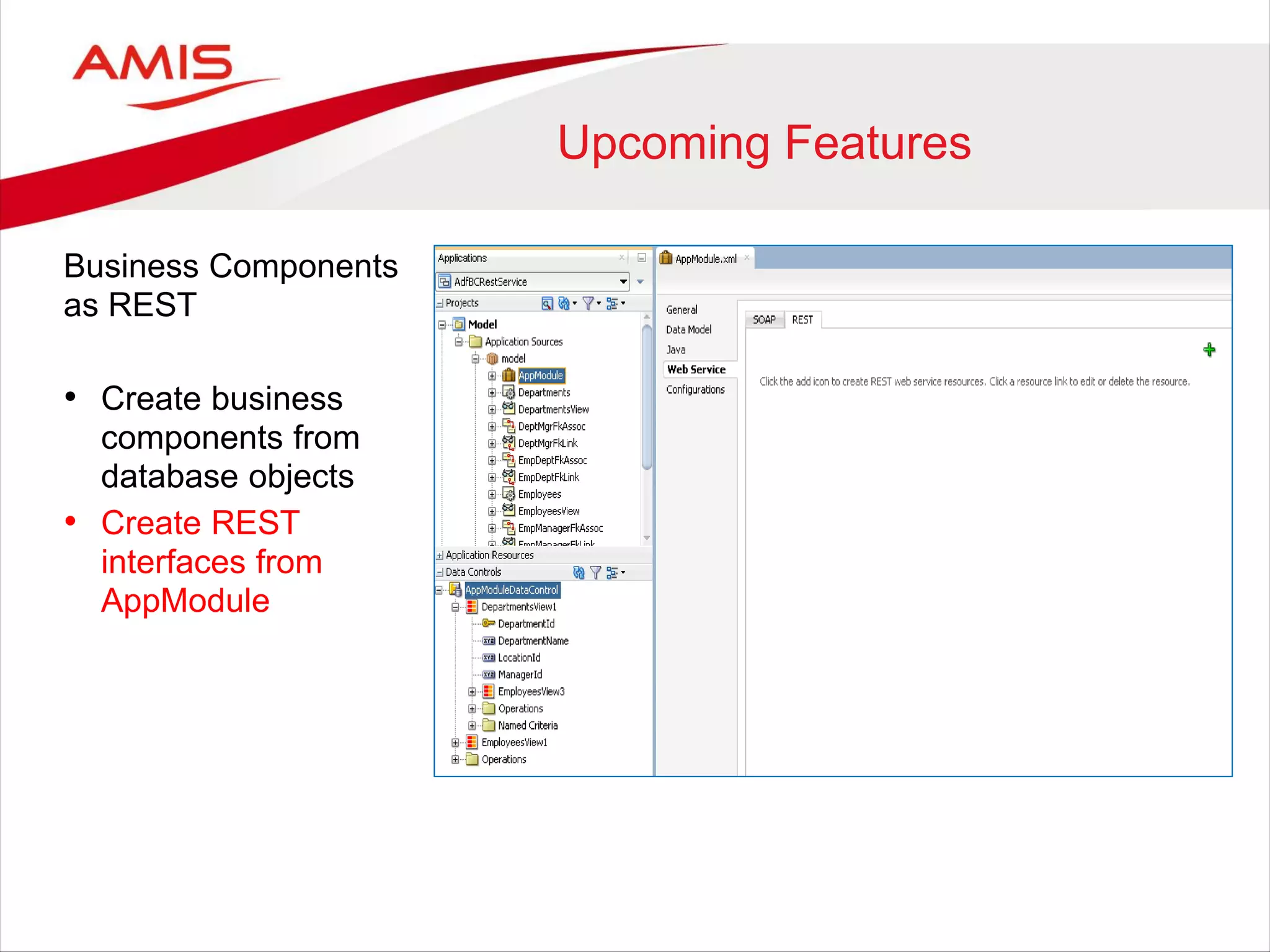
Business Components
as REST
• Create business
components from
database objects
Upcoming Features
Business Components
as REST
• Create business
components from
database objects
• Create REST
interfaces from
AppModule
Upcoming Features
Business Components
as REST
• Create business
components from
database objects
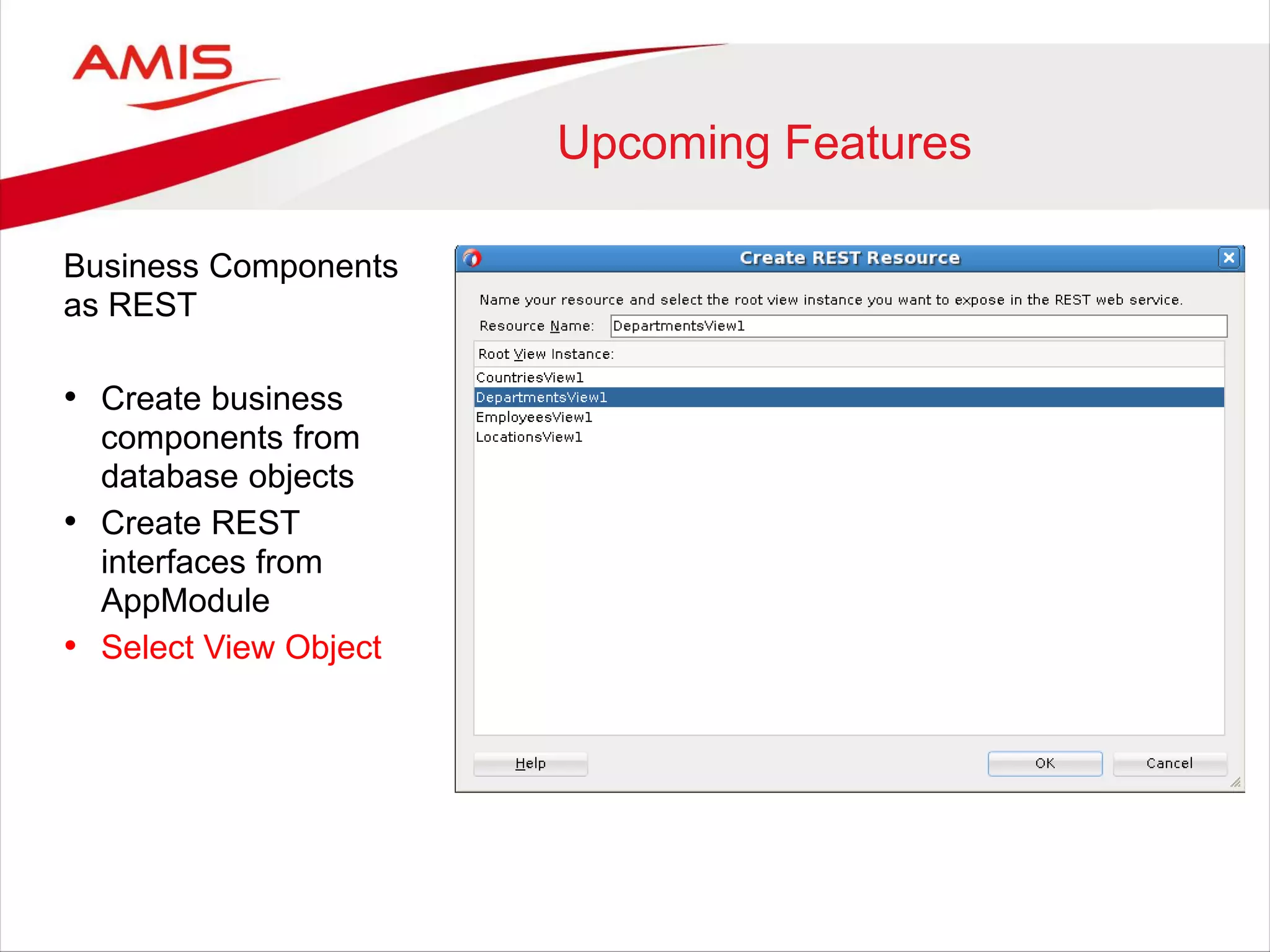
• Create REST
interfaces from
AppModule
• Select View Object
Upcoming Features
Business Components
as REST
• Create business
components from
database objects
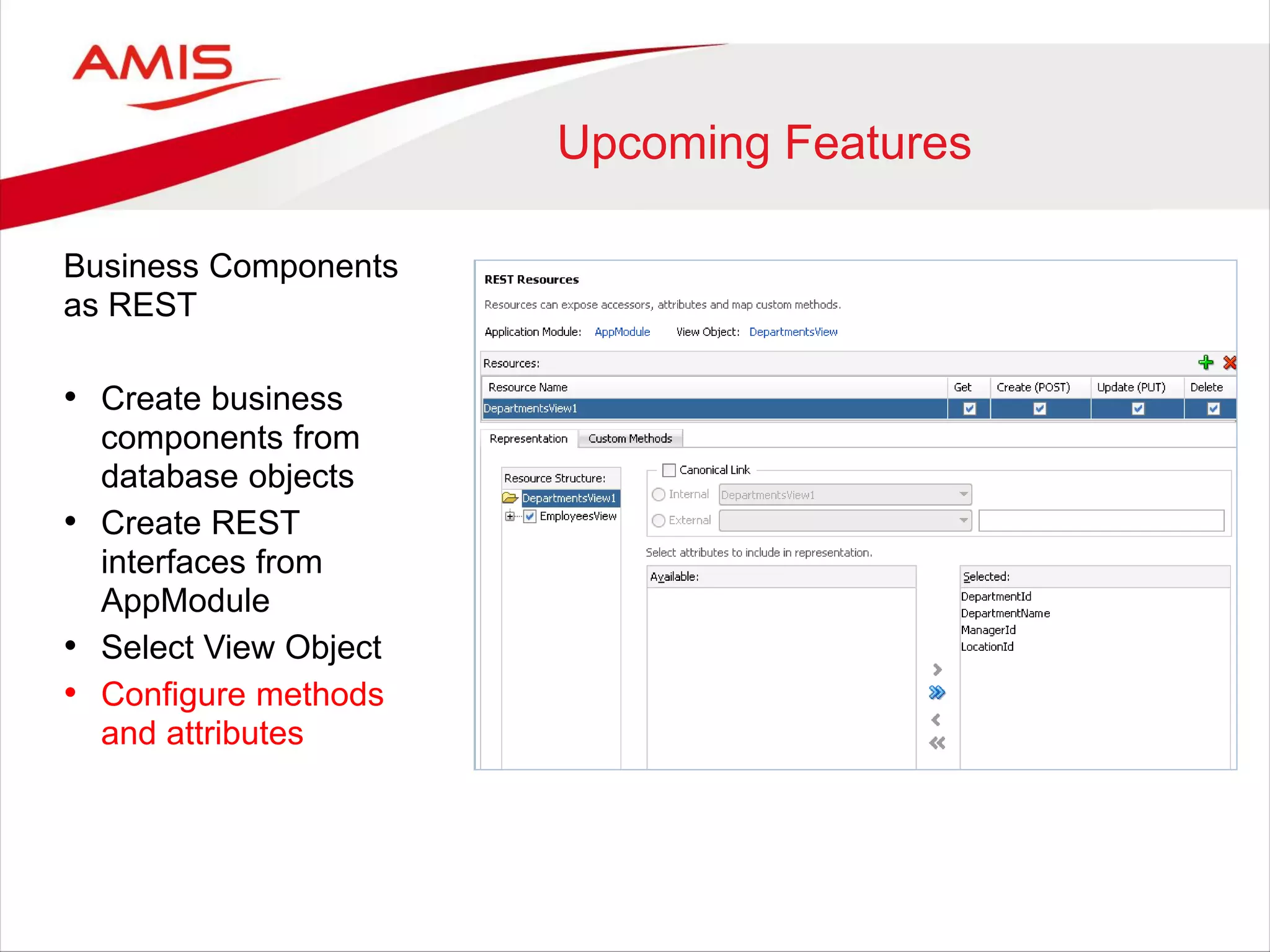
• Create REST
interfaces from
AppModule
• Select View Object
• Configure methods
and attributes
Upcoming Features
Business Components
as REST
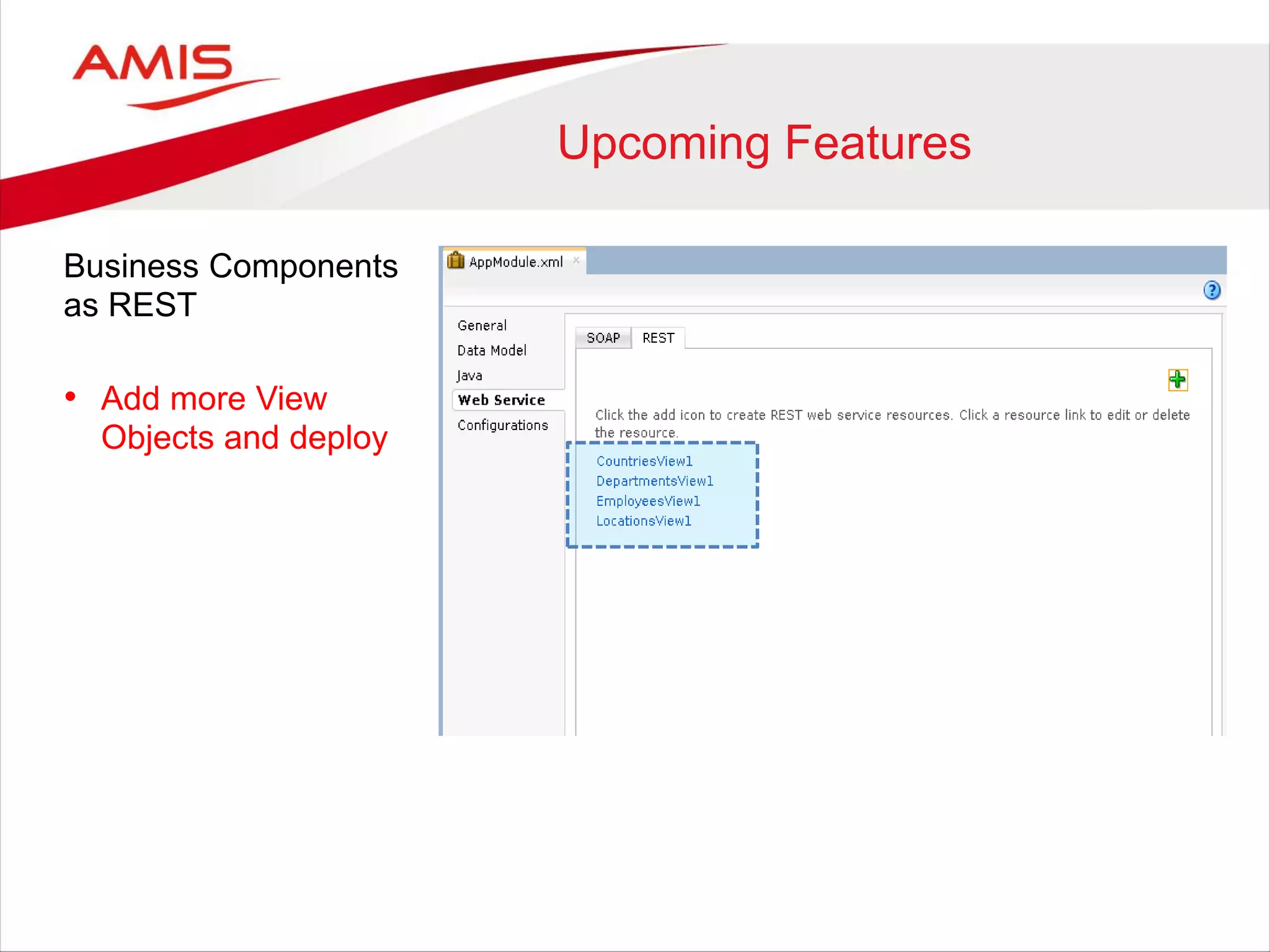
• Add more View
Objects and deploy
Upcoming Features
Business Components
as REST
• Add more View
Objects and deploy
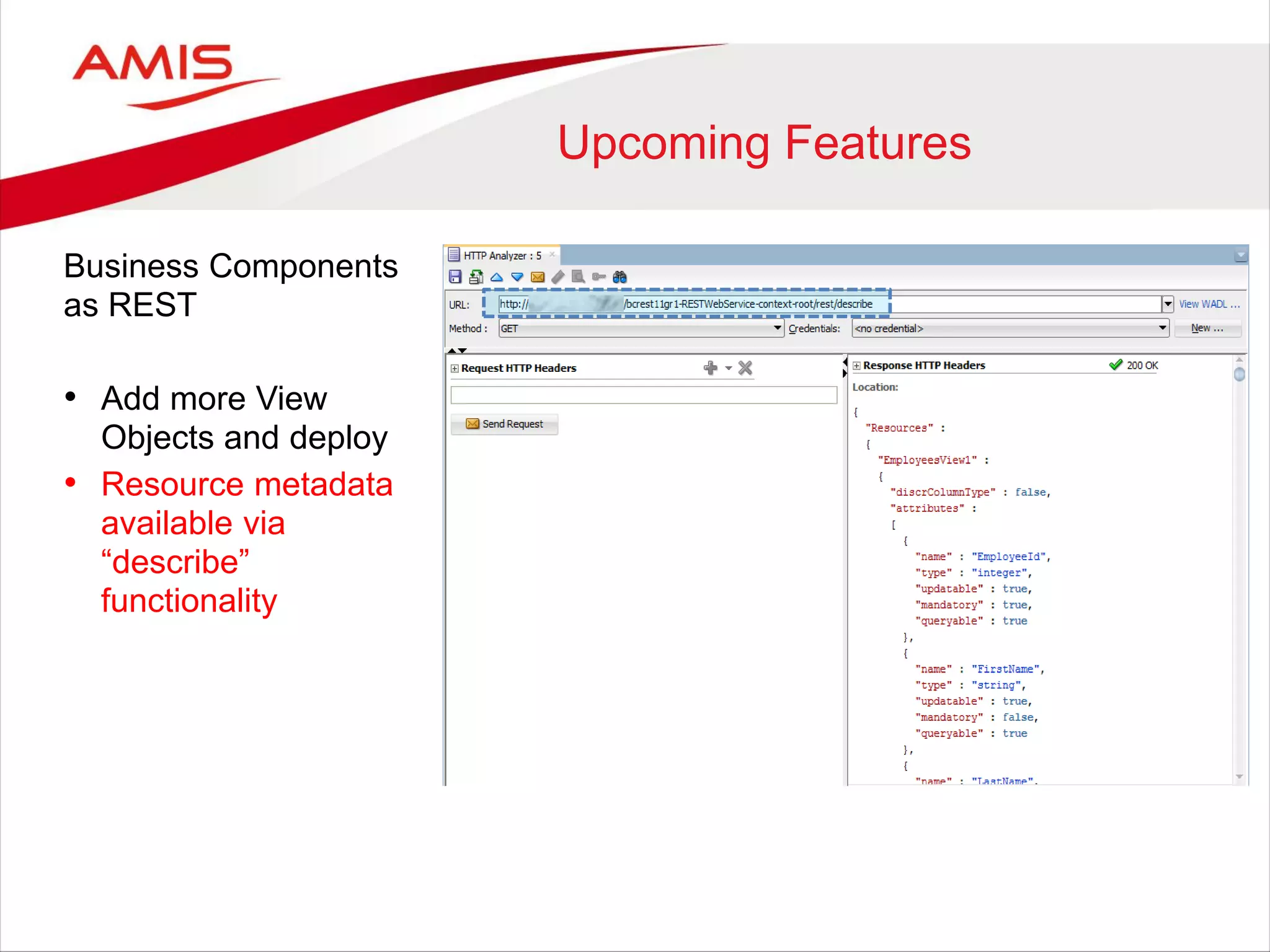
• Resource metadata
available via
“describe”
functionality
Upcoming Features
Business Components
as REST
• Add more View
Objects and deploy
• Resource metadata
available via
“describe”
functionality
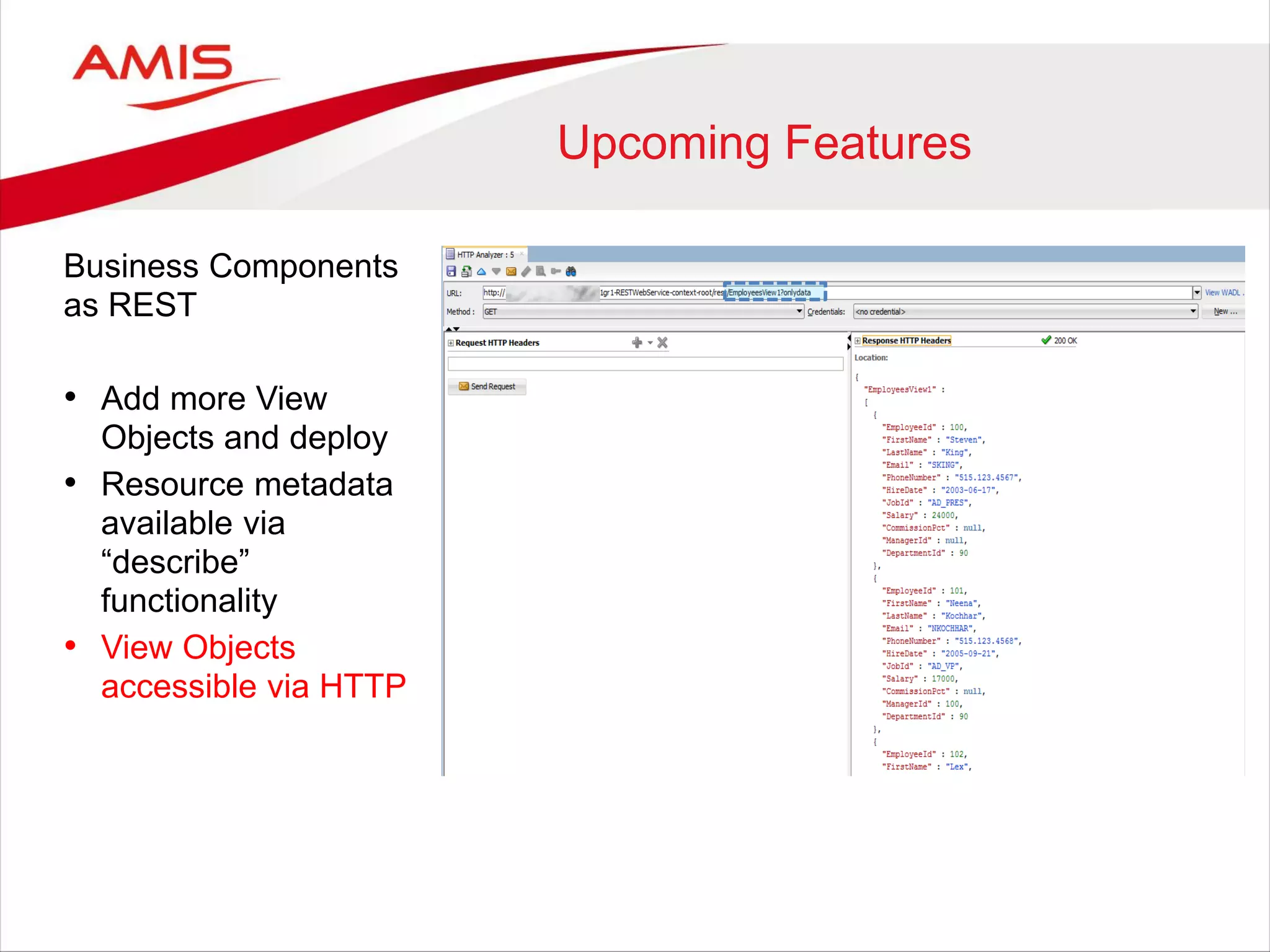
• View Objects
accessible via HTTP
Upcoming Features
Future release JDeveloper 12c
• Publish ADF Business Components as REST resources
• Seamless ADF Business Components REST consumption
Upcoming Features
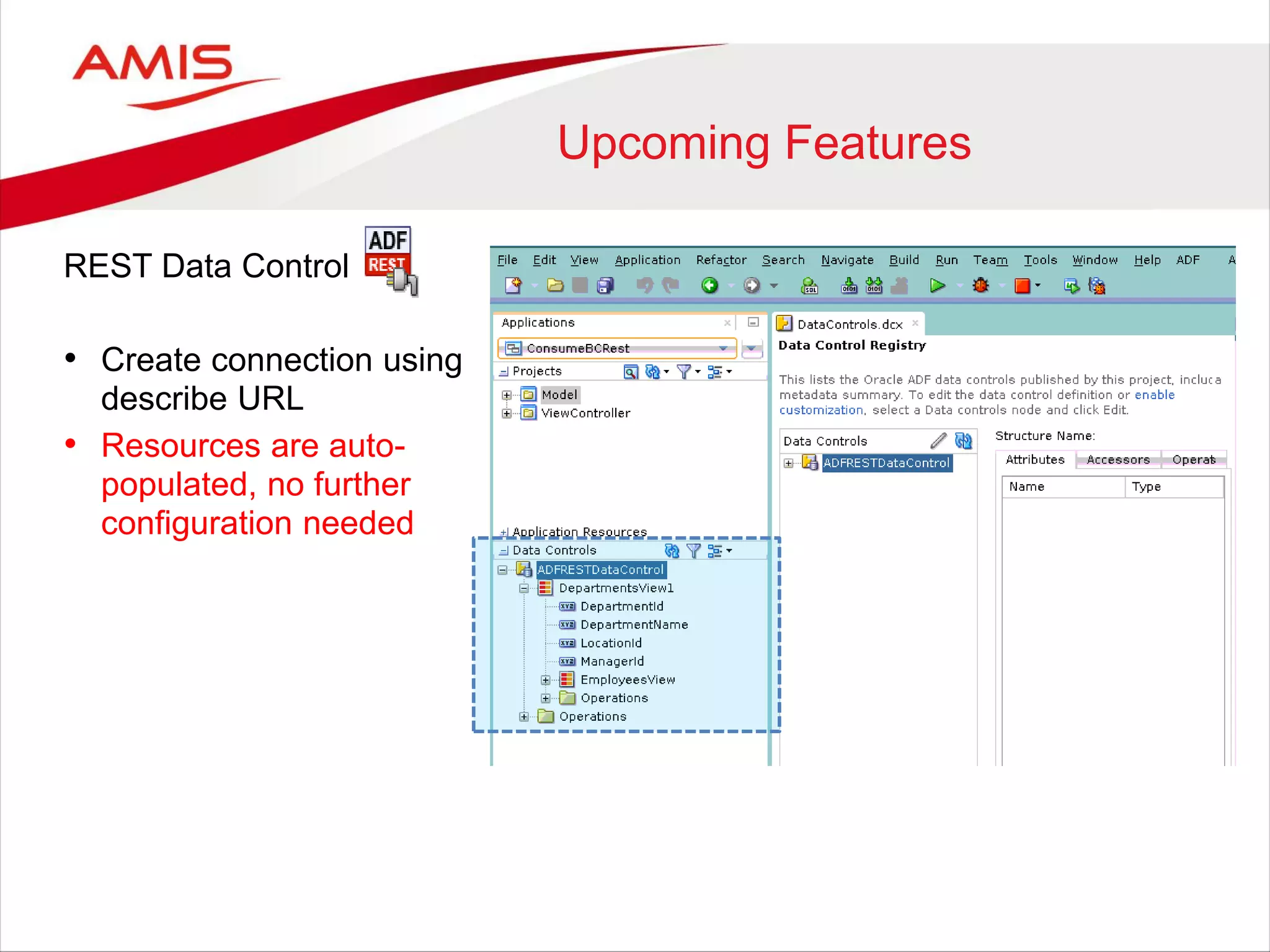
REST Data Control
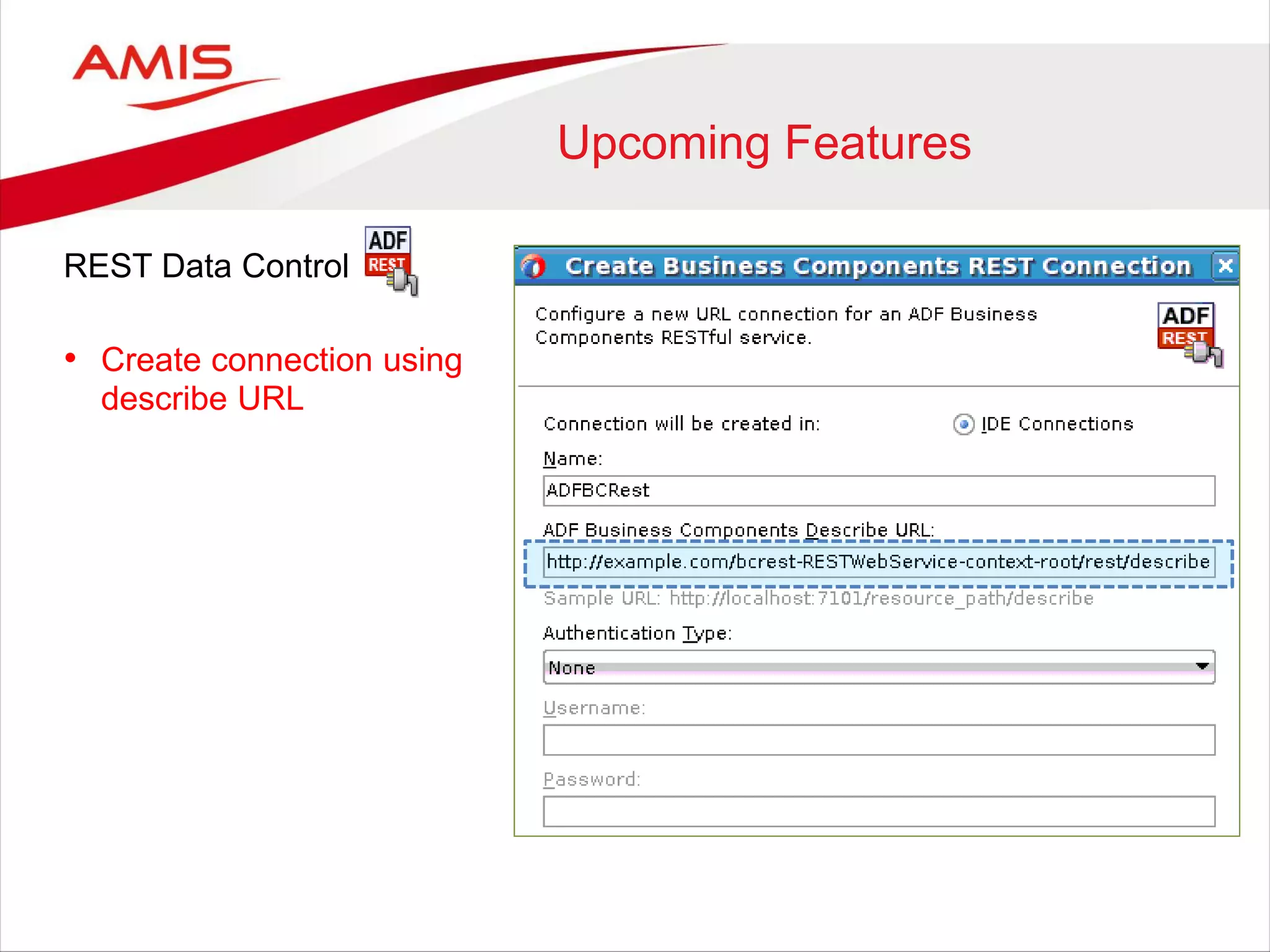
• Create connection using
describe URL
Upcoming Features
REST Data Control
• Create connection using
describe URL
• Resources are auto-
populated, no further
configuration needed
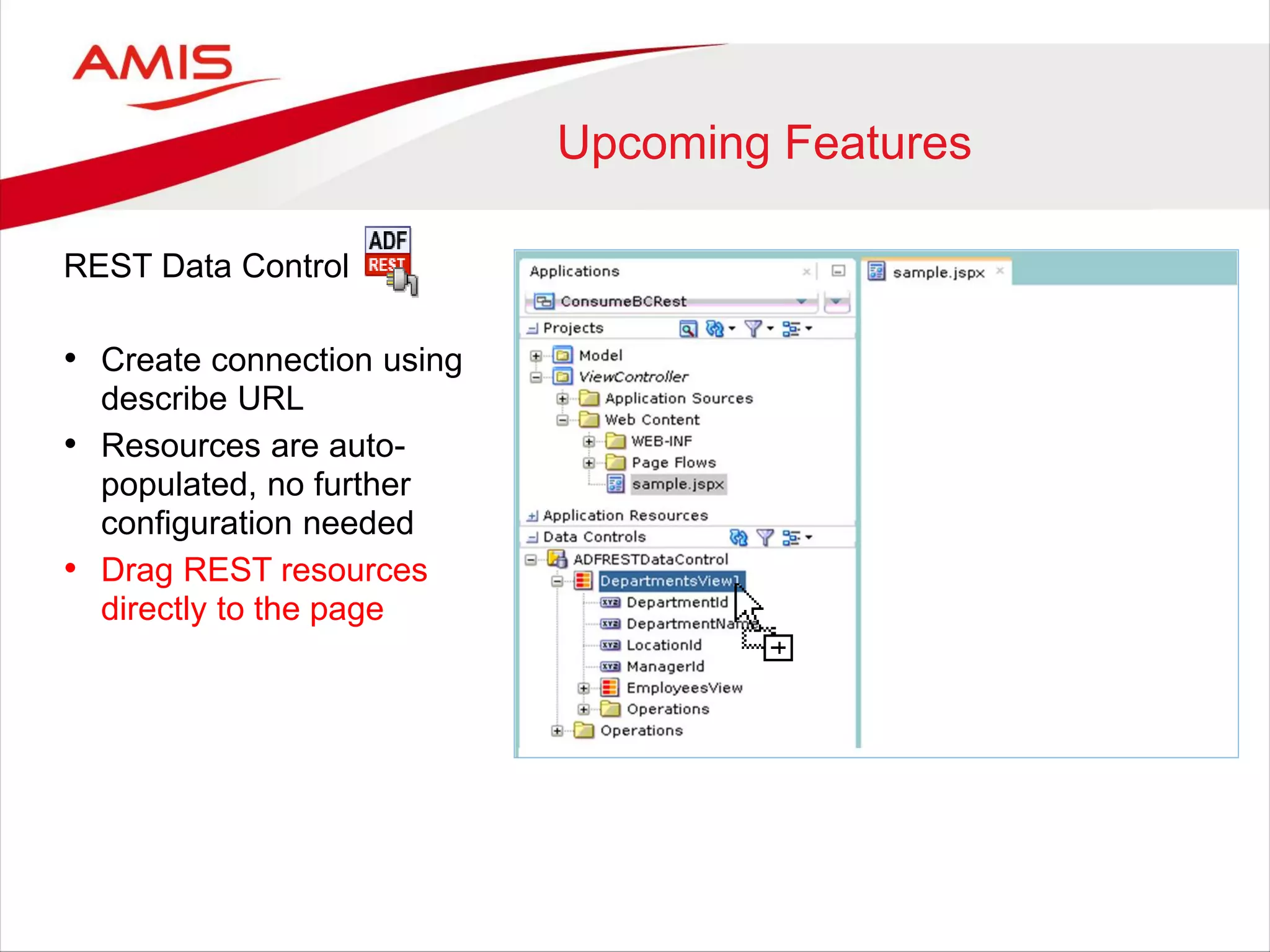
Upcoming Features
REST Data Control
• Create connection using
describe URL
• Resources are auto-
populated, no further
configuration needed
• Drag REST resources
directly to the page
Upcoming Features
Future release JDeveloper 12c
• Publish ADF Business Components as REST resources
• Seamless ADF Business Components REST consumption
• Support for JSON data format
Upcoming Features
Future release JDeveloper 12c
• Publish ADF Business Components as REST resources
• Seamless ADF Business Components REST consumption
• Support for JSON data format
• Infer content structure from a sample data (XML/JSON)
Upcoming Features
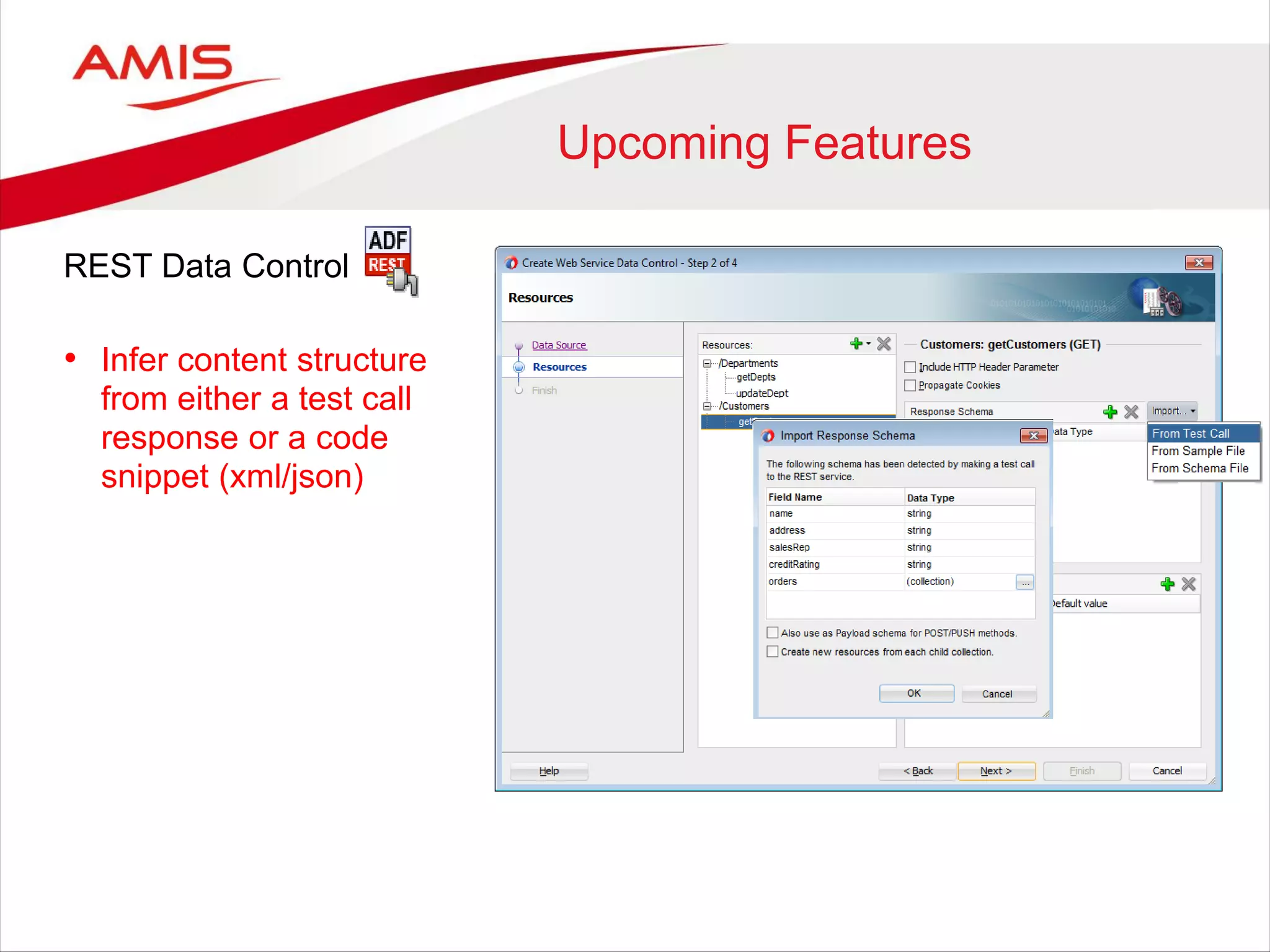
REST Data Control
• Infer content structure
from either a test call
response or a code
snippet (xml/json)
Upcoming Features
Future release JDeveloper 12c
• Publish ADF Business Components as REST resources
• Seamless ADF Business Components REST consumption
• Support for JSON data format
• Infer content structure from a sample data (XML/JSON)
• Integration with variety of security models
Upcoming Features
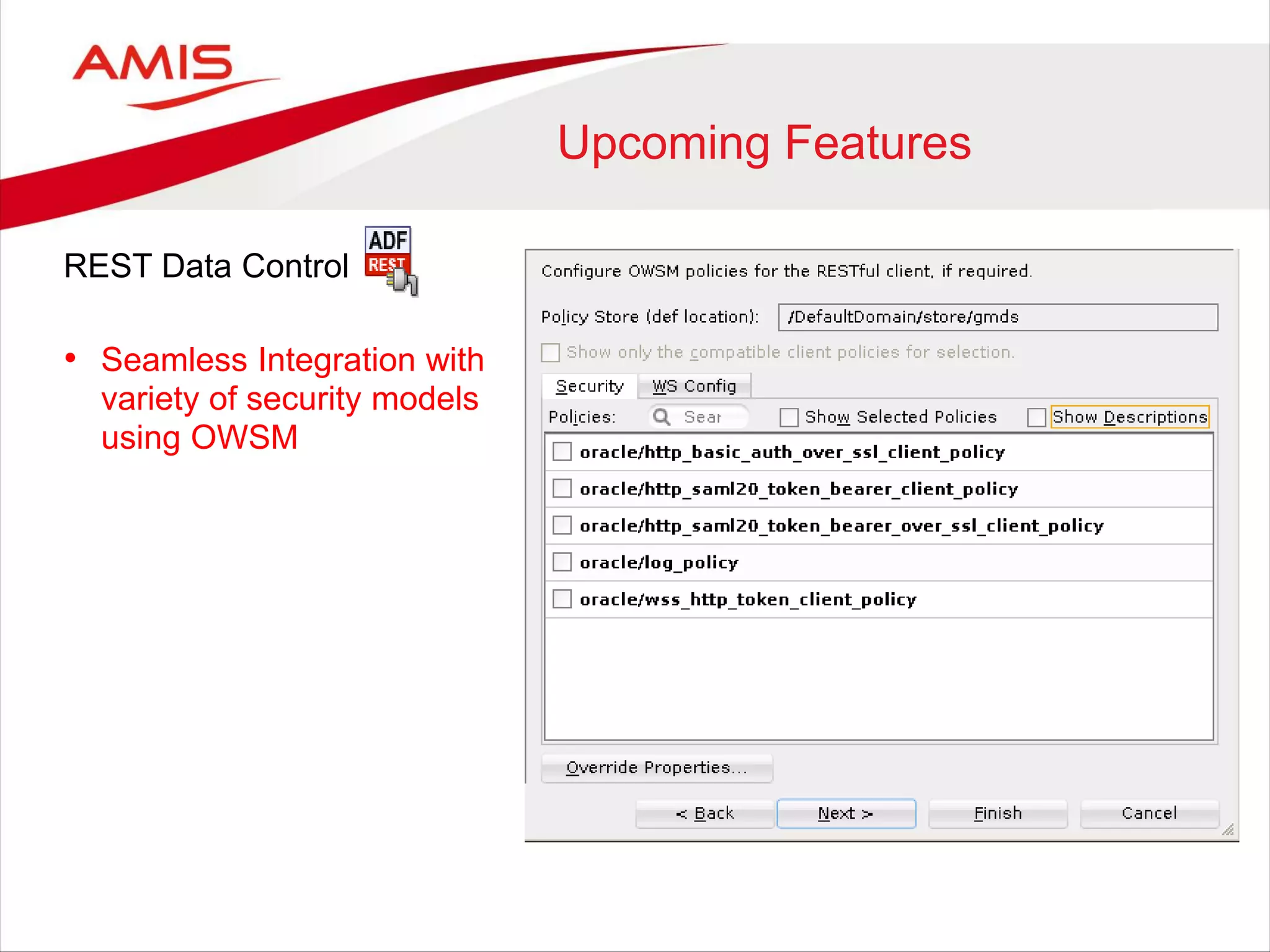
REST Data Control
• Seamless Integration with
variety of security models
using OWSM
Upcoming Features
Future release JDeveloper 12c
• Publish ADF Business Components as REST resources
• Seamless ADF Business Components REST consumption
• Support for JSON data format
• Infer content structure from a sample data (XML/JSON)
• Integration with variety of security models
REST Support
• JDeveloper / ADF 12c
– Java -> RESTful Service
– REST DataControl
– Upcoming features
• SOA Suite 12c
SOA Suite 12c
REST Support
• JDeveloper / ADF 12c
– Java -> RESTful Service
– REST DataControl
– Upcoming features
• SOA Suite 12c
• WebLogic 12.1.3
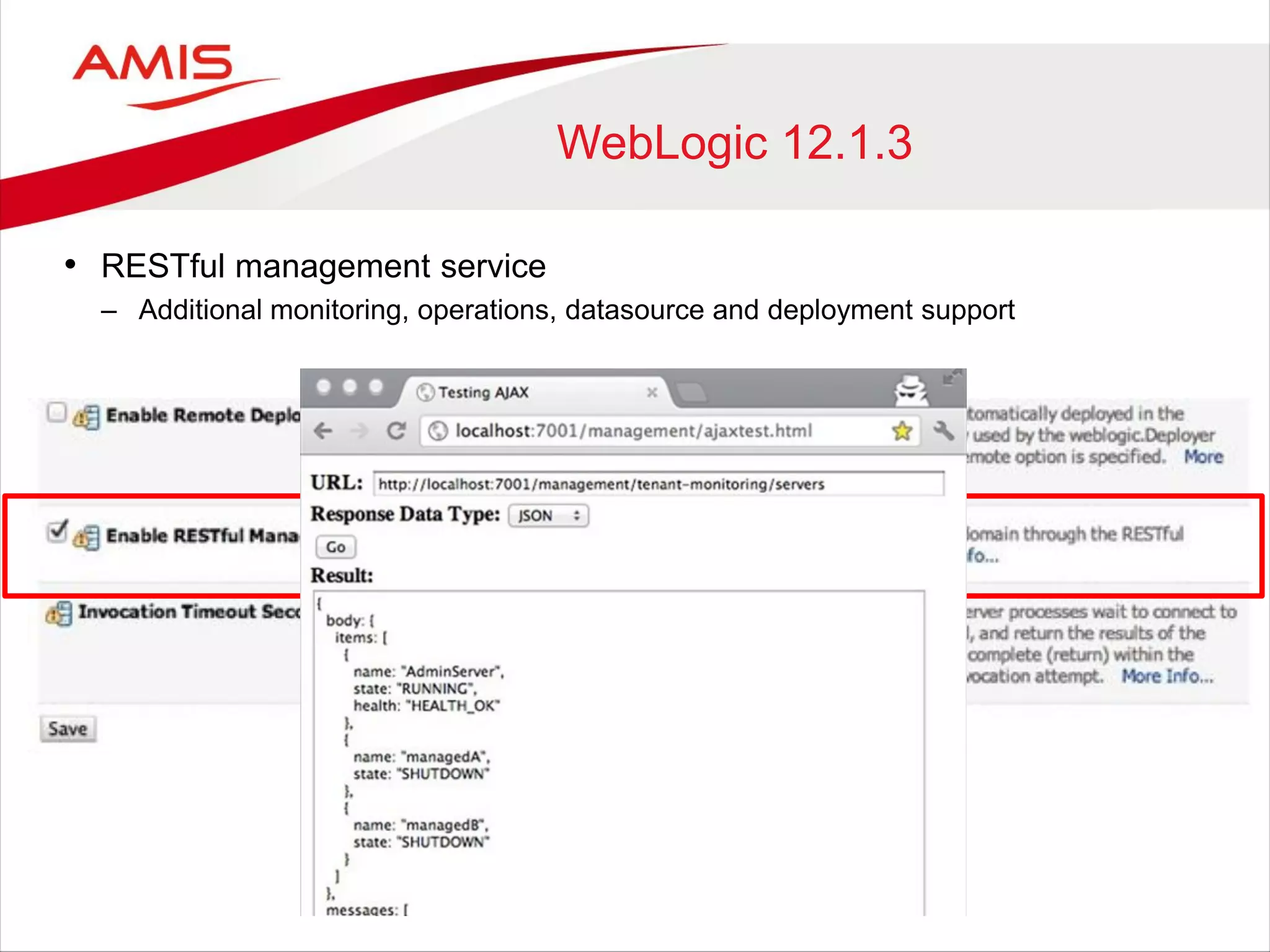
WebLogic 12.1.3
• RESTful management service
– Additional monitoring, operations, datasource and deployment support
REST Support
• JDeveloper / ADF 12c
– Java -> RESTful Service
– REST DataControl
– Upcoming features
• SOA Suite 12c
• WebLogic 12.1.3
• Coherence 12.1.2
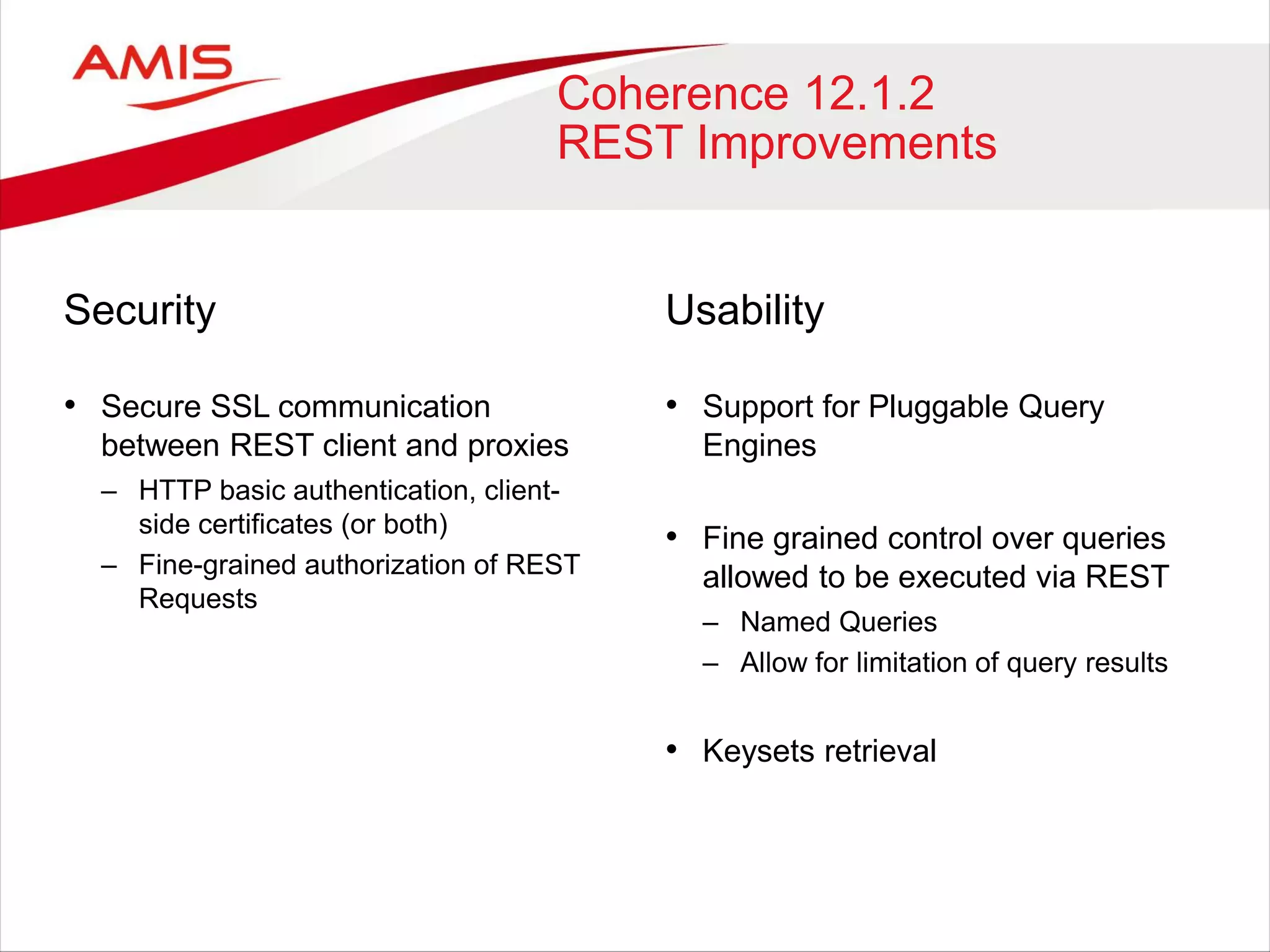
Coherence 12.1.2
REST Improvements
Security
• Secure SSL communication
between REST client and proxies
– HTTP basic authentication, client-
side certificates (or both)
– Fine-grained authorization of REST
Requests
Usability
• Support for Pluggable Query
Engines
• Fine grained control over queries
allowed to be executed via REST
– Named Queries
– Allow for limitation of query results
• Keysets retrieval
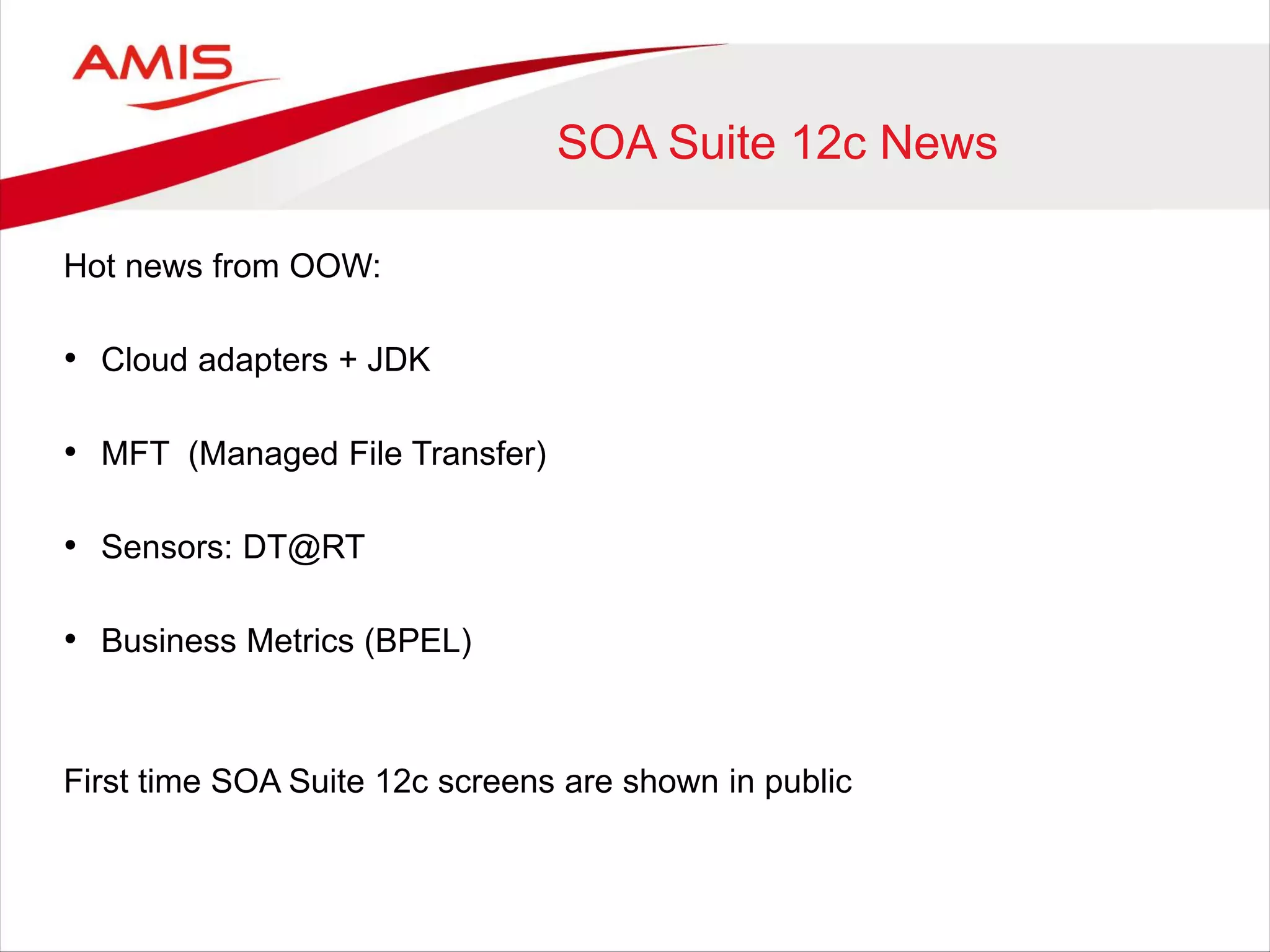
SOA Suite 12c News
Hot news from OOW:
• Cloud adapters + JDK
• MFT (Managed File Transfer)
• Sensors: DT@RT
• Business Metrics (BPEL)
First time SOA Suite 12c screens are shown in public
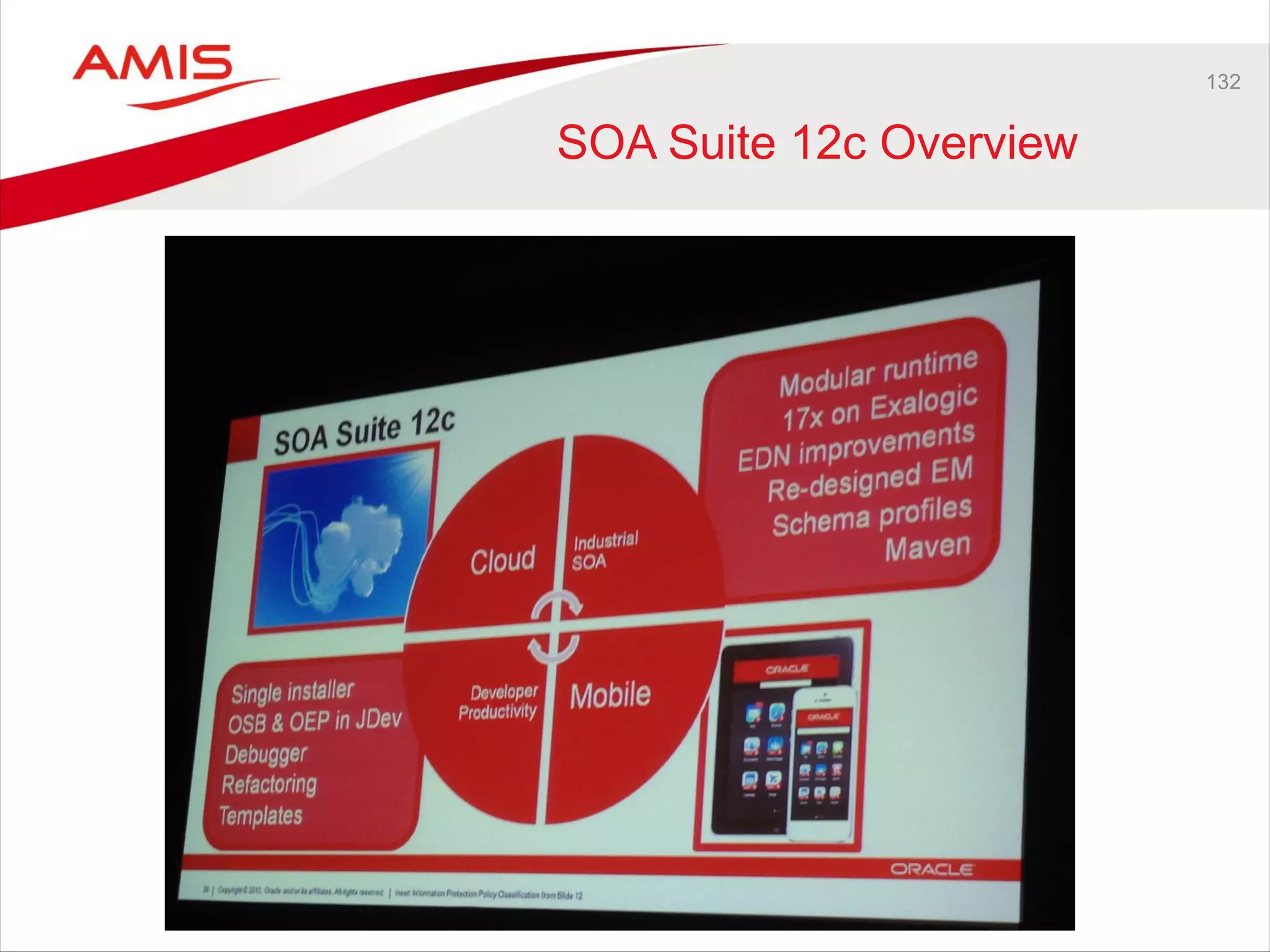
132
SOA Suite 12c Overview
SOA Suite 12c Sensors
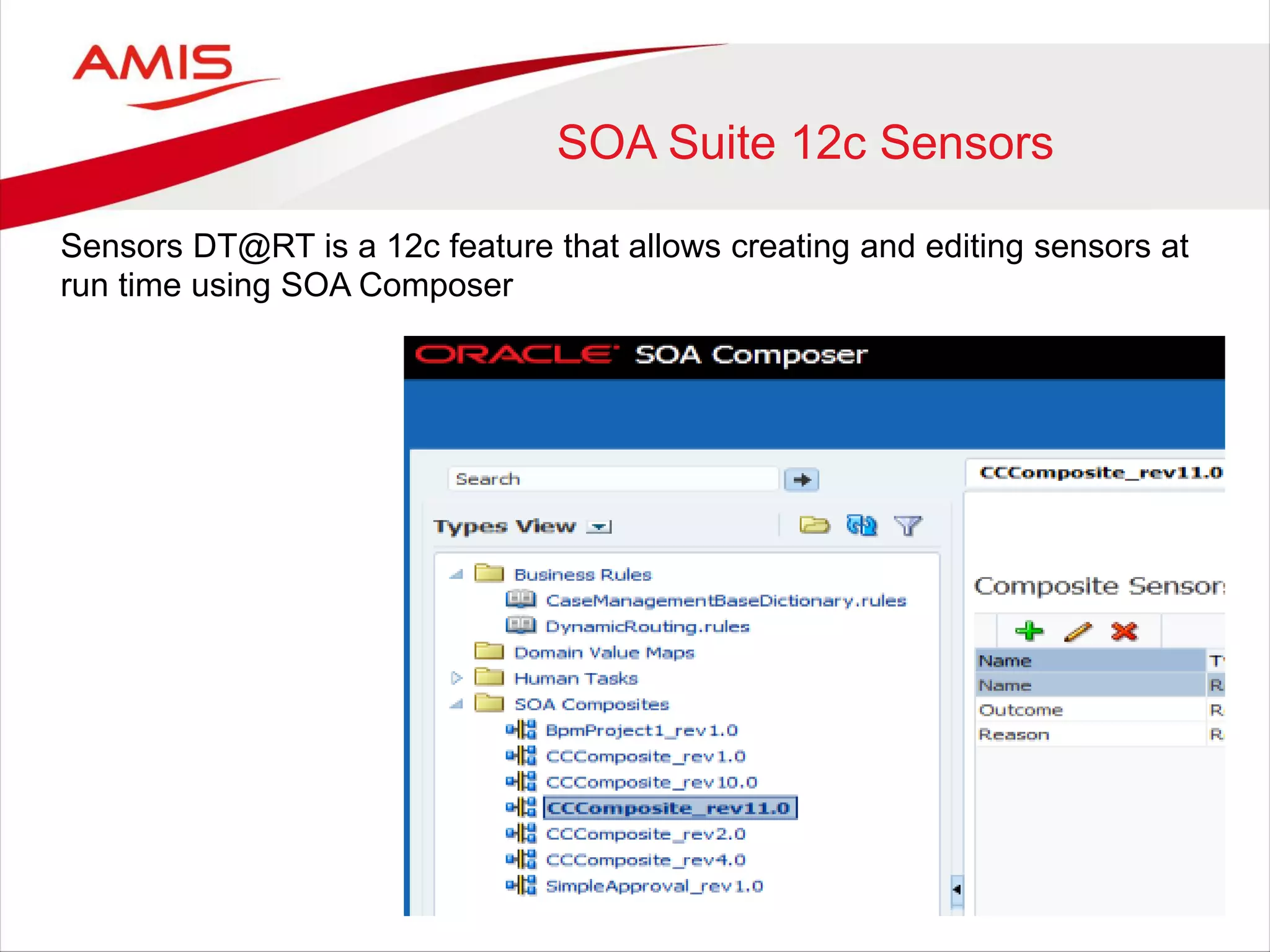
Sensors DT@RT is a 12c feature that allows creating and editing sensors at
run time using SOA Composer
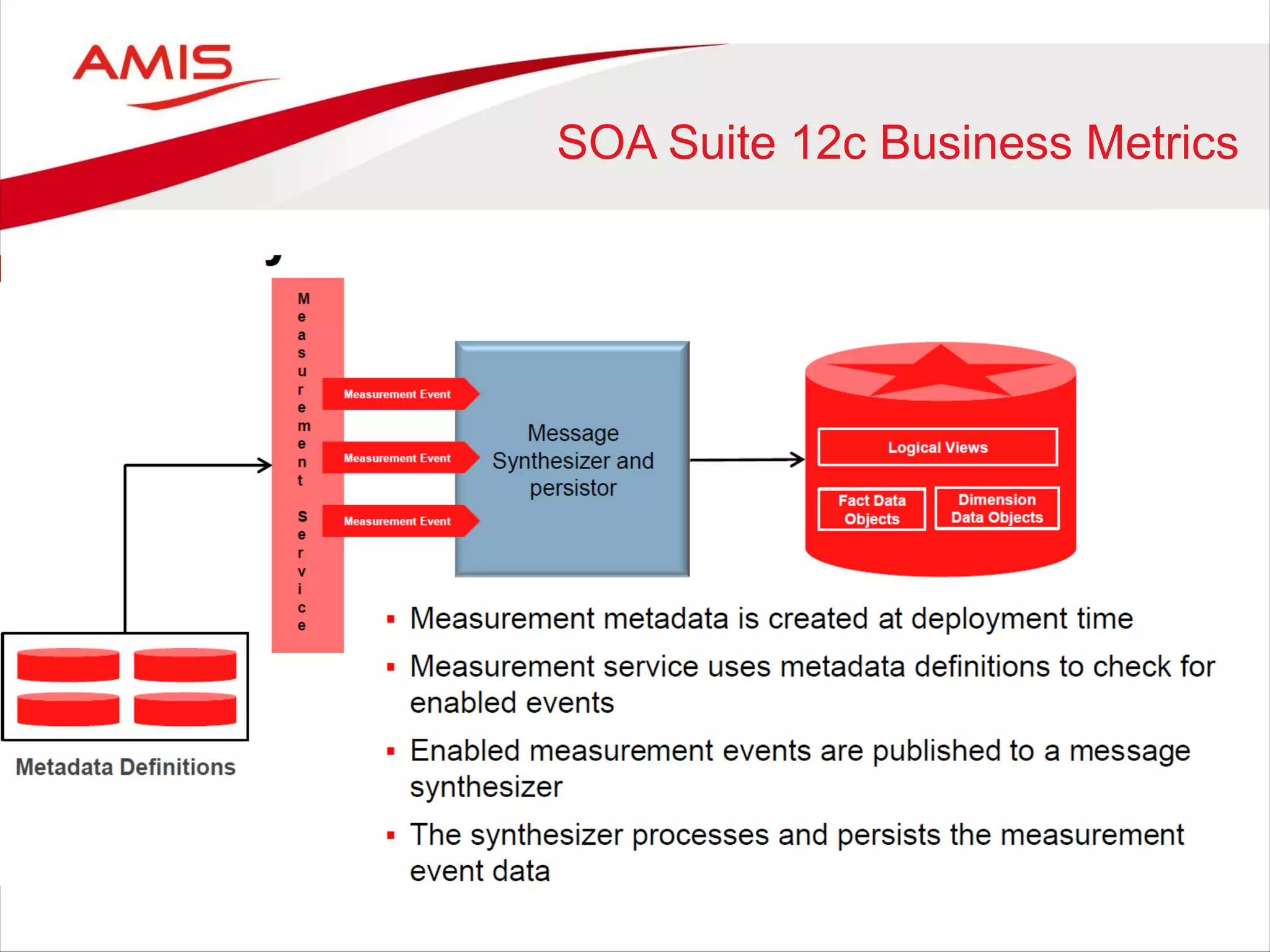
SOA Suite 12c Business Metrics
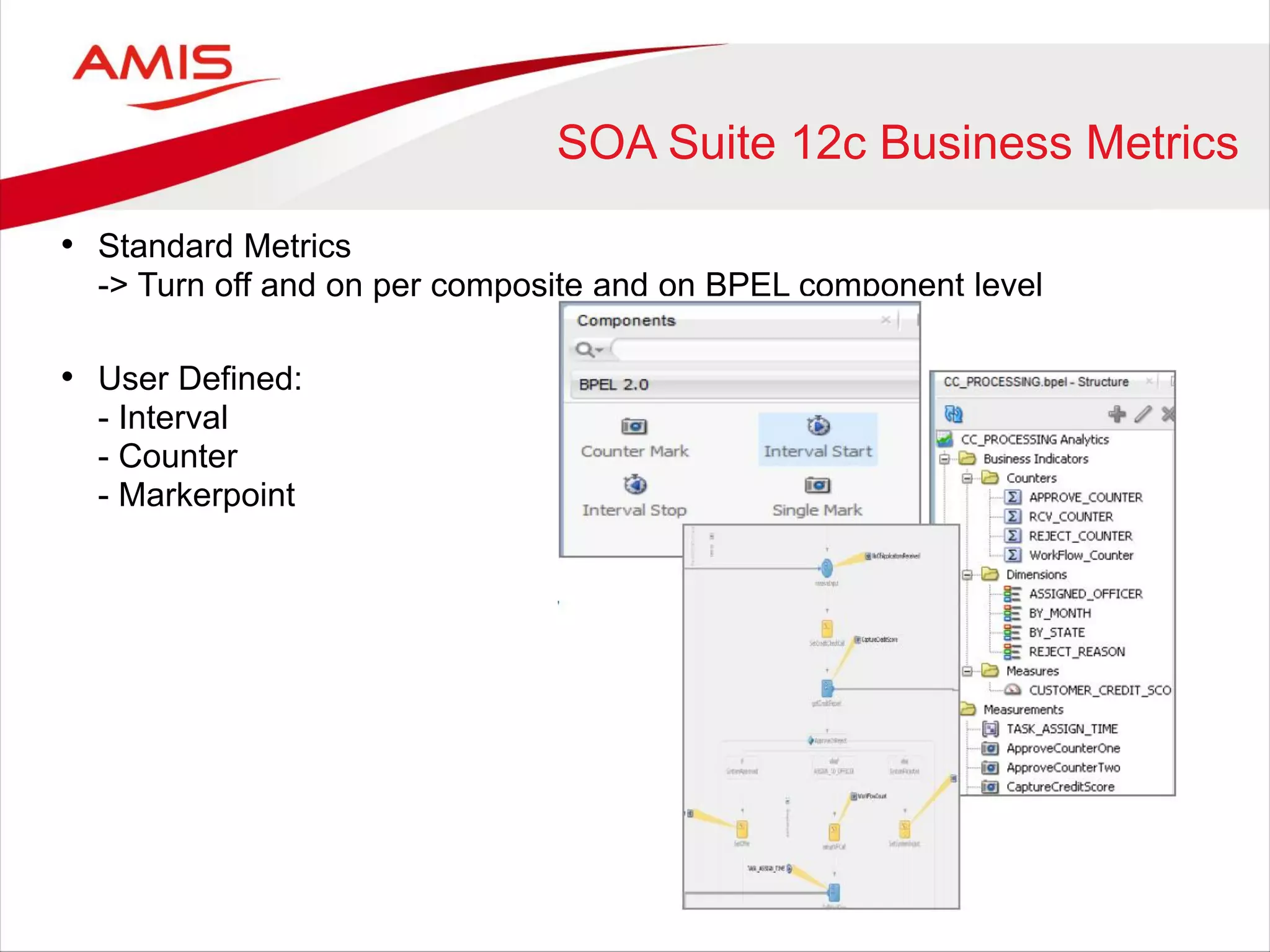
• Standard Metrics
-> Turn off and on per composite and on BPEL component level
• User Defined:
- Interval
- Counter
- Markerpoint
SOA Suite 12c Business Metrics
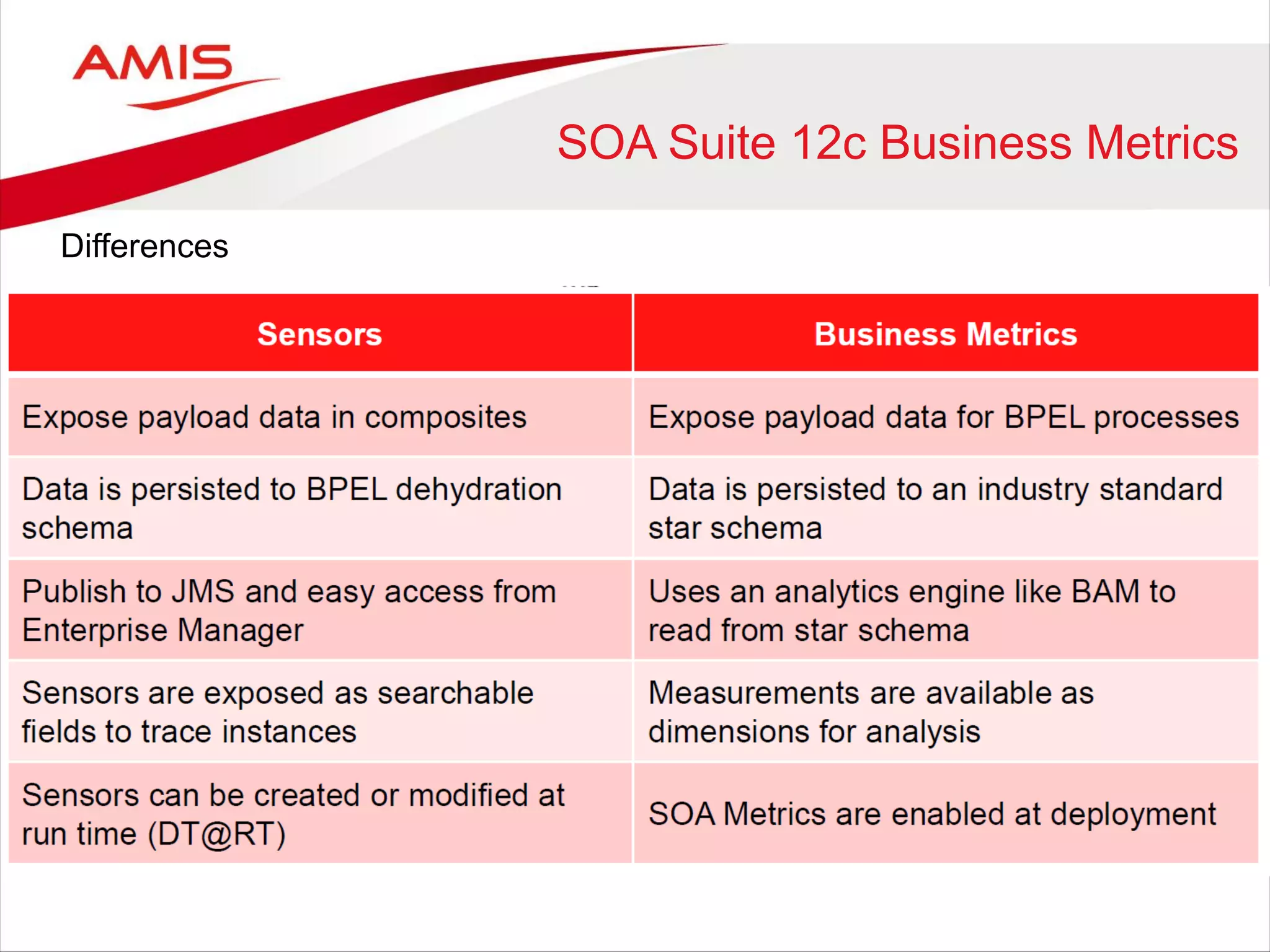
Differences
SOA Suite 12c Business Metrics
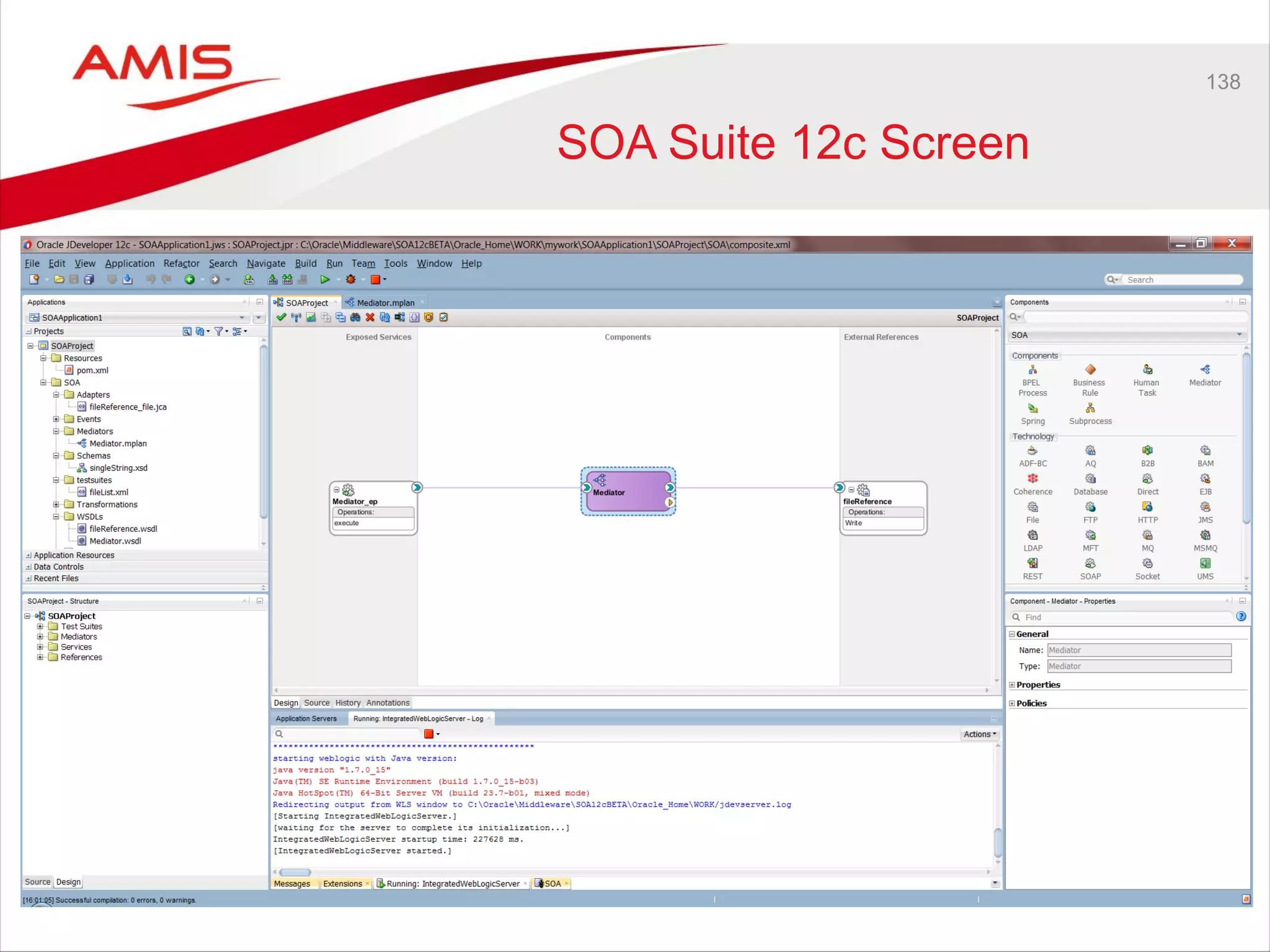
138
SOA Suite 12c Screen
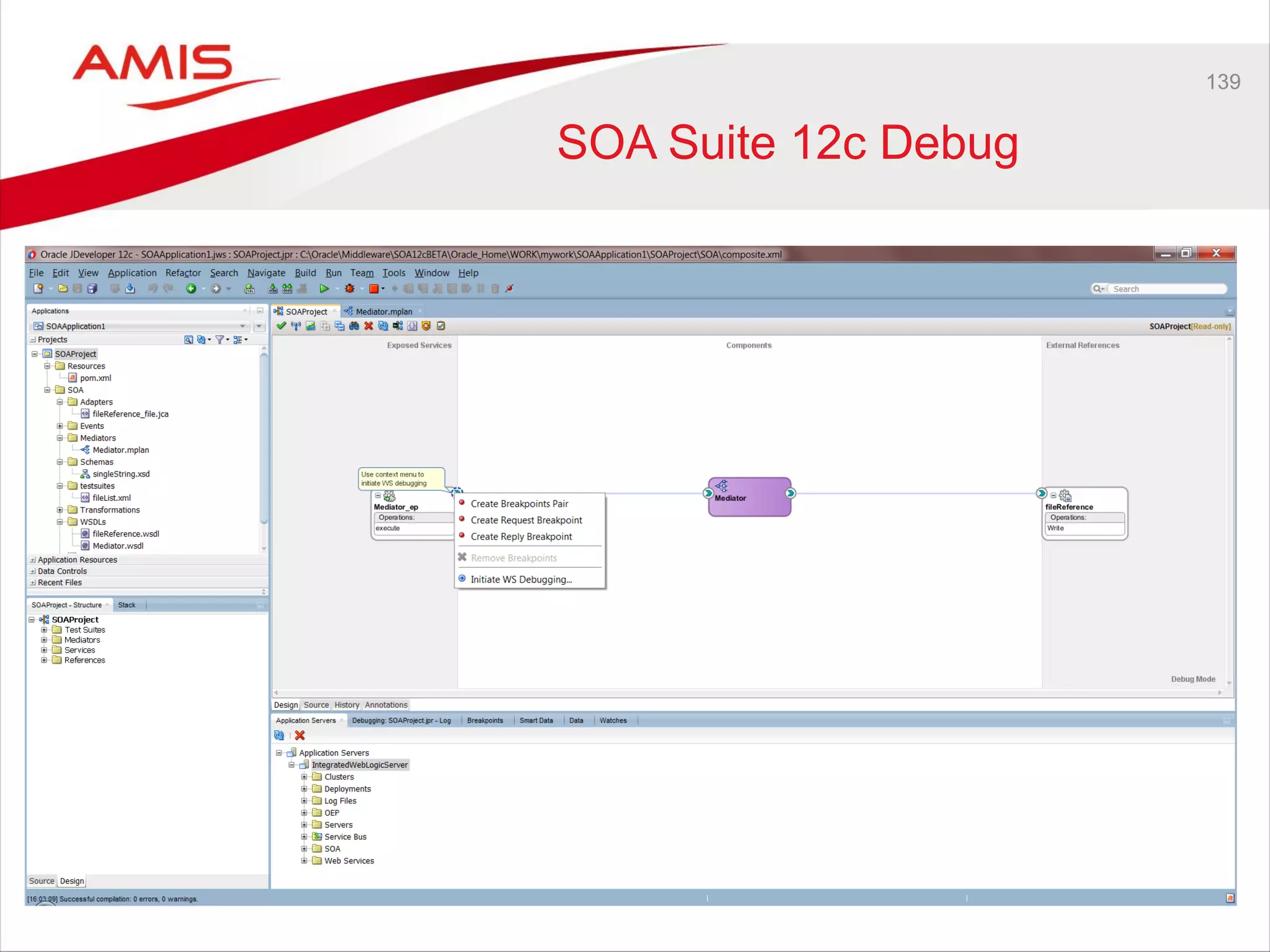
139
SOA Suite 12c Debug
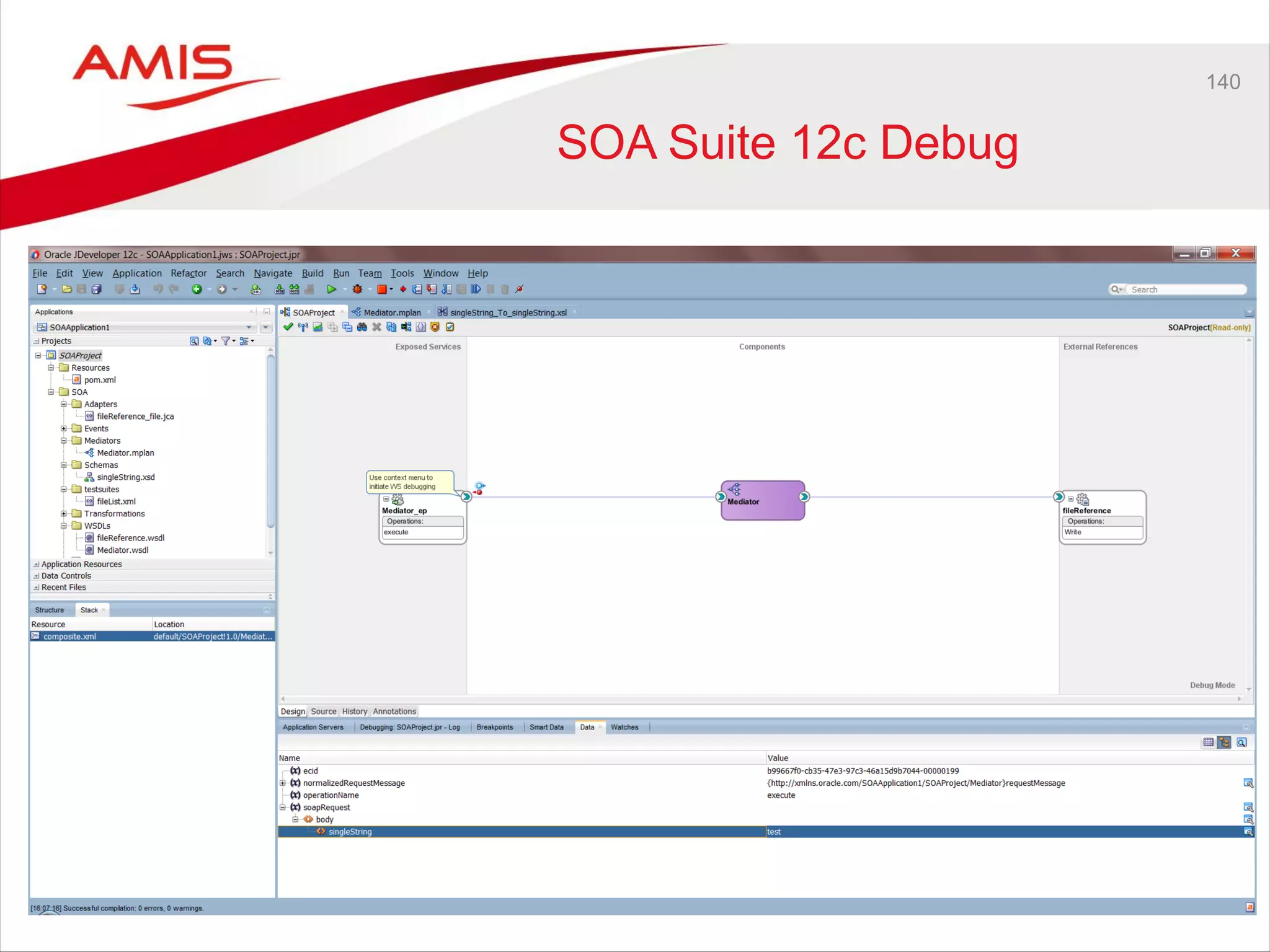
140
SOA Suite 12c Debug
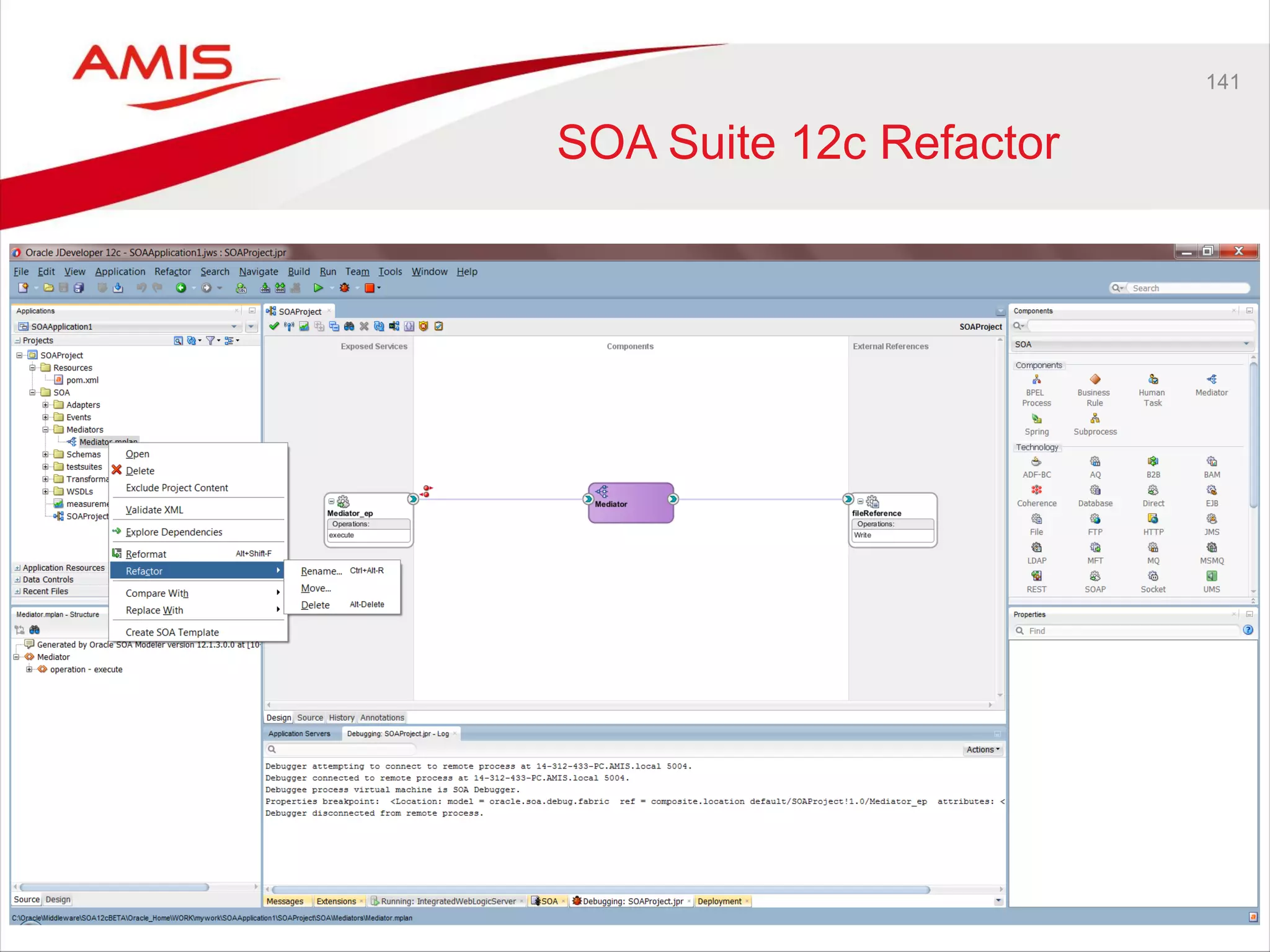
141
SOA Suite 12c Refactor
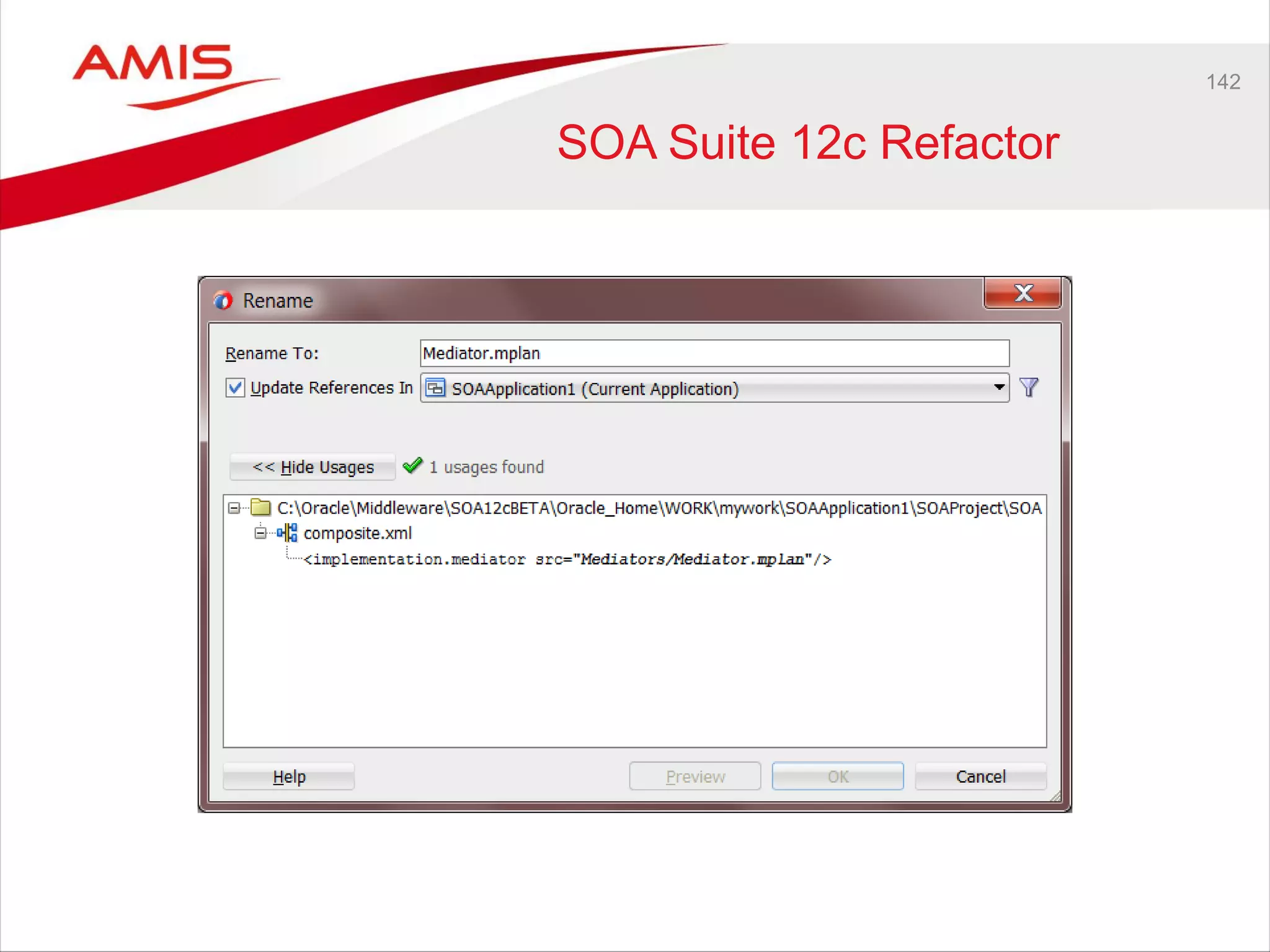
142
SOA Suite 12c Refactor
143
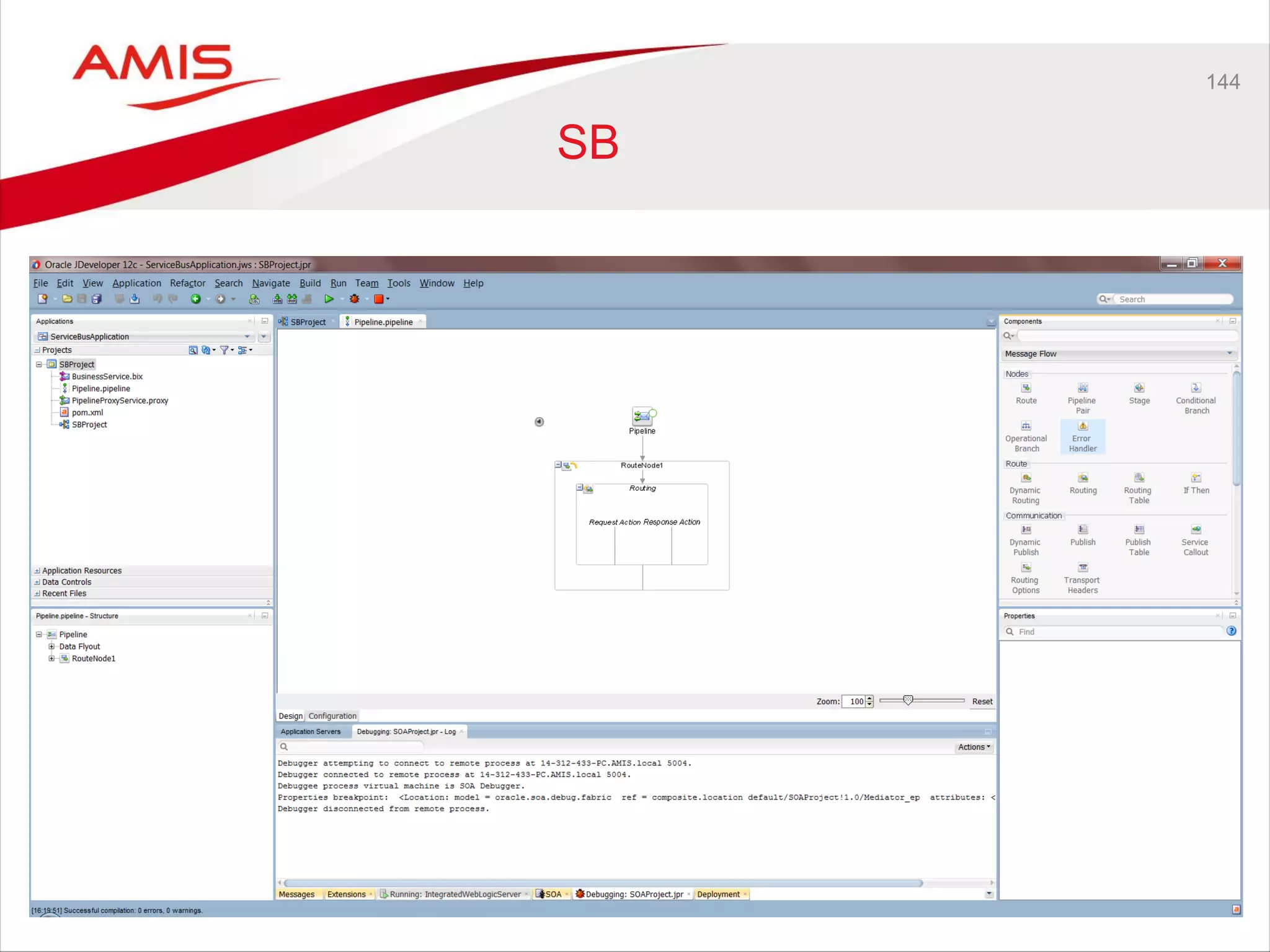
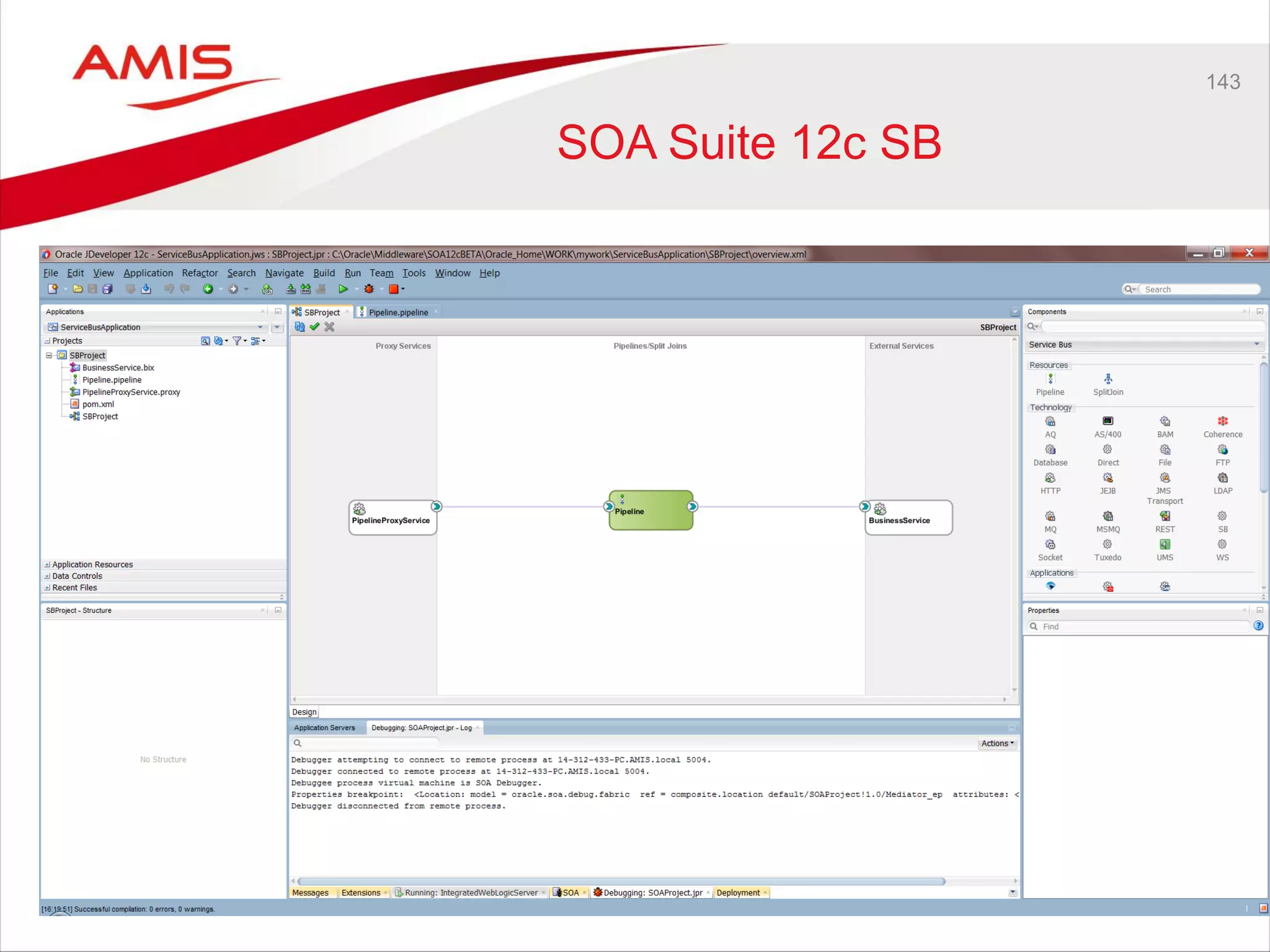
SOA Suite 12c SB
144
SB
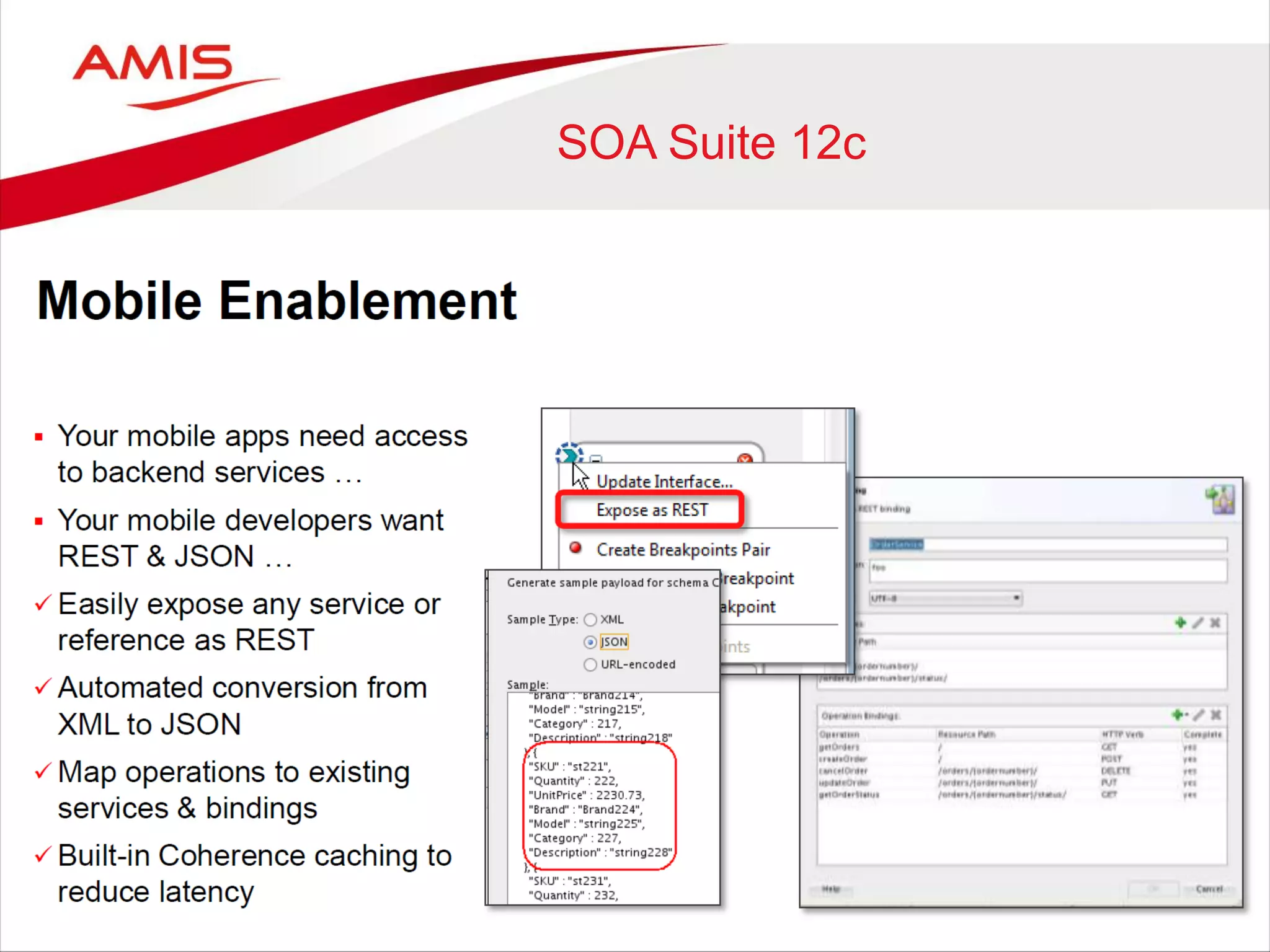
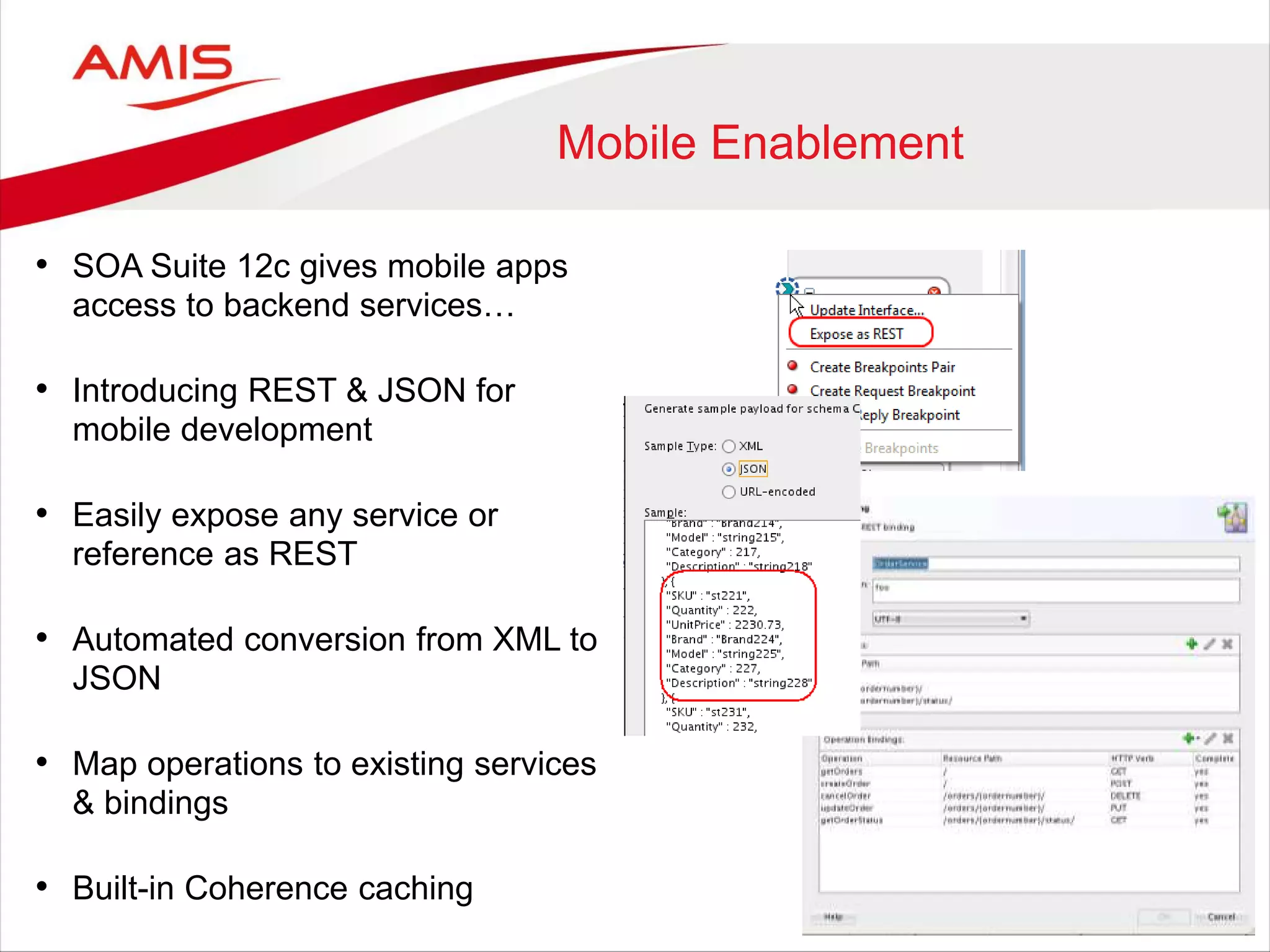
Mobile Enablement
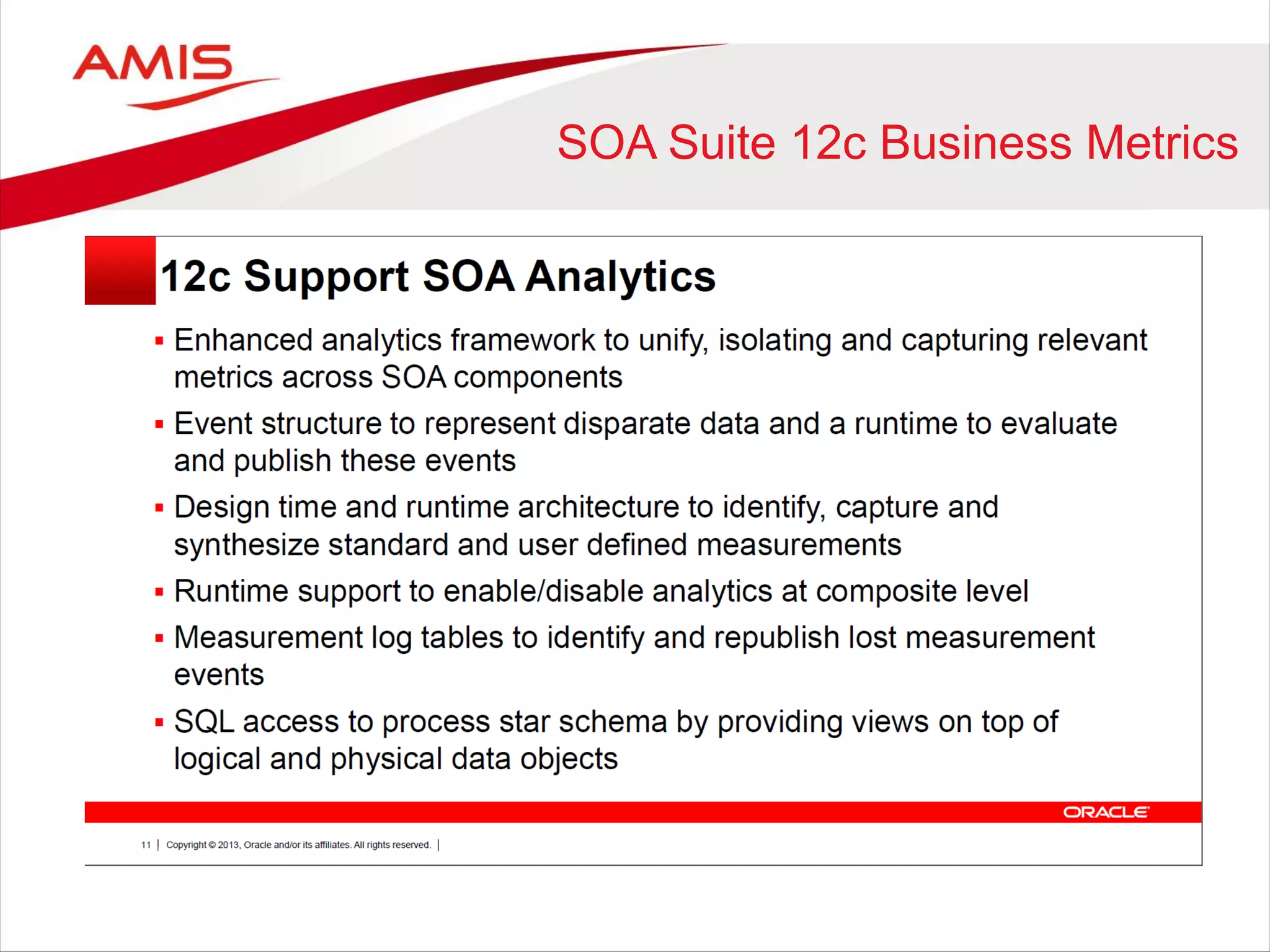
• SOA Suite 12c gives mobile apps
access to backend services…
• Introducing REST & JSON for
mobile development
• Easily expose any service or
reference as REST
• Automated conversion from XML to
JSON
• Map operations to existing services
& bindings
• Built-in Coherence caching
146
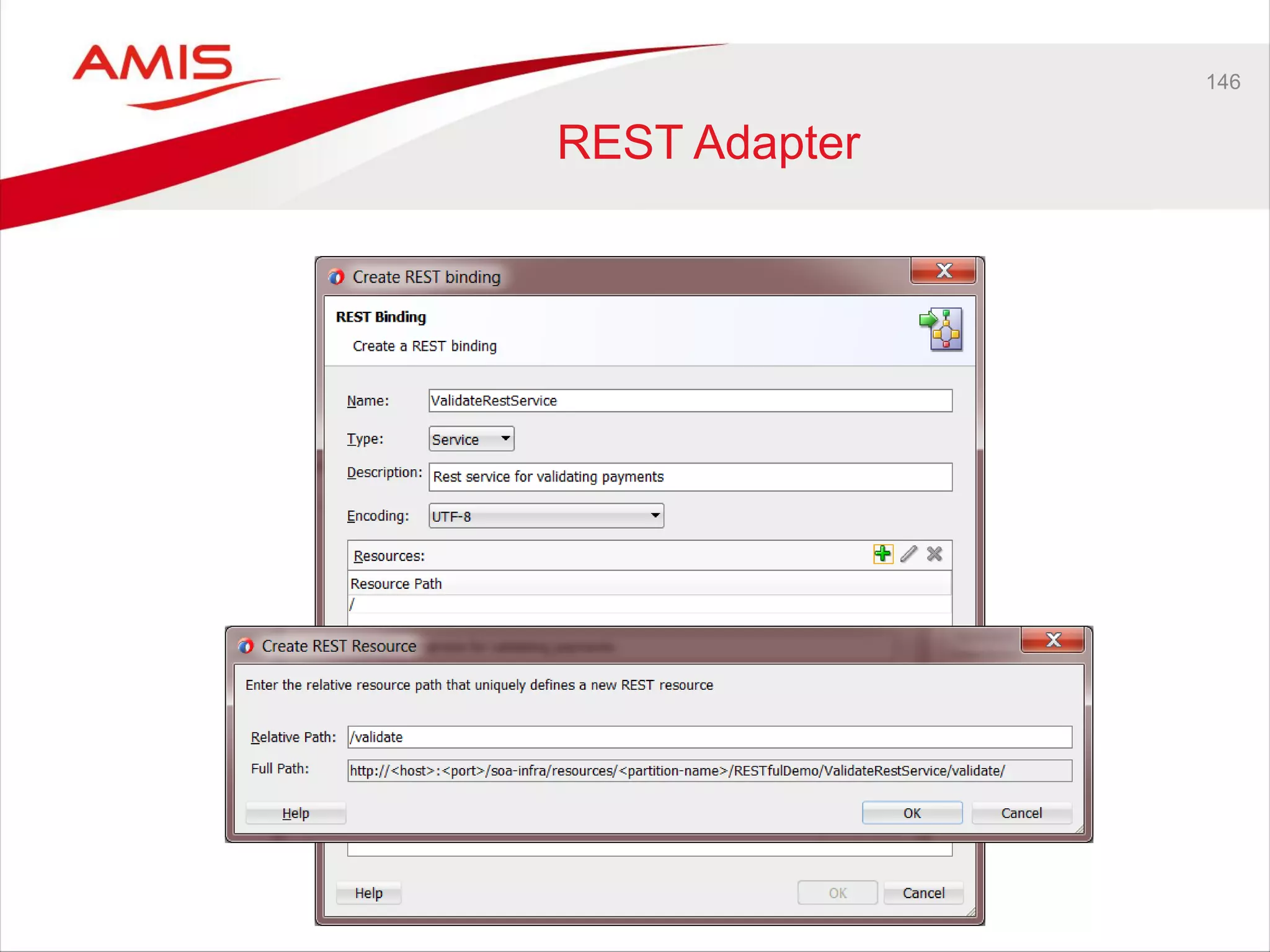
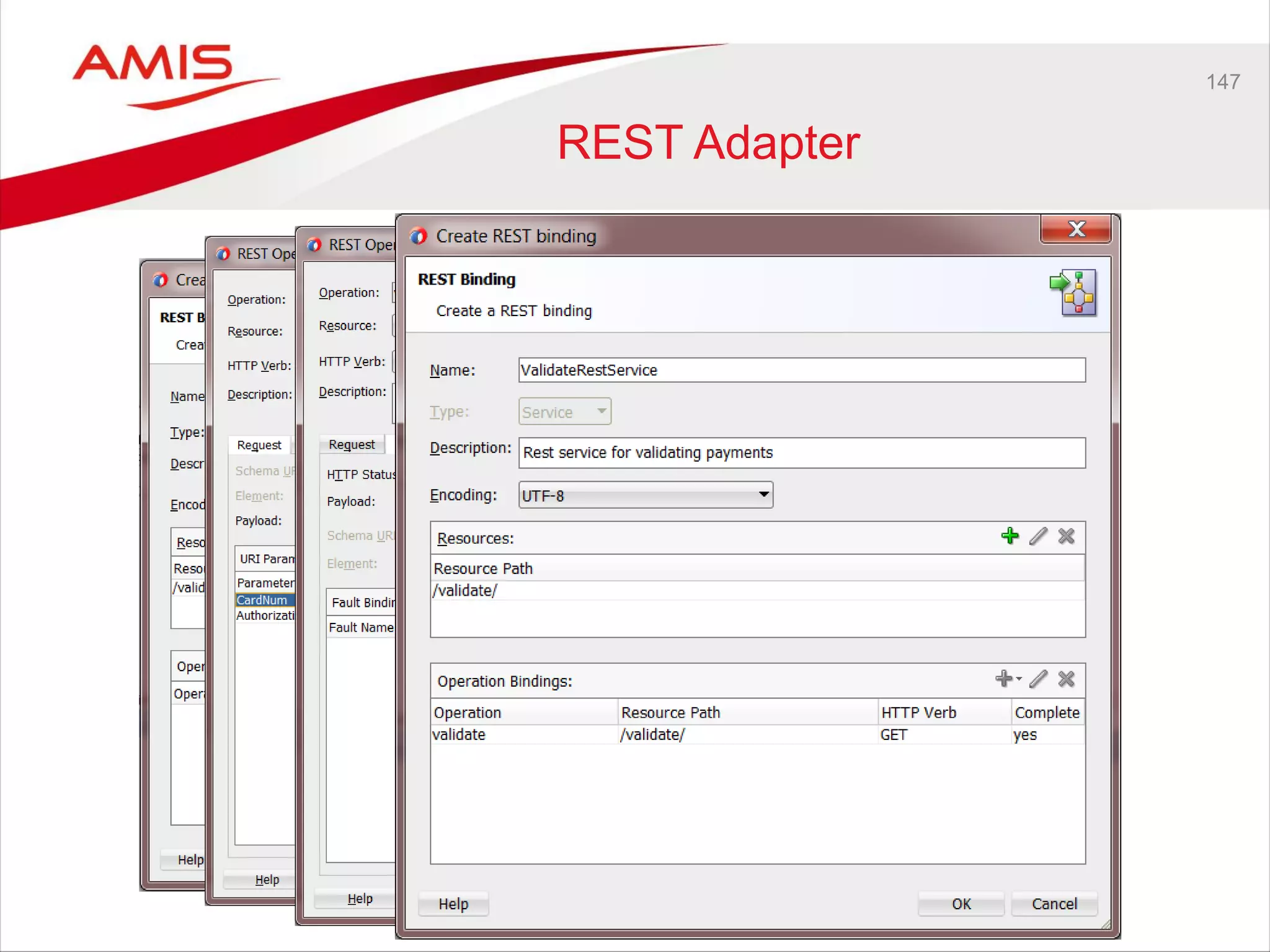
REST Adapter
147
REST Adapter
148
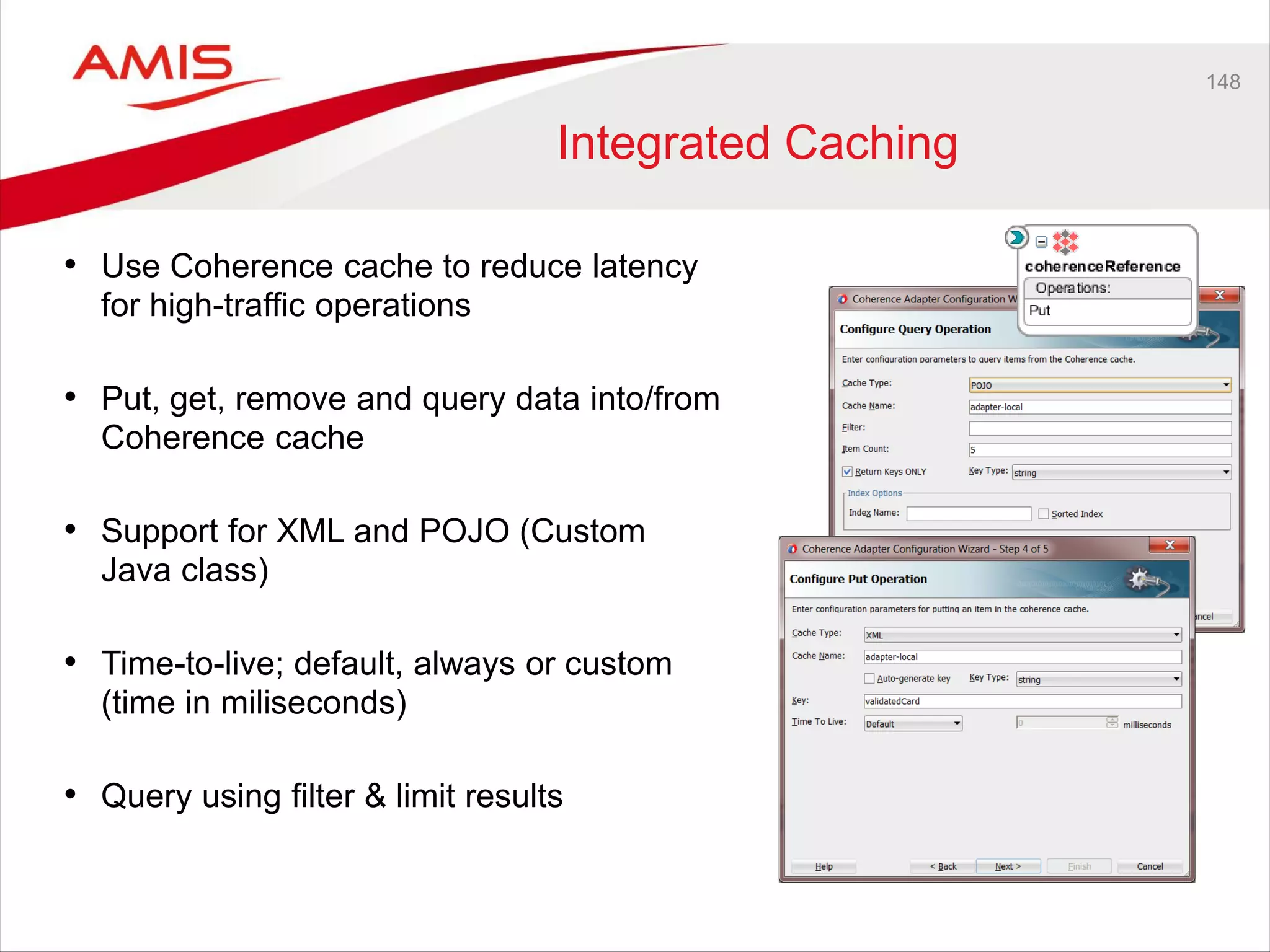
Integrated Caching
• Use Coherence cache to reduce latency
for high-traffic operations
• Put, get, remove and query data into/from
Coherence cache
• Support for XML and POJO (Custom
Java class)
• Time-to-live; default, always or custom
(time in miliseconds)
• Query using filter & limit results
149
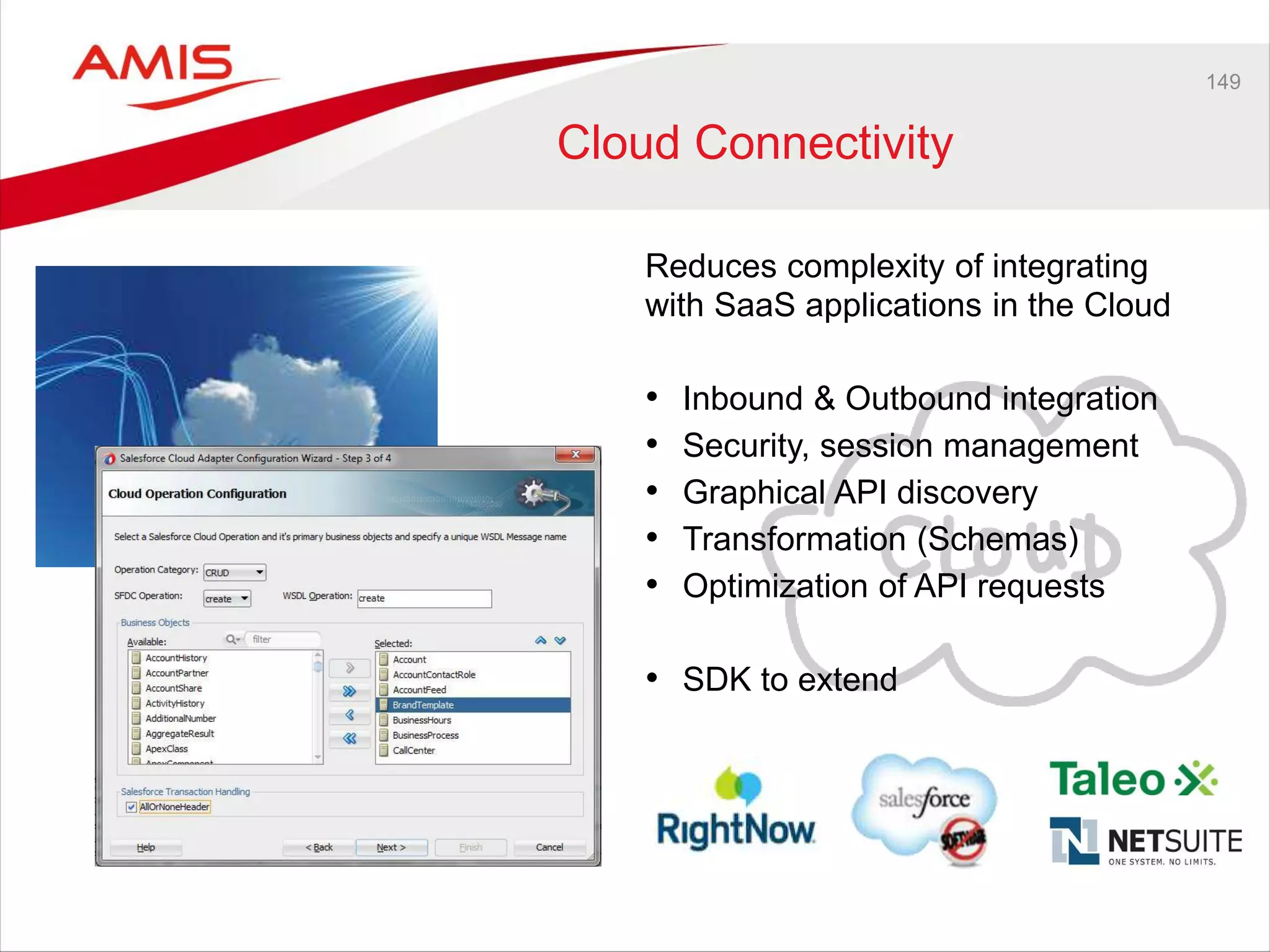
Cloud Connectivity
Reduces complexity of integrating
with SaaS applications in the Cloud
• Inbound & Outbound integration
• Security, session management
• Graphical API discovery
• Transformation (Schemas)
• Optimization of API requests
• SDK to extend
150
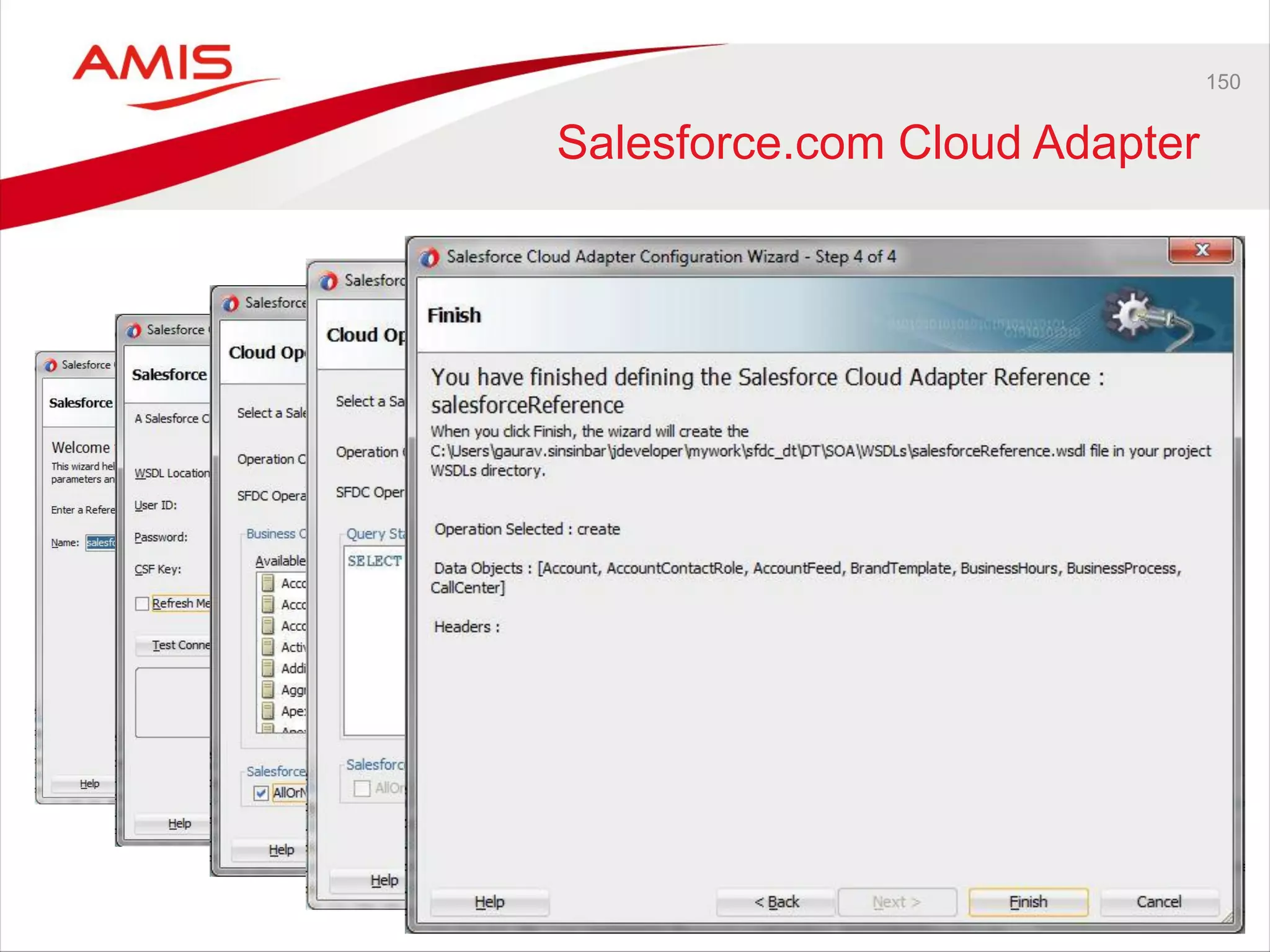
Salesforce.com Cloud Adapter
151
Cloud Adapter SDK
• SDK Allows developers to build adapters that facilitate integration
between SOA components and SAAS applications
• Core Design Time Framework: allows adapters to model SAAS
application metadata and security properties for presentation in JDev
• Cloud Adapter Wizard Framework: allows adapters to customize a JDev
wizard for browsing/selecting SAAS application metadata/security
properties.
• Core Runtime Framework: allows adapters to perform transformations
on request/response messages and integrate with OWSM (optional)
Managed File Transfer 12c
New Fusion Middleware product
• Simple and Secure End-to-End Managed File Gateway
– Large files, encryption, auditing, monitoring, pass-by-reference
• Standards Based Middleware Integrations
– (s)FTP, SOA, B2B, Service Bus, Web Services …
• Lightweight Web based Design Time Interface
– Easily build, edit and deploy end-to-end transfers
• Additional Characteristics
– Scheduling, Embedded sFTP server, FTP proxy, no transformations
– Advanced Management: Pause, Resume, Resubmit
– Custom callouts including file manipulation
153
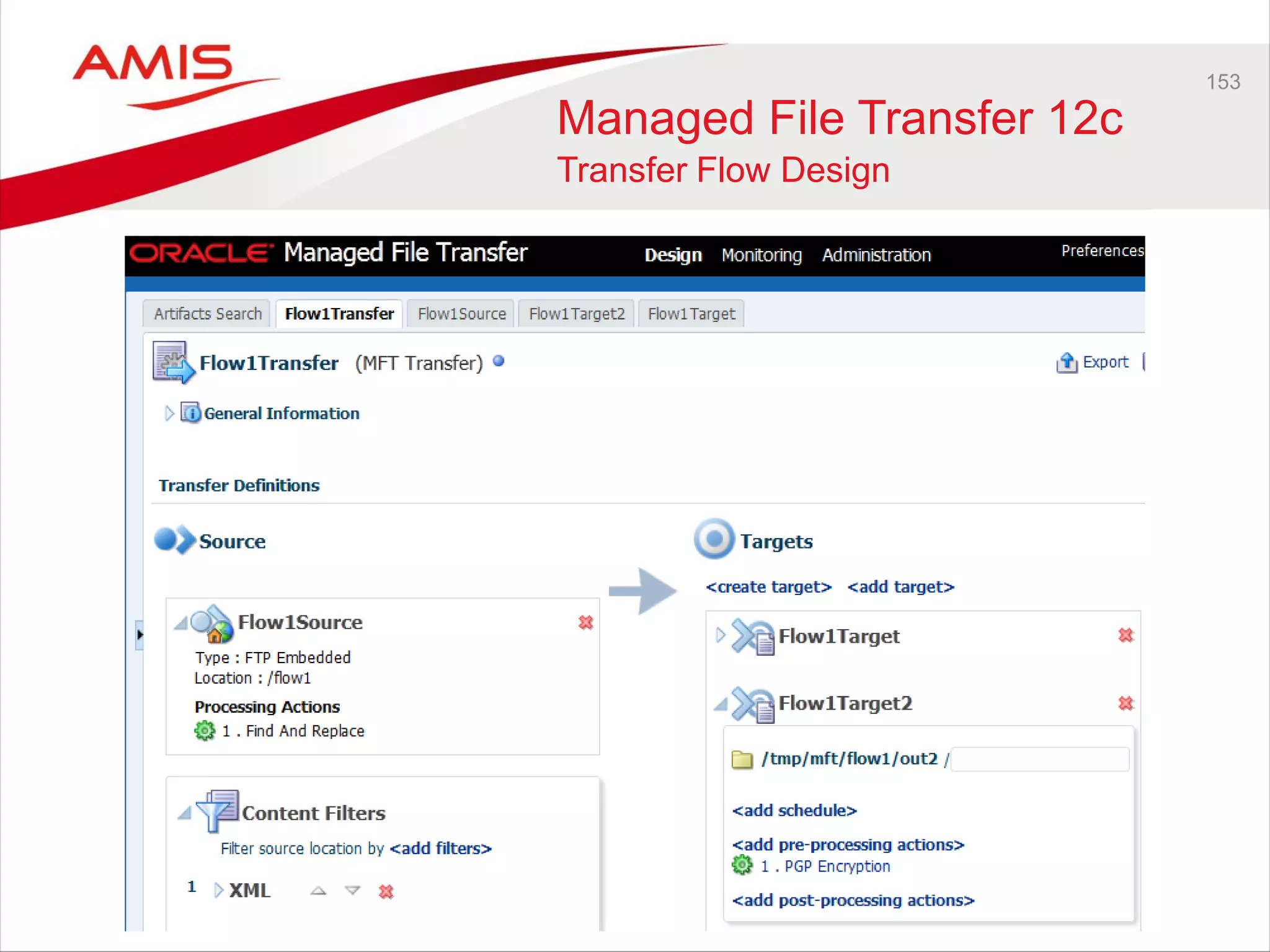
Managed File Transfer 12c
Transfer Flow Design
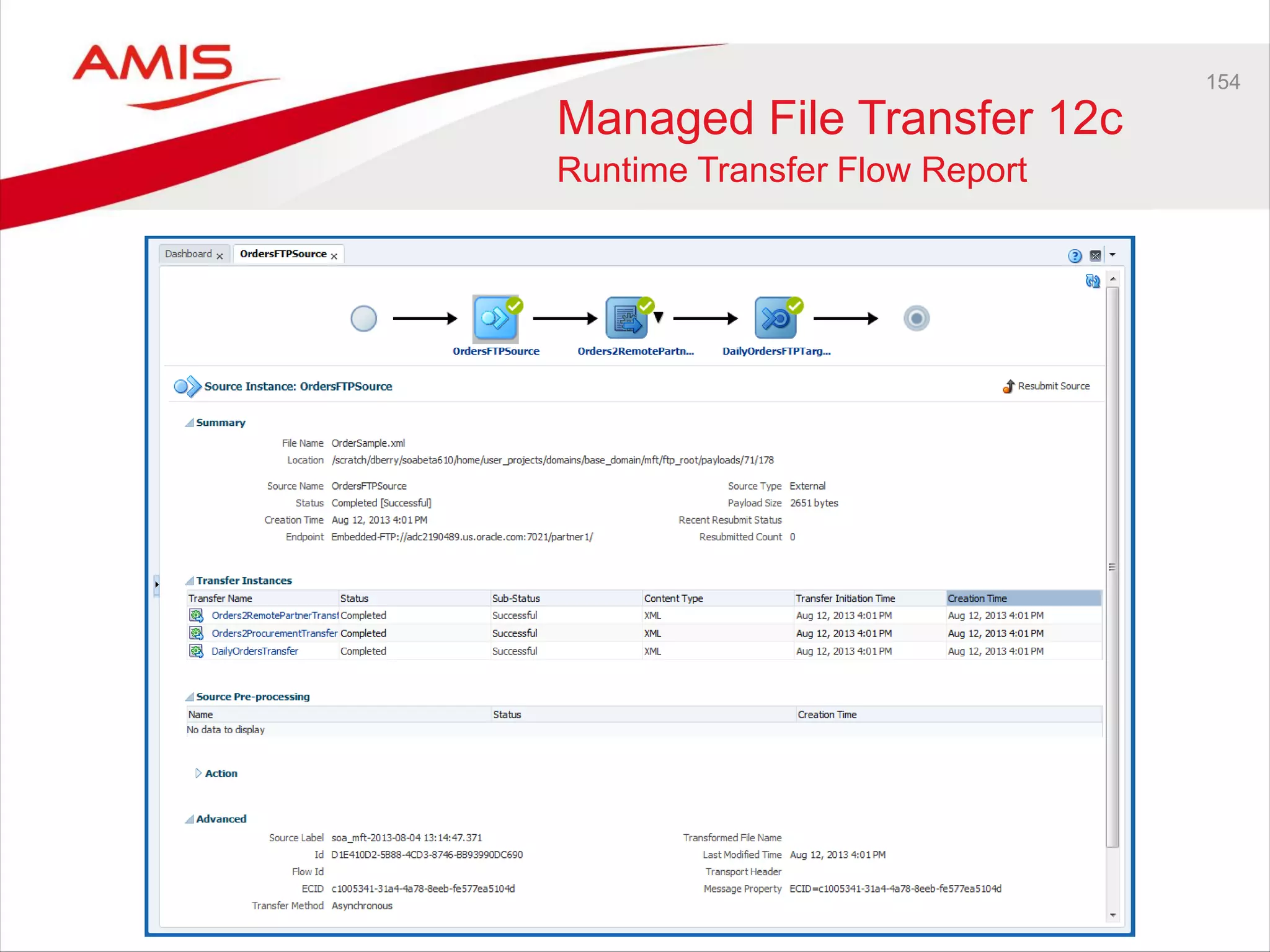
154
Managed File Transfer 12c
Runtime Transfer Flow Report
155
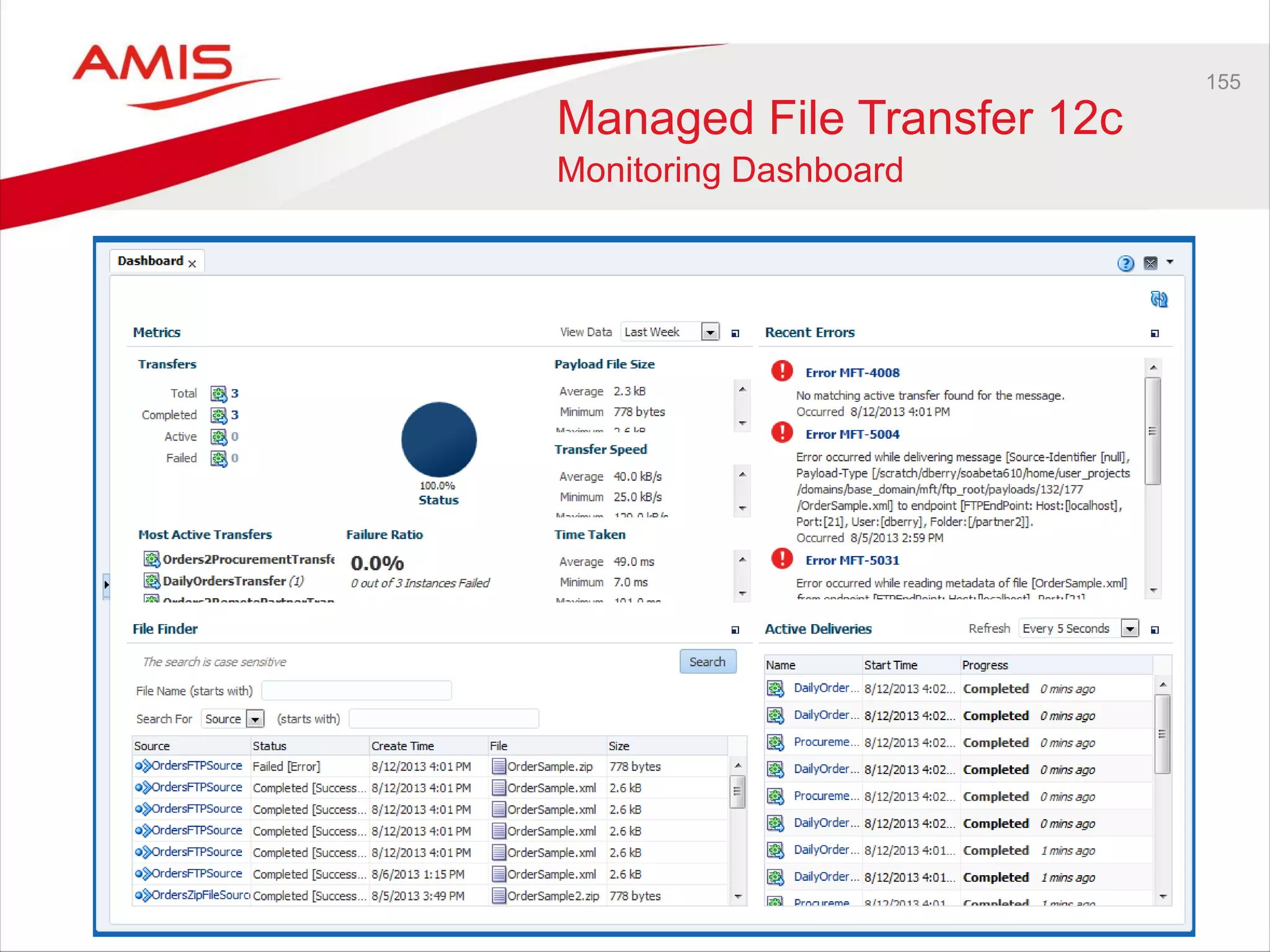
Managed File Transfer 12c
Monitoring Dashboard
156
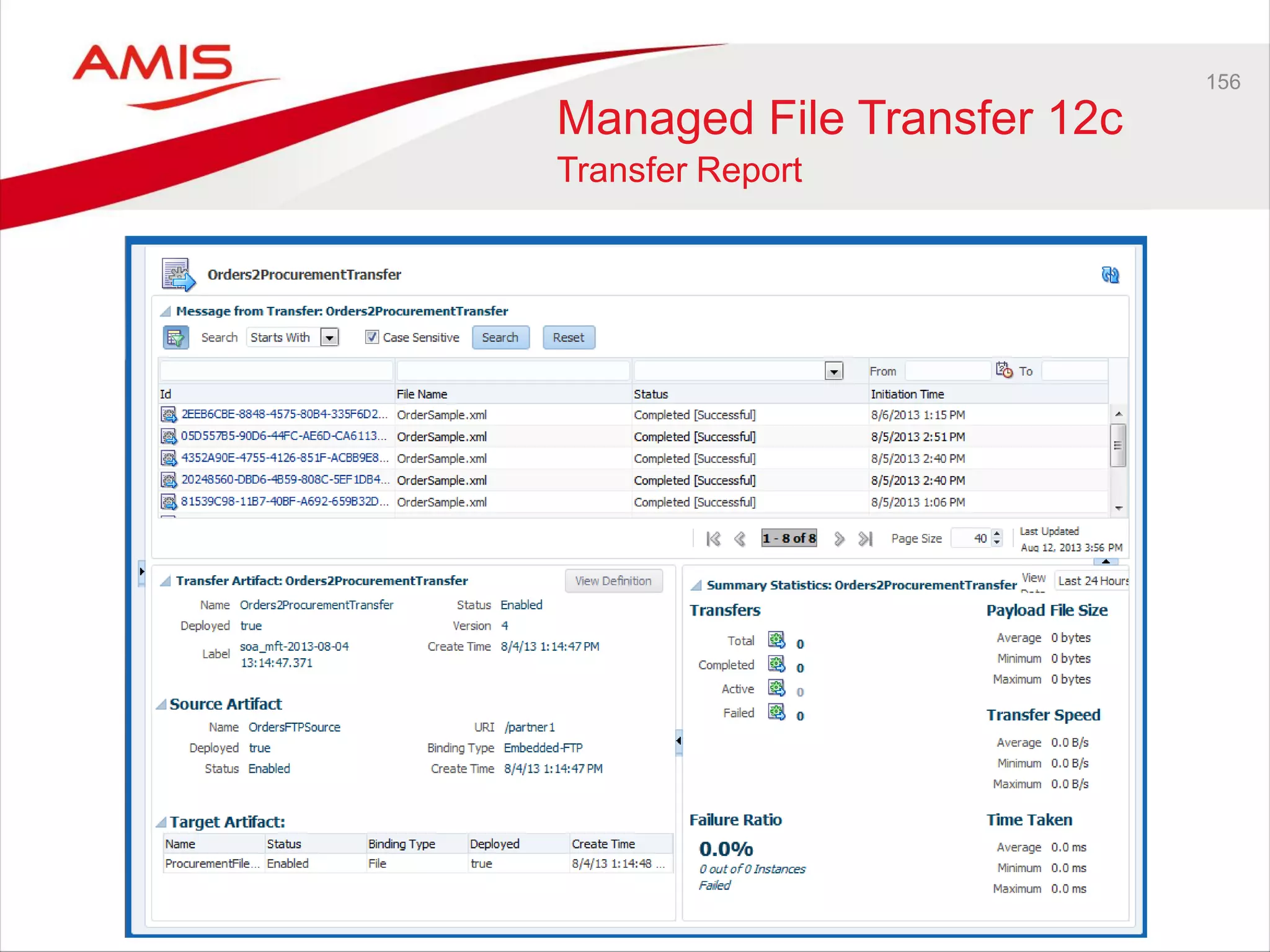
Managed File Transfer 12c
Transfer Report
Governance
SOA Governance
• OER 12c totally new, rewritten
• OER12c Roadmap: just after SOA Suite 12c release
• CAB Governance session:
NDA
WebCenter
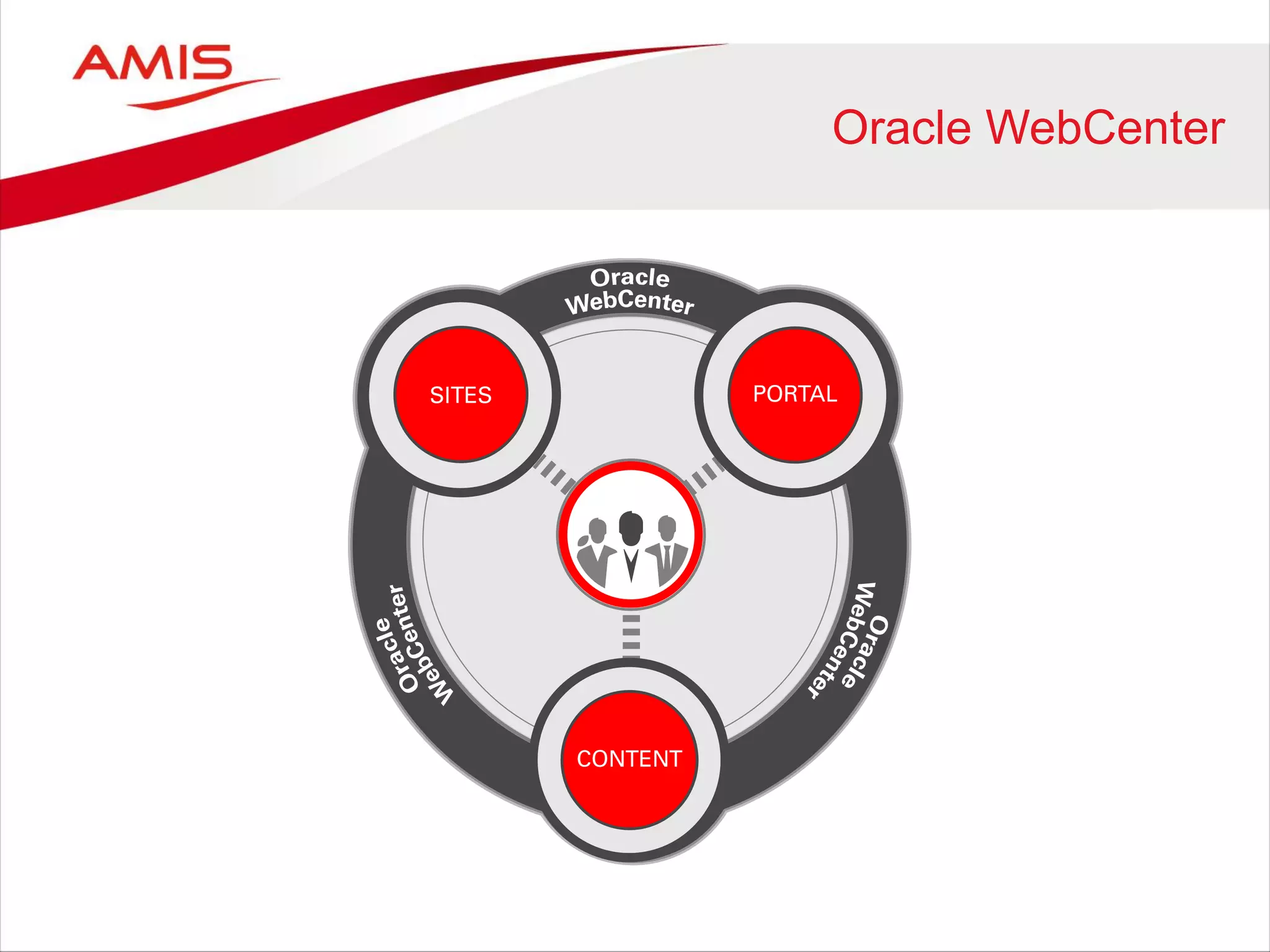
Oracle WebCenter
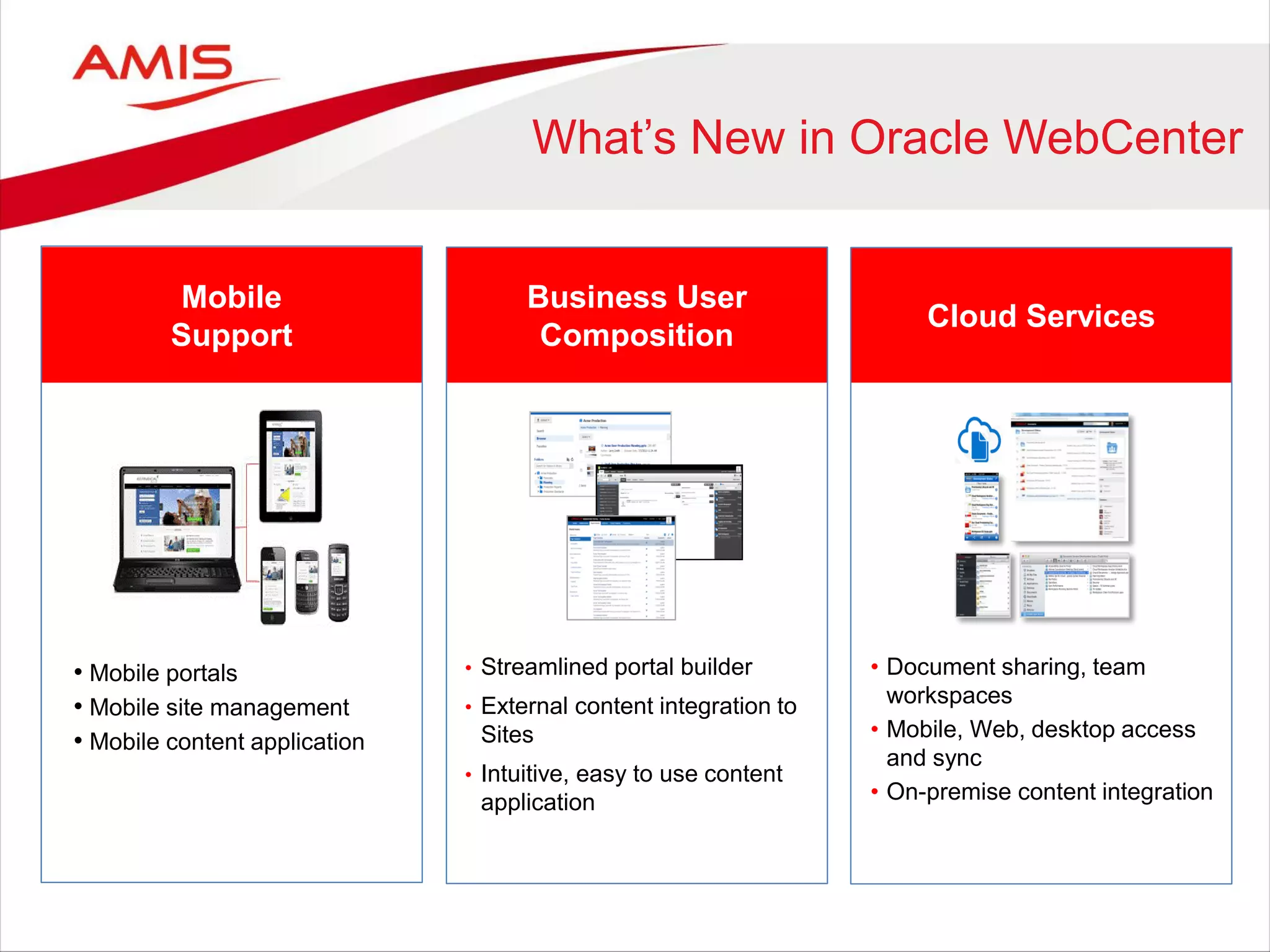
What’s New in Oracle WebCenter
Mobile
Support
Business User
Composition
• Mobile portals
• Mobile site management
• Mobile content application
• Streamlined portal builder
• External content integration to
Sites
• Intuitive, easy to use content
application
Cloud Services
• Document sharing, team
workspaces
• Mobile, Web, desktop access
and sync
• On-premise content integration
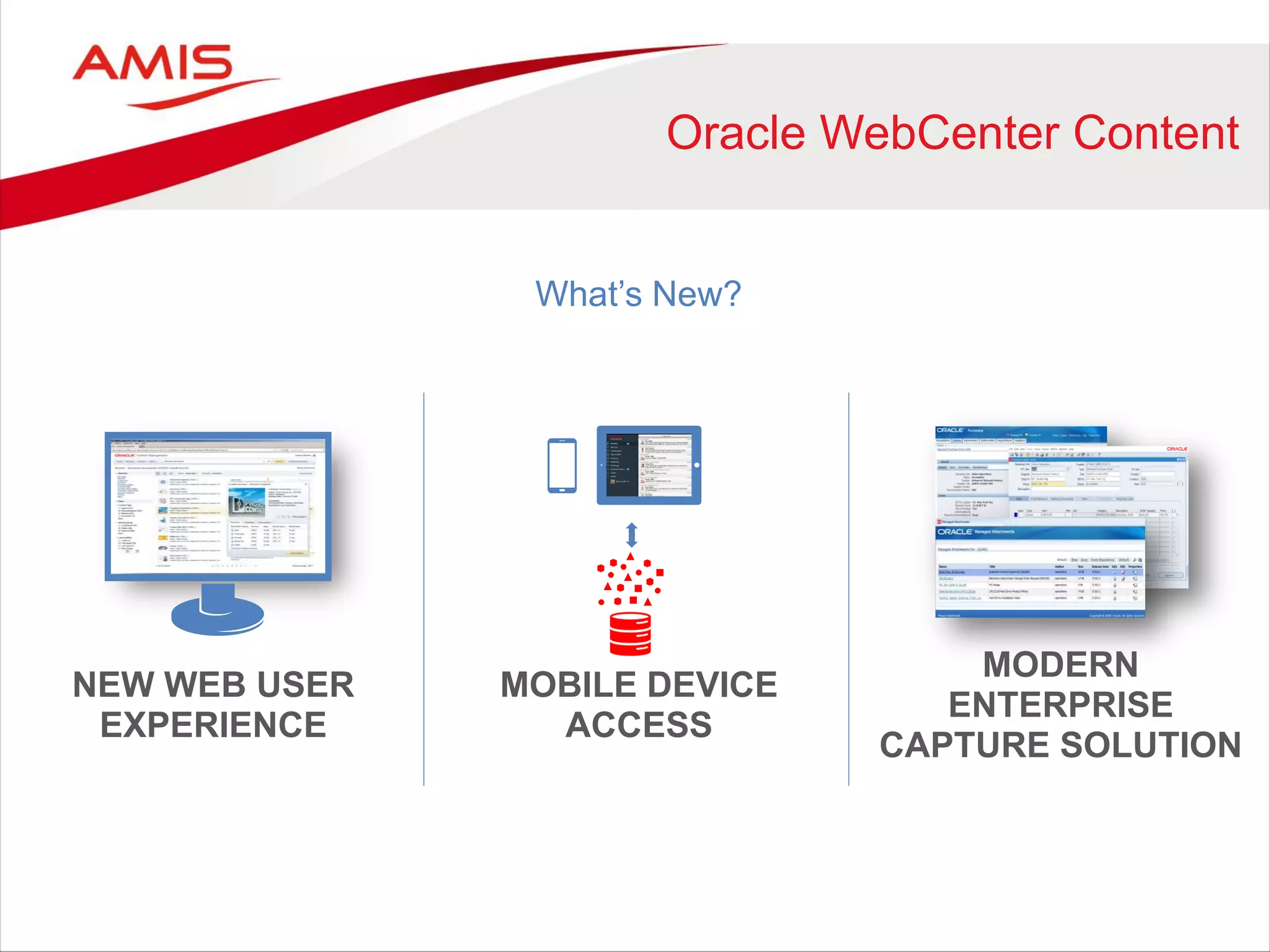
Oracle WebCenter Content
NEW WEB USER
EXPERIENCE
MODERN
ENTERPRISE
CAPTURE SOLUTION
MOBILE DEVICE
ACCESS
What’s New?
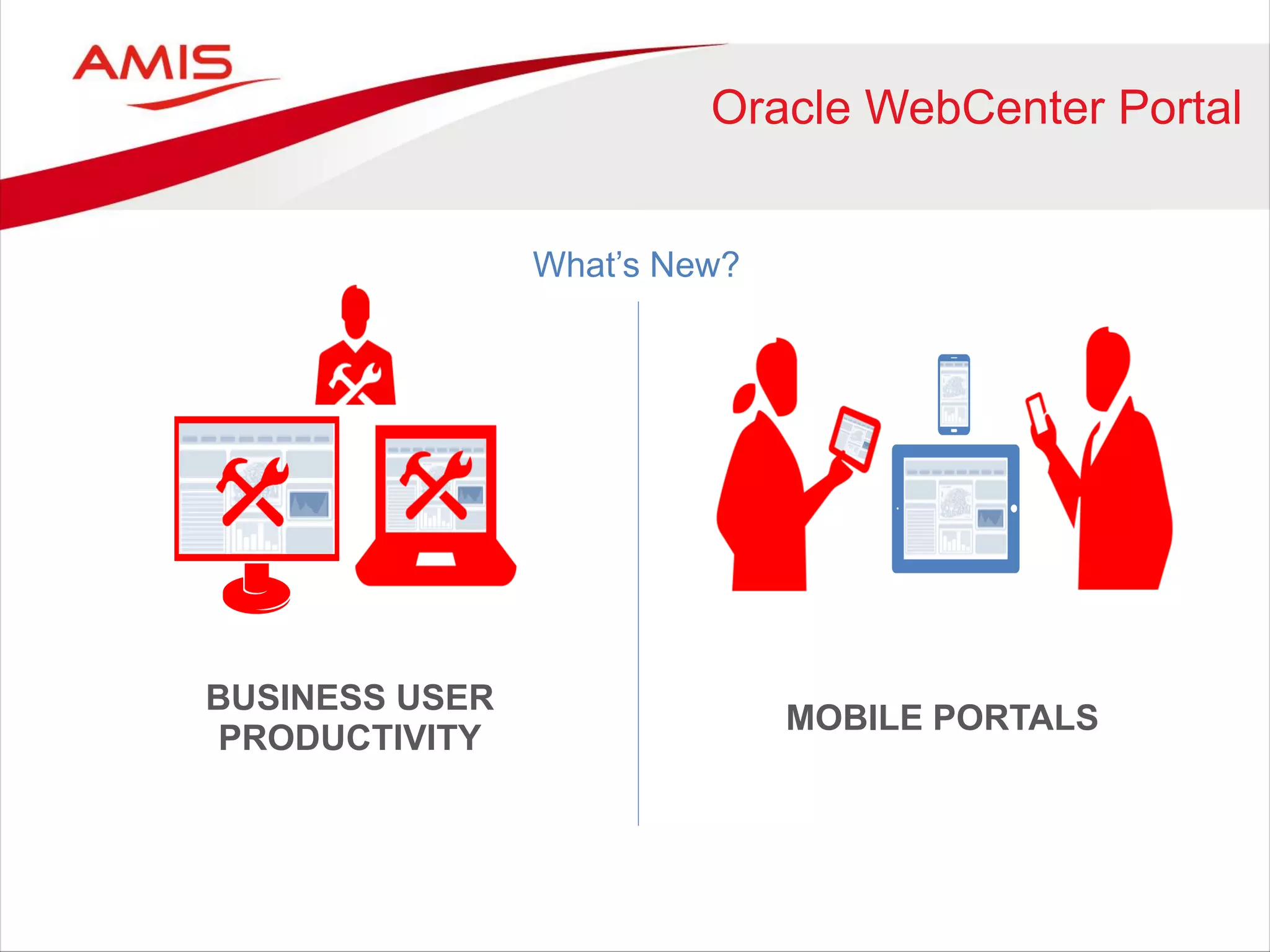
Oracle WebCenter Portal
What’s New?
BUSINESS USER
PRODUCTIVITY
MOBILE PORTALS
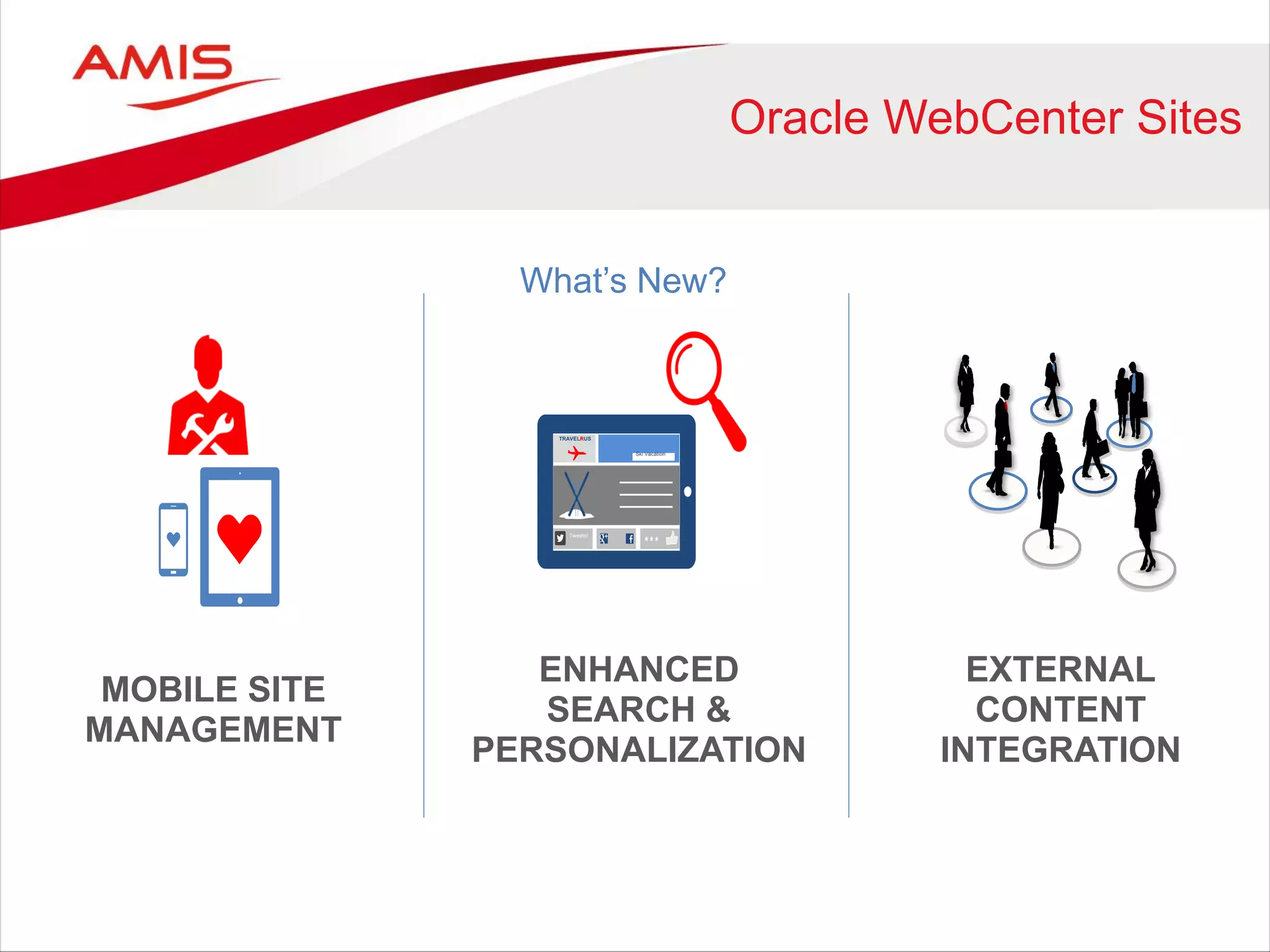
Oracle WebCenter Sites
What’s New?
MOBILE SITE
MANAGEMENT
EXTERNAL
CONTENT
INTEGRATION
ENHANCED
SEARCH &
PERSONALIZATION
TRAVEL
RUS Ski
Vacatio
n
Tw
eet
s!
TRAVELRUS
Ski Vacation
Tweets!
168
Cloud Document Services
• Enterprise File Sharing in the Oracle Cloud (DMaaS)
• Simple access to files via
mobile devices, desktop or web
• Automatic file synchronization
• Opportunity to add workspace functionality
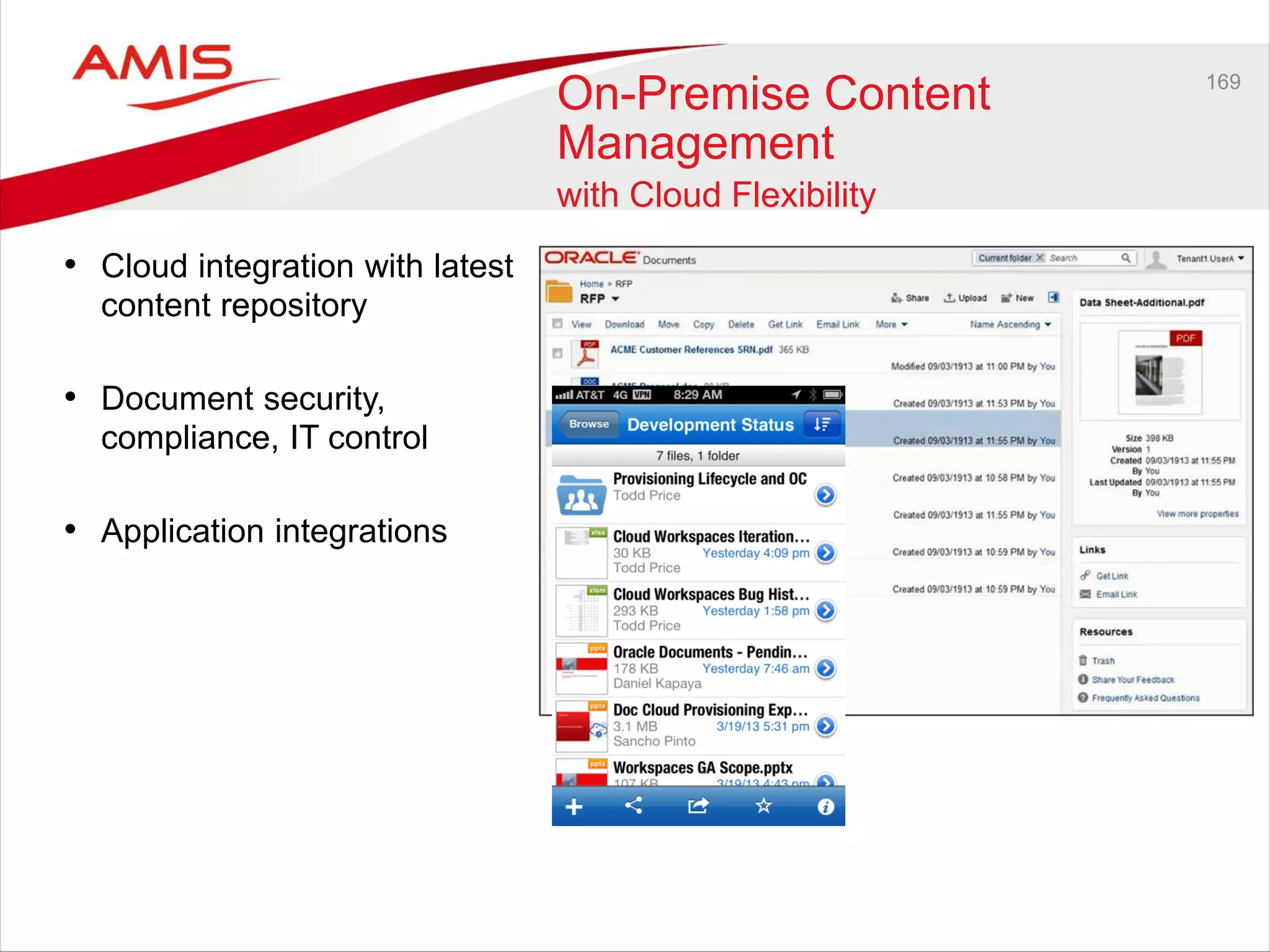
169
On-Premise Content
Management
with Cloud Flexibility
• Cloud integration with latest
content repository
• Document security,
compliance, IT control
• Application integrations
BPM & Case Management
171
BPM 11.1.1.7 Overview
• Model-to-execution in Process Composer
• Adaptive Case Management
• Process Accelerators
• Instances
– Manage Inflight Instances
– Instance Patching
– Instance Revisioning
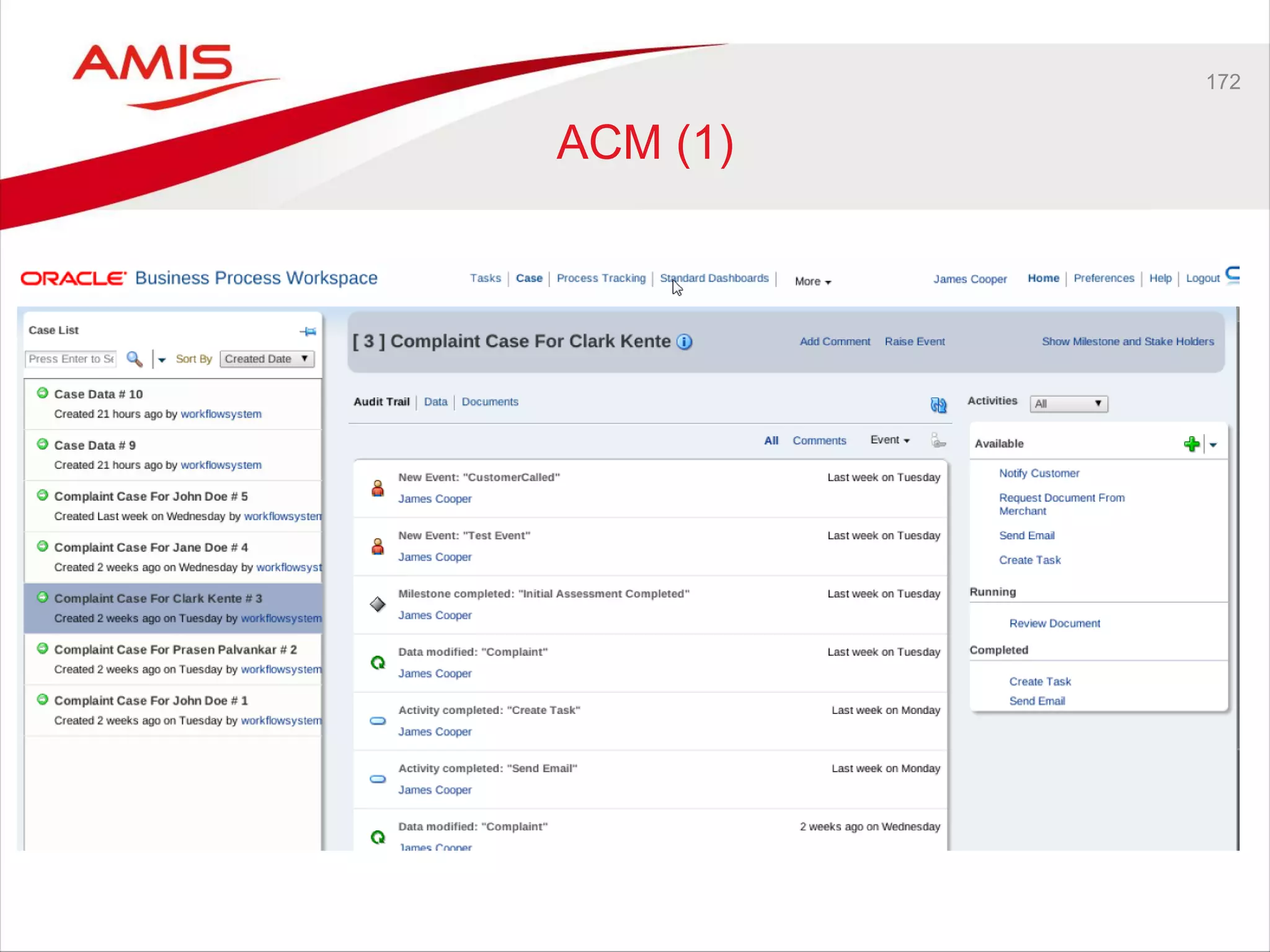
172
ACM (1)
173
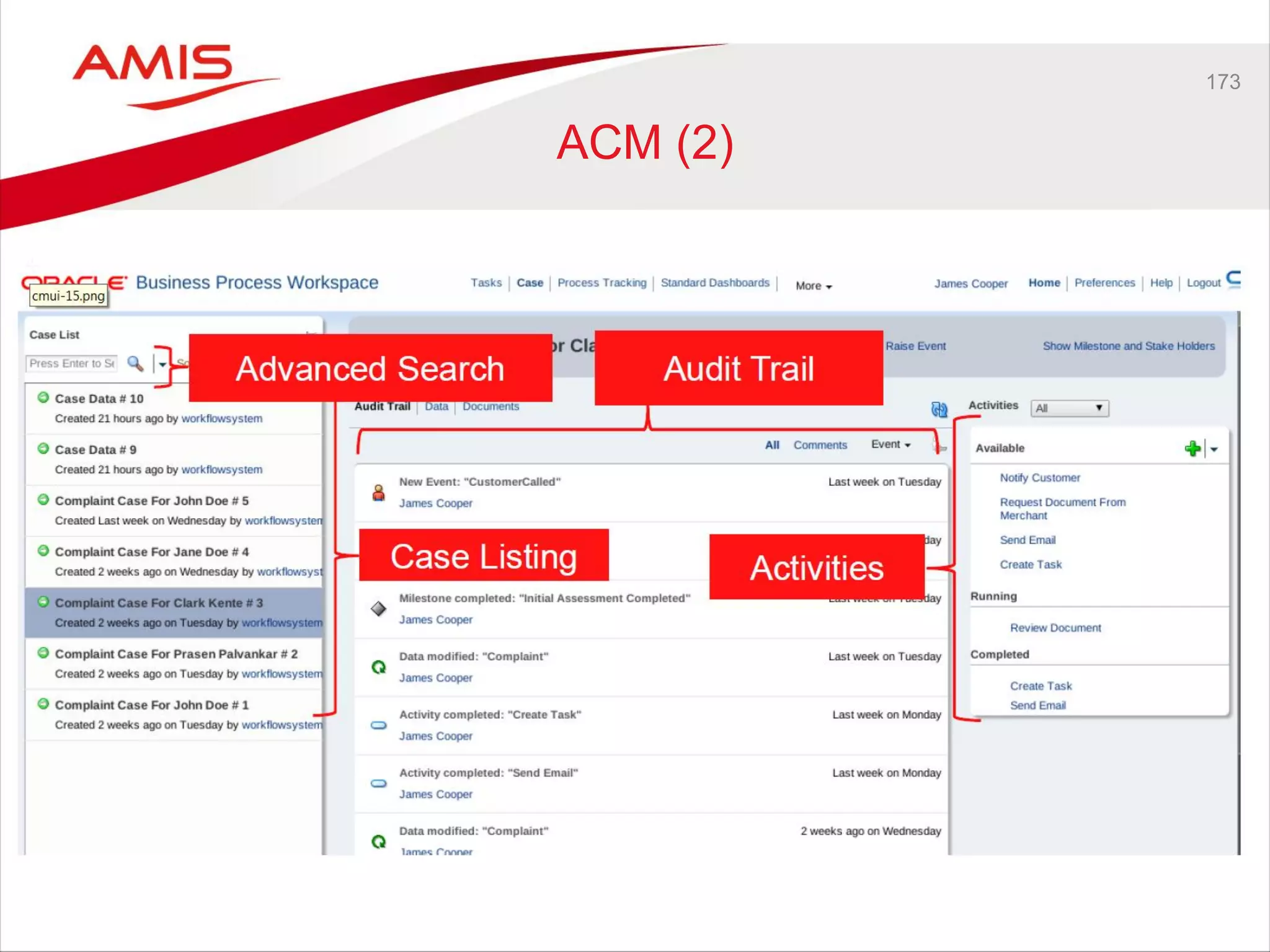
ACM (2)
174
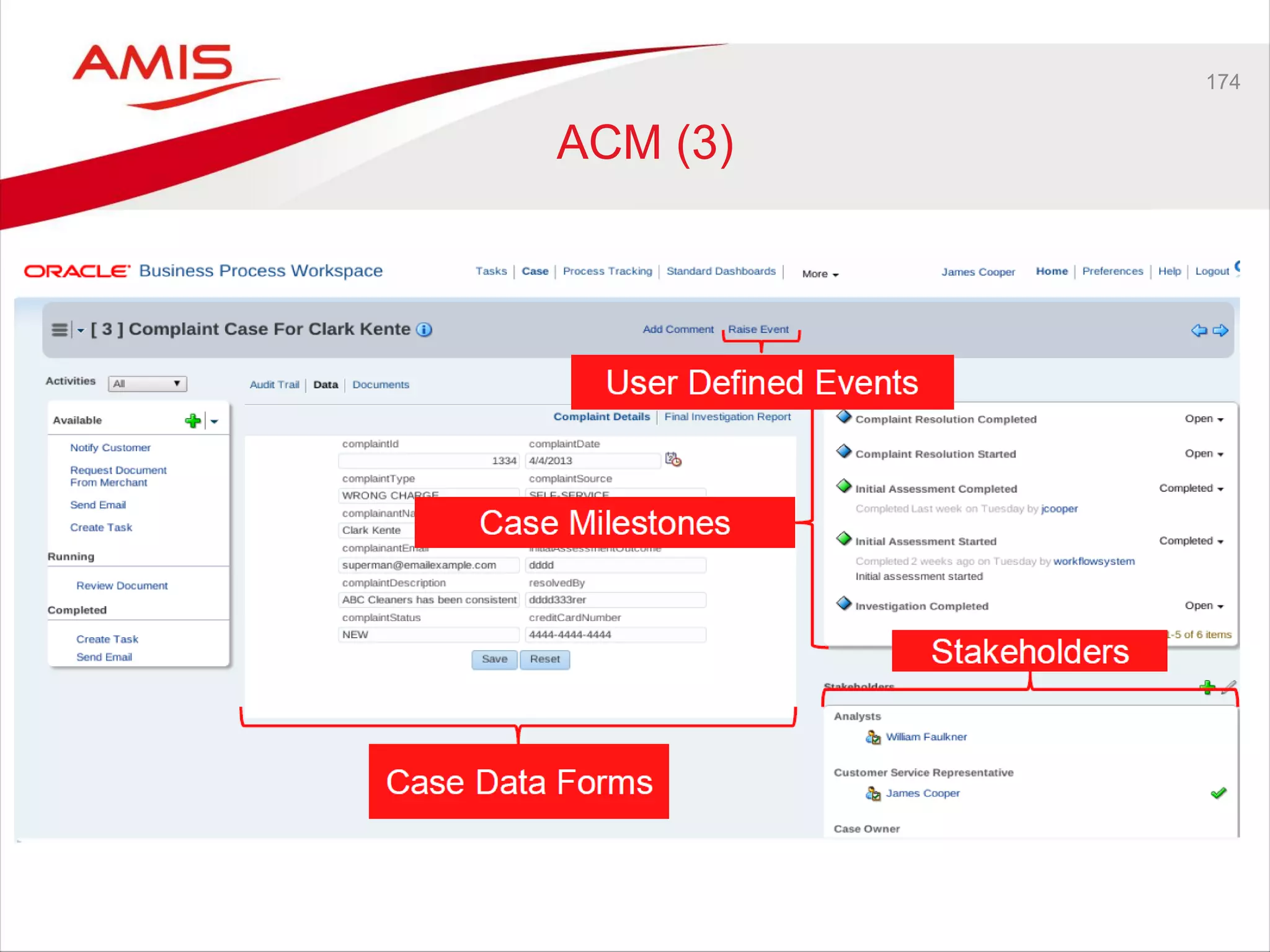
ACM (3)
175
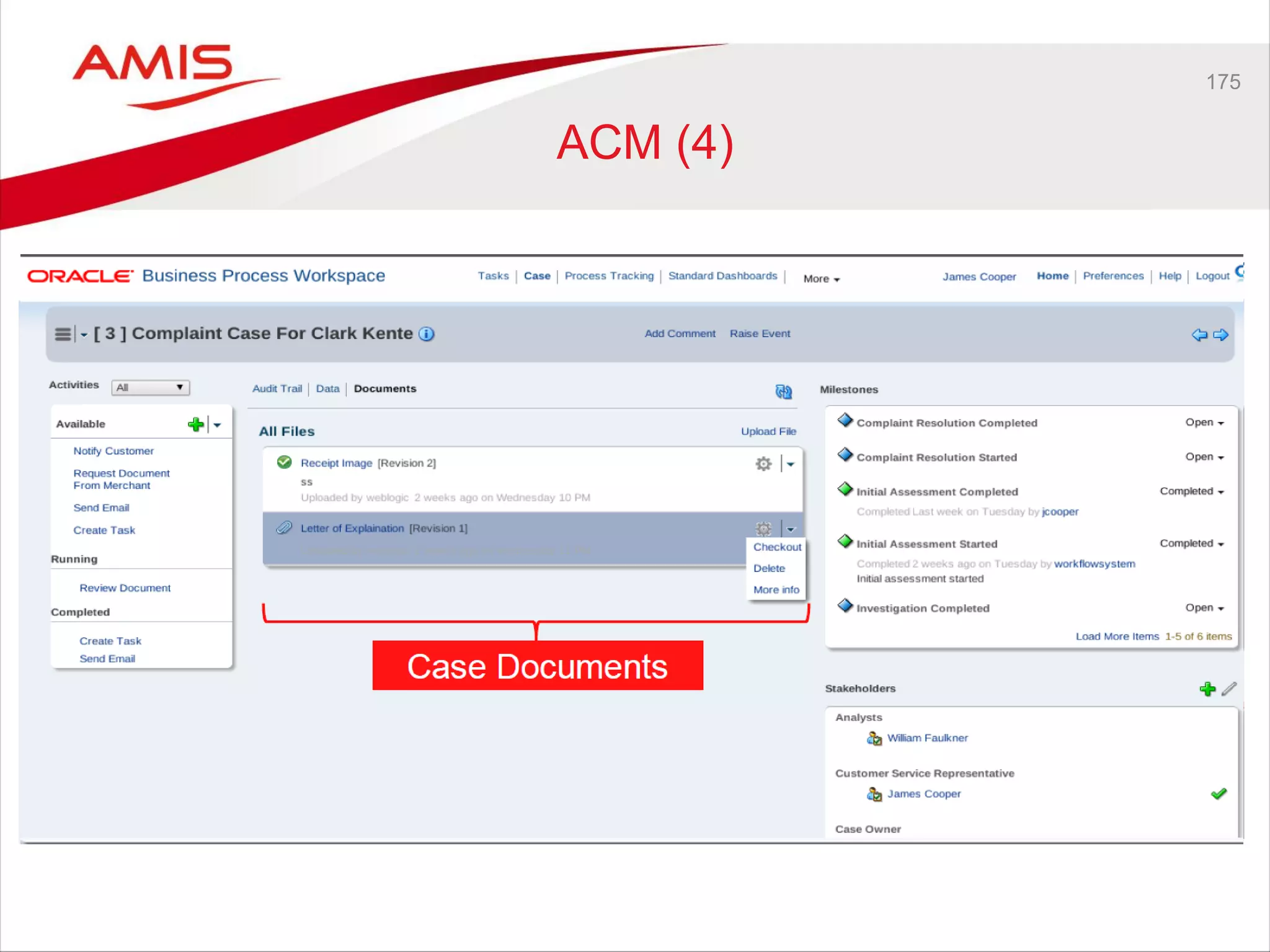
ACM (4)
176
Directions beyond 11.1.1.7
BPM & Case Management
177
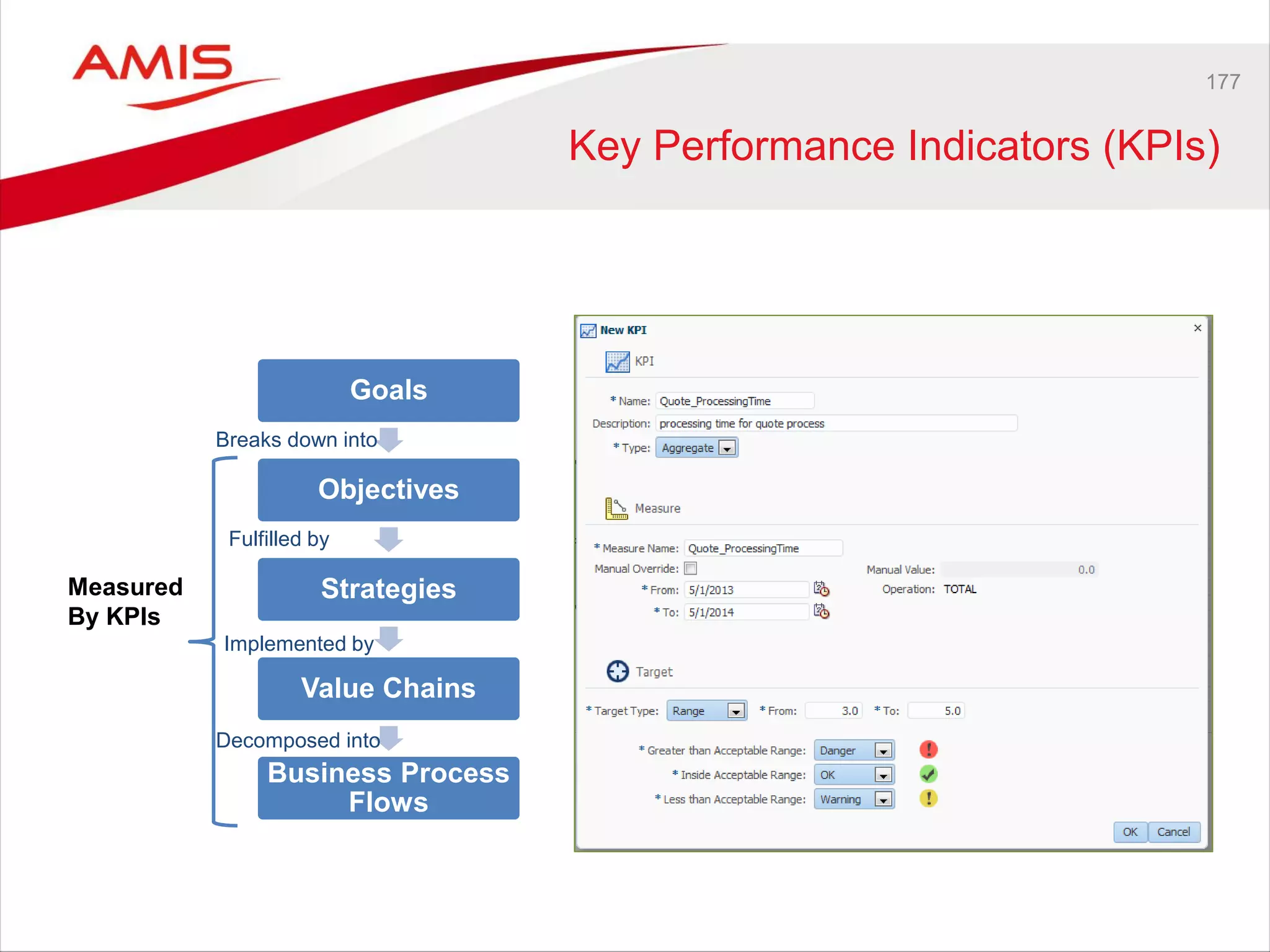
Key Performance Indicators (KPIs)
Goals
Objectives
Strategies
Value Chains
Business Process
Flows
Measured
By KPIs
Breaks down into
Fulfilled by
Implemented by
Decomposed into
178
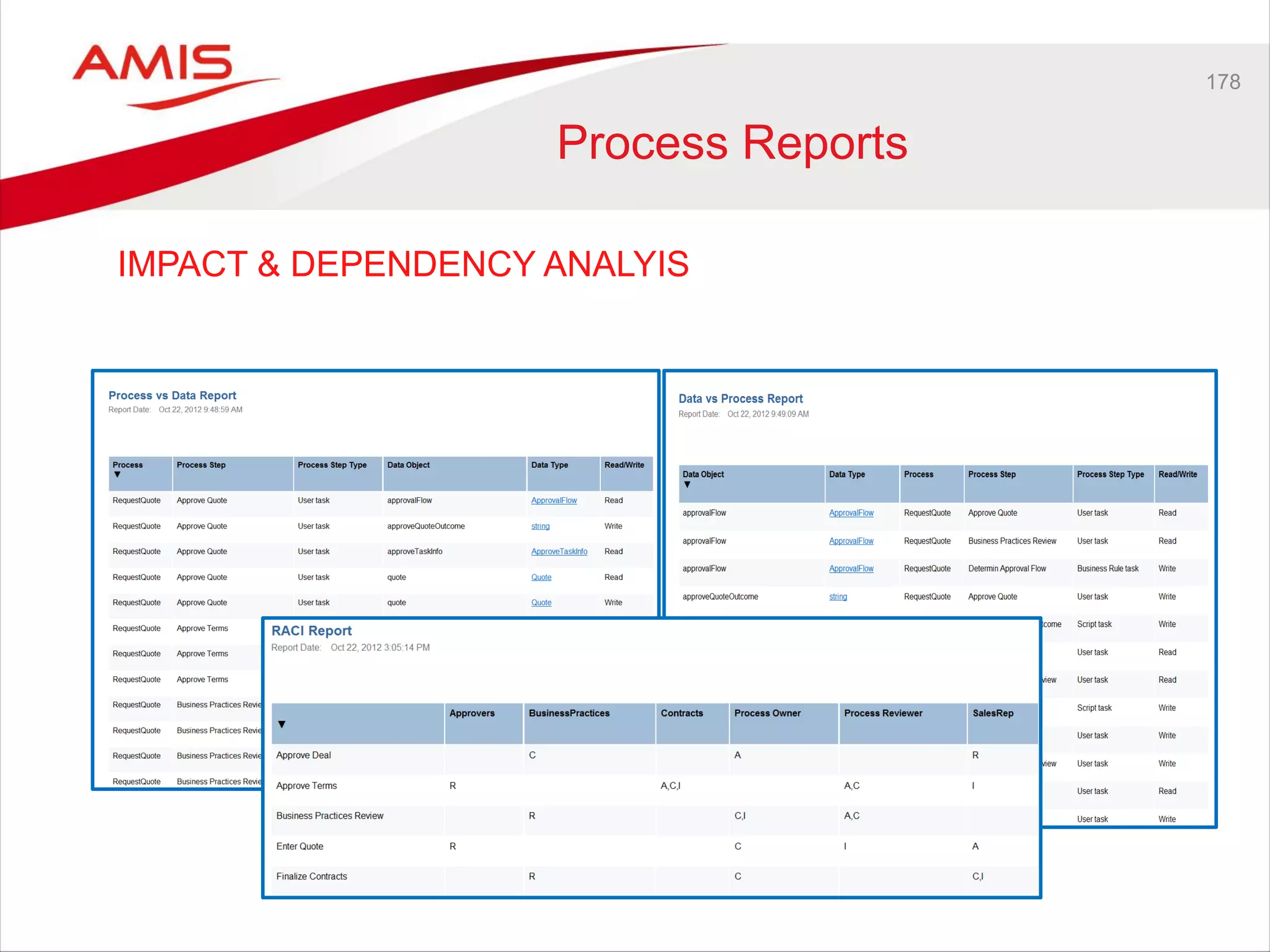
Process Reports
IMPACT & DEPENDENCY ANALYIS
179
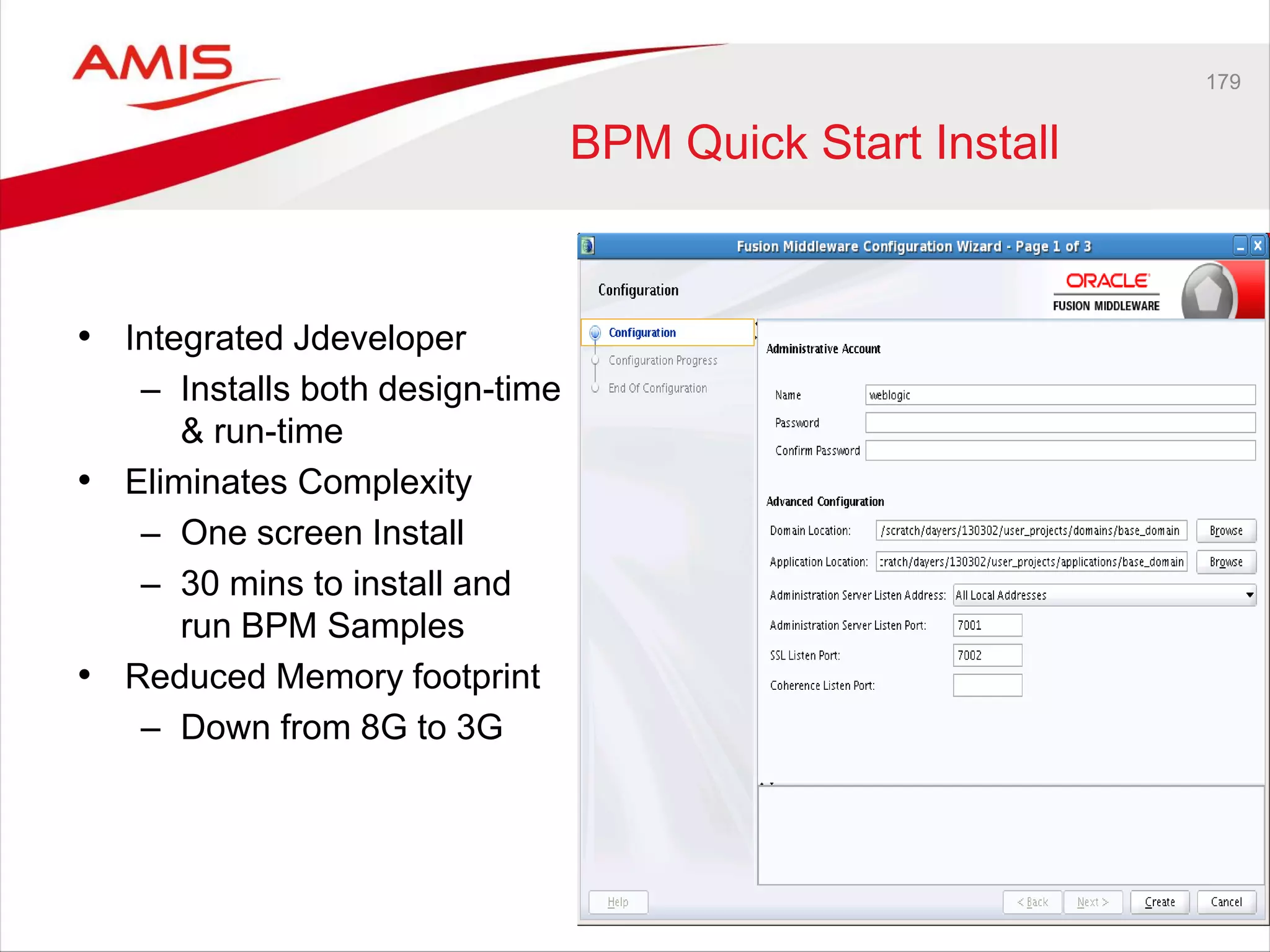
BPM Quick Start Install
• Integrated Jdeveloper
– Installs both design-time
& run-time
• Eliminates Complexity
– One screen Install
– 30 mins to install and
run BPM Samples
• Reduced Memory footprint
– Down from 8G to 3G
180
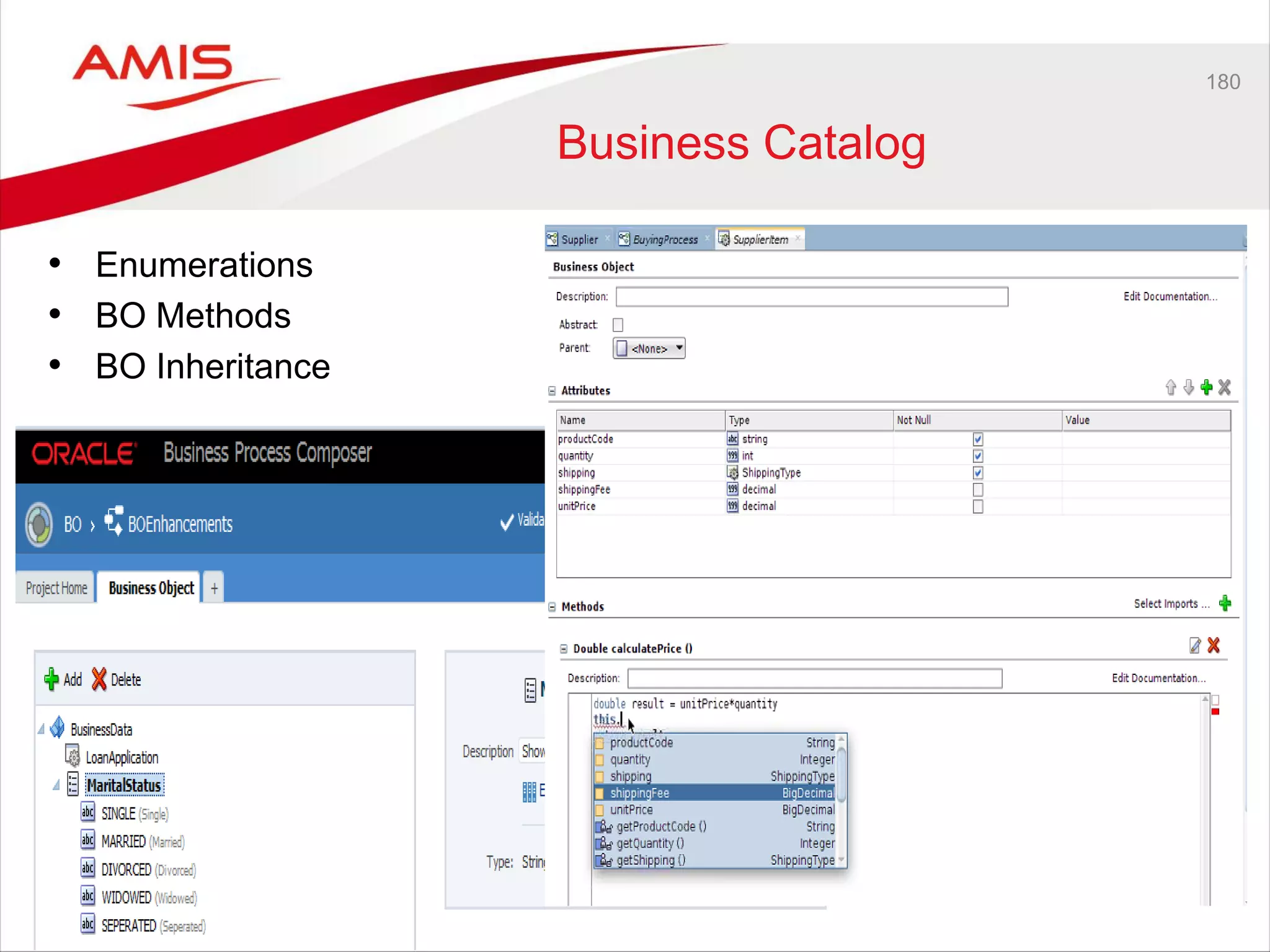
Business Catalog
• Enumerations
• BO Methods
• BO Inheritance
181
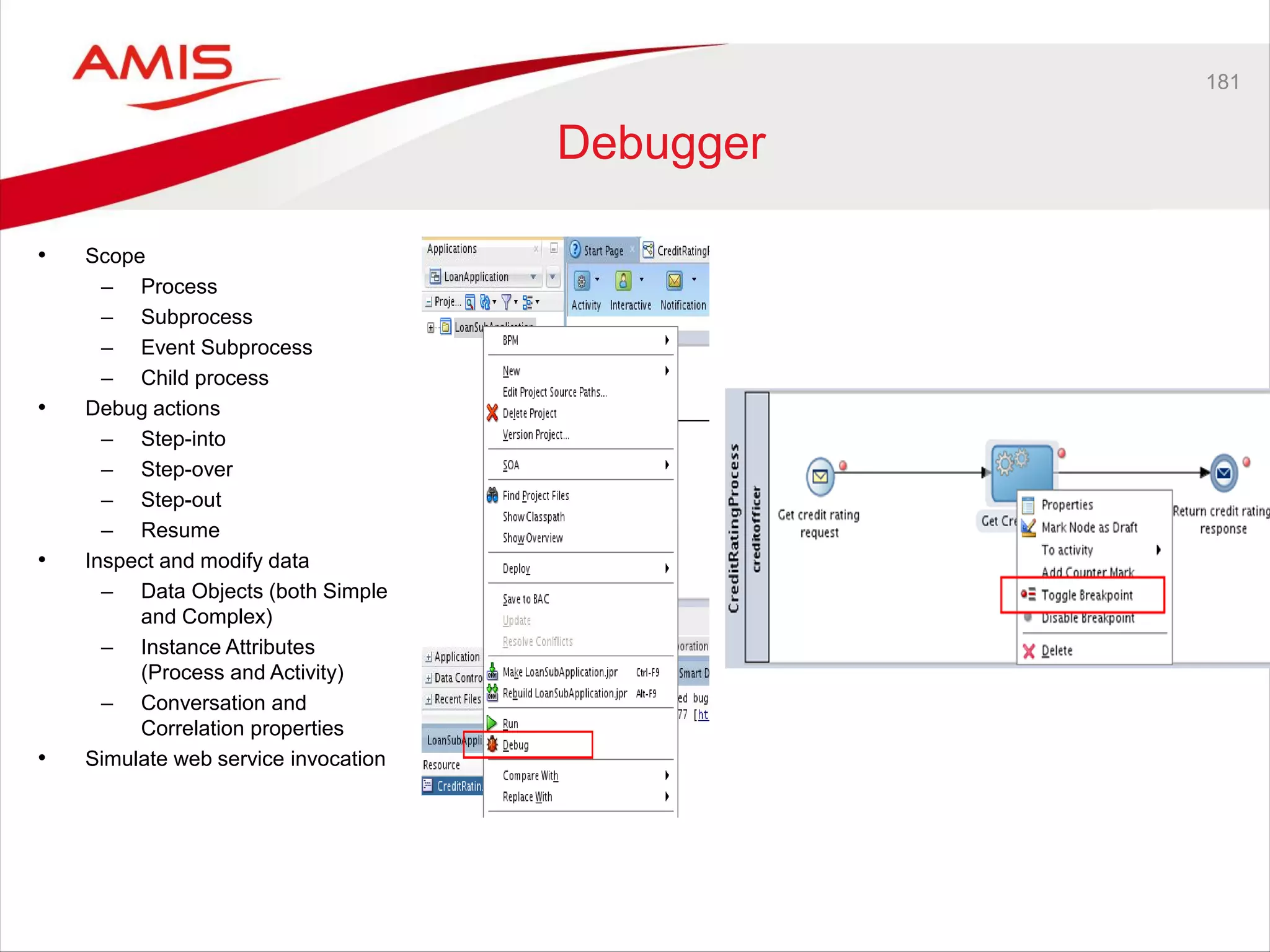
Debugger
• Scope
– Process
– Subprocess
– Event Subprocess
– Child process
• Debug actions
– Step-into
– Step-over
– Step-out
– Resume
• Inspect and modify data
– Data Objects (both Simple
and Complex)
– Instance Attributes
(Process and Activity)
– Conversation and
Correlation properties
• Simulate web service invocation
182
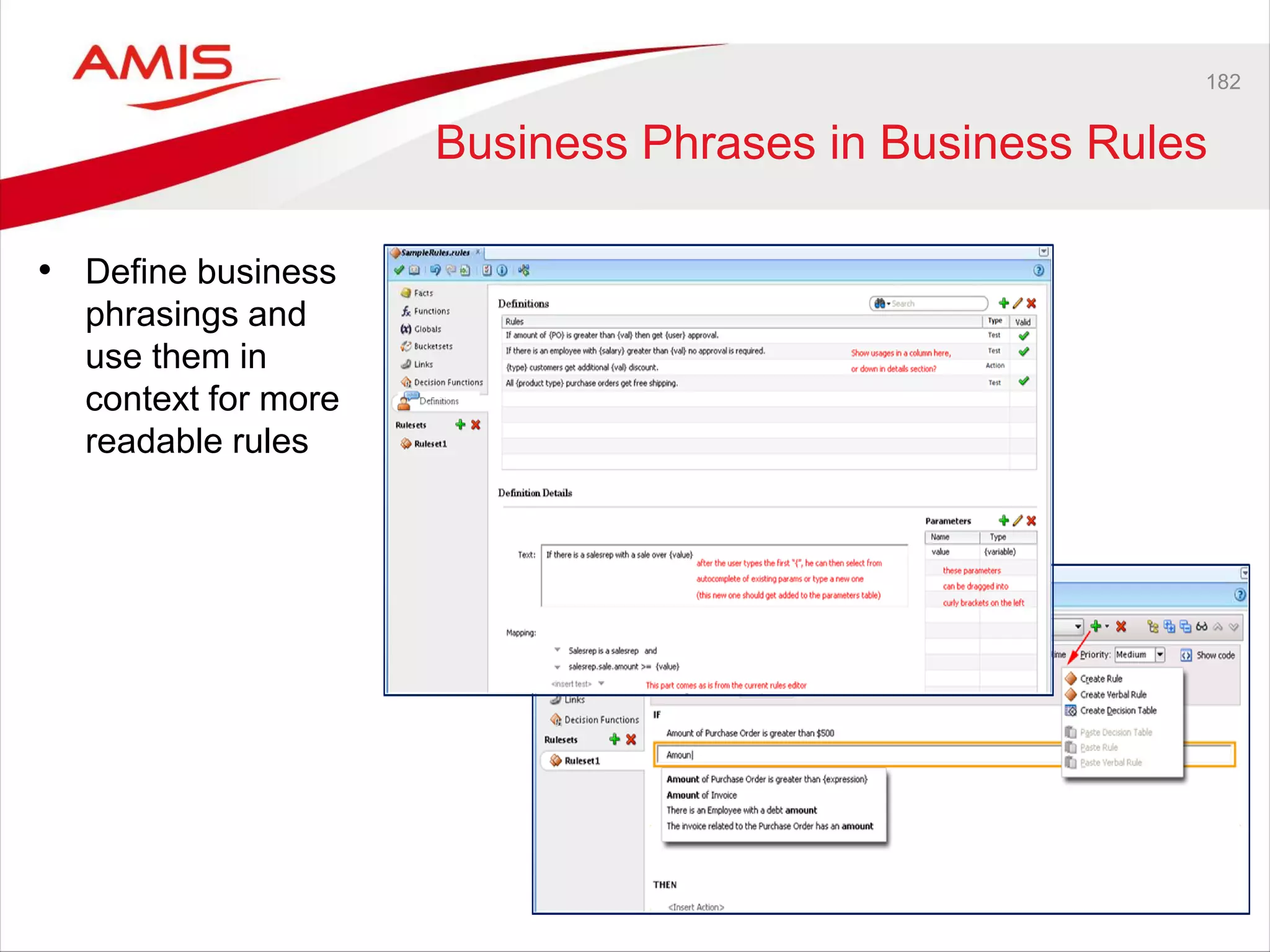
Business Phrases in Business Rules
• Define business
phrasings and
use them in
context for more
readable rules
183
Others
• Business Parameters
• Back to Main after Error Handling
• Catch Exception based on BO Type
• Process Analytics Enhancements
• Process Monitor in BPM Workspace
• Business Asset Catalog (BAC)
• Groovy Scripting
• BPM Mobile
184

AMIS Oracle OpenWorld 2013 Review Part 3 - Fusion Middleware

  • 1.
    Part Three –Fusion Middleware 10th October 2013 Review Oracle OpenWorld 2013
  • 2.
    Java SE 7adoption 100% 90% 80% 70% 60% 50% 40% 30% 20% 10% 0% Source: Hosting statistics from Jelastic.com Nov Dec Jan Feb Mar Apr May June July AugOct Java 6 Java 7
  • 3.
    Java SE 7en 8 Roadmap 20152013 2014 2016 JDK 8 (Q1 2014) • Lambda • JVM Convergence • JavaScript Interop • JavaFX 8 •3D API •Java SE Embedded support •Enhanced HTML5 support 7u40 • Java Flight Recorder • Java Mission Control 5.2 • Java Discovery Protocol • Native memory tracking • Local Security Policy 7u21 • Java Client Security Enhancements • App Store Packaging tools
  • 4.
    DOWNLOAD Java SE 7 oracle.com/java TESTPREVIEW Java SE 8 EA JDK8.JAVA.NET
  • 5.
    JDK 8 Java forEveryone • Profiles for constrained devices • JSR 310 - Date & Time APIs • Non-Gregorian calendars • Unicode 6.2 • ResourceBundle. • BCP47 locale matching • Globalization & Accessibility Innovation • Lambda aka Closures • Language Interop • Nashorn Core Libraries • Parallel operations for core collections APIs • Improvements in functionality • Improved type inference Security • Limited doPrivilege • NSA Suite B algorithm support • SNI Server Side support • DSA updated to FIPS186-3 • AEAD JSSE CipherSuites Tools • Compiler control & logging • JSR 308 - Annotations on Java Type • Native app bundling • App Store Bundling tools Client • Deployment enhancements • JavaFX 8 • Java SE Embedded support • Enhanced HTML5 support • 3D shapes and attributes • Printing General Goodness • JVM enhancements • No PermGen limitations • Performance lmprovements
  • 6.
    Java SE 8(JSR 337) • Updated functionality – JSR 114: JDBC Rowsets – JSR 160: JMX Remote API – JSR 199: Java Compiler API – JSR 173: Streaming API for XML – JSR 206: Java API for XML Processing – JSR 221: JDBC 4.0 – JSR 269: Pluggable Annotation-Processing API
  • 7.
    7 Lambda Expressions • Functionalinterfaces – aka Single Abstract Method interfaces – Only one method – 'ad-hoc' implementations – ActionListener, Runnable, Callable, Comparator, Custom, … • Anonymous inner classes • A lambda expression represents an anonymous function JButton testButton = new JButton("Test Button"); testButton.addActionListener(new ActionListener(){ public void actionPerformed(ActionEvent e){ System.out.println("Click Detected by Anon Class"); } }); testButton.addActionListener(e -> {System.out.println("Click Detected by Lambda Listener");}); public interface ActionListener extends EventListener { public void actionPerformed(ActionEvent e); }
  • 8.
  • 9.
    9 Syntax (int x, inty) -> x + y (x, y) -> x - y () -> 33 (String s) -> System.out.println(s) x -> 2 * x c -> { int s = c.size(); c.clear(); return s; } testButton.addActionListener(e -> {System.out.println("Click Detected by Lambda Listener");}); Predicate<Integer> isOdd = n -> n % 2 != 0; @FunctionalInterface public interface Wisdom { public String provideAnswer(); } public class Oracle { public void giveAdvise (Wisdom wisdom){ String answer = wisdom.provideAnswer(); System.out.println ("I advise: %s", answer); } } public static void main(String[] args){ Oracle deepBlue = new Oracle(); deepBlue.giveAdvise ( () -> "42" ); }
  • 10.
    10 Streams & Collections andLambda • A stream is a sequence of values – java.util.stream • A stream can have as its source an array, a collection, a generator function, or an IO channel; alternatively, it may be the result of an operation on another stream • Streams are meant to make manipulating the data easier and faster. • Operations – e.g. filter, map, sorted, limit, skip, reduce, findFirst, forEach • A stream is a one-time-use Object. Once it has been traversed, it cannot be traversed again. for (Shape s : shapes) { if (s.getColor() == RED) s.setColor(BLUE); } shapes.forEach(s -> { if (s.getColor() == RED) s.setColor(BLUE); }) shapes.stream() .filter(s -> s.getColor() == RED) .forEach(s -> { s.setColor(BLUE); }); shapes.parallelStream() .filter(s -> s.getColor() == RED) .forEach(s -> { s.setColor(BLUE); });
  • 11.
  • 12.
    12 Default methods • Method(s)with implementation on an interface • Enable interfaces to evolve without introducing incompatibility with existing implementations. Java 7 shapes.stream() .filter(s -> s.getColor() == RED) .forEach(s -> { s.setColor(BLUE); });
  • 13.
    13 References • http://openjdk.java.net/projects/lambda/ • http://cr.openjdk.java.net/~briangoetz/lambda/lambda-state-final.html •http://www.lambdafaq.org/ • Tutorial: – http://www.oracle.com/webfolder/technetwork/tutorials/obe/java/Lambda- QuickStart/index.html • Basics: – http://java.dzone.com/articles/java-lambda-expressions-basics • Default methods – http://cr.openjdk.java.net/~briangoetz/lambda/Defender%20Methods%20v4.pdf
  • 14.
    14 Date & TimeAPI's • java.time – The core of the API for representing date and time. It includes classes for date, time, date and time combined, time zones, instants, duration, and clocks. These classes are based on the calendar system defined in ISO-8601, and are immutable and thread safe. • java.time.chrono – The API for representing calendar systems other than the default ISO-8601. You can also define your own calendar system. • e.g. Hijrah, Japanese, Minguo, Thai Buddhist calendar • java.time.format – Classes for formatting and parsing dates and times. • java.time.temporal – Extended API, primarily for framework and library writers, allowing interoperations between the date and time classes, querying, and adjustment • java.time.zone – Support for time-zones and their rules.
  • 15.
  • 16.
  • 17.
  • 18.
  • 19.
    19 Tutorial • Tutorial – http://docs.oracle.com/javase/tutorial/datetime/index.html •References – http://download.java.net/jdk8/docs/api/java/time/package-summary.html
  • 20.
    20 Java Compact Profiles •Interim modular Java Platform • Three new Java SE Runtimes (Compact Profiles) in JDK 8 – Compact1, Compact2 en Compact3 • Java SE compatible subsets • Benefits – Significantly smaller base Java runtime – Quicker download • Basis for embedded Java Compact 1 Compact 2 Compact 3 Full JRE Java SE Embedded 8 Linux x86 11MB 15MB 21MB 49MB
  • 21.
    21 Profiles - Content compact1 Smallest set of API packages without omitting classes. Logging and SSL included as they are expected to be needed.  Provides migration path for applications that target CDC/Foundation Profile compact2  Adds XML, JDBC and RMI  Migration path from JSR-280, JSR-169 and JSR-66 compact3  Adds management, naming, more security, and the compiler API  Intended for applications that require most of Java SE Full Java SE  Adds Desktop APIs, Web Services and CORBA
  • 22.
  • 23.
  • 24.
  • 25.
    Java SE Roadmap 201520132014 2016 JDK 8 (Q1 2014) • Lambda • JVM Convergence • JavaScript Interop • JavaFX 8 •3D API •Java SE Embedded support •Enhanced HTML5 support 7u40 • Java Flight Recorder • Java Mission Control 5.2 • Java Discovery Protocol • Native memory tracking • Local Security Policy JDK 9 • Modularity – Jigsaw • Interoperability • Cloud • Ease of Use • JavaFX JSR • Optimizations NetBeans IDE 7.3 • New hints and refactoring • Scene Builder Support NetBeans IDE 8 • JDK 8 support • Scene Builder 2.0 support Scene Builder 2.0 • JavaFX 8 support • Enhanced Java IDE support NetBeans IDE 9 • JDK 9 support • Scene Builder 3.0 support Scene Builder 3.0 • JavaFX 9 support 7u21 • Java Client Security Enhancements • App Store Packaging tools JDK 8u20 • Deterministic G1 • Java Mission Control 6.0 • Improved JRE installer • App bundling enhancements JDK 8u40 Scene Builder 1.1 • Linux support
  • 26.
    26 Java 9 • ProjectJigsaw • Cloud • Language improvements – e.g. Generics • Project Sumatra – Use gpu • JNI 2.0 • Money and Currency API? • JVM
  • 27.
    27 Project Jigsaw • Modularization •Load / download what's needed • Maintain backwards compatibility • Interim SE 8 solution: – compact profiles
  • 28.
    28 Convergence Hotspot &JRockit • JRockit & HotSpot features to merge (HotSpot as base) • Java 7 JDK update 40 (also called 7u40) • New: Java Mission Control Unfortunately named 5.2.0 - is more a 1.0.0 release
  • 29.
    Java Mission ControlToolset • JMX Console – For monitoring running Java processes in real time – Monitoring of a few select key indicators – ‘JConsole on steroids’ • Java Flight Recorder – Analogous to a data flight recorder (DFR) in a modern aircraft – Profiling of running production systems • No Memleak Detector yet (JRockit MC heap-analyzer) (As delivered in the JDK 7u40 release)
  • 30.
    30 Java Flight Recorder •Started out with JRockit Runtime Analyzer • A means to get more information about the JVM and applications running on the JVM • Customer wanted always on capability – JRockit Flight Recorder • Low overhead (± 2%) • Data is saved on disk
  • 31.
    31 Creating Recordings Using MissionControl wizard Create Recording • Select a JVM to do a recording • Follow the wizard Configure what you want to record in a wizard • Continuous/Time Fixed recordings • Most useful settings • How often to record samples
  • 32.
  • 33.
    33 JFR plug-in JOverflowfor analyzing heap waste
  • 34.
    34 Future Java MissionControl • Version 5.3.0 will be released with JDK 8 and a later 7 update • improved JMX Console • Automatic analysis of Flight Recordings (Heuristics Engine) – Automatically provides diagnostics information – Automatically suggests potential performance enhancements
  • 35.
  • 36.
    36 Modena: New Themefor Java FX Caspian Modena
  • 37.
    37 Some new Features •ObservableArray • ScheduledService • Date picker • TransformationList • Printing
  • 38.
    38 Java EE 7– Major Themes Java EE 7 2005-2012 Ease of Development Lightweight Developer Productivity & HTML5 1998-2004 Enterprise Java Platform Robustness Web Services 2013 - Future
  • 39.
    39 Java EE7 Themes DEVELOPER PRODUCTIVITY MEETING ENTERPRISE DEMANDS JavaEE 7  Batch  Concurrency  Simplified JMS  More annotated POJOs  Less boilerplate code  Cohesive integrated platform  WebSockets  JSON  Servlet 3.1 NIO  REST
  • 40.
  • 41.
    41 Looking Forward JCACHE State Management Configuration JSON Binding Java EE8 and Beyond NoSQL Modularity Mobility/ HTML5 Cloud / PaaS
  • 42.
  • 43.
    43 Java for Devices •Java SE Embedded (Compact Profile) is a subset of full SE (14 MB) • Java ME 8 (Embedded) will also be a subset – the same APIs & the same development style will apply to any Java environment – Desktop, enterprise and embedded
  • 44.
    44 Java Card runningJava VM • 2 mm thick • Runs Java ME 8 EA
  • 45.
    45 Java for Devices •Java SE Embedded (Compact Profile) is a subset of full SE (14 MB) • Java ME 8 (Embedded) will also be a subset – the same APIs & the same development style will apply to any Java environment – Desktop, enterprise and embedded
  • 46.
  • 47.
    47 Java – Stateof the Community
  • 48.
    48 Java – Stateof the Community • How alive is Java today?
  • 49.
    49 Java – Stateof the Community • How alive is Java today? – Developers, vendors, JCP, programming language, enterprise platform • Java programming for Kids – Mindcraft, Greenfoot/Alice, Lego MindStorms
  • 50.
    User Experience • OracleBrowser Look And Feel (BLAF) wants to lead
  • 51.
    User Experience • OracleBrowser Look And Feel (BLAF) • Oracle is catching up • User Experience Team • Oracle is leading the industry in User Experience • User Experience Strategy wants to lead
  • 53.
  • 54.
  • 55.
  • 56.
    Simplicity • Tablet-first design •Streamlined • Icon-driven • Light-touch • Quick access
  • 58.
    Mobility Specifically targeted smartphoneUIs Most common, mobile tasks Power-user UIs where needed
  • 59.
    Extensibility • In thePublic Cloud or Private Cloud If You Want to Change … Tweak what you have out-of-the-box using composers Build a custom app, a custom integration using UX design patterns & JDeveloper, PaaS 6
  • 60.
    Simplified UI Extensibility Changingthe Visual Style • 6 pre-built themes • Easily change a logo • Easily change a watermark
  • 61.
    Simplified UI Extensibility •Customize icons and tabs • Rename • Reorder • Show or hide
  • 62.
    How Oracle Buildsthe Applications User Experience 1Observe We watch users where they actually work -- in field studies around the world. 2Analyze We look for the design patterns across customers and users -- 180 design patterns to date. 3 Design We sketch and then refine the experience with customers; drawn from more than 3,800 design partners. 4 Prototype We build this into prototypes, which we refine with customers in one of our 8 mobile usability labs. 5 Measure After it’s built, we revisit the design again to measure how well it stacks up to end-user needs in one of our 20 usability labs worldwide.
  • 63.
    UX Direct • UXbest-practices • Templates / Posters / Checklists • Tools www.oracle.com/uxdirect
  • 69.
  • 70.
  • 71.
  • 72.
  • 73.
  • 74.
    Other experiments • Board& HCM eBooks • Oracle Voice • Oracle Capture • Oracle Mobilytics • Infographics
  • 75.
  • 76.
  • 77.
    77 (ADF) MO –( BI ) - LE • Oracle ADF Data Visualization Tools • Oracle ADF on Mobile • Oracle ADF Mobile • Oracle Mobile Rebranding • Oracle Mobile Cloud Services • Oracle Business Intelligence (Mobile) • Oracle Business Intelligence Roadmap 185 MOBILE 130 BI 45 ADF
  • 78.
  • 79.
  • 80.
  • 81.
    81 Zoom & Scroll DataVisualization in Action
  • 82.
    82 Other Future Features (availablesoon) Circular Status Meter Rating Gauge
  • 83.
    • No Mouse •No Flash • Harder to type • Finger bigger than cursor • More… Unique Challenges The Rise of Touch Devices
  • 84.
    • Touch gesturesupport • HTML5 rendering • Flow layout • Smart table • More… Mobile Optimizations Transition to Touch Devices
  • 85.
    • Use Patternslike Tablet First Pattern • Responsive Design Support • Near Future: – Responsive Design moves to the Skin – ADF Responsive Templates Mobile Optimizations ADF 12c Already can do it.
  • 86.
  • 87.
    87 ADF Mobile FutureFeatures • JDeveloper 12c • OEPE • Custom Components • Cordova Plugins • New Android Look and Feel • Extensibilty
  • 88.
  • 89.
    89 Oracle Mobile CloudServices • Oracle Mobile Cloud Services • Cloud Based integration • Simplify Integration for Mobile Developers • Automatic RESTful Services • Connectivity to Backend Systems • Authentication, cache, sync, push, data transformation
  • 90.
  • 91.
  • 92.
  • 93.
  • 94.
    94 WHATS NEW :More and Better Mobile Analytics
  • 95.
    95 BI Mobile AppDesigner IDE BI App Designer in Action
  • 96.
  • 97.
    97 What’s Coming :Oracle BI Cloud Service • Multi-tenant Oracle Business Intelligence • Answers & Dashboards, thin-client data loader and modeler, BI Mobile HD • Simple administration and integrated IdM • Ideal for: – Departmental and personal data mash-ups – Prototyping / sandboxing / temporary project environments Public Cloud: Platform-as-a-Service
  • 98.
    Timeline Analysis Represents keyevents over a particular period and surfaces supporting detail as needed Treemap Shows patterns in data by displaying hierarchical (tree-structured) data as sets of nested rectangles Thematic Map Focuses on specific themes to emphasize spatially-based variations in data Hierarchy Wheel Illustrates the relative impact of each contributing level on the distribution of values in a hierarchy Updates Heatmap Shows distribution and reveals patterns via colored individual values displayed in a matrix Histogram/Chip Display Plots density and allows estimation by showing a visual impression of the distribution of data Planned: High Density Visualizations Enabled by Exalytics
  • 99.
    Interactive Trellis Allows advancedinteraction for Trellis view – i.e., selection marquees for specific data points, sets of cells to include, exclude, show data, etc. Motion Chart Shows changes to reveals trends over time. This view would augment existing time controls and be especially useful for demographic and e-commerce data Keep Remove Show Data Keep In-line Planning Integration of BI + Essbase at scale for real-time planning and scenarios driven by interactive controls. Drastically reduce planning cycles and impact analysis. Flow Analytics Provides views on the transition between states, such as a Sales Pipeline, Issue states, or Funding pathways. Key to understanding Relationships across organizations. Planned: Interactive Capabilities Enabled by Exalytics
  • 100.
    • Deliver integratedanalytics supporting Oracle’s Cloud Apps • Cloud Adapters to support coexistence and cross- functional analysis – BI Apps DW as a bridge between on premise and cloud sources • Expanded value proposition through new analysis types – Essbase for what-if analysis ,Endeca for unstructured analysis, Advanced Analytics for predictive metrics Business Intelligence Applications & Information Discovery Key Strategic Themes • Self-service – Data source breadth – Automatic data refresh • Performance and scale – Data size – Search innovations • End user experience – Extensible visualizations – Link and graph analysis • Mobile and Cloud
  • 101.
    Oracle & theREST • Oracle embraces REST
  • 102.
    4 Letter Lingo •SOAP – XML based web services protocol • WSDL – Web Services Description Language • REST (REpresentational State Transfer) – Architectural style based on HTTP • JSON (JavaScript Object Notation) – Text-based format derived from JavaScript • HTTP • HTML • OWSM • AMIS • PACO
  • 103.
    SOAP vs. theREST SOAP • Language: XML • Definition language: WSDL • Extensible • Neutral towards transport protocols – HTTP – SMTP – JMS • Enterprise-grade features • Broad standardization and interoperability REST • No specified language (often JSON) • No standard definition language for the interface • Mostly used with HTTP • Simpler • Better performance and scalability
  • 104.
    REST Example GET http://server.com/rest/customers?name=am* Response: {"customers": [ { "name": “AMIS", "phone": "0-987-654-321" } ] } <customers> <customer> <name>AMIS</name> <phone>0-987-654-321</phone> </customer> </customers> XML JSON
  • 105.
    REST/JSON for mobile •Simple style • Performance / battery life – Native / Browser support – Simpler parsing & handling – Caching • Scalability – Caching – Stateless – Layering
  • 106.
    REST Support • JDeveloper/ ADF 12c – Java -> RESTful Service – REST DataControl – Upcoming features
  • 107.
    Upcoming Features Future releaseJDeveloper 12c • Publish ADF Business Components as REST resources
  • 108.
    Upcoming Features Business Components asREST • Create business components from database objects
  • 109.
    Upcoming Features Business Components asREST • Create business components from database objects • Create REST interfaces from AppModule
  • 110.
    Upcoming Features Business Components asREST • Create business components from database objects • Create REST interfaces from AppModule • Select View Object
  • 111.
    Upcoming Features Business Components asREST • Create business components from database objects • Create REST interfaces from AppModule • Select View Object • Configure methods and attributes
  • 112.
    Upcoming Features Business Components asREST • Add more View Objects and deploy
  • 113.
    Upcoming Features Business Components asREST • Add more View Objects and deploy • Resource metadata available via “describe” functionality
  • 114.
    Upcoming Features Business Components asREST • Add more View Objects and deploy • Resource metadata available via “describe” functionality • View Objects accessible via HTTP
  • 115.
    Upcoming Features Future releaseJDeveloper 12c • Publish ADF Business Components as REST resources • Seamless ADF Business Components REST consumption
  • 116.
    Upcoming Features REST DataControl • Create connection using describe URL
  • 117.
    Upcoming Features REST DataControl • Create connection using describe URL • Resources are auto- populated, no further configuration needed
  • 118.
    Upcoming Features REST DataControl • Create connection using describe URL • Resources are auto- populated, no further configuration needed • Drag REST resources directly to the page
  • 119.
    Upcoming Features Future releaseJDeveloper 12c • Publish ADF Business Components as REST resources • Seamless ADF Business Components REST consumption • Support for JSON data format
  • 120.
    Upcoming Features Future releaseJDeveloper 12c • Publish ADF Business Components as REST resources • Seamless ADF Business Components REST consumption • Support for JSON data format • Infer content structure from a sample data (XML/JSON)
  • 121.
    Upcoming Features REST DataControl • Infer content structure from either a test call response or a code snippet (xml/json)
  • 122.
    Upcoming Features Future releaseJDeveloper 12c • Publish ADF Business Components as REST resources • Seamless ADF Business Components REST consumption • Support for JSON data format • Infer content structure from a sample data (XML/JSON) • Integration with variety of security models
  • 123.
    Upcoming Features REST DataControl • Seamless Integration with variety of security models using OWSM
  • 124.
    Upcoming Features Future releaseJDeveloper 12c • Publish ADF Business Components as REST resources • Seamless ADF Business Components REST consumption • Support for JSON data format • Infer content structure from a sample data (XML/JSON) • Integration with variety of security models
  • 125.
    REST Support • JDeveloper/ ADF 12c – Java -> RESTful Service – REST DataControl – Upcoming features • SOA Suite 12c
  • 126.
  • 127.
    REST Support • JDeveloper/ ADF 12c – Java -> RESTful Service – REST DataControl – Upcoming features • SOA Suite 12c • WebLogic 12.1.3
  • 128.
    WebLogic 12.1.3 • RESTfulmanagement service – Additional monitoring, operations, datasource and deployment support
  • 129.
    REST Support • JDeveloper/ ADF 12c – Java -> RESTful Service – REST DataControl – Upcoming features • SOA Suite 12c • WebLogic 12.1.3 • Coherence 12.1.2
  • 130.
    Coherence 12.1.2 REST Improvements Security •Secure SSL communication between REST client and proxies – HTTP basic authentication, client- side certificates (or both) – Fine-grained authorization of REST Requests Usability • Support for Pluggable Query Engines • Fine grained control over queries allowed to be executed via REST – Named Queries – Allow for limitation of query results • Keysets retrieval
  • 131.
    SOA Suite 12cNews Hot news from OOW: • Cloud adapters + JDK • MFT (Managed File Transfer) • Sensors: DT@RT • Business Metrics (BPEL) First time SOA Suite 12c screens are shown in public
  • 132.
  • 133.
    SOA Suite 12cSensors Sensors DT@RT is a 12c feature that allows creating and editing sensors at run time using SOA Composer
  • 134.
    SOA Suite 12cBusiness Metrics
  • 135.
    SOA Suite 12cBusiness Metrics • Standard Metrics -> Turn off and on per composite and on BPEL component level • User Defined: - Interval - Counter - Markerpoint
  • 136.
    SOA Suite 12cBusiness Metrics Differences
  • 137.
    SOA Suite 12cBusiness Metrics
  • 138.
  • 139.
  • 140.
  • 141.
  • 142.
  • 143.
  • 144.
  • 145.
    Mobile Enablement • SOASuite 12c gives mobile apps access to backend services… • Introducing REST & JSON for mobile development • Easily expose any service or reference as REST • Automated conversion from XML to JSON • Map operations to existing services & bindings • Built-in Coherence caching
  • 146.
  • 147.
  • 148.
    148 Integrated Caching • UseCoherence cache to reduce latency for high-traffic operations • Put, get, remove and query data into/from Coherence cache • Support for XML and POJO (Custom Java class) • Time-to-live; default, always or custom (time in miliseconds) • Query using filter & limit results
  • 149.
    149 Cloud Connectivity Reduces complexityof integrating with SaaS applications in the Cloud • Inbound & Outbound integration • Security, session management • Graphical API discovery • Transformation (Schemas) • Optimization of API requests • SDK to extend
  • 150.
  • 151.
    151 Cloud Adapter SDK •SDK Allows developers to build adapters that facilitate integration between SOA components and SAAS applications • Core Design Time Framework: allows adapters to model SAAS application metadata and security properties for presentation in JDev • Cloud Adapter Wizard Framework: allows adapters to customize a JDev wizard for browsing/selecting SAAS application metadata/security properties. • Core Runtime Framework: allows adapters to perform transformations on request/response messages and integrate with OWSM (optional)
  • 152.
    Managed File Transfer12c New Fusion Middleware product • Simple and Secure End-to-End Managed File Gateway – Large files, encryption, auditing, monitoring, pass-by-reference • Standards Based Middleware Integrations – (s)FTP, SOA, B2B, Service Bus, Web Services … • Lightweight Web based Design Time Interface – Easily build, edit and deploy end-to-end transfers • Additional Characteristics – Scheduling, Embedded sFTP server, FTP proxy, no transformations – Advanced Management: Pause, Resume, Resubmit – Custom callouts including file manipulation
  • 153.
    153 Managed File Transfer12c Transfer Flow Design
  • 154.
    154 Managed File Transfer12c Runtime Transfer Flow Report
  • 155.
    155 Managed File Transfer12c Monitoring Dashboard
  • 156.
    156 Managed File Transfer12c Transfer Report
  • 157.
  • 158.
    SOA Governance • OER12c totally new, rewritten • OER12c Roadmap: just after SOA Suite 12c release • CAB Governance session: NDA
  • 159.
  • 160.
  • 161.
    What’s New inOracle WebCenter Mobile Support Business User Composition • Mobile portals • Mobile site management • Mobile content application • Streamlined portal builder • External content integration to Sites • Intuitive, easy to use content application Cloud Services • Document sharing, team workspaces • Mobile, Web, desktop access and sync • On-premise content integration
  • 162.
    Oracle WebCenter Content NEWWEB USER EXPERIENCE MODERN ENTERPRISE CAPTURE SOLUTION MOBILE DEVICE ACCESS What’s New?
  • 163.
    Oracle WebCenter Portal What’sNew? BUSINESS USER PRODUCTIVITY MOBILE PORTALS
  • 164.
    Oracle WebCenter Sites What’sNew? MOBILE SITE MANAGEMENT EXTERNAL CONTENT INTEGRATION ENHANCED SEARCH & PERSONALIZATION TRAVEL RUS Ski Vacatio n Tw eet s! TRAVELRUS Ski Vacation Tweets!
  • 165.
    168 Cloud Document Services •Enterprise File Sharing in the Oracle Cloud (DMaaS) • Simple access to files via mobile devices, desktop or web • Automatic file synchronization • Opportunity to add workspace functionality
  • 166.
    169 On-Premise Content Management with CloudFlexibility • Cloud integration with latest content repository • Document security, compliance, IT control • Application integrations
  • 167.
    BPM & CaseManagement
  • 168.
    171 BPM 11.1.1.7 Overview •Model-to-execution in Process Composer • Adaptive Case Management • Process Accelerators • Instances – Manage Inflight Instances – Instance Patching – Instance Revisioning
  • 169.
  • 170.
  • 171.
  • 172.
  • 173.
  • 174.
    177 Key Performance Indicators(KPIs) Goals Objectives Strategies Value Chains Business Process Flows Measured By KPIs Breaks down into Fulfilled by Implemented by Decomposed into
  • 175.
    178 Process Reports IMPACT &DEPENDENCY ANALYIS
  • 176.
    179 BPM Quick StartInstall • Integrated Jdeveloper – Installs both design-time & run-time • Eliminates Complexity – One screen Install – 30 mins to install and run BPM Samples • Reduced Memory footprint – Down from 8G to 3G
  • 177.
    180 Business Catalog • Enumerations •BO Methods • BO Inheritance
  • 178.
    181 Debugger • Scope – Process –Subprocess – Event Subprocess – Child process • Debug actions – Step-into – Step-over – Step-out – Resume • Inspect and modify data – Data Objects (both Simple and Complex) – Instance Attributes (Process and Activity) – Conversation and Correlation properties • Simulate web service invocation
  • 179.
    182 Business Phrases inBusiness Rules • Define business phrasings and use them in context for more readable rules
  • 180.
    183 Others • Business Parameters •Back to Main after Error Handling • Catch Exception based on BO Type • Process Analytics Enhancements • Process Monitor in BPM Workspace • Business Asset Catalog (BAC) • Groovy Scripting • BPM Mobile
  • 181.