Enlarge your Burp,
Or how to stop fear of the JavaDocs
part 2, Java (The light side)
Ivan Elkin, QIWI
root:~$ whois i.elkin
org : QIWI Plc
post : Application security expert
nickname : vankyver
pursuit : Java, JS, develop, security research
name server: qiwi.com
name server: vulners.com
In a previous part
- What is burp
- Why burp
- Why burp is not enough
- How to enlarge burp
- A lot of rows of Python lang...
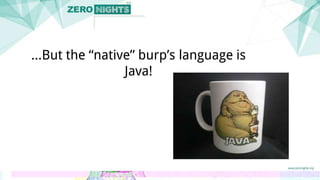
...But the “native” burp’s language is
Java!
Let’s find some killer features which makes
writing Burp Extensions amazing with Java
First of all, Java is popular and has a lot of cool
tools to write and debug it
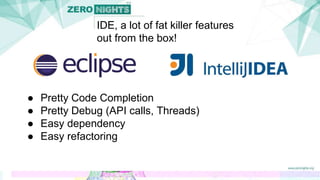
IDE, a lot of fat killer features
out from the box!
● Pretty Code Completion
● Pretty Debug (API calls, Threads)
● Easy dependency
● Easy refactoring
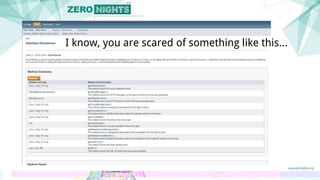
I know, you are scared of something like this...
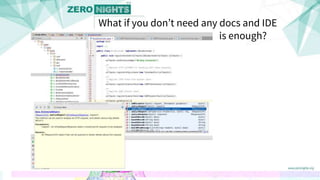
What if you don’t need any docs and IDE
is enough?
One more thing, how do you debug your Burp’s
code in Python ?
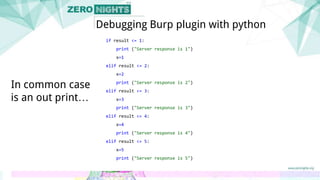
if result <= 1:
print ("Server response is 1")
x=1
elif result <= 2:
x=2
print ("Server response is 2")
elif result <= 3:
x=3
print ("Server response is 3")
elif result <= 4:
x=4
print ("Server response is 4")
elif result <= 5:
x=5
print ("Server response is 5")
Debugging Burp plugin with python
In common case
is an out print…
...so jumping between
IDE,
Burp,
Python console,
terminal
Thanks,
No!
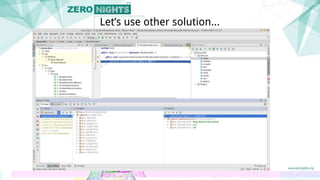
Let’s use other solution...
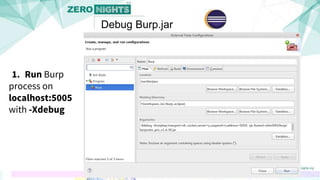
Debug Burp.jar
free and powerful
1. Run Burp
process on
localhost:5005
with -Xdebug
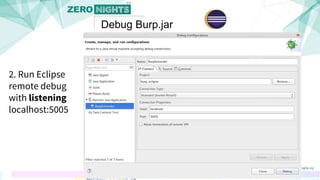
Debug Burp.jar
2. Run Eclipse
remote debug
with listening
localhost:5005
Debug Burp.jar
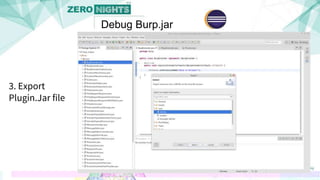
3. Export
Plugin.Jar file
Debug Burp.jar
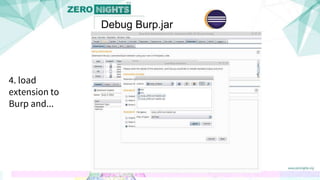
4. load
extension to
Burp and...
Debug Burp.jar
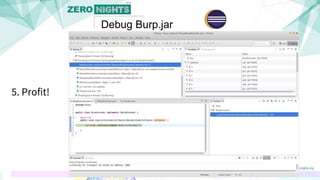
5. Profit!
Debug Burp.jar
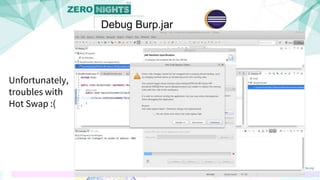
Unfortunately,
troubles with
Hot Swap :(
Debug Burp.jar
Debug Burp.jar
maybe a habit, but really easy
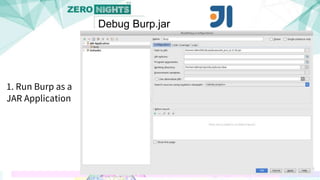
1. Run Burp as a
JAR Application
Debug Burp.jar
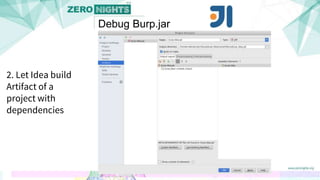
2. Let Idea build
Artifact of a
project with
dependencies
Debug Burp.jar
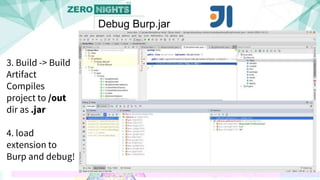
3. Build -> Build
Artifact
Compiles
project to /out
dir as .jar
4. load
extension to
Burp and debug!
Debug Burp.jar
Demo#1
Debug burp.jar
and
Maven compile (easy as a Ctrl+S)
...but, what about Java?
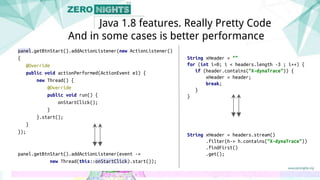
Since Java 1.8 we have Lambda and Stream API
panel.getBtnStart().addActionListener(new ActionListener()
{
@Override
public void actionPerformed(ActionEvent e1) {
new Thread() {
@Override
public void run() {
onStartClick();
}
}.start();
}
});
panel.getBtnStart().addActionListener(event ->
new Thread(this::onStartClick).start());
Java 1.8 features. Really Pretty Code
And in some cases is better performance
String xHeader = ""
for (int i=0; i < headers.length -3 ; i++) {
if (header.contains("X-dynaTrace")) {
xHeader = header;
break;
}
}
String xHeader = headers.stream()
.filter(h-> h.contains("X-dynaTrace"))
.findFirst()
.get();
Moar real samples!
Moar real samples!
https://github.com/vankyver/burp-zn-2015
Demo #2
Handling CSRF token-protected forms
Demo #3
Finding forms which not protected with
CSRF-tokens
Demo #4
GUI and Burp
(My little DirBuster)
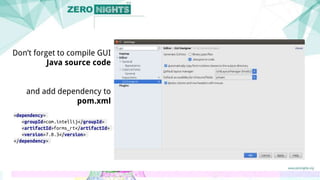
<dependency>
<groupId>com.intellij</groupId>
<artifactId>forms_rt</artifactId>
<version>7.0.3</version>
</dependency>
Don’t forget to compile GUI
Java source code
and add dependency to
pom.xml
Also, before packaging jar, you should precompile your
GUI code
(Ctrl + Shift + F9 in Panel.java)
...one more interesting thing
...Out of Band
Year ago, ZN-2014
https://github.com/kyprizel/ussrfuzzer
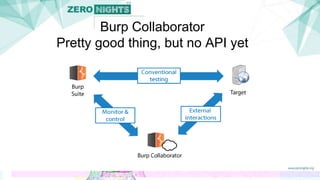
Burp Collaborator
Pretty good thing, but no API yet
Demo #5
Out of Band detecting
Demo #6
Auto Scan
(Cheap solution for enterprise)
Thanks!
@vankyver

ZN-2015