Demo
Overview
agenda
What is Yoroflow?
Pages & Forms
Application Builder
Task Management
Project Management
Document Management
Helpdesk / Ticketing System
Automation
Integration
Dashboards & Reports
What is Yoroflow?
• No-Code/Low Code Platform to develop
our own applications.
• Horizontal Online Platform designed for
any types of businesses in a single
dashboard.
• Regulates & reduces human efforts at
most processes.
All-in-One Workplace Automation Platform
• Online Form/Page Designer (Public / Private)
• No-Code Application Builder - (Workflows)
• Task Management - (Yoroboard)
• Project Management - (Yoroproject)
• Document Management - (Yorodocs)
• Team Collaboration & Livechat
• Helpdesk & Ticketing System - (Yorodesk)
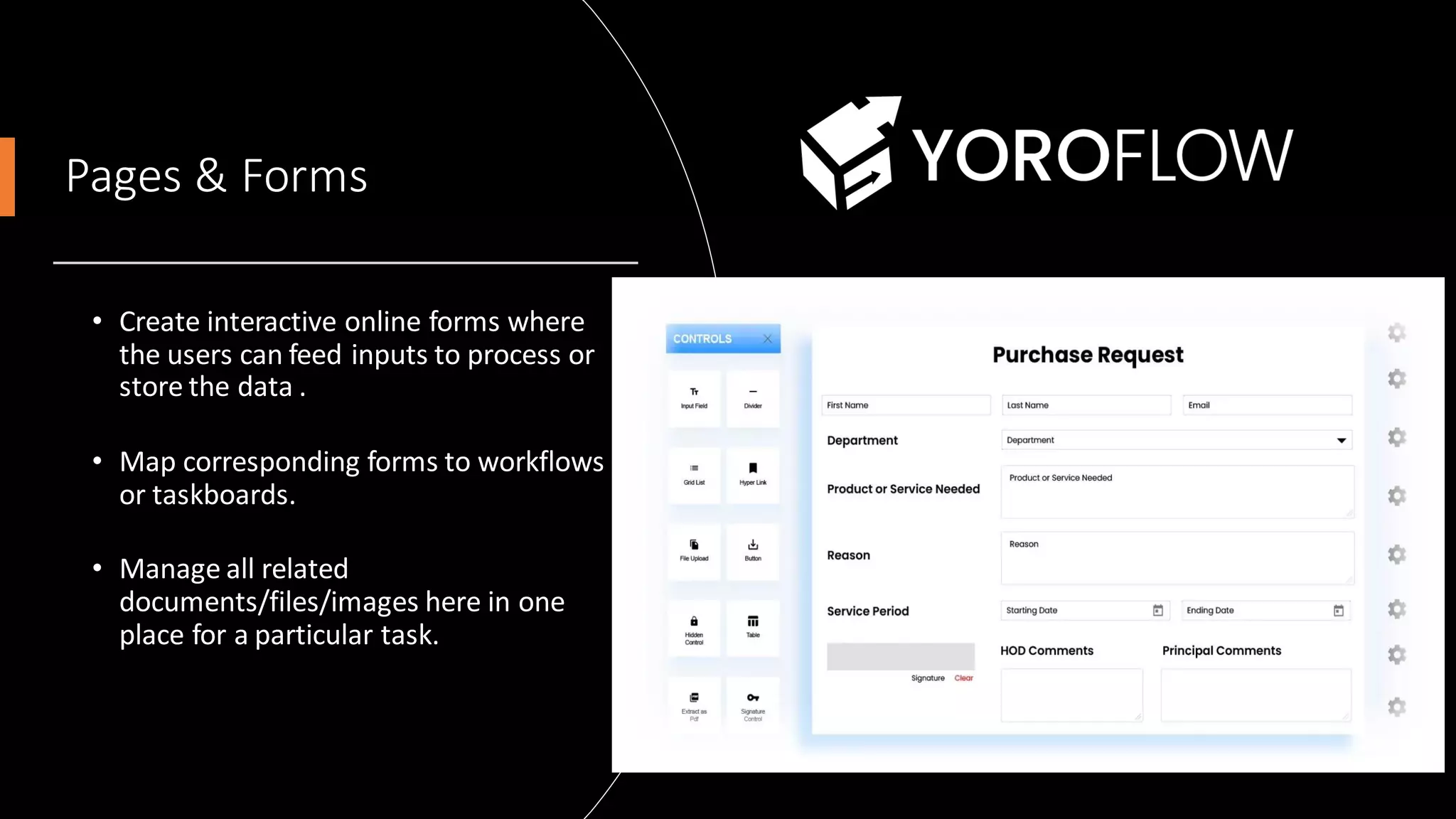
Pages & Forms
• Create interactive online forms where
the users can feed inputs to process or
store the data .
• Map corresponding forms to workflows
or taskboards.
• Manage all related
documents/files/images here in one
place for a particular task.
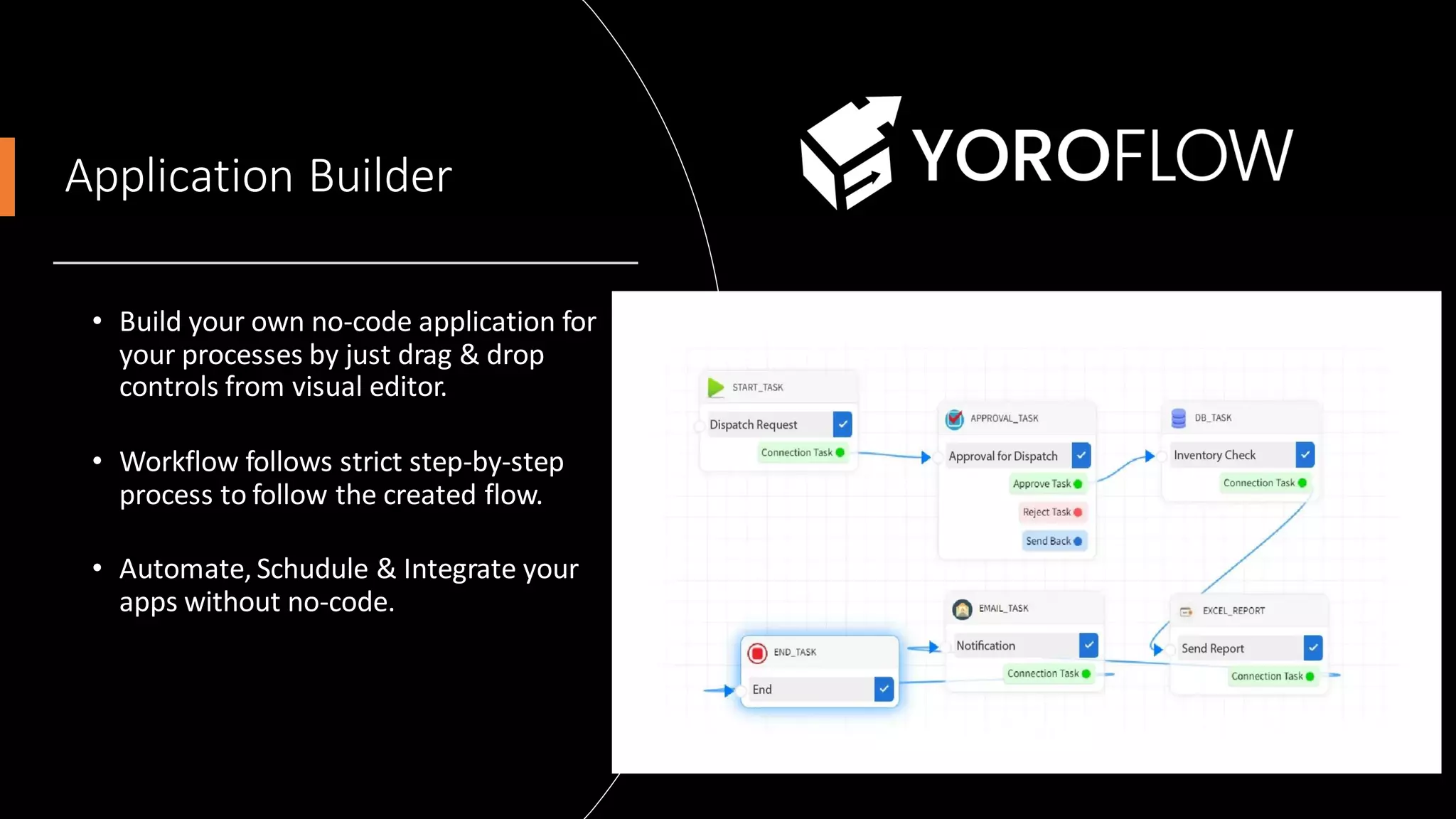
Application Builder
• Build your own no-code application for
your processes by just drag & drop
controls from visual editor.
• Workflow follows strict step-by-step
process to follow the created flow.
• Automate, Schudule & Integrate your
apps without no-code.
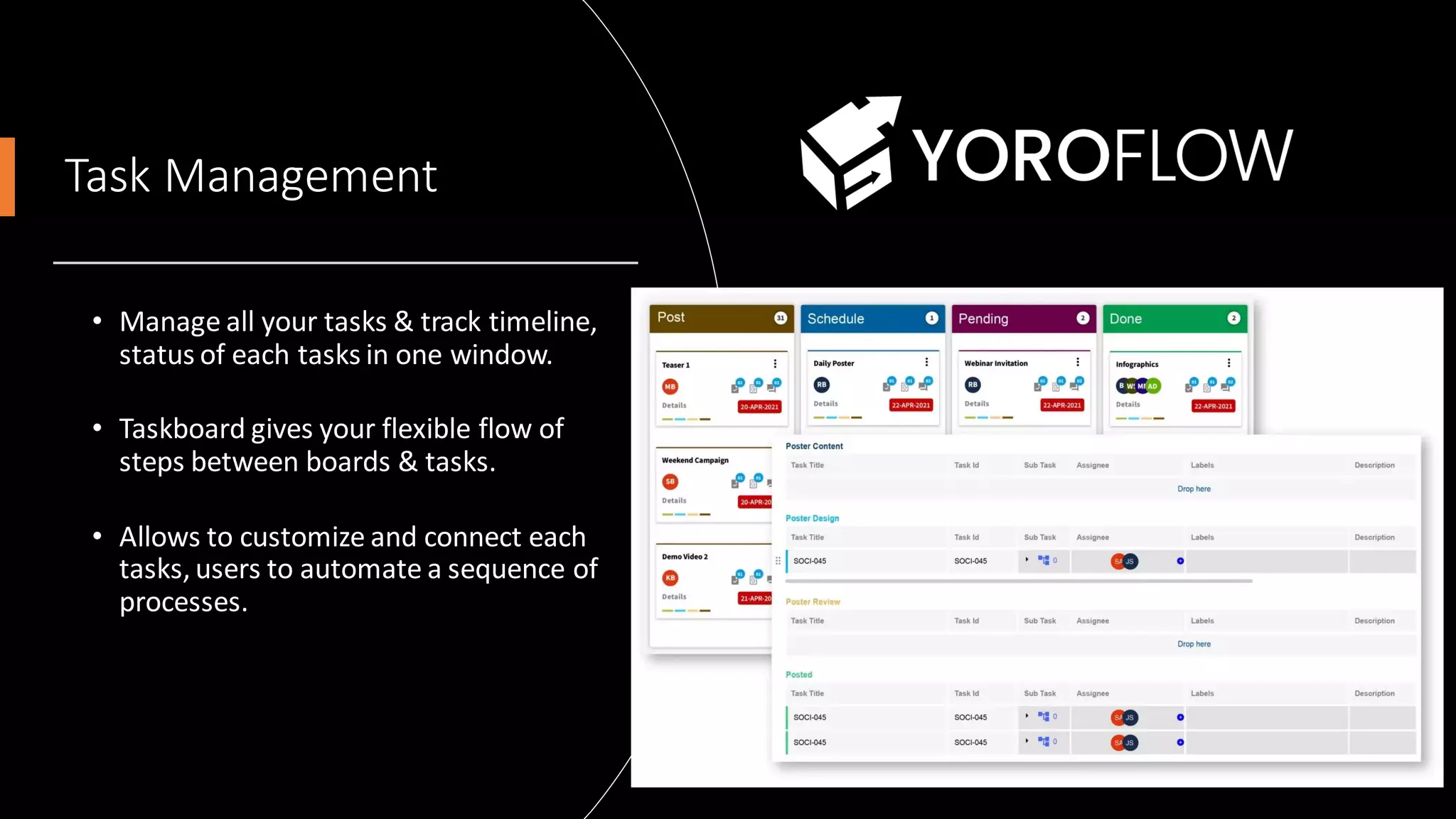
Task Management
• Manage all your tasks & track timeline,
status of each tasks in one window.
• Taskboard gives your flexible flow of
steps between boards & tasks.
• Allows to customize and connect each
tasks, users to automate a sequence of
processes.
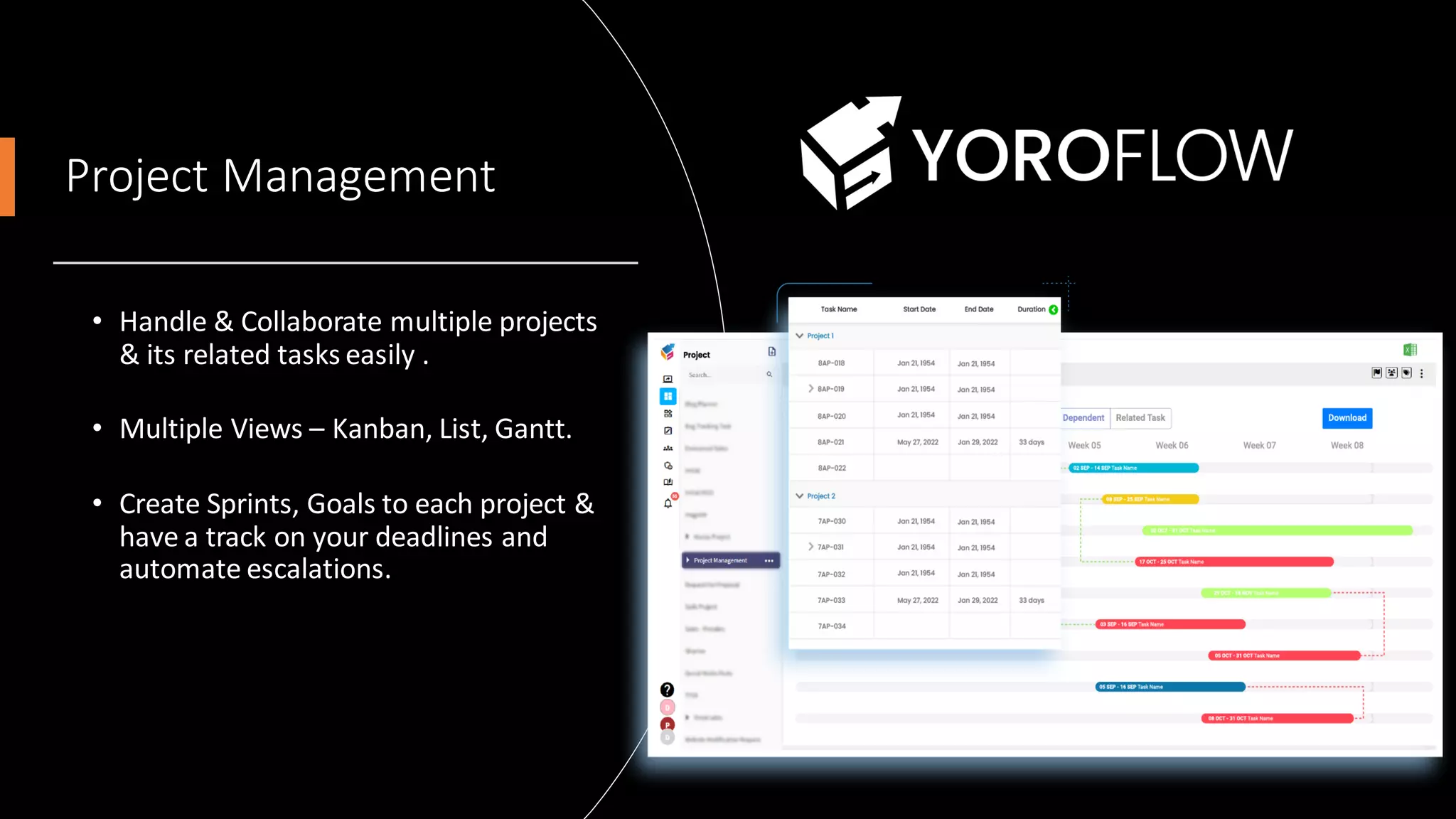
Project Management
• Handle & Collaborate multiple projects
& its related tasks easily .
• Multiple Views – Kanban, List, Gantt.
• Create Sprints, Goals to each project &
have a track on your deadlines and
automate escalations.
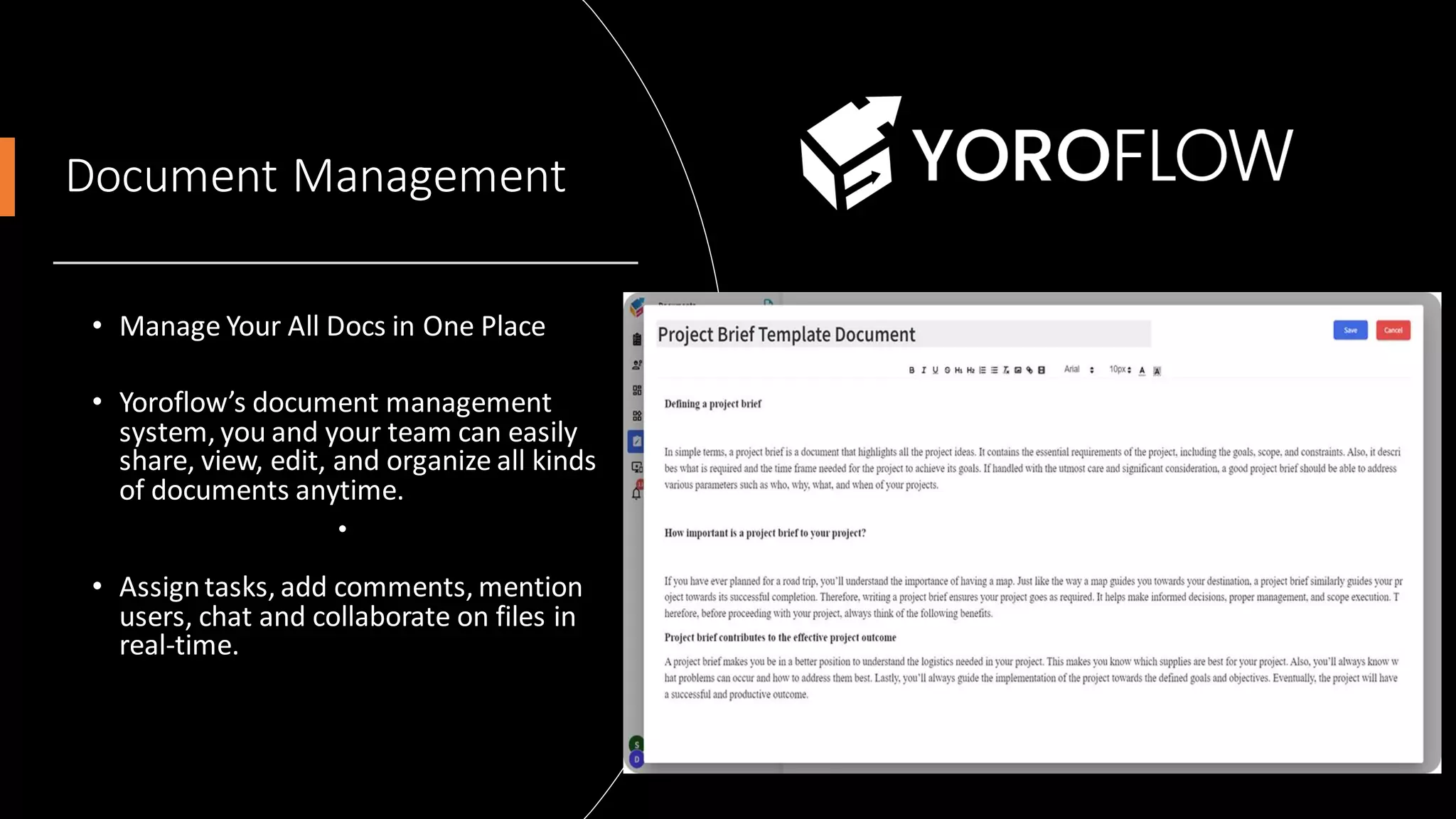
Document Management
• Manage Your All Docs in One Place
• Yoroflow’s document management
system, you and your team can easily
share, view, edit, and organize all kinds
of documents anytime.
•
• Assigntasks, add comments, mention
users, chat and collaborate on files in
real-time.
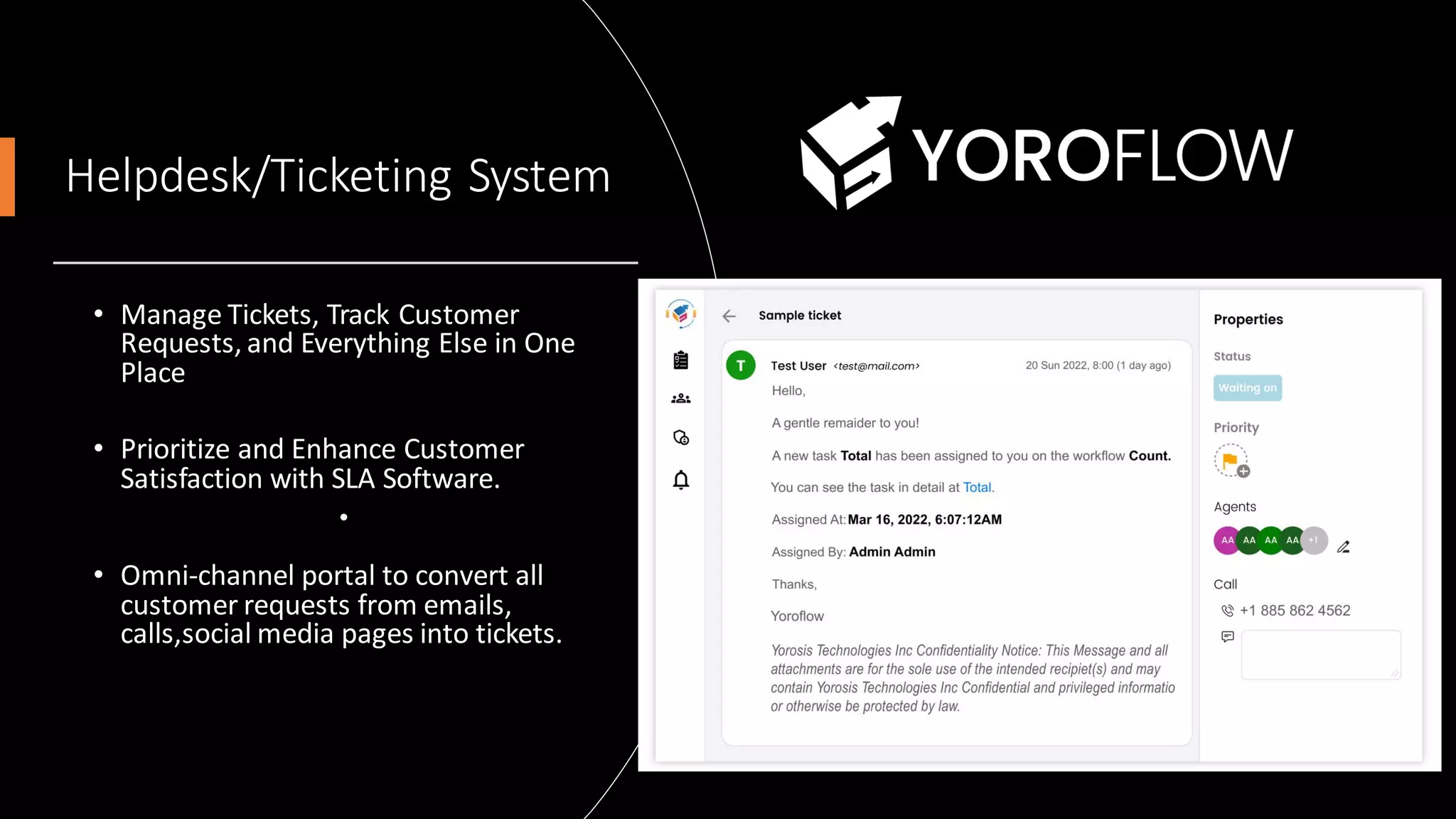
Helpdesk/Ticketing System
• Manage Tickets, Track Customer
Requests, and Everything Else in One
Place
• Prioritize and Enhance Customer
Satisfaction with SLA Software.
•
• Omni-channel portal to convert all
customer requests from emails,
calls,social media pages into tickets.
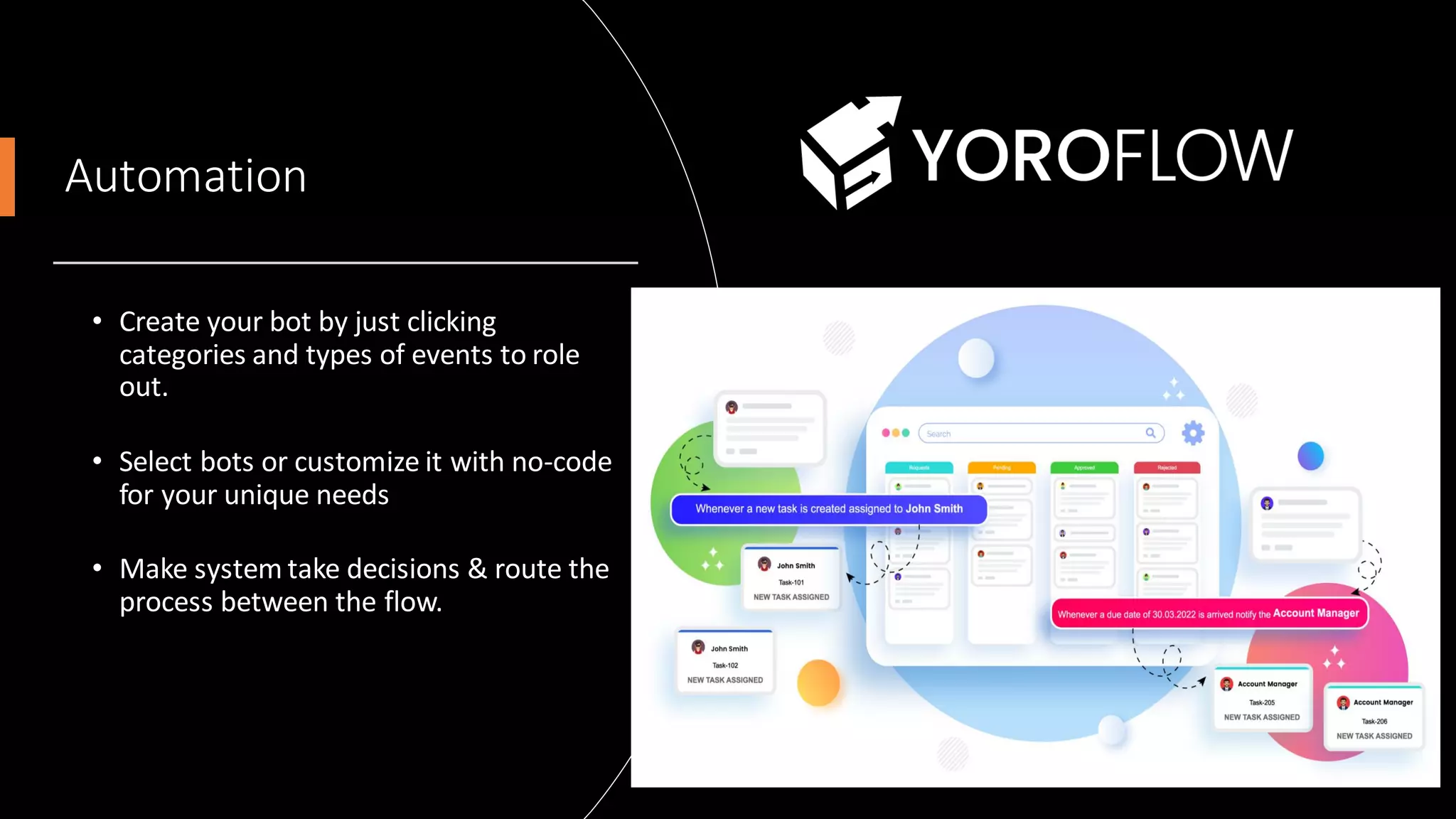
Automation
• Create your bot by just clicking
categories and types of events to role
out.
• Select bots or customize it with no-code
for your unique needs
• Make system take decisions & route the
process between the flow.
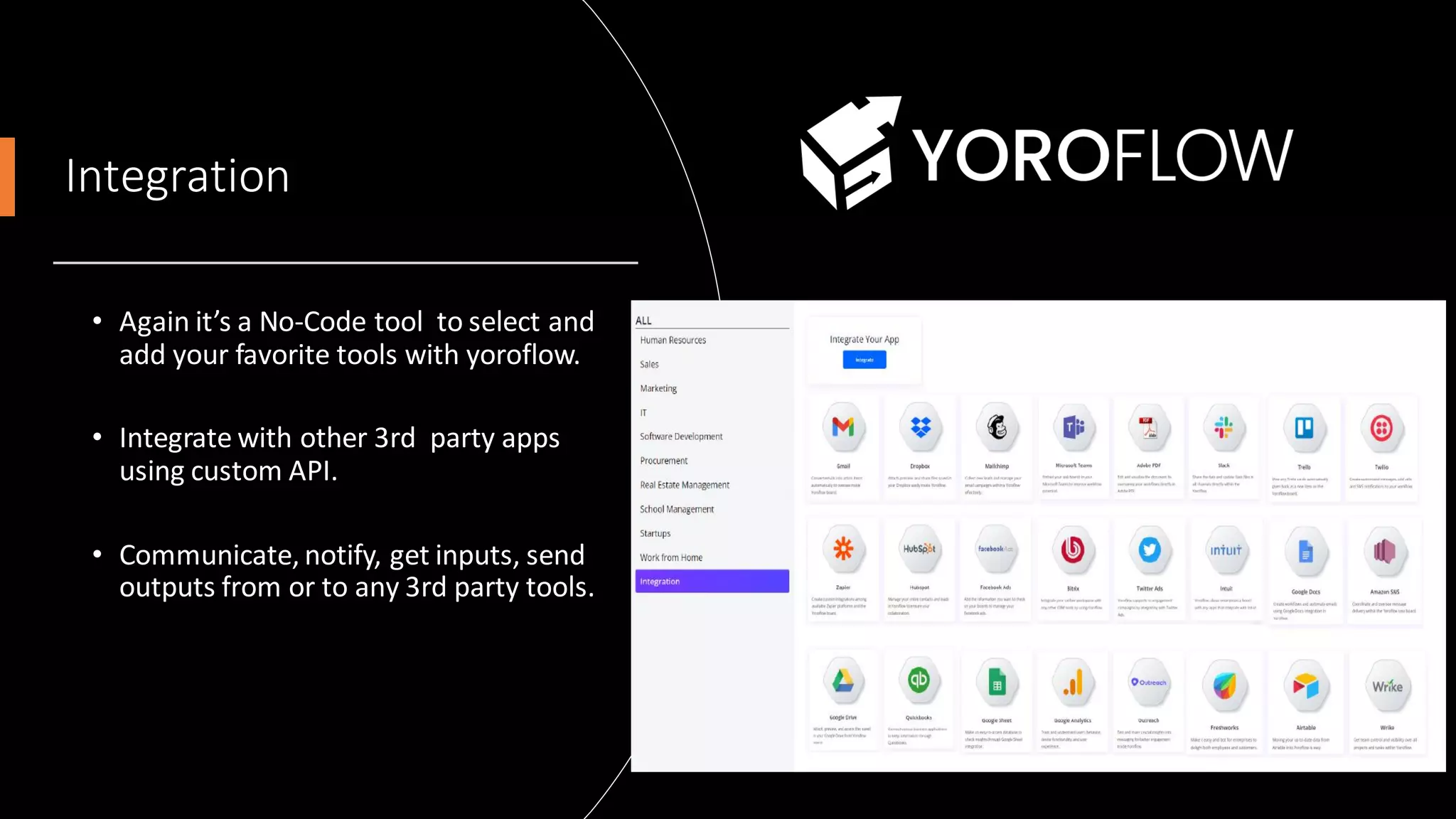
Integration
• Again it’s a No-Code tool to select and
add your favorite tools with yoroflow.
• Integrate with other 3rd party apps
using custom API.
• Communicate, notify, get inputs, send
outputs from or to any 3rd party tools.
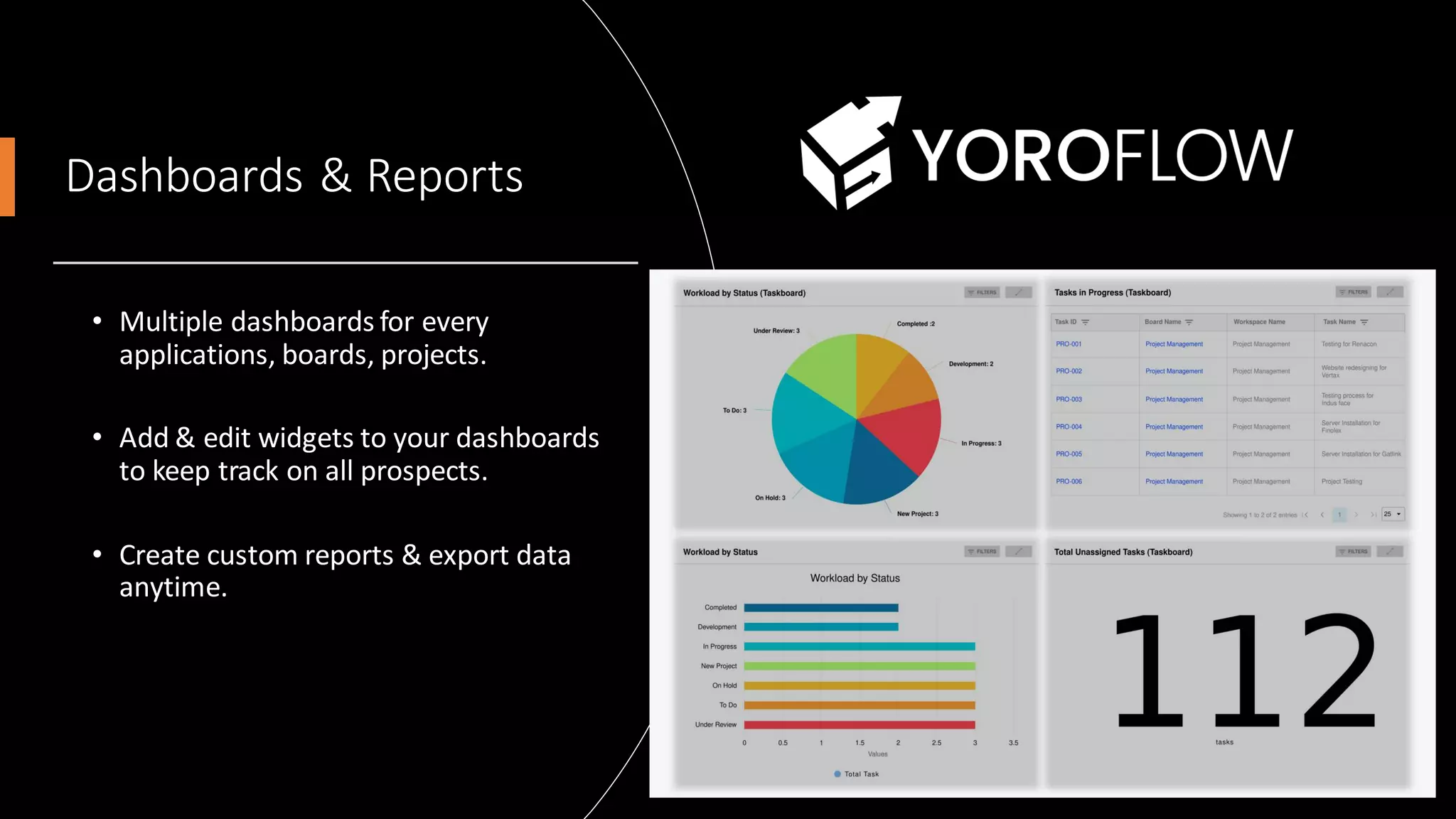
Dashboards & Reports
• Multiple dashboards for every
applications, boards, projects.
• Add & edit widgets to your dashboards
to keep track on all prospects.
• Create custom reports & export data
anytime.
Get Started in Few mins
• Minimum 5 Users
• Flexible Pricing & Pay only for features you
need.
Resources
• Pricing - https://www.yoroflow.com/
• FAQs - https://www.yoroflow.com/faqs/
• User Guide -
https://www.yoroflow.com/support/
• Videos -
https://www.youtube.com/channel/UCAOt6N3
HuqWC1ffIPMZc3oQ
ThankYou

Yoroflow Product Overview | All-in-One Workplace Automation Platform

  • 1.
  • 2.
    agenda What is Yoroflow? Pages& Forms Application Builder Task Management Project Management Document Management Helpdesk / Ticketing System Automation Integration Dashboards & Reports
  • 3.
    What is Yoroflow? •No-Code/Low Code Platform to develop our own applications. • Horizontal Online Platform designed for any types of businesses in a single dashboard. • Regulates & reduces human efforts at most processes.
  • 4.
    All-in-One Workplace AutomationPlatform • Online Form/Page Designer (Public / Private) • No-Code Application Builder - (Workflows) • Task Management - (Yoroboard) • Project Management - (Yoroproject) • Document Management - (Yorodocs) • Team Collaboration & Livechat • Helpdesk & Ticketing System - (Yorodesk)
  • 5.
    Pages & Forms •Create interactive online forms where the users can feed inputs to process or store the data . • Map corresponding forms to workflows or taskboards. • Manage all related documents/files/images here in one place for a particular task.
  • 6.
    Application Builder • Buildyour own no-code application for your processes by just drag & drop controls from visual editor. • Workflow follows strict step-by-step process to follow the created flow. • Automate, Schudule & Integrate your apps without no-code.
  • 7.
    Task Management • Manageall your tasks & track timeline, status of each tasks in one window. • Taskboard gives your flexible flow of steps between boards & tasks. • Allows to customize and connect each tasks, users to automate a sequence of processes.
  • 8.
    Project Management • Handle& Collaborate multiple projects & its related tasks easily . • Multiple Views – Kanban, List, Gantt. • Create Sprints, Goals to each project & have a track on your deadlines and automate escalations.
  • 9.
    Document Management • ManageYour All Docs in One Place • Yoroflow’s document management system, you and your team can easily share, view, edit, and organize all kinds of documents anytime. • • Assigntasks, add comments, mention users, chat and collaborate on files in real-time.
  • 10.
    Helpdesk/Ticketing System • ManageTickets, Track Customer Requests, and Everything Else in One Place • Prioritize and Enhance Customer Satisfaction with SLA Software. • • Omni-channel portal to convert all customer requests from emails, calls,social media pages into tickets.
  • 11.
    Automation • Create yourbot by just clicking categories and types of events to role out. • Select bots or customize it with no-code for your unique needs • Make system take decisions & route the process between the flow.
  • 12.
    Integration • Again it’sa No-Code tool to select and add your favorite tools with yoroflow. • Integrate with other 3rd party apps using custom API. • Communicate, notify, get inputs, send outputs from or to any 3rd party tools.
  • 13.
    Dashboards & Reports •Multiple dashboards for every applications, boards, projects. • Add & edit widgets to your dashboards to keep track on all prospects. • Create custom reports & export data anytime.
  • 14.
    Get Started inFew mins • Minimum 5 Users • Flexible Pricing & Pay only for features you need. Resources • Pricing - https://www.yoroflow.com/ • FAQs - https://www.yoroflow.com/faqs/ • User Guide - https://www.yoroflow.com/support/ • Videos - https://www.youtube.com/channel/UCAOt6N3 HuqWC1ffIPMZc3oQ
  • 15.