Jan 27, 2016
XSLT
2
XSLT
 XSLT stands for Extensible Stylesheet Language
Transformations
 XSLT is used to transform XML documents into other
kinds of documents--usually, but not necessarily,
XHTML
 XSLT uses two input files:
 The XML document containing the actual data
 The XSL document containing both the “framework” in which
to insert the data, and XSLT commands to do so
3
Very simple example
 File data.xml:
<?xml version="1.0"?>
<?xml-stylesheet type="text/xsl" href="render.xsl"?>
<message>Howdy!</message>
 File render.xsl:
<?xml version="1.0"?>
<xsl:stylesheet version="1.0”
xmlns:xsl="http://www.w3.org/1999/XSL/Transform">
<!-- one rule, to transform the input root (/) -->
<xsl:template match="/">
<html><body>
<h1><xsl:value-of select="message"/></h1>
</body></html>
</xsl:template>
</xsl:stylesheet>
4
The .xsl file
 An XSLT document has the .xsl extension
 The XSLT document begins with:
<?xml version="1.0"?>
<xsl:stylesheet version="1.0"
xmlns:xsl="http://www.w3.org/1999/
XSL/Transform">
 Contains one or more templates, such as:
<xsl:template match="/"> ... </xsl:template>
 And ends with:
</xsl:stylesheet>
5
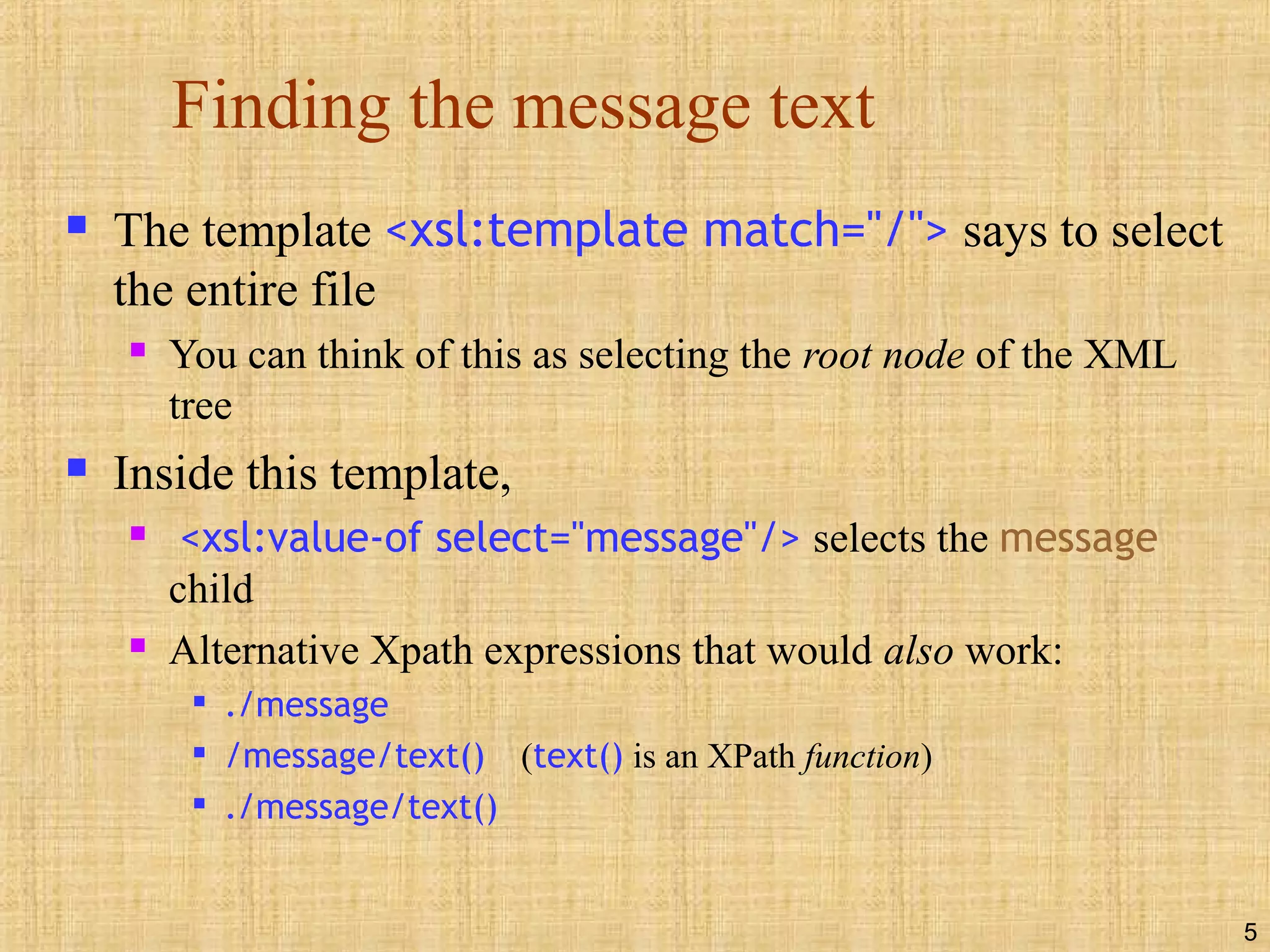
Finding the message text
 The template <xsl:template match="/"> says to select
the entire file
 You can think of this as selecting the root node of the XML
tree
 Inside this template,
 <xsl:value-of select="message"/> selects the message
child
 Alternative Xpath expressions that would also work:

./message

/message/text() (text() is an XPath function)

./message/text()
6
Putting it together
 The XSL was:
<xsl:template match="/">
<html><body>
<h1><xsl:value-of select="message"/></h1>
</body></html>
</xsl:template>
 The <xsl:template match="/"> chooses the root
 The <html><body> <h1> is written to the output file
 The contents of message is written to the output file
 The </h1> </body></html> is written to the output file
 The resultant file looks like:
<html><body>
<h1>Howdy!</h1>
</body></html>
7
How XSLT works
 The XML text document is read in and stored as a tree of nodes
 The <xsl:template match="/"> template is used to select the
entire tree
 The rules within the template are applied to the matching nodes,
thus changing the structure of the XML tree
 If there are other templates, they must be called explicitly from the main
template
 Unmatched parts of the XML tree are not changed
 After the template is applied, the tree is written out again as a text
document
8
Where XSLT can be used
 With an appropriate program, such as Xerces, XSLT can
be used to read and write files
 A server can use XSLT to change XML files into HTML
files before sending them to the client
 A modern browser can use XSLT to change XML into
HTML on the client side
 This is what we will mostly be doing in this class
 Most users seldom update their browsers
 If you want “everyone” to see your pages, do any XSL
processing on the server side
 Otherwise, think about what best fits your situation
9
Modern browsers
 Internet Explorer 6 best supports XML
 Netscape 6 supports some of XML
 Internet Explorer 5.x supports an obsolete version of
XML
 IE5 is not good enough for this course
 If you must use IE5, the initial PI is different (you can look it
up if you ever need it)
10
xsl:value-of
 <xsl:value-of select="XPath expression"/> selects
the contents of an element and adds it to the output
stream
 The select attribute is required
 Notice that xsl:value-of is not a container, hence it needs to
end with a slash
 Example (from an earlier slide):
<h1> <xsl:value-of select="message"/> </h1>
11
xsl:for-each
 xsl:for-each is a kind of loop statement
 The syntax is
<xsl:for-each select="XPath expression">
Text to insert and rules to apply
</xsl:for-each>
 Example: to select every book (//book) and make an unordered
list (<ul>) of their titles (title), use:
<ul>
<xsl:for-each select="//book">
<li> <xsl:value-of select="title"/> </li>
</xsl:for-each>
</ul>
12
Filtering output
 You can filter (restrict) output by adding a criterion
to the select attribute’s value:
<ul>
<xsl:for-each select="//book">
<li>
<xsl:value-of
select="title[../author='Terry Pratchett']"/>
</li>
</xsl:for-each>
</ul>
 This will select book titles by Terry Pratchett
13
Filter details
 Here is the filter we just used:
<xsl:value-of
select="title[../author='Terry Pratchett']"/>
 author is a sibling of title, so from title we have to
go up to its parent, book, then back down to author
 This filter requires a quote within a quote, so we need
both single quotes and double quotes
 Legal filter operators are:
= != &lt; &gt;
 Numbers should be quoted, but apparently don’t have to be
14
But it doesn’t work right!
 Here’s what we did:
<xsl:for-each select="//book">
<li>
<xsl:value-of
select="title[../author='Terry Pratchett']"/>
</li>
</xsl:for-each>
 This will output <li> and </li> for every book, so we will get
empty bullets for authors other than Terry Pratchett
 There is no obvious way to solve this with just xsl:value-of
15
xsl:if
 xsl:if allows us to include content if a given
condition (in the test attribute) is true
 Example:
<xsl:for-each select="//book">
<xsl:if test="author='Terry Pratchett'">
<li>
<xsl:value-of select="title"/>
</li>
</xsl:if>
</xsl:for-each>
 This does work correctly!
16
xsl:choose
 The xsl:choose ... xsl:when ... xsl:otherwise
construct is XML’s equivalent of Java’s switch ... case
... default statement
 The syntax is:
<xsl:choose>
<xsl:when test="some condition">
... some code ...
</xsl:when>
<xsl:otherwise>
... some code ...
</xsl:otherwise>
</xsl:choose>
• xsl:choose is often
used within an
xsl:for-each loop
17
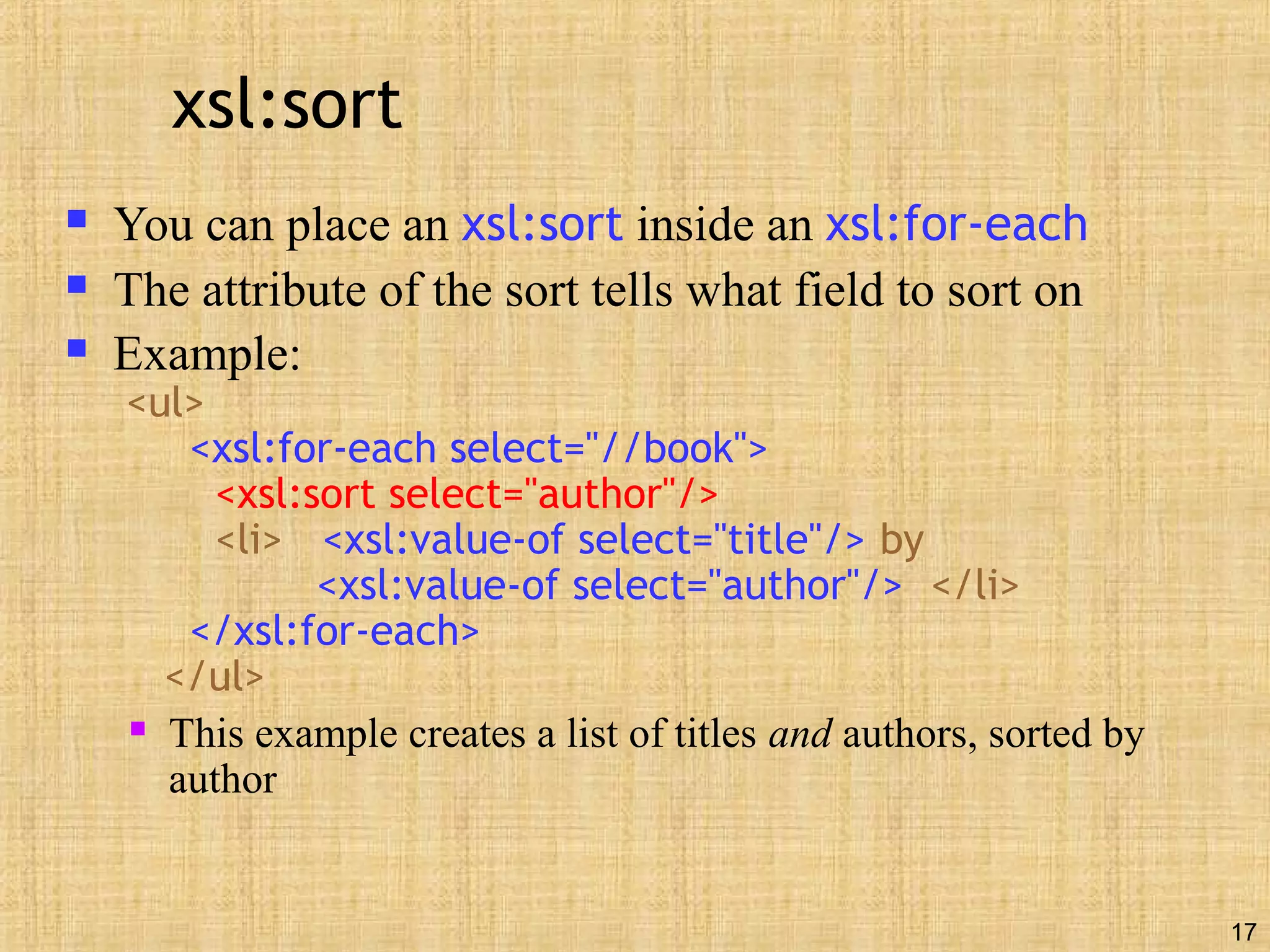
xsl:sort
 You can place an xsl:sort inside an xsl:for-each
 The attribute of the sort tells what field to sort on
 Example:
<ul>
<xsl:for-each select="//book">
<xsl:sort select="author"/>
<li> <xsl:value-of select="title"/> by
<xsl:value-of select="author"/> </li>
</xsl:for-each>
</ul>
 This example creates a list of titles and authors, sorted by
author
18
xsl:text
 <xsl:text>...</xsl:text> helps deal with two common
problems:
 XSL isn’t very careful with whitespace in the document

This doesn’t matter much for HTML, which collapses all whitespace
anyway (though the HTML source may look ugly)

<xsl:text> gives you much better control over whitespace; it acts like
the <pre> element in HTML
 Since XML defines only five entities, you cannot readily put
other entities (such as &nbsp;) in your XSL

&amp;nbsp; almost works, but &nbsp; is visible on the page

Here’s the secret formula for entities:
<xsl:text disable-output-escaping="yes">&amp;nbsp;</xsl:text>
19
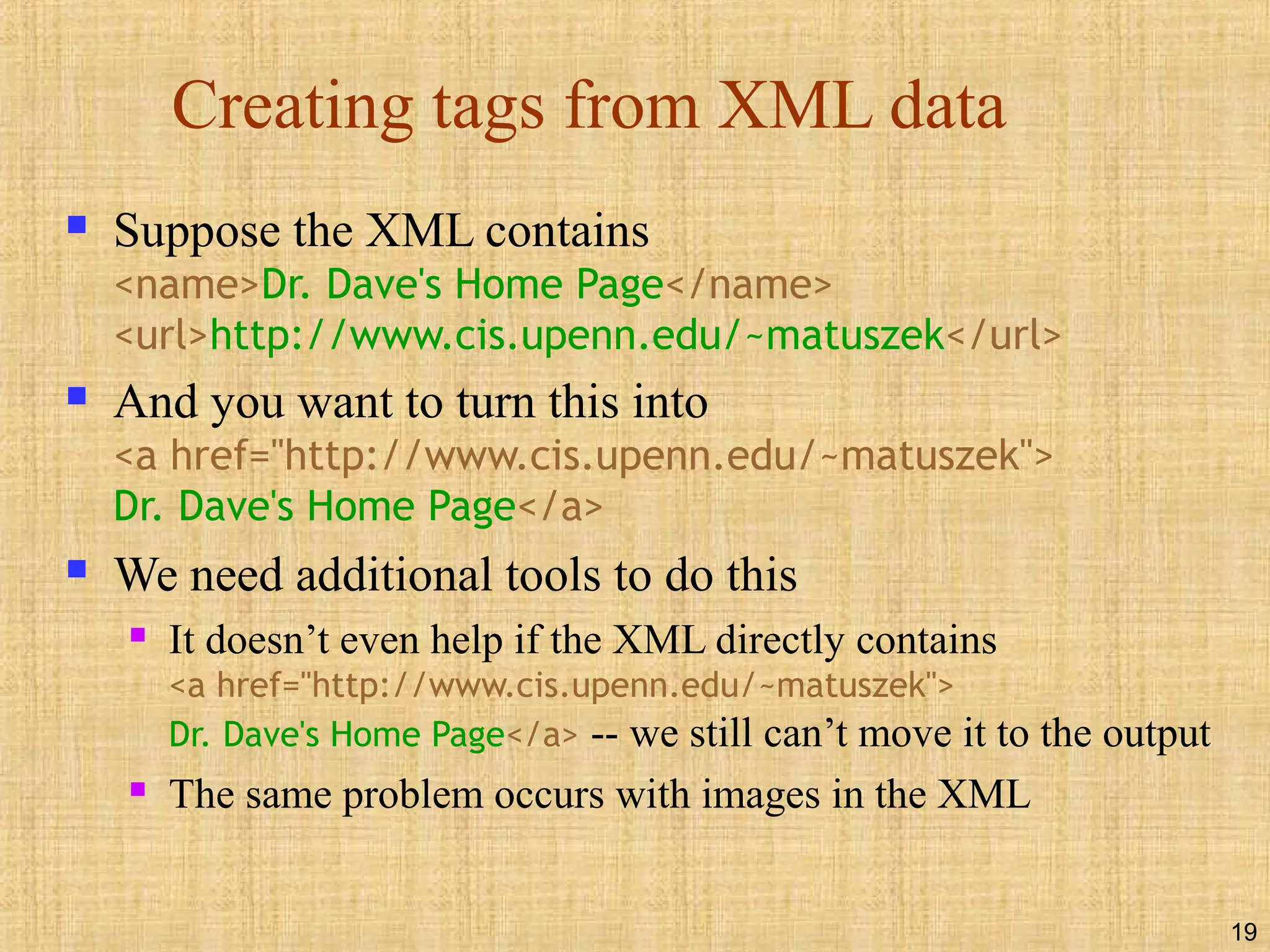
Creating tags from XML data
 Suppose the XML contains
<name>Dr. Dave's Home Page</name>
<url>http://www.cis.upenn.edu/~matuszek</url>
 And you want to turn this into
<a href="http://www.cis.upenn.edu/~matuszek">
Dr. Dave's Home Page</a>
 We need additional tools to do this
 It doesn’t even help if the XML directly contains
<a href="http://www.cis.upenn.edu/~matuszek">
Dr. Dave's Home Page</a> -- we still can’t move it to the output
 The same problem occurs with images in the XML
20
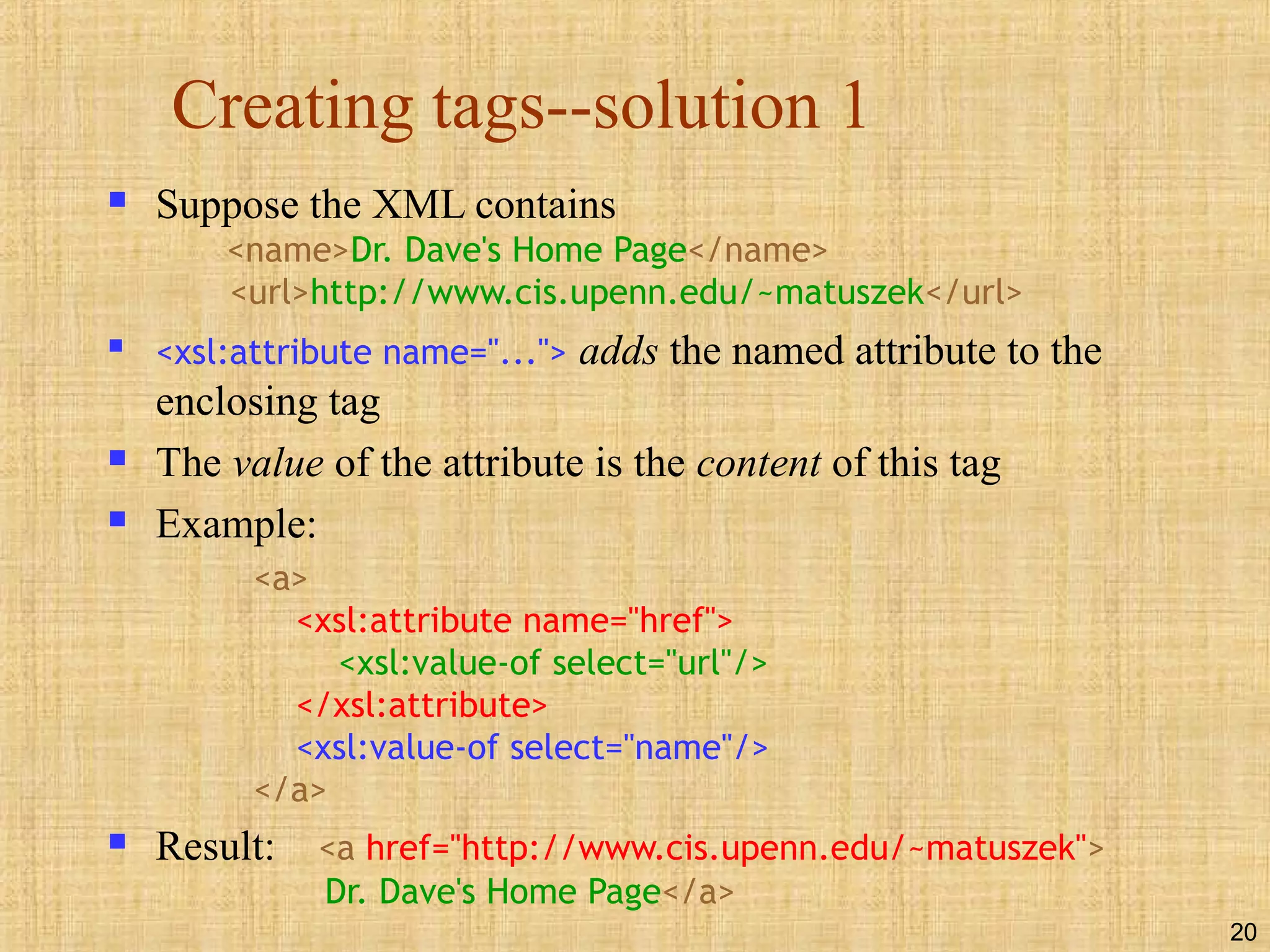
Creating tags--solution 1
 Suppose the XML contains
<name>Dr. Dave's Home Page</name>
<url>http://www.cis.upenn.edu/~matuszek</url>

<xsl:attribute name="..."> adds the named attribute to the
enclosing tag
 The value of the attribute is the content of this tag
 Example:
<a>
<xsl:attribute name="href">
<xsl:value-of select="url"/>
</xsl:attribute>
<xsl:value-of select="name"/>
</a>
 Result: <a href="http://www.cis.upenn.edu/~matuszek">
Dr. Dave's Home Page</a>
21
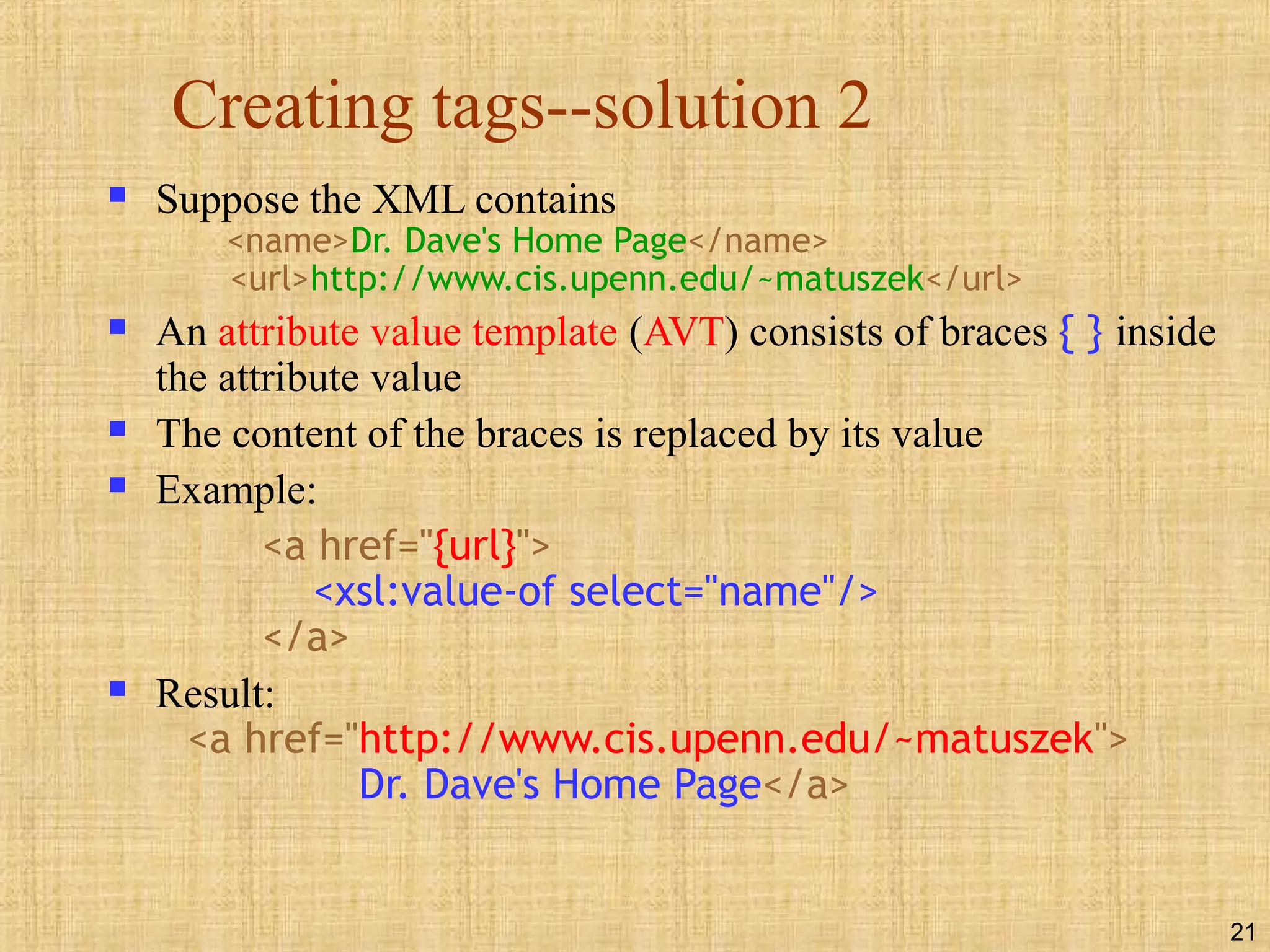
Creating tags--solution 2
 Suppose the XML contains
<name>Dr. Dave's Home Page</name>
<url>http://www.cis.upenn.edu/~matuszek</url>
 An attribute value template (AVT) consists of braces { } inside
the attribute value
 The content of the braces is replaced by its value
 Example:
<a href="{url}">
<xsl:value-of select="name"/>
</a>
 Result:
<a href="http://www.cis.upenn.edu/~matuszek">
Dr. Dave's Home Page</a>
22
Modularization
 Modularization--breaking up a complex program into
simpler parts--is an important programming tool
 In programming languages modularization is often done with
functions or methods
 In XSL we can do something similar with
xsl:apply-templates
 For example, suppose we have a DTD for book with
parts titlePage, tableOfContents, chapter, and index
 We can create separate templates for each of these parts
23
Book example
 <xsl:template match="/">
<html> <body>
<xsl:apply-templates/>
</body> </html>
</xsl:template>
 <xsl:template match="tableOfContents">
<h1>Table of Contents</h1>
<xsl:apply-templates select="chapterNumber"/>
<xsl:apply-templates select="chapterName"/>
<xsl:apply-templates select="pageNumber"/>
</xsl:template>
 Etc.
24
xsl:apply-templates
 The <xsl:apply-templates> element applies a template
rule to the current element or to the current element’s
child nodes
 If we add a select attribute, it applies the template rule
only to the child that matches
 If we have multiple <xsl:apply-templates> elements
with select attributes, the child nodes are processed in
the same order as the <xsl:apply-templates> elements
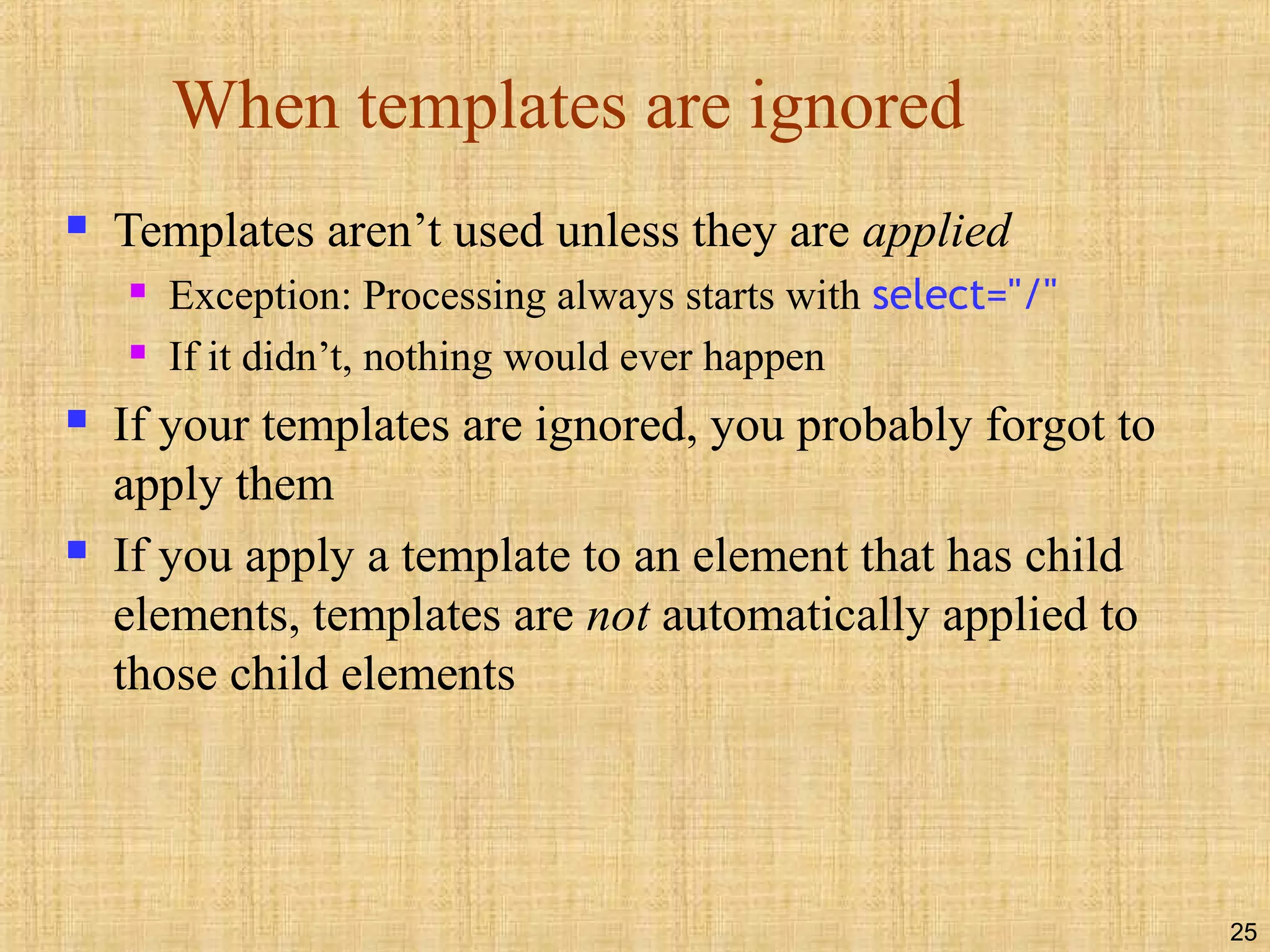
25
When templates are ignored
 Templates aren’t used unless they are applied
 Exception: Processing always starts with select="/"
 If it didn’t, nothing would ever happen
 If your templates are ignored, you probably forgot to
apply them
 If you apply a template to an element that has child
elements, templates are not automatically applied to
those child elements
26
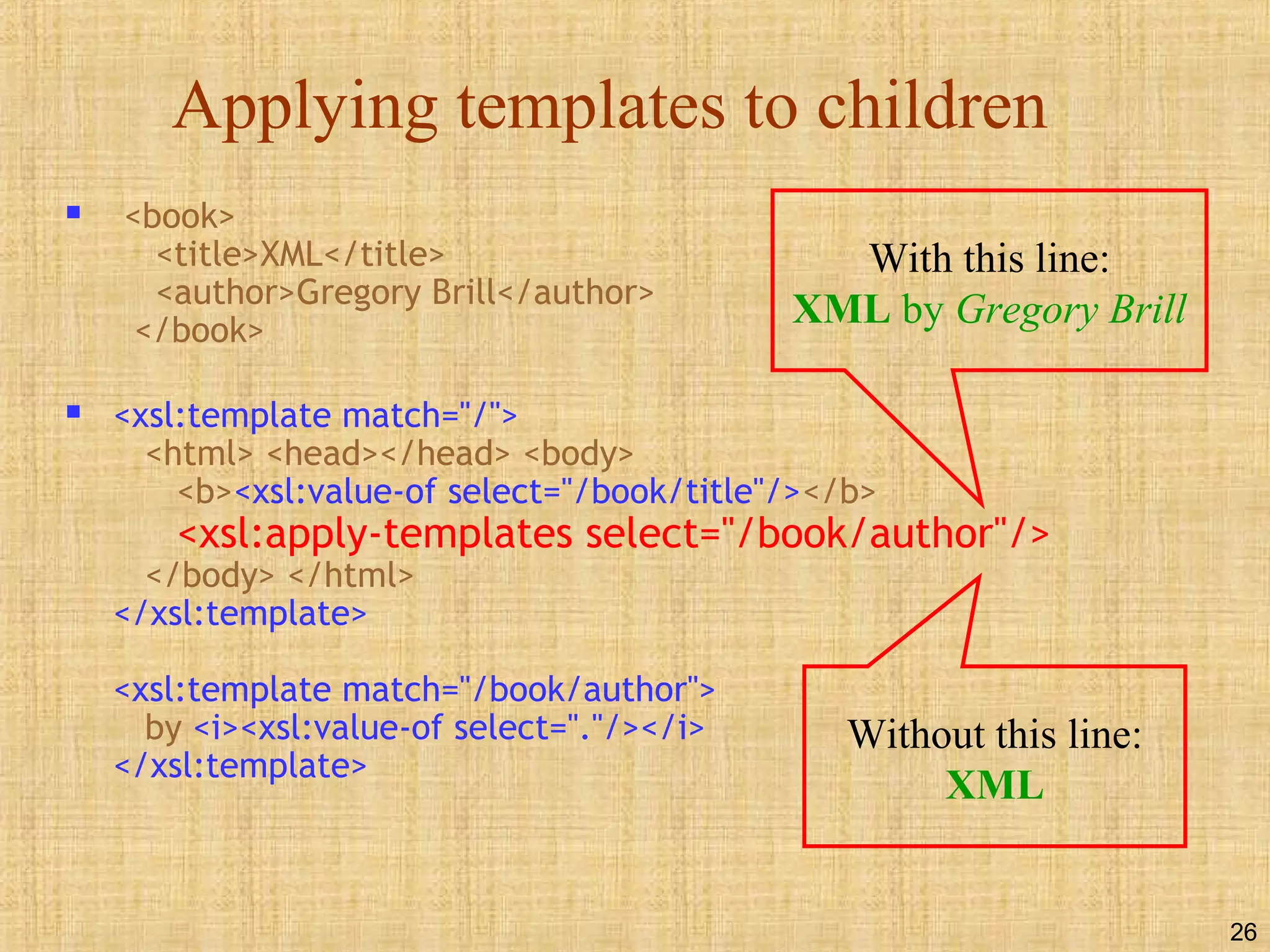
Applying templates to children
 <book>
<title>XML</title>
<author>Gregory Brill</author>
</book>
 <xsl:template match="/">
<html> <head></head> <body>
<b><xsl:value-of select="/book/title"/></b>
<xsl:apply-templates select="/book/author"/>
</body> </html>
</xsl:template>
<xsl:template match="/book/author">
by <i><xsl:value-of select="."/></i>
</xsl:template>
With this line:
XML by Gregory Brill
Without this line:
XML
27
Calling named templates
 You can name a template, then call it, similar to the way you
would call a method in Java
 The named template:
<xsl:template name="myTemplateName">
...body of template...
</xsl:template>
 A call to the template:
<xsl:call-template name="myTemplateName"/>
 Or:
<xsl:call-template name="myTemplateName">
...parameters...
</xsl:call-template>
28
Templates with parameters
 Parameters, if present, are included in the content of
xsl:template, but are the only content of xsl:call-
template
 Example call:
<xsl:call-template name="doOneType">
<xsl:with-param name="header" select="'Lectures'"/>
<xsl:with-param name="nodes" select="//lecture"/>
</xsl:call-template>
 Example template:
<xsl:template name="doOneType">
<xsl:param name="header"/>
<xsl:param name="nodes"/>
...template body...refer to parameters as "$header" and "$nodes"
</xsl:template>
 Parameters are matched up by name, not by position
Single quotes inside double
quotes make this a string
This parameter is a
typical XPath expression
29
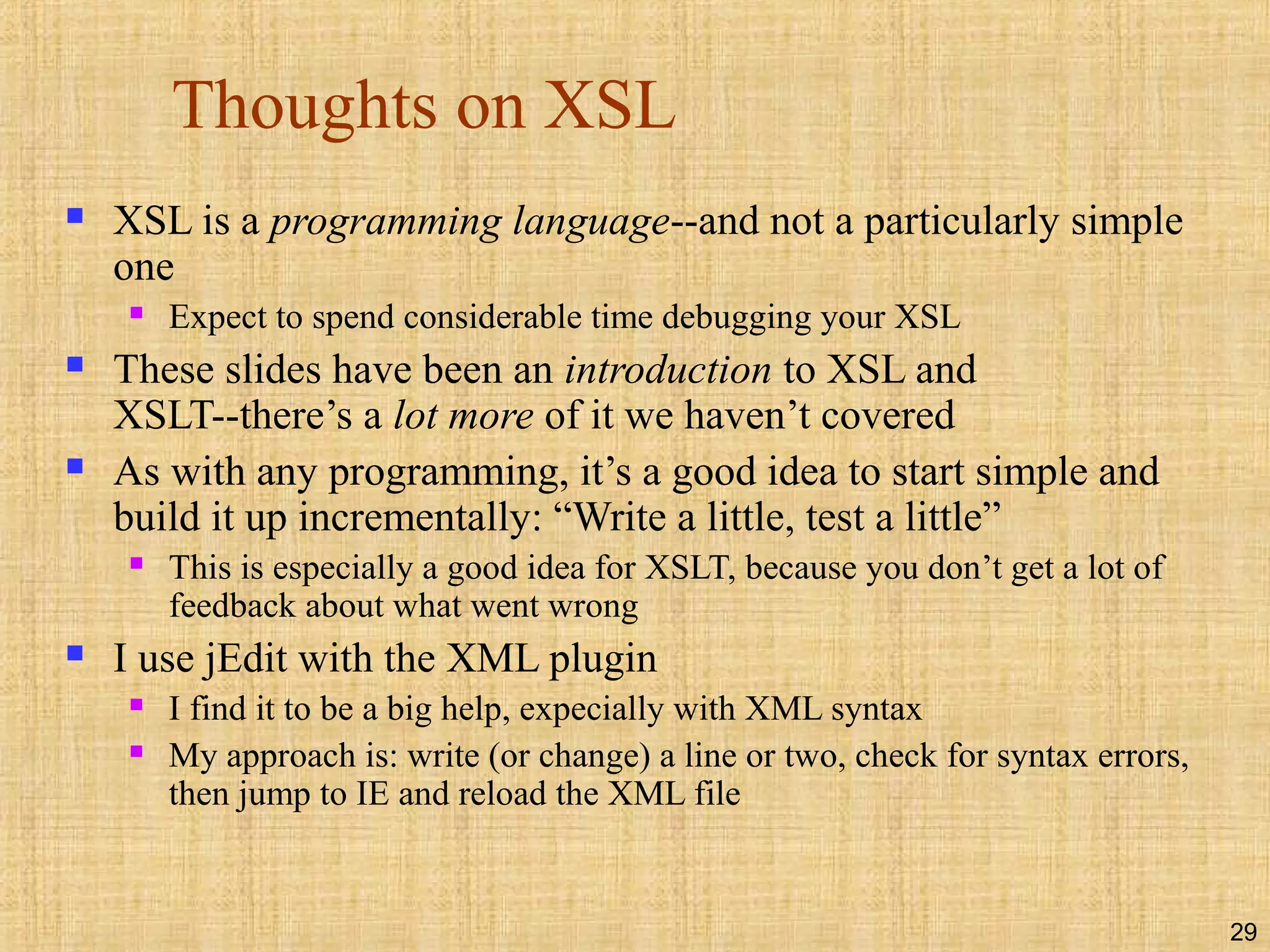
Thoughts on XSL
 XSL is a programming language--and not a particularly simple
one
 Expect to spend considerable time debugging your XSL
 These slides have been an introduction to XSL and
XSLT--there’s a lot more of it we haven’t covered
 As with any programming, it’s a good idea to start simple and
build it up incrementally: “Write a little, test a little”
 This is especially a good idea for XSLT, because you don’t get a lot of
feedback about what went wrong
 I use jEdit with the XML plugin
 I find it to be a big help, expecially with XML syntax
 My approach is: write (or change) a line or two, check for syntax errors,
then jump to IE and reload the XML file
30
The End

Xslt

  • 1.
  • 2.
    2 XSLT  XSLT standsfor Extensible Stylesheet Language Transformations  XSLT is used to transform XML documents into other kinds of documents--usually, but not necessarily, XHTML  XSLT uses two input files:  The XML document containing the actual data  The XSL document containing both the “framework” in which to insert the data, and XSLT commands to do so
  • 3.
    3 Very simple example File data.xml: <?xml version="1.0"?> <?xml-stylesheet type="text/xsl" href="render.xsl"?> <message>Howdy!</message>  File render.xsl: <?xml version="1.0"?> <xsl:stylesheet version="1.0” xmlns:xsl="http://www.w3.org/1999/XSL/Transform"> <!-- one rule, to transform the input root (/) --> <xsl:template match="/"> <html><body> <h1><xsl:value-of select="message"/></h1> </body></html> </xsl:template> </xsl:stylesheet>
  • 4.
    4 The .xsl file An XSLT document has the .xsl extension  The XSLT document begins with: <?xml version="1.0"?> <xsl:stylesheet version="1.0" xmlns:xsl="http://www.w3.org/1999/ XSL/Transform">  Contains one or more templates, such as: <xsl:template match="/"> ... </xsl:template>  And ends with: </xsl:stylesheet>
  • 5.
    5 Finding the messagetext  The template <xsl:template match="/"> says to select the entire file  You can think of this as selecting the root node of the XML tree  Inside this template,  <xsl:value-of select="message"/> selects the message child  Alternative Xpath expressions that would also work:  ./message  /message/text() (text() is an XPath function)  ./message/text()
  • 6.
    6 Putting it together The XSL was: <xsl:template match="/"> <html><body> <h1><xsl:value-of select="message"/></h1> </body></html> </xsl:template>  The <xsl:template match="/"> chooses the root  The <html><body> <h1> is written to the output file  The contents of message is written to the output file  The </h1> </body></html> is written to the output file  The resultant file looks like: <html><body> <h1>Howdy!</h1> </body></html>
  • 7.
    7 How XSLT works The XML text document is read in and stored as a tree of nodes  The <xsl:template match="/"> template is used to select the entire tree  The rules within the template are applied to the matching nodes, thus changing the structure of the XML tree  If there are other templates, they must be called explicitly from the main template  Unmatched parts of the XML tree are not changed  After the template is applied, the tree is written out again as a text document
  • 8.
    8 Where XSLT canbe used  With an appropriate program, such as Xerces, XSLT can be used to read and write files  A server can use XSLT to change XML files into HTML files before sending them to the client  A modern browser can use XSLT to change XML into HTML on the client side  This is what we will mostly be doing in this class  Most users seldom update their browsers  If you want “everyone” to see your pages, do any XSL processing on the server side  Otherwise, think about what best fits your situation
  • 9.
    9 Modern browsers  InternetExplorer 6 best supports XML  Netscape 6 supports some of XML  Internet Explorer 5.x supports an obsolete version of XML  IE5 is not good enough for this course  If you must use IE5, the initial PI is different (you can look it up if you ever need it)
  • 10.
    10 xsl:value-of  <xsl:value-of select="XPathexpression"/> selects the contents of an element and adds it to the output stream  The select attribute is required  Notice that xsl:value-of is not a container, hence it needs to end with a slash  Example (from an earlier slide): <h1> <xsl:value-of select="message"/> </h1>
  • 11.
    11 xsl:for-each  xsl:for-each isa kind of loop statement  The syntax is <xsl:for-each select="XPath expression"> Text to insert and rules to apply </xsl:for-each>  Example: to select every book (//book) and make an unordered list (<ul>) of their titles (title), use: <ul> <xsl:for-each select="//book"> <li> <xsl:value-of select="title"/> </li> </xsl:for-each> </ul>
  • 12.
    12 Filtering output  Youcan filter (restrict) output by adding a criterion to the select attribute’s value: <ul> <xsl:for-each select="//book"> <li> <xsl:value-of select="title[../author='Terry Pratchett']"/> </li> </xsl:for-each> </ul>  This will select book titles by Terry Pratchett
  • 13.
    13 Filter details  Hereis the filter we just used: <xsl:value-of select="title[../author='Terry Pratchett']"/>  author is a sibling of title, so from title we have to go up to its parent, book, then back down to author  This filter requires a quote within a quote, so we need both single quotes and double quotes  Legal filter operators are: = != &lt; &gt;  Numbers should be quoted, but apparently don’t have to be
  • 14.
    14 But it doesn’twork right!  Here’s what we did: <xsl:for-each select="//book"> <li> <xsl:value-of select="title[../author='Terry Pratchett']"/> </li> </xsl:for-each>  This will output <li> and </li> for every book, so we will get empty bullets for authors other than Terry Pratchett  There is no obvious way to solve this with just xsl:value-of
  • 15.
    15 xsl:if  xsl:if allowsus to include content if a given condition (in the test attribute) is true  Example: <xsl:for-each select="//book"> <xsl:if test="author='Terry Pratchett'"> <li> <xsl:value-of select="title"/> </li> </xsl:if> </xsl:for-each>  This does work correctly!
  • 16.
    16 xsl:choose  The xsl:choose... xsl:when ... xsl:otherwise construct is XML’s equivalent of Java’s switch ... case ... default statement  The syntax is: <xsl:choose> <xsl:when test="some condition"> ... some code ... </xsl:when> <xsl:otherwise> ... some code ... </xsl:otherwise> </xsl:choose> • xsl:choose is often used within an xsl:for-each loop
  • 17.
    17 xsl:sort  You canplace an xsl:sort inside an xsl:for-each  The attribute of the sort tells what field to sort on  Example: <ul> <xsl:for-each select="//book"> <xsl:sort select="author"/> <li> <xsl:value-of select="title"/> by <xsl:value-of select="author"/> </li> </xsl:for-each> </ul>  This example creates a list of titles and authors, sorted by author
  • 18.
    18 xsl:text  <xsl:text>...</xsl:text> helpsdeal with two common problems:  XSL isn’t very careful with whitespace in the document  This doesn’t matter much for HTML, which collapses all whitespace anyway (though the HTML source may look ugly)  <xsl:text> gives you much better control over whitespace; it acts like the <pre> element in HTML  Since XML defines only five entities, you cannot readily put other entities (such as &nbsp;) in your XSL  &amp;nbsp; almost works, but &nbsp; is visible on the page  Here’s the secret formula for entities: <xsl:text disable-output-escaping="yes">&amp;nbsp;</xsl:text>
  • 19.
    19 Creating tags fromXML data  Suppose the XML contains <name>Dr. Dave's Home Page</name> <url>http://www.cis.upenn.edu/~matuszek</url>  And you want to turn this into <a href="http://www.cis.upenn.edu/~matuszek"> Dr. Dave's Home Page</a>  We need additional tools to do this  It doesn’t even help if the XML directly contains <a href="http://www.cis.upenn.edu/~matuszek"> Dr. Dave's Home Page</a> -- we still can’t move it to the output  The same problem occurs with images in the XML
  • 20.
    20 Creating tags--solution 1 Suppose the XML contains <name>Dr. Dave's Home Page</name> <url>http://www.cis.upenn.edu/~matuszek</url>  <xsl:attribute name="..."> adds the named attribute to the enclosing tag  The value of the attribute is the content of this tag  Example: <a> <xsl:attribute name="href"> <xsl:value-of select="url"/> </xsl:attribute> <xsl:value-of select="name"/> </a>  Result: <a href="http://www.cis.upenn.edu/~matuszek"> Dr. Dave's Home Page</a>
  • 21.
    21 Creating tags--solution 2 Suppose the XML contains <name>Dr. Dave's Home Page</name> <url>http://www.cis.upenn.edu/~matuszek</url>  An attribute value template (AVT) consists of braces { } inside the attribute value  The content of the braces is replaced by its value  Example: <a href="{url}"> <xsl:value-of select="name"/> </a>  Result: <a href="http://www.cis.upenn.edu/~matuszek"> Dr. Dave's Home Page</a>
  • 22.
    22 Modularization  Modularization--breaking upa complex program into simpler parts--is an important programming tool  In programming languages modularization is often done with functions or methods  In XSL we can do something similar with xsl:apply-templates  For example, suppose we have a DTD for book with parts titlePage, tableOfContents, chapter, and index  We can create separate templates for each of these parts
  • 23.
    23 Book example  <xsl:templatematch="/"> <html> <body> <xsl:apply-templates/> </body> </html> </xsl:template>  <xsl:template match="tableOfContents"> <h1>Table of Contents</h1> <xsl:apply-templates select="chapterNumber"/> <xsl:apply-templates select="chapterName"/> <xsl:apply-templates select="pageNumber"/> </xsl:template>  Etc.
  • 24.
    24 xsl:apply-templates  The <xsl:apply-templates>element applies a template rule to the current element or to the current element’s child nodes  If we add a select attribute, it applies the template rule only to the child that matches  If we have multiple <xsl:apply-templates> elements with select attributes, the child nodes are processed in the same order as the <xsl:apply-templates> elements
  • 25.
    25 When templates areignored  Templates aren’t used unless they are applied  Exception: Processing always starts with select="/"  If it didn’t, nothing would ever happen  If your templates are ignored, you probably forgot to apply them  If you apply a template to an element that has child elements, templates are not automatically applied to those child elements
  • 26.
    26 Applying templates tochildren  <book> <title>XML</title> <author>Gregory Brill</author> </book>  <xsl:template match="/"> <html> <head></head> <body> <b><xsl:value-of select="/book/title"/></b> <xsl:apply-templates select="/book/author"/> </body> </html> </xsl:template> <xsl:template match="/book/author"> by <i><xsl:value-of select="."/></i> </xsl:template> With this line: XML by Gregory Brill Without this line: XML
  • 27.
    27 Calling named templates You can name a template, then call it, similar to the way you would call a method in Java  The named template: <xsl:template name="myTemplateName"> ...body of template... </xsl:template>  A call to the template: <xsl:call-template name="myTemplateName"/>  Or: <xsl:call-template name="myTemplateName"> ...parameters... </xsl:call-template>
  • 28.
    28 Templates with parameters Parameters, if present, are included in the content of xsl:template, but are the only content of xsl:call- template  Example call: <xsl:call-template name="doOneType"> <xsl:with-param name="header" select="'Lectures'"/> <xsl:with-param name="nodes" select="//lecture"/> </xsl:call-template>  Example template: <xsl:template name="doOneType"> <xsl:param name="header"/> <xsl:param name="nodes"/> ...template body...refer to parameters as "$header" and "$nodes" </xsl:template>  Parameters are matched up by name, not by position Single quotes inside double quotes make this a string This parameter is a typical XPath expression
  • 29.
    29 Thoughts on XSL XSL is a programming language--and not a particularly simple one  Expect to spend considerable time debugging your XSL  These slides have been an introduction to XSL and XSLT--there’s a lot more of it we haven’t covered  As with any programming, it’s a good idea to start simple and build it up incrementally: “Write a little, test a little”  This is especially a good idea for XSLT, because you don’t get a lot of feedback about what went wrong  I use jEdit with the XML plugin  I find it to be a big help, expecially with XML syntax  My approach is: write (or change) a line or two, check for syntax errors, then jump to IE and reload the XML file
  • 30.