

DOM
(DOCUMENT OBJECT MODEL)
Presented by---
•Agnish Majumder
•Anindya Sundar De
•Gopal Basak
•Rashbihari Halder
Contents
• Introduction
• Pre-knowledge
• Definition
• Types of DOM
• DOM hierarchy
• Tree structure
• Advantages and Disadvantages
• Conclusion
Introduction
• The Document Object Model (DOM) is a programming
API(Application Programming Interface) for HTML and
XML documents.
• DOM defines the logical structure of documents and the
way a document is accessed and manipulated.
Pre-knowledge
Before going to DOM we have to know about -
HTML (Hyper Text Markup Language): How to
Display the Data in the Webpage.
XML (Extensible Markup Language): How to
Describe the Data .
DHTML (Dynamic HTML): How to Add Movement or
Animation to an HTML Document.
JAVASCRIPT: How to make Web Content Dynamic.
Definition of DOM
• TheW3C Document Object Model (DOM) is a platform and
language-neutral interface that allows programs and
scripts to dynamically access and update the content,
structure, and style of a document.
• The DOM defines the objects and properties of all
document elements and the methods (interface) to access
them.
• The DOM is aW3C (World WideWeb Consortium) standard.
• The DOM defines the logical structure of objects and the
way an object is accessed and manipulated.
Types of DOM
There are mainly 3 parts or levels of DOM---
• Core DOM - standard model for any structured document
• XML DOM - standard model for XML documents
• HTML DOM - standard model for HTML documents
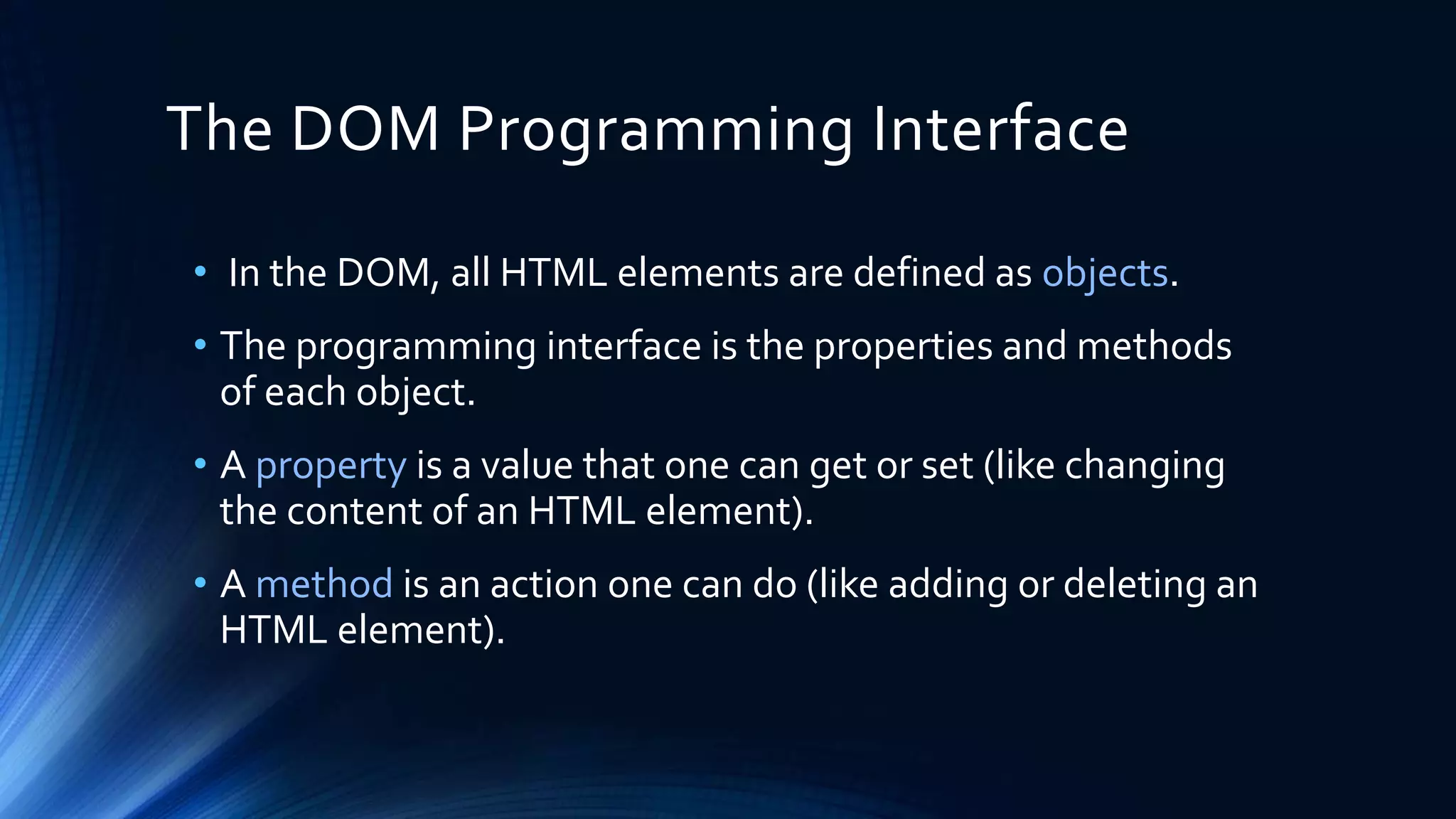
The DOM Programming Interface
• In the DOM, all HTML elements are defined as objects.
• The programming interface is the properties and methods
of each object.
• A property is a value that one can get or set (like changing
the content of an HTML element).
• A method is an action one can do (like adding or deleting an
HTML element).
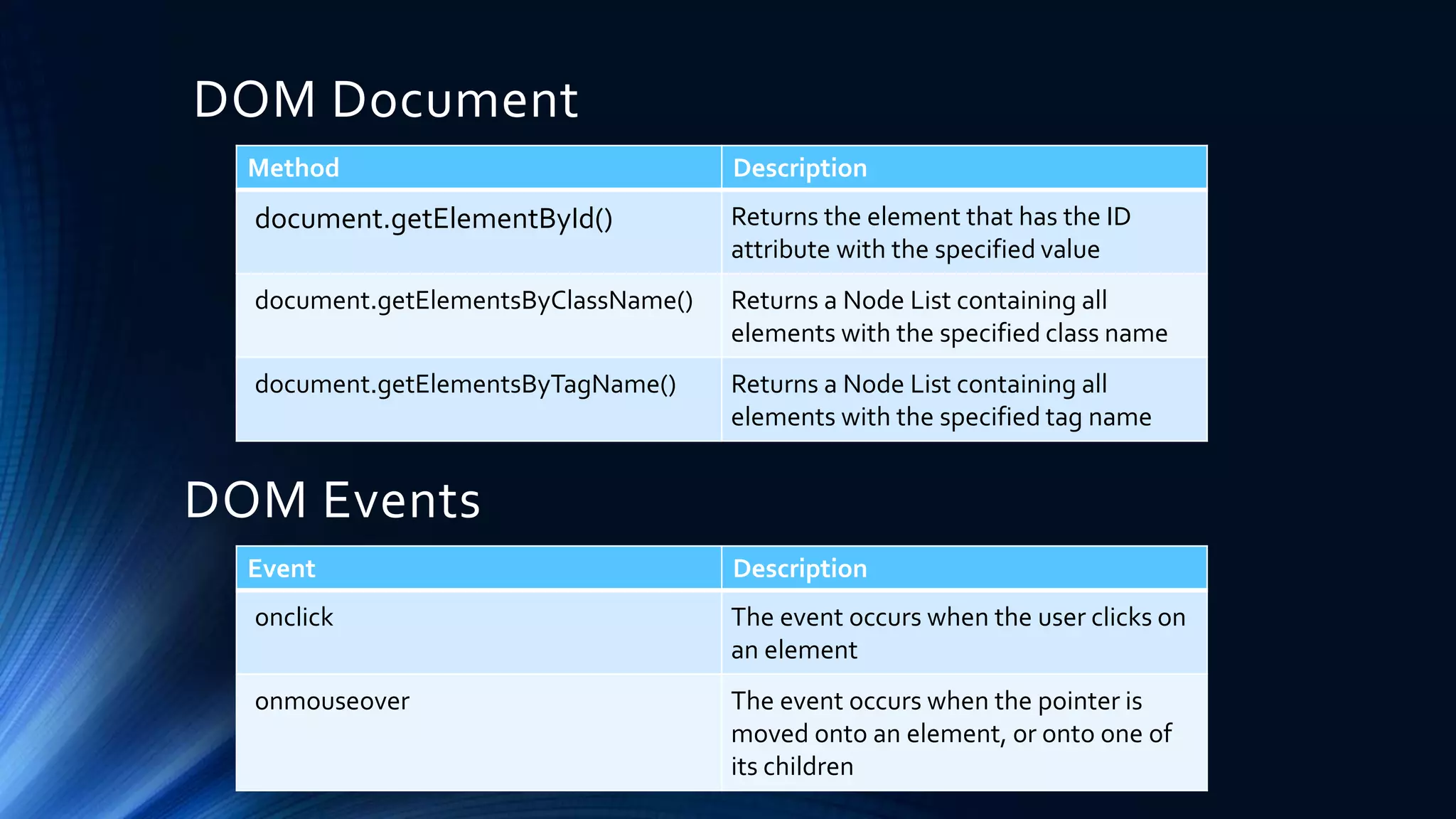
DOM Document
Method Description
document.getElementById() Returns the element that has the ID
attribute with the specified value
document.getElementsByClassName() Returns a Node List containing all
elements with the specified class name
document.getElementsByTagName() Returns a Node List containing all
elements with the specified tag name
Event Description
onclick The event occurs when the user clicks on
an element
onmouseover The event occurs when the pointer is
moved onto an element, or onto one of
its children
DOM Events
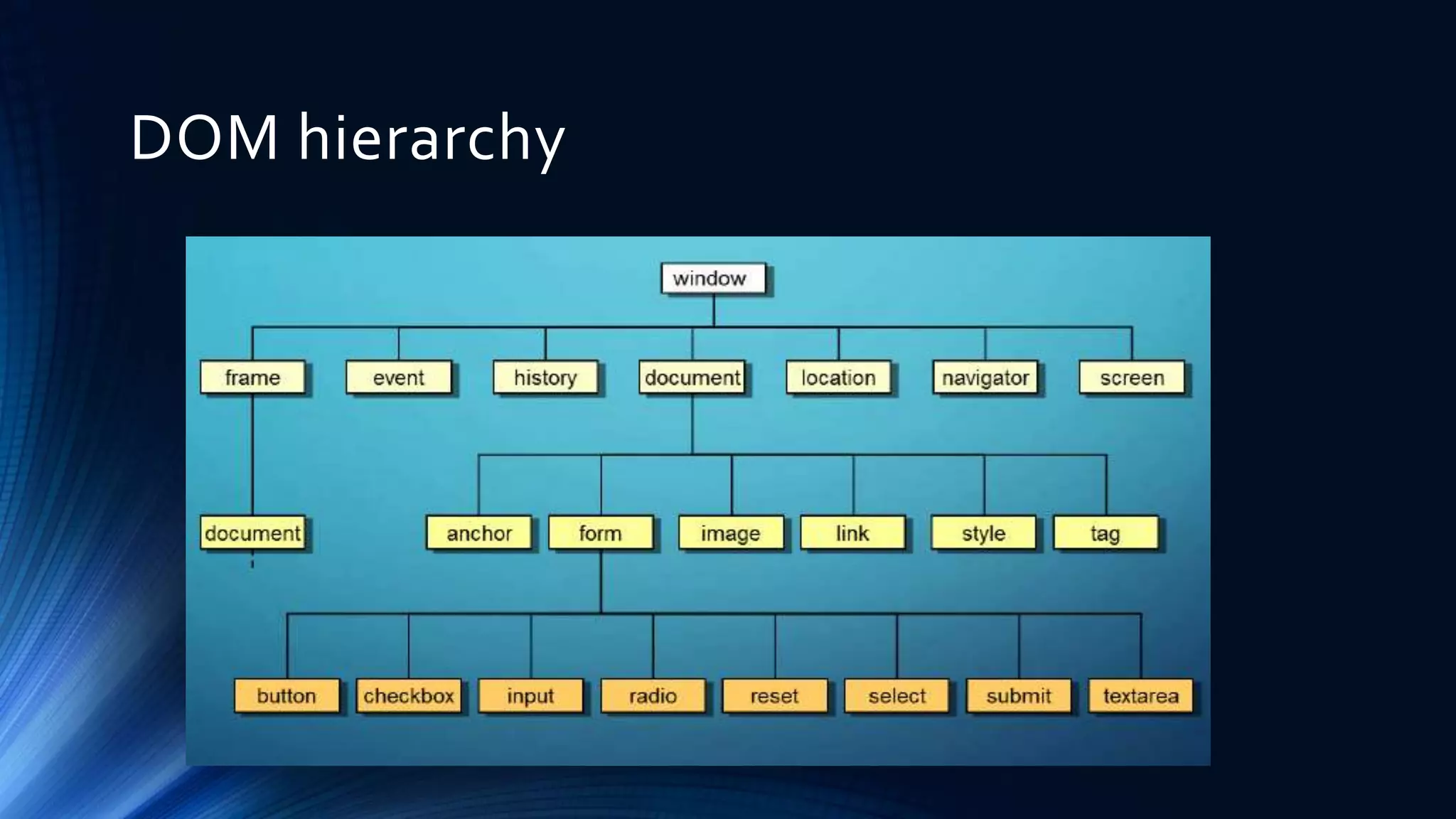
DOM hierarchy
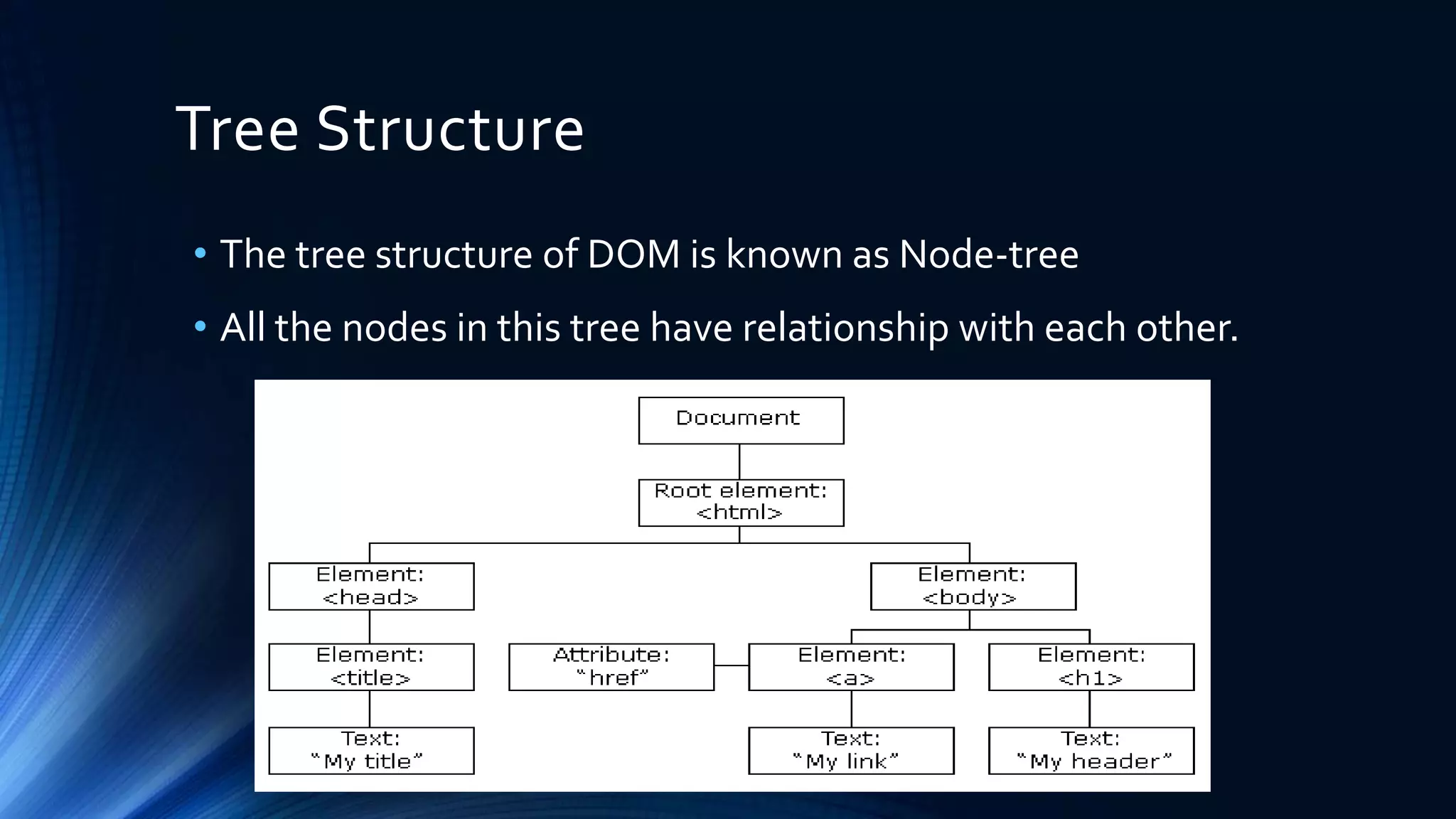
Tree Structure
• The tree structure of DOM is known as Node-tree
• All the nodes in this tree have relationship with each other.
Nodes in tree
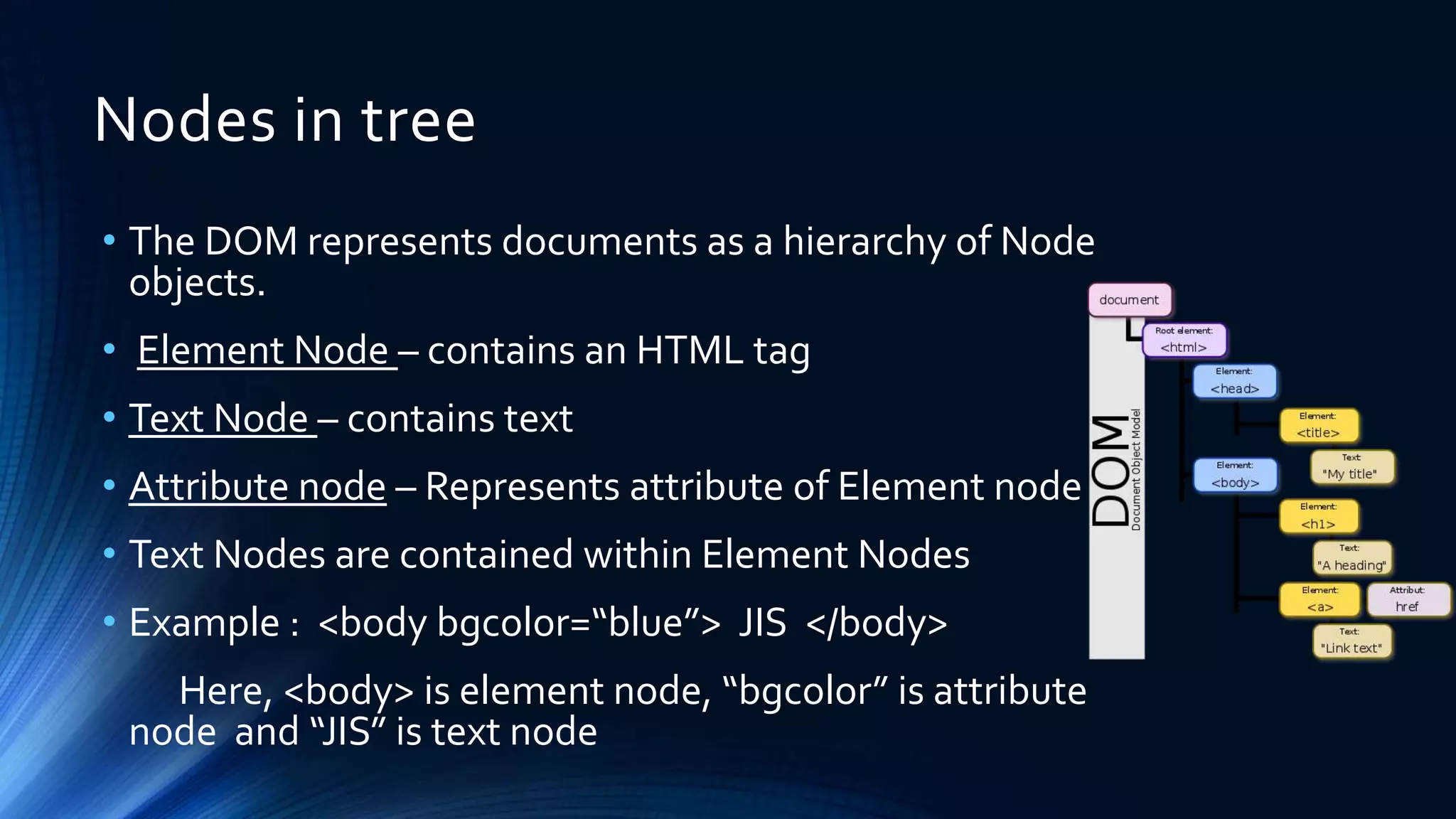
• The DOM represents documents as a hierarchy of Node
objects.
• Element Node – contains an HTML tag
• Text Node – contains text
• Attribute node – Represents attribute of Element node
• Text Nodes are contained within Element Nodes
• Example : <body bgcolor=“blue”> JIS </body>
Here, <body> is element node, “bgcolor” is attribute
node and “JIS” is text node
Relationship among Nodes
• Every node has exactly one parent node (except root) and a
parent node can have one or more than one child nodes.
• Root node :-The topmost node of the tree is the root node.
As it is topmost, so there is no parent of this root node.
• Leaf :-The leaf nodes are the nodes which have no child
node.
• Siblings :-The nodes which have same parent are the
siblings of each other.
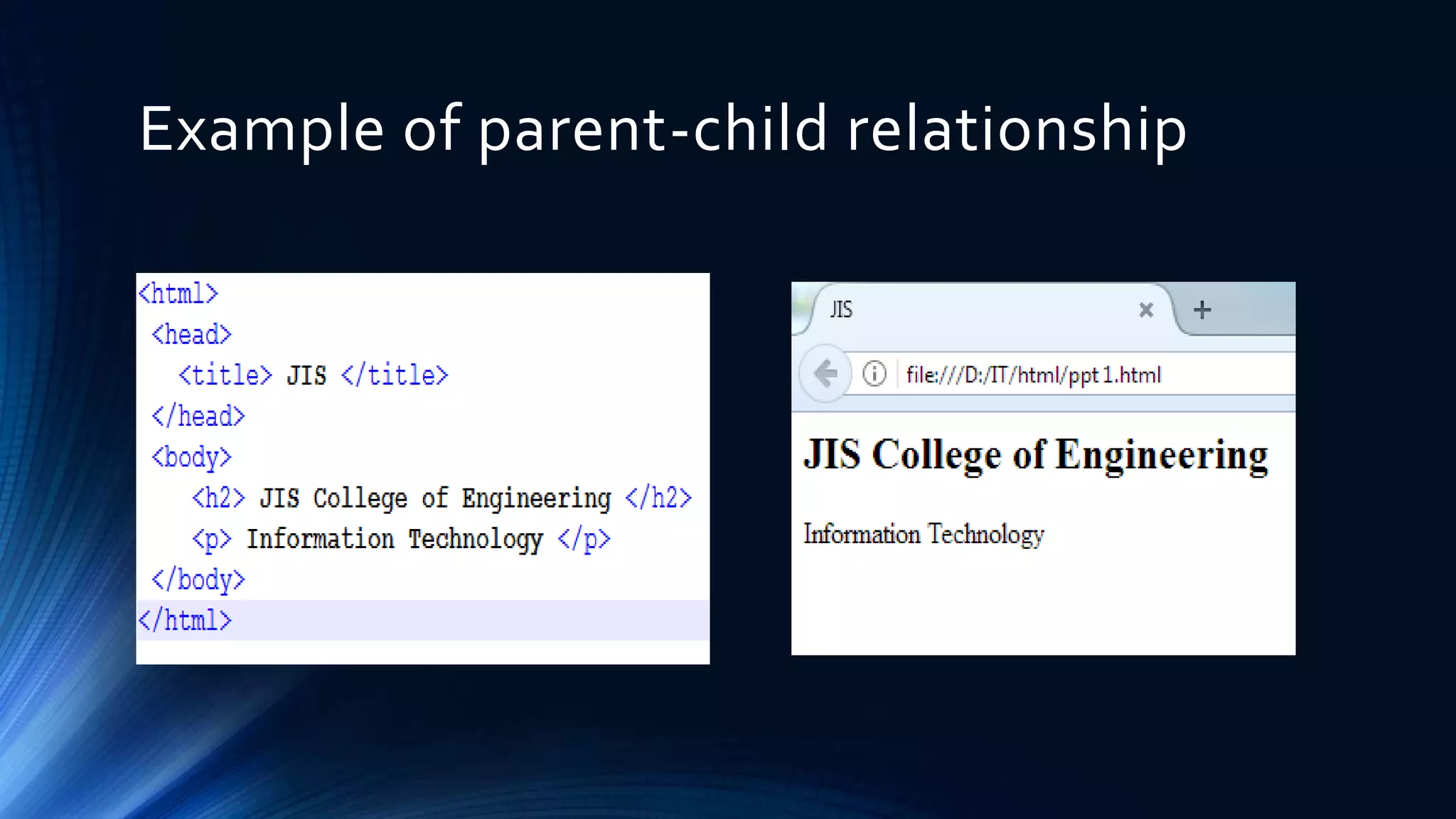
Example of parent-child relationship
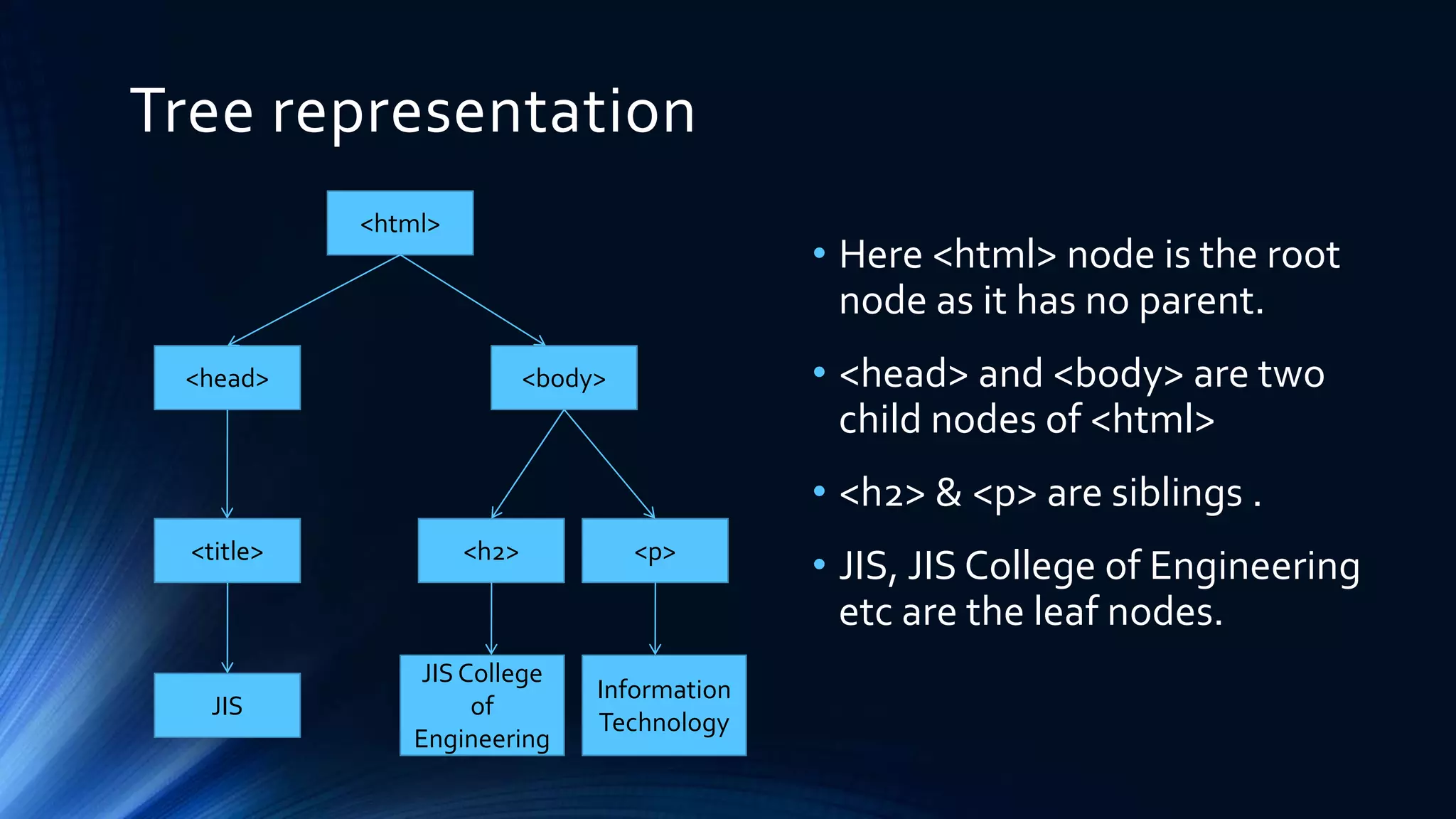
Tree representation
• Here <html> node is the root
node as it has no parent.
• <head> and <body> are two
child nodes of <html>
• <h2> & <p> are siblings .
• JIS, JIS College of Engineering
etc are the leaf nodes.
<html>
<title> <h2>
<head> <body>
<p>
Information
Technology
JIS
JIS College
of
Engineering
HTML DOM-Access nodes
• We can access a node in three ways:
1. By using the getElementById() method
2. By using the getElementsByTagName() method
3. By navigating the node tree( using the node relationships )
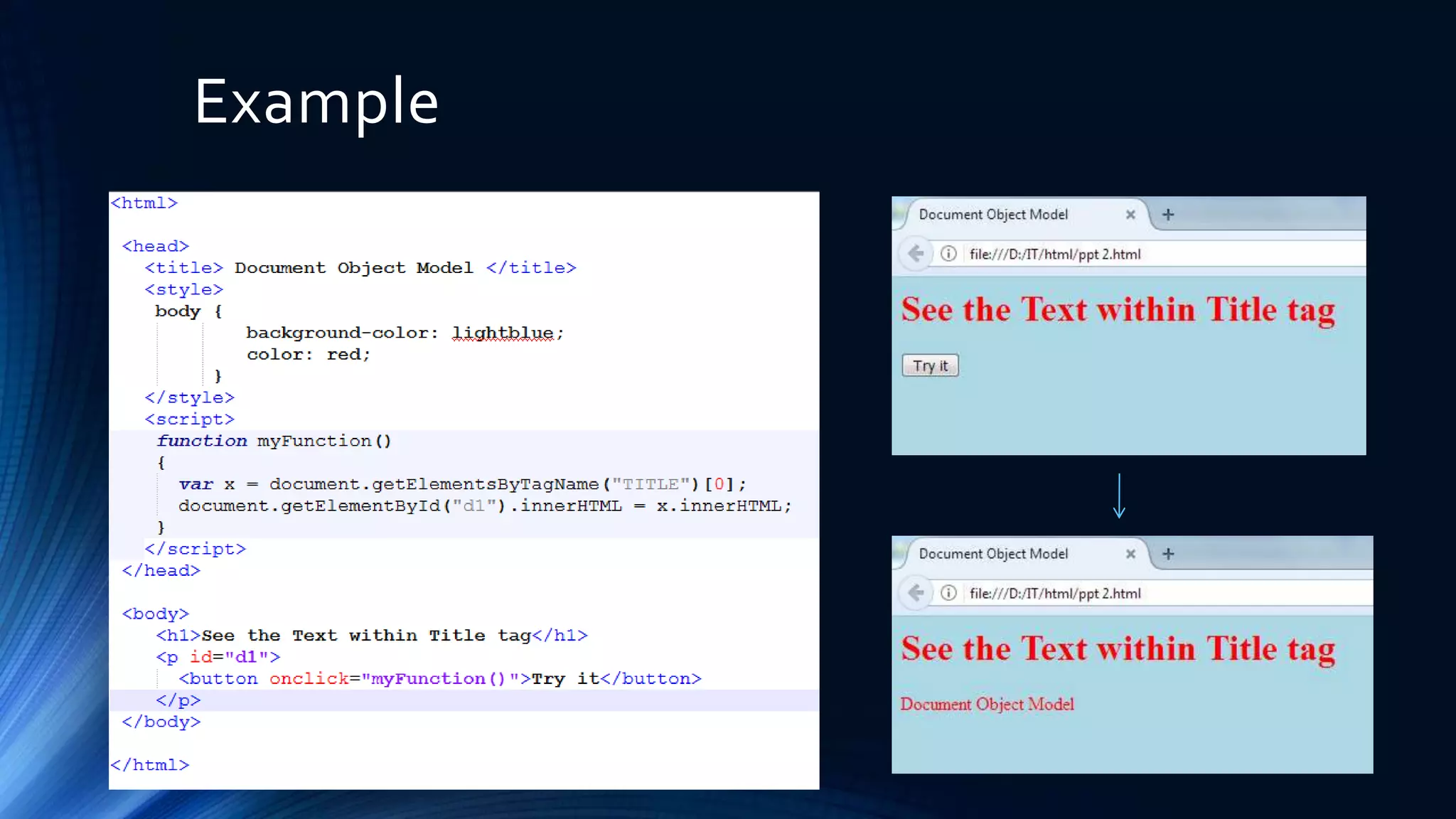
The getElementById() Method
• This method returns the element with the specified ID
Syntax--
• document.getElementById("ID");
The getElementsByTagName() Method
• This method returns all elements with a specified tag name
Syntax--
• document.getElementsByTagName("tagname");
Example
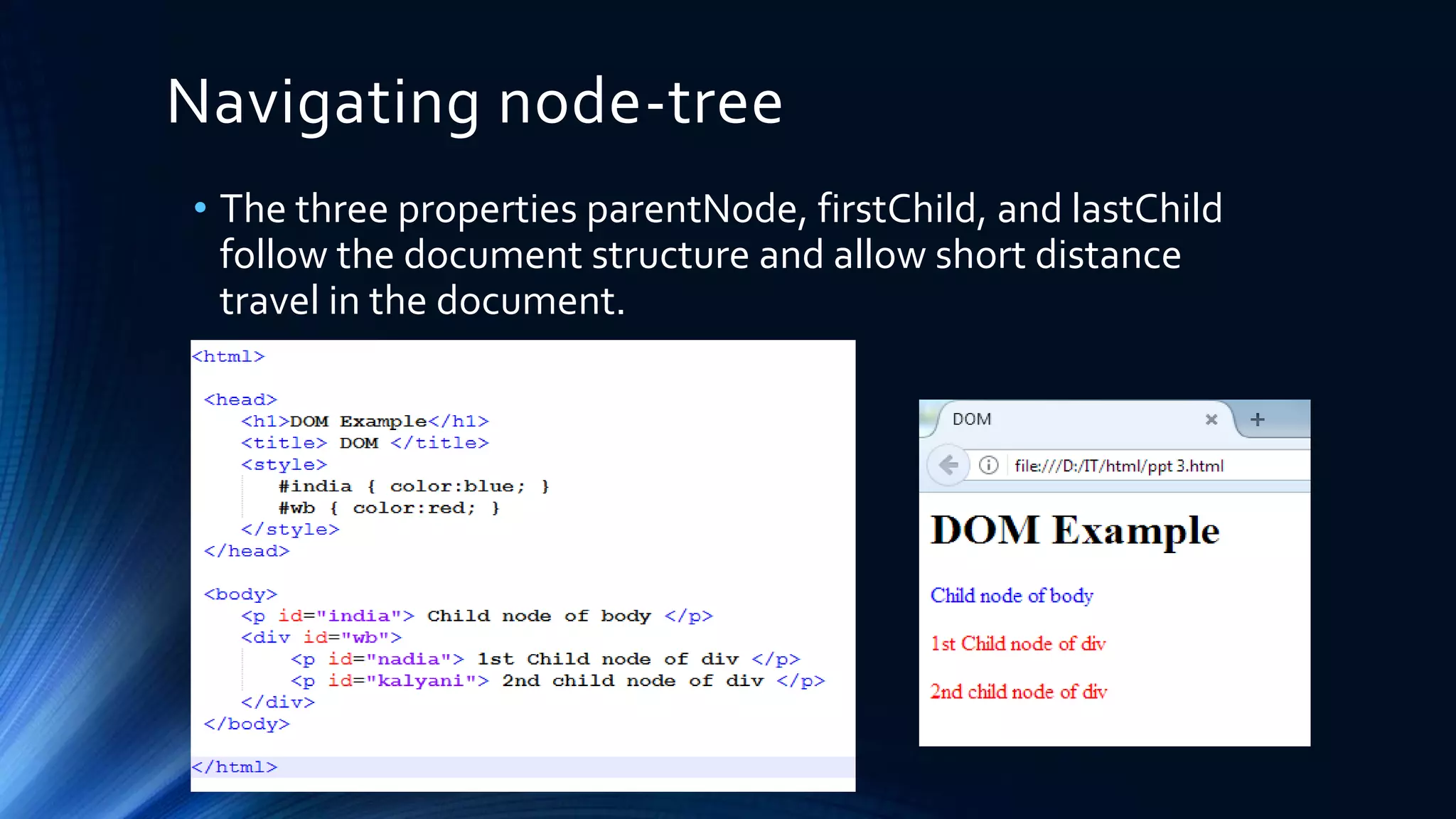
Navigating node-tree
• The three properties parentNode, firstChild, and lastChild
follow the document structure and allow short distance
travel in the document.
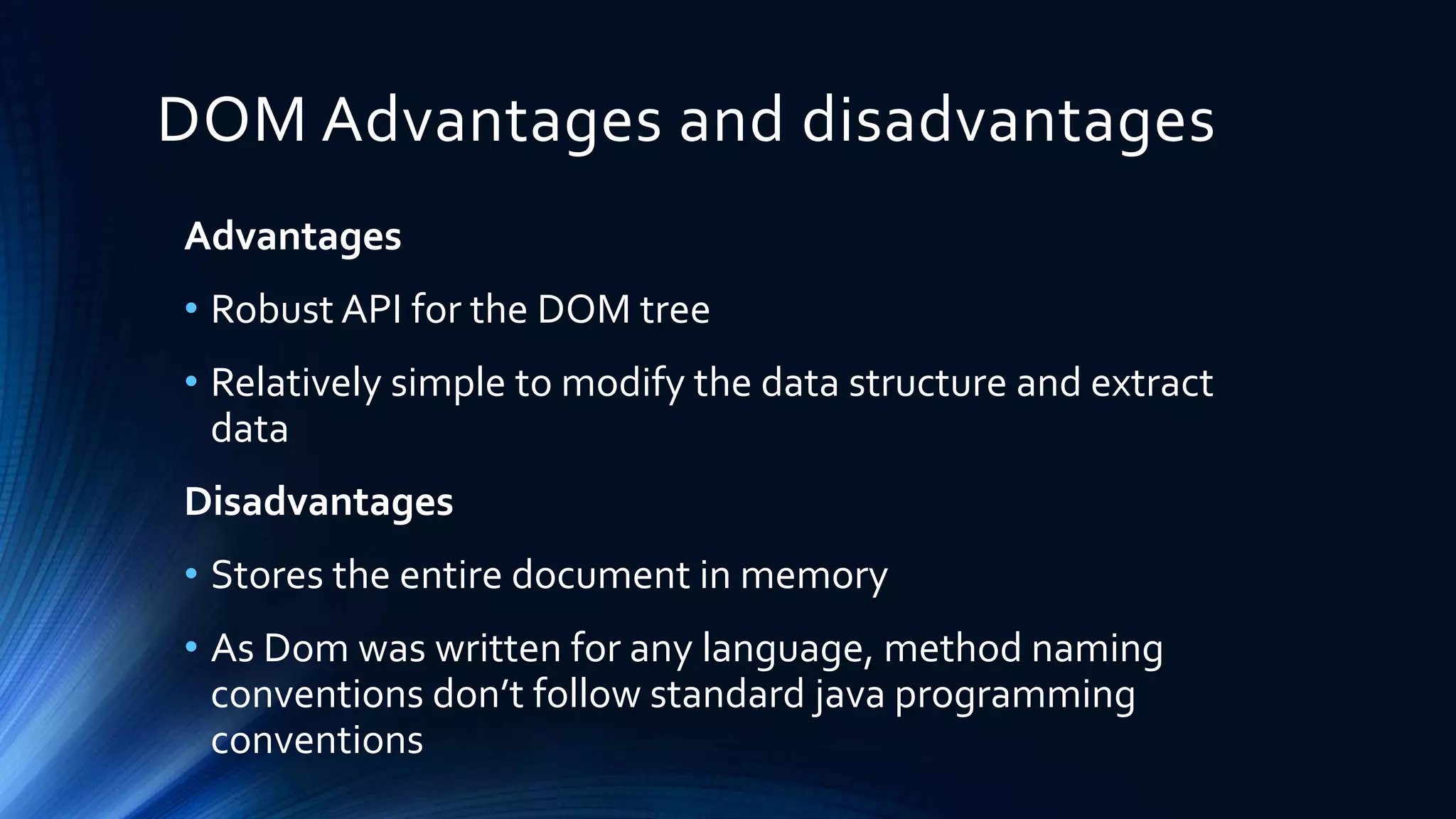
DOM Advantages and disadvantages
Advantages
• Robust API for the DOM tree
• Relatively simple to modify the data structure and extract
data
Disadvantages
• Stores the entire document in memory
• As Dom was written for any language, method naming
conventions don’t follow standard java programming
conventions
Conclusion
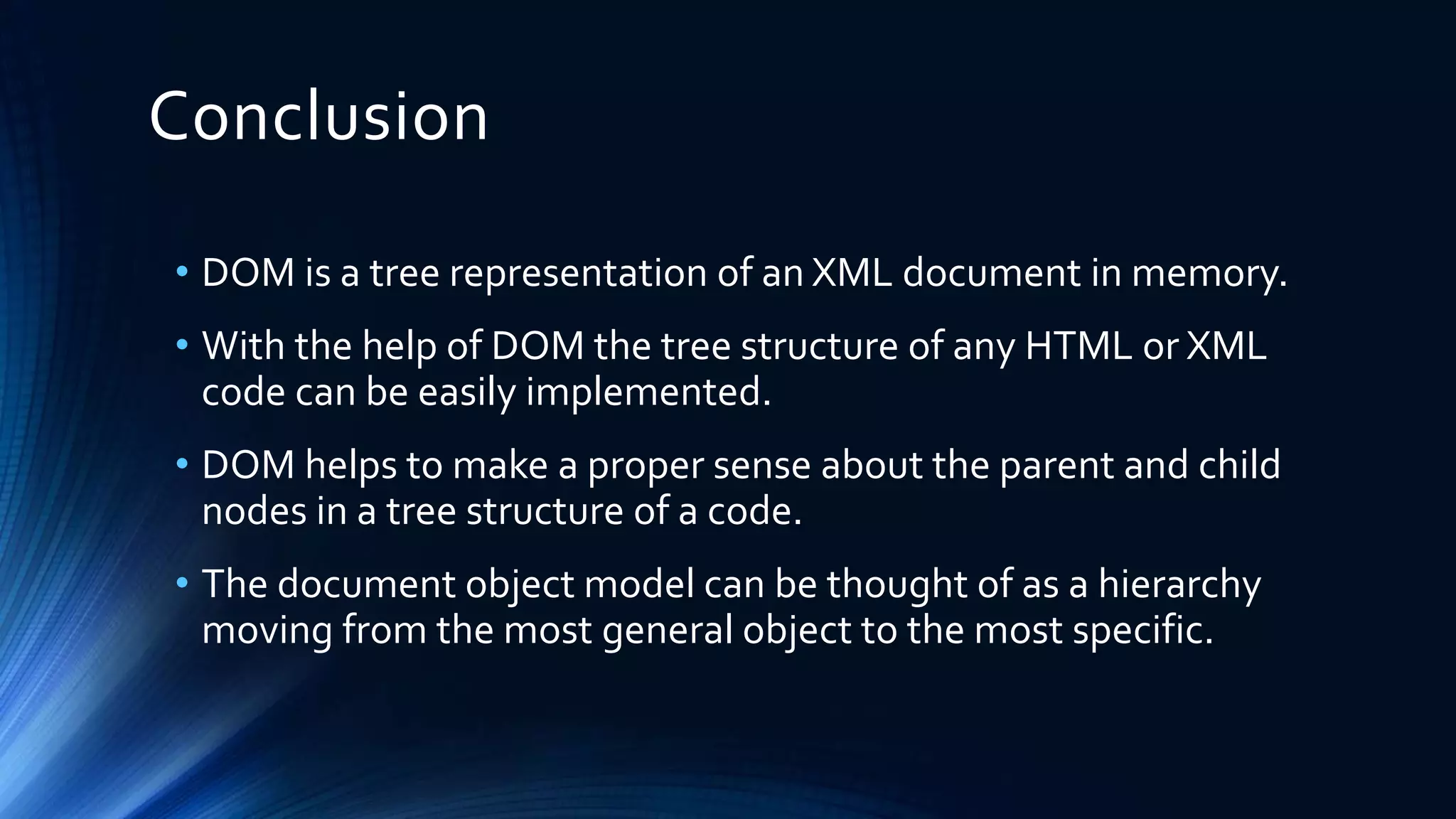
• DOM is a tree representation of an XML document in memory.
• With the help of DOM the tree structure of any HTML or XML
code can be easily implemented.
• DOM helps to make a proper sense about the parent and child
nodes in a tree structure of a code.
• The document object model can be thought of as a hierarchy
moving from the most general object to the most specific.
For your patience

Document Object Model (DOM)

  • 1.
  • 2.
    Presented by--- •Agnish Majumder •AnindyaSundar De •Gopal Basak •Rashbihari Halder
  • 3.
    Contents • Introduction • Pre-knowledge •Definition • Types of DOM • DOM hierarchy • Tree structure • Advantages and Disadvantages • Conclusion
  • 4.
    Introduction • The DocumentObject Model (DOM) is a programming API(Application Programming Interface) for HTML and XML documents. • DOM defines the logical structure of documents and the way a document is accessed and manipulated.
  • 5.
    Pre-knowledge Before going toDOM we have to know about - HTML (Hyper Text Markup Language): How to Display the Data in the Webpage. XML (Extensible Markup Language): How to Describe the Data . DHTML (Dynamic HTML): How to Add Movement or Animation to an HTML Document. JAVASCRIPT: How to make Web Content Dynamic.
  • 6.
    Definition of DOM •TheW3C Document Object Model (DOM) is a platform and language-neutral interface that allows programs and scripts to dynamically access and update the content, structure, and style of a document. • The DOM defines the objects and properties of all document elements and the methods (interface) to access them. • The DOM is aW3C (World WideWeb Consortium) standard. • The DOM defines the logical structure of objects and the way an object is accessed and manipulated.
  • 7.
    Types of DOM Thereare mainly 3 parts or levels of DOM--- • Core DOM - standard model for any structured document • XML DOM - standard model for XML documents • HTML DOM - standard model for HTML documents
  • 8.
    The DOM ProgrammingInterface • In the DOM, all HTML elements are defined as objects. • The programming interface is the properties and methods of each object. • A property is a value that one can get or set (like changing the content of an HTML element). • A method is an action one can do (like adding or deleting an HTML element).
  • 9.
    DOM Document Method Description document.getElementById()Returns the element that has the ID attribute with the specified value document.getElementsByClassName() Returns a Node List containing all elements with the specified class name document.getElementsByTagName() Returns a Node List containing all elements with the specified tag name Event Description onclick The event occurs when the user clicks on an element onmouseover The event occurs when the pointer is moved onto an element, or onto one of its children DOM Events
  • 10.
  • 11.
    Tree Structure • Thetree structure of DOM is known as Node-tree • All the nodes in this tree have relationship with each other.
  • 12.
    Nodes in tree •The DOM represents documents as a hierarchy of Node objects. • Element Node – contains an HTML tag • Text Node – contains text • Attribute node – Represents attribute of Element node • Text Nodes are contained within Element Nodes • Example : <body bgcolor=“blue”> JIS </body> Here, <body> is element node, “bgcolor” is attribute node and “JIS” is text node
  • 13.
    Relationship among Nodes •Every node has exactly one parent node (except root) and a parent node can have one or more than one child nodes. • Root node :-The topmost node of the tree is the root node. As it is topmost, so there is no parent of this root node. • Leaf :-The leaf nodes are the nodes which have no child node. • Siblings :-The nodes which have same parent are the siblings of each other.
  • 14.
  • 15.
    Tree representation • Here<html> node is the root node as it has no parent. • <head> and <body> are two child nodes of <html> • <h2> & <p> are siblings . • JIS, JIS College of Engineering etc are the leaf nodes. <html> <title> <h2> <head> <body> <p> Information Technology JIS JIS College of Engineering
  • 16.
    HTML DOM-Access nodes •We can access a node in three ways: 1. By using the getElementById() method 2. By using the getElementsByTagName() method 3. By navigating the node tree( using the node relationships )
  • 17.
    The getElementById() Method •This method returns the element with the specified ID Syntax-- • document.getElementById("ID"); The getElementsByTagName() Method • This method returns all elements with a specified tag name Syntax-- • document.getElementsByTagName("tagname");
  • 18.
  • 19.
    Navigating node-tree • Thethree properties parentNode, firstChild, and lastChild follow the document structure and allow short distance travel in the document.
  • 20.
    DOM Advantages anddisadvantages Advantages • Robust API for the DOM tree • Relatively simple to modify the data structure and extract data Disadvantages • Stores the entire document in memory • As Dom was written for any language, method naming conventions don’t follow standard java programming conventions
  • 21.
    Conclusion • DOM isa tree representation of an XML document in memory. • With the help of DOM the tree structure of any HTML or XML code can be easily implemented. • DOM helps to make a proper sense about the parent and child nodes in a tree structure of a code. • The document object model can be thought of as a hierarchy moving from the most general object to the most specific.
  • 22.