The World’s Best RSS Explanation Making “ Really Simple Syndication ” actually really simple!
Presentation Parts What does RSS mean?  What does RSS do?  What is the value of RSS to me?  How do I use RSS?  Google Reader demonstration
What does RSS mean?  What does RSS do?  What is the value of RSS to me?  How do I use RSS?  Google Reader demonstration
Part 1:  What does RSS mean?  Acronym: “ R eally  S imple  S yndication ”  Let’s just call it “ RSS”
Part 1:  What does RSS mean?  Technically speaking It’s a web code protocol for sharing information from web sites  What RSS really is Like magazine  subscriptions , but for the  modern web   This is the universal RSS icon:
What does RSS mean?  What does RSS do?  What is the value of RSS to me?  How do I use RSS?  Google Reader demonstration
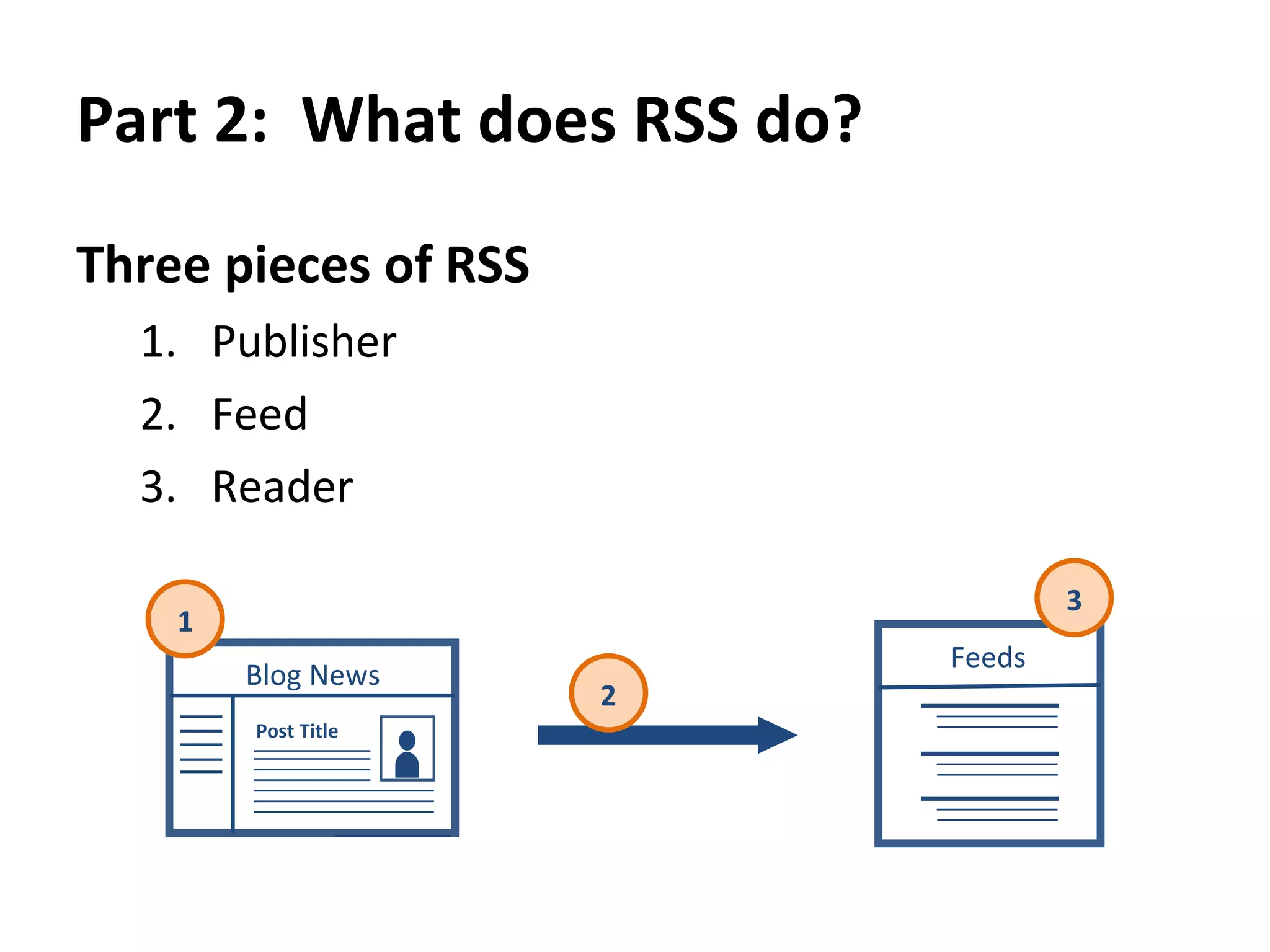
Part 2:  What does RSS do?  Three pieces of RSS  Publisher  Feed  Reader 1 2 3 Blog News Post Title Feeds
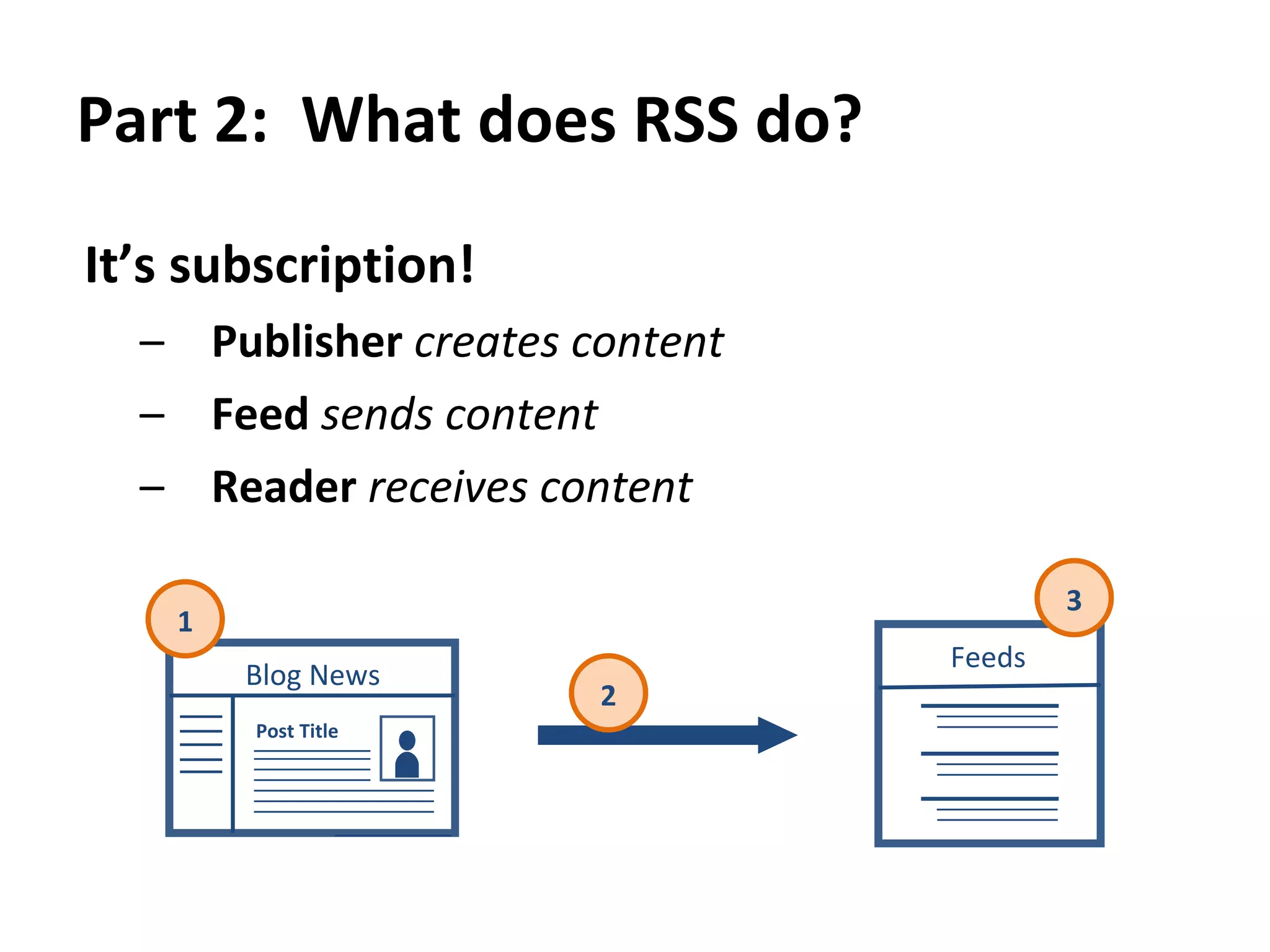
Part 2:  What does RSS do?  It’s subscription! Publisher   creates content Feed  sends content Reader   receives content 1 2 3 Blog News Post Title Feeds
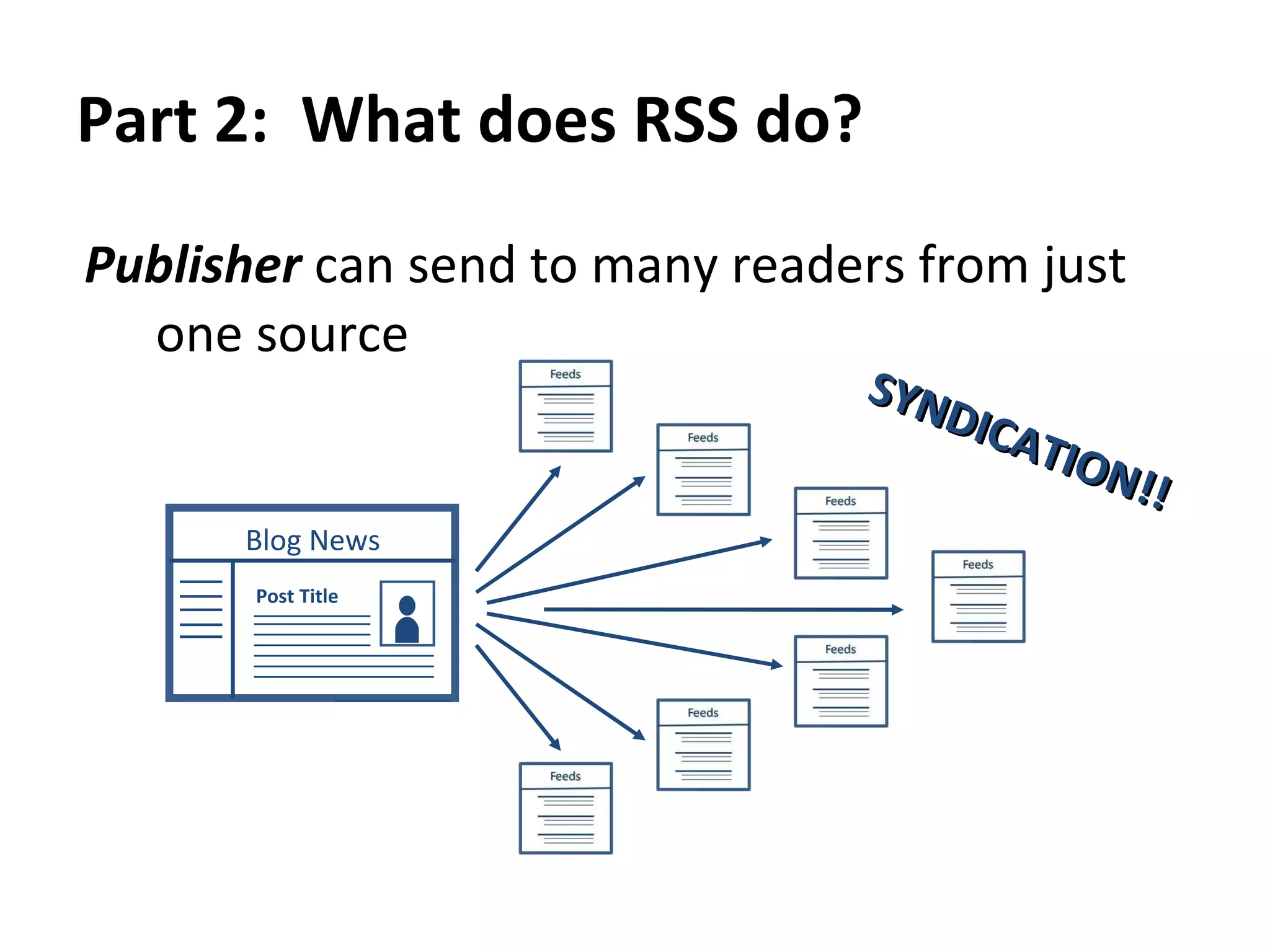
Part 2:  What does RSS do?  Publisher  can send to many readers from just one source SYNDICATION!! Blog News Post Title
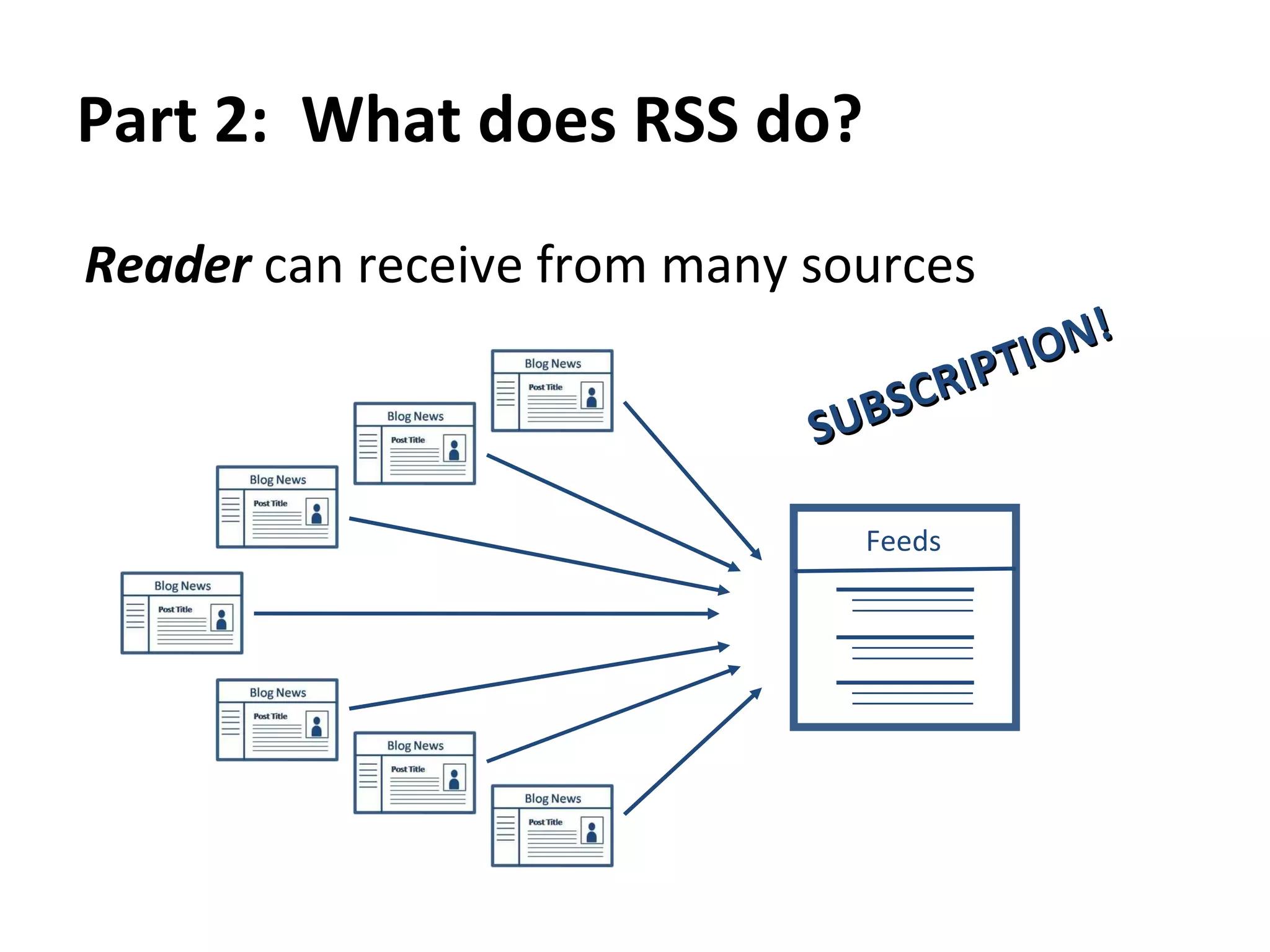
Part 2:  What does RSS do?  Reader  can receive from many sources SUBSCRIPTION! Feeds
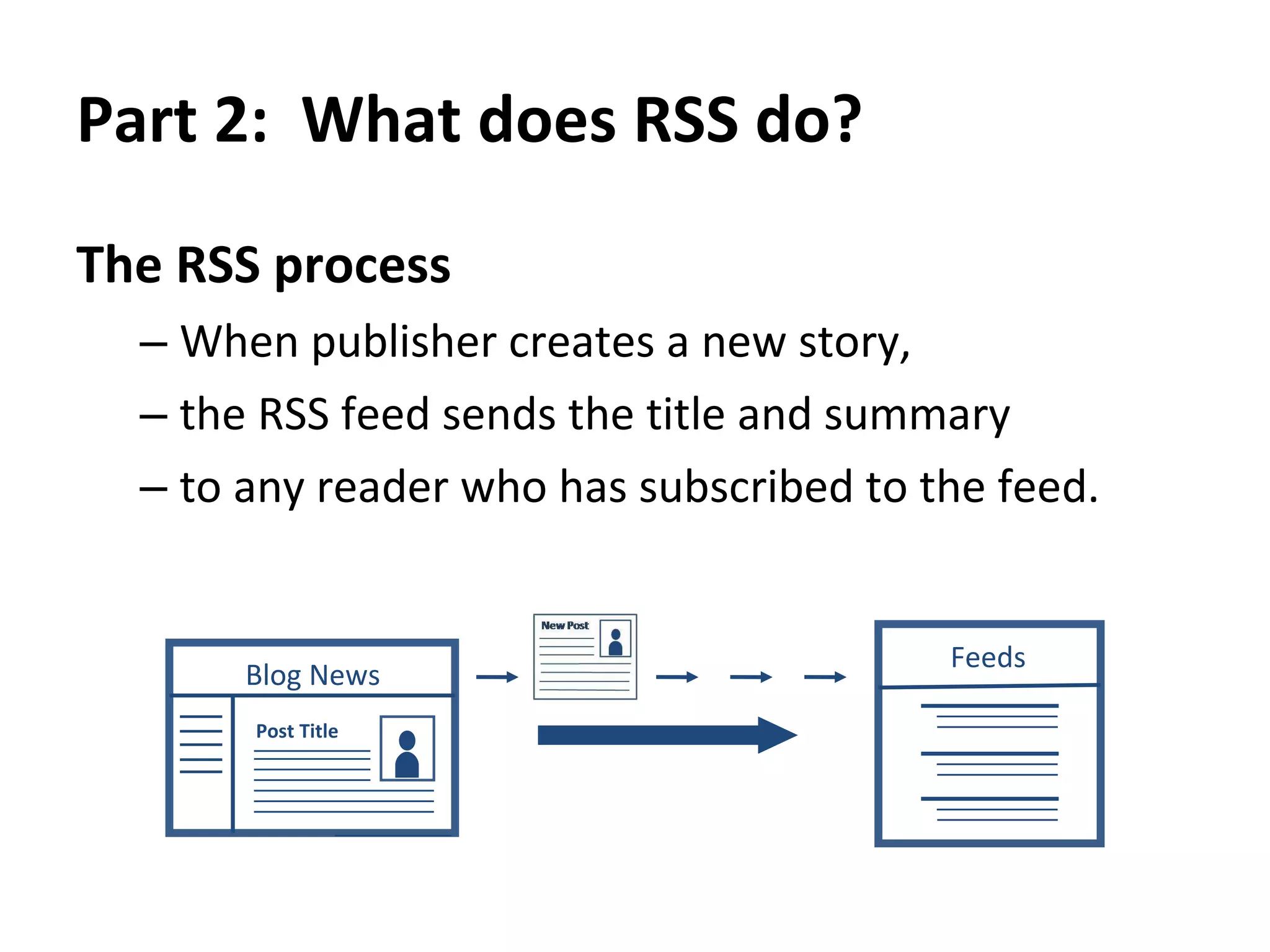
Part 2:  What does RSS do?  The RSS process When publisher creates a new story,  the RSS feed sends the title and summary to any reader who has subscribed to the feed.  Blog News Post Title Feeds
What does RSS mean?  What does RSS do?  What is the value of RSS to me?  How do I use RSS?  Google Reader demonstration
Part 3:  What is the value of RSS to me?  RSS allows  Publisher  to  push  out information in a  standard format  from one source to many readers  RSS allows  Reader  to  pull  in information in a  standard format  from many sources into one location
Part 3:  What is the value of RSS to me?  RSS lets you  safely,  easily  and quickly  consume information  from many sources  in one place  that you control.  AND IT’S NOT EMAIL!!
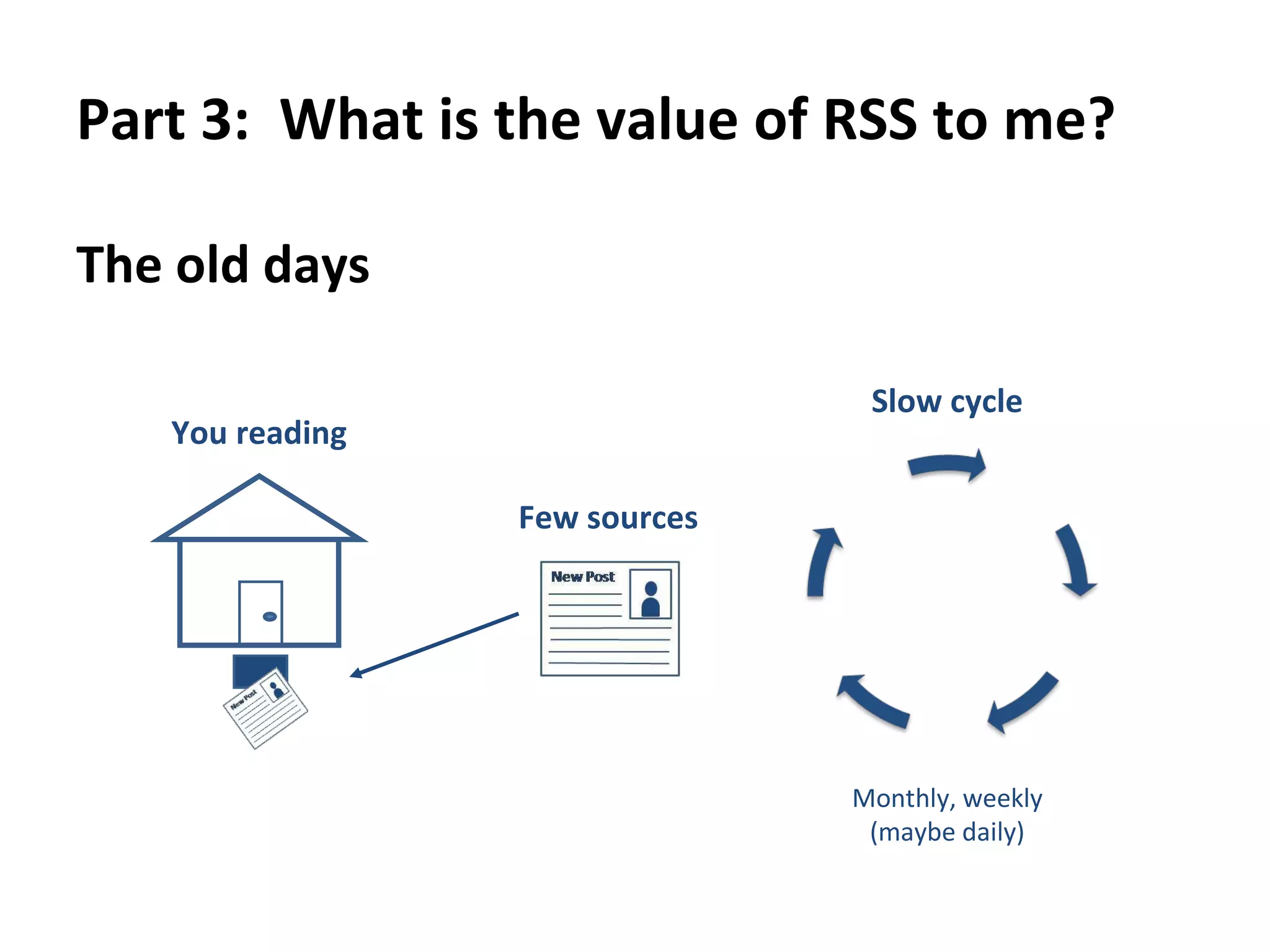
Part 3:  What is the value of RSS to me?  The old days You reading Few sources Slow cycle Monthly, weekly (maybe daily)
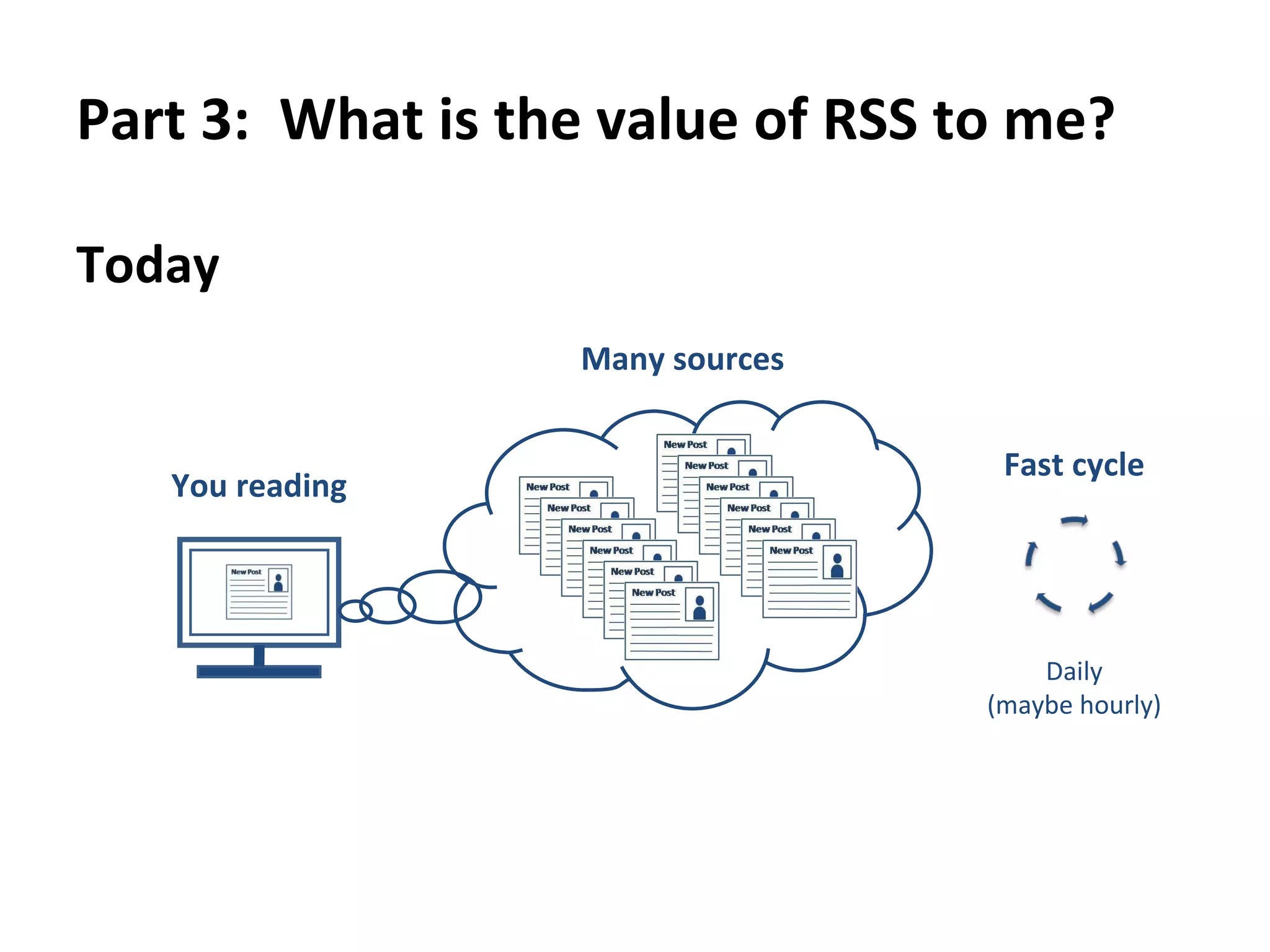
Part 3:  What is the value of RSS to me?  Today You reading Many sources Fast cycle Daily (maybe hourly)
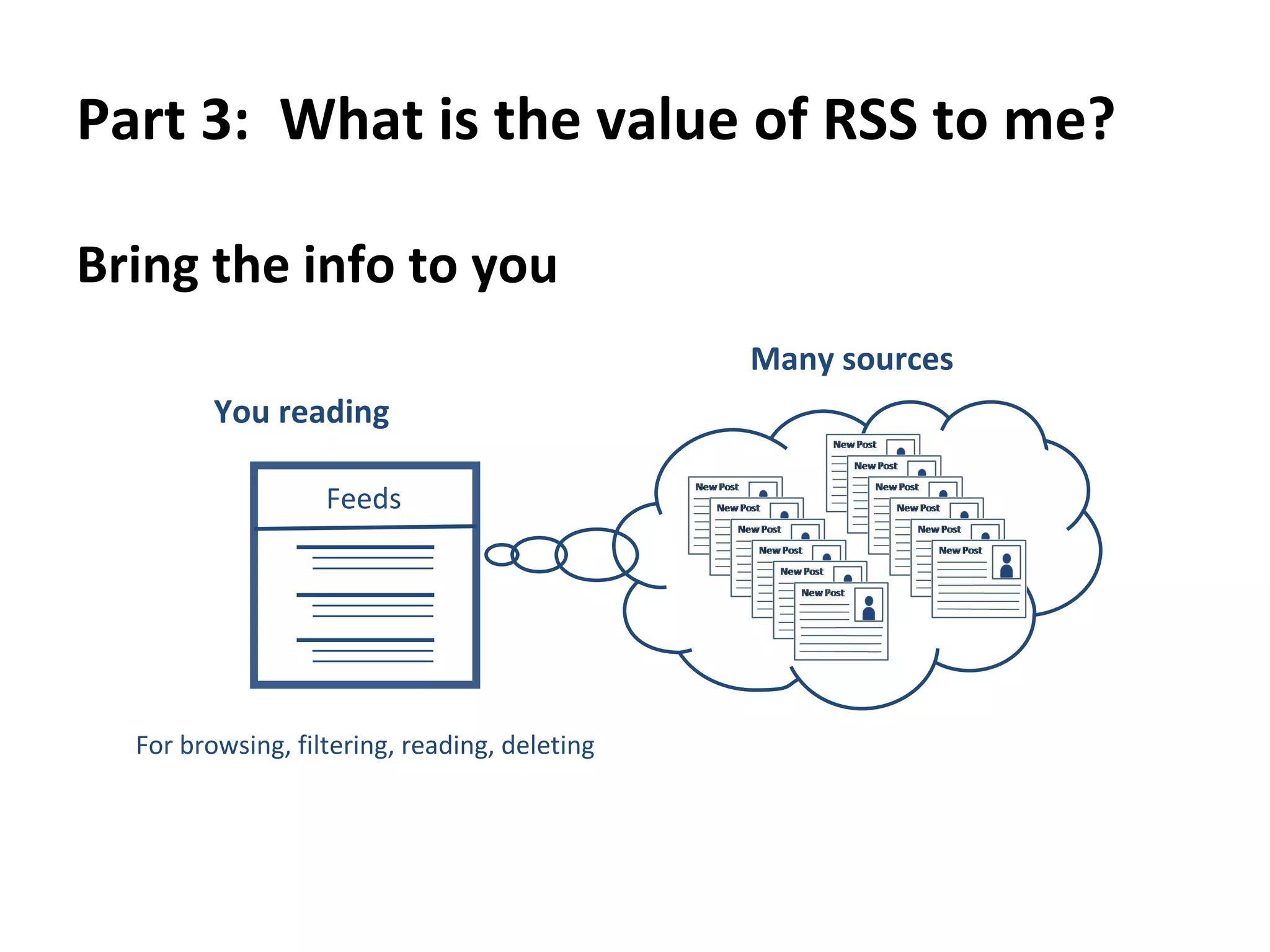
Part 3:  What is the value of RSS to me?  Bring the info to you You reading For browsing, filtering, reading, deleting Many sources Feeds
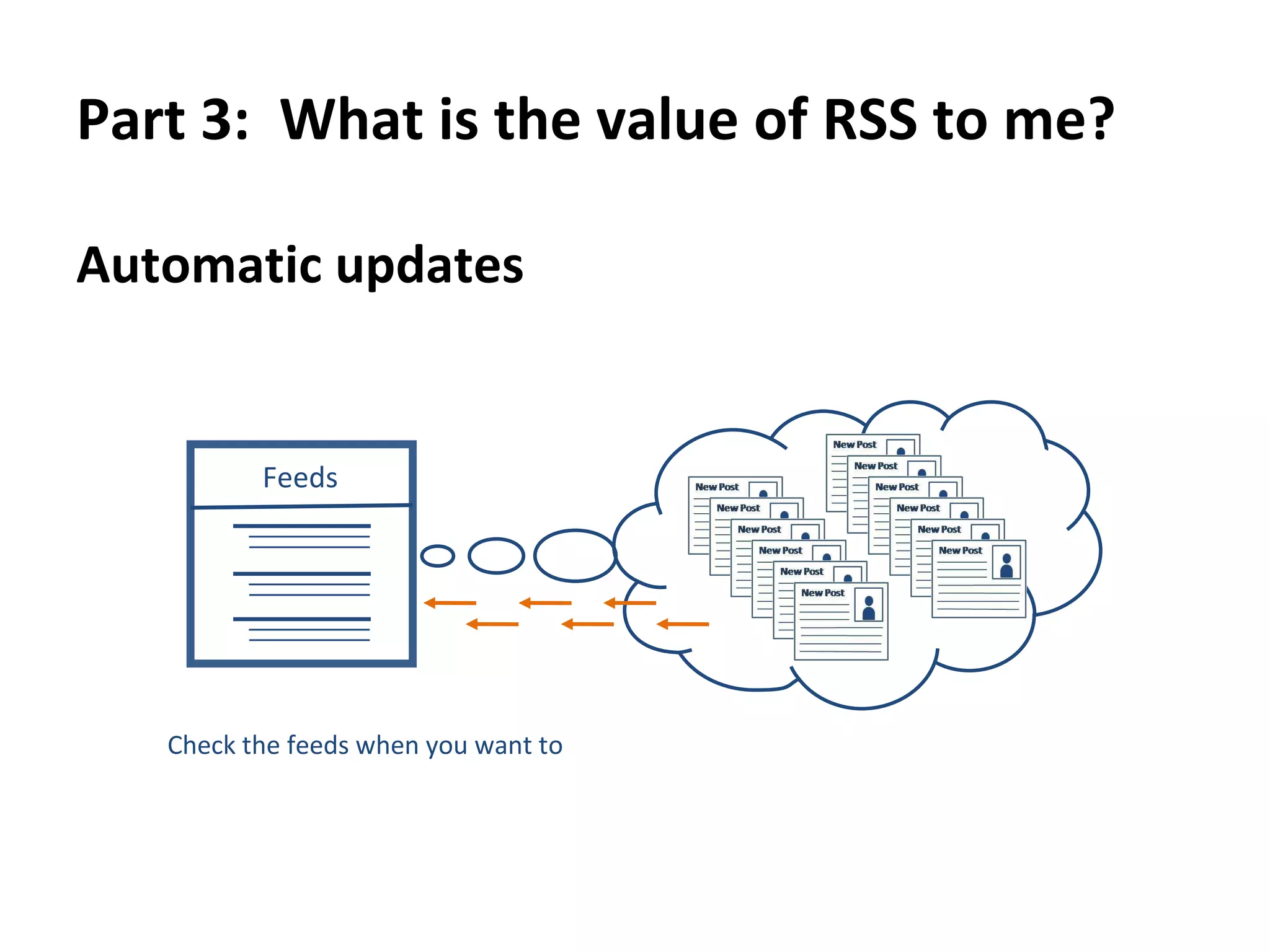
Part 3:  What is the value of RSS to me?  Automatic updates Check the feeds when you want to Feeds
What does RSS mean?  What does RSS do?  What is the value of RSS to me?  How do I use RSS?  Google Reader demonstration
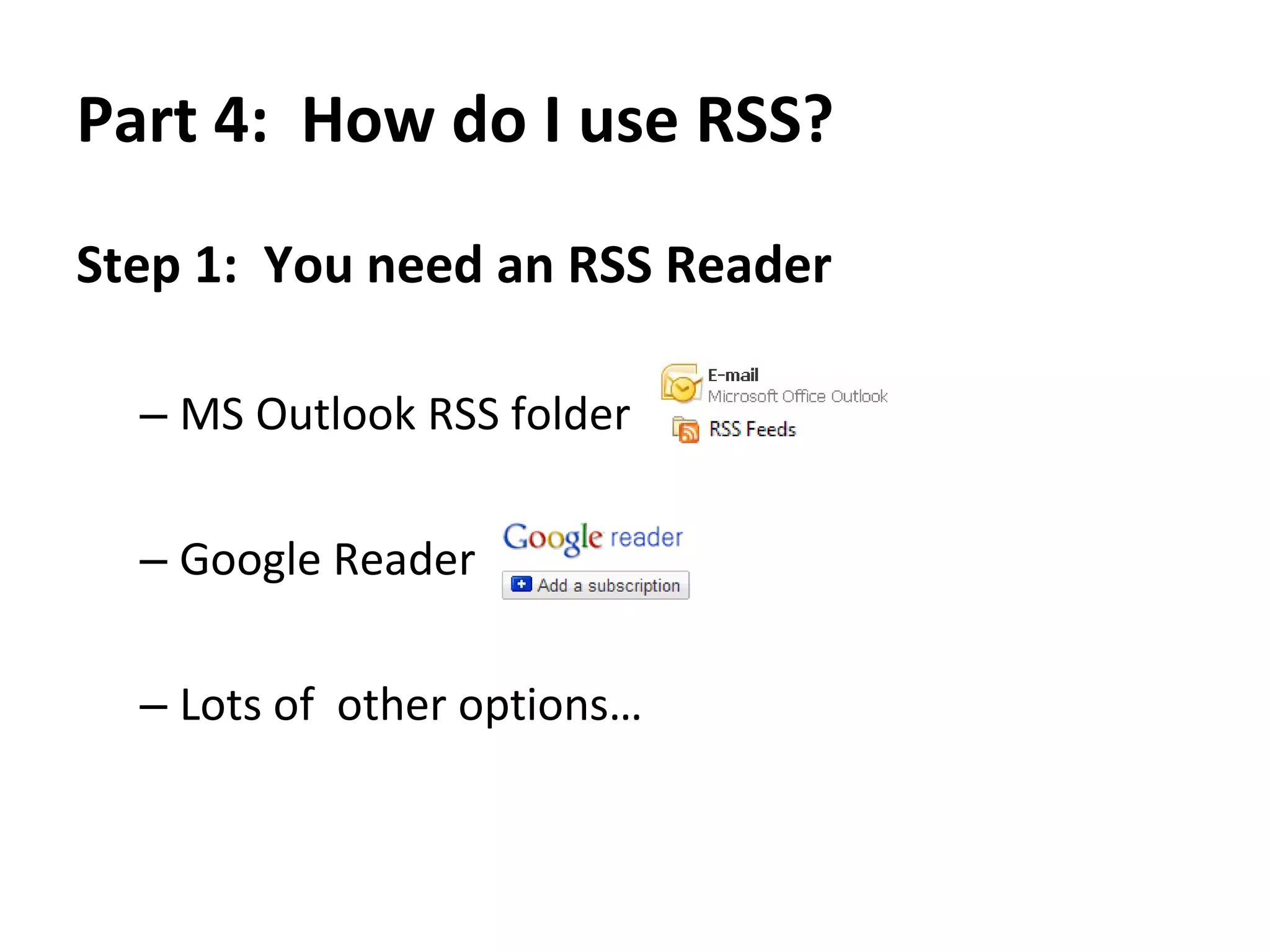
Part 4:  How do I use RSS? Step 1 :  You need an RSS Reader MS Outlook RSS folder  Google Reader  Lots of  other options…
Part 4:  How do I use RSS? Step 2 :  You need sources (publishers) that you want to keep up with Blogs or Forums  News web sites  Etc.
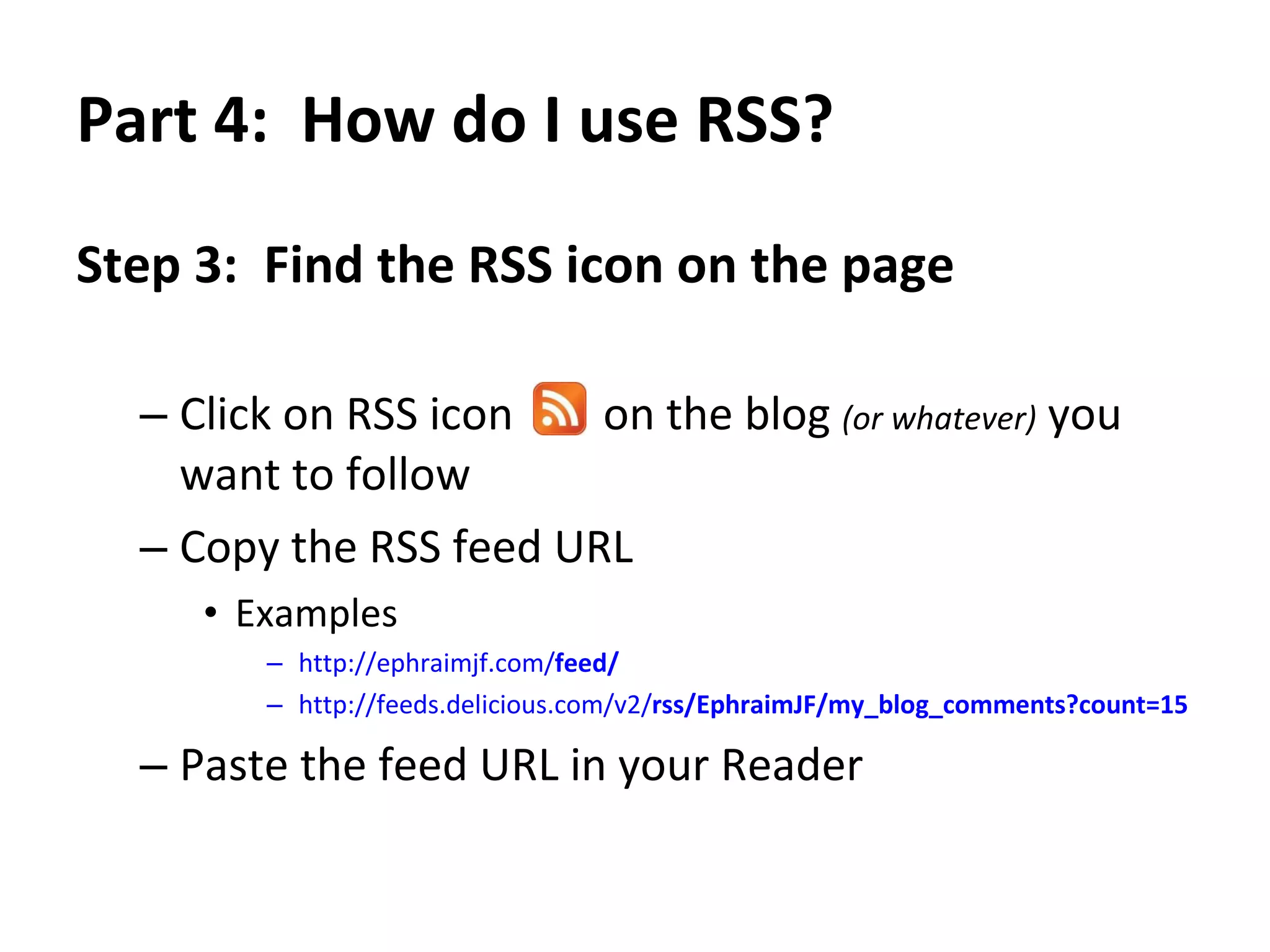
Part 4:  How do I use RSS? Step 3 :  Find the RSS icon on the page from which you want updates  Click on RSS icon  on the blog  (or whatever)  you want to follow  Copy the RSS feed URL  Examples http://ephraimjf.com/ feed /   http://feeds.delicious.com/v2/ rss /EphraimJF/my_blog_comments?count=15   Paste the feed URL in your Reader
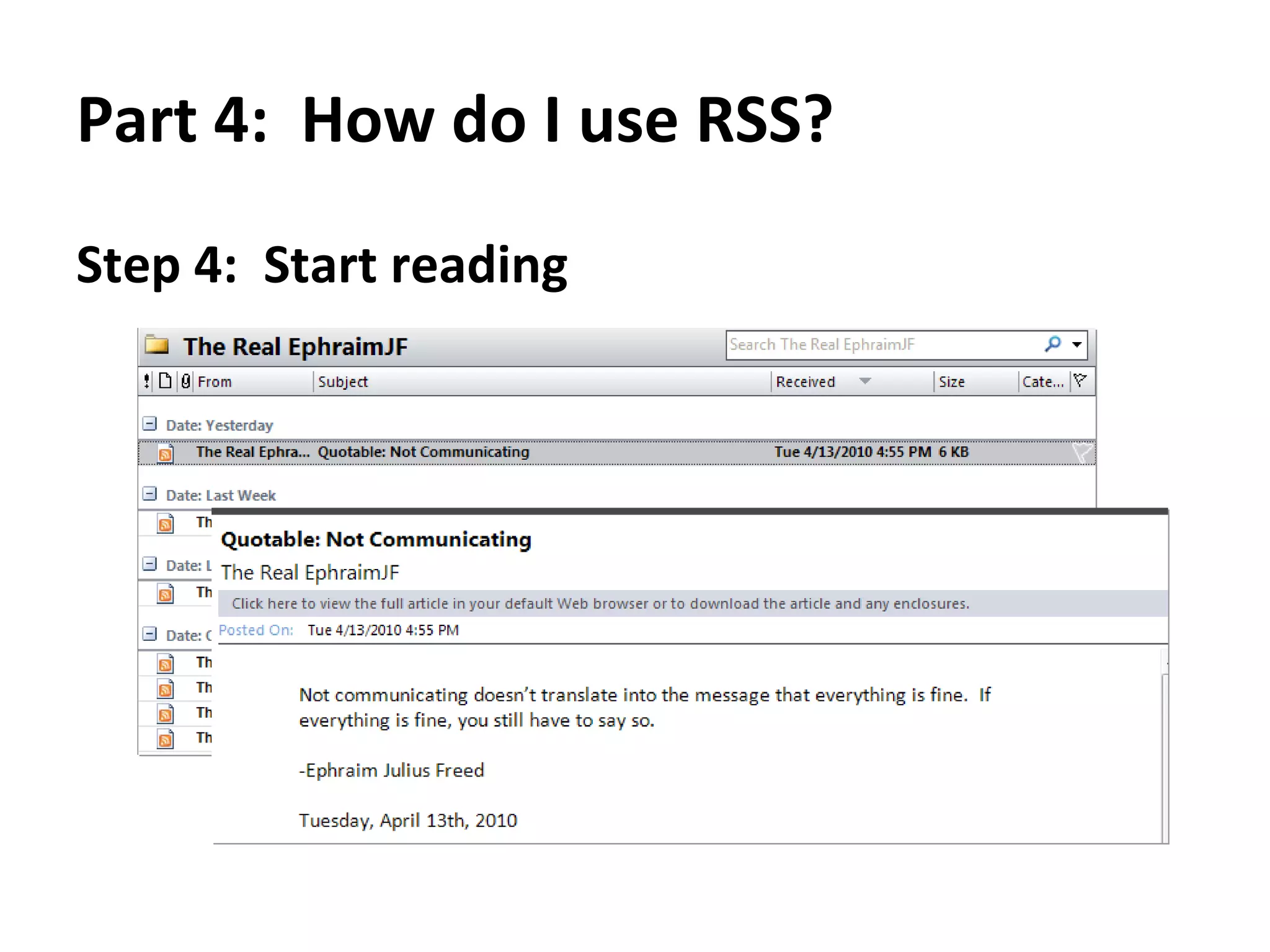
Part 4:  How do I use RSS? Step 4 :  Start reading!
What does RSS mean?  What does RSS do?  What is the value of RSS to me?  How do I use RSS?  Google Reader demonstration
Part 5:  Google Reader demonstration Step 1 :  Sign up for a Google Account & activate Google Reader
Part 5:  Google Reader demonstration Step 2 :  Say hello to your RSS reader
Part 5:  Google Reader demonstration Step 3a :  Add a subscription
Part 5:  Google Reader demonstration Step 3b :  Go to your favorite website & click the RSS button to get the RSS feed URL
Part 5:  Google Reader demonstration Step 3c :  Copy the RSS feed URL This is the info that the RSS feed will include
Part 5:  Google Reader demonstration Step 3d :  Paste the RSS feed URL in your reader and  Add
Part 5:  Google Reader demonstration Step 3e :  View the feed of recent posts  Feed title Recent posts
Part 5:  Google Reader demonstration Step 4 :  Do it again with another great web site All your feeds in one place
Part 5:  Google Reader demonstration Now you can read updates from all your favorite web sites in one place
Part 5:  Google Reader demonstration Want to read the whole article summary or post a comment?  Follow the link to view the post on the web site!
Recap with fun pictures You’re very busy This is you This is your info all over the www
Recap with fun pictures You  receive info from many sources SUBSCRIPTION! Feeds
Recap with fun pictures You stay up to date with your fancy RSS Check the feeds when you want to Feeds
Grab some feeds and  start reading!

World’s best rss explanation

  • 1.
    The World’s BestRSS Explanation Making “ Really Simple Syndication ” actually really simple!
  • 2.
    Presentation Parts Whatdoes RSS mean? What does RSS do? What is the value of RSS to me? How do I use RSS? Google Reader demonstration
  • 3.
    What does RSSmean? What does RSS do? What is the value of RSS to me? How do I use RSS? Google Reader demonstration
  • 4.
    Part 1: What does RSS mean? Acronym: “ R eally S imple S yndication ” Let’s just call it “ RSS”
  • 5.
    Part 1: What does RSS mean? Technically speaking It’s a web code protocol for sharing information from web sites What RSS really is Like magazine subscriptions , but for the modern web This is the universal RSS icon:
  • 6.
    What does RSSmean? What does RSS do? What is the value of RSS to me? How do I use RSS? Google Reader demonstration
  • 7.
    Part 2: What does RSS do? Three pieces of RSS Publisher Feed Reader 1 2 3 Blog News Post Title Feeds
  • 8.
    Part 2: What does RSS do? It’s subscription! Publisher creates content Feed sends content Reader receives content 1 2 3 Blog News Post Title Feeds
  • 9.
    Part 2: What does RSS do? Publisher can send to many readers from just one source SYNDICATION!! Blog News Post Title
  • 10.
    Part 2: What does RSS do? Reader can receive from many sources SUBSCRIPTION! Feeds
  • 11.
    Part 2: What does RSS do? The RSS process When publisher creates a new story, the RSS feed sends the title and summary to any reader who has subscribed to the feed. Blog News Post Title Feeds
  • 12.
    What does RSSmean? What does RSS do? What is the value of RSS to me? How do I use RSS? Google Reader demonstration
  • 13.
    Part 3: What is the value of RSS to me? RSS allows Publisher to push out information in a standard format from one source to many readers RSS allows Reader to pull in information in a standard format from many sources into one location
  • 14.
    Part 3: What is the value of RSS to me? RSS lets you safely, easily and quickly consume information from many sources in one place that you control. AND IT’S NOT EMAIL!!
  • 15.
    Part 3: What is the value of RSS to me? The old days You reading Few sources Slow cycle Monthly, weekly (maybe daily)
  • 16.
    Part 3: What is the value of RSS to me? Today You reading Many sources Fast cycle Daily (maybe hourly)
  • 17.
    Part 3: What is the value of RSS to me? Bring the info to you You reading For browsing, filtering, reading, deleting Many sources Feeds
  • 18.
    Part 3: What is the value of RSS to me? Automatic updates Check the feeds when you want to Feeds
  • 19.
    What does RSSmean? What does RSS do? What is the value of RSS to me? How do I use RSS? Google Reader demonstration
  • 20.
    Part 4: How do I use RSS? Step 1 : You need an RSS Reader MS Outlook RSS folder Google Reader Lots of other options…
  • 21.
    Part 4: How do I use RSS? Step 2 : You need sources (publishers) that you want to keep up with Blogs or Forums News web sites Etc.
  • 22.
    Part 4: How do I use RSS? Step 3 : Find the RSS icon on the page from which you want updates Click on RSS icon on the blog (or whatever) you want to follow Copy the RSS feed URL Examples http://ephraimjf.com/ feed / http://feeds.delicious.com/v2/ rss /EphraimJF/my_blog_comments?count=15 Paste the feed URL in your Reader
  • 23.
    Part 4: How do I use RSS? Step 4 : Start reading!
  • 24.
    What does RSSmean? What does RSS do? What is the value of RSS to me? How do I use RSS? Google Reader demonstration
  • 25.
    Part 5: Google Reader demonstration Step 1 : Sign up for a Google Account & activate Google Reader
  • 26.
    Part 5: Google Reader demonstration Step 2 : Say hello to your RSS reader
  • 27.
    Part 5: Google Reader demonstration Step 3a : Add a subscription
  • 28.
    Part 5: Google Reader demonstration Step 3b : Go to your favorite website & click the RSS button to get the RSS feed URL
  • 29.
    Part 5: Google Reader demonstration Step 3c : Copy the RSS feed URL This is the info that the RSS feed will include
  • 30.
    Part 5: Google Reader demonstration Step 3d : Paste the RSS feed URL in your reader and Add
  • 31.
    Part 5: Google Reader demonstration Step 3e : View the feed of recent posts Feed title Recent posts
  • 32.
    Part 5: Google Reader demonstration Step 4 : Do it again with another great web site All your feeds in one place
  • 33.
    Part 5: Google Reader demonstration Now you can read updates from all your favorite web sites in one place
  • 34.
    Part 5: Google Reader demonstration Want to read the whole article summary or post a comment? Follow the link to view the post on the web site!
  • 35.
    Recap with funpictures You’re very busy This is you This is your info all over the www
  • 36.
    Recap with funpictures You receive info from many sources SUBSCRIPTION! Feeds
  • 37.
    Recap with funpictures You stay up to date with your fancy RSS Check the feeds when you want to Feeds
  • 38.
    Grab some feedsand start reading!