Work Order(s) Mass Production
This module features to produce multiple work order(s) on a single click regardless of different
manufacturing order(s).
Editions Supported
1. Community Version
Note: This module is developed, designed and tested on odoo vanila.
Available Key Features
WO mass production process upto 'Finished' stage including routing and non-routing scenarios.
Raise a warning if selected WO(s) are 'Finished' already.
Supports routing and non routing.
Easy to use and very quick.
Screenshots
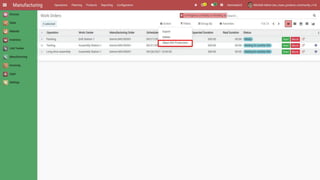
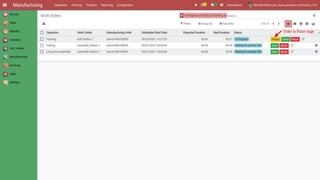
WO mass production wizard.
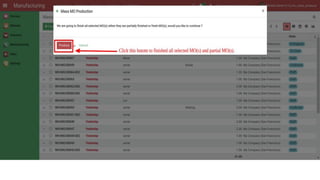
On click of 'Produce' button, all selected WO(s) will finish their
production and move to 'Finished' stage.
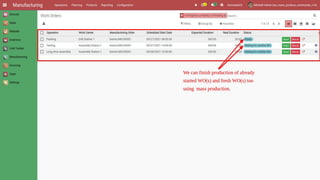
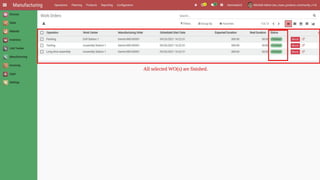
After completion of wizard process, you can visualize, all WO(s) are finished.
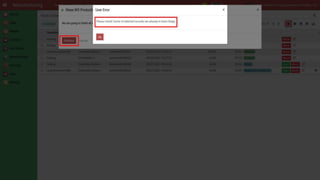
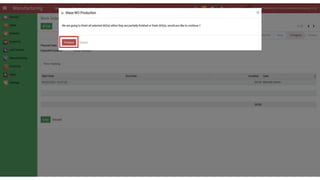
Raise a warning if selected WO(s) are 'Finished' already.
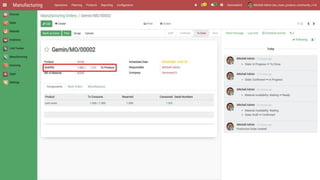
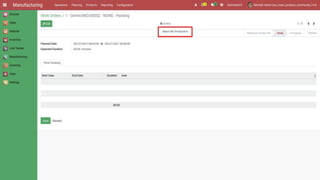
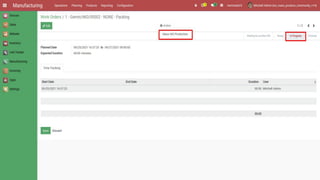
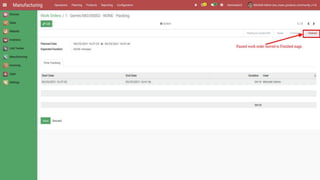
In single work order, we can also finish production and move to 'Finished' stage.
If order in 'Block' or 'Pause' stage, we can 'Unblock' or 'Continue' and move to
'Finished' stage on just button click.
In schedule activity, capture current image!
Find more Apps from Geminate
OUR SERVICES
Odoo Integration Odoo Support Odoo Implementation Odoo Customization
Complimentary Support
You will get 60 days free support for any doubt,
queries, and bug fixing (excluding data
recovery) or any type of issue related to this
module.
Contact / Support
Services
Send Email
Website
Thank you

Work Order(s) Mass Production

  • 2.
    Work Order(s) MassProduction This module features to produce multiple work order(s) on a single click regardless of different manufacturing order(s).
  • 3.
    Editions Supported 1. CommunityVersion Note: This module is developed, designed and tested on odoo vanila.
  • 4.
    Available Key Features WOmass production process upto 'Finished' stage including routing and non-routing scenarios. Raise a warning if selected WO(s) are 'Finished' already. Supports routing and non routing. Easy to use and very quick.
  • 5.
  • 7.
  • 9.
    On click of'Produce' button, all selected WO(s) will finish their production and move to 'Finished' stage.
  • 11.
    After completion ofwizard process, you can visualize, all WO(s) are finished.
  • 14.
    Raise a warningif selected WO(s) are 'Finished' already.
  • 16.
    In single workorder, we can also finish production and move to 'Finished' stage.
  • 18.
    If order in'Block' or 'Pause' stage, we can 'Unblock' or 'Continue' and move to 'Finished' stage on just button click.
  • 23.
    In schedule activity,capture current image!
  • 24.
    Find more Appsfrom Geminate OUR SERVICES Odoo Integration Odoo Support Odoo Implementation Odoo Customization
  • 25.
    Complimentary Support You willget 60 days free support for any doubt, queries, and bug fixing (excluding data recovery) or any type of issue related to this module.
  • 26.
  • 27.