WordPress vs. Magento: The
Better CMS Option For You?
By PixelCrayons
On 15 Mar., 2021
There is no doubt about the fact that WordPress and
Magento are the best CMS today. But choosing between
the two can be a very di cult task. Let us try to nd out
who trumps who in di erent regards.
Post Project
Looking to develop or migrate a website and wondering what could be the
best open-source platform that will help you grow your business? Well, it
entirely depends upon the business type you belong to.
WordPress and Magento CMS currently rule the market. However, if you are
into the business of eStore, Magento is a perfect t for it. Magento
presently powers 1.2 percent of all the websites on the internet.
It is niche-speci c software in eCommerce development that is more
eCommerce-focussed than WordPress. According to WordPress statistics,
WordPress powers 32 percent of the web.
This blog is an informed guide that will help you transition to eCommerce
or migration to a more suitable platform, either WordPress or Magento. In
this article, we will see each platform’s unique features so you can see how
they compare in the areas that matter most to you. If you’re in a rush,
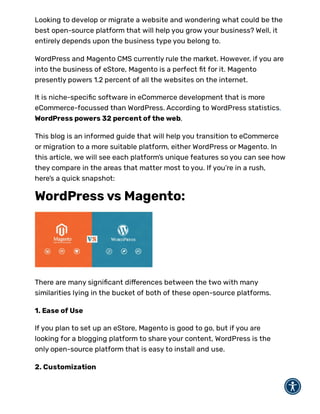
here’s a quick snapshot:
WordPress vs Magento:
There are many signi cant di erences between the two with many
similarities lying in the bucket of both of these open-source platforms.
1. Ease of Use
If you plan to set up an eStore, Magento is good to go, but if you are
looking for a blogging platform to share your content, WordPress is the
only open-source platform that is easy to install and use.
2. Customization
Magento o ers numerous customization options to create a compelling UI
and choose a preferred design. However, with WordPress, the developers
face barriers in customizing the eCommerce websites developed using
WordPress.
3. Advanced Plugins
Magento provides developers and business owners with a detailed user
guide on how to use its advanced features. WordPress does not need to
o er any such user guide because it is relatively easy to use.
4. eCommerce Platform
Magento is an open-source eCommerce platform. It is ideal for eStore
setup, payment gateways, and checkout. With WordPress, you can not
launch an eCommerce website that displays a higher number of products
on the store.
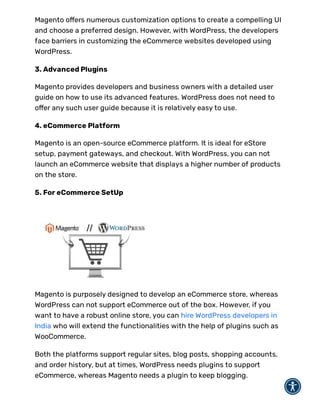
5. For eCommerce SetUp
Magento is purposely designed to develop an eCommerce store, whereas
WordPress can not support eCommerce out of the box. However, if you
want to have a robust online store, you can hire WordPress developers in
India who will extend the functionalities with the help of plugins such as
WooCommerce.
Both the platforms support regular sites, blog posts, shopping accounts,
and order history, but at times, WordPress needs plugins to support
eCommerce, whereas Magento needs a plugin to keep blogging.
If your enterprise is planning to focus more on business and online sales,
Magento could be the ultimate choice. But, if your goal is content
marketing and digital publishing, WordPress is an ideal solution.
6. For Security Purpose
Many of you must be wondering if WordPress is safe for eCommerce setup.
After all, it is all about the con dentiality and security of its users.
Both WordPress and Magento are safer and secure platforms and feature
years of security improvements.
Magento is an open-source eCommerce platform that o ers much more
robust security than WordPress. On the other hand, WordPress is an
eCommerce platform that provides a plugin named wooCommerce for only
basic features and functionalities.
Magento o ers the most advanced security features in terms of
eCommerce; while in WordPress, you need to hire WordPress developers
who know the basics of web development to maintain the WordPress
website's security.
While Magento is primarily focused on eCommerce, its security and data
protection measures are most evolved and out of the box. Whereas in
WordPress, there is the availability of pirated themes, SEO plugins, and
add-ons that may create security risks for the website built using
WordPress.
Both the platforms bring out frequent updates with their newer versions
of the software. It’s the task of the Magento developers to keep an eye on
the dashboard and install updates whenever they appear so that it does
not leave their site vulnerable to hackers.
7. SEO ( Search Engine Optimization)
Magento can manage major SEO factors like meta descriptions, product
descriptions, page URLs, headings, tags, and others. With WordPress also,
you can install various SEO plugins.
Magento o ers unique features like one-click creation, automatic guest
checkout, distraction-free checkout, which is not present in WordPress.
8. Marketing and Content Management
When it comes to marketing and content management, WordPress is
undoubtedly way better than Magento. We all know that WordPress is a
CMS (Content Management System) that was indeed started as a blogging
platform.
With WordPress, you can build any website, but its root deep lies inside
blogging because WordPress is all developed to handle colossal amounts
of data and media. But, Magento does not support blogging as it does not
have an inbuilt feature. You need to add a custom extension to perform
marketing and content management.
9. Themes and Design Customization
Both WordPress and Magento being open-source platforms o er strong
design capabilities as per the website type you need to design.
These platforms provide beautiful themes that do not require any
prerequisites like coding. However, custom themes will demand you to hire
Magento developer or WordPress developers. You can also get ready-made
themes that are cheaper than custom themes that are of high quality and
more unique.
10. Payment Gateway Integrations
Plugins
With Magento, you can easily set up a payment gateway; all you need to do
is download the payment processor's extension and integrate it into the
store. Whereas in WordPress, you need to add extra plugins for building a
payment gateway on a WordPress-based online store.
Payment Gateways
Magento o ers all the major payment gateways that include Google Pay,
Amazon Pay, and PayPal, you can integrate this with your eStore, and it is
good to go. However, WordPress lags in this functionality as it poses risks
due to vulnerabilities using the WordPress plugins. With WordPress, you
need to choose the plugins and add-ons carefully as they may contain
malware containing pirated plugins.
Currencies and Languages
Magento provides processing of payment in di erent languages and
currencies which is not available in WordPress.
Security
In Magento, the payment gateway is built using the Magento framework,
which further ensures customer data security. In contrast, websites built
using WordPress are more prone to the hush risk of a security breach.
The Final Choice
Ultimately, the nal call suggests that Magento is best for building
eCommerce stores, whereas WordPress is a better marketing and content
management solution. You can also opt for both of these solutions if you
want to enjoy the multiple bene ts as WordPress blogs bring your products
to life and Magento eCommerce sales.
However, if the integration of these two platforms is bombarding your
pocket, go for the one which accelerates your business growth to the next
level. Depending on your priorities, you can hire Magento developers and
hire WordPress developers from a top eCommerce development company.
Read more... E ective Ways to Get Better Results from Your Body Lotion
T
op Mean Stack Development Companies to Hire Developers in
India
Why You Should Take Time T
o Yourself And Travel For as long as
you Can
Why do People Love to take Stamp Collection as a Hobby?
What are excellent methods for growing your own eyelashes?
What will you choose? Mobile testing or Web testing?
Other articles by PixelCrayons
Browse all articles
Join XPlace: Enter your email
X P LACE
› Online Support
› All Categories
› Press Kit
› Suggest a feature
FREELANCERS
› Start Freelancing
› Account Type
› Your Categories
› Category Descriptions
› Your Evaluations
› About Certi cation
› Apply for Certi cation
MEMBERSHIP
› Pricing
› Subscription
› Certi cation
CONT ENT
› Stats
› Freelance Guide
› Freelance Infographic
› Syndication
› XPlace Magazine
Crafted with by XPlace
Terms of Service | Cookie Policy | Privacy Statement
Co py r i ght © 20 0 3- 20 21 X P l a c e Lt d. Al l R i ght s R e se r v e d.
I'm looking for work I need a freelancer
US / International   /   English

WordPress vs. Magento: The Better CMS Option For You?

  • 1.
    WordPress vs. Magento:The Better CMS Option For You? By PixelCrayons On 15 Mar., 2021 There is no doubt about the fact that WordPress and Magento are the best CMS today. But choosing between the two can be a very di cult task. Let us try to nd out who trumps who in di erent regards. Post Project
  • 2.
    Looking to developor migrate a website and wondering what could be the best open-source platform that will help you grow your business? Well, it entirely depends upon the business type you belong to. WordPress and Magento CMS currently rule the market. However, if you are into the business of eStore, Magento is a perfect t for it. Magento presently powers 1.2 percent of all the websites on the internet. It is niche-speci c software in eCommerce development that is more eCommerce-focussed than WordPress. According to WordPress statistics, WordPress powers 32 percent of the web. This blog is an informed guide that will help you transition to eCommerce or migration to a more suitable platform, either WordPress or Magento. In this article, we will see each platform’s unique features so you can see how they compare in the areas that matter most to you. If you’re in a rush, here’s a quick snapshot: WordPress vs Magento: There are many signi cant di erences between the two with many similarities lying in the bucket of both of these open-source platforms. 1. Ease of Use If you plan to set up an eStore, Magento is good to go, but if you are looking for a blogging platform to share your content, WordPress is the only open-source platform that is easy to install and use. 2. Customization
  • 3.
    Magento o ersnumerous customization options to create a compelling UI and choose a preferred design. However, with WordPress, the developers face barriers in customizing the eCommerce websites developed using WordPress. 3. Advanced Plugins Magento provides developers and business owners with a detailed user guide on how to use its advanced features. WordPress does not need to o er any such user guide because it is relatively easy to use. 4. eCommerce Platform Magento is an open-source eCommerce platform. It is ideal for eStore setup, payment gateways, and checkout. With WordPress, you can not launch an eCommerce website that displays a higher number of products on the store. 5. For eCommerce SetUp Magento is purposely designed to develop an eCommerce store, whereas WordPress can not support eCommerce out of the box. However, if you want to have a robust online store, you can hire WordPress developers in India who will extend the functionalities with the help of plugins such as WooCommerce. Both the platforms support regular sites, blog posts, shopping accounts, and order history, but at times, WordPress needs plugins to support eCommerce, whereas Magento needs a plugin to keep blogging.
  • 4.
    If your enterpriseis planning to focus more on business and online sales, Magento could be the ultimate choice. But, if your goal is content marketing and digital publishing, WordPress is an ideal solution. 6. For Security Purpose Many of you must be wondering if WordPress is safe for eCommerce setup. After all, it is all about the con dentiality and security of its users. Both WordPress and Magento are safer and secure platforms and feature years of security improvements. Magento is an open-source eCommerce platform that o ers much more robust security than WordPress. On the other hand, WordPress is an eCommerce platform that provides a plugin named wooCommerce for only basic features and functionalities. Magento o ers the most advanced security features in terms of eCommerce; while in WordPress, you need to hire WordPress developers who know the basics of web development to maintain the WordPress website's security. While Magento is primarily focused on eCommerce, its security and data protection measures are most evolved and out of the box. Whereas in WordPress, there is the availability of pirated themes, SEO plugins, and add-ons that may create security risks for the website built using WordPress. Both the platforms bring out frequent updates with their newer versions of the software. It’s the task of the Magento developers to keep an eye on the dashboard and install updates whenever they appear so that it does not leave their site vulnerable to hackers. 7. SEO ( Search Engine Optimization) Magento can manage major SEO factors like meta descriptions, product descriptions, page URLs, headings, tags, and others. With WordPress also, you can install various SEO plugins.
  • 5.
    Magento o ersunique features like one-click creation, automatic guest checkout, distraction-free checkout, which is not present in WordPress. 8. Marketing and Content Management When it comes to marketing and content management, WordPress is undoubtedly way better than Magento. We all know that WordPress is a CMS (Content Management System) that was indeed started as a blogging platform. With WordPress, you can build any website, but its root deep lies inside blogging because WordPress is all developed to handle colossal amounts of data and media. But, Magento does not support blogging as it does not have an inbuilt feature. You need to add a custom extension to perform marketing and content management. 9. Themes and Design Customization Both WordPress and Magento being open-source platforms o er strong design capabilities as per the website type you need to design. These platforms provide beautiful themes that do not require any prerequisites like coding. However, custom themes will demand you to hire Magento developer or WordPress developers. You can also get ready-made themes that are cheaper than custom themes that are of high quality and more unique. 10. Payment Gateway Integrations Plugins With Magento, you can easily set up a payment gateway; all you need to do is download the payment processor's extension and integrate it into the store. Whereas in WordPress, you need to add extra plugins for building a payment gateway on a WordPress-based online store. Payment Gateways Magento o ers all the major payment gateways that include Google Pay, Amazon Pay, and PayPal, you can integrate this with your eStore, and it is
  • 6.
    good to go.However, WordPress lags in this functionality as it poses risks due to vulnerabilities using the WordPress plugins. With WordPress, you need to choose the plugins and add-ons carefully as they may contain malware containing pirated plugins. Currencies and Languages Magento provides processing of payment in di erent languages and currencies which is not available in WordPress. Security In Magento, the payment gateway is built using the Magento framework, which further ensures customer data security. In contrast, websites built using WordPress are more prone to the hush risk of a security breach. The Final Choice Ultimately, the nal call suggests that Magento is best for building eCommerce stores, whereas WordPress is a better marketing and content management solution. You can also opt for both of these solutions if you want to enjoy the multiple bene ts as WordPress blogs bring your products to life and Magento eCommerce sales. However, if the integration of these two platforms is bombarding your pocket, go for the one which accelerates your business growth to the next level. Depending on your priorities, you can hire Magento developers and hire WordPress developers from a top eCommerce development company.
  • 7.
    Read more... Eective Ways to Get Better Results from Your Body Lotion T op Mean Stack Development Companies to Hire Developers in India Why You Should Take Time T o Yourself And Travel For as long as you Can Why do People Love to take Stamp Collection as a Hobby? What are excellent methods for growing your own eyelashes? What will you choose? Mobile testing or Web testing? Other articles by PixelCrayons Browse all articles
  • 8.
    Join XPlace: Enteryour email X P LACE › Online Support › All Categories › Press Kit › Suggest a feature FREELANCERS › Start Freelancing › Account Type › Your Categories › Category Descriptions › Your Evaluations › About Certi cation › Apply for Certi cation MEMBERSHIP › Pricing › Subscription › Certi cation CONT ENT › Stats › Freelance Guide › Freelance Infographic › Syndication › XPlace Magazine Crafted with by XPlace Terms of Service | Cookie Policy | Privacy Statement Co py r i ght © 20 0 3- 20 21 X P l a c e Lt d. Al l R i ght s R e se r v e d. I'm looking for work I need a freelancer US / International   /   English