Inside
WordPress
An instructional manual
provided by
Doodlepress Media Consulting
https://doodlepressmedia.com
2
1
3
4
5
BASICS
WP Definition, types of perspective, logging-in
ACCOUNT MANAGEMENT
User creation, modification and deletion
ADDITIONALS
Plugin and theme installations
SECURITY
Preventive measures in defending your website
CONTENT MANAGEMENT
Content creation, modification and deletion
Basics
1
Understanding the
basics will get you
familiarized with the
process of WordPress.
What is
WordPress
WordPress is a free and open-
source content management
system based on PHP and MySQL.
Types of Perspective
Frontend
Everything that your visitors
see when they go to
www.yoursite.com
Backend
Others call it the Dashboard, whatever you call
it, the admin area is where most work gets
done in WordPress; content, users, options
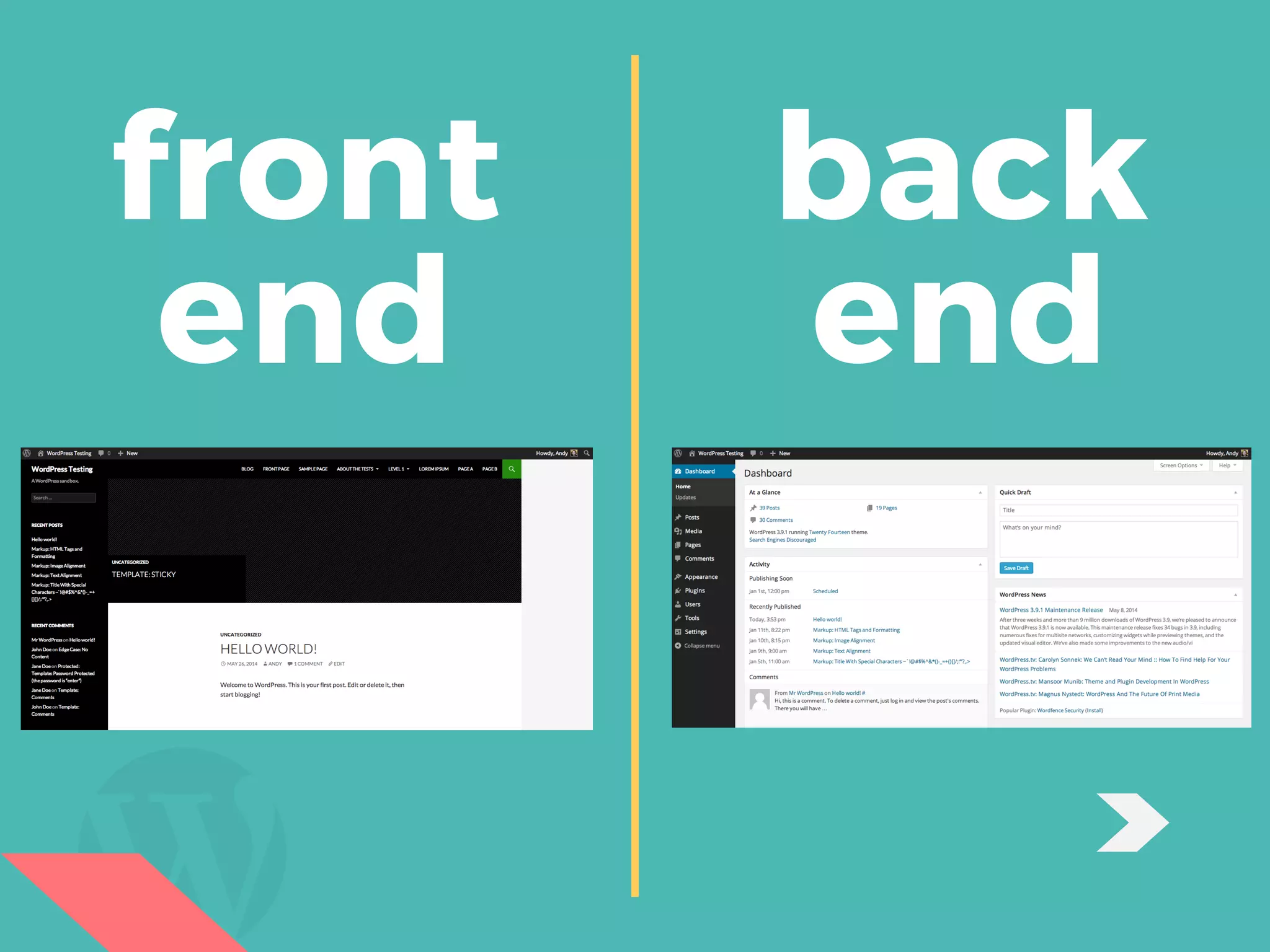
front
end
back
end
How to
Log-in
Head over to your website and go
to www.yoursite.com/wp-login.php
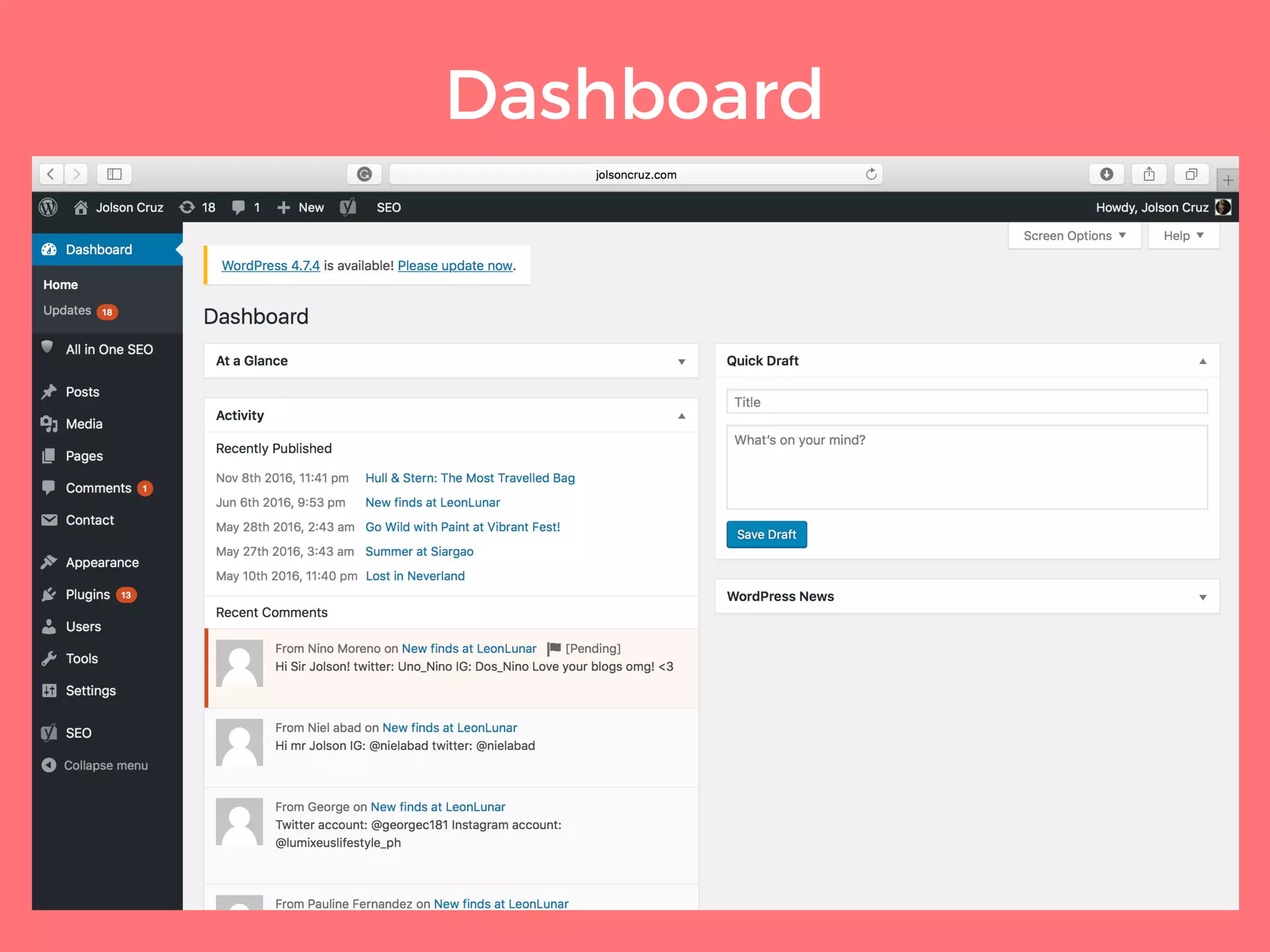
What is a
Dashboard
A place where you can get a glance
overview of what's happening with
your website
Dashboard
Content
 Management
2
Familiarize yourself
with every step of
creating, modifying
and deleting a content
using your dashboard.
CONTENT
CREATION
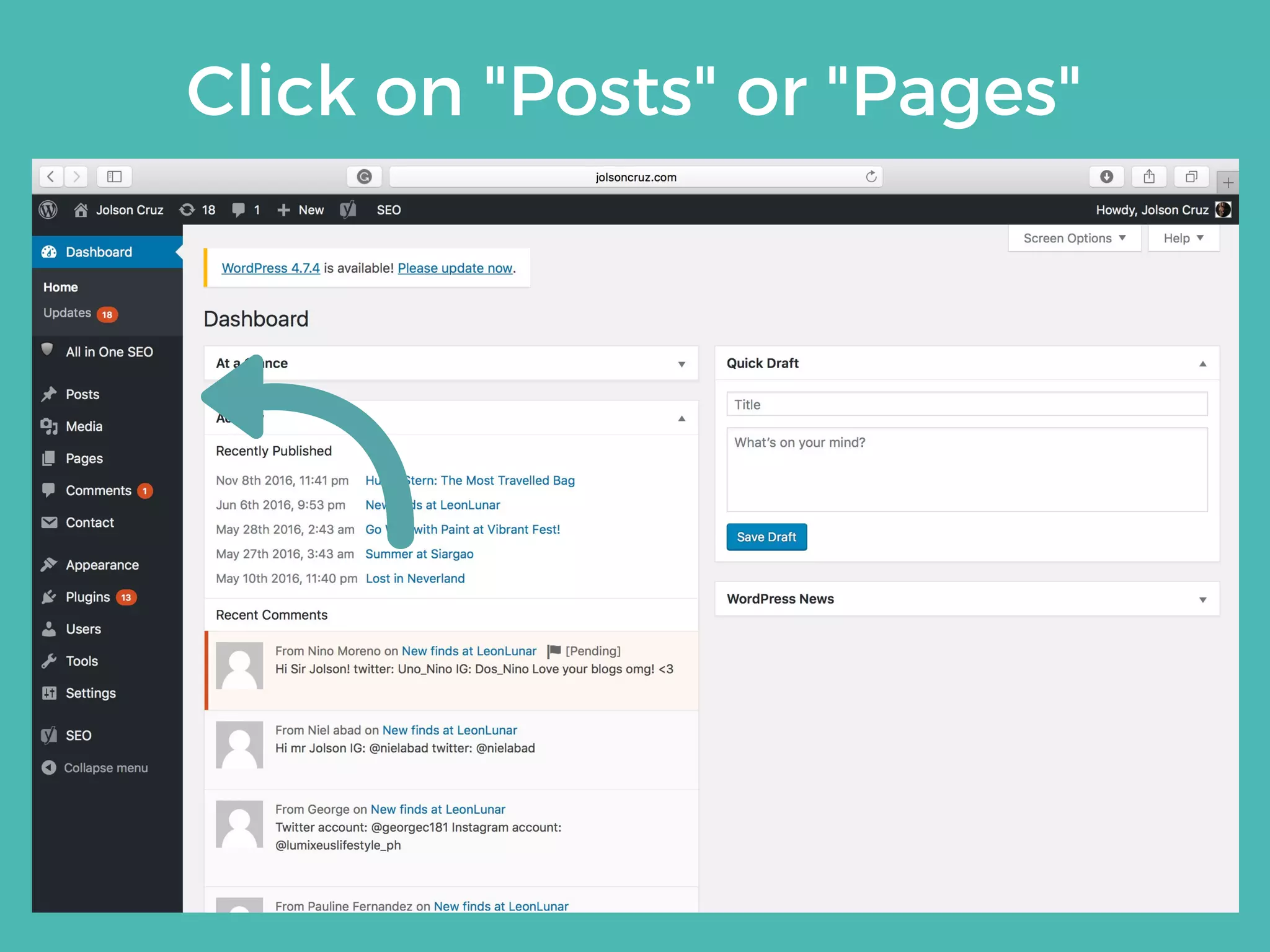
Click on "Posts" or "Pages"
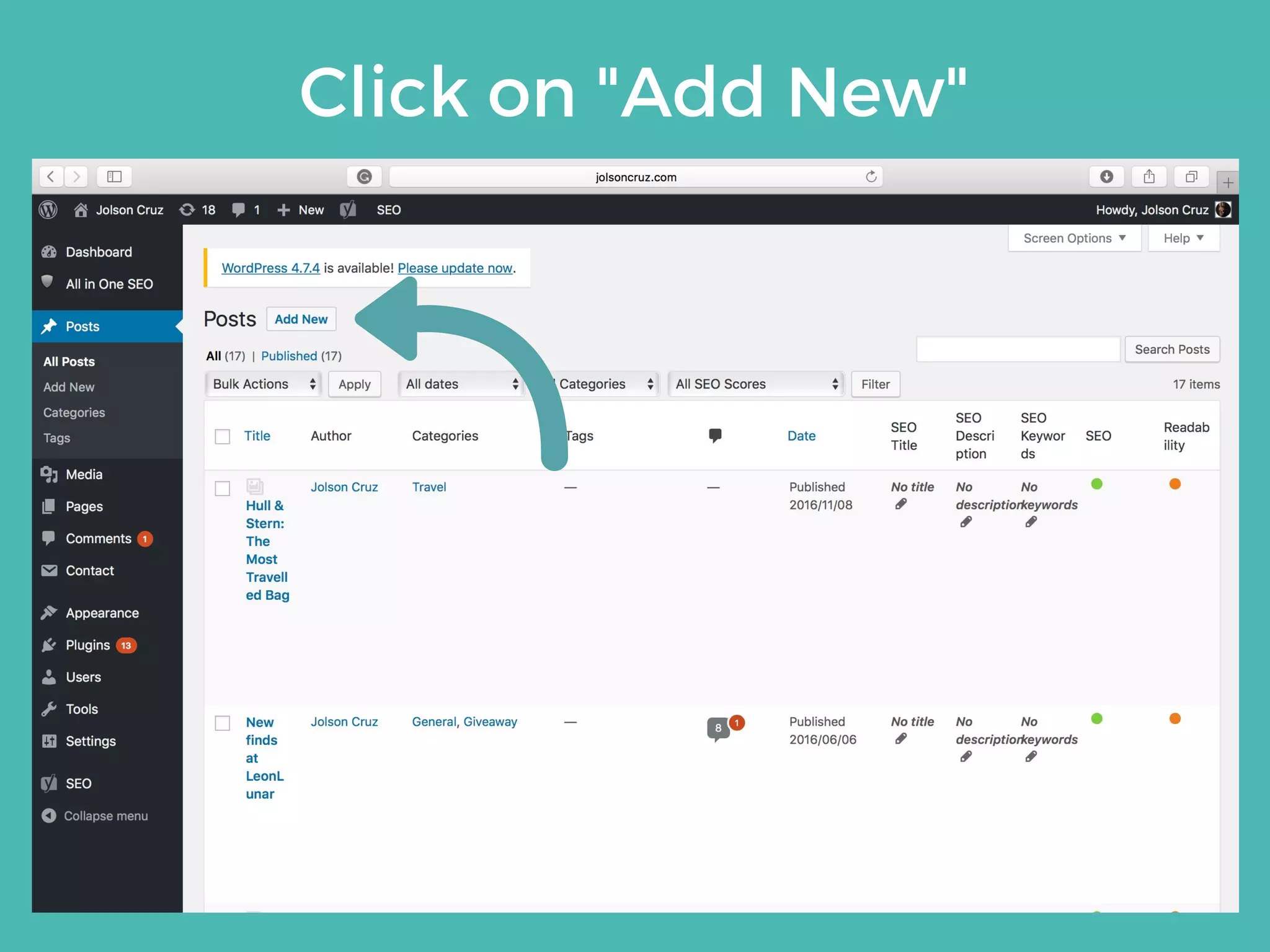
Click on "Add New"
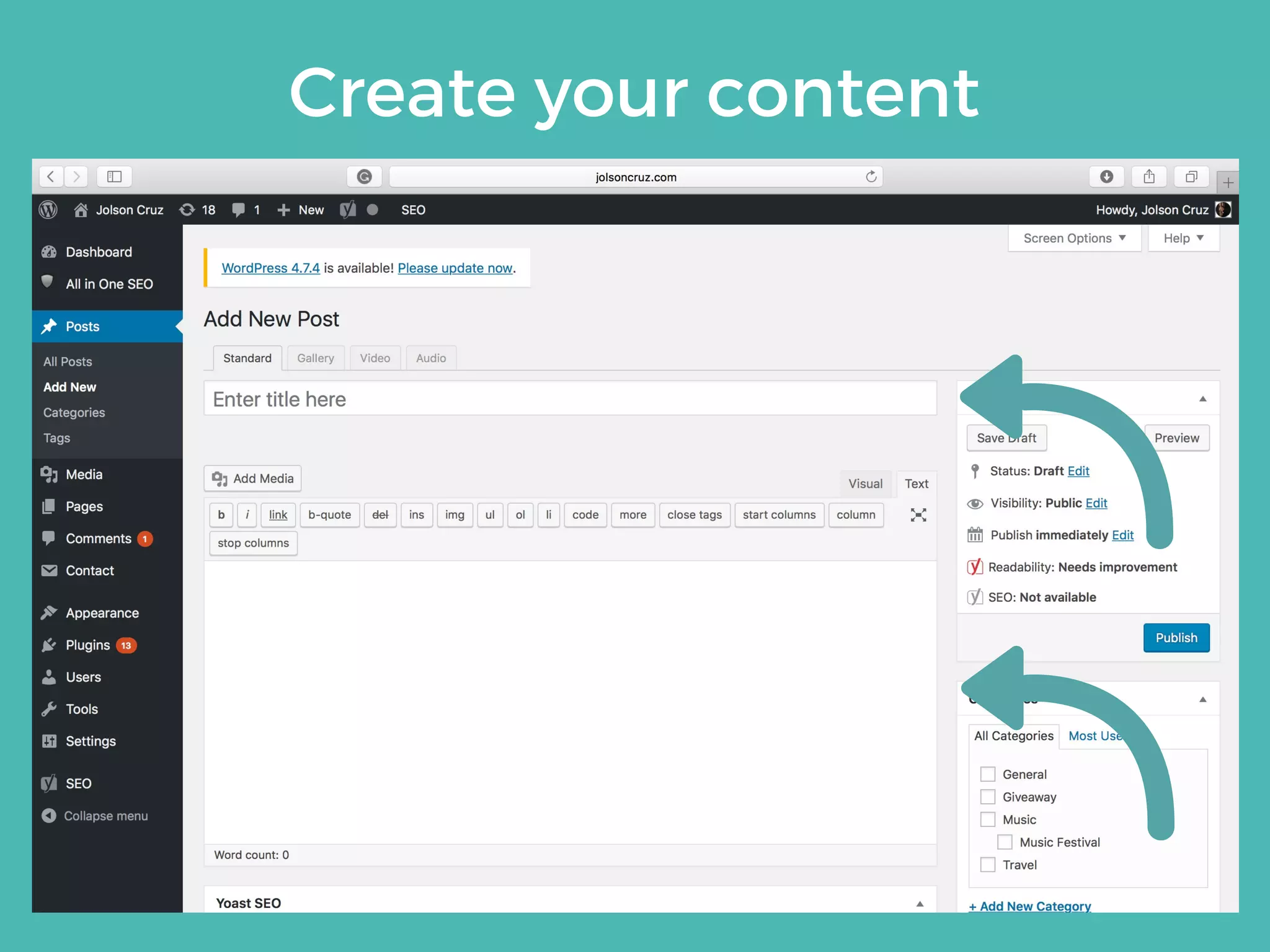
Create your content
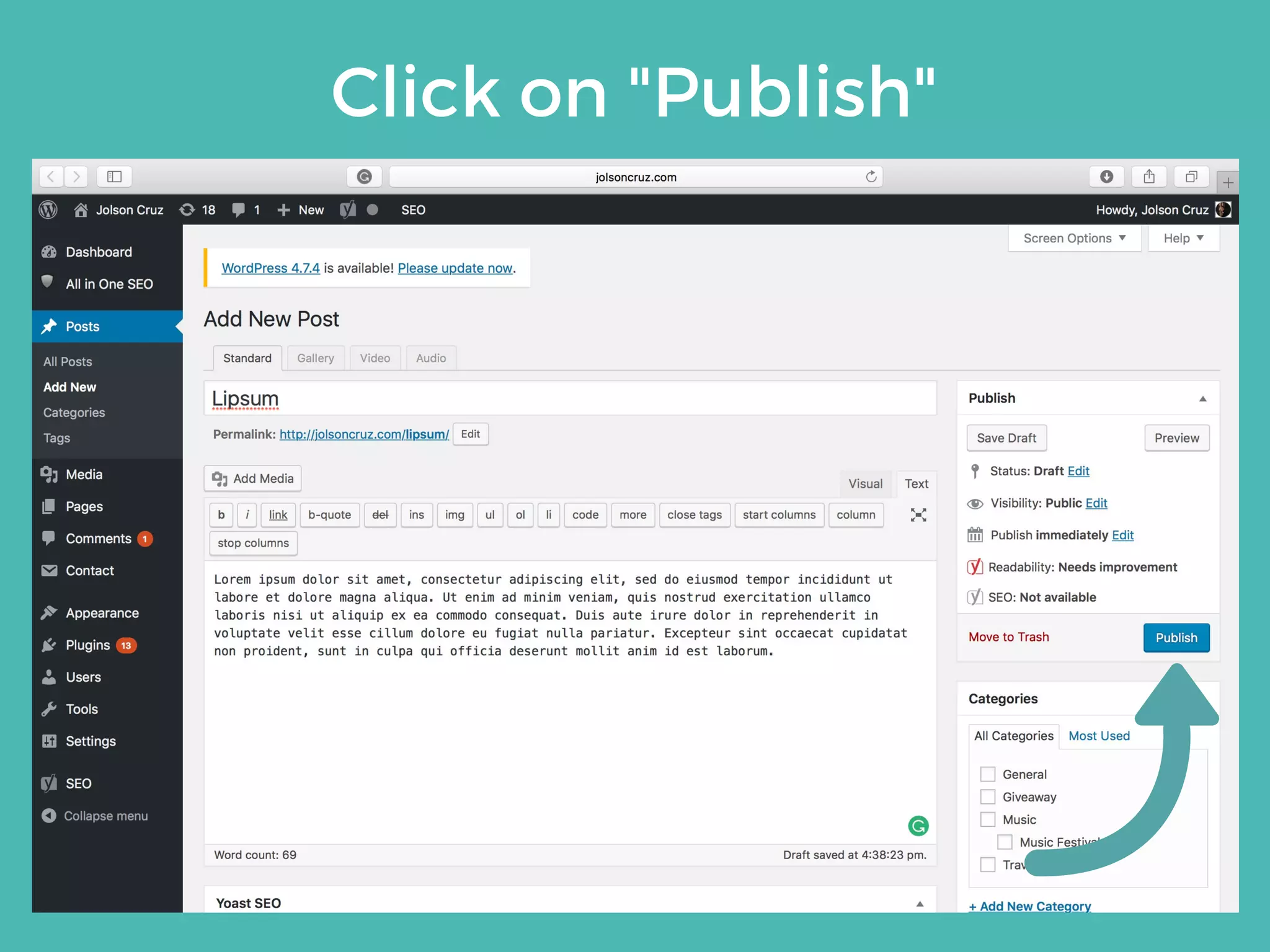
Click on "Publish"
CONTENT
MODIFICATION
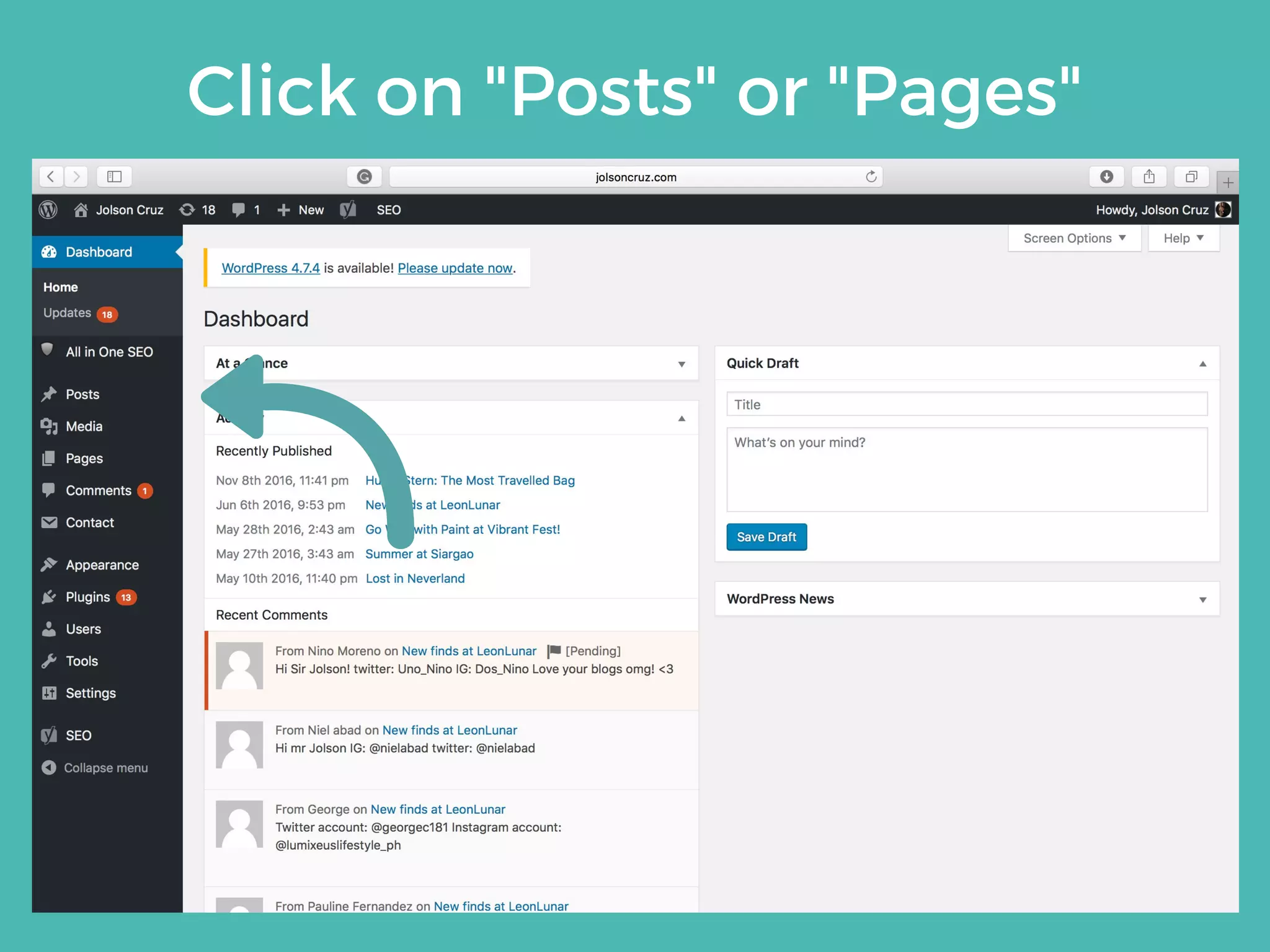
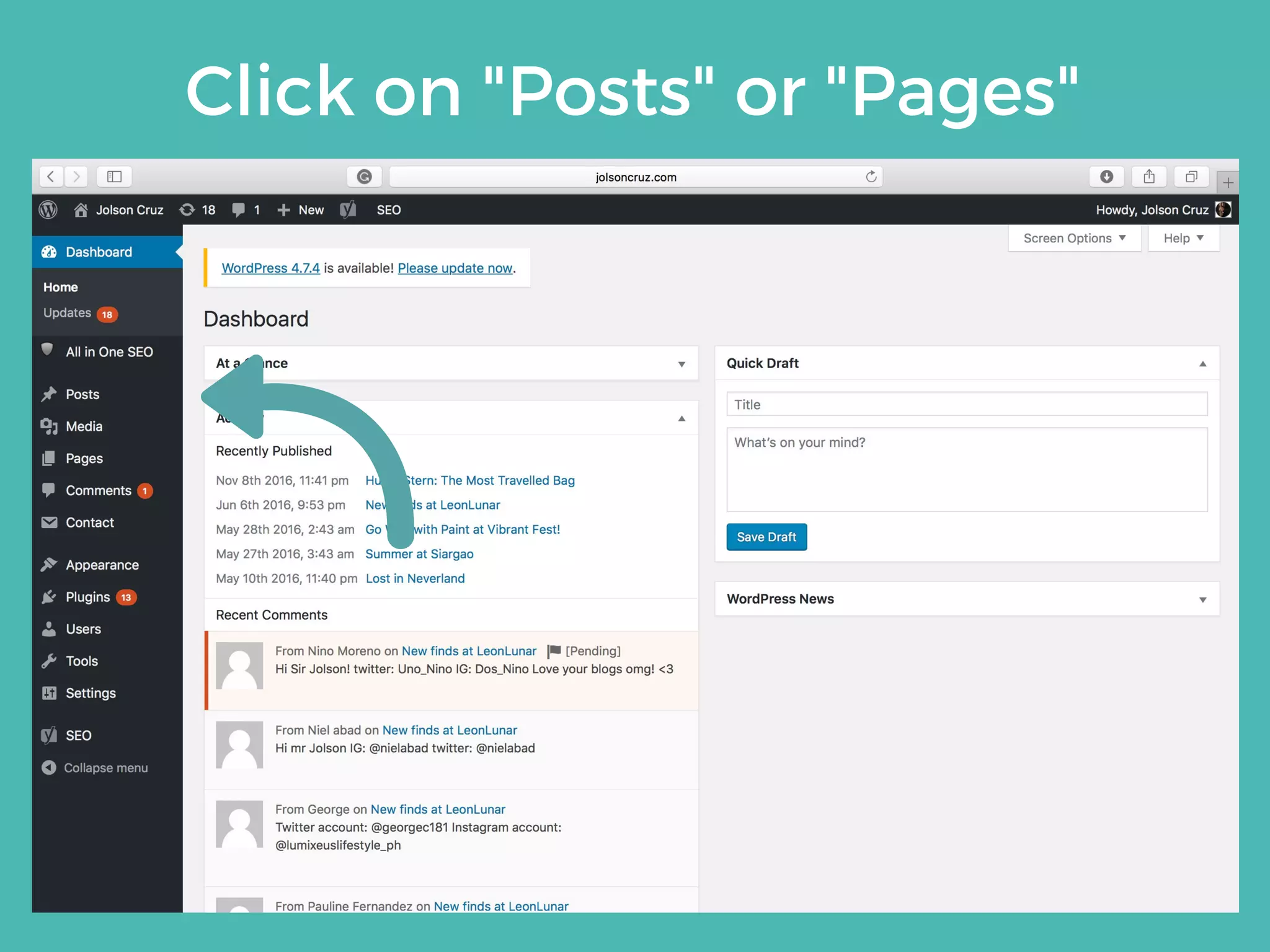
Click on "Posts" or "Pages"
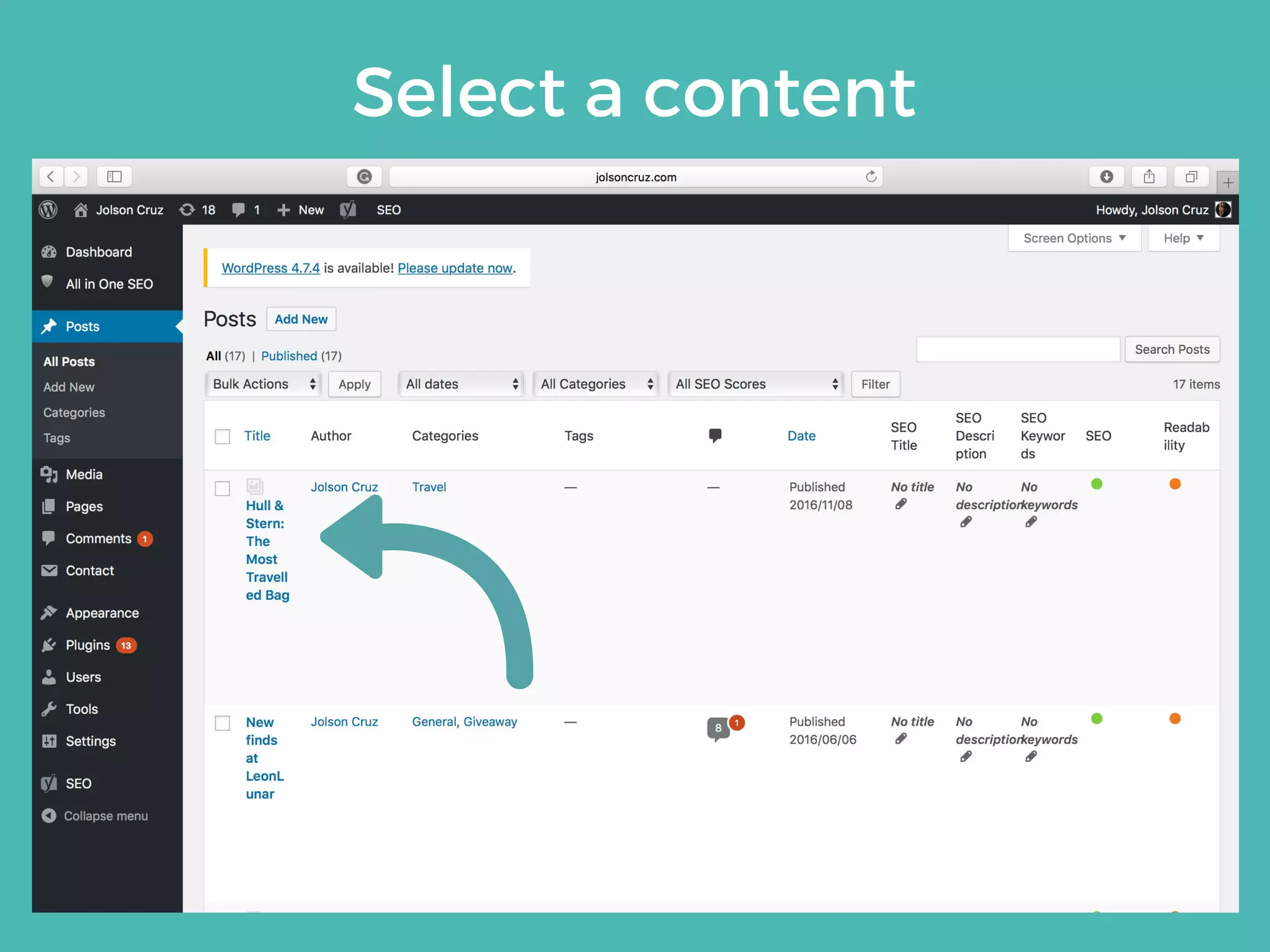
Select a content
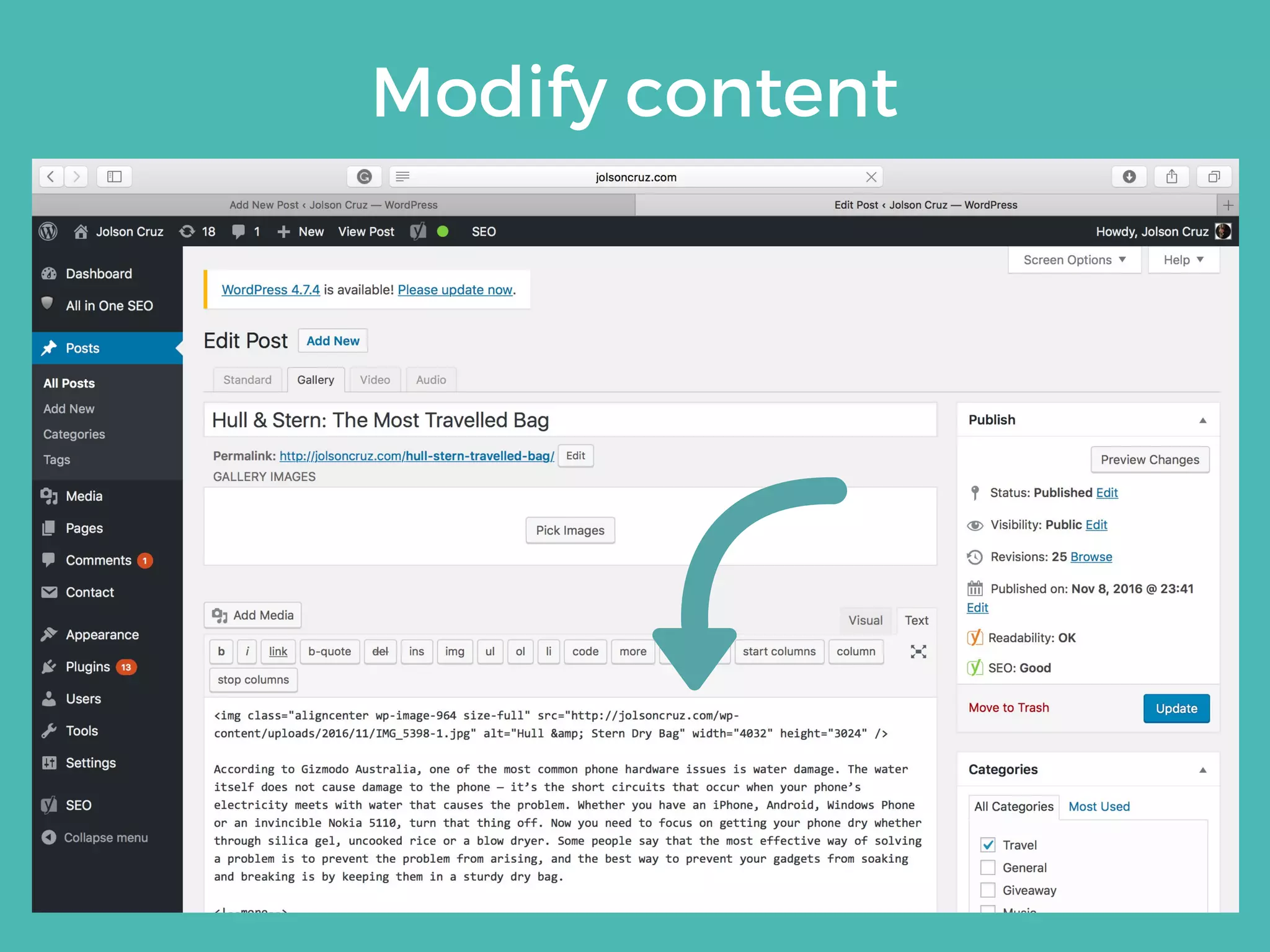
Modify content
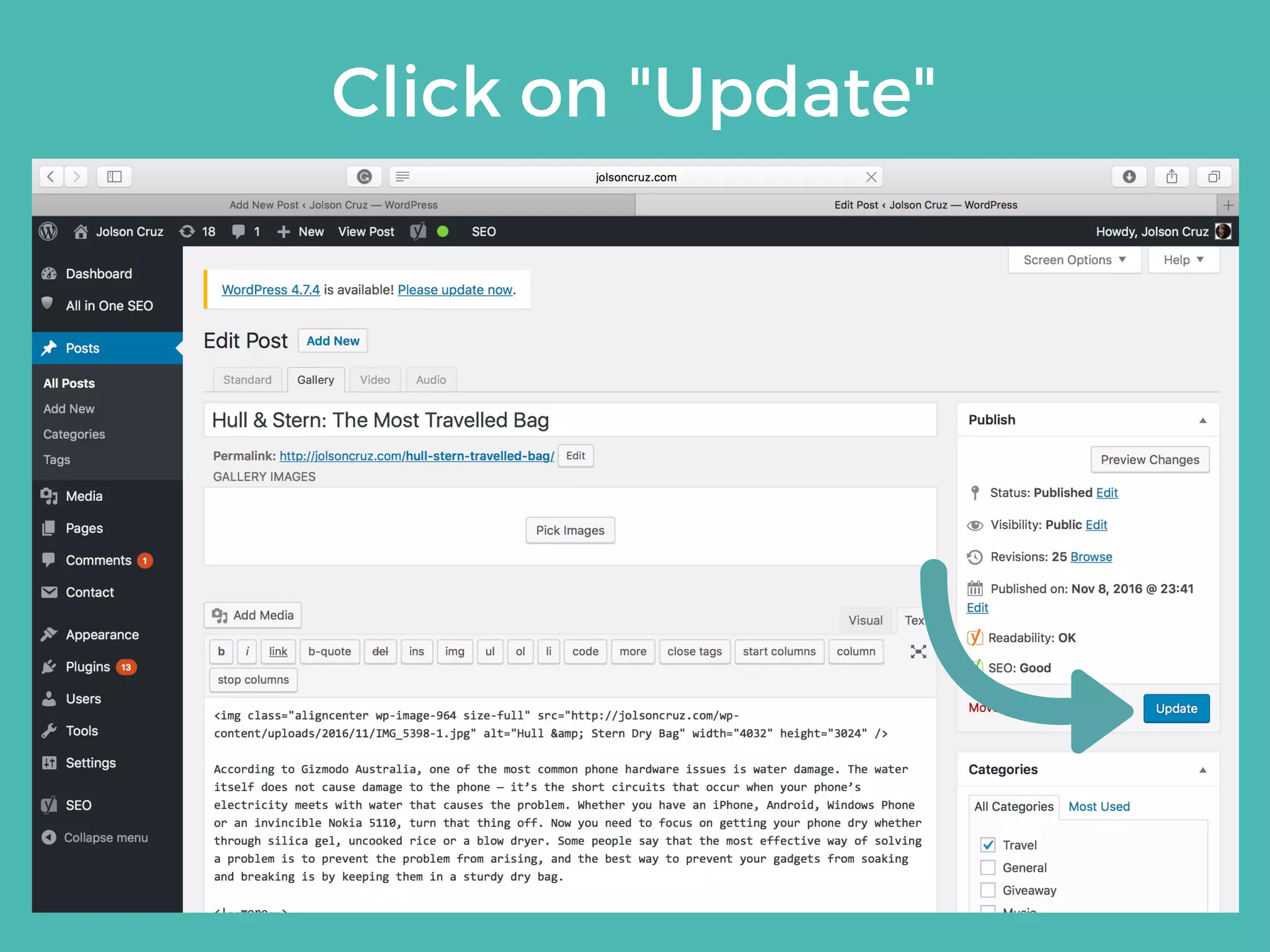
Click on "Update"
CONTENT
DELETION
Click on "Posts" or "Pages"
Select a content
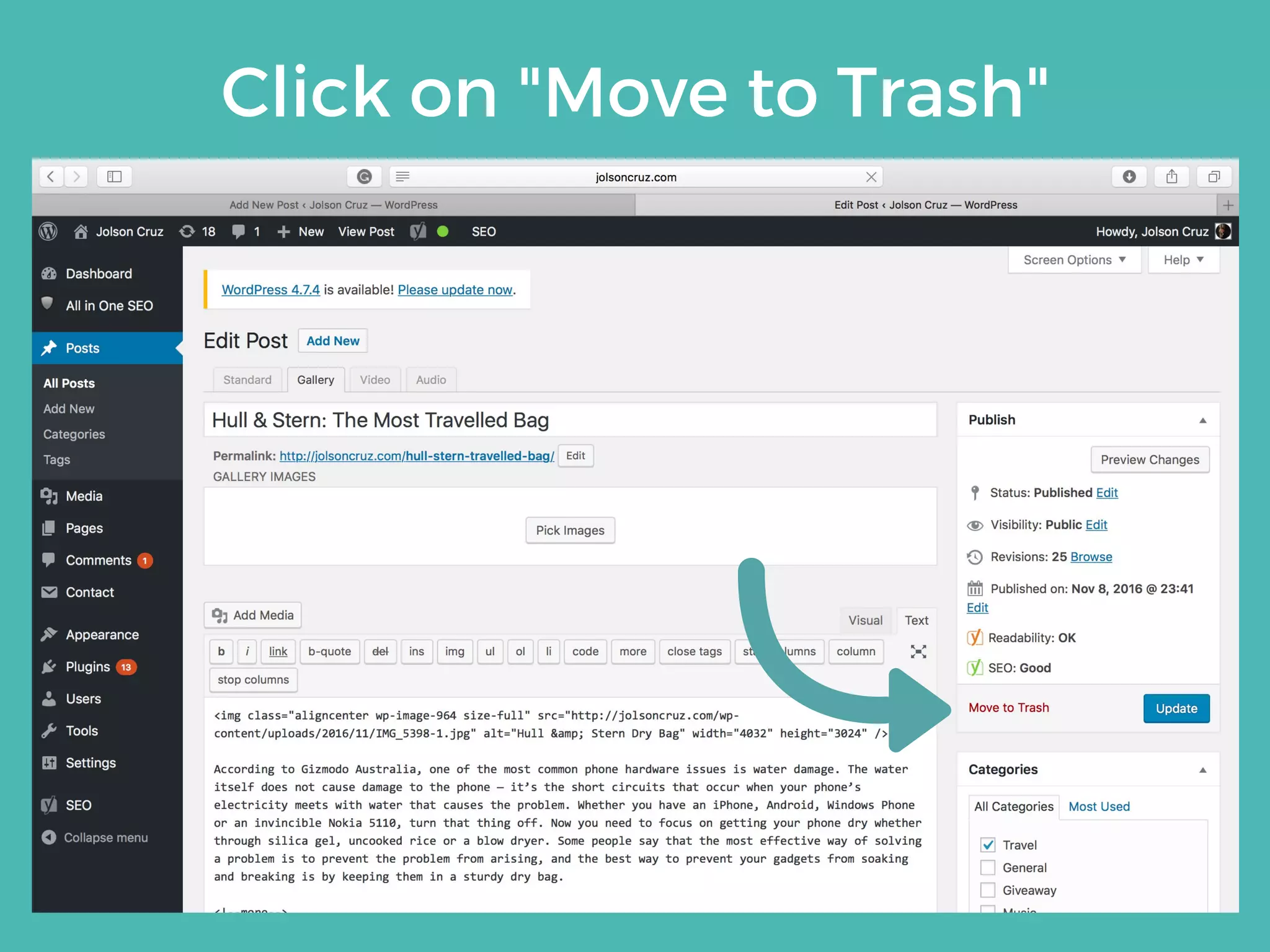
Click on "Move to Trash"
Account
 Management
3
Familiarize yourself
with every step of
creating, modifying
and deleting a user,
subscriber or
administrator using
your dashboard.
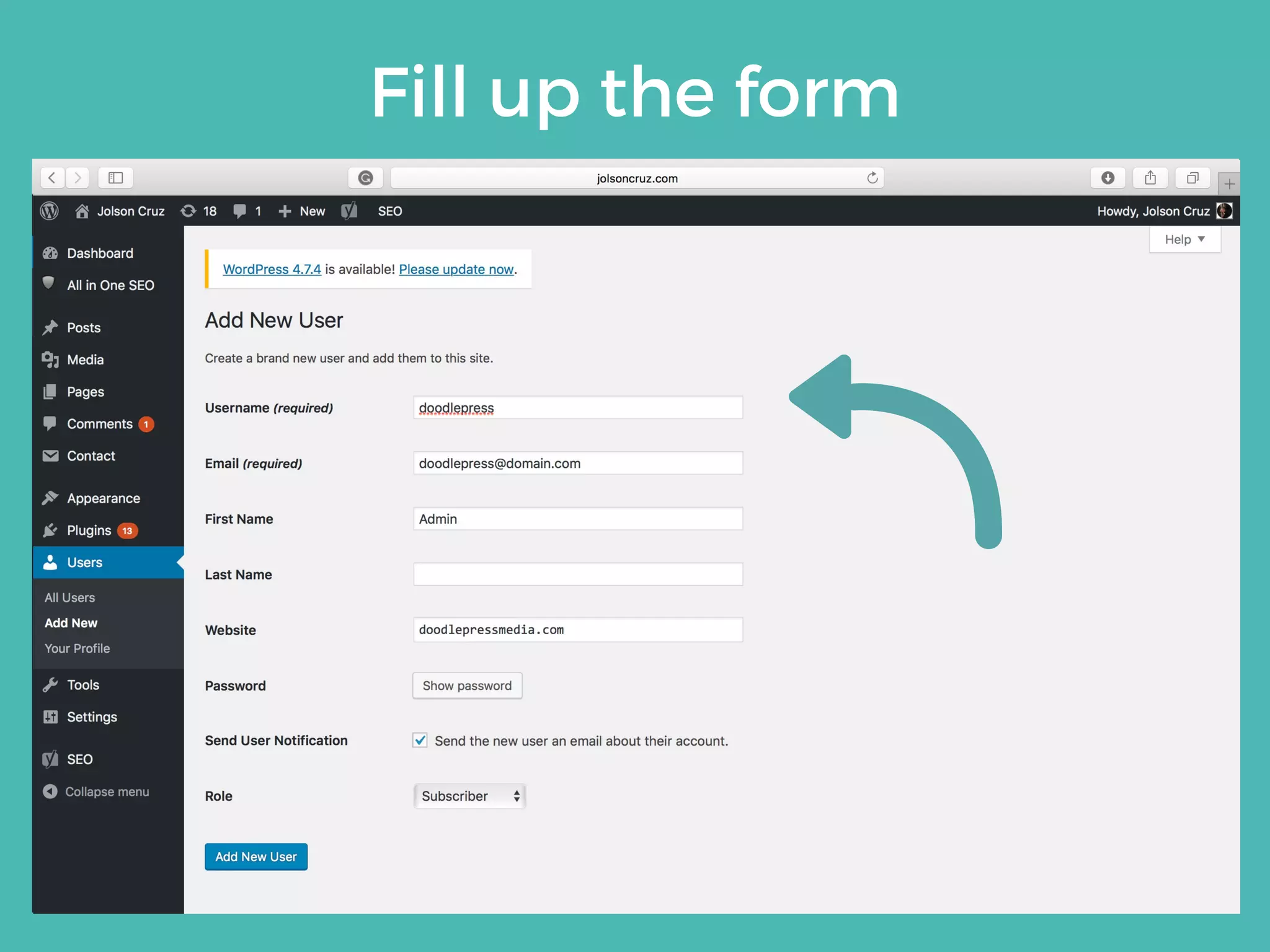
USER
CREATION
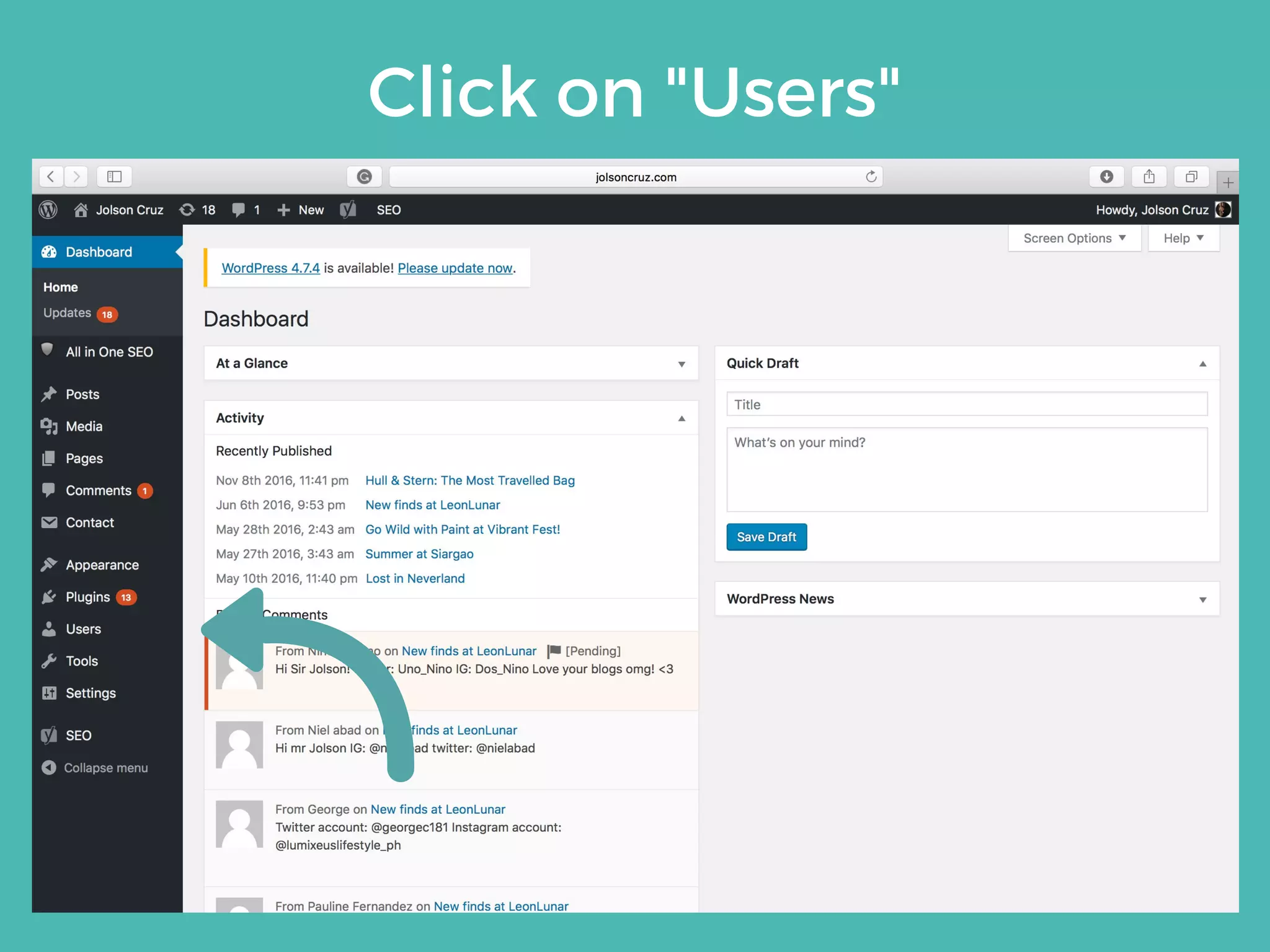
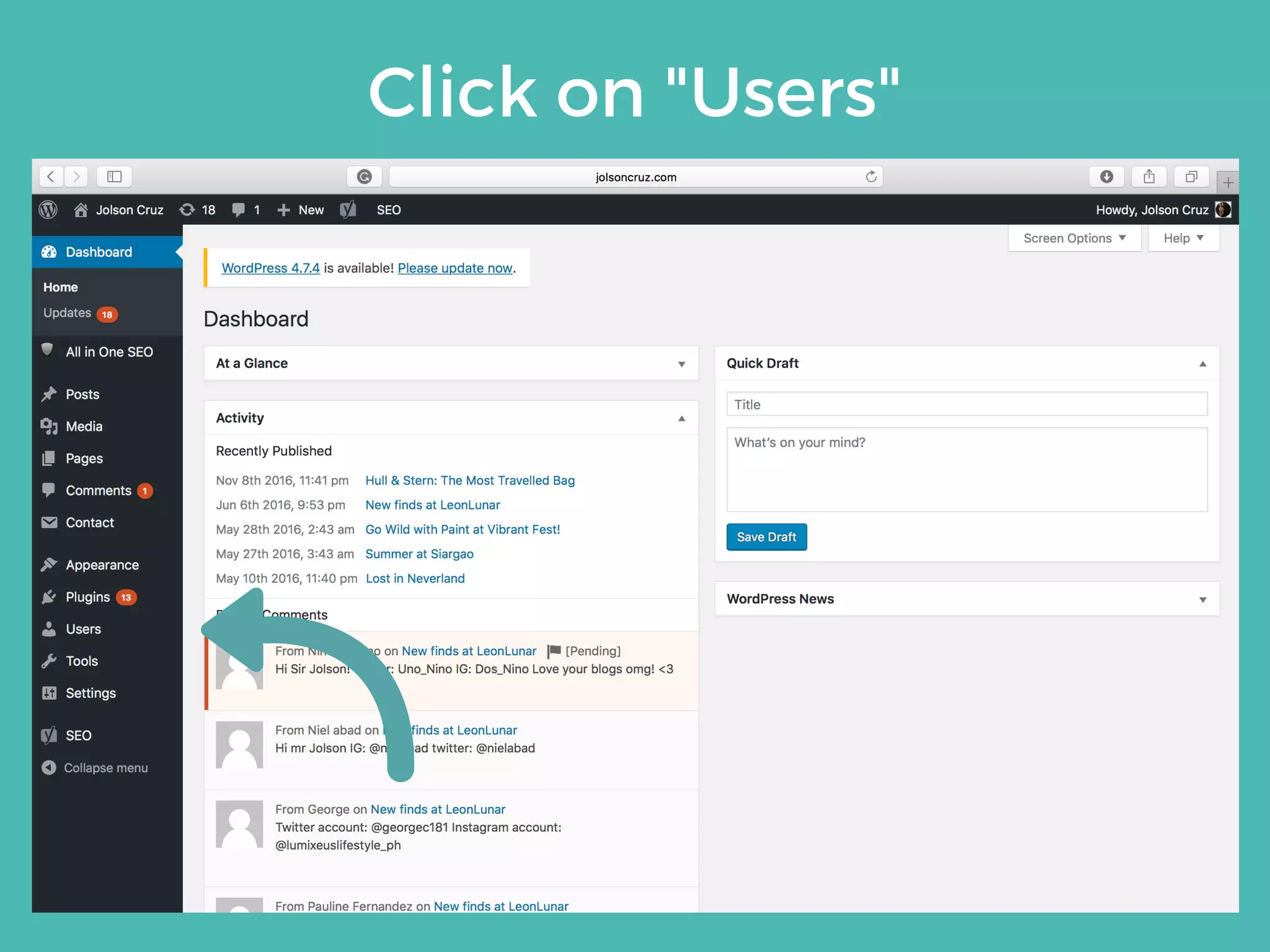
Click on "Users"
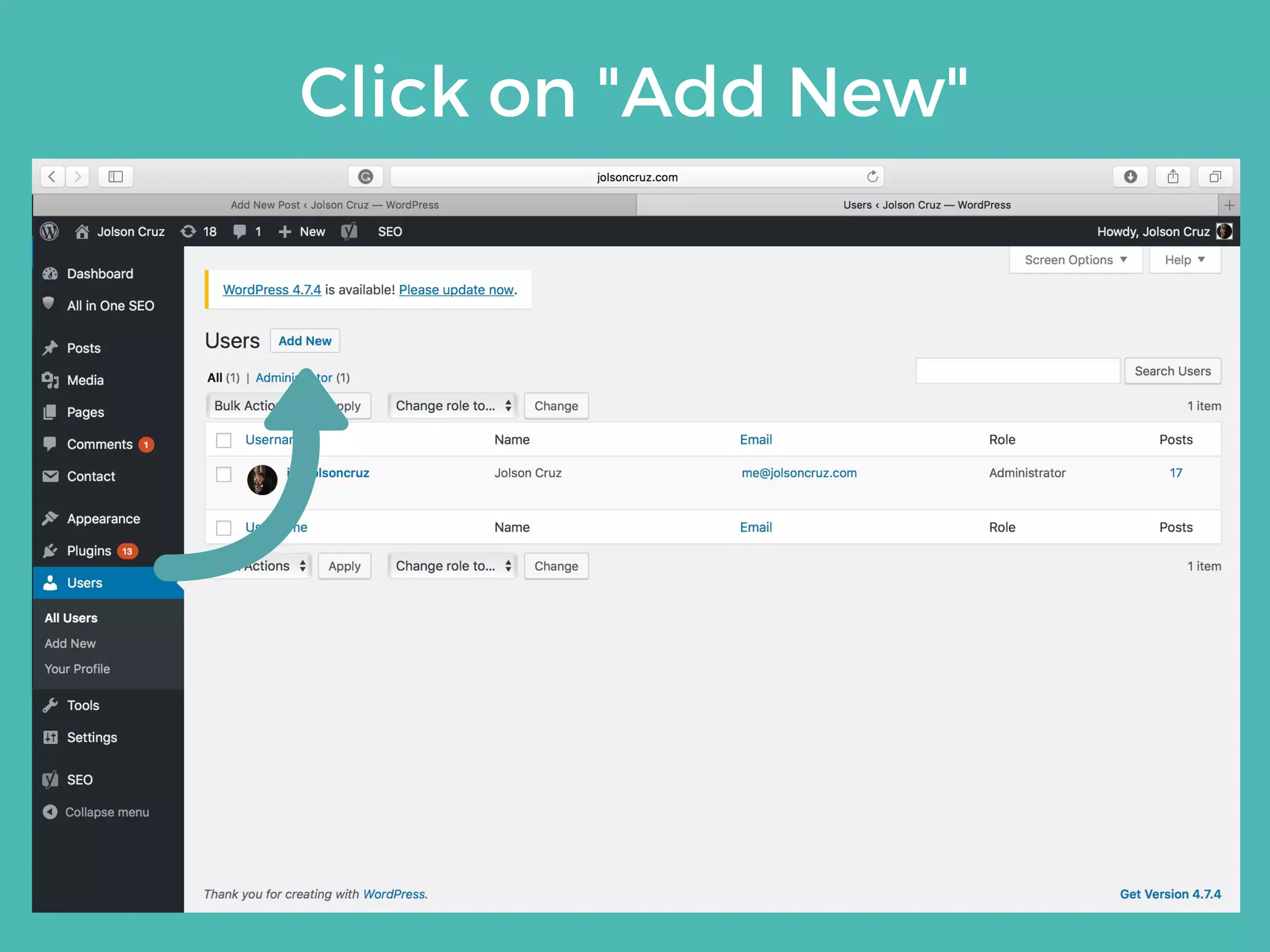
Click on "Add New"
Fill up the form
Click on "Add New User"
USER
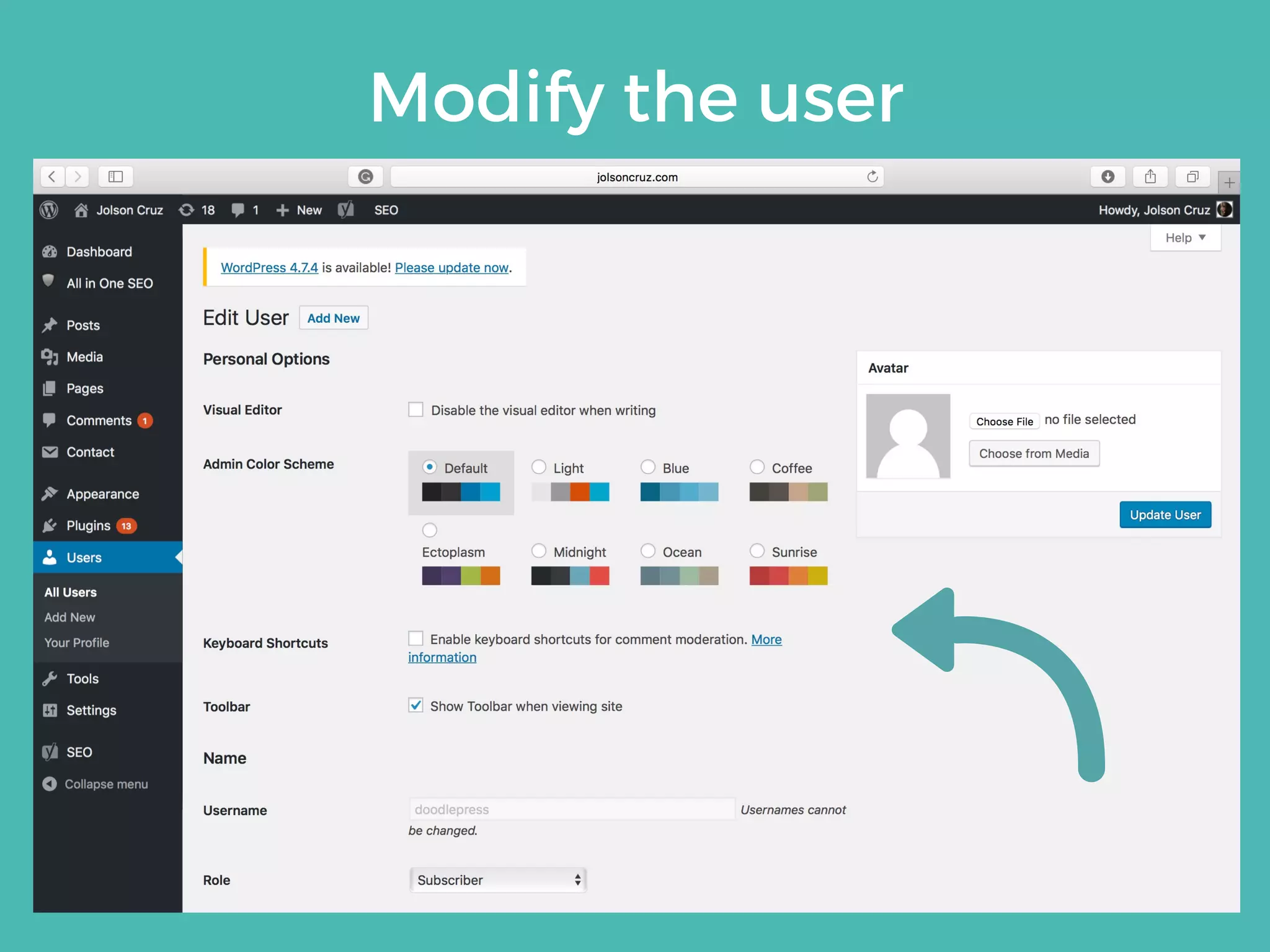
MODIFICATION
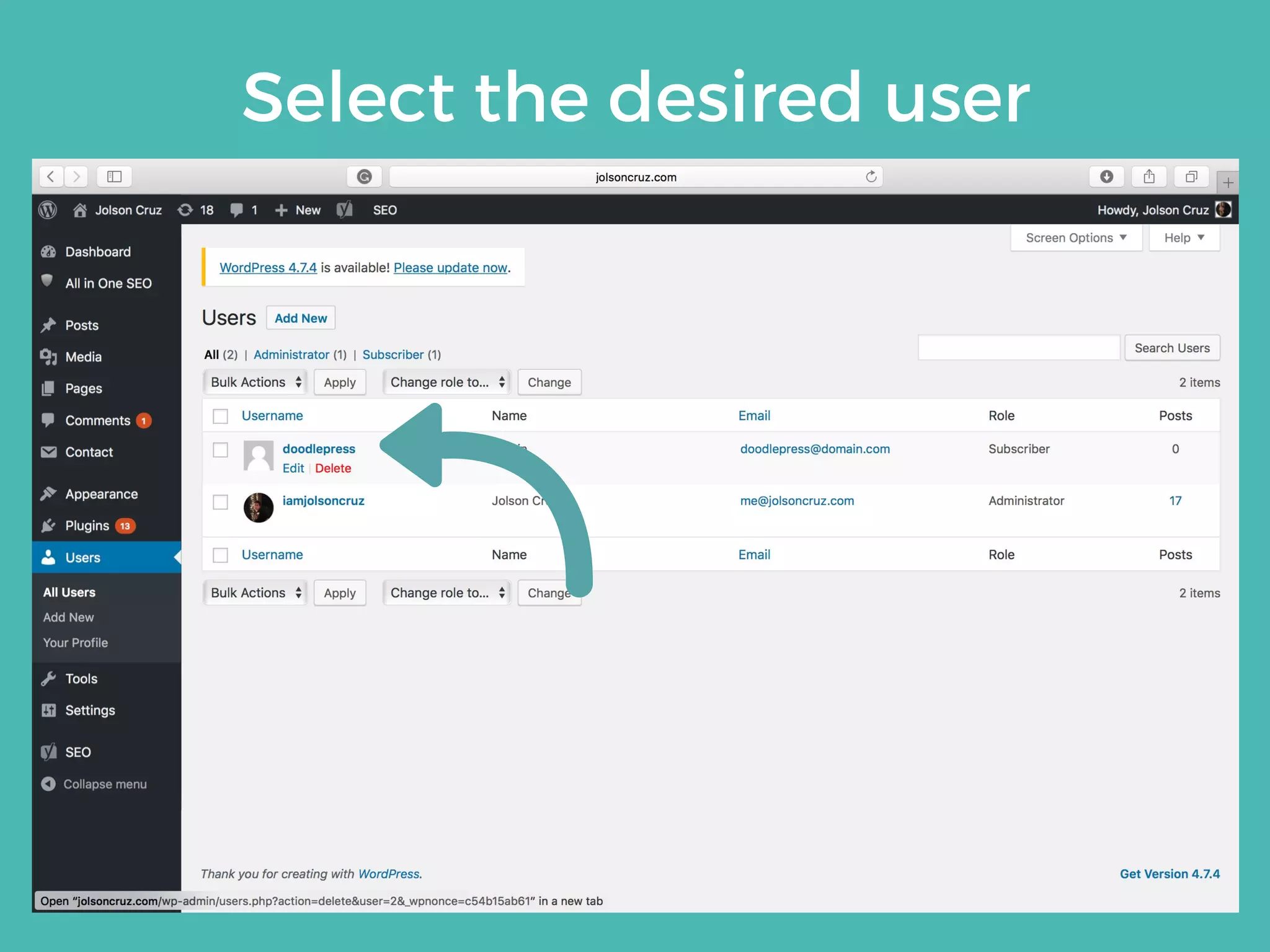
Click on "Users"
Select the desired user
Modify the user
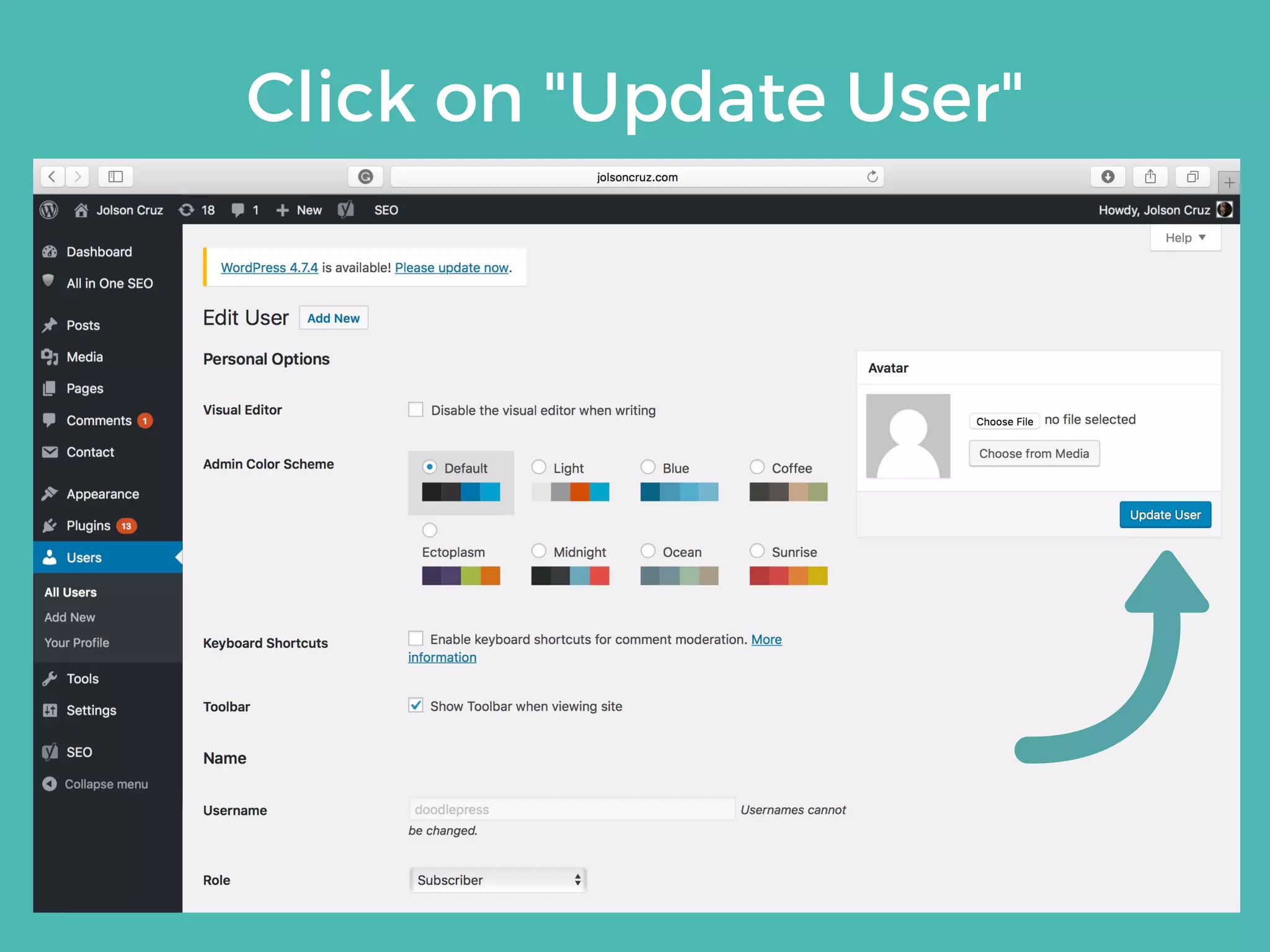
Click on "Update User"
USER
DELETION
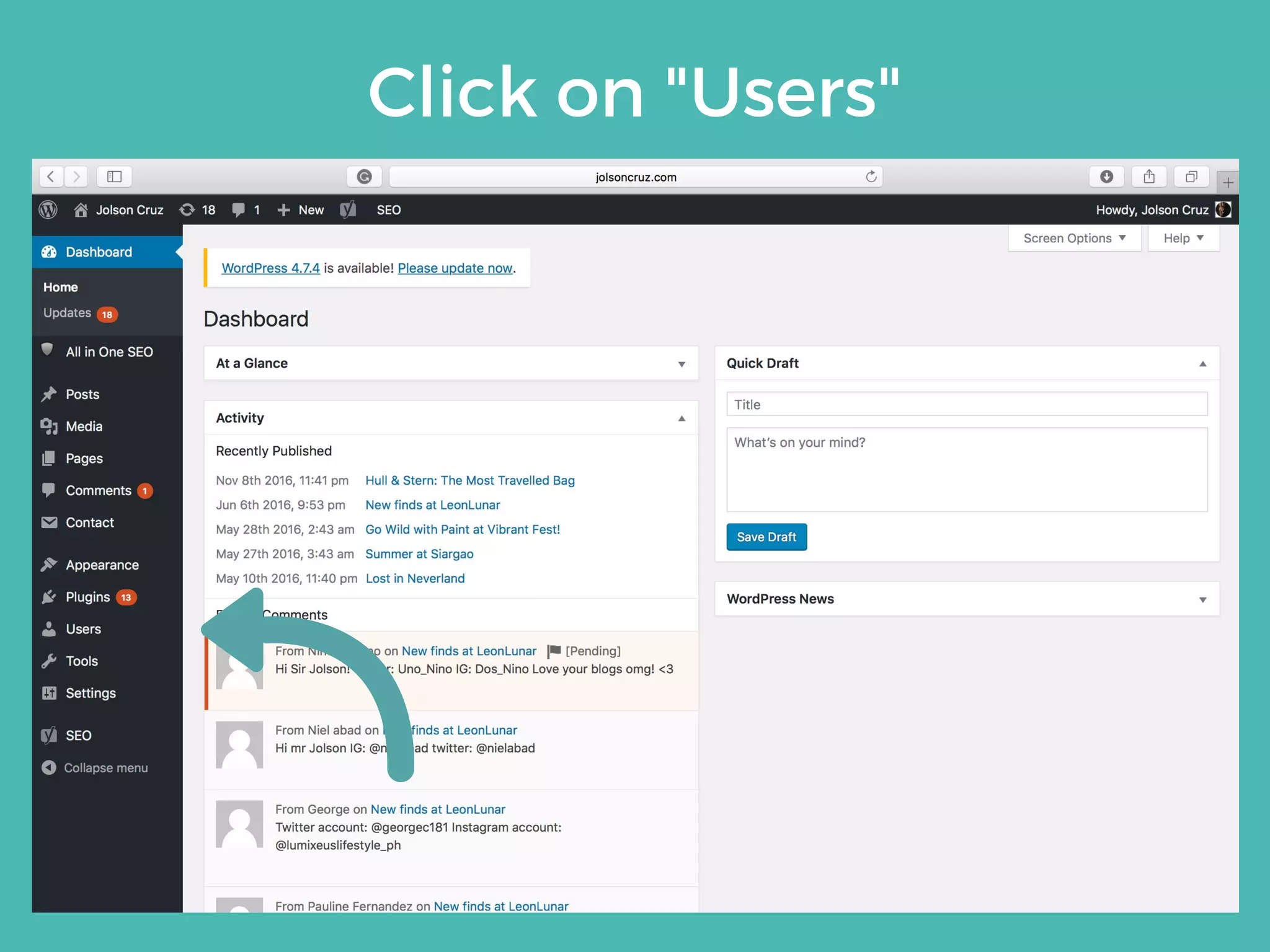
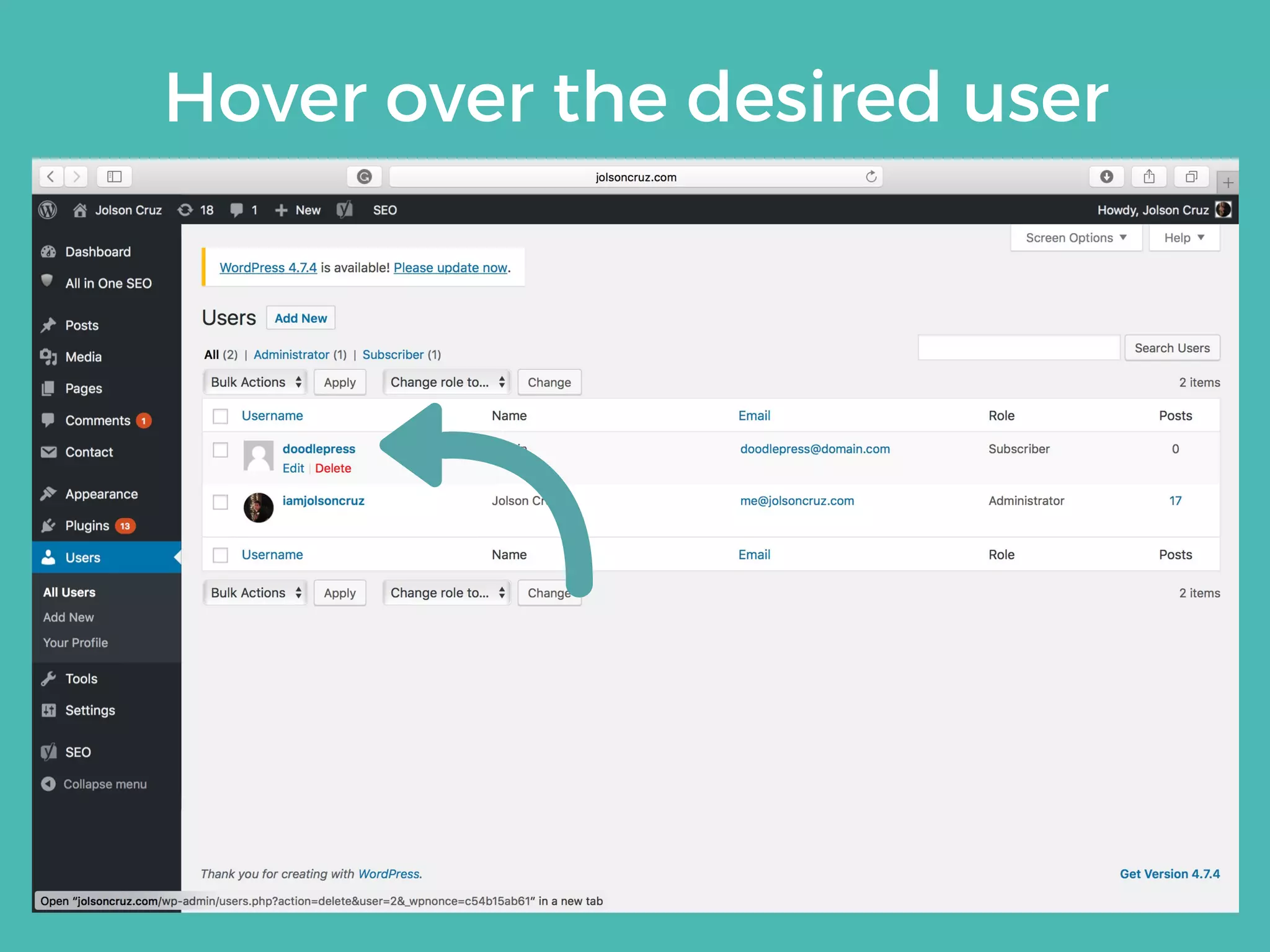
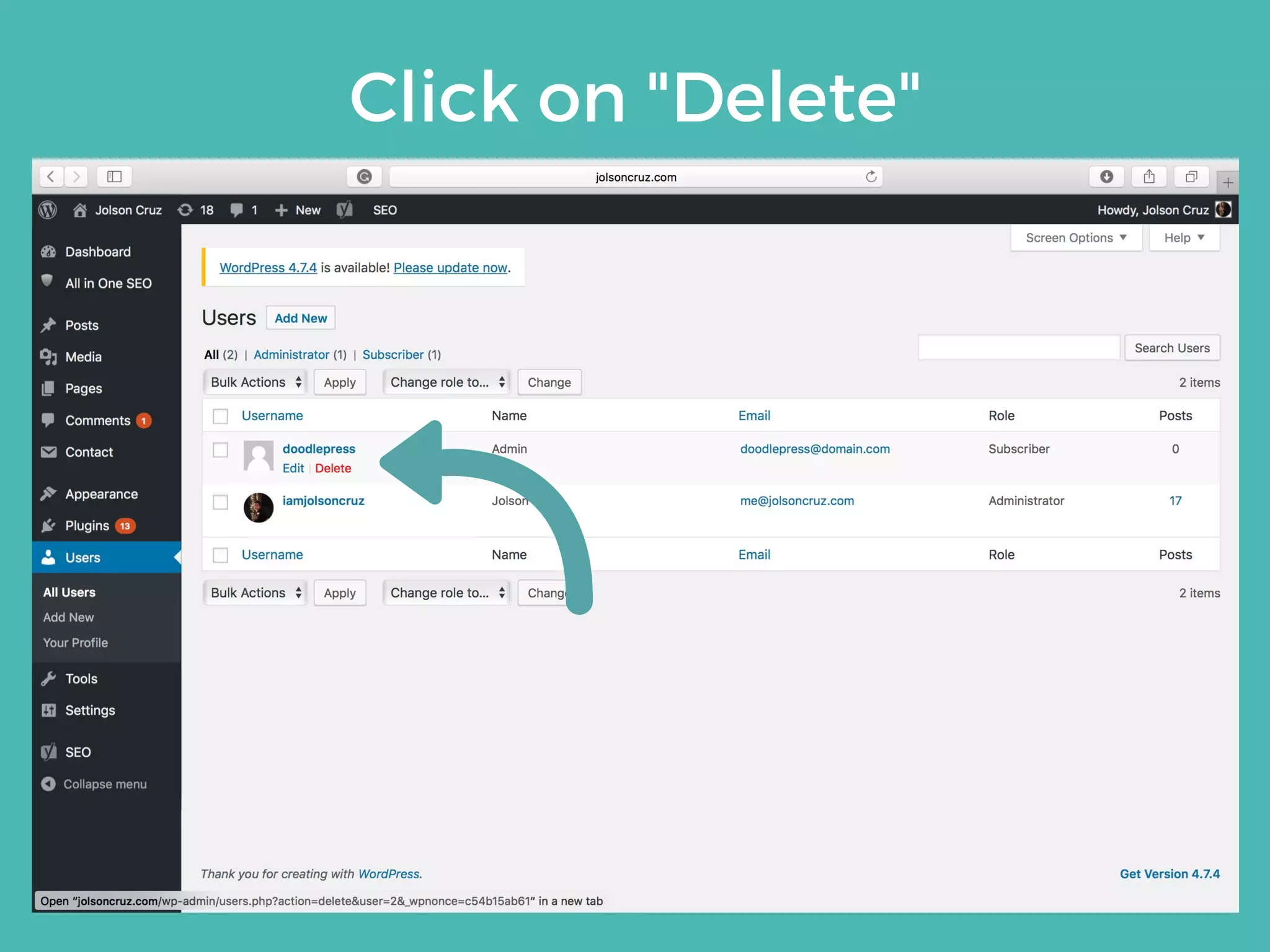
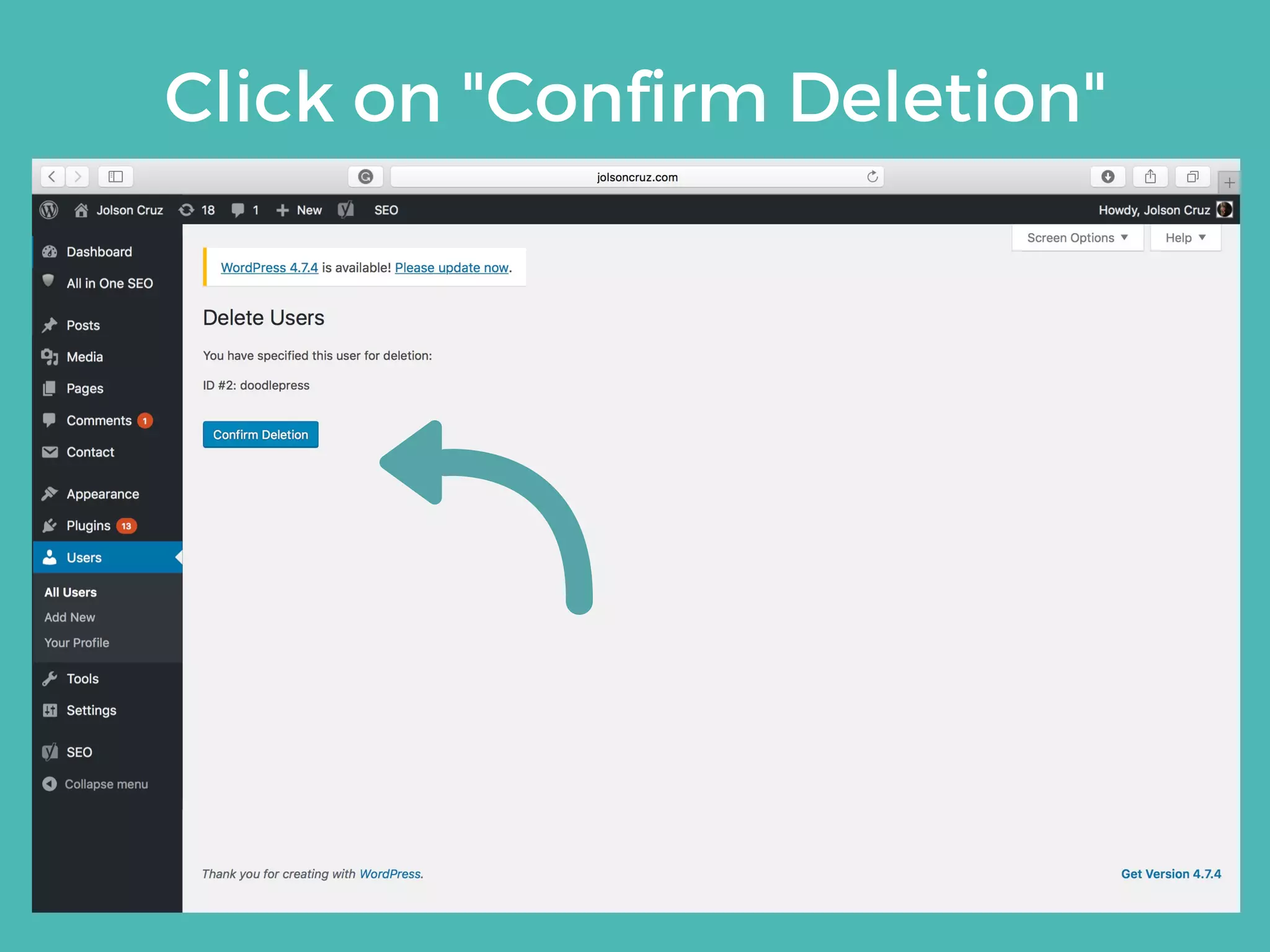
Click on "Users"
Hover over the desired user
Click on "Delete"
Click on "Confirm Deletion"
Additionals
4
Learn how to install
additional extensions
such as plugins and
themes using your
dashboard.
PLUGIN
INSTALLATION
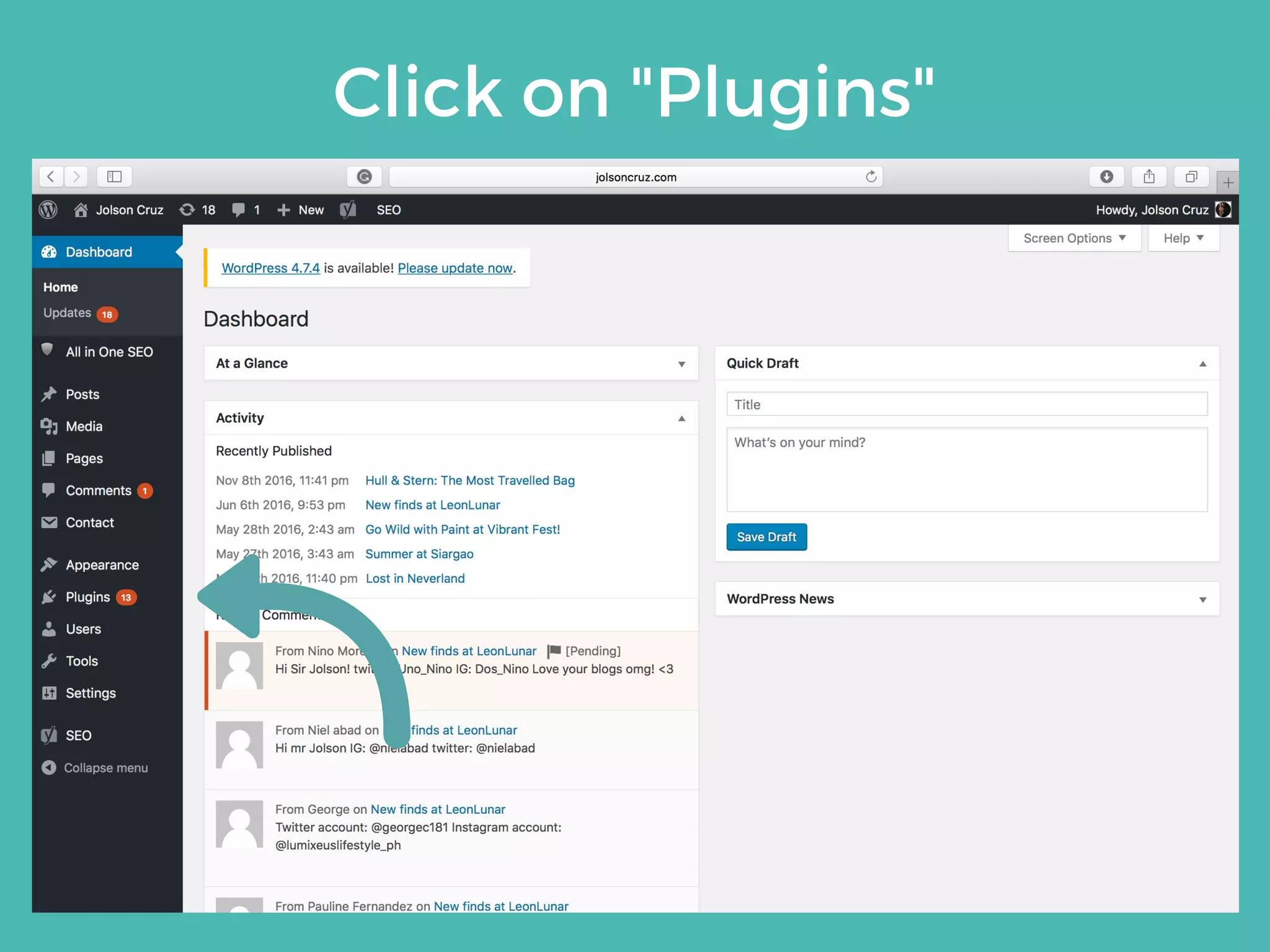
Click on "Plugins"
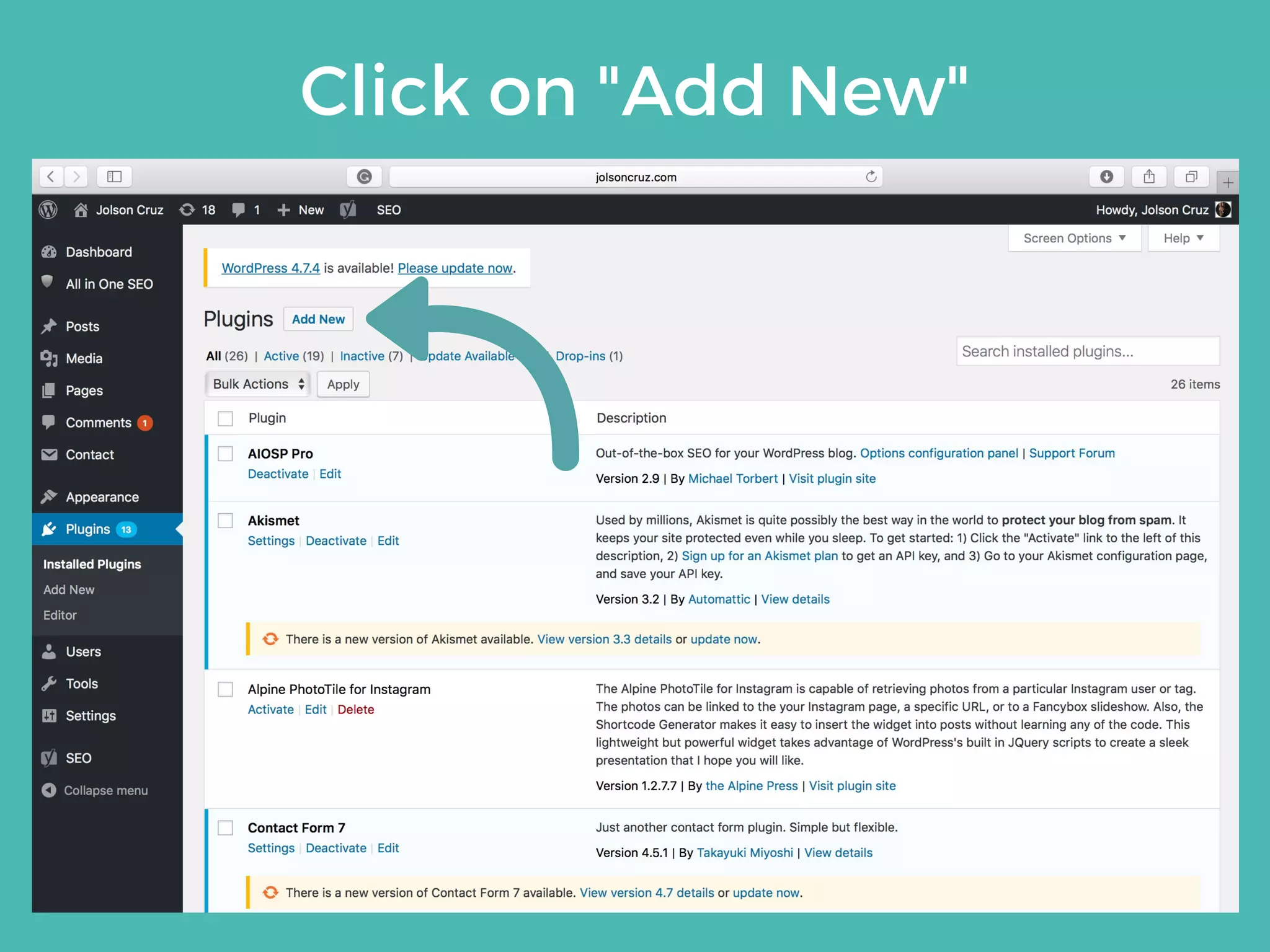
Click on "Add New"
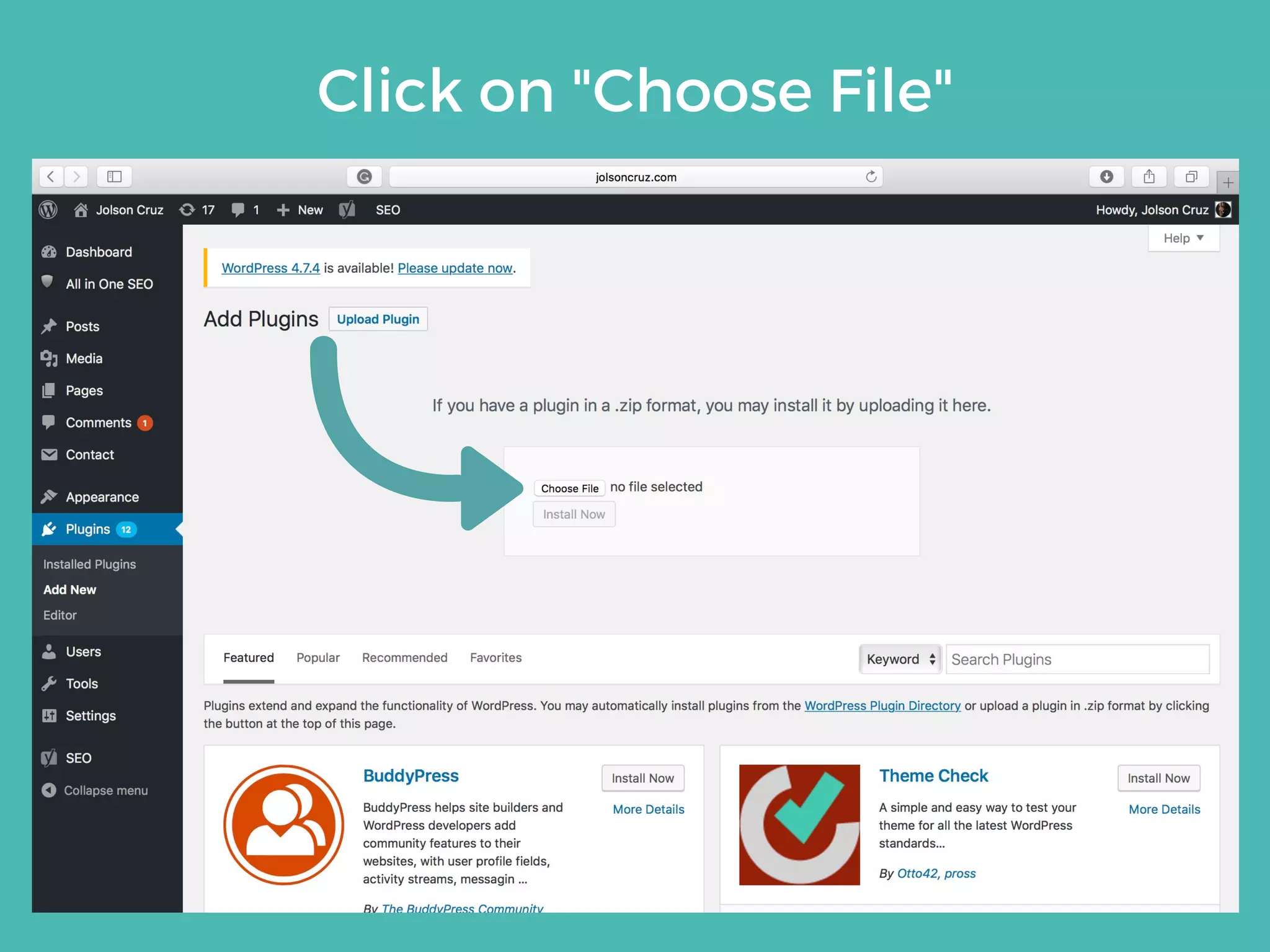
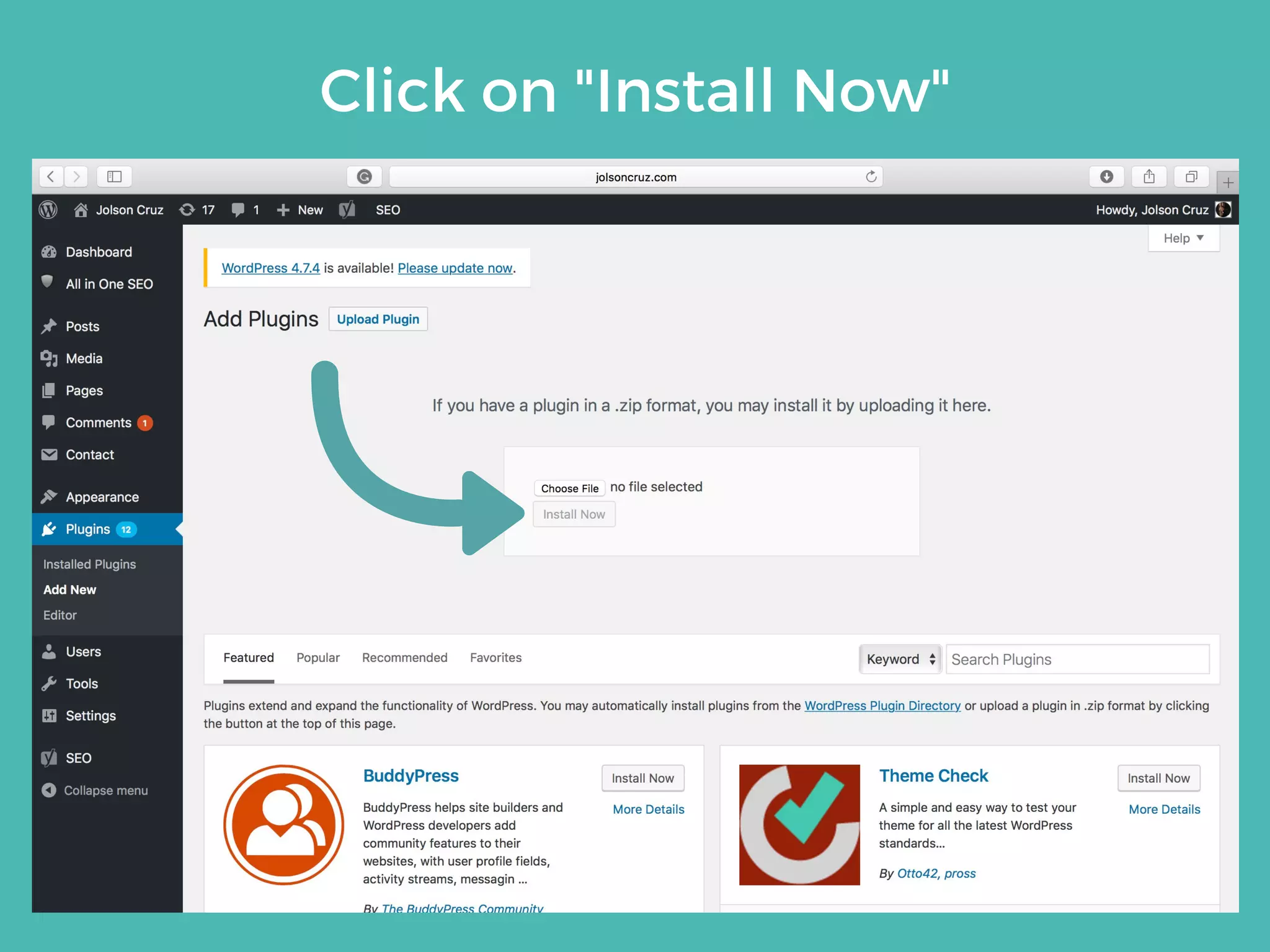
Click on "Install Now" or "Upload Plugin"
Click on "Choose File"
Click on "Install Now"
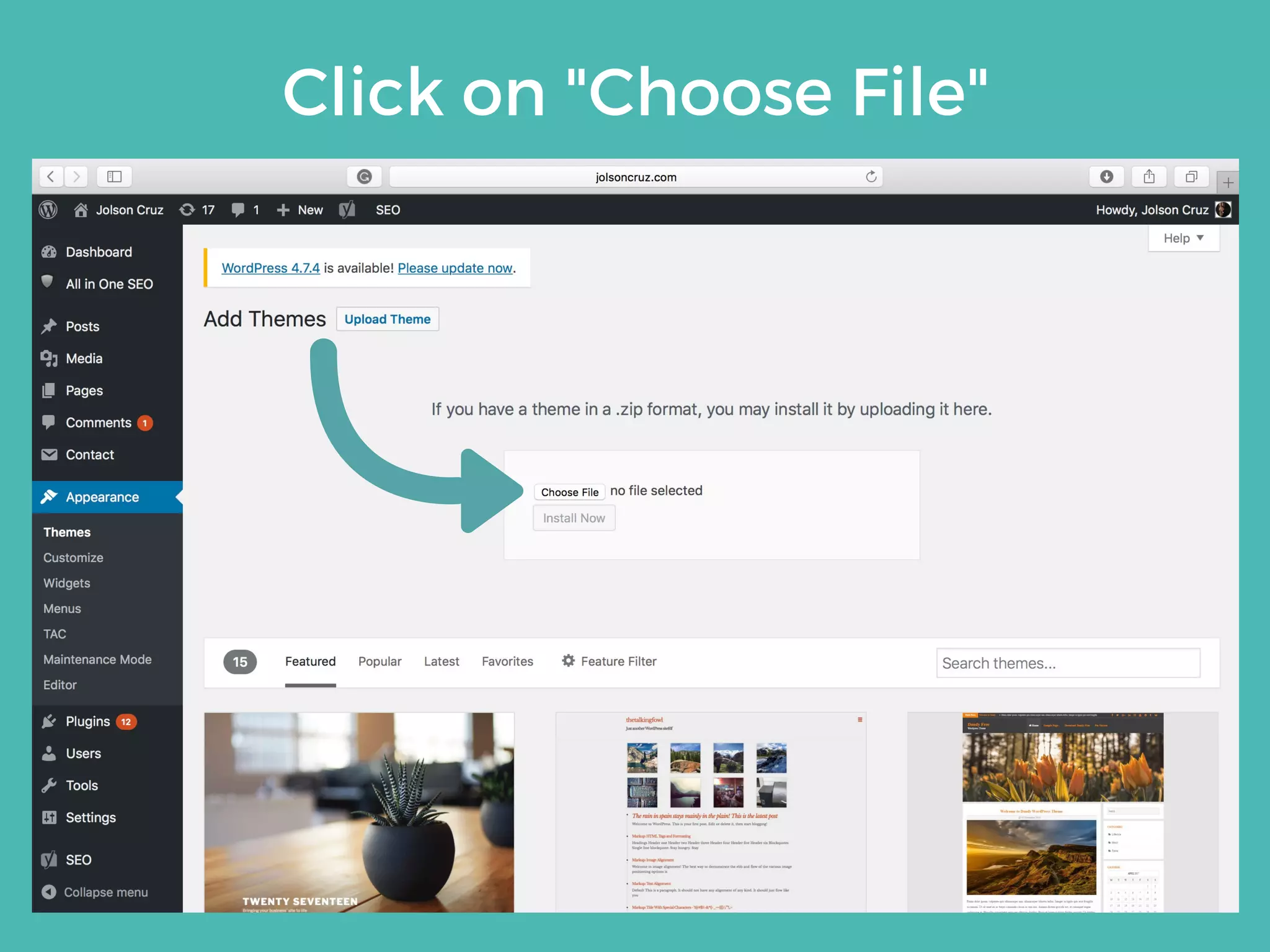
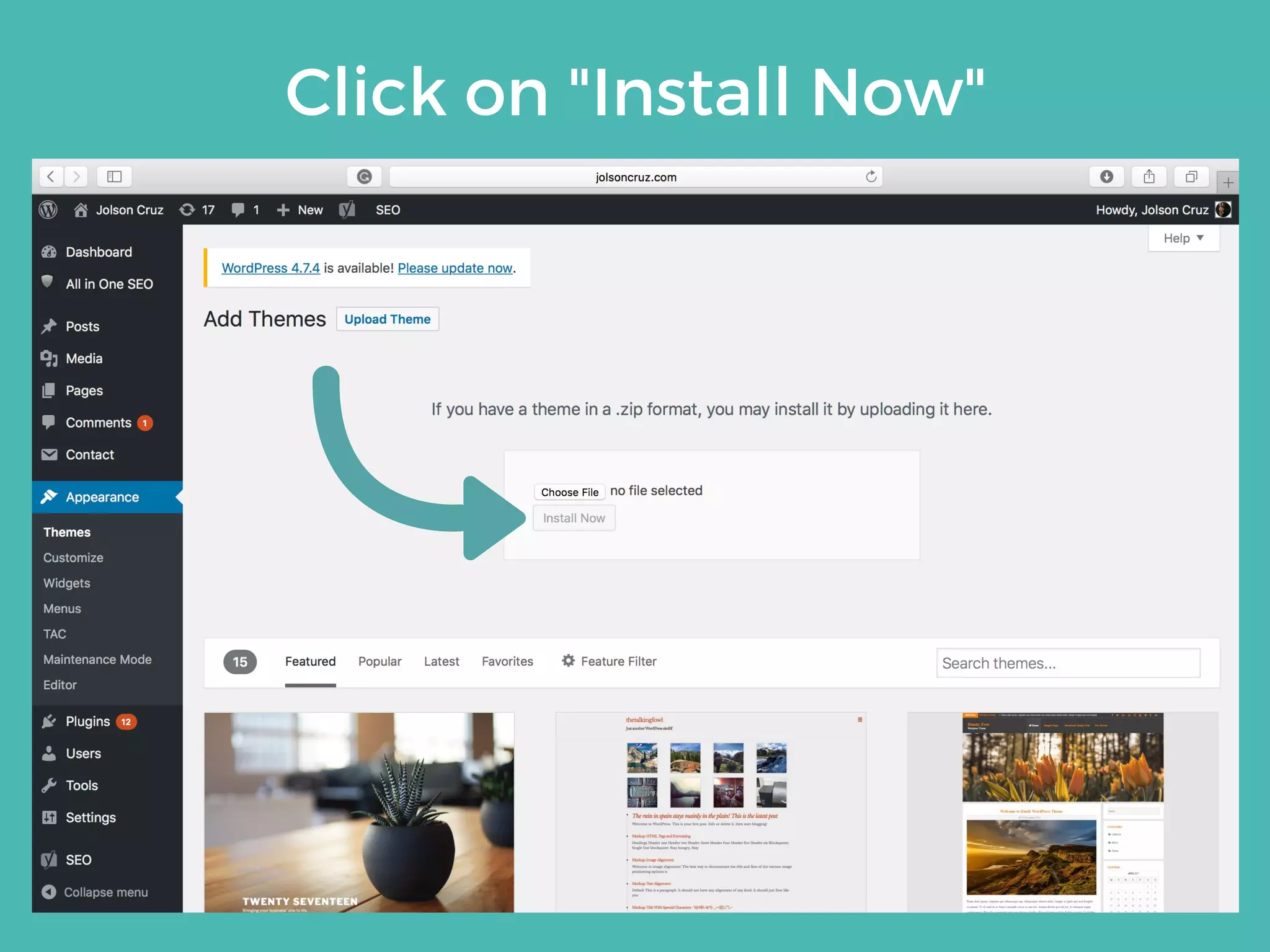
THEME
INSTALLATION
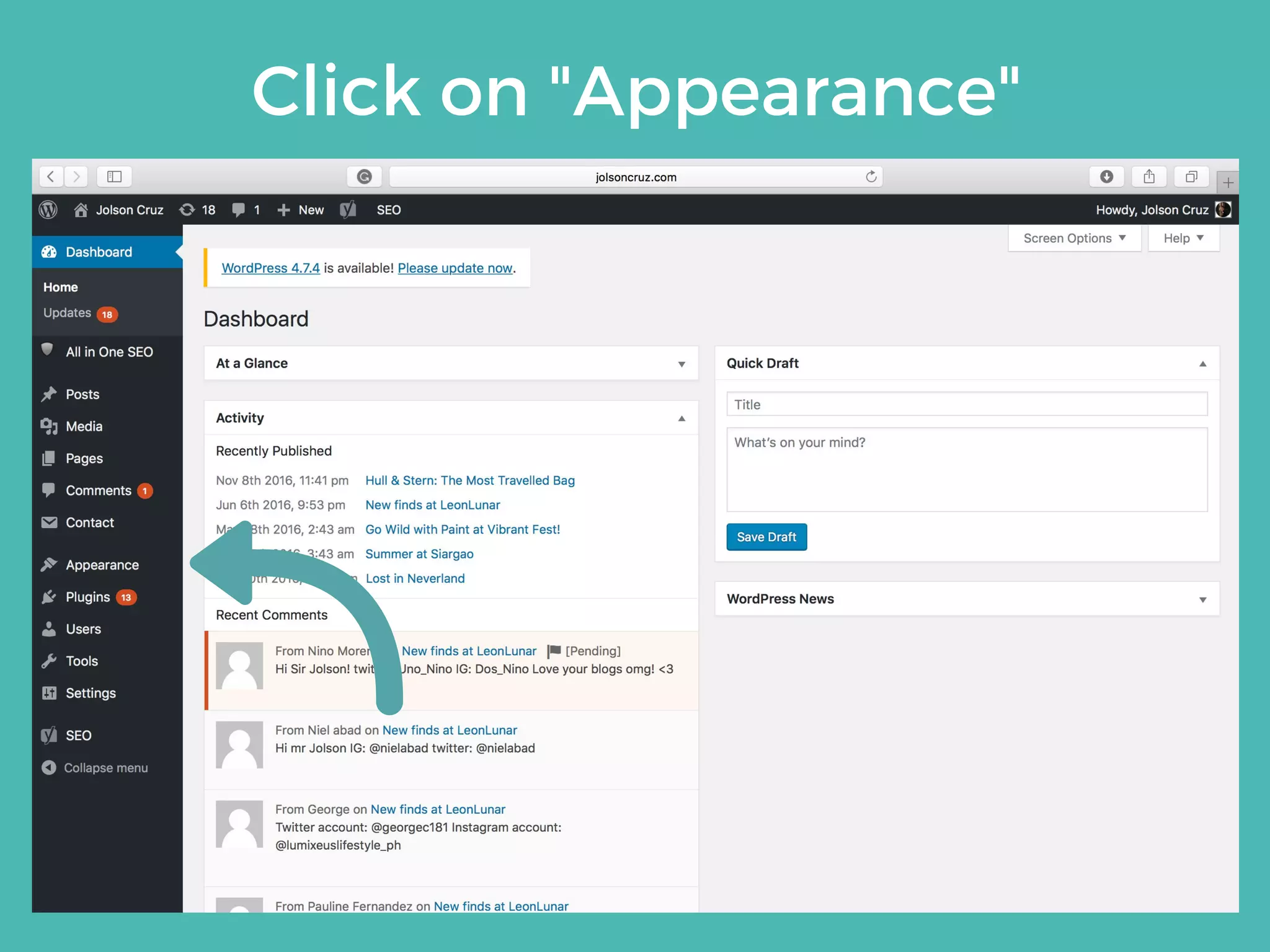
Click on "Appearance"
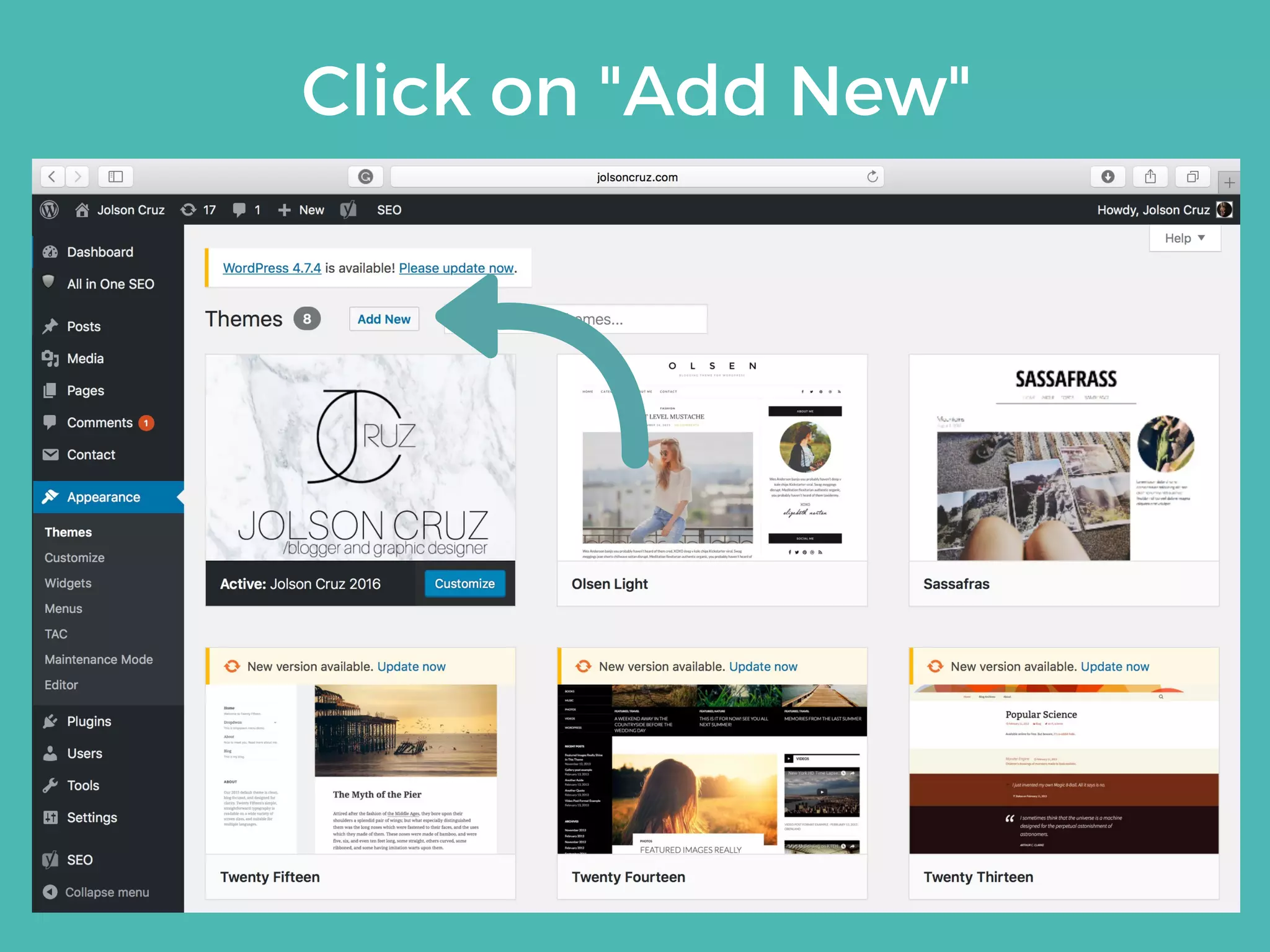
Click on "Add New"
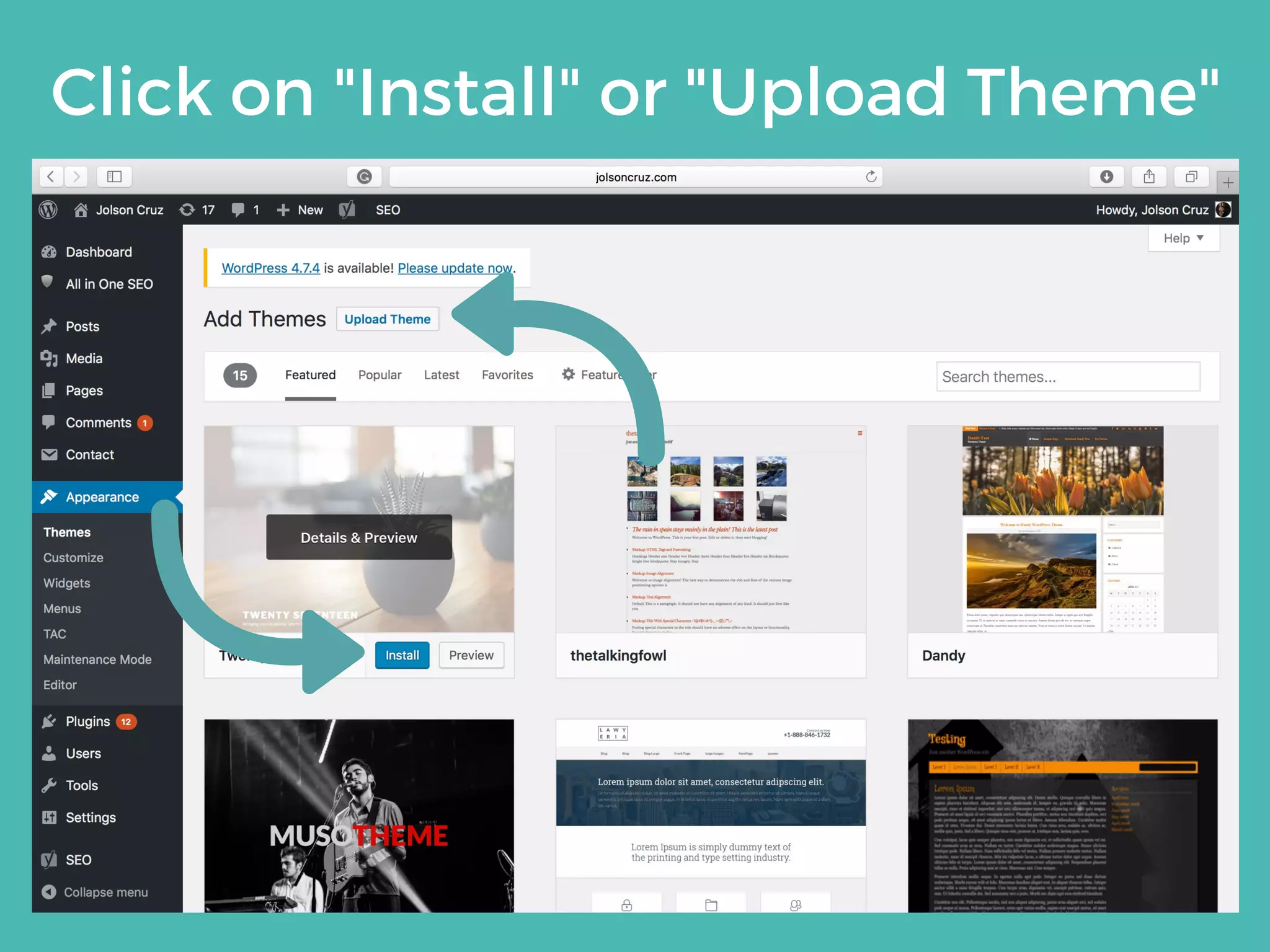
Click on "Install" or "Upload Theme"
Click on "Choose File"
Click on "Install Now"
Security
5
Don't waste your time
in chasing hackers.
Learn how to prevent a
security breach by
observing preventive
measures.
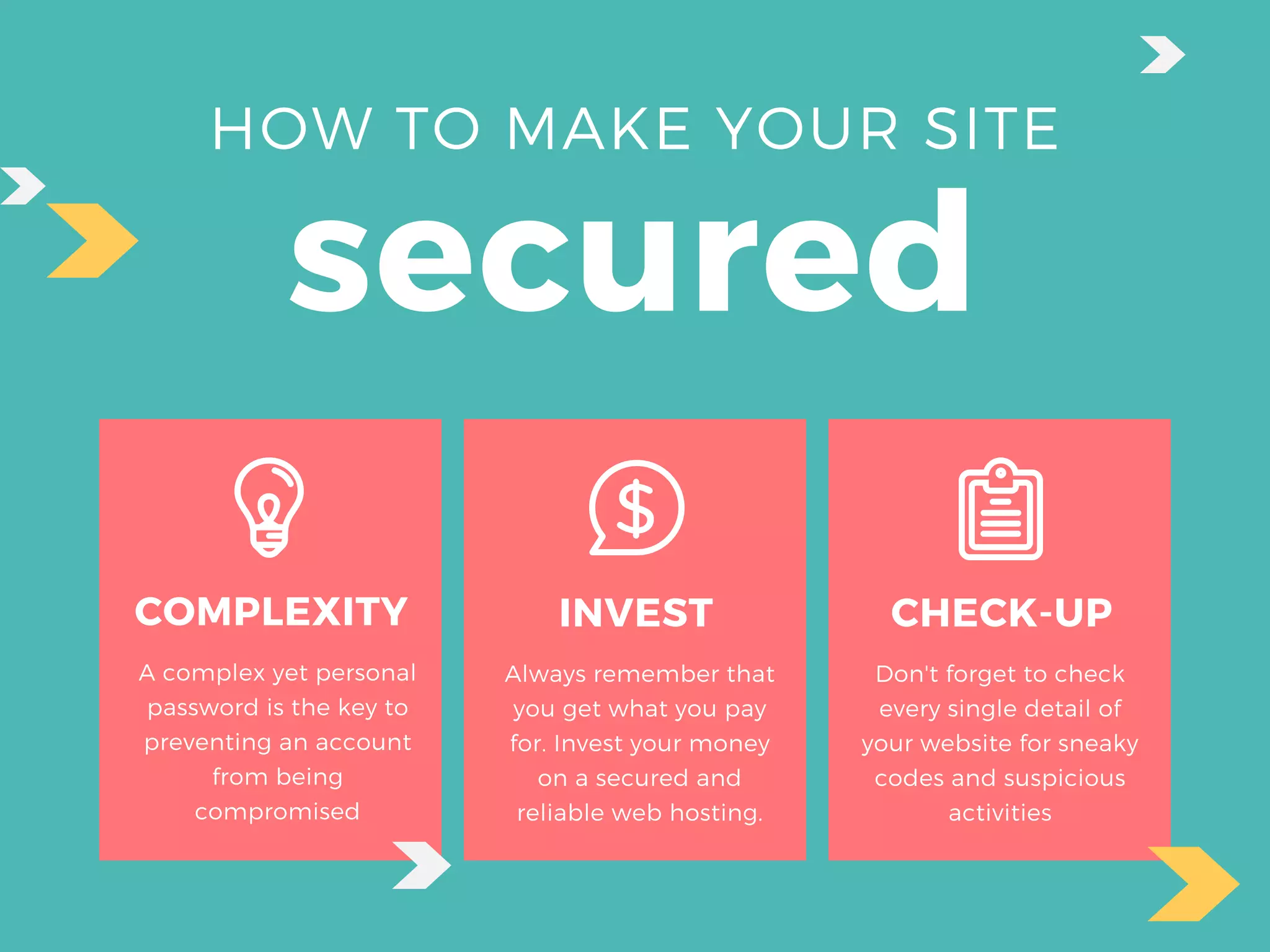
HOW TO MAKE YOUR SITE
secured
COMPLEXITY
A complex yet personal
password is the key to
preventing an account
from being
compromised
INVEST
Always remember that
you get what you pay
for. Invest your money
on a secured and
reliable web hosting.
CHECK-UP
Don't forget to check
every single detail of
your website for sneaky
codes and suspicious
activities
Thank
You!
An instructional manual
provided by
Doodlepress Media Consulting
https://doodlepressmedia.com

Wordpress CMS tutorial and guide manual