WooCommerce
Theming with Storefront
 Merrill M. Mayer
 Kool Kat Web Designs
 http://www.koolkatwebdesigns.com/
 merrill@koolkatwebdesigns.com
 @koolkatweb
Why Storefront
 Based on Underscores
 WooCommerce Integration
 Schema Markup
 Extensions
Ways to Customize
 Extensions
 Storefront Child Themes
 Build your Own Child Theme
Child Theme Review
A basic child theme consists of:
• Child Theme Directory
• style.css
• functions.php
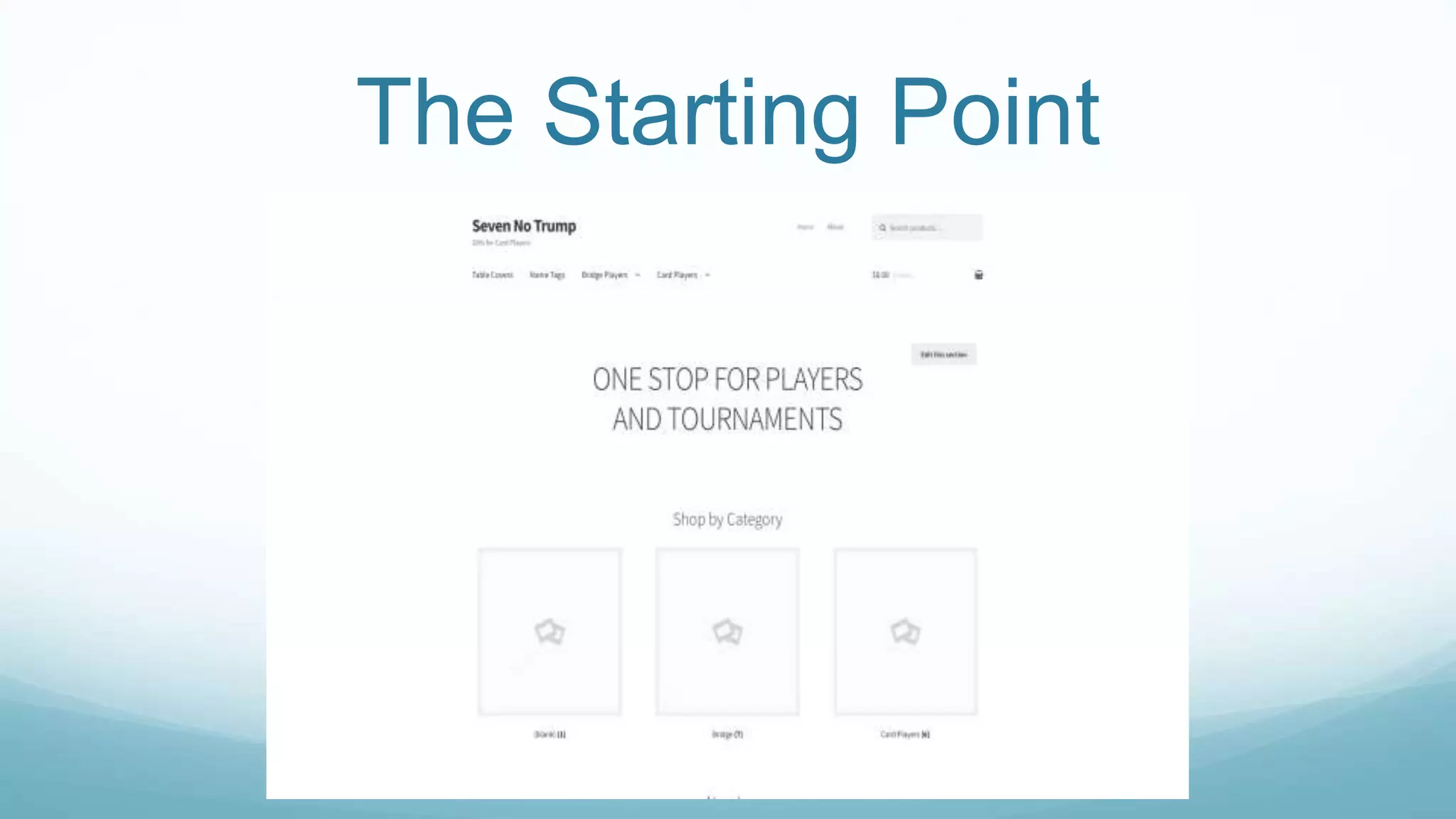
The Starting Point
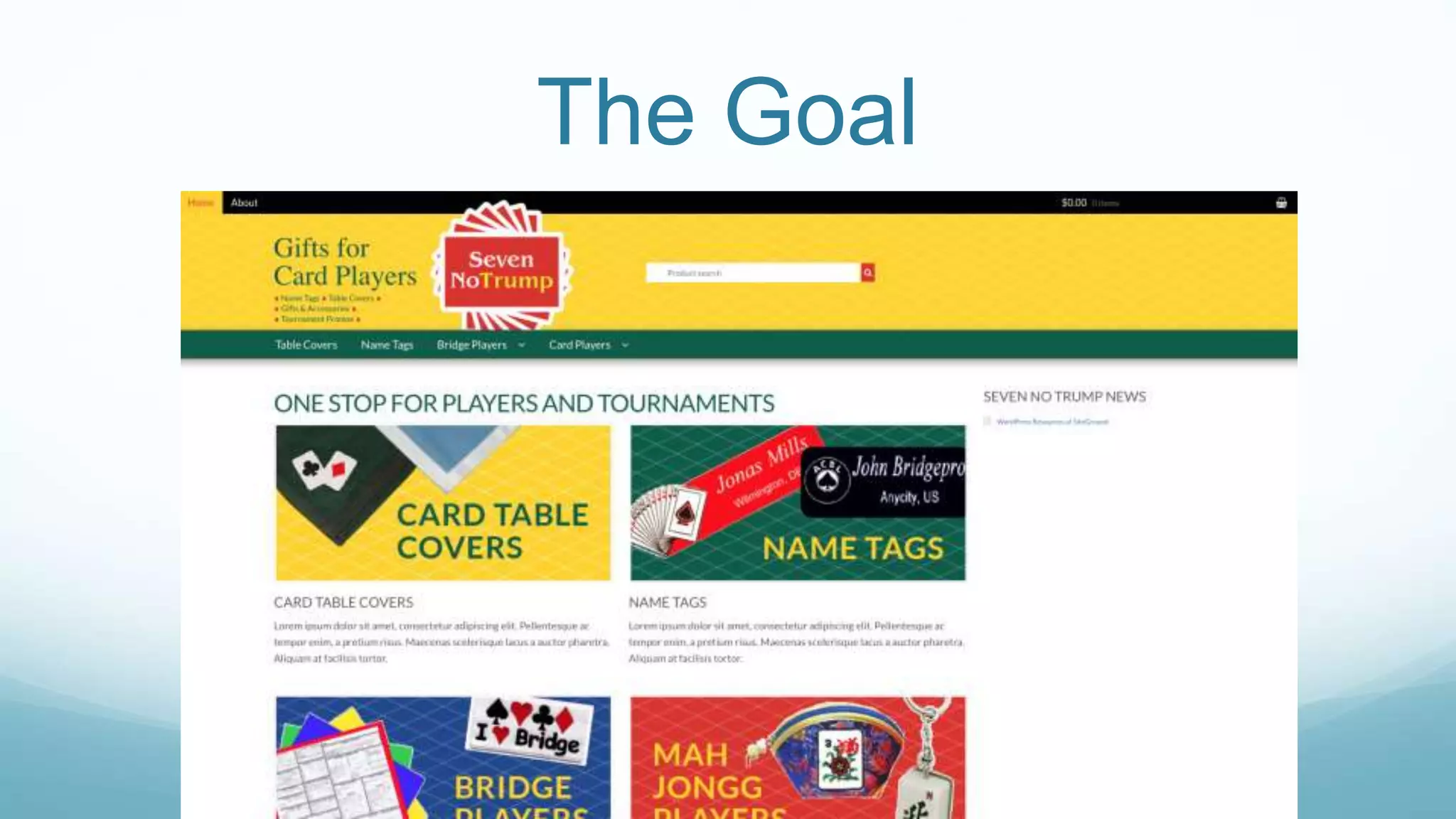
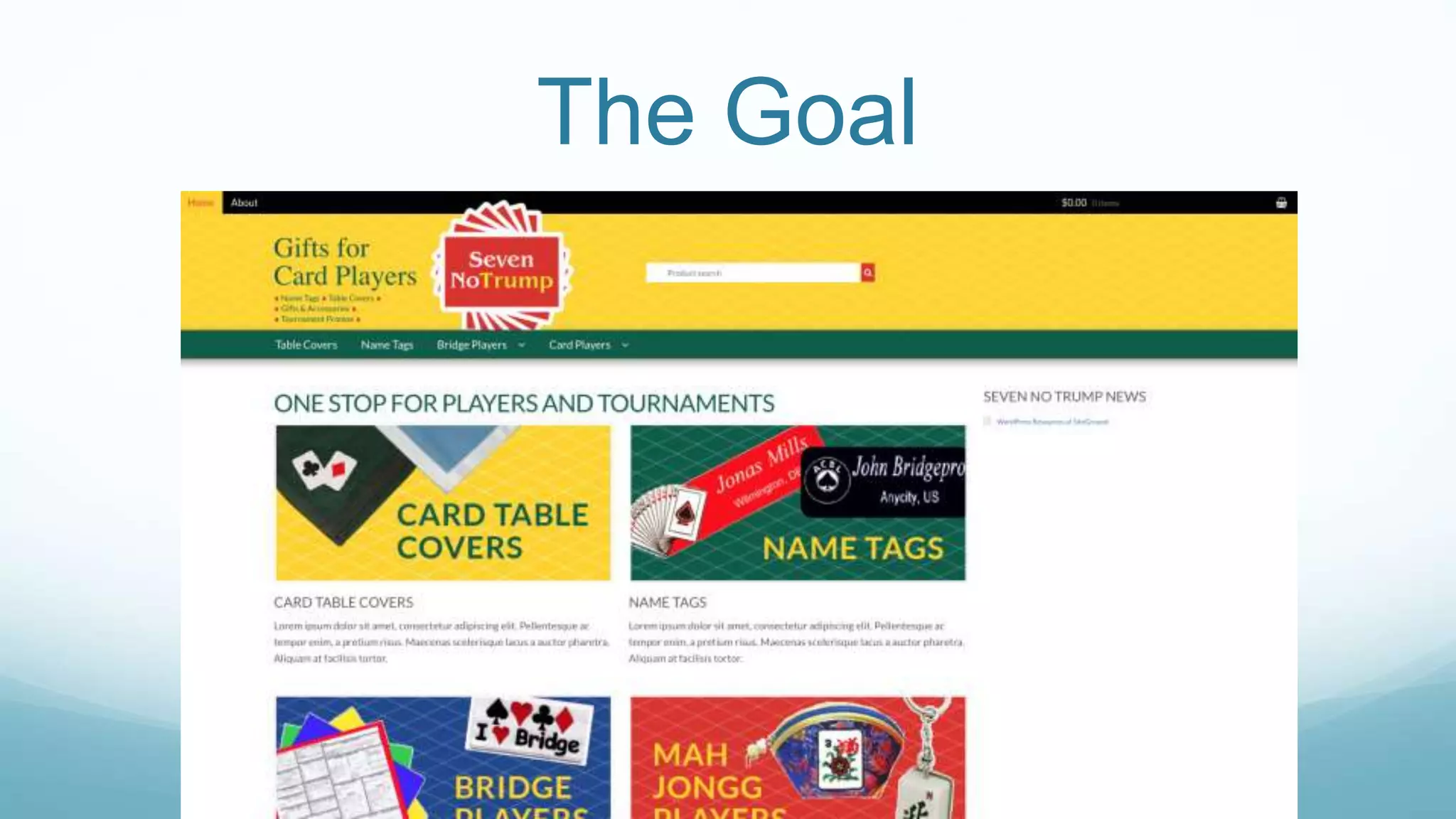
The Goal
Styles
 Custom styles go into the child theme’s stylesheet.
 Storefront uses the SASS pre-processor
Fonts
 Enqueue the Google fonts we want to use.
 Dequeue the Google fonts we want to use in the
Storefront theme we do not need.
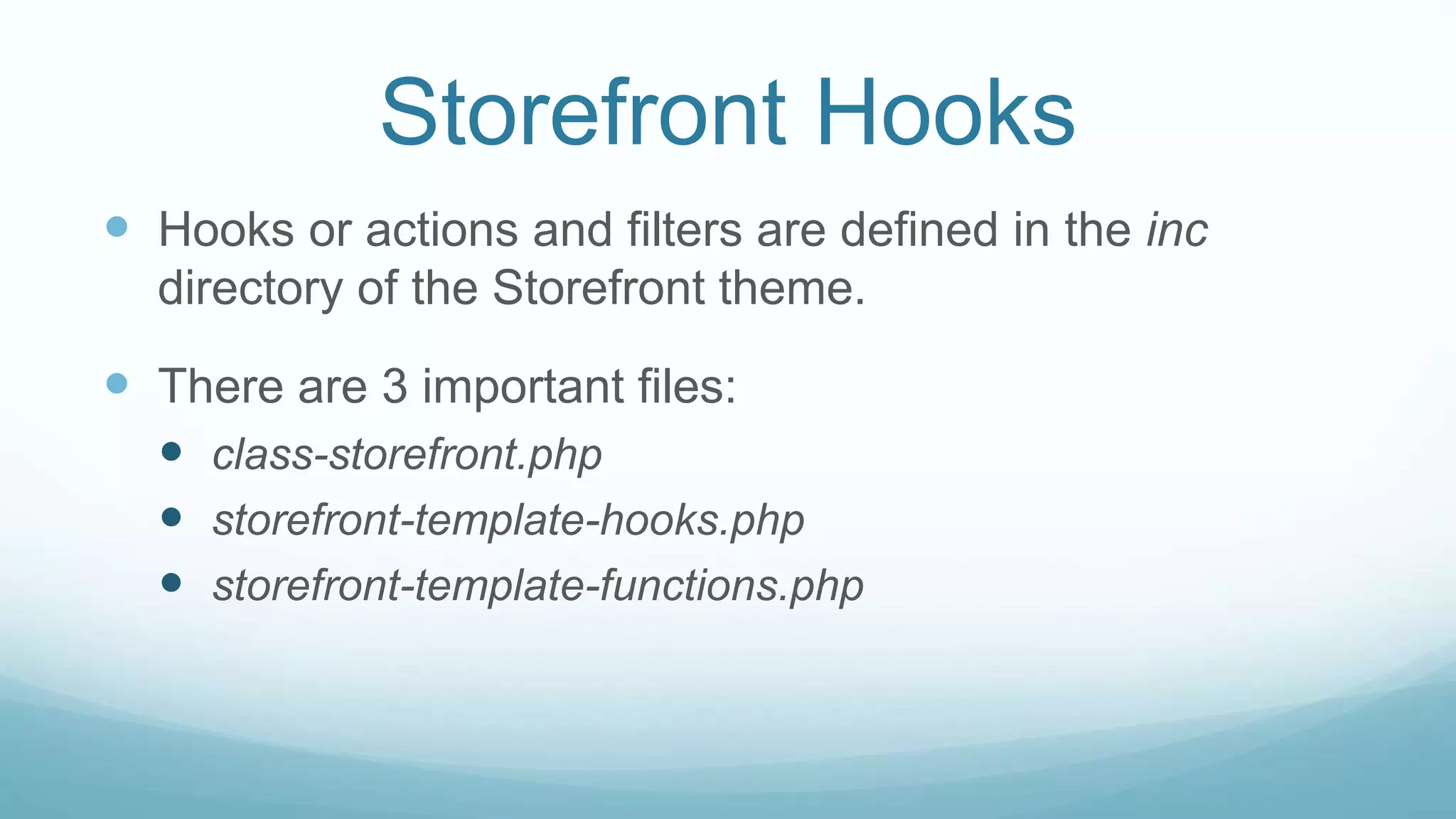
Storefront Hooks
 Hooks or actions and filters are defined in the inc
directory of the Storefront theme.
 There are 3 important files:
 class-storefront.php
 storefront-template-hooks.php
 storefront-template-functions.php
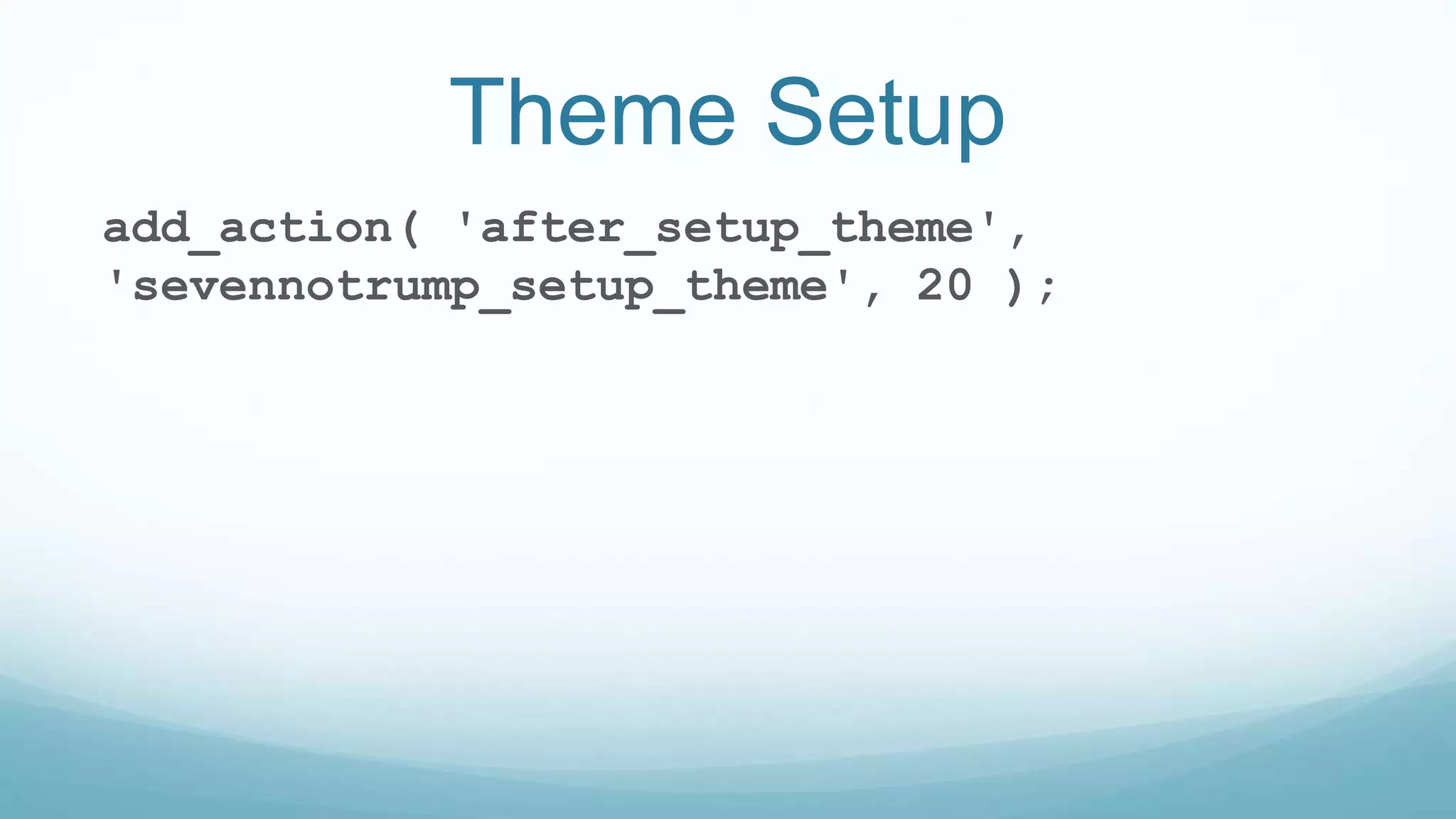
Theme Setup
add_action( 'after_setup_theme',
'sevennotrump_setup_theme', 20 );
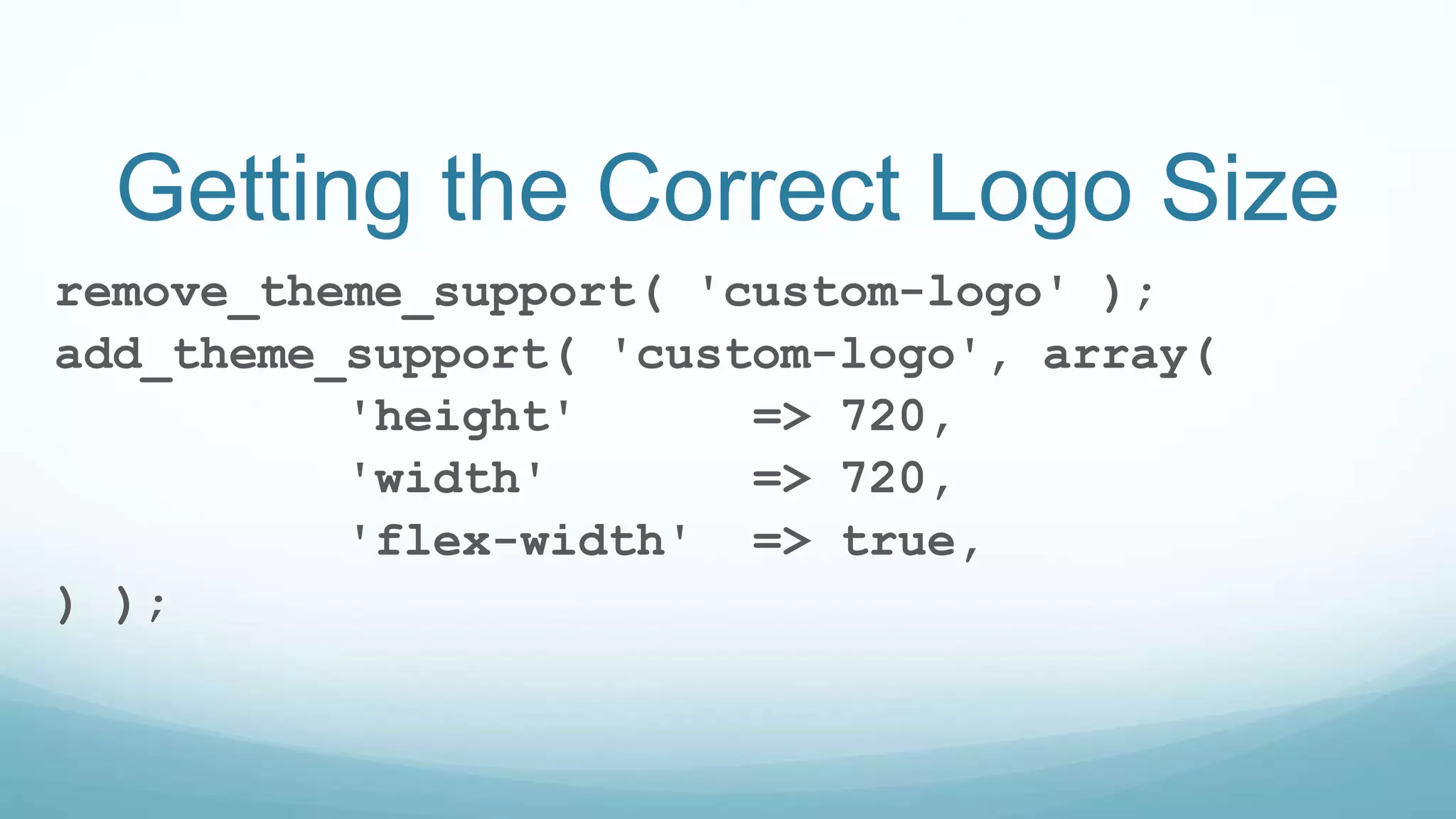
Getting the Correct Logo Size
remove_theme_support( 'custom-logo' );
add_theme_support( 'custom-logo', array(
'height' => 720,
'width' => 720,
'flex-width' => true,
) );
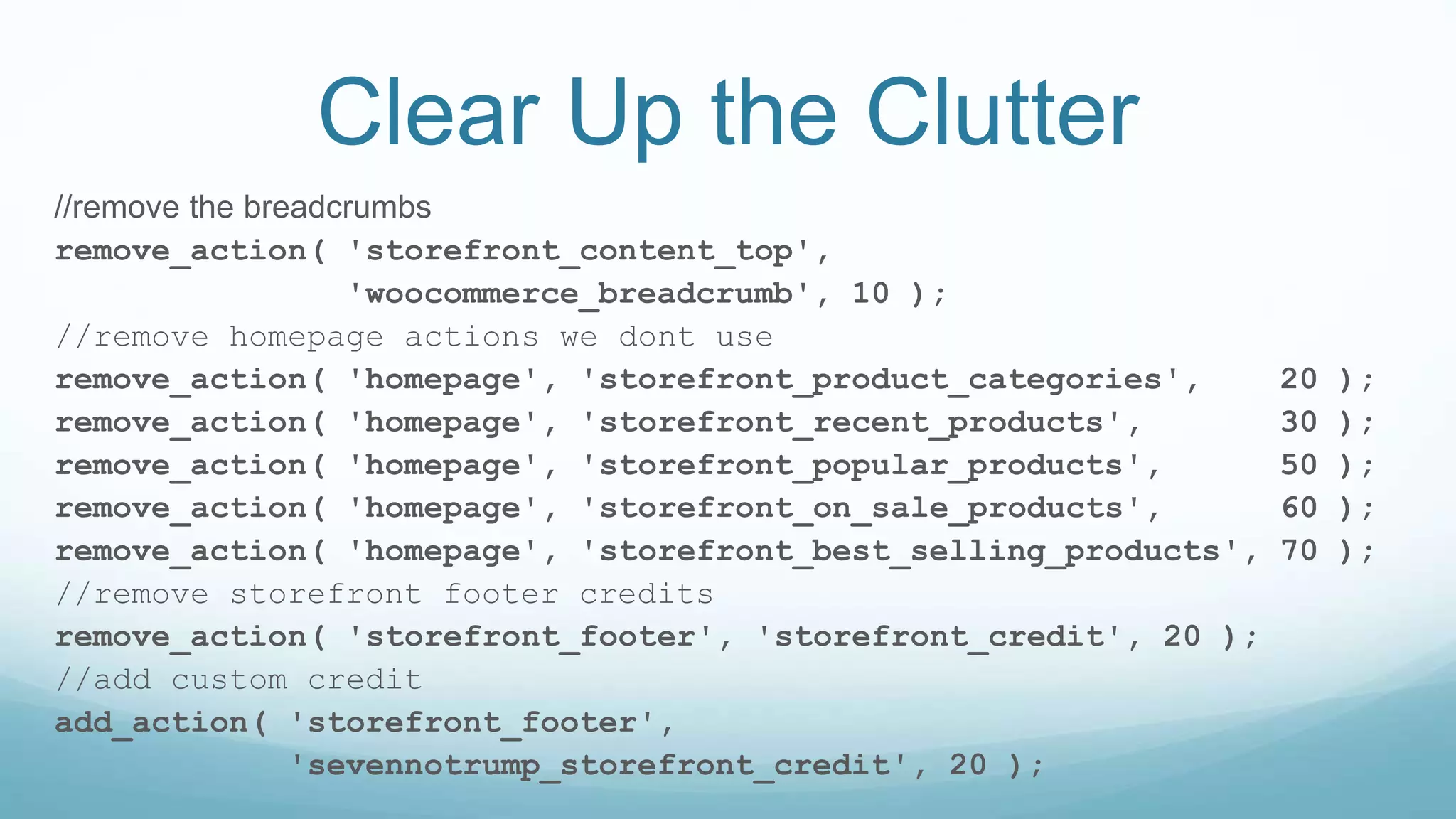
Clear Up the Clutter
//remove the breadcrumbs
remove_action( 'storefront_content_top',
'woocommerce_breadcrumb', 10 );
//remove homepage actions we dont use
remove_action( 'homepage', 'storefront_product_categories', 20 );
remove_action( 'homepage', 'storefront_recent_products', 30 );
remove_action( 'homepage', 'storefront_popular_products', 50 );
remove_action( 'homepage', 'storefront_on_sale_products', 60 );
remove_action( 'homepage', 'storefront_best_selling_products', 70 );
//remove storefront footer credits
remove_action( 'storefront_footer', 'storefront_credit', 20 );
//add custom credit
add_action( 'storefront_footer',
'sevennotrump_storefront_credit', 20 );
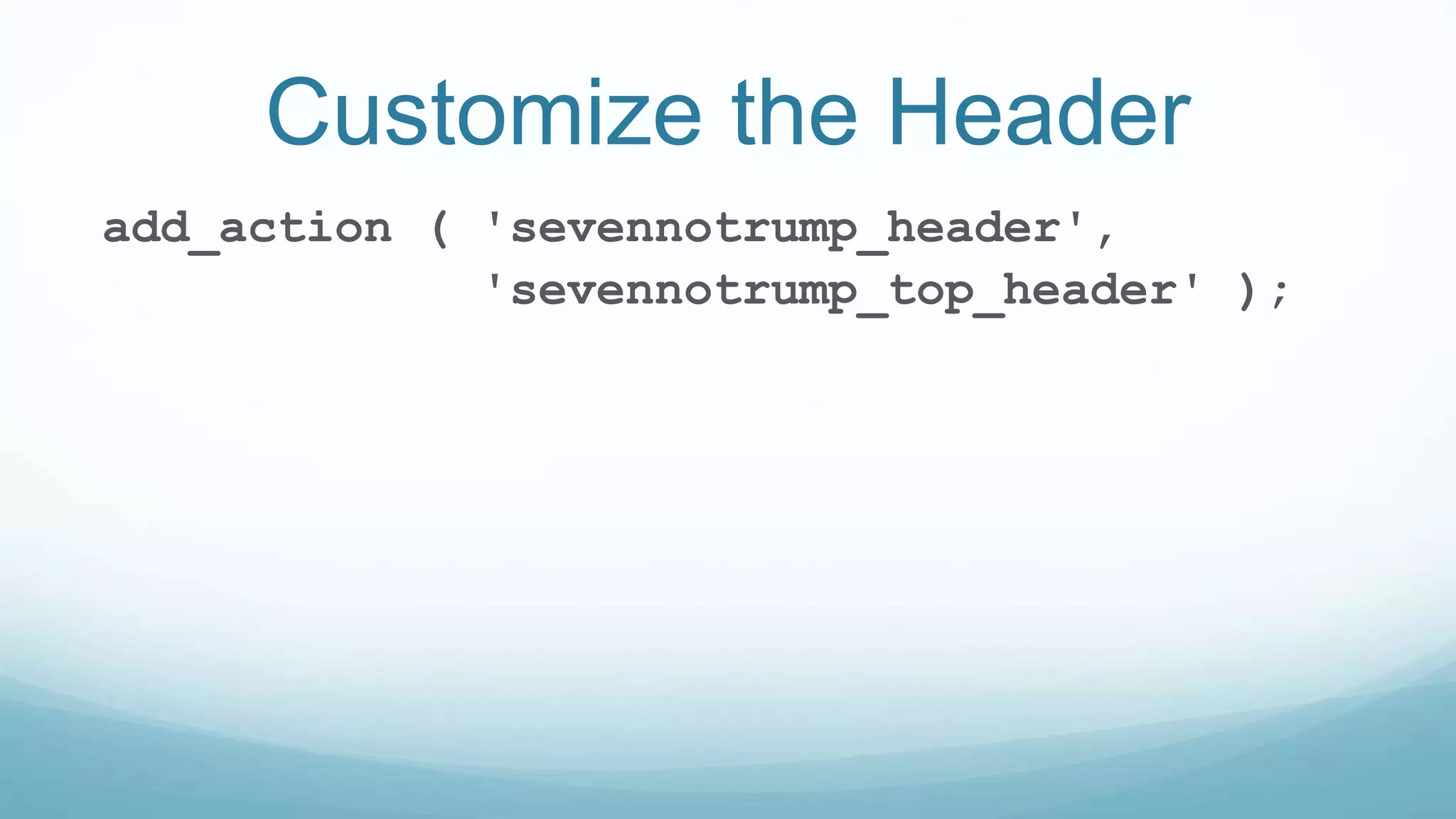
Customize the Header
add_action ( 'sevennotrump_header',
'sevennotrump_top_header' );
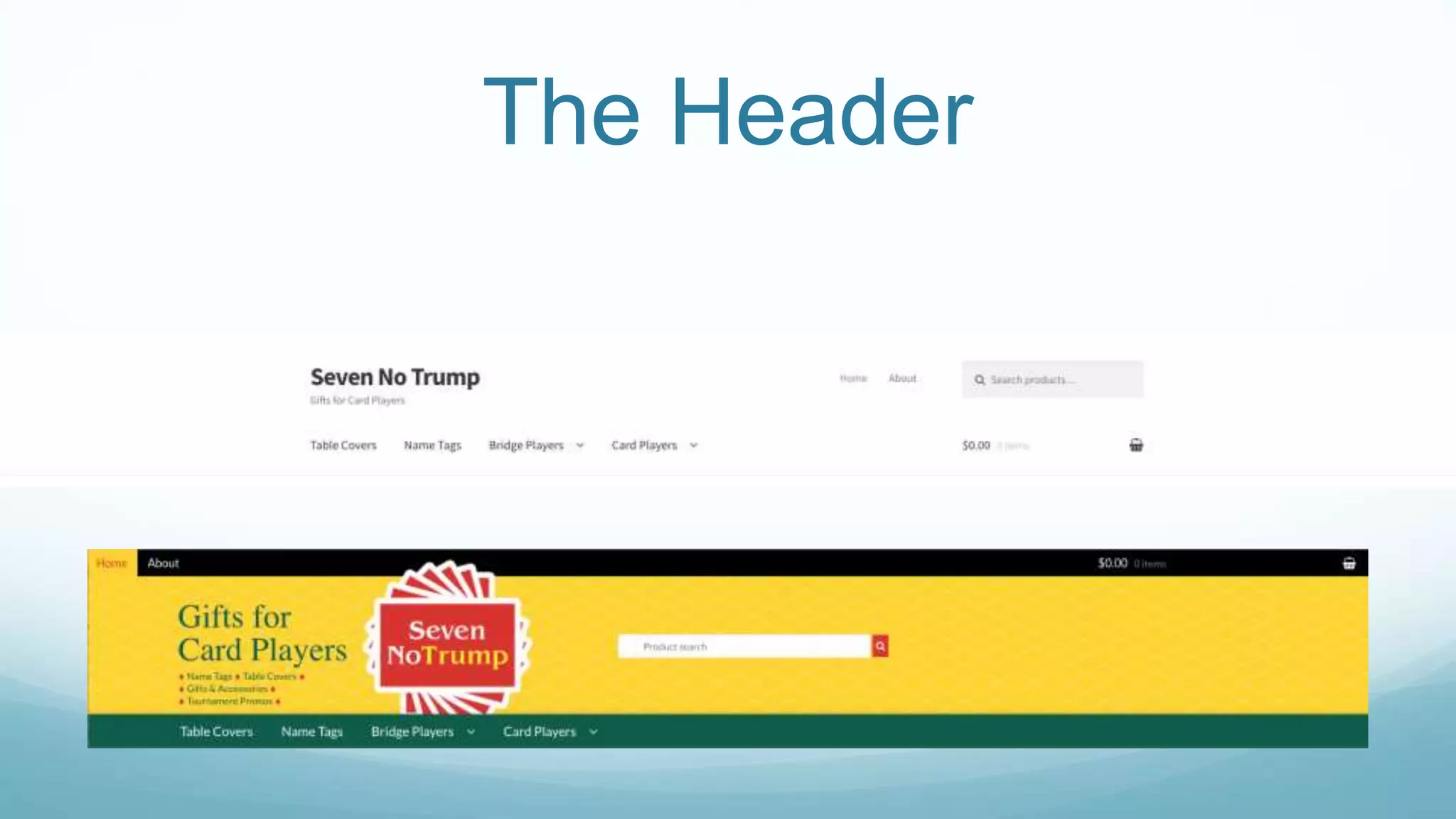
The Header
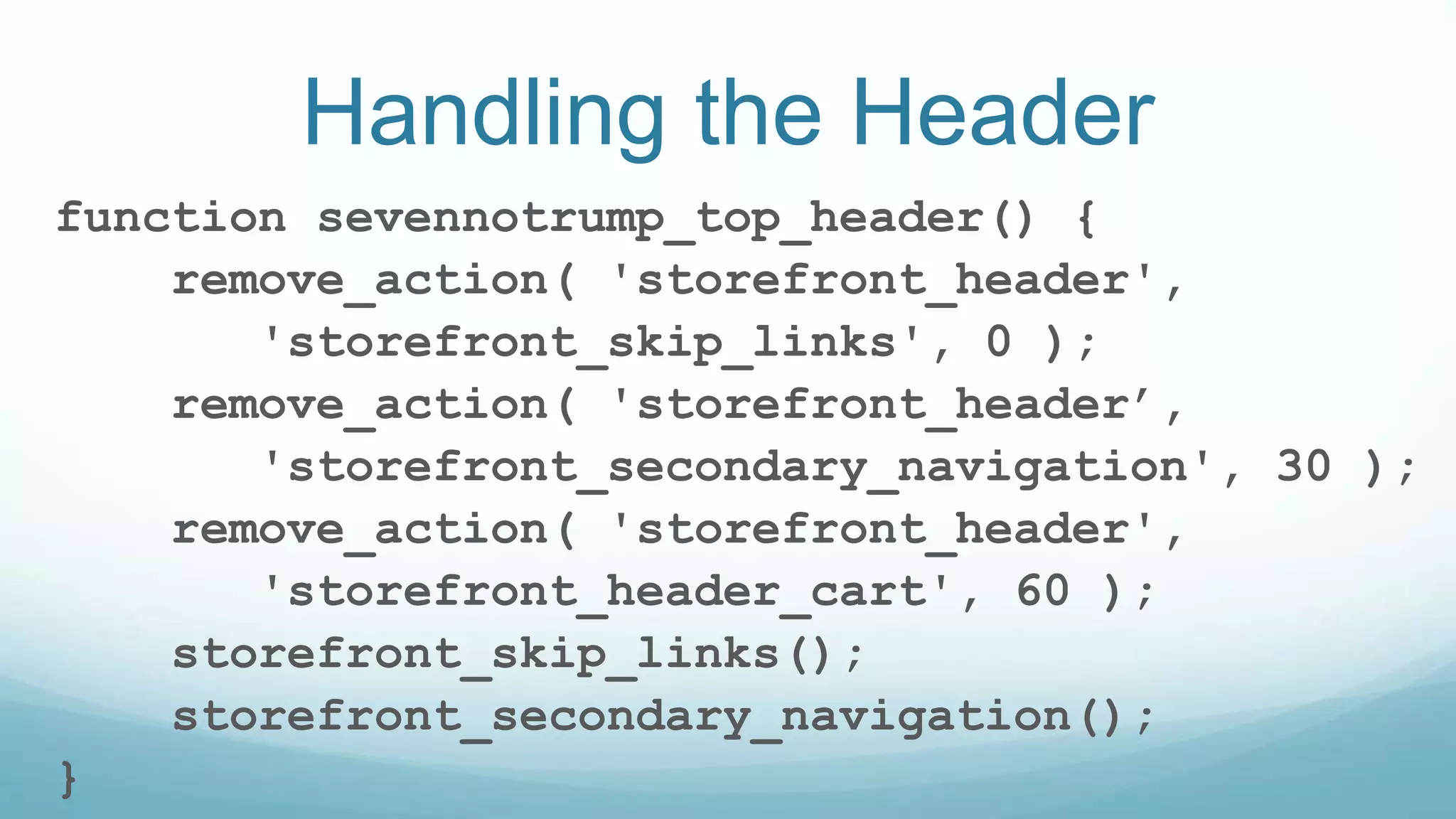
Handling the Header
function sevennotrump_top_header() {
remove_action( 'storefront_header',
'storefront_skip_links', 0 );
remove_action( 'storefront_header’,
'storefront_secondary_navigation', 30 );
remove_action( 'storefront_header',
'storefront_header_cart', 60 );
storefront_skip_links();
storefront_secondary_navigation();
}
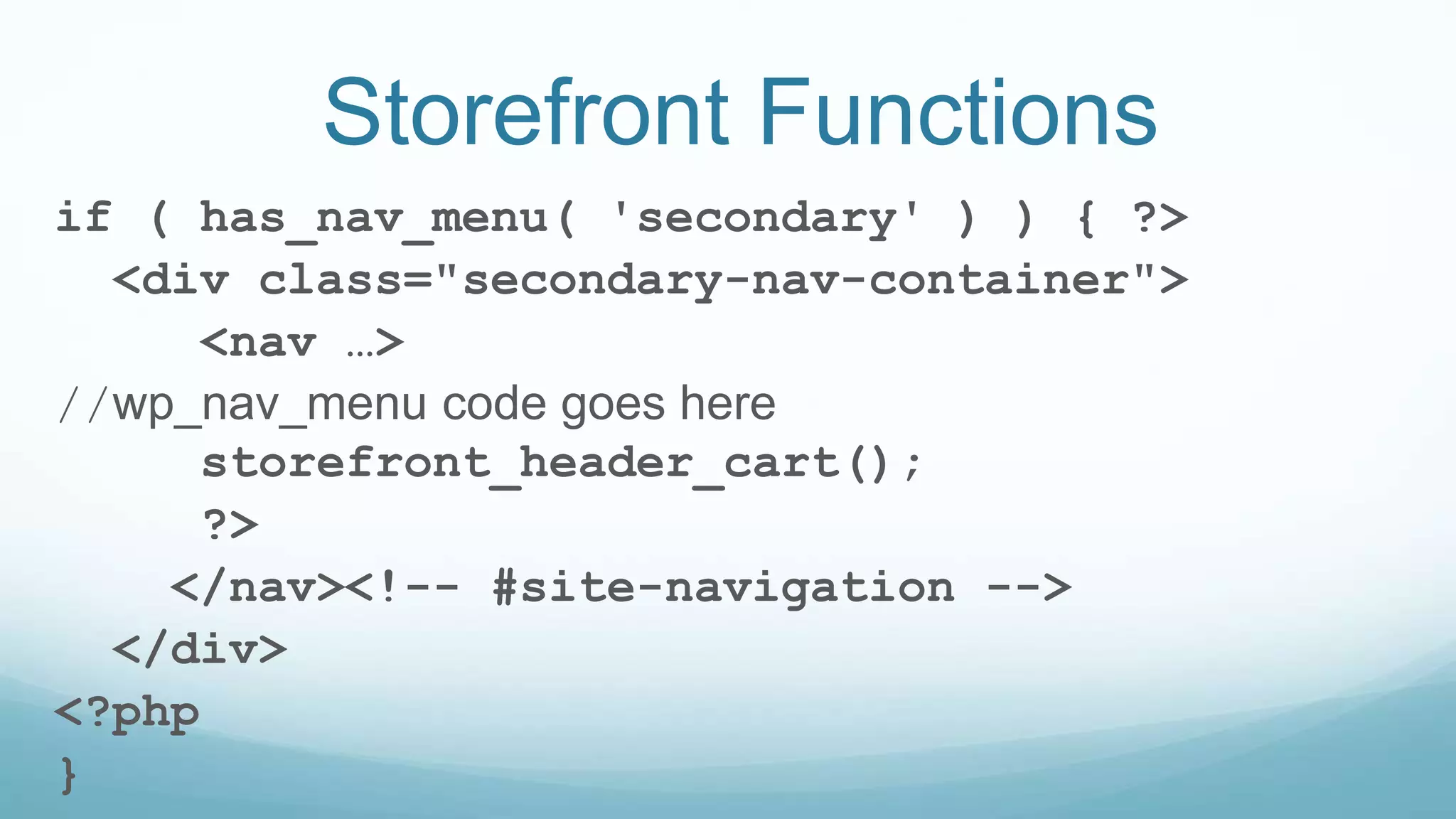
Storefront Functions
if ( has_nav_menu( 'secondary' ) ) { ?>
<div class="secondary-nav-container">
<nav …>
//wp_nav_menu code goes here
storefront_header_cart();
?>
</nav><!-- #site-navigation -->
</div>
<?php
}
Branding Overrides
function storefront_site_branding() {
//html for card players text goes here
//then get the logo
storefront_site_title_or_logo();
}
Home Page Overrides
function storefront_homepage_content() {
while ( have_posts() ) {
the_post();
get_template_part( 'content',
'homepage' );
} // end of the loop.
}
The Goal
Thank You

Woocommerce theming with Storefront

  • 1.
  • 2.
     Merrill M.Mayer  Kool Kat Web Designs  http://www.koolkatwebdesigns.com/  merrill@koolkatwebdesigns.com  @koolkatweb
  • 3.
    Why Storefront  Basedon Underscores  WooCommerce Integration  Schema Markup  Extensions
  • 4.
    Ways to Customize Extensions  Storefront Child Themes  Build your Own Child Theme
  • 5.
    Child Theme Review Abasic child theme consists of: • Child Theme Directory • style.css • functions.php
  • 6.
  • 7.
  • 8.
    Styles  Custom stylesgo into the child theme’s stylesheet.  Storefront uses the SASS pre-processor
  • 9.
    Fonts  Enqueue theGoogle fonts we want to use.  Dequeue the Google fonts we want to use in the Storefront theme we do not need.
  • 10.
    Storefront Hooks  Hooksor actions and filters are defined in the inc directory of the Storefront theme.  There are 3 important files:  class-storefront.php  storefront-template-hooks.php  storefront-template-functions.php
  • 11.
  • 12.
    Getting the CorrectLogo Size remove_theme_support( 'custom-logo' ); add_theme_support( 'custom-logo', array( 'height' => 720, 'width' => 720, 'flex-width' => true, ) );
  • 13.
    Clear Up theClutter //remove the breadcrumbs remove_action( 'storefront_content_top', 'woocommerce_breadcrumb', 10 ); //remove homepage actions we dont use remove_action( 'homepage', 'storefront_product_categories', 20 ); remove_action( 'homepage', 'storefront_recent_products', 30 ); remove_action( 'homepage', 'storefront_popular_products', 50 ); remove_action( 'homepage', 'storefront_on_sale_products', 60 ); remove_action( 'homepage', 'storefront_best_selling_products', 70 ); //remove storefront footer credits remove_action( 'storefront_footer', 'storefront_credit', 20 ); //add custom credit add_action( 'storefront_footer', 'sevennotrump_storefront_credit', 20 );
  • 14.
    Customize the Header add_action( 'sevennotrump_header', 'sevennotrump_top_header' );
  • 15.
  • 16.
    Handling the Header functionsevennotrump_top_header() { remove_action( 'storefront_header', 'storefront_skip_links', 0 ); remove_action( 'storefront_header’, 'storefront_secondary_navigation', 30 ); remove_action( 'storefront_header', 'storefront_header_cart', 60 ); storefront_skip_links(); storefront_secondary_navigation(); }
  • 17.
    Storefront Functions if (has_nav_menu( 'secondary' ) ) { ?> <div class="secondary-nav-container"> <nav …> //wp_nav_menu code goes here storefront_header_cart(); ?> </nav><!-- #site-navigation --> </div> <?php }
  • 18.
    Branding Overrides function storefront_site_branding(){ //html for card players text goes here //then get the logo storefront_site_title_or_logo(); }
  • 19.
    Home Page Overrides functionstorefront_homepage_content() { while ( have_posts() ) { the_post(); get_template_part( 'content', 'homepage' ); } // end of the loop. }
  • 20.
  • 21.

Editor's Notes

  • #3 I am the owner and web developer at Kool Kat Web Designs. I work with designers to create custom solutions for small to medium sized businesses and non-profits.
  • #4 Mention that the theme itself does not have bells and whistles like sliders and page builders but is compatible with many that can be added on as plugins. It responsive, accessible Mention schema markup is for SEO Mention that I am using the free hamburger menu extension
  • #5  Extensions include mega menus, pagination, reviews and other Themes for book stores, toy stores, etc. Build your Own Child Theme and Use Storefront Actions and Filters. Override Storefront functions. We will discuss the third option today.
  • #6 How to create a child theme. Style sheet includes parent template. Note that we don’t need to enqueue stylesheet For a Storefront child theme, parent and child CSS files are already enqueued. This works by checking if the theme is a child them and then enqueueing the stylesheet.
  • #7 Once we have our child theme in place. We can begin the transformation. Our basic goal is to go from the out of the box Storefront theme to the specified design.
  • #8 Once we have our child them in place. We can begin the transformation. Our basic goal is to go from the out of the box Storefront theme to the specified design. Site still under development
  • #9 Note: Storefront actually uses the SASS pre-processor. You may also use this in your own styles. Storefront uses both Susy and Bourbon modules. In my project, I used SASS and imported the Susy modules, too. I used a GRUNT job to compile the SASS into CSS.
  • #10  ENQUEUE Use the WordPress action wp_enqueue_scripts without any priority so it is in place before the stylesheets DEQUEUE Use the WordPress action wp_enqueue_scripts with a high priority so it removed after the parent theme enqueues it Note the separate calls to enqueue scripts so actions happen in the correct order. We are using Lato and Merriweather
  • #11 1. class-storefront.php which sets up theme supports, scripts and widgets 2. storefront-template-hooks.php which defines the hooks and priorities 3. storefront-template-functions.php which contains the implementations
  • #12 The next few items will all appear as part of the setup theme function
  • #14 Remove unwanted elements from the home page. Replace the storefront credit with our own
  • #15 This is the action we call to change the header. Show pics of original again.
  • #17 Move around items. We want the secondary nav at the top before the logo. And we want the cart to be part of the secondary nav, not the primary. Notice that we call a couple of Storefront functions: So, lets look at storefornt_secondary_navigation
  • #18 Since the storefront theme uses if (function_exists) when calling storefront_secondary_navigation() we can easily override that function with our own code. In other words, the parent theme function will not get called because there is a function of the same name in our child theme Here we call the secondary menu code to display the menu and add the header cart as part of that menu. And since we removed the storefront_secondary_menu action, the search gets moved after the site branding as it is the next action. Of course, it is formatted differently, too. We use the standard woocommerce “get_product_search_form filter to separate out the search button.
  • #19 Same principal of overriding functions
  • #20 Again we use the principal of overriding functions We also create a file content-homepage.php which displays the images, links and text for the home page. I used ACF repeater here to store this info.
  • #21 Hopefully our goal is achieved!
  • #22 Mention redirects for shop page and single product page