VISUAL STUDIO C# 2012
WINFORM
Upload File with Background Worker Component
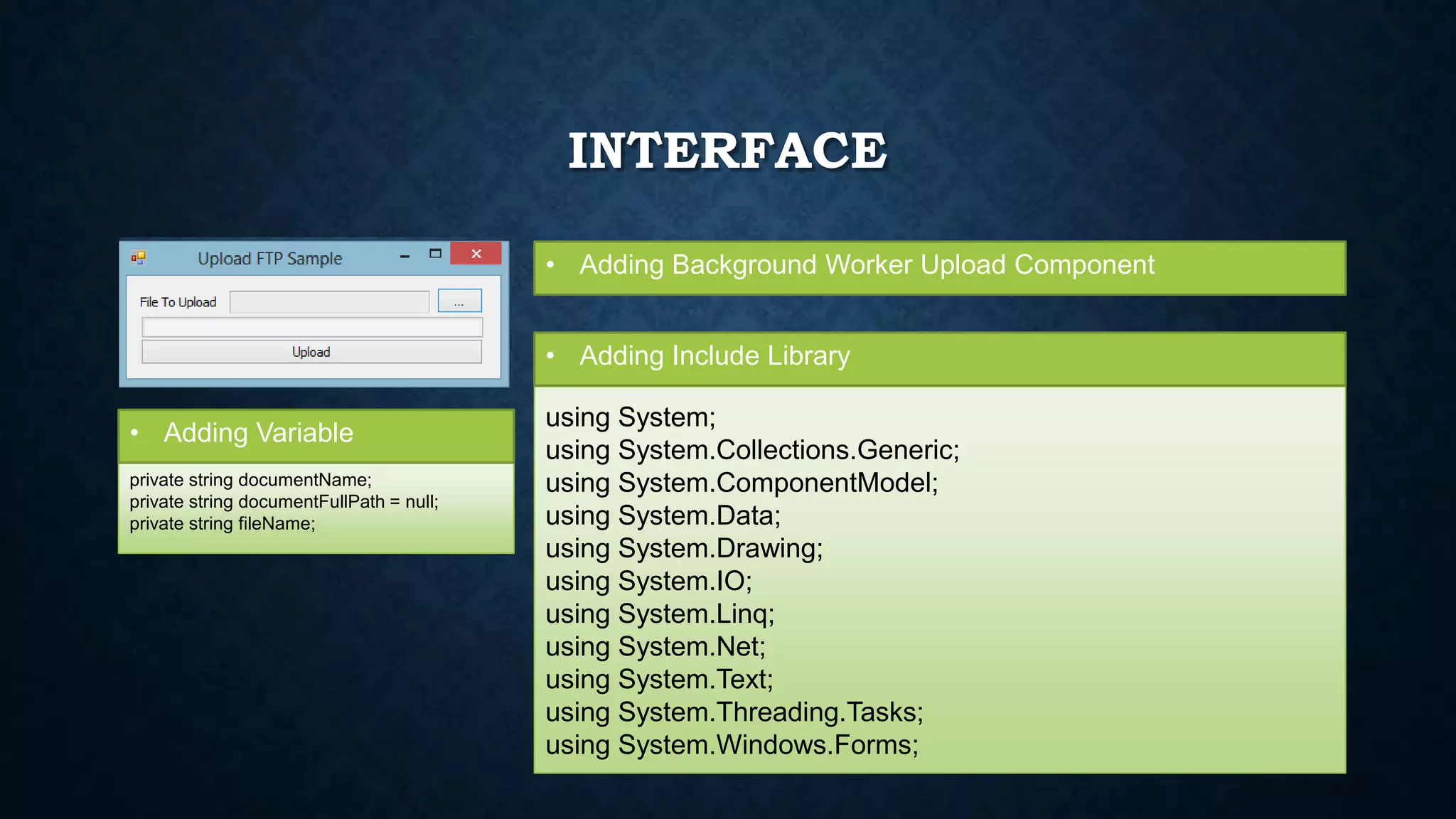
INTERFACE
• Adding Background Worker Upload Component
using System;
using System.Collections.Generic;
using System.ComponentModel;
using System.Data;
using System.Drawing;
using System.IO;
using System.Linq;
using System.Net;
using System.Text;
using System.Threading.Tasks;
using System.Windows.Forms;
• Adding Include Library
private string documentName;
private string documentFullPath = null;
private string fileName;
• Adding Variable
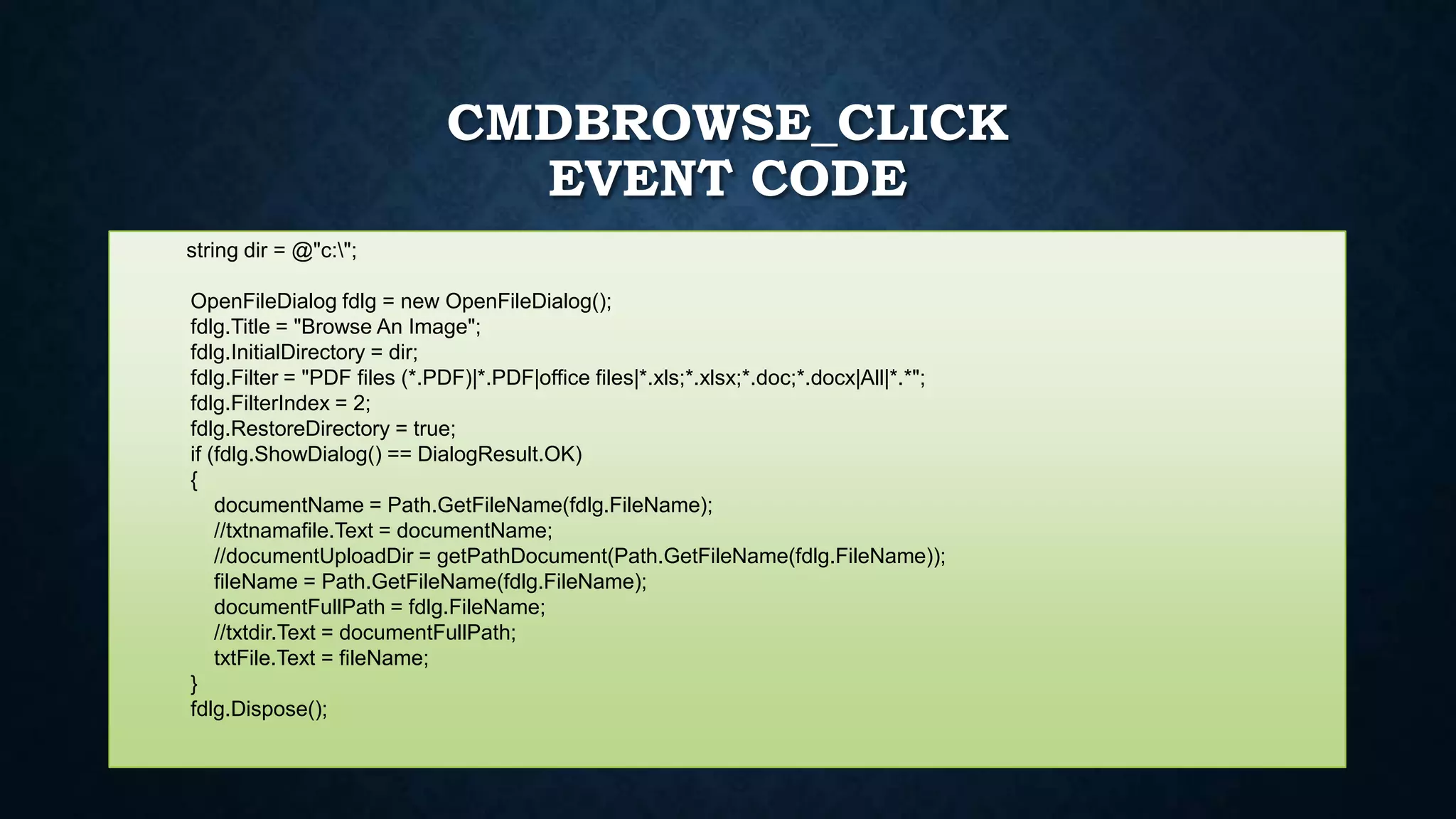
CMDBROWSE_CLICK
EVENT CODE
string dir = @"c:";
OpenFileDialog fdlg = new OpenFileDialog();
fdlg.Title = "Browse An Image";
fdlg.InitialDirectory = dir;
fdlg.Filter = "PDF files (*.PDF)|*.PDF|office files|*.xls;*.xlsx;*.doc;*.docx|All|*.*";
fdlg.FilterIndex = 2;
fdlg.RestoreDirectory = true;
if (fdlg.ShowDialog() == DialogResult.OK)
{
documentName = Path.GetFileName(fdlg.FileName);
//txtnamafile.Text = documentName;
//documentUploadDir = getPathDocument(Path.GetFileName(fdlg.FileName));
fileName = Path.GetFileName(fdlg.FileName);
documentFullPath = fdlg.FileName;
//txtdir.Text = documentFullPath;
txtFile.Text = fileName;
}
fdlg.Dispose();
BACKGROUNDWORKERUPLOAD_DOWORK
EVENT CODE
FtpWebRequest requestFileUpload = (FtpWebRequest)WebRequest.Create("ftp://192.168.1.155/" + fileName);
requestFileUpload.Credentials = new NetworkCredential(“UserName", “Password");
requestFileUpload.Method = WebRequestMethods.Ftp.UploadFile;
FileInfo fileinfo = new FileInfo(documentFullPath);
FileStream filestream = fileinfo.OpenRead();
int bufferLength = 2048;
byte[] buffer = new byte[bufferLength];
Stream uploadStream = requestFileUpload.GetRequestStream();
int contentLength = filestream.Read(buffer, 0, bufferLength);
int totalReadBytesCount = 0;
//int readBytesCount;
while (contentLength != 0)
{
uploadStream.Write(buffer, 0, contentLength);
contentLength = filestream.Read(buffer, 0, bufferLength);
totalReadBytesCount += contentLength;
var progress = totalReadBytesCount * 100.0 / filestream.Length;
backgroundWorkerUpload.ReportProgress((int)progress);
}
uploadStream.Close();
filestream.Close();
requestFileUpload = null;
EVENT CODE
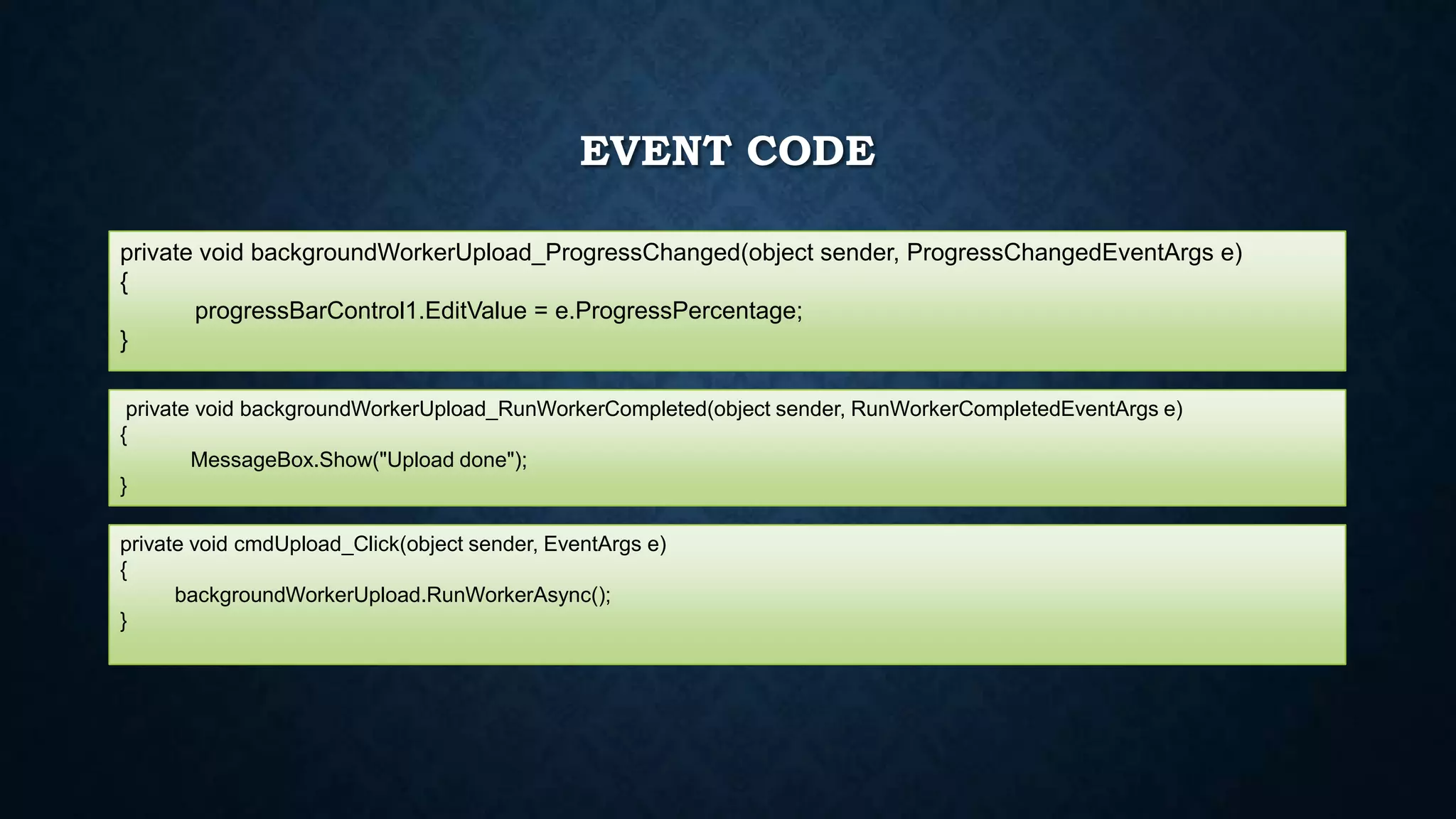
private void backgroundWorkerUpload_ProgressChanged(object sender, ProgressChangedEventArgs e)
{
progressBarControl1.EditValue = e.ProgressPercentage;
}
private void backgroundWorkerUpload_RunWorkerCompleted(object sender, RunWorkerCompletedEventArgs e)
{
MessageBox.Show("Upload done");
}
private void cmdUpload_Click(object sender, EventArgs e)
{
backgroundWorkerUpload.RunWorkerAsync();
}

[Winform] Visual studio C# 2012 upload ftp

  • 1.
    VISUAL STUDIO C#2012 WINFORM Upload File with Background Worker Component
  • 2.
    INTERFACE • Adding BackgroundWorker Upload Component using System; using System.Collections.Generic; using System.ComponentModel; using System.Data; using System.Drawing; using System.IO; using System.Linq; using System.Net; using System.Text; using System.Threading.Tasks; using System.Windows.Forms; • Adding Include Library private string documentName; private string documentFullPath = null; private string fileName; • Adding Variable
  • 3.
    CMDBROWSE_CLICK EVENT CODE string dir= @"c:"; OpenFileDialog fdlg = new OpenFileDialog(); fdlg.Title = "Browse An Image"; fdlg.InitialDirectory = dir; fdlg.Filter = "PDF files (*.PDF)|*.PDF|office files|*.xls;*.xlsx;*.doc;*.docx|All|*.*"; fdlg.FilterIndex = 2; fdlg.RestoreDirectory = true; if (fdlg.ShowDialog() == DialogResult.OK) { documentName = Path.GetFileName(fdlg.FileName); //txtnamafile.Text = documentName; //documentUploadDir = getPathDocument(Path.GetFileName(fdlg.FileName)); fileName = Path.GetFileName(fdlg.FileName); documentFullPath = fdlg.FileName; //txtdir.Text = documentFullPath; txtFile.Text = fileName; } fdlg.Dispose();
  • 4.
    BACKGROUNDWORKERUPLOAD_DOWORK EVENT CODE FtpWebRequest requestFileUpload= (FtpWebRequest)WebRequest.Create("ftp://192.168.1.155/" + fileName); requestFileUpload.Credentials = new NetworkCredential(“UserName", “Password"); requestFileUpload.Method = WebRequestMethods.Ftp.UploadFile; FileInfo fileinfo = new FileInfo(documentFullPath); FileStream filestream = fileinfo.OpenRead(); int bufferLength = 2048; byte[] buffer = new byte[bufferLength]; Stream uploadStream = requestFileUpload.GetRequestStream(); int contentLength = filestream.Read(buffer, 0, bufferLength); int totalReadBytesCount = 0; //int readBytesCount; while (contentLength != 0) { uploadStream.Write(buffer, 0, contentLength); contentLength = filestream.Read(buffer, 0, bufferLength); totalReadBytesCount += contentLength; var progress = totalReadBytesCount * 100.0 / filestream.Length; backgroundWorkerUpload.ReportProgress((int)progress); } uploadStream.Close(); filestream.Close(); requestFileUpload = null;
  • 5.
    EVENT CODE private voidbackgroundWorkerUpload_ProgressChanged(object sender, ProgressChangedEventArgs e) { progressBarControl1.EditValue = e.ProgressPercentage; } private void backgroundWorkerUpload_RunWorkerCompleted(object sender, RunWorkerCompletedEventArgs e) { MessageBox.Show("Upload done"); } private void cmdUpload_Click(object sender, EventArgs e) { backgroundWorkerUpload.RunWorkerAsync(); }